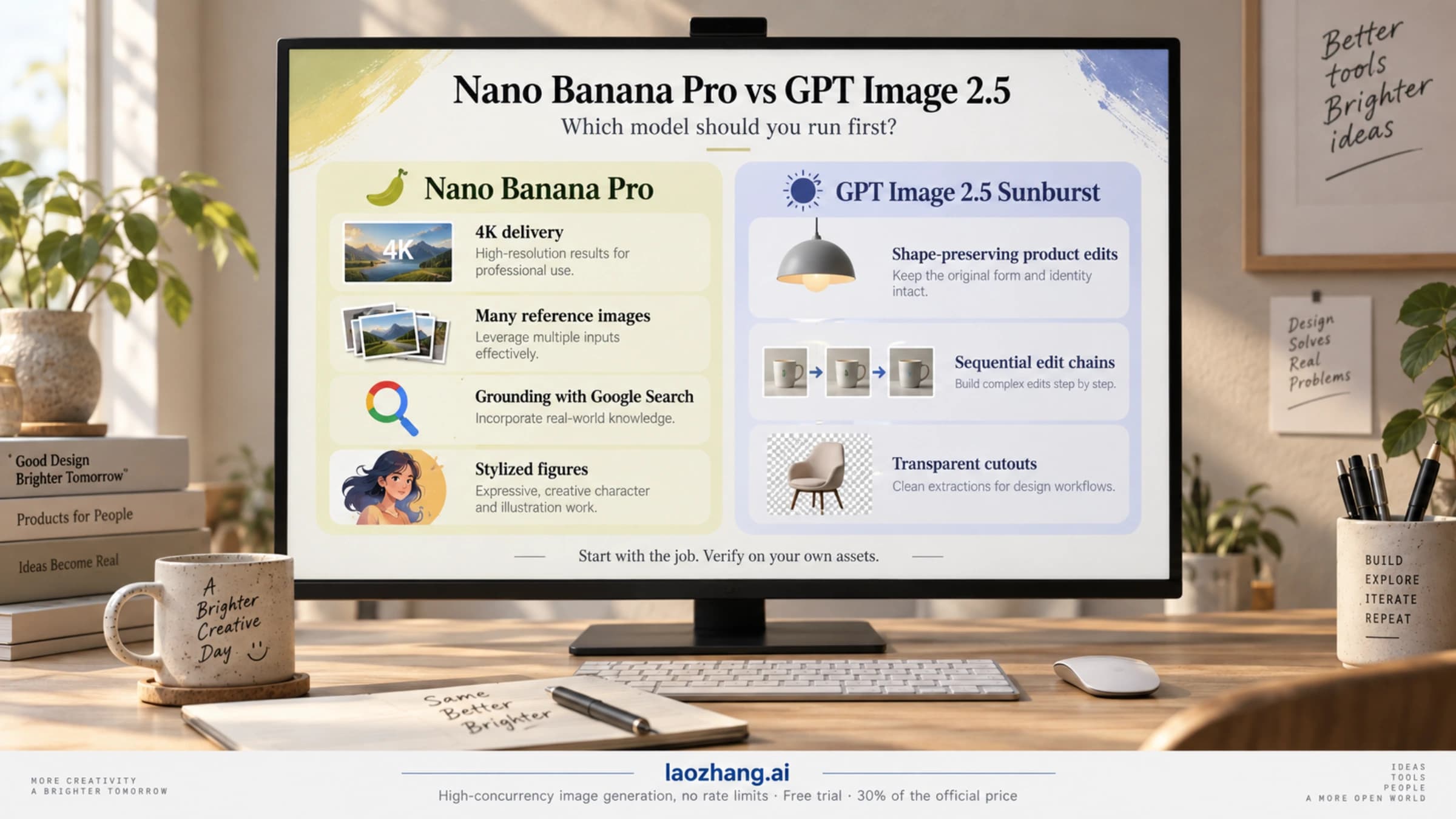
Nano Banana Pro vs GPT Image 2.5: Which to Run First for Each Job
No universal winner as of September 2026: run GPT Image 2.5 Sunburst first for shape-preserving edits, Nano Banana Pro for 4K, many references or stylization.
19 min
No universal winner as of September 2026: run GPT Image 2.5 Sunburst first for shape-preserving edits, Nano Banana Pro for 4K, many references or stylization.
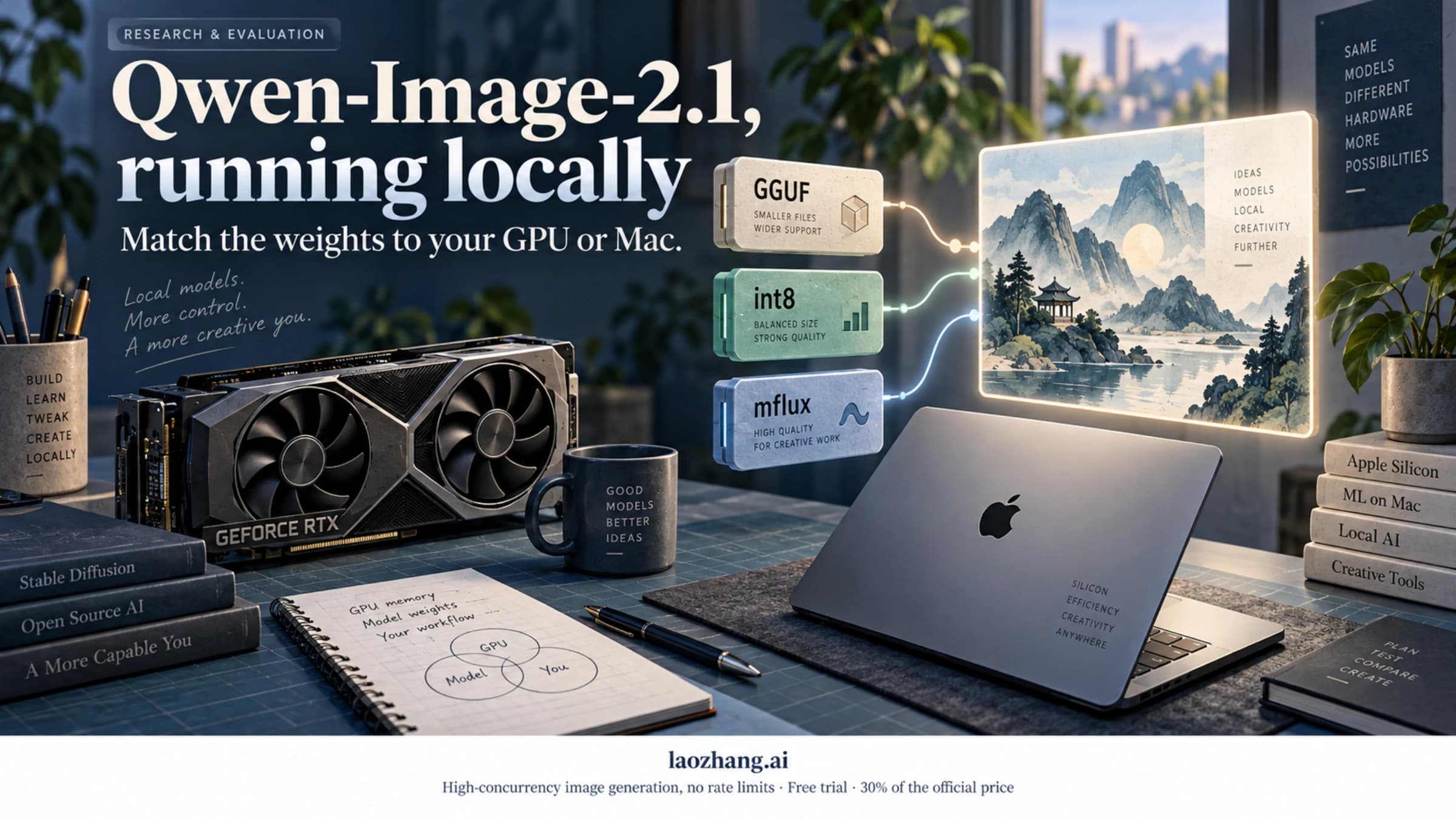
Qwen-Image-2.1 runs on 16–24 GB NVIDIA cards with official int8 files, on 8–12 GB with GGUF and the W4A8 encoder, and on Macs via mflux, for research use only.
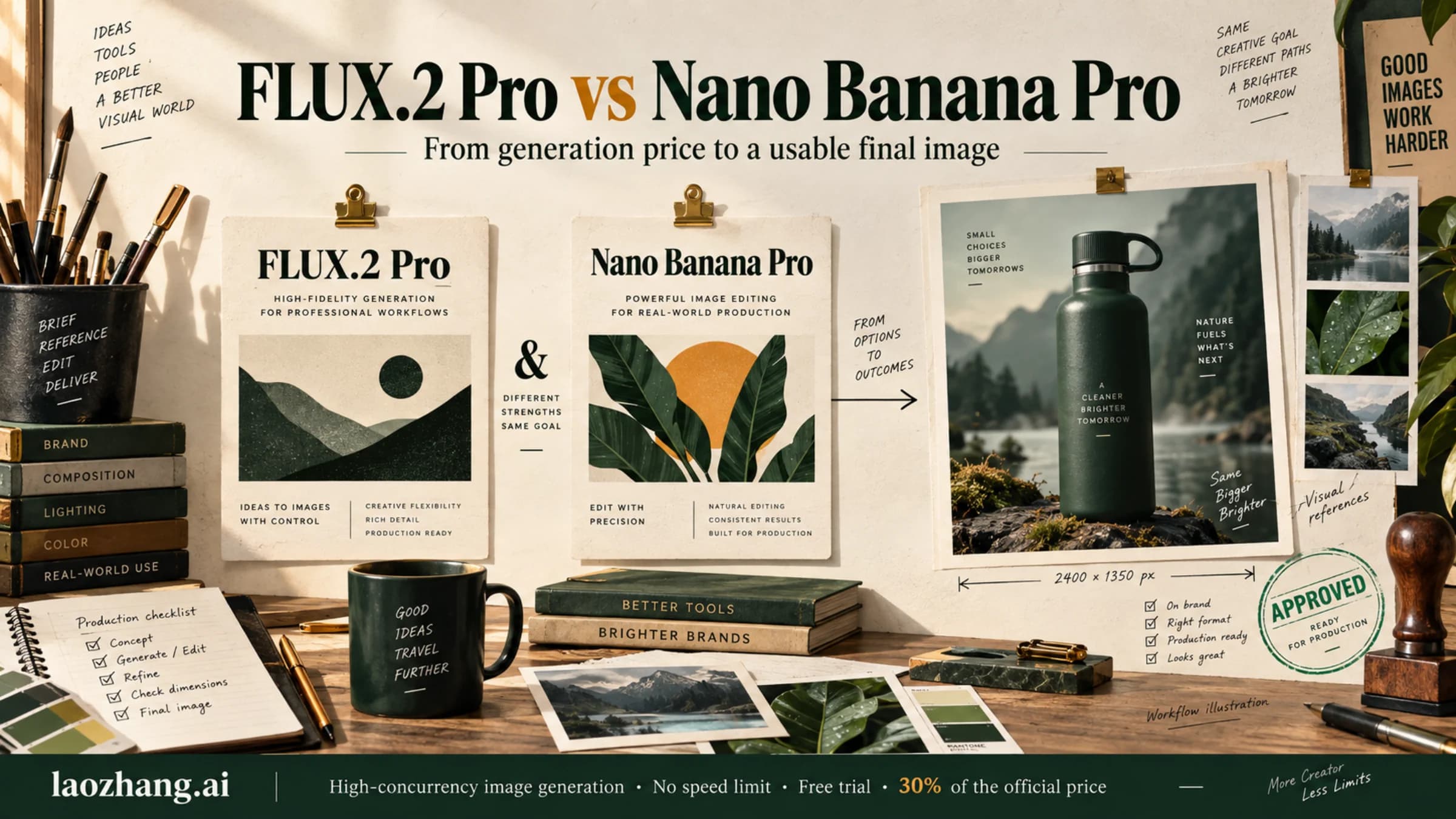
FLUX.2 Pro starts cheaper for generation, but reference images narrow the price gap. Compare both models at the same dimensions, understand their editing limits, and choose by the cost of usable final images.
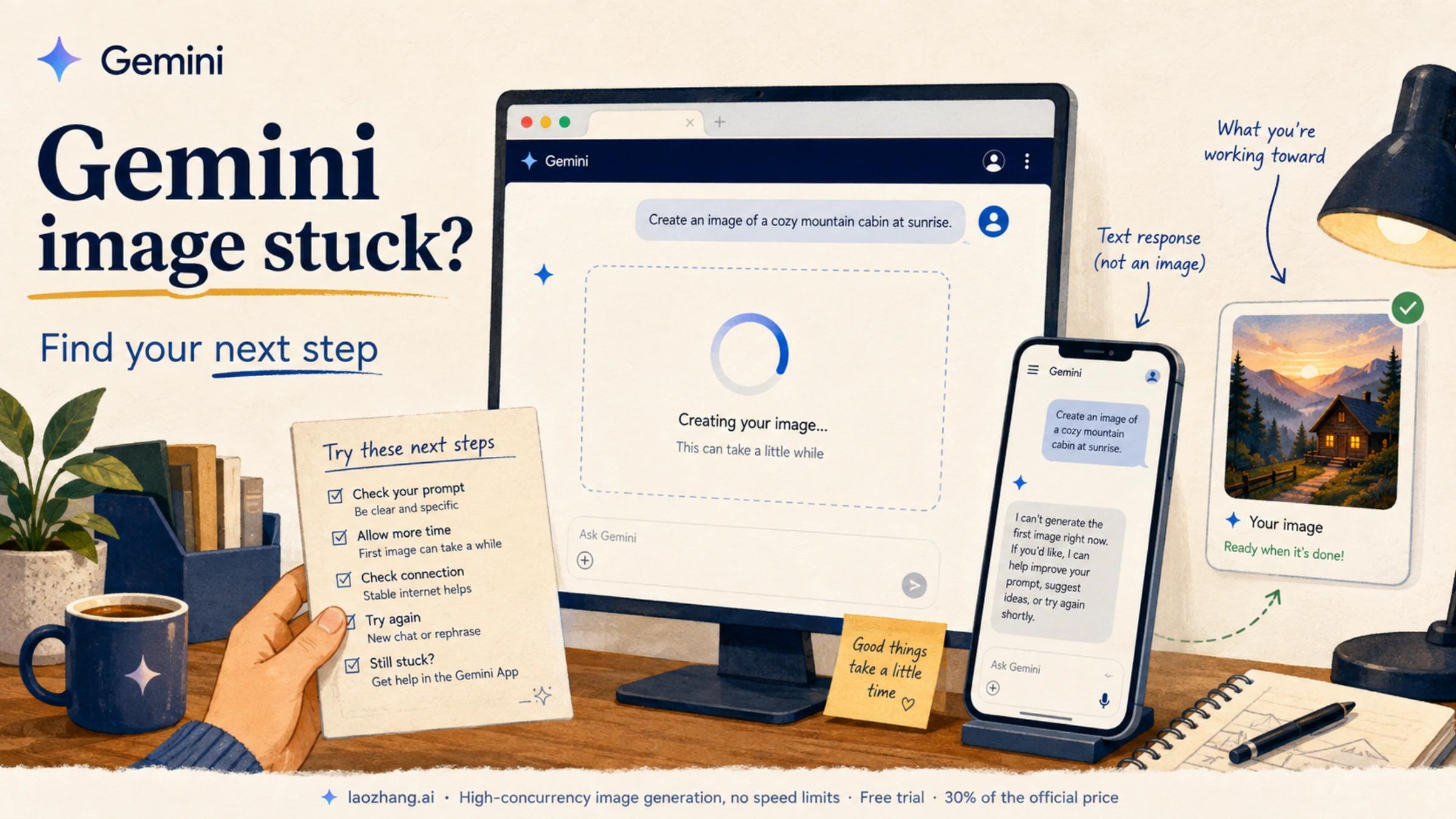
If Nano Banana gets stuck loading or Gemini replies without an image, start with the Images tool and the message on screen. A small comparison can help you decide what to try next.
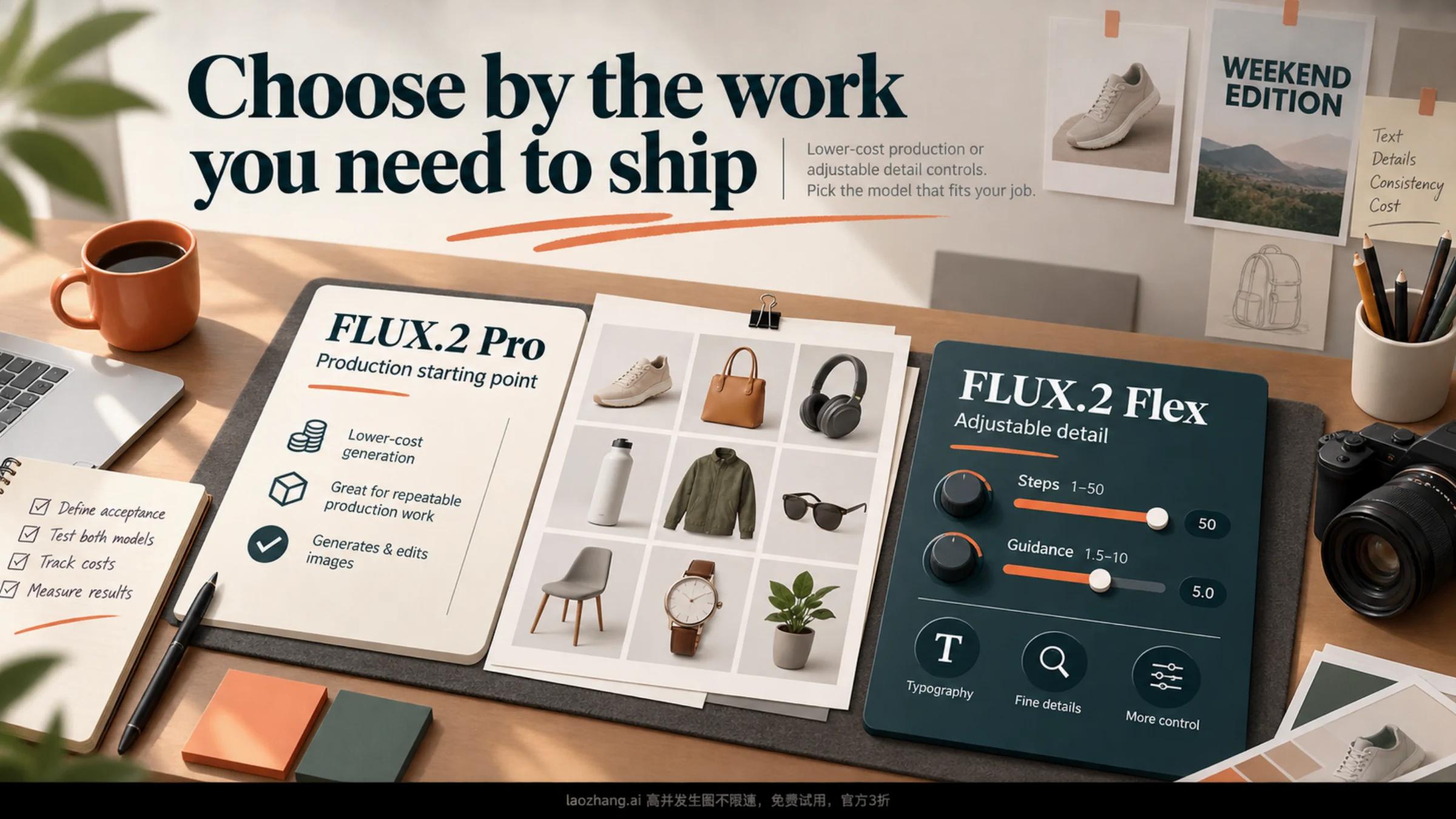
Start with FLUX.2 Pro for lower generation costs. Test Flex when text or fine details need more control. Compare current BFL pricing, editing costs, and the acceptance rate that would justify paying more.
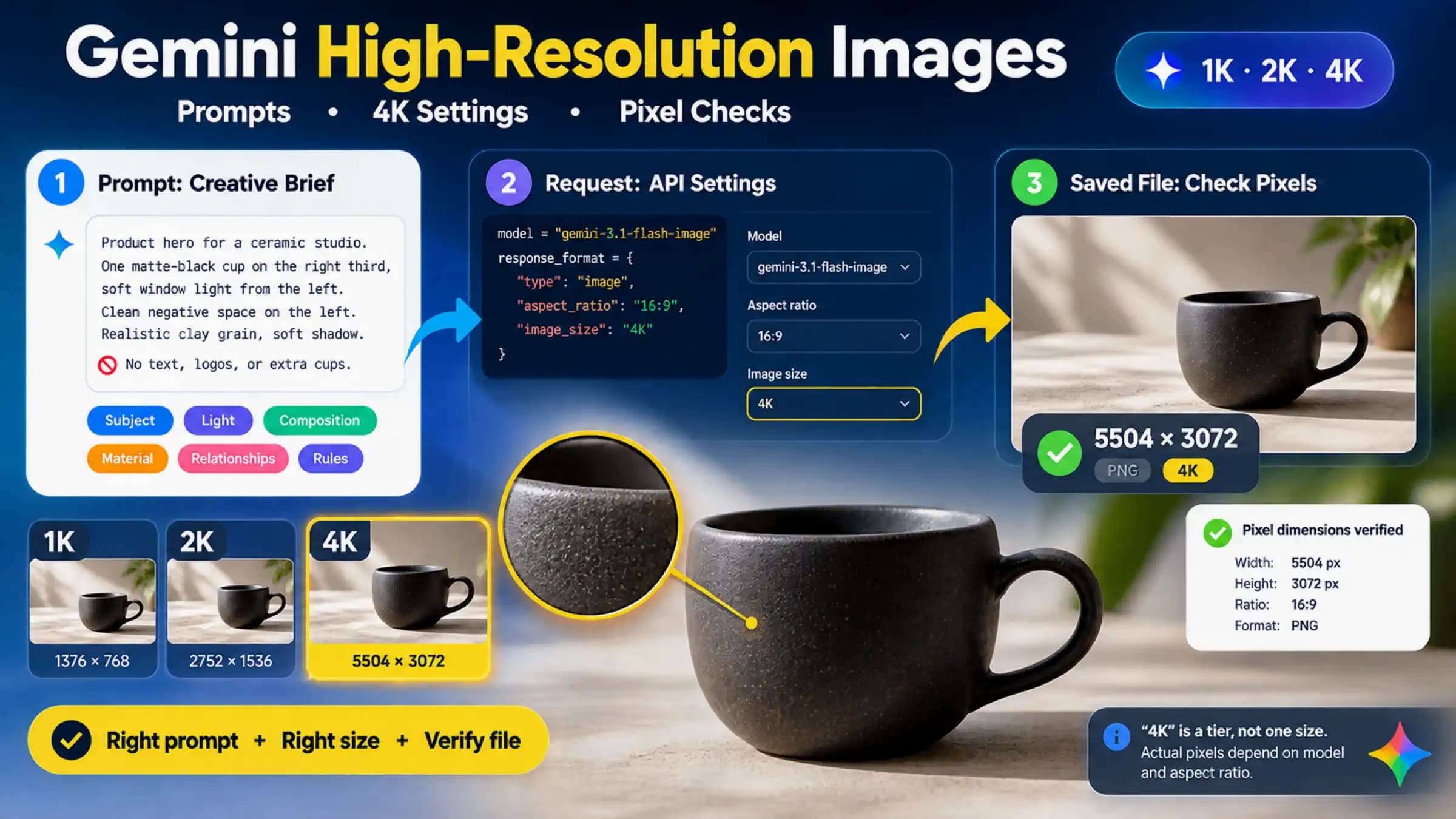
Writing HD or 4K in a Gemini prompt does not set the output pixels. Use a specific creative brief for visual quality, set image_size and aspect_ratio on a supported API model for delivery size, then inspect the saved file before changing prompts, plans, or providers.
Use Gemini Apps’ Media Watermark control for new media, see which provenance signals remain, and check the documented limits if the setting is unavailable.
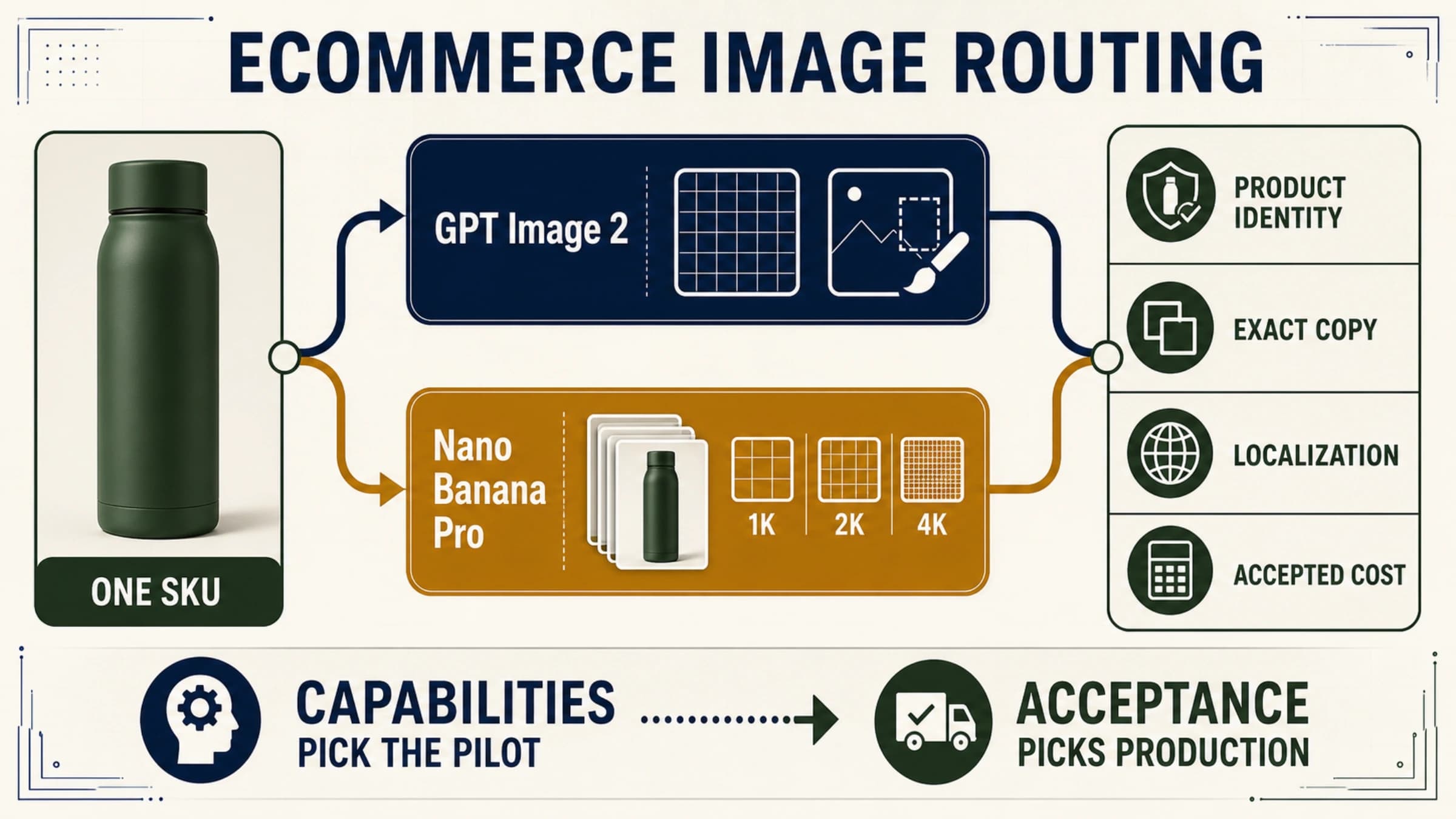
Test GPT Image 2 first for flexible pixels, masks, and an OpenAI workflow; test Nano Banana Pro first for Google-native 1K/2K/4K and multi-reference composition. Test both when packaging, localized copy, or a campaign master is expensive to reject.
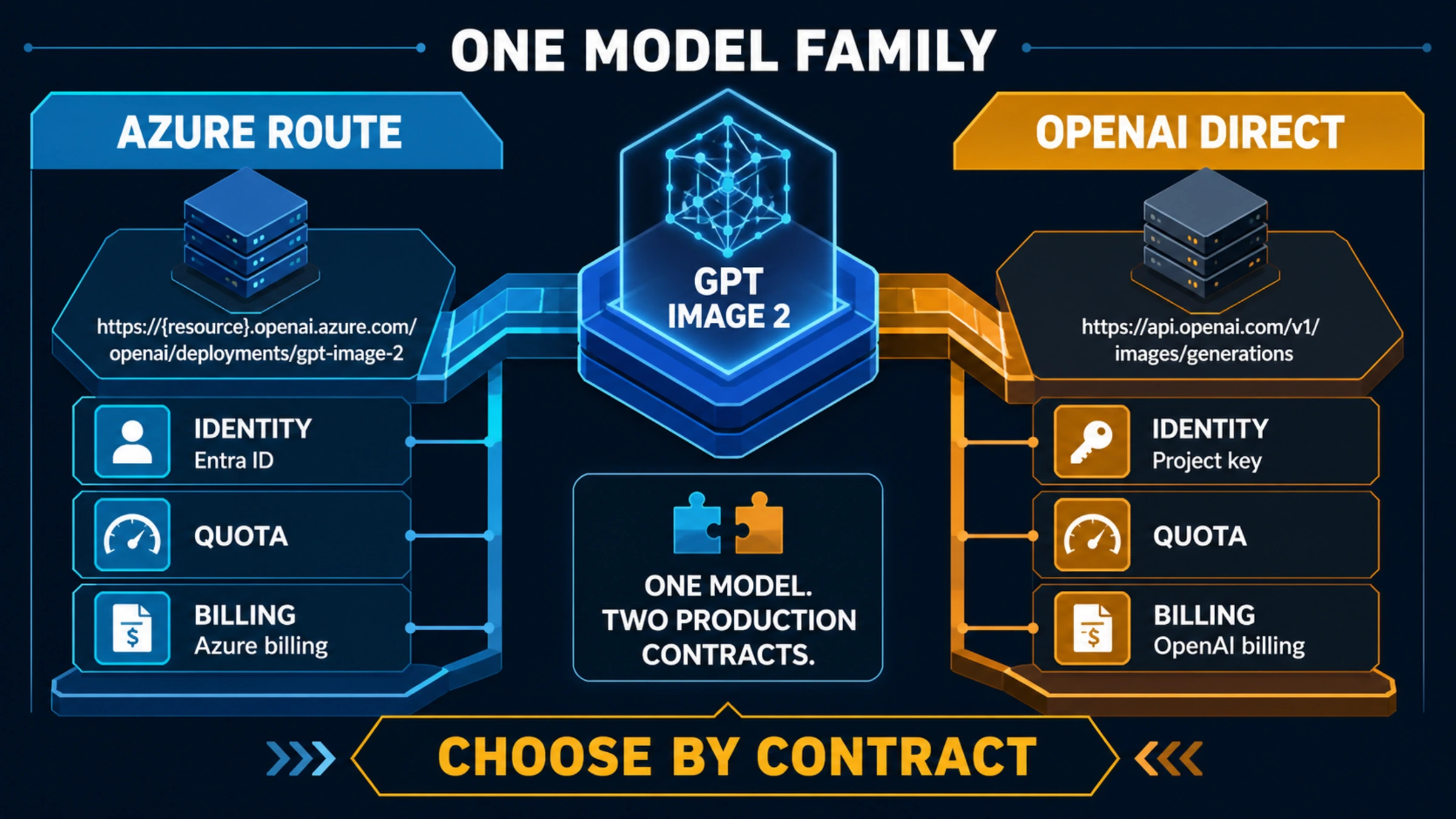
Azure and OpenAI direct expose the same GPT Image 2 family through different operational contracts. Choose by identity, region, billing, quota, output format, and support ownership—not by the model name alone.
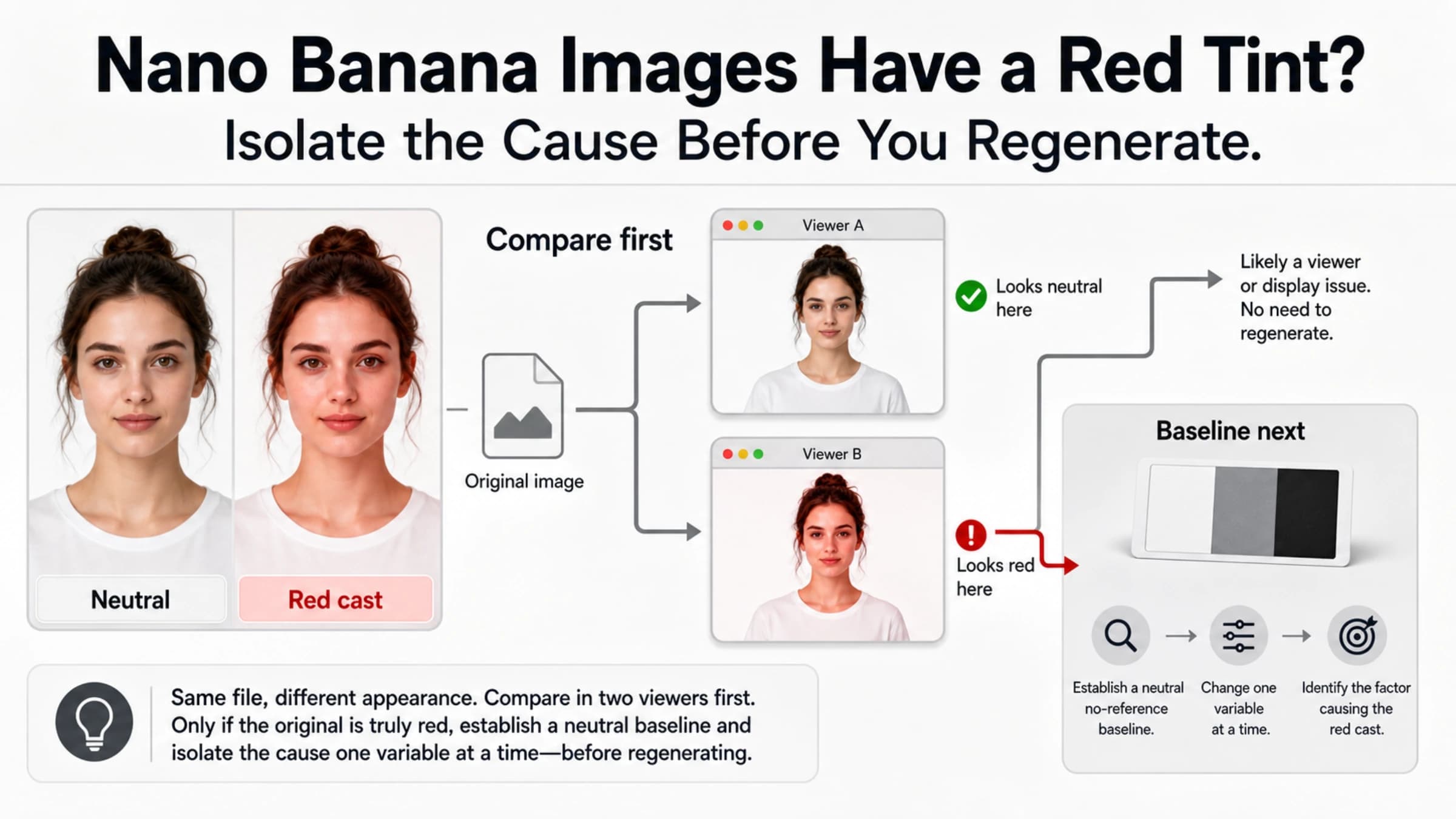
Do not reroll a red-tinted Nano Banana image blindly. Compare the downloaded original in two color-managed viewers, run a neutral no-reference baseline, and add back one input at a time.
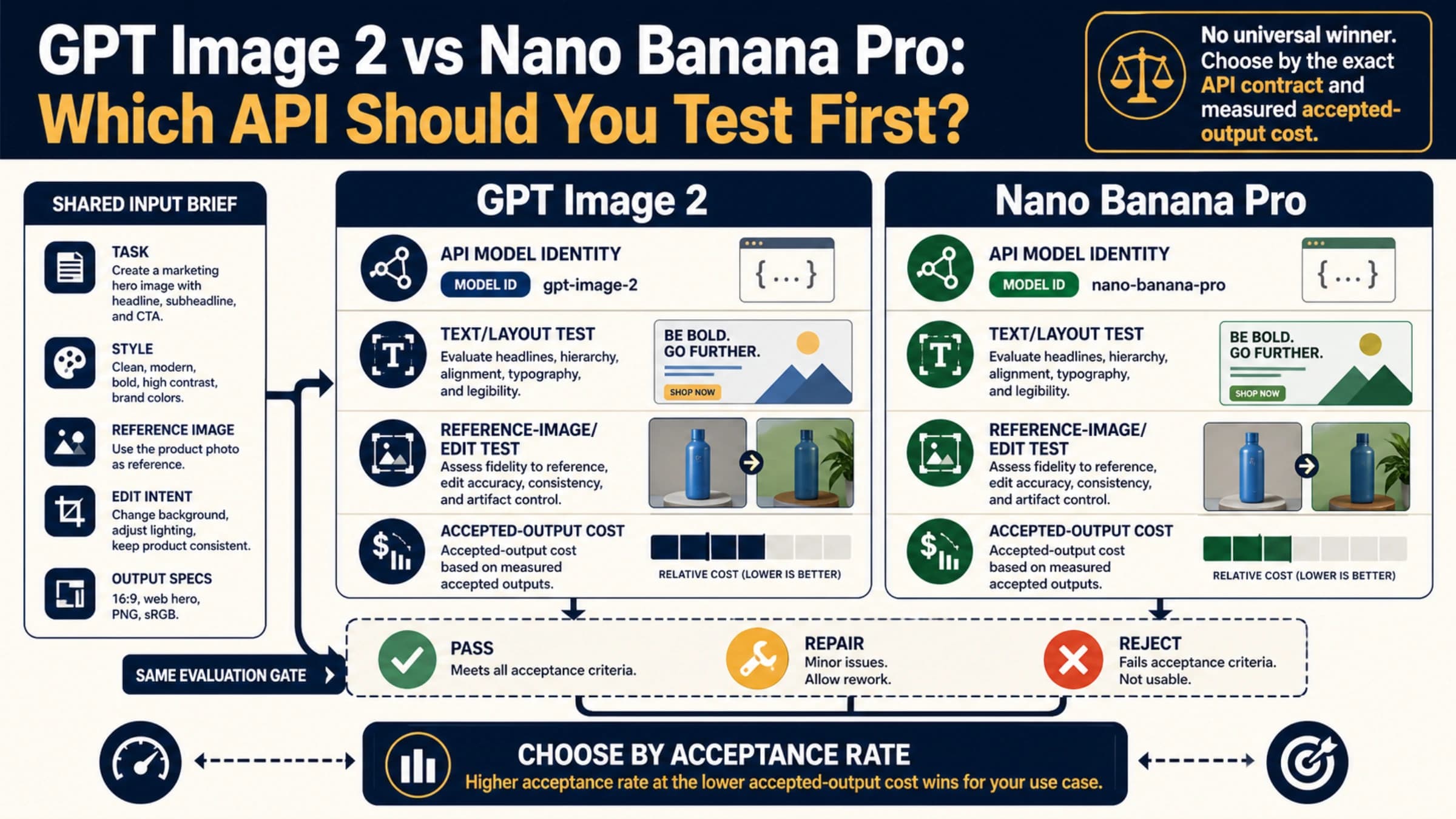
There is no proven universal quality winner. Compare the exact API models on four repeatable tasks, then choose by accepted-output cost rather than one attractive sample.
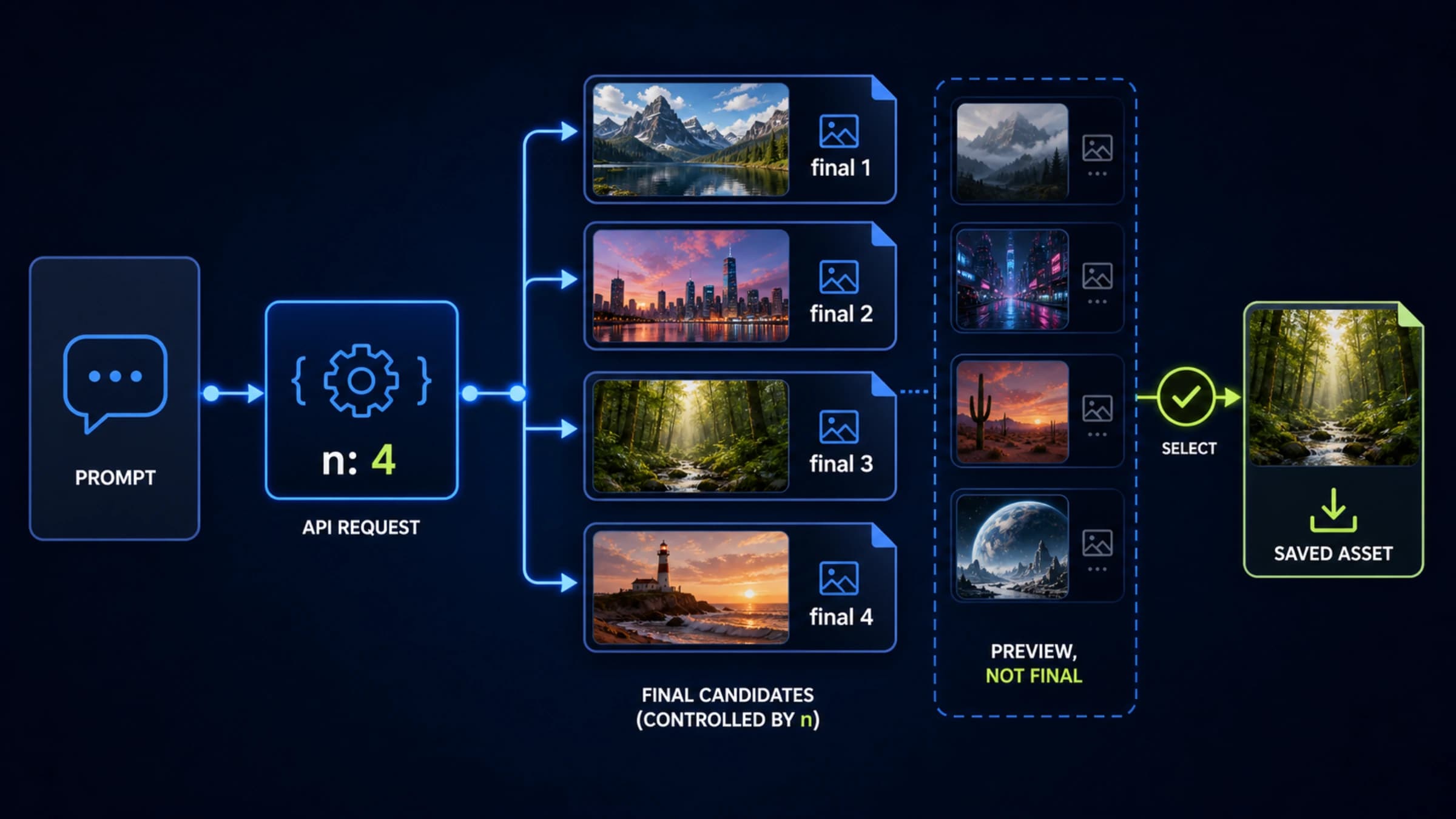
Use the official Image API's n parameter to request several independent GPT-Image-2 candidates, save each final result, and keep streaming previews separate from usable outputs.
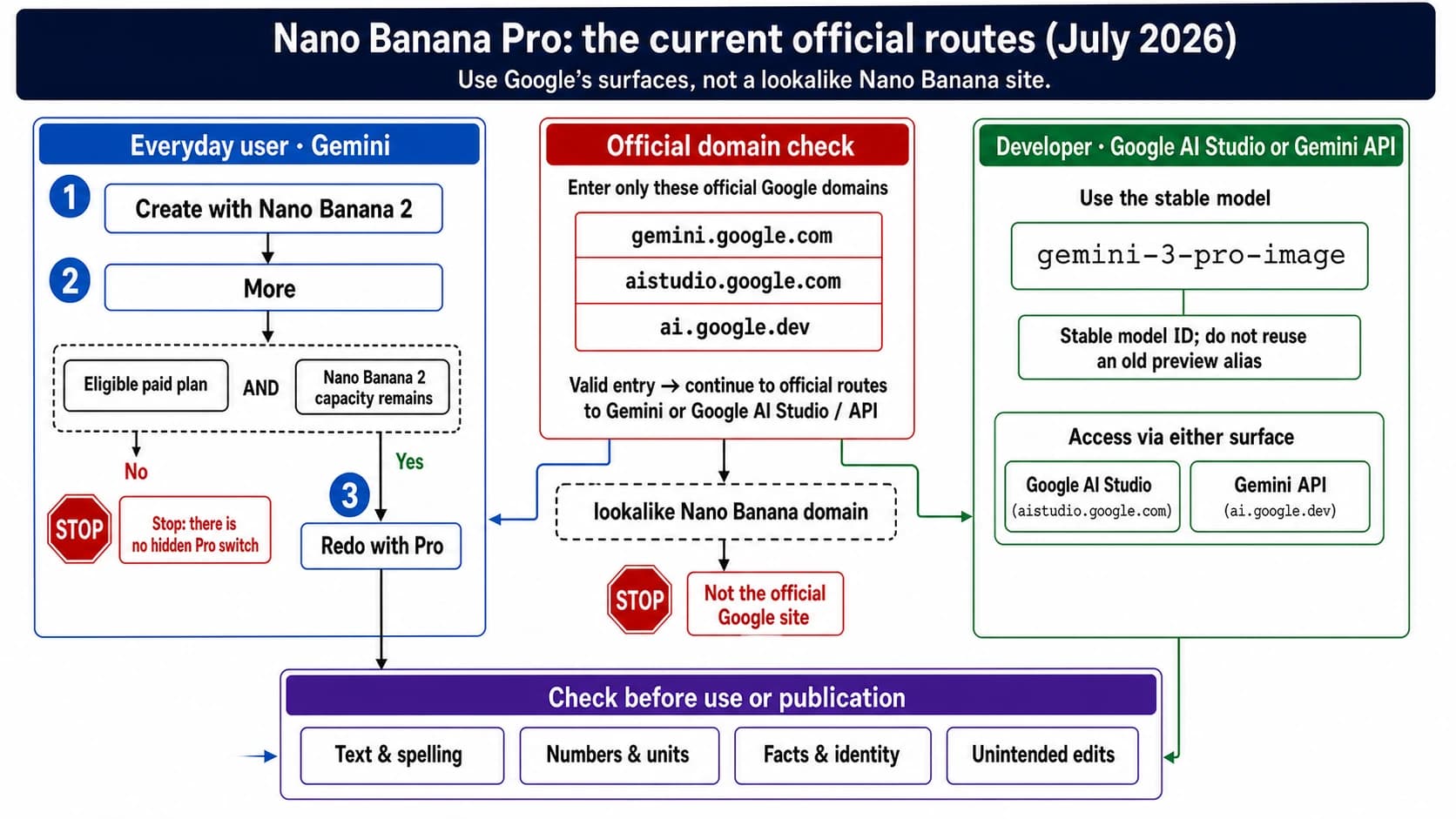
Nano Banana Pro is Google’s Gemini 3 Pro Image model, not a separate website or app. This guide shows the current Gemini redo flow, the direct AI Studio/API route, and a practical first-image quality check.
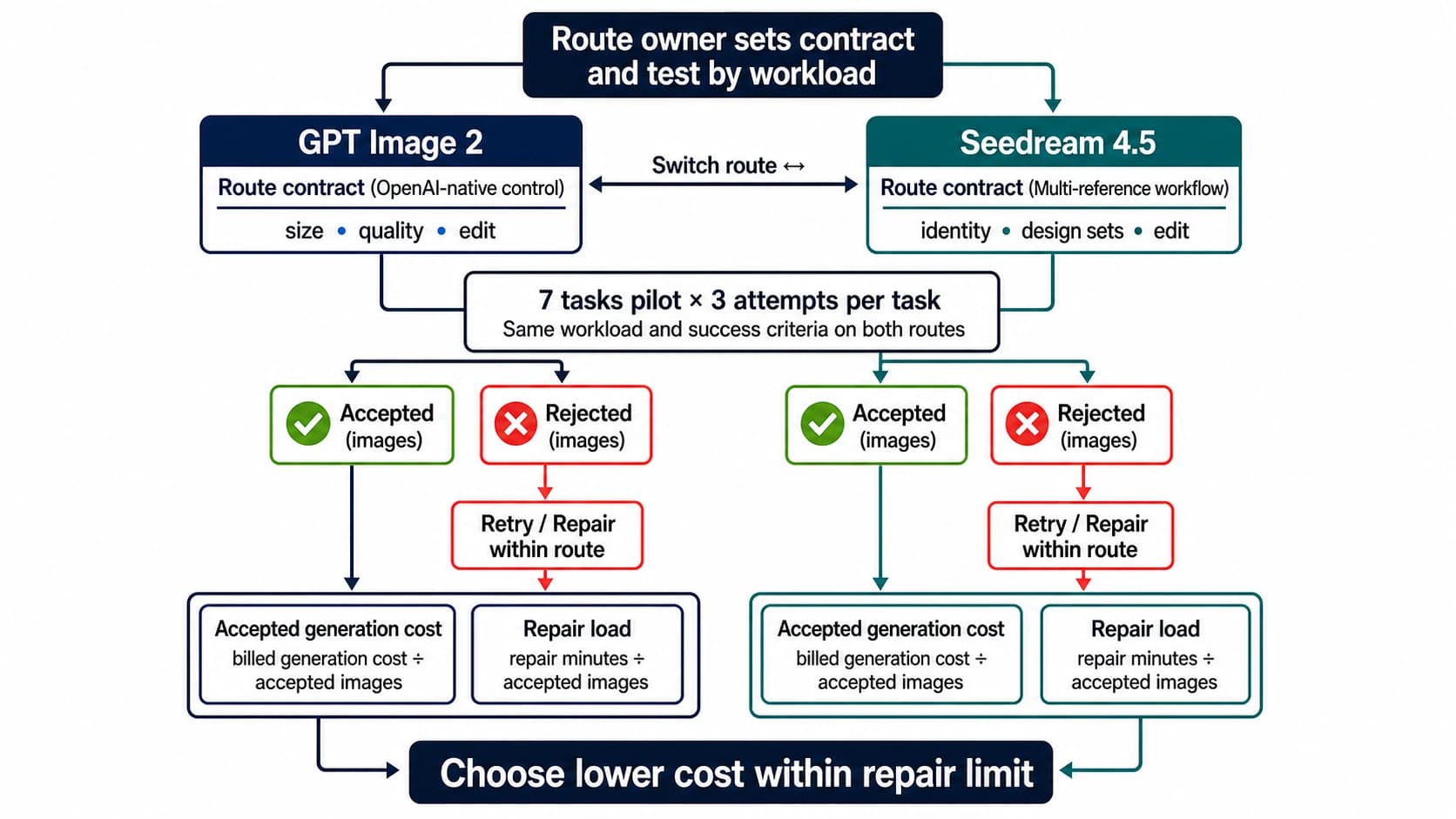
Start with GPT Image 2 for an OpenAI-native workflow, flexible size and quality controls, inpainting, and high-fidelity image inputs. Start with Seedream 4.5 for a flat per-output price and multi-image design workflows. Then decide with cost per accepted image—not one lucky sample.
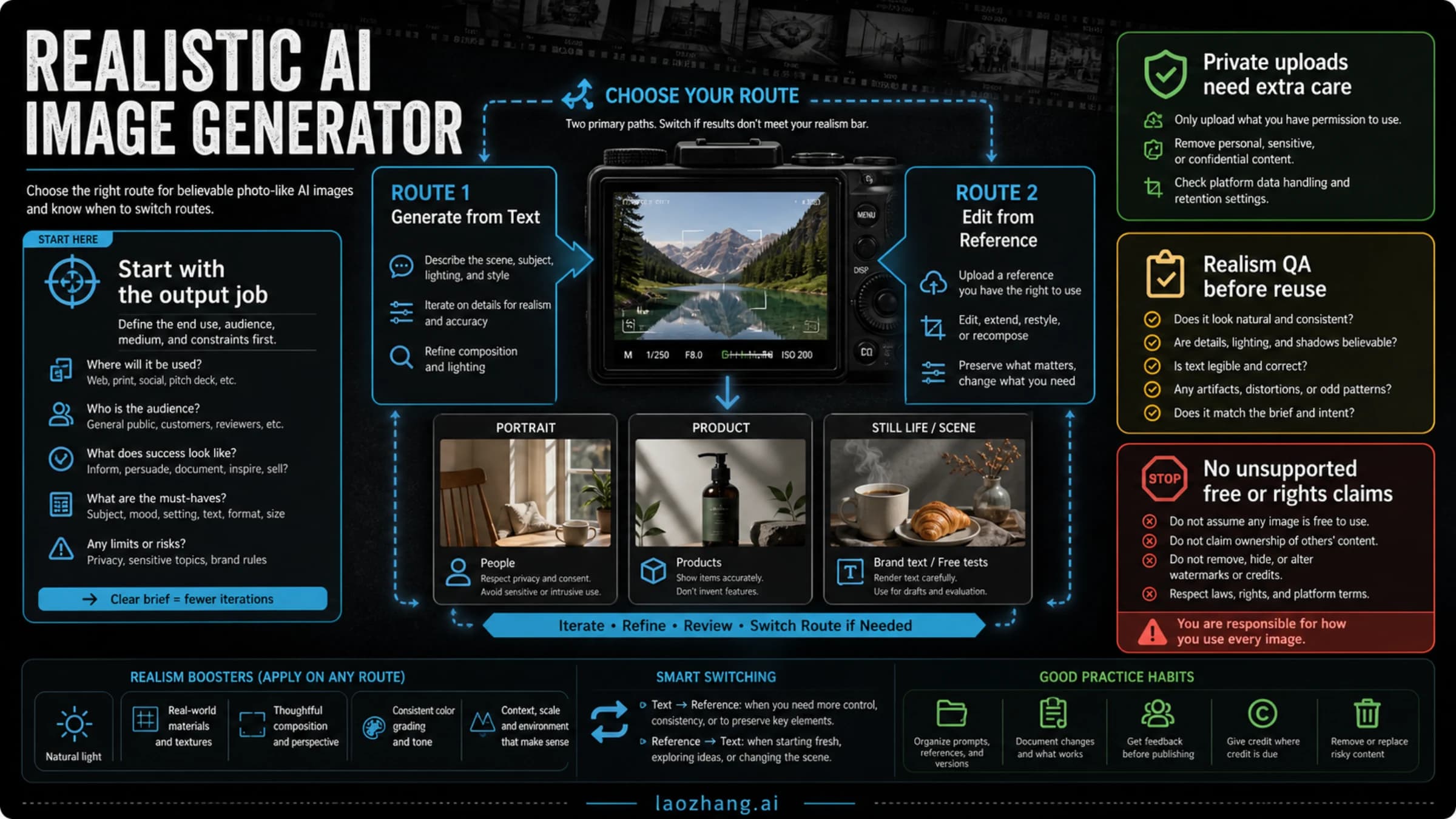
Start with a realistic-photo route, switch by job, and run a realism plus rights check before using the output.
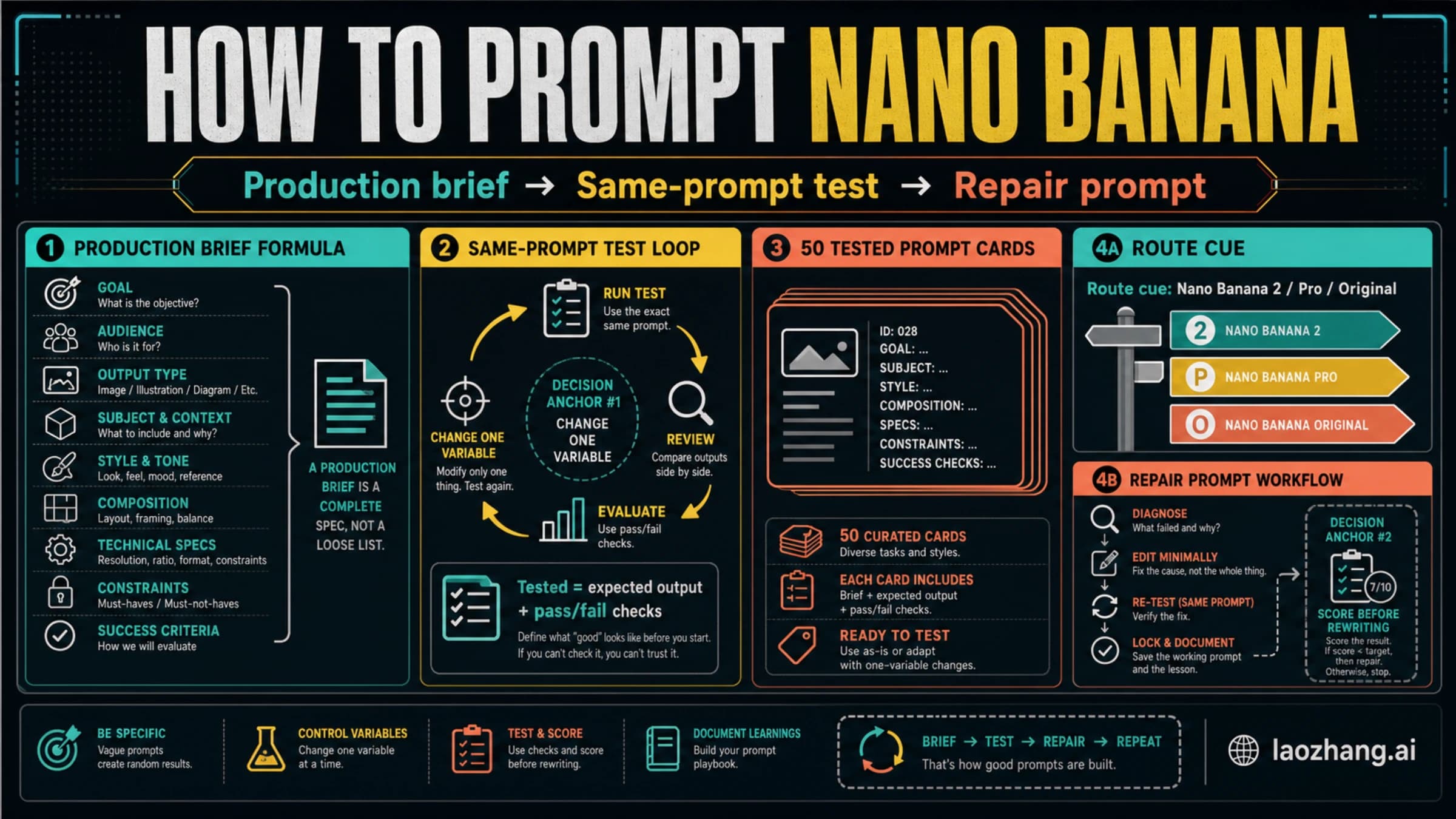
A practical Nano Banana prompt workbook with route cues, a test card, and 50 templates for product shots, ads, edits, characters, text visuals, and troubleshooting.
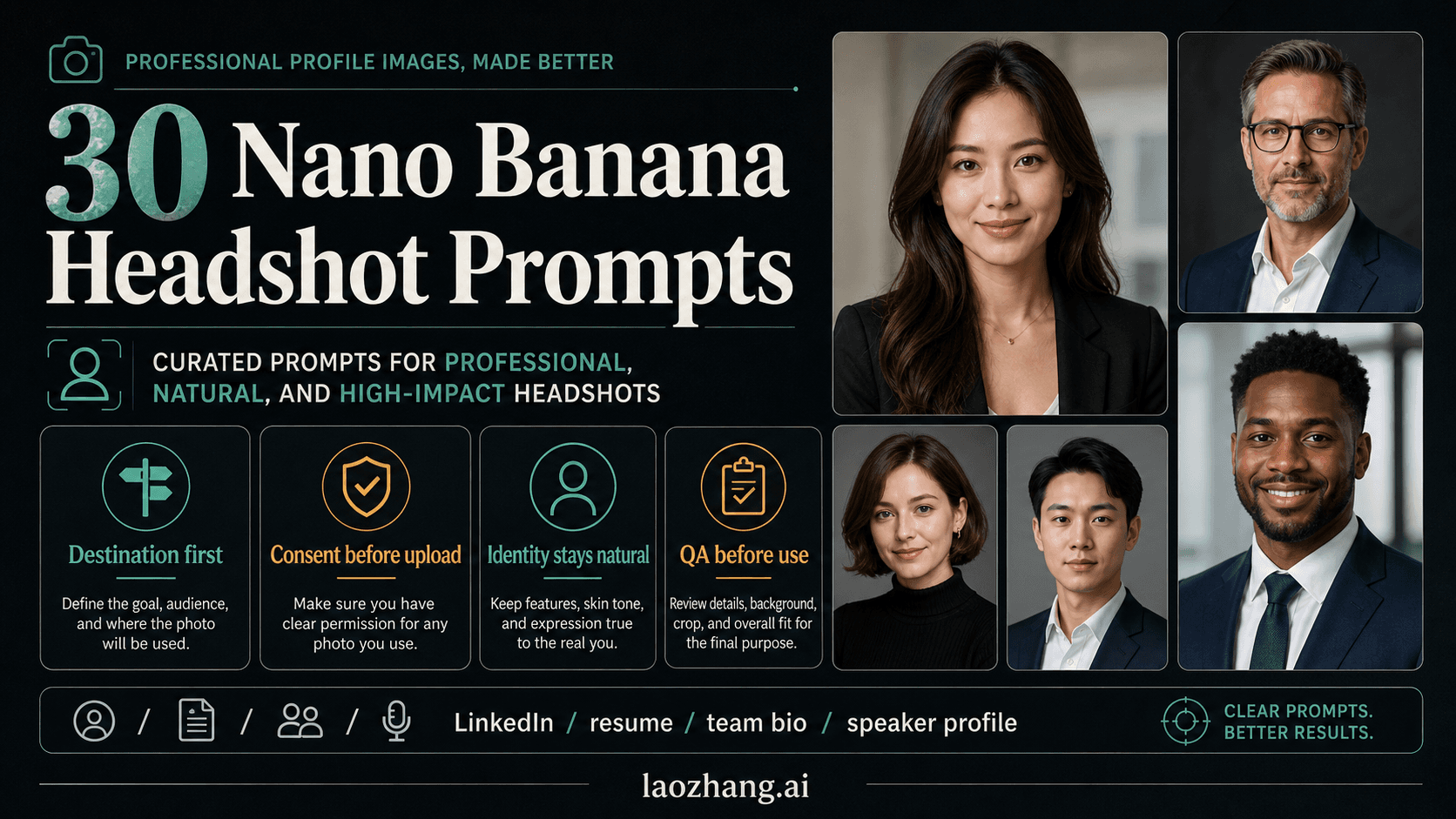
Build LinkedIn, resume, team bio, founder, creative, and speaker portraits with Nano Banana prompt cards that keep identity, consent, and professional fit in check.
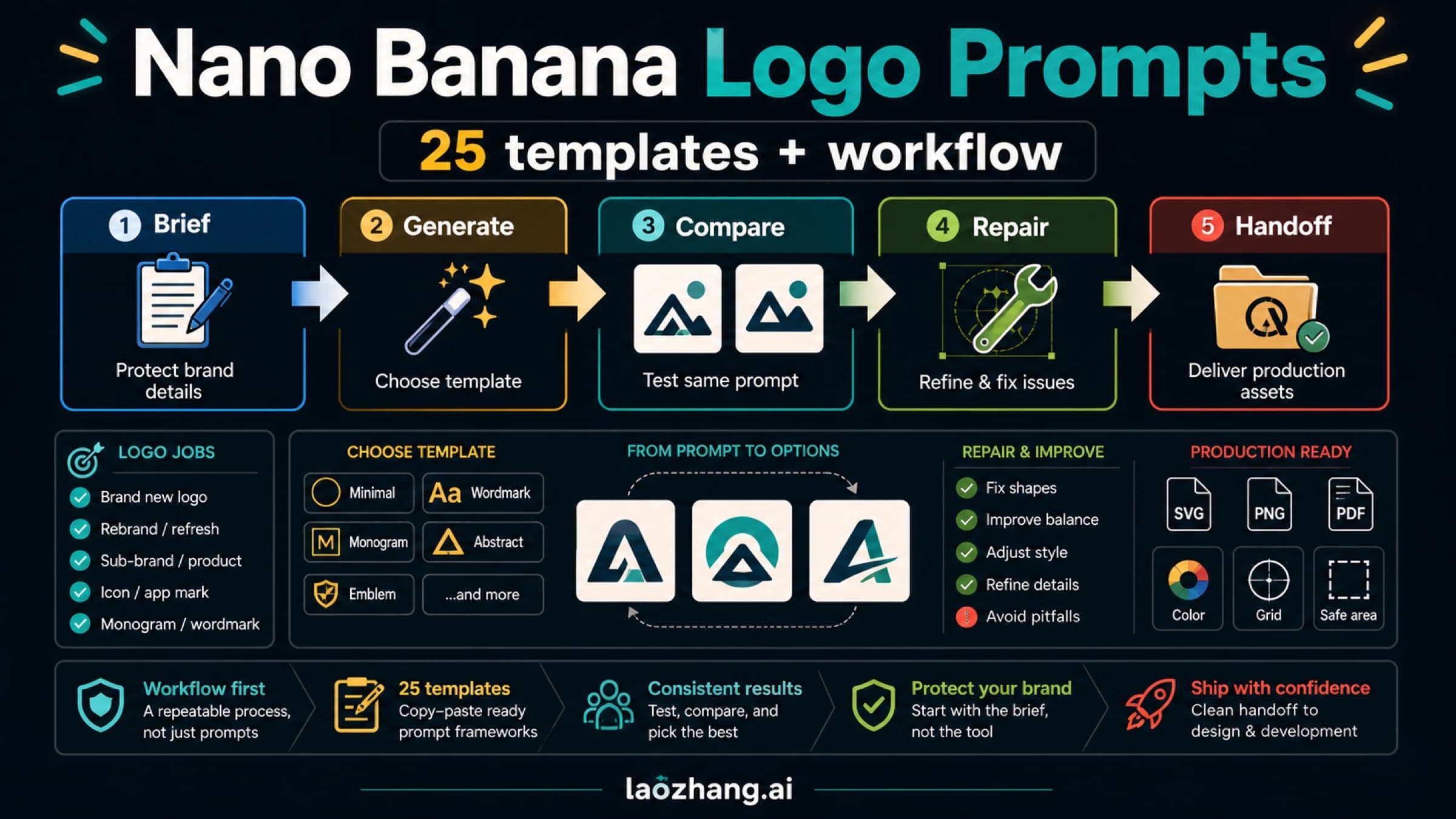
Choose the logo job, fill the brand brief, paste a template, test 3-5 outputs with the same prompt, and repair only the weak dimension before handoff.
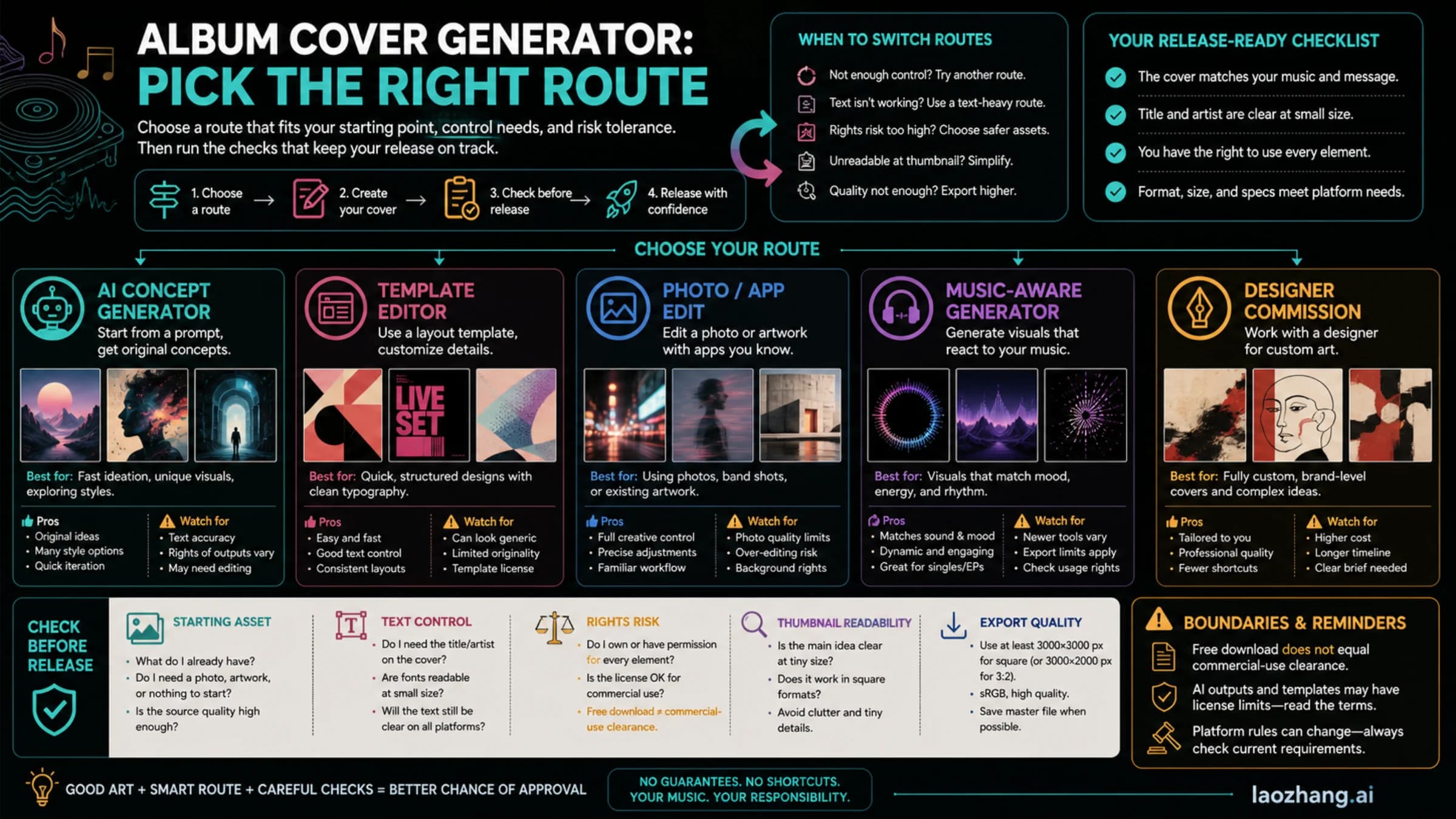
A practical route guide for making album cover art that still reads, exports cleanly, and survives basic release checks.
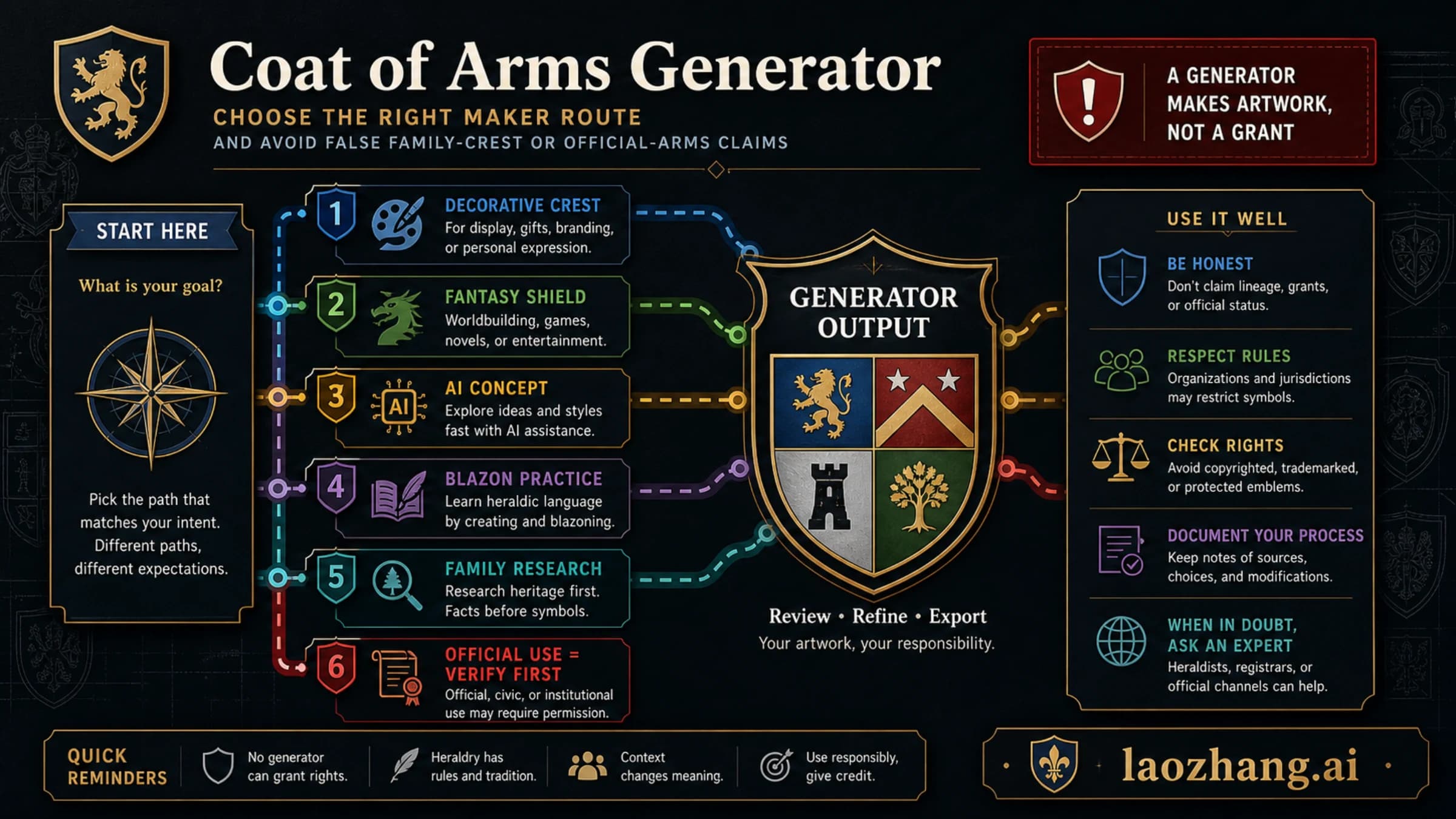
Pick the right coat of arms maker for artwork, fantasy, AI concepts, or heraldry practice, then verify rights before public, family, or official use.
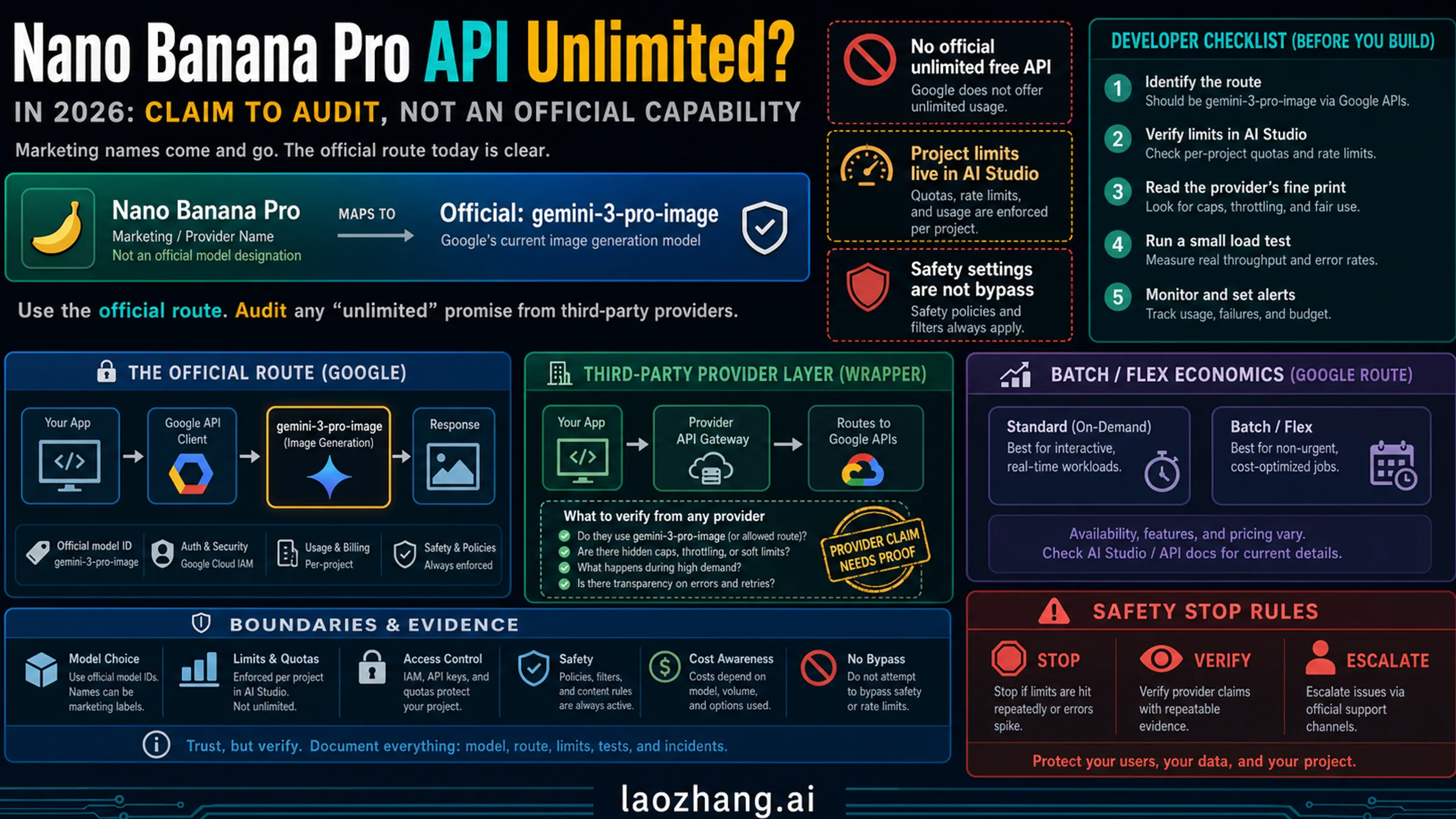
There is no official unlimited free Nano Banana Pro API. Use the current `gemini-3-pro-image` route facts, project limit checks, provider proof checklist, and safety stop rules before scaling.
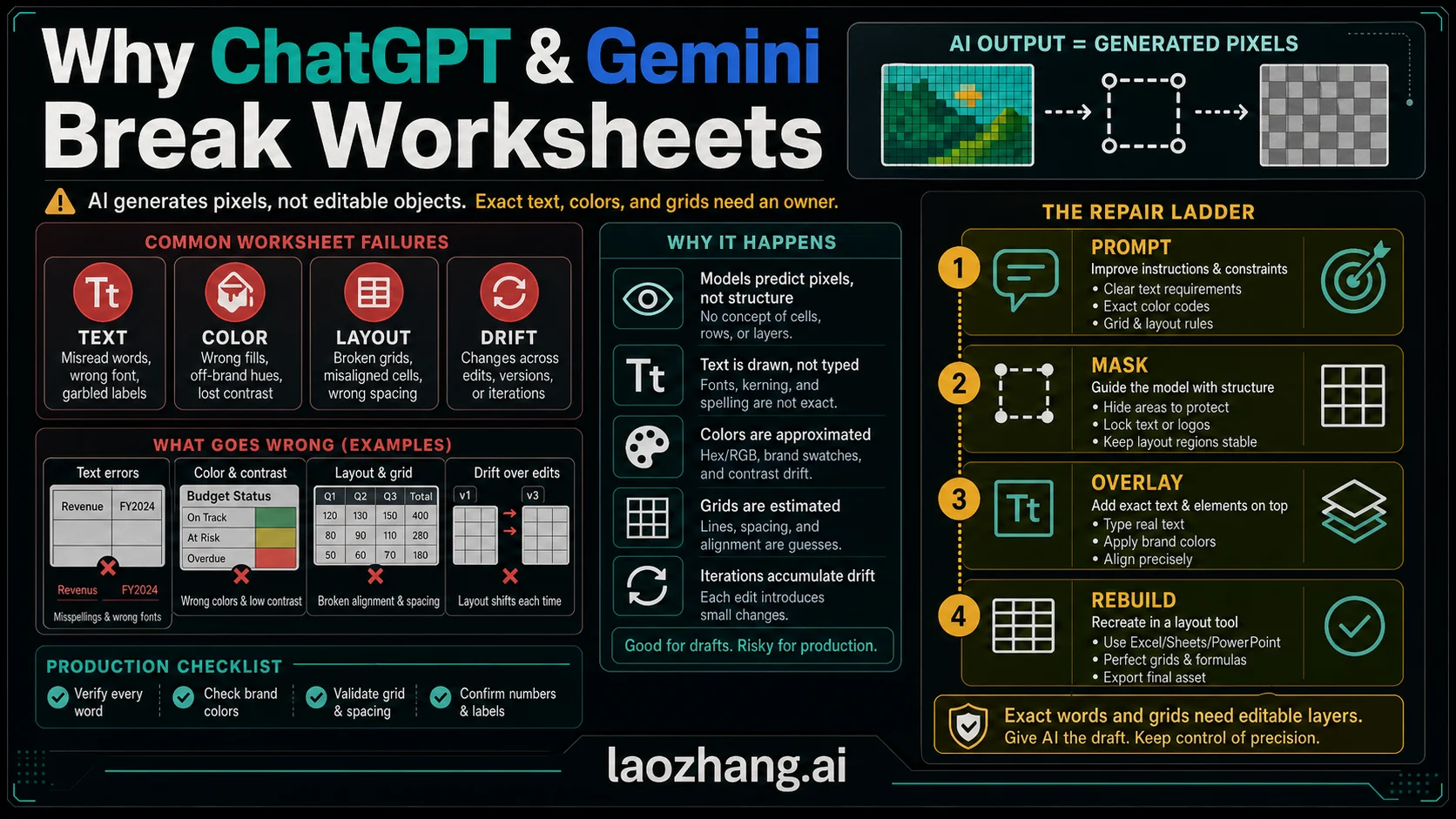
ChatGPT and Gemini can draft worksheet-style images, but exact text, color-coded boxes, and grids need a repair workflow: classify the damage, choose the right owner, and verify the final asset.
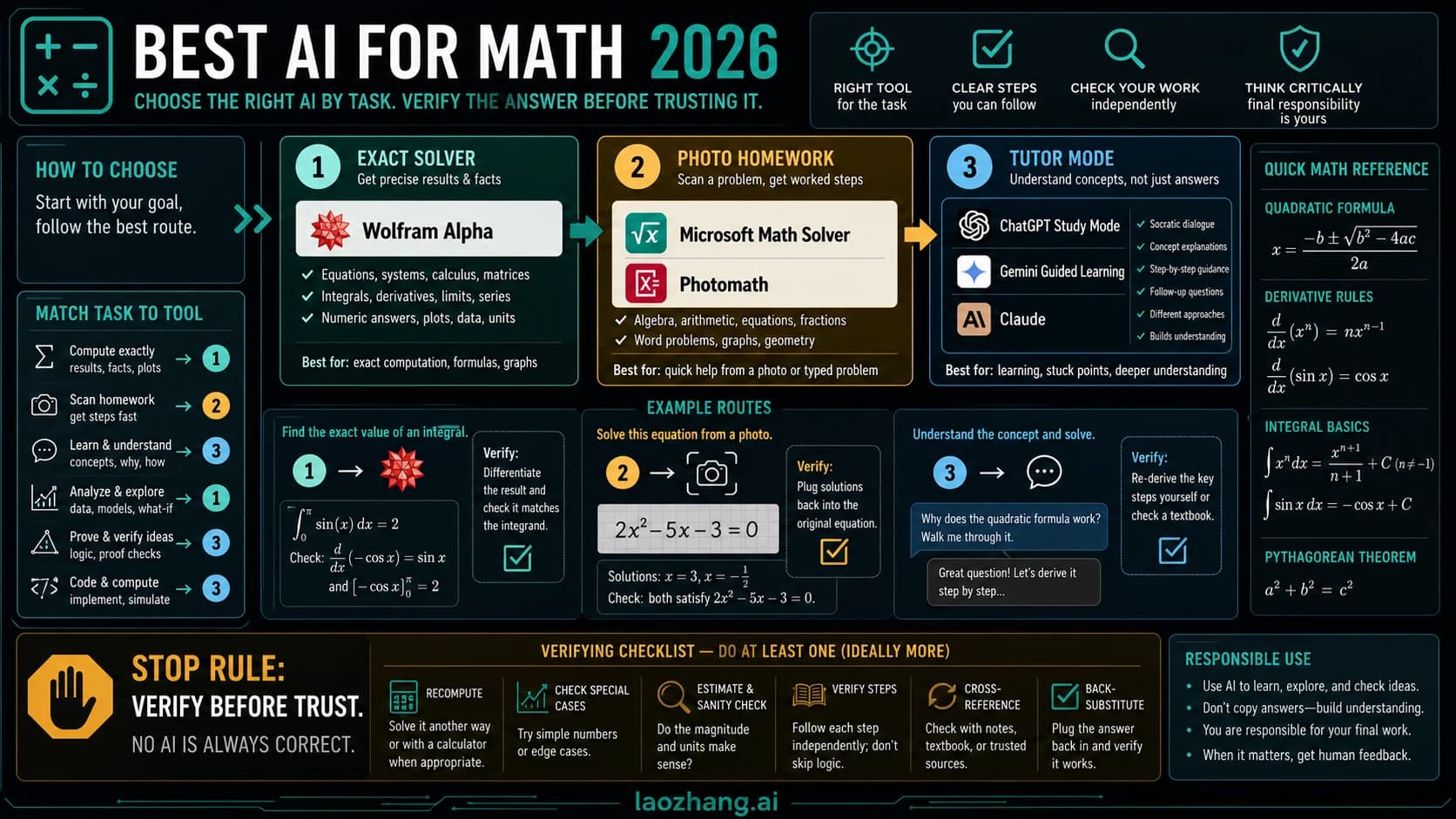
The best math AI is not one tool. Use a solver for exact answers, a scan-first app for homework capture, and a tutor mode for learning, then verify important results.
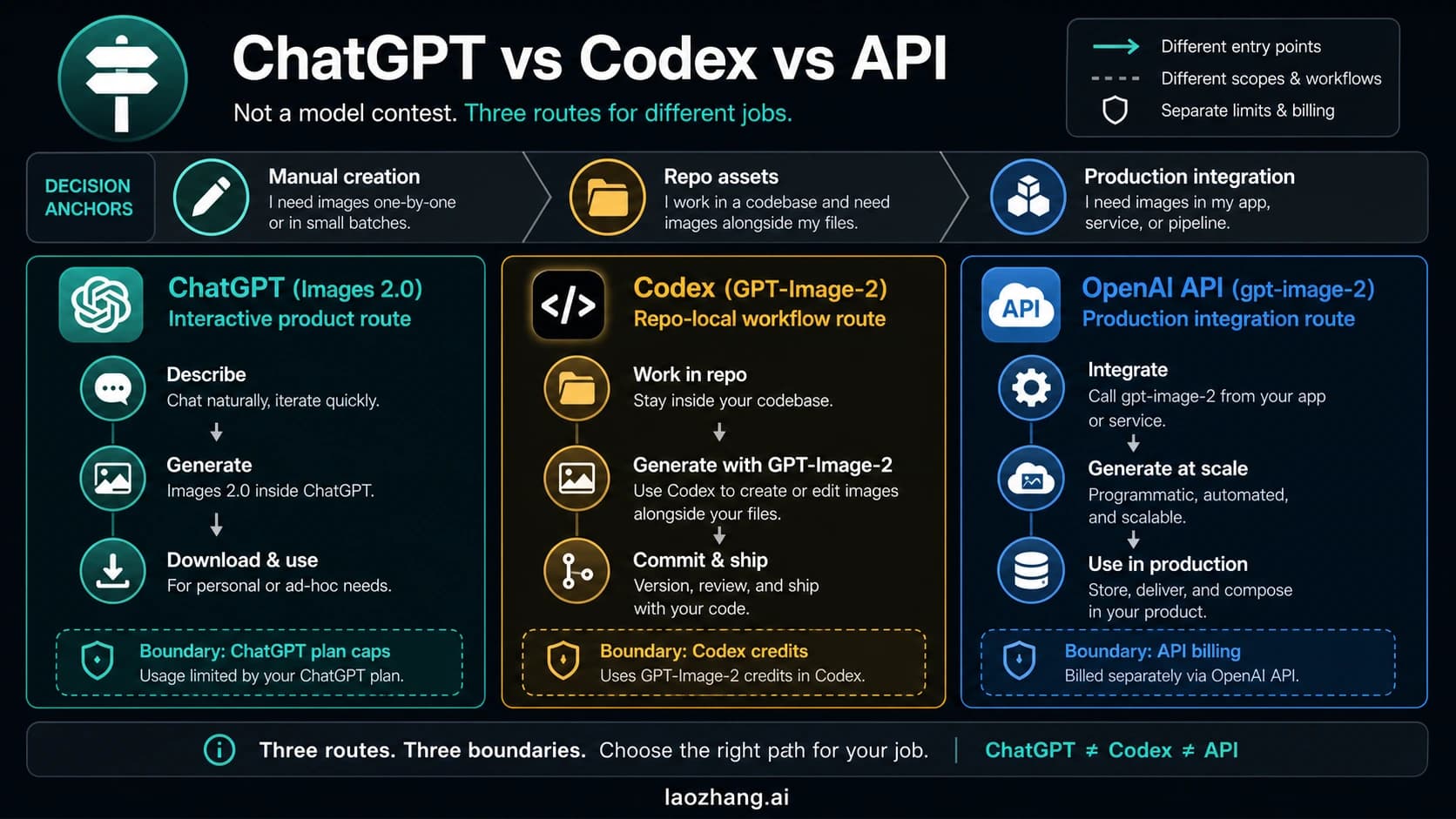
ChatGPT, Codex, and the API are different GPT Image 2 routes. The right choice depends on whether you need manual image creation, repo-local asset work, or programmable production generation.