AI Image Generation
Can You Use Nano Banana for Free? Google's No-Cost Options
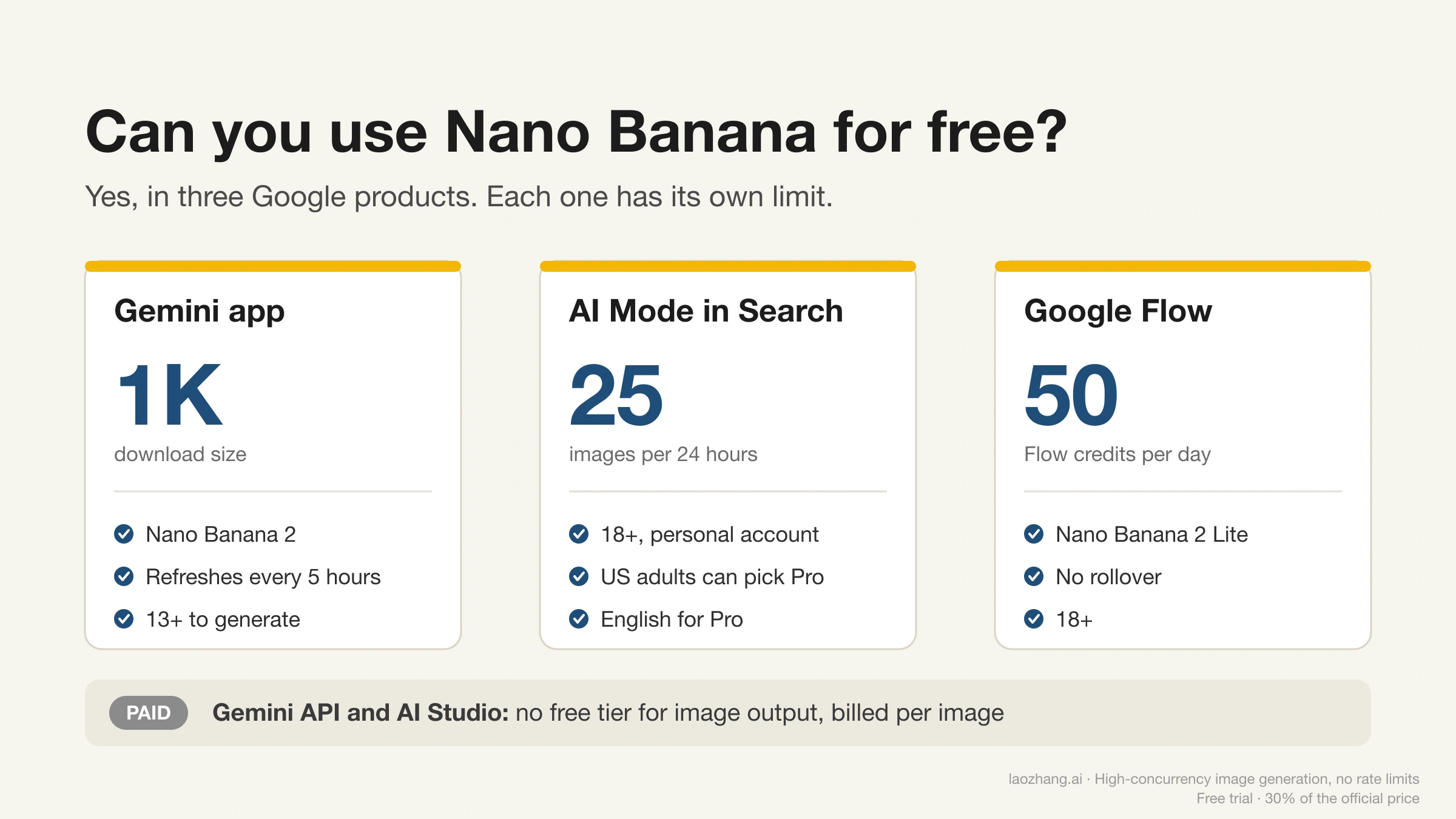
Yes. The Gemini app, AI Mode in Search (up to 25 images a day) and Google Flow (50 daily credits) offer Nano Banana at no cost. API image output is paid.
13 min
Yes. The Gemini app, AI Mode in Search (up to 25 images a day) and Google Flow (50 daily credits) offer Nano Banana at no cost. API image output is paid.
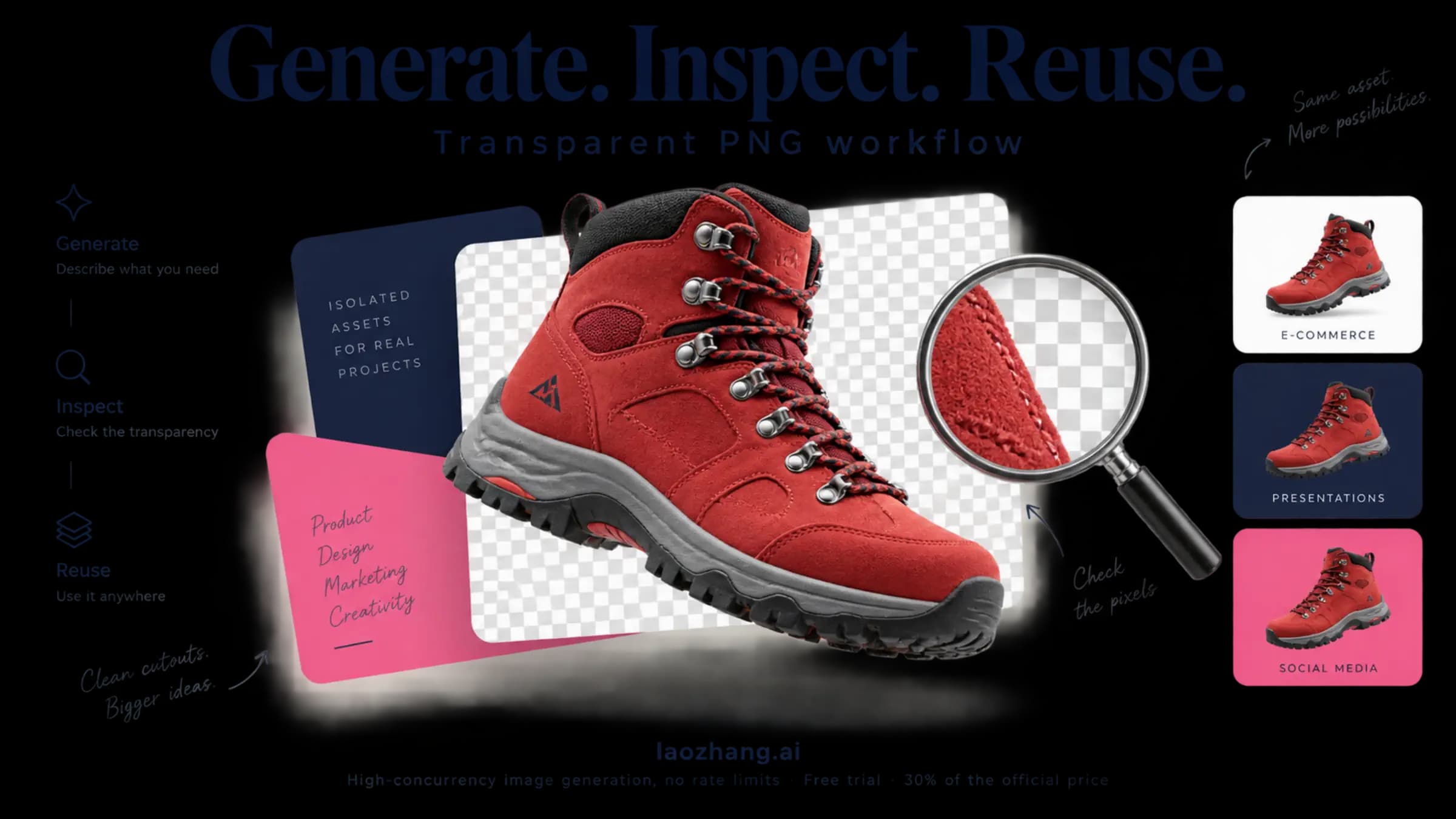
Use GPT Image 2.5 Flare or Sunburst to edit an existing photo into a transparent PNG. Follow the Python example from image upload to saved cutout, then check transparency and subject details before using the file.
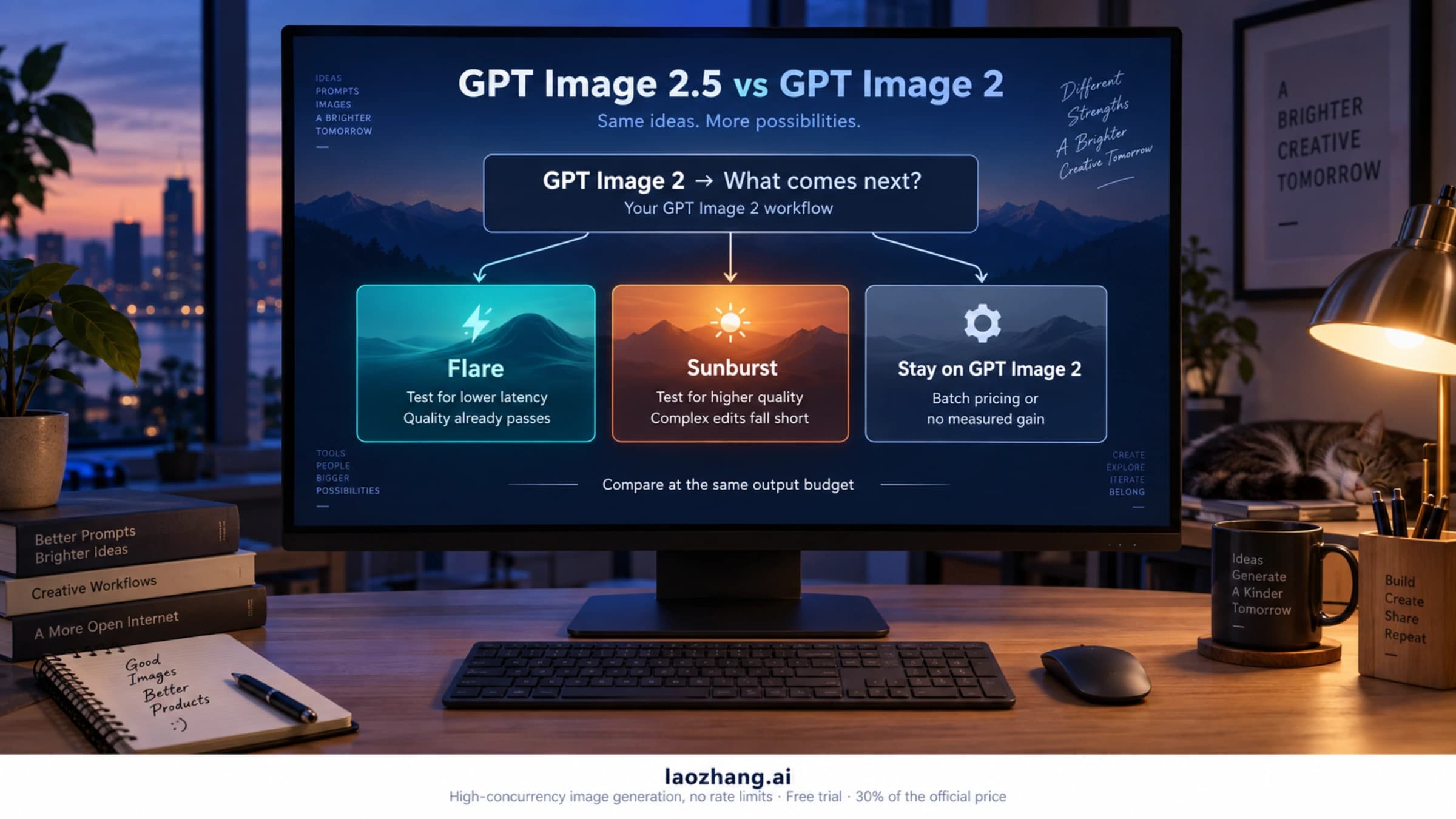
Test Flare first if GPT Image 2 already passes, Sunburst if not, and keep GPT Image 2 for Batch. Token rates match; the same quality label buys less on 2.5.
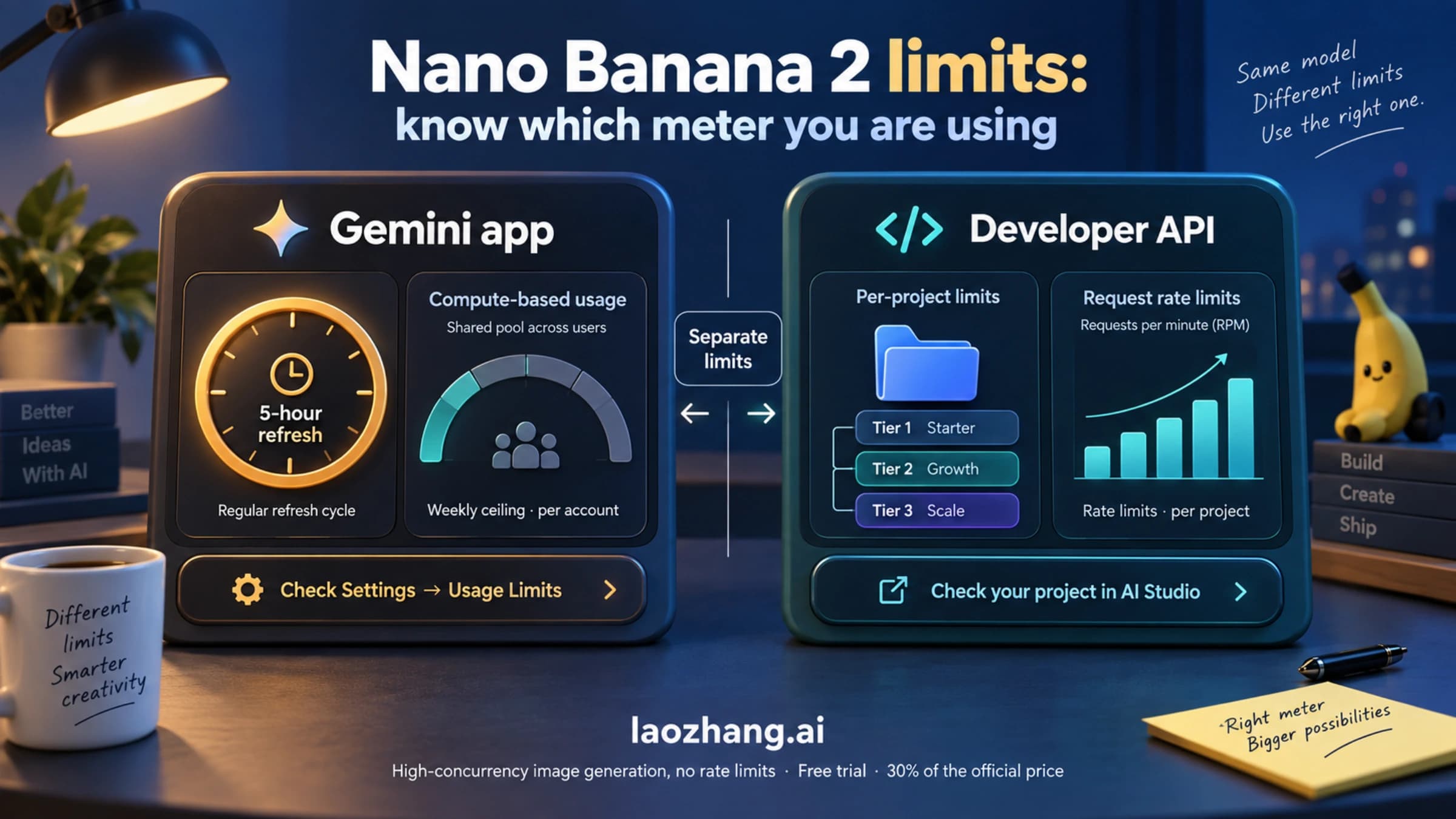
No daily Nano Banana 2 count exists as of September 2026: the Gemini app uses 5-hour compute limits, AI Mode allows 25–1,000 a day, the API is per project.
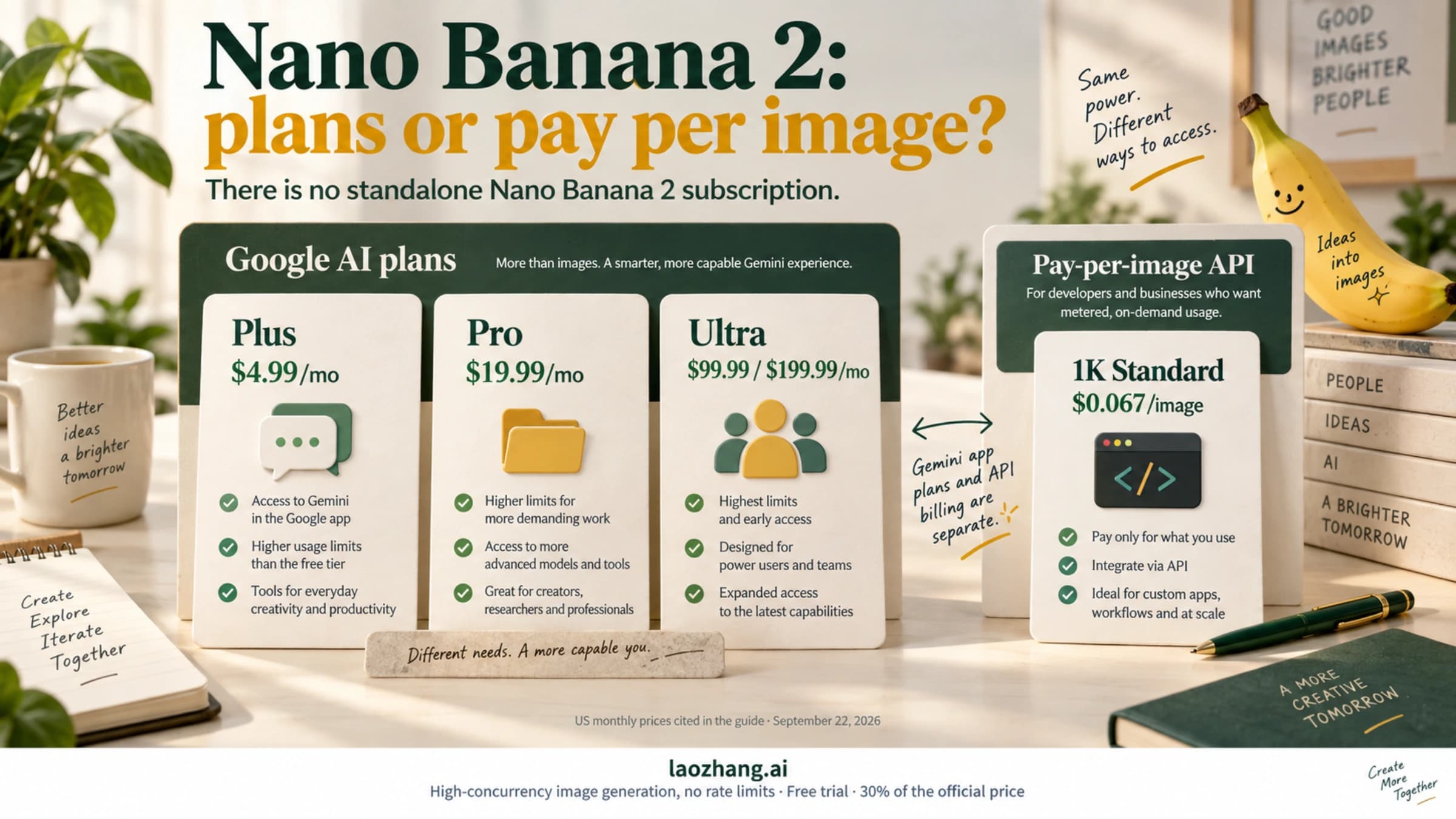
No Nano Banana 2 subscription exists. As of September 2026, US users pay through Google AI Plus, Pro or Ultra; past about 300 images a month the API costs less.
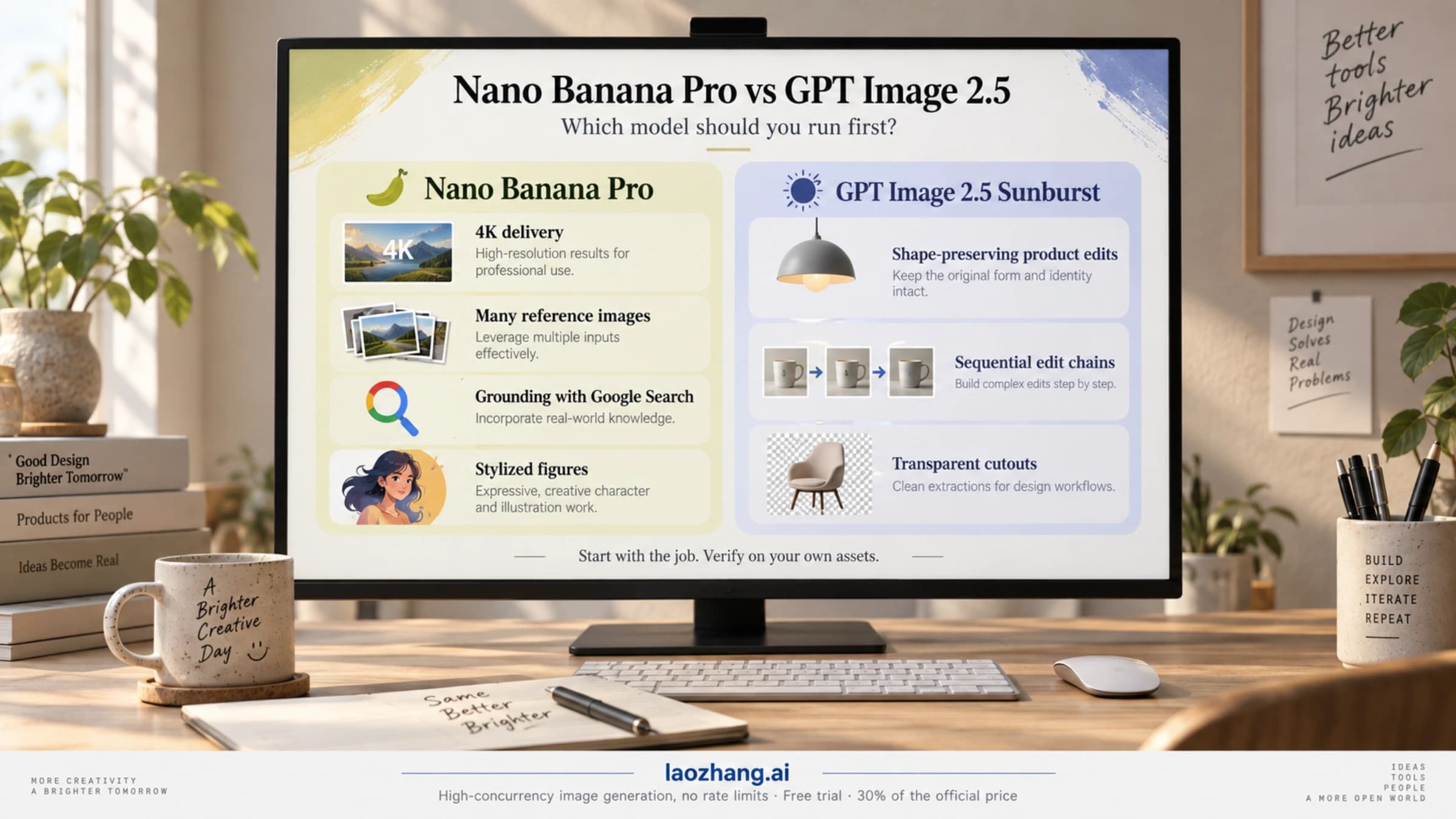
No universal winner as of September 2026: run GPT Image 2.5 Sunburst first for shape-preserving edits, Nano Banana Pro for 4K, many references or stylization.
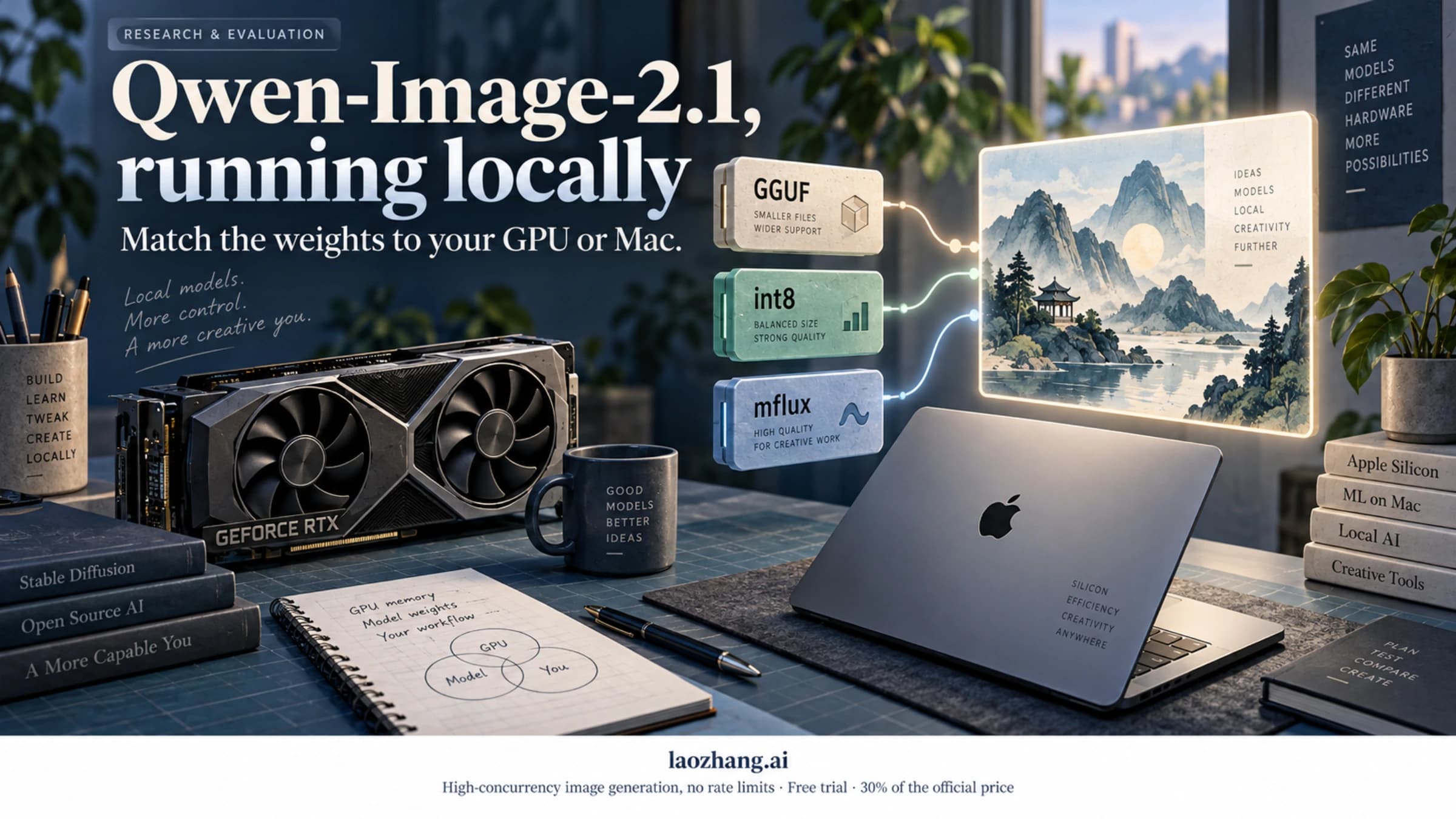
Qwen-Image-2.1 runs on 16–24 GB NVIDIA cards with official int8 files, on 8–12 GB with GGUF and the W4A8 encoder, and on Macs via mflux, for research use only.
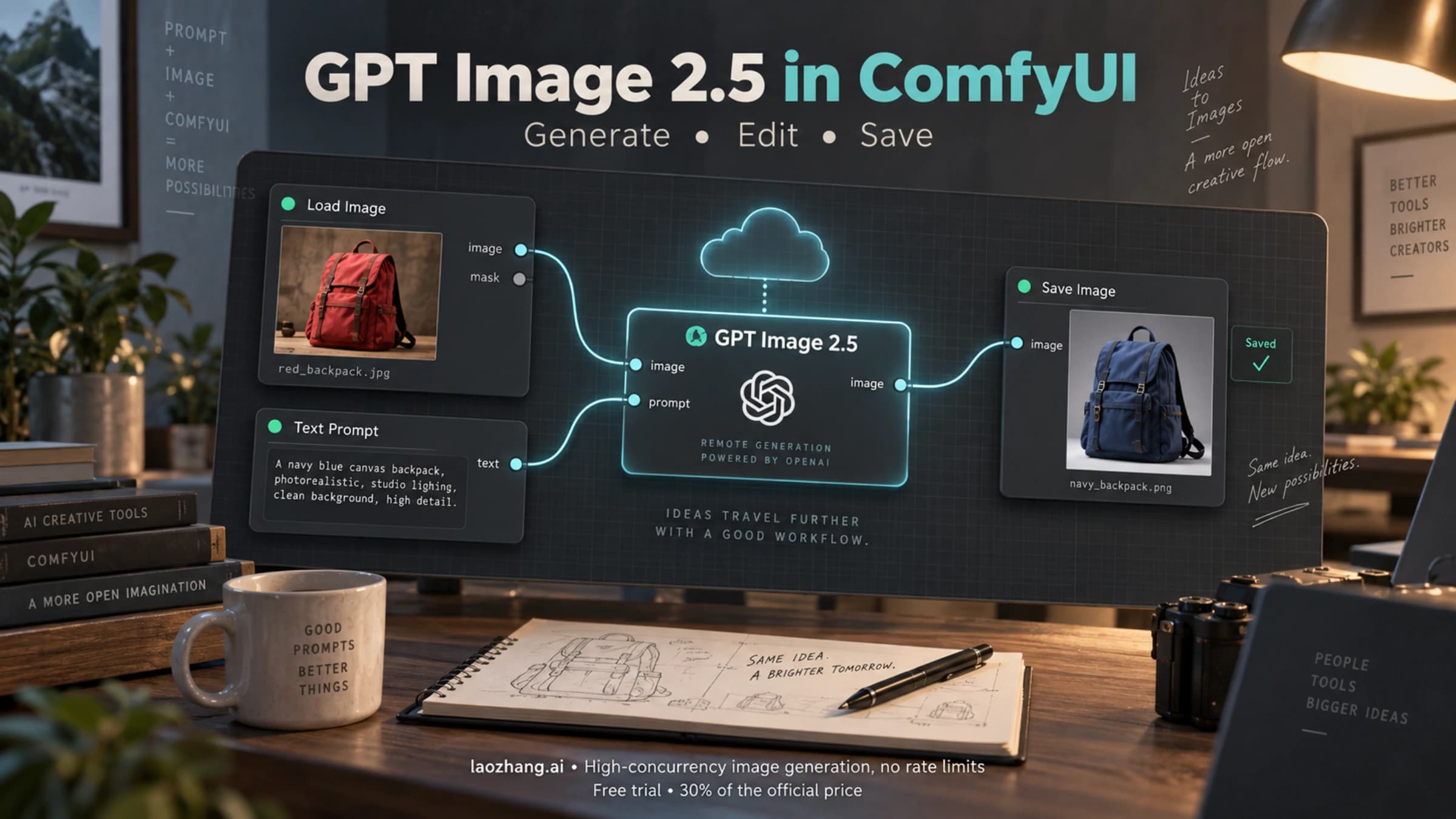
Use the official GPT Image 2.5 Partner Node in ComfyUI. Set up credits, generate and save images, and handle reference images, masks, sizes, and seeds.
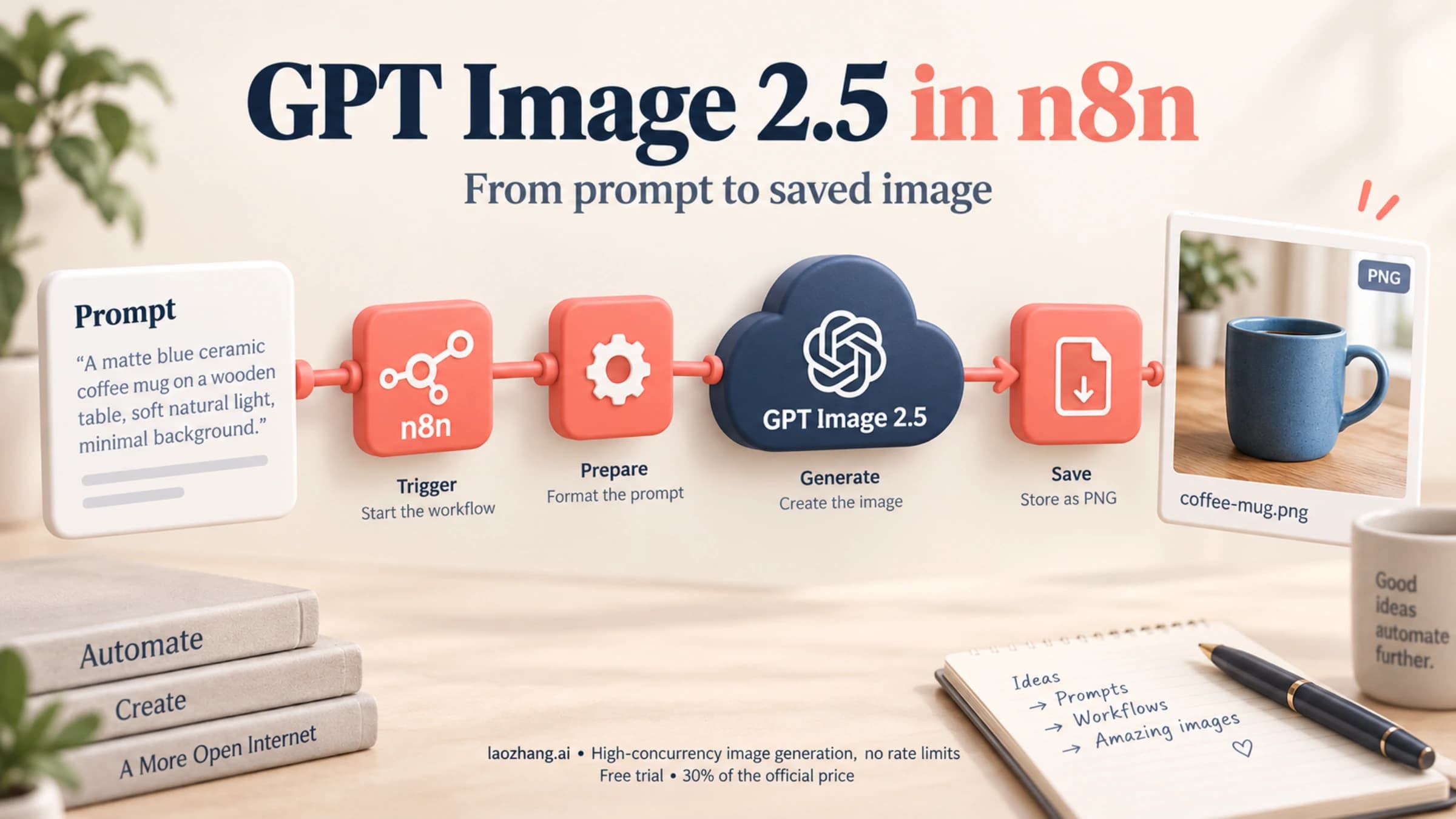
Set up GPT Image 2.5 in n8n with the OpenAI node or HTTP Request, convert base64 to a usable file, and keep image usage visible.
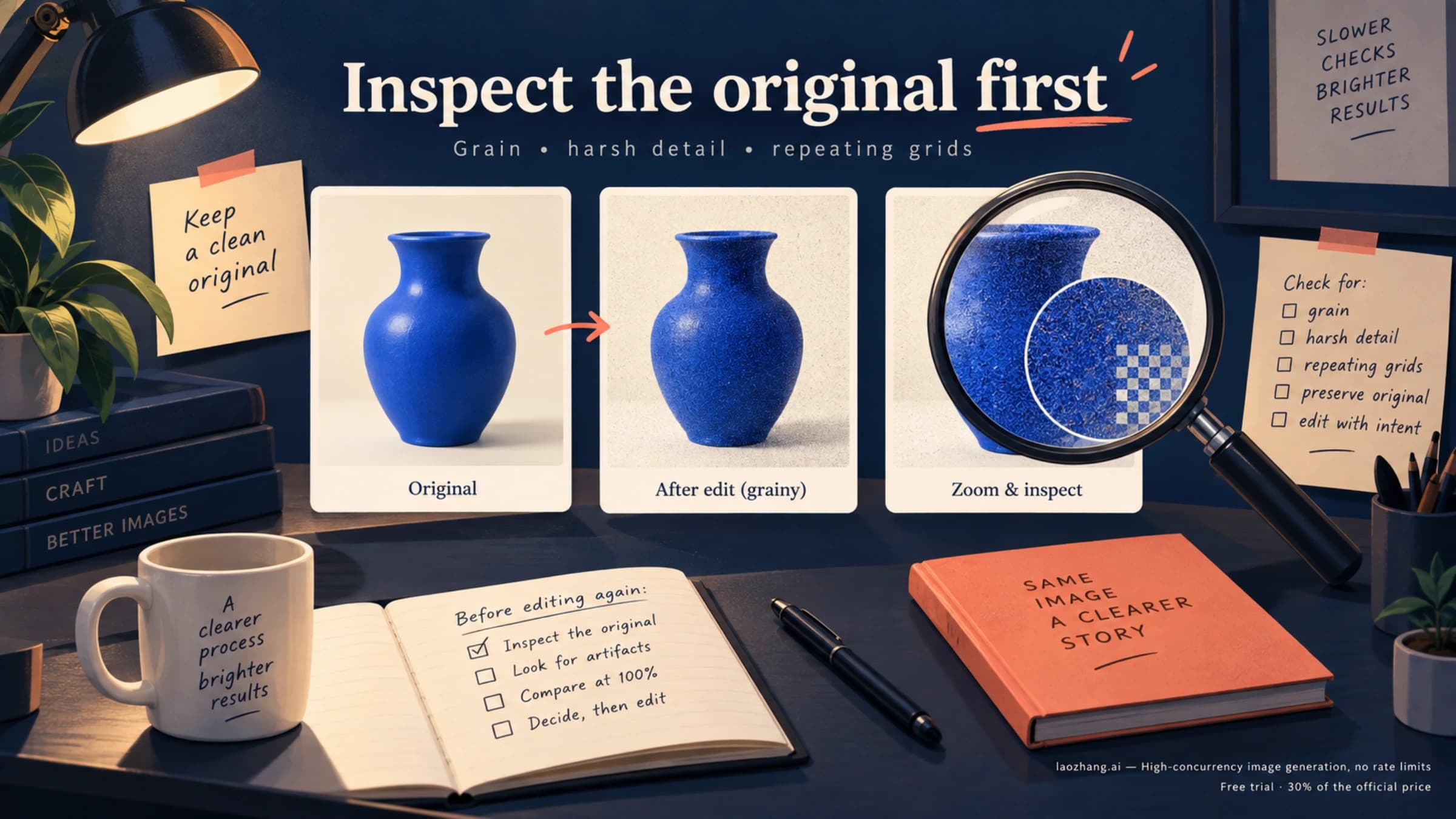
If GPT Image 2.5 leaves grain, harsh detail, or a repeating grid in your image, start with the downloaded original. This guide helps you locate the problem, choose a reversible fix, and stop edits that make things worse.
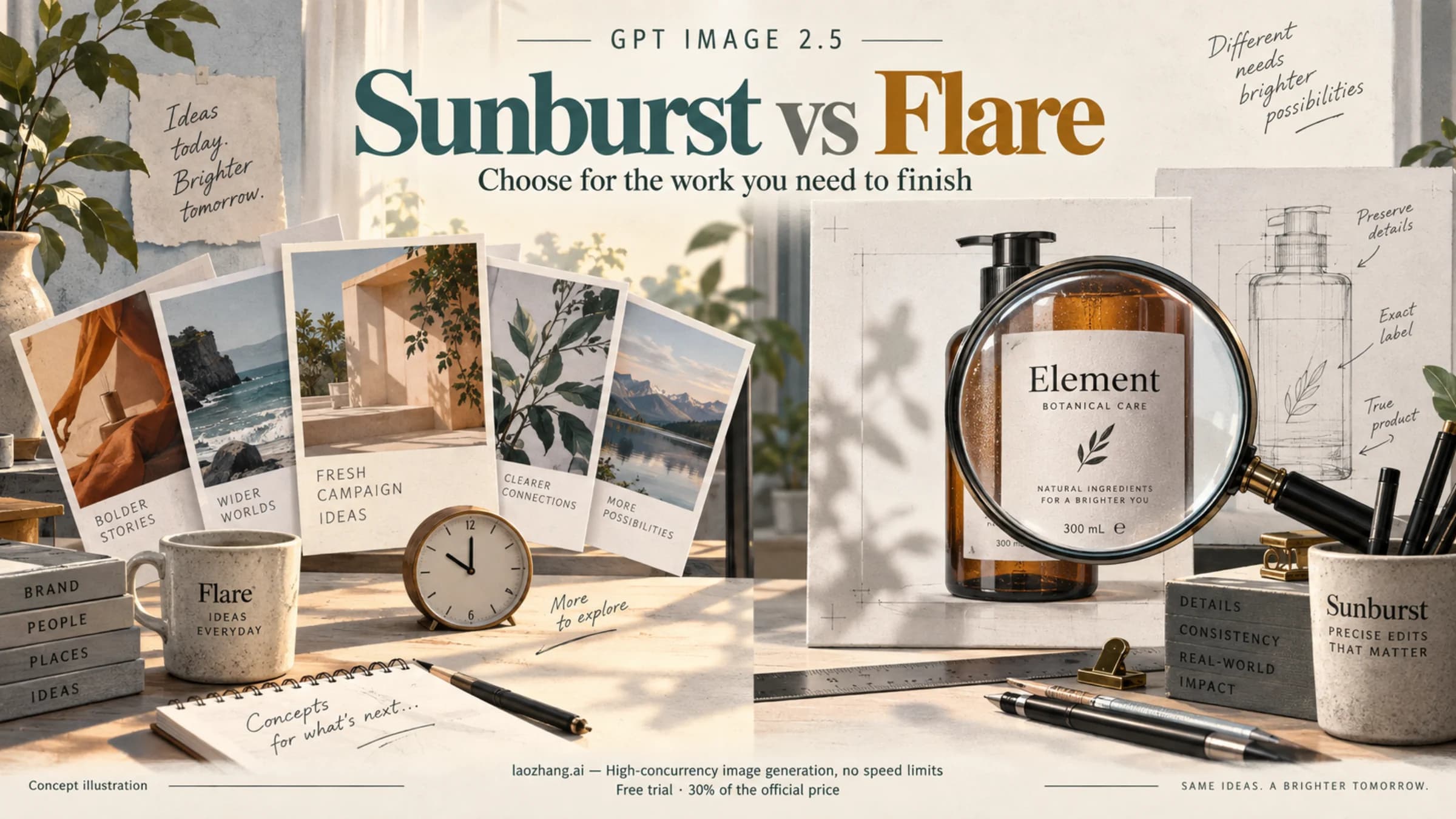
Choose Flare or Sunburst for your image workflow. Compare speed claims, editing precision, shared API rates, and the actual cost of images you can use.
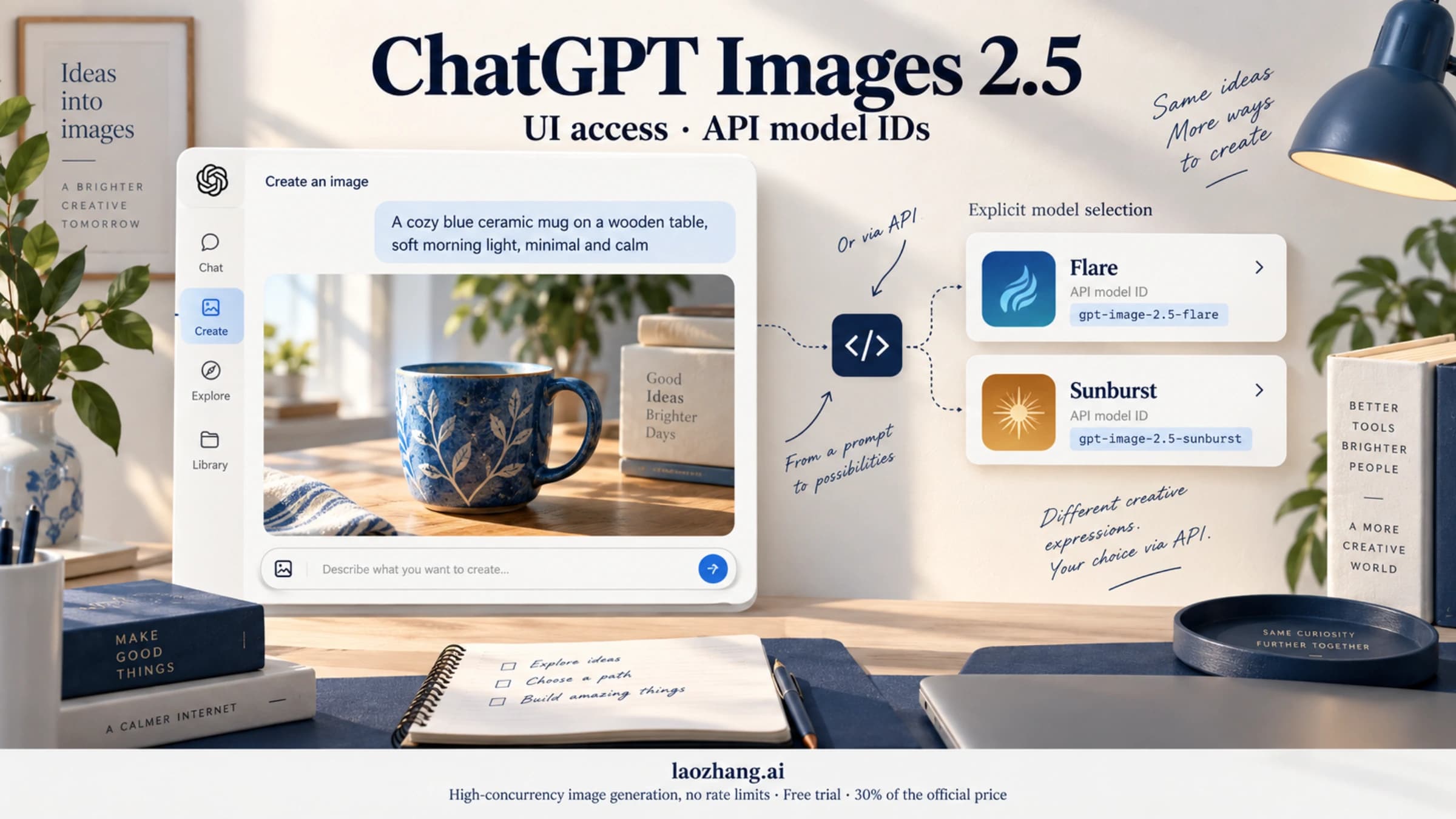
Use ChatGPT's image tools, select Sunburst or Flare in the correct API field, and check what a provider's model name actually tells you.
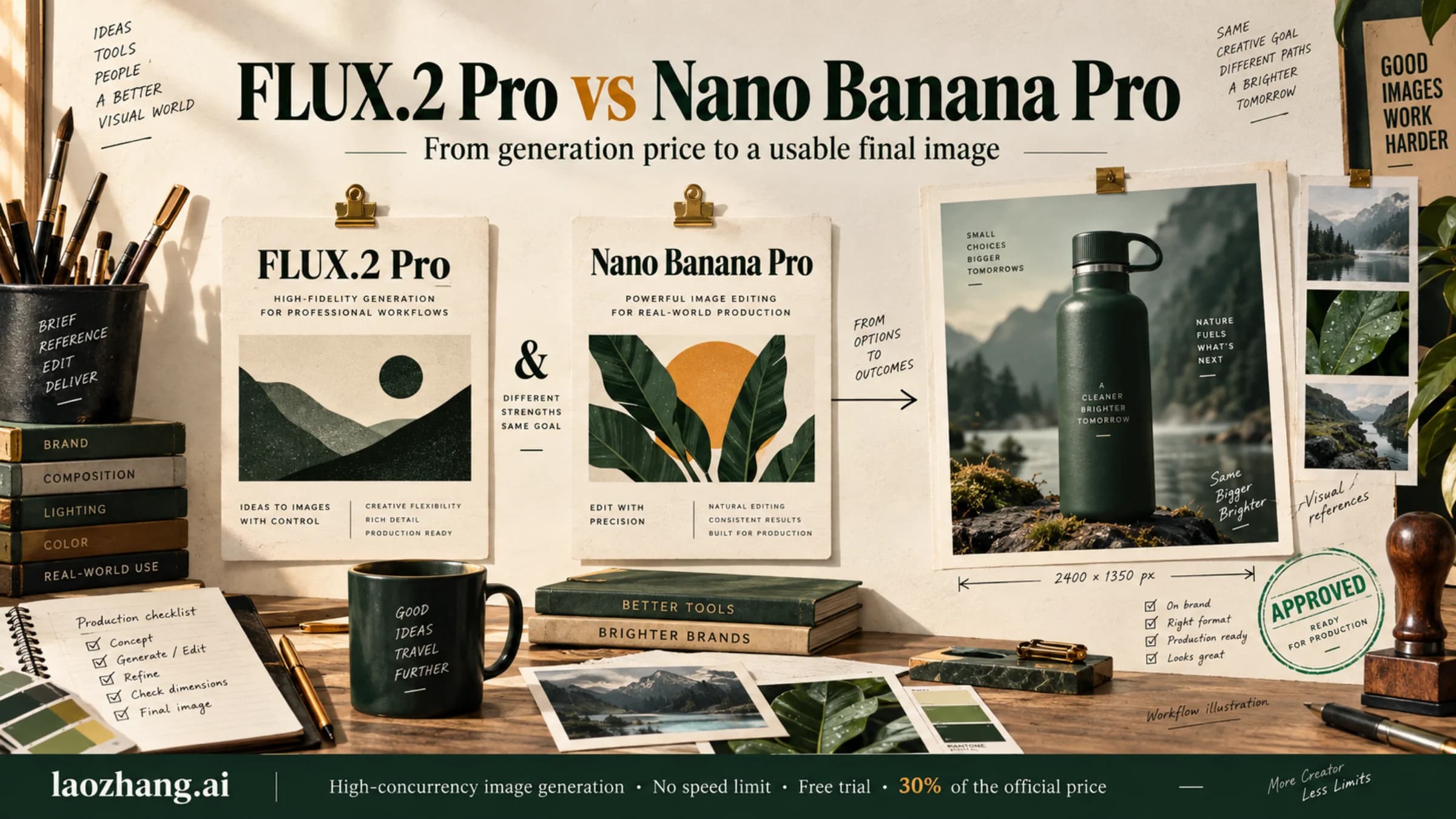
FLUX.2 Pro starts cheaper for generation, but reference images narrow the price gap. Compare both models at the same dimensions, understand their editing limits, and choose by the cost of usable final images.
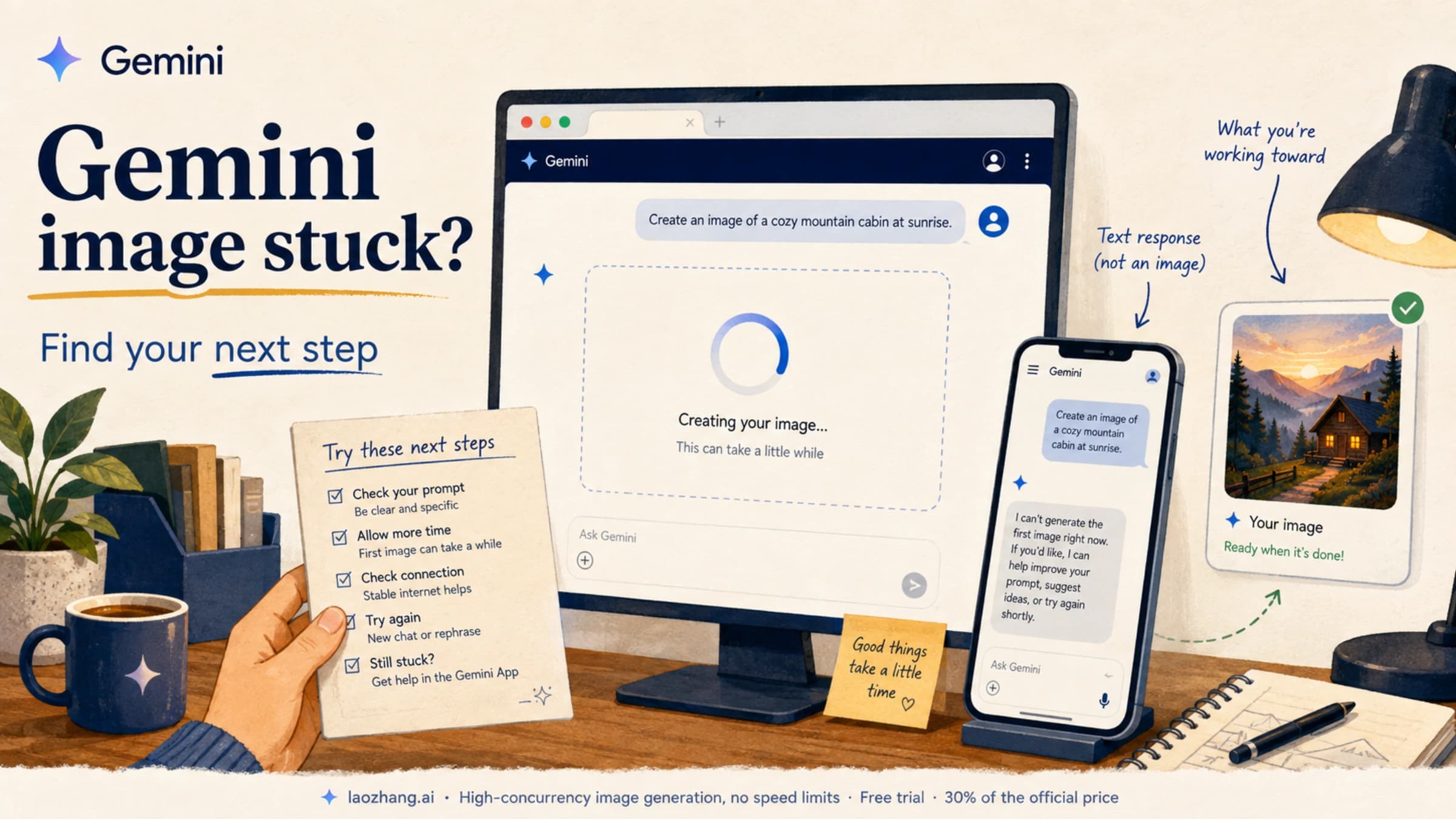
If Nano Banana gets stuck loading or Gemini replies without an image, start with the Images tool and the message on screen. A small comparison can help you decide what to try next.

Start with FLUX.2 Pro for lower generation costs. Test Flex when text or fine details need more control. Compare current BFL pricing, editing costs, and the acceptance rate that would justify paying more.
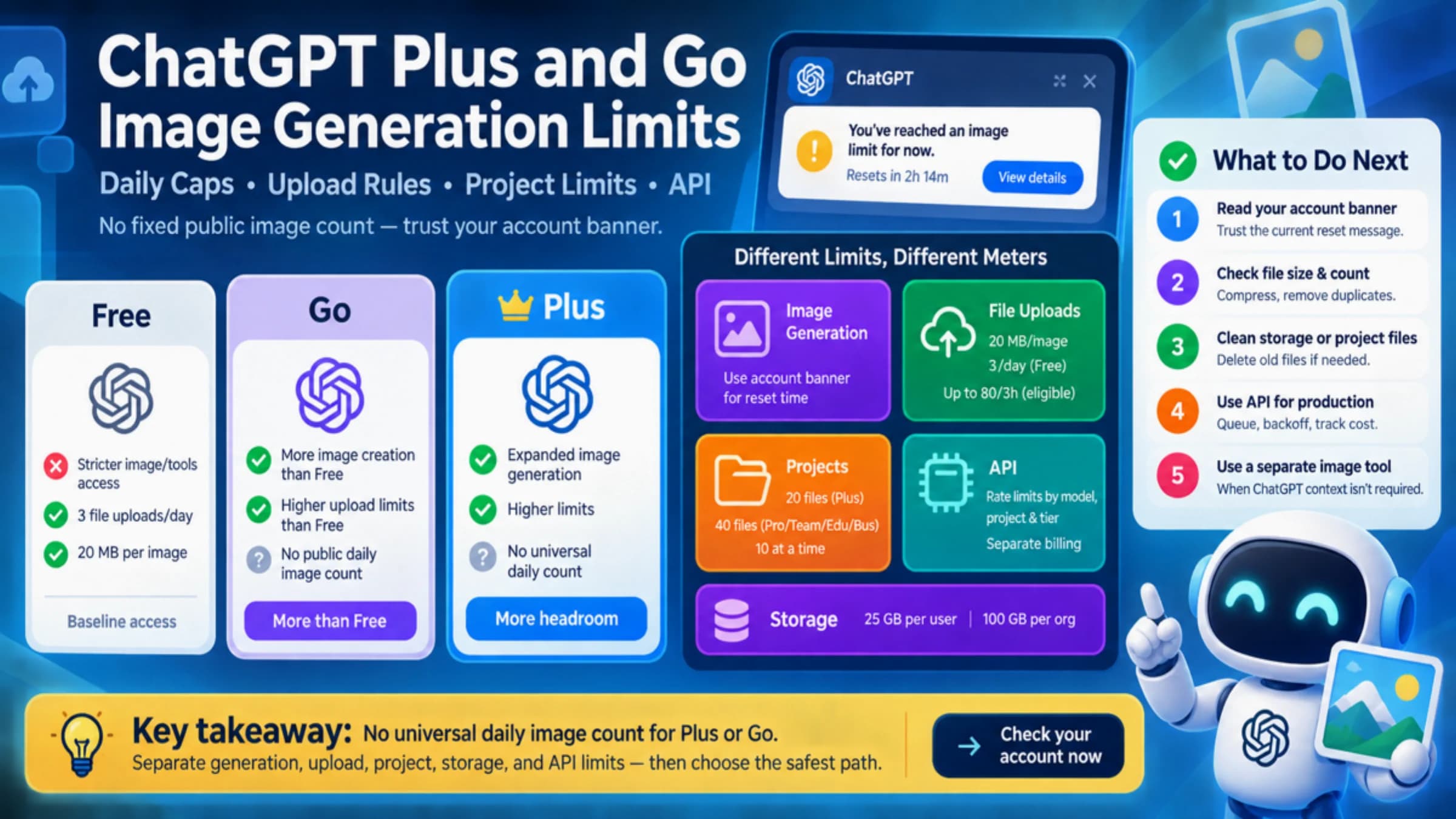
ChatGPT Plus and Go both offer more image generation than Free, but OpenAI does not publish one universal daily image count. Use this router to separate generation, upload, project, and API limits.
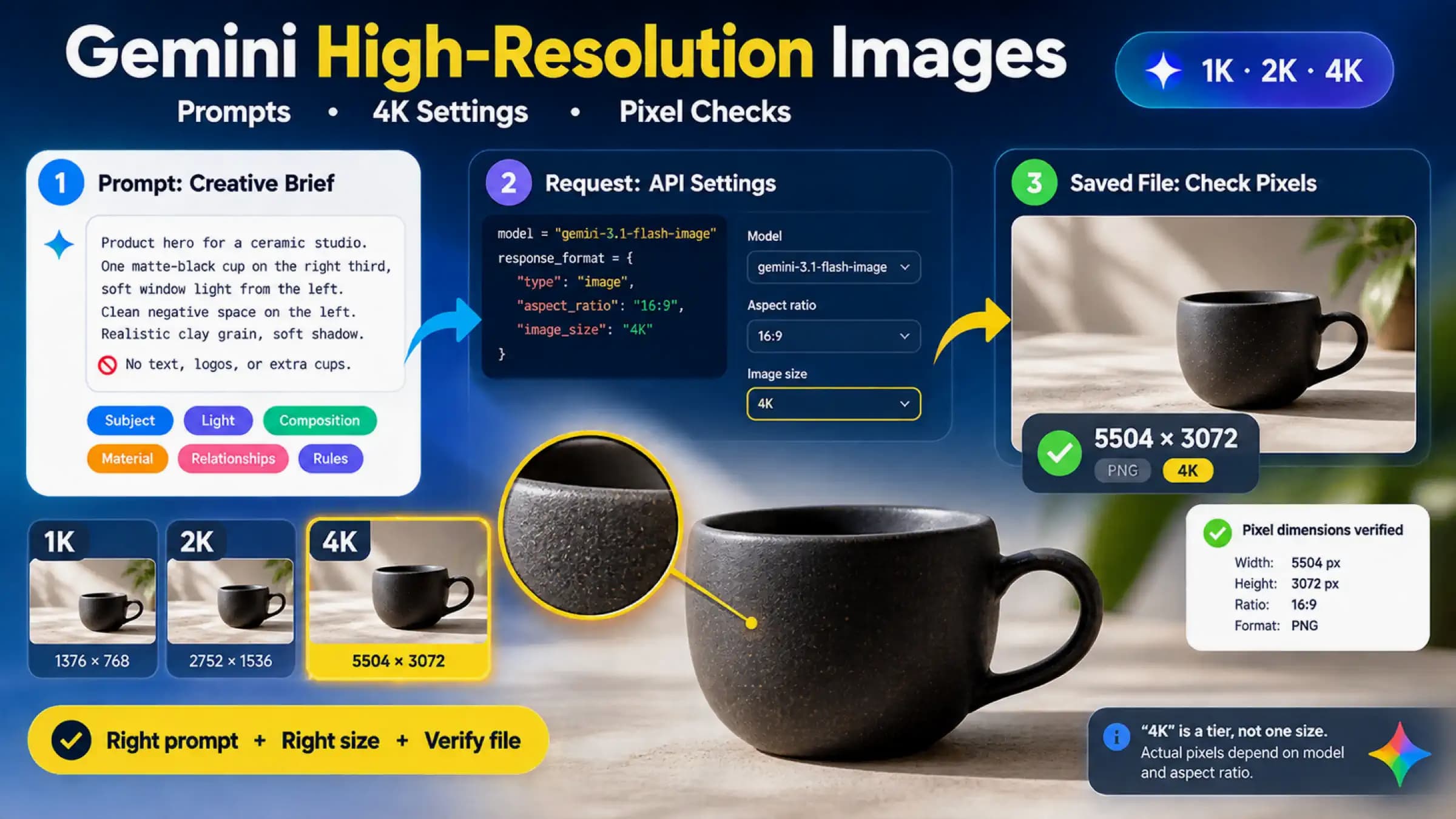
Writing HD or 4K in a Gemini prompt does not set the output pixels. Use a specific creative brief for visual quality, set image_size and aspect_ratio on a supported API model for delivery size, then inspect the saved file before changing prompts, plans, or providers.
Use Gemini Apps’ Media Watermark control for new media, see which provenance signals remain, and check the documented limits if the setting is unavailable.
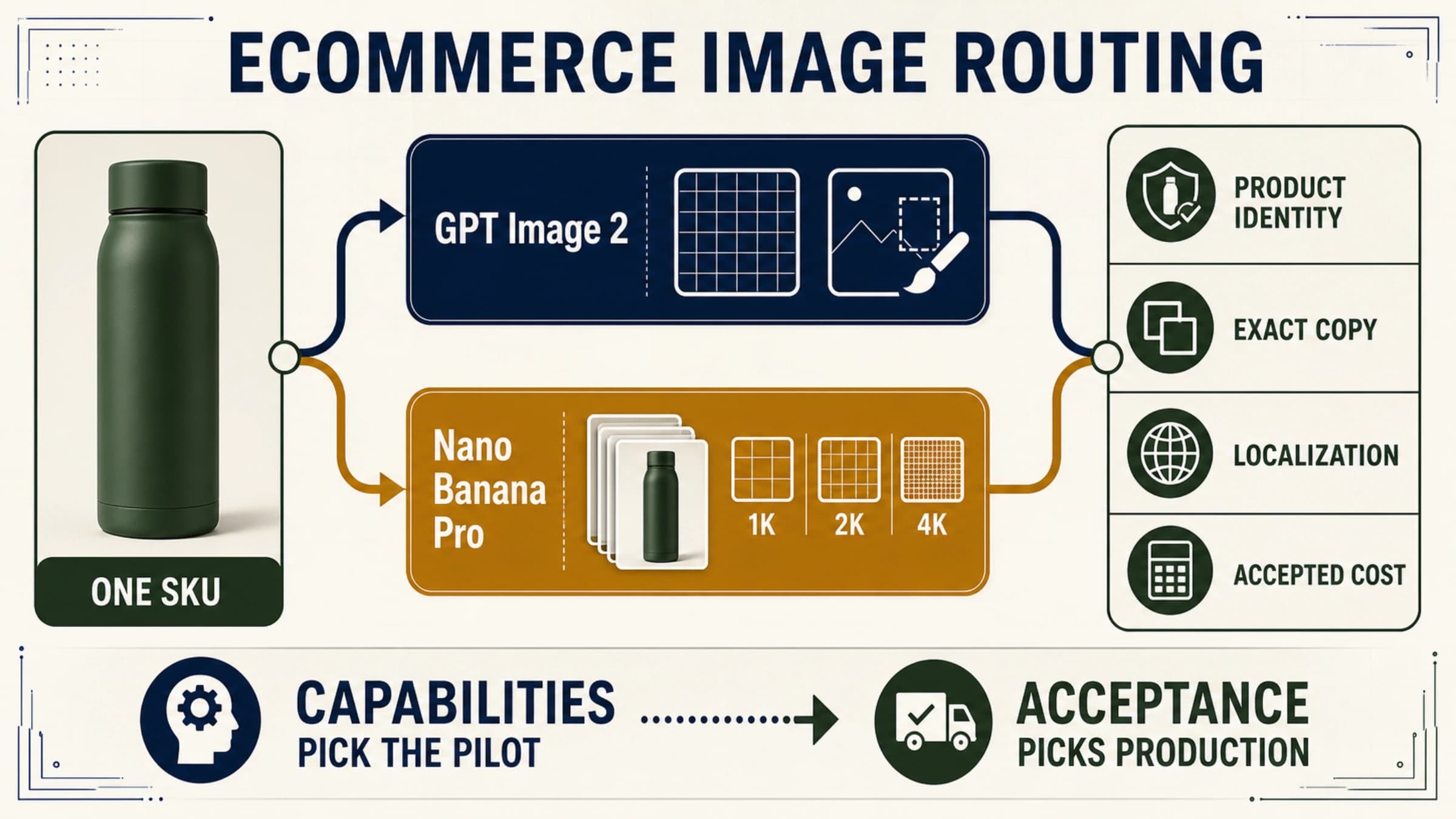
Test GPT Image 2 first for flexible pixels, masks, and an OpenAI workflow; test Nano Banana Pro first for Google-native 1K/2K/4K and multi-reference composition. Test both when packaging, localized copy, or a campaign master is expensive to reject.
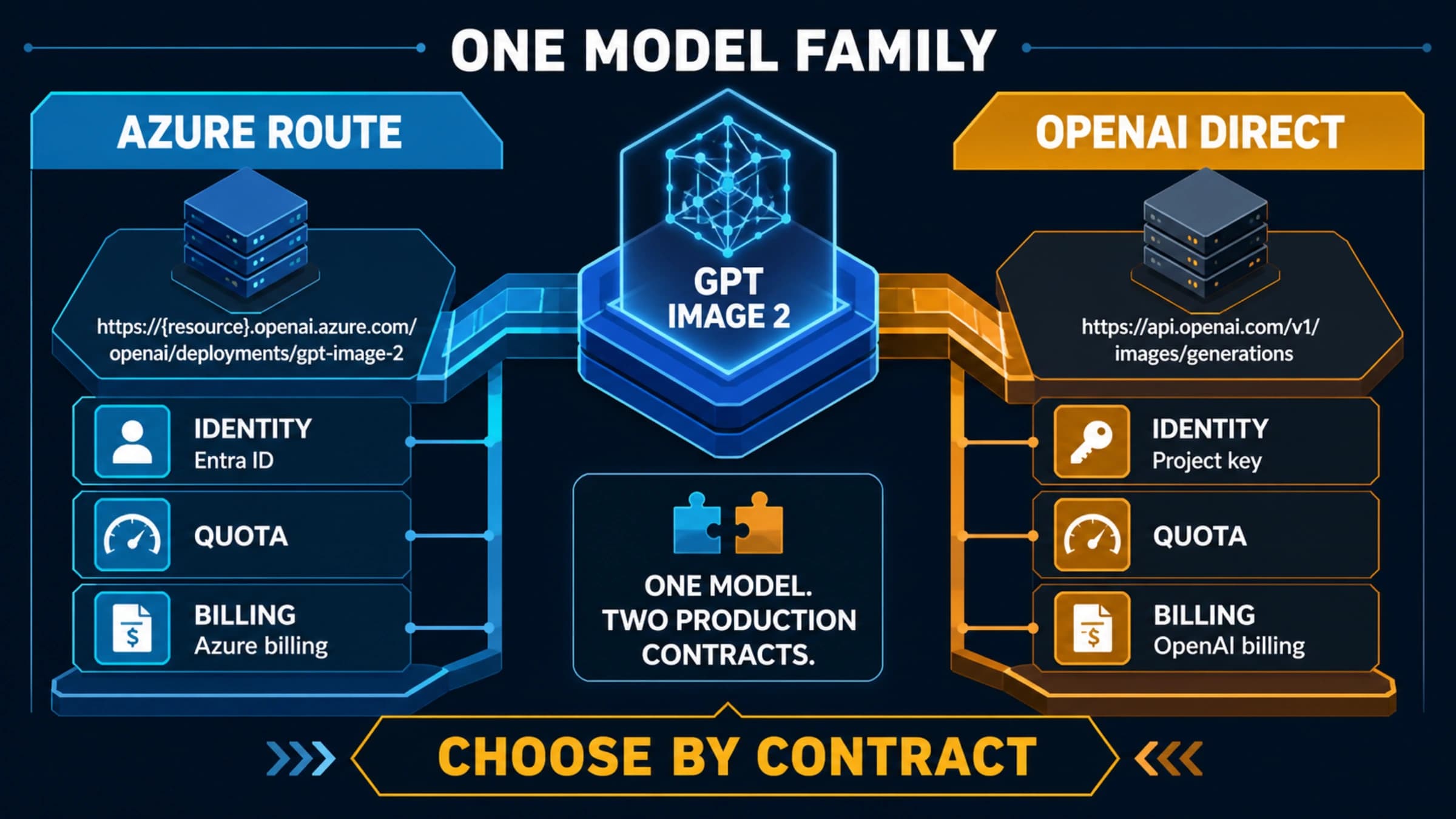
Azure and OpenAI direct expose the same GPT Image 2 family through different operational contracts. Choose by identity, region, billing, quota, output format, and support ownership—not by the model name alone.
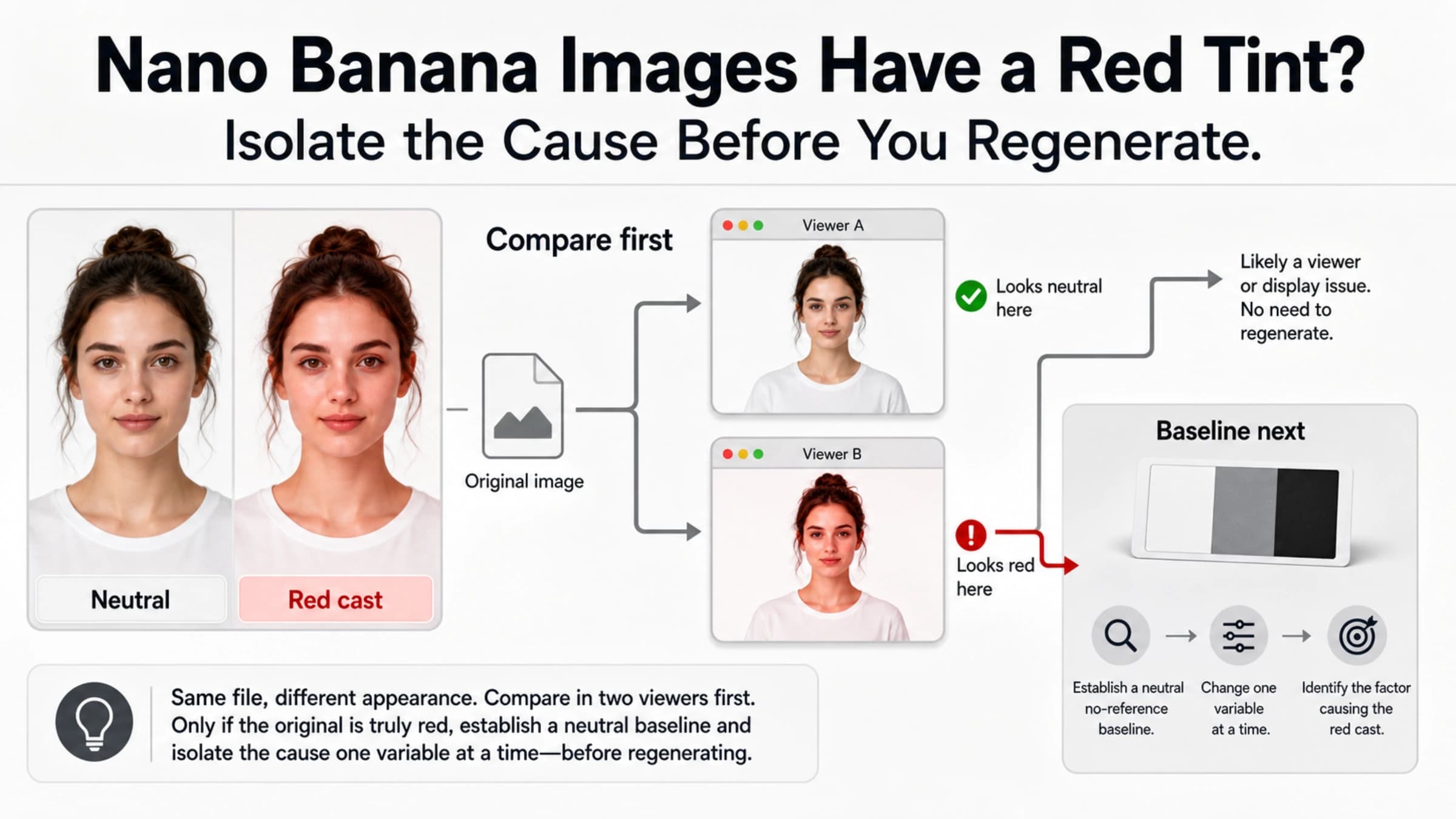
Do not reroll a red-tinted Nano Banana image blindly. Compare the downloaded original in two color-managed viewers, run a neutral no-reference baseline, and add back one input at a time.
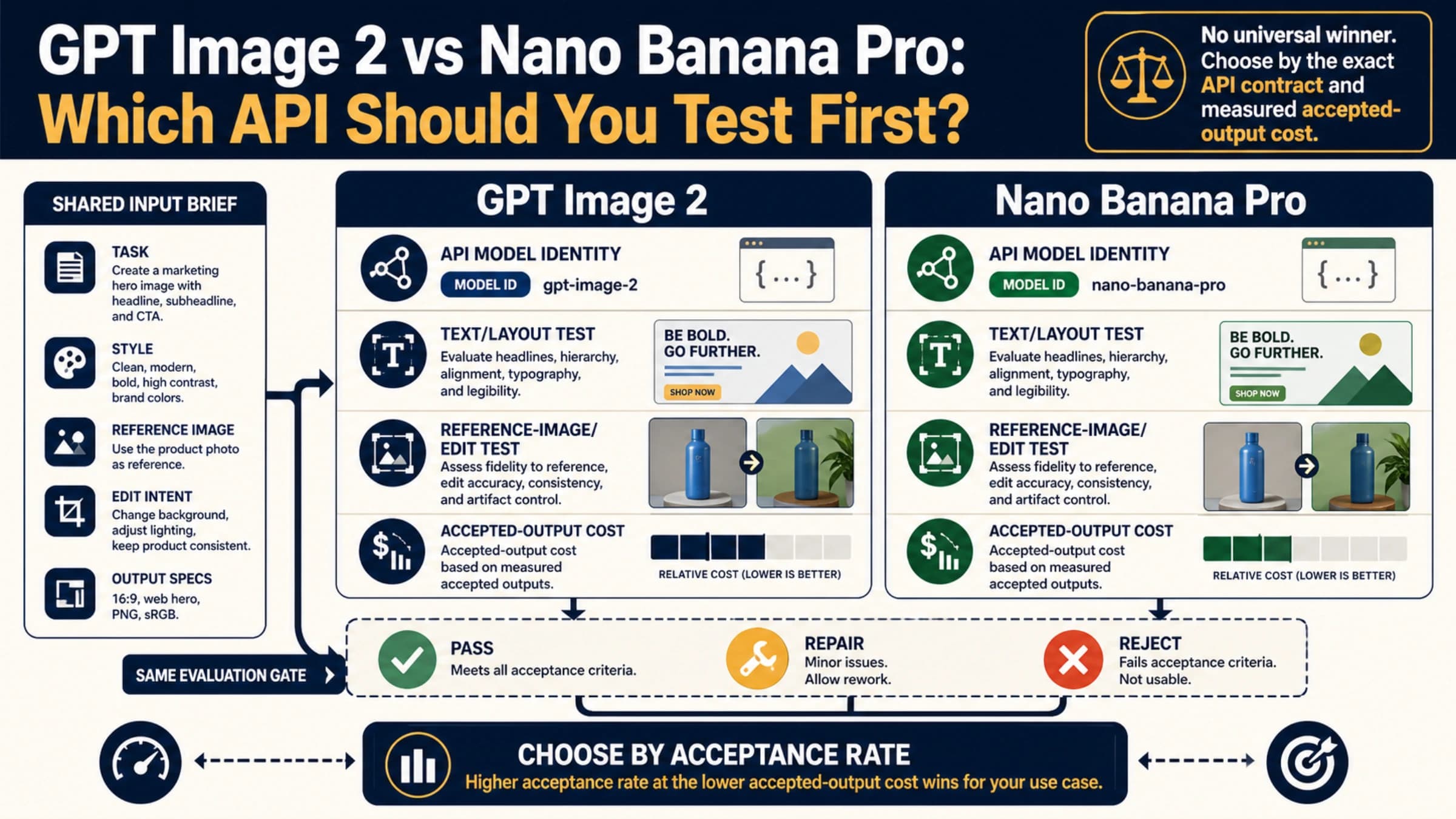
There is no proven universal quality winner. Compare the exact API models on four repeatable tasks, then choose by accepted-output cost rather than one attractive sample.
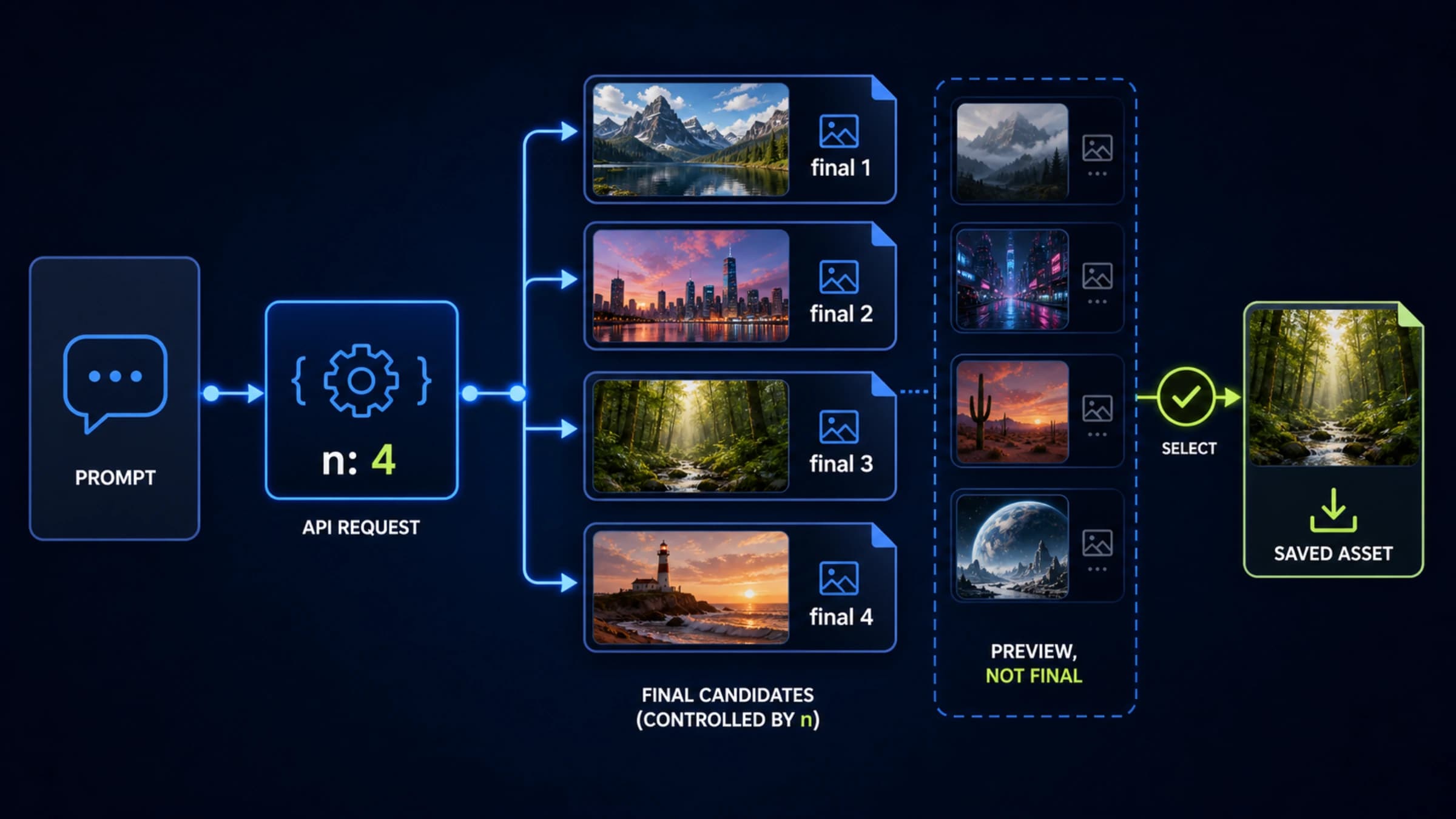
Use the official Image API's n parameter to request several independent GPT-Image-2 candidates, save each final result, and keep streaming previews separate from usable outputs.
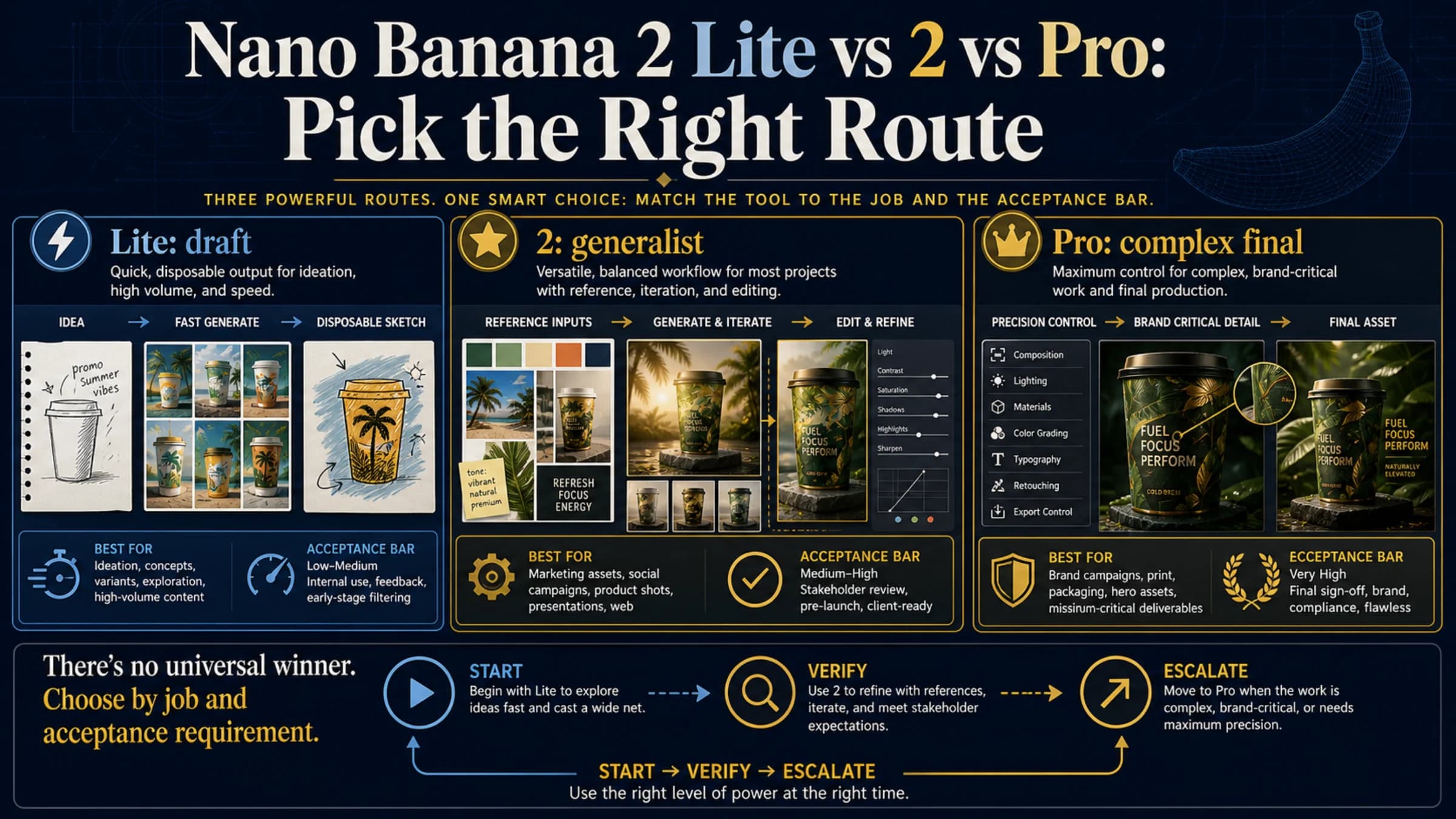
Use Lite for disposable drafts and high throughput, 2 for general generation and editing, and Pro for brand-critical, localized, or complex final assets.