Nano Banana Not Working in Gemini? Fix Stuck or Missing Images
If Nano Banana gets stuck loading or Gemini replies without an image, start with the Images tool and the message on screen. A small comparison can help you decide what to try next.
On this page
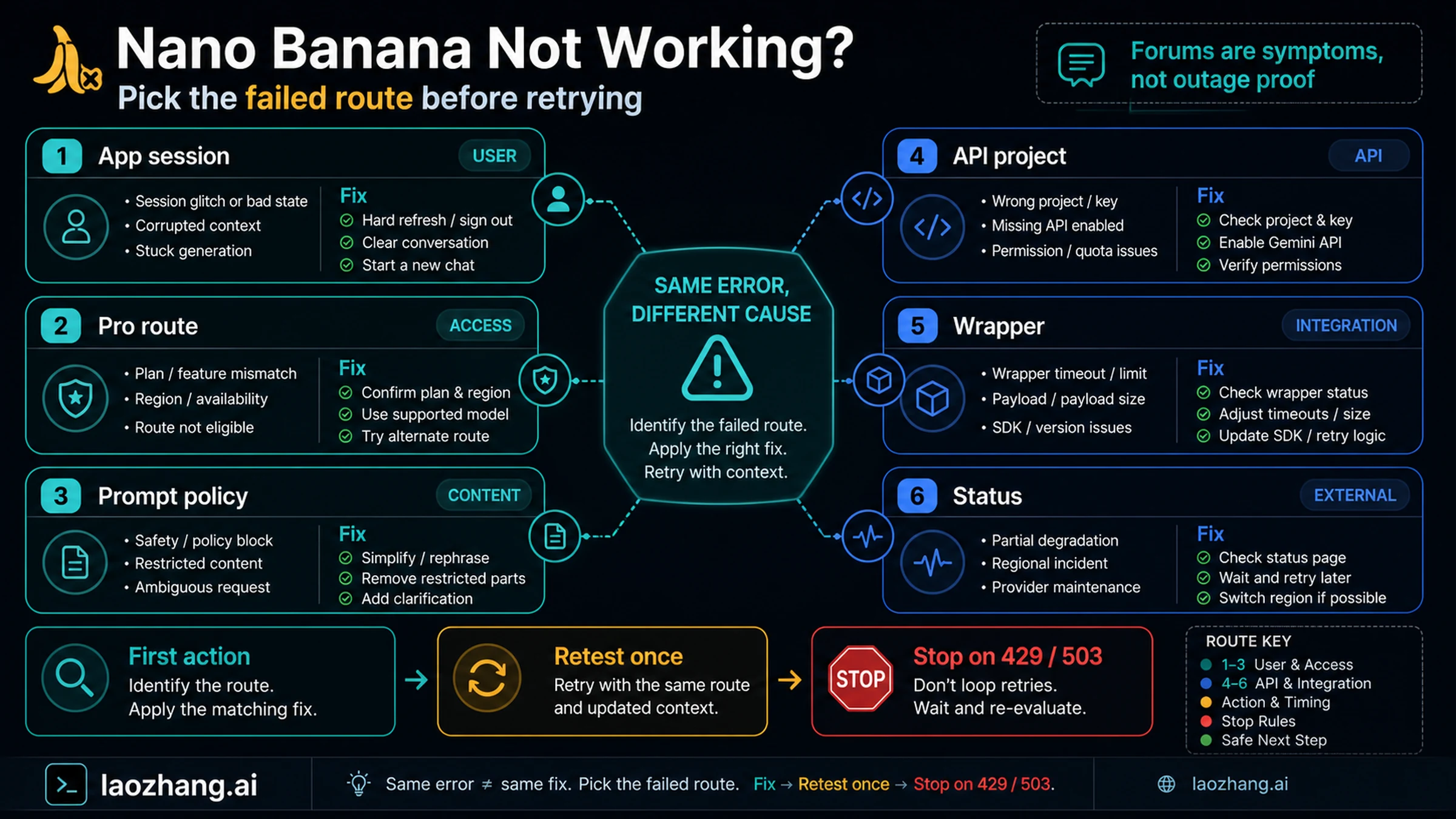
If Nano Banana is not generating images in Gemini, check the message on screen before submitting another request. A usage-limit notice calls for waiting until the indicated refresh; an explicit refusal needs a different response from a loading spinner. If neither appears, save your prompt and try one simple image request in a new conversation, using the same account.
This guide covers Gemini on the web, Android, and iPhone when you cannot get a first image. If an image already exists and only Redo with Pro is missing or failing, go to the Nano Banana Pro troubleshooting guide.
Start an image request from the current menu
On desktop, open Gemini, expand the sidebar at the top left, and select Images. On mobile, use Menu → Images. These are the entry points in Google's current desktop instructions, Android instructions, and iPhone instructions.
You do not need to find a separate app named Nano Banana. Old screenshots may show controls that no longer match your screen. As of September 7, 2026, Google's documented model choices are Flash-Lite → Nano Banana 2 Lite and Flash or Pro → Nano Banana 2. Selecting Pro does not by itself make the first image a Nano Banana Pro image. Google's model explanation distinguishes that from the paid Redo with Pro option.
Before testing, copy any unfinished prompt somewhere safe and note which Google account is signed in. Keep the original conversation so you can return to its uploads and instructions.
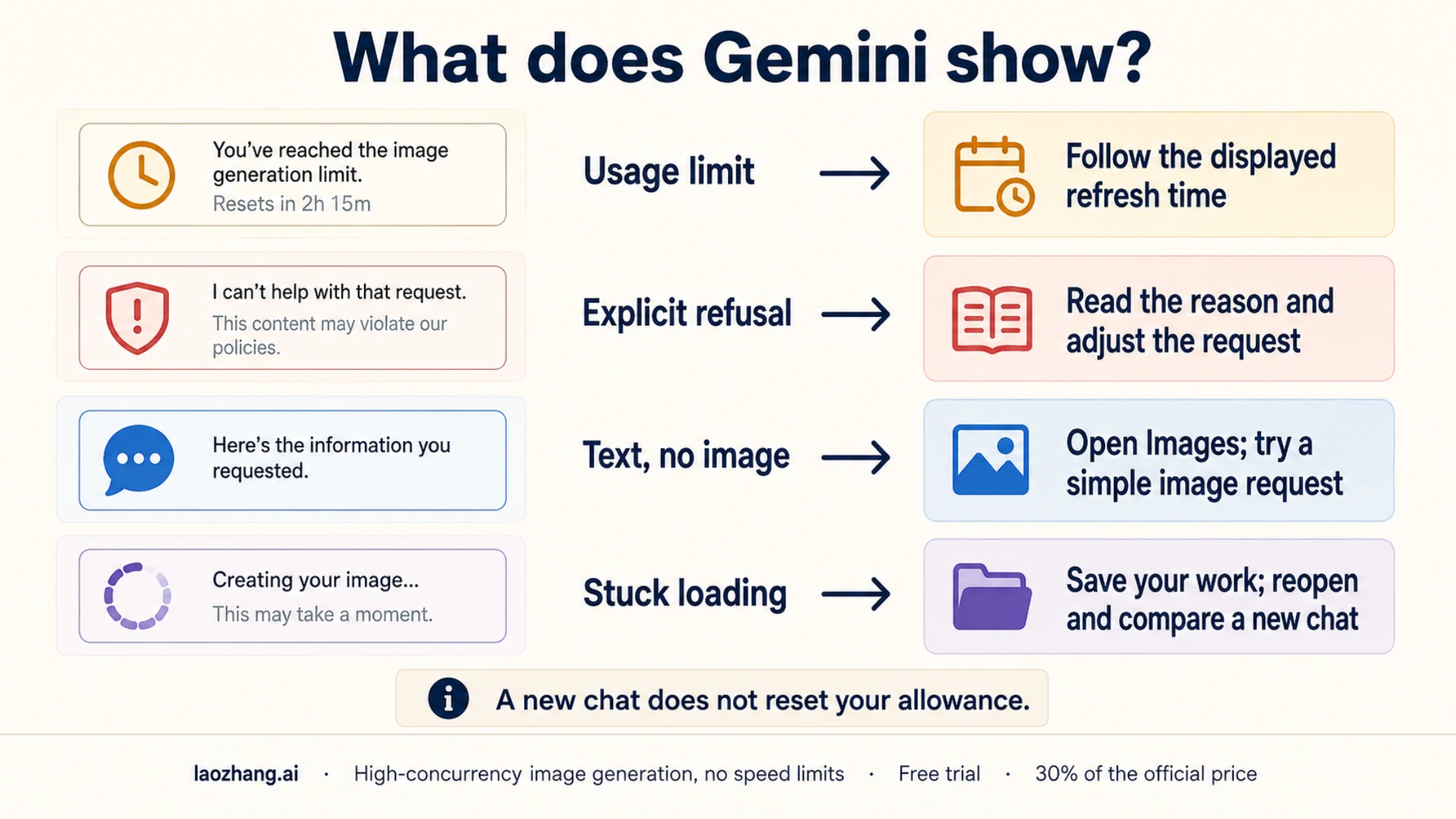
Choose the next step from what Gemini shows
| What you see | What to do next |
|---|---|
| A notice that you have reached a limit | Check the displayed refresh information and your usage. Do not keep resubmitting. |
| A refusal or a message explaining that the requested image cannot be created | Read the reason. Check whether the request needs to change to comply with it. |
| Text describing an image, but no image | Open Images and try an explicit, simple image request without uploads. |
| A spinner, frozen screen, or generic error | Preserve your work, reload the tab or reopen the app, then compare a new conversation. |
| No Images option, or a feature-unavailable message | Check the signed-in account and feature eligibility. |
If Gemini says you have reached a limit
On desktop, open Settings → Usage Limits. Google's Gemini Apps limits documentation describes compute-based allowances that refresh every five hours until a weekly limit is reached. Prompt complexity, the selected model and features, and conversation length affect consumption; access can also change with availability. Gemini's notification tells you when a reached limit refreshes.
The image help page separately mentions a daily Nano Banana 2 quota, which also blocks further Pro redos once reached. Follow the notice for the limit you actually hit. Neither a universal image count nor a promise to try again at midnight reliably describes every account and feature.
A new chat or cleared cookies does not restore a consumed allowance. If your error is a limit notice, leave browser troubleshooting until access returns. Buying a subscription before checking the error may leave the original problem unresolved.
If Images is missing or editing is unavailable
Check the profile shown in Gemini, especially if you use several Google accounts. Google's image requirements require signed-in access and a supported country and language. Personal-account image generation requires age 13 or the applicable local age; editing is unavailable under 18. School accounts may have different restrictions.
That distinction matters if creating an image works but uploading a photo for edits does not. An editing restriction does not mean all image generation is broken. If a school account displays an access restriction, check with its administrator; retrying from the same restricted account will not change eligibility.
Try one small request without uploads
If there is no limit or access message, open a new conversation through Images and ask for a simple image. For example:
Create an image of a blue ceramic mug on a wooden table beside a window.
Use a watercolor style. Show only the image, with no written explanation.
This request leaves out uploaded files, earlier edits, and competing instructions. Its purpose is to check whether a simpler request behaves differently; it cannot guarantee an image.
If an image appears, basic generation is working for that account at that moment. Add back the part you need next: your original scene, an uploaded reference, or one editing instruction. Make one change at a time so you can see which addition changes the result. You can continue in the working conversation without deleting the old one.
If you get text again, check what it says. A description of the requested scene suggests trying clearer image intent; an explicit refusal should be addressed according to its stated reason. Google explains that its systems may remove images when they detect a possible policy violation. Repeating a refused request or disguising it is not a loading fix.
If the request still hangs or errors, record the exact message and move to a client comparison. A successful new chat narrows the problem to something that differed between the attempts, but does not prove that the old conversation was corrupted or that a backend bug was repaired.
Compare the same account on another client
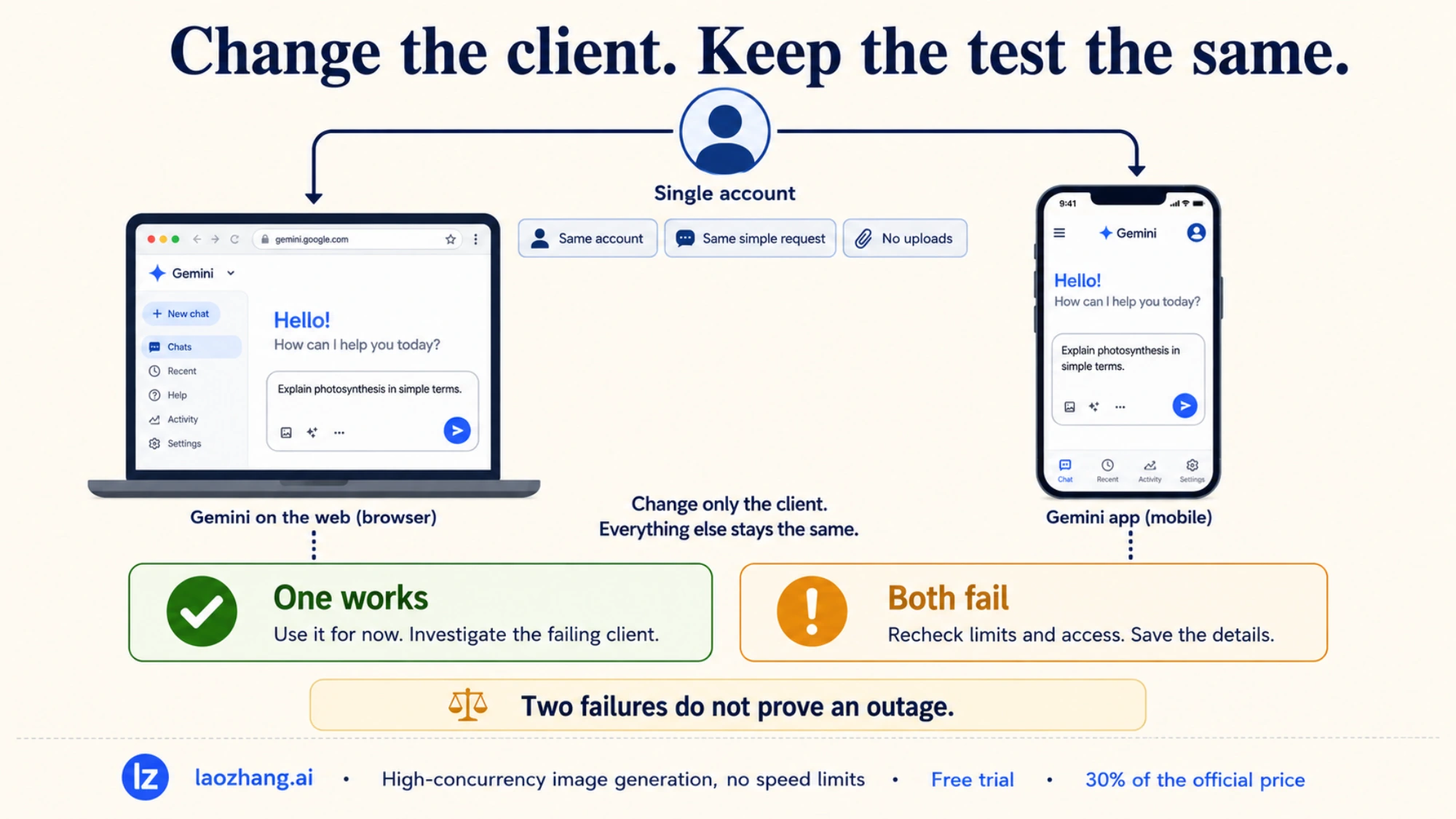
When a simple request fails after reloading the tab or reopening the app, try that same request on one other client. For example, compare the Gemini mobile app with the web version. Keep the account and prompt the same, with no uploaded files.
If you also change networks, note that change: the result then compares both the client and the connection. Avoid simultaneously changing the account, model, prompt, and device, because a success will tell you little about which change mattered.
| Comparison result | Useful next action |
|---|---|
| Web works; mobile app fails | Use the working web version for now. Check for an app update, reopen the app, and confirm the account before testing again. |
| Another browser works; the original browser fails | Check the original browser for updates and try pausing an extension that changes page content for Gemini only. Consider deleting Gemini site data if the problem persists. |
| Generation works without a photo but fails when you attach one | Check that the attachment finishes uploading and, on mobile, that the app can access the selected photo. Also check editing eligibility. |
| Both clients fail on the same account | Recheck limit and access messages, save the results, and report the problem if it persists. Account, connection, and service problems remain possible. |
Only clear site data when the comparison gives you a reason to investigate that browser. In Chrome, open Settings → Privacy and security → Third-party cookies → See all site data and permissions, search for the Gemini site, and delete that site's data. This can sign you out and remove site preferences, as explained in Chrome's cookie instructions. Save unfinished work first; deleting all browsing data is unnecessary for this test.
A failure in two clients does not establish an outage. They may share the same account limits or network. Likewise, an old forum post about a stuck image is not evidence that the service is down now. If you need to investigate a wider incident, see how to check whether Nano Banana 2 is down.
Report a persistent failure with details that help
If the same simple request keeps failing after these comparisons, stop repeating it and preserve a concise description of the problem. Useful details include:
- The date, time, and time zone of a failed attempt.
- Whether you used Gemini on the web, Android, or iPhone, plus the browser or app version.
- The selected model and whether the account is personal, work, or school.
- The exact message, or a screenshot showing where loading stops.
- A non-sensitive example request and whether it failed in a new chat and on another client.
On the web, open Settings & help → Send feedback. Review what you include: Google's feedback instructions explain that the associated conversation and its content may accompany the report. Avoid putting private prompts, photos, or account details in a public community post.
If the error comes from code, Make, a plugin, or another provider rather than Gemini itself, use the developer image troubleshooting guide. Errors such as 429 or 503, request IDs, and integration logs need developer-specific checks. Changing Gemini's browser cookies does not fix an integration's request or quota problem.