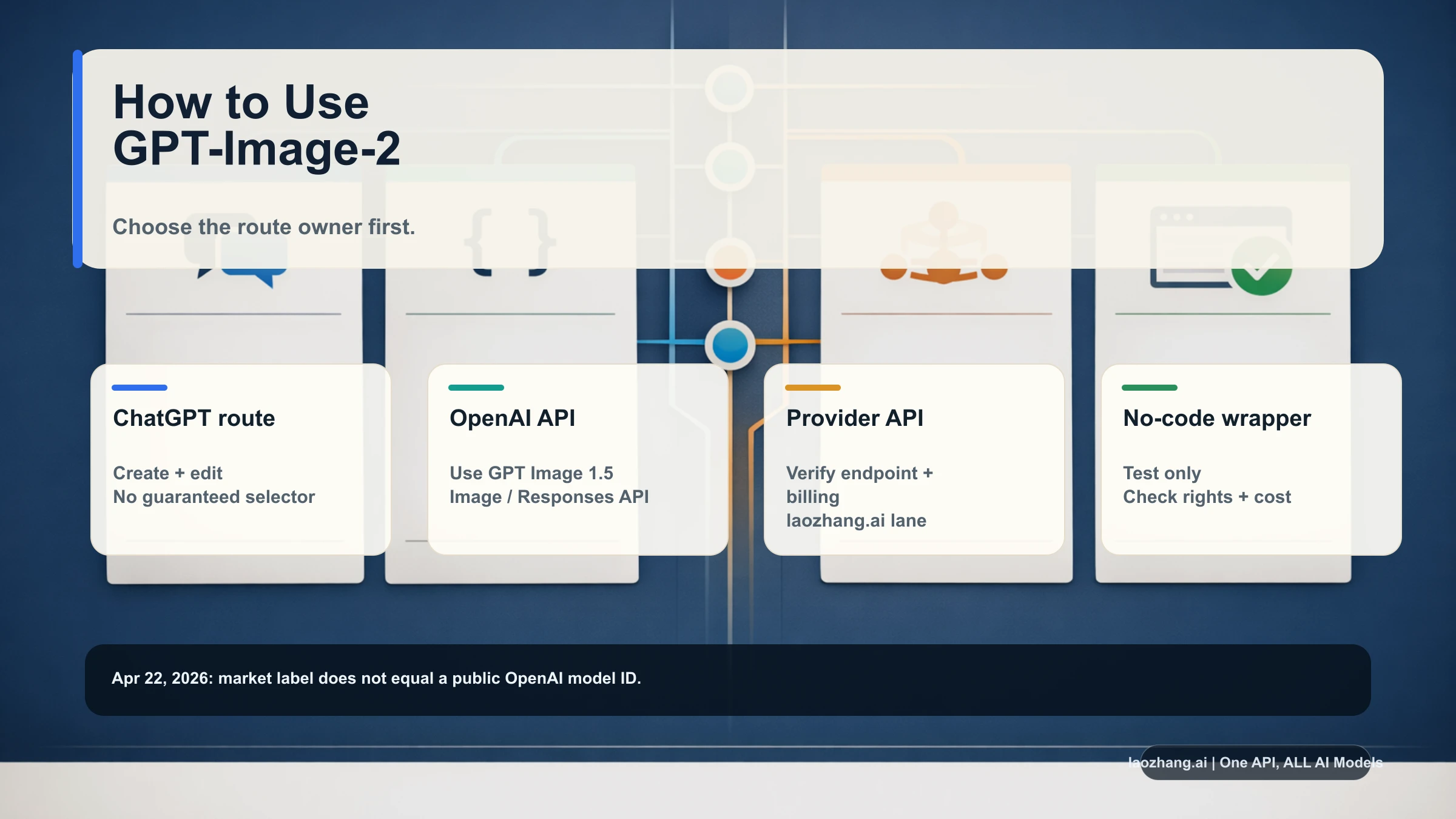
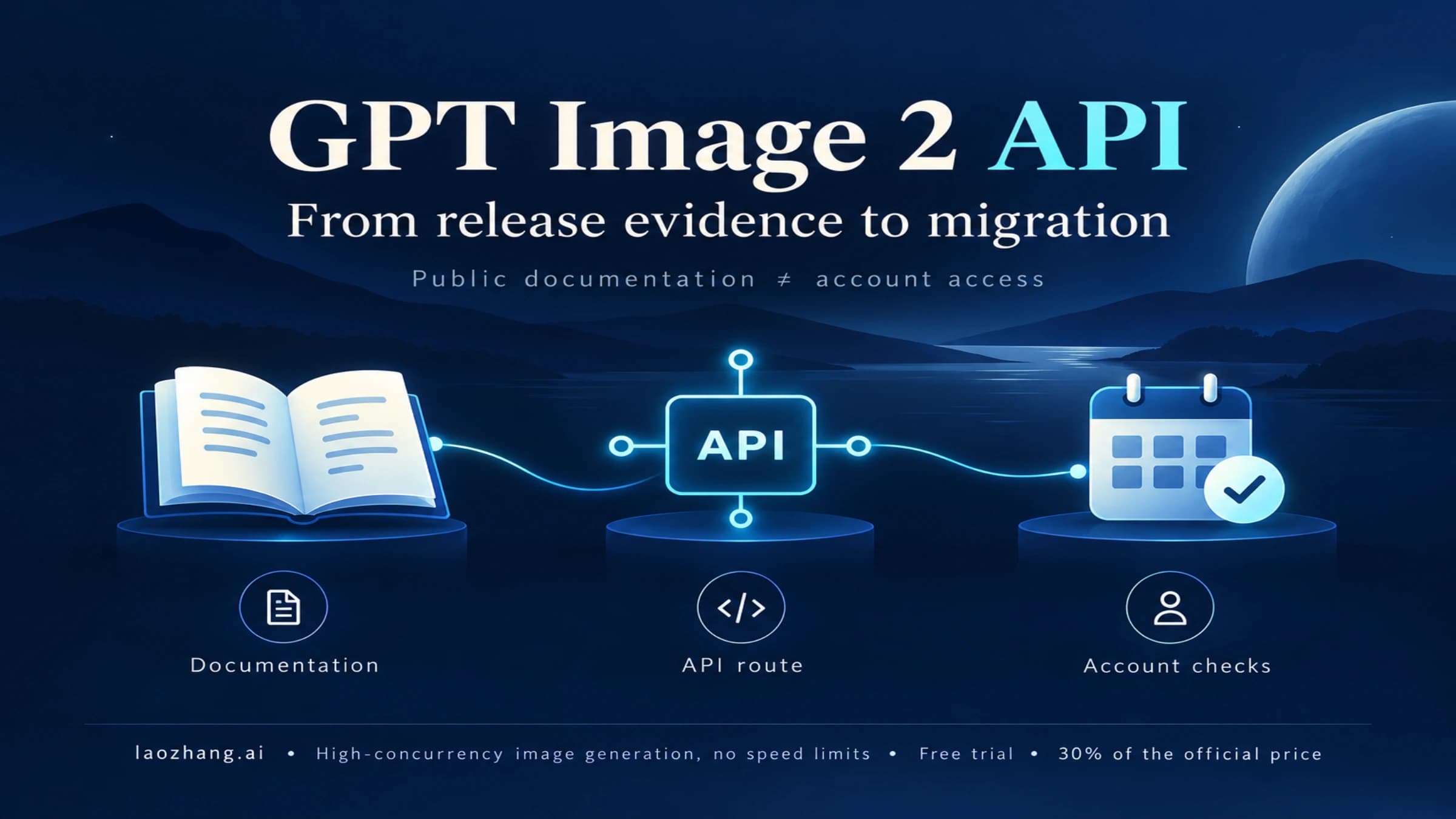
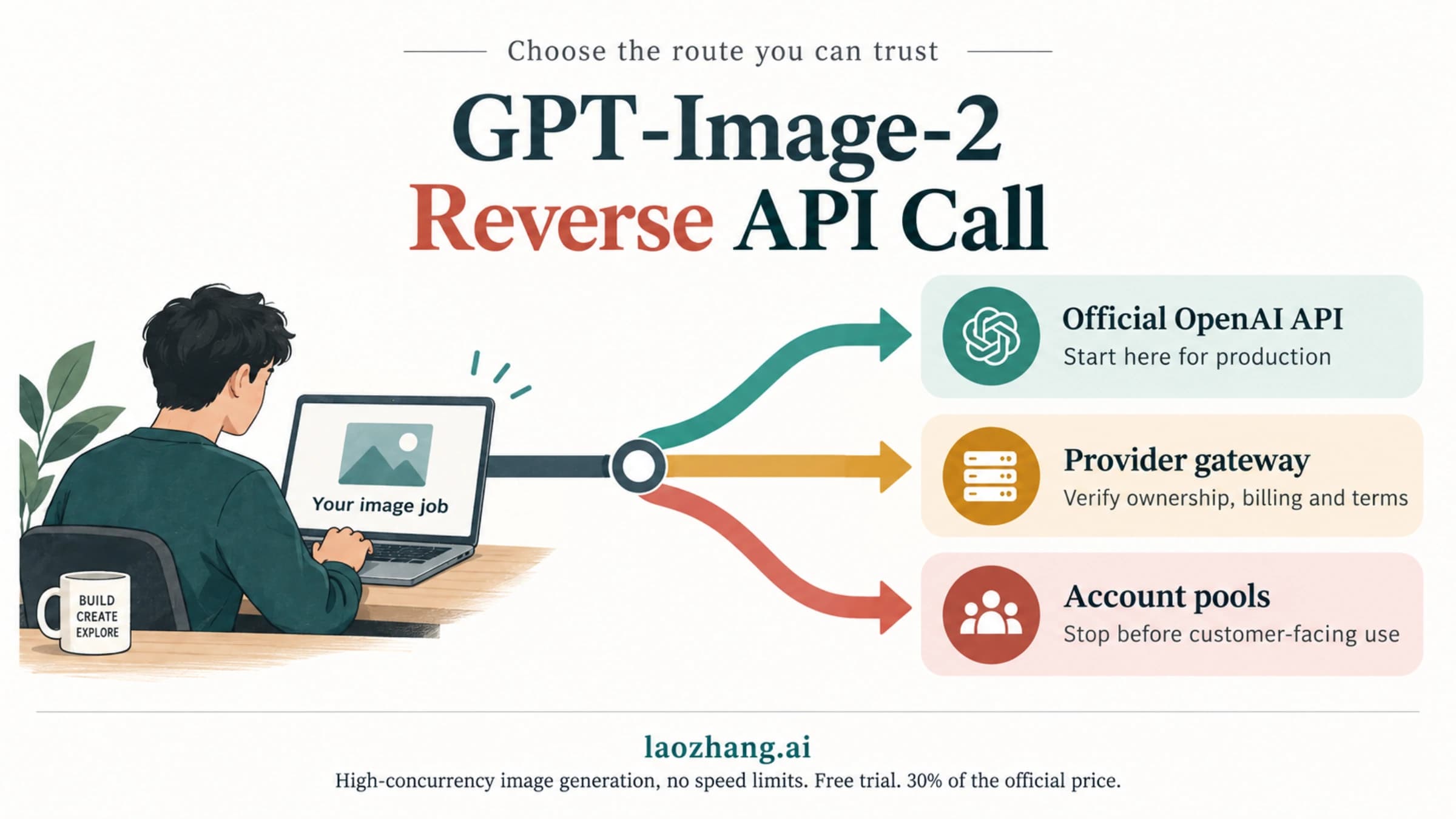
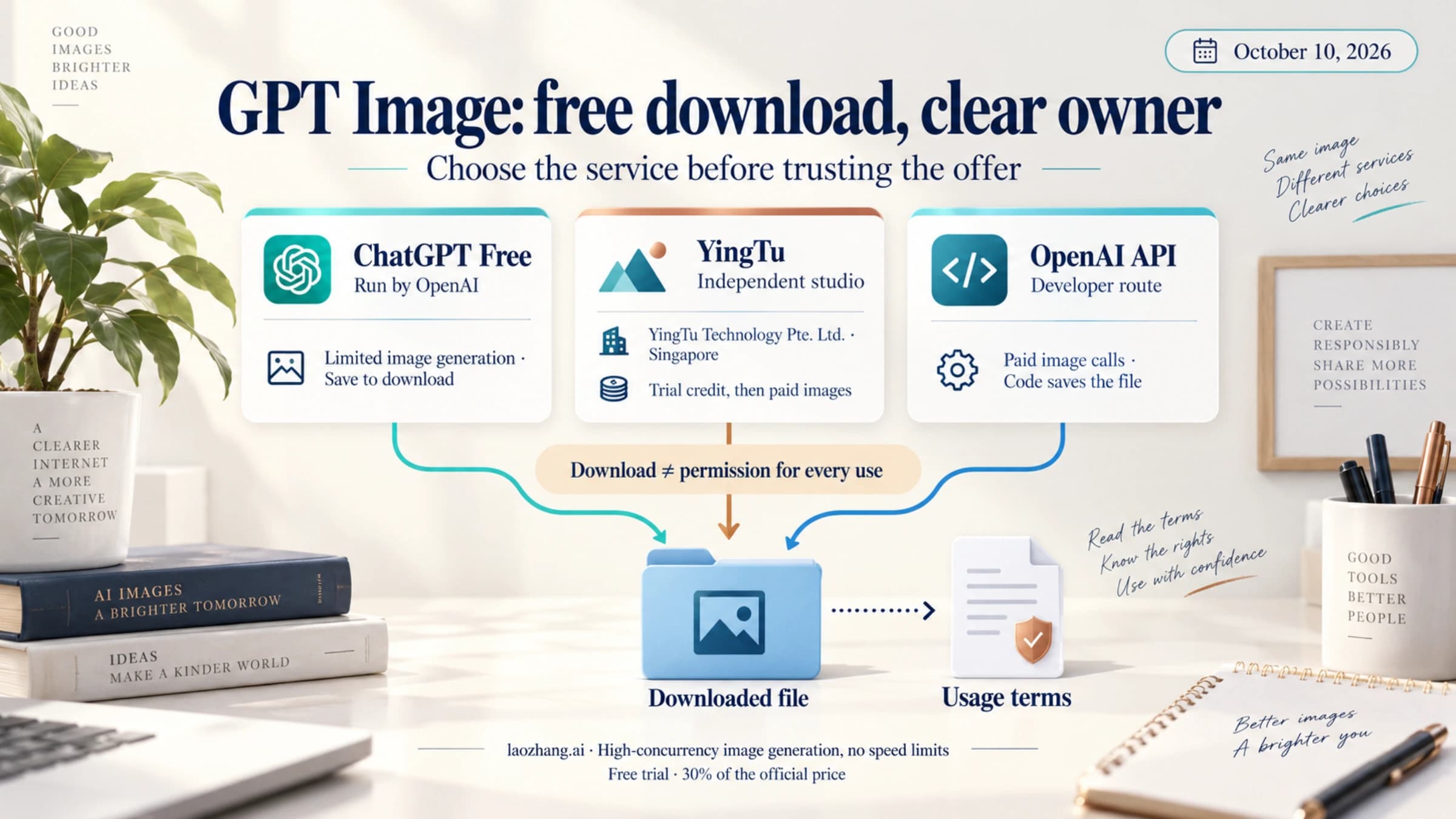
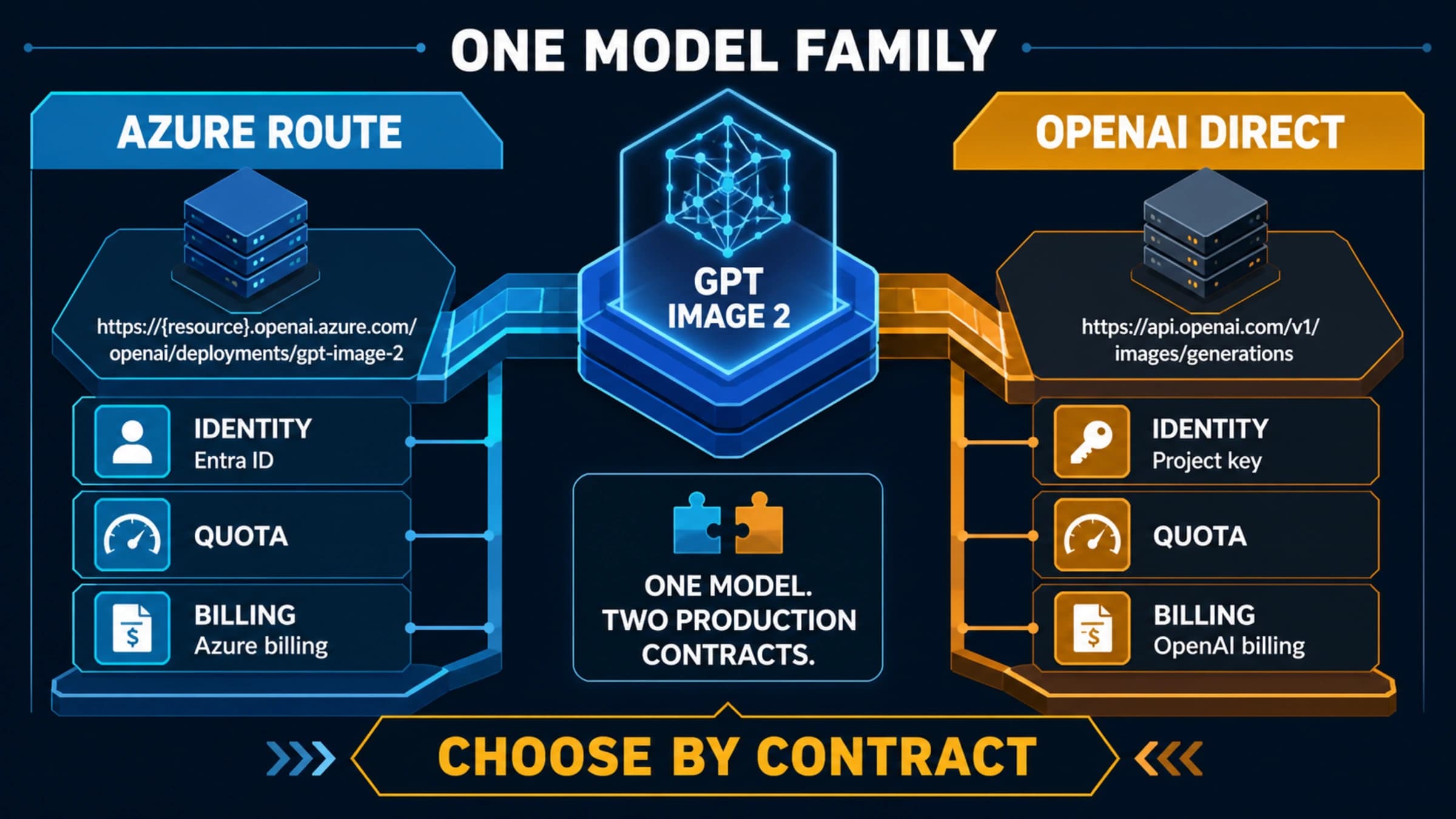
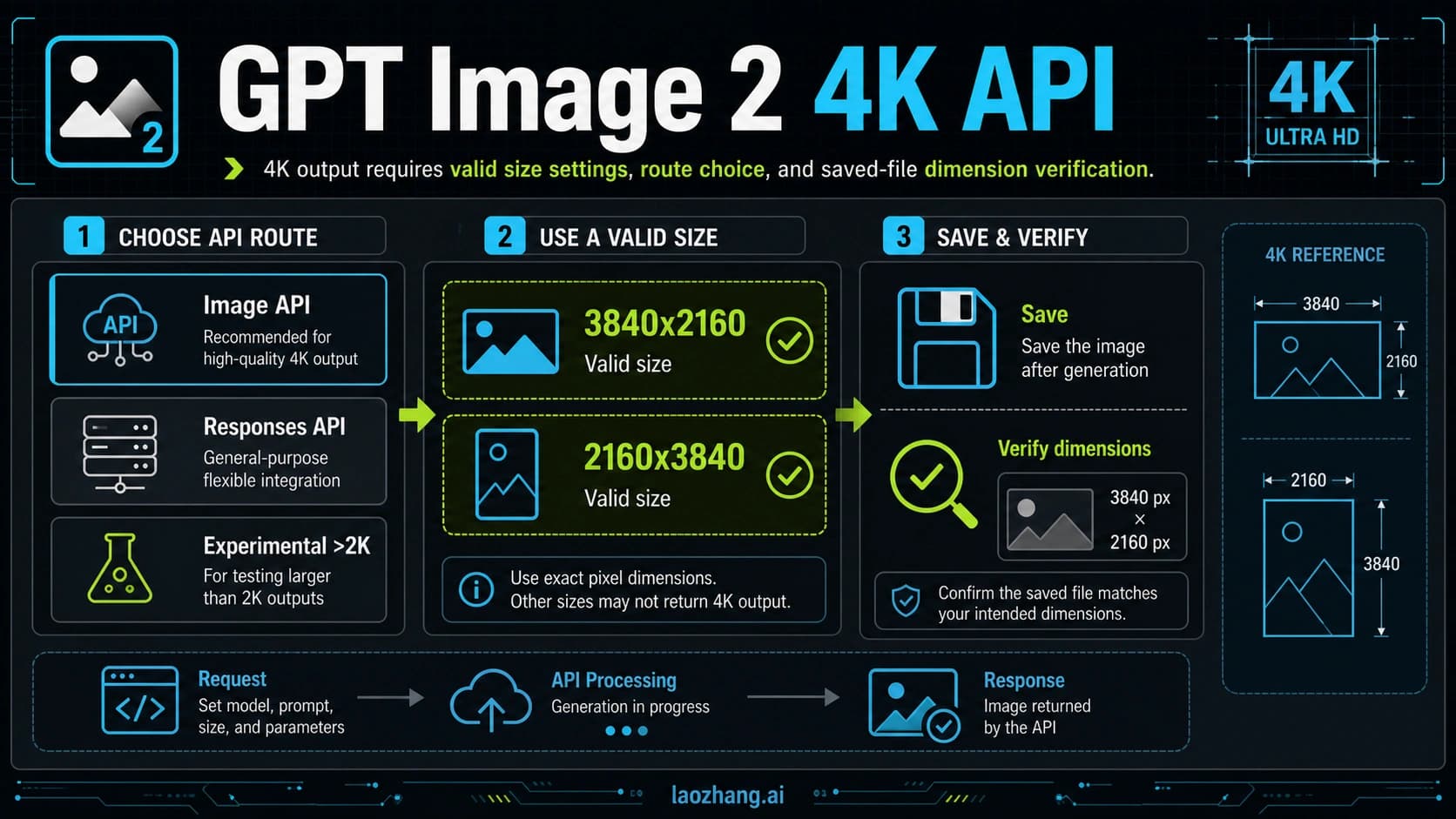
If you want to use GPT-Image-2 today, choose the route owner before you choose prompts. As of April 22, 2026, ChatGPT Images is the consumer route, documented OpenAI GPT Image APIs such as gpt-image-1.5 are the first-party developer route, and any provider or wrapper labeled gpt-image-2 should be treated as a route you must verify before you pay for it or build on it.
| Route | Best for | First action | Verify before use |
|---|---|---|---|
| ChatGPT Images | Consumer image creation and editing | Open the image workflow, give a concrete visual job, then revise by selecting the failed area | Account access, visible tools, upload/edit limits, and usage terms |
| OpenAI API | First-party development | Use documented GPT Image routes such as the Image API or Responses API image tools | Public model ID, endpoint, input/output format, pricing unit, and rate limits |
| Provider API | OpenAI-compatible integration tests | Treat gpt-image-2 as a provider alias and run a small logged request first | Route owner, endpoint support, billing unit, failed-call behavior, and rights |
| No-code wrapper | Quick experiments without code | Test one low-risk image job before importing private assets | Model owner, watermark/export rules, commercial rights, privacy, and retry limits |
Stop if a route cannot show its owner, callable model or UI surface, billing unit, output rights, and failure terms. After that, use the matching workflow: prompt and edit in ChatGPT, call documented OpenAI image endpoints for first-party code, run a small provider test before production, or use a wrapper only for bounded experiments.
Choose the route by job, not by model label
The practical mistake is to start with the name GPT-Image-2 and then force every product, API, or wrapper into one meaning. The safer workflow is the reverse: decide what you are trying to do, identify who owns that route, then use the model or tool name that the route actually accepts.
Use this split when you are deciding where to start:
| Your job | Start here | Why this route fits | Main failure to avoid |
|---|---|---|---|
| Make or edit one image in a browser | ChatGPT Images | It gives the shortest path from prompt to generated image or targeted edit. | Assuming every account exposes the same model selector or rollout label. |
| Build first-party OpenAI image generation into an app | OpenAI Image API | It keeps endpoint, model ID, pricing, and support inside OpenAI's public developer contract. | Sending gpt-image-2 as a model string before OpenAI publicly documents it. |
| Put image generation inside an assistant, agent, or multi-step flow | Responses API image tool | It lets the model decide when image generation belongs inside a larger response. | Using a direct image endpoint when orchestration and state are the real job. |
Test a provider-labeled gpt-image-2 route | Provider API | It can be useful when the provider's endpoint, price, and support fit your constraints. | Treating provider access as proof of a first-party OpenAI model row. |
| Try a tool with no code | No-code wrapper | It is fast for exploration, mockups, or one-off experiments. | Uploading private assets before model owner, retention, rights, and export rules are clear. |
This route-first habit also keeps your logs honest. If your code calls OpenAI directly, record the public OpenAI model ID you actually used. If your code calls a provider alias, record the provider, base URL, model label, billing unit, and response shape. If your work happens in ChatGPT, treat it as a product workflow, not as an API proof.
Use GPT-Image-2 in ChatGPT
For most non-developers, the ChatGPT route is the cleanest first step. OpenAI's help material describes image creation through ChatGPT prompts or the image creation tool, and image editing through the image editor, selected-area edits, or conversational revision prompts. That is enough for a real workflow, even if your account does not show a separate visible GPT-Image-2 selector.
Use this sequence:
- Start with the job, not the model name. Say whether you need a product shot, UI mockup, illustration, ad concept, diagram, or edit.
- Add the constraints that affect the image: aspect ratio, background, brand colors, text that must be exact, region to edit, and what must stay unchanged.
- If you have a source image, upload it and state its role: reference only, preserve composition, edit selected area, or extract style.
- Inspect the output for the failure that matters most: wrong text, wrong object count, changed identity, inconsistent UI, bad crop, or unusable export.
- Edit the failed area directly. A targeted edit is usually better than restarting with a longer prompt.
- Save the prompt, output, and revision note if the image will be reused in a campaign, app, or article.
A good first prompt is concrete:
textCreate a 16:9 editorial image for a developer guide about choosing an AI image generation route. Show four labeled lanes: ChatGPT, OpenAI API, provider API, and no-code wrapper. Use a calm technical style, high contrast, and no fictional brand logos. Leave space at the bottom for a small footer.
A good edit prompt is narrower:
textKeep the layout, colors, four lanes, and camera angle. Only change the provider lane so it says "verify endpoint and billing" instead of "instant access." Do not alter any other text.
The key is not to ask for "better." Name the failed part, say what must remain fixed, and give one correction at a time. For text-heavy images, check every visible word before using the output anywhere public.
Use the OpenAI API route safely
For first-party OpenAI development, the model-name answer is different from the market label. As of April 22, 2026, the public OpenAI image-generation docs used documented GPT Image model IDs such as gpt-image-1.5, gpt-image-1, and gpt-image-1-mini; no public OpenAI gpt-image-2 model row is a safe default for normal code unless first-party docs or your account contract show it. Build against the model names and endpoints OpenAI documents for your account.
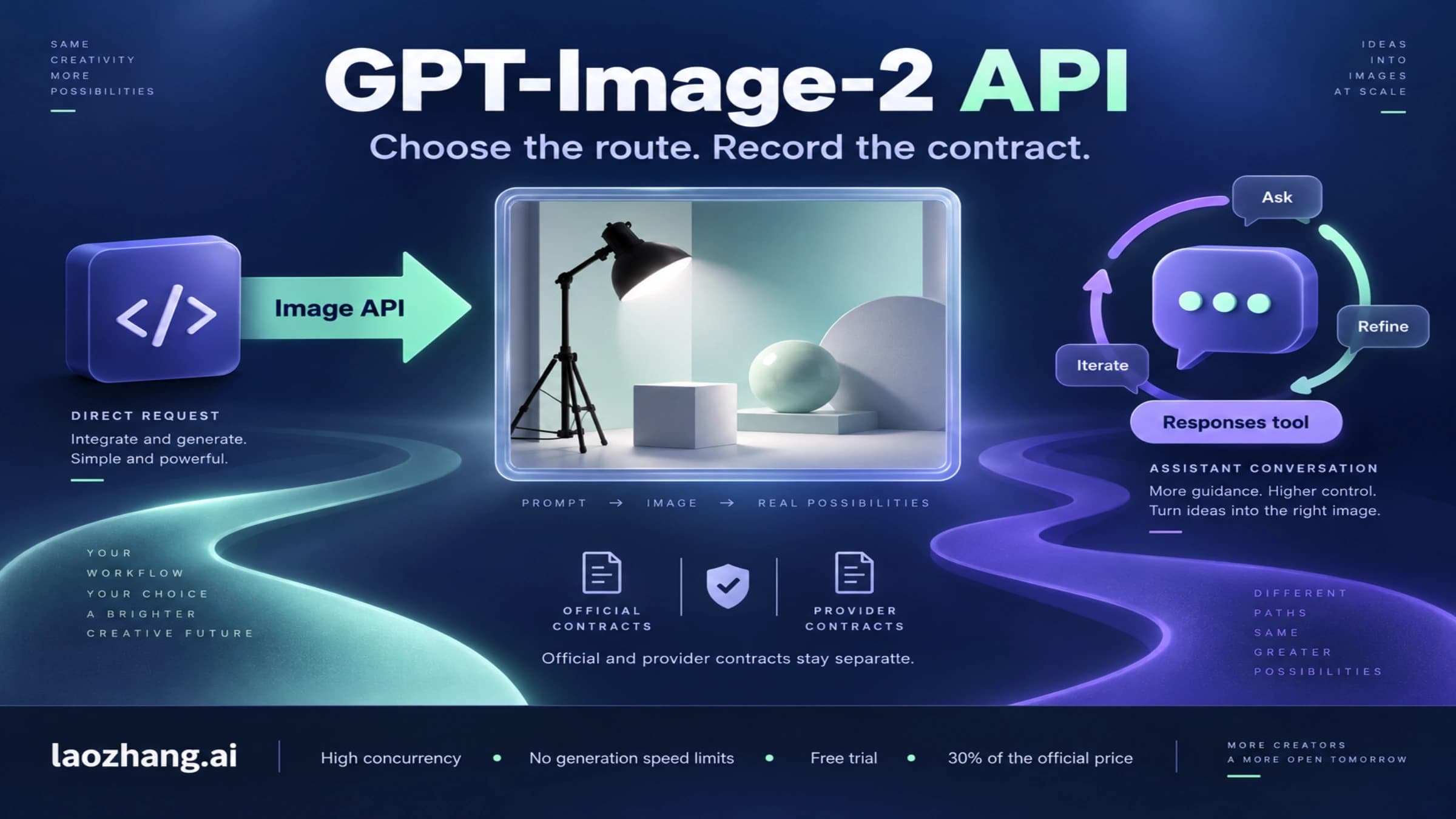
Use the OpenAI image generation guide when the image is the direct output of the request. Use the Responses API image-generation tool when image generation is one step inside a larger assistant or agent flow.
| API route | Use it when | Practical setup rule |
|---|---|---|
| Image API | The user gives a prompt, source image, or edit instruction and expects image output. | Keep request shape, model ID, quality, size, output format, retry behavior, and storage handling explicit. |
| Responses API image tool | The model needs to reason, call tools, ask questions, or produce text around the image. | Keep the image tool inside the same orchestration flow only when that orchestration is useful. |
A minimal direct-generation test should use the public model ID your OpenAI route accepts:
bashcurl https://api.openai.com/v1/images/generations \ -H "Authorization: Bearer $OPENAI_API_KEY" \ -H "Content-Type: application/json" \ -d '{ "model": "gpt-image-1.5", "prompt": "Create a clean 16:9 diagram showing four safe routes for AI image generation: ChatGPT, OpenAI API, provider API, and no-code wrapper.", "size": "1536x1024" }'
Keep GPT-Image-2 in your product or research note if that is how stakeholders name the topic, but keep your production config tied to the callable model string. If OpenAI later publishes gpt-image-2 as a public model ID, the upgrade should be a controlled config change with test images, cost checks, and rollback notes.
For endpoint-heavy examples, use the focused GPT-Image-2 API guide. Keep this broader route decision separate from the API sibling, which owns request shapes, provider endpoint tests, and parsing details.
How to know what route you are actually using
The route proof matters more than the label. A page, wrapper, or provider can call something GPT-Image-2, but that wording only becomes operational after you know who owns the endpoint, what model string is accepted, how billing works, and what terms apply to inputs and outputs.

Use this proof ladder:
| Proof item | Stronger meaning | Weaker meaning |
|---|---|---|
| OpenAI developer docs, model pages, endpoint examples, or pricing rows | A first-party public OpenAI API route can be evaluated for production. | It may still be account-limited, so test your own key. |
| ChatGPT help or product UI | The consumer product can create or edit images. | It does not prove a public API model ID by itself. |
| Provider docs, console logs, billing records, and test responses | A provider-owned route may be usable under that provider contract. | It does not prove OpenAI first-party status. |
| Wrapper marketing page | The tool claims a capability or model label. | It is not enough for production use without terms, owner, and output checks. |
| Output quality | The result may be good. | It does not prove which model or route generated it. |
The fastest self-check is simple: could you write down the route owner, model or tool name, endpoint or UI surface, billing unit, output format, and rights boundary in one paragraph? If not, you are still testing a label, not using a route.
Provider API route
Provider routes can be useful, especially when you need OpenAI-compatible access, a specific payment flow, or a gateway that supports a market-visible gpt-image-2 label. They also require stricter labeling. A provider route is a provider contract unless first-party OpenAI material says otherwise.
The existing LaoZhang.ai sibling evidence supports a provider-owned gpt-image-2 route at https://api.laozhang.ai/v1, with $0.03/call described as LaoZhang.ai provider pricing as of April 22, 2026. Treat that as a provider cue, not as official OpenAI pricing and not as proof that OpenAI has published a public gpt-image-2 model row.

Before moving provider access beyond a test, capture this checklist:
| Check | What to record | Why it matters |
|---|---|---|
| Route owner | Provider name, base URL, account, and support path. | This decides who can debug failures and billing disputes. |
| Model mapping | Accepted model label, any mapping note, and whether it is a provider alias. | This prevents provider labels from being confused with OpenAI public model IDs. |
| Endpoint shape | Chat Completions, Images API, edit endpoint, or another route. | Response parsing, retries, and uploads depend on this shape. |
| Billing unit | Per call, tokens, credits, image output, retries, and failed-call behavior. | A flat price is not comparable until the unit is clear. |
| Output handling | URL, b64_json, data URL, expiration, storage, and download policy. | Production systems need stable retrieval and retention rules. |
| Rights and privacy | Input retention, commercial use, sensitive images, and account terms. | The cheapest route is not acceptable if it cannot handle your asset risk. |
If you use LaoZhang.ai for this lane, keep the mention narrow: it is an API/provider route for developers who can verify their account-level terms. For first-party support, official pricing, enterprise procurement, or a public OpenAI model row, use OpenAI's documented route first.
For detailed provider request examples, use GPT-Image-2 API Guide. For cost comparison and official-versus-provider price mapping, use GPT-Image-2 API Pricing.
No-code wrapper route
A no-code wrapper is fine for a quick mockup, but it should be treated as a test surface until the contract is clear. That is especially important for private reference images, brand assets, personal likeness, customer data, or commercial outputs.
Ask these questions before trusting a wrapper:
| Question | Acceptable answer | Stop sign |
|---|---|---|
| Who owns the model route? | The tool names whether it is first-party, provider-routed, or self-hosted. | It only says "GPT-Image-2" with no route owner. |
| What happens to uploads? | Retention, deletion, privacy, and training use are explained. | The wrapper asks for private images with no policy clarity. |
| How are limits enforced? | Free credits, paid credits, retries, and failed generations are visible. | The page says free or unlimited without account-level terms. |
| Can you export usable files? | File type, resolution, watermark, and commercial terms are clear. | Output is locked, watermarked, or unclear after payment. |
| Can you reproduce the result? | Prompt history, seed or version notes, and revision path are available. | You cannot save enough context to repeat the work. |
Use wrappers for low-risk exploration first: moodboards, rough layouts, prompt testing, and comparison screenshots. Move to ChatGPT, OpenAI API, or a verified provider route when the image affects production, customer data, paid ads, app assets, or legal rights.
Prompt and edit recipes that work across routes
Once the route is clear, the prompt job becomes easier. The best prompts say what the image is for, what must be visible, what must not change, and how the result will be judged. They also separate generation from editing: generate the first version, inspect the failure, then edit the smallest part that needs correction.
| Job | First prompt scaffold | Targeted edit instruction | Final check |
|---|---|---|---|
| Exact text graphic | "Create a 16:9 image with one headline: [exact text]. Use high contrast, no extra words, and leave a clean margin." | "Only fix the headline spelling. Keep layout, colors, and all objects unchanged." | Read every word at full size. |
| UI mockup | "Design a desktop settings screen for [product]. Include sidebar, main panel, two toggles, and one status banner. Use realistic spacing." | "Change only the status banner copy to [text]. Do not move the sidebar." | Check alignment, copy, and whether controls make sense. |
| Product shot | "Show [product] on [surface] with [lighting]. Keep background simple and leave space for label placement." | "Keep the product shape and camera angle. Only change the background from gray to warm white." | Check shape, logo placement, shadows, and crop. |
| Reference-image edit | "Use the uploaded image as the source. Preserve subject, pose, camera angle, and composition. Change only [specific region]." | "The previous edit changed the whole image. Restore the original composition and adjust only the selected area." | Compare against the source before accepting. |
| Diagram | "Create a route map with four lanes: [lane names]. Use short labels, arrows, and one stop-rule badge." | "Keep all lanes. Replace the stop-rule badge text with [exact text]." | Confirm no extra claims appear. |

Use these rules across ChatGPT, OpenAI API, provider APIs, and wrappers:
- Put exact text in quotes and ask for no extra visible words.
- Say what must stay unchanged before saying what should change.
- For edits, prefer one visible correction per request.
- For reference images, state whether the source is a style reference, identity reference, layout reference, or edit source.
- For public assets, keep a route log: tool, provider or endpoint, model label, prompt, input assets, output file, and revision notes.
The route log is not bureaucracy. It lets you reproduce a useful result, explain rights and costs later, and avoid mixing ChatGPT outputs, OpenAI API outputs, provider outputs, and wrapper outputs under one vague "GPT-Image-2" label.
Verification checklist before real use
Before you use a GPT-Image-2-labeled route in a serious workflow, run one small test that tells you whether the route is fit for the job.
For ChatGPT, test a prompt with one exact word, one visual constraint, and one targeted edit. If the output cannot preserve the important part through a small edit, it may still be useful for ideation but not for production graphics.
For OpenAI API, test the documented model ID your key accepts, response format, image size, quality setting, storage path, retry behavior, and cost logging. Do not switch to a new model label until your own account and OpenAI's docs support it.
For a provider API, test the same prompt through the exact base URL and endpoint you plan to use. Save request ID, response shape, output file, billing record, and failure behavior. A successful image is only one proof item; billing and support evidence matter too.
For a wrapper, test with a non-sensitive image and a prompt that reveals output quality, watermarking, export resolution, and edit control. Do not upload private source images until privacy and retention rules are clear.
The stop rule is practical: if you cannot identify route owner, accepted model or tool name, billing unit, output rights, and failure terms, keep the route in experiment mode.
Where to go deeper
Start with the route decision when the question is "which route should I take and how do I start?" Use the sibling pages when your blocker is narrower:
- Use GPT-Image-2 API Guide when you need provider endpoint examples, response parsing, edit routes, and LaoZhang.ai API test details.
- Use GPT-Image-2 API Pricing when you need to separate current public OpenAI pricing from provider-owned flat-call claims.
- Use GPT-Image-2 API Release Date when you need the first-party public API release-status boundary.
- Use OpenAI API Key Free Trial 2026 when your real blocker is account setup, credits, or key access rather than the image workflow.
The short version: ChatGPT is the fastest consumer path, OpenAI's documented image APIs are the safest first-party developer path, provider APIs are contract-specific routes, and wrappers are exploration surfaces until verified.
FAQ
Can I select GPT-Image-2 directly in ChatGPT?
Do not assume every account has a visible GPT-Image-2 selector. Use the ChatGPT image creation and editing workflow that your account exposes, then judge the output and edit controls. Product UI and account rollout can vary.
What model should I use in OpenAI API code?
Use the public model ID your OpenAI docs and account support. As of April 22, 2026, the documented GPT Image public route used names such as gpt-image-1.5; do not treat gpt-image-2 as a public OpenAI model row unless first-party docs or your account contract support it.
Is a provider gpt-image-2 route official OpenAI access?
Not by itself. A provider route can be useful, but it is a provider contract unless OpenAI's first-party developer material names the same public route. Record the provider, base URL, model alias, billing unit, response shape, and terms.
Can I use LaoZhang.ai for GPT-Image-2?
Yes, if your job is provider-route testing or OpenAI-compatible API access and you verify your account-level terms. Treat gpt-image-2 at $0.03/call as LaoZhang.ai provider pricing, not official OpenAI pricing.
Is GPT-Image-2 free to use?
That depends on the route. ChatGPT access depends on your account and plan. OpenAI API usage follows OpenAI's public billing for the model you actually call. Provider and wrapper offers depend on their own credits, free limits, retries, and paid terms.
What should I verify before paying for a wrapper?
Verify route owner, upload privacy, output rights, export resolution, watermark rules, credit usage, failed-generation behavior, and whether you can reproduce or edit the result later.
What is the safest first prompt?
Start with the image job, required visible elements, constraints, and stop rules. For example: "Create a 16:9 route board for choosing an AI image generation workflow. Show four lanes, use short labels, avoid fictional logos, and leave space for a footer."
When should I stop using a GPT-Image-2-labeled route?
Stop when the route cannot show who owns it, what model or tool is callable, how it bills, what output rights you get, and how failures are handled. Good output alone is not enough for production use.
Bottom line
The safe way to use GPT-Image-2 is to turn the label into a route decision. Use ChatGPT Images when you want a browser workflow, use documented OpenAI GPT Image APIs when you need first-party development, use provider APIs only after contract checks, and keep no-code wrappers in test mode until ownership, rights, price, and export behavior are clear.
After that, the image workflow is straightforward: write a concrete first prompt, inspect the output, edit the smallest failed area, and log the route you actually used.