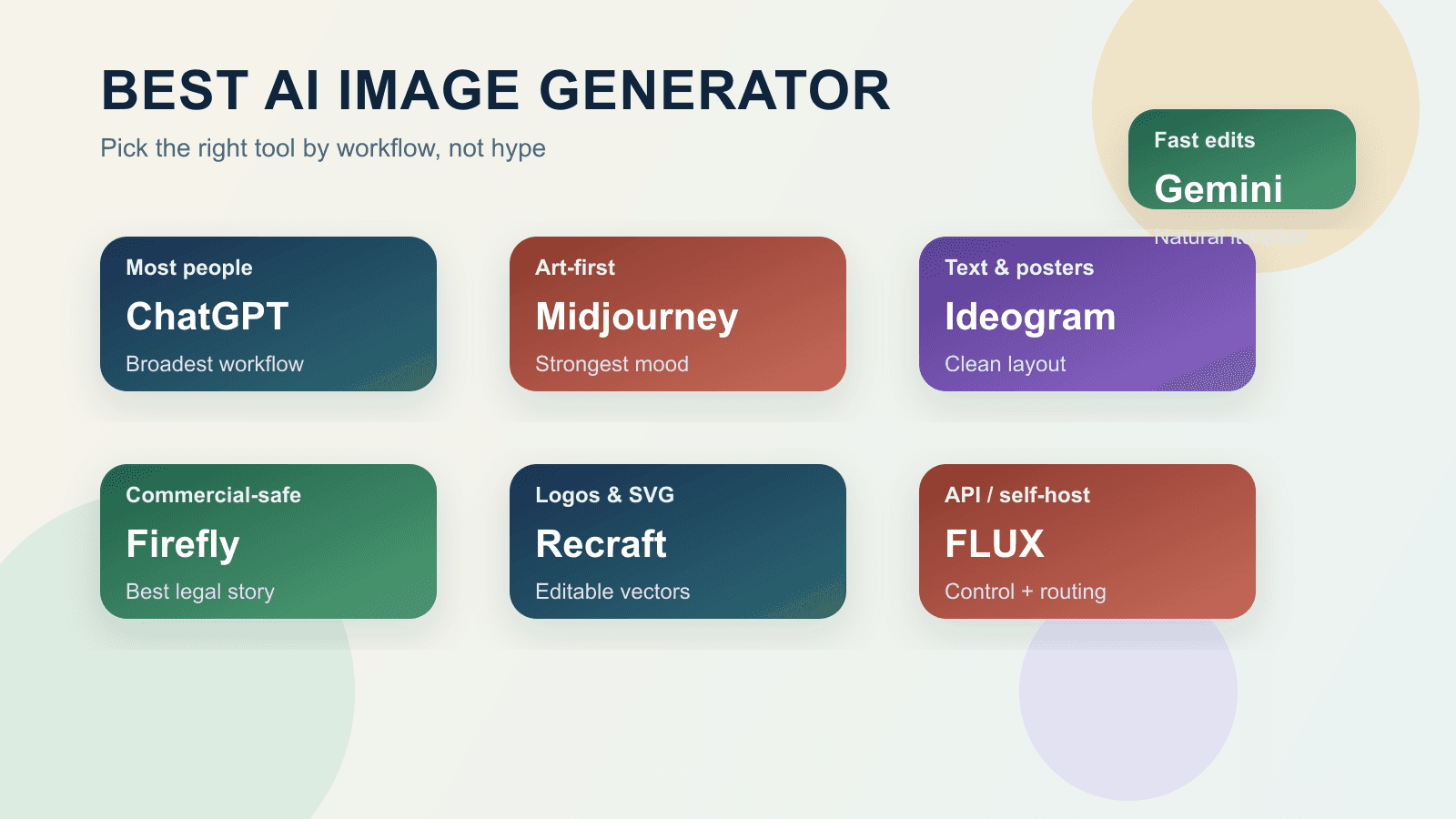
Realistic AI Image Generator: Best Routes for Photos, People, and Product Shots
Start with a realistic-photo route, switch by job, and run a realism plus rights check before using the output.
On this page
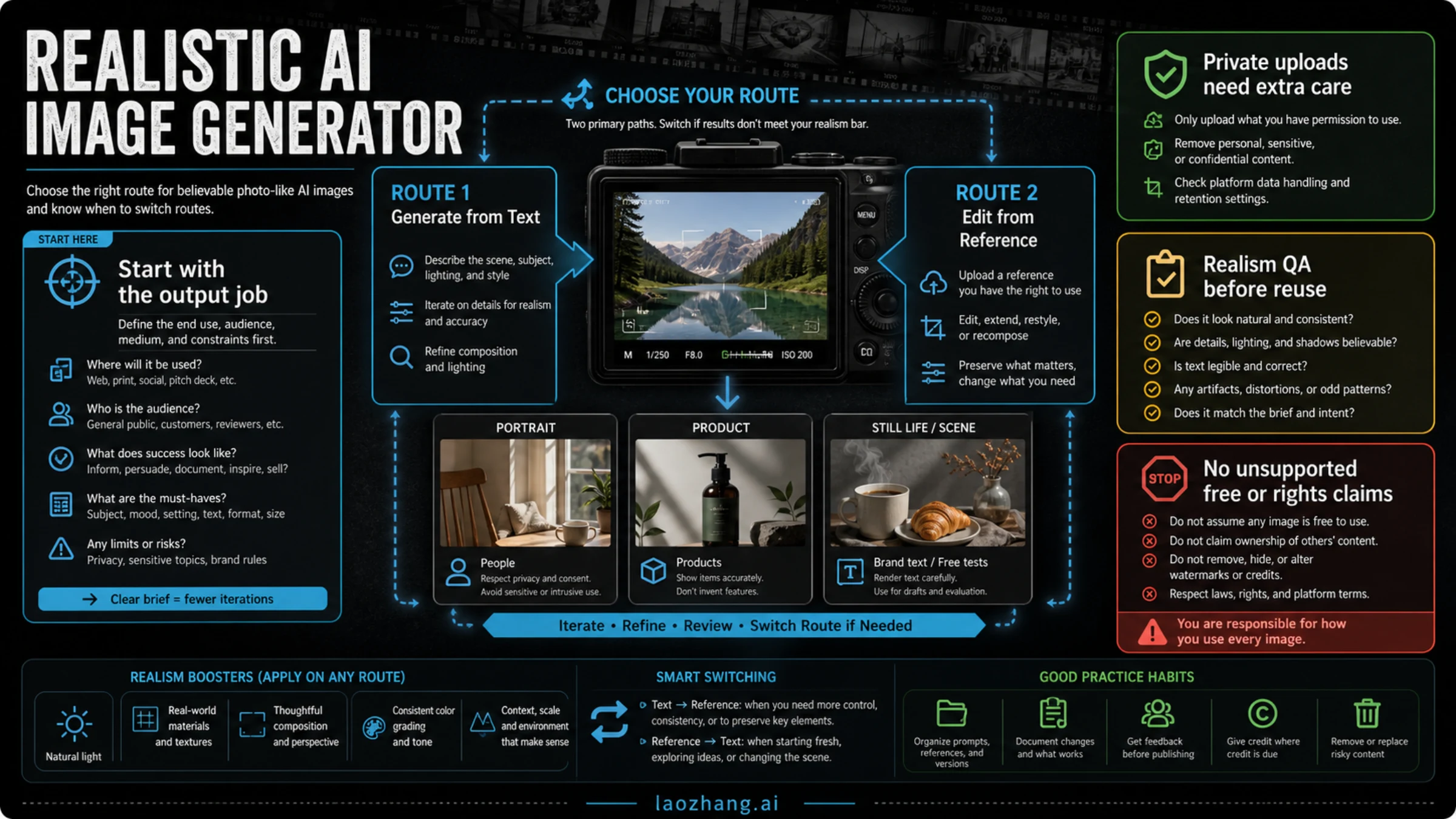
A realistic AI image generator is useful only when the route matches the output job. Start with a low-friction text-to-image route for everyday scenes, then switch when the subject, privacy, rights, text, control, or motion requirement changes.
| If the image job is... | Start with this route | Switch or stop when... |
|---|---|---|
| Everyday realistic scenes | Text-to-image photo route | The result fails basic realism checks or needs a protected reference. |
| Realistic people | Portrait-aware workflow with consent and defect checks | The face, hands, age, identity, or permission boundary is unclear. |
| Product shots | Product/reference workflow with controlled angles and lighting | The output invents product details, labels, dimensions, or packaging. |
| Brand text or layouts | A route that can preserve typography and composition | Text is unreadable, logos are invented, or layout fidelity matters. |
| Free testing | Low-commitment sandbox route | The tool claims free, unlimited, private, or commercial rights without current proof. |
| Private reference uploads | Private or local-control route | The image includes sensitive people, client assets, unreleased products, or confidential environments. |
| API or repeatable production | API, gateway, or local-control route | You need batching, repeatability, logs, routing control, or stricter data handling. |
| Motion-ready stills | Still-image route that preserves composition and subject stability | The frame cannot survive image-to-video motion without identity, background, or geometry drift. |
Stop before reusing any realistic-looking output if the tool's current terms, export rights, privacy handling, watermark behavior, or no-restriction claim is unclear. A photo-like result still needs a realism, rights, and privacy check before it becomes useful.
Why Realistic Output Changes The Decision
Realistic output raises the cost of a bad route. A cartoon concept can survive a loose prompt, but a photo-like image is judged against physical cues: light direction, lens geometry, skin texture, product shape, reflections, typography, and whether the subject should exist at all. That is why a realistic AI image generator decision should start with the output job, not with the loudest tool claim.
The simplest route is a general text-to-image photo workflow. It fits mood boards, blog visuals, lifestyle scenes, social concepts, and low-risk drafts. It breaks down when the output must preserve a known person, a product SKU, a brand layout, a private reference, or a repeated production style.
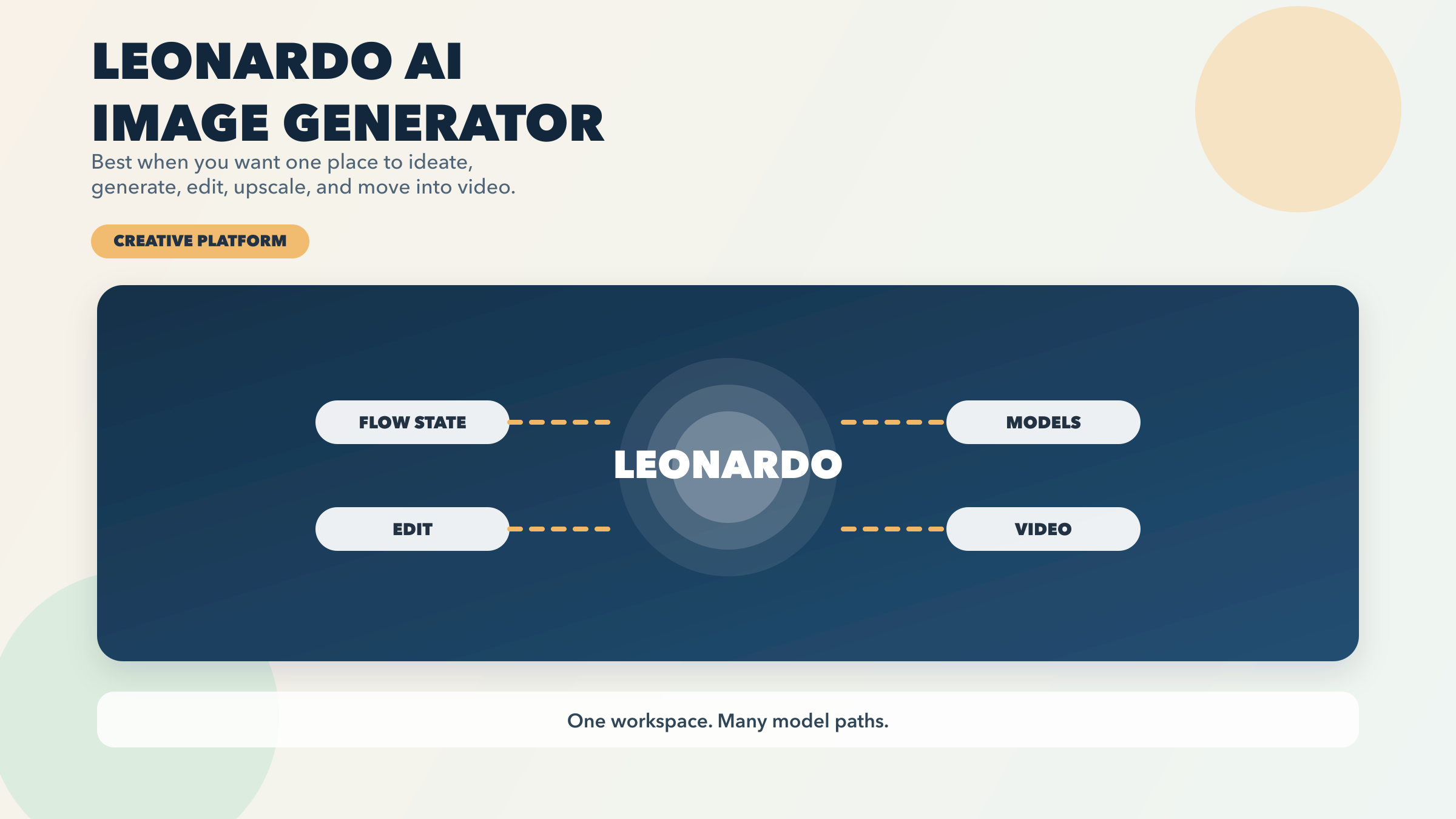
Vendor pages checked on July 4, 2026 show why the market feels confusing. getimg.ai's realistic generator page speaks directly to realistic photos, portraits, and products. Leonardo's AI photography page emphasizes AI photography workflows. Fotor, QuillBot, and Creen all present broad generator promises. Those pages are useful examples of available routes, but they do not replace your job-specific check.
If the real need is broader model selection, use the best AI image model overview. If the real need is a no-pay route, use the free AI image generator comparison. If the image already exists and needs editing, upload preservation, or outpainting, use the image-to-image AI generator route.
The Default Route And The First Overrides
Use a general realistic-photo route first when the image is new, public-safe, and not tied to a real person, confidential source, or exact product. The prompt can describe subject, camera feel, light, setting, mood, and crop. The output can be judged visually. If it fails, you can retry without exposing private material or committing money to the wrong workflow.
Switch quickly when one of these constraints appears:
| Constraint | Better route | Why the default route is weak |
|---|---|---|
| A real or realistic person | Portrait-aware route with consent, identity, and defect review | Faces, age cues, hands, and identity drift carry higher risk. |
| A product, package, or ecommerce visual | Reference/product workflow with controlled angles | Generic generators invent details that can mislead buyers. |
| Readable words, logo-like marks, or layout | Text-aware design route | Photorealism alone does not make typography correct. |
| A private source image | Private, enterprise, API, or local-control route | Upload handling matters as much as output quality. |
| Repeated production | API, gateway, or local workflow | Manual prompts are hard to audit, batch, or reproduce. |
| Future video | Still-image route with stable subject and background | Motion amplifies identity, geometry, and background defects. |
The decision should feel conservative. A route that produces a pretty preview is still the wrong route if the image cannot be used safely, cannot be repeated, or cannot preserve the thing that matters.
Route Matrix For Common Jobs
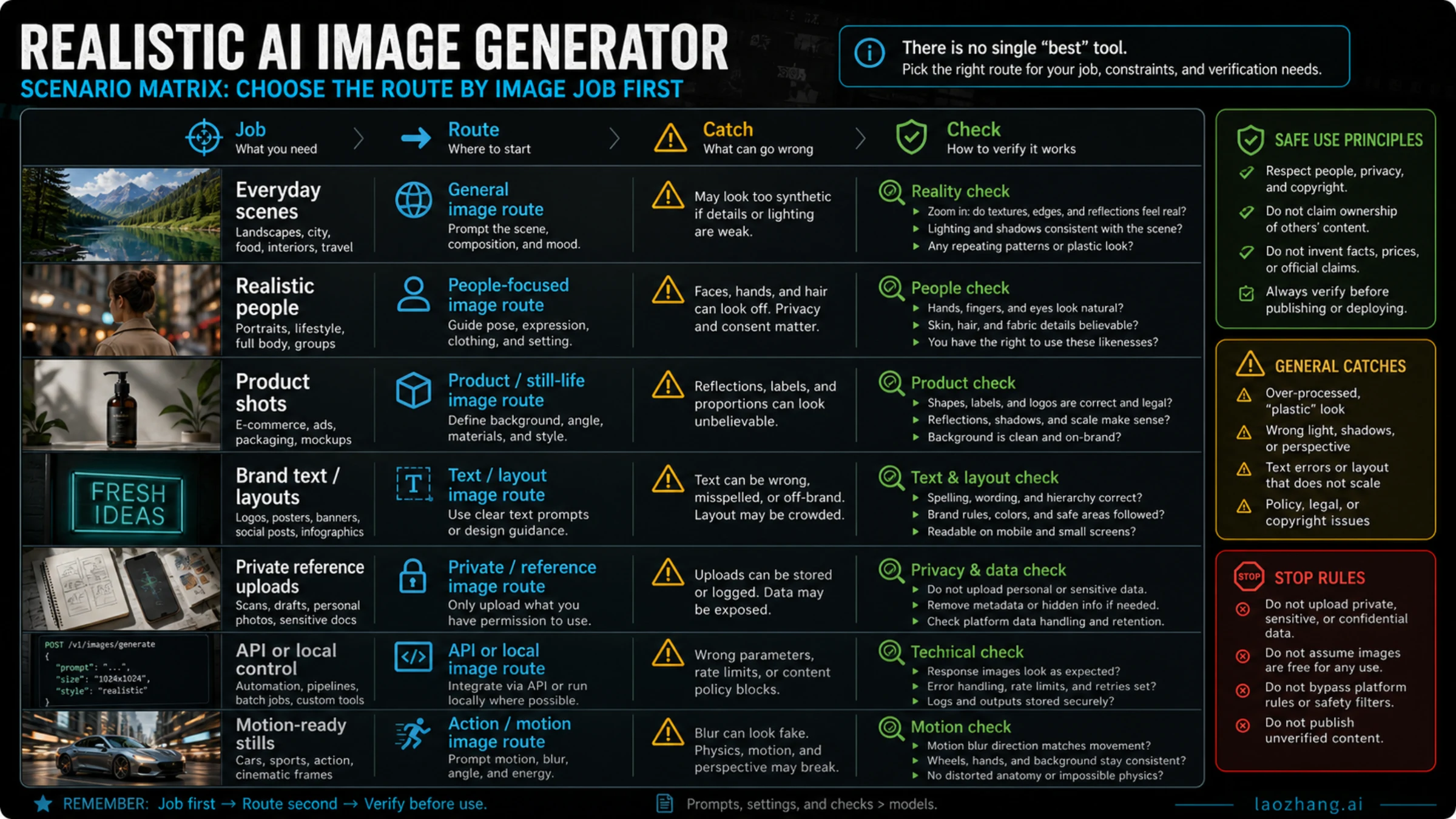
Use this matrix as the practical starting point.
| Reader job | Use this route | Good fit | Main catch | Check before reuse |
|---|---|---|---|---|
| Blog, mood board, concept, or scene | General realistic-photo generator | Fast visual drafts without a protected reference | May create generic or physically inconsistent details | Light, shadows, perspective, background, and crop |
| Believable portrait or people scene | Portrait-aware workflow | Character concepts, safe fictional people, approved references | Real-person likeness, age, consent, and identity risk | Face, hands, skin, expression, and permission boundary |
| Product shot | Reference or product-image workflow | Packaging, ecommerce drafts, hero shots, concept ads | Invented labels, wrong dimensions, or impossible materials | SKU details, label text, shadows, scale, and reflections |
| Brand visual with text | Text/layout-aware generator or design canvas | Posters, banners, thumbnails, product cards | Typography and logos can hallucinate | Spelling, hierarchy, brand marks, export quality |
| Free experiment | Free or trial sandbox | Learning prompts before paying | Limits, privacy, rights, and watermarks vary | Current plan terms and export behavior |
| Sensitive reference upload | Private, API, or local route | Client assets, unreleased products, internal scenes | Consumer upload terms may not fit the risk | Data retention, deletion, training, and access controls |
| Batch or app feature | API, gateway, or local model | Repeatable workflows, logs, routing, testing | Setup, cost, moderation, and storage work | Cost cap, retries, logs, policy, and evaluation sample |
| Start frame for image-to-video | Stable still route | Product motion, character intro, scene pan | Video reveals weak geometry and identity drift | Subject stability, background depth, aspect ratio |
Do not turn the matrix into a rigid ranking. It is a route selector. A product page can be the right first click for one job and the wrong place for another.
Realism QA Scorecard
The most useful test is not "does it look impressive?" The useful test is "what would break if someone treated this as a photo?"
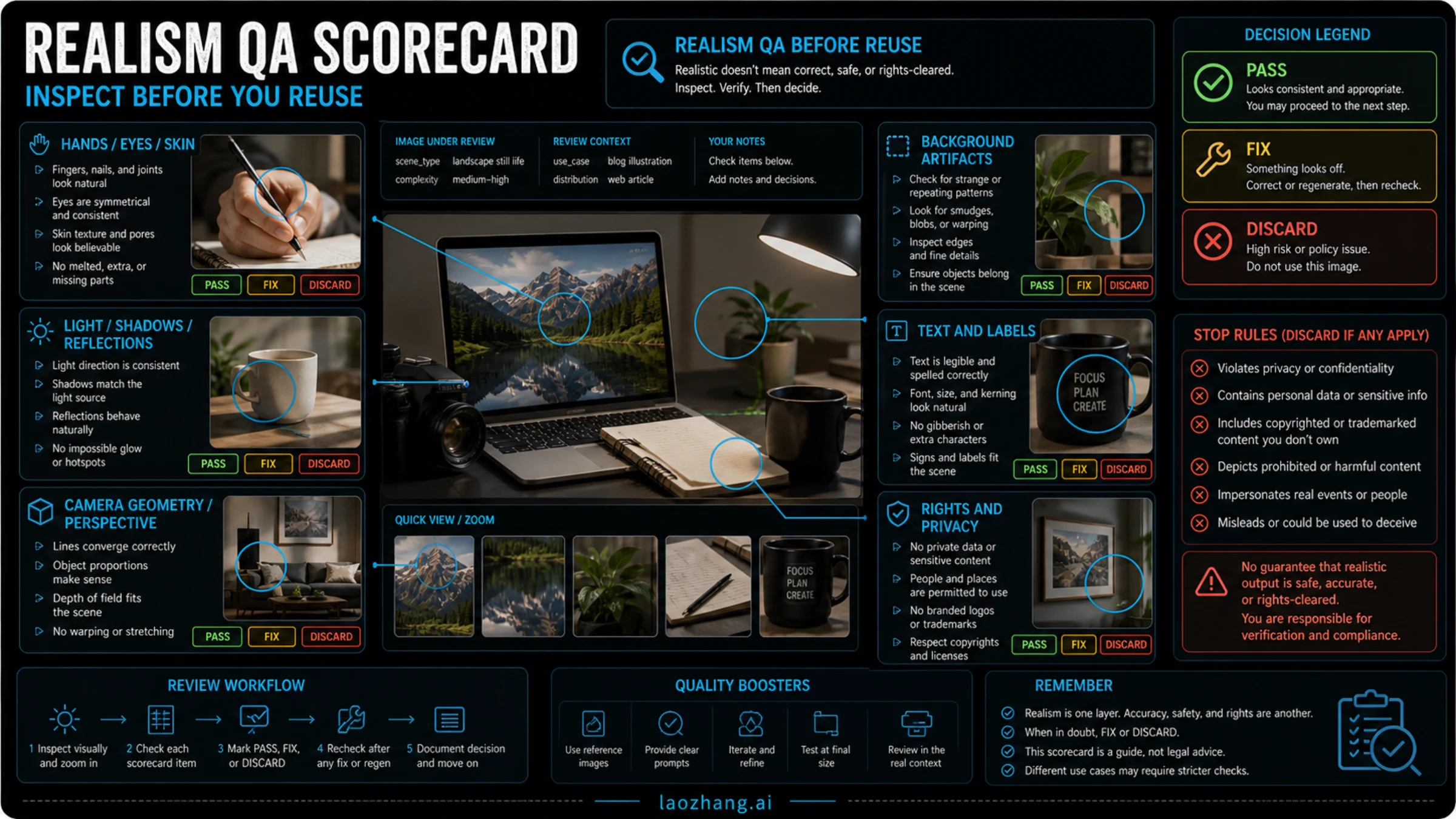
Use a pass, fix, or discard score:
| Check | Pass | Fix | Discard |
|---|---|---|---|
| Hands, eyes, teeth, and skin | Natural at normal viewing size | Minor artifacts away from the main subject | Distorted anatomy, uncanny face, or age/identity ambiguity |
| Lighting and shadows | Light direction matches the scene | Small shadow mismatch that can be cropped or regenerated | Conflicting light sources or impossible reflections |
| Camera geometry | Perspective, lens feel, and scale make sense | Slight composition issue | Product shape, body pose, or room geometry is impossible |
| Product accuracy | Labels, shape, and material match the intended item | Minor nonspecific detail in a concept image | Invented SKU, wrong label, false feature, or misleading package |
| Text and logos | Text is readable and intended | Text can be removed or regenerated | Fake brand mark, broken label, or legal-risk logo |
| Background | No distracting artifacts | Cleanup or crop can remove the issue | Strange people, extra objects, or impossible scene cues |
| Rights and privacy | Source, subject, and use are appropriate | Permission or plan terms need checking | Sensitive upload, unclear consent, or unsupported commercial claim |
The discard column matters. Realistic AI images are dangerous when they are almost right. A nearly correct product label can be worse than an obviously stylized concept because it looks credible enough to mislead.
Prompt And Shot Brief
A realistic-photo prompt works better when it behaves like a shot brief. Start with the subject and use case, then add camera feel, lighting, setting, composition, and constraints. Do not begin with a wall of style words.
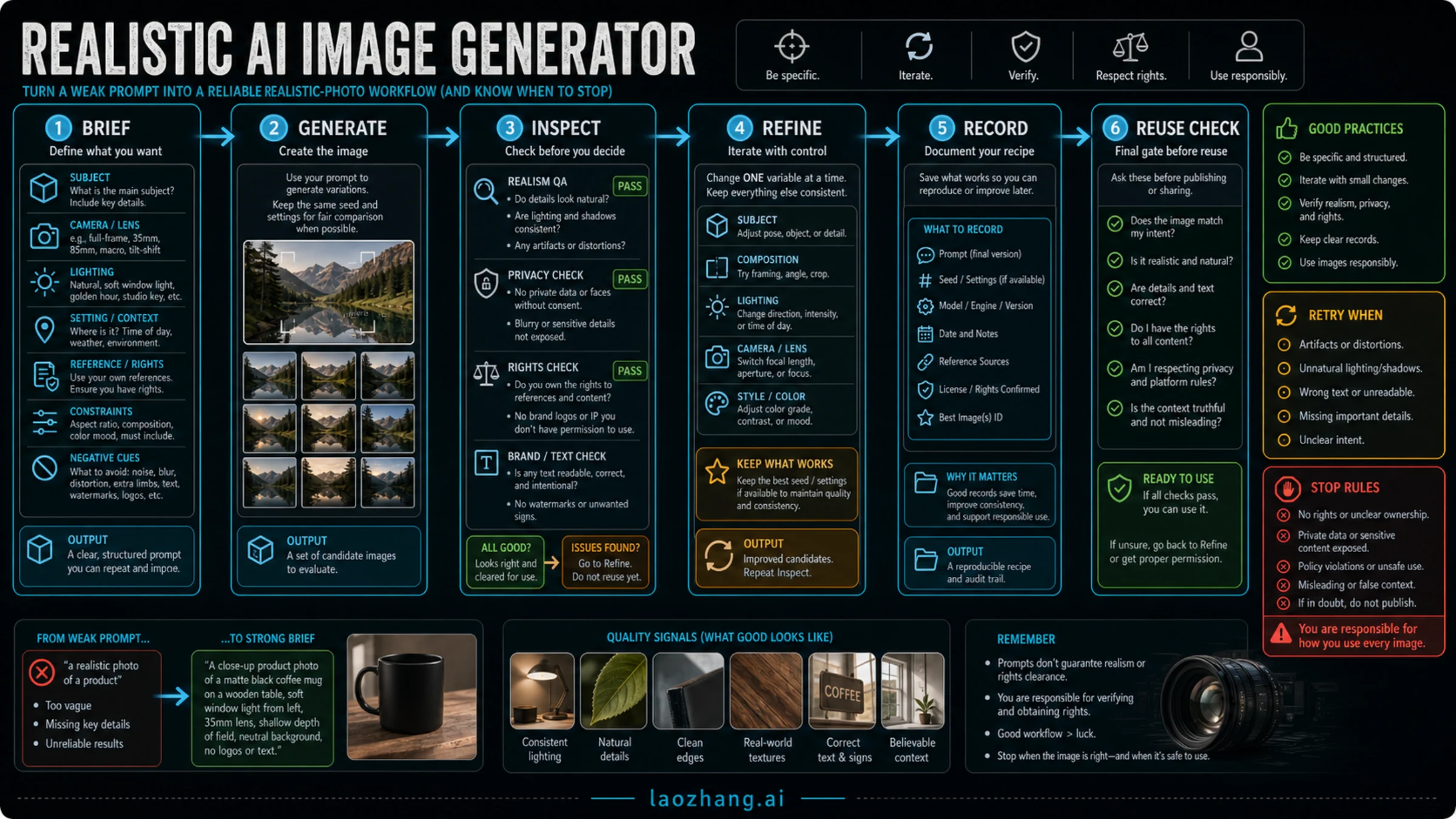
Use this structure:
Create a realistic [type of image] for [use case].
Subject: [who or what appears, without private or unlicensed identifiers].
Camera: [framing, lens feel, angle, depth of field].
Lighting: [natural window light, studio softbox, overcast outdoor, etc.].
Setting: [environment, background, surface, props].
Constraints: [no extra people, no invented logos, no unreadable text, no distorted hands].
Reference rule: [use only approved references; preserve only the allowed details].
Output check: [must pass hands/eyes/lighting/product/text/privacy review].
For people, keep the prompt fictional unless you have clear permission and a route built for the task. For products, describe the real product constraints before the mood. For brand visuals, put the exact text in a short line and expect to verify every character. For private references, decide whether the upload route is acceptable before the file leaves your machine.
Refine one variable at a time. Change the lens, then lighting, then setting, then crop. If every retry changes everything, you cannot tell whether the route is improving or just rolling dice.
Rights, Privacy, And Free-Claim Stop Rules
The risky claims are usually the small ones: free, unlimited, no signup, private, no watermark, commercial use, no restrictions. Treat them as volatile until the current tool owner confirms them.
Use these stop rules before publishing or sharing:
| Claim or situation | Safe behavior |
|---|---|
| "Free" | Check whether free means daily quota, trial credits, public output, watermark, lower resolution, or feature gate. |
| "Unlimited" | Look for model, speed, quality, queue, relaxed-mode, or fair-use limits. |
| "Commercial use" | Read the plan terms for the account level that generated the image. |
| "Private generation" | Confirm upload handling, training use, retention, sharing, and deletion controls. |
| "No restrictions" | Treat it as marketing until the legal or help page says what it means. |
| Uploaded person or client asset | Use a route that matches the consent, data, and confidentiality risk. |
| Product or brand asset | Verify the output does not invent claims, logos, labels, or packaging details. |
Do not use Reddit, social clips, or gallery examples as proof of terms. They can reveal what people are trying to do, but they do not own the contract.
When API Or Local Control Becomes The Better Route
Move beyond a consumer app when the image workflow needs repeatability, logging, privacy control, cost tracking, or batch throughput. That does not automatically mean the output will look better. It means the work needs operational control.
An API or local-control route makes sense when:
- the same prompt family must run many times;
- outputs need review logs or rollback history;
- uploads include sensitive client, product, or internal material;
- you need routing between models or providers;
- cost per accepted output matters more than one pretty sample;
- a product feature needs moderation, retries, and storage rules.
The tradeoff is setup. You need key management, file handling, content policy, retry logic, evaluation samples, and a way to measure accepted outputs. If that sounds larger than the image job, stay with an app route and tighten the prompt plus QA loop.
Image-To-Video Continuity
If the realistic still might become a video, choose the still route with motion in mind. A strong single frame can fail as a start frame when the subject is unstable, the background has no depth logic, or the crop leaves no room for camera movement.
Use a motion-ready still when:
- the subject has a clear silhouette and stable identity;
- the background has believable depth and light direction;
- hands, product edges, and reflective surfaces are already clean;
- the aspect ratio matches the video plan;
- the prompt leaves room for the camera movement you want;
- the visual does not depend on tiny text staying perfect during motion.
If video is the real destination, the best still is not always the most dramatic frame. It is the frame that gives the video model a stable subject, clean geometry, and enough background to move through.
How Vendor Examples Fit Without Owning The Decision
Vendor pages can help you find a first route, but they should not decide the whole workflow. A realistic-photo landing page is a good place to test everyday scenes, portraits, or product-like examples. A photography-focused platform can be useful when you want more camera-style controls. A broad generator can be enough for low-risk drafts. A design-first or text-aware tool may be better for brand visuals.
The same product can move between lanes as its model menu, limits, rights, or upload terms change. That is why the durable workflow is route first:
- Name the output job.
- Pick the lowest-risk route that can produce it.
- Generate one sample.
- Score realism, rights, privacy, and output fidelity.
- Switch route before paying or uploading sensitive material.
That sequence keeps the decision useful even when individual tools change.
FAQ
What is the best realistic AI image generator?
There is no single best realistic AI image generator for every job. Start with a general realistic-photo route for everyday scenes, then switch for people, products, brand text, private references, API control, or motion-ready stills.
Can ChatGPT make realistic images?
ChatGPT can be a useful image route, especially when you want conversational prompting and iterative edits. It is still only the right route when the output job, limits, upload risk, and reuse rights fit the task.
What is the best free realistic AI image generator?
The best free route depends on what "free" means in the current tool: quota, trial credits, public output, watermark, commercial use, and privacy can all differ. For a broader free-plan decision, use the free AI image generator comparison.
Can AI generate realistic people safely?
It can generate believable fictional people, but realistic people need extra caution. Check consent, identity risk, age cues, face and hand defects, and whether the result could be mistaken for a real person.
What should I check in a realistic product image?
Check product shape, label text, scale, reflections, material, shadows, and whether the output invented features. A realistic product image that misrepresents the item should be discarded, not polished.
Are Reddit recommendations reliable for realistic image generators?
Reddit can reveal useful demand and failure stories, but it is not proof of current limits, privacy, rights, pricing, or commercial-use terms. Use it as a signal, then verify against the current product owner.
How do I prompt for more realistic AI photos?
Write a shot brief: subject, use case, camera feel, lighting, setting, composition, constraints, reference rule, and output check. Then change one variable per retry and inspect the result with the realism QA scorecard.
When should I use an API or local model instead?
Use API or local control when you need repeatability, logging, privacy, batching, cost tracking, routing, or product integration. If you only need a few public-safe images, an app route plus careful QA is usually lighter.