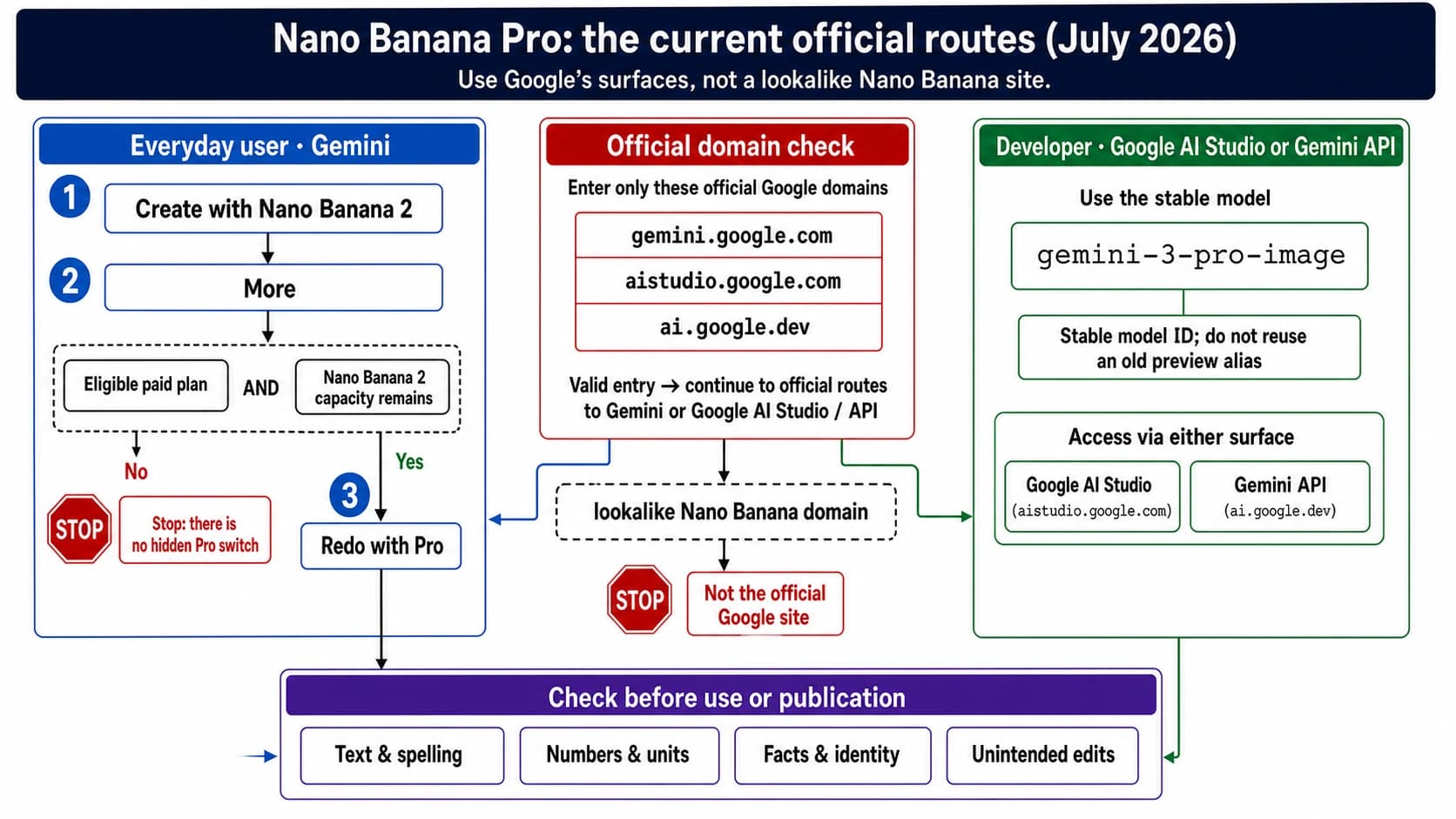
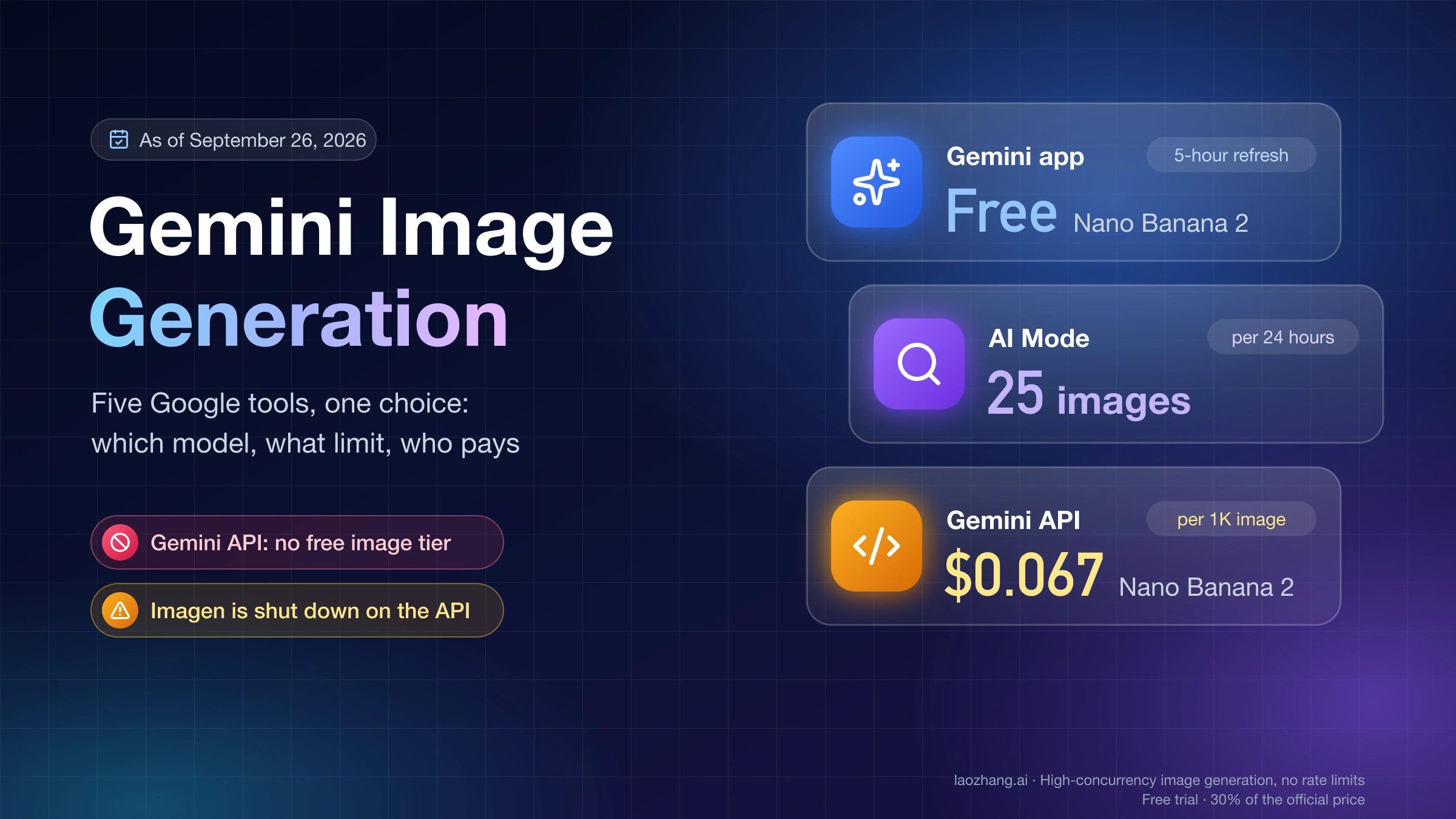
Nano Banana Pro Unrestricted API Access: Complete 2026 Guide to Safety Settings, Rate Limits & Unlimited Generation

A
22 min readAI Image Generation

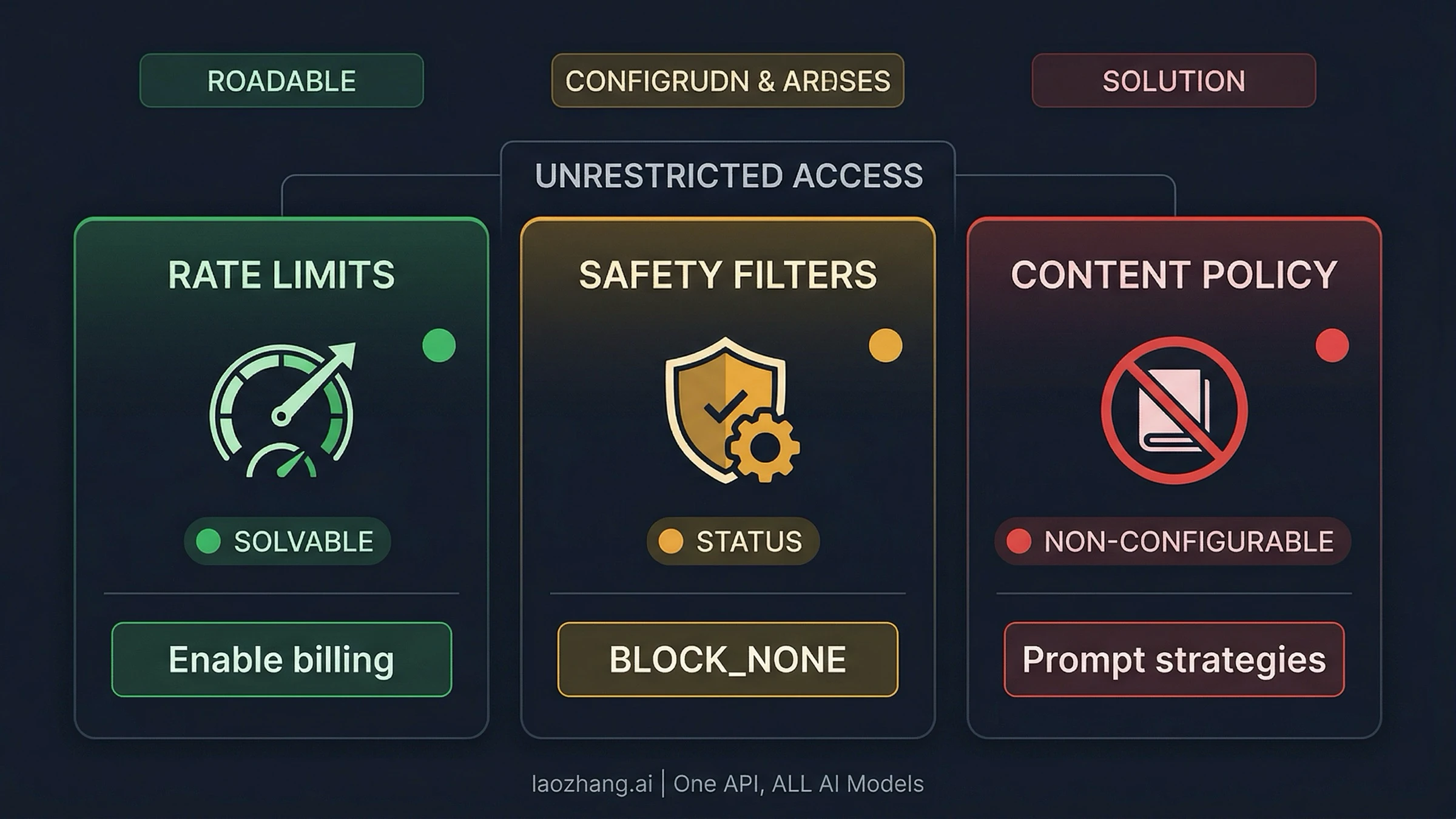
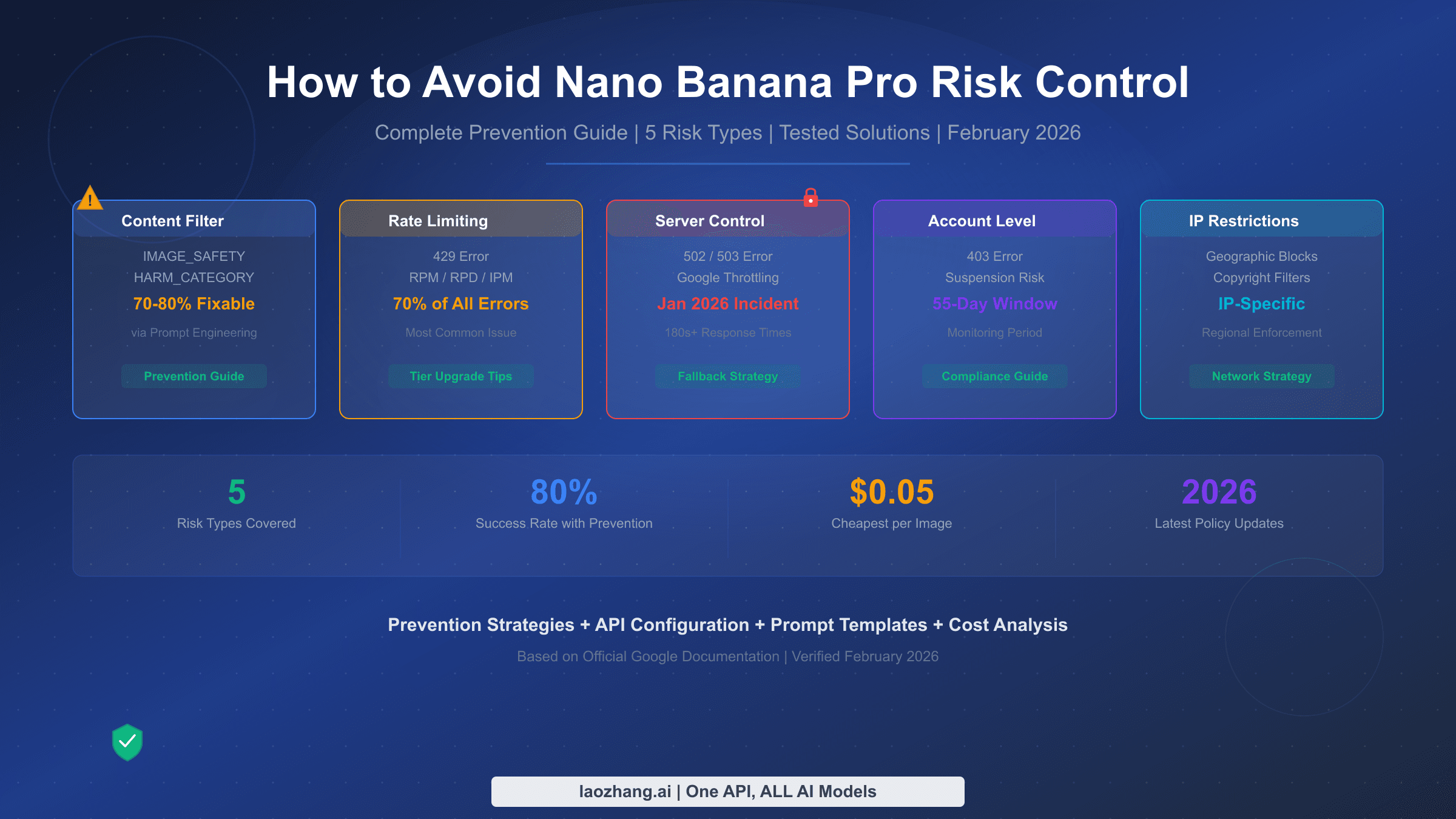
Unrestricted Nano Banana Pro API access requires understanding three distinct dimensions: rate limits (solved by enabling billing), safety filters (configured via BLOCK_NONE), and content policy (Layer 2 IMAGE_SAFETY — non-configurable). This complete guide covers all three with working code, verified pricing, and practical strategies.

Nano Banana Pro Unrestricted API Access: Complete 2026 Guide to Safety Settings, Rate Limits & Unlimited Generation

TL;DR

Nano Banana Pro API has three types of restrictions, each with a different solution. Rate limits (250 RPD cap) are removed by enabling Google Cloud billing or using a third-party provider like laozhang.ai ($0.05/image, no limits). Safety filters (Layer 1) are configured to BLOCK_NONE via the API's safety_settings parameter — this is official and documented. Content policy (Layer 2 IMAGE_SAFETY) cannot be disabled through any API parameter — use prompt engineering and retry strategies instead. There is no free API tier for Nano Banana Pro as of March 2026.

Nano Banana Pro (Gemini 3 Pro Image) is Google's most capable AI image generation model, but accessing it without restrictions is more nuanced than most guides suggest. The term "unrestricted" actually encompasses three separate dimensions — rate limits, safety filters, and content policy — and each requires a different approach. As of March 2026, the free API tier offers zero requests per day, the paid tier caps at 250 RPD, and even with billing enabled, a two-layer safety filter system can block legitimate content without explanation. This guide breaks down every dimension of restriction, provides working code to configure what you can control, and explains honest strategies for what you cannot.

What "Unrestricted" Actually Means for Nano Banana Pro API

When developers search for "Nano Banana Pro unrestricted API access," they typically mean one of three fundamentally different things — and conflating them leads to hours of wasted troubleshooting. Understanding which dimension of restriction you are dealing with is the single most important step toward solving it, because the fix for rate limits is completely different from the fix for safety filter blocks, which is completely different from the approach needed for non-configurable content policy enforcement.

Dimension 1: Rate Limits control how many requests you can make per minute (RPM) and per day (RPD). The Nano Banana Pro API has no free tier at all — zero requests per day for unpaid accounts (ai.google.dev, March 2026). Even with billing enabled, Paid Tier 1 caps you at 20 RPM and 250 RPD. This is the most straightforward restriction to lift: you enable billing, and potentially upgrade to Vertex AI for higher quotas. The fix is purely financial and administrative.

Dimension 2: Safety Filters are the configurable Layer 1 of the safety system. The Gemini API exposes four harm categories — harassment, hate speech, sexually explicit content, and dangerous content — and you can set each to BLOCK_NONE via the safety_settings parameter. When Layer 1 blocks your request, the API returns finishReason: "SAFETY" in the response. This is the layer that most "unrestricted access" guides focus on, and configuring it to BLOCK_NONE is both legitimate and well-documented by Google.

Dimension 3: Content Policy is the non-configurable Layer 2. This is where frustration peaks. Even after setting all safety categories to BLOCK_NONE, the API can still refuse your request with finishReason: "IMAGE_SAFETY" or blockReason: "OTHER". These server-side filters use AI image classification, hash matching, and automated policy enforcement that no API parameter can disable. Understanding this distinction saves developers from endlessly tweaking safety settings when the block is coming from an entirely different system.

The confusion between these three dimensions is the primary reason developers waste time on ineffective solutions. Setting BLOCK_NONE will not increase your 250 RPD cap. Enabling billing will not prevent IMAGE_SAFETY blocks. And no amount of prompt engineering will overcome a zero-RPD free tier. Each dimension has a specific solution path, and applying the wrong fix to the wrong problem is the most common pattern of frustration in the Nano Banana Pro developer community, as reflected in hundreds of threads across Reddit, the Google Help Community, and Stack Overflow.

Understanding this framework also clarifies what third-party "unrestricted" providers are actually offering. When a service advertises "unrestricted Nano Banana Pro access," they almost always mean rate limit removal and cost reduction (Dimension 1), sometimes improved Layer 1 configuration (Dimension 2), but rarely any change to Layer 2 content policy (Dimension 3). Knowing which dimension a provider addresses helps you evaluate whether their service solves your specific problem.

The rest of this guide addresses each dimension in sequence, starting with what you can fully control and progressing to strategies for what you cannot.

Understanding Nano Banana Pro's Two-Layer Safety Architecture

Diagram showing Nano Banana Pro two-layer safety filter architecture with configurable Layer 1 and non-configurable Layer 2

The most common mistake developers make with Nano Banana Pro is treating the safety system as a single switch. In reality, Google has built a multi-layered architecture where different components serve different purposes and respond to different controls. Grasping this architecture is essential before writing any code, because the error messages from each layer look similar but require completely different responses.

Layer 1 operates through the safety_settings parameter in your API request. It evaluates your text prompt against four harm categories defined by Google: HARM_CATEGORY_HARASSMENT, HARM_CATEGORY_HATE_SPEECH, HARM_CATEGORY_SEXUALLY_EXPLICIT, and HARM_CATEGORY_DANGEROUS_CONTENT. For each category, you can set a threshold from BLOCK_LOW_AND_ABOVE (most restrictive) through BLOCK_MEDIUM_AND_ABOVE and BLOCK_ONLY_HIGH down to BLOCK_NONE (least restrictive). When Layer 1 blocks a request, the response includes finishReason: "SAFETY" along with safety ratings that tell you exactly which category triggered the block and at what confidence level. This transparency makes Layer 1 blocks straightforward to diagnose and resolve.

Layer 2 is fundamentally different. It runs server-side after image generation and uses AI-powered classification to scan the output image itself — not just the text prompt. This layer checks for policy violations including child safety content (mandatory, no bypass under any circumstances), well-known intellectual property and trademarks, realistic depictions of identifiable public figures, and content that violates Google's broader acceptable use policy. When Layer 2 blocks your request, you see finishReason: "IMAGE_SAFETY" or blockReason: "OTHER", and critically, the response provides no granular breakdown of what triggered the block. You are charged for the tokens consumed during generation even when the output is blocked, which is a common source of frustration for developers running high-volume workloads.

The practical impact of this architecture becomes clear when you examine token consumption. Every Nano Banana Pro request that reaches Layer 2 has already consumed input tokens for prompt processing and output tokens for image generation. When Layer 2 then blocks the result, those tokens are still billed to your account — you pay for an image you never receive. At $0.134 per 2K image or $0.24 per 4K image, a 20% IMAGE_SAFETY block rate effectively increases your cost per usable image by 25%. This makes understanding and minimizing Layer 2 blocks not just a technical concern but a direct financial one, especially at production scale where thousands of blocked requests per day can add up to hundreds of dollars in wasted compute.

There is also a Layer 3 specifically for PROHIBITED_CONTENT, which covers child sexual abuse material (CSAM) and similar legally mandated restrictions. This layer is absolute — no configuration, no workaround, no third-party provider can bypass it. It exists across every AI image generation service and is non-negotiable. For a deeper dive into each error code and response pattern, see our comprehensive safety filter guide.

How to Identify Which Layer Blocked You

The response field tells you everything you need to know. If you see finishReason: "SAFETY" with accompanying safetyRatings, Layer 1 blocked your prompt before generation — adjust your safety settings or rephrase. If you see finishReason: "IMAGE_SAFETY" without detailed ratings, Layer 2 caught something in the generated image — no API setting will help, and you need prompt engineering strategies instead. If you see blockReason: "OTHER", this is a pre-generation policy check that cannot be configured. The March 2026 policy update significantly expanded the scope of blockReason: "OTHER", particularly for person-related editing operations like background replacement and appearance modification.

Configuring BLOCK_NONE — Complete Code Guide

Setting safety_settings to BLOCK_NONE is the most impactful single change you can make to reduce unnecessary blocks on legitimate content. This is an official, documented API parameter — not a hack or workaround. Google designed it specifically for developers building applications where the content classification threshold needs to be managed at the application level rather than the API level. Here is how to implement it in every major language.

Python (Google Generative AI SDK)

python
import google.generativeai as genai genai.configure(api_key="YOUR_API_KEY") model = genai.GenerativeModel("gemini-3-pro-image-preview") safety_settings = [ {"category": "HARM_CATEGORY_HARASSMENT", "threshold": "BLOCK_NONE"}, {"category": "HARM_CATEGORY_HATE_SPEECH", "threshold": "BLOCK_NONE"}, {"category": "HARM_CATEGORY_SEXUALLY_EXPLICIT", "threshold": "BLOCK_NONE"}, {"category": "HARM_CATEGORY_DANGEROUS_CONTENT", "threshold": "BLOCK_NONE"}, ] response = model.generate_content( "A dramatic fantasy battle scene with warriors in dark armor", generation_config={"response_modalities": ["IMAGE"]}, safety_settings=safety_settings, ) # Check if image was generated successfully if response.candidates and response.candidates[0].content.parts: image_data = response.candidates[0].content.parts[0].inline_data with open("output.png", "wb") as f: f.write(image_data.data) else: # Check finish reason for debugging print(f"Blocked: {response.candidates[0].finish_reason}")

JavaScript / Node.js

javascript
import { GoogleGenerativeAI } from "@google/generative-ai"; const genAI = new GoogleGenerativeAI("YOUR_API_KEY"); const model = genAI.getGenerativeModel({ model: "gemini-3-pro-image-preview", safetySettings: [ { category: "HARM_CATEGORY_HARASSMENT", threshold: "BLOCK_NONE" }, { category: "HARM_CATEGORY_HATE_SPEECH", threshold: "BLOCK_NONE" }, { category: "HARM_CATEGORY_SEXUALLY_EXPLICIT", threshold: "BLOCK_NONE" }, { category: "HARM_CATEGORY_DANGEROUS_CONTENT", threshold: "BLOCK_NONE" }, ], }); const result = await model.generateContent({ contents: [{ role: "user", parts: [{ text: "A dramatic fantasy battle scene" }] }], generationConfig: { responseMimeType: "image/png" }, }); const imageData = result.response.candidates?.[0]?.content?.parts?.[0]?.inlineData; if (imageData) { fs.writeFileSync("output.png", Buffer.from(imageData.data, "base64")); }

cURL (REST API)

bash
curl -X POST \ "https://generativelanguage.googleapis.com/v1beta/models/gemini-3-pro-image-preview:generateContent?key=YOUR_API_KEY" \ -H "Content-Type: application/json" \ -d '{ "contents": [{"parts": [{"text": "A dramatic fantasy battle scene"}]}], "safetySettings": [ {"category": "HARM_CATEGORY_HARASSMENT", "threshold": "BLOCK_NONE"}, {"category": "HARM_CATEGORY_HATE_SPEECH", "threshold": "BLOCK_NONE"}, {"category": "HARM_CATEGORY_SEXUALLY_EXPLICIT", "threshold": "BLOCK_NONE"}, {"category": "HARM_CATEGORY_DANGEROUS_CONTENT", "threshold": "BLOCK_NONE"} ], "generationConfig": {"responseMimeType": "image/png"} }'

A common question is whether using BLOCK_NONE exposes you to Terms of Service violations or account penalties. The short answer is no — Google explicitly documents this parameter as a configuration option for developers. The longer answer involves understanding the shared responsibility model: by setting BLOCK_NONE, you are telling Google that your application will handle content classification and user safety at the application level. You remain responsible for what your application ultimately does with the generated images, but the act of configuring the API parameter itself is sanctioned behavior. This is analogous to how cloud providers offer root access to virtual machines — the capability is provided and documented, and the responsibility for appropriate use rests with the developer.

It is worth emphasizing that BLOCK_NONE does not mean "generate anything without restriction." It means "do not apply the configurable harm category thresholds." Layer 2 image safety checks and Layer 3 prohibited content checks still run regardless of this setting. The practical effect is that prompts involving artistic violence, dramatic scenes, medical illustrations, and similar content that might trigger a medium-confidence safety rating will now pass through Layer 1 successfully. Whether they pass Layer 2 depends on what the generated image actually depicts, which is evaluated separately by Google's image classification system.

Removing Rate Limits — From 250 RPD to Production Scale

Comparison chart of Nano Banana Pro API rate limit tiers from free to unlimited third-party access

The rate limit question was the original reason the term "unrestricted API access" started trending for Nano Banana Pro. A Google Help Community thread from December 2025 — which still ranks #1 for this search query — captures the frustration perfectly: a business user hitting the 250 RPD wall with no clear path to increase it. As of March 2026, the situation has clarified, and there are four distinct tiers of access with very different limits.

The Free Tier provides exactly zero requests per day for Nano Banana Pro through the API. Unlike standard Gemini text models that offer generous free quotas, the image generation model requires a paid account. This is confirmed by Google's official rate limits page at ai.google.dev, which lists Gemini 3 Pro Image Preview with a 2,000,000 token-per-day limit for paid accounts and no free tier entry. If you are getting errors on an account without billing enabled, this is why — there is no free API access to this model.

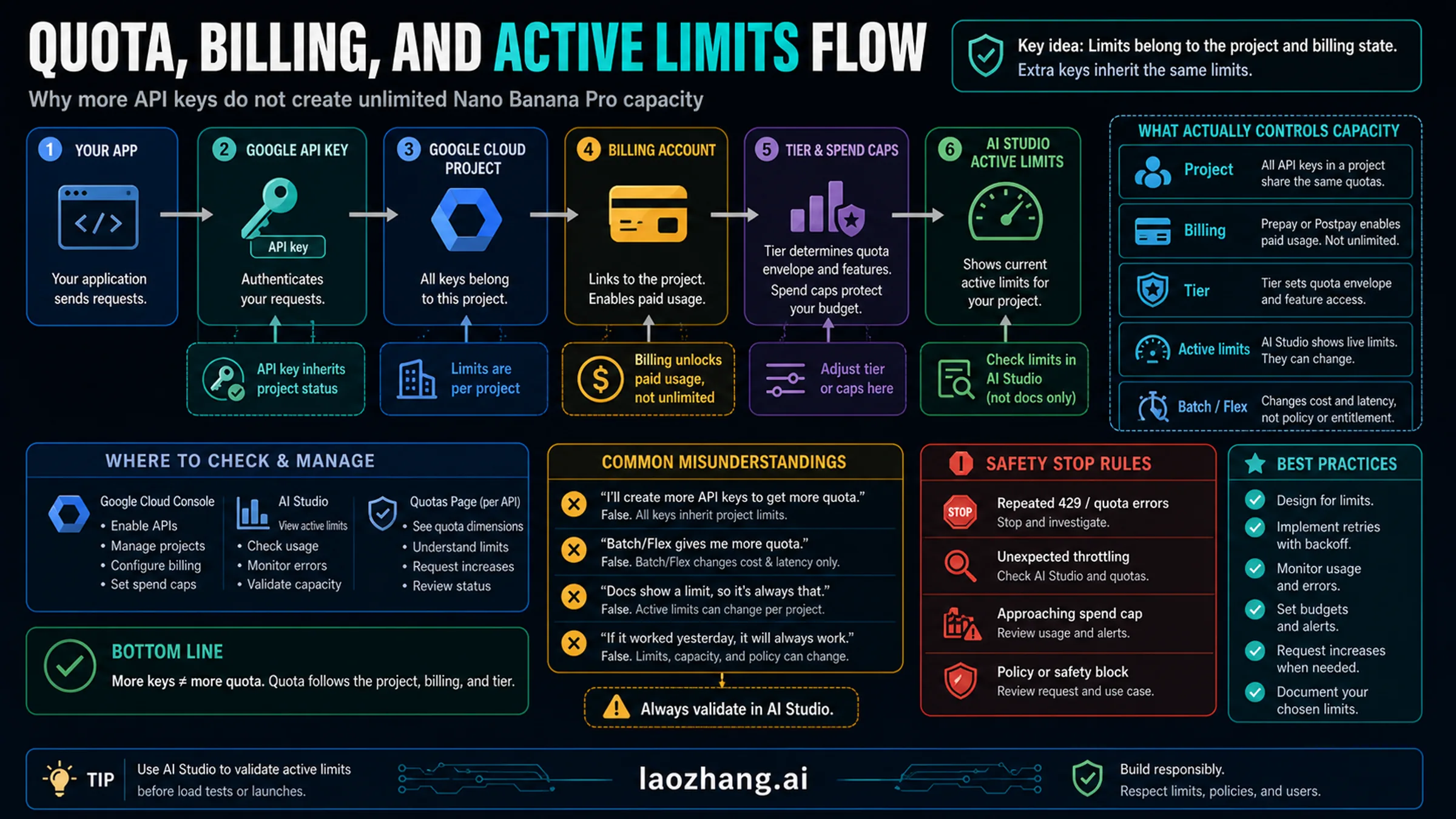
Paid Tier 1 activates when you link a Google Cloud billing account to your AI Studio project. This immediately grants 20 RPM and 250 RPD, which translates to roughly 250 images per day. For individual developers and small projects, this is sufficient for development and light production use. The per-image cost is $0.134 at 1K-2K resolution and $0.24 at 4K resolution (Vertex AI Pricing, March 2026). To enable billing, navigate to Google AI Studio, select your project, go to Settings, and link a billing account. Your existing API key will automatically inherit the higher limits.

Vertex AI access is the enterprise path for production-scale workloads. Through Google Cloud's Vertex AI platform, you can access Gemini 3 Pro Image with significantly higher rate limits — 300+ RPM with custom RPD based on your committed spend. Vertex AI also provides SLA guarantees, priority compute allocation, and dedicated capacity that AI Studio's shared pool cannot match. The pricing is identical per token, but the service tier is fundamentally different. You will need a Google Cloud project with Vertex AI API enabled and a service account key rather than an AI Studio API key. For a complete breakdown of every tier and its quotas, see our detailed rate limit breakdown.

Third-party API providers represent the fourth path, and for many developers they are the most practical solution to rate limit restrictions. Services like laozhang.ai route requests through their own infrastructure with no RPM or RPD caps, effectively providing unlimited access to the same underlying Gemini 3 Pro Image model. The tradeoff is that you are trusting a third party with your API traffic, and response times may vary based on their load balancing. The significant cost advantage — $0.05 per image at any resolution versus $0.134-$0.24 official — makes this path attractive for high-volume production workloads where cost matters more than direct Google SLA coverage.

The migration from direct Google API to a third-party provider is typically straightforward because most providers expose an OpenAI-compatible endpoint or a Gemini-compatible passthrough. For laozhang.ai specifically, you change the base URL and API key in your existing code while keeping the same safety_settings configuration and prompt format. This means your BLOCK_NONE settings carry through to the underlying Google API call, and you get the combined benefit of rate limit removal, cost reduction, and the same safety configuration control you had with direct access.

It is worth noting the distinction between request quota and throughput. The official Paid Tier 1's 250 RPD is a hard daily cap — once you hit it, requests fail until the next day. Vertex AI and third-party providers instead operate on throughput models where there is no daily cap, only concurrency limits. For most production architectures, sustained throughput matters more than daily quota, which is why the "unlimited" label on third-party providers is practically meaningful even though it technically means "no artificial daily cap" rather than "infinite simultaneous requests."

Reducing False Positives and Handling IMAGE_SAFETY Errors

Even after configuring BLOCK_NONE and enabling billing for higher rate limits, many developers encounter persistent blocks from Layer 2's IMAGE_SAFETY filter. These blocks are particularly frustrating because they affect completely legitimate use cases — e-commerce product photography, architectural visualization, medical illustration, and artistic content that contains nothing objectionable. The lack of detailed error information from Layer 2 makes systematic debugging difficult, but several strategies have proven effective in practice.

Prompt specificity reduces ambiguity. The IMAGE_SAFETY classifier is more likely to flag vague prompts that could be interpreted in multiple ways. Instead of "a woman in a dress," specify "a professional fashion model wearing a blue business dress in a corporate office environment, editorial photography style." The additional context guides both the image generation and the safety classifier toward an interpretation that avoids triggering false positives. Detailed scene descriptions, explicit mention of professional contexts, and style qualifiers like "editorial," "documentary," or "commercial photography" all help establish legitimate intent.

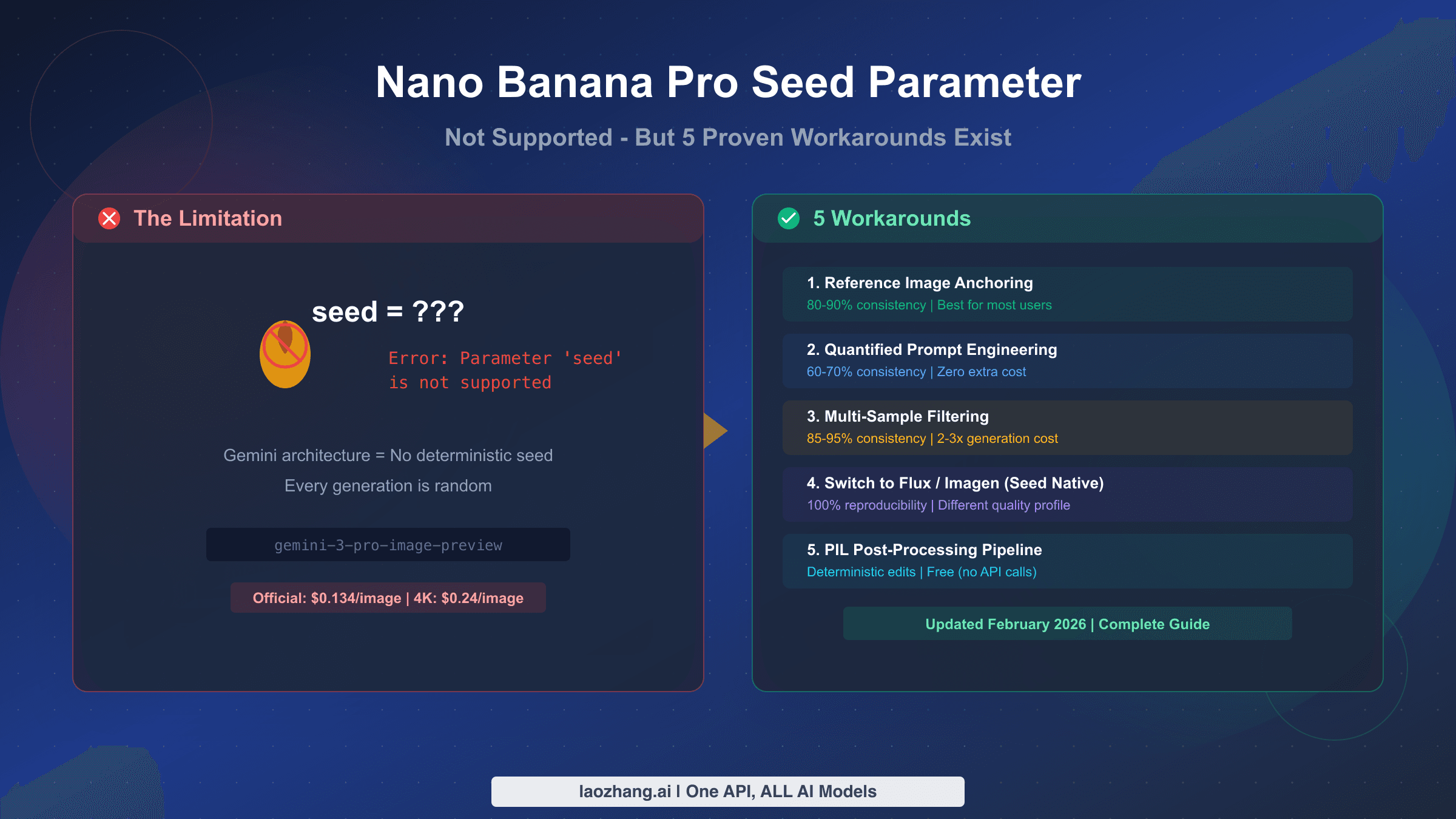
Resolution and seed variation can change outcomes. Because IMAGE_SAFETY evaluates the generated image rather than the prompt, the same prompt can produce different results across attempts. If a particular generation gets blocked, trying again with a different random seed (by slightly modifying the prompt or adding an innocuous detail) can produce an acceptable variant. Some developers report that generating at 2K resolution and then upscaling produces different safety evaluation results than generating directly at 4K, though this is anecdotal and likely depends on the specific content.

The March 2026 policy update requires attention. Google significantly tightened person-related editing policies starting in early March 2026. Operations that previously worked — background replacement on photos containing people, group photo composition, modifying a person's clothing or appearance — now frequently return blockReason: "OTHER" before generation even begins. This is a policy-level restriction, not a safety filter issue, and it applies regardless of your safety_settings configuration. The practical impact is that workflows involving human subjects in image editing need to be redesigned around these new constraints, potentially by separating the person from the background in preprocessing before using the API for environment generation.

Retry logic with exponential backoff helps. For production systems, implementing automatic retry with slight prompt variations on IMAGE_SAFETY blocks can improve throughput significantly. A reasonable pattern is: attempt generation, on IMAGE_SAFETY failure add a style qualifier and retry, on second failure modify the scene description slightly and retry, and on third failure log the prompt for manual review. This approach typically achieves 85-90% success rates on content that is legitimately within policy.

Separate human subjects from environment generation. Following the March 2026 policy tightening around person-related editing, workflows that combine human subjects with environment modification face increased block rates. A more reliable architecture pre-processes images to segment human subjects from backgrounds, uses the API for environment or background generation separately, and then composites the results. This avoids triggering the person-editing policy checks entirely while achieving the same creative outcome. Tools like SAM2 (Segment Anything Model 2) or rembg can handle the segmentation step before your Nano Banana Pro API calls.

Use negative prompts strategically. While Nano Banana Pro does not support explicit negative prompts in the same way as Stable Diffusion, you can achieve a similar effect by being explicit about what the image should contain and implicitly excluding problematic elements. Phrases like "professional studio lighting," "clean white background," and "product catalog style" establish a context that the safety classifier interprets as commercial and legitimate, reducing false positive rates significantly compared to ambiguous artistic prompts.

Here is a practical retry implementation in Python that handles IMAGE_SAFETY blocks gracefully:

python
import time import random def generate_with_retry(model, prompt, safety_settings, max_retries=3): """Generate image with automatic retry on IMAGE_SAFETY blocks.""" style_qualifiers = [ ", professional photography style", ", editorial magazine quality, studio lighting", ", commercial product photography, clean composition", ] for attempt in range(max_retries): modified_prompt = prompt + (style_qualifiers[attempt] if attempt > 0 else "") try: response = model.generate_content( modified_prompt, generation_config={"response_modalities": ["IMAGE"]}, safety_settings=safety_settings, ) if response.candidates and response.candidates[0].content.parts: return response.candidates[0].content.parts[0].inline_data finish_reason = response.candidates[0].finish_reason if response.candidates else "UNKNOWN" if finish_reason == "IMAGE_SAFETY": print(f"Attempt {attempt + 1}: IMAGE_SAFETY block, retrying with modifier...") time.sleep(2 ** attempt + random.random()) continue else: print(f"Blocked by: {finish_reason}") return None except Exception as e: print(f"API error: {e}") time.sleep(2 ** attempt) print(f"All {max_retries} attempts failed for prompt") return None

Third-Party API Providers — What They Actually Change

Pricing comparison between official Nano Banana Pro API, batch API, and laozhang.ai showing 79% savings

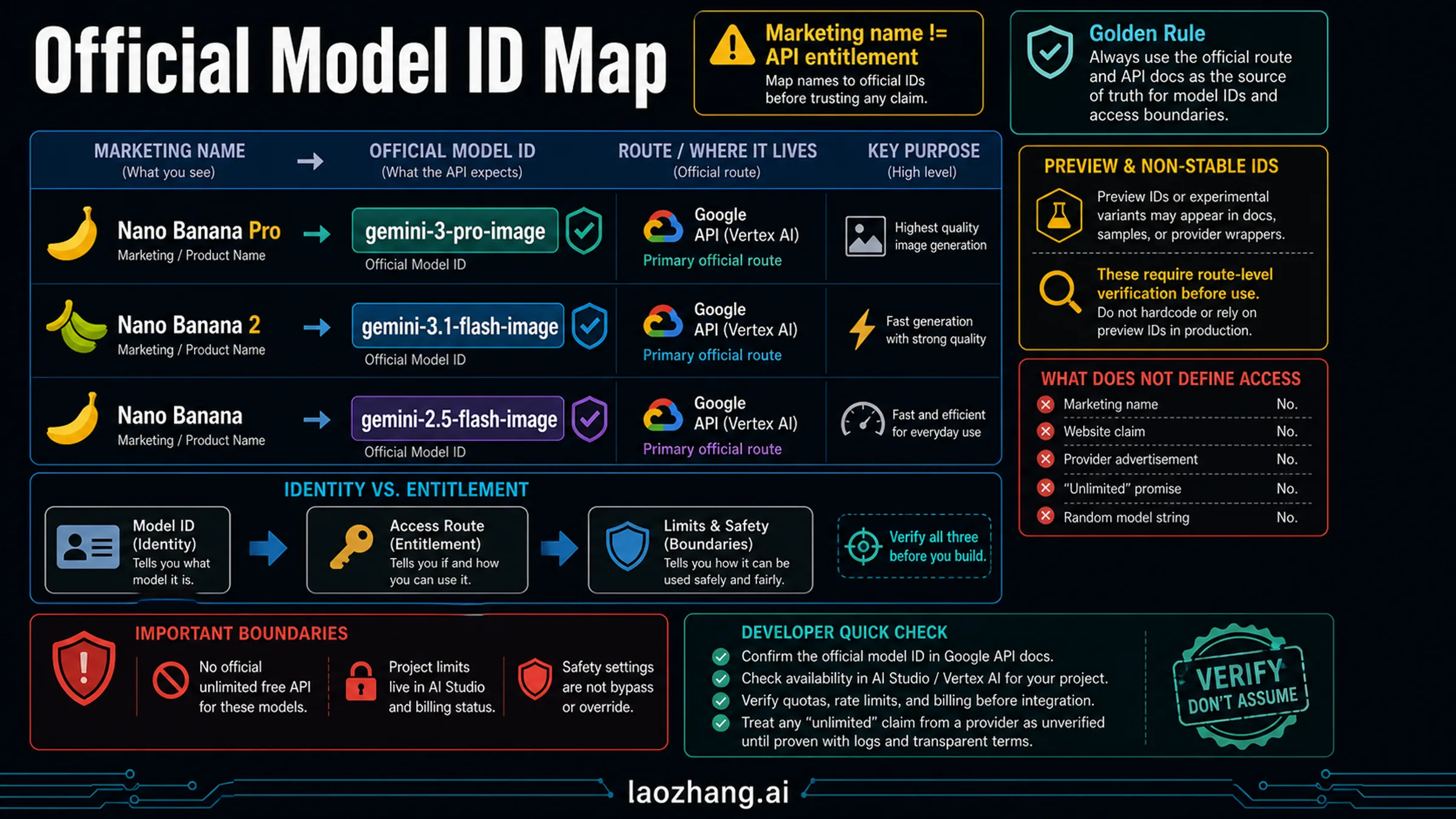
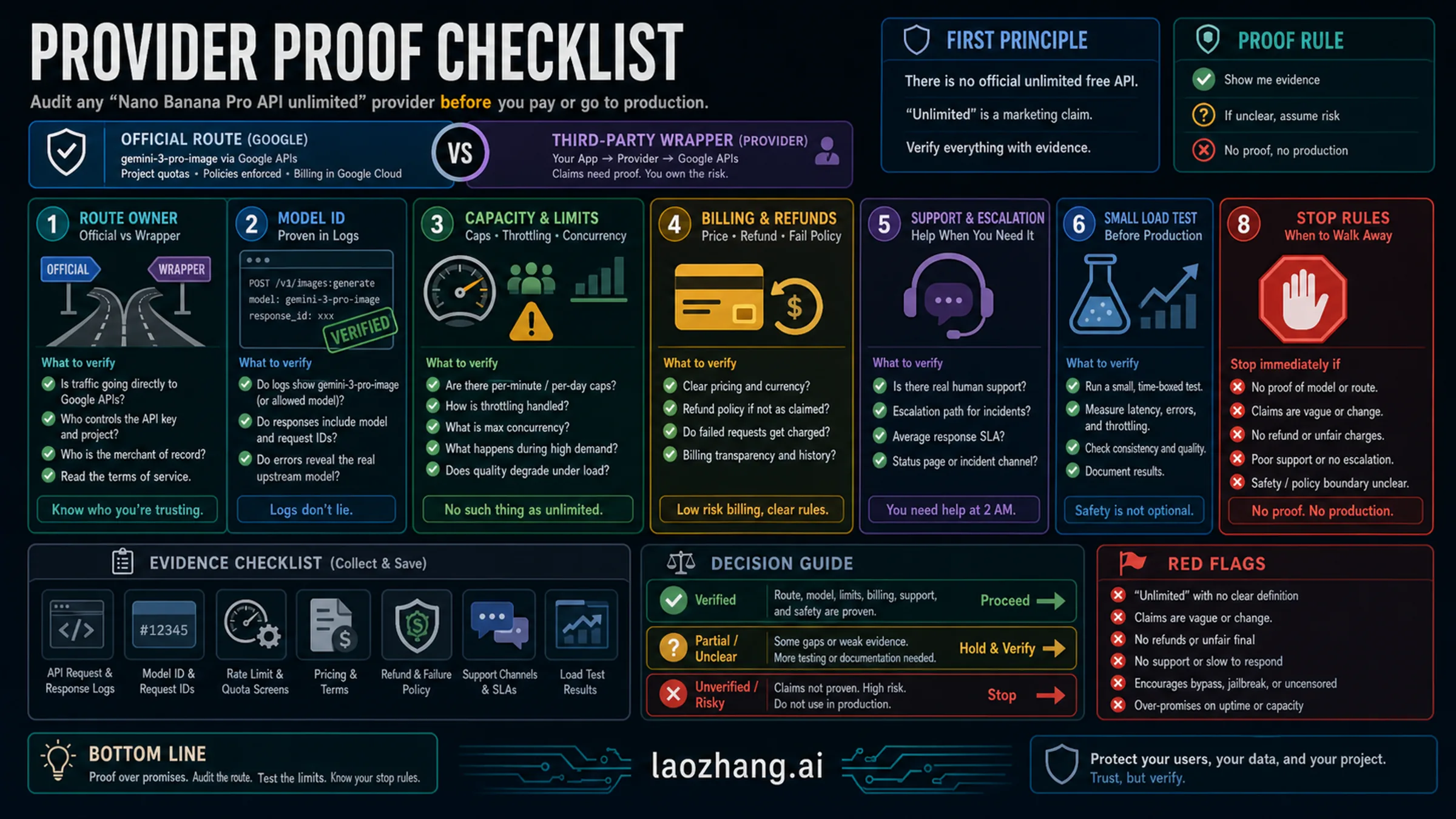
The market for third-party Nano Banana Pro API access has grown rapidly since the model's release, with providers like laozhang.ai, Kie.ai, EvoLink, and others offering the same underlying model at significantly lower prices. But claims of "unrestricted" or "uncensored" access from some providers deserve careful scrutiny, because what third-party providers can and cannot change is often misrepresented.

What third-party providers actually offer is rate limit removal and cost reduction. By pooling API access across many users and negotiating volume pricing with Google (or maintaining their own Vertex AI deployments), providers like laozhang.ai can offer per-image pricing of $0.05 regardless of resolution — compared to $0.134 at 2K or $0.24 at 4K through the official API. That is a 63% savings at 2K and 79% savings at 4K, which adds up quickly at production volumes. They also typically provide no RPM or RPD limits, which solves the rate limit dimension entirely. For developers who need to check out Nano Banana Pro's image generation with minimal hassle, you can also test at images.laozhang.ai.

Provider1K-2K Price4K PriceRate LimitsSafety Config
Official API$0.134/image$0.240/image20 RPM / 250 RPDFull BLOCK_NONE support
Batch API$0.067/image$0.120/imageLower priorityFull BLOCK_NONE support
laozhang.ai$0.05/image$0.05/imageUnlimitedBLOCK_NONE forwarded
Viyou (claims)Not listedNot listedClaims unlimitedClaims "uncensored"

What third-party providers generally cannot change is Layer 2 safety filtering. Because the IMAGE_SAFETY check happens within Google's infrastructure during image generation, a proxy service that simply forwards requests to the Gemini API will encounter the same Layer 2 blocks as a direct API call. Some providers claim to offer "uncensored" or "fully de-filtered" access, but the technical reality is that any service using Google's Gemini 3 Pro Image model is subject to Google's server-side safety evaluation. Be skeptical of providers making blanket "unrestricted" claims without explaining the specific technical mechanism — legitimate providers will tell you honestly what they can and cannot control.

The strongest reason to use a third-party provider is not safety filter bypass but rather cost efficiency and rate limit removal. For our complete pricing breakdown across all access methods, including batch API strategies, see the linked guide.

Cost Optimization for High-Volume Unrestricted Access

Running Nano Banana Pro at production scale requires a cost strategy. At official 4K pricing of $0.24 per image, generating 1,000 images per day costs $240 daily or roughly $7,200 per month. The same workload through laozhang.ai at $0.05 per image costs $50 daily or $1,500 per month — a difference of $5,700 per month that justifies the architectural choice.

The Batch API offers a middle ground for non-time-sensitive workloads. Google provides a 50% discount on batch processing, bringing 2K images down to $0.067 and 4K images to $0.120 each. Batch requests have lower priority and longer processing times, but for applications like daily content generation, scheduled product photography, or background asset creation, the delay is acceptable. You can learn more about optimizing batch API cost optimization strategies in our dedicated guide.

Resolution-based pricing creates another optimization opportunity. Many use cases do not actually require 4K generation. Social media images, thumbnails, web banners, and email assets look perfectly acceptable at 2K resolution, which costs $0.134 instead of $0.24 — a 44% reduction. Reserve 4K generation for hero images, print assets, and cases where native 4K quality genuinely matters. At laozhang.ai's flat $0.05 pricing, this distinction disappears entirely, which simplifies your architecture by removing resolution-based cost routing logic.

For teams consuming thousands of images daily, the cost calculation strongly favors third-party providers. Consider that 5,000 4K images per day costs $1,200 through official API, $600 through Batch API (if you can tolerate the latency), or $250 through laozhang.ai. Over a year, the difference between official and third-party is over $300,000 — a budget that could fund significant engineering improvements elsewhere.

Daily VolumeOfficial 4KBatch 4Klaozhang.aiAnnual Savings (vs Official)
100 images$24/day$12/day$5/day$6,935
500 images$120/day$60/day$25/day$34,675
1,000 images$240/day$120/day$50/day$69,350
5,000 images$1,200/day$600/day$250/day$346,750

Token costs add a hidden expense that many developers overlook. Each Nano Banana Pro request consumes input tokens for your prompt (charged at $2.00 per million tokens) and output tokens for the generated image (charged at $12.00 per million output tokens, with approximately 1,120 tokens for a 2K image and 2,000 tokens for 4K). For text-to-image workloads, the token cost is baked into the per-image prices above. But for image-to-image editing workflows where you send a reference image as input, the input token cost can be significant — a single high-resolution reference image consumes approximately 560 tokens, adding roughly $0.001 per request. At 5,000 daily requests, that is an additional $5 per day, which is negligible relative to the output cost but still worth tracking for cost allocation purposes.

A hybrid architecture often makes the most economic sense for production deployments. Use the official Batch API for background tasks where latency does not matter (scheduled content, pre-generation of product variants), and route real-time, user-facing requests through a third-party provider for instant response and unlimited throughput. This combination provides both cost optimization on predictable workloads and responsive service for interactive features, without requiring Vertex AI enterprise contracts.

Frequently Asked Questions

Is using BLOCK_NONE a Terms of Service violation?

No. BLOCK_NONE is an officially documented API parameter provided by Google specifically for developers who need to manage content classification at the application level. Google's documentation explicitly describes this setting and its behavior. You remain responsible for ensuring your application's output complies with Google's Acceptable Use Policy, but using the parameter itself is fully sanctioned.

Can I get truly unlimited Nano Banana Pro API access from Google directly?

Through Vertex AI with a committed spend agreement, you can negotiate custom rate limits that effectively remove practical restrictions for most workloads. However, this requires direct engagement with Google Cloud sales and typically involves committed monthly spend of $10,000 or more. For most developers, third-party providers offer functionally unlimited access at a fraction of the cost.

Why does my request get blocked even with BLOCK_NONE set?

Because BLOCK_NONE only affects Layer 1 (the four configurable harm categories). Layer 2 (IMAGE_SAFETY) evaluates the generated image itself using AI classification, and Layer 2 cannot be configured through any API parameter. If you see finishReason: "IMAGE_SAFETY", the block came from Layer 2. Try refining your prompt with more specific, professional context.

What changed in March 2026 regarding content policy?

Google significantly tightened restrictions on person-related editing. Operations like background replacement on photos containing people, group photo composition, and appearance modification now frequently trigger blockReason: "OTHER" before generation begins. This primarily affects image editing workflows rather than text-to-image generation.

Is laozhang.ai safe to use for production workloads?

laozhang.ai operates as an API aggregation platform that routes requests to official Google infrastructure. It offers the same model quality as direct API access with no RPM/RPD limits and pricing at $0.05 per image regardless of resolution. For production use, the key consideration is whether you are comfortable routing API traffic through a third party versus maintaining a direct billing relationship with Google. Many developers use a hybrid approach: direct Google API for sensitive or regulated workloads, and third-party providers for high-volume, cost-sensitive operations.

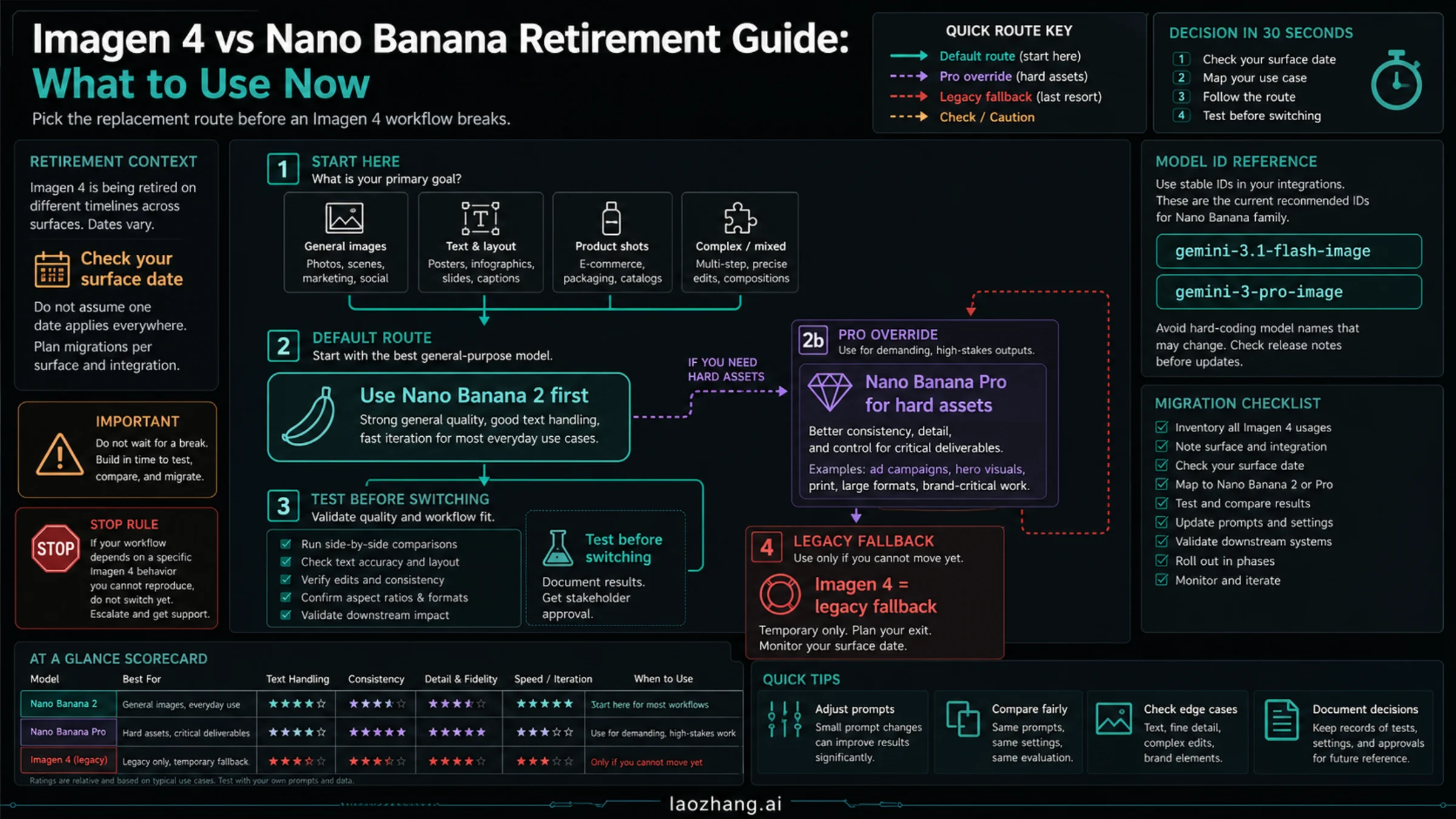
How does Nano Banana 2 (Gemini 3.1 Flash Image) compare for unrestricted access?

Nano Banana 2 offers a different trade-off. It supports free-tier API access (unlike Nano Banana Pro which is paid-only), generates images faster at 4-6 seconds versus 12-18 seconds, and costs significantly less at $0.067 per 1K image officially. However, it lacks native 4K generation quality, has lower text rendering accuracy (87-96% versus 94-96% for Pro), and uses the same two-layer safety architecture. For many use cases where 2K resolution is sufficient and cost matters more than peak quality, Nano Banana 2 is actually the better choice for "unrestricted" high-volume access since it includes a free tier with higher limits.

Do I get charged for blocked requests?

For Layer 1 blocks (finishReason: "SAFETY"), you are typically not charged because the block happens before image generation begins. For Layer 2 blocks (finishReason: "IMAGE_SAFETY"), you are charged for input tokens and the output tokens consumed during generation — the image was created but then blocked before being returned to you. This is a crucial distinction for cost planning: high rates of IMAGE_SAFETY blocks can inflate your costs without delivering usable images. Monitoring your block rate and optimizing prompts to reduce Layer 2 blocks directly impacts your effective cost per usable image.

What is the fastest way to start generating images with Nano Banana Pro right now?

The quickest path is: (1) Go to Google AI Studio at aistudio.google.com, (2) Sign in with your Google account, (3) Create an API key, (4) Link a billing account to your project, (5) Use the Python or JavaScript code from H2-3 above with your API key and BLOCK_NONE safety settings. The entire setup takes under 10 minutes. If you want to avoid the billing setup entirely, you can start immediately with a third-party provider like laozhang.ai, which requires only an account registration and API key — no Google Cloud billing configuration needed.

Share:

laozhang.ai

One API, All AI Models

AI Image

Gemini 3 Pro Image

$0.05/img
80% OFF
AI Video

Sora 2 · Veo 3.1

$0.15/video
Async API
AI Chat

GPT · Claude · Gemini

200+ models
Official Price
Served 100K+ developers
|@laozhang_cn|Get $0.1