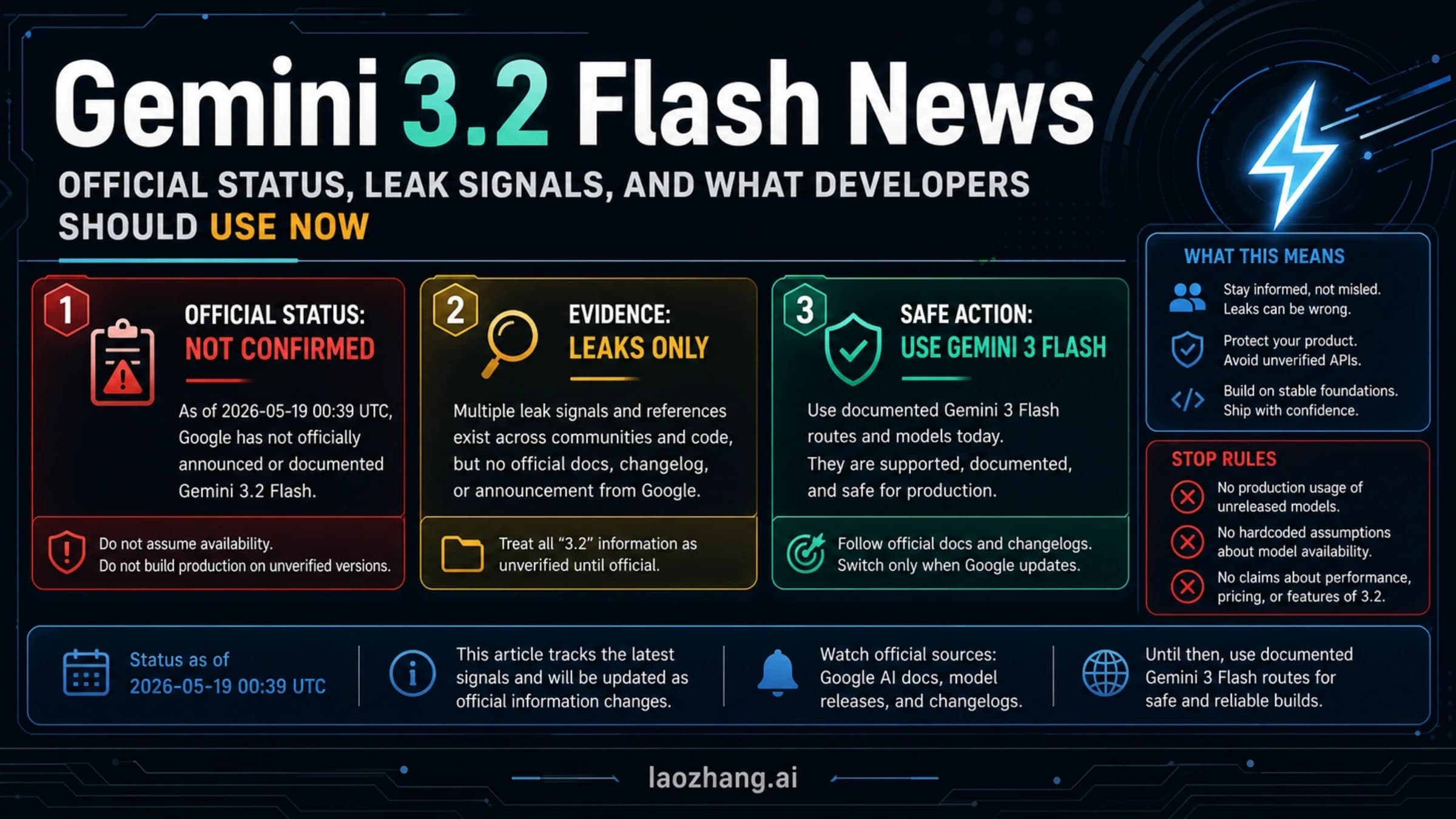
Gemini & Google AI
Gemini 3.2 Flash: What Google's Official Model List Shows
Gemini 3.2 Flash is not listed in Google's current Gemini API catalog. Check the confirmed Flash releases and find the model ID to use for your application.
3 min
Gemini 3.2 Flash is not listed in Google's current Gemini API catalog. Check the confirmed Flash releases and find the model ID to use for your application.
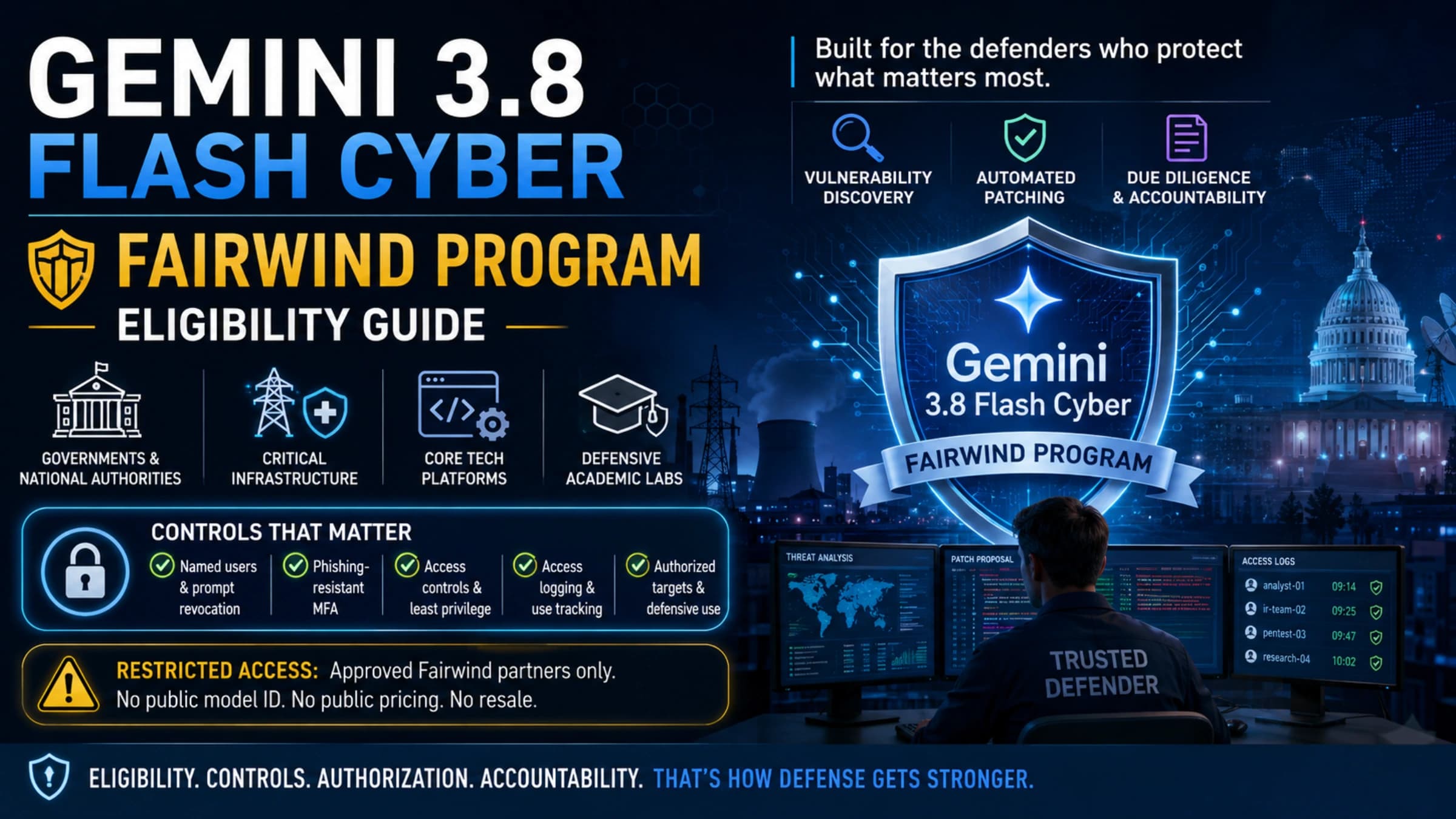
Fairwind is an organization-vetted cyber-defense program, not a public API tier. Use this guide to decide whether applying is realistic and what must be ready first.
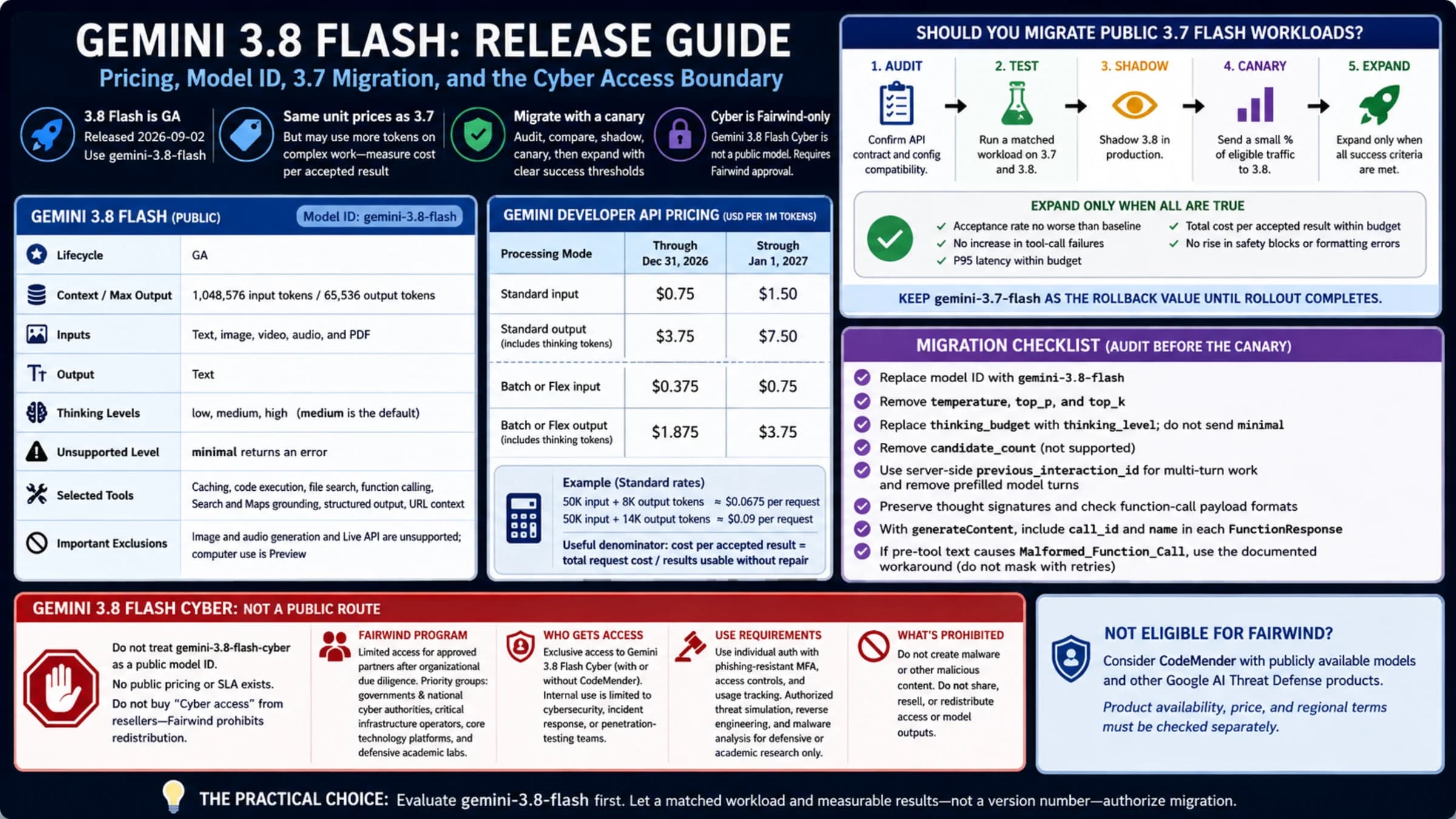
Gemini 3.8 Flash is ready to evaluate, but its 3.7-matching token rates do not guarantee the same bill. Measure accepted work, token use, latency, and tools—and treat Cyber as a separate Fairwind application.

Google has reopened a live student offer: eligible U.S. college students can redeem 12 months of Google AI Pro at no charge through December 31, 2026. Eligibility is account-specific, a payment method is required, and the plan renews at $19.99 per month unless cancelled.
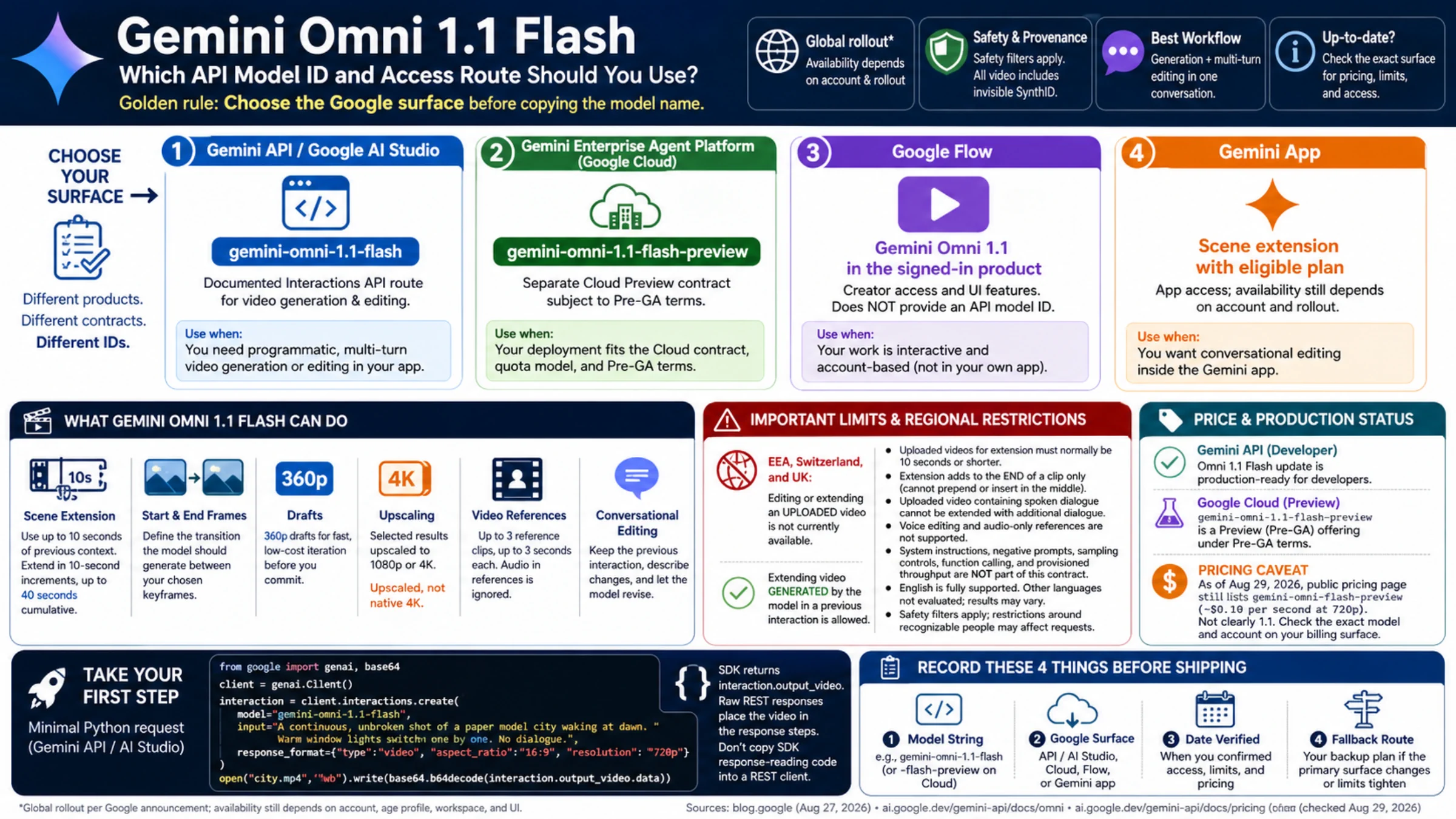
Gemini Omni now has an official developer route, but Google exposes different model IDs and lifecycle terms across its products. Choose the Google product first, then copy the matching identifier.
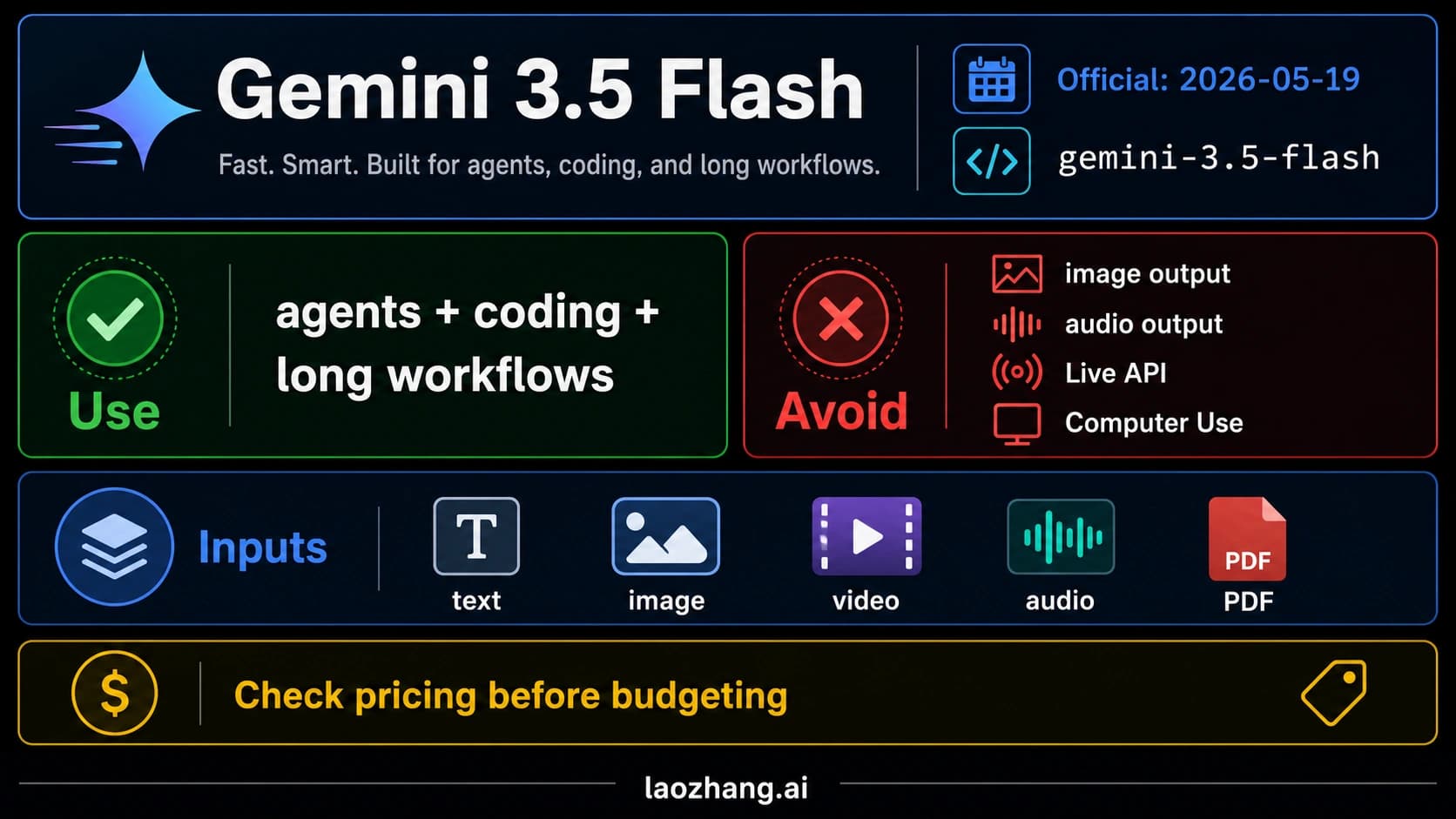
Gemini 3.5 Flash is official as `gemini-3.5-flash`, strongest for agentic coding and long-horizon workflows, with clear limits around image, audio, Live API, and Computer Use.
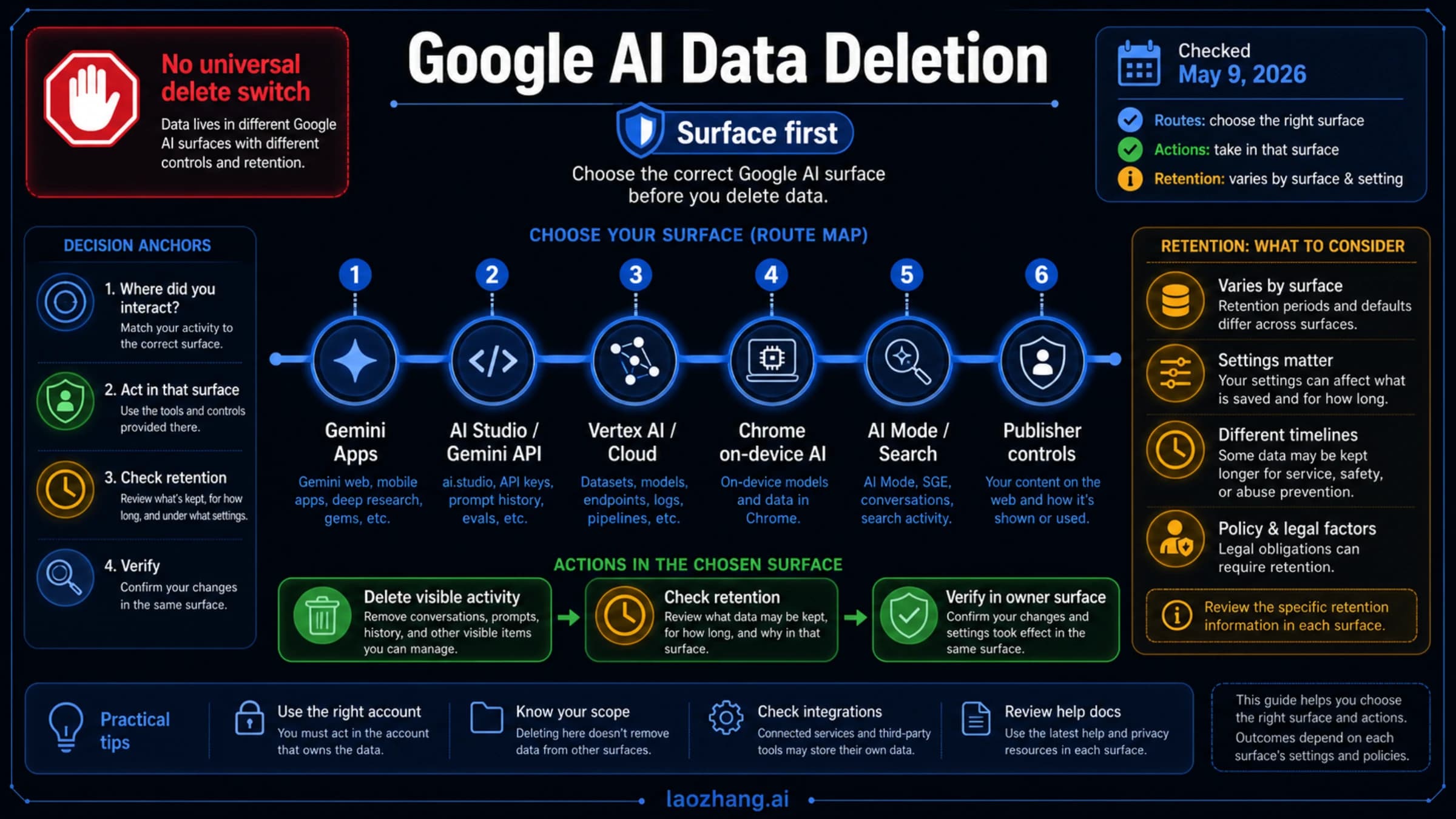
A surface-first Google AI data deletion guide for Gemini Apps, AI Studio, Gemini API, Vertex AI, Chrome on-device AI, AI Mode, Search history, and publisher controls.
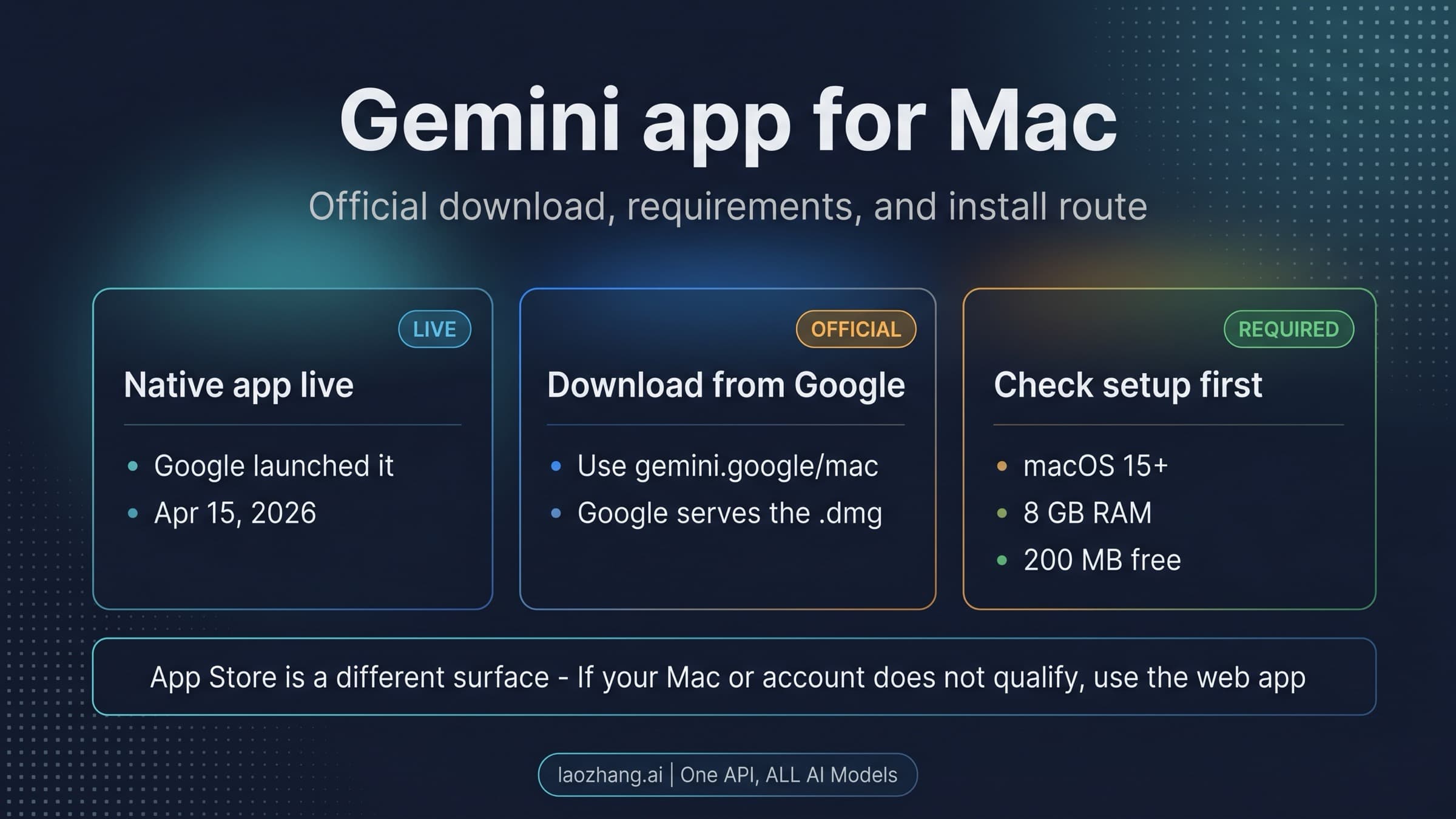
The official Gemini Mac app is live now. This guide explains where to download it from Google, which Macs and accounts qualify, how the DMG install works, and why the App Store listing is not the main Mac route.
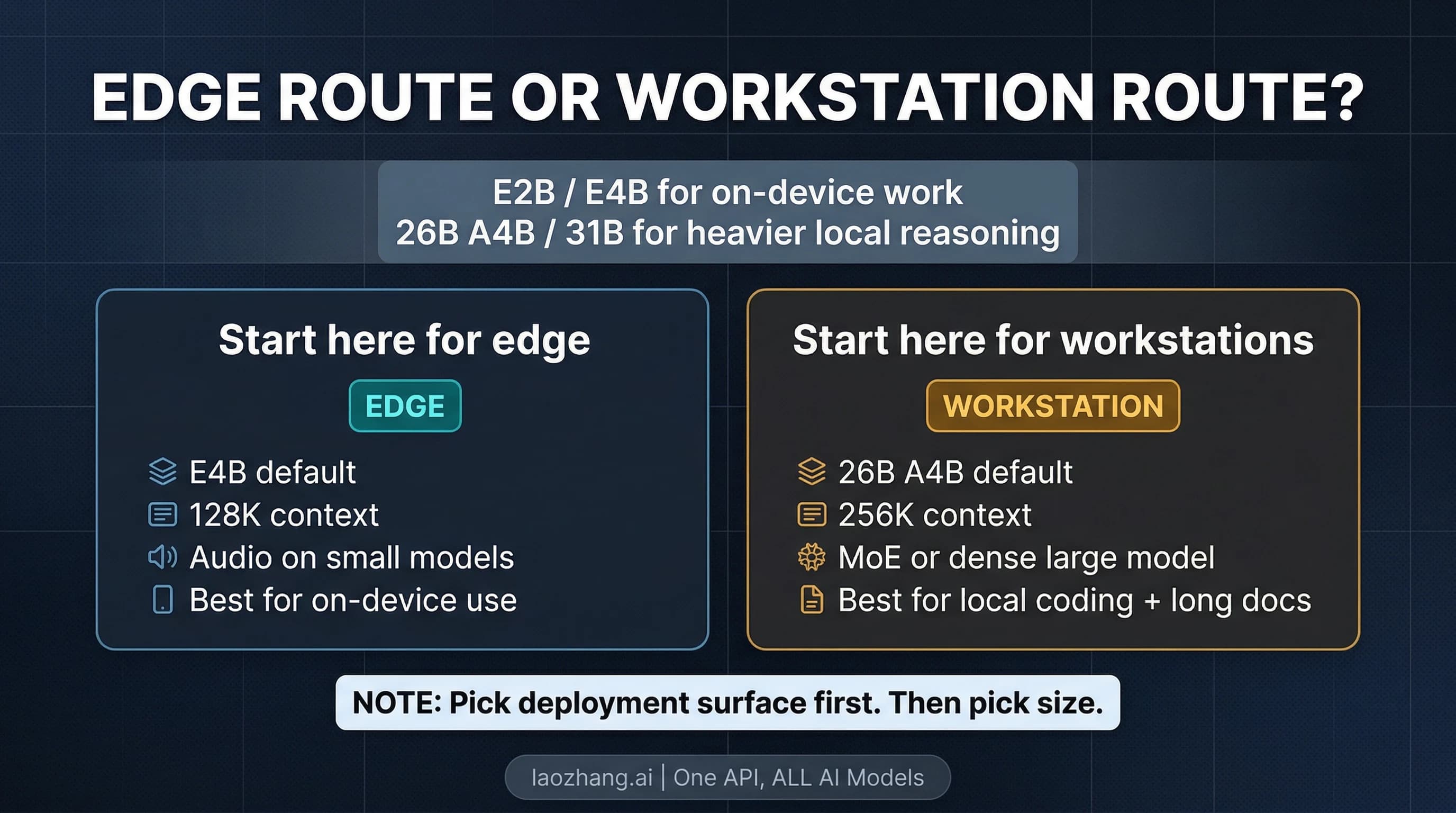
Gemma 4 is not one model. It is a four-model open family with a clear practical split: E2B and E4B for edge and on-device work, 26B A4B and 31B for workstation-class local inference. This guide helps you pick the right branch and the right place to run it.
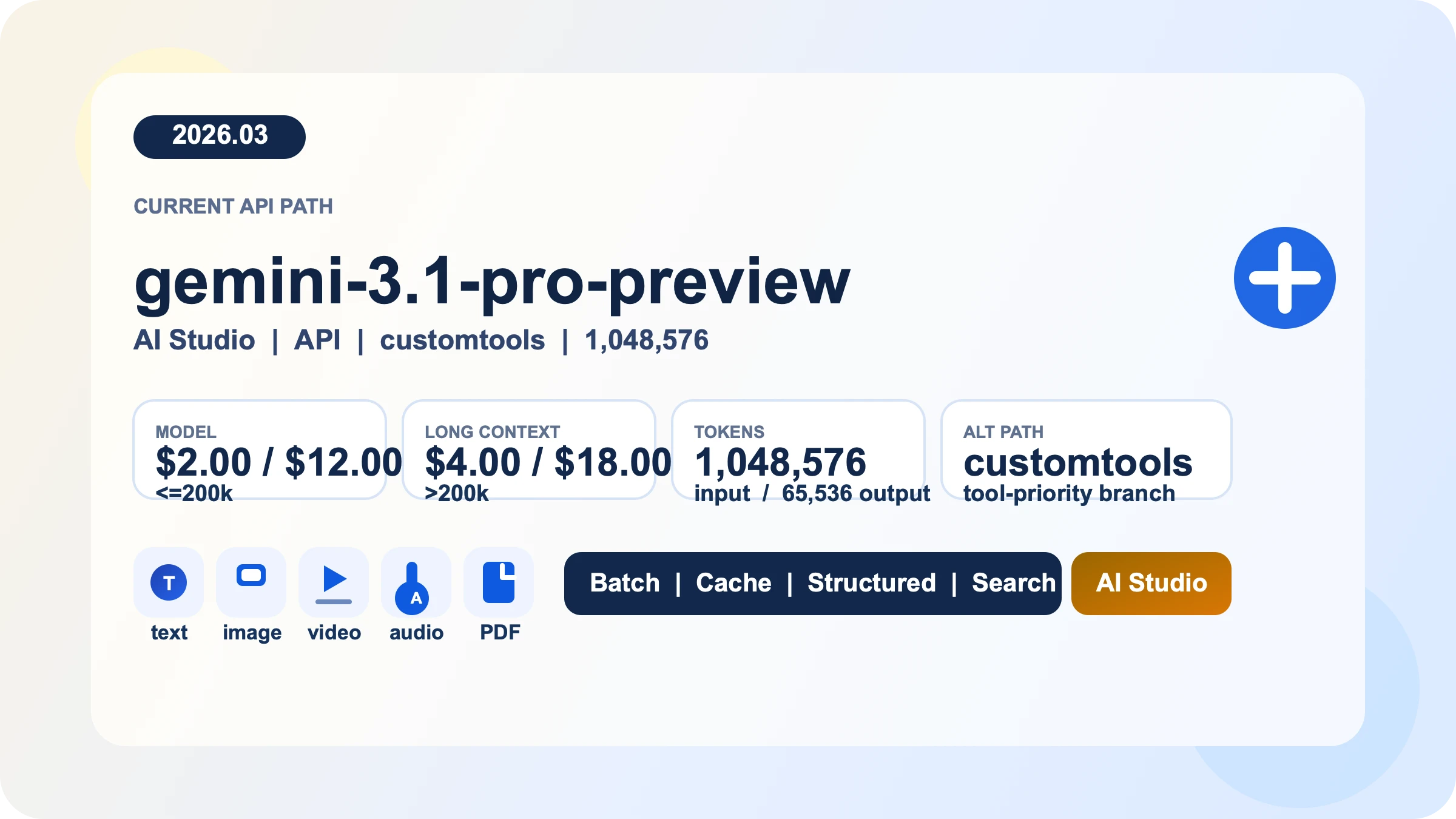
Gemini 3.1 Pro API is Google's paid preview model for long-context reasoning, multimodal input, and tool-heavy workflows. This guide explains the current model IDs, the fastest setup path, real pricing and rate-limit rules, and what changed after `gemini-3-pro-preview` shut down.
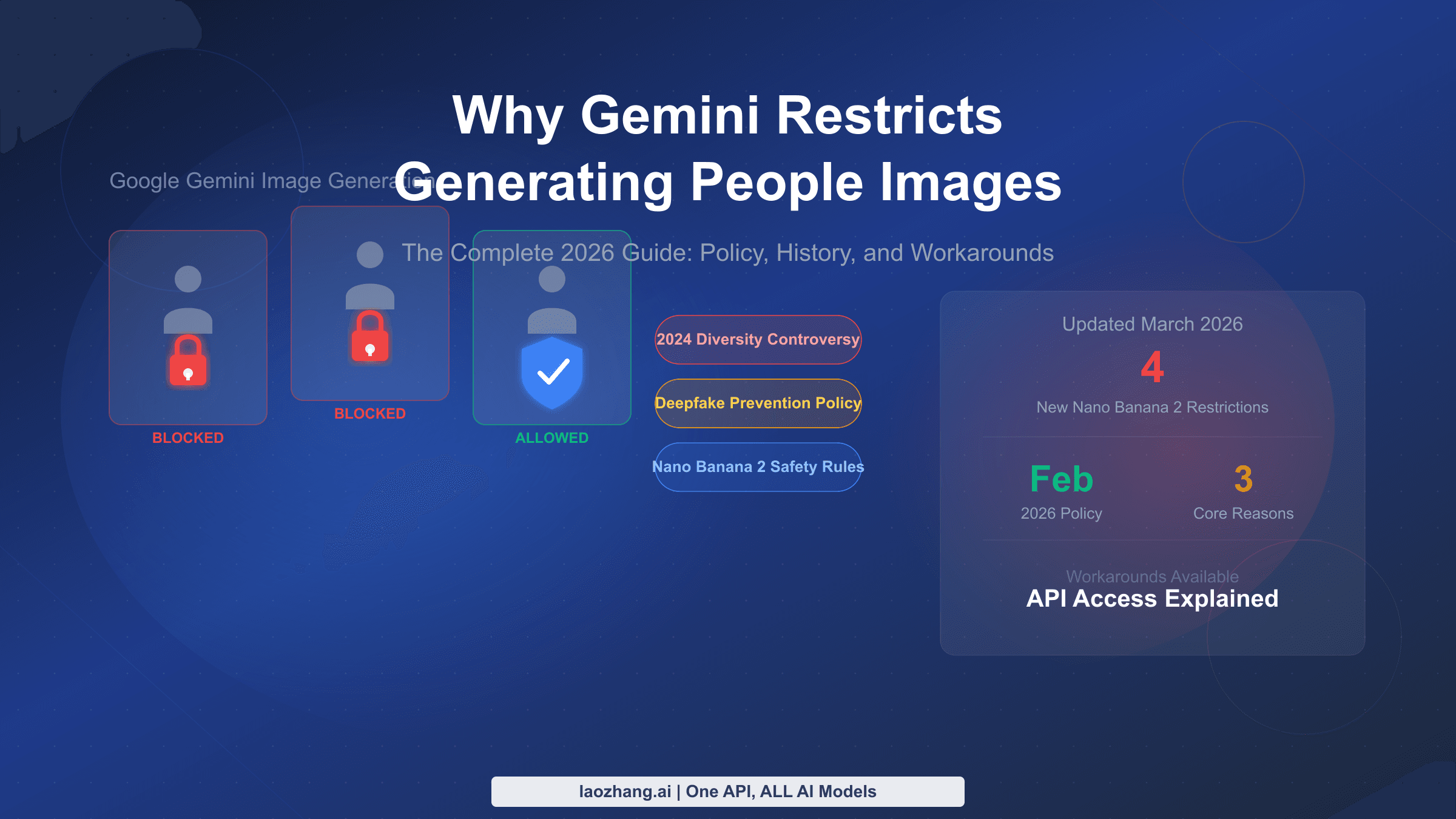
Gemini restricts people image generation for three core reasons: the 2024 diversity controversy, deepfake prevention laws, and the Nano Banana 2 safety upgrade launched February 2026. This guide explains what's blocked, what's allowed, and the exact prompt strategies that work in 2026.
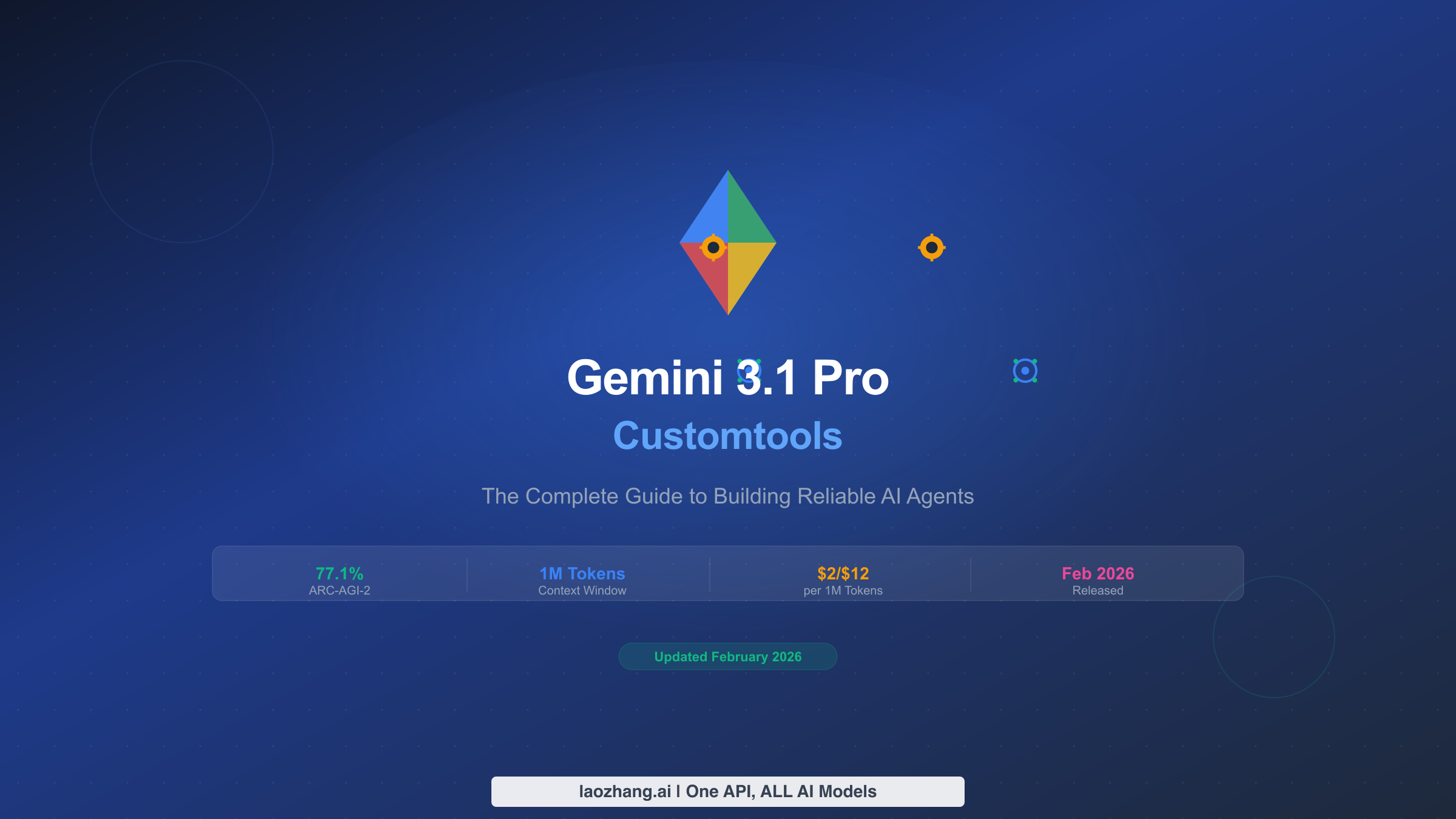
Gemini 3.1 Pro Customtools is Google's specialized model variant that prioritizes your custom tools over bash commands. This guide covers everything from the standard vs customtools behavioral difference to building production-ready AI agents with working code examples, dynamic routing strategies, and verified pricing data.
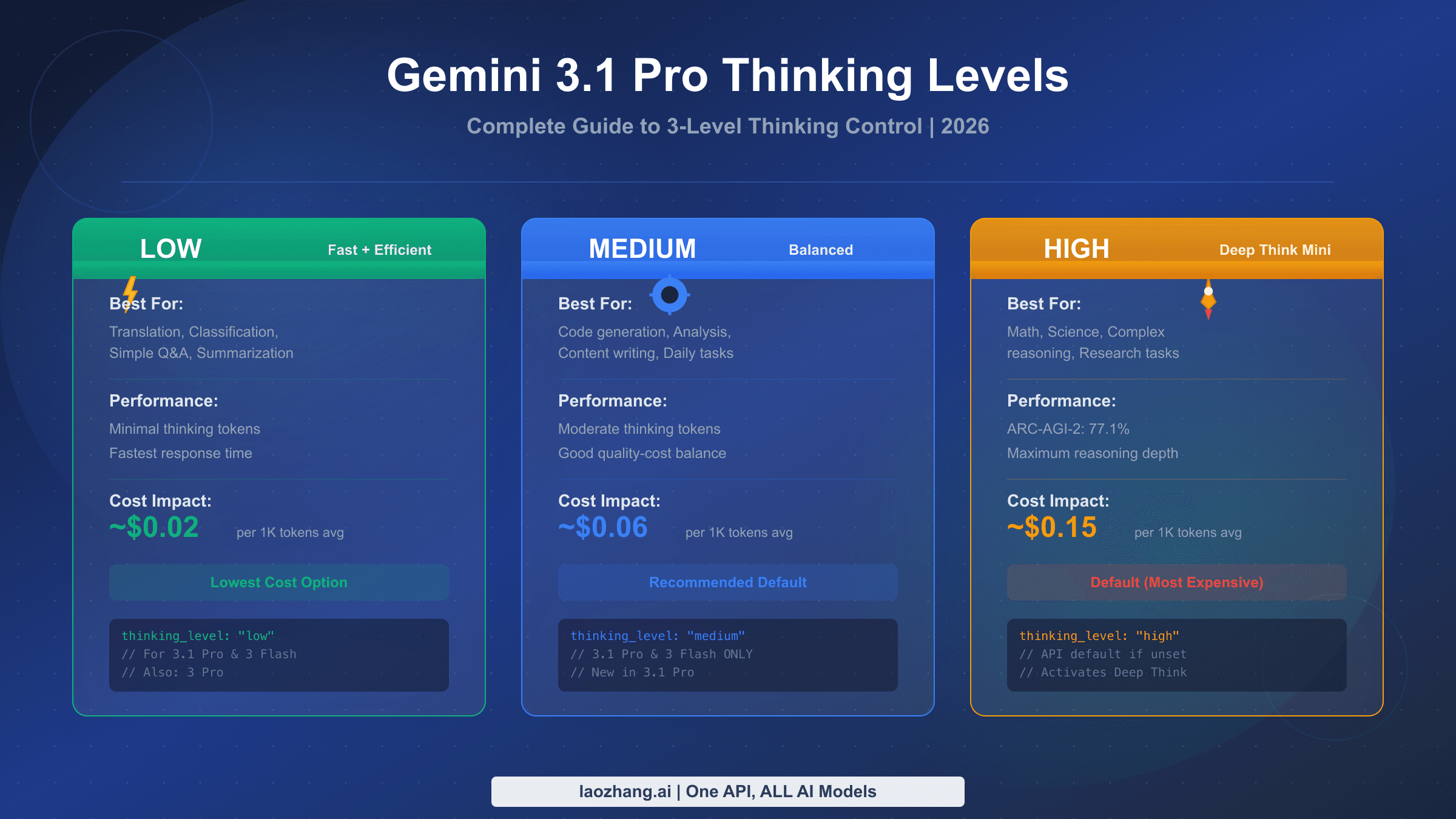
Gemini 3.1 Pro offers three thinking levels—LOW, MEDIUM, and HIGH—configured through the thinking_level parameter. Set LOW for fast tasks, MEDIUM as your daily default, and HIGH to activate Deep Think Mini for complex reasoning. The API defaults to HIGH (most expensive), so always specify your level explicitly. This guide covers complete code examples, cost optimization strategies, and migration from thinking_budget.