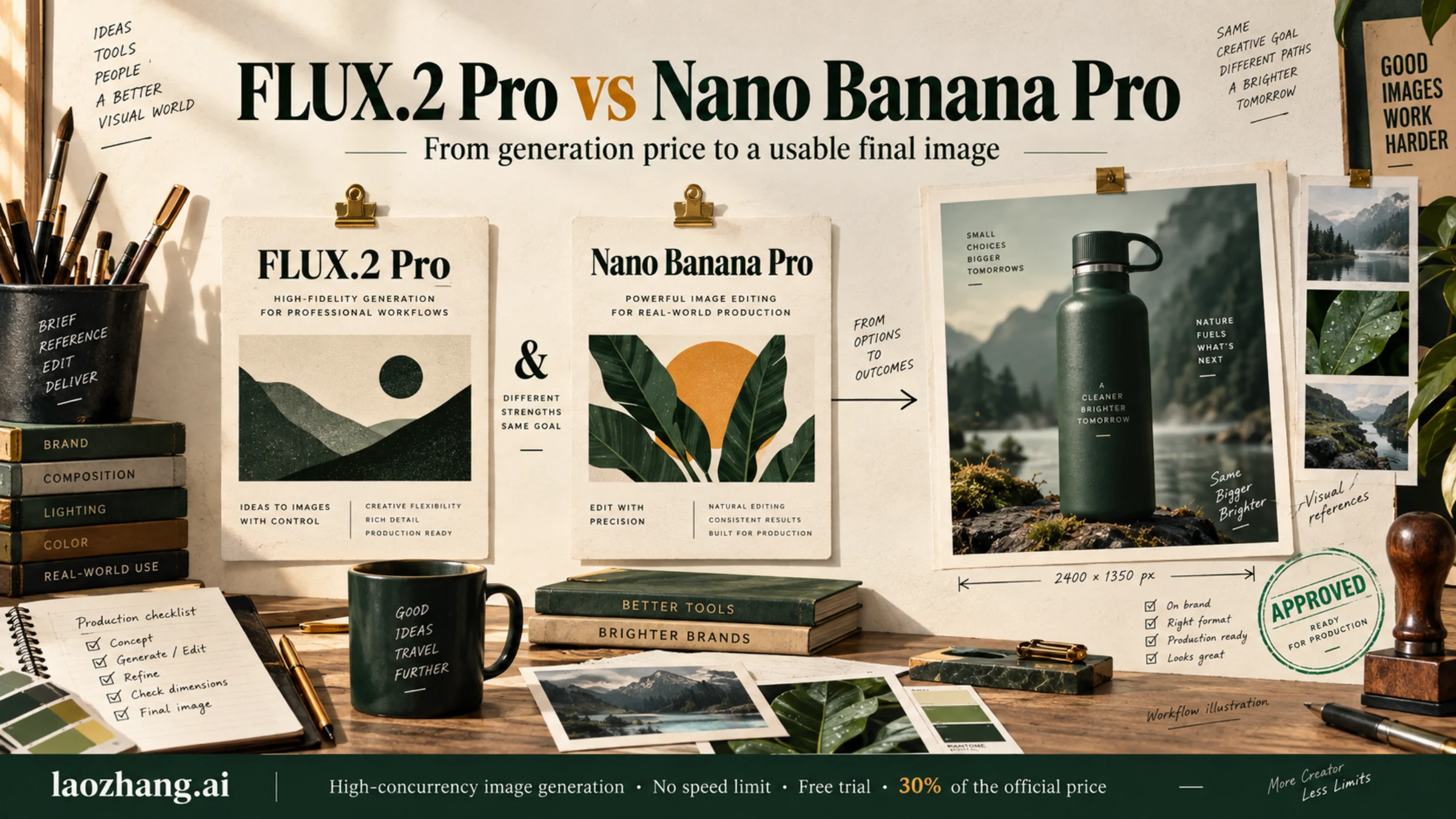
FLUX.2 Pro is the economical starting point for image generation without references: its official API charges $0.03 for a 1024 × 1024 output and $0.075 for 2048 × 2048. Nano Banana Pro is worth evaluating first when your job needs Google's search-assisted image generation, more than eight reference images, or its 4K output tier. Its Standard image-output charge is about $0.134 at 1K or 2K, with inputs and other output tokens billed separately. Those prices come from Black Forest Labs and Google's Gemini Developer API, checked September 8, 2026.
For editing, the price decision gets closer. A square 2K FLUX.2 Pro output with four reference images costs $0.135; Nano Banana Pro's corresponding image output and four image inputs come to roughly $0.1384 before text, thinking, or search charges. Whether the result preserves your product, fixes the requested region, and passes review can matter more than that small starting difference.
This comparison covers FLUX.2 Pro specifically and Google's Nano Banana Pro, currently identified as gemini-3-pro-image. It combines current documentation with practical selection advice; we did not run a controlled image-quality or latency benchmark. The illustrations explain the workflow and are not samples produced by either compared model.
Start with the requirement that could rule a model out
Both models generate new images and edit existing ones. Choosing between them as a “photography model” and a “reasoning model” is too crude for production work: either can fail a label, alter a product detail, or produce an image that simply does not match the brief.
The documented differences provide a more useful first filter:
| Requirement | FLUX.2 Pro | Nano Banana Pro |
|---|---|---|
| Generate and edit images | Both supported | Both supported |
| Output size | Up to 4 megapixels | 1K, 2K, and 4K tiers |
| Reference images | Up to 8 through the API; 10 in Playground | Up to 14 inputs |
| Search-assisted generation | Search grounding is a Max feature, not Pro | Google Search grounding supported |
| Repeatable model selection | Pinned flux-2-pro; evolving flux-2-pro-preview | Current stable ID: gemini-3-pro-image |
| Noninteractive discounted processing | Check discounts for your chosen BFL service | Batch API image-output rates are half Standard |
Sources: BFL model overview, BFL editing documentation, Google model documentation, and Google image-generation guide.
Four megapixels does not mean square 4K. A 2048 × 2048 image contains four BFL billing megapixels; a 4096 × 4096 image contains sixteen. If your delivery specification calls for a square 4096-pixel original, FLUX.2 Pro's 4 MP limit does not satisfy it directly. An upscaled file is a different deliverable and should be evaluated that way. For other aspect ratios, inspect actual width and height instead of trusting a “2K” or “4K” label alone.
Likewise, fourteen reference inputs do not guarantee fourteen faithfully preserved people or products. Input capacity tells you what can enter the request. Identity consistency, logo fidelity, and unchanged details still need inspection in the output.
Keep adjacent models separate. Nano Banana 2 is a different Gemini 3.1 Flash Image model. FLUX.2 Klein performance and downloadable weights do not describe FLUX.2 Pro. If you need to adjust inference steps or guidance within BFL's offerings, see our FLUX.2 Flex vs Pro comparison.
Compare the whole request at matching dimensions
The familiar “$0.03 versus $0.134” comparison is valid only for a narrow case. Resolution and reference images change the calculation, and Google's displayed image price is only one part of the request bill.
FLUX.2 Pro bills output pixels and reference pixels
The current BFL pricing table charges $0.03 for the first output megapixel, $0.015 for each additional output megapixel, and $0.015 per billable reference megapixel. One billing megapixel is 1024 × 1024 pixels. Input and output sizes are rounded up separately.
A single reference is billed at its rounded size, up to 4 MP; larger images are resized. With multiple references, each is charged as 1 MP and larger inputs are downscaled. Consequently, one high-resolution reference and several references are not interchangeable cost assumptions.
For example, a 2048 × 2048 output is $0.03 + 3 × $0.015 = $0.075. Add one 1024 × 1024 reference and the total becomes $0.09. Add one 2048 × 2048 reference instead and the total becomes $0.135. Four references also add $0.06 under the multiple-reference rule.
Nano Banana Pro separates image output from other tokens
On the Gemini Developer API Standard tier, Google lists approximately $0.134 for a 1K or 2K image output and $0.24 for a 4K output. The 1K/2K token calculation is $0.1344 before rounding: 1,120 image tokens at $120 per million.
Text and image inputs cost $2 per million tokens. An image input uses 560 tokens, approximately $0.0011. Text and thinking outputs cost $12 per million tokens. Search grounding may add charges when used. A quote of “$0.134 per image” therefore should not be treated as an exact all-inclusive request price.
| Example request | FLUX.2 Pro official API | Nano Banana Pro Standard |
|---|---|---|
| 1024 × 1024, no reference | $0.030 | About $0.134 image output, plus other tokens |
| 2048 × 2048, no reference | $0.075 | About $0.134 image output, plus other tokens |
| 2048 × 2048, one 1024 × 1024 reference | $0.090 | About $0.1351 for image output and image input, plus other tokens |
| 2048 × 2048, four references | $0.135 | About $0.1384 for image output and image inputs, plus other tokens |
| 4096 × 4096 output | Exceeds Pro's 4 MP output limit | About $0.240 image output, plus inputs and other output tokens |
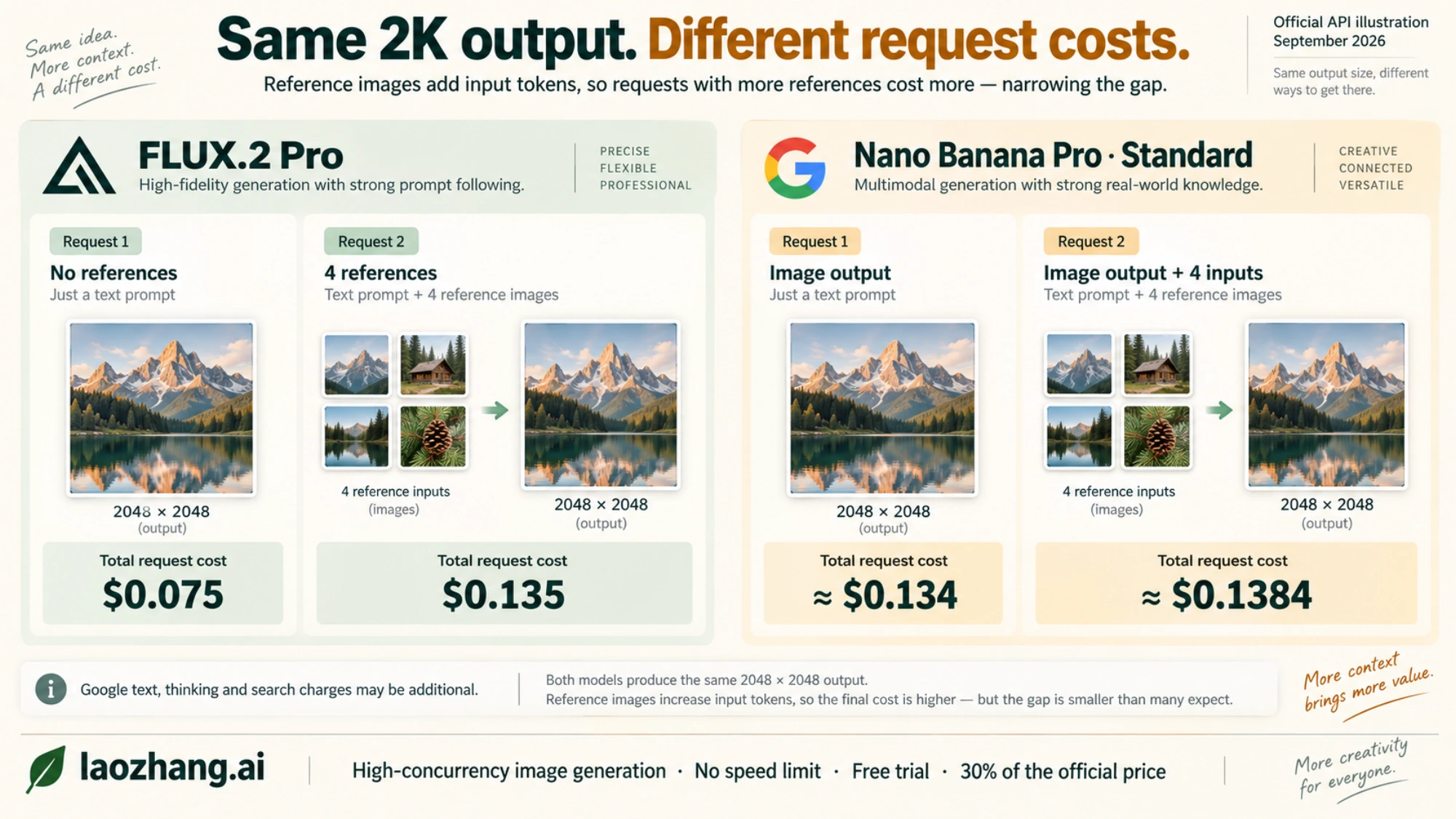
The Google estimates use its rounded published image-output price and approximately $0.0011 per input image; they illustrate budget differences rather than predict an invoice. Search costs, if applicable, are additional.
At 1,000 generations without references, FLUX.2 Pro's output cost is $30 at 1024 square or $75 at 2048 square. Nano Banana Pro's Standard image-output component is about $134 at either tier, before other charges. The starting ratio at 2K is about 1.79 to one, far smaller than the ratio suggested by comparing BFL's lowest-resolution price with Google's higher-resolution output.
For work that can wait, Nano Banana Pro Batch has image-output prices of about $0.067 for 1K/2K and $0.12 for 4K, plus inputs and other output tokens. That makes Batch worth evaluating for scheduled catalog or campaign production. It does not describe an interactive editor's latency or an instant-generation price.
Editing quality: test the details your customer will notice
Google documents advanced text rendering, iterative editing, and search-assisted image creation for Nano Banana Pro. These capabilities make it a sensible first candidate for packaging with integrated copy, posters, and visuals that need information from search. They do not establish perfect spelling or factual accuracy in every generated image. Google's image-generation guide describes the available functions and request options.
BFL documents multi-reference editing for FLUX.2 Pro, including combining subjects and changing an existing image. Pro is therefore a real editing candidate, especially when your reference count fits its API limit. Choosing it for inexpensive initial compositions can also make sense, but an inexpensive draft is useful only if you can finish it without excessive repair. BFL's editing guide details its reference-image support.
For an e-commerce campaign, a useful comparison starts with one actual product and three deliverables: a clean listing image, a lifestyle scene, and a promotional image containing approved copy. Use the same source assets and the same required output dimensions. Specify what may change and what must remain exact.
A test instruction could be:
“Place the supplied insulated bottle on a pale stone kitchen counter in soft morning light. Keep the bottle silhouette, cap, printed logo, and dark green color unchanged. Add the exact headline “Ready for the long weekend” in the empty space on the right. Do not add any other text or accessories. Deliver a square image.
This is a suggested test brief, not a report of a completed model run. It deliberately combines several possible failure points: product identity, materials, composition, untouched details, and exact copy. For a cleaner diagnosis, also run a version without the headline. That tells you whether rejection comes from the underlying product image or the typography.
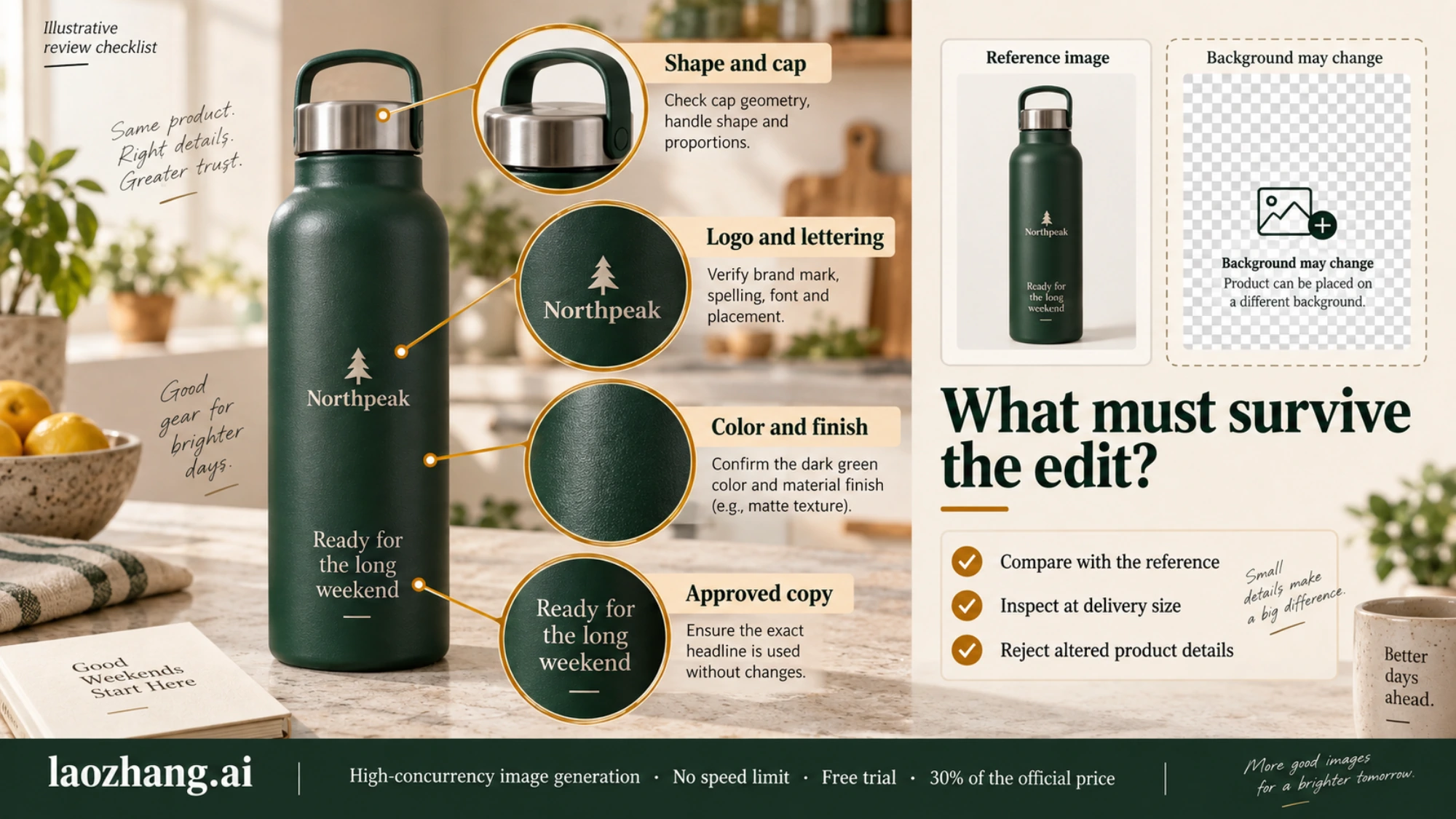
Inspect the result at delivery size. Compare the cap and logo against the original, check every character of the headline, and inspect the background for unwanted objects. A beautiful scene with the wrong product geometry should fail a product-accuracy requirement. If text can be added reliably in your design tool, test that workflow too; asking the model to render every final word is an implementation choice, not a requirement for using generated imagery.
For concept art or lifestyle photography, define different acceptance criteria: art direction, material appearance, lighting, and useful composition may carry more weight than integrated text. There is no need to assume that either product name guarantees your preferred aesthetic. Test the actual style you intend to publish.
For technical diagrams or charts, keep an editable source of the underlying labels and numbers. A generated graphic may communicate the idea well while containing a wrong value or connection. Nano Banana Pro's search and text capabilities can assist creation, but the visual itself does not validate the data.
Measure time and cost to an accepted image
A universal “FLUX is ten times faster” rule is not supported by the documentation used here. Provider queues, model version, resolution, reference inputs, and retries affect turnaround. A fast first response can still lead to a slow production process if the image needs repeated editing.
Record two times during your trial: when the usable image file arrives and when it passes review. For an interactive workflow, also note unusually slow requests, because one long wait can interrupt the designer even when the average looks good. Compare the same provider, endpoint, and settings you would use in production.
The economic measure is equally straightforward:
Cost per accepted image = total generation spend, including rejected attempts / number of accepted images
Suppose a batch of 100 square 2K generations without references costs $7.50 on FLUX.2 Pro. If 50 pass your requirements, the generation cost per accepted image is $0.15. At Nano Banana Pro's rounded Standard image-output price, 100 outputs cost about $13.40 before other charges. If 90 pass, the image-output component per accepted image is about $0.149, again before those charges.
Those acceptance rates are invented solely to demonstrate the calculation. They are not measured performance claims. The example shows why a lower per-request price does not automatically determine the cheaper finished asset. Add staff time for manual fixes separately, using the same method for both candidates.
For reference-heavy editing, the official starting costs can already be close. In that case, preserved details and editing effort are likely to have a larger effect on the decision than a few tenths of a cent in the initial estimate.
Build the API workflow around the returned image
An API comparison should include how your application receives, stores, and reuses the output. For FLUX.2 Pro, BFL returns a job ID and polling_url; your application waits for completion and downloads the resulting sample. The completed sample URL is valid for ten minutes, so copy the image to storage you control rather than persisting the temporary URL as the final asset. The BFL overview documents this asynchronous workflow.
Choose flux-2-pro when you want the pinned model version for a reproducible comparison. Evaluate flux-2-pro-preview separately if you want the latest improvements. Record the identifier alongside the prompt, references, output dimensions, generation cost, and review decision. Otherwise, a later result may appear to contradict your trial simply because the model changed.
For Nano Banana Pro, use the current documented gemini-3-pro-image identifier and follow the Gemini image-generation examples for image response handling and continued editing. Save the returned image data and the request settings needed to reproduce the job. A successful HTTP response alone is insufficient evidence that your application has saved a usable image.
Start a hands-on evaluation through the official BFL Playground and Google AI Studio. Recheck the model selected in each interface before interpreting results. Google AI Studio testing, Gemini consumer subscriptions, and paid Gemini Developer API billing are separate products; the Standard Nano Banana Pro API pricing table does not list a free image-generation tier.
If you use a third-party API service, make the same comparison on that service's actual model ID, image handling, and current bill. Official BFL and Google prices do not establish a reseller's rate, supported options, or trial allowance.
Which one should you choose?
Choose FLUX.2 Pro as your first trial for substantial volumes of generation without references, especially when 1 MP or 4 MP output meets the delivery requirement. Its official cost advantage is clear for requests at those dimensions without reference images. Verify your preferred look and editing acceptance rate before standardizing on it.
Start with Nano Banana Pro when you need Google's search-assisted generation, a reference set larger than the FLUX.2 Pro API accepts, or the documented 4K tier. It is also a reasonable first trial for text-heavy creative work, with final copy checked against the source. Consider Batch when the job can run without immediate interaction.
For ordinary product editing at square 2K with several references, test both against the same approval checklist. Their initial official costs can be close enough that one avoided correction matters more than the headline price difference. Select the model that consistently delivers your required asset at an acceptable total cost and turnaround, and keep a second model only if it earns its place on a specific recurring task.