How to Get a Nano Banana Pro API Key: $5 Prepay and First Image
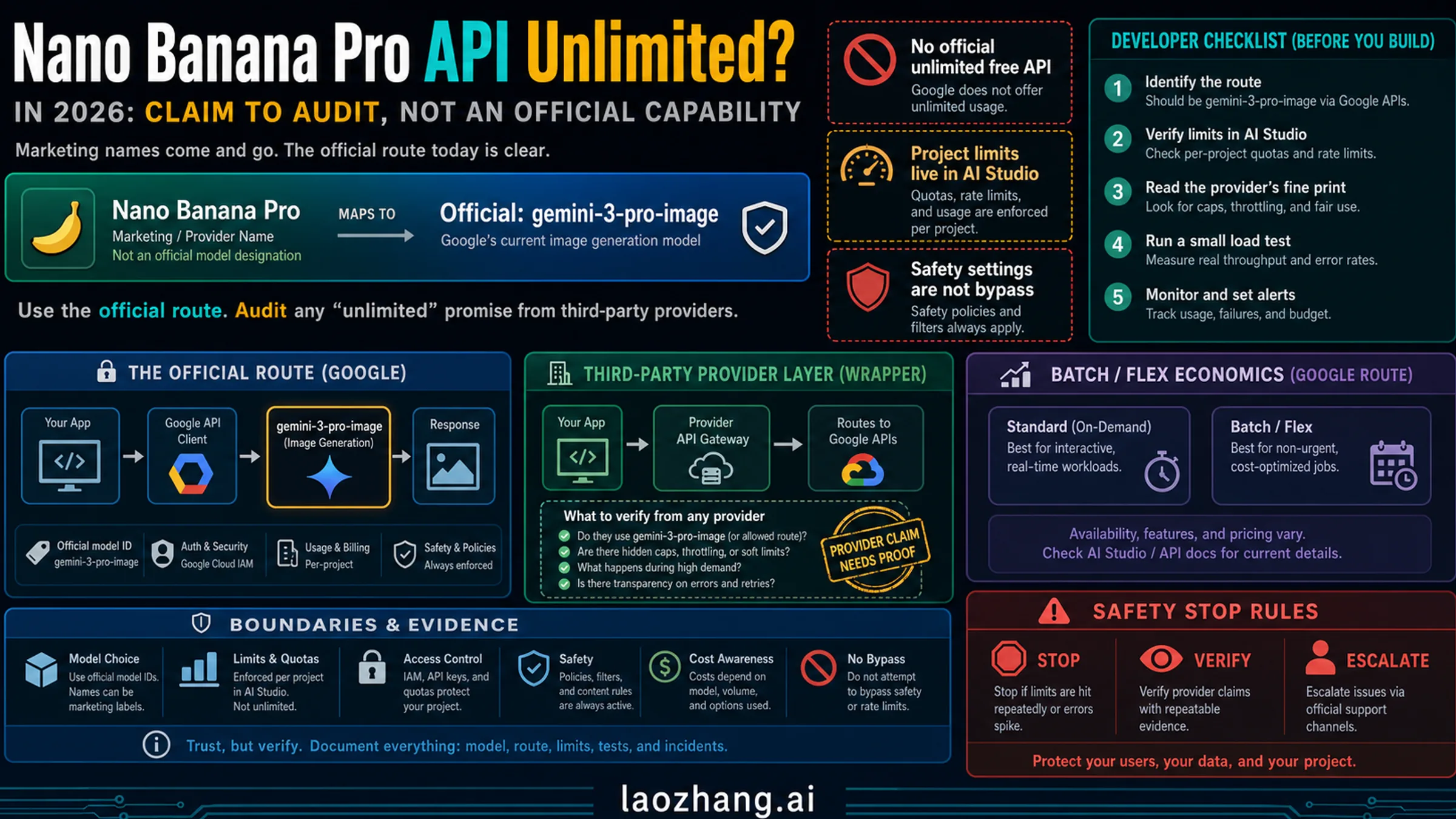
The key is free in Google AI Studio, but Nano Banana Pro images need billing: prepay at least $5, then call gemini-3-pro-image at $0.134 per 1K or 2K image.
On this page
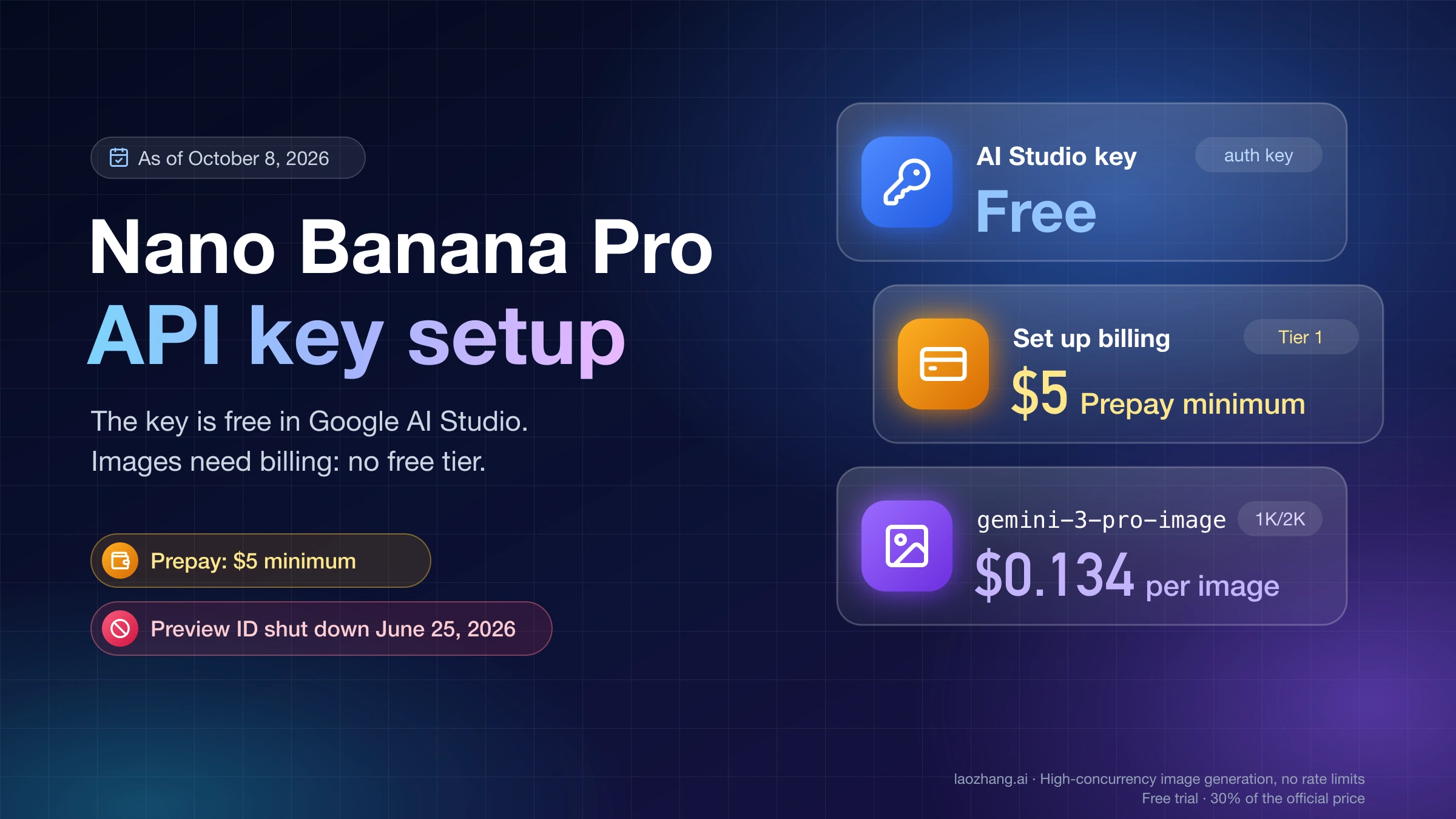
A Nano Banana Pro API key is an ordinary Gemini API key. Create it for free at Google AI Studio's API keys page, then click Set up billing on the key's project: image models have no free tier, and new accounts default to Prepay with a $5 minimum. Send requests to the model ID gemini-3-pro-image. As of October 10, 2026, the Gemini API pricing page charges $0.134 per 1K or 2K image and $0.24 per 4K image, plus a small amount for input and thinking tokens.
If your code still sends gemini-3-pro-image-preview, change it first. Google shut that preview ID down on June 25, 2026, and requests to it now fail with a model-not-found error.
What changed since February 2026: model ID, key type and billing
Most of the setup changed between February and October 2026. Each row below links to the section that covers it.
| What changed | Before | As of October 10, 2026 |
|---|---|---|
| Model ID | gemini-3-pro-image-preview | gemini-3-pro-image; the preview ID was shut down June 25, 2026 (Gemini API deprecations) |
| New keys from AI Studio | Standard API keys | Auth keys bound to a service account and limited to the Gemini API by default (since May 28, 2026) |
| Old unused keys | Kept working | Unrestricted keys that sat dormant are blocked (since May 7, 2026) |
| Billing plan | Postpay billing only | Prepay and Postpay plans since March 23, 2026; new users default to Prepay, minimum $5, set up inside AI Studio |
| $300 Google Cloud welcome credit | Could pay for Gemini API calls | Can't pay for Gemini API or AI Studio usage on accounts opened after March 2, 2026 |
| Cheaper Gemini image model | gemini-2.5-flash-image | gemini-nano-banana-2.1 (GA October 6, 2026), $0.0336 per 1K image |
The rest of the page uses the current values. The key, billing and error sections each explain how the change affects you.
Nano Banana Pro is gemini-3-pro-image; 2.1 costs a quarter as much at 1K
Nano Banana Pro is Google's name for Gemini 3 Pro Image. Its model page lists the code gemini-3-pro-image as stable, with a 65,536-token input limit and a 32,768-token output limit. It takes text and images as input and returns images and text. It supports Google Search grounding, thinking and the Batch API. Structured outputs, function calling, context caching and Flex inference are listed as unsupported, so don't plan on JSON output from this model.
Pro produces 1K, 2K and 4K images in 10 aspect ratios and accepts up to 14 reference images. Thinking is always on and is billed as text output.
The same key also works for every other Gemini image model, so picking Pro is a per-request decision, not a key setting. The main alternative is Nano Banana 2.1 (gemini-nano-banana-2.1), which became generally available on October 6, 2026. It costs $0.0336 per 1K image, $0.0504 at 2K and $0.113 at 4K, against $0.134, $0.134 and $0.24 for Pro. In a 9-prompt test of Nano Banana 2.1, Pro and GPT Image 2.5 (one draw per prompt at 1K), Pro kept the requested wording on every text task while 2.1 changed the wording in three of them. Both took about 20 seconds per image.
- Use Pro when the image carries text that must match exactly: posters, packaging, slides, UI mockups, brand assets.
- Use 2.1 for drafts, illustrations, product scenes and anything where a changed word won't matter.
If your code calls Nano Banana 2 (gemini-3.1-flash-image), it still runs on the same key. Google deprecated that model on October 6, 2026 in favor of 2.1 and hasn't set a shutdown date. As of October 10, 2026, Nano Banana 2 costs $0.067 per 1K image, $0.101 at 2K and $0.151 at 4K, so 2.1 is cheaper at every size. The Nano Banana model comparison covers 2 Lite, 2, 2.1 and Pro side by side.
How a key relates to its project and billing account
Every Gemini API key belongs to a Google Cloud project. Rate limits are counted per project, while the usage tier and the monthly spend cap are set on the billing account the project is linked to. A second key in the same project shares the same limits, so creating more keys doesn't raise your quota. Separate keys are still useful for separating apps or environments, because you can revoke one without touching the others.
Is the Nano Banana Pro API key free? The key is, the images are not
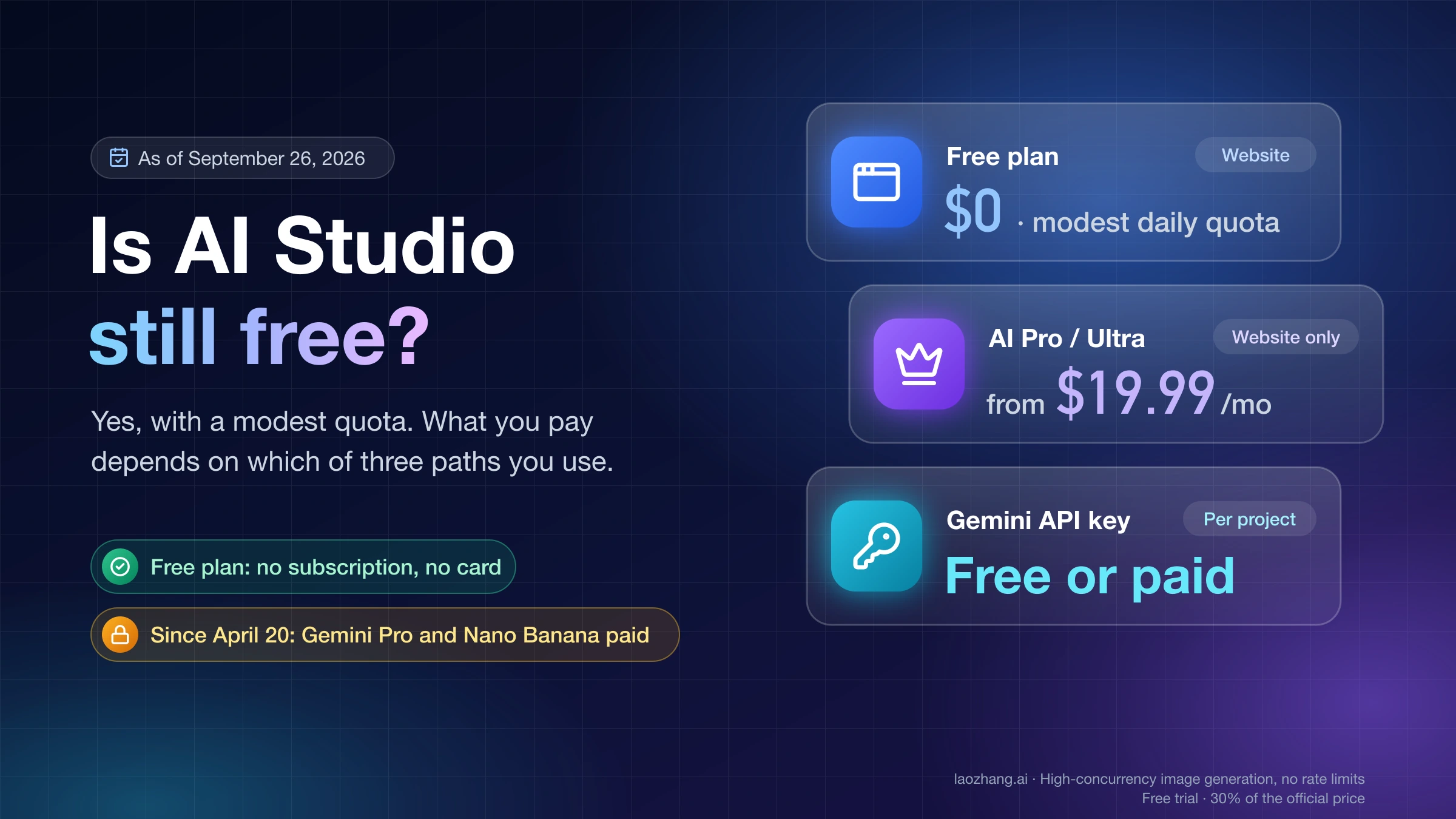
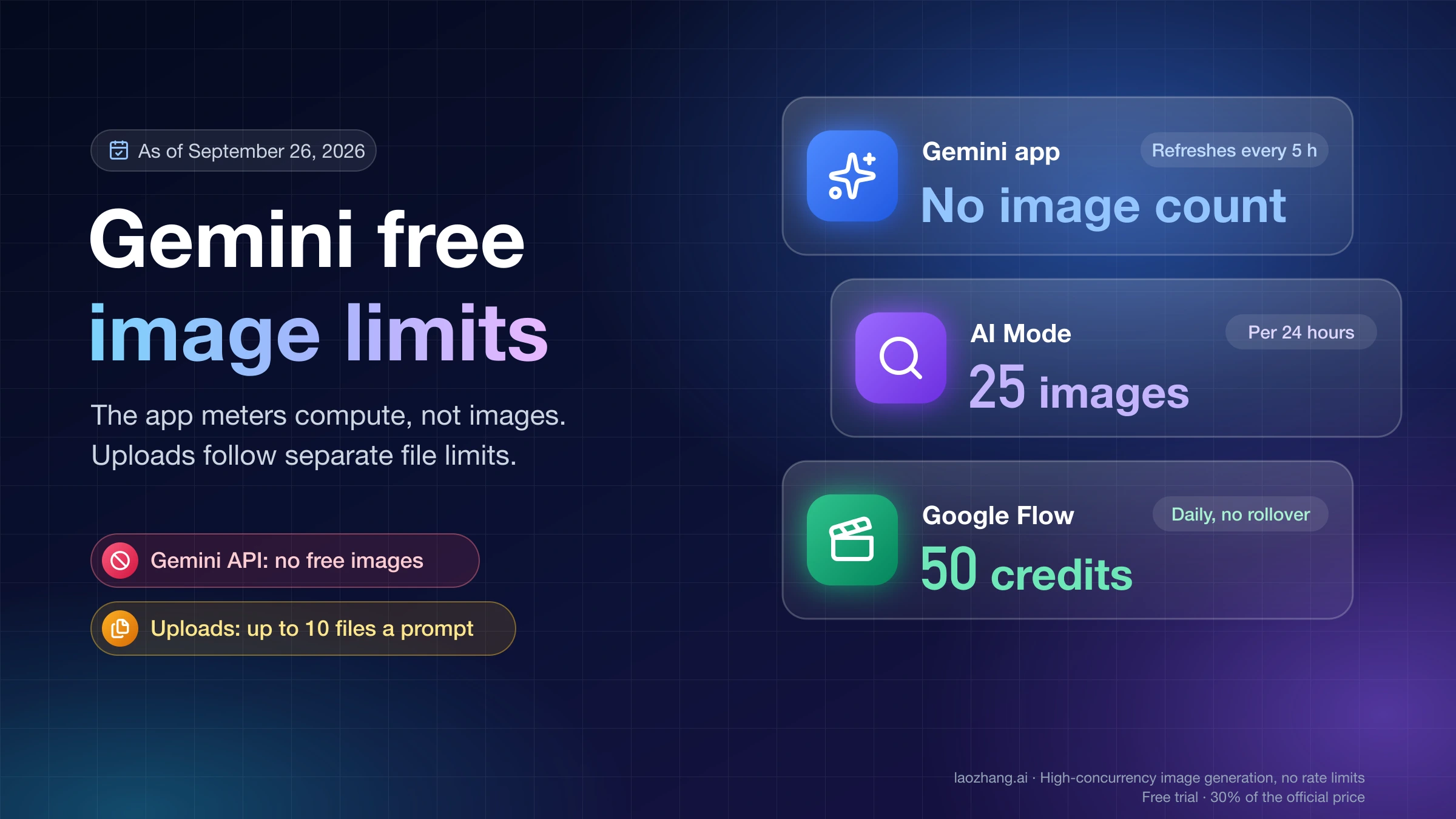
Yes, the key itself is free. AI Studio creates it at no charge, and you don't need a billing account or a payment method to get one. Using it for Nano Banana Pro is another matter. As of October 10, 2026, the Gemini API pricing page lists the free tier as "Not available" for every image model, including Pro, 2.1, 2 and 2 Lite, so image requests work only after the key's project has billing linked. For a new account that means Prepay with a $5 minimum purchase, after which Pro costs $0.134 per 1K or 2K image and $0.24 per 4K image, and the Batch API halves both.
None of the free-sounding offers around the API changes that:
| What looks free | What it gives you for Nano Banana Pro API images |
|---|---|
| Creating keys and projects in AI Studio | Credentials only. Image models have no free tier on any project, so a second key or project adds no free images. |
| The $300 Google Cloud Free Trial credit | Nothing. Starting March 2026, Google excludes Gemini API usage from the Free Trial program, and welcome credits can't pay for AI Studio usage. The credit still works for other Google Cloud products. |
| Promotional Google Cloud credits | Usable only after you buy Prepay credit; from then on they are spent before your Prepay balance. |
| A Google AI Pro or Ultra plan | Higher limits and premium models such as Nano Banana inside the AI Studio web interface only. Google bills direct Gemini API use separately, so the plan adds no API quota. |
| The AI Studio Playground with no plan and no key | No image generation. On October 5, 2026, the Playground on such an account said Nano Banana 2 "is only available in the Playground via a Google AI Plan or an API key", and Pro needs a plan or a paid key there too. |
| Sites and GitHub repos offering a "free" or "unlimited" Nano Banana API | A third-party service, not a Google key. Requests run on the provider's account under its own terms and limits, so Google's prices, tiers and AI Studio limits don't describe them. |
Skipping billing doesn't fail quietly. The key still passes the model-list check in Step 1, but the first image call returns a 429 error with a free-tier limit of 0, and waiting doesn't clear it. The smallest real start is one $5 Prepay purchase, which covers about 37 Pro images at 1K or 2K ($5 ÷ $0.134) or about 148 Nano Banana 2.1 images at 1K ($5 ÷ $0.0336). How Prepay, Postpay and the usage tiers fit together is explained in Gemini API Billing Tiers: Prepay vs Postpay and No Credits Fixes. For Pro's price across the API and Google's consumer plans, see How Much Is Nano Banana Pro? API, Plan, and Usable-Image Cost.
Step 1: Create the API key in Google AI Studio
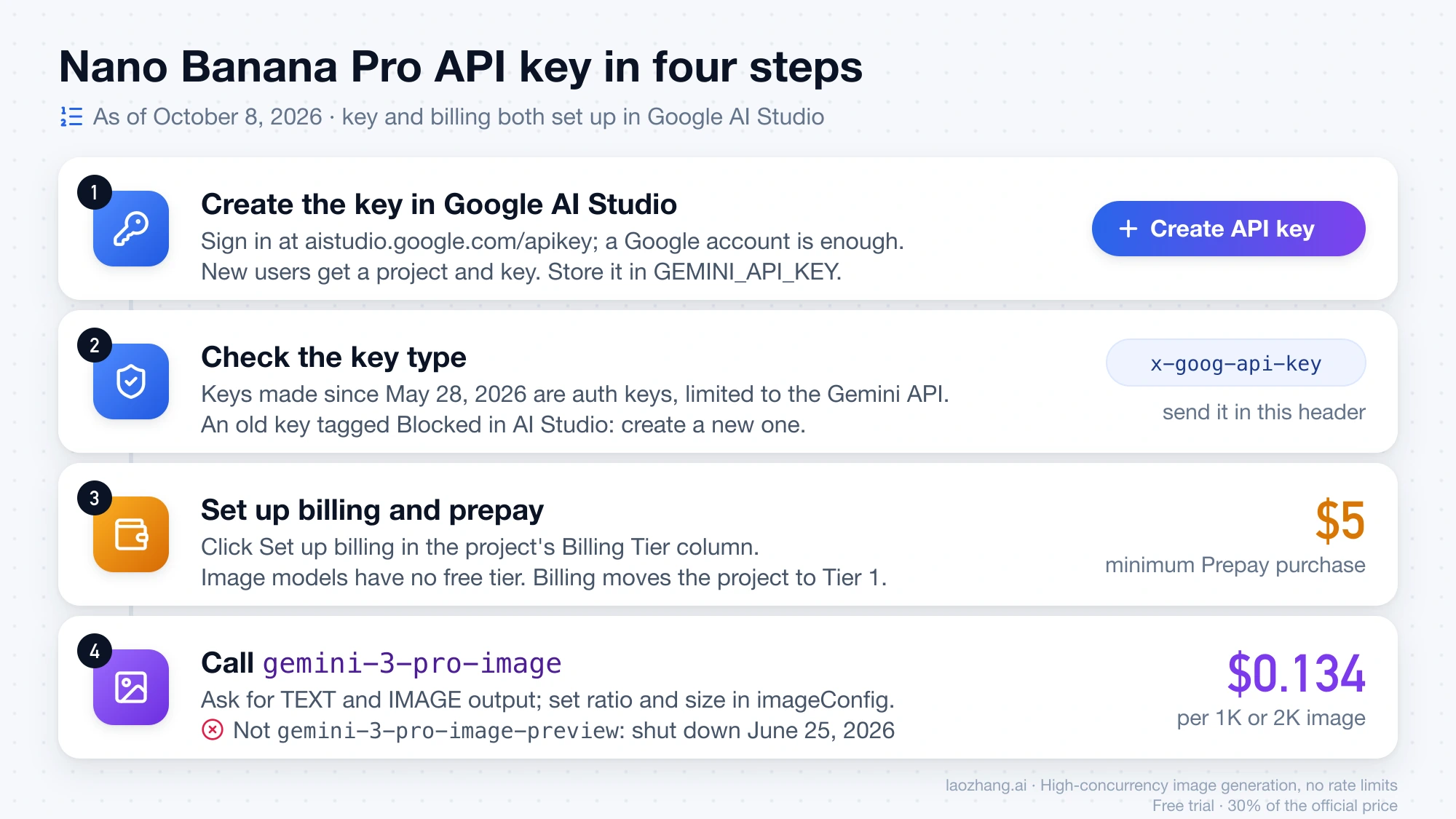
- Go to aistudio.google.com and sign in with a Google account. A Gmail or Workspace account is enough; you don't need to set up Google Cloud separately.
- Open the API keys page. New users already have a project and a key created for them.
- If you need another key, click Create API key and pick an existing project or create a new one. AI Studio creates the Google Cloud project for you. You can create up to 10 projects at a time from the Projects page.
- Copy the key and store it in an environment variable straight away (see the security section below).
According to Google's Gemini API key guide (last updated October 6, 2026), every key created in AI Studio since May 28, 2026 is an auth key. It is bound to a Google Cloud service account and restricted to the Generative Language API, which is the Gemini API's service name. You send it exactly like an older key: in the x-goog-api-key header or through the SDK. Keys created in the Google Cloud Console now also have to be bound to a service account.
Older standard keys keep working, with one catch: since May 7, 2026, Google blocks unrestricted keys that have been dormant for an extended period, and they show a Blocked tag in AI Studio. If an old key stops working, create a new one rather than debugging it.
Check the key before writing any image code:
export GEMINI_API_KEY="paste-your-key-here"
curl -s -H "x-goog-api-key: $GEMINI_API_KEY" \
  "https://generativelanguage.googleapis.com/v1beta/models"
A working key returns a JSON list of models. As of October 8, 2026, a bad key gets HTTP 400 with "status": "INVALID_ARGUMENT", the reason API_KEY_INVALID and the message "API key not valid. Please pass a valid API key." Recopy the key and make sure no spaces or line breaks came with it.
A key that passes this check can still fail on its first image request. Image models need a billing account, which is the next step.
Step 2: Set up billing with $5 Prepay; image models have no free tier
On the Gemini API pricing page, the Free Tier column reads "Not available" for every image model: Pro, 2.1, 2 and 2 Lite. A project on the free tier can still call free text models, but its first image request typically fails with a 429 quota error that shows a free-tier limit of 0. Waiting doesn't clear it; only billing does. A Google AI Pro or Ultra subscription doesn't help here either, because consumer plans add no API quota.
The Gemini API billing guide (last updated September 28, 2026) describes the setup:
- On the AI Studio API keys page or Projects page, find the project your key belongs to and click Set up billing in the Billing Tier column.
- Pick your country and accept the terms if this is your first Google billing account, or choose an existing billing account.
- Enter contact details and a payment method.
- You will either be asked to prepay at least $5, or be offered a choice between Prepay and Postpay. New users default to Prepay.
Once billing is linked, the project moves to Tier 1. Then, if you are on Prepay, image requests work as long as the balance stays above zero.
Before you pay, note these billing rules:
- Prepay credit costs at least $5 per purchase and at most $5,000. Credits expire after one year and are non-refundable. Usage is deducted in near real time.
- At a $0 balance, every key in every project on that billing account stops working at once, and requests return HTTP 402. Add credit or turn on auto-reload; retrying won't help.
- The $300 welcome credit can't pay for the Gemini API or AI Studio if the account was opened after March 2, 2026. You can still spend it on other Google Cloud products.
- Eligible promotional Cloud credits apply only once you have bought Prepay credit. From then on they are used up before your Prepay balance.
What $5 buys: at $0.134 per 1K or 2K image, $5 ÷ $0.134 ≈ 37 Pro images, a little less once input and thinking tokens are added. The same $5 covers about 148 Nano Banana 2.1 images at 1K ($5 ÷ $0.0336). For the free routes that do exist (none of them through the API), see Gemini Image API Free? No Free Tier, but $5 Buys Up to 148 Images.
Tier 1 to Tier 3: what each tier allows for Pro images
Tiers are tied to the billing account and upgrade automatically, usually within 10 minutes of qualifying. The values come from Google's rate limits page (last updated September 2, 2026) and the billing guide:
| Tier | How you qualify | Monthly spend cap | Spend limit per rolling 10 minutes | Pro images at $0.134 within that limit |
|---|---|---|---|---|
| Free | Active project | N/A | — | None (no image quota) |
| Tier 1 | Link an active billing account | $250 | $10 | About 74 per 10 minutes, about 1,865 per month |
| Tier 2 | $100 paid + 3 days since first payment | $2,000 | $50 | About 373 per 10 minutes |
| Tier 3 | $1,000 paid + 30 days since first payment | $20,000–$100,000+ | $200 | About 1,492 per 10 minutes |
The image counts are the spend limits divided by $0.134 (for example $10 ÷ $0.134 = 74.6), so 4K images or heavy thinking lower them. Hitting the 10-minute limit returns a 429 RESOURCE_EXHAUSTED that clears on its own within 10 minutes.
Google doesn't publish per-tier request-per-minute or image-per-minute numbers for image models. Your project's live limits are only shown in AI Studio under View your active rate limits. For Batch jobs, the rate limits page lists a queue of 2,000,000 enqueued tokens for 3 Pro Image on Tier 1, 270 million on Tier 2 and 1 billion on Tier 3. To move up faster or ask for more, see Nano Banana Pro API Quota Increase: Tier 1–3 Caps in Images.
Step 3: Generate your first image with gemini-3-pro-image
The requests below use the current model ID and ask for both text and image output. They also set the aspect ratio and size through imageConfig. Without IMAGE in the response modalities, the model can return text only.
Python with the google-genai SDK
pip install google-genaiimport os
from google import genai
from google.genai import types
client = genai.Client(
api_key=os.environ["GEMINI_API_KEY"],
# generate_content does not retry on its own; this turns on backoff for 429 and 5xx
http_options=types.HttpOptions(retry_options=types.HttpRetryOptions()),
)
response = client.models.generate_content(
model="gemini-3-pro-image",
contents=(
"A product poster for a ceramic coffee mug on a wooden table, "
"with the headline 'Morning Ritual' in bold serif type"
),
config=types.GenerateContentConfig(
response_modalities=["TEXT", "IMAGE"],
image_config=types.ImageConfig(aspect_ratio="16:9", image_size="2K"),
),
)
if not response.candidates:
raise SystemExit(f"Prompt blocked: {response.prompt_feedback}")
candidate = response.candidates[0]
parts = candidate.content.parts if candidate.content and candidate.content.parts else []
saved = False
for part in parts:
if part.inline_data:
ext = part.inline_data.mime_type.split("/")[-1]
with open(f"nano-banana-pro.{ext}", "wb") as f:
f.write(part.inline_data.data) # already bytes, no base64 decoding needed
saved = True
elif part.text:
print(part.text)
if not saved:
print("No image returned. finishReason:", candidate.finish_reason)The Python SDK returns image data as bytes, so you write it to disk without base64 decoding. The size value needs an uppercase K ("2K", "4K"). For 4K output and the exact pixel sizes per aspect ratio, see Nano Banana Pro 4K: Exact Sizes, $0.24 Cost and Watermark Rules.
Node.js with @google/genai
npm install @google/genaiSave this as first-image.mjs and run node first-image.mjs:
import { GoogleGenAI } from "@google/genai";
import fs from "node:fs";

const ai = new GoogleGenAI({ apiKey: process.env.GEMINI_API_KEY });

const response = await ai.models.generateContent({
  model: "gemini-3-pro-image",
  contents:
    "A product poster for a ceramic coffee mug on a wooden table, " +
    "with the headline 'Morning Ritual' in bold serif type",
  config: {
    responseModalities: ["TEXT", "IMAGE"],
    imageConfig: { aspectRatio: "16:9", imageSize: "2K" },
  },
});

const candidate = response.candidates?.[0];
const parts = candidate?.content?.parts ?? [];
const image = parts.find((part) => part.inlineData);

if (image) {
  const ext = image.inlineData.mimeType.split("/")[1];
  fs.writeFileSync(`nano-banana-pro.${ext}`, Buffer.from(image.inlineData.data, "base64"));
  console.log(`Saved nano-banana-pro.${ext}`);
} else {
  console.log("No image returned.", candidate?.finishReason ?? response.promptFeedback);
}
In Node.js the image arrives as a base64 string, so it goes through Buffer.from(..., "base64"). Add your own retry with backoff around the call for 429 and 5xx responses.
REST with cURL
curl -s -X POST \
  "https://generativelanguage.googleapis.com/v1beta/models/gemini-3-pro-image:generateContent" \
  -H "x-goog-api-key: $GEMINI_API_KEY" \
  -H "Content-Type: application/json" \
  -d '{
    "contents": [{"parts": [{"text": "A product poster for a ceramic coffee mug with the headline Morning Ritual in bold serif type"}]}],
    "generationConfig": {
      "responseModalities": ["TEXT", "IMAGE"],
      "imageConfig": {"aspectRatio": "16:9", "imageSize": "2K"}
    }
  }' > response.json

jq -r '.candidates[0].content.parts[] | select(.inlineData) | .inlineData.data' response.json \
  | base64 --decode > nano-banana-pro.png
If nano-banana-pro.png comes out empty, run jq '.error, .promptFeedback, .candidates[0].finishReason' response.json to see whether the request failed or the image was blocked.
Tested state as of October 8, 2026: sent with an invalid key, the Python sample gets Google's API_KEY_INVALID response rather than a syntax or model error, so the request reaches the gemini-3-pro-image endpoint as written. That test doesn't include a paid call that returns an image, and the Node.js file has only passed node --check. Your first saved image is the real confirmation.
In the 9-prompt test linked above, Pro took about 20 seconds per 1K image; 4K takes longer. If you don't need results right away, the Batch API halves the price but returns results within 24 hours.
First-call errors: 400 API key not valid, 404, 429, 402 and 403
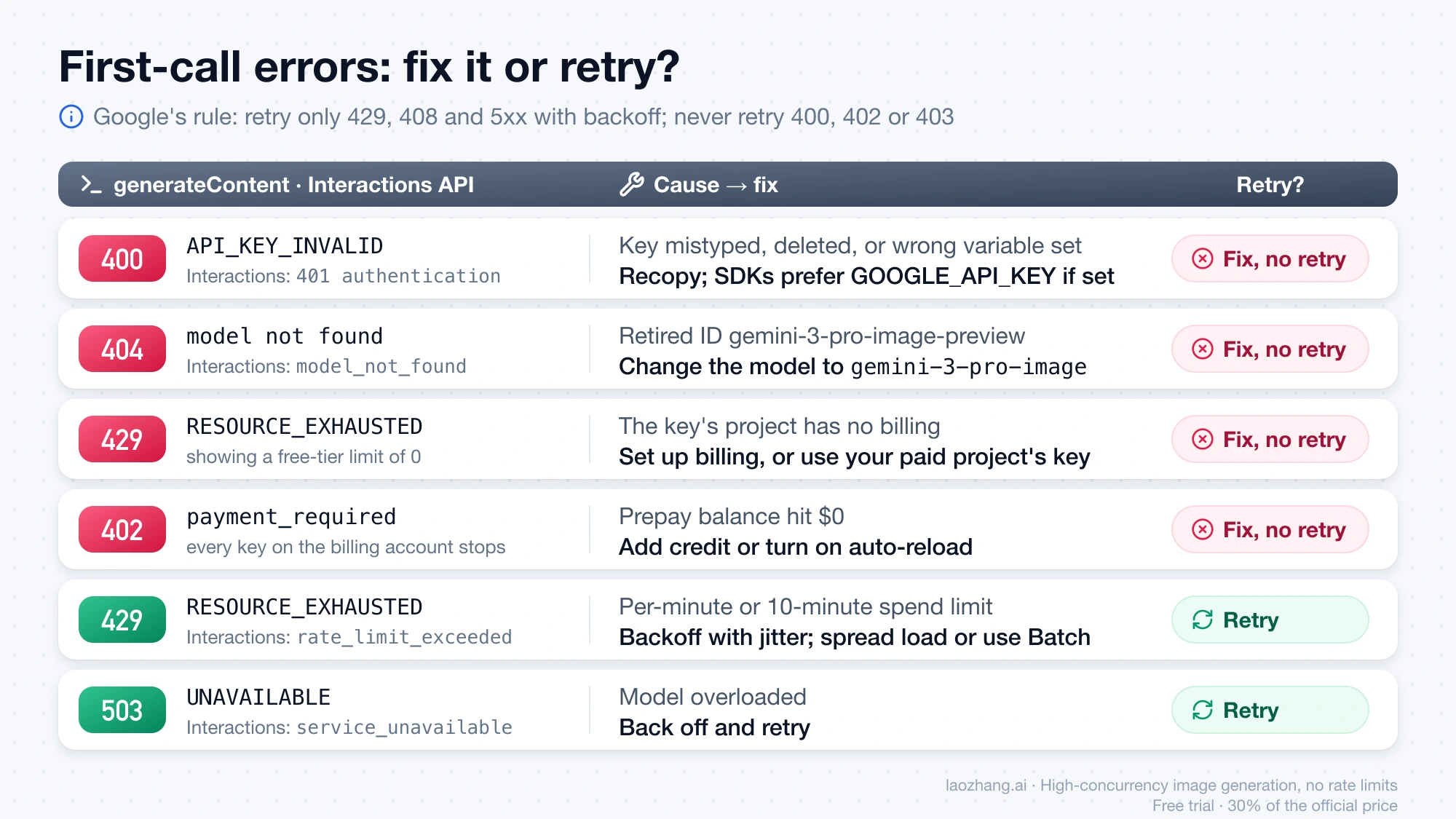
The same problem shows up under different names depending on the surface you call. The classic generateContent endpoint (used by the samples above) returns gRPC-style statuses such as INVALID_ARGUMENT and RESOURCE_EXHAUSTED. The newer Interactions API returns lowercase codes such as authentication and rate_limit_exceeded, as listed on Google's Gemini API errors page (last updated September 20, 2026).
| What you see | Cause | Fix | Retry? |
|---|---|---|---|
400 INVALID_ARGUMENT, reason API_KEY_INVALID (generateContent); 401 authentication (Interactions API) | Key mistyped, deleted, or the wrong variable is set | Recopy the key. If both GEMINI_API_KEY and GOOGLE_API_KEY are set, the SDKs use GOOGLE_API_KEY | No |
404, model not found (model_not_found on the Interactions API) | A retired ID such as gemini-3-pro-image-preview | Change the model to gemini-3-pro-image | No |
429 RESOURCE_EXHAUSTED showing a free-tier limit of 0 | The key's project has no billing, or the app uses a key from a different, unpaid project | Set up billing on that project, or switch to the key from your paid project | No |
429 per-minute or 10-minute spend limit (rate_limit_exceeded) | Too many requests or too much spend in a short window | Exponential backoff with jitter; spread the load or use Batch | Yes |
429 daily quota (quota_exceeded) | Daily quota used up | Wait for the reset or request an increase | Not until reset |
402 payment_required | Prepay balance hit $0; all keys on that billing account stop | Add credit or turn on auto-reload | No |
400 failed_precondition | A prerequisite is missing, such as disabled billing | Check the Billing Tier and Status columns on the AI Studio Projects page | No |
403 permission_denied | Key restrictions block the request, or the key lacks access to the project | Check the key's API and origin restrictions | No |
| "Your API key was reported as leaked. Please use another API key." | Google found the key exposed and blocked it | Create a new key and remove the old one from your code and history | No |
503 UNAVAILABLE / service_unavailable | Model overloaded | Backoff and retry | Yes |
HTTP 200 with no image; finishReason such as IMAGE_SAFETY or NO_IMAGE | The output was blocked, or the model returned text only | Change the prompt or references; check that IMAGE is in the response modalities | Not unchanged |
Google's troubleshooting guide sets the retry rule: retry only transient errors (429, 408 and 5xx) with exponential backoff, jitter and a maximum number of attempts, and never retry 400, 402 or 403. The same guide says the Python SDK retries transient errors up to four times by default. In a test against a local server returning 429, with google-genai 2.28.0 on October 5, 2026, that held for client.interactions.create but not for client.models.generate_content, which sent one request and raised. That is why the Python sample turns on HttpRetryOptions explicitly.
For a deeper look at the 429 cases, read Nano Banana Pro RESOURCE_EXHAUSTED: Fix 429 and Resume Image Jobs. If billing is set up but the free-tier limit of 0 persists, see Gemini API Paid Tier Getting free_tier_requests Limit 0: What to Fix. Responses that succeed without an image are covered in Nano Banana API Returns No Image? Find the Cause in the Response. Every other code is in the Nano Banana Pro Errors & Troubleshooting Hub. The older Nano Banana Pro error codes guide and Nano Banana Pro troubleshooting hub date from February 2026. How Google separates content blocks from account enforcement is explained in Nano Banana Pro Risk Control: Blocks, Rate Limits and Suspension.
Keep the key safe: environment variables, restrictions and spend caps
A leaked key runs up charges on your billing account, so protect it from the first day.
- Keep it out of code. Put it in
GEMINI_API_KEY(orGOOGLE_API_KEY). The official SDKs read either one automatically. Add.envto.gitignore, and in production use your platform's secret store. Google's key guide says never to commit keys to source control and never to hardcode them in web or mobile apps. Browser and mobile clients should call your own server, which holds the key. - Restrict older standard keys. New auth keys are limited to the Gemini API by default. For an older unrestricted key, select it on the AI Studio API keys page and choose Add restrictions, then Restrict to Gemini API only. You can also add origin restrictions, which limit the key to specific IP addresses, websites or apps.
- Set a project spend cap. On the AI Studio Spend page, under Monthly spend cap, you can set a monthly cap for each project. Google labels it experimental, and usage can overshoot it during a roughly 10-minute lag. A Prepay balance is itself a hard limit: when it reaches $0, requests stop.
- If a key leaks, create a replacement in AI Studio, update your app, disable the old key in the Cloud Console and review usage. Google already blocks keys it finds exposed, which is where the "reported as leaked" error comes from.
Use one key per app or environment (development, staging, production) inside a project. When one leaks, you replace only that one. The limits are still shared because they belong to the project.
Nano Banana Pro API cost: $0.134 per image, $0.067 on Batch
All prices below are per image output, in US dollars. Google's prices are as of October 10, 2026, come from the Gemini API pricing page and are the same on Vertex AI. The LaoZhang API Nano Banana overview lists its prices as of October 7, 2026.
Disclosure: laozhang.ai is our own service. Its prices are platform pricing, not an independent comparison.
| Model and route | 1K | 2K | 4K |
|---|---|---|---|
| Nano Banana Pro, Google Standard | $0.134 | $0.134 | $0.24 |
| Nano Banana Pro, Google Batch | $0.067 | $0.067 | $0.12 |
| Nano Banana 2.1, Google Standard | $0.0336 | $0.0504 | $0.113 |
| Nano Banana 2.1, Google Batch | $0.0168 | $0.0252 | $0.0567 |
| Nano Banana 2 (deprecated), Google Standard | $0.067 | $0.101 | $0.151 |
| Nano Banana Pro, LaoZhang API (per call) | $0.09 | $0.09 | $0.09 |
| Nano Banana 2.1, LaoZhang API (per call) | $0.045 | $0.045 | $0.045 |
Google bills Pro image output at $120 per million tokens. A 1K or 2K image is 1,120 tokens ($0.134) and a 4K image is 2,000 tokens ($0.24). On top of that, each reference image you send costs about $0.0011 (560 tokens at $2 per million), and the always-on thinking is billed as text output at $12 per million tokens. Google Search grounding includes 5,000 free searches a month shared across Gemini 3.x models, then costs $14 per 1,000.
A worked example for 100 images a day (3,000 a month) at 1K or 2K, image output only:
- Pro Standard: 3,000 × $0.134 = $402
- Pro Batch: 3,000 × $0.067 = $201
- Pro through LaoZhang API: 3,000 × $0.09 = $270
- 2.1 Standard at 1K: 3,000 × $0.0336 = $100.80
The LaoZhang rows are a separate gateway with its own key and balance, not a Google key, so Google's tiers, spend caps and AI Studio rate-limit page don't apply to them. Its overview lists a Gemini-native generateContent endpoint at https://api.laozhang.ai/v1beta/models/{model}:generateContent that accepts aspect ratio and size, under the same model ID gemini-3-pro-image. It charges per call rather than per image, so a call that returns HTTP 200 without an image still counts; check finishReason before resending.
The pricing page also lists a Flex rate for gemini-3-pro-image at the Batch price. However, the Flex inference docs and the Pro model page list no image model as Flex-capable, so Batch is the documented way to get half price. For every tier and route, see Gemini 3 Pro Image API Pricing: $0.067–$0.432 per Image by Tier. If you are weighing Pro against a non-Google model, FLUX.2 Pro vs Nano Banana Pro: Editing, API Costs, and Which to Choose compares the two.
Outside Google's supported regions: a key and billing won't unlock it
Google's list of available regions for the Gemini API and AI Studio (last updated April 28, 2026) doesn't include Russia, mainland China or Hong Kong. A Google key and billing account won't make the API available there.
Keys advertised for sale as a "Nano Banana Pro API key" don't change this either. A Gemini key always belongs to a Google Cloud project, so a bought key runs on the seller's project and billing account: the seller sets its limits, sees its usage and can revoke it at any time. Google updates the region list from time to time, so check it again before you build.
Nano Banana Pro API key FAQ: free use, old code, Vertex AI
Is the Nano Banana Pro API free? No. The key is free, but every Gemini image model shows "Not available" in the free tier column, so image requests need a billing account with credit. The $300 Google Cloud Free Trial credit can't pay for Gemini API usage either; the smallest paid start is a $5 Prepay purchase. Free image generation exists only in consumer apps such as the Gemini app, and those don't include API access. For what each plan includes, see Is Nano Banana Pro Free? Current Plans, Quotas, Gemini Pro, and Flow Explained.
Does code that uses gemini-3-pro-image-preview still work?
No. Google shut down gemini-3-pro-image-preview on the Gemini API on June 25, 2026, and lists gemini-3-pro-image as its replacement. Change the model string; the request body stays the same. The Flash preview IDs gemini-3.1-flash-image-preview (shut down June 25, 2026) and gemini-2.5-flash-image-preview (January 15, 2026) point to gemini-nano-banana-2.1 instead.
Do I need a Google Cloud account or just a Google account? A Google account is enough to start. AI Studio creates the Google Cloud project for your key and lets you set up billing without opening the Cloud Console. You only need the Cloud Console for origin restrictions, disabling a leaked key, or managing keys that aren't restricted to the Gemini API.
Can one API key serve several apps? It can, but use separate keys per app or environment so you can revoke one without breaking the rest. Keys in the same project share its rate limits. Put apps that need independent quotas in separate projects.
How much do 1,000 Nano Banana Pro images cost? At 1K or 2K, 1,000 × $0.134 = $134 on Google Standard or $67 on Batch, plus small input and thinking charges. At 4K it's $240 Standard or $120 Batch. The same 1,000 images on Nano Banana 2.1 at 1K cost $33.60.
What are Nano Banana Pro's API rate limits? They depend on the project's tier and Google doesn't publish a fixed table for image models. AI Studio shows your project's live requests-per-minute and images-per-minute limits. The published hard numbers are the spend limits per rolling 10 minutes ($10 on Tier 1, $50 on Tier 2, $200 on Tier 3) and the monthly caps ($250, $2,000 and $20,000–$100,000+). The Nano Banana Pro limits guide compares these API quotas with the Gemini app's limits.
Can I use Nano Banana Pro on Vertex AI instead?
Yes. Vertex AI, now part of Gemini Enterprise Agent Platform, serves gemini-3-pro-image at the same per-image prices. It authenticates with Google Cloud credentials and IAM instead of an AI Studio key, and lists the model's retirement as "May 28, 2027 or later". Choose it when you need IAM roles, VPC Service Controls or enterprise compliance. Setup is in Vertex AI Nano Banana API: Model IDs, Setup, and Cost per Image.
How long do generated images last? The API returns the image data inside the response body rather than as a hosted link, so there is no URL to expire. Write it to disk or storage as soon as the response arrives; if you only keep it in memory, it's gone when the process ends. For expiring previews in other tools, see Nano Banana Temporary Images and Bug Fixes.
Sources11
External pages this guide links to, in the order they appear. Last updated Oct 10, 2026.
Sources11
External pages this guide links to, in the order they appear. Last updated Oct 10, 2026.
- 1.Google AI Studio's API keys pageaistudio.google.com/apikey
- 2.Gemini API pricing pageai.google.dev/gemini-api/docs/pricing
- 3.Gemini API deprecationsai.google.dev/gemini-api/docs/deprecations
- 4.model pageai.google.dev/gemini-api/docs/models/gemini-3-pro-image
- 5.aistudio.google.comaistudio.google.com
- 6.Gemini API key guideai.google.dev/gemini-api/docs/api-key
- 7.Gemini API billing guideai.google.dev/gemini-api/docs/billing
- 8.rate limits pageai.google.dev/gemini-api/docs/rate-limits
- 9.Gemini API errors pageai.google.dev/gemini-api/docs/api-errors
- 10.troubleshooting guideai.google.dev/gemini-api/docs/troubleshooting
- 11.list of available regions for the Gemini API and AI Studioai.google.dev/gemini-api/docs/available-regions