Gemini API Paid Tier Getting free_tier_requests Limit 0: What to Fix
A paid Gemini project can still return free_tier_requests limit 0 if the running app uses another project's key, billing setup is incomplete, or the requested model has no usable allowance. Match the request to AI Studio's project, billing status, and active model limits before retrying or replacing keys.
On this page
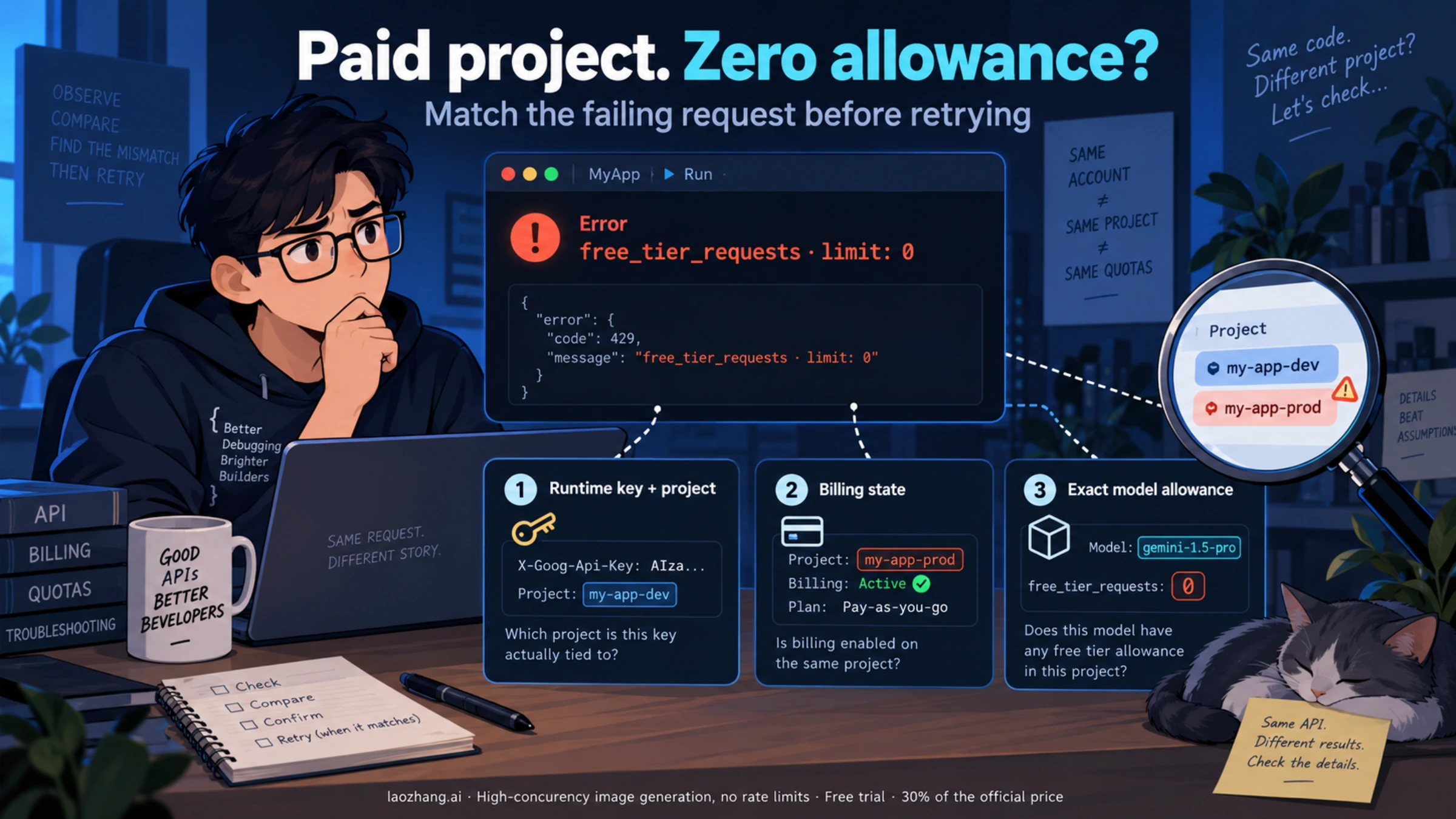
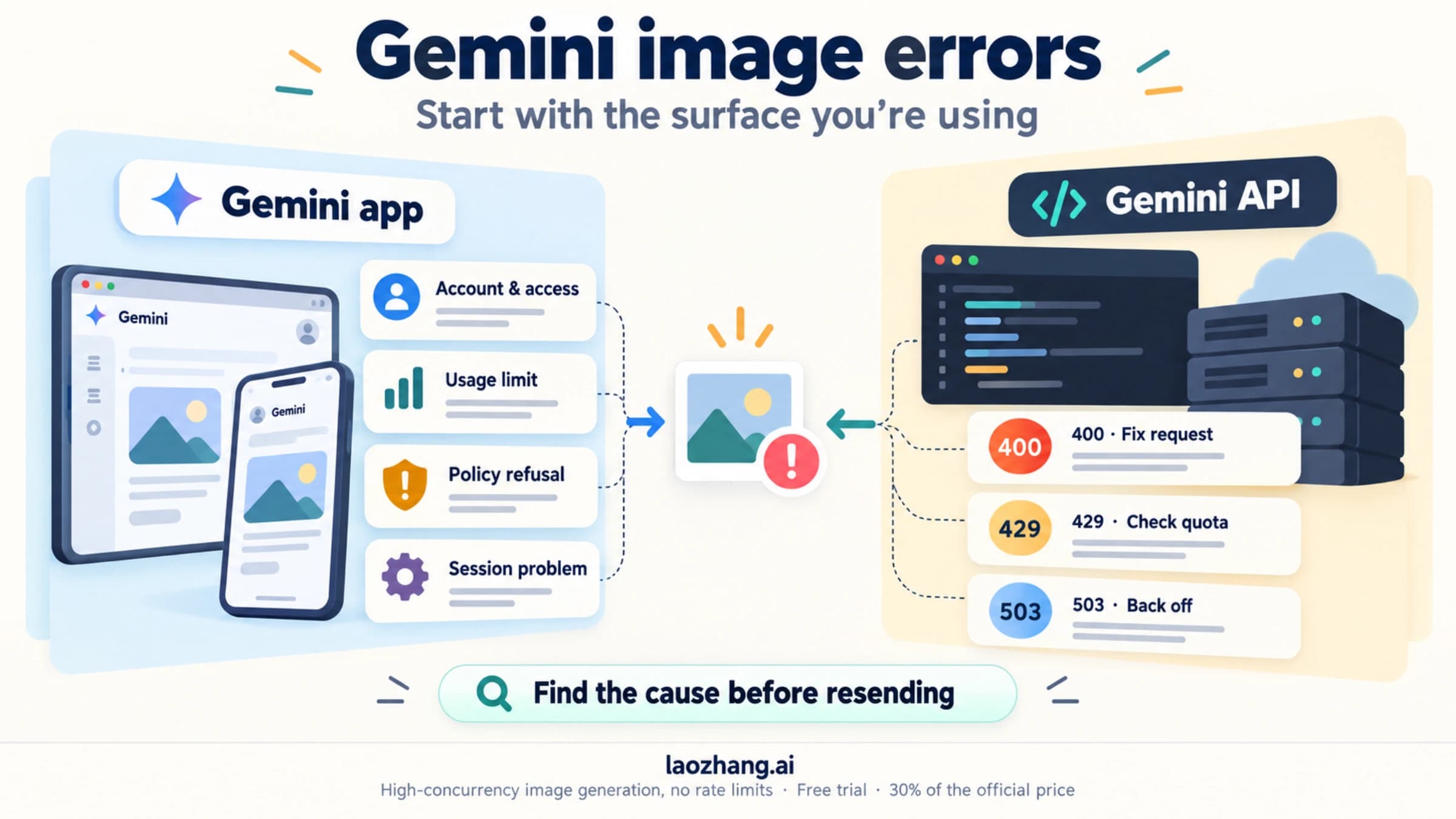
If your paid Gemini API project returns free_tier_requests with limit: 0, first match the key used by the failing process to its project in AI Studio API keys. Then open that same project in Projects, resolve any billing-status action, and check the exact requested model in active rate limits. If the app is using a different project's key, correct its configuration and restart or redeploy that app. If the project requires Prepay setup or confirmed credits, finish that specific billing step. If the same key, project, supported model, and active paid allowance all agree but the request still receives a zero free-tier limit, pause automatic retries and collect the evidence for support.
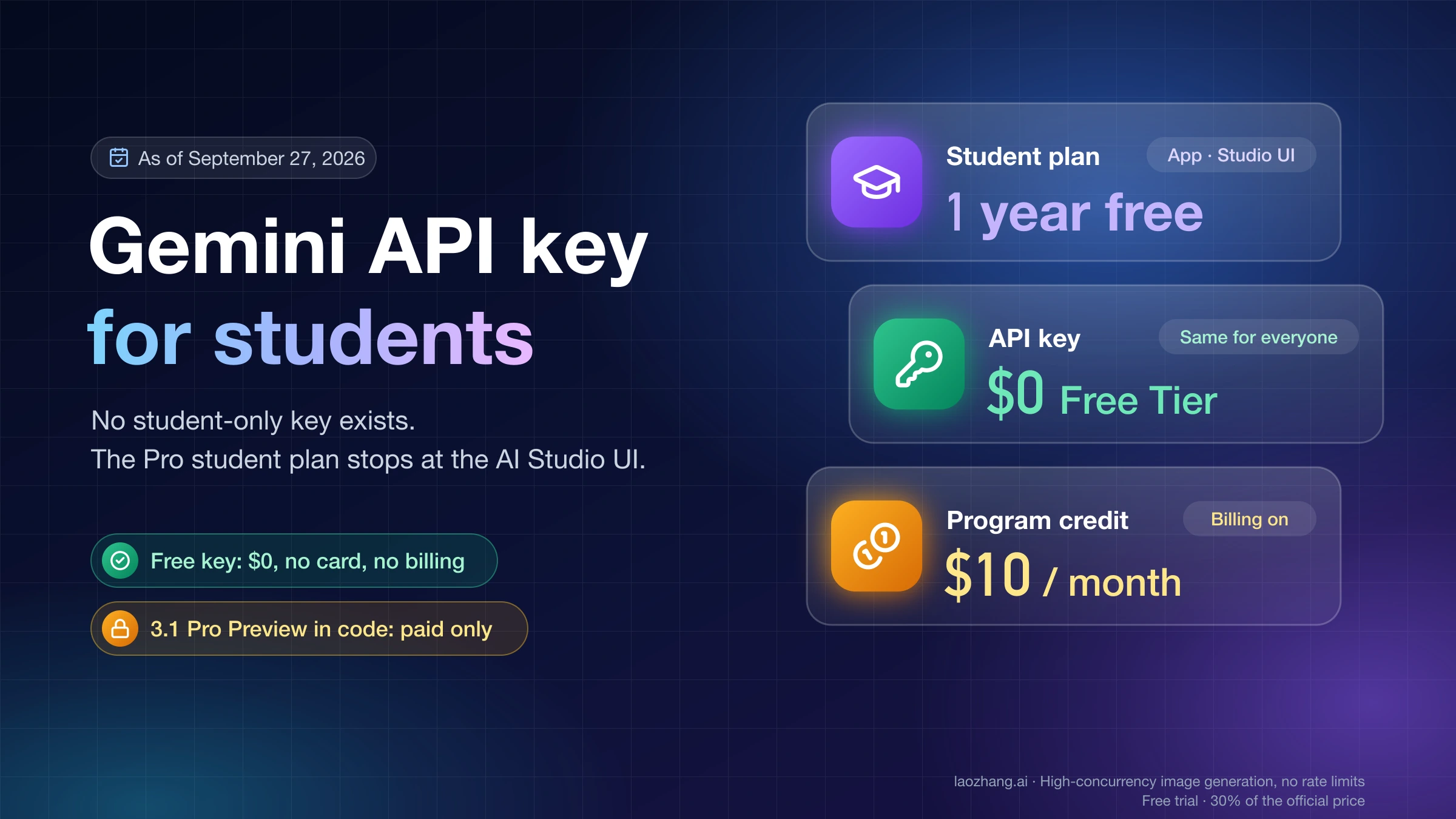
A fresh key is useful when it corrects a credential or project mismatch. It does not independently upgrade billing or create more quota: Google's billing guide says keys inherit their project's billing status and tier.
The documentation and model availability below were checked on October 5, 2026. These are documented checks, not a test of your account or a successful recovery on a live API.
What a free-tier limit of 0 tells you
The error says a zero allowance was applied to the named quota dimension for that request. It does not, by itself, explain why a project you believe is paid reached that allowance.
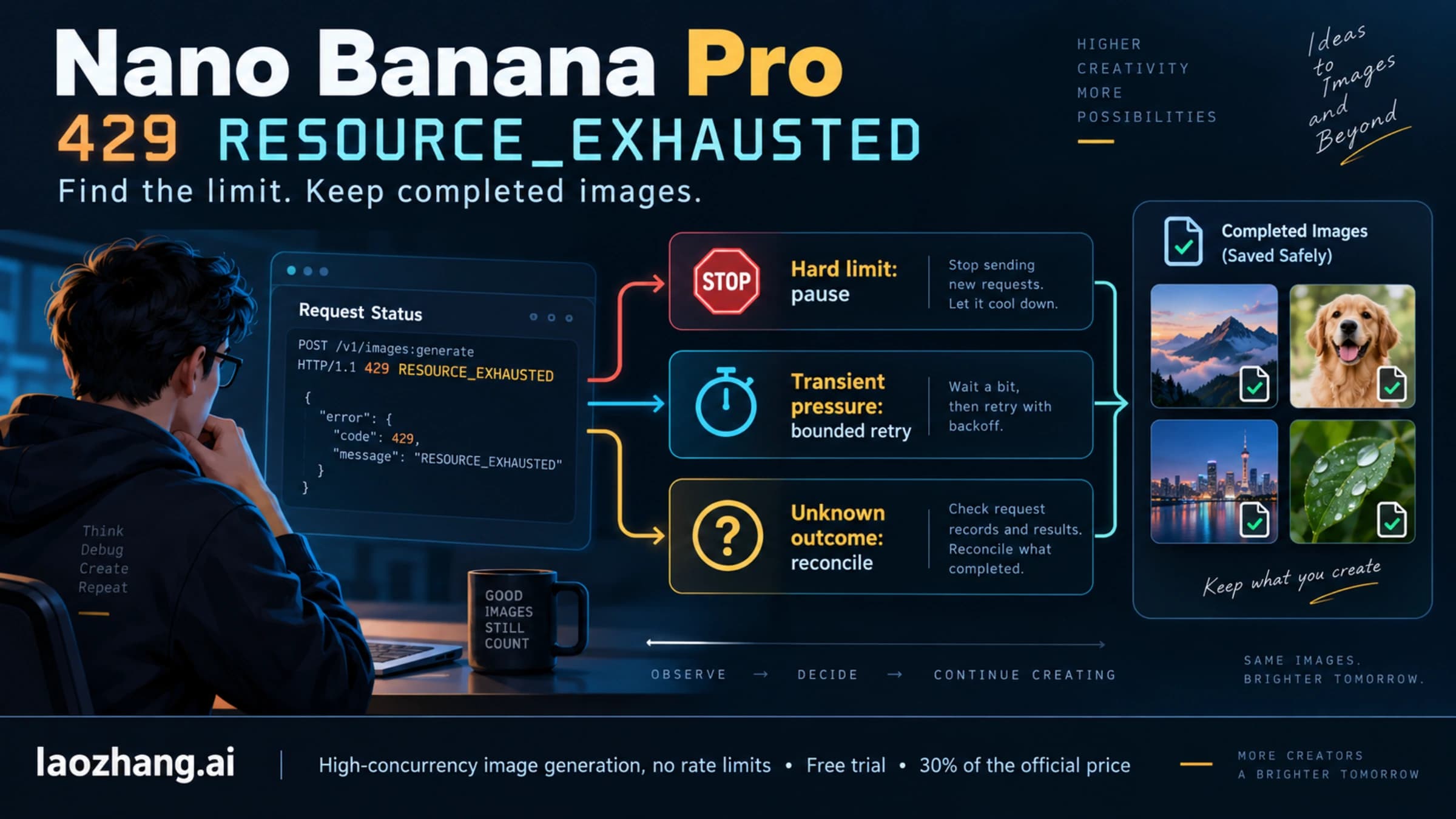
Save the complete sanitized response, rather than only the 429 RESOURCE_EXHAUSTED status. Look for the quota metric or ID, the reported limit, and dimensions such as model and location. A message containing generate_content_free_tier_requests is relevant to the free request allowance; an input-token metric is a separate constraint. Field names and nesting depend on the service, API version, and client. Do not assume that a field named quotaValue is a usage counter, or that every Gemini API response has one universal JSON shape.
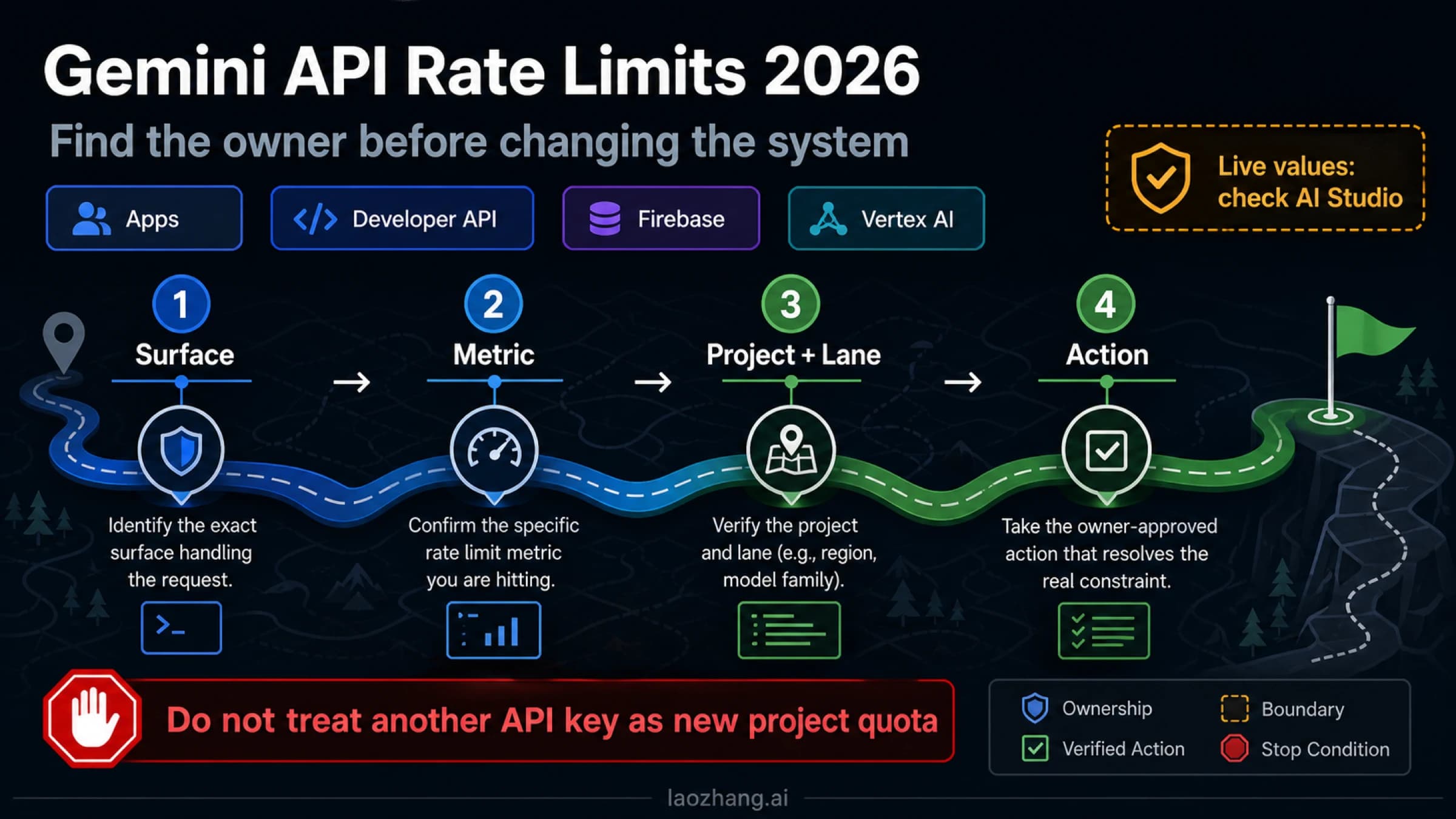
Google applies rate limits per project, rather than per API key. Multiple keys in one project therefore do not create independent request quotas. Limits also vary by model: a working text request does not prove that an image model has an allowance.
A zero applied limit differs from using all of a positive allowance. Waiting can help when a positive minute or daily allowance has been consumed. Waiting alone does not give a free project access to a model without a free tier. A retry-delay hint should be read alongside the quota violation, not treated as a promise that the next request will work.
Find the project behind the request that actually failed
Start in the failing runtime: the deployed server, IDE, workflow runner, container, or local shell. Checking the key in a different terminal can produce a convincing but irrelevant result.
Record these items without exposing credentials:
- The endpoint hostname and API version.
- The exact model ID sent in the request.
- Where the client gets its key: an explicit client argument, a named environment variable, a secret manager, or framework configuration.
- The project associated with that credential in AI Studio.
- The deployment revision or process that generated the error.
If your request goes to generativelanguage.googleapis.com, this guide's Gemini Developer API checks apply. If a wrapper sends the request to a proxy or a Vertex AI route, establish that route's credential and billing owner first. A paid project shown in AI Studio cannot prove that a different endpoint is using it.
Check environment precedence before replacing a key
Google's API key guide says its client libraries detect GEMINI_API_KEY or GOOGLE_API_KEY; GOOGLE_API_KEY takes precedence when both are set. A stale Google variable can therefore hide the Gemini variable you just updated. An explicit client argument or a framework's own configuration may follow another path.
This Python snippet checks presence without printing either value or sending a request. Run it in the same environment as the failing application:
import os

for name in ("GOOGLE_API_KEY", "GEMINI_API_KEY"):
    print(f"{name}: {'set' if os.environ.get(name) else 'not set'}")

if os.environ.get("GOOGLE_API_KEY"):
    print("Documented auto-detection choice: GOOGLE_API_KEY")
elif os.environ.get("GEMINI_API_KEY"):
    print("Documented auto-detection choice: GEMINI_API_KEY")
else:
    print("Neither variable is set; inspect the client's other key configuration.")
Presence is a clue, not proof of which value your application uses. Trace the client initialization and deployment secret mapping, then privately compare the selected credential with the key's project in AI Studio. Never paste the key, a full environment dump, or an unredacted request URL into logs or a forum.
If the active credential belongs to the wrong project, configure the app to use a valid credential for the intended project. Remove an obsolete override only after identifying its owner, then restart the process or deploy the corrected configuration. On Windows, Google's environment setup instructions specifically require opening a new terminal to load a persistent variable change. An already running IDE or server also needs to receive the updated configuration.
Success at this step: the failing runtime now uses the intended credential and project. A successful call in another process does not establish that result.
Fix the billing action shown for that same project
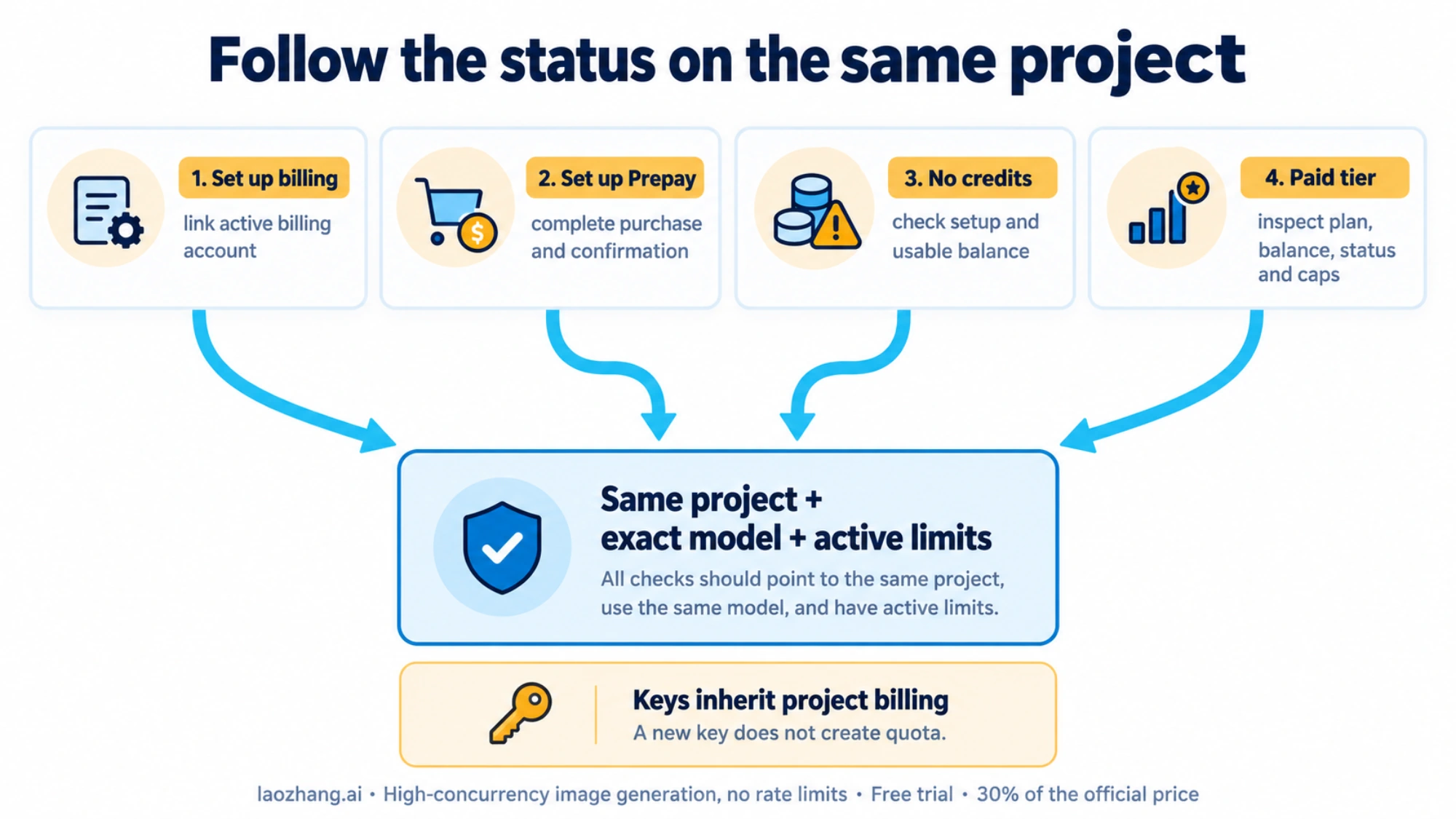
Open AI Studio Projects and locate the project associated with the active key. Google's current guide identifies actionable messages in the Billing Tier or Status columns. Follow the message for that project, rather than changing the account that happens to be open in another tab.
| What the project shows | What to do | What to verify afterward |
|---|---|---|
| Set up billing | Link an active billing account to this project through the displayed setup flow. | The intended project is linked and the required account setup is complete. |
| Set up Prepay | Complete the required Prepay flow; linking a billing account alone has not finished setup. | The assigned plan is active and the credit purchase is confirmed. |
| No credits | Check whether Prepay setup is unfinished or the available balance is depleted; complete the indicated action. | The account has a confirmed usable balance and no blocking status. |
| A paid tier, with no obvious setup action | Open the linked account in AI Studio Billing. Check its assigned plan, balance if applicable, account status, and caps. | A paid-tier label is supported by a billable, active account state. |
These controls and their meanings come from Google's billing guide. AI Studio does not automatically display every Cloud project; Google's key guide explains how to import an existing project if it is missing from the list. A missing row is not proof that the underlying Cloud project does not exist.
Linked billing can still be unfinished or suspended
The current billing flow assigns accounts to Prepay or an eligible Postpay arrangement. Follow the plan your account actually shows. Where Prepay is required, Google's setup guide calls for an initial purchase of at least $5 or the equivalent in another currency. Merely adding a payment method or seeing a linked billing account does not confirm that purchase. This minimum is a condition of the applicable Prepay flow, not a universal instruction to pay again whenever a 429 occurs. Billing setup and plans.
For a Prepay account, a depleted balance stops all linked projects' keys with HTTP 402 Payment Required. Google explicitly says those projects are not automatically downgraded to the free tier. Add credits only when the account's balance and status justify that action; a free_tier_requests error is not proof that credit depletion silently changed the tier. Prepay balance behavior.
A positive Prepay balance can still coexist with a blocking account issue. Check a monthly tier cap, a project spend cap if configured, or an overdue or declined Postpay payment for other Cloud services sharing the billing account. Google's guide says such payment issues can suspend Gemini access despite remaining prepaid credits. If a Prepay transition was accepted but abandoned, the account may remain unchargeable: finish the setup or contact Cloud Billing Support about restoring the account state. Repeatedly unlinking billing or creating credentials does not complete that flow. Billing status and interrupted setup.
When it makes sense to wait for billing
Wait for an identified pending event, such as payment confirmation or a qualifying tier update. Google's billing guide says tier changes usually appear within about ten minutes after a successful payment or qualification; some payment methods can take days to clear. Its rate-limit guide describes the Free-to-Tier-1 transition as typically instant. Neither description guarantees that an unfinished or suspended account will recover on a timer. Processing times, tier upgrades.
After confirmation, refresh the same project's status and active limits. Cost graphs can lag by a day or more, so an empty graph does not prove that billing failed. If the confirmed account state and active quota still disagree, preserve both observations and escalate instead of making repeated purchases or rotating keys.
Check the exact model's active allowance
Open AI Studio active rate limits for the same project. Compare the model and failed quota dimension with the error, including RPM, input TPM, RPD, or an image-specific limit when shown. Do not substitute another model's allowance or a fixed tier table from an older guide. Google says limits update with the project's tier and account status, and specified capacity is not guaranteed. Current rate-limit rules.
For image generation, check paid eligibility separately from text access. As checked on October 5, 2026, the official pricing page marks free-tier input and output as Not available for gemini-3.1-flash-image, gemini-3.1-flash-lite-image, and gemini-3-pro-image. A free text model working on the active key is compatible with image requests having no free allowance.
Also verify that the requested model is currently supported on your API route. The official gemini-2.5-flash-image pricing section lists an October 2, 2026 shutdown date and directs users to newer image models. That is a documented retirement schedule, not a live test of your request or proof of its quota-error cause. If your app still sends a retired ID or old preview alias, update to a supported model and verify its request format, paid eligibility, and project limits before retrying. Use Google's model guidance rather than treating an old batch-limit row as proof of interactive availability.
Success at this step: the intended model is supported, the project has an applicable positive allowance, and the billing state permits use. If any of those is missing, fix that specific condition or choose an eligible model for the actual task; further identical retries cannot settle it.
Once those checks pass, make one small, valid request through the formerly failing app using that same model and route. A paid model can charge for this verification. Check that the expected text or image output is actually returned, then record the result alongside the project and active limits. A text-only success or a change from 429 to 503 does not verify image recovery. If the same zero-quota error persists, stop this verification attempt and use the support branch below.
Decide whether to retry, pause, or contact support
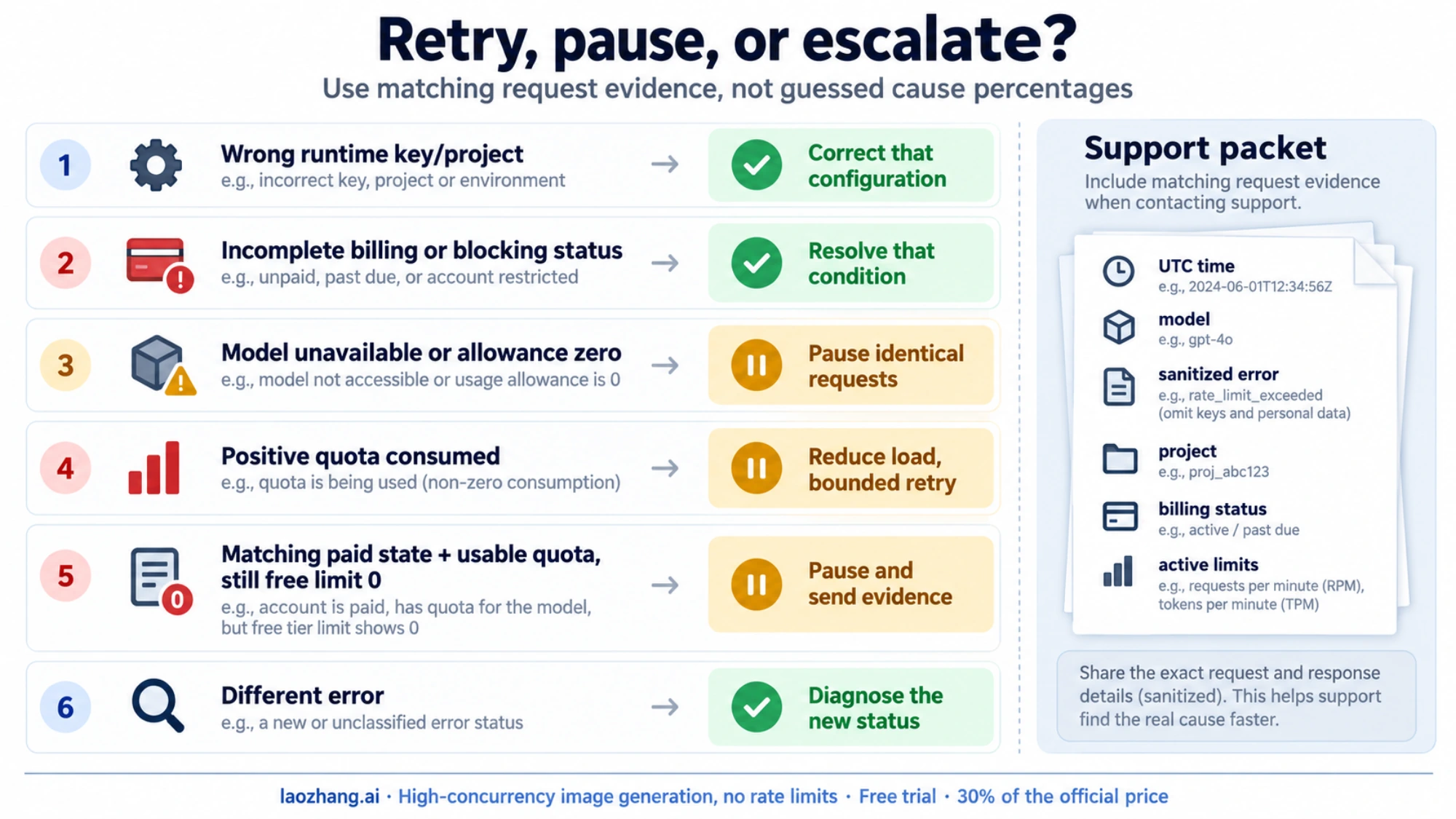
Image-only failure does not establish a confirmed Google bug, and key creation is not a quota reset.
| What you established | Next action |
|---|---|
| Wrong runtime key or project | Correct the configuration, restart or redeploy, and verify that exact runtime. |
| Required billing setup, pending payment, or blocking account status | Complete or resolve that condition, then recheck status and limits. |
| Model unavailable, or no allowance for the current plan | Update the model or establish eligible paid access; pause identical requests. |
| Positive quota consumed by traffic | Reduce concurrency or request size and use bounded retries appropriate to the exhausted dimension. |
| Same runtime/project/model has usable paid quota, but requests still apply a zero free-tier limit | Pause the failing workload and escalate with matching request and account evidence. |
| Error changes to 403 or 503 | Diagnose the new error; a different status does not prove successful generation or paid-quota recognition. |
For actual traffic exhaustion, Google's rate-limit guide distinguishes minute limits, daily quotas that reset at midnight Pacific time, and spend-based limits evaluated over a rolling ten-minute window where applicable. Those clocks address consumed capacity. They do not create an unavailable model's allowance.
For transient errors, Google's troubleshooting guide recommends exponential backoff with jitter and a maximum retry count. Check your SDK's existing retry configuration before adding an outer loop. Stop retrying an unresolved zero allowance; do not automatically retry 402 or 403. A request that changes to permission denied belongs in the Gemini API 403 troubleshooting workflow.
Send evidence that lets support compare the same request
For a quota inconsistency, retain:
- The UTC timestamp, endpoint/API version, model ID, HTTP status, and sanitized full error.
- The reported quota metric, quota ID, dimensions, limit, retry hint, and request ID when returned.
- The active runtime's credential source and privately verified owning project.
- The same project's billing tier, assigned plan, actionable status, and active model limits.
- Payment confirmation time or relevant account-status/cap information, if it affects the failure.
- Whether the failure occurs locally, in the deployed app, or both, and what changed after a single specific correction.
Use Cloud Billing Support for billing-state problems. Google's troubleshooting guide also directs API questions to the Google AI Developers Forum. Keep API keys, payment information, private prompts, and unredacted credentials out of public posts. Supply project details through the support channel appropriate to your account when requested, rather than assuming they must be posted publicly.
There is a relevant dated report: on September 7, 2026, a user reported Tier 1/Postpay text requests working while gemini-3.1-flash-lite-image returned free-tier limits of zero. A September 9 reply requested project details for investigation. The visible thread does not establish a universal incident, a confirmed cause, or a resolution. It supports escalating a documented mismatch after the checks above, not declaring every image-only failure a continuing February bug.
FAQ
Should I create a new API key after enabling billing?
Only when a credential change addresses a specific problem, such as using the wrong project's key or replacing a blocked key. Google's billing guide says existing keys inherit their project's billing state and limits; there is no independent paid-tier setting on a key. Creating several keys in the same project does not multiply quota or guarantee recovery.
Why does my key work in a terminal but fail in the deployed app?
The two processes may load different credentials or configuration. Check explicit client arguments, deployed secrets, and both Google key variables in the failing runtime. Google's key guide gives GOOGLE_API_KEY precedence over GEMINI_API_KEY when both are set. Correct the identified mismatch and restart or redeploy the affected process before comparing results.
Can a retry delay fix limit 0?
A delay can help with transient congestion or consumption of a positive quota. It cannot by itself activate billing, complete a payment, or make an unavailable free-tier image model eligible. Compare the retry hint with the actual violation and active project/model allowance, then follow Google's bounded retry guidance only for a recoverable transient condition.
Does text working prove my image requests are on the paid tier?
No. Model limits and eligibility differ. The current image-model pricing entries include models with no free tier, while some text models have free access. Verify that both requests use the same runtime key and project, then check the image model's paid eligibility and active allowance. If those agree but the image request still applies zero free quota, preserve the mismatch for support.
Sources12
External pages this guide links to, in the order they appear. Last updated Oct 5, 2026.
Sources12
External pages this guide links to, in the order they appear. Last updated Oct 5, 2026.
- 1.AI Studio API keysaistudio.google.com/api-keys
- 2.Projectsaistudio.google.com/projects
- 3.active rate limitsaistudio.google.com/rate-limit
- 4.Google's billing guideai.google.dev/gemini-api/docs/billing
- 5.rate limits per project, rather than per API keyai.google.dev/gemini-api/docs/rate-limits
- 6.API key guideai.google.dev/gemini-api/docs/api-key
- 7.AI Studio Billingaistudio.google.com/billing
- 8.gemini-3.1-flash-imageai.google.dev/gemini-api/docs/pricing
- 9.model guidanceai.google.dev/gemini-api/docs/troubleshooting
- 10.Cloud Billing Supportcloud.google.com/support/billing
- 11.Google AI Developers Forumdiscuss.ai.google.dev
- 12.September 7, 2026discuss.ai.google.dev/t/429-resource-exhausted/181690