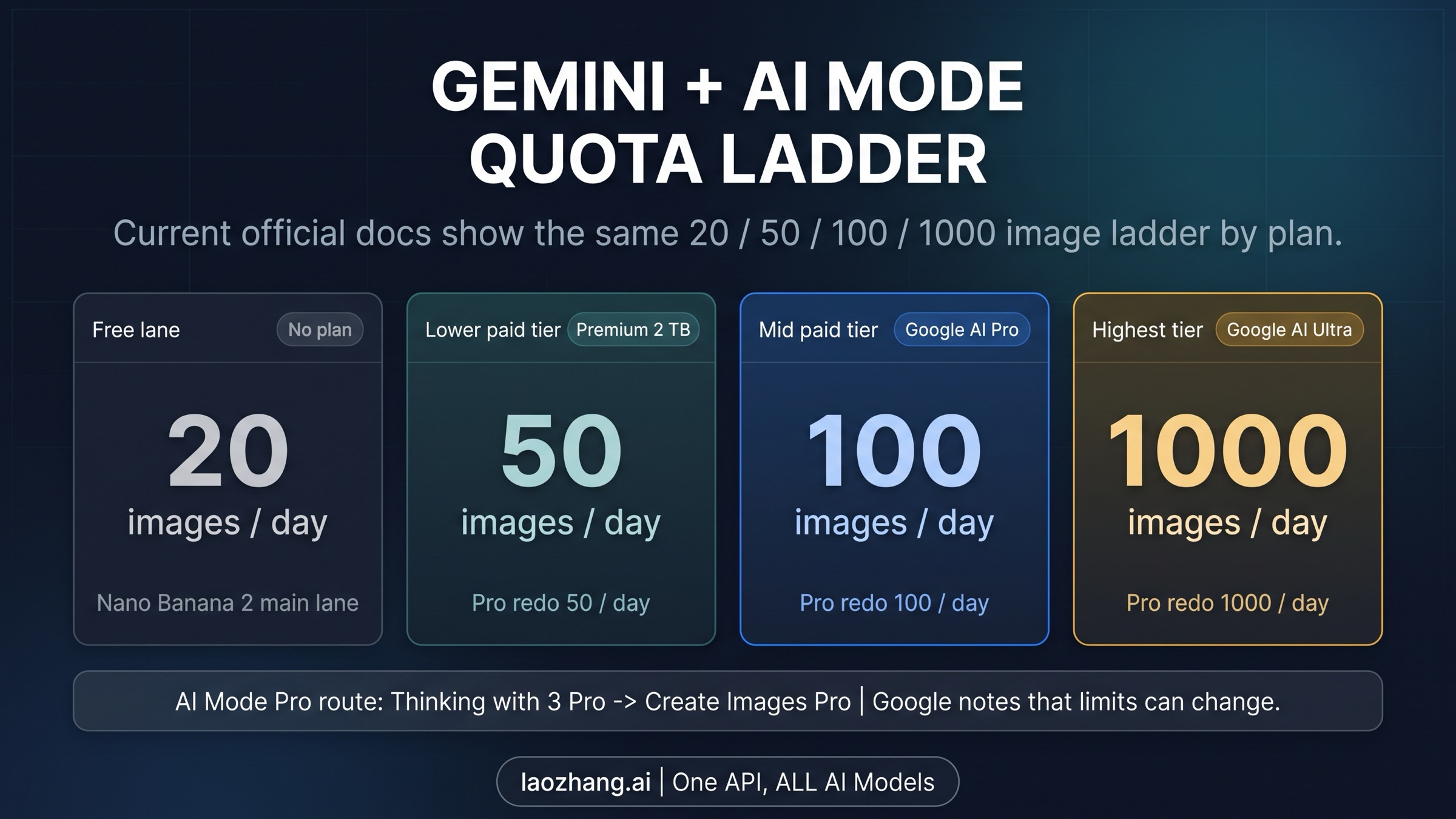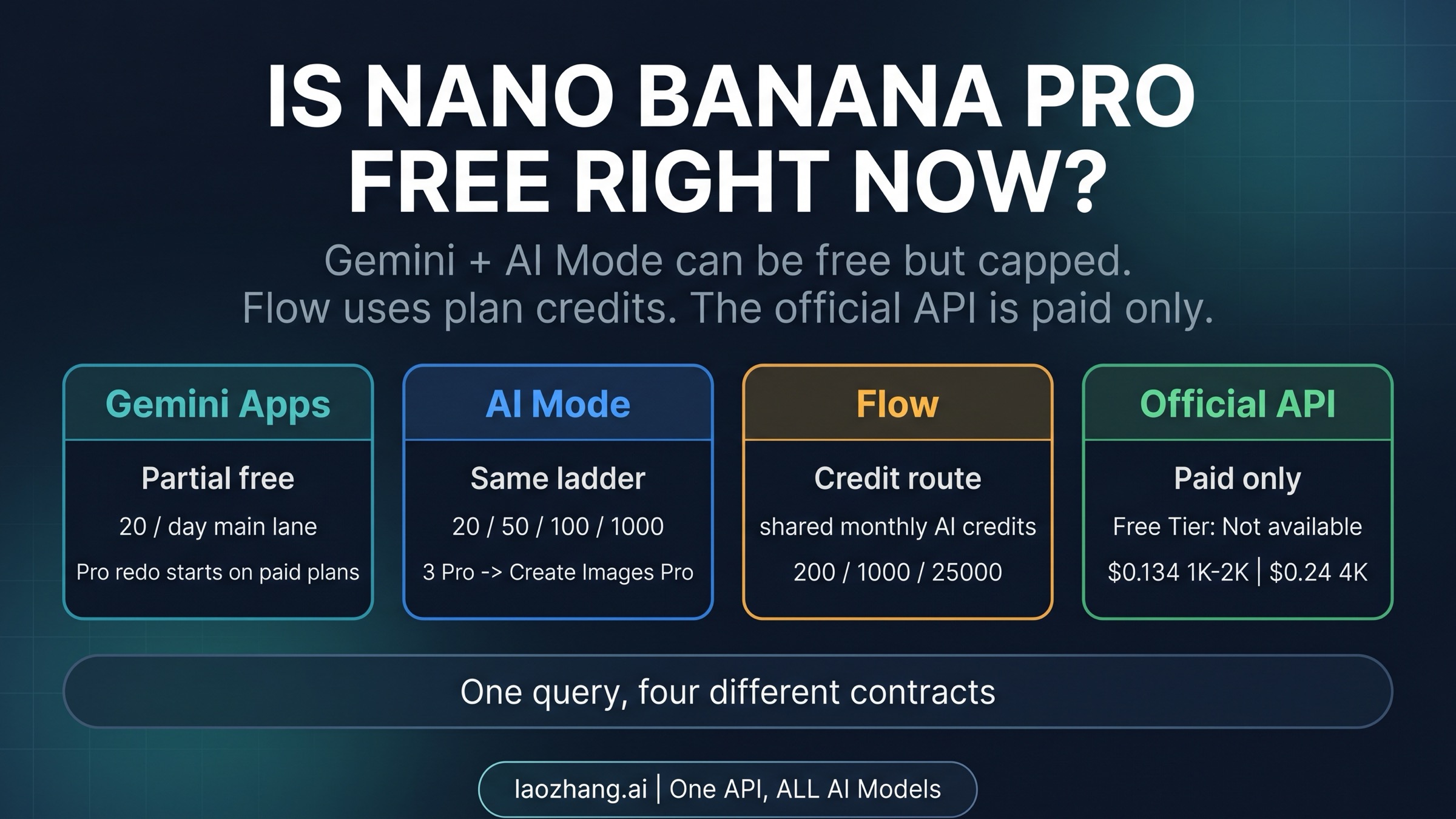
As of February 2026, Nano Banana Pro's free tier allows just 2 images per day at 1024x1024 resolution with visible watermarks, while the Google AI Pro subscription at $19.99 per month unlocks approximately 100 images per day at up to 2K resolution with no watermark. The Google AI Ultra plan at $249.99 per month pushes this to 1,000 images per day at full 4K (4096x4096) resolution. But the raw numbers only tell part of the story — your actual experience depends on dynamic quota adjustments, the resolution you choose, and whether you're using Gemini Apps or the API. This guide provides the complete breakdown with verified official data, per-image cost calculations, and a decision framework that no other comparison offers.
Nano Banana vs Nano Banana Pro: What's Actually Different?
Before diving into subscription tiers, it's worth clarifying a fundamental distinction that many users overlook. "Nano Banana" and "Nano Banana Pro" are not just different subscription levels of the same product — they are powered by entirely different AI models with distinct capabilities. Understanding this difference is essential because it affects not only the quality of your generated images but also the creative possibilities available to you.
Nano Banana runs on Gemini 2.5 Flash Image (model ID: gemini-2.5-flash-image), which is Google's speed-optimized image generation model. It generates images quickly and handles basic prompts well, but it operates within significant constraints. The maximum resolution is 1 megapixel (1024x1024), and the model has limited support for advanced features like multi-character consistency and complex text rendering. When you use the free tier of Gemini Apps and generate an image, this is the model working behind the scenes — fast, capable for simple tasks, but fundamentally limited in what it can produce.
Nano Banana Pro, on the other hand, runs on Gemini 3 Pro Image Preview (model ID: gemini-3-pro-image-preview), which represents a generational leap in Google's image generation technology. This model supports native 4K output at 4096x4096 pixels, produces remarkably accurate text rendering across multiple languages, and maintains character consistency across different scenes and angles. The "thinking mode" capability means the model can reason about your prompt before generating, leading to more accurate and contextually appropriate results. When Google announced Nano Banana Pro in early 2026, the emphasis was on this reasoning-guided approach to image generation — the model doesn't just pattern-match your text prompt, it understands what you're asking for.
The practical implications of this model difference extend beyond resolution. With Nano Banana Pro, you can upload up to 14 reference images (compared to just 3 with Nano Banana) to guide the generation. The search grounding feature, available only with Pro and Ultra subscriptions, lets the model incorporate real-world knowledge into its generations. And the character consistency feature means you can create a character in one image and maintain their appearance across an entire series — something the Flash Image model struggles with significantly.
The key takeaway is this: upgrading from Free to Pro doesn't just give you more images per day. It switches you from a fundamentally simpler model (Gemini 2.5 Flash Image) to a more capable one (Gemini 3 Pro Image Preview). The quota increase is significant, but the quality jump is equally important for anyone who needs professional-grade output.
Complete Tier Comparison: Free vs Pro vs Ultra (2026)

Now that you understand the underlying model difference, let's examine exactly what each subscription tier offers. The following comparison uses data verified against official Google sources as of February 2026. Pricing and quotas are subject to change — Google has adjusted these numbers multiple times since Nano Banana Pro's launch, most notably in November 2025 when free tier quotas were reduced from 3 to 2 images per day.
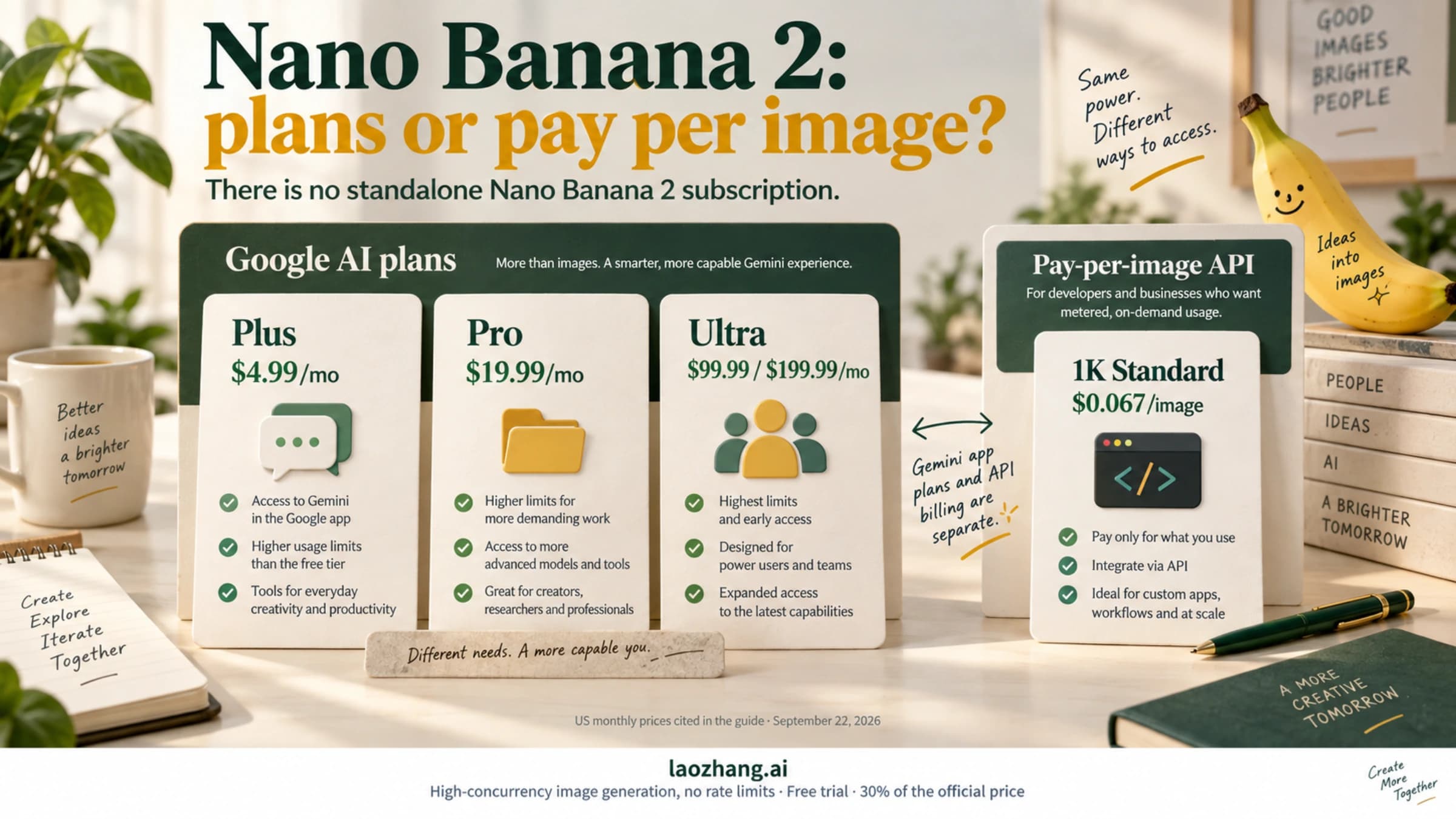
The three consumer subscription tiers through Gemini Apps break down as follows. The Free tier costs nothing and gives you 2 Nano Banana Pro images per day at a maximum resolution of 1 megapixel (1024x1024). All free-tier images carry a visible watermark. You're limited to 3 reference images, have restricted access to thinking mode, and can expect queue wait times of 30 to 60 seconds during peak hours. Free tier images are generated using Nano Banana (Flash Image model) by default, though you get 2 daily attempts with the Pro Image model.
Google AI Pro at $19.99 per month represents the most popular tier for regular users. You get approximately 100 Nano Banana Pro images per day at up to 2K resolution (2048x2048), with no visible watermark. The thinking mode is fully available with a daily limit of 300 uses (as updated in January 2026). You gain access to search grounding, can use 5 or more reference images, and experience reduced queue times of 10 to 15 seconds. The January 2026 update also added "Personal Intelligence" features to this tier.
Google AI Ultra at $249.99 per month is designed for power users and professionals. You receive up to 1,000 Nano Banana Pro images per day at full 4K resolution (4096x4096), with no watermark and priority queue access for the fastest generation times. The thinking mode limit increases to 1,500 per day, and you gain exclusive access to Deep Think mode at 10 uses per day. Up to 14 reference images can be used per generation, and all features are fully unlocked.
| Feature | Free | Pro ($19.99/mo) | Ultra ($249.99/mo) |
|---|---|---|---|
| Daily Nano Banana Pro Images | 2 | ~100 | Up to 1,000 |
| Max Resolution | 1MP (1024x1024) | 2K (2048x2048) | 4K (4096x4096) |
| Watermark | Visible | None | None |
| Thinking Mode | Limited | 300/day | 1,500/day |
| Deep Think | Not available | Not available | 10/day |
| Search Grounding | No | Yes | Yes |
| Reference Images | 3 max | 5+ | 14 |
| Queue Priority | Lowest (30-60s) | Medium (10-15s) | Highest (fastest) |
| Character Consistency | Limited | Available | Full |
A critical note about the Ultra pricing: multiple sources across the web report different numbers for this tier, ranging from $34.99 to $99.99 to $249.99 per month. Based on the most recent data from 9to5Google (January 2026), the current Ultra price is $249.99 per month. Google appears to have significantly increased this price in late 2025. If you're seeing different numbers elsewhere, those sources are likely using outdated information. Always verify the current price on Google's official subscription page before committing.
Why Your Actual Quota Might Be Lower Than Advertised
One of the most frustrating experiences for Nano Banana Pro users — and one that almost no comparison guide adequately explains — is discovering that your real-world daily quota falls short of the official numbers. You might be paying for Google AI Pro and expecting 100 images per day, only to find yourself hitting a limit after 35 or 50 images. This isn't a bug, and it isn't Google cheating you. It's a result of dynamic quota management, and understanding how it works will save you considerable frustration.
Google employs a dynamic load-balancing system for Nano Banana Pro image generation. The official quota numbers (2, ~100, and 1,000 for Free, Pro, and Ultra respectively) represent maximum allocations under normal operating conditions. During periods of high demand — which can include weekday business hours in US time zones, product launch periods, or any time the generation infrastructure is under heavy load — Google reduces per-user quotas to maintain service quality for everyone. This means your 100 images per day on the Pro plan might temporarily become 50 or even 35 images per day during peak usage. If you've encountered the RESOURCE_EXHAUSTED error, this dynamic throttling is often the cause. You can find detailed solutions in our guide to fixing the RESOURCE_EXHAUSTED error in Nano Banana Pro.
Resolution choice also affects your effective quota in ways that aren't immediately obvious. Generating a 4K image (available on Ultra) consumes approximately 1.5 to 2 times more computational resources than a 1K or 2K image. While Google hasn't officially confirmed that higher resolutions count as more than one image against your daily quota, user reports consistently indicate that heavy 4K usage results in hitting limits earlier than expected. The practical advice is straightforward: if you're running low on your daily allocation, switch to 1K or 2K resolution for images that don't require 4K detail.
The most dramatic example of dynamic quota adjustment occurred during what users have called the "December 2025 Crisis." During the holiday period, Google AI Pro subscribers reported their daily Nano Banana Pro quota dropping to as low as 15 to 25 images per day — a 75% reduction from the advertised ~100. Google never officially acknowledged this reduction, but the user reports were widespread and consistent across multiple forums and communities. The quotas gradually returned to normal levels in January 2026. This episode highlights an important reality: the advertised quotas are best understood as upper bounds, not guaranteed minimums.
Understanding the tilde (~) in "~100/day" is crucial. Google deliberately uses the approximate symbol because the number truly varies. On a quiet Sunday morning, you might get 120 or more. During a Monday afternoon peak, you might only get 50. Planning your image generation workflow around the lower end of the range — roughly 50 to 70 images per day for Pro — will prevent unpleasant surprises and help you manage your creative pipeline more effectively.
API Rate Limits and Pricing (For Developers)
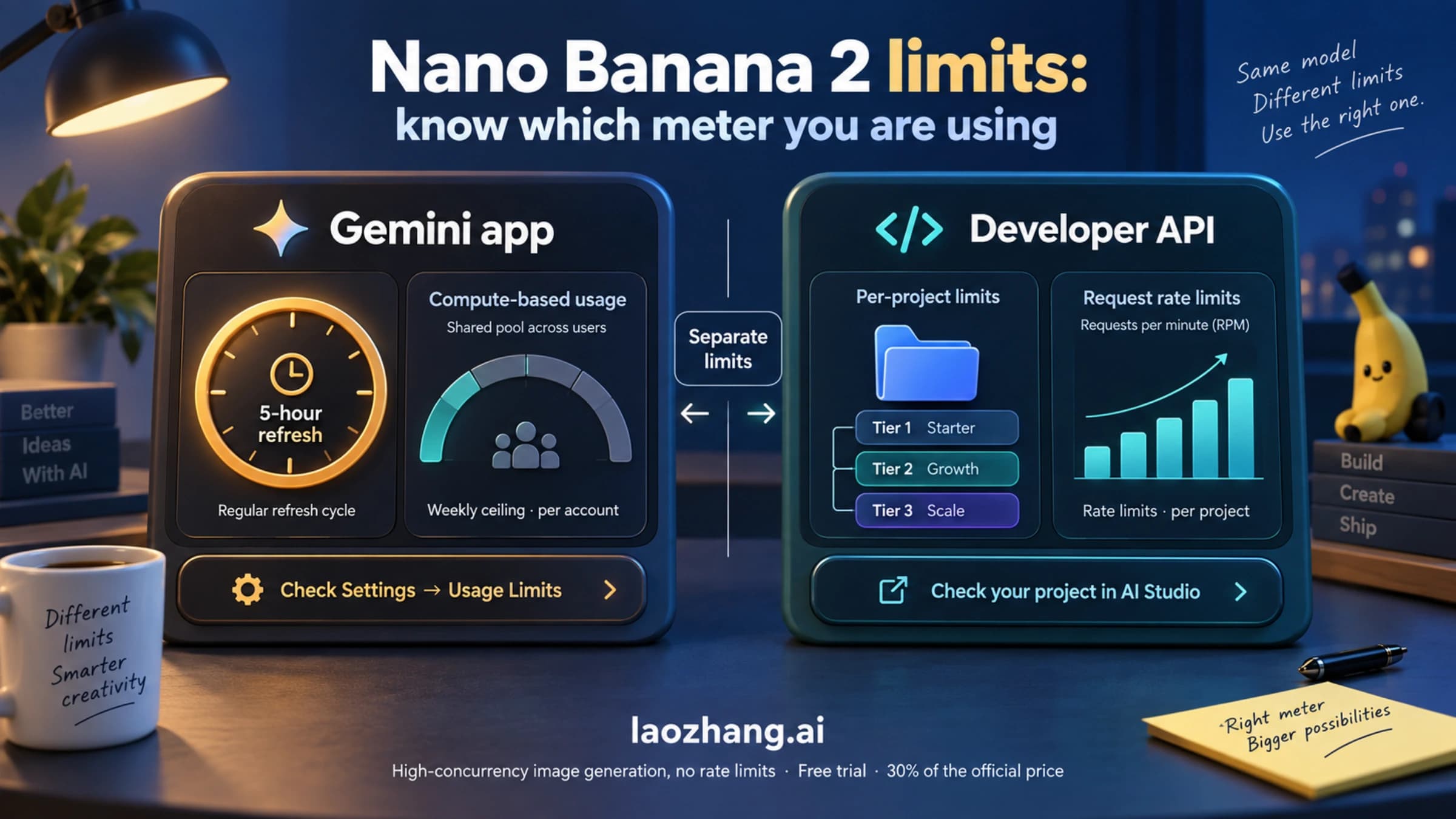
If you're a developer looking to integrate Nano Banana Pro into your application, the pricing and limits work completely differently from the consumer subscription tiers discussed above. The Gemini API operates on a pay-per-use model with separate rate limits, and understanding these differences is essential for budgeting and architecture decisions. For a comprehensive breakdown of all Gemini API rate limits across every model, see our complete Gemini API rate limits guide.
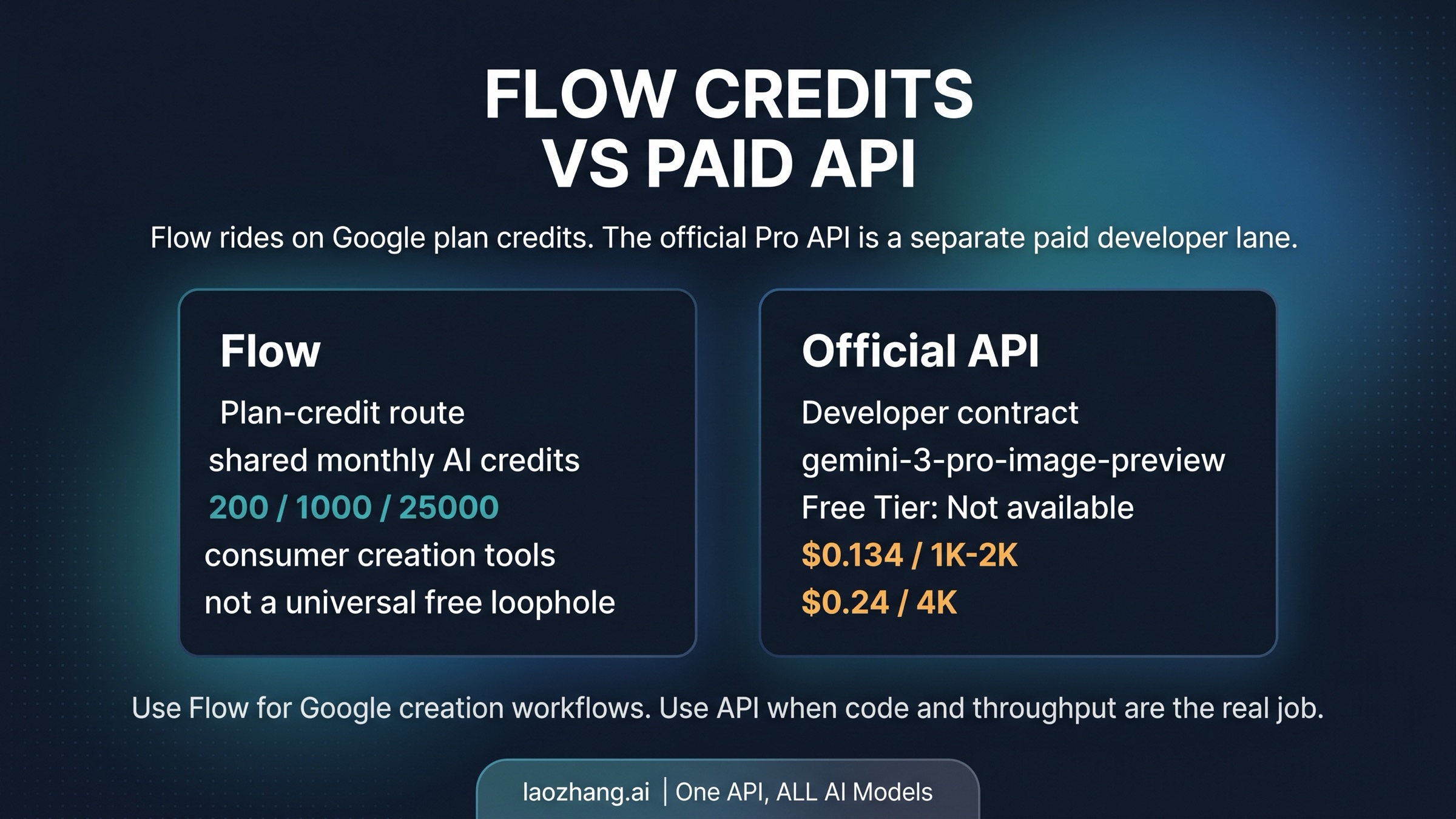
The API pricing for Nano Banana Pro image generation (using the gemini-3-pro-image-preview model) is based on output tokens. Each generated image at 1K to 2K resolution produces approximately 1,120 output tokens, priced at $120 per million output tokens. This translates to roughly $0.134 per image at standard resolution. For 4K output, the token count increases to approximately 2,000 output tokens per image, bringing the cost to about $0.24 per image. Text input tokens are priced at $2.00 per million and are essentially negligible — a typical prompt costs around $0.0002 (verified against ai.google.dev/gemini-api/docs/pricing, February 2026).
For the Nano Banana model (Flash Image, gemini-2.5-flash-image), the economics are dramatically different. Output tokens are priced at $30 per million, with each image producing approximately 1,290 tokens. This means each Flash Image generation costs about $0.039 per image — roughly 71% cheaper than Nano Banana Pro at standard resolution. If your application doesn't require the Pro model's advanced reasoning and 4K capabilities, the Flash Image model offers tremendous cost savings.
Google also offers a Batch API option that provides a 50% discount on both models. Batch processing is designed for non-real-time workloads where you can submit multiple generation requests and receive results over a longer time window. With Batch API pricing, a Nano Banana Pro image at standard resolution drops to approximately $0.067 per image, and a Flash Image drops to about $0.020 per image. For applications like pre-generating product images, creating content libraries, or batch-processing marketing materials, the Batch API can cut your costs in half.
The API rate limits depend on your tier. Free API access allows 5 to 10 requests per minute (RPM) and 50 to 100 requests per day (RPD). Paid API access significantly increases these limits to 100 to 300 RPM and up to 10,000 RPD. For detailed pricing comparisons and speed benchmarks, you can reference our Gemini 3 Pro Image API pricing and speed test.
| API Tier | RPM | RPD | Cost/Image (1K-2K) | Cost/Image (4K) |
|---|---|---|---|---|
| Free API | 5-10 | 50-100 | $0.134 | $0.24 |
| Paid API | 100-300 | 10,000 | $0.134 | $0.24 |
| Batch API (Paid) | — | — | $0.067 | $0.12 |
| Flash Image API | 5-60 | 50-10,000 | $0.039 | N/A |
One critical distinction: the API has no "subscription" — you pay only for what you use. There's no monthly fee beyond the per-token charges. This makes the API ideal for developers who need flexibility, want to avoid daily quota caps, or have variable workloads. Third-party API providers like laozhang.ai can further reduce costs by offering relay access to these models at competitive rates without daily limits. For developers exploring free API options, our Gemini API free tier guide covers everything you need to get started.
Cost Per Image: Which Plan Gives You the Best Value?

Understanding the per-image cost is where the subscription comparison gets genuinely interesting, because the "best deal" depends entirely on how many images you actually generate each day. Let's do the math that no other comparison guide provides, breaking down the real cost per image across every option.
For the Free tier, the per-image cost is obviously $0.00 — but you're limited to just 2 images per day, which translates to roughly 60 images per month. If all you need is an occasional image for a social media post or personal project, free is genuinely sufficient. The trade-off is watermarks, low resolution, and limited features, but for many casual users, those limitations are acceptable.
For Google AI Pro at $19.99 per month, the per-image cost depends on how fully you use your quota. If you generate the maximum of ~100 images per day (approximately 3,000 per month), your per-image cost drops to about $0.007 — extraordinarily cheap. However, most Pro subscribers don't max out their quota daily. A more realistic usage of 10 to 20 images per day (300-600 per month) puts the per-image cost at $0.033 to $0.067. Even at moderate usage, Pro delivers excellent value compared to API pricing. The breakeven point where Pro becomes cheaper than the API ($0.134/image) is approximately 150 images per month, or about 5 images per day. If you generate more than 5 Nano Banana Pro images daily, the Pro subscription saves you money compared to API pay-per-use.
For Google AI Ultra at $249.99 per month, the economics are more complex. At full utilization of 1,000 images per day (30,000 per month), the per-image cost drops to an astonishing $0.008 — the cheapest option available for high-volume generation. But Ultra's steep monthly price means that at low utilization, it becomes the most expensive option. If you're only generating 33 images per day (1,000 per month) on Ultra, your per-image cost is $0.25 — almost double the standard API price. The breakeven point where Ultra becomes cheaper than Pro is approximately 1,250 images per month, or about 42 images per day. Below that threshold, Pro is the better deal.
| Plan | Monthly Cost | Images/Month (Max) | Cost/Image (Max Use) | Cost/Image (50% Use) | Breakeven vs API |
|---|---|---|---|---|---|
| Free | $0 | 60 | $0.00 | $0.00 | Always free |
| Pro | $19.99 | ~3,000 | $0.007 | $0.013 | ~150 images/mo |
| Ultra | $249.99 | ~30,000 | $0.008 | $0.017 | ~1,870 images/mo |
| API (Pro Image) | Pay-per-use | Unlimited | $0.134 | $0.134 | — |
| Batch API | Pay-per-use | Unlimited | $0.067 | $0.067 | — |
The comparison with API pricing reveals an important insight. If you need more than 150 images per month (about 5 per day), the Pro subscription at $19.99 is almost always cheaper than the API. But if your usage is sporadic — sometimes 50 images in a day, then nothing for a week — the API's pay-per-use model avoids the waste of a monthly subscription during idle periods. For developers building applications that serve multiple users, the API or third-party providers like laozhang.ai offer more flexibility, since you can scale without worrying about per-user subscription management.
Which Plan Should You Choose? (Decision Framework)

After examining all the data, let's cut through the complexity with a straightforward decision framework. This is based on combining the quota comparisons, cost analysis, and real-world usage patterns discussed above. No other guide on the web provides this level of decision clarity — most just list the numbers and leave you to figure it out.
If you generate 1-2 images per day or fewer, the Free tier is genuinely all you need. This covers the casual user who occasionally wants to create an image for social media, a personal project, or just to experiment with AI image generation. The 1K resolution is sufficient for most social media platforms, and the watermark can often be cropped out for personal use. The 2-image daily limit resets every 24 hours, so you're getting roughly 60 images per month at zero cost. For this user profile, spending $19.99 per month on Pro would be wasteful — you wouldn't come close to using the quota you're paying for.
If you generate 3 to 50 images per day, Google AI Pro at $19.99 per month is the sweet spot. This covers content creators, bloggers, marketers, designers, and anyone who regularly needs AI-generated images as part of their workflow. The Pro plan gives you 2K resolution (which is sufficient for most digital uses including blog headers, social media, and presentation graphics), removes watermarks, enables thinking mode for better prompt interpretation, and provides search grounding for more accurate generations. At 20 images per day, your per-image cost is about $0.033 — dramatically cheaper than the API. The Pro plan also includes all other Google AI features beyond image generation (advanced Gemini chat, longer context windows, priority access), which adds value beyond just the image quota.
If you generate 50 to 1,000 images per day, Google AI Ultra at $249.99 per month becomes worth considering, but only if you need the full 4K resolution and the additional features. At 100 images per day, your Ultra per-image cost is about $0.083, which is cheaper than the API's $0.134 but more expensive than the Pro plan's value at the same volume. Ultra makes financial sense only when you're generating more than about 42 images per day AND you need 4K resolution, Deep Think mode, or the 14-reference-image capability. If you'd be fine with 2K resolution, the Pro plan remains a better deal even at 50+ images per day, because you're paying $230 less per month for a resolution difference you might not need.
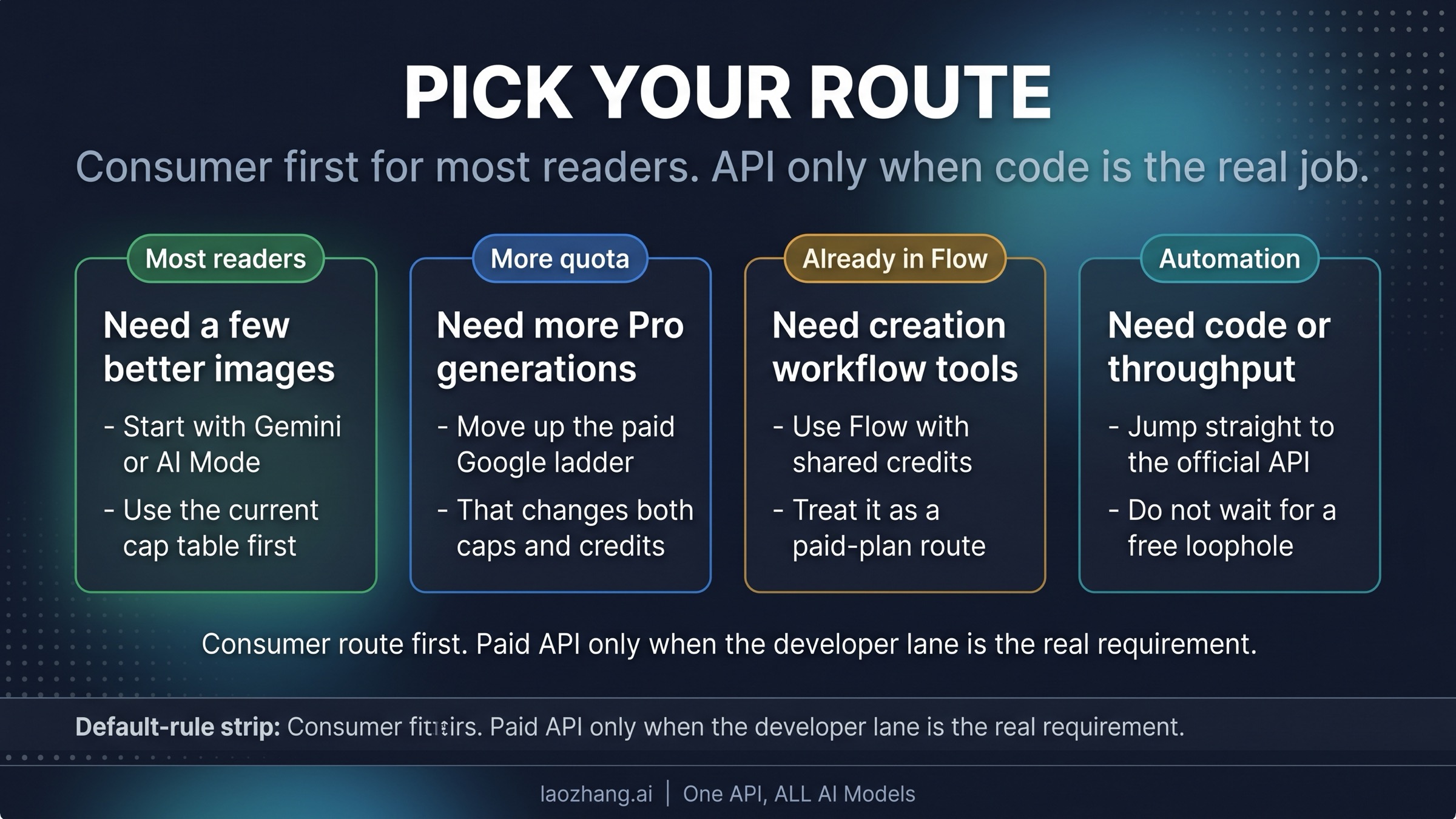
If you need programmatic access or have no daily limit constraints, the API is your path. This is the right choice for developers building products, agencies running automated workflows, or anyone who needs to generate images through code rather than through the Gemini Apps web interface. The API's pay-per-use model means you never pay for unused capacity, and there's no hard daily cap (though RPM limits apply). For high-volume API users, the Batch API at 50% discount ($0.067/image) makes production workloads significantly cheaper. You can also explore ways to reduce your Gemini image generation costs through third-party API providers and optimization strategies.
The bottom line for most users: Google AI Pro at $19.99 per month offers the best balance of quota, quality, and price. Unless you have a specific need for 4K resolution, Deep Think, or 1,000+ images per day, Pro is the optimal choice. This recommendation holds true whether you're a content creator, marketer, hobbyist, or small business owner.
Maximize Your Quota: Tips, Timing, and Alternatives
Regardless of which plan you choose, there are proven strategies to get more value from your Nano Banana Pro allocation. These tips are based on how the quota system actually works and can meaningfully extend your effective daily output.
Understand the reset timing. The daily quota resets every 24 hours from your last reset, not at a fixed time. Reports from users suggest the reset follows UTC midnight for most accounts, though some users on Pacific time have reported resets aligned with Pacific midnight. The practical advice is to check your remaining quota before starting a batch of generations. If you're close to reset, wait for the new allocation rather than submitting partial work and hitting the limit mid-session.
Use resolution strategically. Not every image needs to be generated at your maximum available resolution. If you're on Ultra and creating concept sketches, brainstorming visual ideas, or generating images for web thumbnails, switch to 1K or 2K resolution. Higher resolution images consume more computational resources and may contribute to reaching your quota faster (based on user reports of dynamic throttling behavior). Save 4K for final production images where the resolution truly matters — print materials, high-resolution displays, or detailed artwork.
Batch your creative sessions. Rather than generating images sporadically throughout the day, batch your work into focused sessions. This approach is more efficient because you can refine your prompts iteratively, building on successful generations rather than starting cold each time. It also helps you stay aware of your remaining quota, preventing the frustration of hitting your limit during a critical creative flow.
Consider the Flash Image model for lower-priority work. If you're using the API, remember that Nano Banana (Flash Image) at $0.039 per image is 71% cheaper than Nano Banana Pro at $0.134. For tasks like generating background images, placeholder graphics, or quick concept tests, the Flash model is perfectly adequate. Reserve the Pro model for final deliverables where quality matters most.
Explore third-party alternatives for overflow. When you've exhausted your subscription quota but still need images, API relay services provide an alternative. These services offer access to the same Gemini image models through third-party infrastructure, often without the strict daily caps that apply to Google's consumer subscriptions. For a comparison of how Nano Banana Pro stacks up against alternative AI image generators, see our Nano Banana Pro vs FLUX.2 comparison. This can serve as a complementary approach rather than a full replacement — use your subscription for daily needs and tap into API alternatives when you need burst capacity.
Monitor quota changes. Google has adjusted quotas multiple times since Nano Banana Pro's launch. The November 2025 reduction of the free tier from 3 to 2 daily images, and the December 2025 temporary Pro quota reduction, demonstrate that these numbers can change. Follow the Google AI blog and community forums to stay informed about quota updates that might affect your workflow.
Refine your prompts to reduce waste. One of the most overlooked ways to maximize your quota is to write better prompts that produce usable results on the first or second attempt, rather than burning through 5 or 10 generations to get something acceptable. Nano Banana Pro's thinking mode (available on Pro and Ultra) significantly improves first-attempt accuracy by reasoning about your prompt before generating. Be specific about composition, lighting, style, and subject positioning rather than using vague descriptions. Including reference images (5+ on Pro, up to 14 on Ultra) dramatically improves the consistency and accuracy of outputs, meaning fewer wasted generations and more images you'll actually use.
Leverage the multi-modal input wisely. Nano Banana Pro supports text-and-image mixed prompts, which means you can upload an existing image and ask the model to modify, extend, or reimagine it. This approach often produces more accurate results than text-only prompts because the model has a concrete visual reference to work from. For workflows like creating product variations, adjusting marketing materials, or iterating on a design concept, starting from an existing image rather than generating from scratch can save multiple generations worth of quota while producing more consistent results.
Consider splitting your workflow across tiers. If you're on the Free tier but occasionally need more than 2 images, you don't necessarily need to subscribe to Pro full-time. Some users maintain a free Gemini account for casual use and separately use the API free tier (50-100 images per day with rate limiting) for development or testing purposes. The API free tier uses the same models but has different limitations (lower RPM, potential for slower response times). This dual-access approach lets you effectively multiply your free allocation without spending anything — though it requires some technical comfort with API calls.
Frequently Asked Questions
How many Nano Banana Pro images can I generate for free?
As of February 2026, the free tier allows 2 Nano Banana Pro images per day, down from 3 before November 2025. These images are generated at a maximum of 1 megapixel (1024x1024) resolution and include a visible watermark. You also get 100 images per day using the standard Nano Banana model (Gemini 2.5 Flash Image), but these use the simpler, lower-quality model.
When does the Nano Banana Pro daily limit reset?
The daily quota resets approximately every 24 hours. Most user reports indicate the reset occurs around UTC midnight, though this can vary by account region. There is no way to manually trigger a reset or purchase additional quota beyond your plan's daily allocation.
Is Nano Banana Pro worth paying for?
For users generating more than 2 images per day, yes. The Google AI Pro plan at $19.99 per month provides a 50x increase in daily quota (from 2 to ~100), doubles the resolution (1K to 2K), removes watermarks, and upgrades you from the Flash Image model to the Pro Image model with significantly better quality. At 10 images per day, the per-image cost is about $0.067 — considerably cheaper than the API alternative.
Can I use Nano Banana Pro images commercially?
Yes. Google's terms of service permit commercial use of images generated through Gemini Apps, including those created with Nano Banana Pro. However, all images include invisible SynthID watermarks (a digital watermark detectable by machines but invisible to humans) regardless of your subscription tier. This watermark identifies the image as AI-generated but does not restrict commercial usage.
What's the difference between Nano Banana Pro via Gemini Apps and the API?
Gemini Apps is the consumer interface (web and mobile app) where you use a monthly subscription (Free, Pro, or Ultra) with daily image caps. The API is a developer interface where you pay per image with no strict daily cap but separate rate limits (RPM/RPD). The same underlying models are used, but the pricing structure, access method, and limitations are completely different. Many users don't realize the API exists as an alternative, and for certain use cases — particularly high-volume or automated workflows — it can be more cost-effective than a subscription.
What happens when I hit my daily quota limit?
When you reach your daily Nano Banana Pro image limit, Gemini Apps will display a message indicating that you've exhausted your allocation for the day. You won't be able to generate additional Nano Banana Pro images until the quota resets. However, you can still use other Gemini features (text chat, code generation, document analysis) — only the image generation quota is exhausted. On the Free tier, you may still be able to generate images using the standard Nano Banana model (Flash Image) even after your 2 Pro images are used up, though at lower quality. There is no option to purchase additional quota or "top up" your daily allocation mid-cycle — upgrading to a higher tier is the only way to increase your daily limit.
How does Nano Banana Pro compare to other AI image generators?
Nano Banana Pro's primary competitive advantages are its native 4K resolution output, exceptional text rendering across multiple languages, character consistency across scenes, and deep integration with the Google ecosystem. Its main limitations compared to competitors like Midjourney, DALL-E 3, or FLUX.2 are the strict daily quota limits on consumer tiers and the relatively high Ultra subscription price at $249.99 per month. In terms of image quality per dollar, the Google AI Pro subscription at $19.99 per month offers compelling value — roughly 100 high-quality images per day with a model that excels at photorealistic output and accurate prompt interpretation. For a detailed quality and feature comparison with another leading generator, check our Nano Banana Pro vs FLUX.2 analysis.
Will Google increase the free tier quota back to 3 images per day?
There has been no official indication from Google that the free tier quota will be restored to 3 images per day. The reduction from 3 to 2 in November 2025 appears to be a permanent adjustment, likely motivated by the infrastructure costs of running the Gemini 3 Pro Image model at scale. Google's trend has been to tighten free tier limitations while expanding paid tier features — the January 2026 update added new capabilities to Pro and Ultra but did not increase any free tier allocations. Users who need more than 2 images per day should plan on subscribing to Google AI Pro or using the API free tier for developer access.