Nano Banana Pro 4K: Exact Sizes, $0.24 Cost and Watermark Rules
Nano Banana Pro gives true 4K only when you ask for it: a 16:9 image is 5504x3072, costs $0.24 on the Gemini API, and always carries SynthID.
On this page
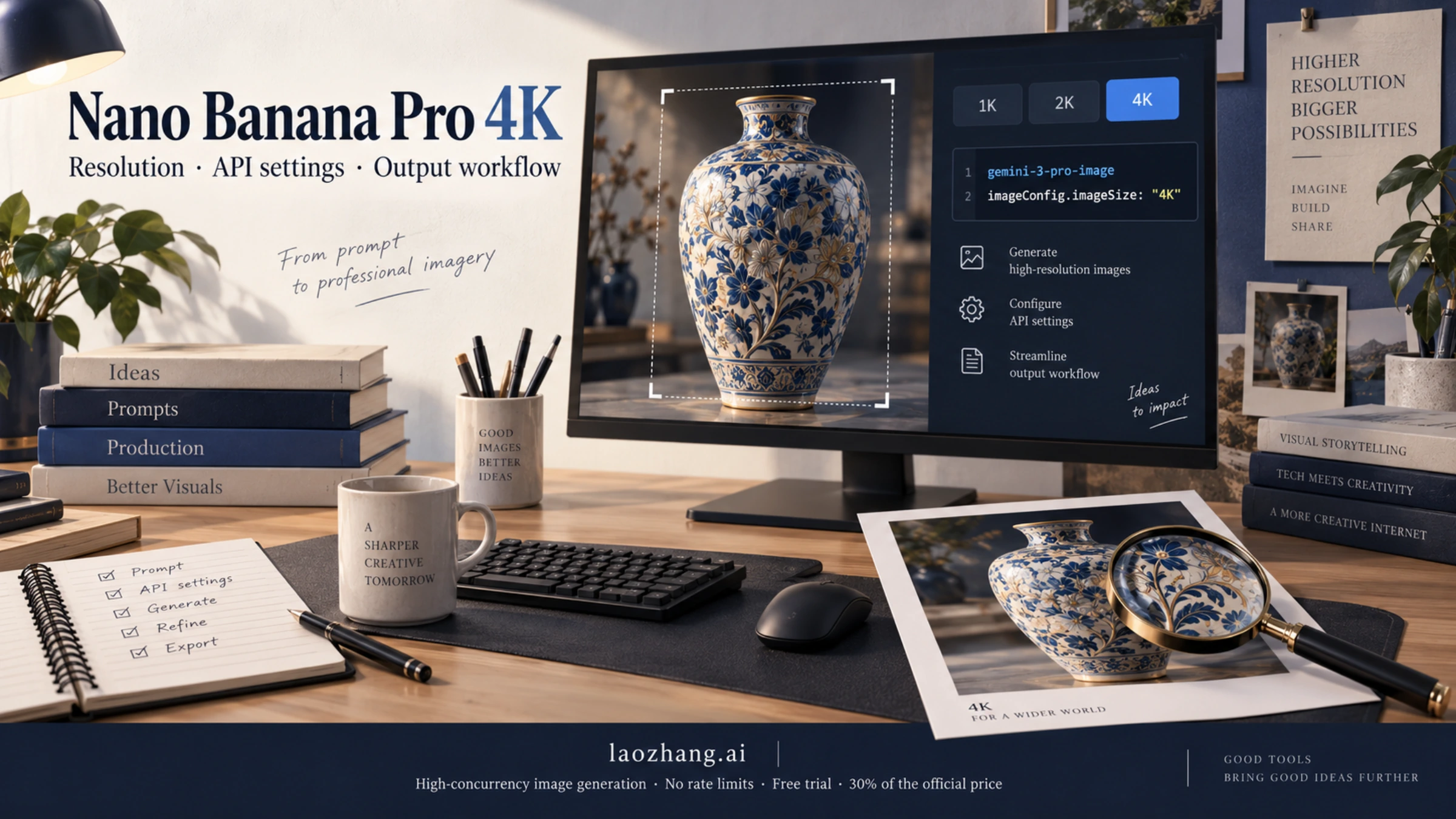
Nano Banana Pro (gemini-3-pro-image) produces 4K only when the request says so. Set the image size to "4K", with an uppercase K, on a paid Gemini API key, in Google AI Studio with that key, or on Vertex AI. Leave it out and you get 1K. The exact pixels depend on the aspect ratio: 1:1 is 4096x4096, but 16:9 is 5504x3072 and 21:9 is 6336x2688. As of October 4, 2026, Google charges $0.24 per 4K image on the standard API and $0.134 for 1K or 2K, so 4K costs about 79% more. "Watermark-free" can only mean the visible Gemini sparkle is gone. Every image Google generates carries an invisible SynthID watermark.
Where Nano Banana Pro 4K is available: API, AI Studio, Vertex AI, Gemini app
You get a guaranteed 4K file only where you can set the output size yourself. That means the Gemini API and the Vertex AI side of Google Cloud. Google's consumer products, the Gemini app and AI Mode in Search, can also produce Nano Banana Pro images, but Google documents no 4K output in either of them.
| Where | Can you request 4K? | What it takes | Visible sparkle watermark |
|---|---|---|---|
Gemini API (gemini-3-pro-image) | Yes, imageSize / image_size = "4K" | Paid tier: linked billing and at least $5 prepaid | The API guide mentions only SynthID |
| Google AI Studio | Yes, with a paid API key linked | Same paid key; image output has no free tier | Removed in AI Studio, per Google's launch post |
| Vertex AI (Gemini Enterprise Agent Platform) | Yes, same imageConfig fields | Google Cloud project and billing | The API guide mentions only SynthID |
| Gemini app | No. Downloads are 1K without a plan, 2K with one | Images come from Nano Banana 2; Pro only through "Redo with Pro" on Google AI Plus, Pro or Ultra | Your choice under Settings > Media Watermark; in India, South Korea and Vietnam only AI Ultra gets the switch |
| AI Mode in Google Search | No size control documented | Pro free for US adults 18+ in English, with an unpublished daily limit; elsewhere AI Pro or Ultra in listed countries | The Gemini app switch doesn't apply here |
| Third-party sites and gateways | Depends on the provider | Their own account, prices and terms | Their own rules; SynthID comes from Google's model |
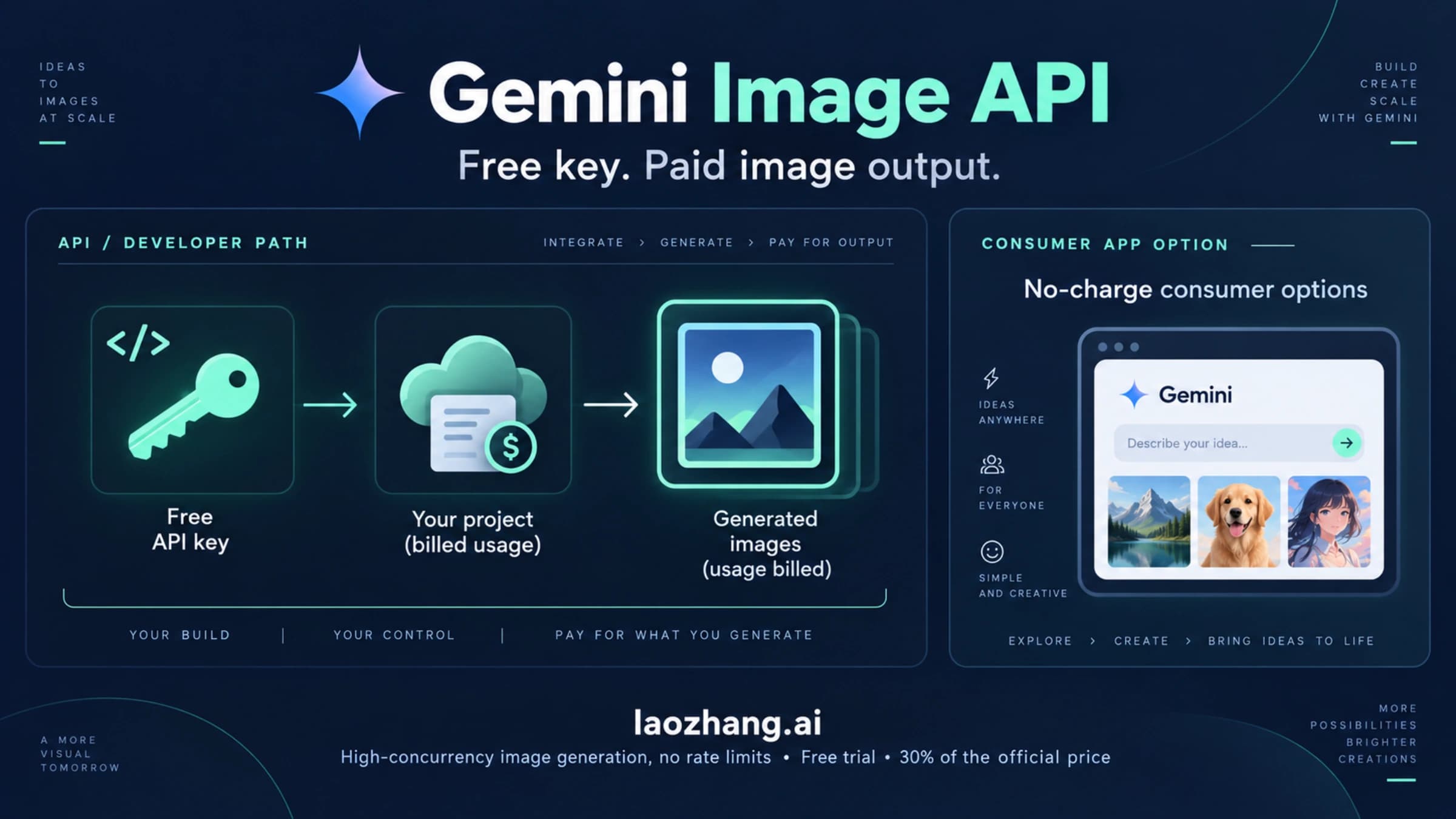
The API and AI Studio route is where most people get stuck on money, not code. Google's pricing page lists image output as "Not available" on the free tier for every Gemini image model. AI Studio stays free only until you link a paid key, and generating Pro images needs that key. New accounts have to prepay at least $5, and requests fail with HTTP 402 once the balance hits $0.
Vertex AI uses the same token rates on the global endpoint, so you would choose it for Google Cloud features such as IAM or data residency, not for a lower price. Setup is covered in Vertex AI Nano Banana API: Model IDs, Setup, and Cost per Image.
The Gemini app is not a 4K route, even on the top plan. Since Nano Banana 2 launched on February 26, 2026, the app generates every image with Nano Banana 2, or Nano Banana 2 Lite when the chat model is set to Flash-Lite. Nano Banana Pro is now a second step for Google AI Plus, Pro and Ultra subscribers: open an image's menu and choose Redo with Pro. Once you reach the daily Nano Banana 2 image quota, Redo with Pro stops too. Google's image help page lists downloads at 1K without a plan and 2K with one, and documents no 4K download or size setting. Google's November 2025 launch post mentioned 2K and 4K in the app, but that describes the app before Nano Banana 2 replaced Pro as its default.
Without a paid plan, Google documents exactly one way to use Nano Banana Pro: AI Mode in Google Search, for US adults using English. Switch the + menu from Fast to Pro, then choose Create images. Google says this option "has daily usage limits" without giving a number, and its help page names no output size, so it won't give you a known 4K file either. Can You Use Nano Banana for Free? Google's No-Cost Options covers the app, AI Mode and Flow limits in detail. If a print job or a client spec needs a known pixel size, use the API.
Websites with "Nano Banana Pro" or "4K" in their domain name are not Google products. They resell or wrap the model under their own credits system, so their pricing, refund rules and the actual output size are their own claims to check.
How to request 4K: imageSize "4K" with an uppercase K
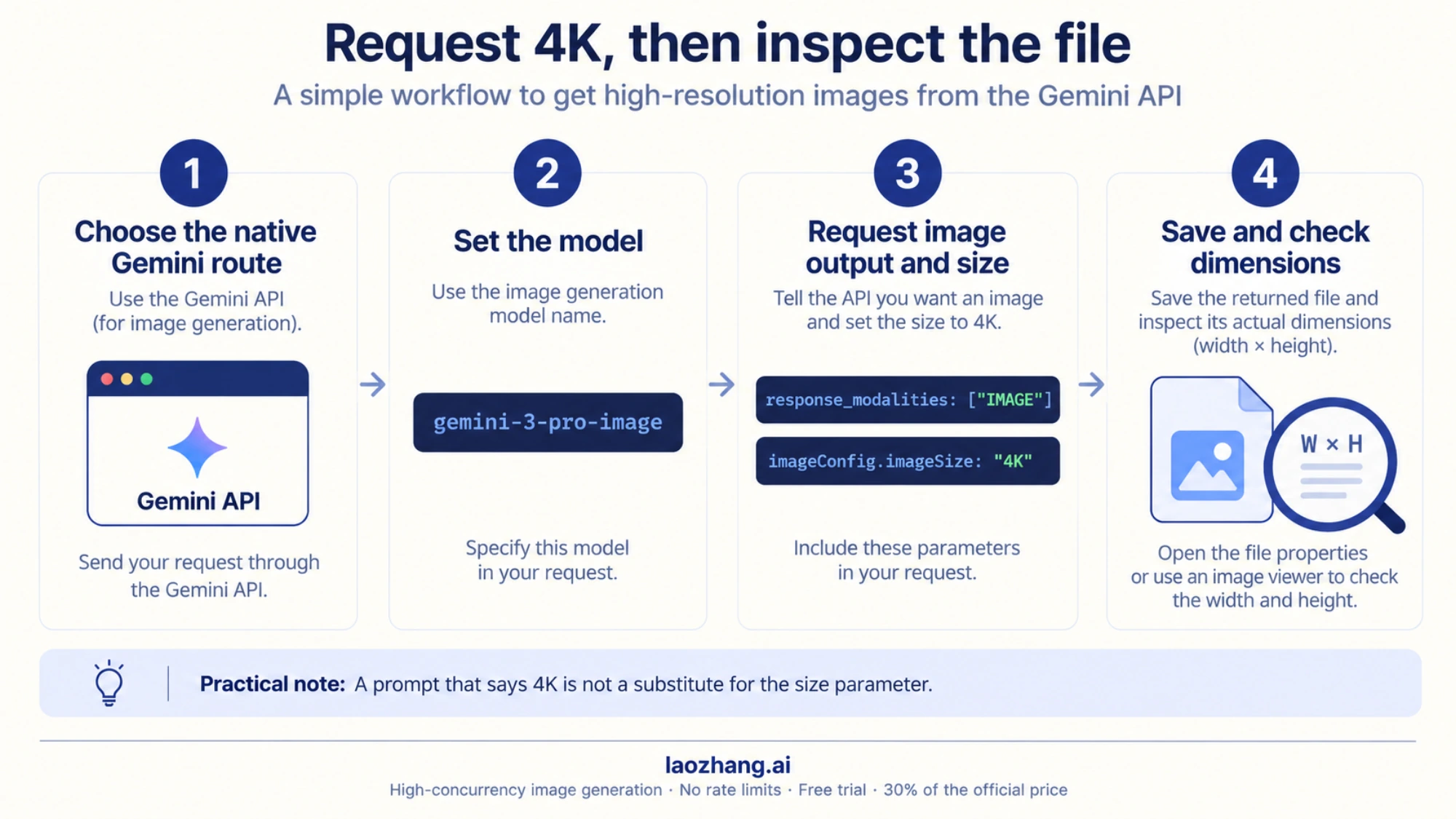
Add the size and aspect ratio to the image config of the request. Three details trip people up:
- Uppercase K is required. Google's guide says lowercase values such as
1kare rejected. - With no
imageSize, the model returns 1K. - With no aspect ratio, the output matches your input image's ratio, or a 1:1 square if you send no image.
On the generateContent endpoint the fields sit in generationConfig.imageConfig:
curl -s "https://generativelanguage.googleapis.com/v1beta/models/gemini-3-pro-image:generateContent" \
  -H "x-goog-api-key: $GEMINI_API_KEY" \
  -H "Content-Type: application/json" \
  -d '{
    "contents": [{"parts": [{"text": "Product photo of a ceramic vase on a marble table, soft window light"}]}],
    "generationConfig": {
      "responseModalities": ["IMAGE"],
      "imageConfig": {"aspectRatio": "16:9", "imageSize": "4K"}
    }
  }' > response.json
The image comes back base64-encoded in the inlineData part of the first candidate. Decode it and check the dimensions: a 16:9 request at 4K should be 5504x3072.
Google's image guide now writes its examples for the Interactions API, where the same settings go into response_format:
import base64
from google import genai

client = genai.Client()  # reads GEMINI_API_KEY from the environment

interaction = client.interactions.create(
    model="gemini-3-pro-image",
    input="Product photo of a ceramic vase on a marble table, soft window light",
    response_format={
        "type": "image",
        "aspect_ratio": "16:9",
        "image_size": "4K",
    },
)

with open("vase_4k.png", "wb") as f:
    f.write(base64.b64decode(interaction.output_image.data))
Both snippets follow the field names in Google's API reference and image generation guide (updated September 23, 2026). Neither snippet has been run against the live API, so send one test request before you build a batch around them. For full request templates, reference images and error handling, see Nano Banana Pro API: Official Docs, Working JSON, YAML Config, and PDF Rules.
Older code often fails for an unrelated reason: gemini-3-pro-image-preview was shut down on June 25, 2026. Use gemini-3-pro-image.
The Gemini API has no CFG scale, step count, denoise strength or sampler setting. Advice that tells you to tune those values for Nano Banana Pro is borrowed from other image models. The controls that change the output are the prompt, up to 14 reference images, aspect ratio, image size and, optionally, Google Search grounding.
Nano Banana Pro 4K pixel sizes by aspect ratio
Nano Banana Pro supports 10 aspect ratios, and 4096x4096 is only the 1:1 case. Every 4K option lands near 17 megapixels, so a wide or tall frame gets a longer long edge. The table uses Google's published sizes. Print size is pixels divided by 300, the resolution many print shops ask for.
| Aspect ratio | 4K pixels | 4K megapixels | 4K print at 300 ppi (inches) | 2K pixels | 2K print at 300 ppi (inches) |
|---|---|---|---|---|---|
| 1:1 | 4096x4096 | 16.8 | 13.7 x 13.7 | 2048x2048 | 6.8 x 6.8 |
| 2:3 | 3392x5056 | 17.1 | 11.3 x 16.9 | 1696x2528 | 5.7 x 8.4 |
| 3:2 | 5056x3392 | 17.1 | 16.9 x 11.3 | 2528x1696 | 8.4 x 5.7 |
| 3:4 | 3584x4800 | 17.2 | 11.9 x 16.0 | 1792x2400 | 6.0 x 8.0 |
| 4:3 | 4800x3584 | 17.2 | 16.0 x 11.9 | 2400x1792 | 8.0 x 6.0 |
| 4:5 | 3712x4608 | 17.1 | 12.4 x 15.4 | 1856x2304 | 6.2 x 7.7 |
| 5:4 | 4608x3712 | 17.1 | 15.4 x 12.4 | 2304x1856 | 7.7 x 6.2 |
| 9:16 | 3072x5504 | 16.9 | 10.2 x 18.3 | 1536x2752 | 5.1 x 9.2 |
| 16:9 | 5504x3072 | 16.9 | 18.3 x 10.2 | 2752x1536 | 9.2 x 5.1 |
| 21:9 | 6336x2688 | 17.0 | 21.1 x 9.0 | 3168x1344 | 10.6 x 4.5 |
Source: Google's Gemini API image generation guide, Nano Banana Pro size table, updated September 23, 2026. For 1K the 1:1 output is 1024x1024 and 16:9 is 1376x768. On the Pro model, 1K and 2K both use 1,120 output tokens and 4K uses 2,000. That token count is why 1K and 2K cost the same.
2K or 4K: decide by print size, screen and crop
Choose 2K unless the image has to fill one of these three jobs. 2K is the same price as 1K and already has four times the pixels.
- Print larger than about 9 inches on the long edge. At 300 ppi, a 16:9 image at 2K tops out at 9.2 inches wide, a square at 6.8 x 6.8 inches, and even 21:9 reaches only 10.6 inches. A poster, a magazine spread or packaging needs 4K. A 4K square covers 13.7 x 13.7 inches, and a 21:9 banner reaches 21.1 inches wide.
- Full-screen display on a 4K monitor or TV. A 4K UHD screen is 3840x2160. The 16:9 output at 2K is 2752x1536, so it gets stretched. At 4K, 5504x3072 is larger than the screen and can be scaled down cleanly.
- You plan to crop. Cut a vertical 9:16 frame out of a 16:9 4K image and you keep 1728x3072 pixels (3072 x 9 / 16 = 1728 wide). That beats a fresh 9:16 image at 2K (1536x2752). Out of a 2K original the same crop leaves only 864x1536.
For web pages, social posts, slides and thumbnails, 2K is enough, and you save $0.106 per image (0.24 − 0.134). A cheap way to work is to iterate at 1K or 2K until the composition is right. Then regenerate only the approved prompt at 4K. The 4K request generates a new image rather than enlarging the draft, so expect some differences.
What Nano Banana Pro 4K costs: $0.24 per image vs $0.134 at 2K
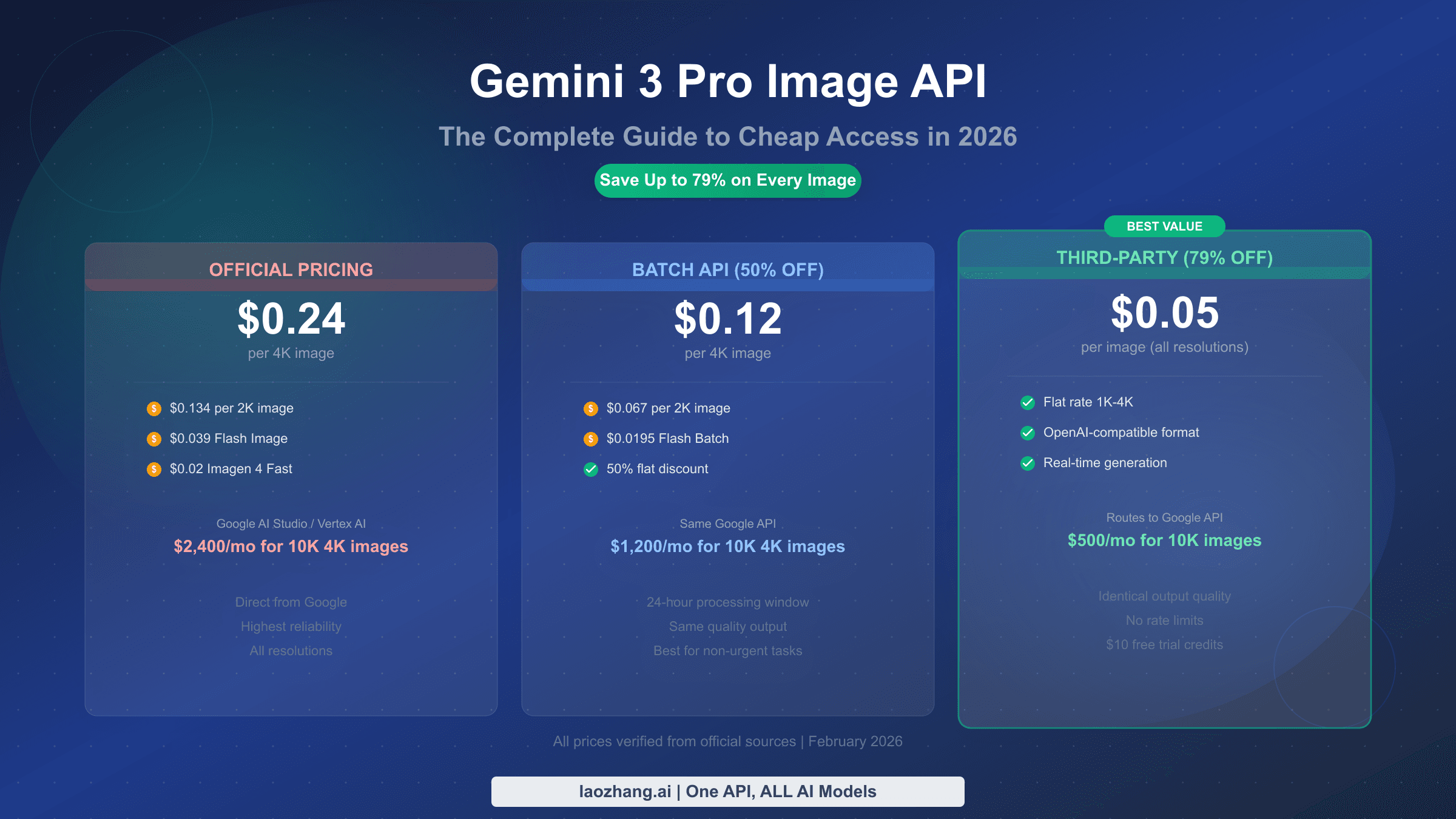
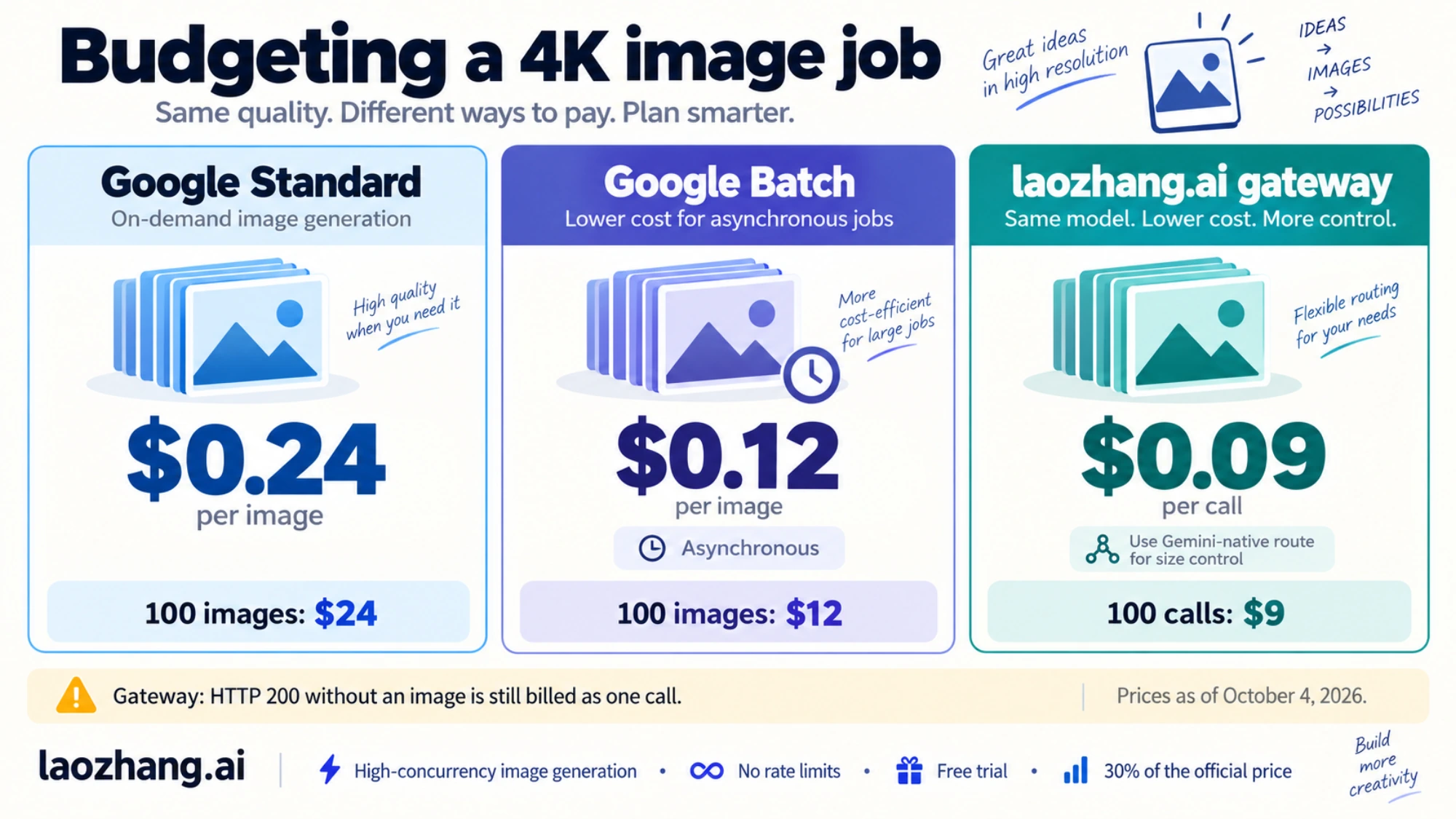
On the standard Gemini API a 4K image costs $0.24: 2,000 output tokens at $120 per million. A 1K or 2K image costs $0.134 (1,120 tokens). The ratio 0.24 / 0.134 = 1.79, so 4K costs about 79% more per image. Prices are as of October 4, 2026, from Google's pricing page (updated October 1, 2026).
| Route | 1K or 2K per image | 4K per image | 1,000 images at 4K |
|---|---|---|---|
| Gemini API Standard | $0.134 | $0.24 | $240 |
| Gemini API Batch (24-hour target turnaround) | $0.067 | $0.12 | $120 |
| Gemini API Priority ($216 per 1M image tokens) | $0.242 | $0.432 | $432 |
Nano Banana 2 (gemini-3.1-flash-image) Standard | $0.067 (1K), $0.101 (2K) | $0.151 | $151 |
| laozhang.ai gateway, Nano Banana Pro | $0.09 per call | $0.09 per call | $90 |
Google rows are as of October 4, 2026. The Priority figures are calculated from the token rate (2,000 x $216 / 1,000,000 = $0.432). The gateway row uses its public pricing as of September 24, 2026.
These per-image figures cover the image only. You also pay $2 per million input tokens for the prompt. A reference image counts as 560 tokens, about $0.0011. Thinking is on by default for Nano Banana Pro and is billed as text output at $12 per million tokens. Search grounding is billed per query after 5,000 free requests a month. Failed 400 and 500 responses aren't charged, but they still count against your quota.
Three practical readings of the table:
- A $5 prepay covers about 20 standard 4K images (5 / 0.24 = 20.8), or 37 at 1K or 2K.
- Large 4K jobs that can wait belong on Batch, which halves the price to $0.12. Nano Banana Pro Batch API Cost: Cheapest at 1K/2K, Not at 4K walks through the file format and when Batch stops paying off.
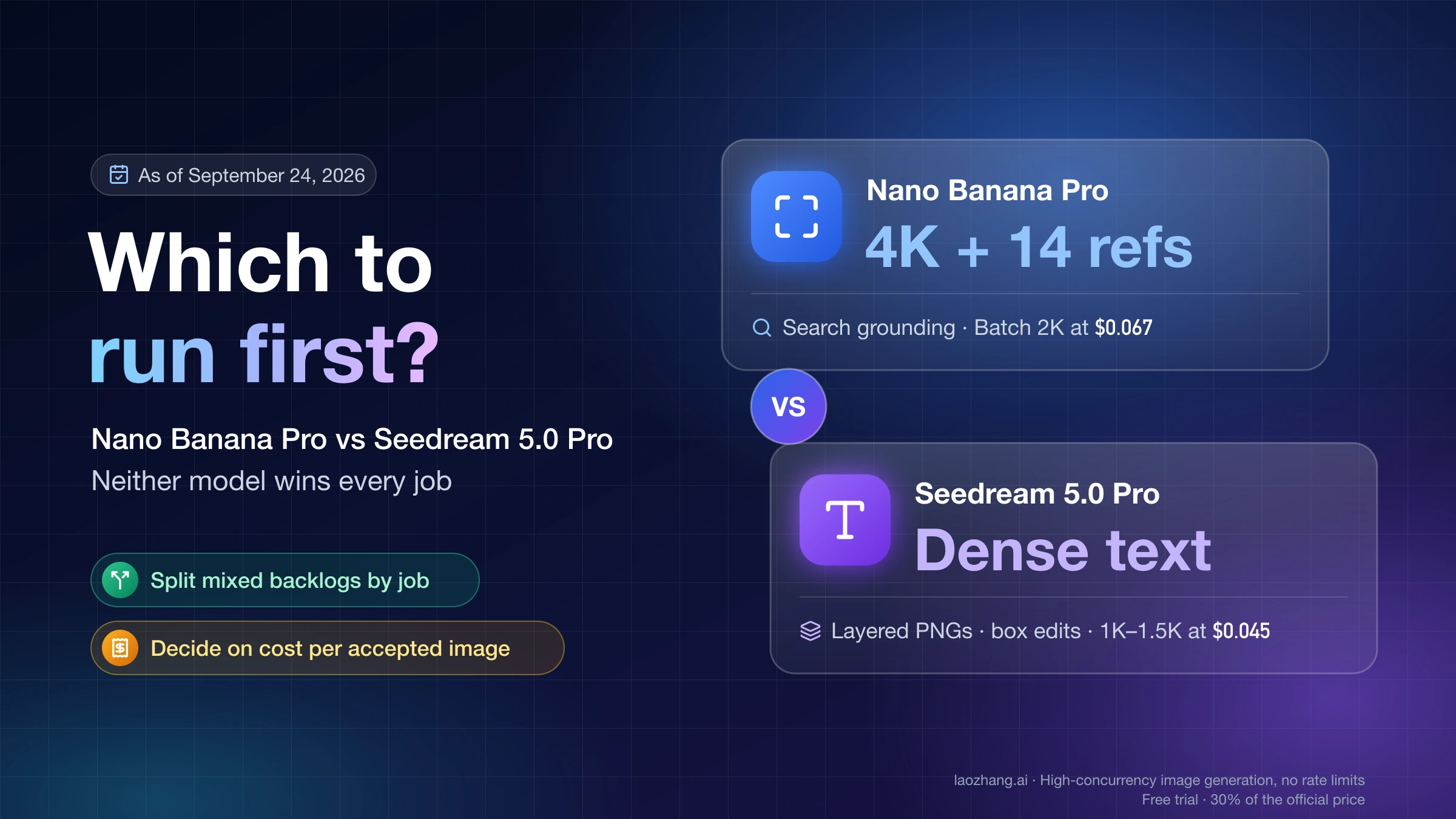
- Nano Banana 2 also generates 4K, at $0.151, which is $0.089 less than Pro. It's worth testing when your images don't need Pro's default thinking step and its focus on complex, professional assets.
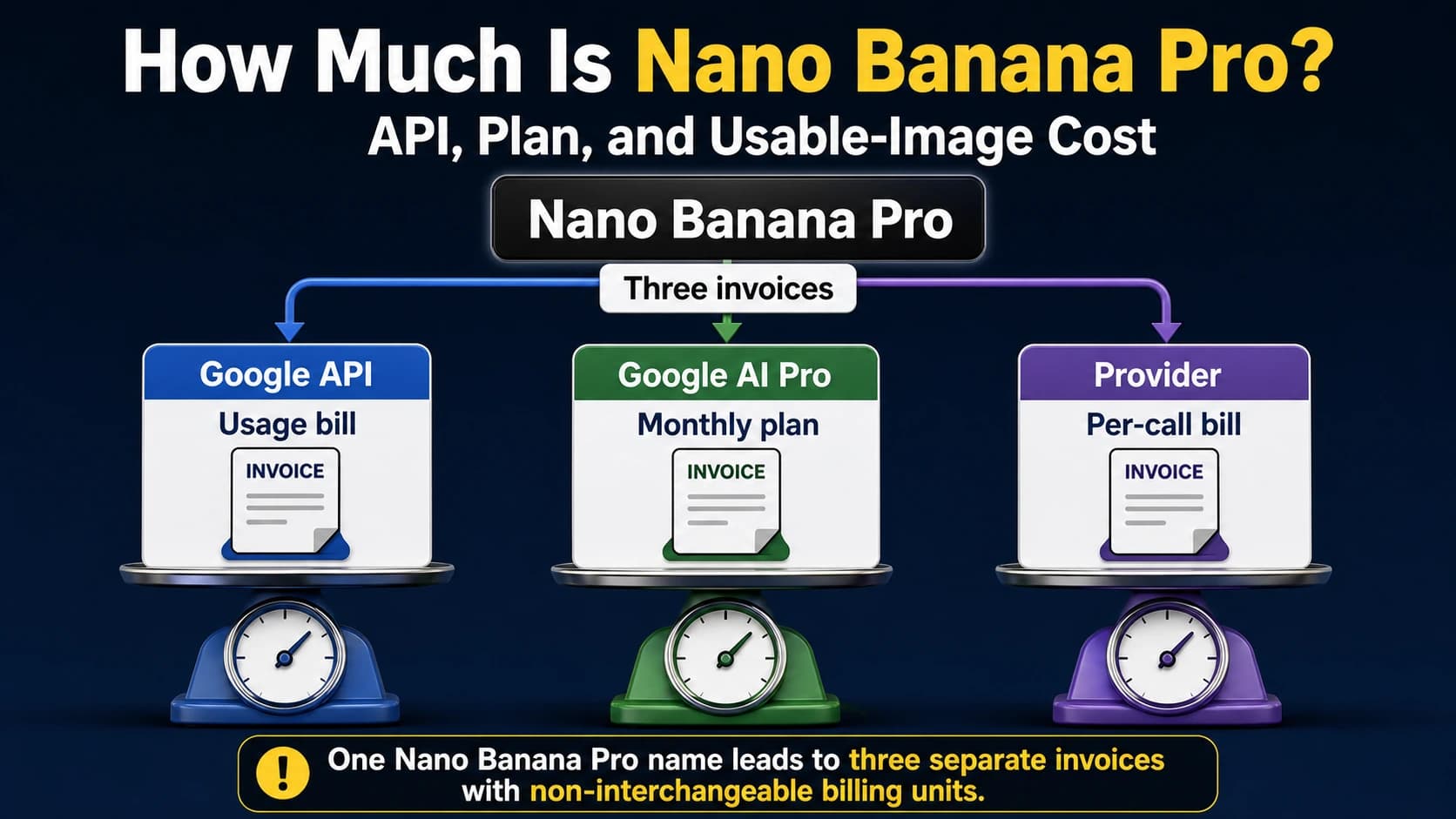
Gateways such as laozhang.ai charge a flat $0.09 per call at any size. That is 62.5% below Google's standard 4K price ((0.24 − 0.09) / 0.24) and $0.03 below Batch. At 1K or 2K, Batch at $0.067 is cheaper. Two conditions decide whether that 4K saving is real. First, the size and aspect ratio work only on the gateway's Gemini-native route; its OpenAI-compatible route returns a 1:1 image at 1K. Second, a 200 response that contains no image is still billed as one call. The gateway forwards requests to Google's model, so Google's content rules and SynthID still apply. For a fuller comparison, see Nano Banana API: Google vs. LaoZhang Cost and Image Delivery. For plan-versus-API math, see How Much Is Nano Banana Pro? API, Plan, and Usable-Image Cost. For every Google tier on one page, see Gemini 3 Pro Image API Pricing: $0.067–$0.432 per Image by Tier.
Watermark-free Nano Banana Pro 4K: the visible sparkle can go, SynthID cannot
Google embeds an invisible SynthID watermark in every Nano Banana Pro image, on every surface and at every resolution. Its API guide states that "all generated images include a SynthID watermark". No setting turns it off.
The visible watermark, the Gemini sparkle in the corner, is a separate question, and it depends on where you generate:
- Gemini app: the visible mark is a setting you control, with or without a plan. Turn it on or off under Settings > Media Watermark, per Google's watermark help page. In India, South Korea and Vietnam the switch appears only with an AI Ultra subscription, and everyone else there always gets the visible mark. The switch covers images, videos and music in Gemini Apps on web and mobile. It doesn't touch SynthID or the Content Credentials metadata.
- Google AI Studio: images come without the visible mark, per Google's November 20, 2025 launch post.
- Gemini API and Vertex AI: the API documentation describes only SynthID, not a visible mark.
When Nano Banana Pro launched, the sparkle depended on the plan: free and Google AI Pro users kept it, and only AI Ultra subscribers lost it. The Media Watermark switch replaced that rule outside India, South Korea and Vietnam. For 4K the app question is moot anyway, because its downloads stop at 2K. A watermark-free 4K file from Google comes from the API, AI Studio with a paid key, or Vertex AI.
So a "watermark-free 4K" offer can at most mean a clean-looking image. SynthID doesn't change how the picture looks, and it survives as a provenance signal. Anyone can upload an image to the Gemini app and ask whether Google AI generated it. If a client contract, a stock site or a publication requires you to disclose AI-generated imagery, a missing sparkle doesn't change that.
Is there a free or unlimited Nano Banana Pro 4K option?
No route gives free 4K Nano Banana Pro images on an ongoing basis. The Gemini API has no free tier for image output. AI Studio needs a paid key for Pro images. Without a plan, the Gemini app gives you Nano Banana 2 rather than Pro, and downloads are 1K. As of October 5, 2026, its limits are measured by compute and refresh every 5 hours up to a weekly cap, with no published image count. AI Mode lets US adults use Pro for free in English, within a daily limit Google doesn't quantify and with no documented 4K output.
Google Cloud's $300 Free Trial credit can't pay for Gemini API or AI Studio usage. Gemini models on Vertex AI are not on the trial's exclusion list, so the credit may cover them. That isn't confirmed by Google for this model. Check the billing report in the Cloud console after a first test call. Sites that promise "unlimited free 4K" are third parties spending their own money or credits on each image. Read their limits before you rely on them.
Got a smaller image than you asked for? Check these first
When a "4K" request returns something smaller, the cause is usually in the request or the route.
- Lowercase or missing size.
"4k"is rejected, and no size at all means 1K. - Wrong aspect ratio expectation. A 9:16 4K image is 3072 pixels wide, not 4096. Check both dimensions against the table above.
- Ratio inherited from a reference image. Without
aspectRatio, the output follows your input image's shape. - The app, not the API. The Gemini app has no size setting. Its downloads are 1K without a plan and 2K with one, so a 4K file has to come from the API.
- An OpenAI-compatible endpoint. Some gateways, laozhang.ai included, return 1:1 at 1K on that route. Switch to their Gemini-native route to set the size.
- The file was resized after download. Messaging apps and upload pipelines may resize images. Check the original file.
Nano Banana Pro 4K FAQ
Can Gemini generate images in 4K?
Through the Gemini API, Google AI Studio with a paid key, or Vertex AI, yes: Nano Banana Pro and Nano Banana 2 both return 4K when the request sets the size to "4K". The Gemini app does not. Google documents its downloads at 1K without a plan and 2K with a Google AI plan, and a paid plan doesn't add 4K.
Can any AI make 4K images?
Yes. Google's Nano Banana Pro and Nano Banana 2 both generate 4K when the request sets the size to "4K". Nano Banana Pro costs $0.24 per 4K image and Nano Banana 2 $0.151 on the standard Gemini API, as of October 4, 2026. The pixel size depends on the aspect ratio you choose.
Is there a Pro version of Nano Banana?
Yes. Nano Banana Pro is Google's name for Gemini 3 Pro Image, model ID gemini-3-pro-image. It adds 4K output, thinking before it draws, Google Search grounding and up to 14 reference images. The first Nano Banana API model, gemini-2.5-flash-image, was shut down on October 2, 2026.
Is Nano Banana Pro 4K really 4096x4096? Only at 1:1. Other ratios trade width for height at roughly 17 megapixels: 16:9 is 5504x3072, 9:16 is 3072x5504 and 21:9 is 6336x2688.
How much do 100 Nano Banana Pro 4K images cost? On the standard Gemini API, $24 (100 x $0.24). On Batch it's $12, and at a $0.09-per-call gateway, $9. Prompt, thinking and grounding charges come on top of Google's figures.
Can I remove the SynthID watermark from Nano Banana Pro images? No setting, plan or API option removes it. Google embeds SynthID in all images its tools generate. Only the visible sparkle can go. In the Gemini app it's a switch under Settings > Media Watermark, available with or without a plan except in India, South Korea and Vietnam, where only AI Ultra gets it. AI Studio images don't carry the sparkle, and that switch never affects SynthID.
Sources2
External pages this guide links to, in the order they appear. Last updated Oct 5, 2026.
Sources2
External pages this guide links to, in the order they appear. Last updated Oct 5, 2026.