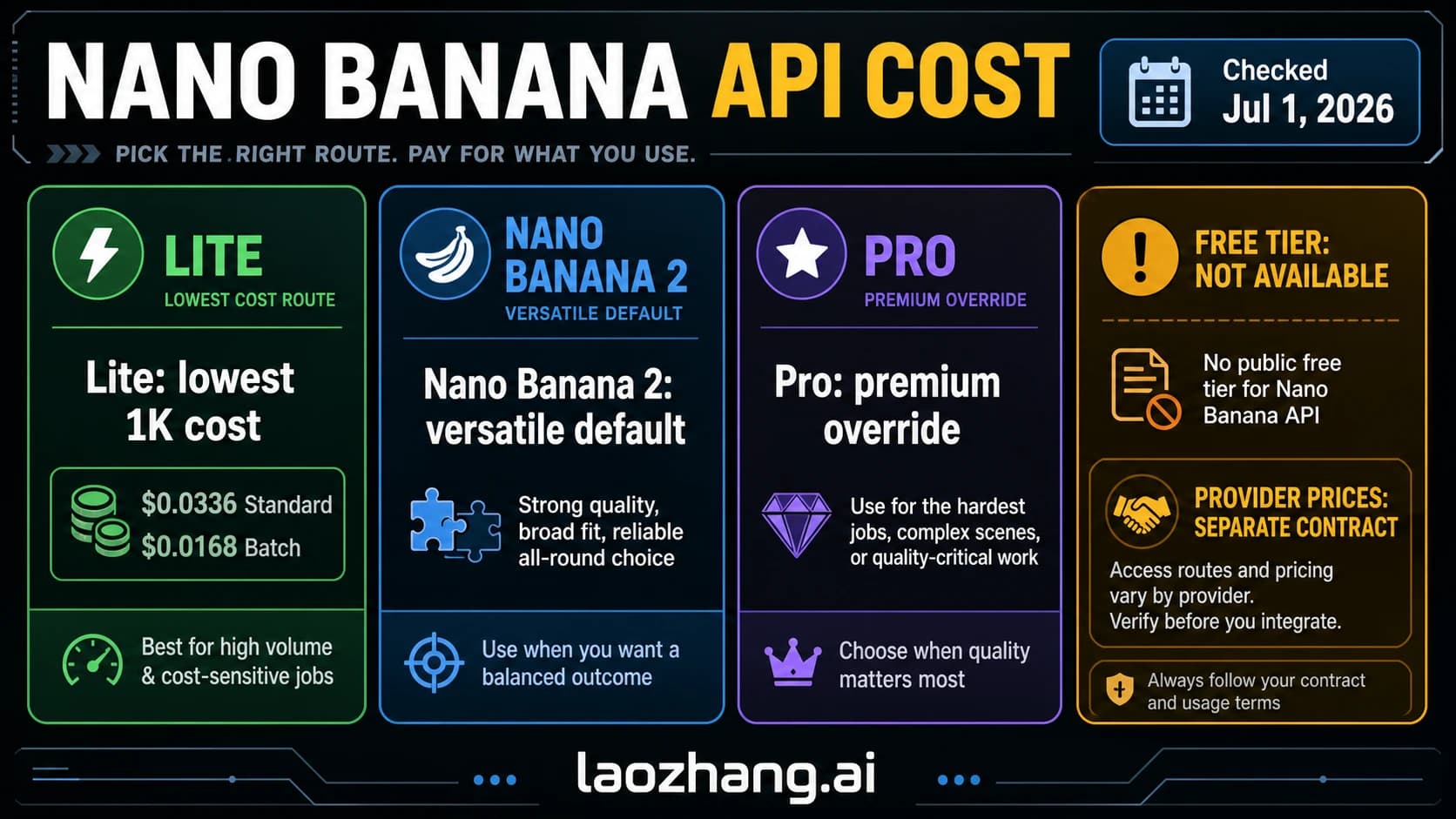
Nano Banana 2 Lite vs 2 vs 2.1 vs Pro: Which Model to Use Now
Use Nano Banana 2.1 for most image work now that Nano Banana 2 is deprecated, Lite for cheap high-volume 1K drafts, and Pro when exact text must match.
On this page
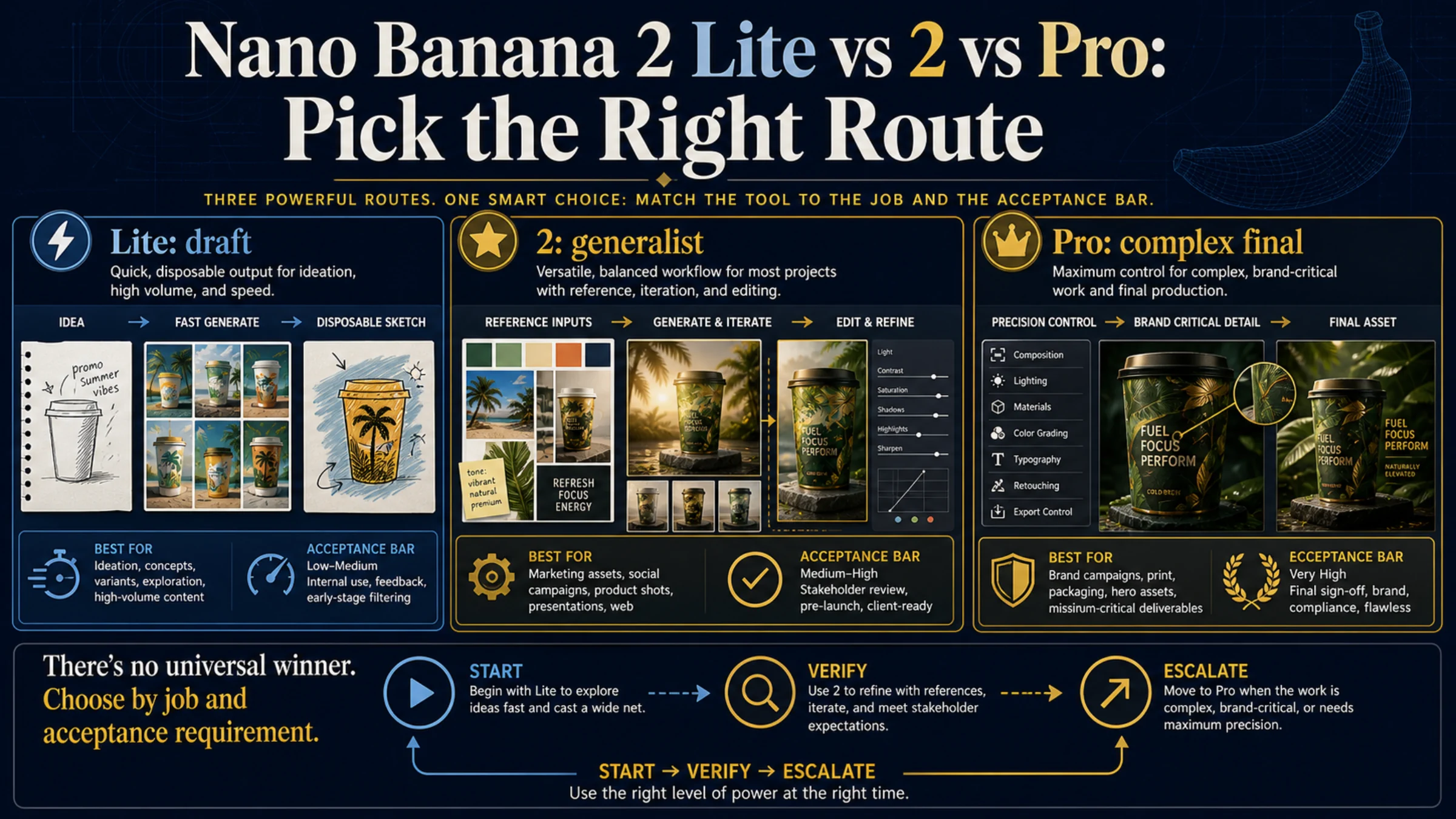
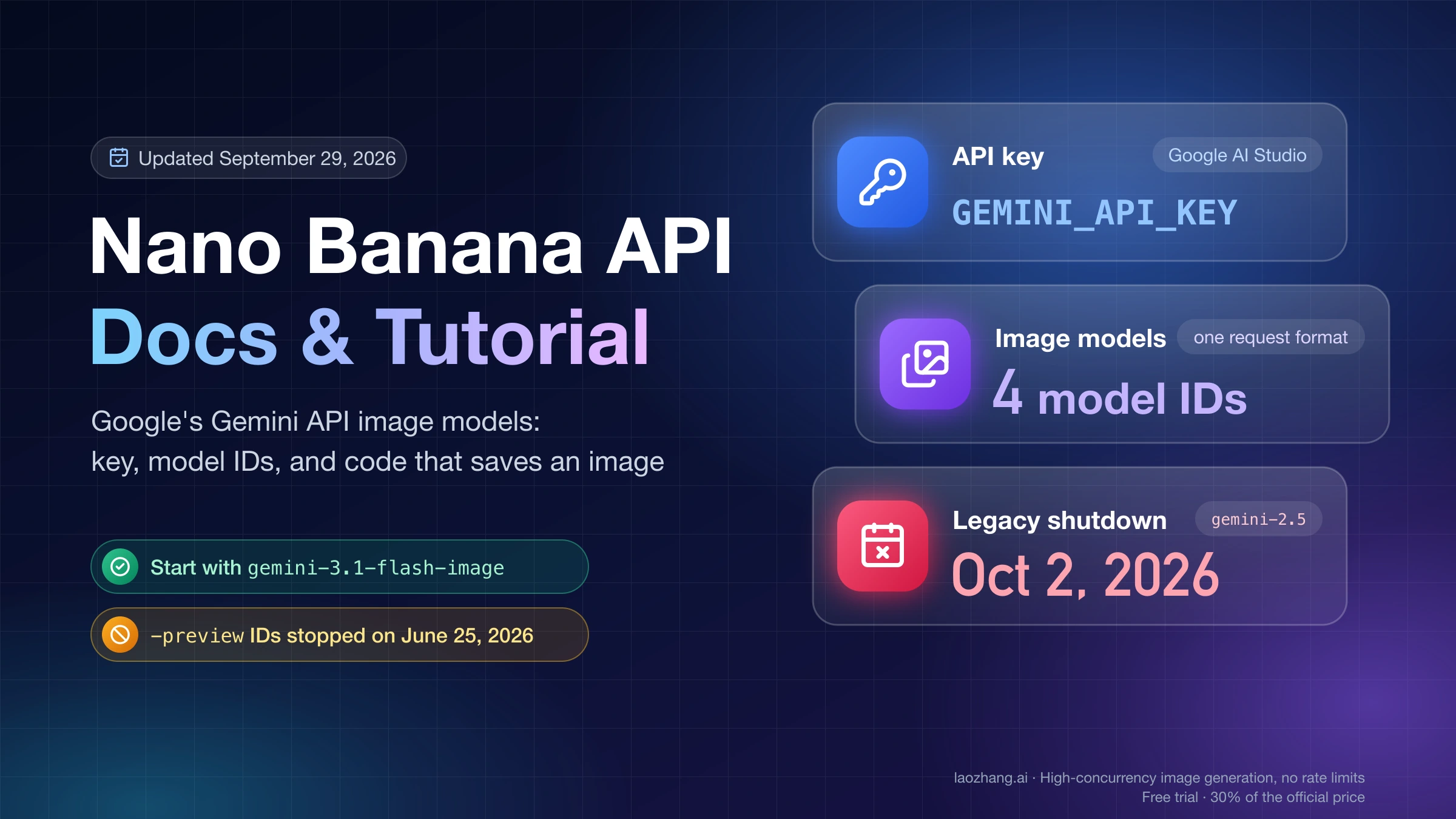
Nano Banana 2 Lite, Nano Banana 2.1, Nano Banana 2, and Nano Banana Pro are not low-, medium-, and high-quality versions of the same model. They are built for different workloads. As of October 8, 2026, the middle of the lineup has also changed: Google released Nano Banana 2.1 (gemini-nano-banana-2.1) as a stable model on October 6, 2026, and recommends it for all new projects. Nano Banana 2 (gemini-3.1-flash-image) is now deprecated on the Gemini API, with no shutdown date announced.
The short answer: make Nano Banana 2.1 the default for everyday generation, editing, and reference-based work. Use Lite for disposable 1K drafts and high-throughput pipelines where latency and token cost matter most. Choose Pro when exact wording, a complex layout, advanced localization, or a critical final asset defines the job. Keep Nano Banana 2 only if you need 0.5K (512-pixel) output, which 2.1 does not offer, or if you run a stable pipeline you are not ready to retest yet. "Pro" is a product role, not a promise that every output will look better.
What Lite, 2.1, 2, and Pro are each built to do
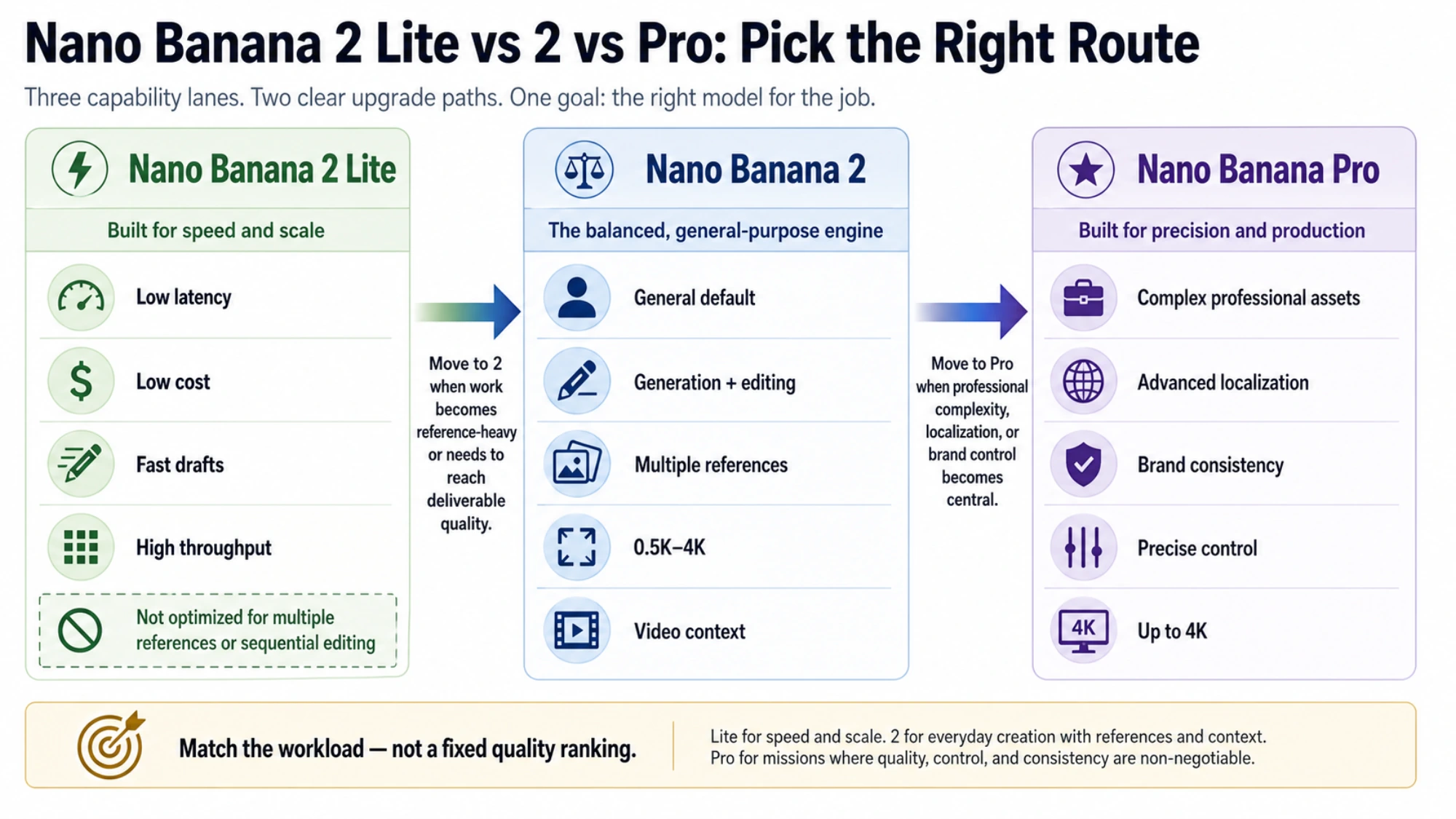
Nano Banana 2 Lite prioritizes speed and cost
The stable model ID is gemini-3.1-flash-lite-image. Google positions Lite for ultra-low latency, cost-sensitive image generation and editing, and high-volume pipelines. It fits rapid ideation, simple variations, interactive previews, and workloads where an individual draft has little replacement cost. It outputs 1K only.
Lite is not optimized for multiple reference inputs or multi-turn sequential editing. A reference-heavy catalog, a recurring character, or an asset that must survive several editing rounds can outgrow the reason to choose Lite even when its first output is cheap.
Lite's 1K image-output price, $0.0336, is now the same as Nano Banana 2.1's. Its cost advantage sits in the tokens around the image: $0.25 per 1M input tokens against $1.50 for 2.1, and $1.50 per 1M thinking tokens against $7.50. On the Gemini API, Lite is also Google's listed replacement for the original Nano Banana (gemini-2.5-flash-image).
Nano Banana 2.1 is the new general-purpose default
Nano Banana 2.1 uses gemini-nano-banana-2.1. Google describes it as an update to Nano Banana 2 that keeps Flash-level speed and cost while improving visual quality, prompt adherence, multi-turn character consistency, and text rendering, according to the Gemini API model page for Nano Banana 2.1. It supports:
- 1K, 2K, and 4K output (no 0.5K)
- 14 aspect ratios, including 1:4, 4:1, 1:8, and 8:1 for banners and panoramas
- up to 14 reference images: 10 objects and 4 characters
- grounding with Google Web Search and Image Search
- thinking levels
minimal,medium(the default), andhigh - text, image, video, and PDF input
Google's own model card scores 2.1 above both Nano Banana 2 and Pro on overall preference, editing, and multi-character consistency. Those are Google's internal evaluations, not an independent benchmark, but they explain why 2.1 now takes the general-purpose slot.
Literal text is the one area to check before relying on it. In a same-prompt test of Nano Banana 2.1, Pro, and GPT Image 2.5 on October 8, 2026 (9 prompts, one draw each at 1K), 2.1 changed the requested wording on each of the three prompts where exact text was the point: a poster, a Japanese shop sign, and a Chinese menu. Pro kept the requested wording on all three. One draw per prompt shows what each model did on one try, not how often it gets text right.
Nano Banana 2 is deprecated: keep it only for 512 output or a stable pipeline
Nano Banana 2 uses gemini-3.1-flash-image. The Gemini API release notes for October 6, 2026, mark it deprecated with no shutdown date announced and say to migrate to gemini-nano-banana-2.1. Google's image guide now calls it a previous-generation model. On Vertex AI (Gemini Enterprise Agent Platform), its listed retirement is "May 28, 2027 or later."
Two reasons to stay on it for now:
- You need 0.5K output. Nano Banana 2 is the only one of the four with a 512-pixel option, at $0.045 per image.
- Your pipeline is tuned and stable. Prompts, references, and quality checks built around Nano Banana 2 may behave differently on 2.1, so test before switching. On Vertex AI, remove
seed,topK,temperature,topP, andlogprobsfrom requests first: on 2.1 those parameters return an API error.
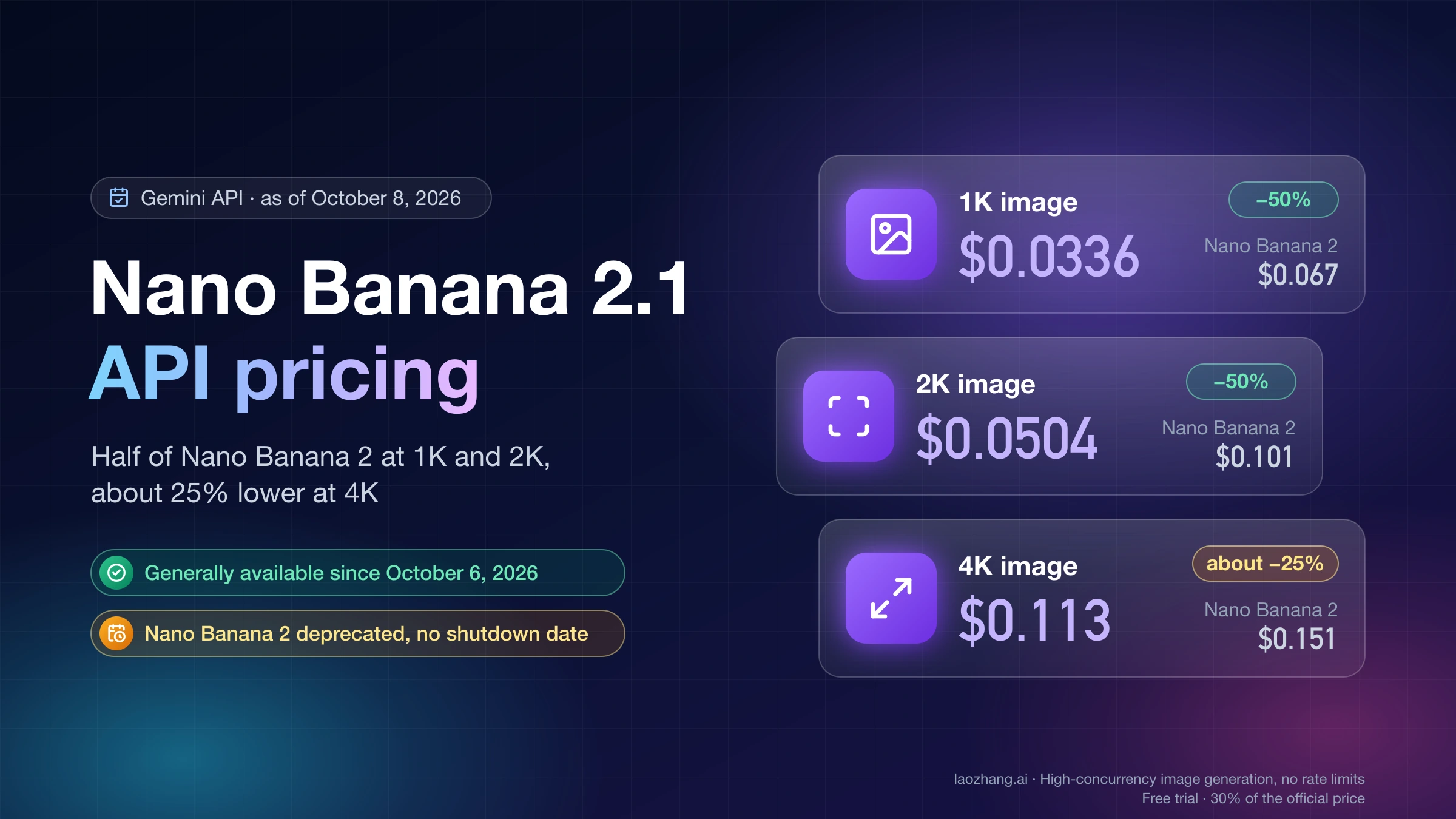
For everything else, 2.1 is cheaper at every shared size: $0.0336 against $0.067 at 1K, $0.0504 against $0.101 at 2K, and $0.113 against $0.151 at 4K. A deprecated model can still receive a shutdown date later, so treat staying as temporary.
Nano Banana Pro is the specialist for exact text and complex assets
Nano Banana Pro uses gemini-3-pro-image. Google positions it for professional assets, complex instructions, advanced localization, brand consistency, and precise creative control, with output up to 4K.
Pro is a stronger fit when the deliverable contains substantial exact copy, a complicated spatial layout, a recurring branded subject, or a multi-element final composition. The same-prompt test above backs the text part of that role: Pro reproduced the requested wording where 2.1 slipped, and both returned images in about 20 seconds. Its image-output price is four times 2.1's at 1K ($0.134 against $0.0336), so it should not replace Lite or 2.1 for jobs that do not need those specialist capabilities.
Gemini app vs Gemini API: who picks the model
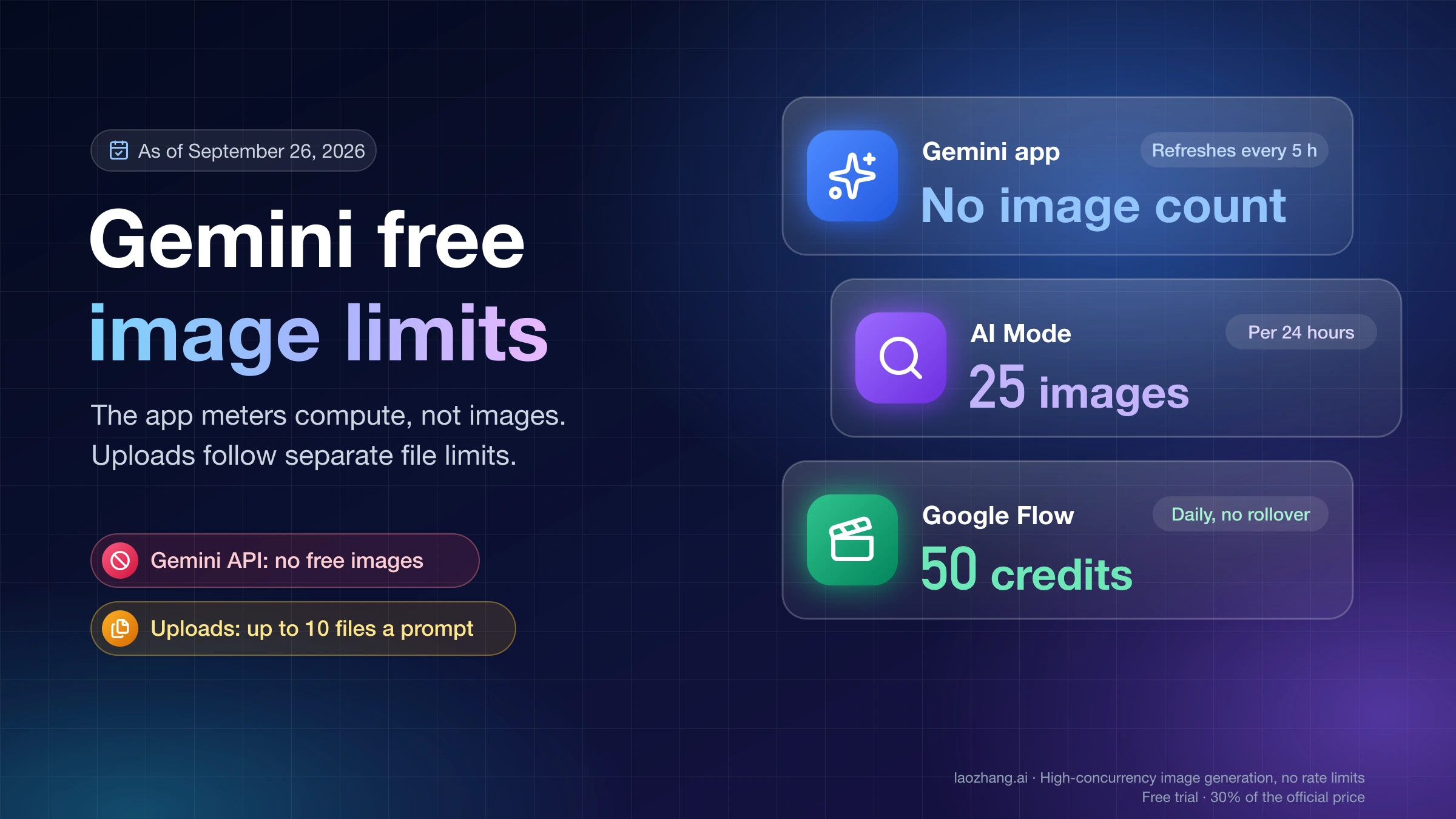
In the Gemini app, free users create and edit images with Nano Banana 2. Google AI Pro, Plus, and Ultra subscribers get Nano Banana 2.1 and can regenerate a result with Pro through Redo with Pro in the three-dot menu, according to Google's Gemini image generation overview. Google does not publish per-plan daily image limits, and Gemini Apps availability still depends on the plan, account, country, language, and age.
In the Gemini API, developers choose the model directly, so routing can follow the workload instead of sending every request through one model first.
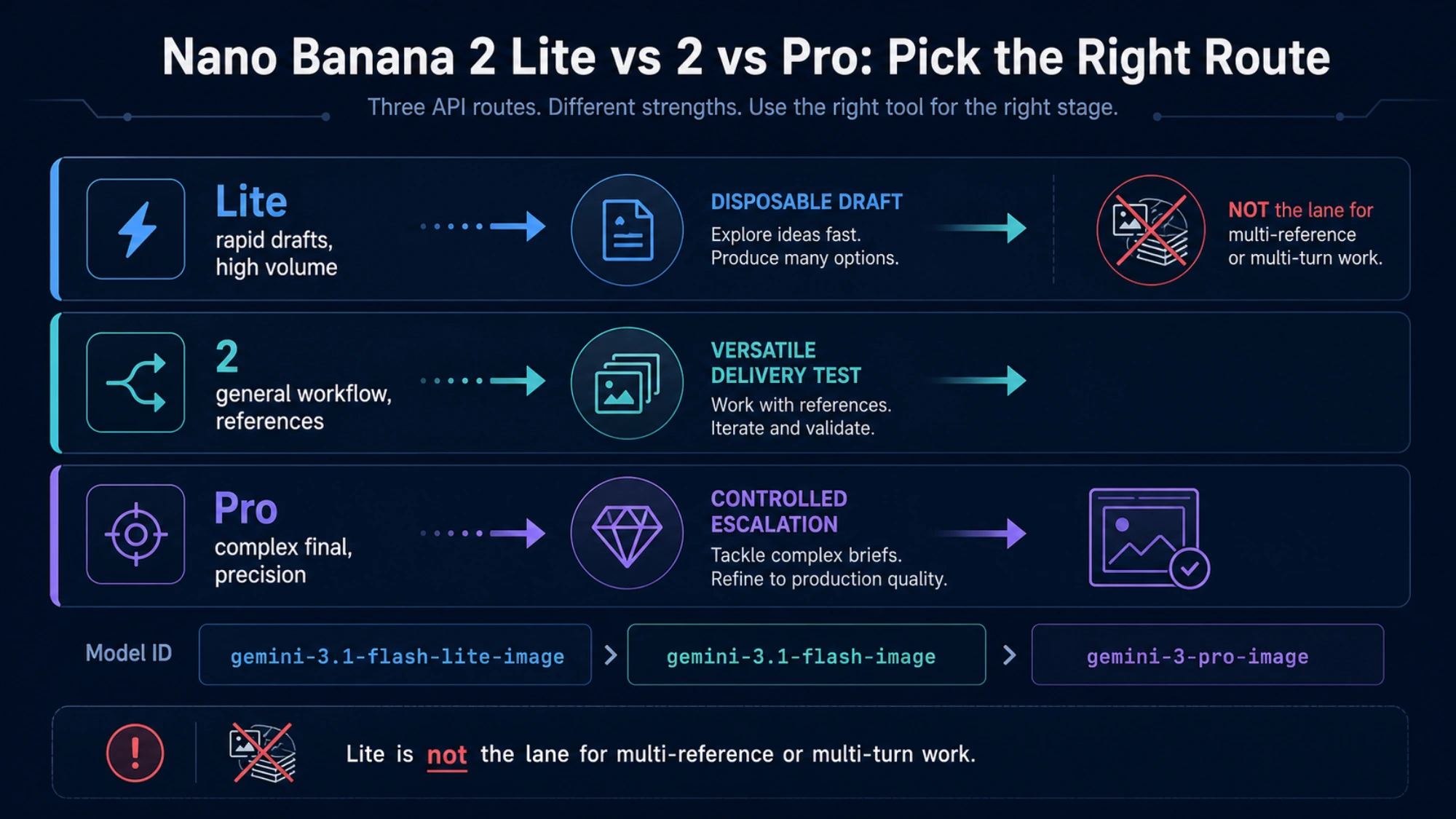
Routing code for these lanes, and the status of older model IDs, are in the production routing section below.
Lite, 2.1, or Pro by workload, not by an abstract quality score
| Workload | Best starting model | Why |
|---|---|---|
| Disposable drafts and quick previews at 1K | Nano Banana 2 Lite | Same $0.0336 1K output price as 2.1, lower token prices, built for low latency |
| Large numbers of simple variations | Nano Banana 2 Lite | Designed for cost-sensitive throughput |
| Everyday generation and conversational edits | Nano Banana 2.1 | Google's recommended default for new projects |
| Product or character work with multiple references | Nano Banana 2.1 | Up to 14 references and improved multi-turn consistency; Lite is not optimized for references |
| Wide banners and panoramas | Nano Banana 2.1 | Supports 1:4, 4:1, 1:8, and 8:1 at 1K to 4K |
| 512-pixel thumbnails | Nano Banana 2 (deprecated) | The only 0.5K option among the four |
| Posters, signs, and menus where every word must match | Nano Banana Pro | Kept the requested wording where 2.1 changed it in the same-prompt test |
| Localized campaign graphics with substantial exact copy | Nano Banana Pro | Advanced localization and precise control are core roles |
| Brand-critical final assets with exact copy and layout | Nano Banana Pro | Brand consistency and complex instructions are stated specialist uses |
| Complex diagrams with dense, exact labels | Nano Banana Pro | Exact wording matters more than unit cost |
This is a workload map, not a universal benchmark. Prices, factual labels, rights, and safety requirements still depend on trusted sources and the requirements of the actual deliverable.
API image-output prices: 2.1 matches Lite at 1K
Google's Standard paid image-output prices as of October 8, 2026, are the same on the Gemini API and Vertex AI:
| Model | 0.5K | 1K | 2K | 4K | Free API tier |
|---|---|---|---|---|---|
| Nano Banana 2 Lite | — | $0.0336 | — | — | Not available |
| Nano Banana 2.1 | — | $0.0336 | $0.0504 | $0.113 | Not available |
| Nano Banana 2 (deprecated) | $0.045 | $0.067 | $0.101 | $0.151 | Not available |
| Nano Banana Pro | — | $0.134 | $0.134 | $0.240 | Not available |
Batch mode halves these prices. Thinking tokens are billed on top of the image, at different rates per model:
| Model | Input, per 1M tokens | Text and thinking output, per 1M tokens |
|---|---|---|
| Nano Banana 2 Lite | $0.25 | $1.50 |
| Nano Banana 2.1 | $1.50 | $7.50 |
| Nano Banana 2 | $0.50 | $3 |
| Nano Banana Pro | $2 | $12 |
The figures exclude grounding (5,000 free searches per month shared across Gemini 3 models, then $14 per 1,000), taxes, currency conversion, and gateway markup. They are not Gemini app subscription prices. Recheck the official Gemini API pricing table before budgeting.
For 1,000 1K outputs, the image-output line alone is $33.60 on Lite, $33.60 on 2.1, $67 on Nano Banana 2, and $134 on Pro. Thinking separates Lite from 2.1: if every call used 1,000 thinking tokens, that would add 1,000 × $7.50 ÷ 1,000,000 = $0.0075 per image on 2.1, or $7.50 per 1,000 images, against $0.0015 per image ($1.50 per 1,000) at Lite's rate. Eight live 2.1 calls through LaoZhang API on October 8, 2026, reported 510 to 1,107 thinking tokens each, so 1,000 is a realistic planning figure. For measured per-call totals, see Nano Banana 2.1 API Pricing: Per-Image Price vs Cost per Call.
Disclosure: laozhang.ai is our own service. Its prices are platform pricing, not an independent comparison.
A flat per-call price changes the comparison at higher resolutions. On LaoZhang API, a call costs $0.045 on 2.1, $0.055 on Nano Banana 2, $0.025 on Lite, and $0.09 on Pro, whatever the output size or thinking level; each Google Search adds $0.014. That is below Google's list price for a 4K image on 2.1 ($0.113) or Pro ($0.24), and above it for a 1K image on 2.1 before thinking tokens. In those October 8 calls, a request to 2.1 for 512 output returned a 1K image and was charged as a normal call, so do not send 512 to 2.1. Setup and code are in LaoZhang API's Nano Banana 2.1 documentation.
Four common workload decisions
Ecommerce thumbnails and bulk variations
Lite works well when the product shape is simple, the background is fixed, and the outputs are inexpensive 1K candidates. Nano Banana 2.1 is a better default when the task uses several product references, continued edits, or 2K and 4K delivery. Nano Banana 2 is worth keeping only if your storefront needs 512-pixel thumbnails straight from the model. Pro becomes relevant when packaging, exact copy, brand rules, and final layout are the defining requirements.
Localized campaign graphics
Nano Banana 2.1 can handle a simple headline and a small number of figures. A campaign that combines prices, dates, specifications, disclaimers, multiple text levels, and several languages is closer to Pro's advanced-localization and precise-control role. Check character forms with any model: in the same-prompt test, 2.1, Pro, and GPT Image 2.5 all drew the simplified Chinese character 单 in its Japanese form, 単. Generated copy also does not replace an authoritative source for public prices or campaign terms.
Recurring brand characters
A single editorial image rarely requires Pro. For a series that must preserve faces, clothing, colors, and product shapes across many assets, start with Nano Banana 2.1: it accepts up to four character references, and Google's evaluations put it ahead of Pro on multi-character consistency. Move to Pro when exact brand copy, logos in text, or a strict layout must survive across the series. Lite is a poor primary model here because it is not optimized for multiple references or continued editing.
Complex diagrams and professional final assets
Lite or Nano Banana 2.1 can produce an early visual direction, and 2.1 drew an accurate five-step infographic in the same-prompt test. Pro is the more suitable model when the final asset has many nodes, dense labels whose exact wording matters, complex relationships, or a tightly controlled layout. The visual model can organize a composition, but the underlying facts and public data still need authoritative sources.
Production routing: map each request to a model ID, escalate to Pro by rule
In an application, classify each request first, then pick the model, then check the result against the reason that model was picked. The workload table above supplies the request types; the steps below turn them into model IDs and rules you can audit.
Route by model ID, not by label
Keep your own route names in the application and map them to official model IDs in one place. "Nano Banana," "Pro," and "Standard" are labels, not values the API accepts. In Google's pricing table, Standard is the pricing mode next to Batch, while LaoZhang API uses Standard as the name for the original Nano Banana, gemini-2.5-flash-image. Other gateways may have their own aliases, parameters, and billing, so check the exact model string each one expects.
Disclosure: laozhang.ai is our own service. Its prices are platform pricing, not an independent comparison.
MODEL_BY_ROUTE = {
    "draft": "gemini-3.1-flash-lite-image",
    "default": "gemini-nano-banana-2.1",
    "pro": "gemini-3-pro-image",
    "thumbnail_512": "gemini-3.1-flash-image",  # deprecated; the only 0.5K option
}

PRO_TRIGGERS = {"exact_text", "brand_asset", "complex_layout", "localized_copy"}

def choose_route(job: dict) -> str:
    if PRO_TRIGGERS & set(job["needs"]):
        return "pro"
    if job["size"] == "512":
        return "thumbnail_512"
    if job["disposable"] and job["size"] == "1K" and job["references"] <= 1:
        return "draft"
    return "default"

job = {"needs": ["exact_text"], "size": "2K", "disposable": False, "references": 0}
model = MODEL_BY_ROUTE[choose_route(job)]  # "gemini-3-pro-image"
Attach model-specific settings only after the route is chosen, so a request that falls through to 2.1 does not inherit a 512 size or the Vertex AI sampling parameters that 2.1 rejects. Log the route, model ID, requested size, the trigger that sent a job to Pro, and the result of the check. That log explains why a request cost $0.134 instead of $0.0336 and shows which triggers are worth keeping.
When to escalate from 2.1 to Pro: before the first draw for exact text
When exact wording is the deliverable, sending the job to Pro first costs less than trying 2.1 and retrying. At 1K list prices, one failed 2.1 draw followed by a Pro retry costs $0.0336 + $0.134 = $0.1676 in image output, 25% more than $0.134 for Pro alone, before anyone spends time reviewing the failed image. In the October 8 same-prompt test, 2.1 changed the requested wording on all three exact-text prompts (one draw each), so a first-try saving on that kind of job is unlikely.
For other request types, stay on 2.1 and add a Pro trigger only when 2.1 fails the same check repeatedly: wording changed, diagram labels lost, layout broken, or a brand review rejected. Name the trigger, log it, and look at a sample of outputs before making it permanent. Switching all traffic to Pro because a few prompts were hard turns it into a quiet cost increase: 1,000 1K images cost $134 on Pro instead of $33.60 on 2.1.
Check each result against its reason: on Pro, compare the rendered text with the requested copy; on Lite, confirm the 1K draft is good enough to use or throw away; on 2.1, confirm the result passes without paying for Pro. A 429 or quota error says nothing about quality, so do not move that traffic to Pro or another model automatically; handle it as a quota problem, as described in Gemini API Rate Limits 2026: Free vs Paid Tiers and How to Raise. Jobs that can wait, such as overnight catalog runs, can use Batch at half the list price.
Move off older Nano Banana model IDs in stages
The gemini-3.1-flash-image-preview and gemini-3-pro-image-preview models were shut down on June 25, 2026, according to the Gemini API deprecations page. Switch old integrations to the stable IDs before treating errors as model behavior.
If you still call the original Nano Banana (gemini-2.5-flash-image), Google's pages disagree on its end date: the Gemini API deprecations table lists March 15, 2027, as does Vertex AI, while the Gemini API pricing page still warns of October 2, 2026. Google names Lite as its replacement. Plan the move now rather than relying on either date. For a pipeline that produced simple 1K images, test Lite first; if it needs 2K or 4K output or several references, test 2.1.
Nano Banana 2 has no shutdown date on the Gemini API, but the same staged move applies. Send a small share of traffic to the new model ID, compare the share of accepted outputs and the time spent on manual fixes, and change the default route only when the new model holds up on the work you actually run.
Final rule: 2.1 by default, Lite for cheap drafts, Pro for exact text
Choose Lite when low latency, high throughput, and low token cost are central, 1K is enough, and the job does not depend on multiple references or a long editing sequence. Choose Nano Banana 2.1 when you need a versatile generation-and-editing model, 1K to 4K output, many aspect ratios, and balanced API economics. Choose Pro when exact text, professional complexity, brand consistency, advanced localization, or precise creative control is itself the reason for the project. Keep Nano Banana 2 only for 512-pixel output or a pipeline you have not yet retested on 2.1.
For the test results and per-call costs behind these rules, continue with the Nano Banana 2.1 vs Pro vs GPT Image 2.5 test, Nano Banana 2 API Pricing: $0.045–$0.151 per Image (Deprecated), or the Nano Banana Pro API guide.
Sources7
External pages this guide links to, in the order they appear. Last updated Oct 8, 2026.
Sources7
External pages this guide links to, in the order they appear. Last updated Oct 8, 2026.
- 1.Gemini API model page for Nano Banana 2.1ai.google.dev/gemini-api/docs/models/gemini-nano-banana-2.1
- 2.Gemini API release notesai.google.dev/gemini-api/docs/changelog
- 3.Google's Gemini image generation overviewgemini.google/overview/image-generation
- 4.Gemini Apps availabilitysupport.google.com/gemini/answer/14286560
- 5.Gemini APIai.google.dev/gemini-api/docs/image-generation
- 6.official Gemini API pricing tableai.google.dev/gemini-api/docs/pricing
- 7.Gemini API deprecations pageai.google.dev/gemini-api/docs/deprecations