Nano Banana API Returns No Image? Find the Cause in the Response
No image from the Nano Banana API usually means a text-only reply, a policy block or cut-off output. The raw response shows which, and whether a retry helps.
On this page
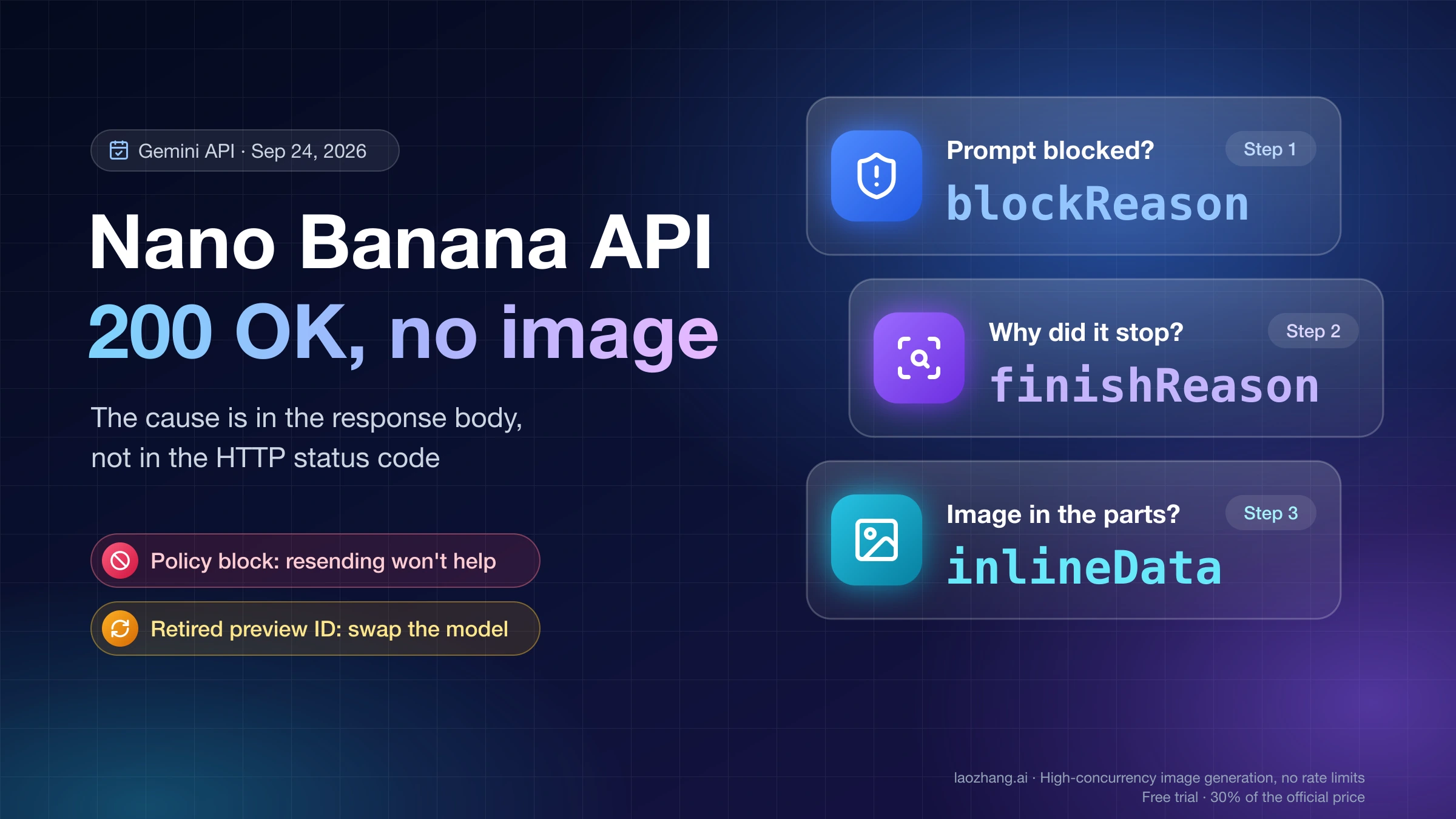
When a Nano Banana request comes back without an image, the HTTP status rarely helps: most of these responses are ordinary 200s. The answer is in the body. With generateContent, read promptFeedback.blockReason first, then candidates[0].finishReason, then the parts. With the Interactions API, read status, then the steps. Those few fields tell you whether the model chose to answer in text, a policy stopped the image, the output was cut short, or your code missed an image that was actually there.
Two cases are not worth resending unchanged: a policy block, because the same request gets the same decision, and a retired model ID, which fails no matter how often you call it. Everything below applies to the Gemini API, Google AI Studio, the official SDKs and tools built on them, as of September 24, 2026. If you use the Gemini app on the web or your phone and never touch an API key, go to Nano Banana Not Working in Gemini? Fix Stuck or Missing Images instead.
Check the model ID before anything else
Code copied from tutorials written early in 2026 may still call a preview model that no longer exists. Google shut down both preview IDs on June 25, 2026, after the stable versions went GA on May 28. The original Nano Banana keeps working only until October 2, 2026.
| Name | Model ID to use | Status as of September 24, 2026 |
|---|---|---|
| Nano Banana 2 Lite | gemini-3.1-flash-lite-image | GA since June 30, 2026 |
| Nano Banana 2 | gemini-3.1-flash-image | GA since May 28, 2026, no shutdown date announced |
| Nano Banana Pro | gemini-3-pro-image | GA since May 28, 2026, no shutdown date announced |
| Nano Banana (original) | gemini-2.5-flash-image | Shuts down October 2, 2026 |
| Retired | gemini-3.1-flash-image-preview, gemini-3-pro-image-preview | Shut down June 25, 2026 |
| Retired | gemini-2.5-flash-image-preview, gemini-2.0-flash-preview-image-generation | Shut down January 15, 2026 and November 14, 2025 |
Sources: the Gemini API image generation guide, Gemini API deprecations page and Gemini API changelog.
A call to a shut-down ID ends in an API error, not in a successful response without an image, so no prompt change will fix it. Swap the ID. One trap: the deprecations table still lists gemini-3.1-flash-image-preview as the replacement for gemini-2.5-flash-image, even though that preview is itself gone. Follow the image guide instead. It recommends moving the original model to Nano Banana 2 Lite. Pick Nano Banana 2 if you rely on several reference images or multi-turn editing, which Lite isn't optimized for. The pricing page names the same two options. If you need help choosing between them, see Nano Banana 2 Lite vs 2 vs 2.1 vs Pro: Which Model to Use Now.
Old snippets also tend to import google.generativeai. Google's current examples use the google-genai package (from google import genai) in Python and @google/genai in JavaScript, and everything below assumes those.
Match your response to one of these shapes
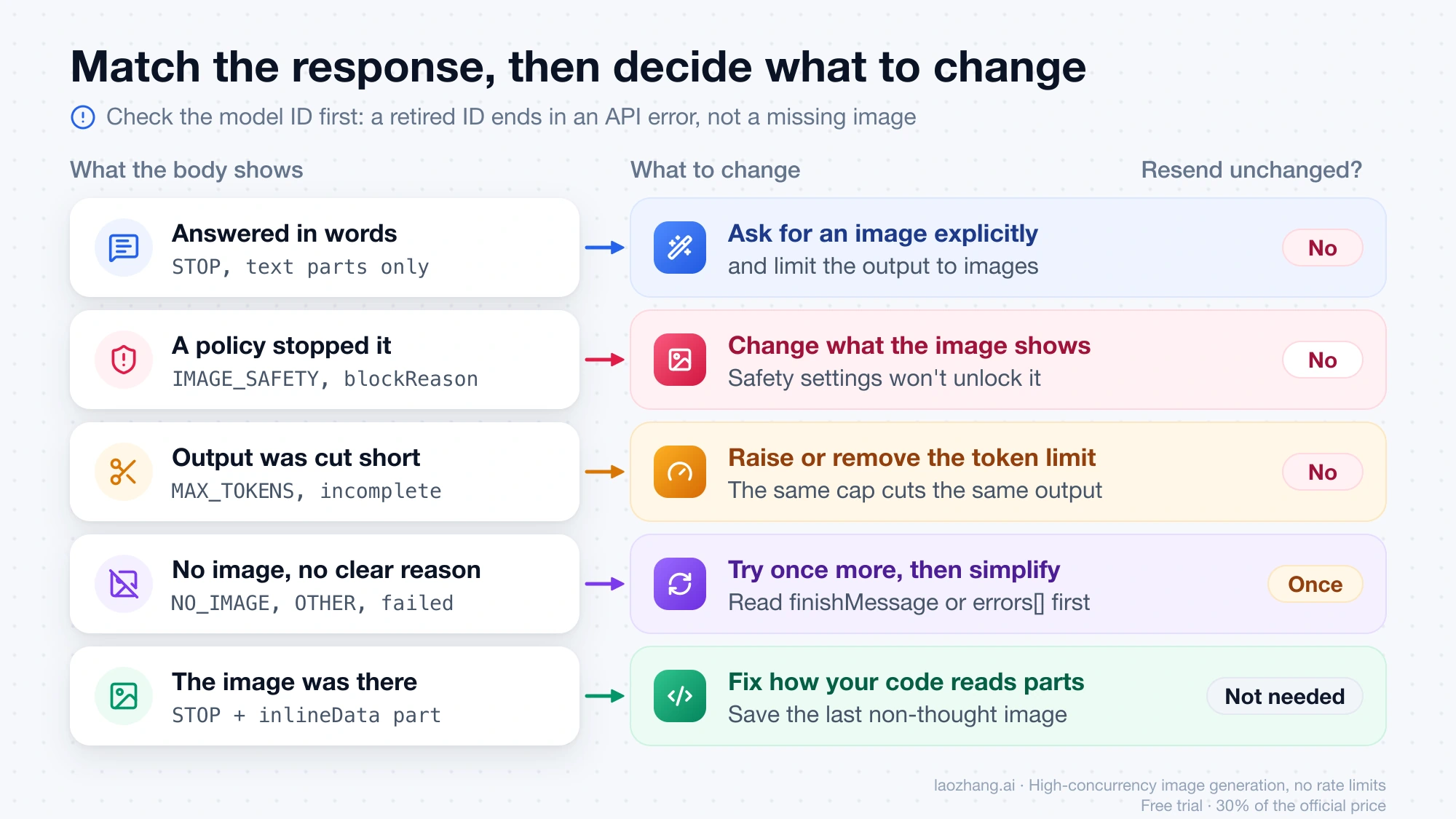
Save the raw response body before you change anything. The two API surfaces return different structures, so read the table for the one you call. generateContent returns candidates, parts and finishReason. The Interactions API, which Google has recommended for new projects since it went GA in June 2026, returns a status and a list of steps. Don't look for a finishReason in an interaction or a status in a generateContent body.
generateContent
| What the body shows | What it means | What to change | Resend unchanged? |
|---|---|---|---|
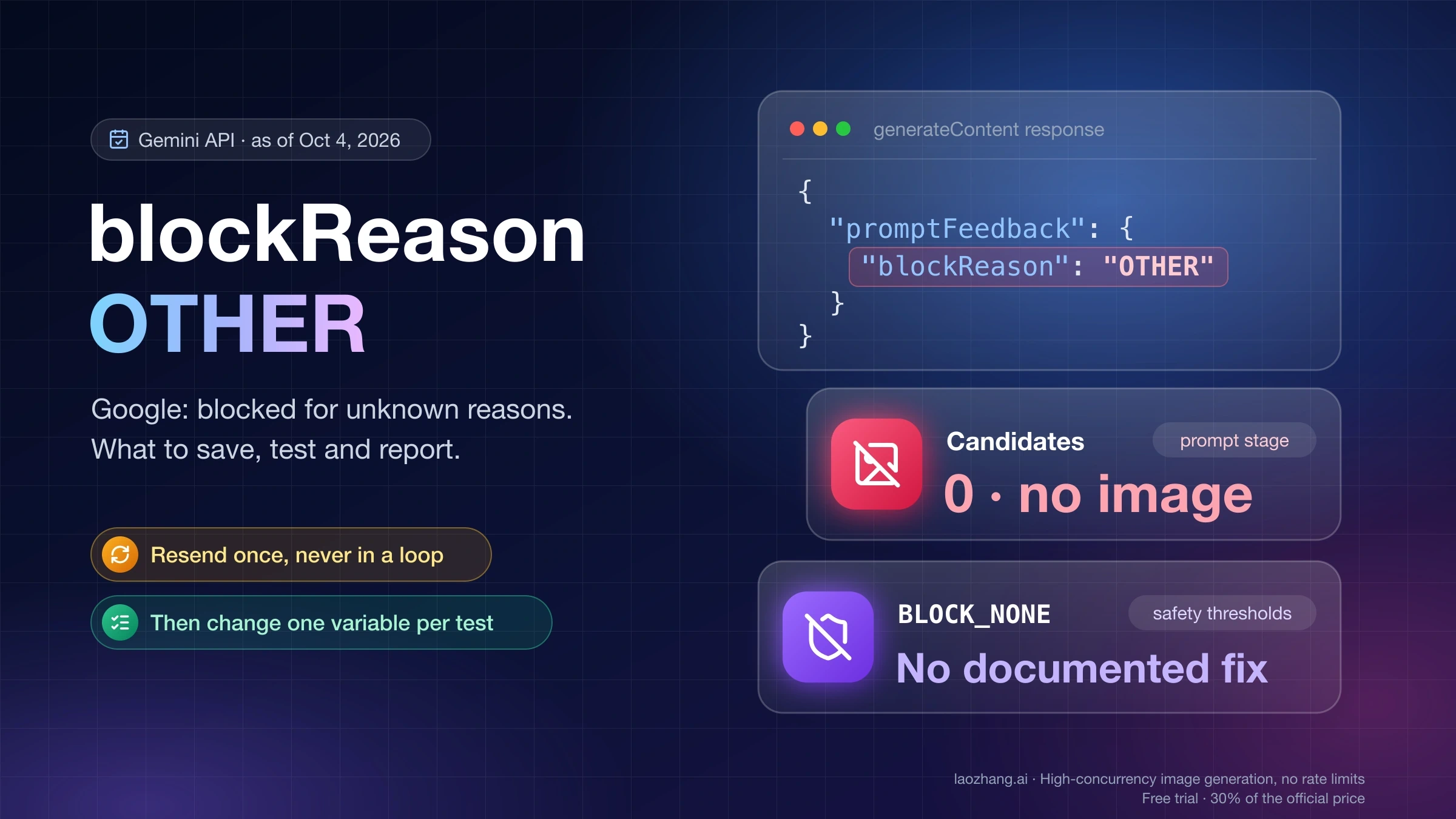
candidates empty, promptFeedback.blockReason set | The prompt was rejected before any generation | Rewrite the request. For OTHER, see Nano Banana 2 blockReason OTHER: What It Means and What to Check | No |
finishReason: STOP, text parts only | The model answered in words | Ask for an image explicitly and limit output to images | No |
STOP with an inlineData image part, but your app saved nothing | The image was there | Fix how you read the parts (see below) | Not needed |
NO_IMAGE | The model was expected to produce an image and didn't | Make the image request explicit and simpler | Once |
IMAGE_SAFETY, IMAGE_PROHIBITED_CONTENT | The generated image violated policy | Change the subject or how it is depicted | No |
SAFETY, PROHIBITED_CONTENT, BLOCKLIST, SPII | The request or text output was flagged | Rewrite the flagged part; remove personal data for SPII | No |
IMAGE_RECITATION, RECITATION | The output resembled existing material too closely | Ask for an original composition, not a copy of a specific work | No |
IMAGE_OTHER, OTHER | Google gives no specific reason | Read finishMessage, try once more, then simplify | Once |
MAX_TOKENS | The output hit maxOutputTokens | Raise or remove the limit | No |
MISSING_THOUGHT_SIGNATURE | A multi-turn history lost its thought signatures | See Nano Banana 2 Thought Signature Error: Complete Fix Guide for Every Scenario (2026) | No |
The meanings come from Google's FinishReason and BlockReason reference. finishMessage is optional and only appears when a finish reason is set, so it may be missing. If you see a value that isn't in this table, keep it as a raw string instead of mapping it to a guess. The enum keeps growing: google-genai 1.65.0, for example, doesn't list MISSING_THOUGHT_SIGNATURE and prints the warning "is not a valid FinishReason" while still passing the value through. Compare finish reasons as strings and your code won't break on newer values.
Interactions API
| What the body shows | What it means | What to change | Resend unchanged? |
|---|---|---|---|
status: completed, the model_output step holds only text | The model answered in words | Set response_format to an image format and ask explicitly | No |
status: completed, image blocks only inside thought steps | No final image was delivered | Treat it like a missing image and simplify the request | Once |
status: incomplete | Results were cut short, for example by max_output_tokens | Raise the limit | No |
status: failed | The interaction failed | Read errors[].code and errors[].message and keep the interaction ID | Once |
status: in_progress or queued | It isn't finished yet | Fetch it again with interactions.get | Wait |
Google's Interactions reference documents these status values, but it doesn't describe a separate field for an image-safety block. When an interaction ends without an image and none of the rows fit, keep the whole stored interaction, including status, errors and every step, instead of guessing at a cause.
The "Resend unchanged?" column is a practical rule based on what each reason means, not something Google publishes. One more attempt makes sense only when the reason is unspecified or the model simply produced no image: NO_IMAGE, IMAGE_OTHER, OTHER, or a failed interaction. For policy and limit outcomes, the same input gets the same result, and every attempt is another billed call.
When you get text instead of an image
A text-only reply isn't an error. Google's image guide states that "the model defaults to returning both text and image responses", so a reply made of words alone is an allowed outcome. Two changes make an image the expected result.
First, lead the prompt with the task: "Generate an image of a ceramic matcha cup on a walnut table, soft window light" gives the model less room than "a matcha cup on a walnut table". Google's own advice is to state the purpose and be specific.
Second, restrict the output modality. In generateContent:
from google import genai
from google.genai import types

client = genai.Client()
response = client.models.generate_content(
    model="gemini-3.1-flash-image",
    contents="Generate an image of a ceramic matcha cup on a walnut table, soft window light.",
    config=types.GenerateContentConfig(response_modalities=["IMAGE"]),
)
Over REST, the same setting is "generationConfig": {"responseModalities": ["IMAGE"]}. The API reference calls responseModalities an exact match to the modalities of the response, and an unsupported combination returns an error rather than silently falling back.
In the Interactions API, request an image format:
interaction = client.interactions.create(
    model="gemini-3.1-flash-image",
    input="Generate an image of a ceramic matcha cup on a walnut table, soft window light.",
    response_format={"type": "image"},
)
Neither setting promises an image on every call. Both tell the API that you want image output only, but Google doesn't say that forces an image, and the request can still end with NO_IMAGE or a policy block. Keep checking the finish reason or status.
Three smaller causes produce the same symptom:
- Prompt language. Google lists the languages that work best, including English, es-MX, ja-JP, ko-KR, ru-RU and zh-CN, and its troubleshooting page warns that unsupported languages can produce unexpected or blocked responses. Some users report text replies to prompts in other languages. That pattern isn't documented, but it costs one call to test: add an explicit "Generate an image" instruction in English.
- Image count. Google's limitations note says the model "won't always follow the exact number of image outputs" you ask for. Asking for four and getting one is documented behavior, not a failure.
- AI Studio. If AI Studio shows only text, check the model picker first. A text model can only answer in words, so select one of the image model IDs in the table above.
When a policy stopped the image
IMAGE_SAFETY, IMAGE_PROHIBITED_CONTENT, PROHIBITED_CONTENT and a prompt-level blockReason are decisions about content. Before you change settings, look at what Google's safety settings guide actually lets you adjust:
generateContenthas four adjustable filter categories: harassment, hate speech, sexually explicit and dangerous content.- If you don't set a threshold, the default is Off for Gemini 2.5 and 3 models. It follows that
BLOCK_NONEloosens nothing unless your code had set a stricter threshold. Google doesn't spell that out, but it's the direct consequence of the default. - Built-in protections against core harms, such as content that endangers child safety, are always blocked and can't be adjusted.
- The Interactions API doesn't support custom safety settings at all.
Only one case is fixable in settings: you get SAFETY with safetyRatings, and your own code sets a threshold such as BLOCK_LOW_AND_ABOVE. Relax that threshold within Google's terms, which note that apps with less restrictive settings may be reviewed. Google documents no setting that controls IMAGE_SAFETY or the prohibited-content reasons, so changing thresholds is not a way around them.
What remains is changing the request. Google's reasons don't say which part of a prompt triggered the block, so narrow it down yourself. Split the prompt's details in half, send each half as a separate request, and keep the half that gets through. Repeat until only a few words or reference images remain as suspects, then rephrase or drop them. If the request depends on a real person's likeness or a specific existing work, changing the subject is often the only path.
Sending the same request through a different gateway or reseller doesn't change the result. The model and its policy are Google's either way. For a prompt blocked with blockReason: OTHER, Nano Banana 2 blockReason OTHER: What It Means and What to Check covers that case in depth.
When the image was there but your code saved nothing
If the finish reason is STOP and usage shows image output tokens, the image probably arrived, and the problem is in how your code reads the response. Four mistakes produce this:
- Reading only the text.
response.textorinteraction.output_textreturns words, not pictures. Loop over the parts or steps. - Keeping a thinking image. Gemini 3 image models always think and can produce up to two interim "thought images". In
generateContent, those arrive as parts markedthought: truewhen thoughts are included. A parser that keeps the first image it finds may save a draft instead of the result. The final image is the last part that isn't a thought. This follows from Google's description of thinking. It isn't a documented failure mode. - Decoding twice. In the Python SDK,
part.inline_data.datais already bytes; over REST it's a base64 string. The Interactions examples in Google's docs decodedatawithbase64.b64decode. Decoding bytes that were never encoded produces a corrupt file or an exception. - Using an older SDK against the new response shape. Google replaced the Interactions
outputslist withstepsin a breaking change that became the default on May 26, 2026.google-genai1.65.0 still models the old shape: given a current response, itsoutputscomes back empty andstepsarrives as plain dictionaries, so old code reports no image and code from today's docs fails with an attribute error. Update the package before you debug anything else.
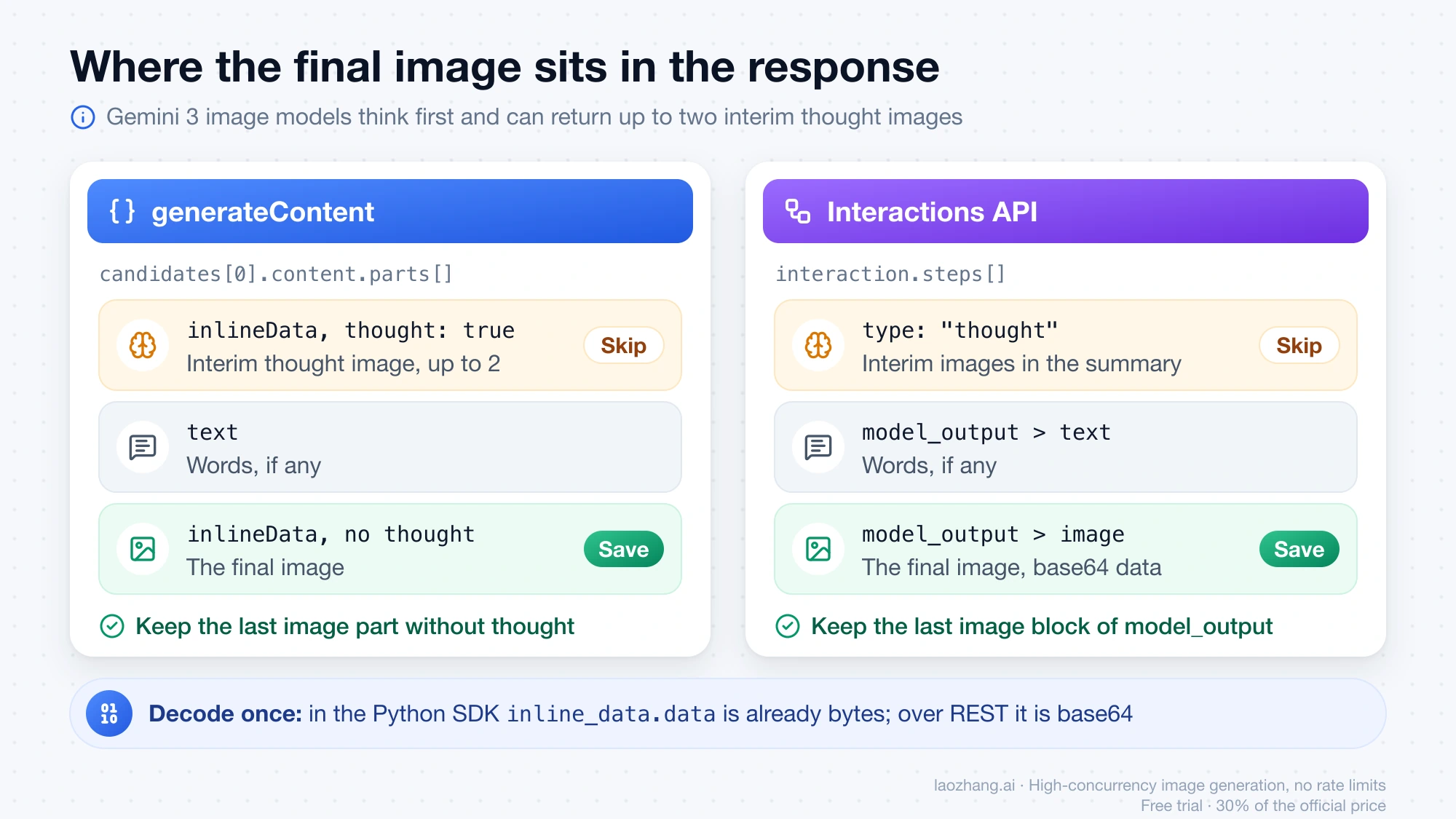
These snippets save the final image or report why there isn't one. The first is for generateContent:
cand = (response.candidates or [None])[0]
parts = cand.content.parts if cand and cand.content and cand.content.parts else []
finals = [p for p in parts if p.inline_data and not p.thought]
if finals:
    with open("nano-banana.png", "wb") as f:
        f.write(finals[-1].inline_data.data)  # already bytes in the Python SDK
else:
    print("no image:", cand.finish_reason if cand else response.prompt_feedback)
The second is for the Interactions API. With interleaved text and images, which Nano Banana Pro can produce, output_image returns only the last image, so loop over steps when you need all of them:
import base64

finals = [b for s in (interaction.steps or []) if s.type == "model_output"
          for b in (s.content or []) if b.type == "image"]
if finals:
    with open("nano-banana.png", "wb") as f:
        f.write(base64.b64decode(finals[-1].data))
else:
    print("no image:", interaction.status, interaction.errors)
Multi-turn editing adds one more requirement: return each earlier model turn exactly as you received it, with its thought signatures. The SDK chat helpers handle that automatically. If you build the history by hand and see MISSING_THOUGHT_SIGNATURE or failed edits, follow Nano Banana 2 Thought Signature Error: Complete Fix Guide for Every Scenario (2026).
Diagnose a saved response in one command
The script below turns the tables above into a check you can run on any saved response body. It uses only the Python standard library, reads both API surfaces, and accepts REST camelCase keys as well as SDK snake_case keys. It reports the shape, the next step, whether resending unchanged is worth it, the token usage, and a cost estimate at list price when it knows the model.
To save a response, write the body straight to a file with curl (-o response.json). In Python, the SDK objects are Pydantic models, so write out response.model_dump_json(by_alias=True, exclude_none=True) for generateContent, or interaction.model_dump_json(exclude_none=True) for an interaction.
#!/usr/bin/env python3
"""Explain why a saved Nano Banana API response has no image.

Usage:  python3 inspect_no_image.py response.json [--model MODEL_ID] [--json]
Input:  raw JSON from generateContent or the Interactions API
        (REST camelCase or SDK snake_case keys both work).
Exit:   0 = a final image is present, 1 = no final image, 2 = unreadable.
"""
import argparse
import json
import sys

RETIRED = {
    "gemini-3.1-flash-image-preview": "shut down June 25, 2026 - use gemini-3.1-flash-image",
    "gemini-3-pro-image-preview": "shut down June 25, 2026 - use gemini-3-pro-image",
    "gemini-2.5-flash-image-preview": "shut down January 15, 2026",
    "gemini-2.0-flash-preview-image-generation": "shut down November 14, 2025",
    "gemini-2.5-flash-image": "shuts down October 2, 2026 - move to a Gemini 3.x image model",
}
# Standard paid tier, USD per 1M tokens: (input, text+thinking output, image output)
PRICES = {
    "gemini-3.1-flash-lite-image": (0.25, 1.50, 30.0),
    "gemini-3.1-flash-image": (0.50, 3.00, 60.0),
    "gemini-3-pro-image": (2.00, 12.00, 120.0),
}
# reason -> (next step, retry the identical request?)
ACTIONS = {
    "STOP": ("It answered in text. Ask for an image explicitly and limit output to images.", "no"),
    "NO_IMAGE": ("Make the image request explicit and simpler, then try again.", "once"),
    "IMAGE_SAFETY": ("Change the subject or how it is depicted. Settings will not unlock it.", "no"),
    "IMAGE_PROHIBITED_CONTENT": ("Policy block on the image. Change the subject.", "no"),
    "IMAGE_RECITATION": ("Too close to existing material. Ask for an original composition.", "no"),
    "IMAGE_OTHER": ("Unspecified image stop. Read finishMessage, retry once, then simplify.", "once"),
    "SAFETY": ("Read safetyRatings and rewrite the flagged part.", "no"),
    "PROHIBITED_CONTENT": ("Policy block. Change the subject.", "no"),
    "BLOCKLIST": ("Remove the blocked terms.", "no"),
    "SPII": ("Remove personal data from the request.", "no"),
    "RECITATION": ("Make the prompt and context more original.", "no"),
    "MAX_TOKENS": ("Raise or remove maxOutputTokens.", "no"),
    "MISSING_THOUGHT_SIGNATURE": ("Send earlier model turns back unchanged, signatures included.", "no"),
    "OTHER": ("Unknown reason. Retry once, then simplify the request.", "once"),
}


def get(d, camel, snake=None):
    """Read a key in REST camelCase or SDK snake_case."""
    if not isinstance(d, dict):
        return None
    return d.get(camel, d.get(snake)) if snake else d.get(camel)


def tokens(details, modality):
    return sum(get(x, "tokenCount", "token_count") or get(x, "tokens") or 0
               for x in details or [] if str(get(x, "modality")).upper() == modality)


def inspect_generate_content(r):
    rep = {"surface": "generateContent", "model": get(r, "modelVersion", "model_version")}
    u = get(r, "usageMetadata", "usage_metadata") or {}
    image_tok = tokens(get(u, "candidatesTokensDetails", "candidates_tokens_details"), "IMAGE")
    rep["usage"] = {
        "input": get(u, "promptTokenCount", "prompt_token_count") or 0,
        "thinking": get(u, "thoughtsTokenCount", "thoughts_token_count") or 0,
        "output_image": image_tok,
        "output_other": (get(u, "candidatesTokenCount", "candidates_token_count") or 0) - image_tok,
    }
    candidates = get(r, "candidates") or []
    if not candidates:
        reason = get(get(r, "promptFeedback", "prompt_feedback") or {}, "blockReason", "block_reason")
        rep.update(kind="prompt_blocked" if reason else "empty", reason=reason or "none")
        rep["next"] = ("The prompt was rejected before generation. Change the request itself."
                       if reason else "No candidates and no blockReason. Save the body and retry once.")
        rep["retry"] = "no" if reason else "once"
        return rep
    c = candidates[0]  # image models return one candidate unless you ask for more
    final, thought, text = 0, 0, 0
    for p in get(get(c, "content") or {}, "parts") or []:
        blob = get(p, "inlineData", "inline_data")
        if blob and str(get(blob, "mimeType", "mime_type") or "").startswith("image/"):
            thought, final = (thought + 1, final) if p.get("thought") else (thought, final + 1)
        elif p.get("text") and not p.get("thought"):
            text += 1
    reason = get(c, "finishReason", "finish_reason") or "UNSET"
    rep.update(reason=reason, final_images=final, thought_images=thought, text_parts=text,
               finish_message=get(c, "finishMessage", "finish_message"))
    if final:
        rep.update(kind="image", next="Save the last non-thought image part.", retry="n/a")
    else:
        rep["kind"] = "text_only" if reason == "STOP" and text else "stopped"
        unlisted = ("Unlisted reason. Keep the raw value and read finishMessage.", "once")
        rep["next"], rep["retry"] = ACTIONS.get(reason, unlisted)
    return rep


def inspect_interaction(r):
    rep = {"surface": "interactions", "model": r.get("model"), "reason": r.get("status")}
    u = r.get("usage") or {}
    image_tok = tokens(u.get("output_tokens_by_modality"), "IMAGE")
    rep["usage"] = {"input": u.get("total_input_tokens") or 0, "thinking": u.get("total_thought_tokens") or 0,
                    "output_image": image_tok, "output_other": (u.get("total_output_tokens") or 0) - image_tok}
    steps = r.get("steps")
    if steps is None and isinstance(r.get("outputs"), list):  # legacy schema, removed June 8, 2026
        rep["schema_note"] = "Legacy 'outputs' body. Update google-genai; current SDKs read 'steps'."
        outs = r["outputs"]
        steps = [{"type": "model_output", "content": [b for b in outs if b.get("type") != "thought"]},
                 {"type": "thought", "summary": [x for b in outs if b.get("type") == "thought"
                                                 for x in b.get("summary") or []]}]
    final, thought, text = 0, 0, 0
    for step in steps or []:
        if step.get("type") == "model_output":
            for b in step.get("content") or []:
                final += b.get("type") == "image" and bool(b.get("data") or b.get("uri"))
                text += b.get("type") == "text" and bool(b.get("text"))
        elif step.get("type") == "thought":
            thought += sum(b.get("type") == "image" for b in step.get("summary") or [])
    rep.update(final_images=final, thought_images=thought, text_parts=text, errors=r.get("errors"))
    status = r.get("status")
    if final:
        rep.update(kind="image", next="Save the last image block of the model_output step.", retry="n/a")
    elif status == "completed":
        rep.update(kind="text_only" if text else "empty", retry="no",
                   next="Ask for an image explicitly and set response_format to {'type': 'image'}.")
    elif status == "incomplete":
        rep.update(kind="stopped", next="Output was cut short. Raise max_output_tokens.", retry="no")
    elif status == "failed":
        rep.update(kind="failed", retry="once",
                   next="Read errors[].code and errors[].message; keep the interaction id.")
    elif status in ("in_progress", "queued", "requires_action"):
        rep.update(kind="not_finished", next="Not final yet. Fetch it again with interactions.get.", retry="no")
    else:
        rep.update(kind="stopped", next="Status is %s. Keep the raw body." % status, retry="no")
    return rep


def inspect(r, model=None):
    if isinstance(r, dict) and isinstance(r.get("error"), dict):
        e = r["error"]
        rep = {"surface": "http_error", "kind": "error", "reason": e.get("status") or e.get("code"),
               "next": "This is an API error, not a no-image reply: %s" % e.get("message"), "retry": "depends"}
    elif isinstance(r, dict) and ("candidates" in r or "promptFeedback" in r or "prompt_feedback" in r):
        rep = inspect_generate_content(r)
    elif isinstance(r, dict) and "status" in r:
        rep = inspect_interaction(r)
    else:
        return {"kind": "unrecognized", "next": "Not a generateContent or Interactions body."}
    model = (model or rep.get("model") or "").replace("models/", "")
    rep["model"] = model or None
    if model in RETIRED:
        rep["model_warning"] = RETIRED[model]
    price, usage = PRICES.get(model), rep.get("usage")
    if price and usage:
        text_out = usage["thinking"] + usage["output_other"]
        cost = usage["input"] * price[0] + text_out * price[1] + usage["output_image"] * price[2]
        rep["list_price_usd"] = round(cost / 1e6, 6)
    return rep


def main():
    ap = argparse.ArgumentParser()
    ap.add_argument("file")
    ap.add_argument("--model", help="model ID your code sends, if the body lacks it")
    ap.add_argument("--json", action="store_true")
    a = ap.parse_args()
    try:
        with open(a.file, encoding="utf-8") as f:
            rep = inspect(json.load(f), a.model)
    except (OSError, ValueError) as exc:
        print("cannot read %s: %s" % (a.file, exc), file=sys.stderr)
        return 2
    if a.json:
        print(json.dumps(rep, indent=2))
    else:
        for key in ("surface", "model", "model_warning", "schema_note", "kind", "reason", "finish_message", "final_images",
                    "thought_images", "text_parts", "errors", "next", "retry", "usage", "list_price_usd"):
            if rep.get(key) not in (None, ""):
                print("%-15s %s" % (key + ":", rep[key]))
    return {"image": 0, "unrecognized": 2}.get(rep.get("kind"), 1)


if __name__ == "__main__":
    sys.exit(main())
Run it as python3 inspect_no_image.py response.json. Add --model gemini-3.1-flash-image if the body doesn't name the model, or --json to feed the result into your own logging. For a generateContent body that stopped with IMAGE_SAFETY after 30 input tokens and 250 thinking tokens, the output looks like this:
surface:        generateContent
model:          gemini-3.1-flash-image
kind:           stopped
reason:         IMAGE_SAFETY
final_images:   0
thought_images: 0
text_parts:     0
next:           Change the subject or how it is depicted. Settings will not unlock it.
retry:          no
usage:          {'input': 30, 'thinking': 250, 'output_image': 0, 'output_other': 0}
list_price_usd: 0.000765
The script was tested offline with Python 3.12 against 24 hand-written response bodies modeled on Google's API reference. They cover every row of both tables, a snake_case SDK dump, an unlisted finish reason, two bodies in the old outputs shape, an API error body and a JSON file that isn't a Gemini response at all. The generateContent and Interactions bodies were also loaded into the google-genai 1.65.0 response types and dumped back out, with identical verdicts. None of it was run against live Google traffic, so if a status or field appears that the tables don't list, keep the raw value and extend the script.
What the failed call cost
Google bills the Gemini API per token, with separate rates by modality. As of September 24, 2026, Standard paid-tier list prices per million tokens on the pricing page are:
| Model | Input | Text and thinking output | Image output | One 1K image |
|---|---|---|---|---|
| Nano Banana 2 Lite | $0.25 | $1.50 | $30 | $0.0336 |
| Nano Banana 2 | $0.50 | $3 | $60 | $0.067 |
| Nano Banana Pro | $2 | $12 | $120 | $0.134 |
None of these models has a free tier for image output. Google publishes no rule for responses that end without an image: it doesn't say they are billed as a full image, and it doesn't say they are free. The usage block on the failed call shows which tokens were counted. In generateContent, read usageMetadata.promptTokenCount, thoughtsTokenCount, candidatesTokenCount and the per-modality candidatesTokensDetails. In the Interactions API, read usage.total_input_tokens, total_thought_tokens, total_output_tokens and output_tokens_by_modality.
The estimate at list price is:
cost = (input × input rate + (thinking + non-image output) × text rate + image output × image rate) ÷ 1,000,000
For the blocked example above on Nano Banana 2, that's (30 × 0.50 + 250 × 3 + 0 × 60) ÷ 1,000,000, or about $0.000765. Those token counts come from a test fixture, not a measured call. If the usage block had shown 1,120 image tokens, the image term alone would be 1,120 × 60 ÷ 1,000,000, or $0.0672, matching Google's quoted price for one 1K image. Put the real numbers from your own failed call into the formula to see which side of that gap you're on.
Two details from Google's docs affect the numbers. Thinking tokens are billed even when you don't ask to see the thoughts, and the interim thought images are not charged. The formula gives an estimate. The final figure is whatever your billing account's cost report shows for that day.
Common questions
Is Nano Banana down when it returns no image?
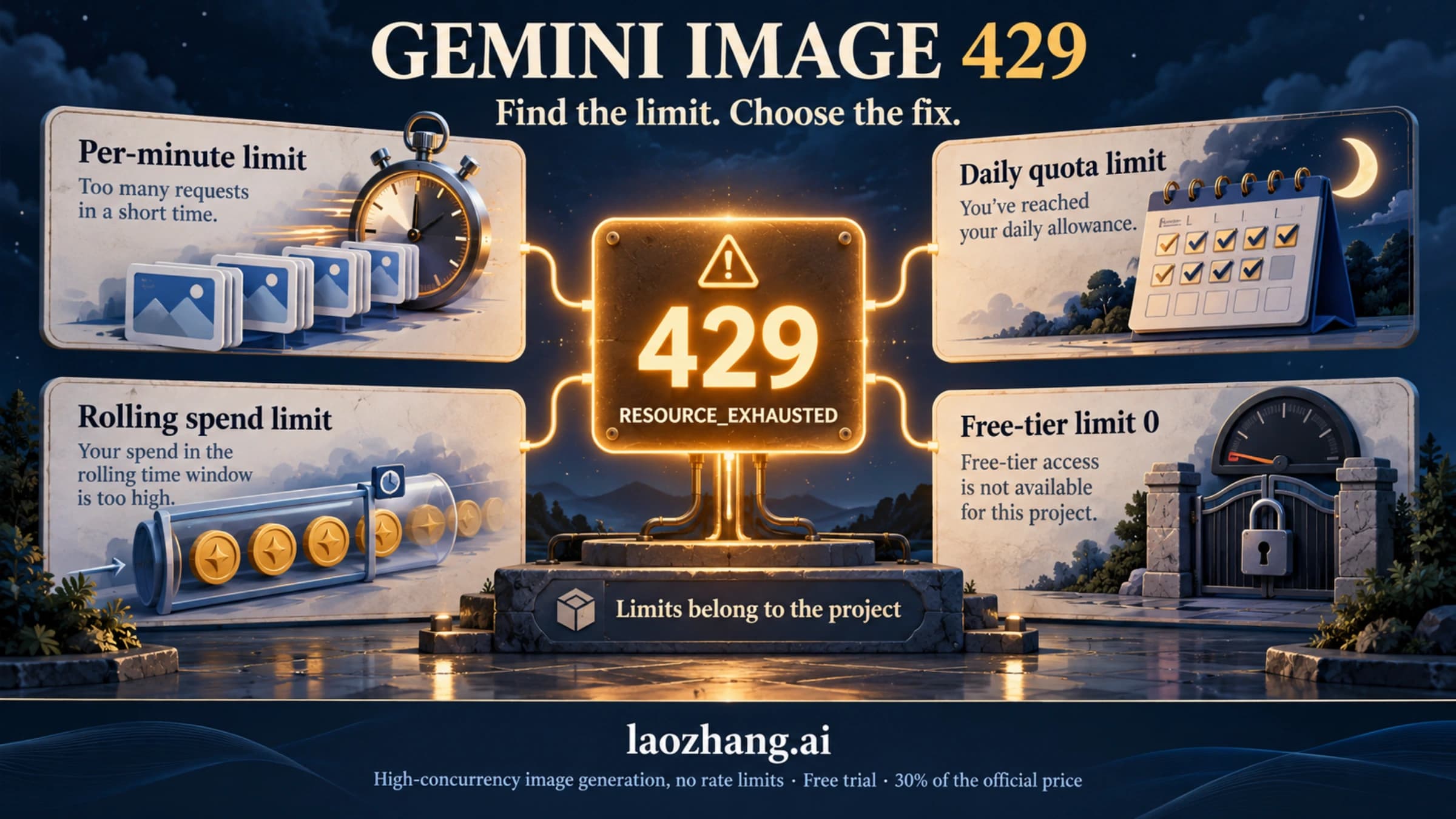
Usually not. Overload and quota problems come back as HTTP errors rather than as a finished response. For errors such as 503 UNAVAILABLE, Google's troubleshooting guide recommends retrying with exponential backoff. A 429 RESOURCE_EXHAUSTED means you hit a quota or rate limit, which Nano Banana 2 Limits: How Gemini Usage and API Rate Limits Work explains. A response that finished but has no image fits one of the shapes in the tables above.
Does setting responseModalities to IMAGE guarantee an image?
No. It limits which modalities the response may contain, but the call can still finish with NO_IMAGE, IMAGE_SAFETY or another stop reason. Check finishReason on every response, even with the setting in place.
Will BLOCK_NONE or OFF fix IMAGE_SAFETY?
No. For Gemini 2.5 and 3 models, the adjustable filters are already Off when you don't set them, and Google documents no setting that controls image-safety or prohibited-content outcomes. Change what the image depicts instead.
My code worked in March. Why does it fail now?
Two changes since spring 2026 break code that used to work. The preview model IDs shut down on June 25, 2026, and the Interactions API switched from outputs to steps, a shape older SDK versions don't read. Snippets from that period also tend to import google.generativeai rather than google-genai. Update the model ID first, then the SDK, then your response parsing.
Official documentation
Request parameters, pricing, and billing rules are documented in the LaoZhang API developer docs: Image billing and failures.
Disclosure: laozhang.ai is our own service. Its prices are platform pricing, not an independent comparison.
Sources7
External pages this guide links to, in the order they appear. Last updated Sep 24, 2026.
Sources7
External pages this guide links to, in the order they appear. Last updated Sep 24, 2026.
- 1.Gemini API image generation guideai.google.dev/gemini-api/docs/image-generation
- 2.Gemini API deprecations pageai.google.dev/gemini-api/docs/deprecations
- 3.Gemini API changelogai.google.dev/gemini-api/docs/changelog
- 4.FinishReason and BlockReason referenceai.google.dev/api/generate-content
- 5.Interactions referenceai.google.dev/api/interactions
- 6.safety settings guideai.google.dev/gemini-api/docs/safety-settings
- 7.pricing pageai.google.dev/gemini-api/docs/pricing