Gemini Image API Free? No Free Tier, but $5 Buys Up to 148 Images
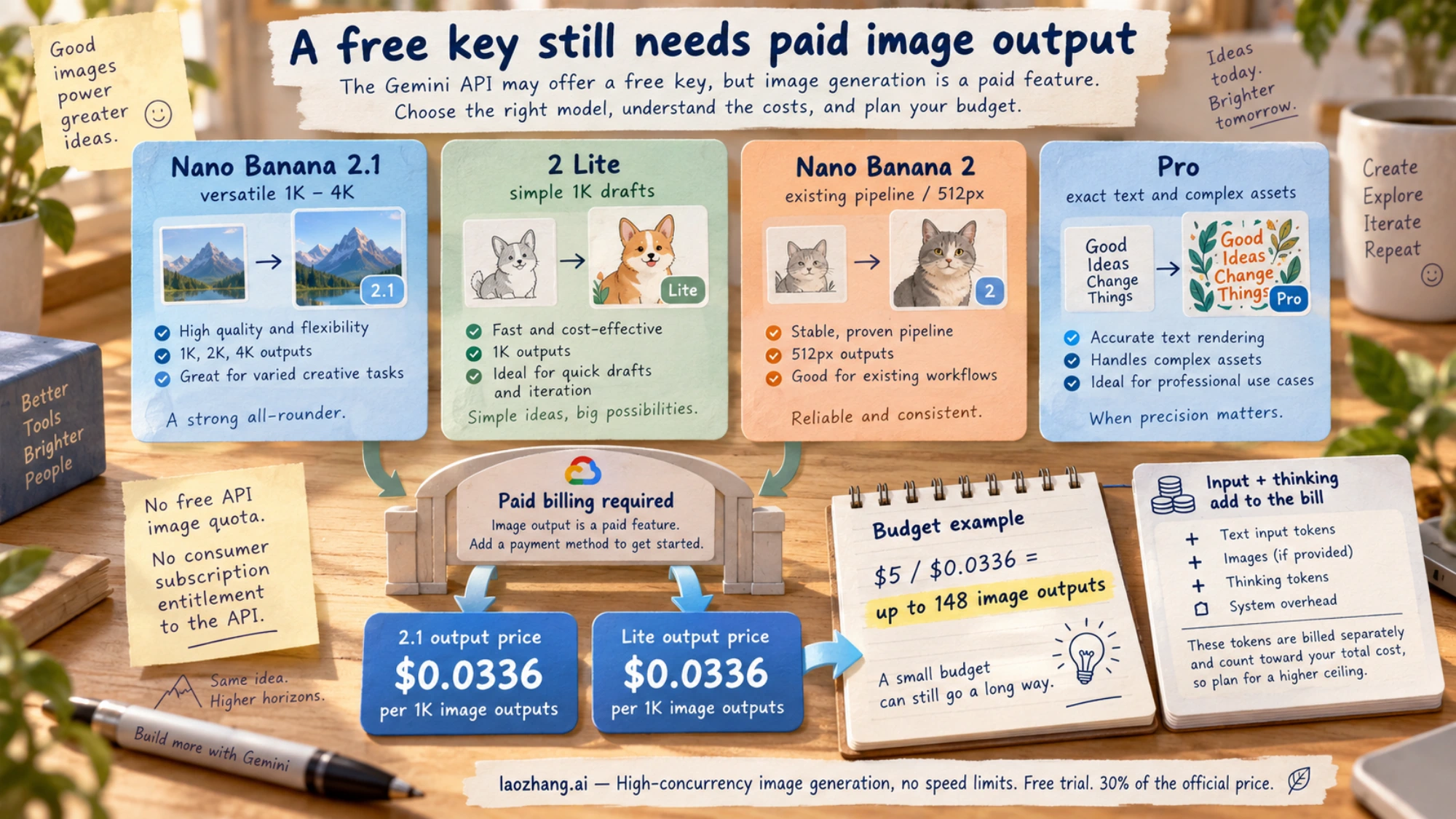
No. As of October 8, 2026, no Gemini image model, Nano Banana 2.1 included, has free API output. $5 covers up to 148 images at 1K on 2.1 or 2 Lite.
On this page
No. As of October 8, 2026, the Gemini API has no free tier for image output. Google's Gemini API pricing page lists image input and output as "Not available" on the free tier for every image model it sells: Nano Banana 2.1, Nano Banana 2 Lite, Nano Banana 2 and Nano Banana Pro. The Google AI Studio playground follows the same line. As of October 5, 2026, a personal account with no API key and no Google AI plan saw "Upgrade to unlock Nano Banana 2" when it picked the image model.
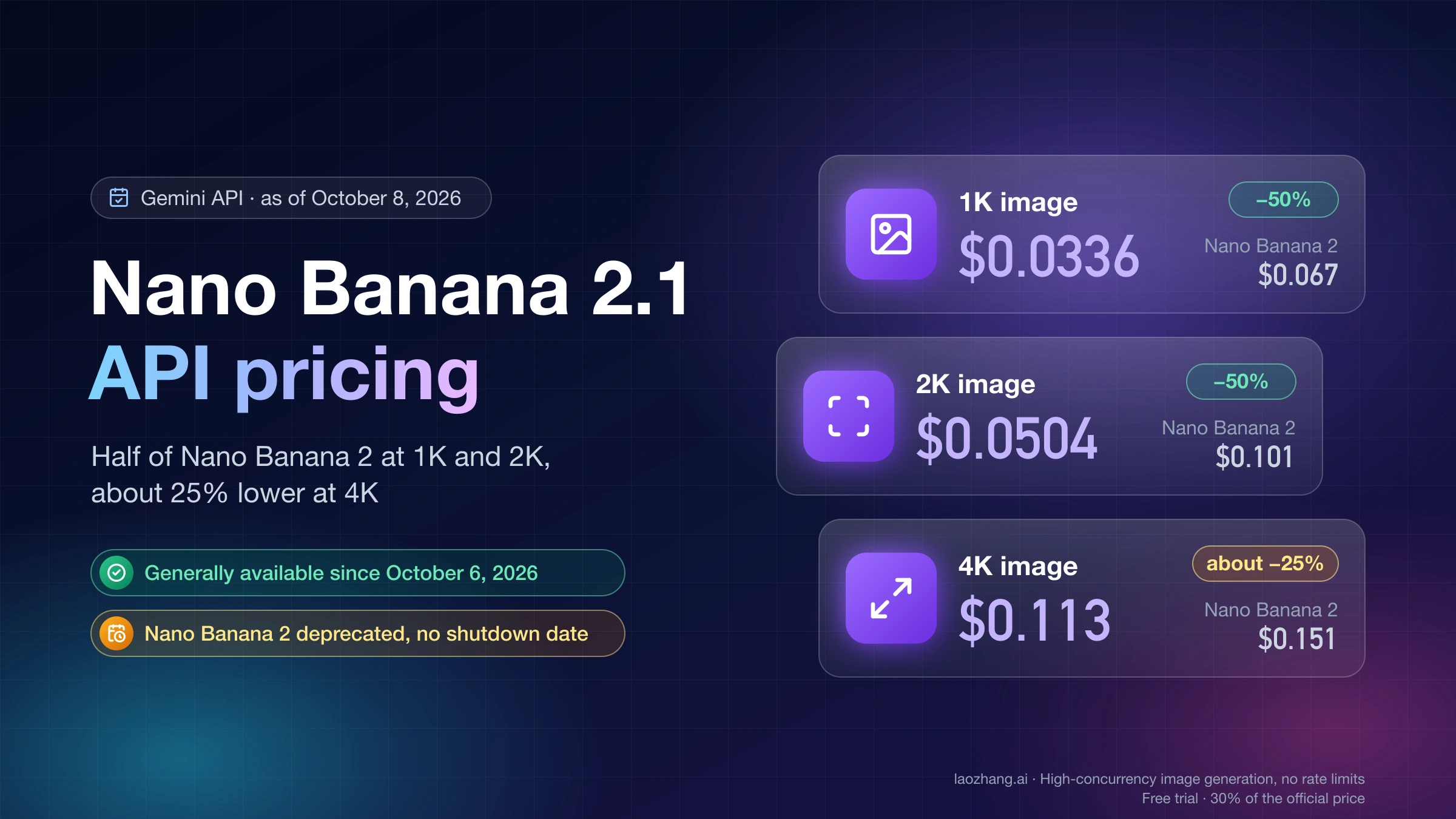
The model lineup changed in the first week of October 2026, but the answer did not. Nano Banana 2.1 (gemini-nano-banana-2.1) became generally available on October 6 at $0.0336 per 1K image, with no free tier. Nano Banana 2 is now deprecated on the Gemini API, with no shutdown date announced. And Google's own pages disagree on when the original Nano Banana shuts down.
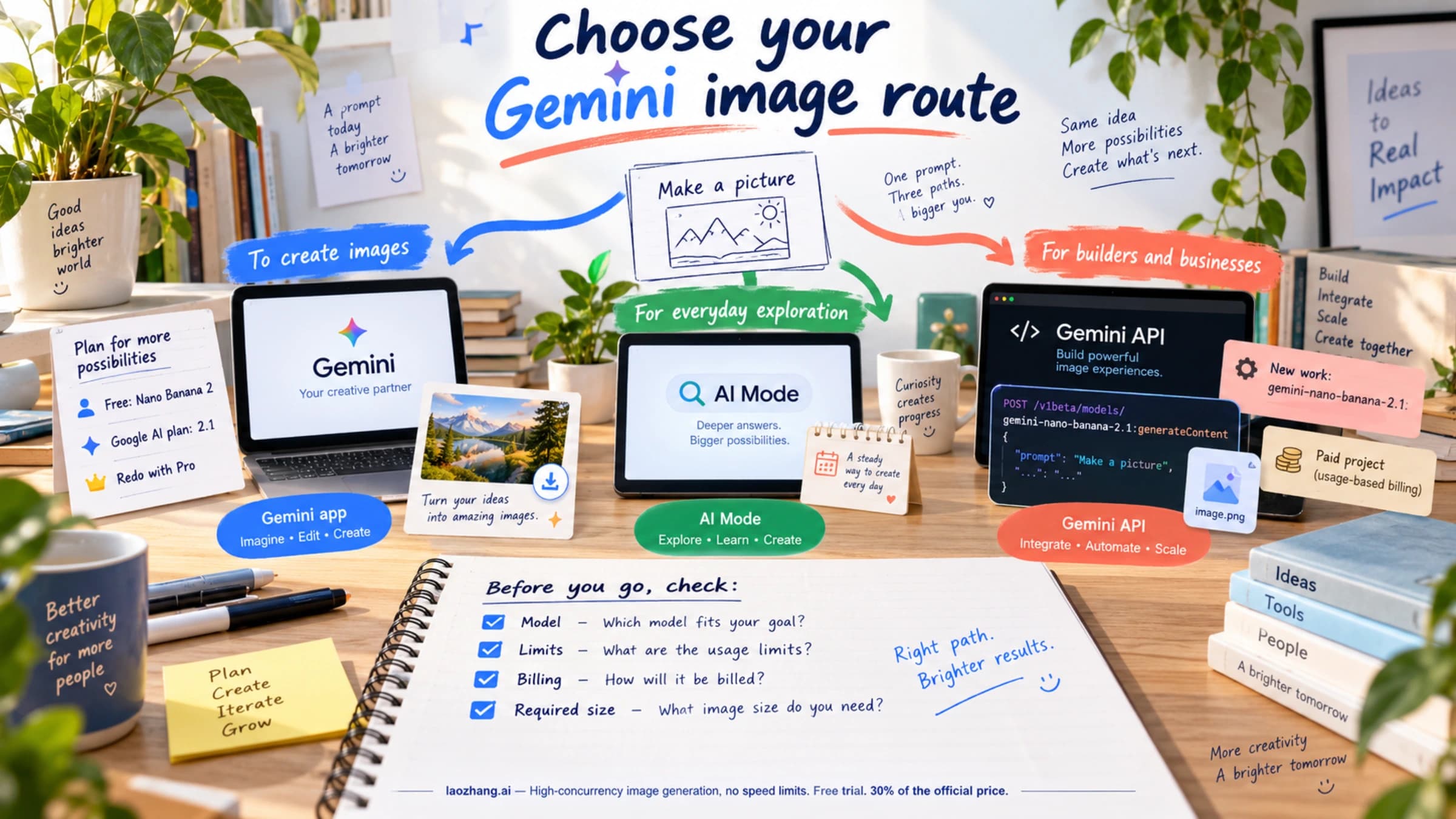
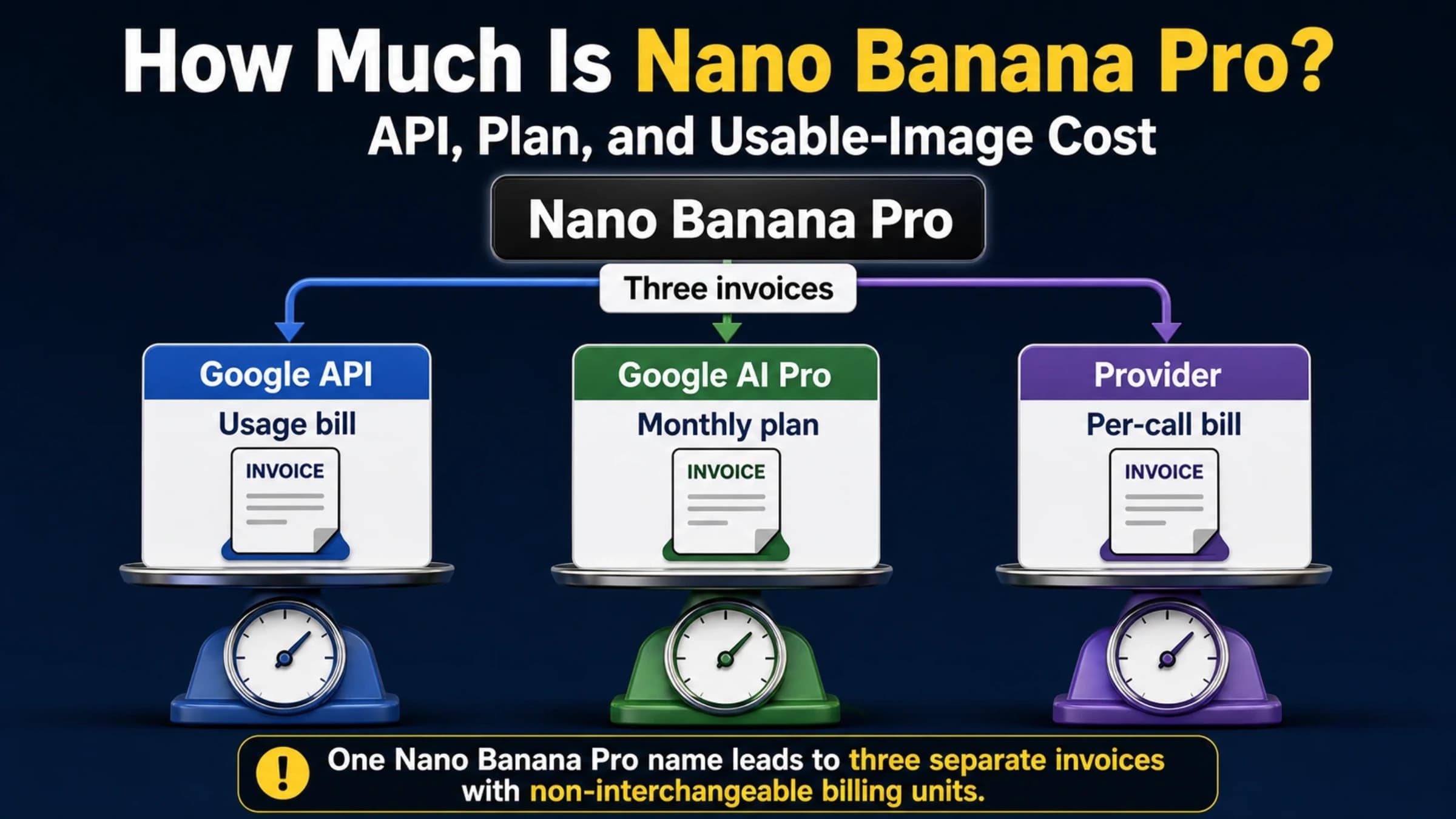
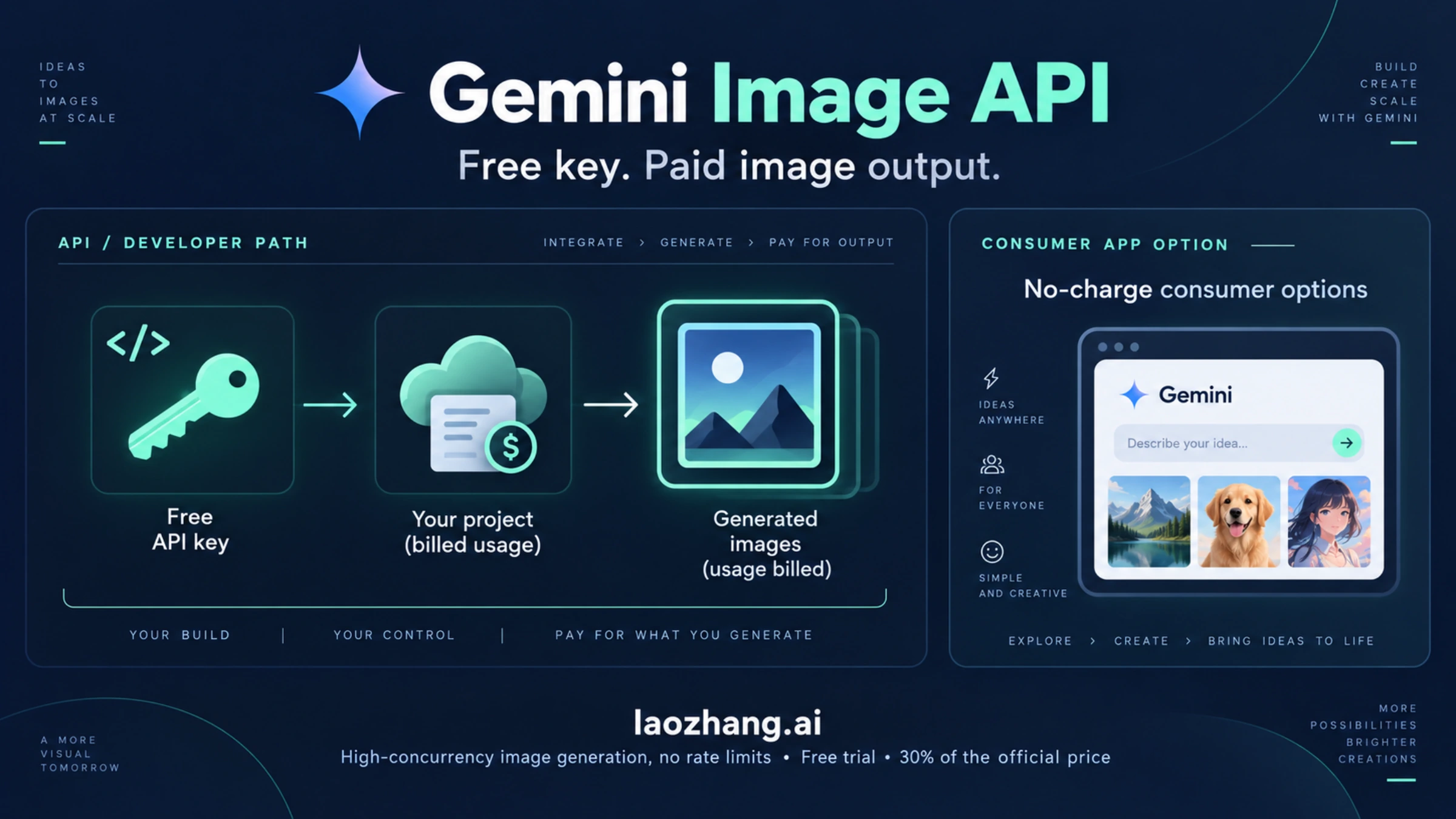
Three things are still free. The API key itself costs nothing. The free tier still covers many text models. And if you just need pictures rather than an API, the Gemini app, AI Mode in Search and Google Flow make images at no charge. For API image generation, the cheapest legitimate start is a $5 prepaid balance. At $0.0336 per 1K image on either Nano Banana 2.1 or Nano Banana 2 Lite, $5 ÷ $0.0336 gives 148 images. Treat 148 as the ceiling: it counts image output only, and 2.1 also bills its thinking tokens.
Is the Gemini image API free? Not for any Nano Banana model, 2.1 included
Here are the four image models the Gemini API serves today, with Google's prices as of October 8, 2026:
| Model | API model ID | Status on the Gemini API | Free tier image output | Cheapest Standard price | What it's for |
|---|---|---|---|---|---|
| Nano Banana 2.1 | gemini-nano-banana-2.1 | Generally available since October 6, 2026 | Not available | $0.0336 per 1K image | Google's recommended model for new work; 1K, 2K and 4K, up to 14 reference images |
| Nano Banana 2 Lite | gemini-3.1-flash-lite-image | Current | Not available | $0.0336 per image (1K only) | Fast, low-cost single images and simple edits |
| Nano Banana 2 | gemini-3.1-flash-image | Deprecated, no shutdown date announced | Not available | $0.045 per 0.5K image, $0.067 at 1K | Existing integrations and 0.5K output |
| Nano Banana Pro | gemini-3-pro-image | Current | Not available | $0.134 per 1K or 2K image | Complex tasks and brand consistency; 4K at $0.24 |
"Not available" is Google's wording in the Free Tier column. A free-tier project has no image quota to spend, so the only way to get images from these models through the API is a project with billing linked. Google's Gemini API billing guide adds one more wrinkle: AI Studio "remains free of charge unless users link a paid API key". For image models, that paid key is exactly what the playground asks for.
The playground prompt offers two ways in, "Gemini API — Pay per request" or "Google AI — Monthly subscription". The subscription route is for using models inside AI Studio. It doesn't give your own code a free image endpoint.
Nano Banana 2 still answers requests at its old prices. Google's Gemini API changelog says the model "is deprecated (no shutdown date announced)" and tells you to migrate to gemini-nano-banana-2.1. Google Cloud's Vertex AI lists the same model as supported until "May 28, 2027 or later", but that date applies to Vertex AI only, not to the Gemini API. The Nano Banana 2.1 pricing and migration guide covers what to check when you switch.
Why "500 free images a day" guides and old code no longer work
Older guides, including an earlier version of this page, built the free promise on gemini-2.5-flash-image, the first Nano Banana model. Its free tier is gone. Google's pricing page lists that model's free-tier image output as "Not available" and its paid price as $0.039 per image.
When the model stops working altogether is less clear, because Google's pages disagree. As of October 8, 2026, the Gemini API deprecations page gives a shutdown date of March 15, 2027 and names Nano Banana 2 Lite as the replacement. Vertex AI shows the same March 15, 2027 date. The warning on Google's pricing page still says the model "will be shut down on October 2, 2026". Don't build on it either way. Even at its paid price it costs more per image than Lite or 2.1, and you can't tell which of Google's two dates will hold.
If code copied from one of those guides fails today, the cause is usually one of these:
| What your code uses | Status as of October 8, 2026 | What to change |
|---|---|---|
gemini-2.5-flash-image | No free image output; Google lists both March 15, 2027 and October 2, 2026 as its shutdown date | Google points you to gemini-3.1-flash-lite-image; gemini-nano-banana-2.1 costs the same per 1K image |
gemini-3.1-flash-image | Still works, deprecated with no shutdown date | Switch to gemini-nano-banana-2.1; keep Nano Banana 2 only for 0.5K images |
gemini-3-pro-image-preview or gemini-3.1-flash-image-preview | Shut down June 25, 2026 | Use gemini-3-pro-image for Pro and gemini-nano-banana-2.1 for the Flash preview |
imagen-4.0-generate-001, -fast- or -ultra- | Shut down August 17, 2026 | Google now names gemini-nano-banana-2.1 as the replacement |
| A current model ID on a project without billing | No free image quota | Link billing and prepay before calling an image model |
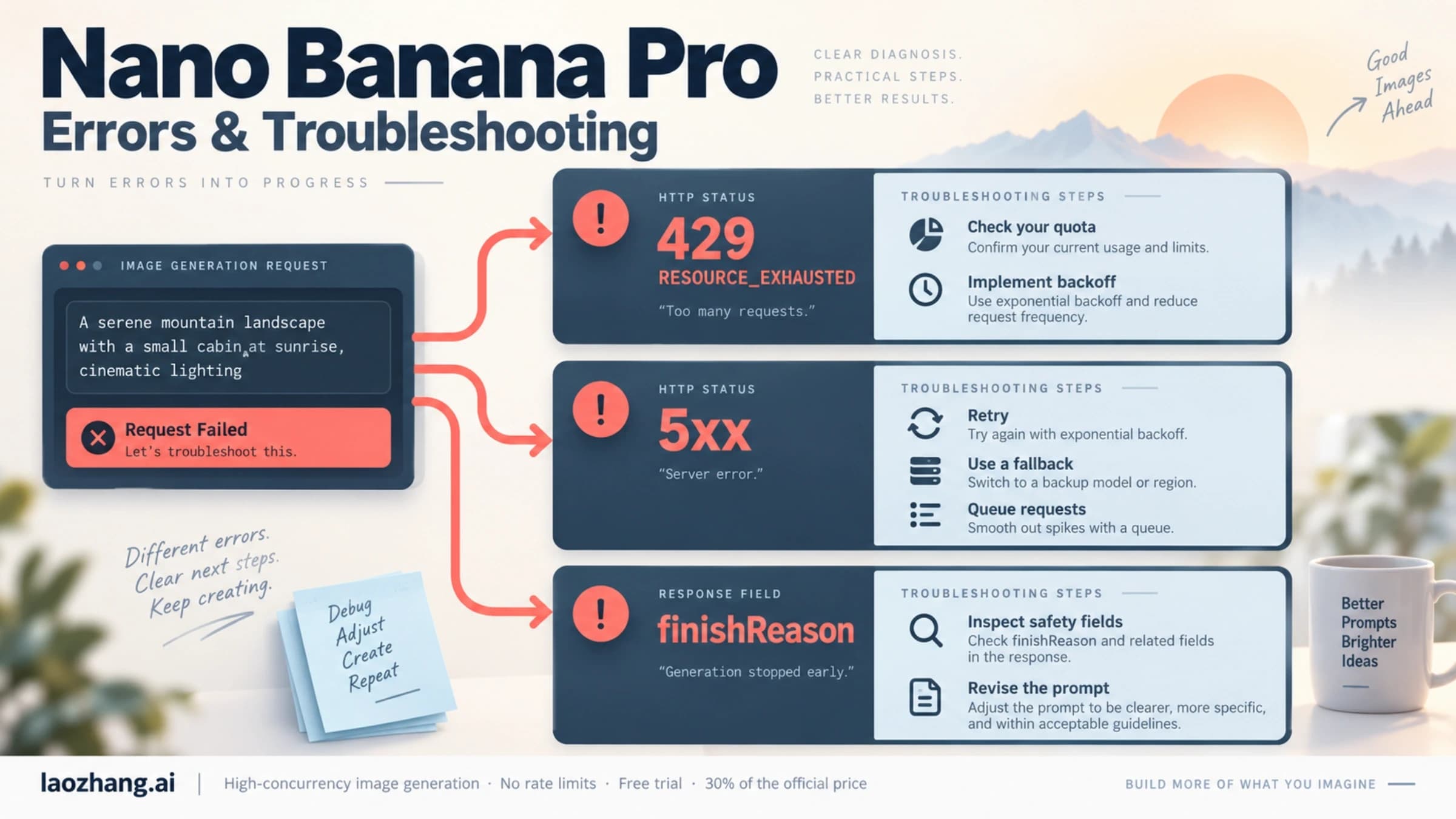
| A billed project whose prepaid balance reached $0 | Requests fail with HTTP 402 Payment Required | Add credits; every key on that billing account stops until you do |
Changing the model ID is the smallest fix. Google's current image examples use the Interactions API, shown in the code section below. If your stack uses generateContent, it is still documented; size and aspect ratio go in generationConfig.imageConfig.
Is a Gemini API key free? Yes, but it only unlocks free text models
Creating a key in Google AI Studio costs nothing and needs no card. What the key can do for free depends on the project it belongs to. On a free-tier project, it reaches the text models Google lists as "Free of charge", within per-project rate limits. It can't generate images. The Gemini API free tier guide covers which text models are free and where AI Studio shows your live limits.
Two details catch people:
- More keys don't add quota. Google applies rate limits per project, not per key, and keys inherit the billing status of their project.
- Free-tier traffic can be used to improve Google's products. The pricing page marks "Used to improve our products" as Yes on the free tier and No on the paid tier. Keep that in mind before you send client material through a free key.
AI Studio and the Gemini API also have eligibility rules. You must be 18 or older and in a country on Google's Gemini API available regions list. The list includes the US, the UK and the EEA, but not mainland China, Hong Kong or Russia.
Can you generate Gemini images for free? Yes, outside the API
If you need images rather than an endpoint your code can call, Google has three no-charge routes. None of them gives you API access.
- Gemini app. Free users generate with Nano Banana 2, which Google's Gemini app image generation page lists as "Available for free". Nano Banana 2.1 needs a Google AI plan: Google AI Plus, Pro and Ultra subscribers get 2.1 and can regenerate an image with Nano Banana Pro through "Redo with Pro". Usage limits refresh every 5 hours up to a weekly cap, and Google publishes no fixed number of images per day. Editing uploaded photos requires age 18 or older.
- AI Mode in Google Search. It allows up to 25 images per 24 hours for eligible adults in listed countries.
- Google Flow. Flow has a daily allowance of credits and a no-charge image model.
The details change often. The guide to using Nano Banana for free walks through the limits and eligibility for each route. The Gemini free image limit guide explains how the app's 5-hour and weekly limits behave.
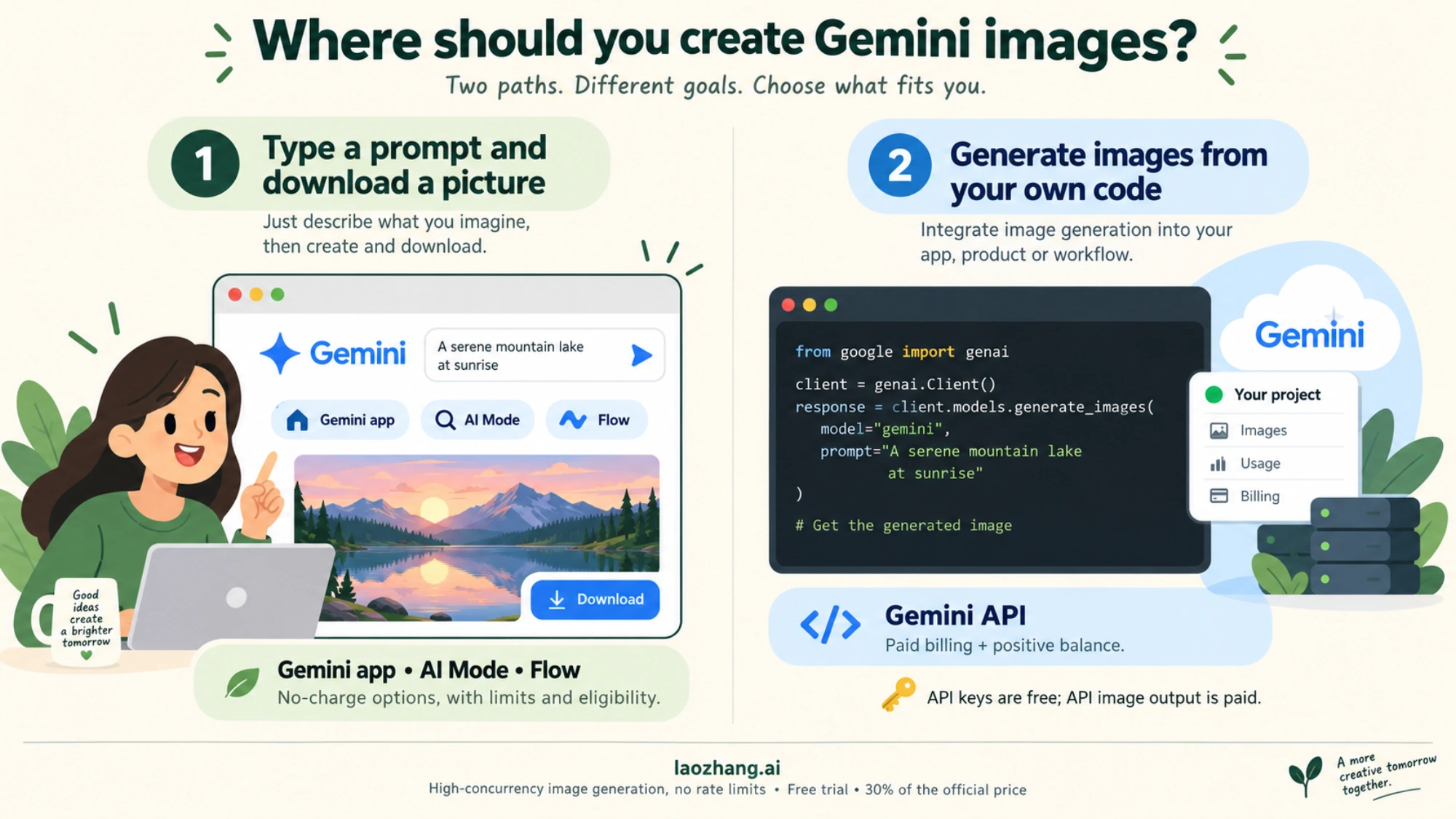
Choose a consumer product for no-charge image creation, or a billed API project when your own code needs image output. Consumer access has its own limits and eligibility rules.
The choice is simple. If you want to type a prompt and download a picture, use the Gemini app or AI Mode. If images have to come out of your own code, script or product, you pay for the API. Google doesn't offer a free option in between.
The cheapest way to use the Gemini image API: $5 prepay and $0.0336 images
New Gemini API billing accounts default to Prepay. To move a project to the paid tier, you link a Cloud Billing account in AI Studio and add at least $5 in credits. Those credits apply only to Gemini API usage. They expire after 12 months and are non-refundable, so a small first top-up is the low-risk way to start.
Here is what $5 buys at Google's per-image prices as of October 8, 2026. Each count is $5 divided by the per-image price, rounded down:
| Model | Size | Standard per image | Images for $5 | Batch per image | Images for $5 with Batch |
|---|---|---|---|---|---|
| Nano Banana 2.1 | 1K | $0.0336 | 148 | $0.0168 | 297 |
| Nano Banana 2.1 | 2K | $0.0504 | 99 | $0.0252 | 198 |
| Nano Banana 2.1 | 4K | $0.113 | 44 | $0.0567 | 88 |
| Nano Banana 2 Lite | 1K only | $0.0336 | 148 | $0.0168 | 297 |
| Nano Banana 2 (deprecated) | 0.5K | $0.045 | 111 | $0.022 | 227 |
| Nano Banana 2 (deprecated) | 1K | $0.067 | 74 | $0.034 | 147 |
| Nano Banana 2 (deprecated) | 2K | $0.101 | 49 | $0.050 | 100 |
| Nano Banana 2 (deprecated) | 4K | $0.151 | 33 | $0.076 | 65 |
| Nano Banana Pro | 1K or 2K | $0.134 | 37 | $0.067 | 74 |
| Nano Banana Pro | 4K | $0.24 | 20 | $0.12 | 41 |
The counts cover image output only. Your prompt text, any uploaded photo and any text or thinking the model returns are billed as tokens on top. On Nano Banana Pro, one reference image costs about $0.0011 as input.
On Nano Banana 2.1 the extra tokens are not a rounding error. Its text and thinking output costs $7.50 per 1M tokens, and it thinks at a medium level by default. In five 1K test calls to 2.1 made through LaoZhang API on October 8, 2026, each response reported 42 input tokens, 1,120 image tokens and 904 to 1,403 text and thinking tokens. At Google's list rates that is $0.00006 + $0.0336 + ($0.0068 to $0.0105), or about $0.040 to $0.044 per image. $5 then covers roughly 113 to 123 images rather than 148. These are estimates from reported token counts, not a Google invoice, and your prompts will produce different counts. The Nano Banana 2.1 cost-per-call breakdown has the formula and every call.
How to read the table:
- Lite and 2.1 tie at $0.0336, but Lite's other tokens cost less. Lite bills input at $0.25 and text and thinking at $1.50 per 1M tokens, against $1.50 and $7.50 on 2.1. For the same plain 1K image, Lite should therefore cost less than 2.1 once tokens are added, although its token counts weren't measured in the calls above. Google describes Lite as "not optimized for multiple reference inputs or multi-turn sequential editing", and it only makes 1K images.
- Nothing on Google's price list goes below $0.0336 at Standard. Nano Banana 2's smallest size, 0.5K, costs $0.045, and the original Nano Banana lists $0.039. The only lower Google price is Batch, at $0.0168 per 1K image on Lite or 2.1.
- Pick 2.1 when Lite isn't enough. 2.1 adds 2K and 4K output, up to 14 reference images and grounding with Google Search, and in Google's own evaluations it beats Nano Banana 2 and Nano Banana Pro on overall preference, editing and multi-character consistency. At 2K it is the cheapest Google model, $0.0504 against $0.101 on Nano Banana 2.
- Batch halves the price if you can wait. Batch jobs run asynchronously, so they fit catalogs, test sets and scheduled content, not live user requests. The Nano Banana Pro Batch API cost guide shows when Batch pays off.
- Pro costs four times as much as 2.1 at 1K ($0.134 vs. $0.0336) and about twice as much at 4K ($0.24 vs. $0.113). In a nine-prompt test of Nano Banana 2.1, Pro and GPT Image 2.5, Pro kept the requested wording in three text tasks where 2.1 changed it (one image per prompt), so test your own prompts before paying for Pro. The Gemini 3 Pro Image API pricing breakdown covers its tiers, including Priority.
- Don't start new work on Nano Banana 2. It still runs, but it costs twice what 2.1 does at 1K and 2K. Its one remaining use is 0.5K output, a size 2.1 doesn't offer. Its full price list is in the Nano Banana 2 API pricing guide.
The $300 Google Cloud credit won't cover this. Per Google's billing guide, the $300 Welcome credit on Cloud Billing accounts created after March 2, 2026 can't pay for Gemini API or AI Studio usage. The Google Cloud Free Trial terms also exclude "Gemini API in AI Studio costs". Gemini models on Vertex AI aren't on that exclusion list. Vertex AI is a separate Google Cloud setup, though, and whether trial credit covers its image models isn't spelled out. Check the Cloud billing report before you count on it.
A gateway is another paid option, not a free one. LaoZhang API, the provider behind this blog, charges one flat price per call whatever the size or thinking level: $0.045 for Nano Banana 2.1, $0.025 for Nano Banana 2 Lite, $0.055 for Nano Banana 2 and $0.09 for Nano Banana Pro (public pricing as of October 7, 2026, per LaoZhang API's Nano Banana model and pricing overview). For 2.1 at 1K that is slightly above the $0.040 to $0.044 estimated for Google once thinking tokens are counted. It is well below Google for 2.1 at 4K ($0.113 plus tokens) and for Pro ($0.134 at 1K or 2K, $0.24 at 4K). Lite at $0.025 undercuts Google's Standard $0.0336 but not Google's Batch $0.0168, and a response that returns no image is still billed as a call. The Google vs. LaoZhang Nano Banana API comparison works through delivery costs and failure handling.
Gemini image API in Python: a minimal request for a paid key
These examples follow the request shape in Google's Gemini API image generation guide as of October 2026. They are untested: they haven't been run against a live key, so treat them as a starting point. They only return images when the key belongs to a project with billing and a positive balance. Install or update the SDK with pip install -U google-genai, then set your key as an environment variable named GEMINI_API_KEY.
Text to image with Nano Banana 2 Lite:
import base64
from google import genai

client = genai.Client()  # reads GEMINI_API_KEY from the environment

interaction = client.interactions.create(
    model="gemini-3.1-flash-lite-image",
    input="A flat illustration of a lighthouse at dawn, soft pastel colors",
)

image = interaction.output_image
if image:
    with open("lighthouse.png", "wb") as f:
        f.write(base64.b64decode(image.data))
else:
    print("No image in the response; inspect the interaction for the reason.")
Editing a photo with Nano Banana 2.1. The prompt uses Google's own template for targeted edits:
import base64
from google import genai

client = genai.Client()

with open("product.png", "rb") as f:
    photo = base64.b64encode(f.read()).decode("utf-8")

interaction = client.interactions.create(
    model="gemini-nano-banana-2.1",
    input=[
        {
            "type": "text",
            "text": "Using the provided image, change only the background to a plain "
                    "light-gray studio backdrop. Keep everything else in the image exactly "
                    "the same, preserving the original style, lighting, and composition.",
        },
        {"type": "image", "data": photo, "mime_type": "image/png"},
    ],
)

image = interaction.output_image
if image:
    with open("product-gray.png", "wb") as f:
        f.write(base64.b64decode(image.data))
To control the output on Nano Banana 2.1 or Pro, add a response format such as response_format={"type": "image", "aspect_ratio": "16:9", "image_size": "2K"}. Write the size with an uppercase K. Lite only produces 1K, and 2.1 has no 0.5K size. Because 2.1 bills thinking tokens, read the token counts in a few responses before you budget for volume.
The same Lite request with curl:
curl -s -X POST \
  "https://generativelanguage.googleapis.com/v1beta/interactions" \
  -H "x-goog-api-key: $GEMINI_API_KEY" \
  -H "Content-Type: application/json" \
  -d '{
    "model": "gemini-3.1-flash-lite-image",
    "input": [
      {"type": "text", "text": "A flat illustration of a lighthouse at dawn, soft pastel colors"}
    ]
  }'
For Nano Banana Pro request JSON and field mapping, see the Nano Banana Pro API guide. For more edit prompts, see Gemini image background change. If a request succeeds but returns no image because of a content block, the guide to Gemini's restrictions on images of people explains the block reasons.
"Free unlimited Gemini API" sites: four checks before you use one
Sites, SDKs and GitHub projects that advertise a free or unlimited Gemini image API are not Google's free tier. Google offers no free image output, so someone pays for every image. These offers usually fall into three groups. Some SDKs bill your own account once you sign in. Some wrapper sites run their own paid key behind a web form. Some proxy projects pass your requests through a key you can't see.
Before you build on one, check four things:
- Whose key and account pay for the call. If you sign in and your own account is billed, it isn't free. If an anonymous key pays, that key can be rate-limited, revoked or cut off at any time.
- Whose terms apply. Your contract is with the operator, not Google. Google's Prohibited Use Policy still applies to whatever reaches the model, and Google enforces it against the project that owns the key.
- Where your prompts and images go. Every request passes through a third party first. Don't send client work, personal photos or anything you couldn't publish.
- What happens when it breaks. A free proxy has no billing relationship with you, so it owes you no uptime or support. If your product depends on it, budget for a paid route from day one.
A small paid balance on your own Google project usually costs less than rebuilding after a free proxy disappears.
Gemini image API free: quick answers
Is the Gemini image API free? No. As of October 8, 2026, image output is "Not available" on the free tier for Nano Banana 2.1, Nano Banana 2 Lite, Nano Banana 2 and Nano Banana Pro. You need a billed project. The lowest Standard price, $0.0336 per 1K image, applies to both 2.1 and Lite.
Is Nano Banana 2.1 free in the Gemini API? No. Nano Banana 2.1 launched on October 6, 2026 with no free tier. It costs $0.0336, $0.0504 or $0.113 per image at 1K, 2K or 4K, plus input and thinking tokens. In the Gemini app it needs a Google AI plan.
Can I use Gemini to generate images for free? Yes, but not through the API. The Gemini app gives free users Nano Banana 2, and AI Mode in Search and Google Flow also make images at no charge, each with its own limits and eligibility rules.
Can you get a free Gemini API? Yes, for text. A Gemini API key is free, and the free tier covers several text models within per-project rate limits. Image models are excluded.
Does Google AI Studio generate images for free? Not with the current image models. As of October 5, 2026, without an API key or a Google AI plan, AI Studio's playground showed an "Upgrade to unlock" prompt for Nano Banana 2 and Nano Banana 2 Lite.
How many images does the $5 minimum buy? Up to 148 Nano Banana 2.1 or Nano Banana 2 Lite images at 1K, 74 Nano Banana 2 images at 1K, or 37 Nano Banana Pro images at 1K or 2K at Standard prices. Batch roughly doubles each count. Tokens come on top: on 2.1, thinking tokens can bring the 1K count down to around 113–123.
Is Nano Banana 2 shutting down? Not on a set date. Google deprecated Nano Banana 2 on the Gemini API with no shutdown date announced as of October 8, 2026, and recommends Nano Banana 2.1 for new projects.
Do Gemini API images have a watermark? Yes. Google's image guide states that "all generated images include a SynthID watermark", an invisible marker that paid API output carries too.
Is there a free image API from Google at all? Not as of October 8, 2026. The Imagen 4 models were shut down on the Gemini API on August 17, 2026, and every Gemini image model is paid. Google's free image options are consumer products without API access.
Sources9
External pages this guide links to, in the order they appear. Last updated Oct 8, 2026.
Sources9
External pages this guide links to, in the order they appear. Last updated Oct 8, 2026.
- 1.Gemini API pricing pageai.google.dev/gemini-api/docs/pricing
- 2.Gemini API billing guideai.google.dev/gemini-api/docs/billing
- 3.Gemini API changelogai.google.dev/gemini-api/docs/changelog
- 4.Gemini API deprecations pageai.google.dev/gemini-api/docs/deprecations
- 5.Google AI Studioaistudio.google.com/app/apikey
- 6.Gemini API available regions listai.google.dev/gemini-api/docs/available-regions
- 7.Gemini app image generation pagegemini.google/overview/image-generation
- 8.Google Cloud Free Trial termscloud.google.com/free/docs/free-cloud-features
- 9.Gemini API image generation guideai.google.dev/gemini-api/docs/image-generation