Nano Banana Pro Seed Parameter: Support and Reproducible Image Workflows
Nano Banana Pro seed support depends on the interface: Google documents a general seed field, while Ideogram and Runware document it for their Pro offerings. Reuse the approved file for an exact repeat; use references and explicit change instructions for new scenes.
On this page
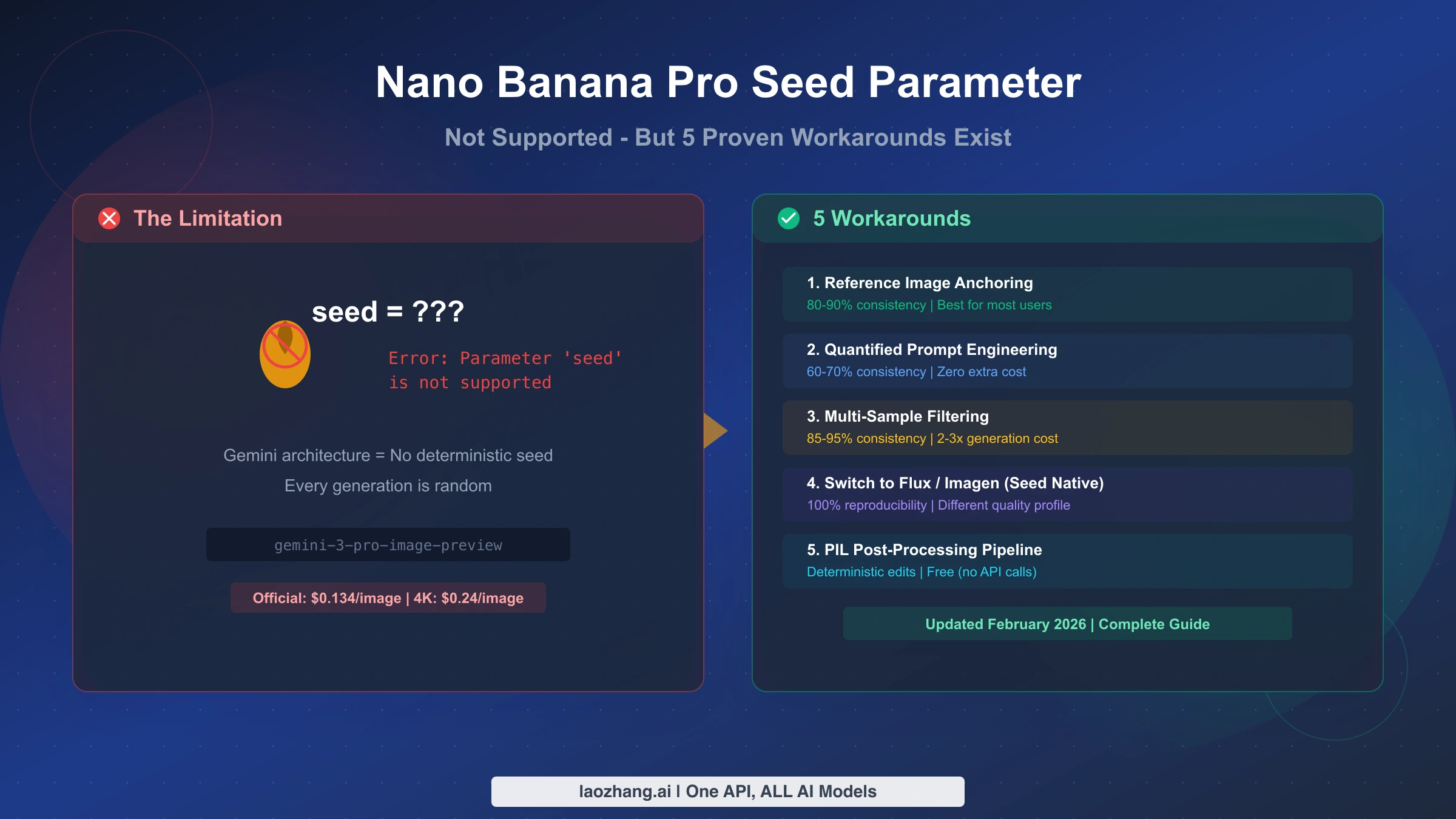
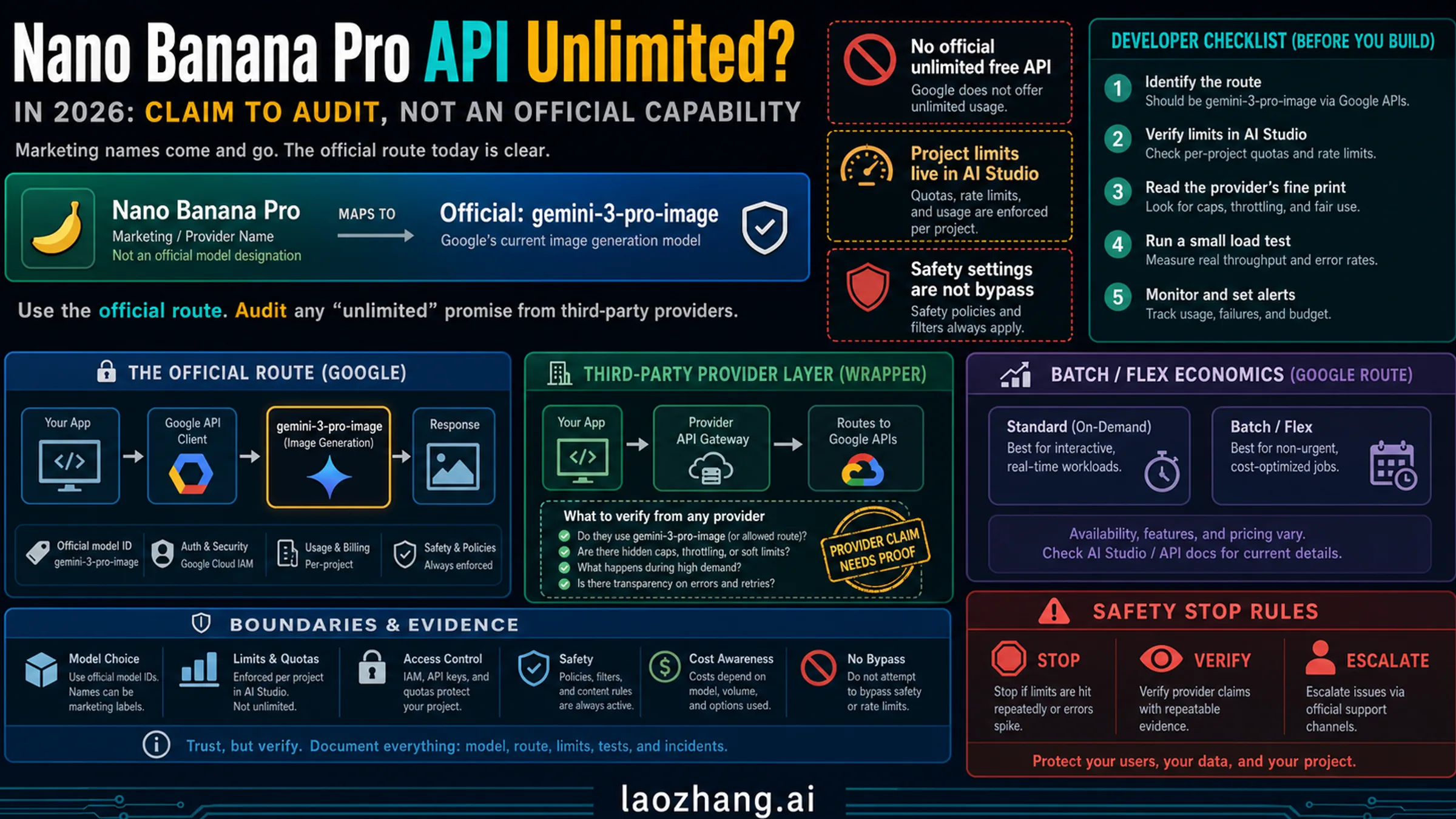
Nano Banana Pro seed support depends on the endpoint you use. Google's general generateContent configuration includes a seed field, but says that not every parameter is configurable for every model. Ideogram and Runware separately document seed control for their Nano Banana Pro offerings. Those facts do not establish that every Google Pro request accepts seed, or that a repeated request produces identical pixels. Google GenerationConfig, Ideogram Pro API, Runware Pro model.
If you need the exact approved image again, save and reuse its original file. If you need the same product or character in a new scene, use an approved reference, state what must stay unchanged, and review the new output against those requirements. Seed can be another control where your chosen interface documents it; it does not replace either workflow.
Does Nano Banana Pro support seed parameters?
There are three different documentation scopes to check. Treating them as one universal yes-or-no answer leads to broken integrations.
| Interface | What its documentation establishes | What you should do |
|---|---|---|
Google Gemini API generateContent | General GenerationConfig has integer seed, with a model-specific compatibility caveat | Check compatibility for the exact Pro model and request route before depending on that field |
| Ideogram's Nano Banana Pro endpoint | Its own request schema documents seed from 0 to 2,147,483,647 for reproducible generation | Follow Ideogram's request and response schema; retain the returned seed and generation ID |
| Runware's Nano Banana Pro offering | Its model documentation lists integer seed from 0 to 2,147,483,647 for reproducible generation | Use Runware's own API contract and preserve your chosen seed with the other inputs |
Sources: Google configuration, Ideogram endpoint, Runware model documentation. These are documented capabilities, not results from a live repeatability test in this guide.
For Google's REST generateContent schema, the general field belongs at generationConfig.seed, alongside the nested imageConfig. Image settings such as aspect ratio and image size belong inside generationConfig.imageConfig. The absence of seed from ImageConfig does not mean seed is absent from the whole API. It also does not settle whether a particular image model supports it. Google API reference.
Google's general generation-parameter guidance describes a fixed seed as a best-effort way to repeat a response, with deterministic output not guaranteed. That general guidance is useful for setting expectations; it is not a Nano Banana Pro pixel-reproducibility benchmark. Neither lowering temperature nor putting “seed 42” in the text prompt establishes an exact-image guarantee. Google seed guidance.
Third-party seed fields deserve the same precise treatment. Ideogram and Runware explicitly document them for their own Pro offerings. Dismissing all such fields as ineffective routing controls would require evidence about those services' implementations that these documents do not provide.
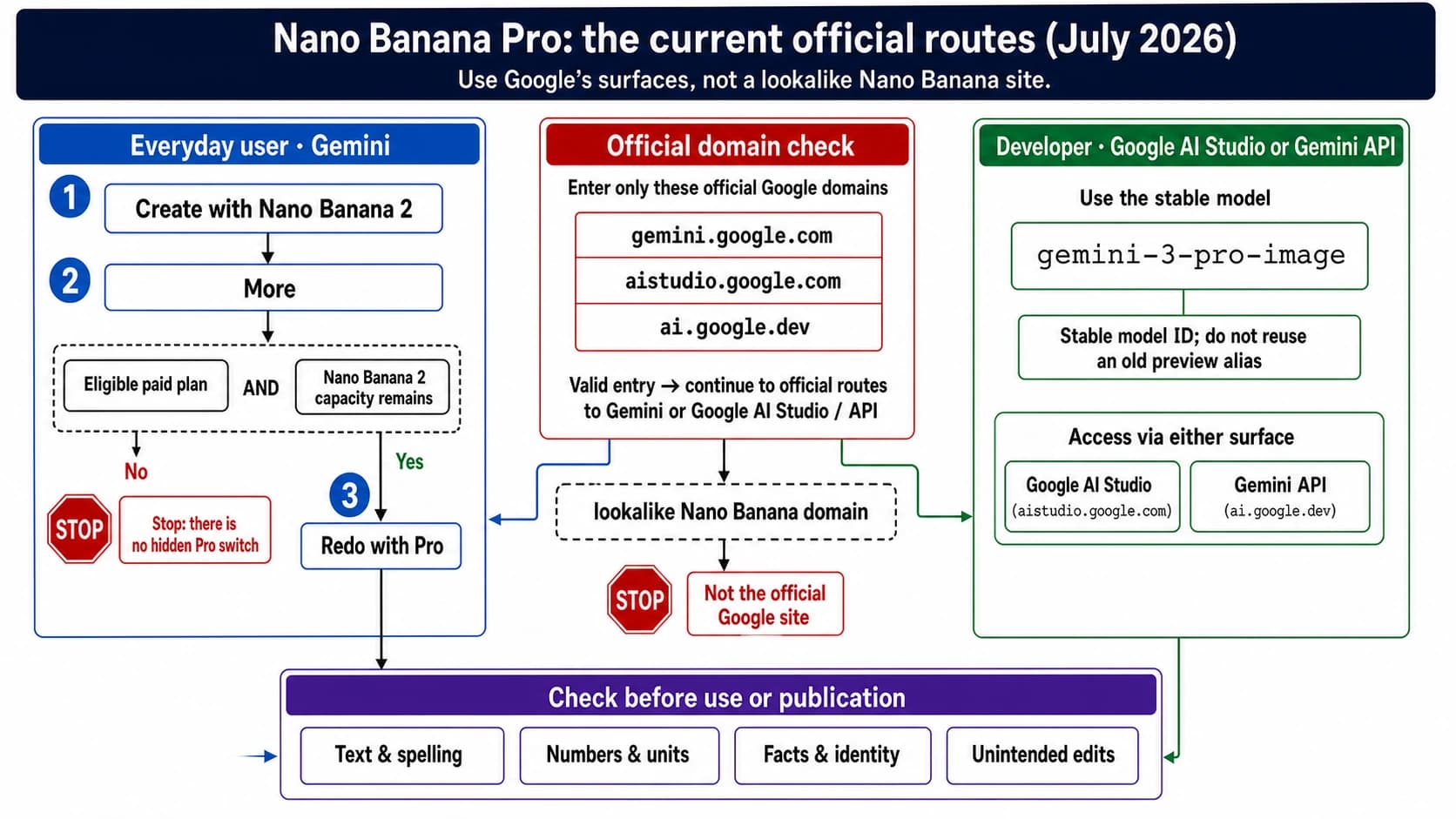
The current stable Google Pro model ID is gemini-3-pro-image. The older gemini-3-pro-image-preview was shut down on June 25, 2026, with the stable model listed as its replacement. Use the stable ID in new Google Pro examples. Pro model page, Gemini API deprecations.
Choose the repeatability you actually need
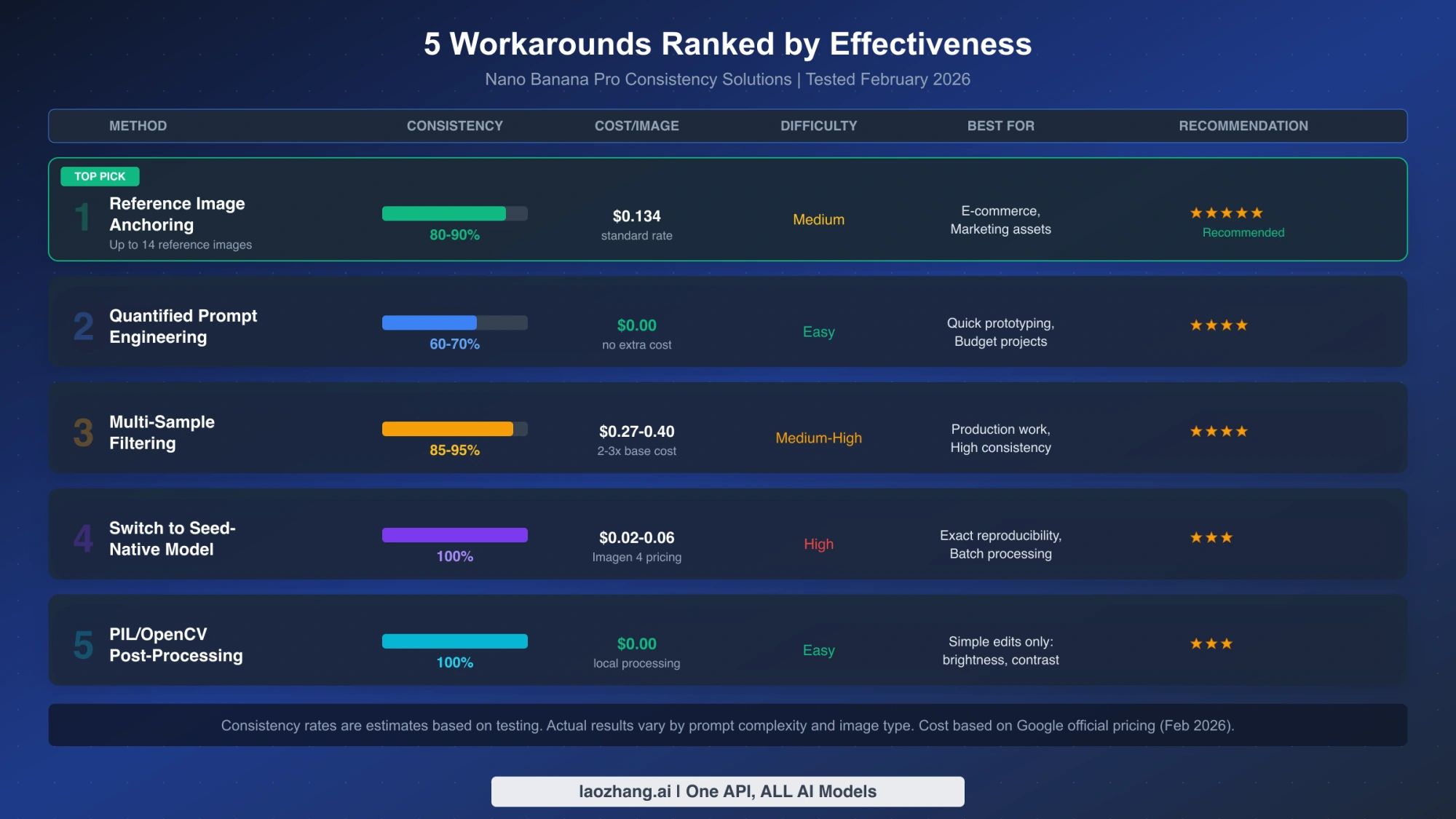
Reused illustration of the workflow categories. It is not a current benchmark or pricing table; use the conditions and costs explained below.
An approved product photo, a character in a new pose, and a regression-test fixture have different success conditions. Decide which result you want before picking a seed or similarity score.
| Your requirement | Suitable workflow | Success check |
|---|---|---|
| Deliver the approved image again | Reuse the stored original | The file's SHA-256 matches the approved record |
| Keep a product or character recognizable in a new scene | Supply references and explicit preservation instructions | Inspect identity, markings, geometry, and requested changes |
| Make a predictable brightness or crop adjustment | Apply a specified local operation to the approved file | Compare output pixels under the recorded operation and software version |
| Explore repeatable generations on a documented seed interface | Fix seed and all other relevant inputs | Compare repeated responses and retain the actual results |
| Keep application tests stable | Use saved image fixtures | Test your parser, renderer, or editor against known files |
A file hash checks encoded bytes. Two PNGs can have different hashes because their metadata or compression differs while their decoded pixels match. Pixel equality checks decoded image data. Perceptual similarity asks whether two images look alike, which can tolerate different pixels—and can still overlook a changed logo or facial detail.
For an exact repeat, a generation request is an unnecessary dependency. Archive the image you accepted, then serve that file. For a new composition, expect to inspect a new artifact even when you use the same seed. This distinction prevents “reproducible” from silently changing meaning between an API setting and a customer's acceptance criteria.
Reference image anchoring for new scenes
Use an approved image as the visual specification, then ask for one clearly bounded change. Google's current image guide supports up to 14 Pro reference images, with its table allocating up to six object references, five character references, and three style references. Those are reference-image categories, not a guarantee that a particular number of people or products will be rendered perfectly. Google image generation guide.
For example, suppose your approved illustration shows a courier wearing a navy jacket with a triangular orange badge and carrying a cream canvas bag. You want the courier at a train platform while preserving the design. A useful instruction is:
Use the attached approved illustration as the character reference.
Keep the courier's face shape, short curly hair, navy jacket,
triangular orange badge, and cream canvas bag unchanged.
Change only the setting to a daylight train platform and the pose
so the courier is looking at the departure board.
Keep the illustration's line weight and muted color palette.
Do not add text, replace the badge, or redesign the bag.
This gives you an actionable review: check the face, jacket, badge, bag, setting, and pose. “Make it consistent” does not provide that review checklist. The instruction still asks the model to create a new image; it is not a pixel lock or a mask enforced by your application.
Start with the references that explain the needed design. Add another view when it resolves an actual ambiguity, such as the bag's shape from the side. Label the role of each input so a style reference is not mistaken for a different character. If successive generations drift, return to the original approved reference instead of repeatedly promoting the latest variation into the new standard.
For conversational edits, keep the required conversation state and model-returned parts in the format your API expects. The example below instead makes each request self-contained with an explicit approved image. It uses Google's REST generateContent format throughout; the separate Interactions API uses different request and response structures. GenerateContent API, image workflow guide.
Build the request and save every final image
The following Python 3 program has two offline jobs: build a Google Pro reference request from a local PNG, JPEG, or WebP, and unpack a saved generateContent response. It uses only the standard library, never initializes an SDK, and never sends a request. Save it as pro_reference.py.
It records the approved reference hash, uses the stable Pro model in the manifest, skips parts marked thought, and saves all supported final image parts instead of assuming the first returned image is the deliverable. A response with no final image stops with a diagnostic error rather than creating an empty “success” file. These fields follow the GenerateContent Content, Part, and response schemas.
import argparse
import base64
import hashlib
import json
from pathlib import Path

MODEL = "gemini-3-pro-image"
MIME_BY_SUFFIX = {
    ".png": "image/png", ".jpg": "image/jpeg",
    ".jpeg": "image/jpeg", ".webp": "image/webp",
}
SUFFIX_BY_MIME = {
    "image/png": ".png", "image/jpeg": ".jpg",
    "image/webp": ".webp",
}

def sha256(data):
    return hashlib.sha256(data).hexdigest()

def prepare(reference, prompt_file, output):
    mime = MIME_BY_SUFFIX.get(reference.suffix.lower())
    if mime is None:
        raise ValueError("Reference must be PNG, JPEG, or WebP")
    raw = reference.read_bytes()
    if not raw:
        raise ValueError("Reference is empty")
    prompt = prompt_file.read_text(encoding="utf-8").strip()
    if not prompt:
        raise ValueError("Prompt is empty")
    request = {
        "contents": [{
            "role": "user",
            "parts": [
                {"text": prompt},
                {"inlineData": {
                    "mimeType": mime,
                    "data": base64.b64encode(raw).decode("ascii"),
                }},
            ],
        }],
        "generationConfig": {
            "responseModalities": ["TEXT", "IMAGE"],
            "imageConfig": {"aspectRatio": "16:9", "imageSize": "2K"},
        },
    }
    output.mkdir(parents=True, exist_ok=False)
    (output / "request.json").write_text(
        json.dumps(request, indent=2), encoding="utf-8")
    (output / "manifest.json").write_text(json.dumps({
        "model": MODEL,
        "reference_sha256": sha256(raw),
        "prompt": prompt,
        "image_config": request["generationConfig"]["imageConfig"],
    }, indent=2), encoding="utf-8")
    print(output / "request.json")

def final_images(response):
    if "error" in response:
        raise ValueError("API error: " + json.dumps(response["error"]))
    images = []
    for ci, candidate in enumerate(response.get("candidates", [])):
        parts = candidate.get("content", {}).get("parts", [])
        for pi, part in enumerate(parts):
            if part.get("thought", False):
                continue
            inline = part.get("inlineData", {})
            mime = inline.get("mimeType")
            if mime not in SUFFIX_BY_MIME:
                continue
            raw = base64.b64decode(inline["data"], validate=True)
            if not raw:
                raise ValueError("Empty final image")
            images.append((ci, pi, mime, raw))
    if not images:
        details = {
            "promptFeedback": response.get("promptFeedback"),
            "finishReasons": [c.get("finishReason")
                              for c in response.get("candidates", [])],
        }
        raise ValueError("No final image: " + json.dumps(details))
    return images

def unpack(response_file, output):
    response = json.loads(response_file.read_text(encoding="utf-8"))
    images = final_images(response)
    output.mkdir(parents=True, exist_ok=False)
    records = []
    for ci, pi, mime, raw in images:
        name = f"candidate-{ci}-part-{pi}{SUFFIX_BY_MIME[mime]}"
        (output / name).write_bytes(raw)
        records.append({"file": name, "sha256": sha256(raw), "mime": mime})
    (output / "images.json").write_text(json.dumps({
        "modelVersion": response.get("modelVersion"),
        "responseId": response.get("responseId"),
        "usageMetadata": response.get("usageMetadata"),
        "images": records,
    }, indent=2), encoding="utf-8")
    print(f"Saved {len(records)} final images to {output}")

def main():
    parser = argparse.ArgumentParser()
    commands = parser.add_subparsers(dest="command", required=True)
    build = commands.add_parser("prepare")
    build.add_argument("reference", type=Path)
    build.add_argument("prompt_file", type=Path)
    build.add_argument("output", type=Path)
    extract = commands.add_parser("unpack")
    extract.add_argument("response_file", type=Path)
    extract.add_argument("output", type=Path)
    args = parser.parse_args()
    if args.command == "prepare":
        prepare(args.reference, args.prompt_file, args.output)
    else:
        unpack(args.response_file, args.output)

if __name__ == "__main__":
    main()
Put your approved image at courier.png and the change instruction in platform.txt. Build the request:
python3 pro_reference.py prepare courier.png platform.txt platform-requestThe request deliberately omits seed because the general schema alone does not establish its compatibility with this Pro call. If your exact route supports it, record the chosen value and every other setting as part of that route's request. Do not substitute a provider's schema into Google's JSON body.
To submit the prepared Google request, you need an existing Gemini API project with access and billing for Pro. This separate command makes a real API call and may incur charges; it was not executed for this guide. Replace the placeholder with your own API key in your local environment, and keep it out of shared logs and repositories.
curl --fail-with-body --silent --show-error \
  'https://generativelanguage.googleapis.com/v1beta/models/gemini-3-pro-image:generateContent' \
  -H 'x-goog-api-key: REPLACE_WITH_YOUR_API_KEY' \
  -H 'Content-Type: application/json' \
  --data-binary @platform-request/request.json \
  --output platform-response.json
Only unpack a successful response. An HTTP error should lead you to inspect its JSON error, not blindly rerun the request. For a successful response:
python3 pro_reference.py unpack platform-response.json platform-imagesInspect the saved images and approve one explicitly. Keep platform-response.json, the request directory, and the original reference with it. The unpacker preserves usageMetadata and the returned model version when present; it does not validate image quality or turn a returned response into an approval.
The program's syntax, JSON construction, thought filtering, multiple-image extraction, and no-image/error paths were checked locally with synthetic fixtures. No live image-generation requests were made, so those checks establish neither backend seed support nor a consistency rate.
Quantified prompts and deterministic local edits
Specific instructions help define what you want, but numerical language in a prompt is still a request to the model. “Reduce brightness by 10%” does not mean the service applies a prescribed arithmetic operation to each pixel. Likewise, a hex color in a prompt does not enforce brand-color compliance.
When you only need a brightness adjustment to an approved image, skip regeneration. Here is a complete local Pillow example that applies a defined operation: multiply each RGB channel by 0.9, round half upward to the nearest integer, and preserve alpha. It treats the result as an image edit, not a physically calibrated exposure correction. Save it as dim_image.py; it requires Python 3 and Pillow.
import hashlib
import sys
from pathlib import Path
from PIL import Image

source = Path(sys.argv[1])
target = Path(sys.argv[2])
if source.resolve() == target.resolve() or target.exists():
    raise ValueError("Choose a new output path")
with Image.open(source) as image:
    original = image.convert("RGBA")
    red, green, blue, alpha = original.split()
    lookup = [(value * 9 + 5) // 10 for value in range(256)]
    edited = Image.merge("RGBA", (
        red.point(lookup), green.point(lookup), blue.point(lookup), alpha))
    edited.save(target, format="PNG")
print(hashlib.sha256(target.read_bytes()).hexdigest())
Run python3 dim_image.py approved.png approved-dimmed.png. Record the source hash, operation, and Pillow version with the output. The lookup rule gives repeatable channel values for the same decoded input; it does not promise that every encoder or software version produces identical PNG bytes. Reusing the saved edited file remains the simplest way to repeat the exact deliverable. The lookup arithmetic and alpha preservation were checked with fictional pixel values, not a generated-model benchmark.
Multi-sample filtering without misleading scores or budgets
Generate additional candidates when the first result fails a concrete acceptance requirement, then compare them against the approved reference. For the courier example, reject a changed badge or redesigned bag even if the overall palette looks close. A generic image similarity score is not a substitute for that check: it can favor an unchanged background while missing the subject detail that matters.
Keep a small record for each attempt: request settings, reference hash, returned image files, and rejection reason or approved filename. Stop once the requirement is met or your attempt budget is exhausted. If repeated outputs fail on the same detail, change the instruction or reference before buying more near-identical attempts.
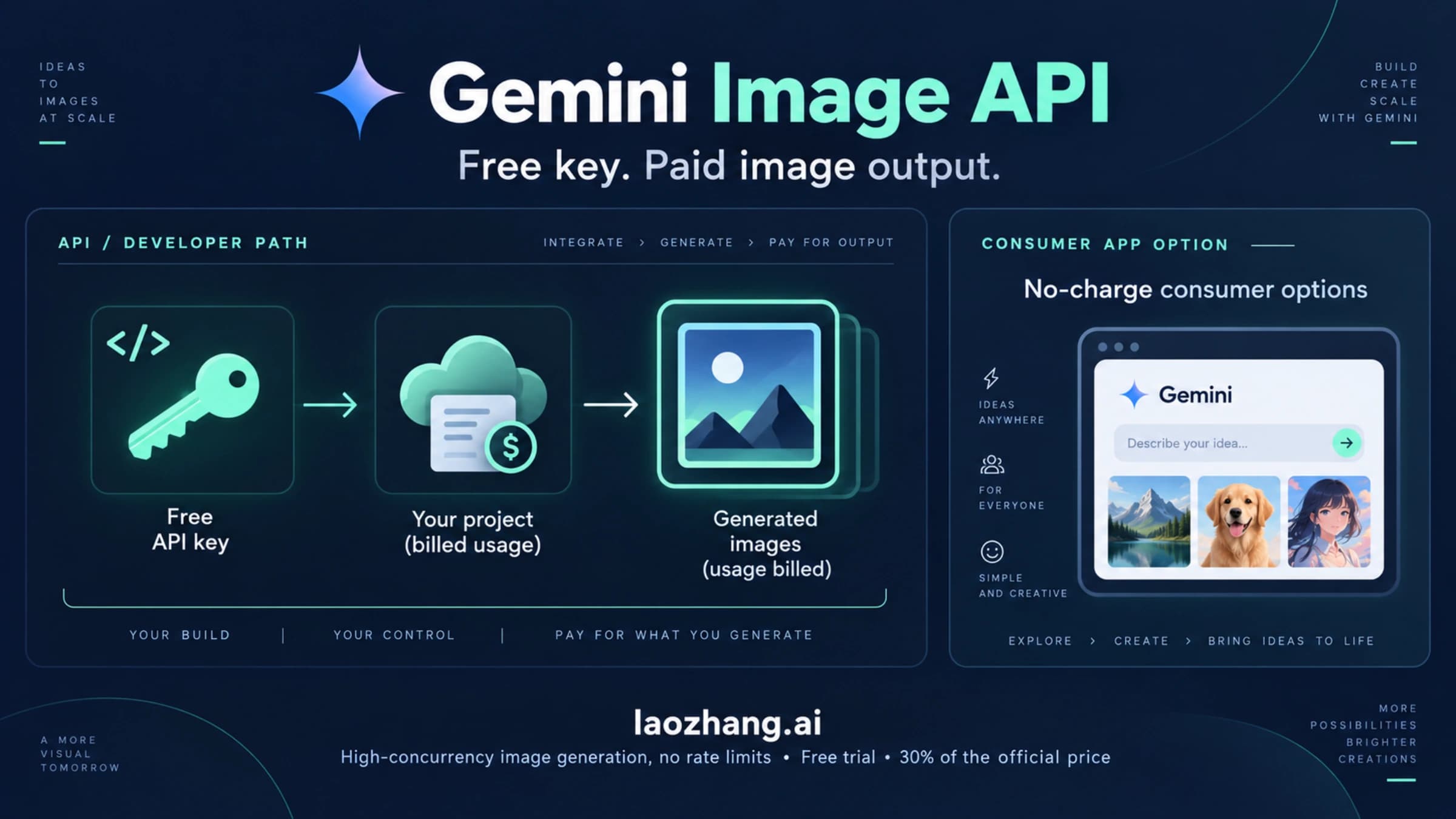
Cost belongs to the outputs generated, while value belongs to the outputs you accept. As of October 7, 2026, Google's Pro Standard price lists image output at $120 per million tokens: a 1K/2K image uses 1,120 output tokens, giving $0.1344 for the image-output component. A 4K image uses 2,000, giving $0.24. Inputs and text/thinking output are separate charges. The Pro API free tier is listed as unavailable. Google Pro pricing and footnotes.
If three separate successful attempts each return one 2K final image, and you approve one, their image-output subtotal is 3 × $0.1344 = $0.4032 per accepted asset. For three 4K outputs, it is 3 × $0.24 = $0.72. Add the applicable input and text/thinking charges to estimate the total. This is a conditional budget calculation, not a measured acceptance rate or a promise that every request returns one image. Google's guide says image generation does not always follow the exact number requested. Image generation limitations.
When to change interfaces or use a controlled pipeline
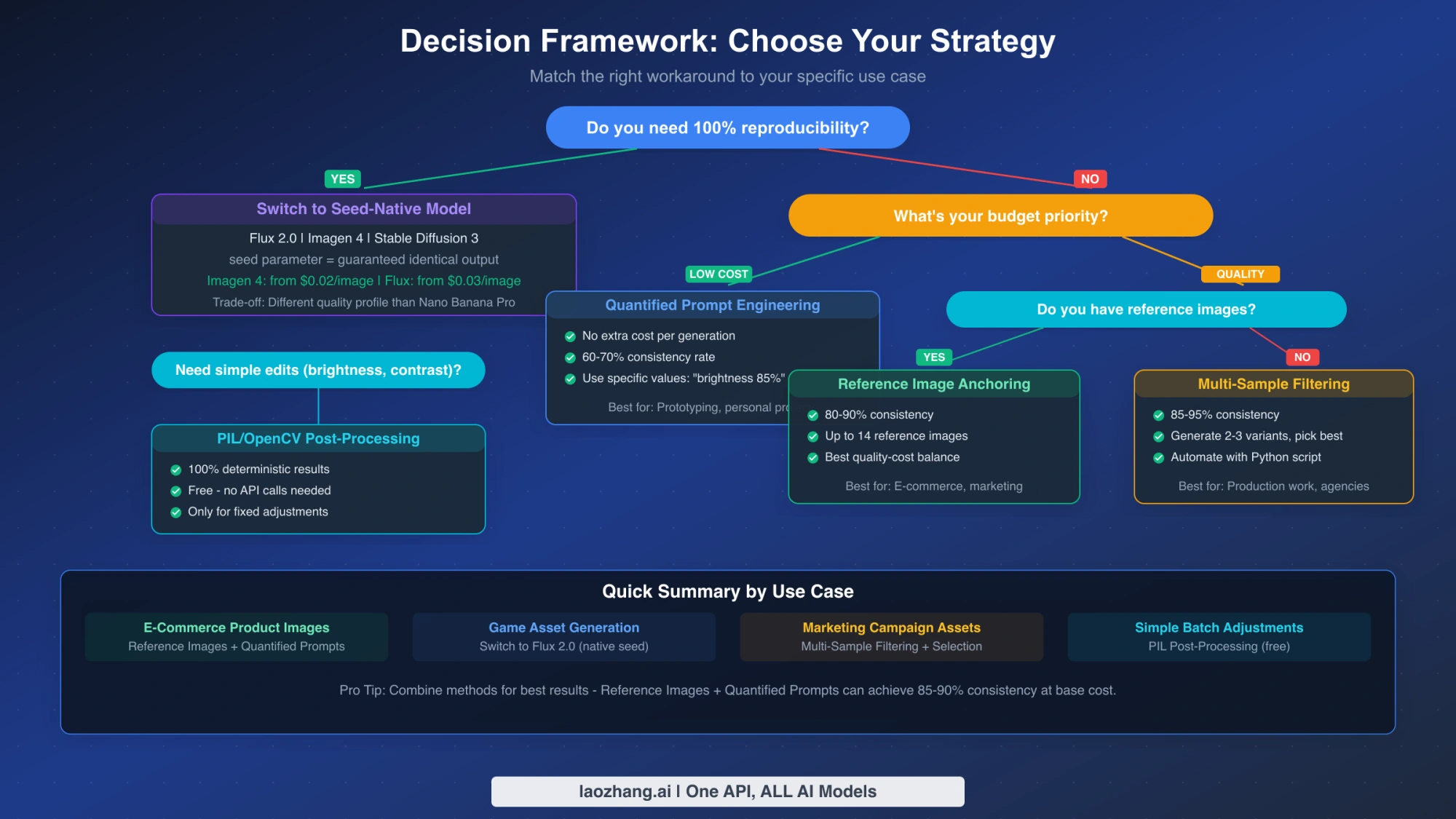
Reused illustration of workflow choices. Follow the current endpoint and availability conditions below when choosing an interface.
If documented seed control is a requirement, examine Ideogram's or Runware's own Pro interface before assuming you must abandon Nano Banana Pro. Ideogram documents a returned seed, generated image URLs, and generation ID; preserve those with the request. Its source-image and image-count limits belong to Ideogram's endpoint, not Google's 14-reference specification. Runware's seed documentation belongs to Runware's service. This guide has not measured either service's pixel repeatability. Ideogram API reference, Runware model reference.
For a repeatability trial, keep the reference bytes, prompt, model, image size, aspect ratio, seed, and other supported settings fixed. Save both actual responses. Compare file hashes first, decoded pixels next, and the relevant visual requirements last. If the pixels differ, you have learned that your tested configuration did not reproduce that artifact exactly; you have not proved that seed is universally ignored. If the pixels match, retain the tested configuration and artifact, but do not infer that future model versions will behave identically.
For a self-managed image pipeline, seed is only one reproducibility input. Pin model weights, software versions, preprocessing, and the execution environment, and control the random sources and operations relevant to your implementation. PyTorch explicitly warns that complete reproducibility is not guaranteed across releases, platforms, or CPU/GPU execution even with identical seeds. This is a condition on your controlled pipeline, not an explanation of Google's private implementation. PyTorch reproducibility notes.
Do not migrate to an old Google Imagen seed tutorial without checking availability. The Gemini API's Imagen models were shut down on August 17, 2026; the separate Vertex Imagen 4 model page lists its endpoints as discontinued on June 30, 2026. Historical seed documentation does not make either retired route a current fallback. These dates apply to their respective Google services, not every third-party offering with a similar name. Gemini API lifecycle table, Vertex Imagen 4 model page.
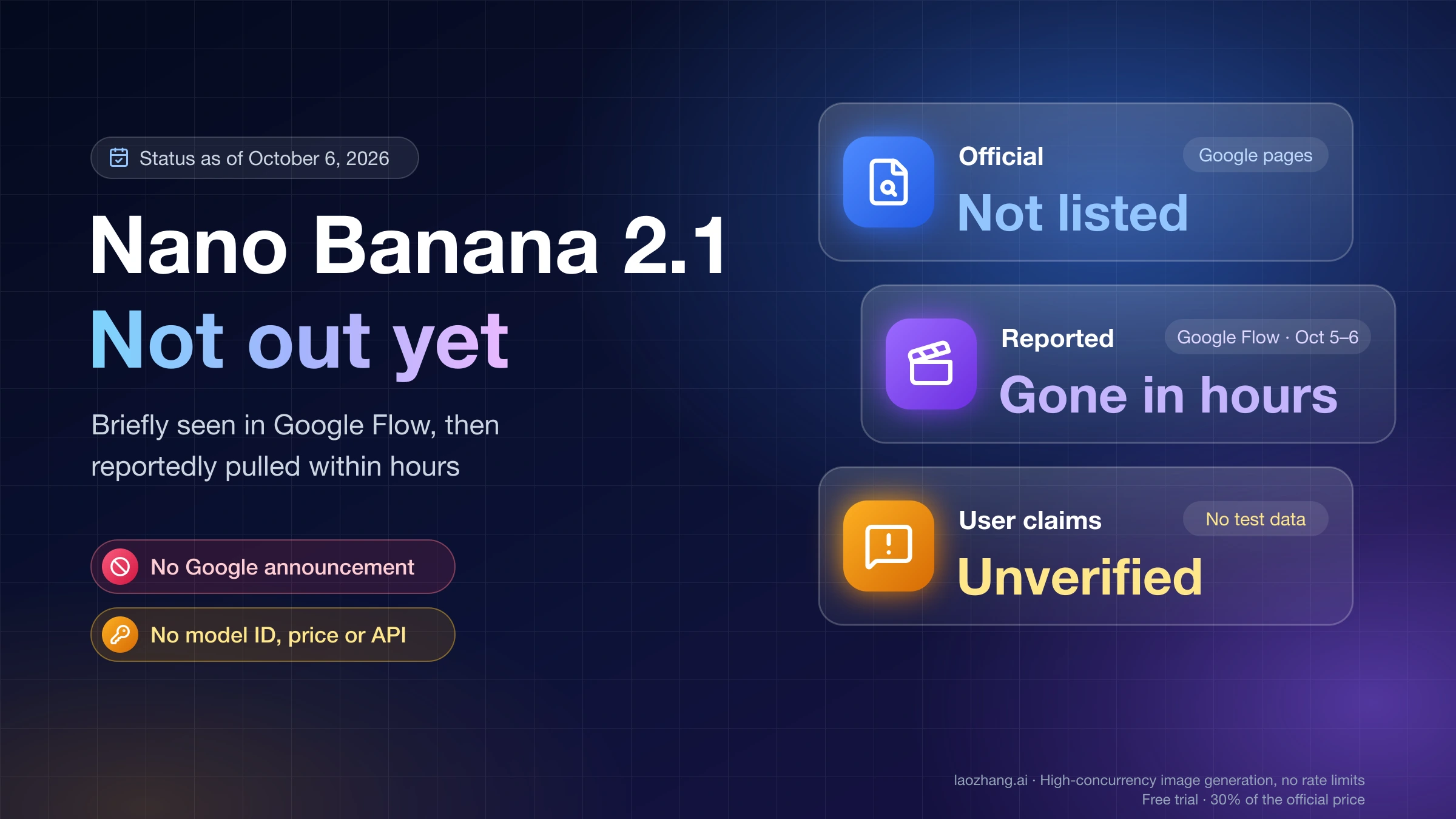
If your next decision is another model's access and cost rather than seed control, our Nano Banana 2.1 API pricing guide covers that separate comparison. Changing models still requires its own compatibility and repeatability checks.
FAQ: Nano Banana Pro seed and consistency
Can I set seed in the Gemini API?
The general generateContent schema defines generationConfig.seed. It also warns that not all parameters are configurable for every model. Check the exact model and endpoint; that general field alone does not confirm Pro compatibility or identical-image output. Google GenerationConfig.
Does a seed in a third-party Nano Banana Pro API actually work?
Ideogram and Runware document seed control for their own Pro offerings. That is a reason to use their specific contracts, rather than dismissing the field as a routing trick. It is not independent evidence of pixel-identical results; compare actual outputs on the service you choose. Ideogram Pro, Runware Pro.
How do I get the same image again exactly?
Reuse the original approved image file. Store its hash so you can verify it before delivery. A repeat request with the same seed asks the service to generate again; it is a different operation from retrieving your saved artifact.
How many reference images should I use?
Use the images needed to explain the subject and requested style. Google's Pro guide supports up to 14 references, with separate object, character, and style categories. Start with an approved reference and add another when it resolves a specific missing view or detail; the maximum is a capacity limit, not a quality target. Google reference-image guide.
Does thinking mode make Pro images repeatable?
Google documents thinking as enabled by default and not disableable for its Gemini 3 image models, with interim images used during the process. That description does not establish a repeatability guarantee. When extracting a generateContent result, distinguish parts marked thought from final image parts. Image thinking guide, Part schema.
Is $0.134 the total cost of a 2K image?
No. Google's current Standard Pro table rounds the image-output component to $0.134; 1,120 tokens at $120 per million calculates to $0.1344. Input and text/thinking charges are separate. Generating several candidates for one approved image increases the spend per accepted asset. Google Pro pricing.