AI Studio Complete Access Guide: Generate Images for $0.03 Each (2026)

A
22 min readAI Image Generation

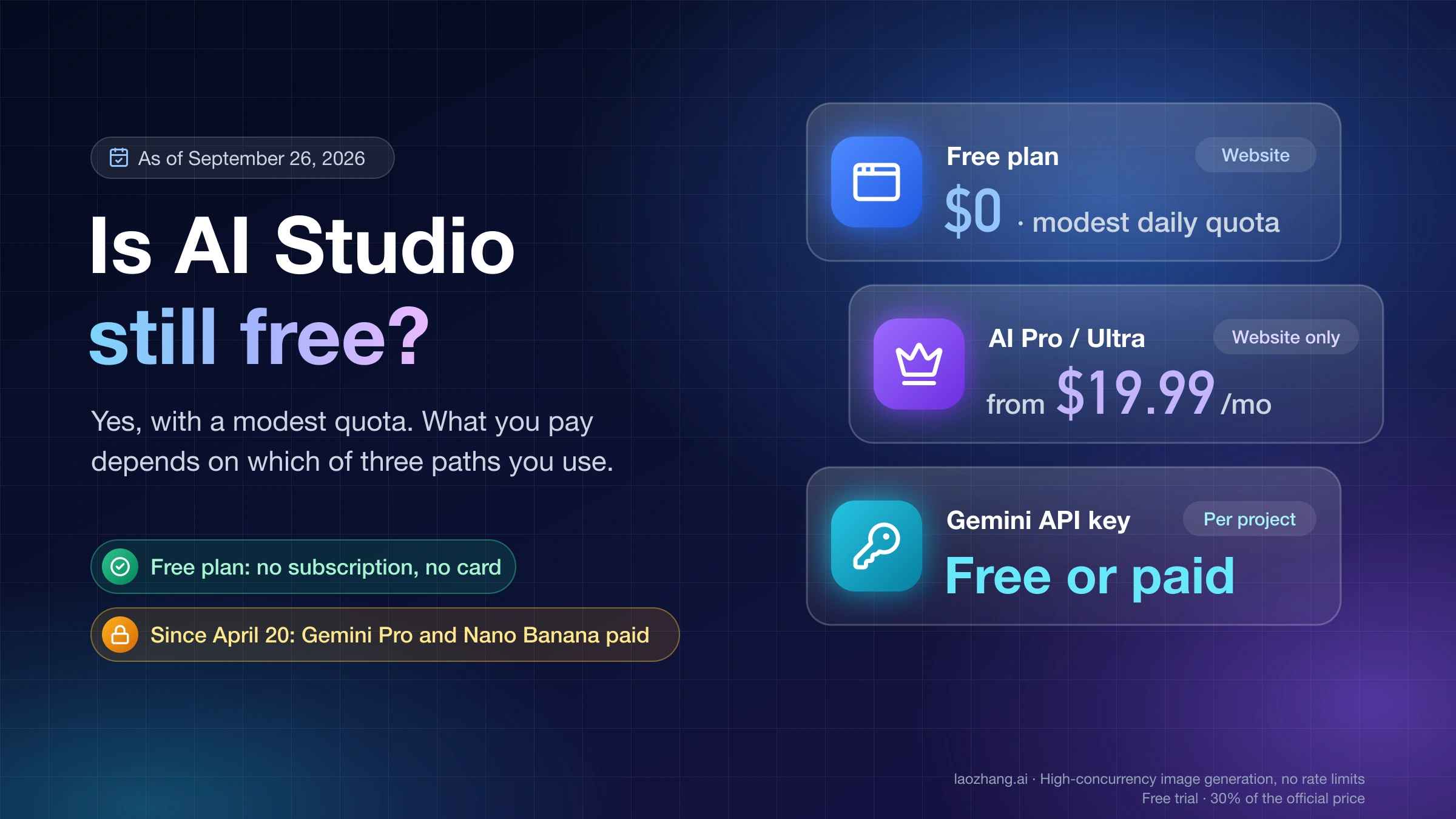
Google AI Studio offers the most generous free tier in AI image generation: up to 1,000 images per day at zero cost. When you need more, paid API pricing starts at just $0.02/image with Imagen 4 Fast, and batch processing cuts every model's price in half. This guide covers every model, every pricing tier, and exactly how to hit $0.03 per image or less.

AI Studio Complete Access Guide: Generate Images for $0.03 Each (2026)

Google AI Studio lets you generate AI images starting at $0.02 per image using the Imagen 4 Fast model, with a free tier that provides up to 1,000 images daily through the web interface alone. As of March 2026, AI Studio is the only platform that bundles a generous free tier, multiple image generation models (Imagen 4, Gemini Flash Image, and Nano Banana Pro), and a 50% batch API discount under one roof. Whether you need a handful of images for a blog post or thousands per day for an e-commerce pipeline, this guide walks you through every access method, pricing tier, and optimization strategy available right now.

TL;DR

  • Free tier: Up to 1,000 images/day through AI Studio web UI, no credit card required
  • Cheapest paid option: Imagen 4 Fast at $0.02/image (standard API)
  • $0.03 target: Achievable via Imagen 4 Fast ($0.02), batch Gemini Flash (~$0.02), or average Imagen pricing
  • Batch API: 50% discount on every model — Imagen 4 Fast drops to $0.01/image
  • Best for most users: Start with free tier, switch to paid only when exceeding 500 images/day consistently

How to Start Generating Images in AI Studio (5-Minute Setup)

Getting started with Google AI Studio for image generation takes less than five minutes and requires nothing more than a Google account. Navigate to aistudio.google.com and sign in with any Gmail or Google Workspace account. There is no waitlist, no application process, and no credit card required for the free tier. Once you are logged in, you will see the main interface with options for Chat, Build, Stream, and Media modes. For image generation specifically, you have two primary paths depending on what you want to accomplish.

The first and most straightforward approach is to use the Chat mode with a Gemini model that supports native image generation. Select Gemini 2.5 Flash or Gemini 3 Pro from the model dropdown, type a description of the image you want, and the model will generate it inline within the conversation. This approach gives you the advantage of multi-turn editing: you can ask the model to modify specific elements, change colors, add text, or adjust composition without starting over. The second approach is to use the Imagen 4 models directly through the Media mode or API. Imagen 4 produces higher-quality photorealistic images and is available in three tiers: Fast ($0.02/image), Standard ($0.04/image), and Ultra ($0.06/image). Both paths are available on the free tier, though the web UI imposes daily limits that we will cover in detail in the next section.

For developers who want to integrate image generation into their applications, AI Studio also provides a free API key. Click "Get API Key" in the left sidebar, create a new key, and you can immediately start making API calls using the official Python or JavaScript SDKs. The free API tier allows 100-500 images per day depending on the model, with rate limits of 10-15 requests per minute. This is more than enough for prototyping, testing, and personal projects before you decide whether to upgrade to a paid plan.

One important detail that trips up new users: AI Studio supports multiple output formats and aspect ratios. When generating through the Chat mode, you can specify exact dimensions in your prompt (for example, "create a 1920x1080 landscape banner" or "generate a square 1024x1024 product photo"). Through the API, you set the aspect_ratio parameter to values like "1:1", "16:9", "9:16", or "4:3". Imagen 4 supports resolutions up to 4096x4096 pixels — large enough for print materials and high-resolution displays — at no additional cost per pixel. This resolution flexibility, combined with the zero-cost entry point, makes AI Studio the most accessible starting point for anyone exploring AI image generation in 2026.

Free Tier Deep Dive — Up to 1,000 Images Daily at Zero Cost

The AI Studio free tier is the most generous offering in the AI image generation industry as of March 2026, and understanding exactly how it works can save you from spending money unnecessarily. Through the AI Studio web interface at aistudio.google.com, you can generate between 500 and 1,000 images per day without paying anything and without providing a credit card. The exact daily limit fluctuates based on server demand, your account age, and the specific model you choose, but most users report consistently hitting 500 or more images per day during normal usage hours (Google AI Studio, March 2026).

The free tier includes access to all Gemini models with image generation capabilities, including Gemini 2.5 Flash and Gemini 3.1 Flash Image Preview, as well as Imagen 4 in all three quality tiers. Your daily quota resets at midnight Pacific Time, and there is no monthly cap — if you generate 500 images every single day, that adds up to roughly 15,000 free images per month. The rate limit on the free tier is approximately 15 requests per minute through the web UI, which means you would need to actively generate images for over an hour to approach the daily limit. For the vast majority of individual users, freelancers, and small teams doing creative work, this free tier is more than sufficient and eliminates the need for a paid subscription entirely.

Beyond the web UI, the free API tier offers a more limited but still useful allocation. Depending on the model, you can generate 100 to 500 images per day through API calls, with rate limits varying from 2 RPM for Gemini 3 Pro Image Preview to 10 RPM for Gemini 2.5 Flash. The critical difference is that API access enables automation — you can build scripts, integrate with design tools, or create batch workflows that generate images programmatically. If your typical usage involves fewer than 100 automated images per day, the free API tier covers you completely. For a deeper breakdown of how these limits compare across models, check out the detailed free tier limits guide which includes model-by-model quota tables.

One detail worth noting: the free tier through the AI Studio web UI is separate from the Gemini app (formerly Google Gemini). The Gemini app's free tier only allows 2-3 images per day, while the AI Plus plan ($7.99/month) and AI Pro plan ($19.99/month) offer progressively more. If you are hitting limits on the Gemini app, switching to the AI Studio web interface gives you dramatically more free images without spending a cent.

There are a few practical tips for maximizing your free tier usage. First, if you are working on a project that requires many variations of a similar image, batch your generation sessions during off-peak hours (typically late evening to early morning Pacific Time) when the dynamic daily limit tends to be higher. Second, use the multi-turn editing capability of Gemini models to refine a single image through conversation rather than generating dozens of separate images from scratch — each edit counts as one generation, but you often need fewer total generations to reach a satisfactory result. Third, if you work across multiple Google accounts (personal and workspace), each account has its own independent free tier quota, though Google's terms require that each account represents a genuine user rather than an artificial quota multiplier.

Complete Pricing Breakdown — How $0.03 Per Image Actually Works

AI Studio image generation cost per image comparison chart showing all models from $0.02 to $0.15

Understanding exactly how the $0.03 per image price point works requires looking at the full pricing landscape across all available models in AI Studio. The table below shows every image generation model available through the AI Studio API as of March 2026, with pricing verified against the official Google AI pricing page and Vertex AI documentation.

ModelTypeStandard PriceBatch Price (50% off)Resolution Options
Imagen 4 FastImagen$0.02/image$0.01/image512, 1024, 2048, 4096
Imagen 4 StandardImagen$0.04/image$0.02/image512, 1024, 2048, 4096
Imagen 4 UltraImagen$0.06/image$0.03/image512, 1024, 2048, 4096
Gemini 2.5 Flash ImageGemini~$0.039/image (1K)~$0.02/imageUp to 1024
Gemini 3.1 Flash Image PreviewGemini$0.045-$0.151/image$0.023-$0.076/image512, 1024, 2048, 4096
Gemini 3 Pro Image PreviewGemini$0.134-$0.24/image$0.067-$0.12/image512, 1024, 2048

The $0.03 per image target is not a marketing gimmick — it is achievable through multiple concrete paths. The most straightforward is Imagen 4 Fast at $0.02 per image, which is actually below the $0.03 target at standard pricing. If you need higher quality, the Imagen 4 Ultra model hits exactly $0.03 per image when you use the batch API (50% off from $0.06). Alternatively, the average cost across Imagen 4 Fast and Standard is ($0.02 + $0.04) / 2 = $0.03 per image, which is what you would pay if you mixed quality tiers based on your needs. For Gemini native models, the batch-priced Gemini 2.5 Flash Image comes in at roughly $0.02 per image, and batch Gemini 3.1 Flash at 0.5K resolution costs about $0.023.

The pricing structure reveals an important pattern: resolution matters significantly for Gemini native models but not for Imagen 4. With Imagen 4, you pay the same $0.02 whether you generate a 512x512 thumbnail or a 4096x4096 poster. Gemini models, however, charge based on output token count, which scales with resolution — a 4K image from Gemini 3.1 Flash costs $0.151 compared to $0.045 at 0.5K resolution. This makes Imagen 4 the clear choice for high-resolution work, while Gemini models offer better value at lower resolutions where their multi-turn editing capabilities provide additional utility. For a complete walkthrough of Gemini model pricing tiers, see the complete Gemini API pricing breakdown.

For developers who want simplified billing without managing Google Cloud accounts, API proxy services like laozhang.ai offer access to these same models at $0.05 per image across all resolutions, with a unified API endpoint that handles authentication and billing automatically. This can be a practical option for teams that want to get started quickly without the overhead of Google Cloud project setup (documentation available at docs.laozhang.ai).

Every Image Model Compared (Imagen 4 vs Gemini Flash vs Nano Banana Pro)

The sheer number of image generation models available in AI Studio creates genuine confusion, especially since they fall into three completely different product families with different strengths, pricing models, and use cases. Understanding the distinctions is essential for choosing the right model for your specific workflow, so let us break down each family and what makes it unique.

Imagen 4 is Google's dedicated image generation model, purpose-built exclusively for creating images from text prompts. It does not understand conversational context or perform other AI tasks — its entire architecture is optimized for visual quality, photorealism, and text rendering accuracy. Imagen 4 comes in three speed/quality tiers: Fast generates images in 2-3 seconds with good quality for most use cases, Standard takes 5-8 seconds with noticeably better detail and coherence, and Ultra requires 10-15 seconds but produces the highest quality output available on the platform. A key advantage of Imagen 4 is resolution-independent pricing: whether you need a 512px social media thumbnail or a 4096px print-ready banner, the cost per image stays the same. Text rendering accuracy on Imagen 4 exceeds 94%, making it the industry leader for images that need to include readable words, numbers, or logos.

Gemini Flash Image models (including Gemini 2.5 Flash and Gemini 3.1 Flash Image Preview) take a fundamentally different approach. These are multimodal language models that happen to be able to generate images as part of their broader capabilities. The major advantage of this architecture is multi-turn conversation: you can generate an image, then ask the model to "make the sky more dramatic" or "add a person on the left side" through natural language, and it will modify the existing image rather than generating a new one from scratch. This iterative refinement workflow is something Imagen 4 cannot do on its own. The tradeoff is that Gemini models charge based on output tokens, which means resolution directly impacts cost. At 1024x1024, Gemini 2.5 Flash Image costs about $0.039 per image — competitive with Imagen 4 Standard. But at 4K resolution, Gemini 3.1 Flash Image Preview jumps to $0.151, making it significantly more expensive than Imagen 4 Ultra ($0.06) for the same resolution. For a head-to-head comparison of Gemini, GPT Image, and FLUX, check out our detailed benchmark analysis.

Nano Banana Pro is the newest addition to AI Studio's image generation lineup, positioned as a premium creative model. At $0.134-$0.24 per image depending on resolution, it targets professional designers and studios that need maximum creative control and style diversity. The quality is excellent — arguably the best available for artistic and editorial styles — but the price point puts it in a different category than Imagen 4 or Gemini Flash. Unless you specifically need Nano Banana Pro's unique artistic capabilities, Imagen 4 Standard or Ultra delivers comparable quality for most use cases at a fraction of the cost. For detailed pricing tiers, see the Nano Banana Pro pricing details.

CriteriaImagen 4 FastImagen 4 UltraGemini 2.5 Flash ImageNano Banana Pro
Best ForSpeed, volumeQuality, printIterative editingArtistic styles
Price (1K)$0.02$0.06$0.039$0.134
Speed2-3 sec10-15 sec4-6 sec8-12 sec
Max Resolution4096px4096px1024px2048px
Text Accuracy94%+94%+~85%~80%
Multi-turn EditNoNoYesNo
Batch Discount50%50%50%50%

The practical implication of this comparison becomes clear when you map models to real-world use cases. For e-commerce product photography — where you need hundreds of consistent product images at high resolution with accurate text overlays for prices or product names — Imagen 4 Fast is the optimal choice because it combines the lowest cost ($0.02), highest resolution (4096px), and best text accuracy (94%+) in a single model. For creative agency work where a designer needs to iterate on a concept with a client in real time, Gemini 2.5 Flash Image's multi-turn editing makes it worth the slightly higher per-image cost because the total number of generations needed to reach a final design is significantly lower. And for fine art prints, editorial illustrations, or projects where visual uniqueness matters more than cost per image, Nano Banana Pro's distinctive aesthetic capabilities justify its premium pricing for select images within a larger production workflow that uses cheaper models for the bulk of its output.

Cost Optimization — Batch API, Resolution Tricks, and Smart Model Selection

Decision framework showing when to upgrade from free tier to paid API based on daily image volume

Choosing the right model and access method can mean the difference between spending $0 and spending $5,400 per month for the same volume of images. The cost optimization strategies below are ordered from most impactful to least, based on real-world usage patterns across hobby, freelance, business, and enterprise scales.

The single most impactful optimization is the batch API, which provides a flat 50% discount on every model without any quality compromise. Batch requests are processed within a 24-hour window rather than real-time, which means you cannot use them for interactive applications, but they are perfect for any workflow where you can prepare prompts in advance: e-commerce product variations, marketing asset generation, content creation pipelines, and dataset augmentation. With batch pricing, Imagen 4 Fast drops to just $0.01 per image — one cent per high-quality AI image. Even Imagen 4 Ultra, the premium tier, costs only $0.03 per image through batch processing. If your workflow can tolerate a processing delay of hours rather than seconds, batch API should be your default choice. For more details on setting up batch workflows, see the batch API discount guide.

The second optimization is resolution-aware model selection. As we covered in the pricing breakdown, Imagen 4 charges the same price regardless of resolution, while Gemini models charge based on output tokens that scale with resolution. This creates a clear decision framework: use Imagen 4 for any image above 1024x1024, and consider Gemini Flash Image for 1024x1024 or below where its multi-turn editing capability adds value. A common mistake is using Gemini 3.1 Flash Image Preview at 4K resolution ($0.151/image) when Imagen 4 Ultra produces comparable quality at 4K for only $0.06/image — a 60% cost reduction for the same output resolution.

To make this concrete, here are monthly cost estimates for four common usage profiles, comparing the cheapest sensible configuration for each:

ProfileDaily VolumeBest Model + MethodMonthly Cost
Hobby/Blogger10-50/dayFree tier (AI Studio web UI)$0
Freelancer50-200/dayFree tier + Imagen 4 Fast API overflow$0-$60
Business200-1,000/dayImagen 4 Fast batch API$60-$300
Enterprise1,000-10,000/dayImagen 4 Fast batch API$300-$3,000

The hobby and freelancer profiles can often stay entirely on the free tier. The business profile saves approximately $600/month by using batch API instead of standard API, and the enterprise profile saves $3,000+ per month through the same optimization. The key insight is that most individual users never need to pay at all — the 500-1,000 free images per day through the AI Studio web UI covers the vast majority of creative and professional use cases.

A third optimization that many users overlook is prompt efficiency. Well-crafted prompts with specific style references, composition instructions, and quality parameters produce usable images on the first attempt far more often than vague prompts that require multiple regeneration attempts. A prompt like "professional product photo of a ceramic coffee mug, white background, soft studio lighting, 45-degree angle, high detail" typically produces a usable result on the first or second try, while "coffee mug photo" might require five or more generations before you get something suitable. At scale, this prompt engineering discipline can reduce your effective per-image cost by 50-70% simply by reducing waste generations. Investing time in building a prompt library for your common use cases pays for itself quickly — especially at the business and enterprise tiers where every image has a direct monetary cost.

There is also a less obvious optimization for teams that need images across multiple providers: using an API aggregation layer like laozhang.ai to route each generation request to the most cost-effective model for that specific prompt type. Product photos route to Imagen 4 Fast ($0.02), creative illustrations route to Gemini Flash Image ($0.039), and artistic hero images route to Nano Banana Pro ($0.134) — all through a single API endpoint with unified billing. This "smart routing" approach ensures you never overpay by using a premium model for a task that a budget model handles equally well.

API Integration — From Web UI to Production Pipeline

Transitioning from the AI Studio web UI to a production API pipeline unlocks three critical capabilities: automation, scalability, and programmatic control over generation parameters. The AI Studio API is a standard REST API that supports both the Gemini models (for native image generation) and the Imagen 4 models, accessible through a single API key that you can generate for free from the AI Studio interface.

The quickest way to start generating images programmatically is with the official Google Generative AI Python SDK. After installing the package with pip install google-generativeai, you can generate your first image in under ten lines of code. The SDK handles authentication, request formatting, and response parsing, letting you focus on your prompts and business logic rather than API plumbing. For JavaScript/TypeScript projects, the @google/generative-ai npm package provides equivalent functionality.

python
import google.generativeai as genai genai.configure(api_key="YOUR_API_KEY") response = genai.ImageGenerationModel("imagen-4-fast").generate_images( prompt="A modern coffee shop interior with warm lighting", number_of_images=1, output_mime_type="image/png" ) # Save the generated image response.images[0].save("coffee_shop.png")

For Gemini native image generation with multi-turn editing support, you use the standard chat interface:

python
model = genai.GenerativeModel("gemini-2.5-flash") chat = model.start_chat() # Generate initial image response = chat.send_message("Generate an image of a sunset over mountains") # Refine through conversation response = chat.send_message("Make the colors more vibrant and add a lake in the foreground")

When deciding between the web UI and API, the choice comes down to your daily volume and workflow needs. If you generate fewer than 50 images per day and your process is interactive (you review each image and iterate), the web UI is faster and more intuitive. If you generate more than 100 images per day, need consistent prompting across many images, or want to integrate generation into an existing pipeline, the API is the clear choice. The API also enables batch processing, which is unavailable through the web UI and provides the 50% cost discount that makes high-volume generation economically viable.

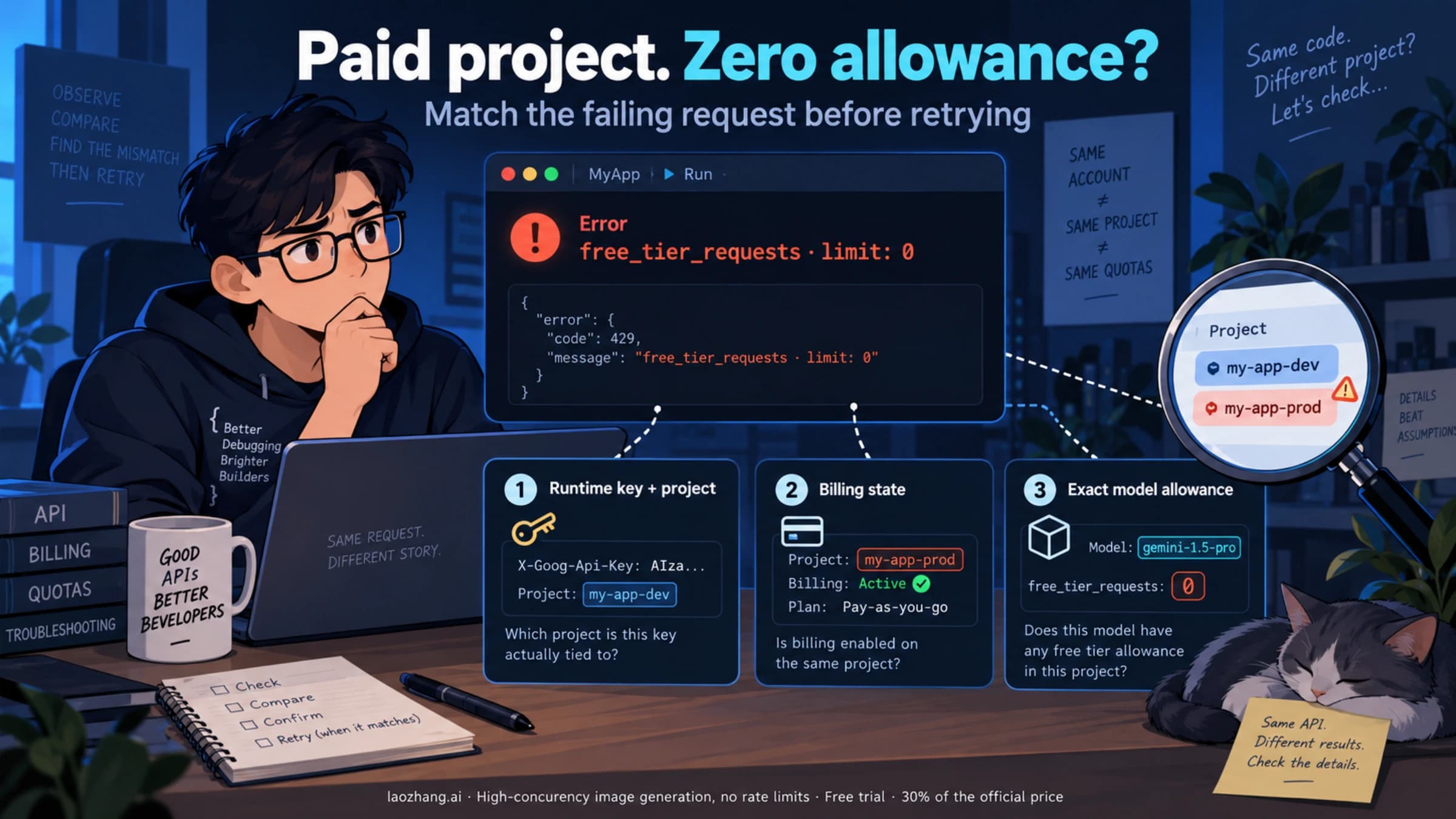
For production deployments, consider implementing a retry mechanism with exponential backoff, as the free API tier has rate limits of 10-15 RPM that can cause 429 errors during burst usage. The paid API tier raises this to 200 RPM, which is sufficient for most production workloads. If you need higher throughput or want to access multiple AI image models through a single endpoint, API aggregation services provide unified access to Imagen 4, DALL-E, Midjourney, and FLUX through a single API call with automatic rate limiting and failover.

One architectural decision worth considering early is whether to call the image generation API synchronously or asynchronously. For interactive applications like design tools or chatbots, synchronous calls make sense — the user waits 2-10 seconds for each image. For background processing like generating product catalogs or marketing assets, an asynchronous pattern with a job queue (Redis, SQS, or Cloud Tasks) lets you decouple image generation from your application's request cycle. This approach also makes it trivial to switch between standard and batch API: queue jobs normally for time-sensitive images, and route batch-eligible jobs through the batch API endpoint for the 50% discount. Many production systems use a hybrid approach where urgent images go through the standard API and everything else accumulates in a batch that runs once or twice daily.

Error handling deserves special attention because image generation models occasionally produce outputs that violate Google's safety policies, returning an error instead of an image. Your code should handle these gracefully — typically by retrying with a slightly modified prompt or falling back to a different model. The Imagen 4 models tend to be more permissive than Gemini models for legitimate commercial use cases, so if you are generating product images or marketing materials and encountering frequent safety blocks with Gemini, switching to Imagen 4 often resolves the issue without any prompt modification.

AI Studio vs DALL-E vs Midjourney — Which Platform Saves You More?

Side-by-side comparison of AI Studio, DALL-E 3, Midjourney, and FLUX across price, free tier, resolution, and features

The AI image generation landscape in 2026 includes four major platforms, each with distinct pricing models, capabilities, and tradeoffs. Rather than declaring one platform universally "best," the right choice depends entirely on your specific use case, budget, and workflow requirements. Here is how Google AI Studio stacks up against the competition on the metrics that actually matter for cost-conscious users.

Google AI Studio wins decisively on price and free tier generosity. At $0.02/image for Imagen 4 Fast (or $0.01/image with batch API), it offers the lowest per-image cost of any major platform. The 500-1,000 free images per day through the web UI dwarfs every competitor's free offering. It also provides the widest selection of models — from budget-friendly Imagen 4 Fast to premium Nano Banana Pro — all accessible through a single interface and API. The main weakness is that Imagen 4 lacks the artistic style versatility of Midjourney, and the Gemini native models are still in preview for image generation, meaning occasional quality inconsistencies.

DALL-E 3 through OpenAI's API costs $0.04 per image at standard resolution (1024x1024) and $0.08 at HD resolution (1024x1792). OpenAI also offers a 50% batch API discount, bringing costs to $0.02-$0.04/image. The free tier is limited — you can generate a few images per day through ChatGPT Free, but there is no equivalent to AI Studio's generous web UI allocation. DALL-E 3's strength is its deep integration with ChatGPT, making it the most accessible option for non-technical users who want to generate images through natural conversation. Quality-wise, DALL-E 3 produces excellent results for illustrations and conceptual art, though it trails Imagen 4 in photorealism and text rendering.

Midjourney remains the leader in artistic quality and style diversity, but its pricing model is subscription-based rather than per-image. The Basic plan costs $10/month for approximately 200 images (about $0.05/image), the Standard plan is $30/month for 900 images ($0.033/image), and the Pro plan is $60/month for unlimited fast generations. There is no free tier and no API access, which makes Midjourney unsuitable for automated workflows. If your primary need is creating stunning artistic images for creative projects and you are willing to work within a subscription model, Midjourney offers unmatched style control. But for volume, automation, or cost efficiency, AI Studio is the better choice.

FLUX 1.1 Pro from Black Forest Labs offers strong quality at $0.04/image through its API, with no free tier. Its advantage is open-weight availability — you can run FLUX models locally on your own hardware for zero per-image cost if you have a suitable GPU. For teams with existing GPU infrastructure, this can be the cheapest option at scale. However, the self-hosting overhead and lack of a web interface make it less accessible than AI Studio for most users.

The bottom line: if you want the lowest possible per-image cost with the most generous free tier, Google AI Studio is the clear winner. If you value artistic style above all else, Midjourney justifies its subscription. If you are already deep in the OpenAI ecosystem, DALL-E 3 offers convenient integration. And if you have GPU resources and technical expertise, FLUX's open-weight model provides the ultimate cost optimization through self-hosting.

One factor often overlooked in platform comparisons is the total cost of integration. AI Studio provides free API keys with no billing setup required for the free tier — you can go from zero to generating images in production in under 30 minutes. DALL-E 3 requires an OpenAI account with billing configured, and Midjourney has no API at all, requiring manual interaction through Discord or their web interface. For teams evaluating multiple platforms simultaneously, services like laozhang.ai provide a single API endpoint that routes to multiple image generation models across providers, letting you compare quality and cost without managing separate accounts for each platform. This aggregation approach also provides automatic failover: if one provider experiences an outage, your requests are transparently routed to an alternative model, ensuring production reliability that no single-provider integration can match.

Common Questions About AI Studio Image Generation

Is Google AI Studio completely free?

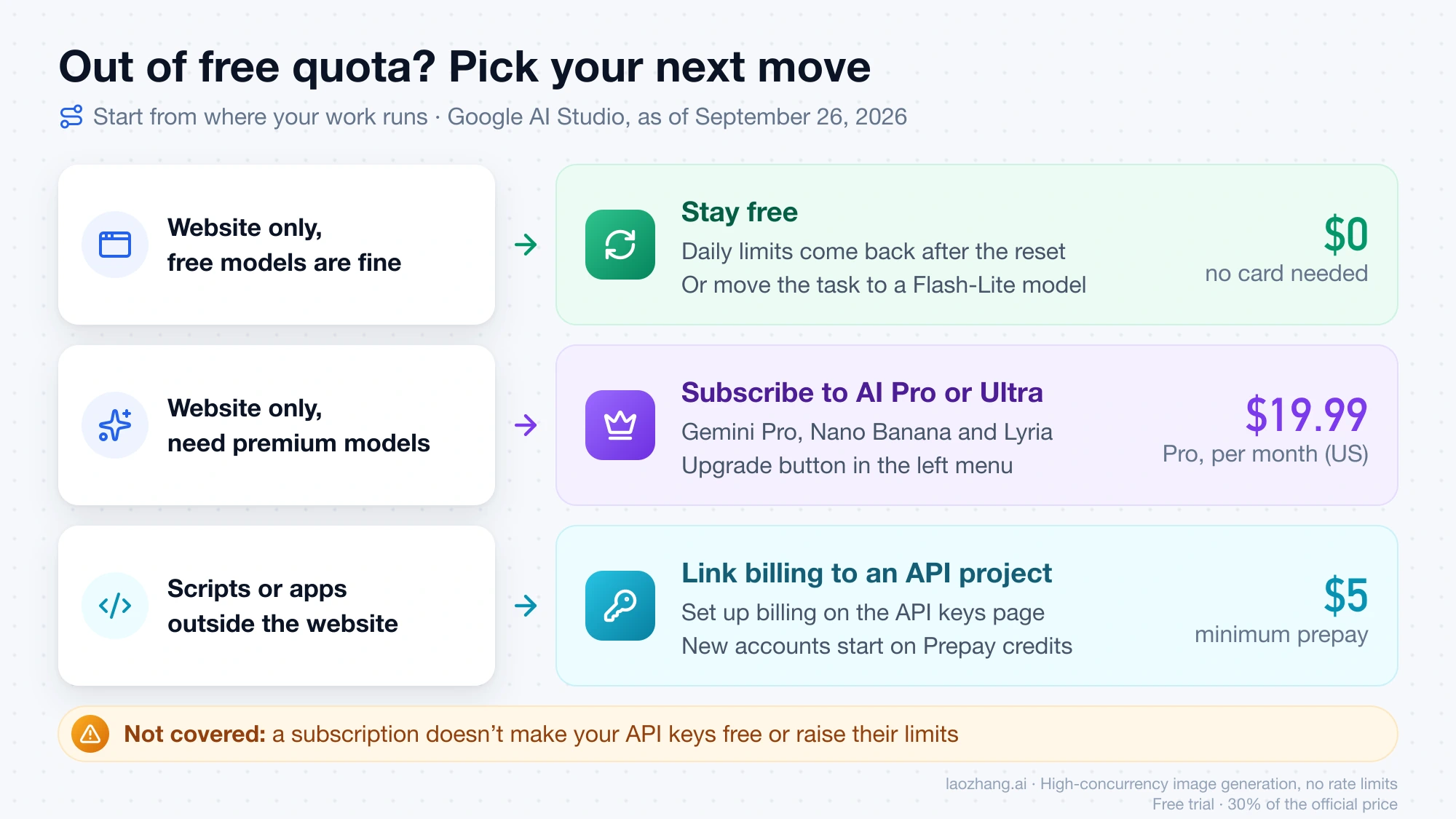
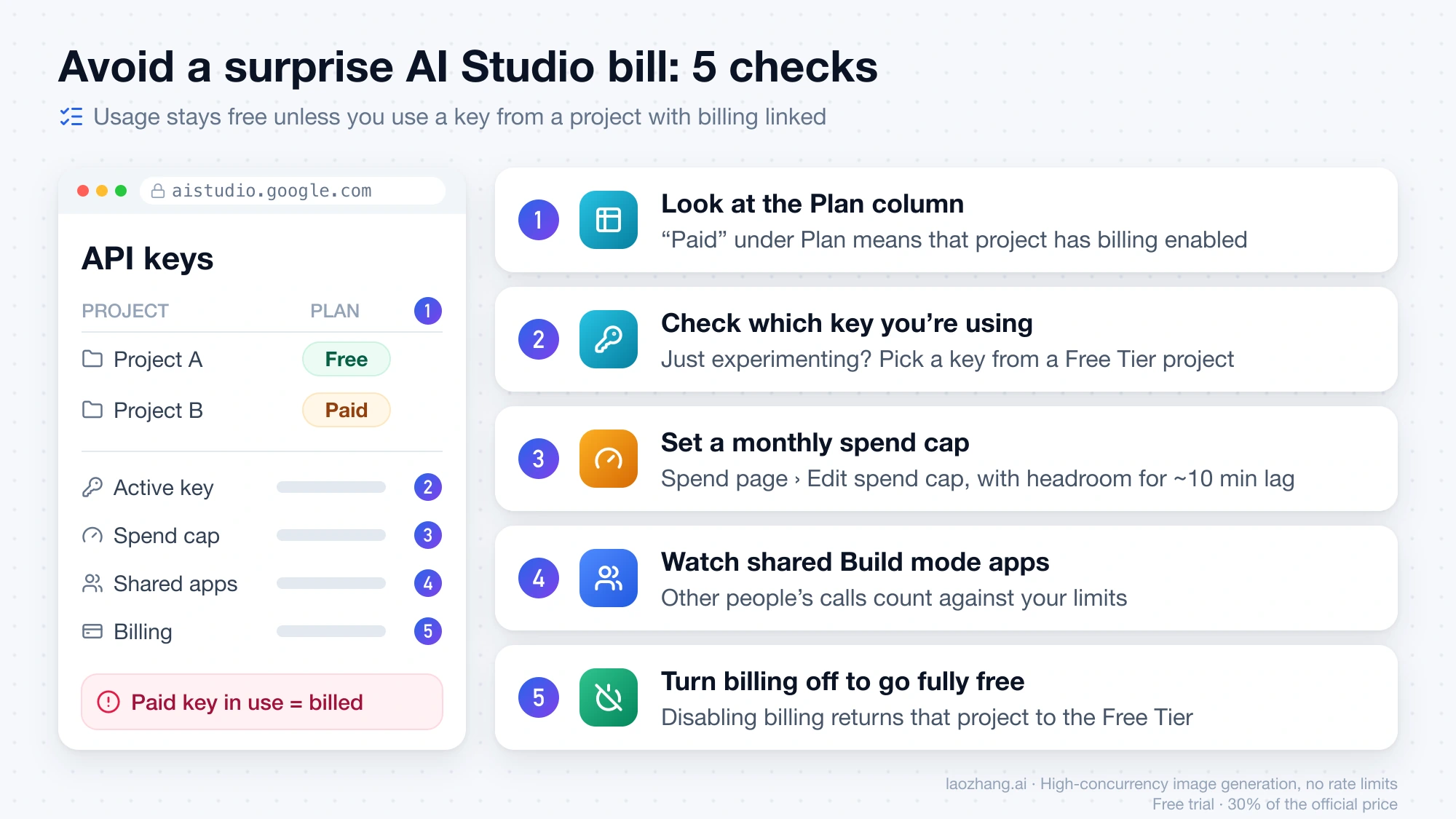
Yes, Google AI Studio is free to use with a Google account. The free tier provides access to all Gemini models and Imagen 4 through the web interface, with a generous daily limit of 500-1,000 images. You only pay when you use the API beyond the free quota, and pricing starts at just $0.02 per image. No credit card is required to sign up or use the free tier — you can start generating images immediately after signing in with your Google account.

What is the difference between AI Studio and the Gemini app?

AI Studio (aistudio.google.com) is a developer-focused platform that provides direct access to all Google AI models with generous free limits (500-1,000 images/day). The Gemini app (gemini.google.com) is a consumer chatbot that includes image generation as one of many features, with much lower free limits (2-3 images/day). For image generation specifically, AI Studio provides dramatically more free usage. The Gemini app's paid plans (AI Plus at $7.99/month, AI Pro at $19.99/month, AI Ultra at $249.99/month) progressively increase the image quota, but even the AI Pro plan's 100 images/day is less than what AI Studio's free tier offers.

Can I use AI Studio-generated images commercially?

Yes, images generated through Google AI Studio can be used for commercial purposes. Google's terms of service for AI Studio grant you rights to use generated content in commercial projects, including marketing materials, product images, website content, and printed materials. However, generated images include invisible digital watermarks (SynthID) that identify them as AI-generated, which is a technical metadata marker rather than a visible watermark. Always verify the latest terms at Google's official documentation, as policies may evolve.

How does the batch API actually work?

The batch API lets you submit up to 30,000 generation requests at once as a single job. Google processes these requests within a 24-hour window and returns all results when complete. You do not get real-time responses — instead, you submit a file containing all your prompts, receive a job ID, and poll for completion or set up a webhook notification. The only tradeoff is latency: individual images might take minutes to hours rather than seconds. The benefit is a flat 50% discount on every model's pricing. This makes batch processing ideal for any workflow where you can prepare prompts in advance, such as generating product variations, creating marketing asset libraries, or building training datasets.

Which model should I choose for my use case?

For most users, Imagen 4 Fast ($0.02/image) is the best default choice — it offers excellent quality, the lowest price, and resolution-independent pricing up to 4096px. Switch to Imagen 4 Standard or Ultra only when you need noticeably higher detail for print materials or close-up viewing. Use Gemini 2.5 Flash Image when you need multi-turn editing capabilities (iterating on an image through conversation). Reserve Nano Banana Pro for specialized artistic styles that other models cannot replicate. And always consider the batch API if your timeline allows a 24-hour processing window.

Does AI Studio support image editing and inpainting?

Yes, but through different mechanisms depending on the model. With Gemini models (2.5 Flash, 3 Pro), you can edit images through multi-turn conversation — upload an existing image and ask the model to modify specific regions, change backgrounds, add or remove elements, or adjust colors. This conversational editing approach is intuitive and does not require masking or technical setup. Imagen 4 supports inpainting and outpainting through the API using mask images, where you specify which regions of an existing image should be regenerated. Both approaches count against your daily quota at the same rate as generating a new image. For workflows that require extensive editing of a single image, the Gemini conversational approach typically uses fewer total generations because you can make precise targeted changes rather than regenerating entire images.

What are the rate limits and how do they affect my workflow?

Rate limits determine how many requests you can send per minute and vary by tier and model. The free tier allows 10-15 requests per minute (RPM) through the web UI and 2-10 RPM through the API depending on the model. The paid API tier increases this to 200 RPM for most models, which supports generating roughly 12,000 images per hour if needed. In practical terms, the free tier rate limit means you can generate one image every 4-6 seconds, which is faster than most users can review and iterate. If you are building an automated pipeline that generates hundreds of images in sequence, the paid tier's 200 RPM is essential to avoid throttling. For burst traffic scenarios where you need many images simultaneously, the batch API eliminates rate limit concerns entirely since you submit all requests at once and Google processes them at their own pace within the 24-hour window.

Share:

laozhang.ai

One API, All AI Models

AI Image

Gemini 3 Pro Image

$0.05/img
80% OFF
AI Video

Sora 2 · Veo 3.1

$0.15/video
Async API
AI Chat

GPT · Claude · Gemini

200+ models
Official Price
Served 100K+ developers
|@laozhang_cn|Get $0.1