Gemini 3 Pro Image API Pricing: $0.067–$0.432 per Image by Tier
As of October 8, 2026, Gemini 3 Pro Image costs $0.134 per 1K/2K image, $0.24 at 4K, half on Batch, no free tier. Nano Banana 2.1 costs $0.0336 at 1K.
On this page
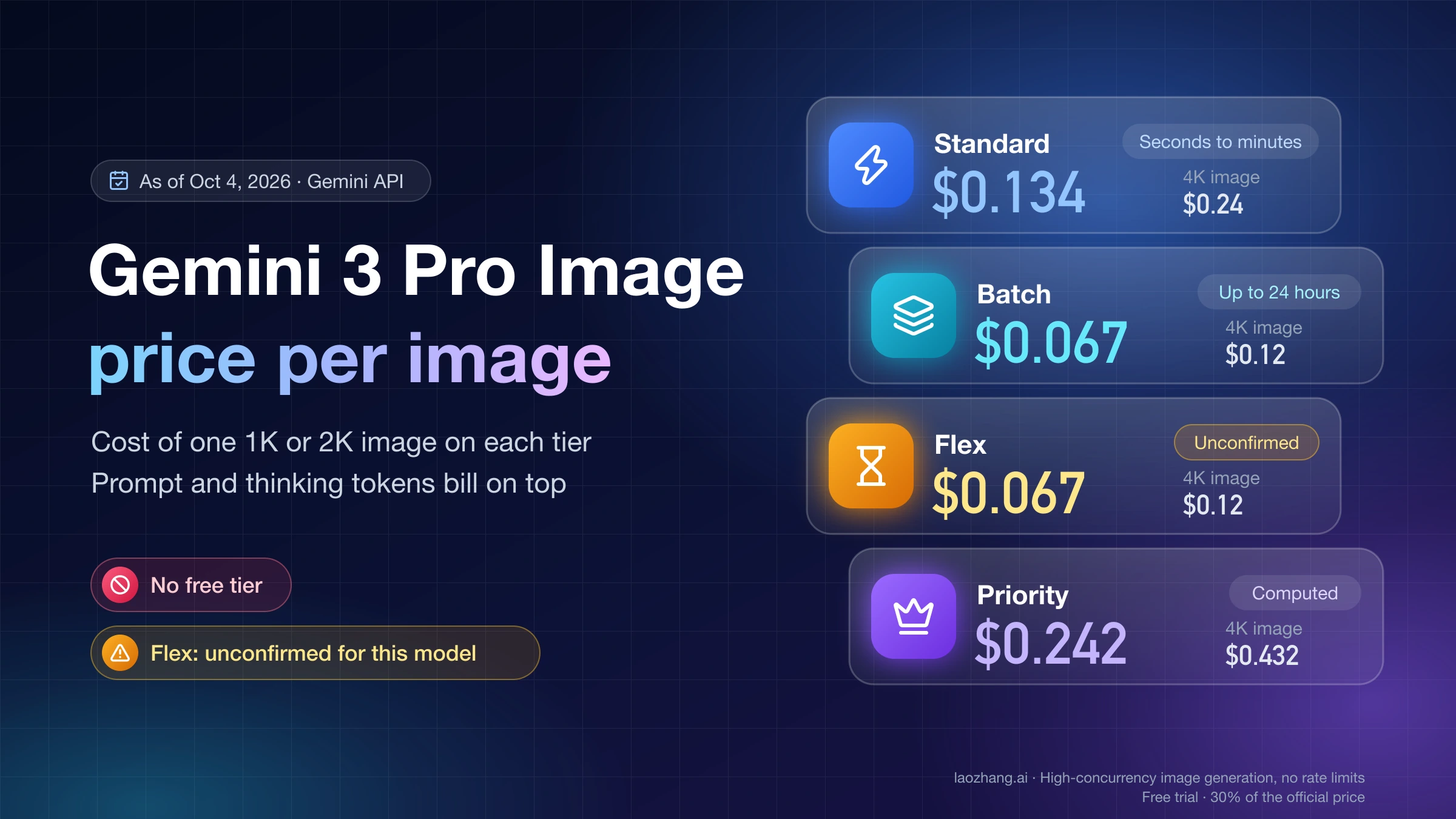
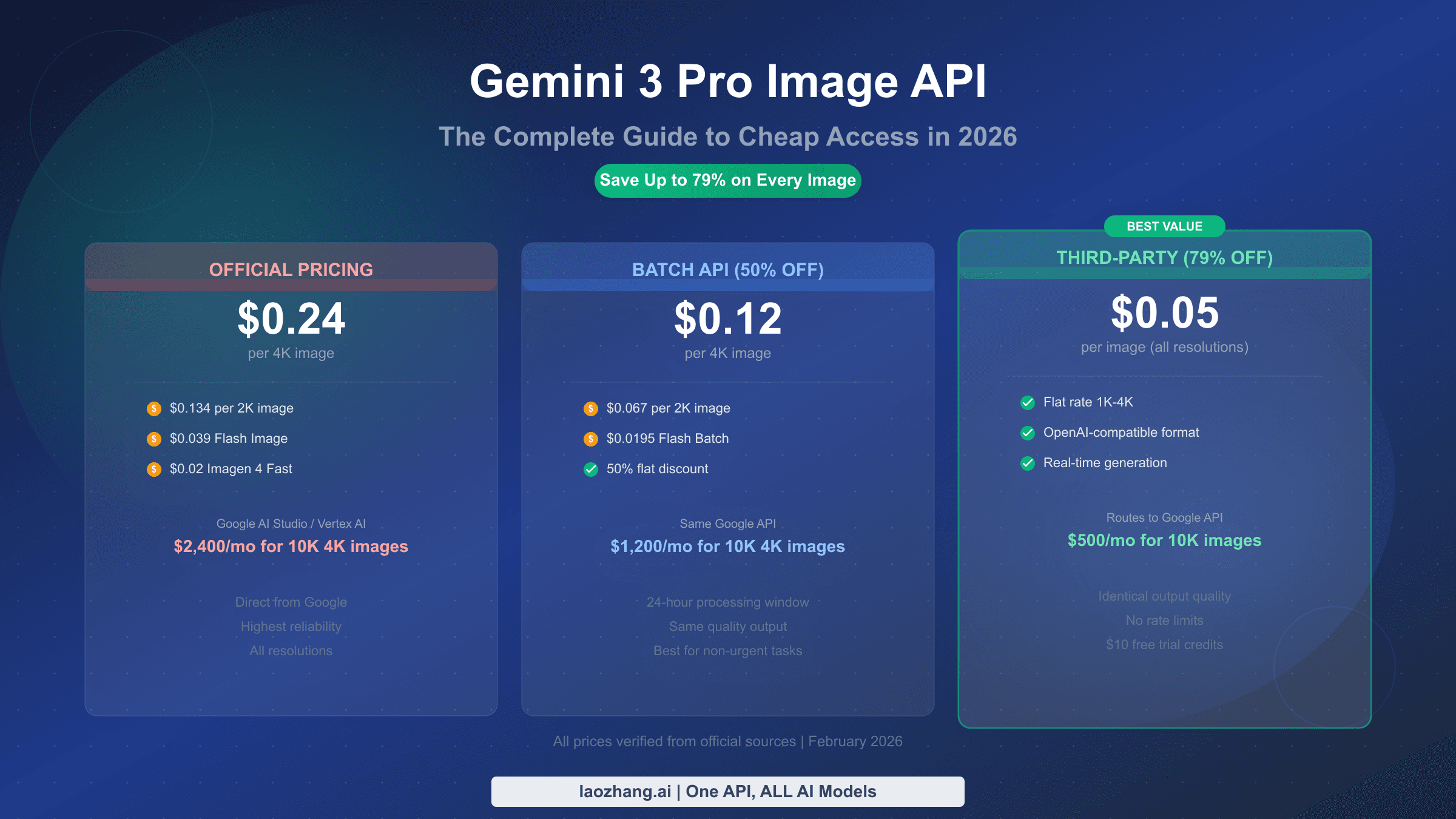
As of October 8, 2026, Google charges $0.134 for each 1K or 2K image and $0.24 for each 4K image from Gemini 3 Pro Image (Nano Banana Pro, model ID gemini-3-pro-image) on the paid Standard tier of the Gemini API. The Batch tier costs half: $0.067 and $0.12. Priority has no per-image figure on Google's page, but its token rate works out to $0.242 and $0.432. There is no free tier for this model, for input or output. All of these come from Google's Gemini Developer API pricing page.
Those per-image figures cover only the image itself. Every call also bills your prompt, any reference images and the model's thinking tokens, and thinking cannot be switched off. With a 200-token prompt and an assumed 1,000 thinking tokens, a 1K Standard call comes to about $0.147 rather than $0.134. Vertex AI charges the same token rates on its Global endpoint.
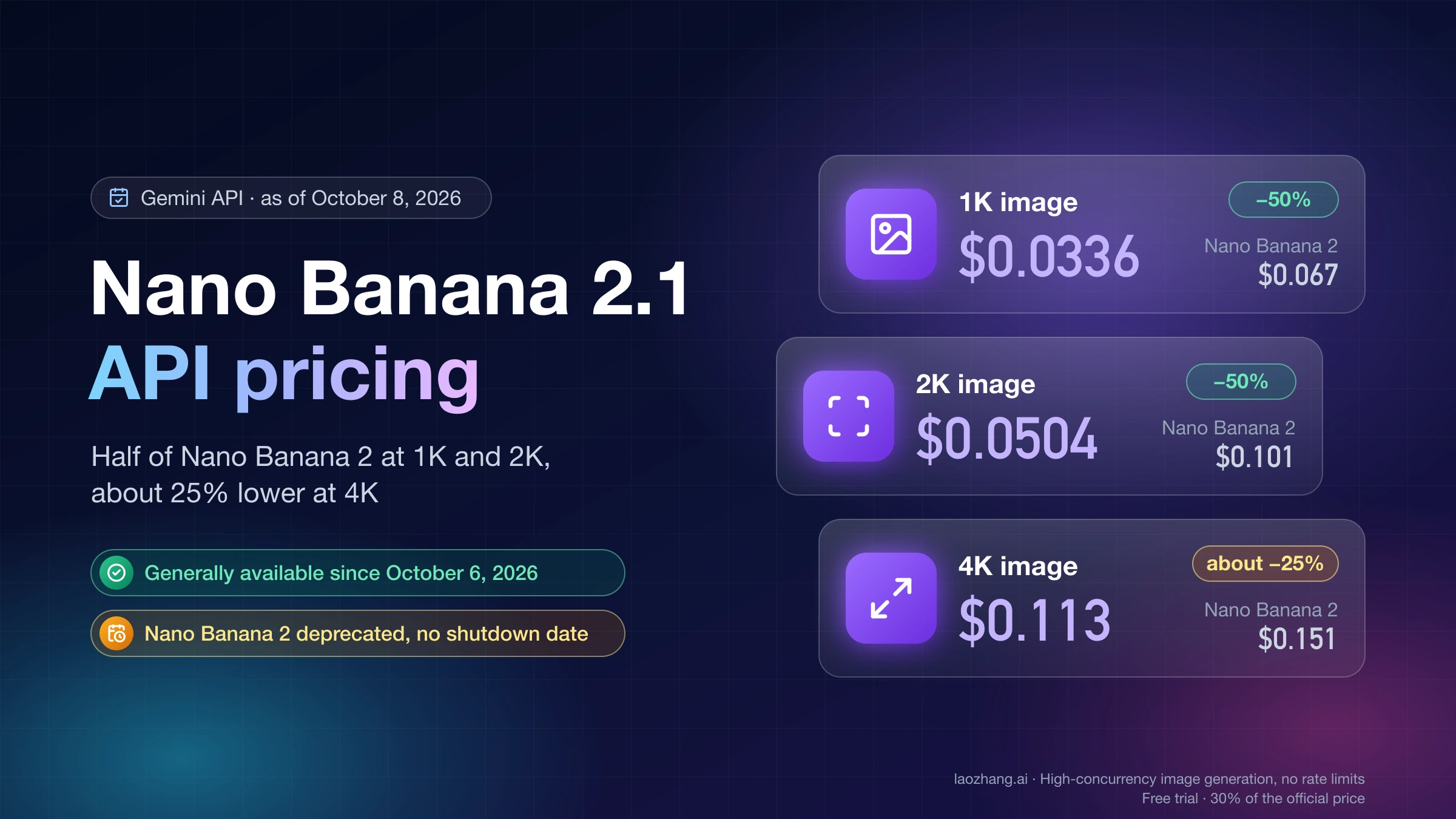
What changed in October 2026: Pro's prices did not move, but Google made Nano Banana 2.1 (gemini-nano-banana-2.1) generally available on October 6, 2026, at $0.0336 per 1K image, about a quarter of Pro's price. Pro is now the model to pay for when the words inside the image have to come out exactly as written; the section on Pro versus Nano Banana 2.1 below has the numbers and the test behind that.
Gemini 3 Pro Image cost per image on Standard, Batch, Flex and Priority
| Tier | 1K or 2K image | 4K image | Input, per 1M tokens | Text and thinking output, per 1M | Image output, per 1M | Google's latency target |
|---|---|---|---|---|---|---|
| Standard | $0.134 | $0.24 | $2.00 | $12.00 | $120.00 | Seconds to minutes |
| Batch | $0.067 | $0.12 | $1.00 | $6.00 | $60.00 | Up to 24 hours |
| Flex (see caveat) | $0.067 | $0.12 | $1.00 | $6.00 | $60.00 | 1–15 minutes |
| Priority | $0.242 (computed) | $0.432 (computed) | $3.60 | $21.60 | $216.00 | Seconds |
Prices in USD as of October 8, 2026, for gemini-3-pro-image on the Gemini Developer API. The per-1M image output rate for Batch and Flex is the figure Vertex AI lists; Google AI's own page shows those tiers only as $0.067 and $0.12 per image, which is the same thing. Latency targets come from Google's Flex inference guide.
Priority is the only tier where you have to do the math yourself. Each of its three rates is 80% above Standard ($216 against $120 for images), so a 1K or 2K image costs 1,120 × $216 / 1,000,000 = $0.24192, and a 4K image costs 2,000 × $216 / 1,000,000 = $0.432. Google's Flex guide describes Priority as low-latency, non-sheddable capacity.
Flex is priced for Gemini 3 Pro Image on the pricing page, but the Flex guide's list of supported models (updated September 23, 2026) contains only text models such as Gemini 3.8 Flash and Gemini 2.5 Pro. Treat Flex for this model as unconfirmed. Before you plan around it, send one request with "serviceTier": "flex" in the generateContent body and read serviceTier in the response's usageMetadata, which reports the tier that actually served the call. Flex is also sheddable: when capacity runs short the API returns 503 or 429, and Flex traffic counts toward your normal rate limits.
Vertex AI (now listed as Agent Platform on Google Cloud's pricing page) bills Gemini 3 Pro Image at the same rates on the Global endpoint: $2.00 input, $12.00 text output and $120.00 image output per 1M tokens, with $1.00 / $6.00 / $60.00 for Flex and Batch and $3.60 / $21.60 / $216.00 for Priority. If you call a regional endpoint, check that region's row on the same page.
Why 1K and 2K both cost $0.134: 1,120 image tokens at $120 per million
Google bills Gemini 3 Pro Image by tokens and then publishes a per-image equivalent. On the Standard tier, image output costs $120 per 1M tokens. Any image from 1024×1024 up to 2048×2048 uses 1,120 tokens, and an image up to 4096×4096 uses 2,000 tokens:
- 1K or 2K: 1,120 × $120 / 1,000,000 = $0.1344, which Google rounds to $0.134
- 4K: 2,000 × $120 / 1,000,000 = $0.24
Two practical consequences follow. A 2K image costs exactly what a 1K image costs, so dropping from 2K to 1K saves nothing. And Nano Banana Pro has only three sizes, 1K, 2K and 4K, with no 0.5K option. If you omit imageSize in imageConfig, the API returns 1K.
The other output rate, $12 per 1M tokens, covers text and thinking. Keep the two apart when you estimate. Thinking tokens cost a tenth of what image tokens cost per token, but they are still billed on every call.
Input is cheap by comparison. Text and images both bill at $2 per 1M tokens, and each reference image counts as 560 tokens, so one reference image adds 560 × $2 / 1,000,000 = $0.00112 (Google prints $0.0011). On Batch, Google lists $0.0006 per input image.
Per-call cost formula: image, prompt, reference images and thinking
One Gemini 3 Pro Image call on the Standard tier costs:
cost = image tokens × $120 / 1M          (1,120 for 1K or 2K, 2,000 for 4K)
     + prompt text tokens × $2 / 1M
     + reference images × 560 × $2 / 1M
     + (thinking tokens + text output tokens) × $12 / 1M
For Batch, halve every rate. For Priority, multiply every Standard rate by 1.8.
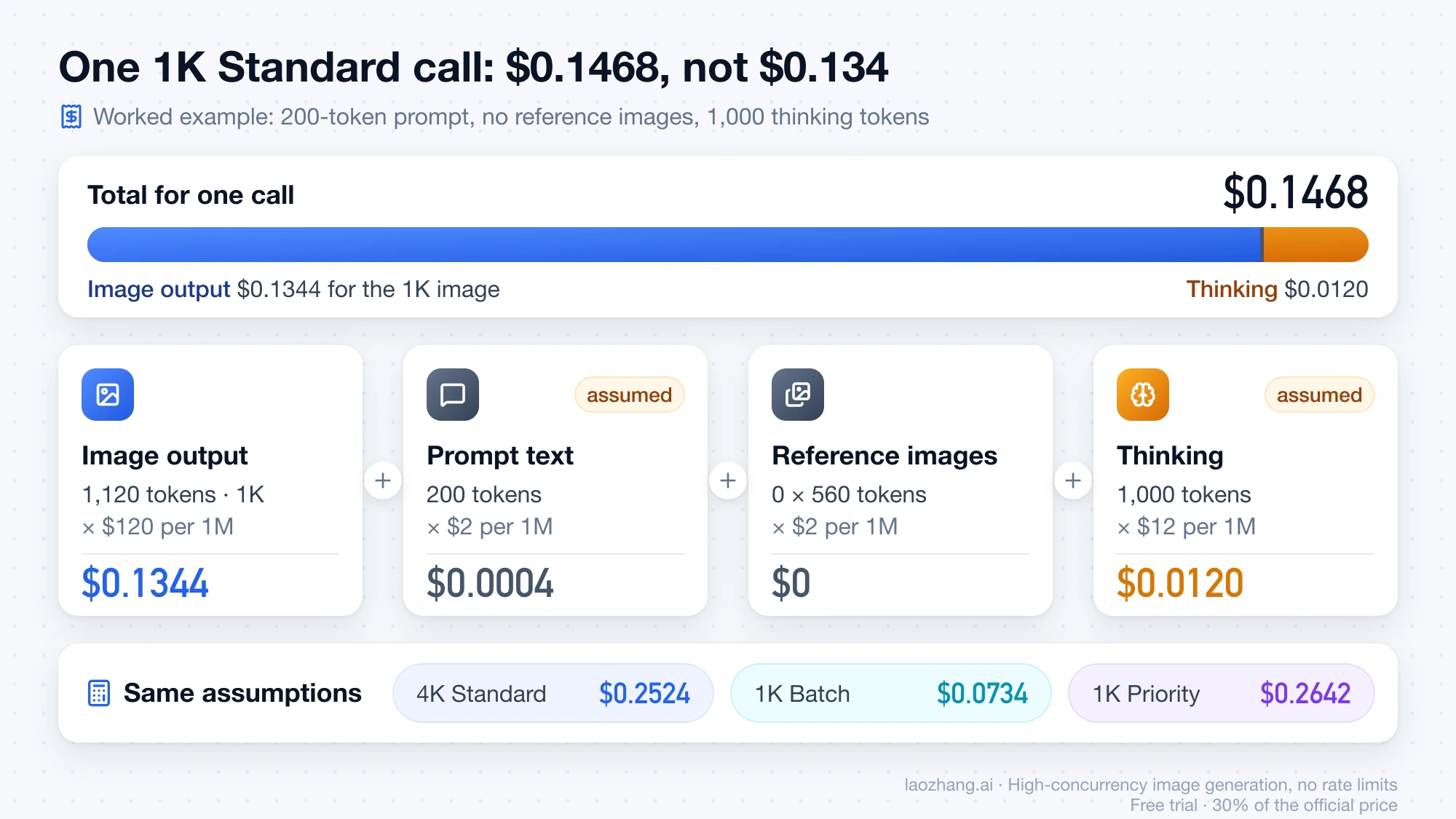
Here is a worked example with stated assumptions: one 1K image, a 200-token prompt, no reference images and 1,000 thinking tokens. Google does not publish how many thinking tokens a Gemini 3 Pro Image call uses, so the 1,000 is an assumption to replace with your own numbers.
| Part of the call | Tokens | Standard rate | Cost |
|---|---|---|---|
| Image output (1K) | 1,120 | $120 / 1M | $0.1344 |
| Prompt text | 200 (assumed) | $2 / 1M | $0.0004 |
| Reference images | 0 | 560 each at $2 / 1M | $0 |
| Thinking | 1,000 (assumed) | $12 / 1M | $0.0120 |
| Total | $0.1468 |
With the same assumptions, the call costs:
- $0.2524 at 4K on Standard ($0.24 + $0.0004 + $0.012)
- $0.0734 at 1K on Batch ($0.0672 + $0.0002 + $0.006)
- $0.2642 at 1K on Priority ($0.24192 + $0.00072 + $0.0216)
- $0.1502 at 1K on Standard with three reference images (adding 3 × $0.00112 = $0.00336)
Gemini 3 image models think on every call and you cannot disable it. Google does not charge for the up to two interim "thought images" the model may draw while reasoning, but the thinking tokens themselves are billed at the text rate.
Grounding with Google Search adds a separate charge when you enable it. Gemini 3.x models share 5,000 free search requests per month, after which Google charges $14 per 1,000. One grounded request can trigger several Search queries, and each query is billed.
Reading the real cost from usageMetadata
Your own calls report their token counts, so you don't have to rely on the assumed thinking figure. Every generateContent response carries a usageMetadata object. The values below are illustrative, not from a logged call, but the field names are the ones in Google's API reference:
{
  "usageMetadata": {
    "promptTokenCount": 200,
    "candidatesTokenCount": 1120,
    "candidatesTokensDetails": [{ "modality": "IMAGE", "tokenCount": 1120 }],
    "thoughtsTokenCount": 1000,
    "totalTokenCount": 2320,
    "serviceTier": "standard"
  }
}
promptTokenCount already includes the 560 tokens for each reference image. candidatesTokenCount is everything the model returned, split by modality in candidatesTokensDetails. thoughtsTokenCount is the thinking you pay for at the text rate. This small Python function turns that object into a cost, excluding Search grounding fees:
# USD per 1M tokens for gemini-3-pro-image, as of October 8, 2026
RATES = {
    "standard": {"input": 2.00, "text_out": 12.00, "image_out": 120.00},
    "batch":    {"input": 1.00, "text_out": 6.00,  "image_out": 60.00},
    "flex":     {"input": 1.00, "text_out": 6.00,  "image_out": 60.00},
    "priority": {"input": 3.60, "text_out": 21.60, "image_out": 216.00},
}

def call_cost(usage: dict, tier: str = "standard") -> float:
    """Token cost of one generateContent call, excluding Search grounding fees."""
    r = RATES[tier]
    image_out = sum(
        d.get("tokenCount", 0)
        for d in usage.get("candidatesTokensDetails", [])
        if d.get("modality") == "IMAGE"
    )
    text_out = usage.get("candidatesTokenCount", 0) - image_out
    thoughts = usage.get("thoughtsTokenCount", 0)
    return (
        usage.get("promptTokenCount", 0) * r["input"]
        + image_out * r["image_out"]
        + (text_out + thoughts) * r["text_out"]
    ) / 1_000_000
Fed the example object above, call_cost(usage) returns 0.1468 for Standard, 0.0734 for Batch and 0.26424 for Priority, matching the table. Log usageMetadata for a few dozen real calls with your actual prompts, and you have a per-image figure for your own workload instead of an estimate.
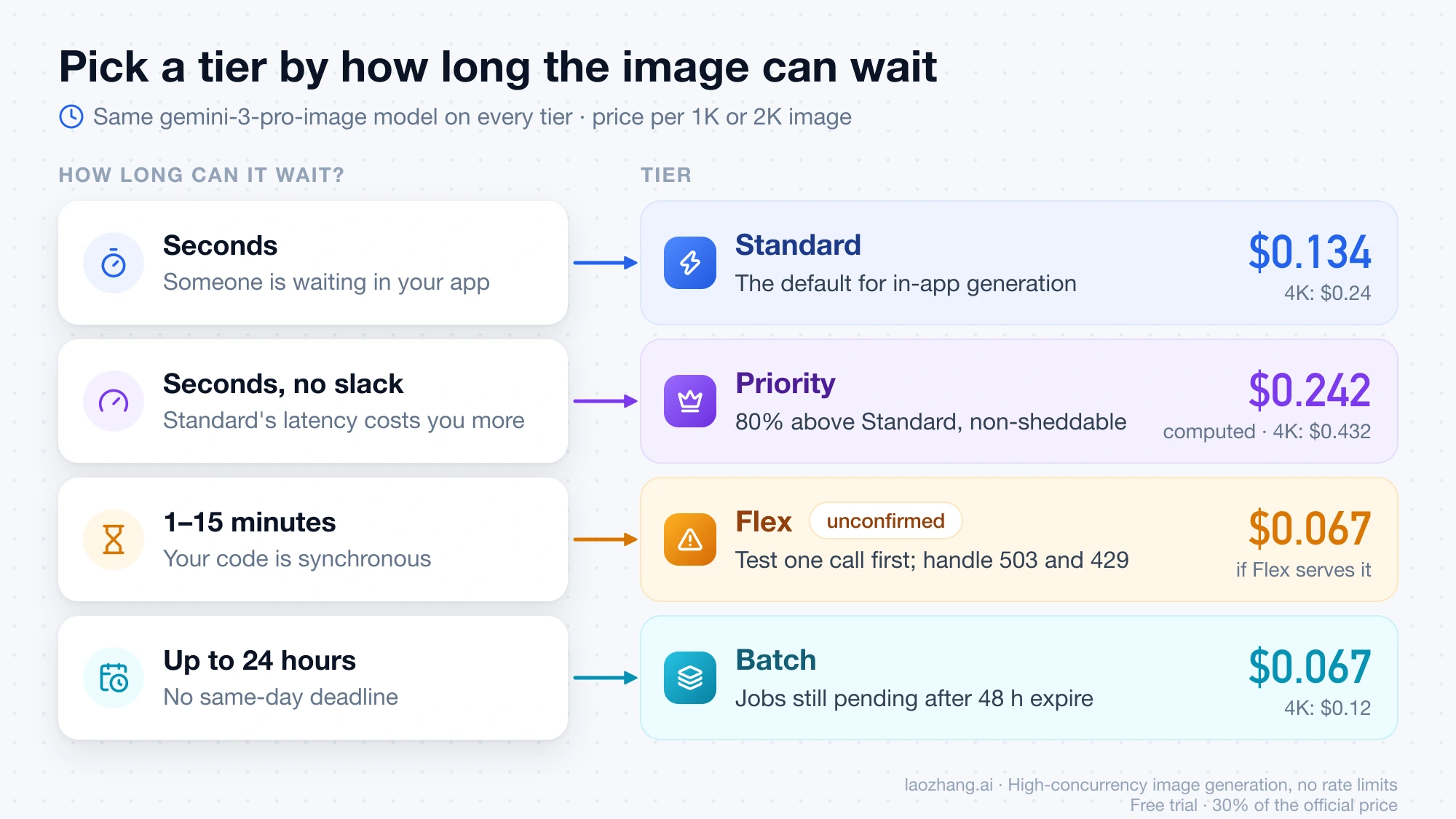
Choosing a tier: how long can the image wait?
All four tiers call the same gemini-3-pro-image model; what changes is price, wait time and how reliably capacity is there. Pick by how long the result can wait:
- Someone is waiting in your app: use Standard at $0.134 per 1K or 2K image. Move to Priority ($0.242 computed) only if Standard's latency or reliability costs you more than an 80% higher bill.
- The result can wait hours: use Batch at $0.067. Google targets 24 hours and says most jobs finish much sooner, but a job still pending or running after 48 hours expires without results, so don't queue work that has a same-day deadline. If you are planning a large run, see the separate guide to planning a large batch job's cost.
- The result can wait minutes and your code is synchronous: Flex would cost the same as Batch with a 1–15 minute target, but confirm it works for Gemini 3 Pro Image with one test call first, as described above. Build in a fallback for 503 and 429 responses.
Monthly cost of 1,000 or 10,000 Gemini 3 Pro Image calls
These totals use the per-image figures from the tier table and count image output only:
| Volume and size | Standard | Batch | Priority (computed) |
|---|---|---|---|
| 1,000 images at 1K or 2K | $134 | $67 | $242 |
| 1,000 images at 4K | $240 | $120 | $432 |
| 10,000 images at 1K or 2K | $1,340 | $670 | $2,420 |
| 10,000 images at 4K | $2,400 | $1,200 | $4,320 |
Add the parts the table leaves out. With the worked example's 200-token prompt and 1,000 thinking tokens, each 1,000 Standard calls add 1,000 × ($0.0004 + $0.012) = $12.40, and each 1,000 Batch calls add $6.20. Each regenerated image is a new billed call, so a workflow where you keep one image in three costs three times the table figure per kept image. At the token level, 1,000 Standard images are $134.40 rather than $134, because Google rounds $0.1344 to $0.134.
Pro or Nano Banana 2.1: $0.134 vs $0.0336 at 1K, Pro for exact text
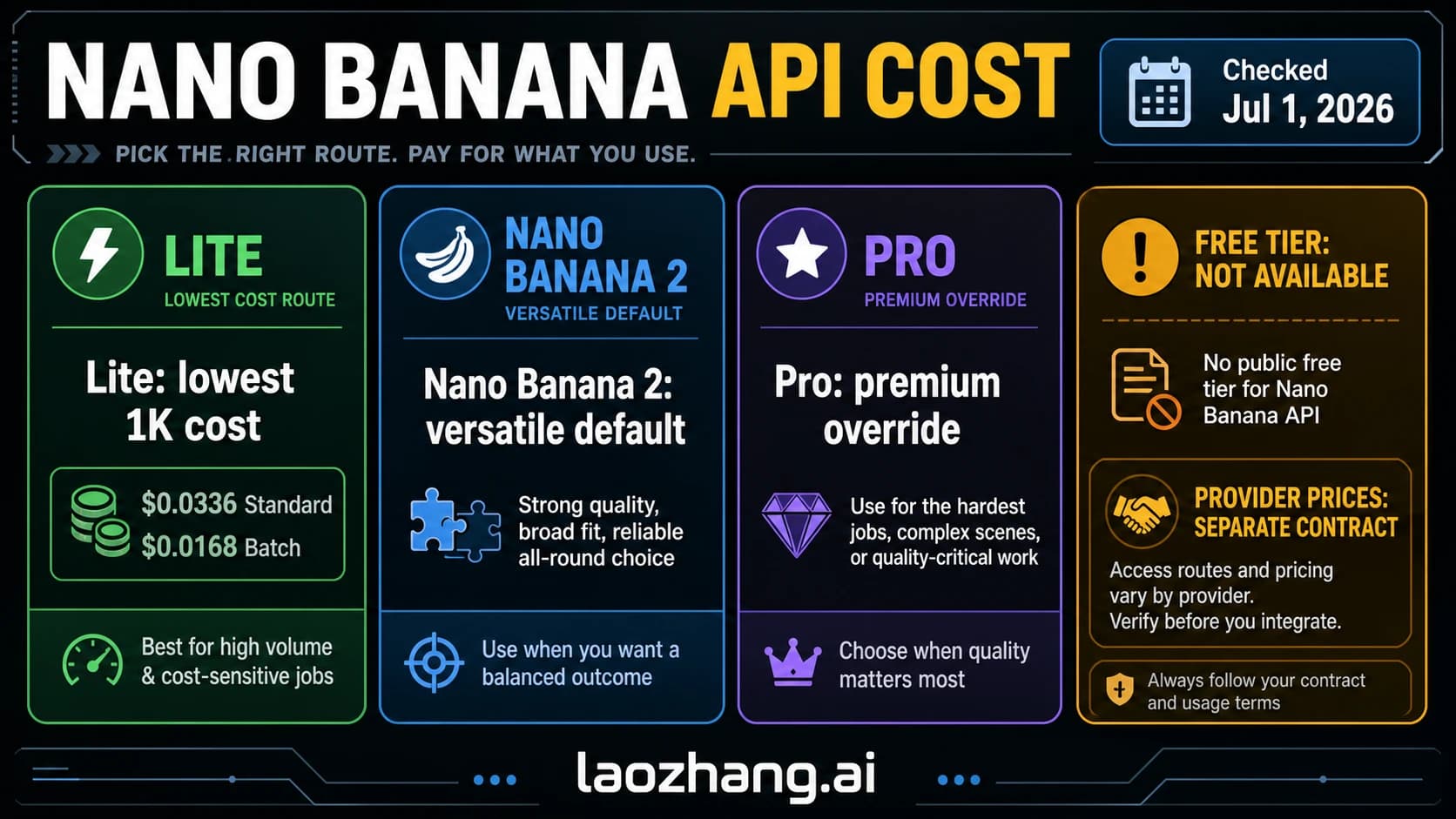
Nano Banana 2.1 is the cheaper choice unless the exact words in the image matter more than the price. As of October 8, 2026, Google charges $0.0336, $0.0504 and $0.113 for a 1K, 2K and 4K Nano Banana 2.1 image on Standard, against $0.134, $0.134 and $0.24 for Pro. That makes Pro about 4 times the price at 1K, 2.7 times at 2K and 2.1 times at 4K. Thinking is cheaper on 2.1 as well: $7.50 per 1M tokens for text and thinking, against Pro's $12. Batch halves both models, so a 1K image is $0.0168 on 2.1 and $0.067 on Pro. Vertex AI lists the same 2.1 rates, and its pricing page notes that 2.1 does not support Flex.
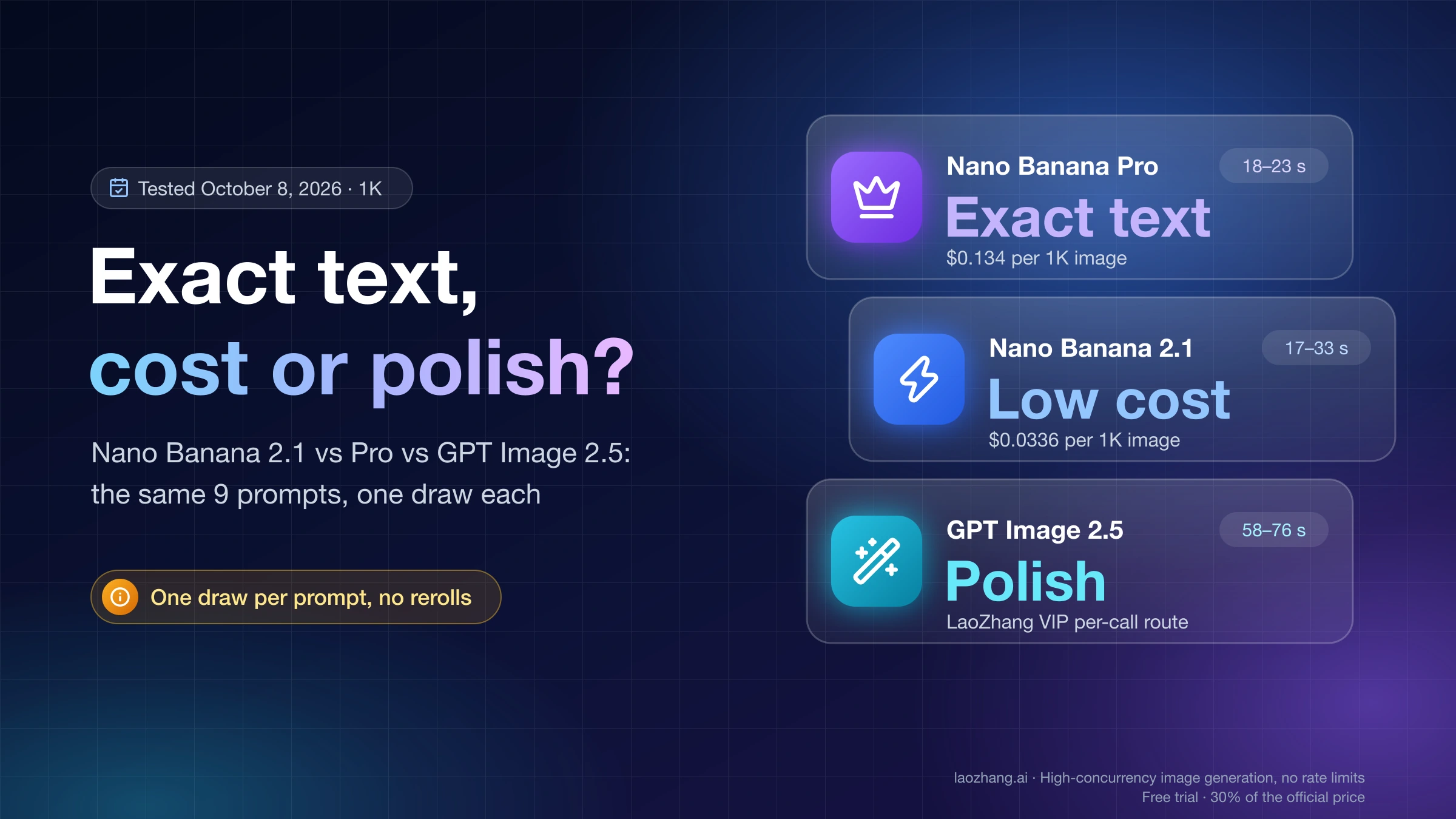
Price is not the only difference. In a same-prompt test on October 8, 2026 (one draw per prompt, 1K output), Pro reproduced the requested wording and prices on all three text prompts, a concert poster, a Japanese shop sign and a Chinese tea menu, apart from one Chinese character that all three tested models drew in its Japanese form. Nano Banana 2.1 slipped on each of the three: it restyled a subline, added a stray word to the sign and wrote 38元 as 三十八元. Both returned an image in about 20 seconds. The prompts and images are in Nano Banana 2.1 vs Pro vs GPT Image 2.5: 9-Prompt Test and Cost.
On overall image quality, the evidence points the other way. Google's model card, based on its own internal evaluations, puts 2.1 ahead of Pro on overall preference, editing and multi-character consistency. The Arena text-to-image leaderboard, updated October 6 with a preliminary score for 2.1, ranks 2.1 fifth and Pro (2K) sixteenth.
- Pay for Pro when a poster, label, menu or interface mockup has to be right in one draw, and a wrong word would cost you a proofread and a regeneration.
- Use Nano Banana 2.1 for drafts, product shots, infographics and edits, or whenever you review and reroll anyway. At the token rate, the image output of one 1K Pro call ($0.1344) pays for exactly four 1K images from 2.1 (4 × $0.0336).
For 2.1's full price table and how much its thinking tokens add per call, see Nano Banana 2.1 API Pricing: Per-Image Price vs Cost per Call.
Where $0.039 comes from: Gemini 2.5 Flash Image, not Nano Banana Pro
If you see $0.039 per image attached to Gemini 3 Pro Image, that number belongs to a different model. Google's pricing page lists $0.039 per image for gemini-2.5-flash-image, the original Nano Banana. Nano Banana Pro has never had a tier at that price. Google's own pages disagree on when that older model goes away: as of October 8, 2026, the pricing page still warns that it "will be shut down on October 2, 2026", while the deprecations page lists a March 15, 2027 shutdown with Nano Banana 2 Lite as the replacement, and Vertex AI lists March 15, 2027 as well. Either way, it is not a model to build new work on.
You can check any quoted Pro figure yourself, because every Pro image price is tokens × rate. At $120 per 1M, $0.039 would mean about 325 image tokens. Pro images use 1,120 or 2,000 tokens, so the cheapest Standard Pro image is $0.134.
The model ID has also changed. gemini-3-pro-image-preview was shut down on the Gemini API on June 25, 2026, and Google's Gemini API deprecations page names gemini-3-pro-image as the replacement, so code that still sends the preview ID fails. Price tables and code samples built around the preview ID predate the current model. As of October 8, 2026, gemini-3-pro-image has no shutdown date announced on the Gemini API, and the Vertex AI model versions page lists its retirement as "May 28, 2027 or later". For request formats that work with the current ID, see the Nano Banana Pro API Guide: JSON, YAML, Image Saving, and PDFs.
Gemini 3 Pro Image API billing questions
Is the Gemini image generation API free for Nano Banana Pro?
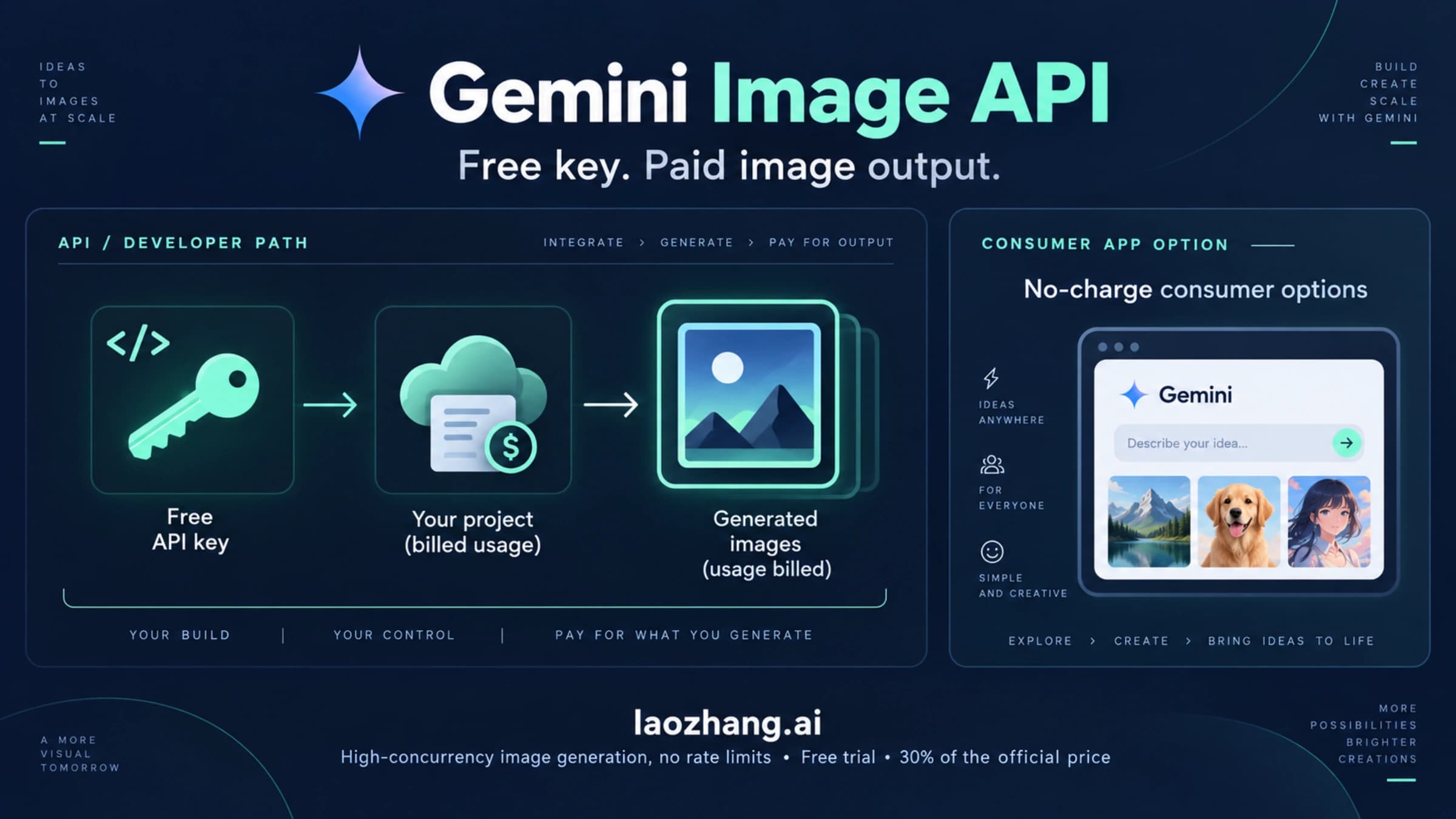
No. Google's pricing page marks both input and output for gemini-3-pro-image as "Not available" on the free tier, so every image you generate through the API is billed at one of the paid tiers above.
Is there a cheaper Google image model than Nano Banana Pro?
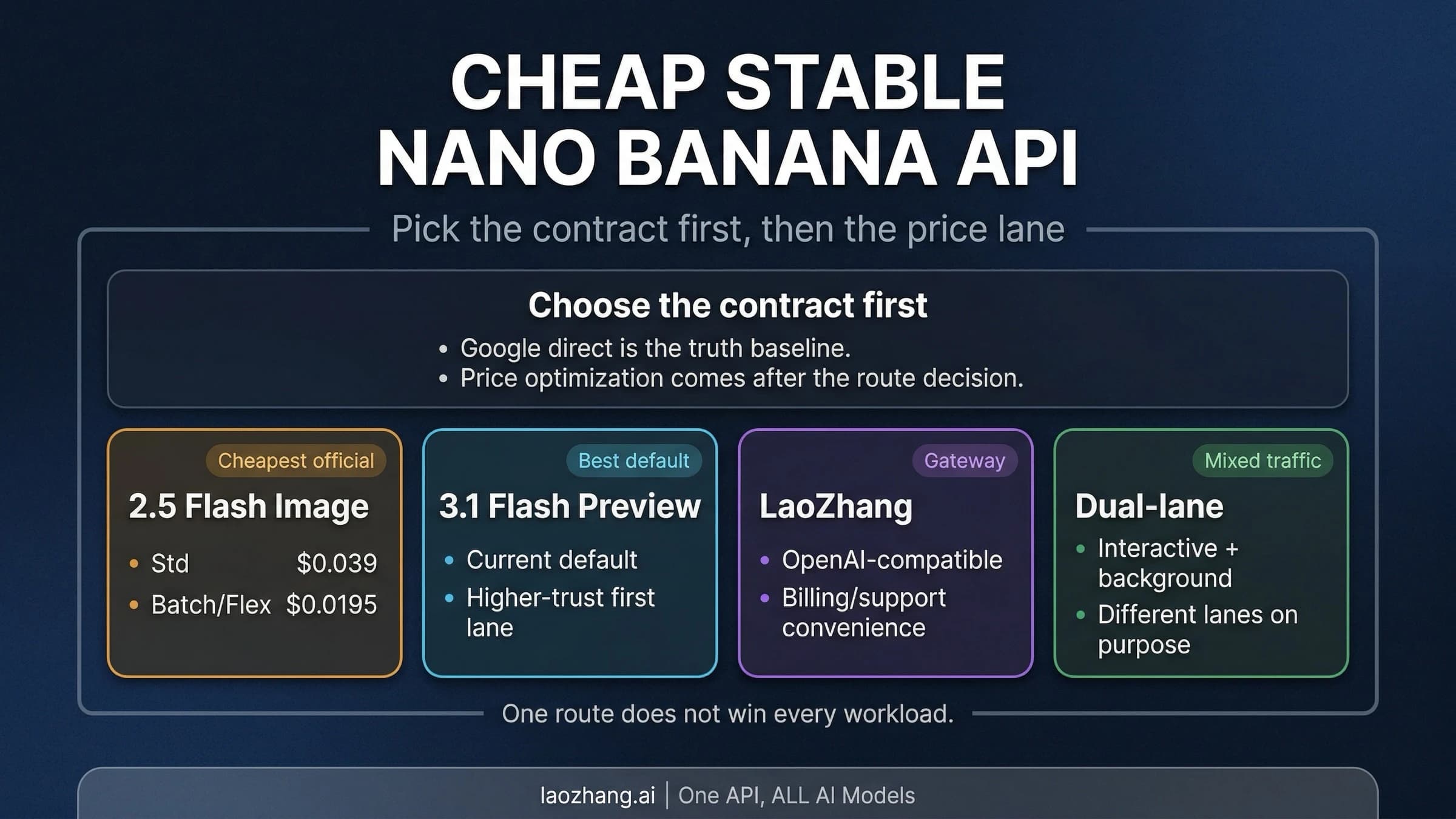
Yes. As of October 8, 2026, Nano Banana 2.1 (gemini-nano-banana-2.1) costs $0.0336 per 1K image, $0.0504 per 2K image and $0.113 per 4K image on Standard, and Nano Banana 2 Lite (gemini-3.1-flash-lite-image) costs $0.0336 for 1K only. Nano Banana 2 (gemini-3.1-flash-image) still lists $0.067, $0.101 and $0.151, but Google has deprecated it on the Gemini API, with no shutdown date announced, and points new projects to 2.1. Which of them fits which job is covered in Nano Banana 2 Lite vs 2 vs 2.1 vs Pro: Which Model to Use Now.
Are blocked or empty Gemini 3 Pro Image responses billed?
Google's pricing page bills by tokens and does not publish a separate rule for responses that are blocked or come back without an image. The usageMetadata on that response shows which token counts the request recorded, so log it on failures as well as successes and compare it against your billing data.
Do Gemini app plans or third-party gateways use these prices?
No. App subscriptions and gateways price differently, and both are compared in How Much Is Nano Banana Pro? API, Plan, and Usable-Image Cost. As one example, as of October 7, 2026, LaoZhang API lists gemini-3-pro-image at $0.09 per call and Nano Banana 2.1 at $0.045 per call, whatever the output size, and counts an HTTP 200 response with no image as a billed call; the details are in Nano Banana API: Google vs. LaoZhang Cost and Image Delivery.
Sources5
External pages this guide links to, in the order they appear. Last updated Oct 8, 2026.
Sources5
External pages this guide links to, in the order they appear. Last updated Oct 8, 2026.
- 1.Gemini Developer API pricing pageai.google.dev/gemini-api/docs/pricing
- 2.Flex inference guideai.google.dev/gemini-api/docs/flex-inference
- 3.Google Cloud's pricing pagecloud.google.com/gemini-enterprise-agent-platform/generative-ai/pricing
- 4.Gemini API deprecations pageai.google.dev/gemini-api/docs/deprecations
- 5.Vertex AI model versions pagedocs.cloud.google.com/vertex-ai/generative-ai/docs/learn/model-versions