ChatGPT vs Gemini Image Editing: Same-Photo Test of 5 Edits
On November 2, 2026, both apps' models kept the rest of a photo intact on small edits. Gemini relit people on new backgrounds; only ChatGPT does transparency.
On this page
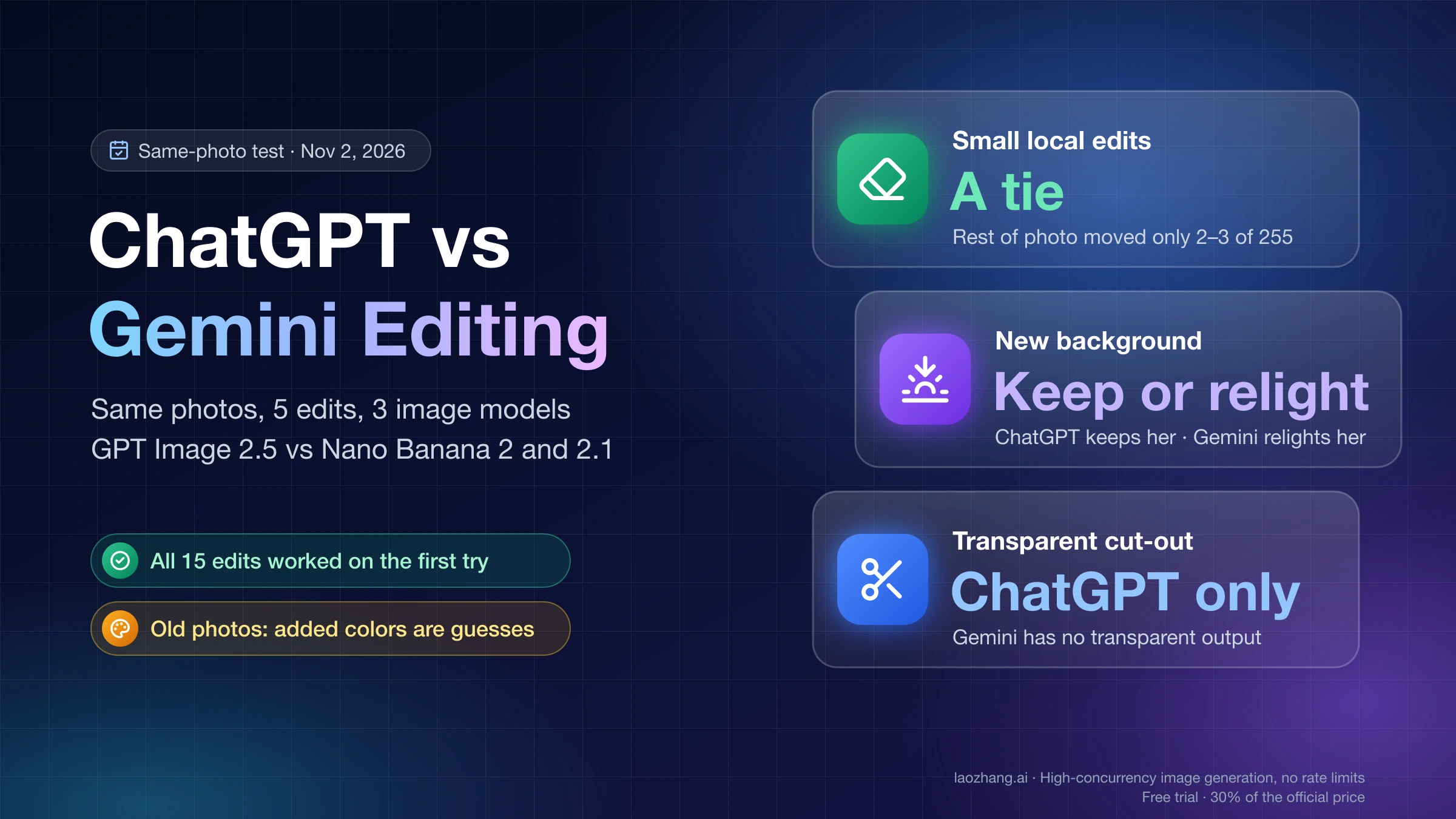
For a small fix to one part of a photo, such as removing an object, changing the color of a jacket or retyping a sign, ChatGPT and Gemini are close enough that you can use whichever app you already have. In a same-photo test on November 2, 2026, the image models behind both apps, GPT Image 2.5 for ChatGPT and Nano Banana 2 and 2.1 for Gemini, called through the API, all followed every instruction and left the rest of the picture practically untouched: the average change outside the edited area was 2 to 3 on a 0–255 scale. On the free plan, the Gemini app edits with Nano Banana 2 and moves to Nano Banana 2.1 with a Google AI plan, while ChatGPT edits with ChatGPT Images 2.5 on every plan, Free included.
The choice starts to matter on bigger edits. To put a person on a new background, open Gemini if you want them to blend into the new light, and ChatGPT if they must look exactly as they did: on a sunset beach, both Gemini models darkened a red jacket by about a third, while GPT Image 2.5 changed it by 9%. For a cut-out with a transparent background, use ChatGPT, because Gemini has no transparent output. For an old black-and-white print, all three repaired the damage, but the colors they added were guesses, so tell the app the colors you know.
Will ChatGPT or Gemini change the rest of your photo?
On small, local edits, neither changed anything you'd notice outside the area you asked about. Across the nine local edits in the November 2, 2026 test (three edits on three models), 0% of the pixels outside the edited box changed by more than 40 levels, and the face kept a structural similarity (SSIM) of 0.909–0.933, where 1.0 means identical. The real differences appeared once the edit touched the whole scene: a new background and an old-photo restoration.
| Edit | GPT Image 2.5 (ChatGPT) | Nano Banana 2 (free Gemini) | Nano Banana 2.1 (paid Gemini) |
|---|---|---|---|
| Remove the blue bicycle | Rest of photo 2.3, face 0.911 | Rest of photo 2.7, face 0.933 | Rest of photo 2.8, face 0.933 |
| Change the jacket from red to navy | 2.0, face 0.910, mid navy | 2.7, face 0.918, darker navy | 2.5, face 0.929, darker navy |
| Change the sign to SUNSET CAFE | 2.3, face 0.909, lettering closest to the original | 3.0, face 0.922, bolder letters | 2.9, face 0.932, rust-brown weathered letters |
| Replace the street with a sunset beach | Face 0.892, jacket 9% darker | Face 0.739, jacket 33.7% darker | Face 0.778, jacket 33.0% darker |
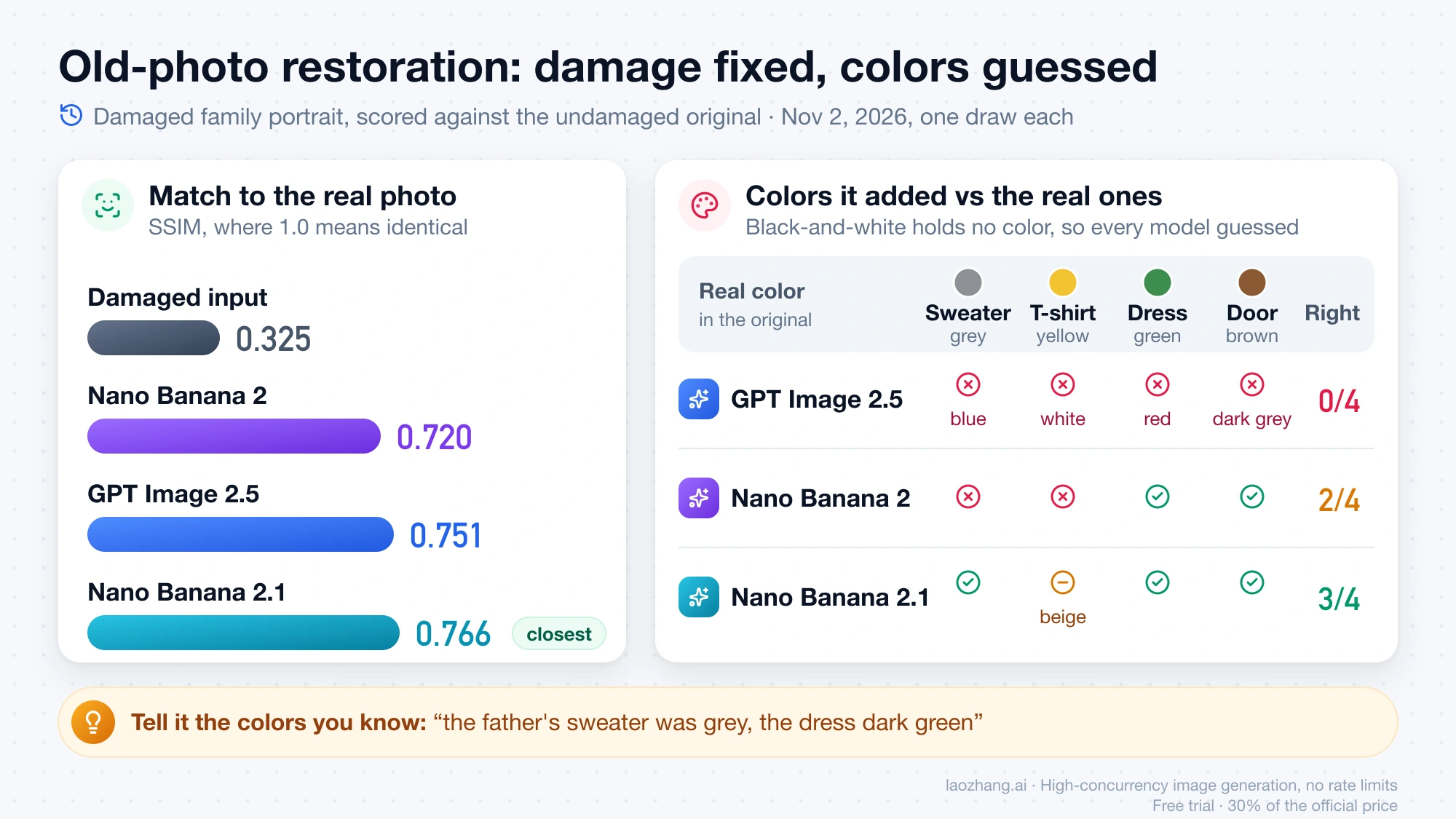
| Restore a damaged family photo | 0.751 match to the original, 0 of 4 colors right | 0.720, 2 of 4 colors | 0.766, 3 of 4 colors |
"Rest of photo" is the average difference outside the edited area on a 0–255 scale, so 2–3 means practically no change. The restoration row compares each result with the undamaged original the models never saw; the damaged input scored 0.325 on the same measure. Each cell is one draw, so treat the numbers as what happened on this photo, not a guarantee for yours.
All three spelled SUNSET CAFE correctly, and the difference was style: GPT Image 2.5 kept the weight and color of the original lettering, Nano Banana 2 made it heavier, and Nano Banana 2.1 turned it into weathered rust-brown letters. If your edit depends on an exact font, layout or long text rather than a short sign, Why ChatGPT and Gemini Break Text, Colors, and Worksheet Layouts covers what to fix and when to switch to a design tool.
Which is better for background changes: a natural blend or the same subject?
Gemini gives the more natural-looking background swap, and ChatGPT's model gives the more faithful subject, so the right app depends on which of those you need. The prompt in the November 2, 2026 test asked to replace a city street with a quiet beach at sunset and keep the woman "exactly the same", red jacket included. GPT Image 2.5 did exactly that: her jacket went from RGB 200, 32, 40 to 192, 24, 32, about 9% darker, and her face 6.8% darker, so she looks like the original photo of her placed in front of a new scene.
Both Gemini models relit her to the sunset instead. Nano Banana 2 took the jacket down to RGB 129, 23, 28 (33.7% darker) and Nano Banana 2.1 by 33.0%, with her face 8.7% and 16.2% darker. The result blends into the warm light more believably, but the subject is no longer the same, and face similarity fell to 0.739 and 0.778 against 0.892 for GPT Image 2.5. "Keep her exactly the same" in the prompt didn't stop it.
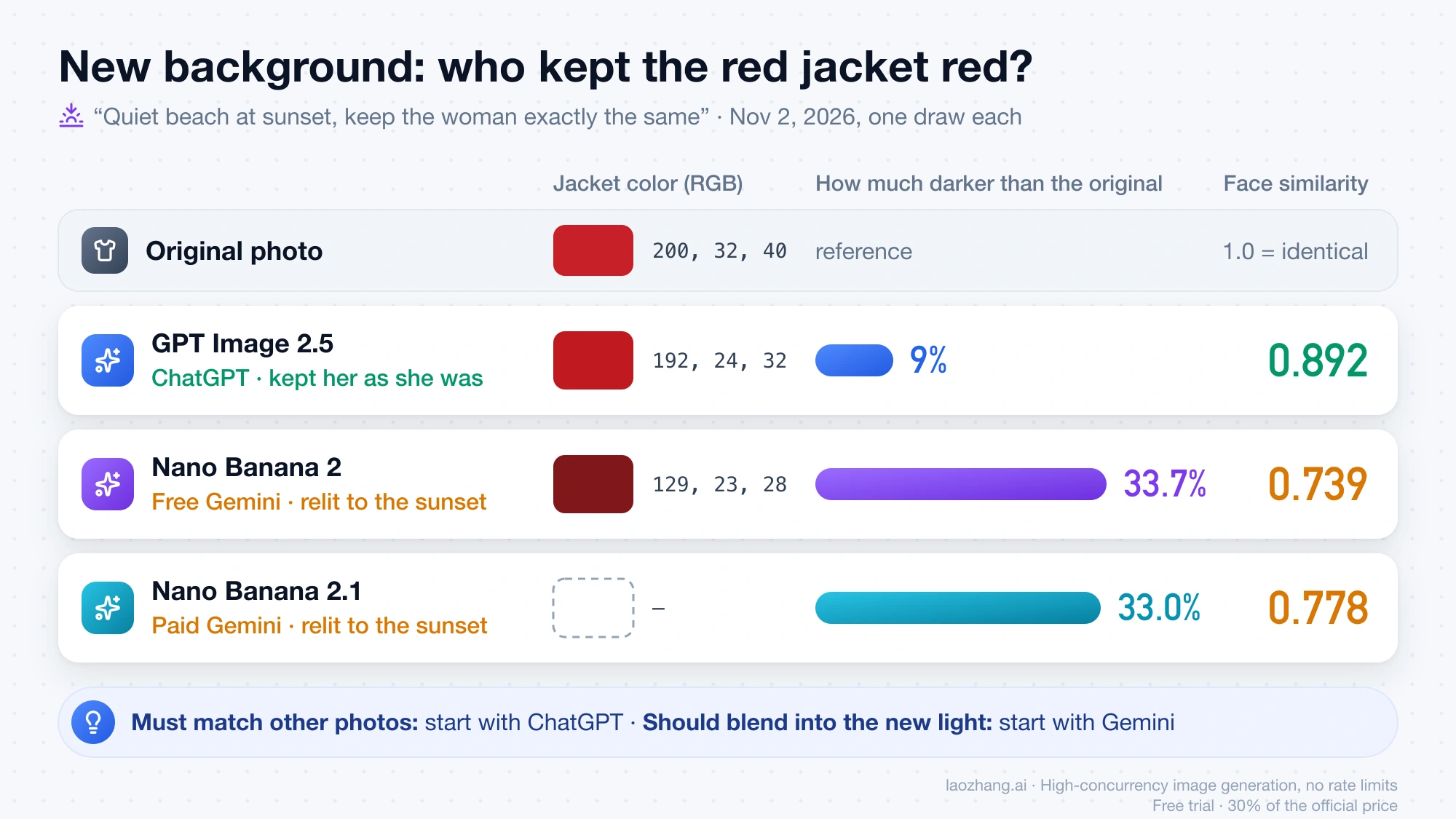
So for a product shot, a profile picture or anything where the person or object must match other photos, start with ChatGPT. For a holiday-style picture where a pasted-on look would bother you more than a change in light, start with Gemini, and if you want Gemini to keep the original light anyway, say that in words ("keep the lighting on her exactly as in the original") and compare the jacket against the original before you save.
Which restores and colorizes old photos better?
All three models removed the scratches, dust and grain, filled in a torn corner and turned a faded sepia print into a clean color photo, and Nano Banana 2.1 came closest to the real picture. The test photo on November 2, 2026 was a family portrait damaged on purpose, so each result could be scored against the undamaged original: Nano Banana 2.1 matched it at 0.766, GPT Image 2.5 at 0.751 and Nano Banana 2 at 0.720, up from 0.325 for the damaged copy. On the three faces, GPT Image 2.5 stayed closest for the father and the mother (0.746 and 0.728), and Nano Banana 2.1 for the boy (0.710). All three also zoomed in slightly, so check the edges if a person stands near the border.
The colors are where they parted ways, and the reason is that a black-and-white photo carries no color information to recover. The real clothes were a grey sweater, a yellow T-shirt and a green dress in front of a brown wooden door. GPT Image 2.5 painted a blue sweater, white T-shirt, red dress and dark-grey door, none of the four right. Nano Banana 2 got the dress and the door; Nano Banana 2.1 got the sweater, dress and door and came close on the T-shirt with beige. One draw can't show that one model "knows" colors better, only that each one invents them. If you remember what someone wore, write it into the request, for example "the father's sweater was grey, the dress dark green".
Can you select just one area to edit in ChatGPT or Gemini?
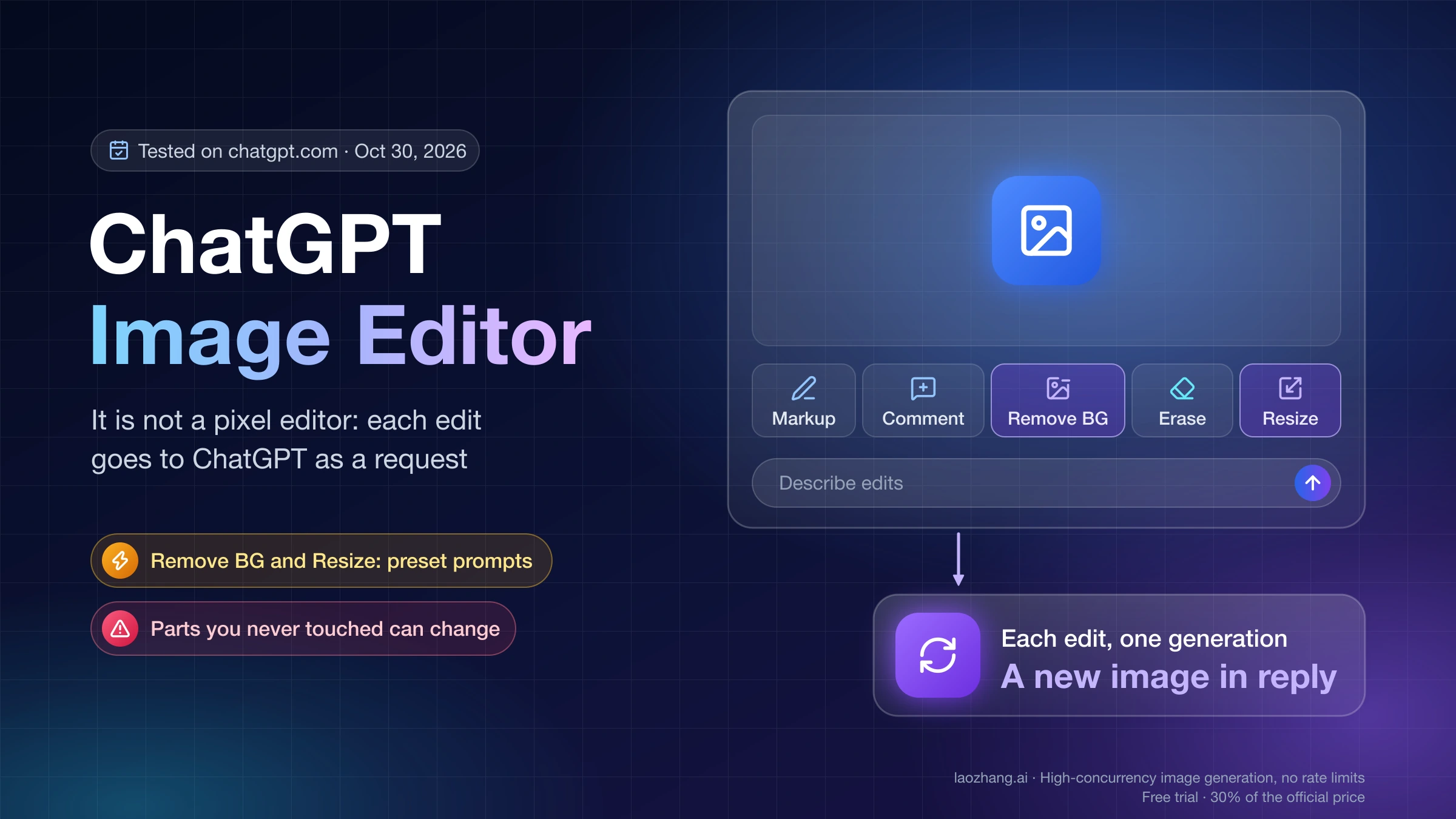
Only ChatGPT has a selection tool. According to OpenAI's Images in ChatGPT help page, you can highlight part of an image and describe the change, or skip the tool and describe the area in the chat, and the page itself warns that "highlights are not always precise, and edits may extend beyond the area you selected." On the web, the editor toolbar now shows Markup, Comment, Remove BG, Erase and Resize, and in a test on October 30, 2026 each of those buttons sent a preset request that produced a new image rather than a pixel-level change. ChatGPT Image Editor: How to Use Each Tool and What It Redraws walks through each button.
Google's Gemini help on creating and editing images describes uploading a photo and asking for changes, including local edits, but no brush, mask or select tool, as of November 2, 2026. You point at the area in words. That worked in the test: every local edit above was described in words alone ("the blue bicycle on the right"), with no selection, and none of the three models drifted outside the area. A selection is a convenience, and naming the object by color and position does the same job.
Can ChatGPT or Gemini make a transparent background?
ChatGPT can, and Gemini can't. OpenAI's help page lists making "the background transparent" among the things ChatGPT Images can do, and in the October 30, 2026 test the Remove BG button returned a PNG with real transparency, with 53.4% of the pixels fully transparent. It also changed the canvas from square to 1536×1024 and cropped an object, so check the framing before you use the cut-out.
Google documents no transparent output for Gemini's image models, and users report that asking for one returns a painted grey-and-white checkerboard instead of real transparency. All ten Gemini results in the November 2 test came back as JPEG files, which can't store transparency at all. If you need a clean cut-out of a product or a person, use ChatGPT's Remove BG and open the file to confirm the background is actually empty, or use a dedicated background-removal tool.
Which model do you get on ChatGPT and Gemini, Free vs paid?
In ChatGPT, every plan edits with the same feature, ChatGPT Images 2.5; in Gemini, the model changes with the plan. As of November 2, 2026, Google's Gemini image generation page lists Nano Banana 2 as free and Nano Banana 2.1 as the model "with a Google AI plan".
| App and plan | Model that edits your photo | Other differences | Published usage limit |
|---|---|---|---|
| ChatGPT Free and Go | ChatGPT Images 2.5 | No "images with thinking" | Limited; OpenAI publishes no count |
| ChatGPT Plus and Pro | ChatGPT Images 2.5 | Images with thinking | No official count; Plus users report about 120 a day, Pro is "unlimited" subject to guardrails |
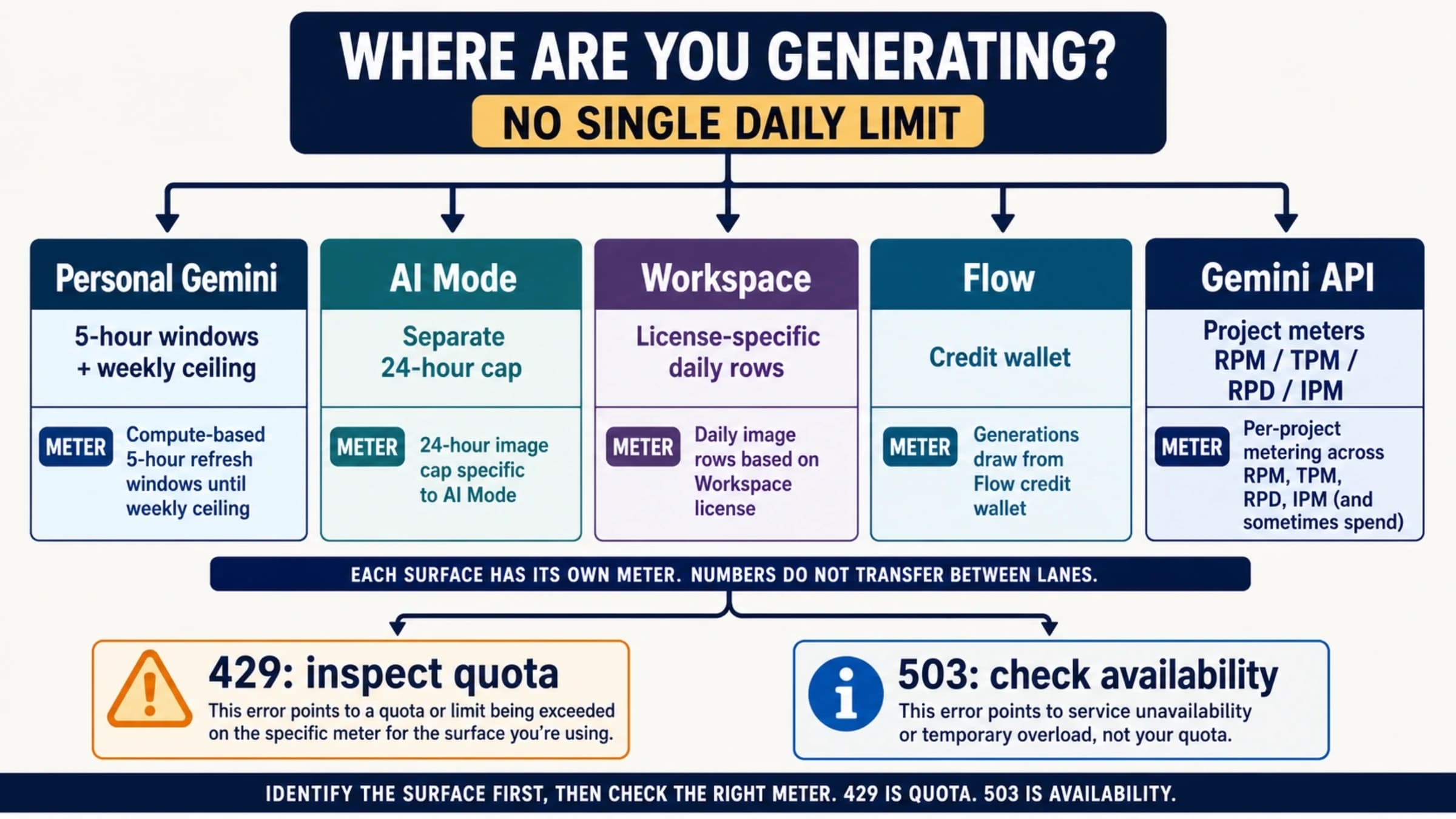
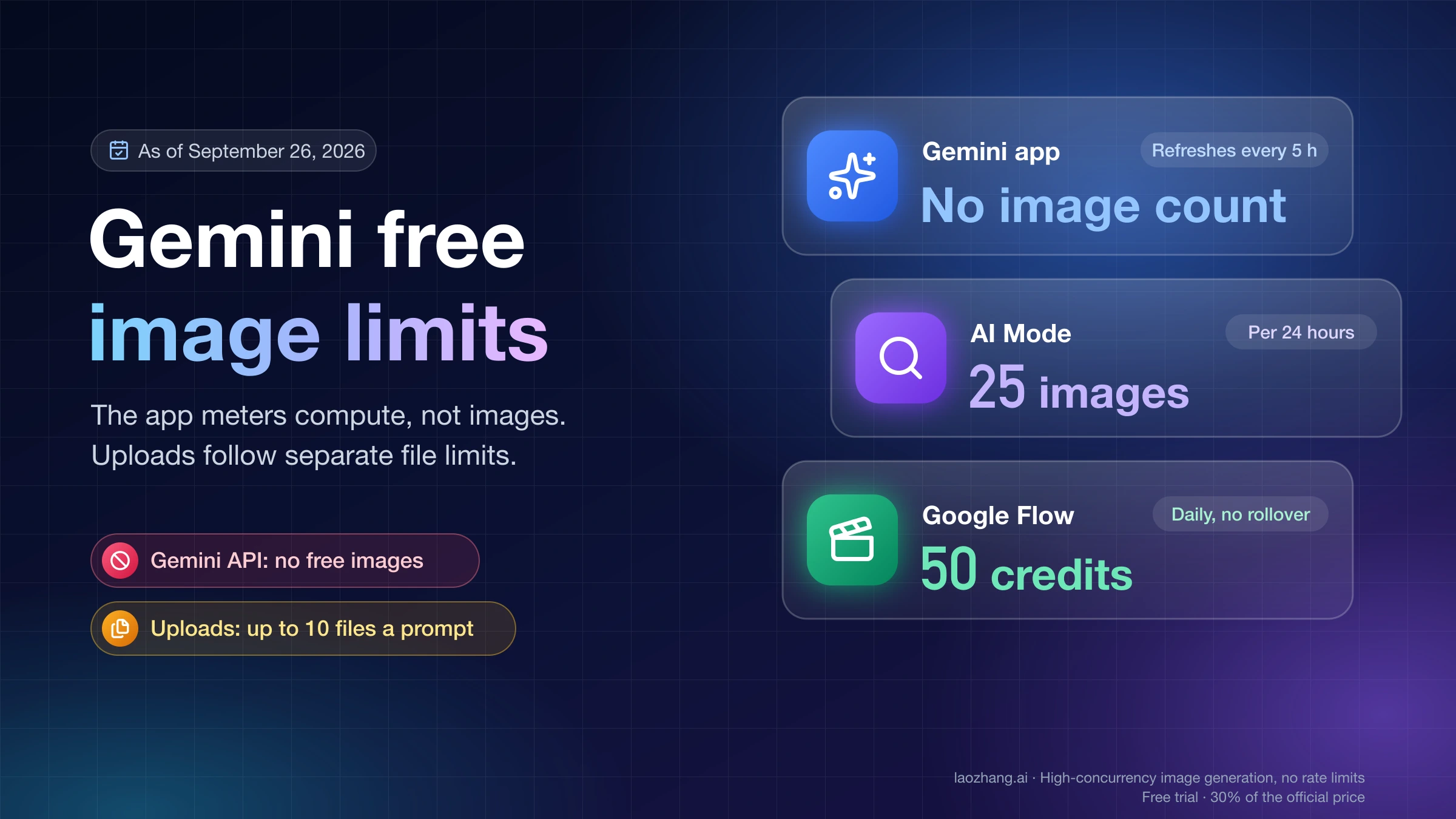
| Gemini without a Google AI plan | Nano Banana 2 | Downloads at 1K | Standard compute limit that refreshes every 5 hours, up to a weekly cap |
| Gemini with Google AI Plus, Pro or Ultra | Nano Banana 2.1, plus "Redo with Pro" for Nano Banana Pro | Downloads at 2K | Plus 2x and Pro 4x the standard limit; Ultra 5x or 20x the Pro limit |
ChatGPT Images 2.5 runs on the GPT Image 2.5 family, but OpenAI doesn't say whether a given request uses the Sunburst or the Flare variant, and neither the plan nor the Thinking setting tells you. On the Gemini side, the product page lists "2K resolution" even for free Nano Banana 2, while Google's Gemini image help says downloads are 1K without a plan; expect 1K on the free plan. The same help page says that when Gemini is set to Flash-Lite, images come from Nano Banana 2 Lite, which "isn't designed for multiple image references or for multiple edits", and that you have to be 18 or over to generate or edit images at all.
In ChatGPT every edit is a new generation, so edits come out of the same allowance as new pictures, and the Gemini usage limits help page rates image requests as "High" cost without giving image counts; for the counts people actually hit, see ChatGPT Plus and Go Image Generation Limits: How Many per Day? and Gemini Free Image Limit: How Many Images You Can Make and Upload. Nano Banana Pro is only a "Redo with Pro" option for paid Google AI plans, and once you reach your daily Nano Banana 2 quota you can't redo with Pro either; Is Nano Banana Pro Free? Gemini Plans, Flow Limits and the API covers who gets it.
How to ask for an edit so the rest of the photo stays the same
The prompts that kept the photo intact in the test had the same shape: one change, a precise pointer to it, and an explicit list of what must not move. Use this before you send an edit in either app:
- Ask for one change per message, so that if something drifts you know which instruction caused it.
- Name the object by color and position ("the blue bicycle on the right", "the woman's red rain jacket") instead of relying on a selection alone.
- List what must stay by name: face, hair, expression, clothing, the sign, the lighting, the framing.
- For a new background, decide about the light first: tell Gemini to keep the subject's original lighting if it must match, or tell ChatGPT to relight the subject to the new scene if you want a blend.
- For text, write the exact words in capitals and ask for the same lettering style, size and colors.
- For an old photo, state the colors you know and ask to keep the full frame.
- In Gemini, switch away from Flash-Lite before a series of edits.
- When a result goes wrong, start again from your original photo rather than correcting the edited copy, so the flaws in the bad result don't carry into the next one.
- Before you save, flip between the original and the result and look at the face, hands and the edges of the frame.
How the November 2, 2026 test was run
The test called the three image models directly, through the API of laozhang.ai, on November 2, 2026, so that all three got identical inputs and prompts and every output could be measured. GPT Image 2.5 ran as gpt-image-2.5-sunburst-vip, a per-call route rather than OpenAI's own API, at 1024×1024; Nano Banana 2 ran as gemini-3.1-flash-image and Nano Banana 2.1 as gemini-nano-banana-2.1, both at 1:1 and 1K. Both source photos were made by a third model, Seedream 5.0, so neither side was editing its own image: a street portrait of a woman in a red rain jacket outside a café with a MORNING BREW sign and a blue bicycle, and a family of three on a porch. The family photo was then damaged locally with sepia toning, fading, blur, grain, scratches, dust and a torn corner, which is why the restoration could be scored against the clean original. Each model got each prompt once, with no retries, and all 15 edits succeeded on the first attempt.
Disclosure: laozhang.ai is our own service. Its prices are platform pricing, not an independent comparison.
The five prompts, word for word:
- "Replace the background with a quiet beach at sunset. Keep the woman exactly the same: her face, hair, expression, red jacket, jeans, pose, size and position in the frame."
- "Remove the blue bicycle on the right. Fill the space with the wall and sidewalk that would be behind it. Change nothing else in the photo."
- "Change the colour of the woman's rain jacket from red to navy blue. Change nothing else: same face, hair, jeans, background, sign, bicycle and lighting."
- "Change the sign text from MORNING BREW to SUNSET CAFE, in the same lettering style, size and colours. Change nothing else in the photo."
- "Restore this old damaged photo: remove the scratches, dust and grain, repair the torn corner, sharpen it and colorize it naturally. Keep every person's face, expression and pose exactly the same."
The apps wrap these models in their own instructions and safety checks, ChatGPT adds the selection tool, and Gemini can route to Nano Banana 2 Lite, so app results can differ from these. Nano Banana Pro was not part of the run, and one draw per edit says nothing about how consistent each model is from one try to the next. An earlier recolor test on a product photo, run on October 8, 2026 with Nano Banana 2.1, Nano Banana Pro and GPT Image 2.5, also found all three kept the composition, which agrees with the local-edit results here.
ChatGPT vs Gemini photo editing: other questions
Which is faster at editing photos, ChatGPT or Gemini?
Through the API on November 2, 2026, the Gemini models returned each edit in 12.4–30.3 seconds, around 16 seconds typically, and GPT Image 2.5 took 46.2–55.7 seconds. Those are one-sample times on one route; in the ChatGPT app, OpenAI's help page says an image may take a few minutes.
Does Gemini put a watermark on edited photos?
The visible Gemini watermark is a setting you can turn off under Settings, then Media Watermark, according to Google's Gemini watermark help page as of November 2, 2026, except in India, South Korea and Vietnam, where the switch appears only with AI Ultra. The invisible SynthID watermark is always added to images created or edited in the Gemini app.
Why won't Gemini edit my photo of a person?
The most common reasons are age, policy and quota: Google requires you to be 18 or over to edit images in Gemini, some edits of real people are refused by policy, and a used-up allowance can look like a refusal. Why Can't Gemini Generate Images of People? Policy, Age or Quota helps you tell which one you hit. In ChatGPT, a parent or guardian may be able to turn off image creation and editing on a teen account.
Can I edit many photos at once with ChatGPT or Gemini?
For dozens of product photos, use the API versions of the same models instead of the apps; Nano Banana 2.1 vs Pro vs GPT Image 2.5: 9-Prompt Test and Cost compares them on quality, text rendering and price per image.
Sources5
External pages this guide links to, in the order they appear. Last updated Nov 3, 2026.
Sources5
External pages this guide links to, in the order they appear. Last updated Nov 3, 2026.
- 1.OpenAI's Images in ChatGPT help pagehelp.openai.com/en/articles/11084440-images-in-chatgpt
- 2.Google's Gemini help on creating and editing imagessupport.google.com/gemini/answer/14286560
- 3.Gemini image generation pagegemini.google/overview/image-generation
- 4.Gemini usage limits help pagesupport.google.com/gemini/answer/16275805
- 5.Google's Gemini watermark help pagesupport.google.com/gemini/answer/17405358