GPT Image 2.6 SVG Output: Python Request, svg.model and Cost
Set output_format to svg and name the writing model in svg.model. A 1024 icon costs about $0.054–0.057 on OpenAI with gpt-6.1-terra; busy scenes fail.
On this page
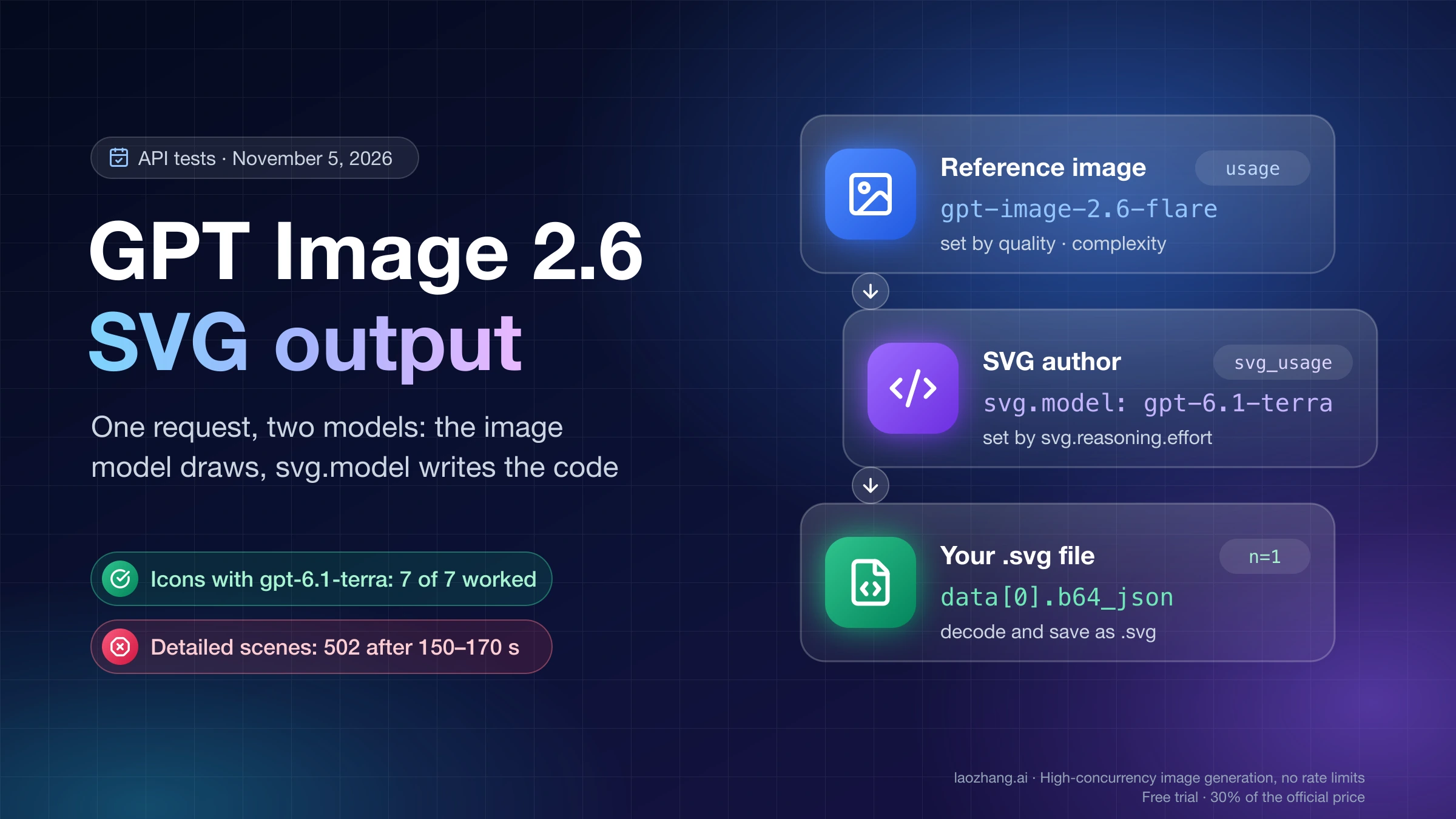
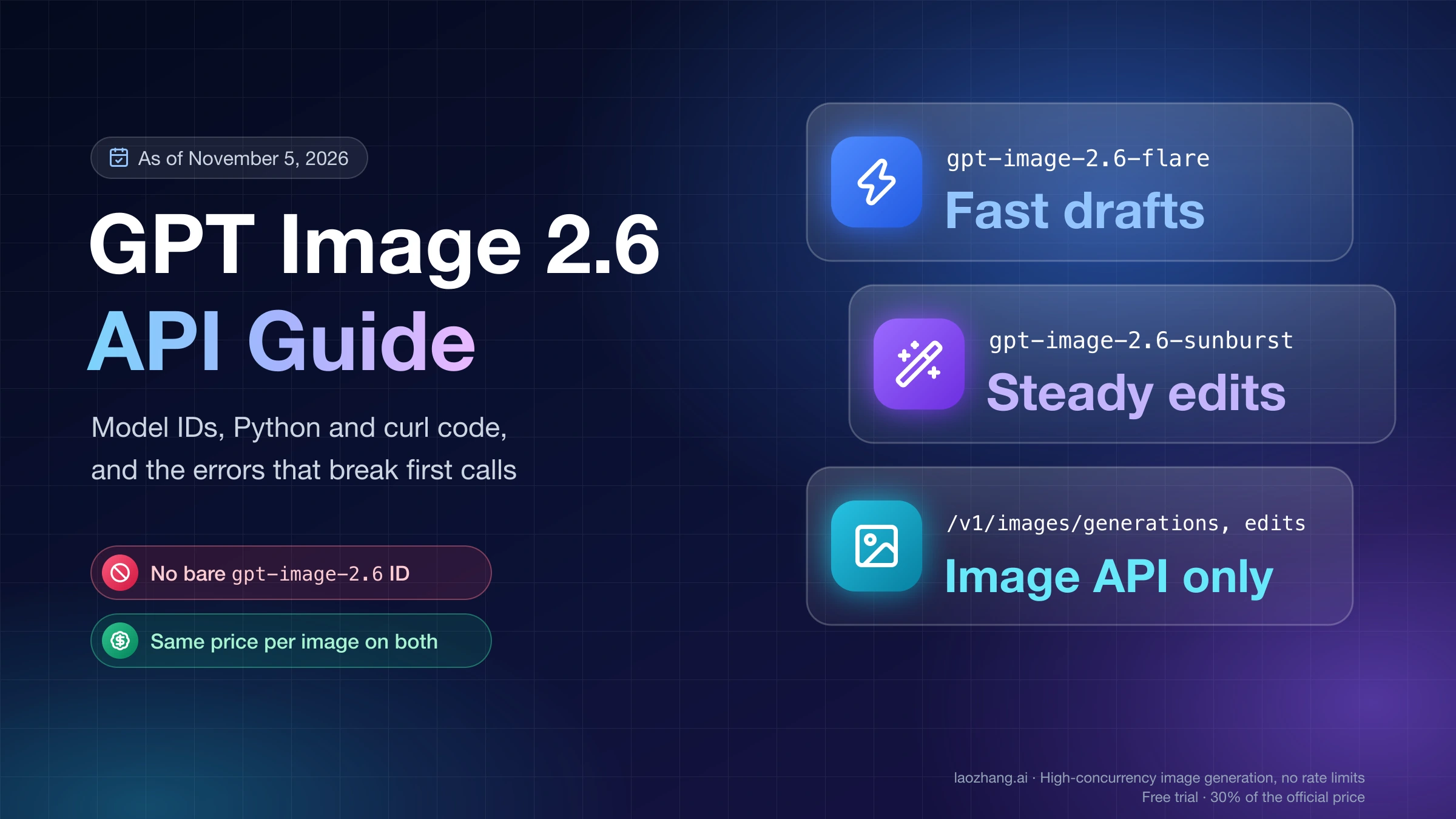
To get an SVG out of GPT Image 2.6, call POST /v1/images/generations with gpt-image-2.6-flare or gpt-image-2.6-sunburst, set output_format to "svg" and n to 1, and add an svg object that names the text model that writes the file, for example "svg": {"model": "gpt-6.1-terra"}. OpenAI's image generation guide documents output_format: "svg" but not that object; it sits in the API reference, and the Python SDK accepts it as a normal svg= argument from openai 3.46.0, published November 5, 2026. The file comes back as base64 in data[0].b64_json, which you decode and save with a .svg extension.
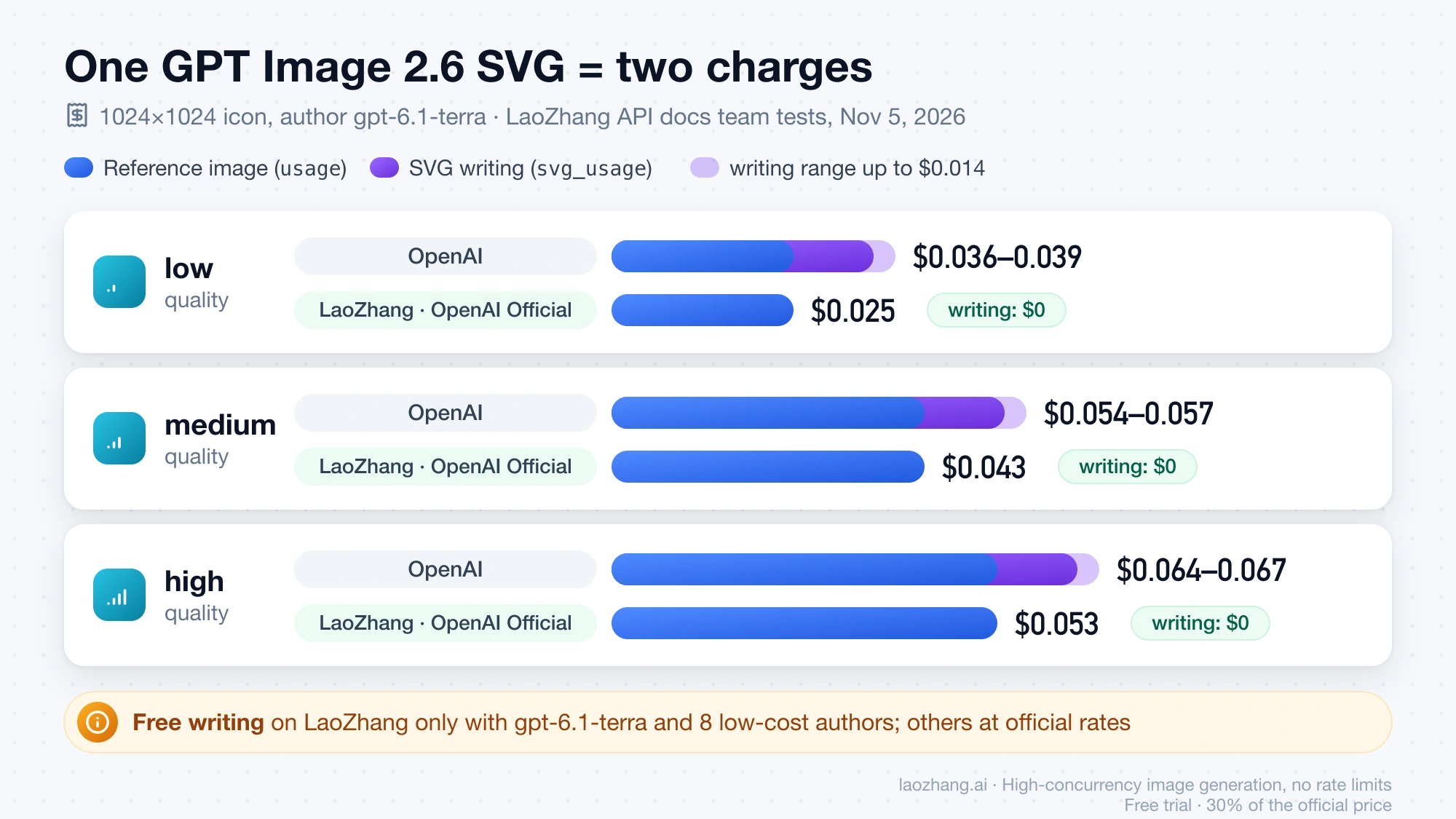
The extra object exists because SVG output is two models in one request. The image model first draws a raster reference image, which the API creates on its own side (you never upload it), and an authoring model with vision then writes SVG code from that picture. You pay for both: on OpenAI a 1024×1024 icon at medium quality comes to about $0.054–0.057 with gpt-6.1-terra as the author, and on LaoZhang API's OpenAI Official group to about $0.043, because the writing step isn't charged for that author. In the LaoZhang API docs team's runs on November 5, 2026, a simple icon took 33–43 seconds.
Disclosure: laozhang.ai is our own service. Its prices are platform pricing, not an independent comparison.
Keep SVG output for icons, logos and flat illustrations. In the same runs a detailed full scene failed every time, each with a 502 after 150–170 seconds. Once a file arrives, check whether its lettering is live text or outlined paths before it goes into Figma, Illustrator or a website: OpenAI's own two sample logos from one prompt came back one of each.
How GPT Image 2.6 builds an SVG: a reference image, then an authoring model
The top-level model picks the image model that draws the reference image, and svg.model picks the authoring model, a text model that looks at that picture and writes SVG markup. That is how OpenAI's API reference for image generation describes the two roles. A reply in the OpenAI Developer Community thread "How to generate SVG images with gpt-image-2.6 - API" points out that the SVG appears to come from prompting that model to "make this picture into a SVG file" rather than from an algorithmic conversion. Expect a redrawing, then, not a trace: the authoring model decides how to express each shape, and in the three real files inspected further down, the same prompt produced lettering as editable text in one file and as plain paths in another.
Each setting acts on one of the two stages, and only that one. quality and complexity shape the reference image; OpenAI's reference says complexity "controls the reference image, independently of the SVG author's reasoning." svg.reasoning.effort sets how much the authoring model thinks while writing the code. The SDK lists none, minimal, low, medium, high, xhigh and max, which values work depends on the author you pick, and leaving it out uses that model's default. So a higher quality gives the author a cleaner picture to copy but doesn't make the code more careful, and a higher effort doesn't add detail to the picture. In the LaoZhang API docs team's tests, high effort used 2.6–14 times the tokens of the default, and the default was enough for icons.
Disclosure: laozhang.ai is our own service. Its prices are platform pricing, not an independent comparison.
The response mirrors the split. usage reports the image model's tokens for the reference image, and a separate svg_usage object reports the author's input_tokens, output_tokens, reasoning_tokens, total_tokens and the model that wrote the file. Those two blocks are also your two line items on the bill, which the cost section below turns into dollars.
Send the SVG request: Python SDK 3.46.0, older SDKs and curl
A search of the openai-python wheels on PyPI on November 5, 2026 shows where support starts: 3.46.0, uploaded that day at 00:55 UTC, adds an svg argument to client.images.generate and an svg_usage field to the response type, and 3.45.0 has neither. That makes upgrading the shortest path. On an older SDK the request still works if you pass the object through extra_body, which is how the first working example in the OpenAI community thread did it.
-
Upgrade the SDK and set your key:
pip install --upgrade "openai>=3.46.0" export OPENAI_API_KEY="sk-..." -
Send the request and save the file. The prompt is OpenAI's own Field & Flour logo prompt from its prompting guide, shortened:
import base64 from openai import OpenAI client = OpenAI() prompt = ( "Create an original, non-infringing logo for a company called Field & Flour, " "a local bakery. Use clean, vector-like shapes, a strong silhouette, and " "balanced negative space. Flat design, minimal strokes, no gradients unless " "essential. Single centered logo with generous padding." ) result = client.images.generate( model="gpt-image-2.6-flare", prompt=prompt, output_format="svg", n=1, size="1024x1024", quality="medium", background="transparent", svg={"model": "gpt-6.1-terra"}, ) with open("logo.svg", "wb") as f: f.write(base64.b64decode(result.data[0].b64_json)) print(result.usage) # reference image, billed at the image model's rate print(result.svg_usage) # authoring model, billed at that model's rate -
On openai older than 3.46.0, replace the
svg=line withextra_body={"svg": {"model": "gpt-6.1-terra"}}. Those versions don't definesvg_usageeither, so upgrade when you want the author's token counts as a typed field. -
Without Python, send the same body with curl and decode the JSON afterwards:
curl --fail-with-body https://api.openai.com/v1/images/generations \
  -H "Authorization: Bearer $OPENAI_API_KEY" \
  -H "Content-Type: application/json" \
  -d '{
    "model": "gpt-image-2.6-flare",
    "prompt": "A flat coffee cup icon with rising steam, warm brown and cream colors, no gradients",
    "output_format": "svg",
    "n": 1,
    "size": "1024x1024",
    "quality": "medium",
    "svg": {"model": "gpt-6.1-terra"}
  }' -o svg.json

python3 -c "import json, base64; open('icon.svg', 'wb').write(base64.b64decode(json.load(open('svg.json'))['data'][0]['b64_json']))"
A few options that work for PNG break an SVG request. n has to be 1, and OpenAI's guide rules out stream, partial_images, output_compression and prompt_rewriter, so drop them from any shared request builder before you switch the format. Only the generations endpoint returns SVG. The svg object itself has one condition: the API reference says to supply svg.model when "SVG model selection" is enabled for your account and to omit the object when it isn't, while the community thread found it required in practice. Send it, and if your account rejects the svg field itself, remove the object and retry. If you set your own HTTP timeout, give it more than three minutes, because failed requests on busy pictures took up to 200 seconds to return their error.
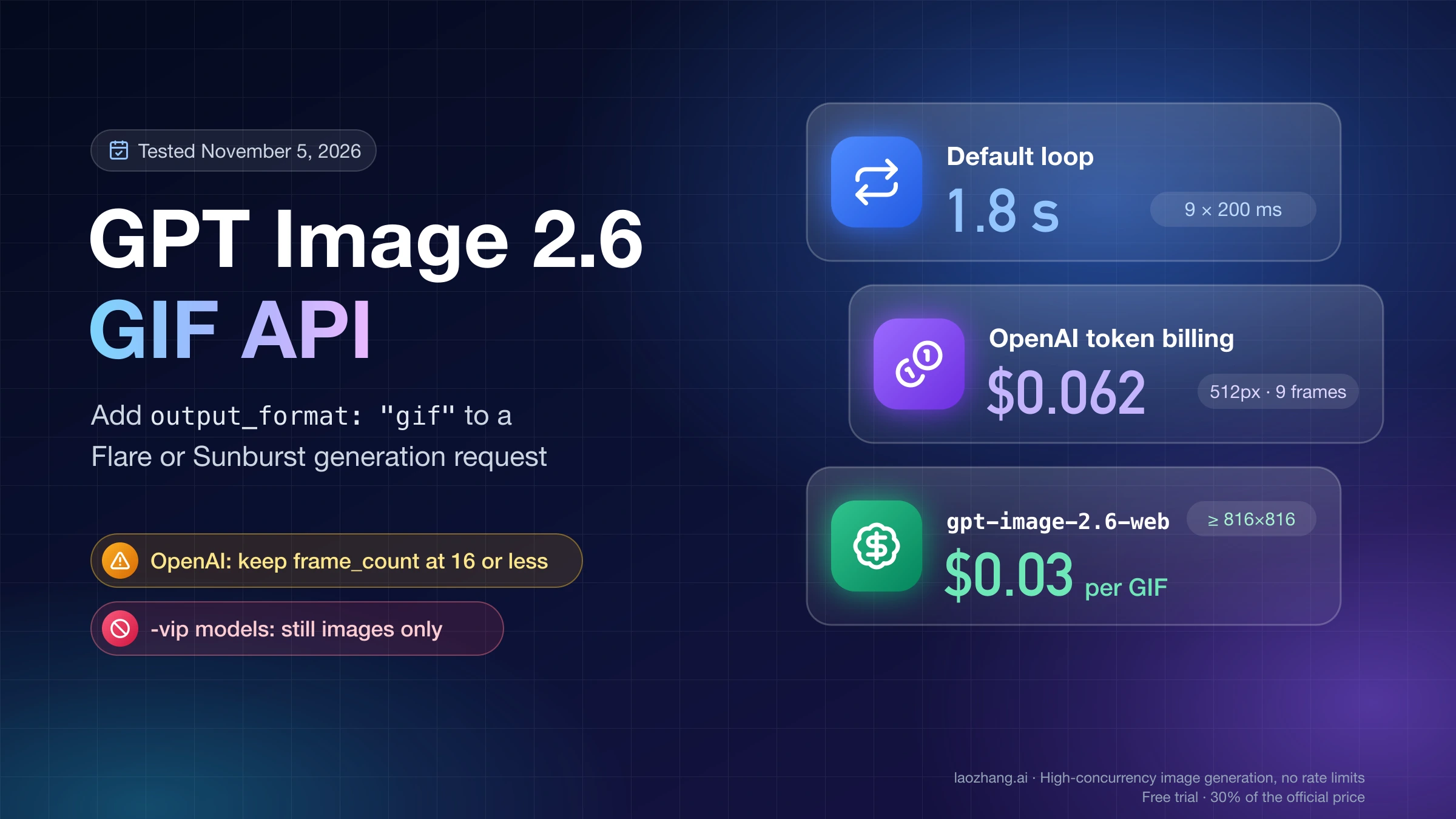
background: "transparent" works with SVG as well, so the space around the mark takes the color of whatever sits behind it. If you go with a transparent PNG instead, GPT Image Transparent Background: Fix a Baked-In Checkerboard shows how to confirm the alpha channel is real. Animated output goes through the same endpoint with output_format: "gif" and its own frame parameters, covered in making GIFs with the GPT Image 2.6 API.
Which model to put in svg.model: start with gpt-6.1-terra
Put gpt-6.1-terra in svg.model unless you need more detail than it gives you. In the LaoZhang API docs team's comparison on November 5, 2026 (one 1024×1024 icon prompt, at least three runs per author, sent to OpenAI), it succeeded in 7 of 7 runs, took 33–43 seconds, cost about $0.011–0.014 of writing per icon at OpenAI's rates, and drew clean lines close to the much costlier gpt-5.5. gpt-5.4-mini also went 3 for 3 and was faster, but its shapes were rough. OpenAI doesn't say which author to use; it only has to be a text model that can read images.
Disclosure: laozhang.ai is our own service. Its prices are platform pricing, not an independent comparison.
svg.model | Succeeded | Time | Writing cost at OpenAI rates | Result |
|---|---|---|---|---|
gpt-6.1-terra | 7/7 | 33–43 s | about $0.011–0.014 | Clean lines, close to gpt-5.5 |
gpt-5.5 | 3/3 | 42–70 s | about $0.09–0.16 | Best detail |
gpt-6-sol, gpt-6.1-sol | 2/3 each | 33–49 s | about $0.02–0.04 | Good |
gpt-5.4-mini | 3/3 | 16 s | not published | Rough shapes |
gpt-5.6-terra | 0/3 | — | — | Not usable |
Every failure in that table was a 502 returned by OpenAI. Two IDs need care. The community example uses gpt-6.1-sol, which works but failed one run in three here, and gpt-5.6-terra looks almost like the recommended gpt-6.1-terra yet failed all three runs. Move to gpt-5.5 when an icon needs finer detail and you can accept roughly ten times the writing cost and up to 70 seconds; use gpt-5.4-mini only for drafts, since it was the fastest but produced rough shapes. Treat the numbers as a starting point: they come from a single simple icon, and writing cost rises steeply with how much is in the picture.
What one GPT Image 2.6 SVG costs on OpenAI and on LaoZhang API
On OpenAI an SVG is two charges added together. OpenAI's image generation guide puts it this way: "you pay the image model's rate for the reference image and the authoring model's rate for the tokens it uses to produce the SVG." For GPT Image 2.6, image output costs $30 per million tokens, and in the LaoZhang API docs team's measurements on November 5, 2026 a 1024×1024 image used 824 output tokens at low, 1,449 at medium and 1,756 at high. That puts the reference image at about $0.025, $0.043 and $0.053. Add the author's writing cost from the table above to get the total per file.
Disclosure: laozhang.ai is our own service. Its prices are platform pricing, not an independent comparison.
| Quality and author | Reference image | SVG writing | Total on OpenAI | Total on LaoZhang API (OpenAI Official) |
|---|---|---|---|---|
low, gpt-6.1-terra | $0.025 | $0.011–0.014 | $0.036–0.039 | $0.025 |
medium, gpt-6.1-terra | $0.043 | $0.011–0.014 | $0.054–0.057 | $0.043 |
high, gpt-6.1-terra | $0.053 | $0.011–0.014 | $0.064–0.067 | $0.053 |
medium, gpt-6-sol or gpt-6.1-sol | $0.043 | $0.02–0.04 | $0.06–0.08 | $0.06–0.08 |
medium, gpt-5.5 | $0.043 | $0.09–0.16 | $0.13–0.20 | $0.13–0.20 |
The table assumes the reference image uses as many tokens as a regular 1024×1024 image at the same quality, and it leaves out the prompt's text input, which is under $0.001. Your own bill is easier to read straight from the response: usage.output_tokens × $30 / 1,000,000 is the reference image, and the token counts in svg_usage, priced at the rates of the model named in svg_usage.model, are the writing. A busier picture moves the second number far more than the first.
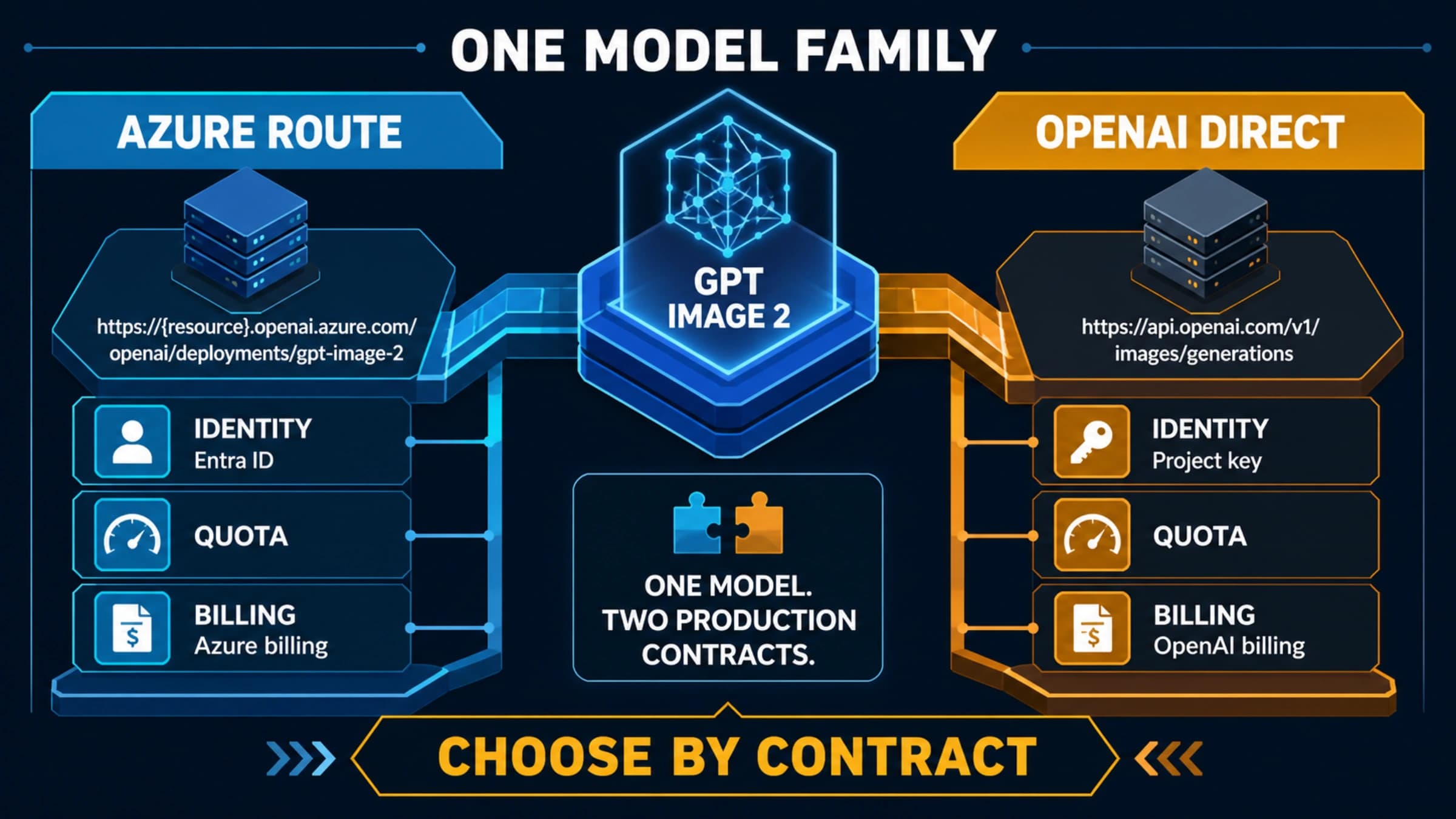
LaoZhang API charges differently on its official-forward groups. With a token in the OpenAI Official group (or OpenAI Official Enterprise, which bills the official price plus 20%), base URL https://api.laozhang.ai/v1 and the same request body, the reference image is billed from usage at OpenAI's rate, and the SVG writing costs nothing when the author is gpt-6.1-terra or one of eight low-cost text models: gpt-5.4-mini, gpt-5.4-nano, gpt-5-mini, gpt-5-nano, gpt-4.1-mini, gpt-4o-mini, gpt-5.6-luna and gpt-6-luna. Leaving out svg.model there selects gpt-6.1-terra. Any other author is billed at its official rate, converted into text-input tokens in svg_usage.billed_as_text_input_tokens, which reads 0 for the free authors. An image model as the author returns model_not_found, an unsupported author returns unsupported_svg_model without charge, and when OpenAI returns a 502 the gateway retries; if every attempt fails you get an error, usually svg_generation_failed, with no charge and no reference image. These rules are in LaoZhang API's GPT Image 2.5 and 2.6 documentation as of November 5, 2026.
The token's group decides whether SVG is available at all. On November 5, 2026, a LaoZhang key in the default group sent output_format: "svg" to the per-call models: gpt-image-2.6-flare-vip returned 400 with "GIF and SVG output are not supported on this route; use gpt-image-2.6-flare / gpt-image-2.6-sunburst in the OpenAI Official group," and gpt-image-2.6-web returned 400 with "SVG output is not supported on this route." The same default-group key calling gpt-image-2.6-flare got 503, "Current group default has no available channels for model gpt-image-2.6-flare." For SVG, create a token in an official-forward group and keep the model ID as gpt-image-2.6-flare or gpt-image-2.6-sunburst.
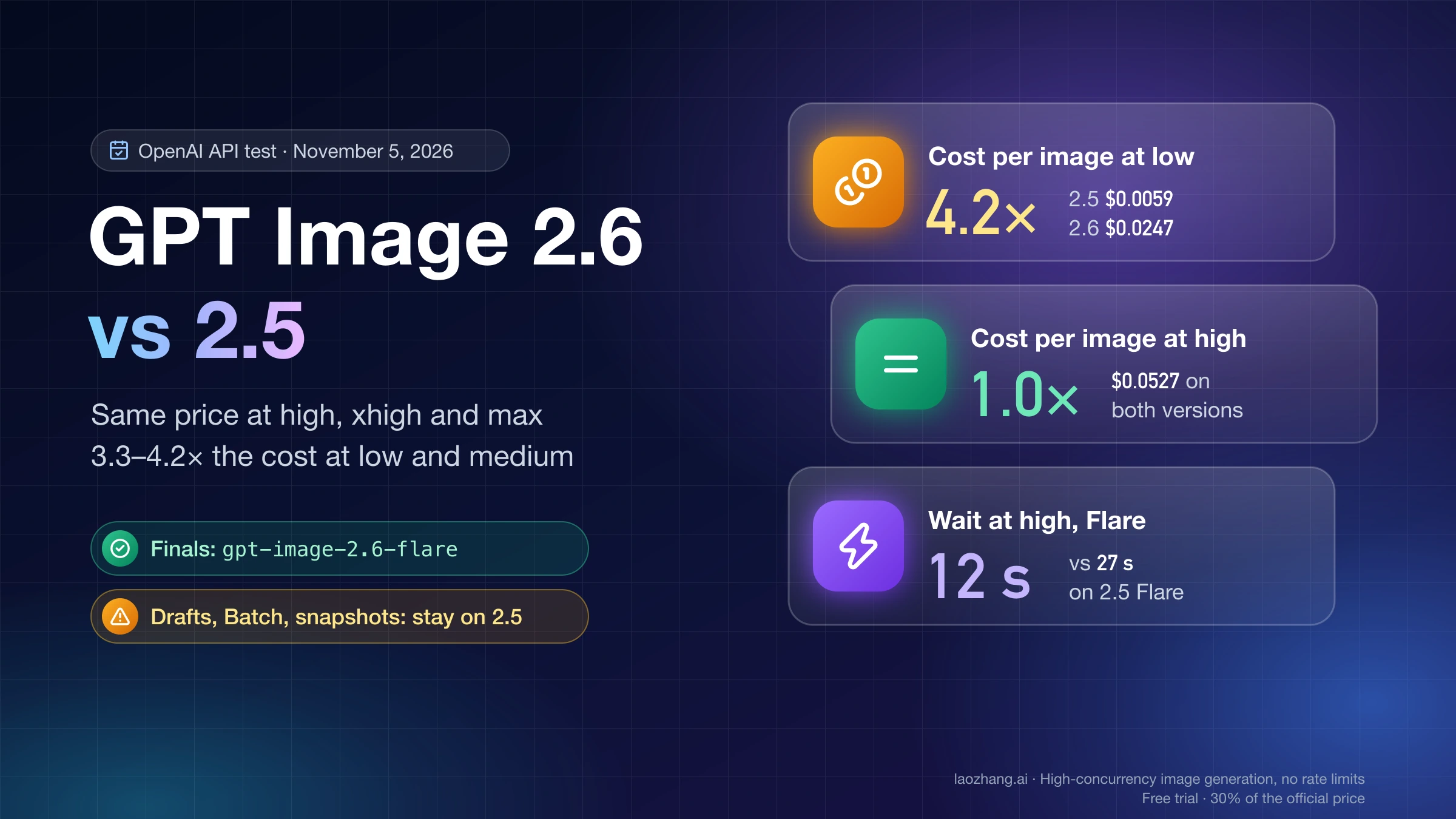
Whether ordinary PNG work should also move to 2.6 is a separate question with a different answer at each quality level; the per-quality comparison is in GPT Image 2.6 vs 2.5: Same Price at High, 4× the Cost at Low.
Why SVG requests fail after 2–3 minutes, and which images stay PNG
In the LaoZhang API docs team's November 5, 2026 tests, the long failures came from a busy picture: a detailed full scene, a whole coffee-shop interior, failed four times out of four with gpt-6.1-terra, each time with a 502 from OpenAI after 150–170 seconds. That was a single scene prompt, so treat it as one observed boundary rather than a fixed limit. Other authors also mostly returned 502 on complex prompts, after anywhere from 30 to 200 seconds, while simple icons were stable with the recommended author.
Disclosure: laozhang.ai is our own service. Its prices are platform pricing, not an independent comparison.
The reason is that every shape in the reference image has to become written code. In the same team's earlier runs, the author's output tokens varied by up to about 300 times between a simple logo and a complex illustration, so time and writing cost climb with detail until the request stops returning at all. Raising svg.reasoning.effort multiplies the author's tokens again, which makes a heavy picture slower and costlier rather than lighter.
The practical line runs between marks and scenes. Logos, icons, badges, pictograms and flat illustrations with a handful of colors are good SVG candidates, because they are what vector files are for and what the authoring model handles reliably. Photographs, textured artwork and detailed interiors should stay PNG. If a vector request keeps failing, simplify the prompt to fewer objects and flat color, then retry; repeating the same detailed prompt mostly repeats the wait.
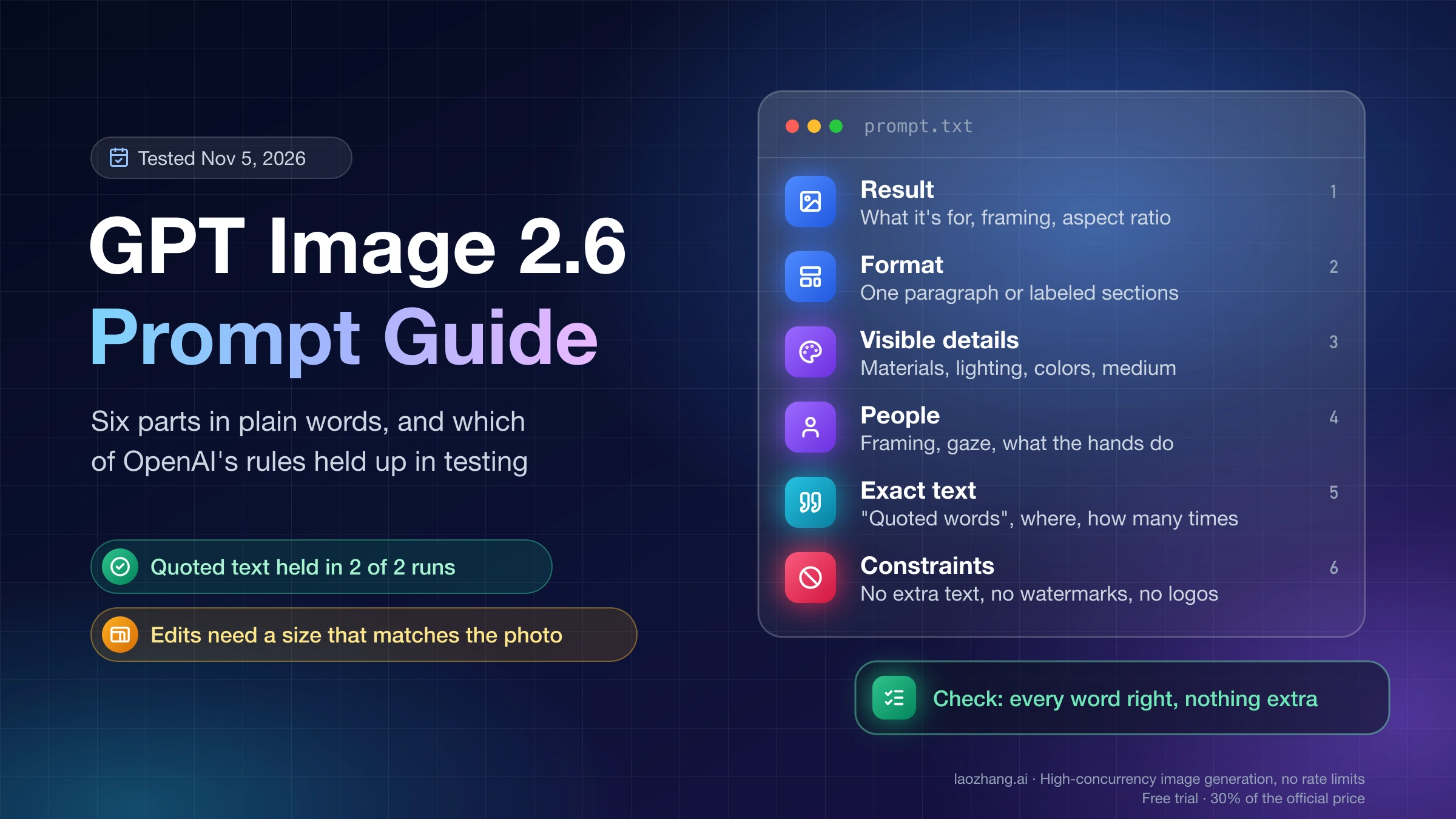
Prompt for a clean vector logo: flat shapes, few colors, no gradients
The prompt decides how editable the SVG will be, because the authoring model copies whatever the reference image contains. OpenAI's prompting guide, in its "Design a reusable logo" example, asks you to name the brand and the shapes that define the mark, and to request "clean, vector-like shapes, a strong silhouette, and balanced negative space," "flat design, minimal strokes, no gradients unless essential," a fully transparent background and a single centered logo with generous padding. For SVG, it sends that same prompt with output_format="svg" and n=1.
The difference shows in real files. The Field & Flour prompt above, which rules out gradients, gave Flare's SVG two fill colors and no gradients at all. The coffee-cup icon in LaoZhang's documentation shows the opposite end: its file has five gradients, 13 fill colors and a full-canvas dark background, so it can't sit on another color and a rebrand means editing many shades. The exact prompt behind that file isn't published, so it can't be pinned on one missing phrase, but it is the kind of file a flat, no-gradient prompt is meant to avoid. If you need the mark on more than one background, put "flat colors, no gradients, transparent background" in the prompt and set background: "transparent" as well. General prompting for 2.6, beyond vector marks, is in the GPT Image 2.6 prompt guide.
Check that the SVG is really editable: text, embeds, scale and color
An SVG that opens fine can still be awkward to use. Live <text> changes look on machines without the named font, outlined text can't be retyped, and a file with dozens of colors is slow to recolor. On November 5, 2026, three published GPT Image 2.6 SVGs were inspected with a Python script and rendered with rsvg-convert on a Mac: the Flare and Sunburst Field & Flour logos from OpenAI's guide, and the coffee icon from LaoZhang's documentation, written by the default gpt-6.1-terra. All three were static vector files that scaled cleanly, but they differed exactly where editing gets hard.
| File | Size | Elements | Lettering | Colors | Raster, external refs, scripts | 64 px and 2,048 px render | One-hex recolor |
|---|---|---|---|---|---|---|---|
| OpenAI Flare logo | 4,976 bytes | 12 paths, 1 circle, 5 groups | Outlined as paths, no <text> | 2 fills, no gradients | None | Clean | Worked |
| OpenAI Sunburst logo | 4,571 bytes | 24 paths, 1 rect, 2 <text> | Live text: Georgia, then Times New Roman, then serif; "BAKERY" in Arial, then Helvetica | 4 | None | Clean | Worked |
| LaoZhang docs coffee icon (Flare) | 3,791 bytes | 12 paths, 5 ellipses, 2 rects, 5 gradients | No text | 13 fills plus gradient stops | None | Clean | Worked |
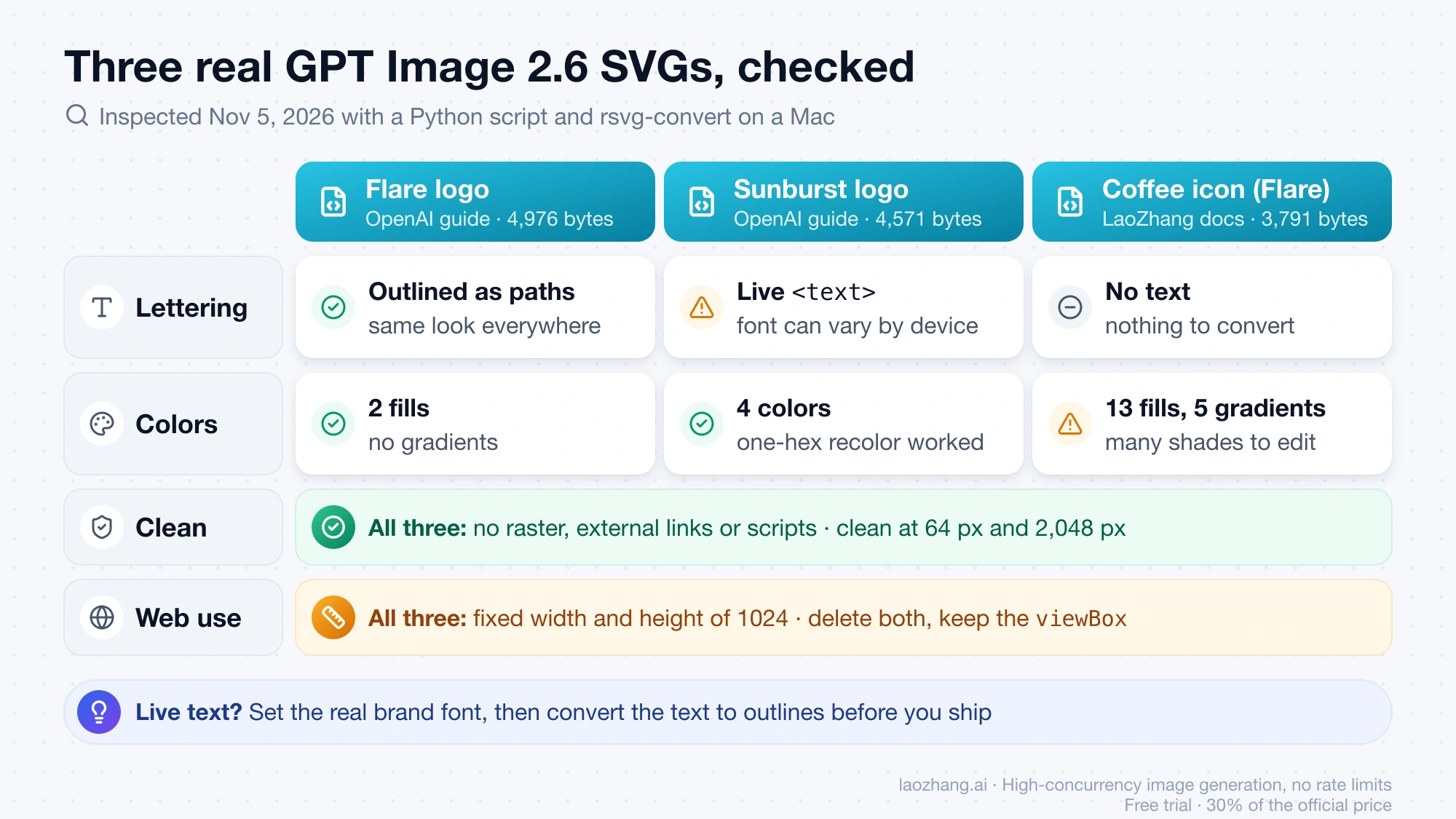
Run the same checks on your own file before it goes into a design system or onto a site. They take a few minutes and catch every difference in the table.
-
Save this as
check_svg.pyand runpython3 check_svg.py logo.svg. It counts live text, lists the fonts the file names, and flags embedded images, data URIs, external links, scripts, gradients and fixed pixel dimensions:import re import sys svg = open(sys.argv[1], encoding="utf-8").read() colors = sorted({c.lower() for c in re.findall(r"#[0-9a-fA-F]{6}\b", svg)}) print("live <text> elements:", len(re.findall(r"<text\b", svg))) print("fonts named:", sorted(set(re.findall(r'font-family="([^"]+)"', svg)))) print("raster, data URI or external link:", bool(re.search(r'<image\b|data:|href="https?:', svg))) print("scripts or event handlers:", bool(re.search(r"<script\b|\son\w+=", svg))) print("gradients:", len(re.findall(r"<(?:linear|radial)Gradient\b", svg))) print("hex colors:", len(colors), colors) print("fixed width/height:", re.search(r"<svg[^>]*\swidth=", svg) is not None) -
Decide what to do with the lettering. If the script finds live
<text>, the wording is editable, but it renders in whatever font from the list is installed where the file opens, so Sunburst's wordmark looks different on a machine without Georgia. Pick the real brand font, then convert the text to outlines (Type > Create Outlines in Illustrator, Flatten in Figma) before you ship. If there's no<text>, the letters are paths: they look the same everywhere, but changing a word means regenerating or redrawing it. -
Confirm the embed checks print
False. OpenAI says the returned document has no scripts, external resources or embedded raster images, and none of the three files had any. ATruehere means the file was changed after it left the API. -
Render it small and large with
rsvg-convert -w 64 logo.svg -o logo-64.pngandrsvg-convert -w 2048 logo.svg -o logo-2048.png. At 64 px, look for thin strokes and small details that blur together; at 2,048 px, look for wobbly curves. -
Swap one color and render again:
sed 's/#EAAF6B/#1F4FD1/g' logo.svg > logo-blue.svg. In the Flare logo one hex string recolored the whole loaf. A file with many colors and gradient stops needs each shade changed by hand, which tells you to regenerate with a flatter prompt if the mark will be recolored often. -
Prepare it for the web. All three files carried a
viewBoxplus fixedwidth="1024"andheight="1024"; delete the two size attributes and keep theviewBoxso CSS controls the size. Then check the<title>, which screen readers announce: the coffee icon's is in Chinese, although the prompt shown next to it in LaoZhang's English docs is in English, so don't assume it matches your page language.
Can GPT Image 2.6 convert a PNG logo to SVG or edit an SVG?
No, for two separate reasons in OpenAI's image generation guide: the edit endpoint doesn't return SVG, and an SVG isn't an accepted input for image edits. The generations endpoint, the only one that produces SVG, starts from a text prompt, so GPT Image 2.6 can redraw a logo you describe but can't take your existing PNG and vectorize it. For a faithful conversion of a logo you already own, a tracing tool in a vector editor is the better tool; for an SVG you got from the API, edit the code or the paths in Figma or Illustrator, or regenerate with a changed prompt.
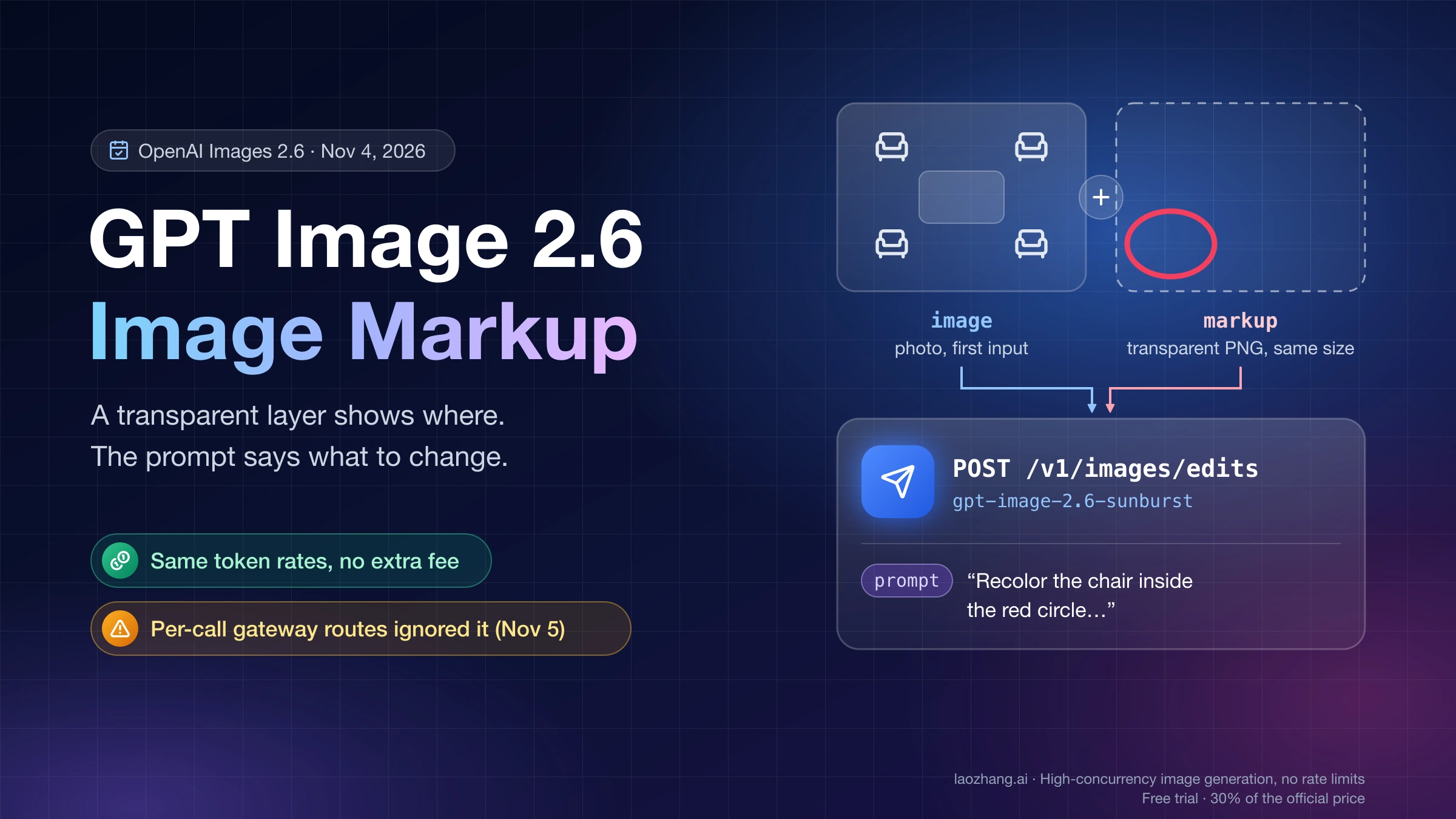
Markup-guided edits, where you draw on the picture to show what should change, are raster edits on the edit endpoint; that workflow is in image markup with the GPT Image 2.6 API.
Sources1
External pages this guide links to, in the order they appear. Last updated Nov 5, 2026.
Sources1
External pages this guide links to, in the order they appear. Last updated Nov 5, 2026.