GPT Image 2.6 GIF API: Tested Request, Frame Limits and Cost
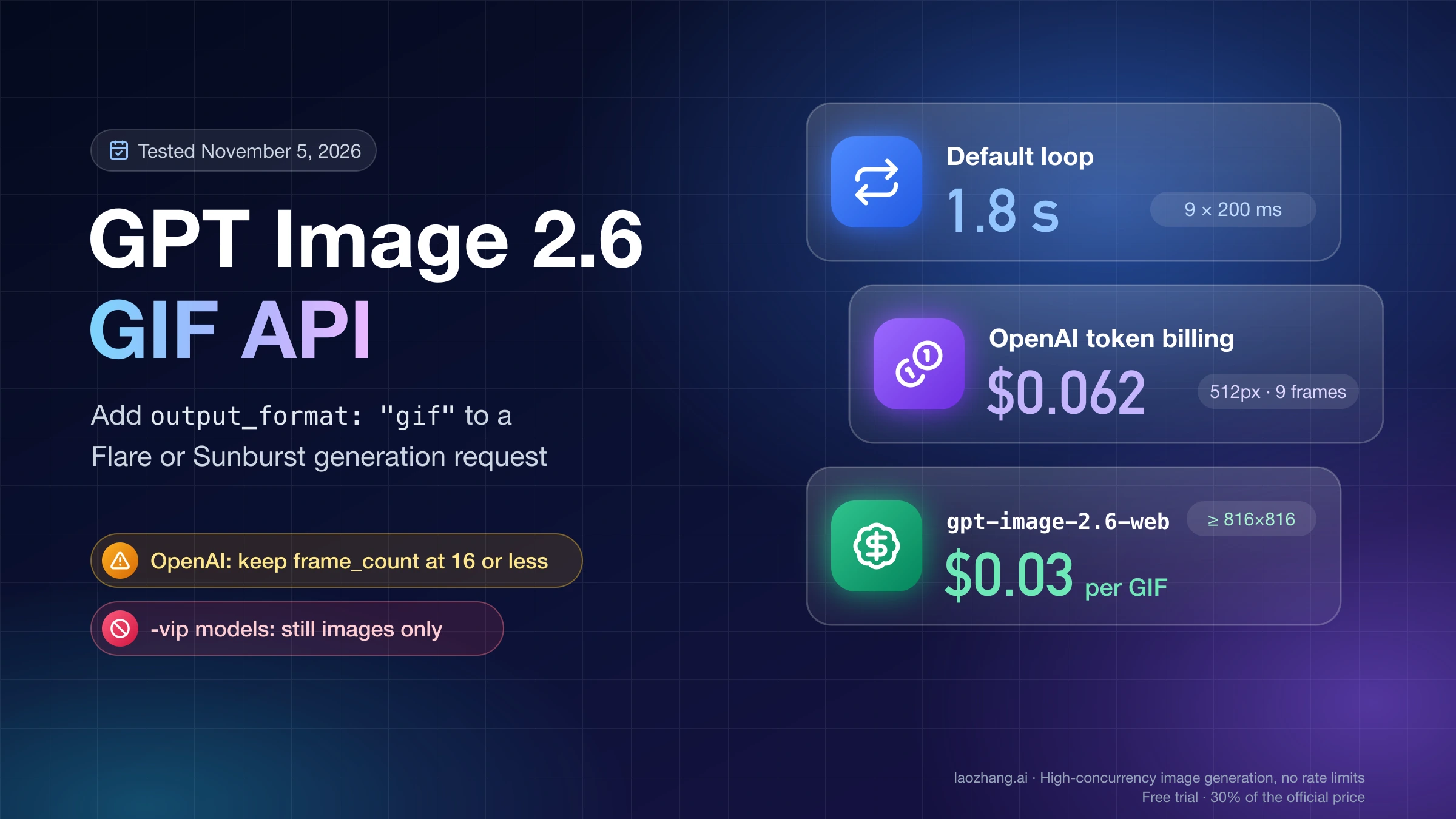
Add output_format gif to an Image API request on gpt-image-2.6-flare or -sunburst. Stay at 16 frames or fewer on OpenAI; a 512px 9-frame GIF cost about $0.062.
On this page
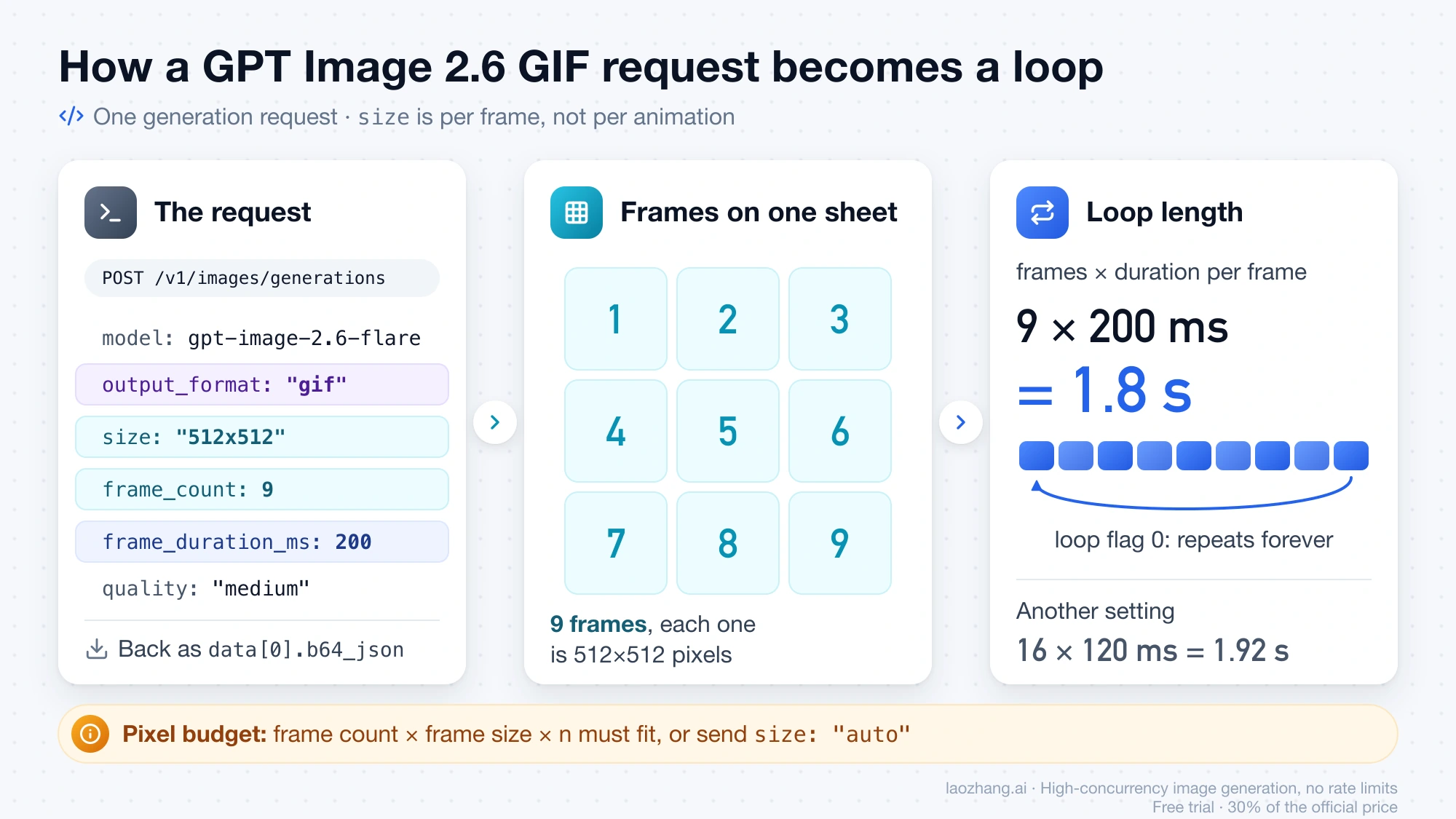
To get an animated GIF out of GPT Image 2.6, send an ordinary image request to POST /v1/images/generations with model set to gpt-image-2.6-flare or gpt-image-2.6-sunburst and output_format: "gif". Two optional fields shape the animation, frame_count (default 9) and frame_duration_ms (default 200), and size sets the dimensions of each frame, not of the whole animation. The finished GIF comes back as base64 in data[0].b64_json: decode it, write the bytes to a .gif file, and it loops forever. Only the generation endpoint makes GIFs; OpenAI's guide says the edit endpoint can't.
If your code calls OpenAI directly, keep frame_count at 16 or below. As of November 5, 2026, OpenAI's image generation guide allows 2–64 frames, but the API reference for the same field says 2–16 and adds that GIF output "requires access to the GIF preview for the selected model". On token billing, a 512×512 GIF with 9 frames at medium used 2,073 output tokens, about $0.062, in a single test against OpenAI's API on November 5, 2026.
A GIF that loops is not automatically a GIF that loops smoothly. In tests on November 5, 2026, OpenAI's own loop prompt still produced a visible jump between the last and first frame in one of three GIFs, so check the wrap with the short script further down before you ship a sticker or spinner, and regenerate if it fails.
Send your first GPT Image 2.6 GIF request and save the file
A GIF request is a normal Image API generation request with one extra field and two optional ones, and the response format is the same base64 you already handle for PNGs. The whole job takes four steps:
- Pick the model:
gpt-image-2.6-flarefor speed,gpt-image-2.6-sunburstfor more detail. - Send the request with
output_format: "gif", an explicitsizeper frame, and yourframe_countandframe_duration_ms. - Decode each
data[i].b64_jsonand write the bytes to a file ending in.gif. - Open the file and check the frame count, timing and loop seam before you use it.
With curl and jq, a 512×512 GIF of 9 frames at 200 ms each is a 1.8-second loop:
curl --fail-with-body https://api.openai.com/v1/images/generations \
  -H "Authorization: Bearer $OPENAI_API_KEY" \
  -H "Content-Type: application/json" \
  -d '{
    "model": "gpt-image-2.6-flare",
    "prompt": "An orange cat stretches on a windowsill, then yawns while light rain falls outside, flat illustration, returns to its starting pose, camera still, seamless loop",
    "output_format": "gif",
    "size": "512x512",
    "quality": "medium",
    "frame_count": 9,
    "frame_duration_ms": 200
  }' \
  -o gif.json

jq -r '.data[0].b64_json' gif.json | base64 --decode > cat-loop.gif
The same request in Python passes the two GIF fields through extra_body, which works whether or not your installed openai package knows them by name:
import base64
from openai import OpenAI

client = OpenAI(timeout=300)  # reads OPENAI_API_KEY

result = client.images.generate(
    model="gpt-image-2.6-flare",
    prompt=(
        "An orange cat stretches on a windowsill, then yawns while light rain "
        "falls outside, flat illustration, returns to its starting pose, "
        "camera still, seamless loop"
    ),
    output_format="gif",
    size="512x512",
    quality="medium",
    extra_body={"frame_count": 9, "frame_duration_ms": 200},
)

for i, item in enumerate(result.data):
    with open(f"cat-loop-{i}.gif", "wb") as f:
        f.write(base64.b64decode(item.b64_json))
Loop length is simply frame_count × frame_duration_ms, so 9 × 200 ms gives 1.8 seconds and 16 × 120 ms gives 1.92 seconds. Send quality every time: GPT Image 2.6 Flare otherwise picks a level from your prompt, and the GIF cost below was measured at medium. The 300-second timeout is far more than OpenAI needs for a small GIF, but per-call options can take two minutes on a large one, and a shorter timeout cuts them off.
Frame count, frame duration and size: the GIF limits per document
GIF settings come from three places that don't fully agree: OpenAI's image generation guide, OpenAI's API reference for images.generate, and LaoZhang API's documentation for its gpt-image-2.6-web model, which bills per call. The table shows each limit as written on November 5, 2026, plus what test calls confirmed.
Disclosure: laozhang.ai is our own service. Its prices are platform pricing, not an independent comparison.
| Setting | OpenAI guide | OpenAI API reference | gpt-image-2.6-web |
|---|---|---|---|
frame_count | 2–64, default 9 | 2–16, default 9 | 2–64, default 9; 65 returned a 400 in testing |
frame_duration_ms | 20–2000, rounded to 10 ms, default 200 | Minimum 20, default 200, rounded to the nearest 10 ms; no 2000 ms maximum, encoded delay capped at 655,350 ms | 20–2000, default 200 |
size | auto or WIDTHxHEIGHT, multiples of 16, per frame | Must satisfy the model's GIF size limits | At least 655,360 pixels per frame, so 816×816 is the smallest square; always send it |
n | Counts against the same pixel budget | Not stated for GIFs | Must be 1 |
| Not supported with GIF | Streaming, partial images, custom output_compression, prompt_rewriter | Streaming, partial images, masks, custom output compression | stream: true is accepted but the whole GIF arrives at the end |
The size rule is where first requests usually go wrong. OpenAI's guide says the frame count, the frame dimensions and the number of animations in n must together fit the model's size limits and a total pixel budget, and if they don't, you reduce one of the three; size: "auto" lets the API pick a frame size that fits. Under the hood the frames are rendered on one sheet, and that sheet has a floor as well as a ceiling. In the LaoZhang docs team's test against OpenAI on November 5, 2026, a 256×256 GIF with only 2 frames failed with an error starting No supported sheet fits, while 512×512 with 4–9 frames worked as sent.
OpenAI's guide says to use frame_count and frame_duration_ms only with GIF output, so if one request builder serves both PNGs and GIFs, drop the two fields whenever the format isn't gif.
64 frames or 16? OpenAI's guide and API reference disagree
For code that runs against OpenAI's API, treat 16 frames as the ceiling until OpenAI reconciles its two documents. The image generation guide, in its "Generate animated GIF output" section, lists frame_count as 2–64; the API reference for images.generate says "Accepts integers from 2 through 16" and publishes maximum: 16 in the schema. As of November 5, 2026, no published test had confirmed either number against OpenAI's own API; the LaoZhang docs team's direct runs used 9 frames or fewer. The reference also says GIF output requires access to the GIF preview for the selected model, so GIF access may be gated for some accounts, and OpenAI doesn't say who has it. If a request with 9 frames at 512×512 fails on your key for a reason the error table doesn't explain, that access is the next thing to ask OpenAI about.
LaoZhang API's gpt-image-2.6-web documents 2–64 frames, and a 65-frame request there returned a 400 on November 5, 2026, which fits that limit. The largest count actually generated in that test was 16 frames. LaoZhang's own measurements put a 64-frame 1024×1024 GIF at about 2 minutes and about 18 MB, with visibly softer frames, which is why long animations are rarely worth the file size even where they are allowed.
Disclosure: laozhang.ai is our own service. Its prices are platform pricing, not an independent comparison.
What four test GIFs looked like: frames, file size and time
All four GIFs generated through gpt-image-2.6-web on November 5, 2026 came back with exactly the frame count and per-frame duration requested, at 1024×1024 frames, with the GIF loop flag set to 0, which means loop forever. File size grew with frame count far faster than generation time did. The last row is OpenAI's published Sunburst sample from its guide, inspected the same day, for scale.
| GIF | Model | Frames × duration | Loop length | Frame size | File size | Time to return |
|---|---|---|---|---|---|---|
| Loop prompt, 4 frames | gpt-image-2.6-web | 4 × 300 ms | 1.2 s | 1024×1024 | 2.02 MB | 43.5 s |
| Loop prompt, 9 frames | gpt-image-2.6-web | 9 × 200 ms | 1.8 s | 1024×1024 | 4.53 MB | 49.3 s |
| Short vague prompt, 9 frames | gpt-image-2.6-web | 9 × 200 ms | 1.8 s | 1024×1024 | 4.85 MB | 52.1 s |
| Loop prompt, 16 frames | gpt-image-2.6-web | 16 × 120 ms | 1.92 s | 1024×1024 | 8.20 MB | 49.3 s |
OpenAI's lantern sample (high) | gpt-image-2.6-sunburst | 9 × 200 ms | 1.8 s | 512×512 | 1.28 MB | Not published |
The loop prompt was OpenAI's own example from its prompting guide: a monkey in a hooded coat lifts a lantern, blinks and lowers it "back to its starting pose", with the camera kept still. Each row is one run, and times depend on load. LaoZhang's documentation, measured the same day, lists 35–42 seconds and 1–2.5 MB for 4–9 frames at 1024×1024 and about 100 seconds for 16 frames, so treat any single time here as a sample, not a promise.
For a product, the file size column usually decides more than the time column. A 1024×1024 GIF of 9 frames already weighs about 4.5 MB, roughly three and a half times OpenAI's 512×512 sample with the same frame count, so stickers, reaction GIFs and loading spinners are better served by smaller frames and fewer of them.
Where to run GIF requests: OpenAI, official forwarding or per call
Call OpenAI directly, or a gateway that forwards to it, when you want frames smaller than 816×816 or token pricing; use a flat-price per-call model when your frames are 1024×1024 or larger and you want the same price for every GIF. LaoZhang API offers both kinds alongside OpenAI, and the table compares them as documented and tested on November 5, 2026.
Disclosure: laozhang.ai is our own service. Its prices are platform pricing, not an independent comparison.
| Option | Model ID and key | Smallest frame | Frame count | Price | Time for one GIF |
|---|---|---|---|---|---|
| OpenAI API | gpt-image-2.6-flare, gpt-image-2.6-sunburst with an OpenAI key | 512×512 works; 256×256 with 2 frames failed | 2–16 per the API reference, 2–64 per the guide | Output tokens at $30 per 1M | 11–12 s for Flare at 512×512, 9 frames |
| LaoZhang official forwarding | Same two IDs, key in the OpenAI Official group (OpenAI Official Enterprise adds 20%) | Same as OpenAI; 512×512 works | Same as OpenAI | Same token prices as OpenAI | Not measured separately |
LaoZhang gpt-image-2.6-web | gpt-image-2.6-web, key in the default group; Flare or Sunburst can't be chosen | 816×816 (655,360 pixels) | 2–64 documented, 16 the largest tested | $0.03 per call at any frame count or size | 43–52 s at 1024×1024 in testing |
| LaoZhang VIP models | gpt-image-2.6-flare-vip, gpt-image-2.6-sunburst-vip | No GIF output | No GIF output | $0.03 per image, still images only | Returns a 400 in about 1–2 s |
Official forwarding takes the same request bodies as OpenAI, so the curl and Python examples above work with only the base URL and key changed. On gpt-image-2.6-web, n must be 1 and size should always be sent. The full settings for all three are in LaoZhang API's GPT Image 2.5 and 2.6 documentation.
What one GPT Image 2.6 GIF costs on token billing and per call
On OpenAI's API, and on official forwarding at the same rates, a GIF is billed like any GPT Image 2.6 image: by output tokens at $30 per million, plus prompt text at $5 per million. In the LaoZhang docs team's test against OpenAI on November 5, 2026, gpt-image-2.6-flare at 512×512 used 2,073 output tokens for 9 frames at medium, so 2,073 × $30 ÷ 1,000,000 = $0.0622 per GIF. Four frames at low used 1,172 tokens, or $0.0352. A prompt of a few dozen words adds well under a tenth of a cent, and the OpenAI Official Enterprise group's 20% surcharge would take the 9-frame GIF to about $0.075.
Both figures are single runs at one frame size, and token counts change with frame size, frame count and quality, so expect other settings to cost differently. No token count has been published for a 1024×1024 GIF, which means you can't yet compare token billing and the flat price at that size from documentation alone; check the usage field in your own response. For scale, a single 1024×1024 still at high uses 1,756 output tokens, about $0.053.
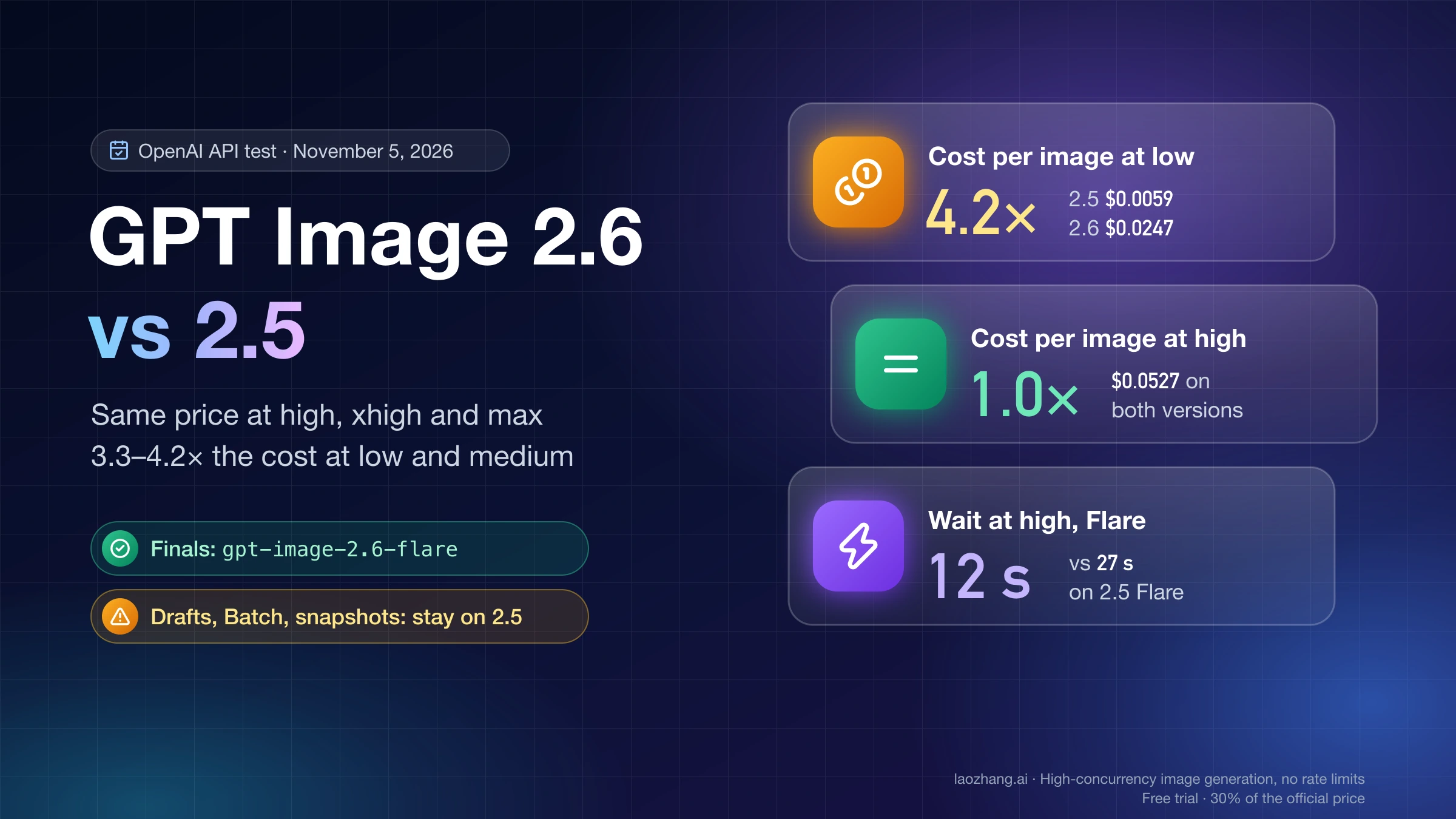
gpt-image-2.6-web charges $0.03 per call regardless of frames or size, and all four test GIFs above were billed that way. That is about half the $0.0622 measured for the 512×512, 9-frame GIF on token billing, but the flat price only starts at 816×816 frames, so a 512×512 sticker has to go through token billing. Whether 2.6 is worth using over 2.5 for still images is a separate question, answered in GPT Image 2.6 vs 2.5: Same Price at High, 4× the Cost at Low.
Why a GPT Image 2.6 GIF request fails: error, cause and fix
Most GIF failures are 400s that arrive within a second or two and name the field at fault in param and code, even when the message text is generic. The ones that take longer are timeouts and 429s on large GIFs. The rows marked as tested were reproduced on November 5, 2026; the rest come from OpenAI's and LaoZhang's documentation.
| What you see | Cause | Fix |
|---|---|---|
400, code: "invalid_image_request", empty param (tested: frame_count: 65 on gpt-image-2.6-web) | frame_count or frame_duration_ms out of range | Stay within 2–16 frames on OpenAI, 2–64 on gpt-image-2.6-web, and 20–2000 ms per frame |
400, param: "size", code: "invalid_value" (tested: 512x512 on gpt-image-2.6-web) | Frame below 655,360 pixels | Use 816×816 or larger there, or send 512×512 through OpenAI or official forwarding |
Error starting No supported sheet fits (OpenAI, 256×256 with 2 frames) | Frames are packed into one sheet, and the sheet has a minimum size | Use larger frames such as 512×512, or size: "auto" |
400 "GIF and SVG output are not supported on this route" (tested: gpt-image-2.6-flare-vip) | The -vip models produce still images only | Switch to gpt-image-2.6-flare, gpt-image-2.6-sunburst or gpt-image-2.6-web |
400, param: "n" | n greater than 1 on gpt-image-2.6-web | Send n: 1 and loop your calls |
400, code: "invalid_image_request" from /v1/images/edits | The edit endpoint doesn't return GIFs | Generate the GIF with /v1/images/generations |
| 429 after about 2 minutes | gpt-image-2.6-web at busy times with large or many-frame GIFs; not charged | Retry later, or cut frames or frame size |
| Client gives up, no response | Timeout shorter than the GIF takes | Set the client timeout to 300 seconds and check your call log before retrying |
| GIF comes back small and oddly sized, such as 439×390 | size omitted on gpt-image-2.6-web | Always send size, for example 1024x1024 |
If the Python SDK raises an unexpected keyword argument error for frame_count or frame_duration_ms, your installed openai package predates those fields. Move them into extra_body, as in the example above, and the SDK sends them unchanged in the request body. A community report on the OpenAI forum says version 3.46.0 of the Python library, released on launch day, added the new SVG parameter, so upgrading may also add the GIF fields, but extra_body works on any version.
Check the GIF loop seam before you ship it
"Loop" means two things for a GIF. The loop flag in the file decides whether the animation repeats, and every GPT Image 2.6 GIF in the tests above had it set to 0, which means repeat forever. Whether the repeat looks seamless depends on how far the last frame is from the first, and the API doesn't promise that. OpenAI's prompting guide advises giving the subject "a starting pose to return to" and saying whether the camera should move, which helps but doesn't guarantee a clean wrap.
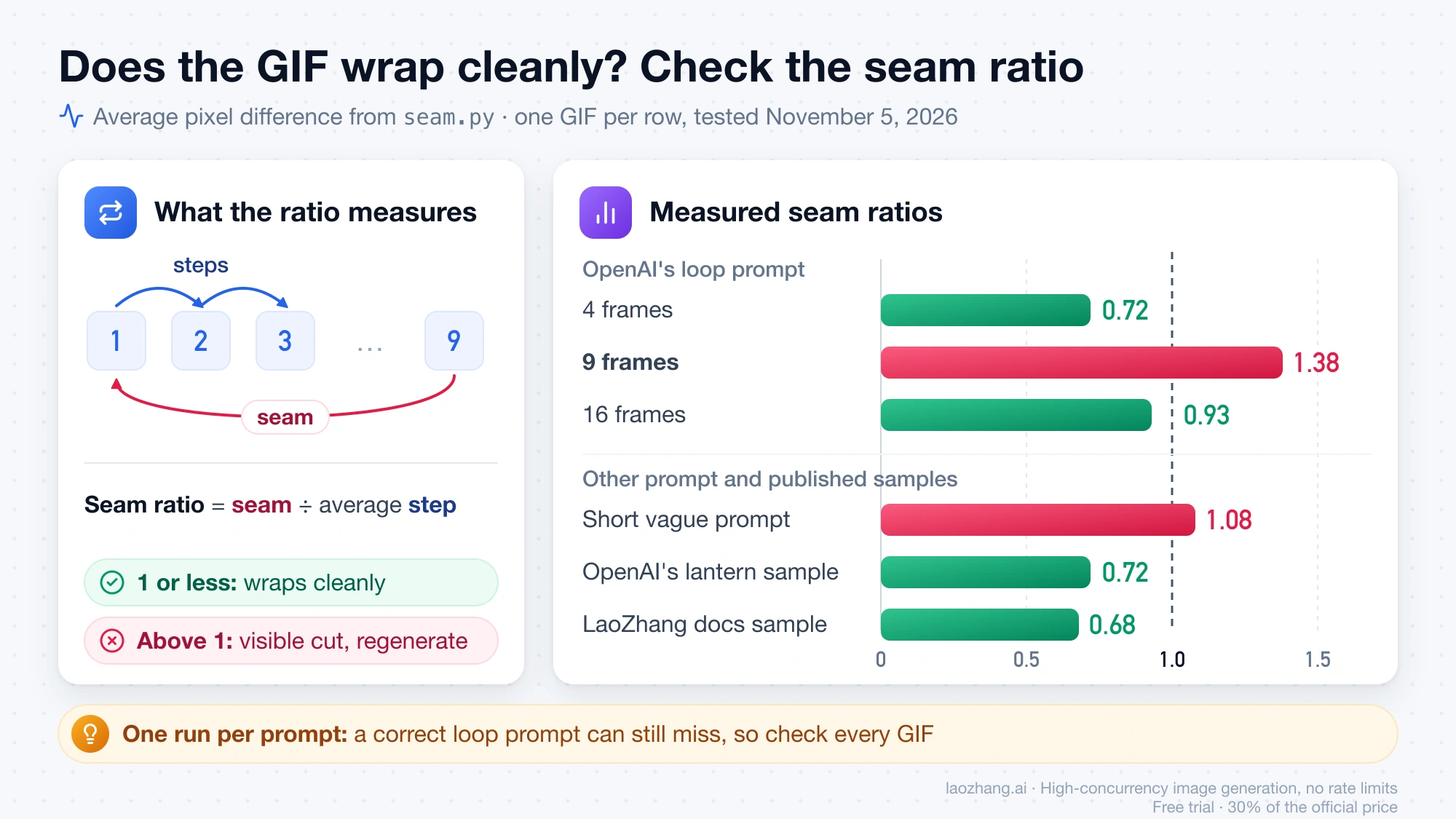
A quick number tells you whether the wrap jumps: take the average pixel difference between the last and the first frame, and divide it by the average difference between consecutive frames. A ratio of 1 or less means the jump back to the start is no bigger than an ordinary step in the animation; above 1, the wrap is a visible cut. This script needs only Pillow:
# seam.py  —  usage: python3 seam.py my.gif
import sys
from PIL import Image, ImageChops, ImageStat

def diff(a, b):
    d = ImageChops.difference(a, b)
    return sum(ImageStat.Stat(d).mean) / 3 / 255 * 100  # % of full scale

gif = Image.open(sys.argv[1])
loop_flag = gif.info.get("loop")
frames, durations = [], []
try:
    while True:
        frames.append(gif.convert("RGB"))
        durations.append(gif.info.get("duration"))
        gif.seek(gif.tell() + 1)
except EOFError:
    pass

steps = [diff(frames[i], frames[i + 1]) for i in range(len(frames) - 1)]
seam = diff(frames[-1], frames[0])
print(f"{len(frames)} frames, durations {sorted(set(durations))} ms, loop flag {loop_flag}")
print(f"seam ratio {seam / (sum(steps) / len(steps)):.2f}  (<= 1 wraps cleanly)")
Run on the four test GIFs from November 5, 2026, the 9-frame GIF made with OpenAI's exact loop prompt scored 1.38, and the lantern and pose visibly jumped at the wrap. The 4-frame and 16-frame GIFs with the same prompt scored 0.72 and 0.93, and the short vague prompt scored 1.08. For comparison, OpenAI's published Sunburst sample scores 0.72 and LaoZhang's documentation sample scores 0.68. One sample per prompt can't rank prompts, so this doesn't mean vague prompts loop better; it means a correct loop prompt can still miss, and the fix is to check every GIF and regenerate the ones above 1. For more on wording motion and loop prompts, see the GPT Image 2.6 prompt guide.
Can you turn an existing picture into a GIF with the GPT Image 2.6 API?
Not in a documented way. As of November 5, 2026, OpenAI's guide says GIF output is for image generation and the edit endpoint, the one that accepts your picture, does not support it; LaoZhang's gpt-image-2.6-web likewise returns invalid_image_request for a GIF from an edit. The LaoZhang docs team did see one edit return a GIF through official forwarding on November 5, 2026, but OpenAI doesn't document that behavior, so don't build a product on it: it may stop working without notice.
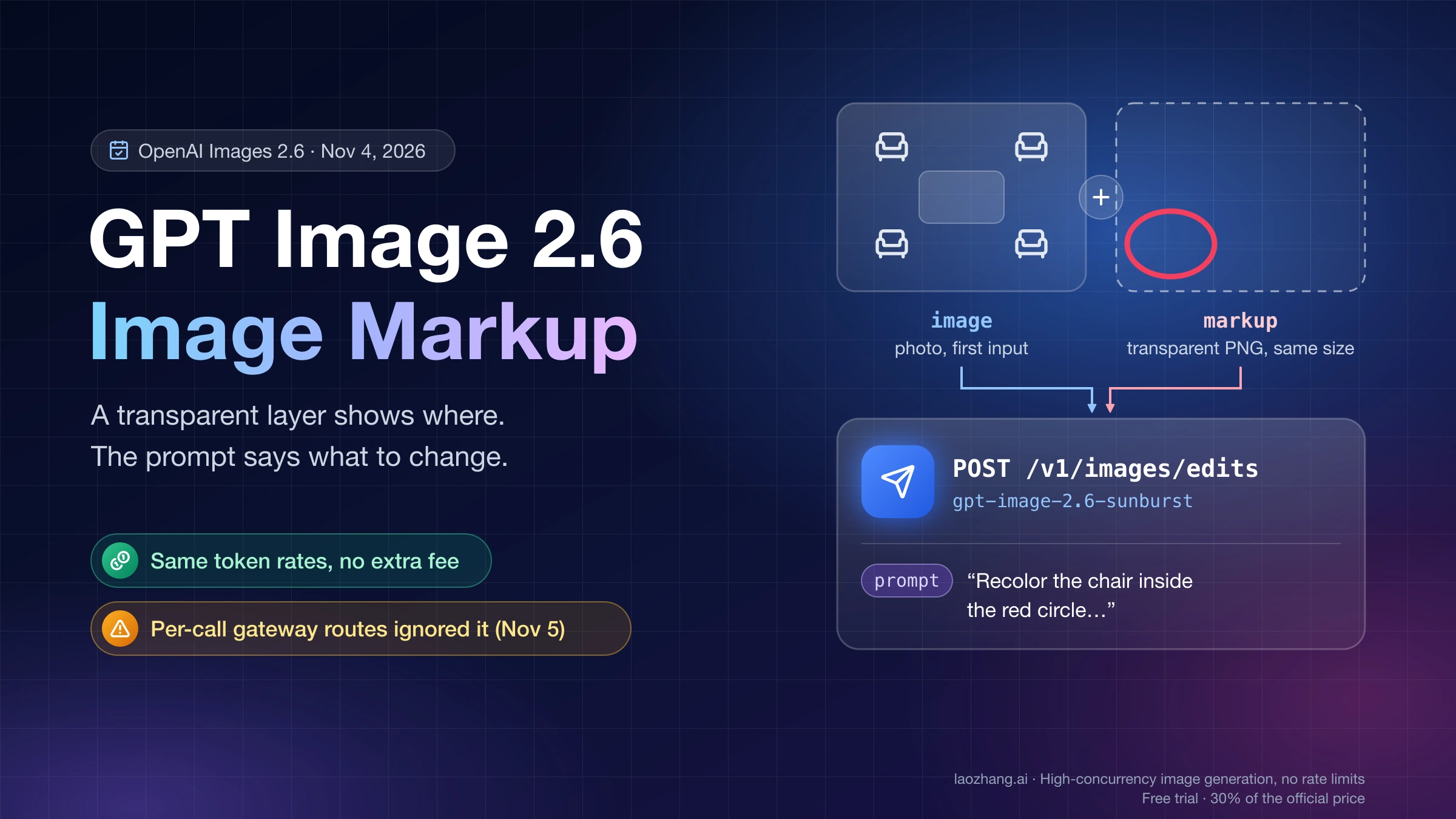
To animate a photo you already have without writing code, the ChatGPT app can do it, as explained in How to Make a GIF in ChatGPT (Images 2.6): Frames, Speed, Edits. The same API also returns SVG vector files from GPT Image 2.6 and supports markup-guided edits through the GPT Image 2.6 API, both covered separately.