Nano Banana 2 Limits: How Gemini Usage and API Rate Limits Work
No daily Nano Banana 2 count exists as of October 2026: the Gemini app refreshes every 5 hours up to a weekly cap, and the API model is deprecated for 2.1.
On this page
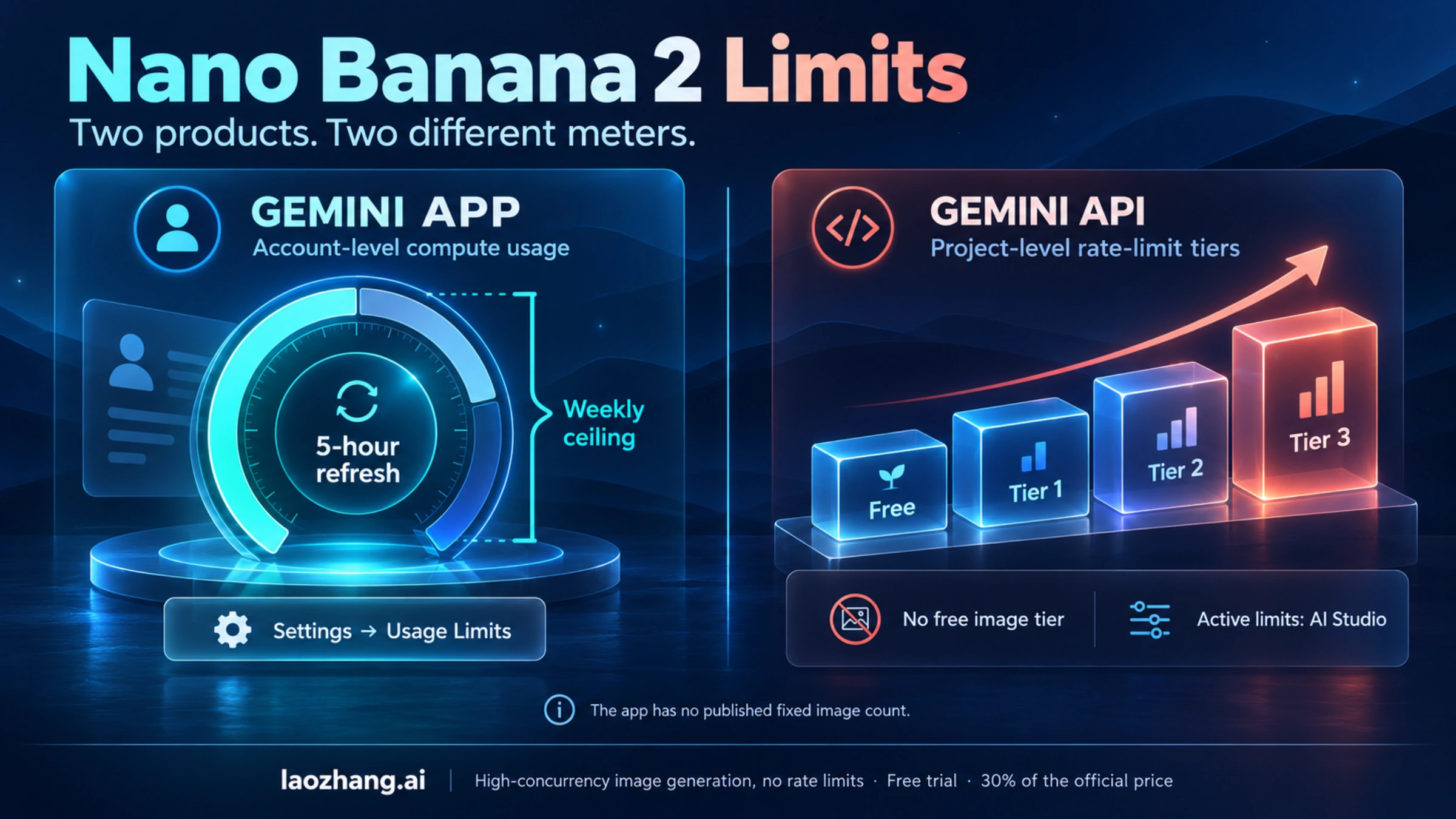
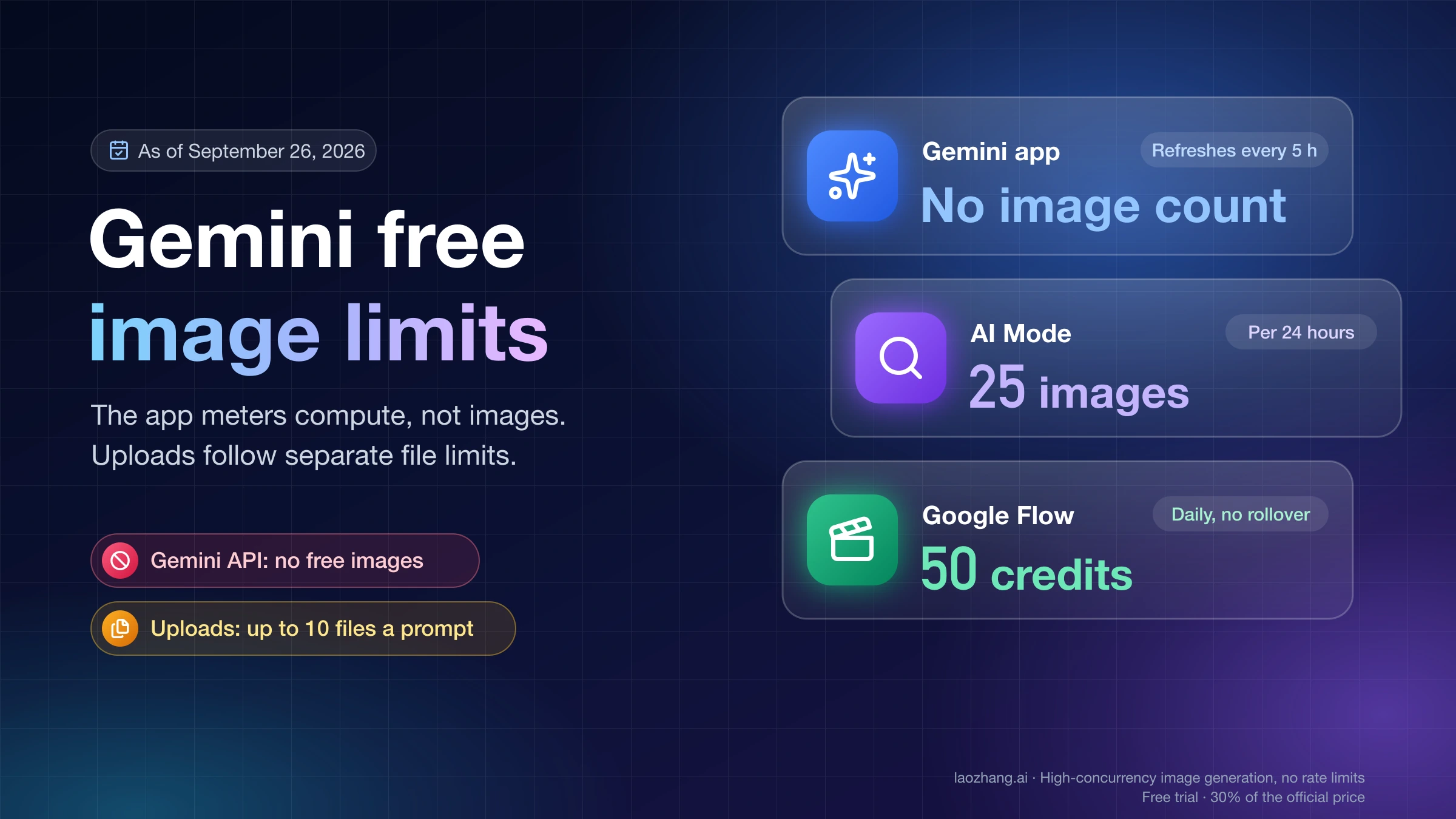
If you came here looking for one number, such as "20 images a day for free users", that number no longer exists. As of October 8, 2026, Google's help page for the Gemini app describes compute-based usage limits: how much you can do depends on the complexity of your prompts, the models and features you use, and the length of your chat, and media generation "will consume more of your usage". Your limit refreshes every 5 hours until you reach your weekly limit, and the only place to see where you stand is the app itself, under Settings → Usage Limits. A Google AI plan multiplies that allowance (2x for Plus, 4x for Pro, 5x or 20x Pro for Ultra), but Google does not translate any plan into an image count.
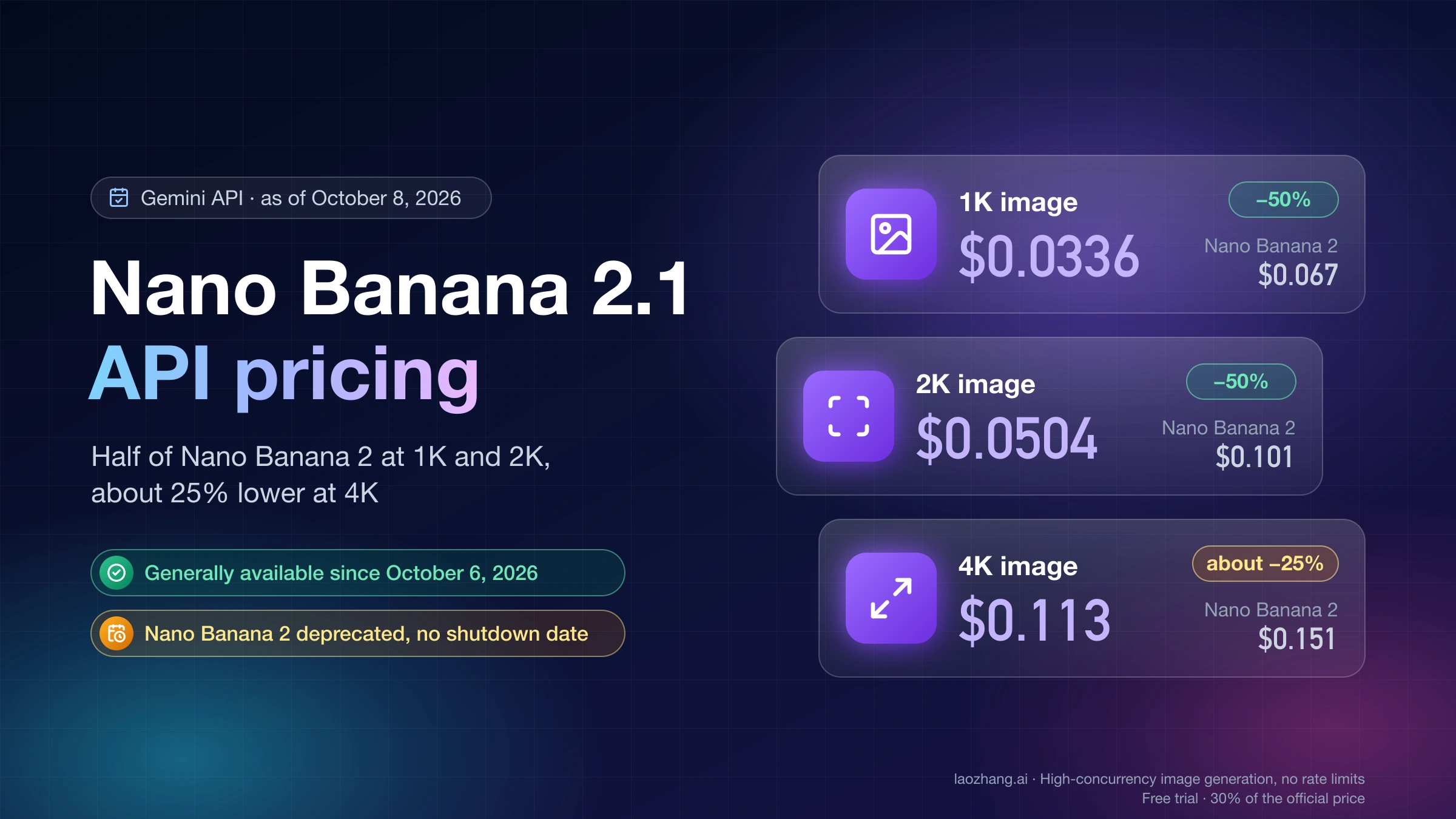
Two things changed in October. On October 6, 2026, Google released Nano Banana 2.1 (gemini-nano-banana-2.1) as a stable model, and the Gemini API changelog now lists Nano Banana 2 (gemini-3.1-flash-image) as "deprecated (no shutdown date announced)", with 2.1 as the model to migrate to. No shutdown date is set on the Gemini API, and on Vertex AI its retirement is listed as "May 28, 2027 or later". In the Gemini app, Google's image generation overview says Plus, Pro and Ultra subscribers now get Nano Banana 2.1, while the help center still describes Nano Banana 2 for every account. Neither page prints a daily image count.
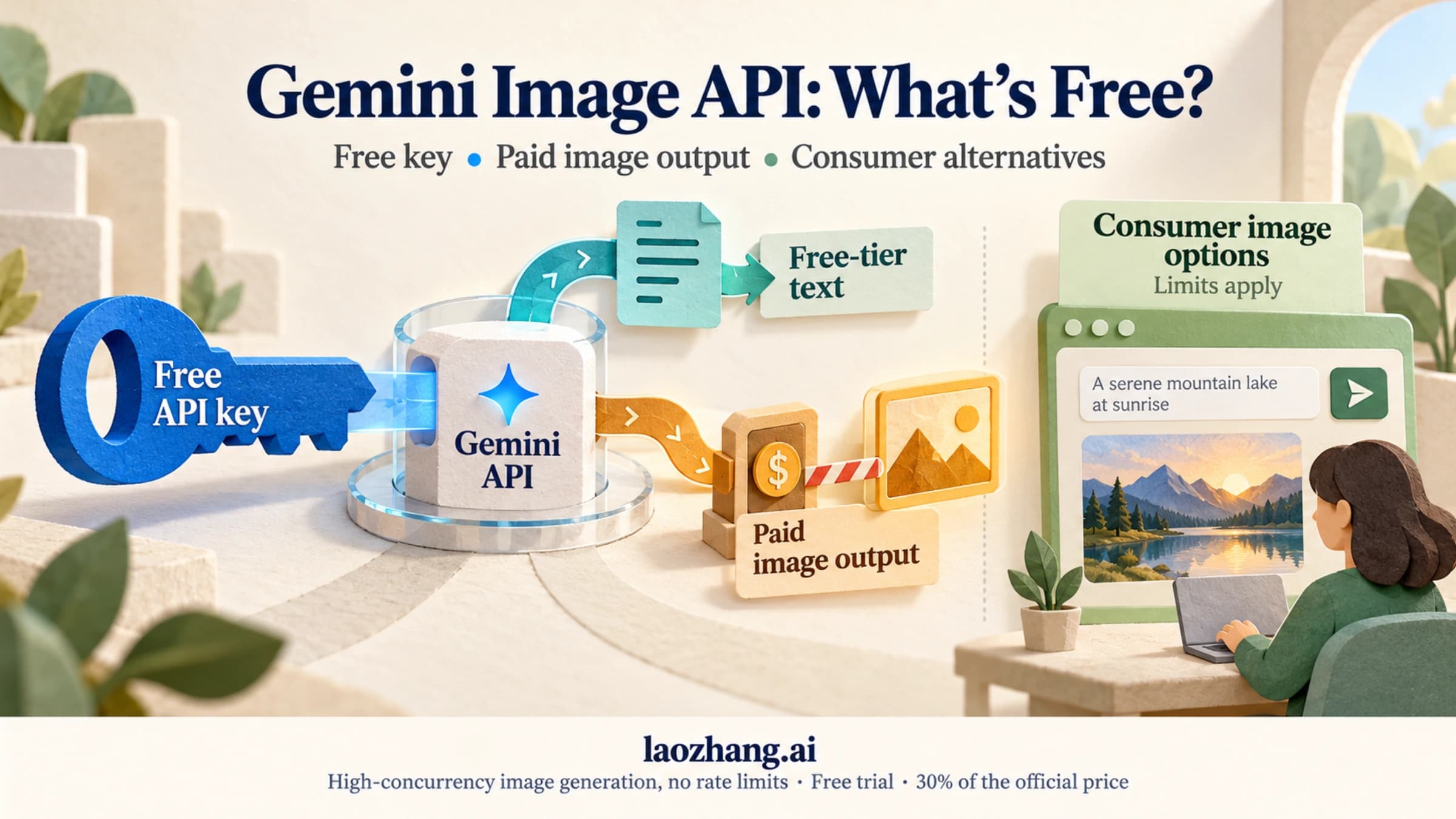
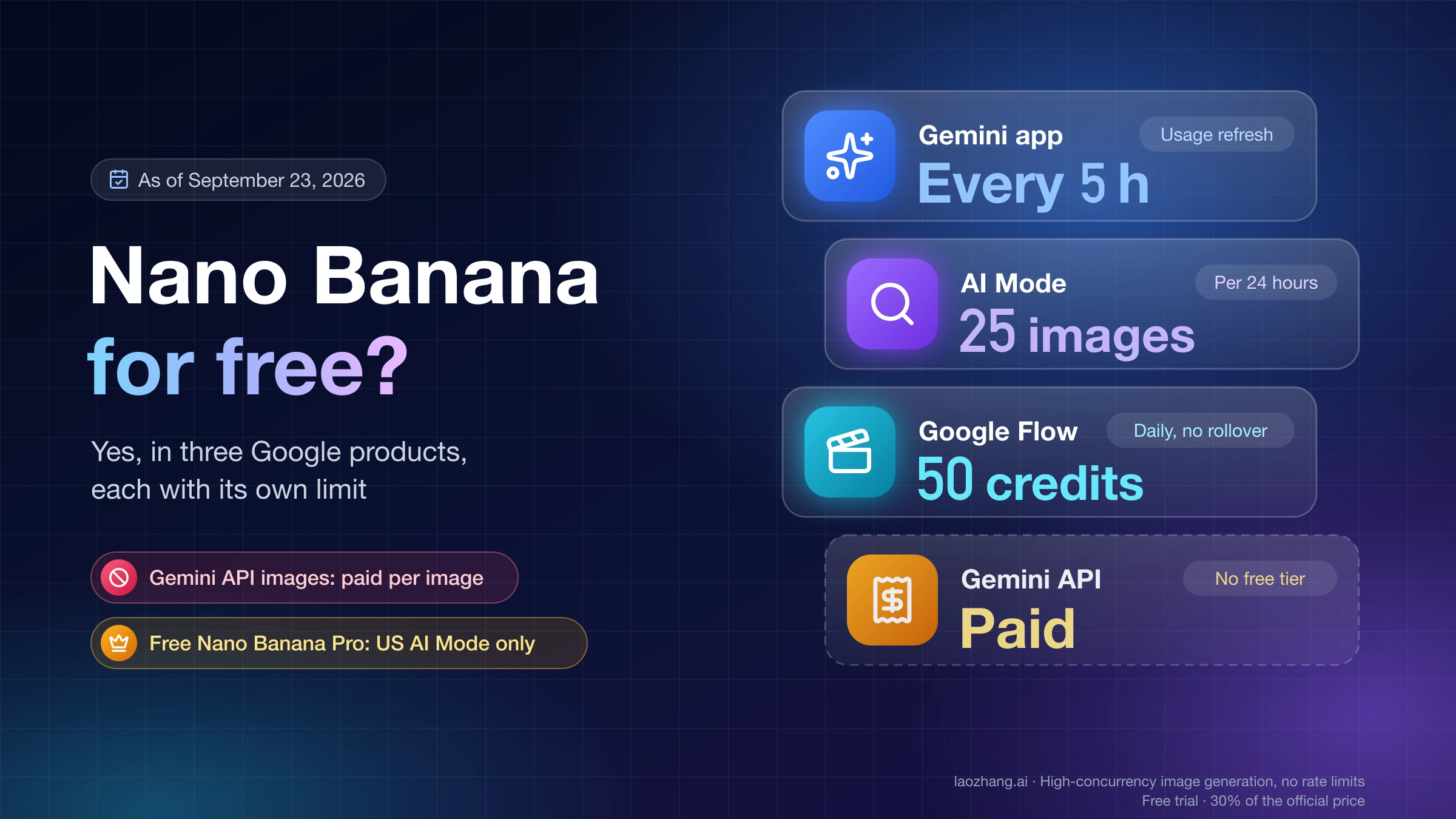
Two other limits are real and often mixed up with the app. AI Mode in Google Search still prints a per-plan daily count, 25 images in 24 hours without a plan, up to 1,000 on Ultra. And the Gemini Developer API is a separate product with no free tier for any image model, limits applied per project across four usage tiers, a spending cap checked every 10 minutes, requests-per-day quotas that reset at midnight Pacific time, and live numbers shown only in AI Studio. The sections below take each surface in turn, then token cost per resolution, what each error means, and the realistic ways to get more capacity.
Which limit are you actually hitting?
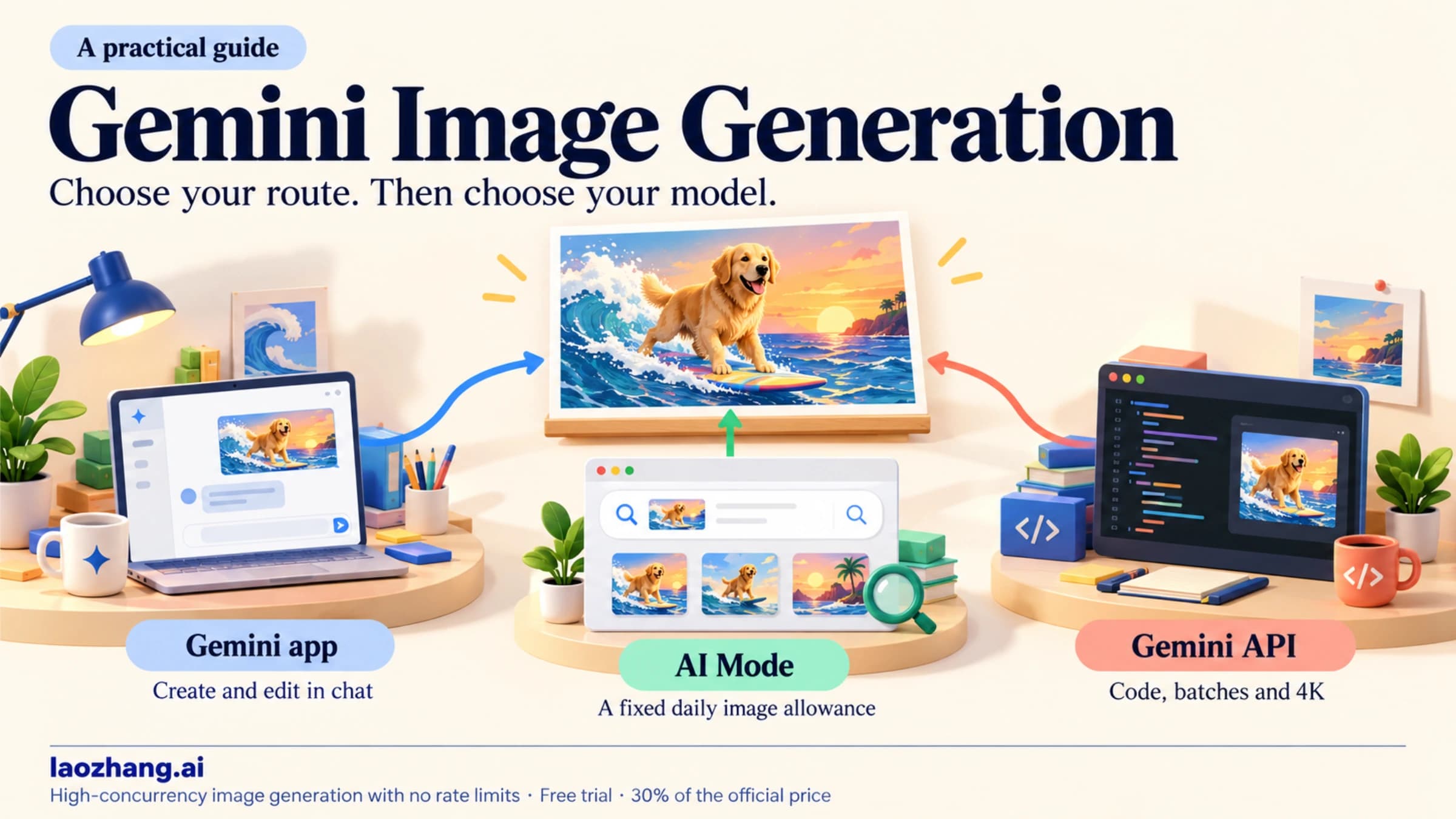
"Nano Banana 2" is one model name that shows up in at least five different Google products, and each meters it differently. Figuring out which one you are in saves a lot of confusion, because a fix that works for one (buying a Google AI plan) does nothing for another (an API project stuck at Tier 1).
| Where you are generating | How the limit is measured | Where to see it | When it comes back |
|---|---|---|---|
| Gemini app (web, Android, iOS) | Compute-based allowance per account; plans multiply it | Settings → Usage Limits inside the app | Refreshes every 5 hours until the weekly ceiling |
| AI Mode in Google Search | Image count per plan: 25 / 50 / 100 / 1,000 | Google's AI Mode image help | Rolling 24-hour period |
| Google Flow | Flow's own credit wallet; shows "You've reached the daily limit for Nano Banana 2" | Flow's credit counter | Per Flow's schedule; AI credits can top it up |
| Google Antigravity | Separate, undisclosed image quota | Not published | Not published; AI credits apply |
| Gemini Developer API | Per-project rate limits by tier, plus a 10-minute spend cap; no free image tier | AI Studio rate-limits page for your project | RPD resets at midnight Pacific time; spend cap is a rolling 10-minute window |
If your error is a message inside a chat window, you are on the first row. If it is an HTTP 429 in a log, you are on the last one. The sections below take them in that order.
Gemini app: compute-based, 5-hour refresh, weekly ceiling
The Gemini app does not count images. It counts compute. Google's wording is that limits "factor in the complexity of your prompt, the models and features you use, and the length of your chat", so a long conversation with several image edits, web grounding and a large reference photo draws down the same pool as plain text chat, only faster. There is no separate "image quota" line you can read, only the overall usage meter.
The refresh model is also different from a daily reset. Each account has an allowance that refreshes every 5 hours, and a weekly limit sitting above it. Hitting the 5-hour limit means waiting for the next window; hitting the weekly limit means waiting for the week to roll over. The app warns you when you are close to your limit and, once you reach it, tells you when it will refresh. Nothing on the help page ties either window to midnight Pacific or to your local time zone, so "reset at midnight" advice you see in forums is about the API, not the app.
Google AI plans raise the pool rather than adding an image count. The multipliers below are from the Gemini Apps limits page as of October 8, 2026; the US prices are from Google's subscriptions page as of September 22, 2026:
| Plan | Usage limit | US price (monthly) | Image features |
|---|---|---|---|
| No AI plan | Standard | $0 | Nano Banana 2; 1K downloads |
| Google AI Plus | 2x standard | $4.99 | 2K downloads, "Redo with Pro"; Nano Banana 2.1 per Google's overview page |
| Google AI Pro | 4x standard | $19.99 | Same features as Plus, larger allowance; can buy AI credits for Flow and Antigravity |
| Google AI Ultra | 5x or 20x AI Pro | $99.99 or $199.99 | Largest allowance; the two prices are two different usage tiers |
Two things on the image side change with a plan, per Google's image help page: you can download at 2K with a plan versus 1K without one, and you can redo an image with Nano Banana Pro ("More → Redo with Pro"). That same page says that once you reach your "daily quota of Nano Banana 2 images", you cannot redo any more with Nano Banana Pro. It is the clearest sign that an image-specific cap still sits behind the compute meter, and Google still does not print the number.
Which model a paid account actually uses is where Google's pages disagree. The help center says images are made with Nano Banana 2 when the Gemini model is set to Flash or Pro, and with Nano Banana 2 Lite when it is set to Flash-Lite, and it does not mention 2.1 at all. The overview page says "Google AI Pro, Plus, Ultra users have access to our best image model, Nano Banana 2.1" and lists Nano Banana 2 as the free model. The overview also lists 2K resolution for both models, against the help center's 1K download limit without a plan. Until the help pages catch up, treat the overview as the newer statement about which model you get and the help center as the description of how the limits work. Neither one gives a daily count for 2.1 or for Nano Banana 2.
When a subscriber hits the limit, Google says you can wait for the refresh or "continue your conversation with Flash-Lite". Since the help center maps Flash-Lite to Nano Banana 2 Lite, expect Lite-level image work in that fallback. The Flash-Lite option is described for subscribers; the help page gives free accounts no equivalent, so they wait for the next window or upgrade.
To see where you stand, open gemini.google.com, select Settings at the bottom left, then Usage Limits. That page is the source of truth for your account and is the only Google-provided place to check; nothing on the public help pages will tell you how many images remain. For the free account specifically, including upload limits, see the Gemini free image limit guide.
One thing a plan does not do: it does not touch your API quota. The app allowance is tied to your Google account; API rate limits are tied to a Google Cloud project with its own billing. Buying Ultra will not lift a 429 in your code, and reaching API Tier 3 will not make the app generate more.
AI Mode in Search: the only place with a published daily count
If you generate images from AI Mode in Google Search rather than the Gemini app, the rules are older and simpler. As of September 22, 2026, Google's AI Mode help states image creation limits as counts per plan:
| Plan | AI Mode image creation |
|---|---|
| No Google AI plan | Up to 25 images in a 24-hour period |
| Google AI Plus | 50 |
| Google AI Pro | 100 |
| Google AI Ultra | 1,000 |
The page adds that daily limits can change with capacity, and that Nano Banana Pro inside AI Mode requires English, an 18+ account, and either a US location or a Pro/Ultra plan in the listed countries. When you see a clean "25 a day" figure quoted for Nano Banana 2 in 2026, it almost always comes from this page, not the Gemini app. The numbers do not transfer: 25 AI Mode images do not deduct from, or add to, your Gemini app allowance.
Flow and Antigravity: separate wallets, separate messages
Google Flow, the video and image tool, meters Nano Banana 2 through its own credit wallet, and users doing bulk generation in June 2026 reported the in-product message "You've reached the daily limit for Nano Banana 2" on Reddit. Flow's specific Nano Banana 2 numbers are not published, and that message is a Flow limit, not a Gemini app limit; the two do not share a pool. The guide to Nano Banana Pro limits in Gemini, AI Mode, Workspace, Flow and the API covers Flow's credit behavior and Workspace accounts in more detail.
Antigravity, Google's agentic IDE, likewise has its own undisclosed quota for image generation. Google's AI credits page is explicit about where paid top-ups apply: credits are only available for AI Pro and AI Ultra (not Plus), come in packs of 2,500, 5,000 and 20,000, may expire, and are usable in Google Flow and Google Antigravity. The page does not say credits extend Gemini app image limits, so treat them as a Flow and Antigravity tool, not a way to buy more Nano Banana 2 in the chat app. Credits are also not sold in Japan, and on a family plan only the plan manager can buy them.
Nano Banana 2 API deprecation: no shutdown date, 2.1 for new work
Google's deprecations page lists gemini-3.1-flash-image with gemini-nano-banana-2.1 as its replacement and no shutdown date, and the image generation guide now calls Nano Banana 2 "previous-generation" and recommends 2.1 for all new projects. In Google's own definition, a deprecated model is no longer supported and will be shut down in the near future, and the exact date is communicated with advance notice. A shutdown date of October 29, 2026 appeared on launch day and was removed by October 7, so any page quoting it is out of date. Existing Nano Banana 2 code has no set deadline, but new work belongs on 2.1 and old work needs a migration plan.
Three details matter for limits and code:
- Old preview IDs are already gone.
gemini-3.1-flash-image-previewshut down on June 25, 2026, with 2.1 as its listed replacement, andgemini-3-pro-image-previewshut down the same day (replacementgemini-3-pro-image). A script or node still sending a preview ID fails no matter what tier you are on. - The rate-limits page has not caught up. As of October 8, 2026, the Gemini API rate-limits page (last updated September 2, 2026) has no Nano Banana 2.1 row, and its Batch table still labels Nano Banana 2 as "Gemini 3.1 Flash Image Preview". Your project's real 2.1 limits are whatever AI Studio shows; no public table gives them.
- Vertex AI runs on a different clock. On Vertex AI, now branded Gemini Enterprise Agent Platform, Nano Banana 2 is GA with retirement "May 28, 2027 or later", and 2.1 is GA in the
globalregion with no retirement date announced. Google says it posts a retirement date at least 45 days ahead. The Vertex AI Nano Banana API guide covers model IDs and setup there.
For the model ID changes in code, the Nano Banana API docs and tutorial walks through moving off retired IDs.
Gemini API tiers: no free image tier, per-project limits, a 10-minute spend cap
The API works on completely different terms from the app. On the rate-limits page, Google defines four usage tiers. Tiers 2 and 3 are qualified on cumulative Google Cloud spending by the billing account linked to your project, not just Gemini API spend:
| Tier | How you qualify | Billing tier cap | Spend rate limit (per 10 minutes) |
|---|---|---|---|
| Free | Active project or free trial | N/A | N/A |
| Tier 1 | Set up and link an active billing account | $250 | $10 |
| Tier 2 | Paid $100 + 3 days from first successful payment | $2,000 | $50 |
| Tier 3 | Paid $1,000 + 30 days from first successful payment | $20,000 – $100,000+ | $200 |
Three rules from the same page govern everything else. "Rate limits are applied per project, not per API key", so creating extra keys in one project gets you nothing. "Requests per day (RPD) quotas reset at midnight Pacific time", which is the one place the midnight-PT rule genuinely applies. And "View your active rate limits in AI Studio": the public page prints no RPM, TPM, RPD or images-per-minute (IPM) rows for any Nano Banana model, so the only reliable numbers are the ones AI Studio shows for your project. IPM is counted only for image models. Google also says specified limits "are not guaranteed", and that Priority inference gets 0.3x the standard limits by default. A fixed "1,000 requests a day at Tier 1" for image models does not appear on Google's current page.
The spend rate limit matters most for image work, because each image is a relatively expensive request. It is evaluated on a rolling 10-minute window, and exceeding it returns a 429 RESOURCE_EXHAUSTED. Google says whether it applies depends on your billing history and account standing. To see what $10 means at Tier 1, divide it by the list price per image: $10 ÷ $0.067 is about 149 Nano Banana 2 images at 1K, $10 ÷ $0.0336 is about 297 Nano Banana 2.1 images at 1K, and $10 ÷ $0.151 is about 66 Nano Banana 2 images at 4K, all within any 10-minute span. Input and thinking tokens are billed on top, so real headroom is lower.
The free tier matters most for people who expect the API to mirror the app. On the pricing page, the Free tier column reads "Not available" for Nano Banana 2.1, Nano Banana 2, Nano Banana 2 Lite and Nano Banana Pro. A project with no billing account that calls an image model gets an error, and the documented shape of that error is a 400 failed_precondition, described by Google as "a prerequisite is not met (for example, disabled billing)". That is not a temporary throttle; it clears only when you link billing, which also moves you to Tier 1. The question of whether the Gemini image API is free has its own guide.
Tier 2 is faster to reach than the old "$250 plus 30 days" guidance that circulated earlier this year: $100 of paid usage and three days from your first successful payment. Tier 3 needs $1,000 and 30 days. The billing tier cap column is a spending ceiling for the tier, not a qualification; the $250 figure on the Tier 1 row is how much a Tier 1 project can be billed, which is likely where the "$250 for Tier 2" confusion came from. Google also notes that meeting the criteria is generally sufficient but an upgrade request can occasionally be denied. Tiers are per project, not per model, so moving from Nano Banana 2 to 2.1 keeps the tier you have.
What each image costs in tokens and dollars: Nano Banana 2 vs 2.1
The API bills image output in tokens, and the token count depends on the output resolution. Google's pricing page prices Nano Banana 2 image output at $60 per million tokens ($30 Batch) and Nano Banana 2.1 at $30 per million ($15 Batch). Both are the same on Vertex AI:
| Output size | Nano Banana 2 tokens | Nano Banana 2 Standard / Batch | Nano Banana 2.1 tokens | Nano Banana 2.1 Standard / Batch |
|---|---|---|---|---|
| 0.5K (512px) | 747 | $0.045 / $0.022 | Not offered | Not offered |
| 1K | 1,120 | $0.067 / $0.034 | 1,120 | $0.0336 / $0.0168 |
| 2K | 1,680 | $0.101 / $0.050 | 1,680 | $0.0504 / $0.0252 |
| 4K | 2,520 | $0.151 / $0.076 | 3,780 | $0.113 / $0.0567 |
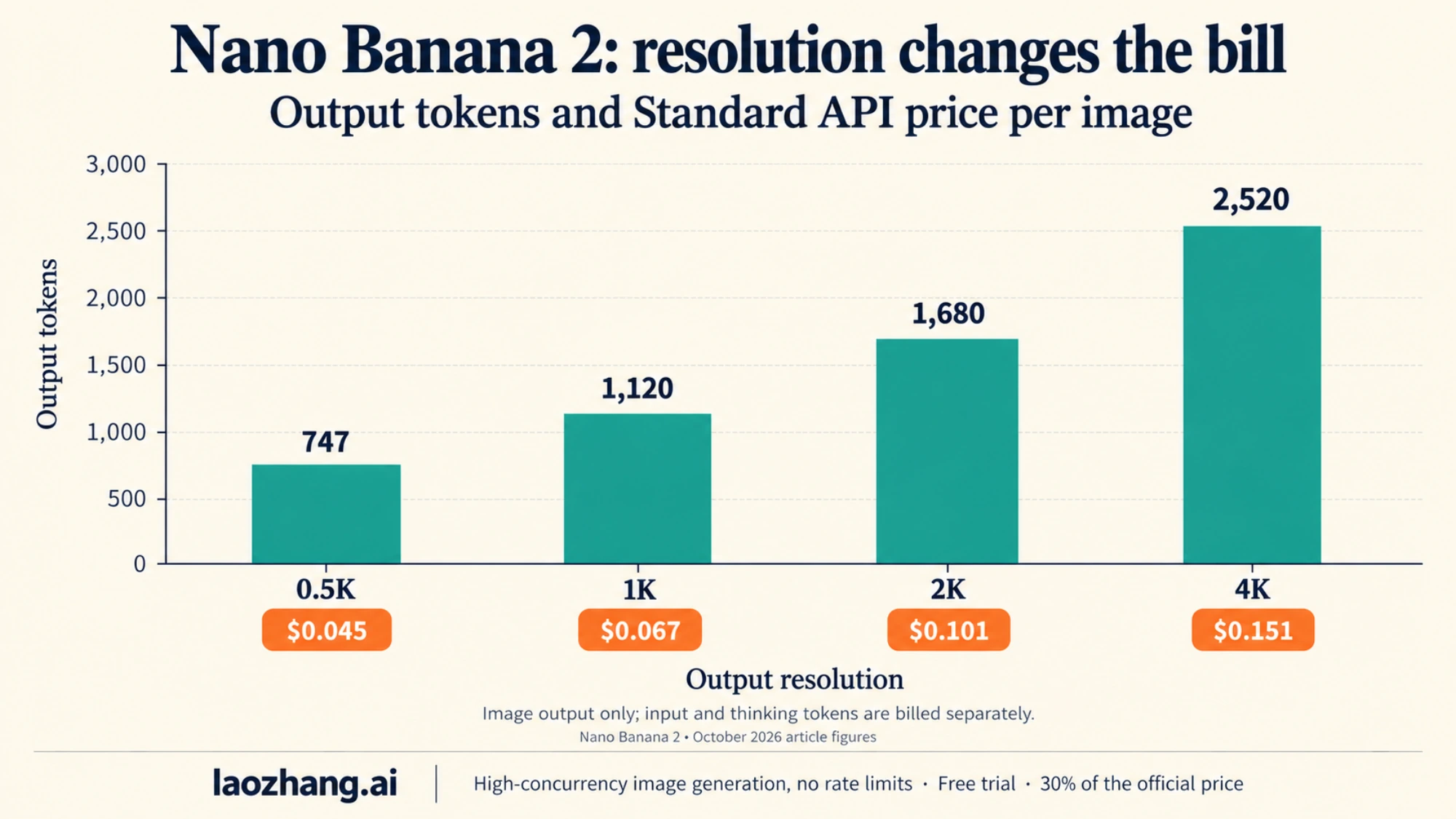
The chart shows Nano Banana 2; for 2.1, the 1K and 2K prices are exactly half, and 4K is about 25% lower because a 2.1 4K image uses more tokens (3,780 against 2,520) at half the rate.
Input is where the two models trade places. Nano Banana 2 charges $0.50 per million input tokens and $3 per million for text and thinking output; 2.1 charges $1.50 and $7.50. A reference image sent to Nano Banana 2 at 0.5K counts as 747 input tokens, and the image generation docs allow up to 14 reference images per request on both models. A heavily referenced prompt can therefore add a noticeable share of the bill, and more so on 2.1. Thinking tokens are billed on every call, and 2.1 starts at the medium thinking level. Pricing rows are by output size, not aspect ratio.
The ratios worth remembering: on Nano Banana 2 a 4K image uses 2.25x the output tokens of a 1K image (2,520 ÷ 1,120) and 3.37x a 0.5K image; on 2.1 the 4K step is 3.375x (3,780 ÷ 1,120). Those are exact token figures, so they translate directly into budget. 1,000 images at 1K cost $67 on Nano Banana 2 Standard and $34 in Batch, against $33.60 and $16.80 on 2.1. 1,000 at 4K cost $151 and $76 on Nano Banana 2, against $113 and $56.70 on 2.1. Drafting at 1K and rendering only the keepers at 4K still saves the most.
The sibling models bill the same way with different rates. Nano Banana 2 Lite (gemini-3.1-flash-lite-image) is $0.0336 per 1K image Standard and $0.0168 Batch, the same as 2.1 at 1K, but it only outputs 1K. Nano Banana Pro (gemini-3-pro-image) is $0.134 per image at 1K or 2K and $0.24 at 4K, halved in Batch. None of them has a free tier. Fuller cost models are in the Nano Banana 2.1 API pricing guide, the Nano Banana 2 API pricing guide and, for Pro, Gemini 3 Pro Image API pricing.
One thing these numbers do not tell you is the app-side cost of a 4K image. Because the Gemini app meters compute rather than tokens, and because free accounts download at 1K anyway, there is no published conversion between resolution and app allowance. Claims that "4K counts double in the app" are guesses; the token table above is an API fact.
Batch API: half price, enqueued-token limits of 1M to 750M for Nano Banana 2
Batch mode halves every image price in the table and runs under its own limits, separate from interactive calls. Google's rate-limits page lists 100 concurrent batch requests, a 2 GB input file limit and 20 GB of file storage. Enqueued tokens, the total across all your active batch jobs for one model, are capped per tier:
| Model (as named on the rate-limits page) | Tier 1 | Tier 2 | Tier 3 |
|---|---|---|---|
| Gemini 3.1 Flash Image Preview (Nano Banana 2) | 1,000,000 | 250,000,000 | 750,000,000 |
| Gemini 3.1 Flash Lite Image (Nano Banana 2 Lite) | 2,000,000 | 270,000,000 | 1,000,000,000 |
| Gemini 3 Pro Image Preview (Nano Banana Pro) | 2,000,000 | 270,000,000 | 1,000,000,000 |
| Nano Banana 2.1 | Not listed | Not listed | Not listed |
The Tier 1 figure is the practical constraint. Dividing 1,000,000 by the output token counts gives a rough sense of scale for Nano Banana 2: about 892 1K images or 396 4K images in flight at once, before input tokens. Google defines enqueued accounting in its own terms and the input side varies per job, so treat those as approximations rather than a promise. For 2.1, the page gives no ceiling, and a 2.1 4K image carries 3,780 output tokens, so the Nano Banana 2 figures do not carry over; check your project before queuing a large 2.1 job. The jump to Tier 2 (250x the Tier 1 ceiling for Nano Banana 2) is one of the strongest arguments for getting the $100 in paid usage on the books early if you plan any bulk work.
Batch is asynchronous, so it fits catalog renders, dataset generation and overnight jobs, not an interactive editor. At 1K, the cheapest official Batch prices are now 2.1 and Nano Banana 2 Lite at $0.0168 each, half of Nano Banana 2's $0.034.
Reading the error you got: 429, 503, 400 and what each name means
Google's API error reference maps each HTTP status to a named reason, and the name is what tells you which limit you hit:
| Status | Error name | What it means | What to do |
|---|---|---|---|
| 429 | rate_limit_exceeded | Exceeded a per-minute or per-second request or token limit | Back off for a few seconds; retry with jitter |
| 429 | quota_exceeded | Exceeded your daily quota | Wait for the midnight Pacific reset or raise the tier |
| 429 | RESOURCE_EXHAUSTED (spend-based limit) | Spent more than your tier's 10-minute cap | Wait, then send fewer expensive requests (4K, many references) |
| 429 | too_many_requests | Generic throttle | Retry with backoff |
| 503 | service_unavailable | Model temporarily overloaded or down | Retry; not a quota problem |
| 500 | api_error | Internal error | Retry with backoff |
| 504 | deadline_exceeded | Request timed out | Retry; shorten the prompt or reference set |
| 400 | failed_precondition | A prerequisite is not met, for example disabled billing | Link billing; do not retry |
| 400 | invalid_request | Malformed request | Fix the request; do not retry |
| 403 | permission_denied | Key lacks permission | Check the key and project; do not retry |
Google's troubleshooting guide recommends exponential backoff of 1, 2, 4 and 8 seconds with jitter, and retrying only 429, 408 and 5xx, never 400, 402 or 403. The Python SDK already does this for transient errors: up to four retries, roughly one second initial delay, 60 seconds maximum. If you are seeing quota_exceeded rather than rate_limit_exceeded, no amount of backoff helps until midnight Pacific; the fix is capacity, covered next. A failure that follows a model change rather than a burst of traffic is more often a retired preview ID than a limit.
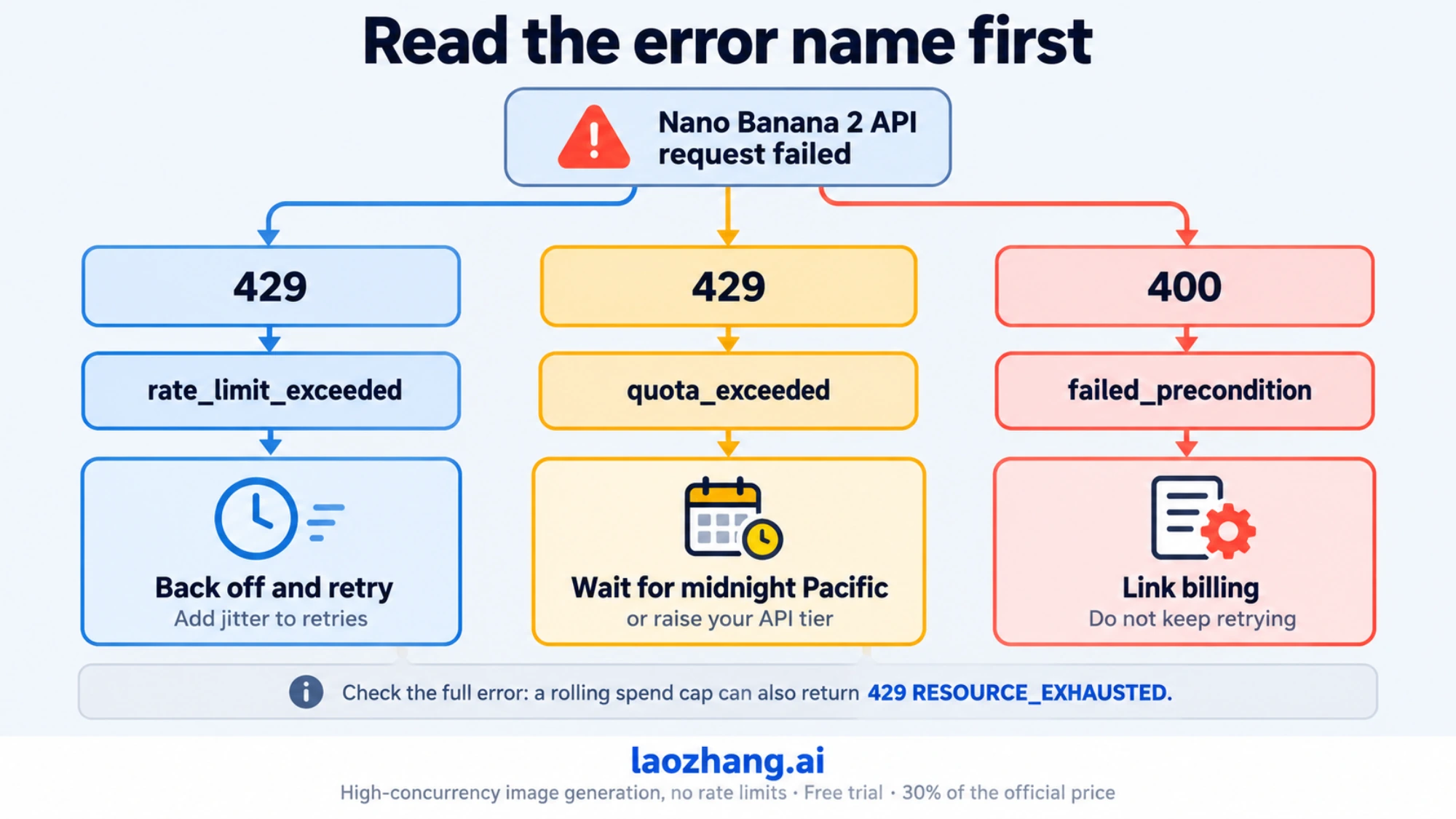
For deeper diagnostics, the guide to the Gemini image 429 rate limit separates the per-minute limit, the daily quota, the rolling spend cap and the no-billing case, and explains how long each one lasts. If a long image job stops partway on a 429, Nano Banana Pro RESOURCE_EXHAUSTED: Fix 429 and Resume Image Jobs has Python and Node.js examples that keep the images already finished and resume only the unfinished ones.
Five ways to get more Nano Banana capacity
Which one helps depends entirely on where you hit the limit.
Raise the app allowance with a Google AI plan. This is the only lever for the Gemini app itself. Plus doubles the standard allowance, Pro quadruples it, and Ultra gives 5x or 20x Pro. You also gain 2K downloads, Nano Banana Pro redos and, per Google's overview page, Nano Banana 2.1. What you do not gain is a stated image count, and the plan does nothing for API projects; AI credits for Flow and Antigravity are a separate purchase on Pro and Ultra. To choose between tiers for image work, Nano Banana 2 Subscription Price: What Google AI Plans Change compares what each plan adds and when per-image API pricing costs less.
Grow your API tier. Linking billing gets you out of the no-images Free tier immediately. $100 of paid usage plus three days gets you Tier 2, a 250x larger Batch ceiling for Nano Banana 2 and a $50 spend cap per 10 minutes instead of $10; $1,000 plus 30 days gets Tier 3. Since limits are per project, one project with billing beats several keys on one project. The numbers you get at each tier are in AI Studio; check them before you plan a launch rather than trusting a third-party table. If your project also calls Nano Banana Pro, Nano Banana Pro API Quota Increase: Tier 1–3 Caps in Images turns each tier's spend caps into Pro image counts and covers Google's quota increase request form.
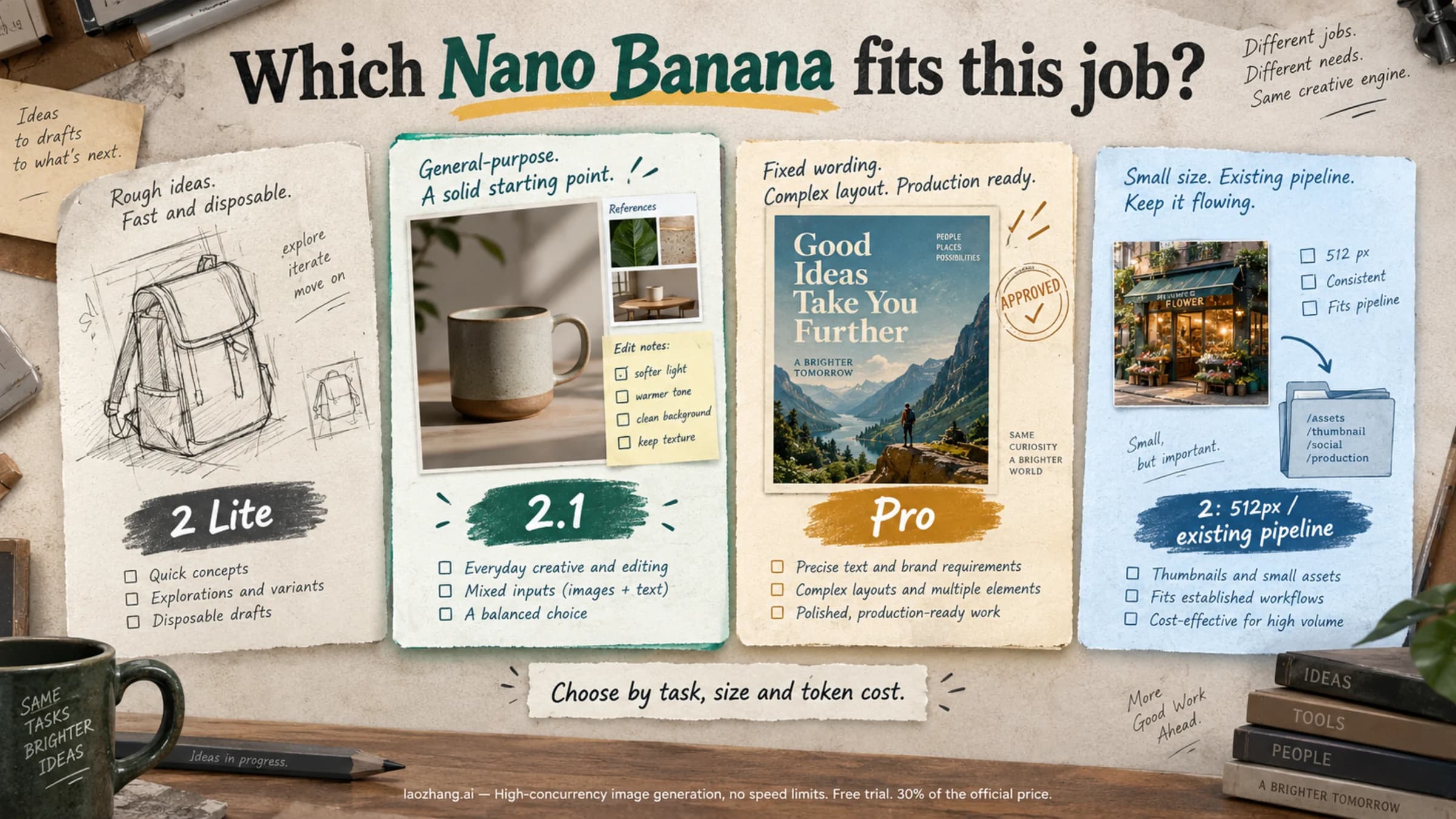
Move new work to Nano Banana 2.1. At 1K and 2K it costs half as much per image as Nano Banana 2, so the same Tier 1 spend cap covers about twice as many images, and it is the model Google now recommends. The trade-offs: no 0.5K output, higher input and thinking rates, and no published batch quota yet. If exact wording in the image matters, look at the 9-prompt test of Nano Banana 2.1 vs Pro vs GPT Image 2.5: with one draw per prompt at 1K, 2.1 changed the requested wording in 3 text tasks while Pro kept it. Nano Banana 2 Lite vs 2 vs 2.1 vs Pro covers which model fits which job.
Move bulk work to Batch. Half the per-image price and a separate enqueued-token budget. Anything that can wait for asynchronous results should go here, especially 4K output, where Nano Banana 2 Batch ($0.076) comes close to a Standard 1K image ($0.067).
Use a gateway with its own terms. If you need pay-per-image access without waiting on Google's tier clock, a gateway such as LaoZhang API charges a flat price per call: $0.045 for Nano Banana 2.1 at any size or thinking level, $0.055 for Nano Banana 2 (which it keeps available at the same price), $0.025 for Nano Banana 2 Lite and $0.09 for Nano Banana Pro, with Google Search grounding at $0.014 per search (Nano Banana 2.1 docs, Nano Banana model overview). It offers an OpenAI-compatible endpoint at https://api.laozhang.ai/v1/chat/completions, which returns 1K images for Nano Banana 2.1, and a Gemini-native generateContent route for fixed ratios, 2K and 4K. The API key's billing mode has to be set to Usage first or Per-call before Nano Banana calls work. Every HTTP 200 is charged once, even if no image comes back, while a request rejected with 429 or 503 before generation is usually not charged. The flat price changes the math: against Google's 2.1 list price it costs more at 1K ($0.045 vs $0.0336) and less at 2K ($0.0504) and 4K ($0.113), before Google's thinking-token charges. A gateway is a different service with its own meter, not the removal of limits, and it does not change your Gemini app allowance or your own Google project's tier. The Nano Banana 2.1 per-image vs per-call comparison runs those numbers in more detail.
Disclosure: laozhang.ai is our own service. Its prices are platform pricing, not an independent comparison.
Things that do not work, despite still circulating: buying AI credits to extend Gemini app images (they apply to Flow and Antigravity); making extra API keys in the same project (limits are per project); timing your day around midnight Pacific in the app (the app uses 5-hour windows, not a daily reset).
Nano Banana 2 limits: frequently asked questions
Does Nano Banana 2 have a daily limit?
In the Gemini app, not a published one. Google describes the limit as compute-based, refreshing every 5 hours until a weekly ceiling, and shows your status under Settings → Usage Limits. The image help page does refer to a "daily quota of Nano Banana 2 images" without stating the number. AI Mode in Search still has an explicit daily count (25 without a plan, 50 Plus, 100 Pro, 1,000 Ultra). The API has requests-per-day quotas per project that reset at midnight Pacific, plus a spend cap per 10 minutes.
Is Nano Banana 2 free and unlimited?
Free, yes: Nano Banana 2 is the free model in the Gemini app, with downloads capped at 1K. Unlimited, no: free accounts have the standard compute allowance, and when it runs out they wait for the next 5-hour refresh with no Flash-Lite fallback. On the API there is no free option at all; the Free tier column reads "Not available" for every Nano Banana model, including 2.1. For the no-cost routes outside the Gemini app, such as AI Mode and Google Flow, see Can You Use Nano Banana for Free? Google's No-Cost Options.
How many images can I generate with Nano Banana 2?
For the Gemini app there is no fixed answer, because complex prompts, reference images and long chats consume more of the same allowance. The only way to know is the Usage Limits page in your own account. For the API it is a question of budget rather than count: 1,000 images at 1K cost $67 on Nano Banana 2 Standard or $34 in Batch ($33.60 and $16.80 on 2.1), and your per-minute and per-day ceilings are shown in AI Studio for your project.
Is Nano Banana 2 being shut down?
Not on a set date. On the Gemini API it is deprecated with no shutdown date announced, and Google recommends Nano Banana 2.1 for new projects; an October 29, 2026 date shown on launch day was removed. On Vertex AI its retirement is listed as "May 28, 2027 or later". In the Gemini app, Google's overview page still lists it as the free image model.
Does Nano Banana 2.1 have different limits?
In the Gemini app, Google publishes no image count for either model, and the limits help page does not mention 2.1 yet. On the API, 2.1 sits under the same per-project tiers and spend caps, but Google's rate-limits page has no 2.1 row, including for Batch, so the only place to read your 2.1 limits is AI Studio. Because 2.1 costs half as much at 1K and 2K, the same spend cap covers about twice as many images.
Does a Google AI plan raise my API rate limits?
No. Plans attach to your Google account and multiply the Gemini app allowance. API rate limits attach to a Google Cloud project and move with paid spending: billing linked for Tier 1, $100 plus three days for Tier 2, $1,000 plus 30 days for Tier 3. The two never interact.
Why does Google Flow say I reached the daily limit for Nano Banana 2?
Flow meters Nano Banana 2 through its own credit wallet, so its "daily limit" message is about Flow's allocation, not the Gemini app's. Waiting for Flow's refresh or buying AI credits (Pro and Ultra only) restores it. Your Gemini app and API usage are unaffected.
What was the 20/50/100/1,000 per day table?
In March 2026, Google's Gemini image help page listed 20 Nano Banana 2 images a day for free accounts, 50 for Plus, 100 for Pro and 1,000 for Ultra. Google has since removed the table and replaced it with compute-based limits. The old figures still appear on third-party pages; they are history, not a current rule.
Sources14
External pages this guide links to, in the order they appear. Last updated Oct 8, 2026.
Sources14
External pages this guide links to, in the order they appear. Last updated Oct 8, 2026.
- 1.compute-based usage limitssupport.google.com/gemini/answer/16275805
- 2.Gemini API changelogai.google.dev/gemini-api/docs/changelog
- 3.image generation overviewgemini.google/overview/image-generation
- 4.AI Mode image helpsupport.google.com/websearch/answer/16649374
- 5.AI Studio rate-limits pageaistudio.google.com/rate-limit
- 6.subscriptions pagegemini.google/us/subscriptions
- 7.image help pagesupport.google.com/gemini/answer/14286560
- 8.AI credits pagesupport.google.com/googleone/answer/17103110
- 9.deprecations pageai.google.dev/gemini-api/docs/deprecations
- 10.image generation guideai.google.dev/gemini-api/docs/image-generation
- 11.Gemini API rate-limits pageai.google.dev/gemini-api/docs/rate-limits
- 12.pricing pageai.google.dev/gemini-api/docs/pricing
- 13.API error referenceai.google.dev/gemini-api/docs/api-errors
- 14.troubleshooting guideai.google.dev/gemini-api/docs/troubleshooting