ChatGPT Plus and Go Image Generation Limits: Daily Caps, Upload Rules, and Safe Alternatives
ChatGPT Plus and Go both offer more image generation than Free, but OpenAI does not publish one universal daily image count. Use this router to separate generation, upload, project, and API limits.
On this page
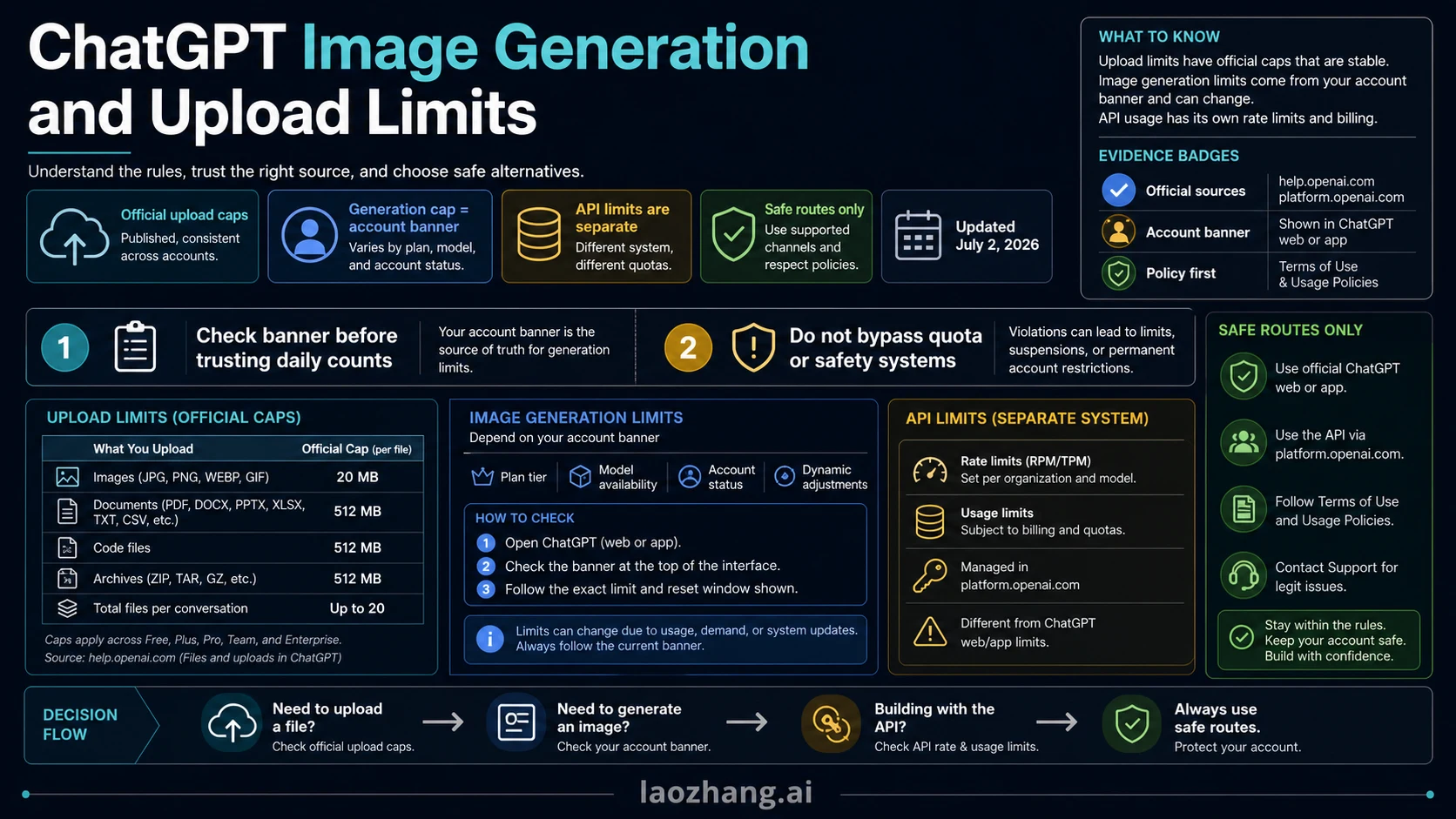
As of September 2, 2026, the safe answer to "ChatGPT Plus image generation limit" and "ChatGPT Go image generation limit" is not a fixed daily number. OpenAI says Plus and Go provide more image creation than Free, but the exact ChatGPT image-generation cap is still owned by the banner, reset message, plan state, model availability, and system conditions visible in your own account.
If you are blocked right now, first identify which area failed:
| Limit area | What is safe to trust today | First action |
|---|---|---|
| ChatGPT Plus image generation | Your account banner and reset message, not an old cap table | Read the in-app message before retrying or changing plans |
| ChatGPT Go image generation | The Go plan promise of more image creation than Free, plus your current banner | Do not assume Go and Plus share the same image count |
| File or image uploads | OpenAI's file-upload rules: Free gets 3 file uploads per day; eligible users can upload up to 80 files every 3 hours; images uploaded as files are capped at 20 MB each | Check file size, file count, storage, and status.openai.com |
| Projects | Project file caps are separate from image generation and upload windows | Remove files or split work only when the project boundary is clean |
| OpenAI API image generation | API rate limits by model, project, organization, usage tier, and billing | Queue requests, add backoff, track cost, and check API limits |
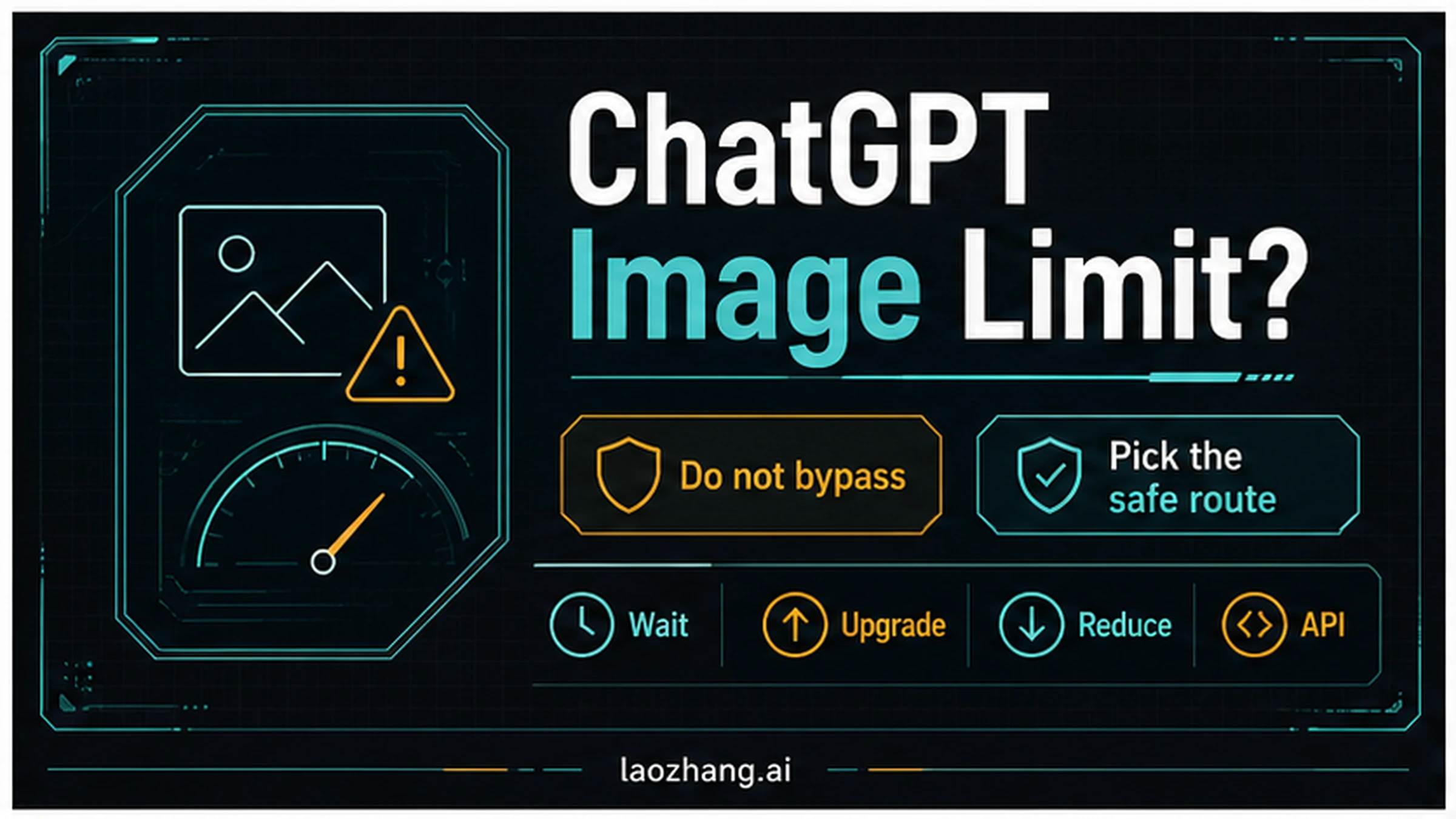
Do not try to bypass ChatGPT limits with account rotation, VPN/proxy tricks, automation loops, or prompt evasion. The safe alternatives are to wait for reset, reduce the upload payload, use the plan option shown by ChatGPT, move repeatable production image work to the OpenAI API, or use a separate image tool when you do not need ChatGPT conversation context.
One final guardrail before the tables: a GPT message window, a file-upload window, and a generated-image reset are different meters even when they appear inside the same ChatGPT plan.
The Short Answer
ChatGPT Plus and ChatGPT Go both sit above Free for image work, but neither should be described as unlimited. The current official language is comparative: Go includes more image creation and higher file-upload limits than Free, while Plus includes expanded image generation and higher limits. OpenAI does not publish a stable public "Plus gets X images per day" or "Go gets Y images per day" table that applies to every account.
That distinction changes the decision:
| Need | Trust this source | Do this next |
|---|---|---|
| Know your Plus image reset | The current Plus banner in ChatGPT | Wait, reduce retries, or use the in-app option shown there |
| Know your Go image reset | The current Go banner in ChatGPT | Treat Go as more than Free, not as a precise public daily count |
| Upload more files or reference images | OpenAI's file-upload FAQ and your storage status | Reduce count/size, delete old files, or wait for the rolling window |
| Decide between Go and Plus | The plan page plus your real workload | Choose by total tool access, not by a rumored image count |
| Run production image jobs | OpenAI API limits page and usage dashboard | Queue work, add backoff, track spend, and design for rate limits |
Plus vs Go: what can be said safely
| Plan option | Safe image-limit statement | What not to publish |
|---|---|---|
| Free | Has stricter image/tool access and clear file-upload limits | Do not convert upload limits into a generated-image count |
| Go | Gives more image creation and higher upload limits than Free | Do not state a universal Go daily image count without account current details |
| Plus | Gives expanded image generation and higher limits | Do not call Plus unlimited or copy old "50/200 images" claims |
| Pro / Business / Edu / Enterprise | May carry higher or workspace-specific access | Do not infer team or enterprise image caps from consumer plan snippets |
| API | Separate developer limits, billing, and rate-limit handling | Do not frame API as a ChatGPT quota bypass |
Which Limit Did You Hit?
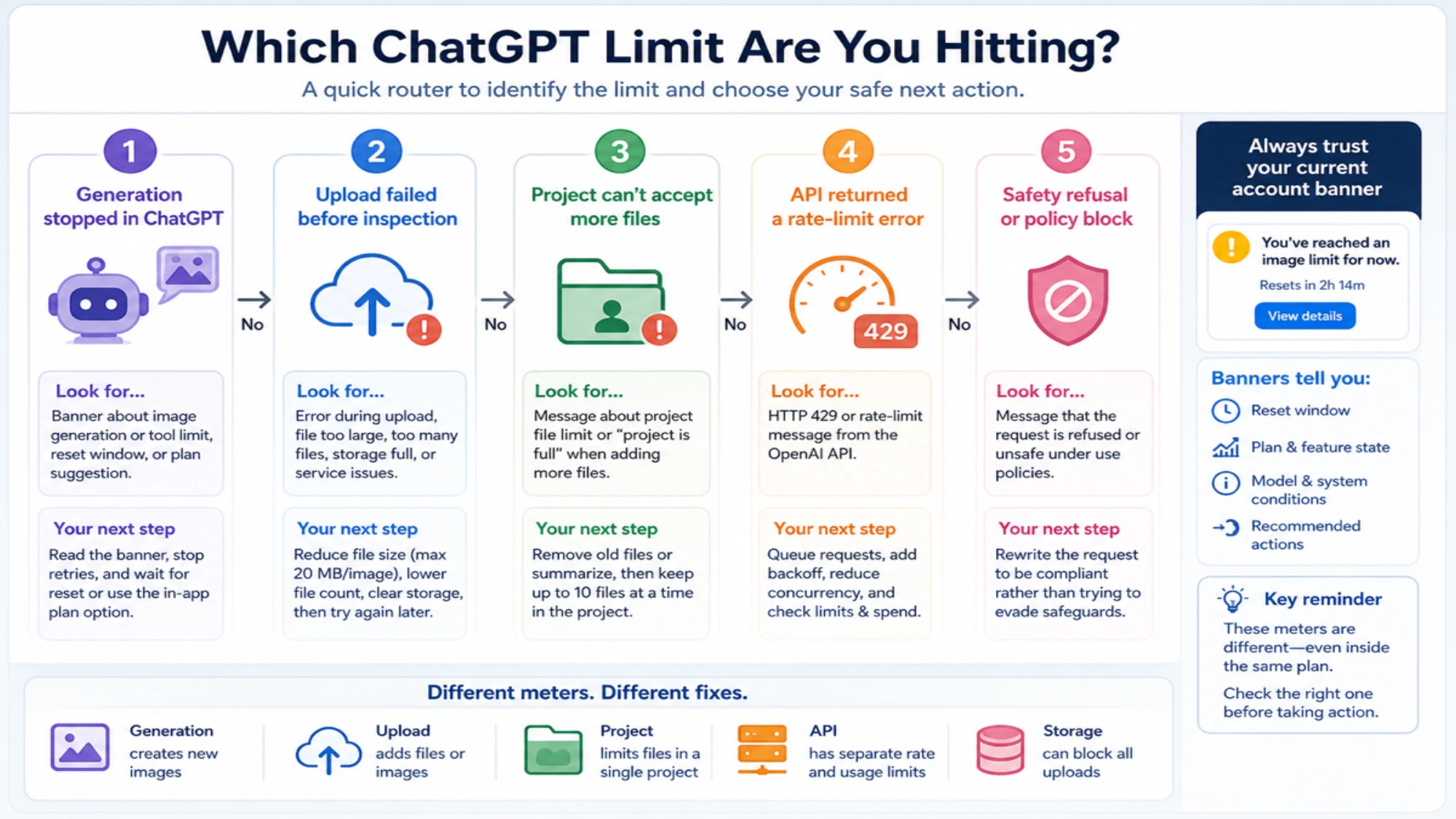
Start with the symptom, not the plan name. The same Plus or Free account can face different limits depending on whether the action was generation, upload, project storage, or API usage.
Generation stopped in ChatGPT
If ChatGPT says you have reached an image-generation or tool limit, the account banner is the fact source. It may show a reset window, suggest waiting, or offer a paid-plan path. Do not treat the upload FAQ as proof that you can generate more images, and do not treat a public "50 images" claim as a contract for your account.
Your next move is to read the banner, stop repeated retries, and decide whether the task needs ChatGPT context. If it does, wait or use the in-app plan path. If it does not, move the image-only job to a dedicated image tool or the API.
Upload failed before ChatGPT could inspect the file
Upload failure is usually about the file, the rolling upload window, storage, or service state. OpenAI lists a 20 MB cap for images uploaded as files. Free users have a 3-file-per-day upload limit. Eligible users can upload up to 80 files every 3 hours, and OpenAI notes that limits may be lowered during peak hours. Failed upload attempts can also count, so blind retries can make the situation worse.
Before retrying, reduce the file size, remove duplicate frames, keep only images that ChatGPT actually needs, and check status.openai.com if failures look abnormal.
Project cannot accept more files
Projects have their own file limits. OpenAI's current file-upload FAQ separates project limits from global upload windows: projects can accept 10 files at a time, Plus projects have a published 20-file project limit, and Pro/Team/Education/Business projects have a published 40-file project limit. Do not invent a Go project-file number from older snippets; treat Go's project behavior as a separate account/UI fact unless OpenAI publishes it for the plan you see.
If the project is full, do not create scattered duplicate projects just to force more files into context. Remove obsolete files, summarize old context into a smaller source document, or split only cleanly separable work.
API returns a rate-limit error
API rate limits belong to the developer platform, not the ChatGPT consumer app. The OpenAI API can support production image workflows, but it has model, project, organization, and tier limits. A 429 response is a signal to slow down, queue, reduce concurrency, use exponential backoff, or check the limits page. It is not proof that ChatGPT Plus or Pro should let you generate more images in the app.
Current Official Limit Map
Use this as the September 2, 2026 map of what OpenAI publishes clearly and what must remain account-specific.
| area | Current official boundary | What not to infer |
|---|---|---|
| Plus image generation | Expanded image generation and higher limits, with feature/system-condition variability | A universal Plus daily generated-image count |
| Go image generation | More image creation than Free and higher upload limits than Free | A universal Go daily generated-image count, or parity with Plus |
| Free file uploads | 3 file uploads per day | This is not a daily generated-image count |
| General file upload window | Up to 80 files every 3 hours for eligible users | OpenAI can lower limits during peak hours |
| Image file uploads | 20 MB per image | This is an upload-size limit, not an image-generation quota |
| Documents and text files | 512 MB per file, with text/document token caps | Large files can still fail if storage or token limits are hit |
| User storage | 25 GB per end user | Deleting old files may be required before more uploads work |
| Organization storage | 100 GB per organization | Team storage is shared and can block individual work |
| Projects | 10 files at a time; Plus 20 files per project; Pro/Team/Education/Business 40 files per project | Project caps are separate from generation and upload windows |
| GPT message windows | Model message limits are separate from image-generation counts | A GPT message cap is not an image quota |
| API image generation | Separate API rate limits by model, project, organization, and tier | API is not unlimited and is not a ChatGPT quota bypass |
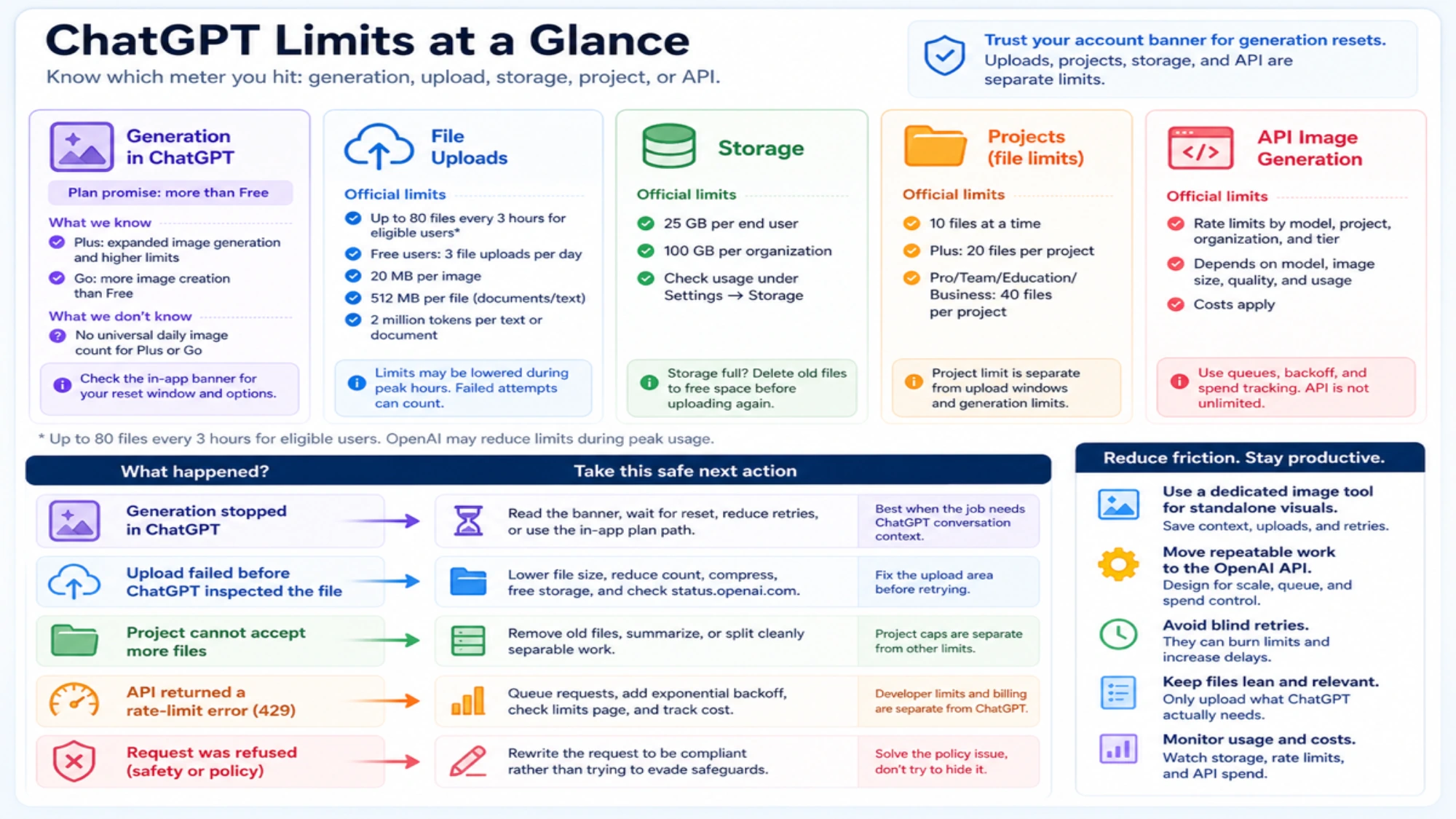
The biggest mistake is to collapse all of these into "the ChatGPT image limit." A file-upload cap can stop you from attaching more screenshots even when generation is available. A generation cap can stop new image output even when file uploads are still available. A project cap can block more context while normal chat still works. A storage cap can make every upload feel broken until you clean up.
ChatGPT now shows Library storage usage under Settings → Storage, but it still does not show how much of the rolling upload-rate quota has been used or remains. Storage headroom is not upload-rate headroom.
Safe Alternatives by Reader Job
Use the alternative that matches the job you actually have.
| Reader job | Safe option | Why it works |
|---|---|---|
| Continue a conversation that needs prior ChatGPT context | Wait for the reset or use the in-app plan option | The context stays in the same account and product boundary |
| Retry image/file uploads | Resize, compress, reduce count, and clean storage | The fix targets the actual upload area |
| Generate a standalone visual | Use a dedicated image creation tool such as yingtu.ai | You do not spend ChatGPT context or upload capacity on a pure image task |
| Run repeatable production images | Use the OpenAI API | You can queue, monitor, back off, and track cost |
| Handle a safety refusal | Change the task so it is allowed | You solve the policy issue instead of trying to hide it |
The separate-tool option is strongest when ChatGPT is only acting as a generator. It is weaker when the task depends on uploaded documents, conversation memory, or analysis that already happened in ChatGPT. In that case, waiting or using the official in-app option is cleaner.
For more detail on unsafe workaround claims, read the sibling safety page: Can You Bypass ChatGPT Image Limits?. For upload-heavy Plus workflows, the older Plus-specific page on ChatGPT Plus image upload limits is useful background, but current decisions should still follow the official-source split here.
When to Move Image Work to the OpenAI API
Move to the API when the job is repeatable, product-facing, queueable, or cost-tracked. Stay in ChatGPT when the job is occasional, conversational, or depends on the user's current app context.
OpenAI's image-generation docs describe two main developer routes. The Image API is the direct option for generating or editing images from a prompt or reference image. The Responses API is better when the image work belongs inside a multi-turn assistant or application workflow. The model page for gpt-image-2 identifies it as a current image model family for high-fidelity image generation in the API docs, while the image-generation guide shows that cost and rate limits depend on the selected model, image quality, image size, input text, and input images.
The API option should include:
- a queue so users do not trigger instant bursts,
- exponential backoff with jitter for rate-limit and server-pressure responses,
- a per-user or per-project spend meter,
- logging of model, size, quality, request ID, and failure reason,
- a retry budget that stops before it becomes a cost or abuse problem,
- a dashboard check before asking for higher limits.
If you are choosing the API option mainly because the app banner says you hit a ChatGPT image limit, be careful. API capacity is separate, billed separately, and rate-limited separately. The right framing is "this workflow belongs in a developer system," not "this bypasses ChatGPT."
For implementation details, pair this API option with OpenAI API rate-limit handling, GPT Image 2 API pricing, and Is GPT Image 2 free?.
A 60-Second Recovery Checklist
- Read the exact message. Is it about generation, upload, storage, project files, or API?
- If it is generation, trust the current ChatGPT banner for your account and reset window.
- If it is upload, check image size, file count, storage, failed attempts, and service status.
- If it is project-related, remove old files or split only cleanly separable work.
- If it is API-related, inspect model/project limits, queue, back off, and measure cost.
- If the request is refused, rewrite the task to be compliant rather than evading safeguards.
- If the job does not need ChatGPT context, move it to a legitimate dedicated image tool.
This checklist is intentionally boring. It keeps the account, project, and billing trail clean, which matters if you later need support, quota review, or team handoff.
FAQ
What is the ChatGPT Plus image generation limit?
OpenAI does not publish one universal Plus daily generated-image count that safely applies to every account. Plus gives expanded image generation and higher limits, but the exact reset window should come from your current ChatGPT banner.
What is the ChatGPT Go image generation limit?
ChatGPT Go is officially positioned as more image creation than Free, but that is not the same as a fixed public daily count. Treat Go's image limit as account-banner-specific unless OpenAI publishes a precise plan table.
Is ChatGPT Plus better than Go for image generation?
Usually yes when your workload also needs broader paid features, higher tool access, or more headroom. But the decision should not depend on a rumored image number. Compare the in-app plan language, your reset banner, uploads, Projects, and whether the job belongs in the API.
How many images can Free users upload?
OpenAI's file-upload FAQ says Free users are limited to 3 file uploads per day, and image files are capped at 20 MB each. That upload limit is not the same as a generated-image limit.
Can I bypass the ChatGPT image limit?
Do not try to bypass it. Account rotation, VPN/proxy tricks, retry automation, and prompt evasion can put your account or project at risk. Use wait/reset, smaller uploads, official plan routes, API workflows, or a separate image tool instead.
Are ChatGPT upload limits and image-generation limits the same?
No. Upload limits govern files or images you attach to ChatGPT. Image-generation limits govern new images ChatGPT creates. Project caps, storage caps, GPT message windows, and API rate limits are separate again.
Should I use the OpenAI API when ChatGPT image generation is capped?
Use the API when the workflow is production, repeatable, or needs queueing and cost control. Do not use it as a casual workaround for an app cap. API limits, billing, and verification are separate from ChatGPT consumer plans.