How to Make a GIF in ChatGPT (Images 2.6): Frames, Speed, Edits
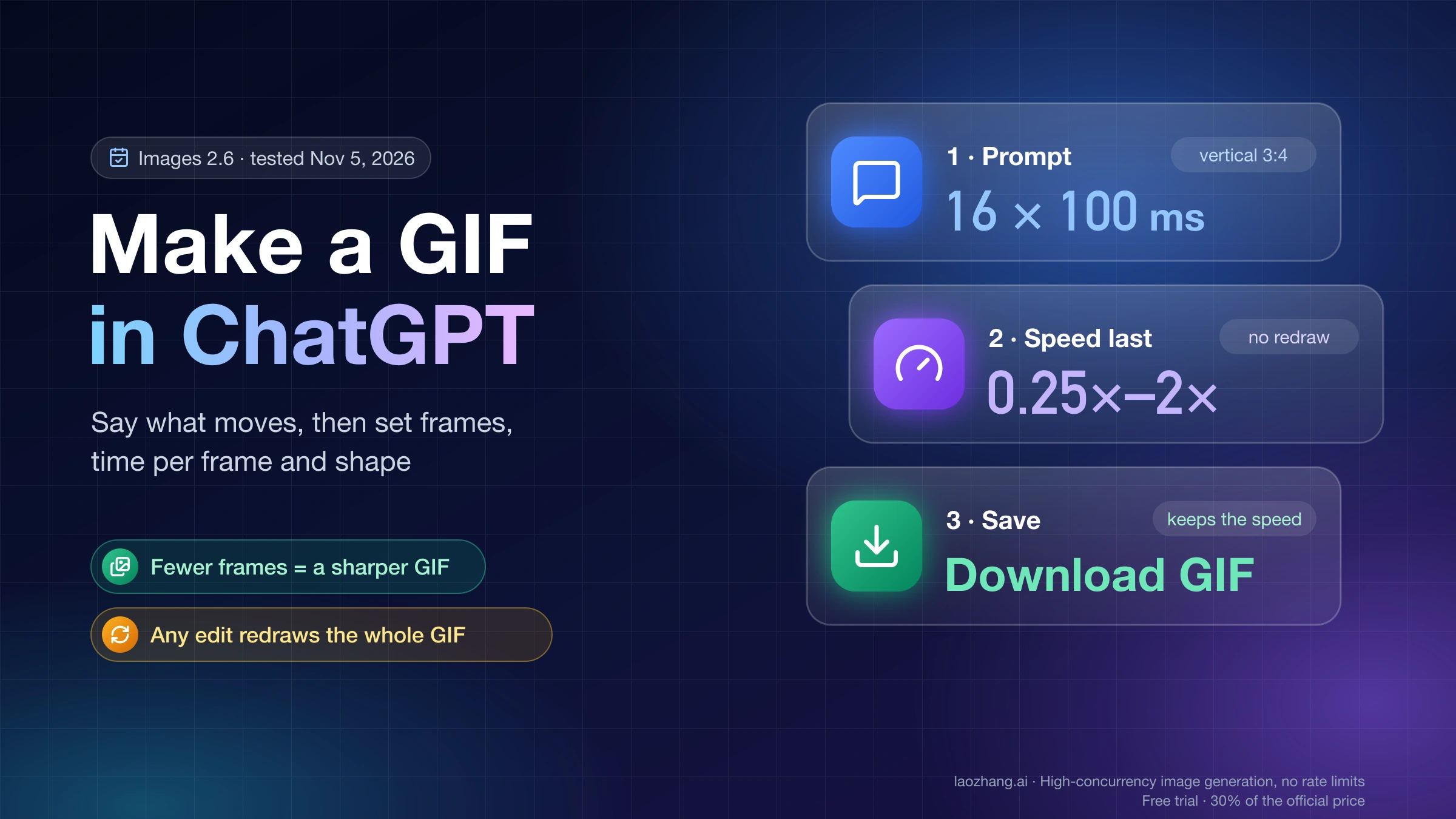
Type "Make a looping GIF of…" and say what moves. Ask for fewer frames if it must look sharp; the speed menu retimes it, but any edit redraws the whole GIF.
On this page
ChatGPT can make GIFs by itself now. Since OpenAI released Images 2.6 on November 4, 2026, you type a request like "Make a looping GIF of a paper boat bobbing on the water" into an ordinary chat, or upload a still photo or sketch and ask ChatGPT to animate it, and a looping GIF comes back in the conversation. You don't need a custom GPT or code that stitches frames together anymore. OpenAI says GIF creation is still rolling out, so some accounts don't have it yet.
To control the result, put three things in the prompt besides the motion: the number of frames, the milliseconds per frame, and the shape. In tests on November 5, 2026, on a Pro account at chatgpt.com, ChatGPT followed all three. Every frame is cut from the same image, though, so a 40-frame GIF came back at 194×175 pixels while the default 9-frame one was 478×353. Ask for fewer frames when the GIF has to look sharp, and more only when the motion has to be fast and smooth.
Once the GIF arrives, open it and use the speed chip, which runs from 0.25× to 2× and retimes the frames without redrawing anything. Any change you describe in the chat, or pin to a frame as a comment, makes ChatGPT draw a new GIF that can change shape and starts again at 1×. So finish your edits first, set the speed last, and save with Download GIF, which keeps the speed you picked.
Make a GIF in ChatGPT from a text prompt, step by step
A GIF is an ordinary image request in ChatGPT. There is no separate GIF tool or setting to turn on, and OpenAI's own instruction in its help page on images in ChatGPT is simply to "ask for a looping GIF and describe what should move."
- Open a chat at chatgpt.com or in the ChatGPT app.
- Type "Make a looping GIF of", then the subject and what it does, for example "a paper boat bobbing on the water." Add frames, timing and shape if you care about them (see the next section).
- Send it and wait. While it works, a card reads "Creating GIF" with a percentage counter, and a Skip GIF creation button lets the reply continue without the GIF.
- The GIF plays in the chat with a 1× speed chip in its lower-left corner. Click the GIF to open the viewer, where the speed menu, frame timeline, Edit and download options are.
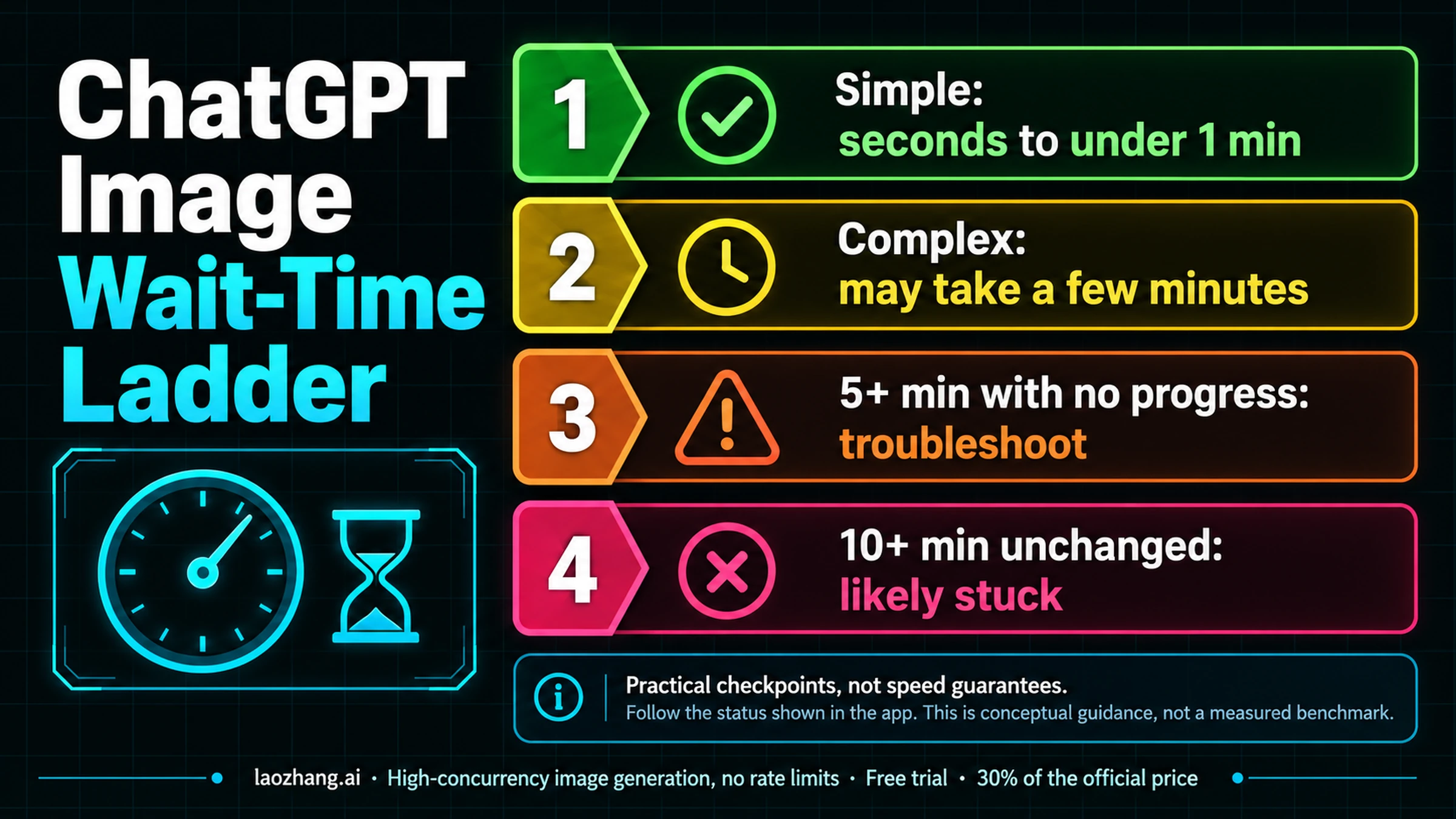
The wait is longer than for a still image. In the November 5 tests, the two runs that showed a timer took 55 seconds and 1 minute 24 seconds, with the composer's thinking level set to High. If a request sits much longer than that, How Long Does ChatGPT Take to Make an Image? covers the difference between a normal wait and a stuck one.
With no instructions beyond the motion, OpenAI's paper-boat example came back as 9 frames at 160 ms each, set to loop forever; its size is in the frame table below. The file also carries C2PA Content Credentials, the provenance data OpenAI adds to ChatGPT images, embedded in the GIF itself.
Write the GIF prompt: what moves, frame count, timing and shape
A prompt that gives you a predictable GIF names five things: the subject, the motion, the number of frames, the time per frame and the shape. This one was tested on November 5, 2026:
Make a looping GIF of a cartoon cat waving its paw. Use 16 frames at 100 ms per frame, vertical 3:4.ChatGPT thought for 1 minute 24 seconds and returned exactly that: 16 frames of 100 ms at 267×355 pixels, which is 3:4. A second prompt asked for "40 frames at 50 ms per frame, square" for a bouncing red ball and got 40 frames of 50 ms in a shape close to square but not exact. Treat the shape as a strong hint rather than a pixel size.
Time per frame sets the pace, and the loop length is simply frames × milliseconds per frame, so 16 × 100 ms gives 1.6 seconds. To make the end flow back into the start, say how the motion finishes, for example "the paw comes back down to where it started." OpenAI's API guide gives developers the same advice: describe the subject, the motion and the loop you want. If parts of the scene should not move, say so too ("the background stays still"), because anything you don't pin down is open to animation.
How many frames to ask for: more frames make a smaller GIF
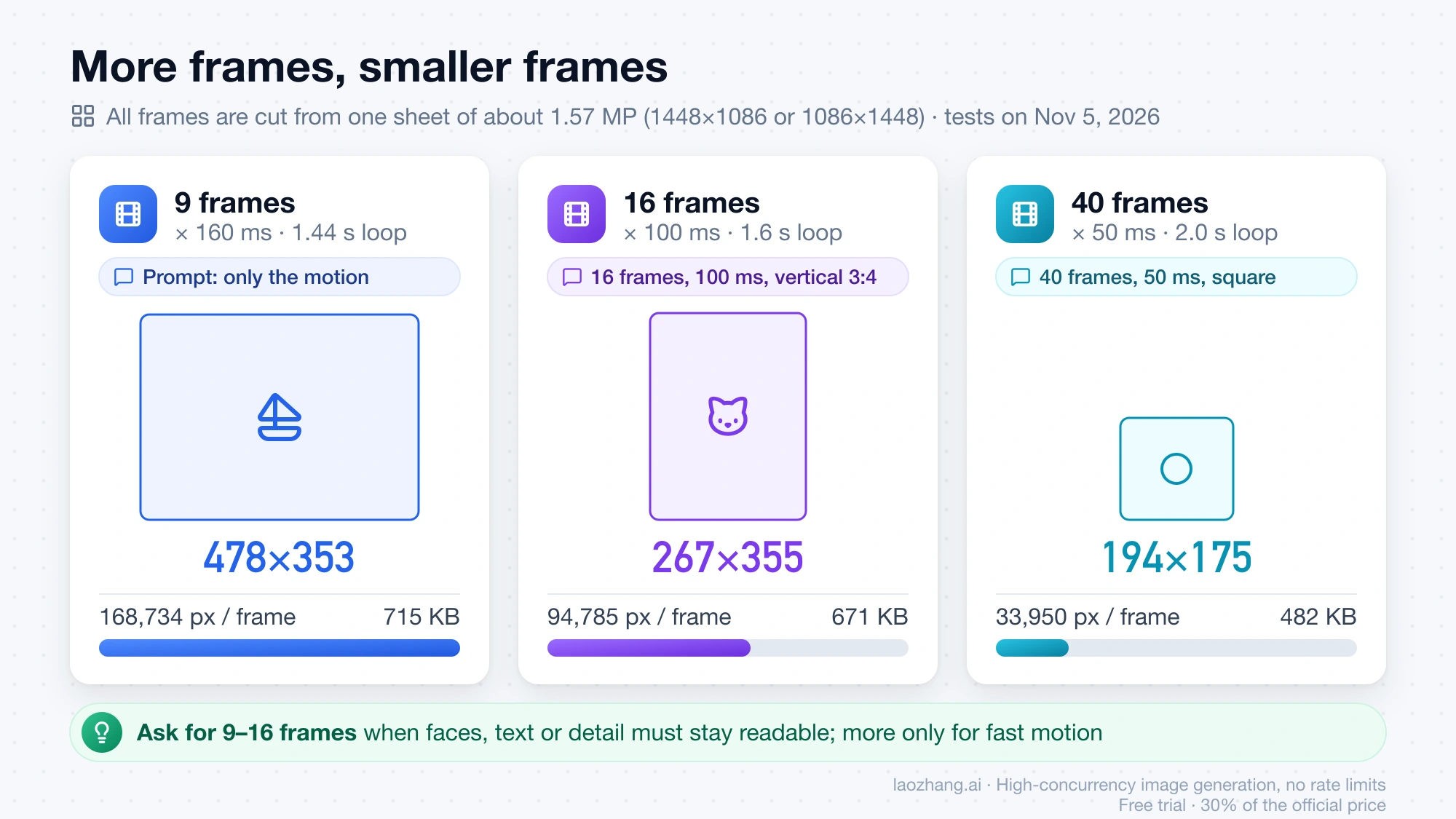
Ask for 9 to 16 frames when faces, text or detail need to stay readable, and go higher only for quick motion such as a bounce or a spin. The reason is that ChatGPT draws all frames on one grid image, a sprite sheet, and cuts the GIF from it. In the November 5 tests that sheet was 1448×1086 pixels (or 1086×1448 for the vertical cat), about 1.57 megapixels, and every GIF's frames fit inside roughly that budget. More frames therefore means smaller frames.
| What the prompt asked for | Frames × time per frame | Loop length | Size of each frame | Pixels per frame | File size |
|---|---|---|---|---|---|
| Only the motion (paper boat) | 9 × 160 ms | 1.44 s | 478×353 | 168,734 | 715 KB |
| 16 frames, 100 ms, vertical 3:4 (waving cat) | 16 × 100 ms | 1.6 s | 267×355 | 94,785 | 671 KB |
| 40 frames, 50 ms, square (bouncing ball) | 40 × 50 ms | 2.0 s | 194×175 | 33,950 | 482 KB |
Multiply the frame count by the pixels per frame and each row lands just under the sheet: about 1.52 million pixels for 9 and 16 frames, 1.36 million for 40. A 16-frame GIF gets a little over half the pixels per frame of the default, and a 40-frame GIF about a fifth, so detail drops quickly as the frame count rises. These are three samples from one account; OpenAI doesn't publish the sheet size or a maximum frame count for ChatGPT.
If you're building GIFs into an app, the same model is in the OpenAI Image API: GPT Image 2.6 accepts output_format: "gif" with frame_count (2–64, default 9) and frame_duration_ms (20–2000 ms, default 200) on the generations endpoint, as described in OpenAI's image generation guide. LaoZhang API lists gpt-image-2.6-flare and gpt-image-2.6-sunburst with the same GIF parameters on its OpenAI Official group at OpenAI's token prices, and its own example puts a 512×512, 9-frame GIF at about $0.06. For still images, 2.6 costs 3–4 times as much as 2.5 per image at low and medium and the same from high up; GPT Image 2.6 vs 2.5: Same Price at High, 4× the Cost at Low compares the two by quality level.
Disclosure: laozhang.ai is our own service. Its prices are platform pricing, not an independent comparison.
Animate a photo or sketch: upload a still image, describe the motion
You can turn your own picture into a GIF: OpenAI's help page says you can "upload a still image and ask ChatGPT to animate it." The steps are short.
- In a chat, attach the photo with the + button or drag it into the message box.
- In the same message, ask for a looping GIF and say what should move and what should stay still, for example: "Animate this photo as a looping GIF. My dog's tail wags and its ears twitch; the background stays still. 12 frames at 120 ms, square."
- Send it. The frame and size trade-off above applies here too.
A drawing works the same way. In the ChatGPT mobile app, type @ in the message box, choose Sketch, draw, and tap the checkmark; then add the motion. OpenAI's own release note uses the example of uploading a sketch and asking ChatGPT "to make the character wave."
One thing ChatGPT won't do is edit an animated GIF you already have. The help page states plainly that "ChatGPT can't edit an animated GIF you upload," so the closest you can get is to upload a single still frame and animate that.
Change GIF speed from 0.25× to 2× without redrawing
Speed is the one change that doesn't create a new GIF. Open the GIF, click the speed chip and pick one of eight settings: 0.25×, 0.5×, 0.75×, 1×, 1.25×, 1.5×, 1.75× or 2×. On November 5, 2026, choosing 0.5× on the 9-frame boat turned every 160 ms frame into 320 ms and the loop into 2.88 seconds, while the file size and its Content Credentials stayed identical. No new message appeared in the chat, so nothing was regenerated.
That makes the speed menu the quickest way to fix pacing. At 0.25× each frame lasts four times as long, so the boat's 1.44-second loop would stretch to 5.76 seconds; at 2× it halves to 0.72 seconds. If the motion looks choppy rather than too slow or too fast, speed won't help, because the number of frames stays the same; that calls for a new GIF with more frames.
ChatGPT GIF editor: edits and frame comments redraw the whole loop
Every change other than speed produces a brand-new GIF, whether you type it in the chat or comment on a frame. In the same chat as the boat, the request "Make the boat red and add light rain falling on the water" took 55 seconds and returned a red boat in the rain, but at 412×411, nearly square, where the original had been landscape and no new shape was requested. The 0.5× speed set on the previous GIF didn't carry over either; the new one played at 1×.
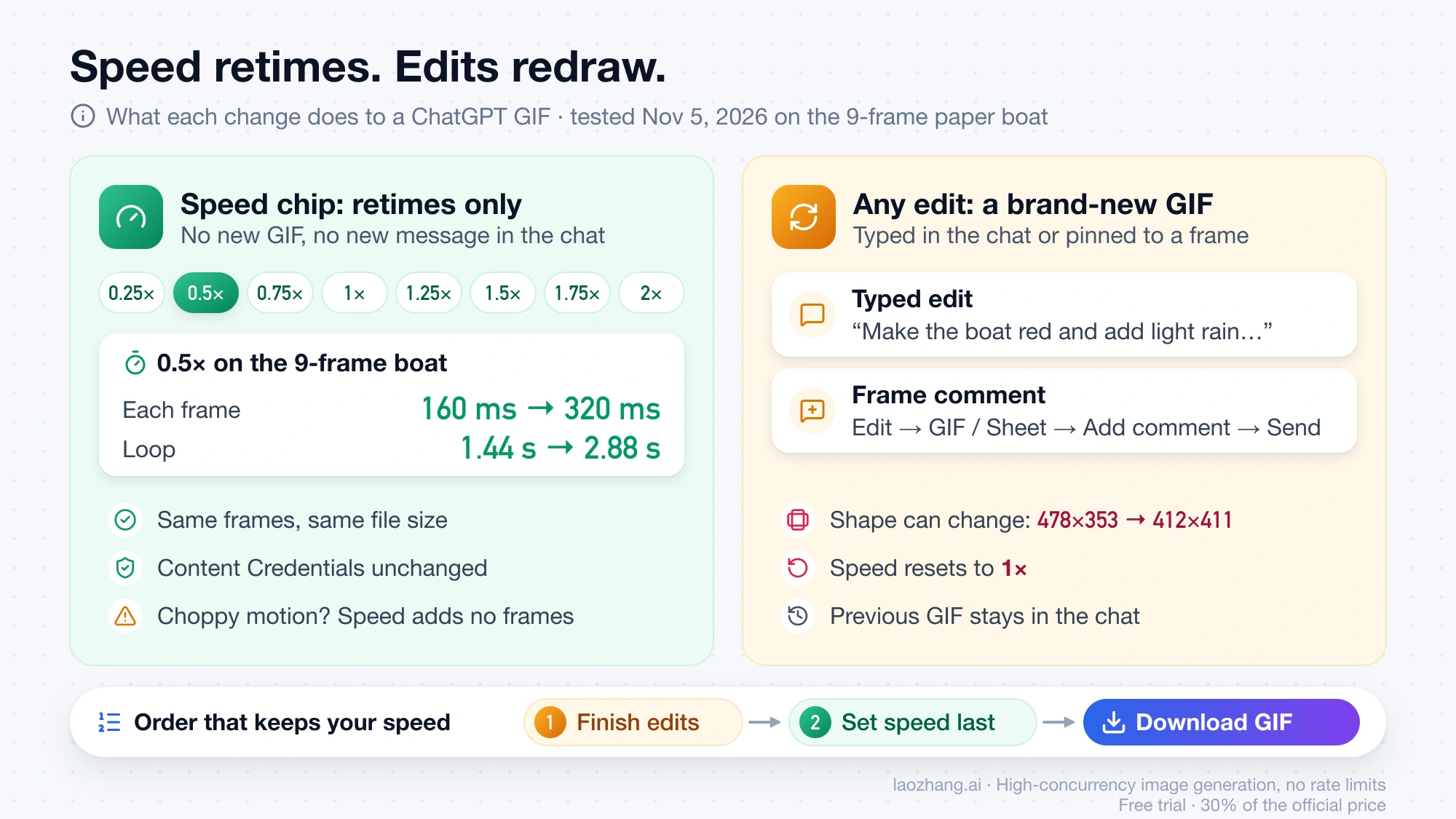
So repeat the essentials in every edit, such as "keep it 4:3 landscape, 9 frames at 160 ms," and set the speed only after the last edit. The previous GIF stays in the conversation, so you can still download it if the edit made things worse.
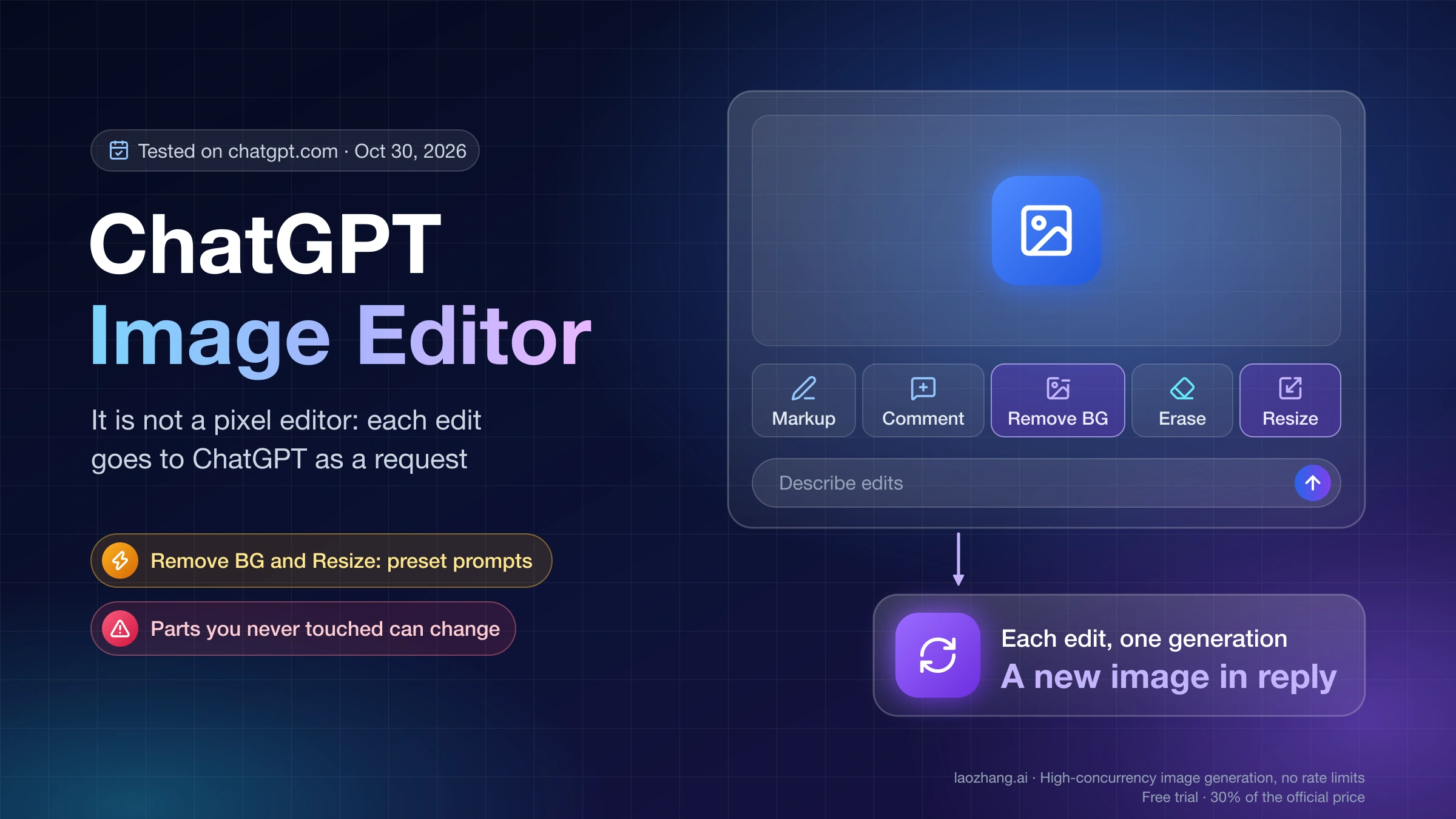
For changes to one moment of the animation, the viewer has a comment mode. Click Edit in the viewer's bottom bar, pause on a frame and place a comment on it, or switch the toggle at the top from GIF to Sheet, which shows all frames on one grid image (the boat's 9 frames as a 3×3 grid) with Markup and Add comment tools. When you click Send (the button shows how many comments you've placed), ChatGPT receives one instruction that begins "Re-animate the GIF with these changes. Coordinates are relative to each frame. Make sure all frames are equal sized," followed by each frame number and comment. That text, from the ChatGPT desktop app's interface strings (version 26.1029.61003), means a frame comment doesn't patch one frame: the whole GIF is drawn again with your notes, and the same shape and speed caveats apply. Still images behave the same way, as described in ChatGPT Image Editor: How to Use Each Tool and What It Redraws.
Download GIF vs Download original GIF, and how to share
ChatGPT offers two GIF downloads, and they differ only in speed. Download GIF saves the complete animation at the playback speed you selected, while Download original GIF saves it at the speed it was generated at. Files are named "ChatGPT GIF" plus the date. If you slowed the GIF to 0.5× and want to keep that pace, use the first one.
To keep a single moment, pause the GIF on that frame: Download frame saves it as a still PNG and Copy frame puts it on your clipboard. Share offers "GIF only" or "GIF with prompt," and on a personal account it creates a public link, with the warning "Anyone with this link can access this GIF. Confirm you have the rights to share this GIF." These labels come from the app's interface strings; OpenAI's help page confirms only that you can adjust the speed, save the GIF to your device or share it from the viewer.
Can ChatGPT make GIFs for free? "Generate this GIF later" at the limit
Free accounts can ask for GIFs, but they can run into a queue. OpenAI says Images 2.6 is available on every ChatGPT plan, and the app's interface strings include a card for a signed-in Free user who "reaches the generation limit while requesting an animated GIF." That card offers Generate this GIF later, and once you accept, it reads "Your GIF would be generated at a later time. Upgrade your plan to create right away."
A scheduled GIF moves through "This GIF is scheduled" and "Creating your GIF" to "Your scheduled GIF was created successfully," and on the web you can turn on a notification for when it's ready. It can also lapse: "GIF request expired" means it "wasn't created before the request expired," and you have to ask again. These strings describe the Free flow; the limit itself is set on OpenAI's servers.
As of November 5, 2026, OpenAI hasn't published how many GIFs any plan can make, or whether a GIF counts differently from a still image. What is known about image caps per plan is in ChatGPT Plus and Go Image Generation Limits: How Many per Day?, and the options once you hit one are in Can You Bypass ChatGPT Image Limits? Plan Caps and Safe Routes.
Don't see GIFs in ChatGPT yet? The feature is still rolling out
If ChatGPT answers a GIF request with a still image or says it can't animate, your account most likely hasn't received the feature yet. Both OpenAI's help page and its November 4 release notes say GIF creation "is rolling out," and neither gives a date for every account to have it. There is nothing to enable, so the practical test is to ask again in a new chat over the following days.
Until it arrives, the older workaround still exists: have ChatGPT draw the frames, then ask it to assemble them into a GIF with code. If you get an error message rather than a still image, ChatGPT Image Generation Not Working? Match the Error to the Fix matches the message to a fix.
ChatGPT GIF questions: video, iPhone and loop length
Can ChatGPT make videos, or only GIFs?
Only GIFs. Images 2.6 makes short, silent, looping GIFs, not videos with sound. The loops in the November 5, 2026 tests ran about 1.4 to 2 seconds at normal speed and 2.88 seconds at 0.5×, and slowing one to 0.25× stretches it further without adding frames.
How do I make a GIF in ChatGPT on iPhone?
Type the same request, "Make a looping GIF of…", in the ChatGPT app on iPhone or Android. OpenAI says Images 2.6 is available on desktop, mobile and web, and the mobile app is also where you can draw a sketch to animate (type @ and choose Sketch).
Sources2
External pages this guide links to, in the order they appear. Last updated Nov 5, 2026.
Sources2
External pages this guide links to, in the order they appear. Last updated Nov 5, 2026.