Qwen Image 3.0 in ComfyUI: No Download, Setup, and Cost per Image
There are no Qwen Image 3.0 weights to download. ComfyUI runs it through two paid Partner Nodes: $0.0429 per standard image, Pro $0.0572 or $0.10725 by size.
On this page
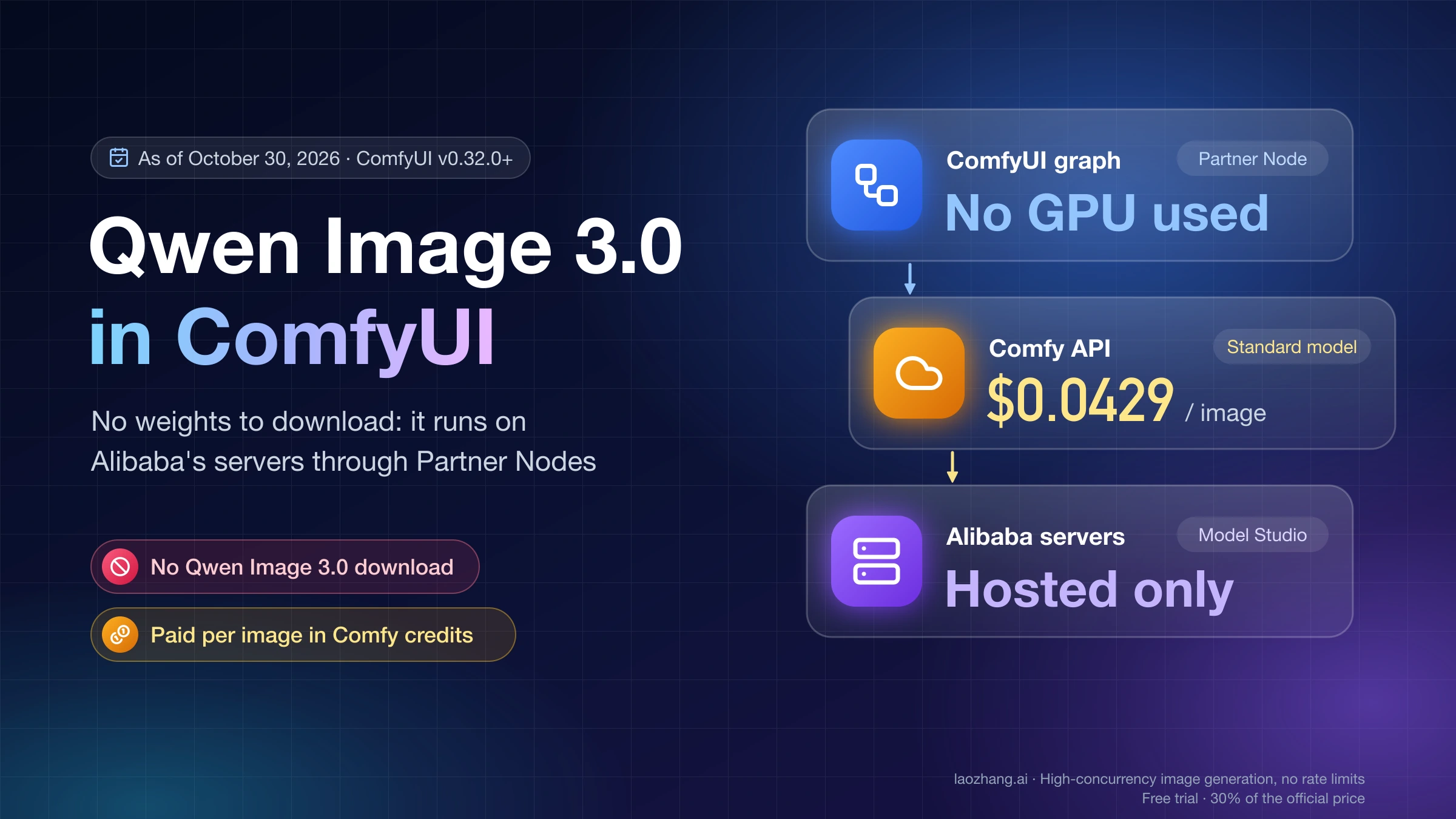
There is no Qwen Image 3.0 file to download for ComfyUI. As of October 30, 2026, Alibaba's Qwen team has published no Qwen Image 3.0 weights on Hugging Face, and Alibaba sells the model only as a hosted API. ComfyUI reaches it through two built-in Partner Nodes, Qwen Image 3 Text to Image and Qwen Image 3 Edit, which arrived in ComfyUI v0.32.0. They send your prompt and reference images to Alibaba's servers through Comfy's own service and bring the finished image back into your graph.
To use them, update ComfyUI to v0.32.0 or later, sign in with a Comfy account, buy Comfy credits, and open the Qwen Image 3.0 Pro template. The standard model, qwen-image-3.0, costs $0.0429 per image at any size. The Pro model, qwen-image-3.0-pro, costs $0.0572 per image up to 2.25 megapixels and $0.10725 above that line, and both official templates start on Pro. Your own Alibaba Model Studio key costs less per image but can't be used in the official node, and if you need something that runs offline with no per-image charge, the open-weight model is Qwen-Image-2.1, not 3.0.
Three checks were run on October 30, 2026, and none of them generated an image. The size and price figures come from running the node's own size and price-badge code taken from ComfyUI's source; the template defaults come from parsing Comfy's two official workflow files; and requests sent without credentials to Alibaba's DashScope API and to Comfy's proxy showed which service the node actually calls. No Comfy credits were spent and no Alibaba key was used, so output quality and real billing lines are not tested here.
Is there a Qwen Image 3.0 download or open weights for ComfyUI?
No. On October 30, 2026, the newest Qwen-Image repositories in the Qwen organization on Hugging Face were Qwen-Image-2.1-Turbo (October 9, 2026) and the Qwen-Image-2.1 family from September, and nothing in the Qwen or Comfy-Org organizations carried a "3" in its name. Qwen announced Qwen-Image-3.0 in July 2026. Alibaba Cloud Model Studio's pricing page and API reference list qwen-image-3.0 and qwen-image-3.0-pro only as hosted models billed per image, and Comfy's own documentation describes Partner Nodes as the way to call closed-source models from a graph.
That also answers the VRAM question: Qwen Image 3.0 uses none of your GPU, because every image is rendered on Alibaba's servers. Two lookalikes cause most of the confusion. The open-weight Qwen-Image-Edit models, the newest being Qwen-Image-Edit-2511, are an older local family that Comfy-Org mirrors for ComfyUI, not the Qwen Image 3 Edit node. And Comfy's page titled "Qwen 3.0 in ComfyUI" is about the Qwen3 language models, which generate text. Third-party write-ups, including reapi.ai's, warn that files passed around as "Qwen Image 3.0 weights" are fake and may carry malware, so treat any such download as unsafe until Qwen's own Hugging Face organization lists a 3.0 repository.
If you wanted a download for offline use or to stop paying per image, run Qwen-Image-2.1 instead. Its weights have been on Hugging Face since September 14, 2026, Comfy-Org mirrors them for native ComfyUI workflows, and they are released under the Qwen Research License, which does not allow commercial use. Run Qwen-Image-2.1 Locally: Which Weights Fit Your GPU or Mac covers which files fit 8–32 GB GPUs and Macs, and Qwen Image 2.1 Free API: ModelScope Token, Daily Cap, and Code covers the free hosted route for 2.1.
Before the first run: ComfyUI v0.32.0, a Comfy account, and credits
The Qwen Image 3 nodes run only when four things are true: your ComfyUI includes the nodes, you are signed in to a Comfy account, that account has a credit balance above zero, and ComfyUI can reach Comfy's API service. Work through them in this order:
- Update to ComfyUI v0.32.0 or later. The two nodes were added to ComfyUI's code on August 10, 2026 and first shipped in v0.32.0 on August 11; the current release is v0.43.0 (October 27, 2026). The Desktop app and Comfy Cloud follow their own release schedules, and Comfy says Cloud picks up new core nodes only after a stable release. On a manual install, Comfy recommends the nightly version when a new node is missing.
- Sign in under Settings → User. Open Settings with the gear icon or
Ctrl + ,. Direct sign-in only works in a browser on the same computer that runs ComfyUI, at the local address ComfyUI prints when it starts. If you open ComfyUI from another device on your network (started with--listen), from a remote server, or through a website that isn't on Comfy's allowlist, choose the API Key option in the same dialog and paste a ComfyUI Account API Key, and serve ComfyUI over HTTPS. That key is not the Registry publishing key that custom-node authors use. - Buy credits under Settings → Workspace → Plan & Credits. Older builds show it as Settings → Credits. Set an amount, click Buy, and pay through Stripe with Visa, Mastercard, American Express, Google Pay or Link; Alipay and WeChat Pay in US dollars appear only in some regions. Credits are prepaid and not refundable, and top-up credits expire one year after purchase.
- Make sure ComfyUI can reach Comfy's API. Comfy notes that some regions need a proxy service. A ComfyUI started with
--disable-partner-nodesor--offlinehas Partner Nodes switched off, so remove those flags and restart.
Comfy Cloud skips the first step: the "Run on Comfy Cloud" links on Comfy's Qwen Image 3.0 Pro page open the templates there, and runs are priced in the same credits.
Run the Qwen Image 3.0 Pro template or add the nodes yourself
The fastest first run is the official template. Open the Template Library, search for "Qwen Image 3.0 Pro", and load either the text-to-image or the image edit workflow; both are wired and ready to queue once you are signed in. To build your own graph instead, search the Node Library for Qwen Image 3 Text to Image or Qwen Image 3 Edit (category partner/image/Qwen) and connect its output to a Save Image node.
Both templates, api_qwen3_t2i.json and api_qwen3_image_edit.json from Comfy's workflow_templates repository, were downloaded and parsed on October 30, 2026. Each one sets model to qwen-image-3.0-pro, the more expensive model, with n = 1, prompt_extend on and watermark off. The text-to-image template renders at 1024 × 1024 through a Resolution Selector set to "1:1 (Square)", with a note that "Megapixels can be up to 6.2". The edit template loads one sample image and uses the match input size mode.
Text to image with Qwen Image 3 Text to Image
- Choose the model. Leave
qwen-image-3.0-profor dense text and layouts, or switch the dropdown toqwen-image-3.0to pay the flat $0.0429 per image. - Write the prompt. The node's tooltip says prompts can be in English or Chinese. Comfy's Pro page says the model takes prompts of up to 4,500 tokens and renders legible text down to about 10 pixels in 12 languages; those are Comfy's and Alibaba's claims, not results from a test here. Add a negative prompt if you need one.
- Set the size. Width and height each run from 256 to 2560 in steps of 16, the total area must be between 512 × 512 and 2560 × 2560, and the aspect ratio must stay between 1:8 and 8:1. On Pro, any size above 2,250,000 pixels switches to the higher price, so raising the template's Resolution Selector past about 2.2 megapixels nearly doubles the cost per image.
- Set
nand the seed.nfrom 1 to 6 returns that many images as one batch, and each image is billed. The seed defaults to 42 and the templates randomize it after every run. - Check the advanced options.
prompt_extend(on by default) lets Alibaba rewrite your prompt with AI assistance, so turn it off when the exact wording matters.watermark(off by default) adds an AI-generated mark to the result. - Read the price badge, then run. The node shows its estimated cost in dollars before you queue it.
Editing with Qwen Image 3 Edit and up to three reference images
- Connect one to three images. Feed
Load Imagenodes intoimage_1,image_2andimage_3. A batched input counts once per image inside it, and more than three images in total stops the run. - Refer to them by number. Write
@Image1,@Image2or@Image3in the prompt in the order the inputs are connected; the node rewrites them to "Image 1" and so on before sending. Naming an image that isn't connected stops the run with an error. - Pick the size mode.
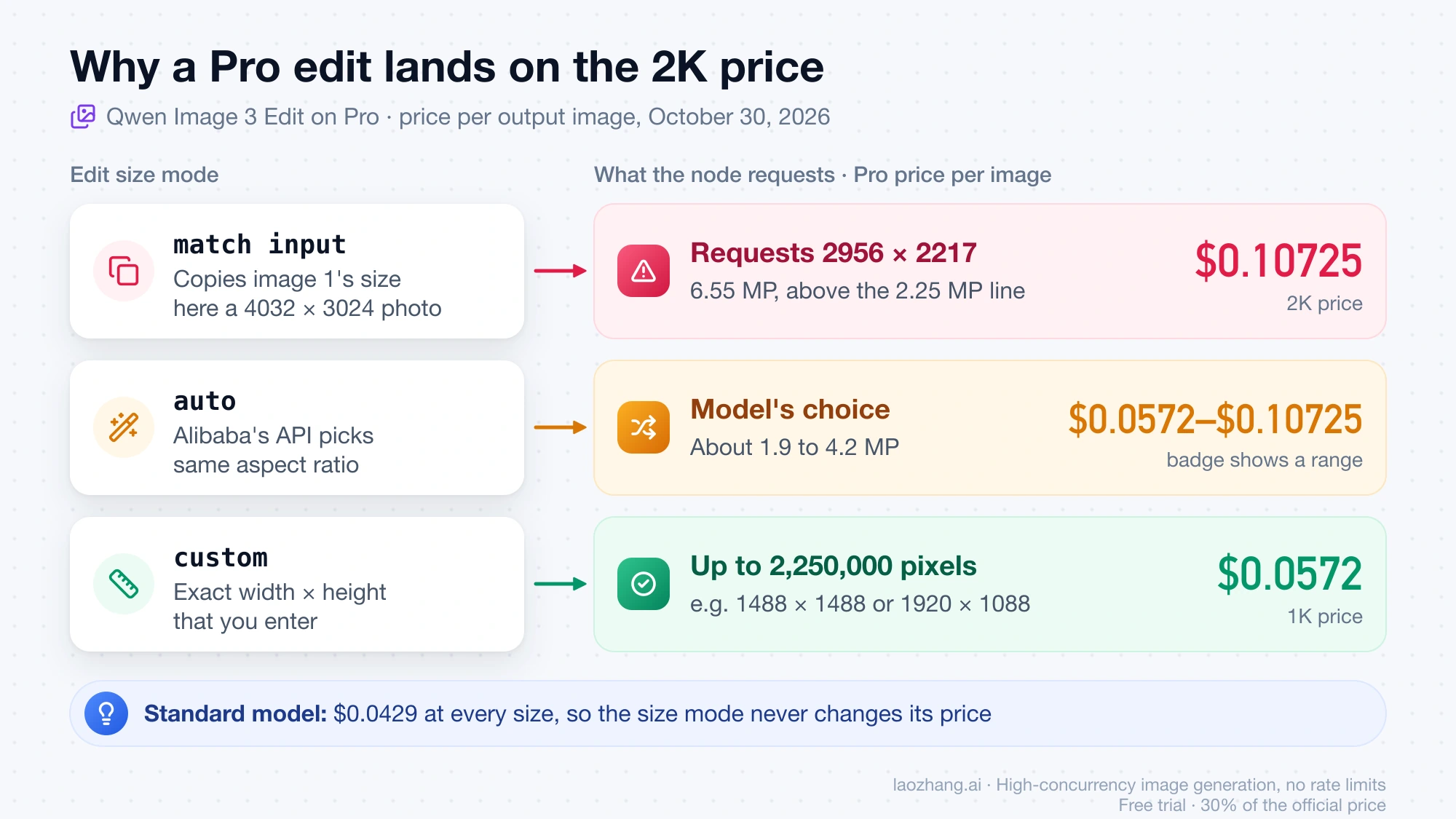
match inputreuses the first reference image's size,autolets the model choose a size with the same aspect ratio, andcustomtakes an exact width and height. On Pro, the first two can cost almost double, as the price sections below show.
Before upload, the node shrinks each reference image to at most 2048 × 2048 pixels and sends it as PNG, falling back to JPEG when a PNG would exceed 10 MB. That only affects the inputs; the output size is set by the size mode.
What one Qwen Image 3.0 image costs in ComfyUI, by model and size
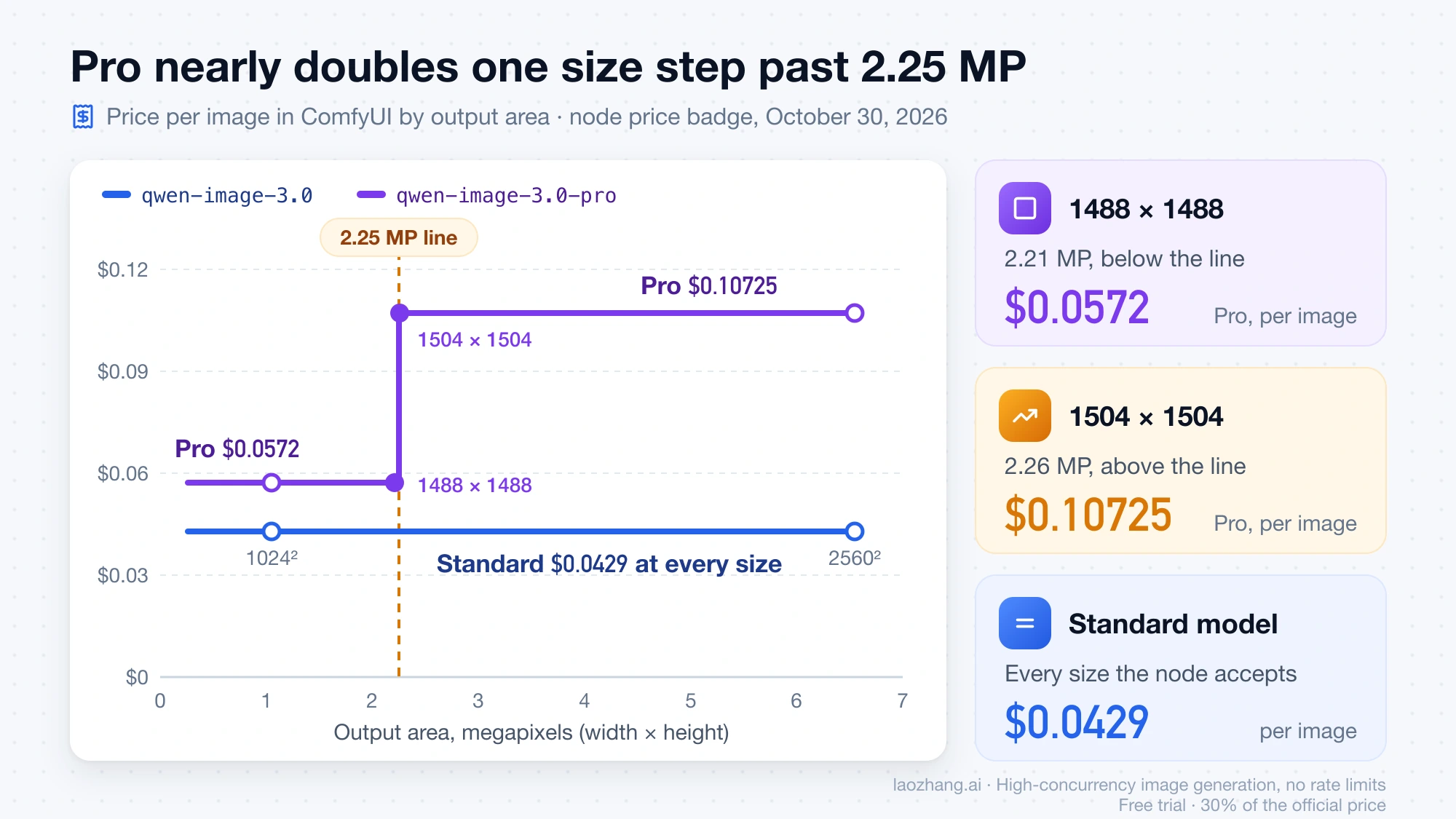
The standard model is a flat $0.0429 (9.05 credits) per image at every size the node accepts. Pro is $0.0572 (12.07 credits) per image when width × height is 2,250,000 pixels or less, and $0.10725 (22.63 credits) above that, so the same Pro prompt costs almost twice as much one size step later. These are the 1K and 2K billing tiers Alibaba uses for Qwen Image 3.0, and they are defined by pixel area, not by a fixed 1024 or 2048 side.
| Output size | Megapixels | qwen-image-3.0 | qwen-image-3.0-pro |
|---|---|---|---|
| 1024 × 1024 | 1.05 | $0.0429 (9.05 credits) | $0.0572 (12.07 credits) |
| 1328 × 1328 | 1.76 | $0.0429 | $0.0572 |
| 1920 × 1088, nearest 16-pixel step to 1080p | 2.09 | $0.0429 | $0.0572 |
| 1488 × 1488, largest square below the line | 2.21 | $0.0429 | $0.0572 |
| 1504 × 1504, next square up | 2.26 | $0.0429 | $0.10725 (22.63 credits) |
| 1536 × 1536 | 2.36 | $0.0429 | $0.10725 |
| 2560 × 1440 | 3.69 | $0.0429 | $0.10725 |
| 2048 × 2048 | 4.19 | $0.0429 | $0.10725 |
| 2560 × 2560 | 6.55 | $0.0429 | $0.10725 |
The table was produced on October 30, 2026 on a Mac with Python 3, by running the node's own size check (_validate_size) and price-badge formula copied from ComfyUI's nodes_qwen.py, which has not changed from the commit that added the nodes through v0.43.0. Every size in it passed the node's check, and the credit figures match Comfy's Partner Node Pricing page as of the same date. Comfy doesn't publish a dollar value for a credit; dividing its credit prices by the node's dollar badges gives about 211 credits per dollar (9.05 ÷ $0.0429), which is a derived rate, not a published one. The badge is an estimate, and the Activity tab under Plan & Credits shows what a run actually used.
Two settings change the total. n multiplies the per-image price, and the Edit node adds $0.00429 (0.91 credits) for each reference image, charged once per run rather than once per output. A Pro batch of four at 2560 × 1440 is 4 × $0.10725 = $0.429 (90.52 credits). A standard edit with two reference images and n = 1 is $0.0429 + 2 × $0.00429 = $0.0515. A Pro edit with three references, auto size and n = 2 shows a range: 2 × $0.0572 + 3 × $0.00429 = $0.1273 if the output stays at or below 2.25 MP, and 2 × $0.10725 + $0.0129 = $0.2274 if it goes above.
Above 2048 × 2048 the node and Alibaba disagree. Alibaba's API reference documents a total-pixel ceiling of 2048 × 2048 for both 3.0 models, while the node accepts up to 2560 × 2560 and the note in Comfy's official text-to-image template says "Megapixels can be up to 6.2". How Alibaba handles the larger requests was not tested, so 2048 × 2048 worth of pixels is the documented-safe maximum.
Why your Qwen Image 3 Edit run shows the 2K price
The Edit node's two automatic size modes are the usual reason a Pro edit lands on the $0.10725 price. match input copies the size of your first reference image, and auto lets Alibaba's API pick a size between about 1.9 and 4.2 megapixels, so a phone photo or any large source image pushes Pro over the 2.25 MP line. Because the node can't know your image's size in advance, its badge shows a range of $0.0572 to $0.10725 per image in both modes, and only custom shows a single price.
The October 30, 2026 run of the node's resizing code (_fit_to_size) shows what match input actually sends. The node shrinks a source only when it exceeds 2560 × 2560 in total area, and it keeps the aspect ratio, so anything between 2.25 and 6.55 megapixels stays in the higher tier:
| First reference image | Size the node requests | Megapixels | Pro price per image |
|---|---|---|---|
| 4032 × 3024 (12 MP phone photo) | 2956 × 2217 | 6.55 | $0.10725 |
| 3000 × 4000 (portrait photo) | 2217 × 2956 | 6.55 | $0.10725 |
| 2048 × 2048 | 2048 × 2048 | 4.19 | $0.10725 |
| 1080 × 1920 (phone screenshot) | 1080 × 1920 | 2.07 | $0.0572 |
| 1024 × 1024 | 1024 × 1024 | 1.05 | $0.0572 |
The 2956 × 2217 request is also larger than the 2048 × 2048 ceiling in Alibaba's documentation, and whether the API accepts, resizes or rejects it was not tested. To keep a Pro edit at $0.0572, switch the size mode to custom and pick any width × height up to 2,250,000 pixels, such as 1488 × 1488 or 1920 × 1088, or scale the first reference image down to about 2 megapixels before it reaches the node. With the standard model none of this matters, because every size costs $0.0429.
Standard or Pro: which Qwen Image 3.0 model to pick
Start with the standard qwen-image-3.0 unless you need what Pro is marketed for, because the templates default to Pro, and Pro costs 33% more at sizes up to 2.25 MP and 2.5 times as much above it ($0.0572 and $0.10725 against $0.0429). Alibaba's API reference describes the standard model as one that balances quality and speed. Comfy's Qwen Image 3.0 Pro page pitches Pro at information-dense work: newspaper pages, multi-panel infographics, documents with formulas, and small text in many languages.
Pick by the job. For posters, slides and infographics where small text has to be legible, try Pro at 1488 × 1488 or 1920 × 1088 and stay under the 2.25 MP line. For general illustration, photo edits, or anything you want at 2048 × 2048, standard costs 40% of Pro's large-size price. The cheapest way to settle it for your own prompts is to run one prompt once on each model at 1024 × 1024, which costs $0.0429 + $0.0572 = $0.1001, before you queue a batch.
Comfy credits or your own Alibaba key: the 1.43× price gap
Every Qwen Image 3.0 price in ComfyUI is 1.43 times Alibaba's own list price in its Singapore region: $0.0429 ÷ $0.03, $0.0572 ÷ $0.04, $0.10725 ÷ $0.075 and $0.00429 ÷ $0.003 all come out at 1.43, as of October 30, 2026. If you are fine running a short script instead of a ComfyUI graph, your own Model Studio key saves 30% on every image and comes with 10 free images per model; inside ComfyUI, Comfy credits are the only official option.
| Comfy credits in ComfyUI | Your Model Studio key (Singapore) | Qwen-Image-2.1 on your own GPU | |
|---|---|---|---|
| Model | Qwen Image 3.0 and 3.0 Pro | Qwen Image 3.0 and 3.0 Pro | Qwen-Image-2.1, not 3.0 |
| Standard, per image | $0.0429 | $0.03 | No per-image charge |
| Pro up to / above 2.25 MP | $0.0572 / $0.10725 | $0.04 / $0.075 | — |
| Each reference image | $0.00429 (Edit node) | $0.003 | — |
| Free images | None | 10 per model, valid 90 days | No limit beyond your hardware |
| Works in the official ComfyUI node | Yes | No | Yes, with native nodes |
| What you need | Comfy account and credits | Alibaba Cloud International account and a Singapore API key | A GPU or Mac that fits the weights; Qwen Research License, non-commercial |
The Singapore column is Alibaba Cloud Model Studio's international-site pricing page. Its other international regions (Virginia, Frankfurt, Tokyo, Hong Kong and Beijing) list lower prices, $0.024754 for standard and $0.034380 / $0.068761 for Pro, but the 10-image free quota applies only in Singapore, and the API key, region and endpoint have to match. Alibaba bills input images plus successful output images and doesn't charge for failed requests. At list price, 100 Pro images at 1024 × 1024 cost $5.72 through ComfyUI and $4.00 with a Singapore key, before any free quota.
What you give up with your own key is the graph. The official node can't use it, so you call the Model Studio API from code and download each result within 24 hours, because Alibaba's result URLs expire. Qwen Image 2.1 Turbo API: Python Code and $0.014–$0.016 Pricing walks through a Python script for the same Model Studio endpoint family; change the model to qwen-image-3.0 or qwen-image-3.0-pro and keep reference images to three, since the 3.0 models accept one to three. For how these prices compare with other vendors' image APIs, see AI Image Generation API Comparison 2026: Pricing, Quality, Value.
Can you paste a DashScope or Qwen API key into the ComfyUI node?
No. The official Qwen Image 3 nodes have no field for an Alibaba key, and they don't talk to Alibaba directly. Their only hidden credentials are your Comfy sign-in token and your ComfyUI Account API Key, and their requests go to a path on Comfy's own API service, which forwards them to Alibaba. Comfy's Partner Nodes FAQ says using your own API key is not supported yet.
A probe on October 30, 2026 showed the split. The same request body the node builds, sent to Alibaba's Singapore and Beijing DashScope endpoints with no key, came back as HTTP 401 with "code":"InvalidApiKey" and "No API-key provided."; with a made-up key, the message was "Invalid API-key provided." The same request sent to the Comfy proxy path the node uses, without a Comfy sign-in, returned HTTP 401 "No Authorization header found". The node needs a Comfy login, and an Alibaba key has nowhere to go.
Some unofficial custom nodes also advertise Qwen Image 3; they route your prompts, images and payment through their authors' own paid API services rather than Alibaba or Comfy.
Qwen Image 3 node missing, login loop, or size rejected: fixes
Most first-run failures are a version, sign-in, credit, or size problem, and the error text usually tells you which. Find your symptom in the left column:
| What you see | Likely cause | Fix |
|---|---|---|
| No Qwen Image 3 nodes, or the template's nodes show as missing | ComfyUI older than v0.32.0, a Desktop or Cloud build that hasn't picked up that release, or a node import that failed at startup | Update; on a manual install try nightly; on Cloud wait for the next stable release |
| No Partner Nodes of any kind | ComfyUI was started with --disable-partner-nodes or --offline | Remove the flag and restart |
| Keeps asking you to sign in, or works on the PC but not from a laptop | ComfyUI was opened from another device, with --listen, or through a site outside Comfy's allowlist | Sign in with a ComfyUI Account API Key and serve ComfyUI over HTTPS, or use the browser on the machine that runs ComfyUI |
| The run refuses to start for lack of credits, or the balance is negative | Balance at zero, or a previous run cost more than was left | Top up under Plan & Credits; the nodes stay blocked until the balance is positive |
| Requests time out or can't connect | Comfy's API service isn't reachable from your network | Comfy says some regions need a proxy service |
| "Image area must be between 262144 (512x512) and 6553600 (2560x2560) pixels" | Width × height is outside the allowed area | Use a size between 512 × 512 and 2560 × 2560 in total area |
| "Aspect ratio must be between 1:8 and 8:1" | One side is more than eight times the other, such as 2560 × 256 | Narrow the ratio, for example 2560 × 320 |
| "The prompt references @Image3, but only 2 reference images are connected" | The prompt names an image that isn't wired in | Connect the image or fix the number |
| "A maximum of 3 reference images is supported" | A batch or several inputs add up to more than three images | Split the batch or drop images |
| A Pro edit costs about twice what you expected | match input or auto produced an output above 2.25 MP | Use custom at 2,250,000 pixels or less, as described above |
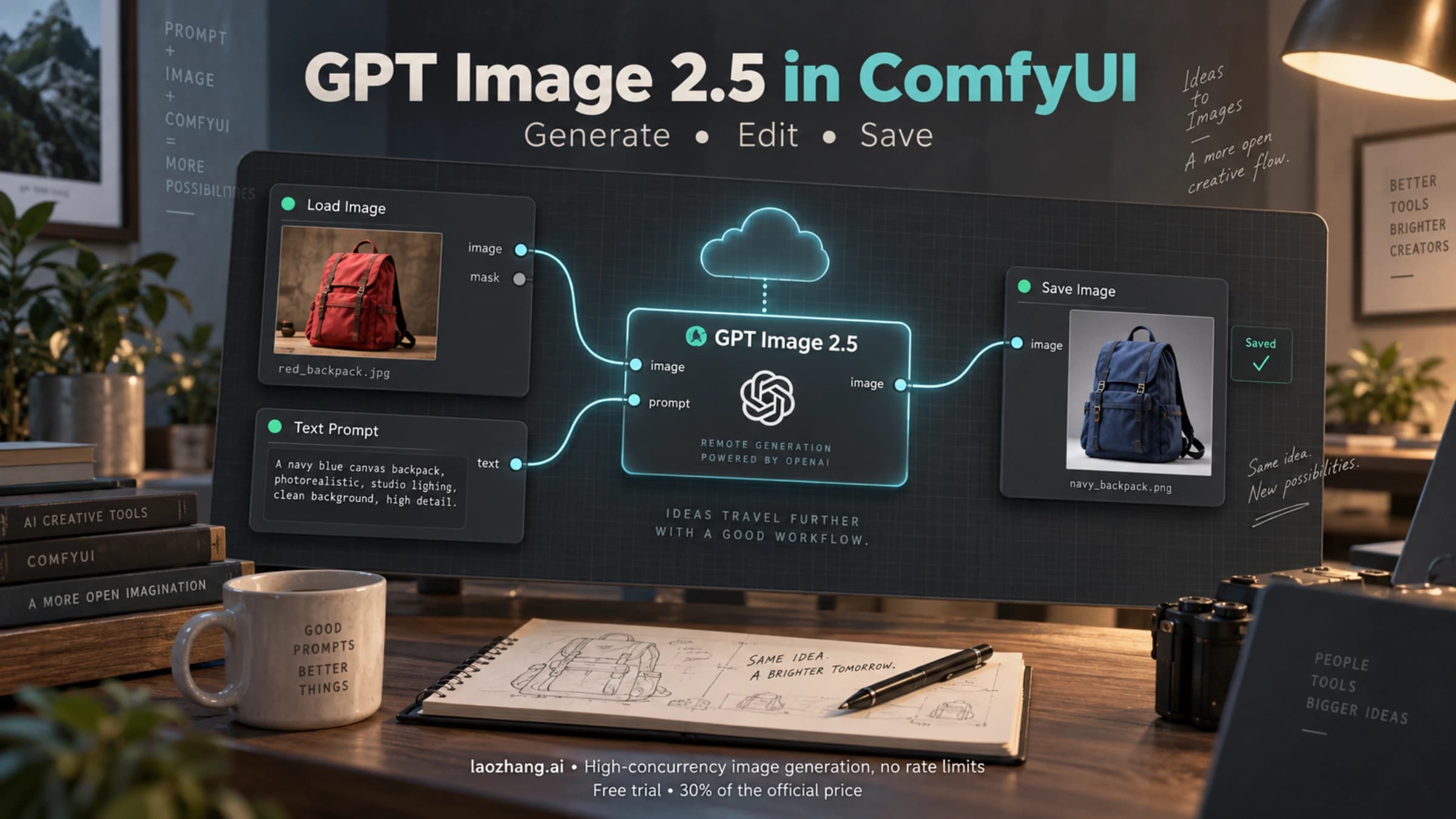
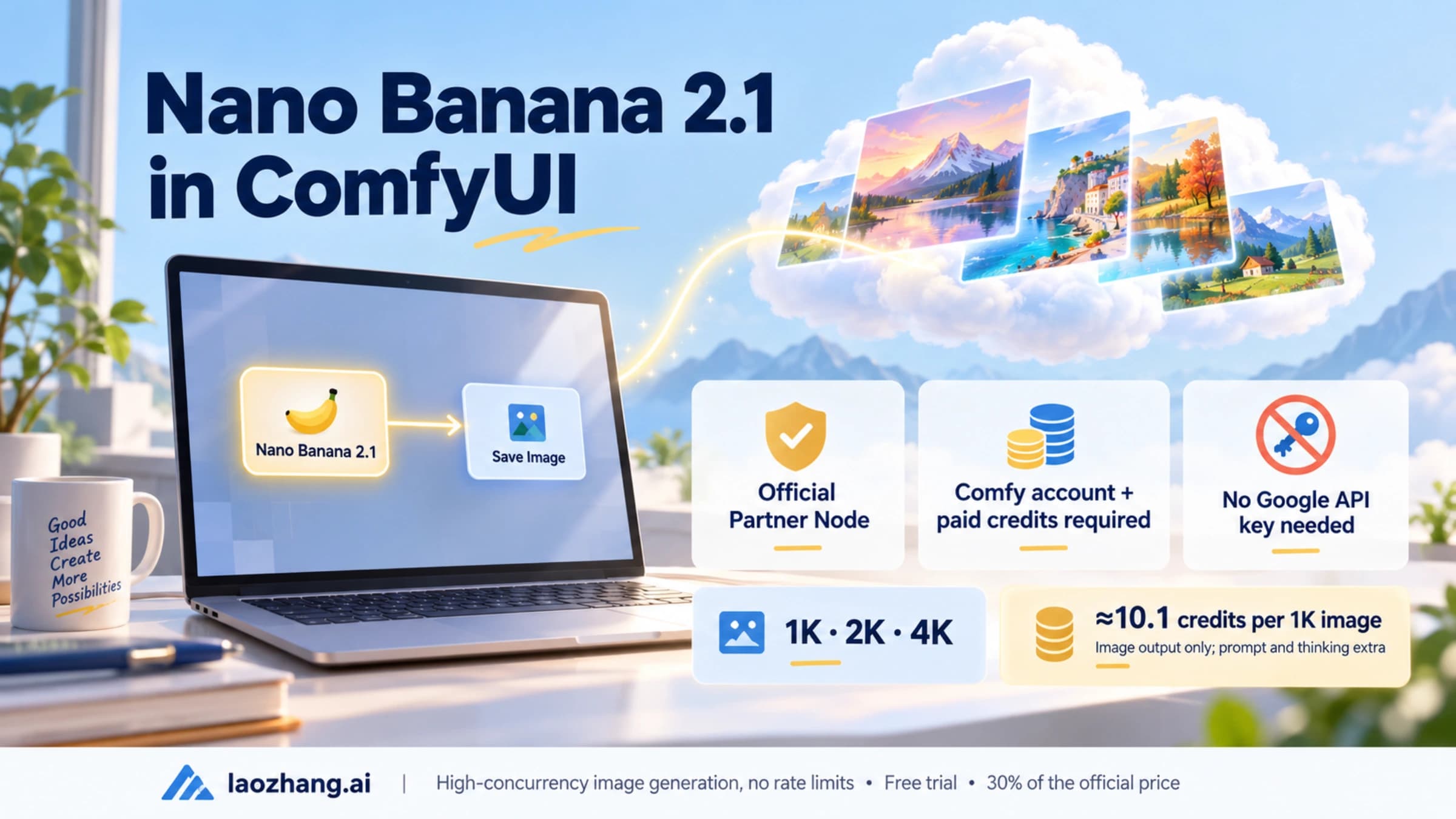
If a run fails on a particular prompt or image instead, remember that Partner Nodes pass your content to the provider, and Comfy's FAQ notes that each provider applies its own content moderation. For the same login, credit and API-key mechanics on another image model, see GPT Image 2.5 in ComfyUI: Setup, Cost per Run, and Fixes and ComfyUI Nano Banana 2.1: Partner Node Setup, Old Workflow Fixes.