GPT Image 2.6 API: Model IDs, Python and curl Code, Error Fixes
Set model to gpt-image-2.6-flare or gpt-image-2.6-sunburst; bare gpt-image-2.6 doesn't exist. Both cost the same, and edits without model run on 2.5.
On this page
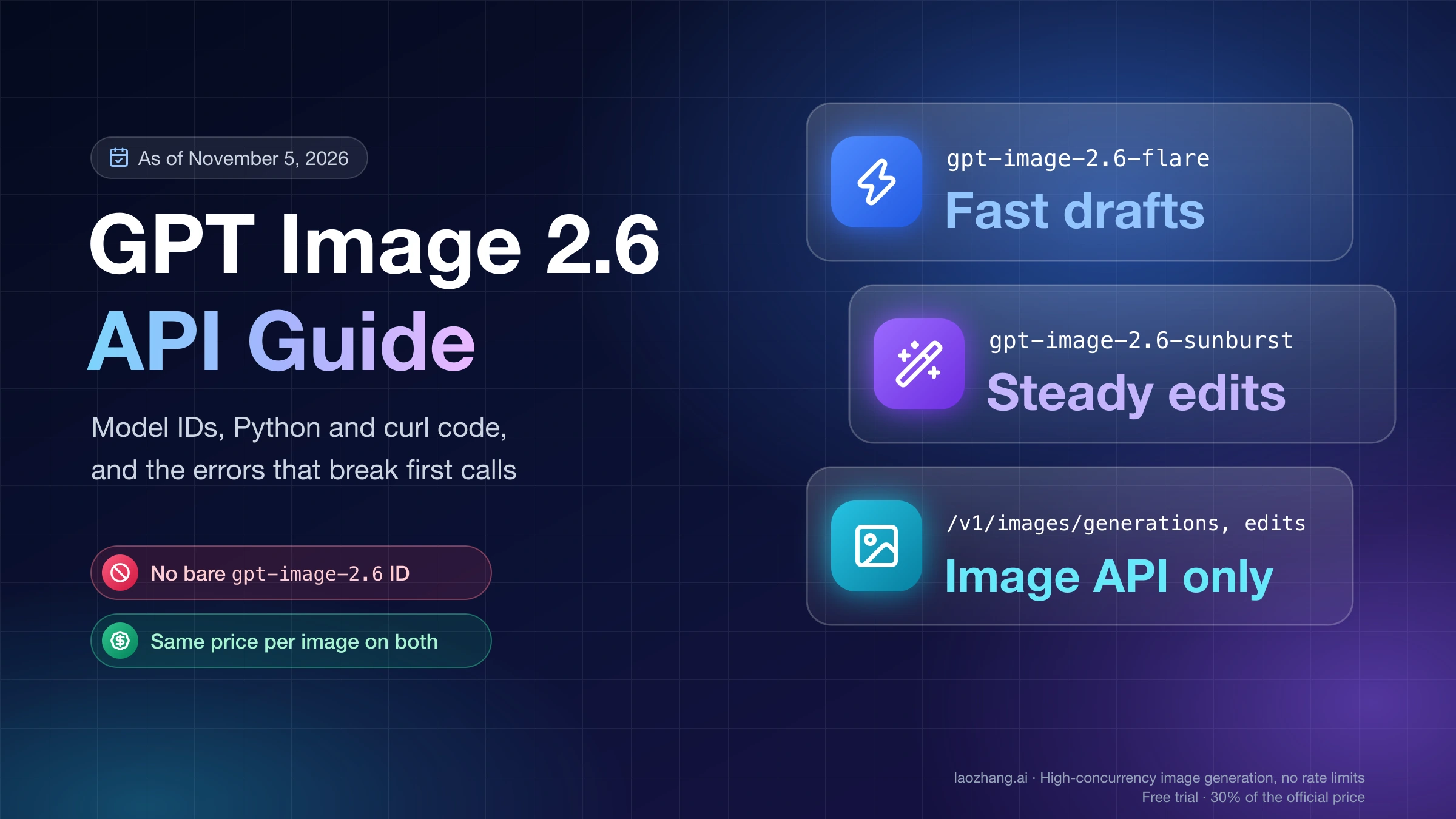
The GPT Image 2.6 API has two model IDs: gpt-image-2.6-flare and gpt-image-2.6-sunburst. There is no plain gpt-image-2.6, and as of November 5, 2026 neither model has a dated snapshot, so put one of those two strings in model and call POST /v1/images/generations or POST /v1/images/edits. Both cost the same per image at the same size and quality. Use Flare when someone is waiting for the result, and Sunburst when you edit an image and need everything you didn't mention to stay put.
Two details break most first calls. On the edit endpoint, model is optional and defaults to gpt-image-2.5-sunburst, so an edit that leaves it out runs on 2.5 without any warning. And the new 2.6 fields (complexity, frame_count, frame_duration_ms, svg) exist in the OpenAI Python SDK only from version 3.46.0, released November 5, 2026. Older versions raise a TypeError unless you send those fields through extra_body.
GPT Image 2.6 works only through the Image API. Its model pages list the Responses API and the Batch API as not supported, so pipelines built on either one stay on GPT Image 2.5 for now. The timings, image sizes and error messages below come from calls made on November 5, 2026, some directly against OpenAI and some through LaoZhang API's OpenAI-compatible endpoint, and each one says which.
Disclosure: laozhang.ai is our own service. Its prices are platform pricing, not an independent comparison.
GPT Image 2.6 API model ID: two strings, no snapshot yet
Set model to gpt-image-2.6-flare or gpt-image-2.6-sunburst, written exactly like that, with dots in the version number. OpenAI's GPT-Image-2.6 Flare model page describes Flare as "image generation and editing for fast iteration," and the GPT-Image-2.6 Sunburst model page describes Sunburst as the version "for detailed visual work." On both pages, the only snapshot listed as of November 5, 2026 is the alias itself. GPT Image 2.5 has -2026-09-08 snapshots; 2.6 has nothing you can pin yet, so code that calls 2.6 follows whatever OpenAI ships under the alias. A pipeline that must not change behavior unannounced can stay on gpt-image-2.5-flare-2026-09-08 or gpt-image-2.5-sunburst-2026-09-08 until a dated 2.6 snapshot appears.
Keep the product name and the API IDs apart. Images 2.6, often written "ChatGPT Images 2.6," is the feature inside ChatGPT and Codex, while "GPT-Image-2.6 Flare" and "GPT-Image-2.6 Sunburst" are the API models. OpenAI announced all of them together on November 4, 2026, in its Introducing Images 2.6 post. Gateways may add their own suffixes to these IDs. Those are gateway names, not OpenAI IDs; the ones LaoZhang API uses are covered in the gateway section below.
Disclosure: laozhang.ai is our own service. Its prices are platform pricing, not an independent comparison.
Access works the same way as for earlier GPT Image models: OpenAI's image generation guide says you "may need to complete the API Organization Verification" in the developer console before you can use GPT Image models.
Flare or Sunburst: same price per image, very different wait
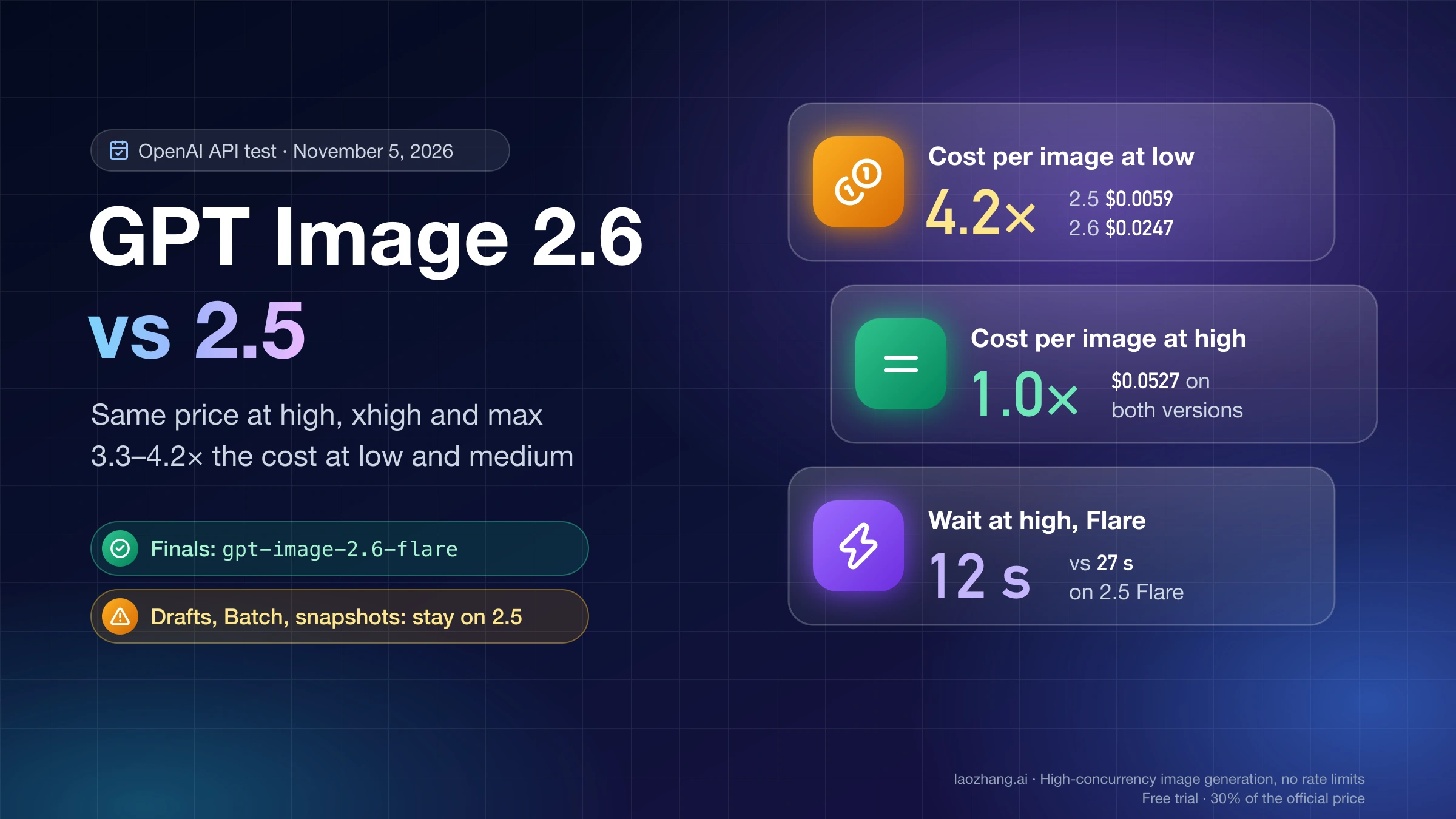
Flare and Sunburst bill the same token prices, $5 per million text input tokens, $8 per million image input tokens and $30 per million image output tokens, according to OpenAI's API pricing page. Those are also GPT Image 2.5's prices. At the same size and quality, the two 2.6 models used the same number of output tokens in a November 5, 2026 test, so one image costs the same on either. What differs is how long you wait, and how well an edit keeps the parts of the picture you didn't ask to change.
The table comes from that test, run by the LaoZhang API documentation team directly against OpenAI's API, with one 1024×1024 image from the same prompt at each quality level. Cost per image is output tokens × $30 ÷ 1,000,000. The prompt is billed as text input and costs less than $0.001. Each time is a single run and moves with queueing.
Disclosure: laozhang.ai is our own service. Its prices are platform pricing, not an independent comparison.
quality | Output tokens | Cost per image | Flare time | Sunburst time |
|---|---|---|---|---|
low | 824 | $0.025 | 8 s | 34 s |
medium | 1,449 | $0.043 | 11 s | 42 s |
high | 1,756 | $0.053 | 12 s | 59 s |
xhigh | 3,122 | $0.094 | 23 s | 86 s |
max | 7,024 | $0.211 | 39 s | 157 s |
Costs at other sizes, what edits, GIFs and SVGs add, and where token billing breaks even with a $0.03-per-call route are covered in GPT Image 2.6 Pricing: Sunburst & Flare, $0.02–$0.21 per Image.
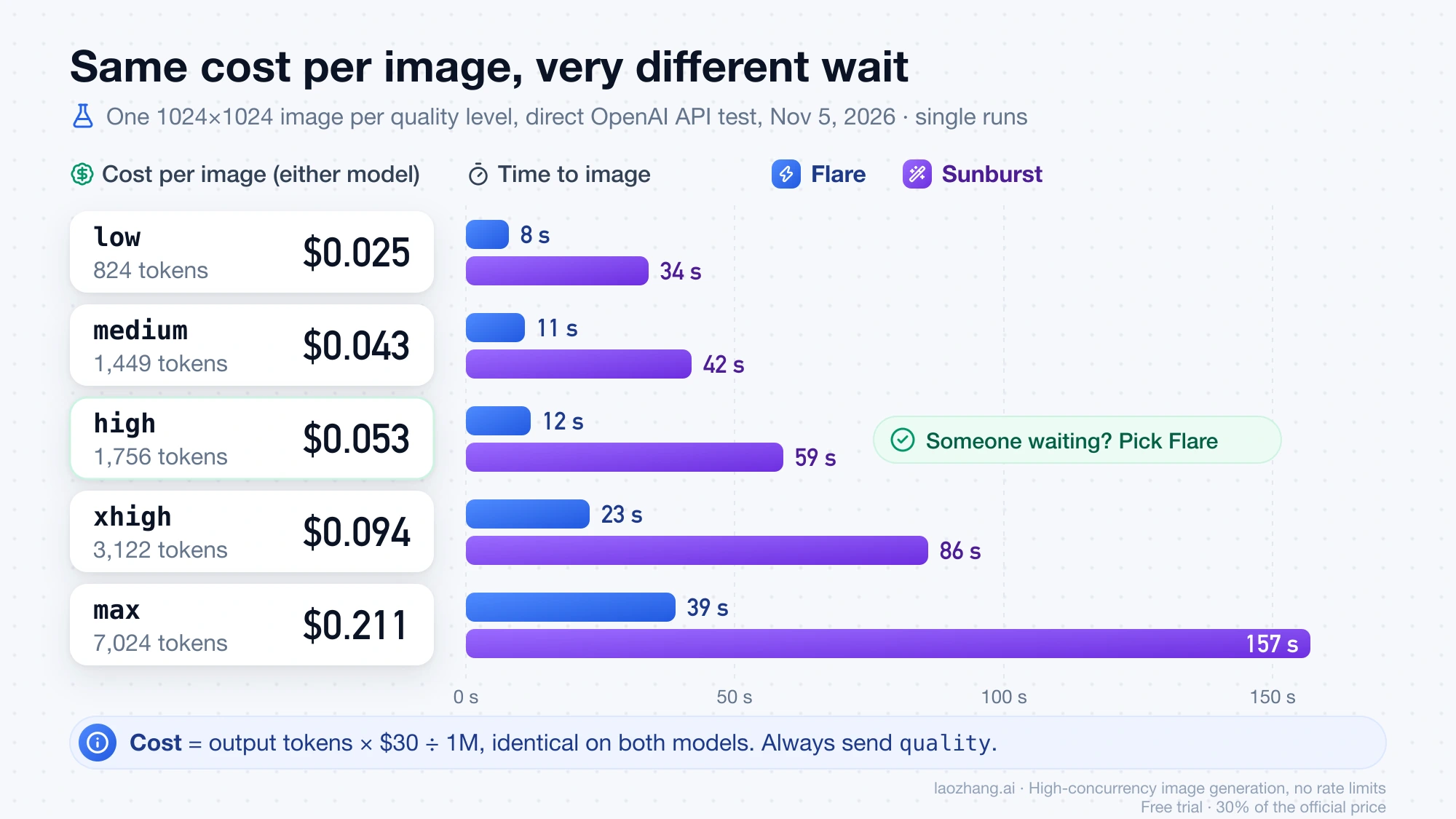
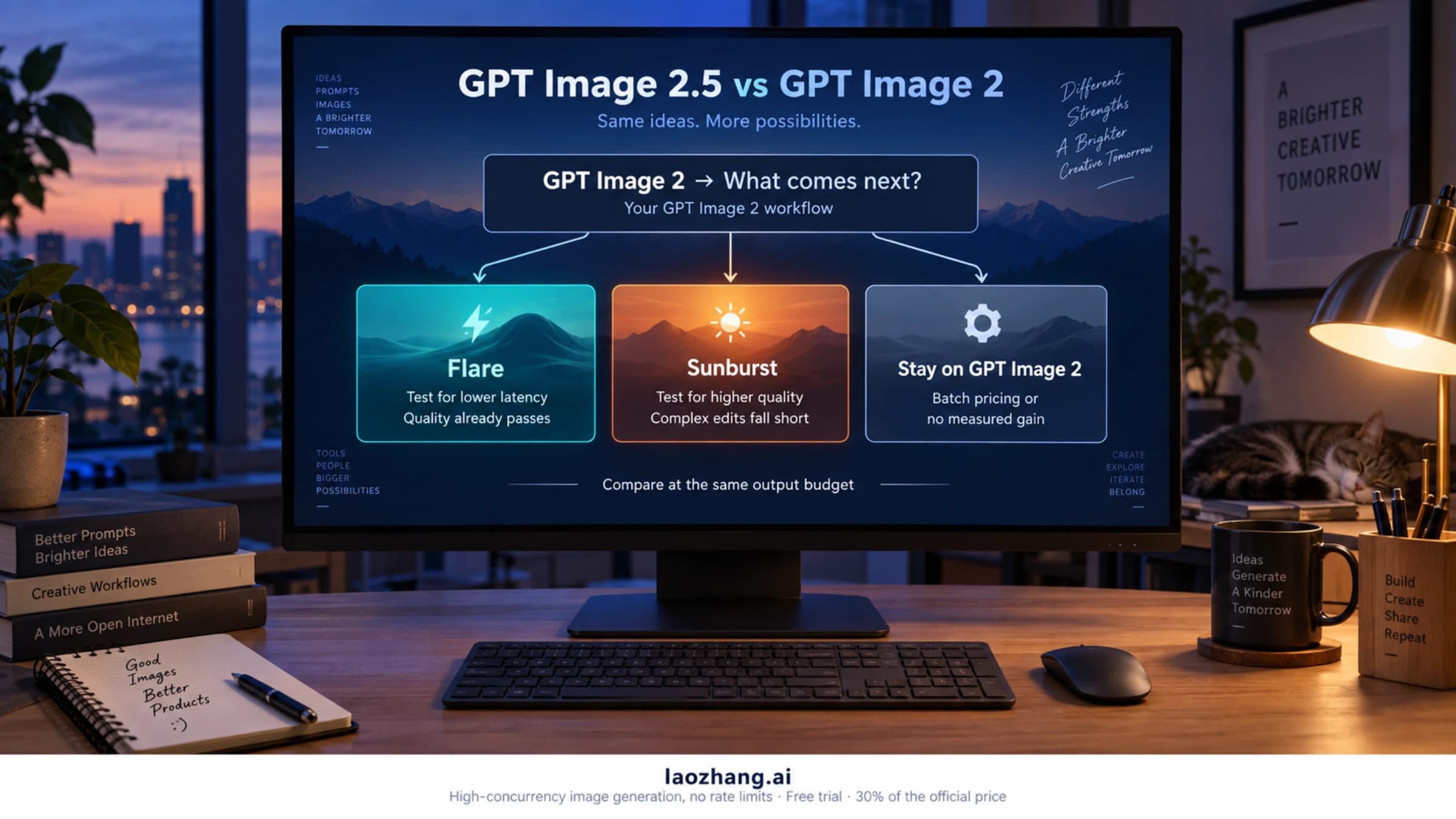
Pick Flare for anything interactive, for drafts you'll throw away, and for GIF previews: at high it finished in 12 seconds against 59 for Sunburst. OpenAI's own claims are that Images 2.6 "generates images 50% faster than before" and that Flare at low can return an image "in as little as six seconds." Pick Sunburst when you edit the same image several times and need the product, face or layout to stay consistent. OpenAI says Sunburst gives "even greater image consistency across edits" at medium or high quality. A longer wait costs you nothing extra there.
Always send quality. If you leave it out, Flare picks a level from your prompt: in the same test, one detailed prompt used about 5,800 output tokens for a single 1024×1024 image, roughly $0.17. Sunburst without quality rendered at high. Size changes the bill too. A 1536x1024 landscape image used fewer tokens than a square one (664 at low, 1,353 at high, so $0.020 and $0.041), and a native 3840x2160 image at high used about 3,337 tokens, roughly $0.10.
If you're deciding whether to move off 2.5 at all, the per-quality comparison is in GPT Image 2.6 vs 2.5: Same Price at High, 4× the Cost at Low. The same Flare-or-Sunburst choice for the older models is in GPT Image 2.5 Sunburst vs Flare: Which to Use, by the Numbers.
GPT Image 2.6 API Python and curl example: generate, then edit
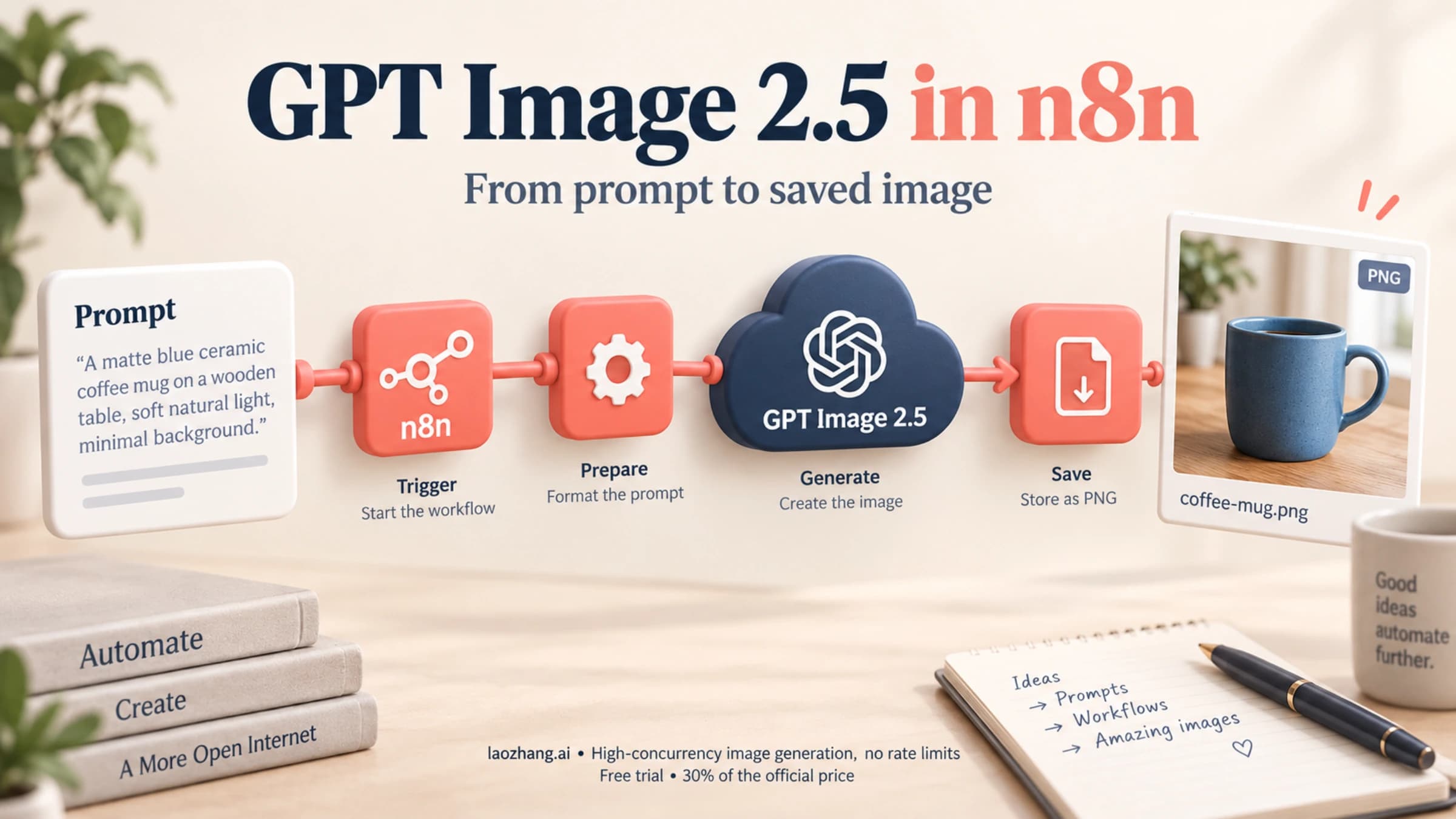
A generate request needs four fields to behave predictably: model, prompt, size and quality. The Image API returns base64 data in data[0].b64_json, PNG by default, so each example decodes it and writes a file. With curl, straight to api.openai.com:
curl https://api.openai.com/v1/images/generations \
  -H "Authorization: Bearer $OPENAI_API_KEY" \
  -H "Content-Type: application/json" \
  -d '{
    "model": "gpt-image-2.6-flare",
    "prompt": "A ceramic coffee mug on a wooden desk with a sticky note that says SHIP IT, soft morning light, product photo",
    "size": "1024x1024",
    "quality": "medium"
  }' | jq -r '.data[0].b64_json' | base64 --decode > mug.png
The same request in Python. Because model is just a string, this generate call works on any version of the openai package:
import base64
from openai import OpenAI

client = OpenAI()  # reads OPENAI_API_KEY

result = client.images.generate(
    model="gpt-image-2.6-flare",
    prompt="A ceramic coffee mug on a wooden desk with a sticky note that says 'SHIP IT', soft morning light, product photo",
    size="1024x1024",
    quality="medium",
)

with open("mug.png", "wb") as f:
    f.write(base64.b64decode(result.data[0].b64_json))
For an edit, pass the source image and name the 2.6 model yourself, because leaving model out gets you gpt-image-2.5-sunburst. Also send size. In a November 5, 2026 test through LaoZhang API's gpt-image-2.6-sunburst-vip route, an edit of a 1024×1024 image sent without size came back at 2048×2048 and 5.1 MB. The same edit with size="1024x1024" on gpt-image-2.6-flare-vip came back at 1024×1024. Only that route was tested, but naming the size costs nothing on any route. OpenAI recommends complexity="low" for most edits, which needs SDK 3.46.0 or later:
Disclosure: laozhang.ai is our own service. Its prices are platform pricing, not an independent comparison.
with open("mug.png", "rb") as image:
    result = client.images.edit(
        model="gpt-image-2.6-sunburst",  # omit it and the edit runs on gpt-image-2.5-sunburst
        image=image,
        prompt="Change the sticky note text to 'DONE' and make the mug dark green. Keep everything else the same.",
        size="1024x1024",
        quality="medium",
        complexity="low",  # openai>=3.46.0; older SDKs: extra_body={"complexity": "low"}
    )

with open("mug-done.png", "wb") as f:
    f.write(base64.b64decode(result.data[0].b64_json))
That edit, run on November 5, 2026 against the Sunburst VIP route, changed the note to "DONE," turned the mug dark green and left the desk, light and framing alone. Edits also bill the input image at the image input rate. If you want to point at the part to change instead of describing it, the edit endpoint accepts a markup file: a transparent PNG overlay, the same size as the first input image, with your circles or arrows on it. OpenAI's guide shows it with gpt-image-2.6-flare and says it costs nothing extra, but it can't be combined with mask.
Python error "unexpected keyword argument 'complexity'": upgrade to 3.46.0
This TypeError means your openai package is older than 3.46.0. The SDK checks keyword arguments before anything is sent, so the request never leaves your machine. When the SDK versions were installed one by one on November 5, 2026, version 2.24.0 raised TypeError: Images.generate() got an unexpected keyword argument 'complexity'. Versions 3.42.0 through 3.45.0 accepted markup on edits but still had no complexity, frame_count or svg. Version 3.46.0, uploaded to PyPI at 00:55 UTC on November 5, 2026, is the first with complexity, frame_count, frame_duration_ms and svg on generate, markup and complexity on edit, and the two 2.6 IDs in its model type.
The clean fix is to upgrade:
pip install --upgrade "openai>=3.46.0"If you can't upgrade yet, for example because another dependency pins the SDK, send the new fields as raw JSON with extra_body. With SDK 2.24.0, the same call sent through LaoZhang API to gpt-image-2.6-flare-vip with a default-group key returned HTTP 200 on November 5, 2026, which shows the field passed through and was accepted. It wasn't repeated on the official ID or directly against OpenAI, and it doesn't prove the field changed the image.
Disclosure: laozhang.ai is our own service. Its prices are platform pricing, not an independent comparison.
result = client.images.generate(
    model="gpt-image-2.6-flare",
    prompt="Flat vector icon of a paper plane, two colors, white background",
    size="1024x1024",
    quality="low",
    extra_body={"complexity": "low"},
)
The version numbers above apply to the Python SDK. For Node or Go, look for complexity in your SDK's image request type before you rely on it.
Where GPT Image 2.6 works: Image API yes, Responses and Batch no
Both 2.6 models run only on v1/images/generations and v1/images/edits. OpenAI's model pages list Chat Completions, Responses, Realtime, Assistants, Batch and fine-tuning as not supported as of November 5, 2026. The image generation tool inside the Responses API still takes gpt-image-2.5-sunburst or gpt-image-2.5-flare in OpenAI's examples, and that setup is covered in GPT-Image-2 API Guide: GPT Image 2.5, Responses Tool, Pricing. The output formats differ by endpoint, which is where most surprises come from:
| Feature | gpt-image-2.6-flare and gpt-image-2.6-sunburst | Condition or limit |
|---|---|---|
POST /v1/images/generations | Supported | model is required |
POST /v1/images/edits | Supported | model is optional and defaults to gpt-image-2.5-sunburst |
| Responses API | Not supported | OpenAI's image tool examples there use 2.5 |
| Batch API | Not supported | Run 2.6 jobs as normal calls |
| PNG, JPEG, WebP output | Supported | PNG is the default; output_compression works for JPEG and WebP |
| Transparent background | Supported | background: "transparent" with PNG or WebP |
quality | low, medium, high, xhigh, max, auto | Sets render quality and most of the cost |
complexity | low, medium, high | Defaults to high; no separate fee; separate from quality |
| Animated GIF | Generations only | output_format: "gif"; may need GIF preview access |
| SVG | Generations only | output_format: "svg", n must be 1, can't be an edit input |
| Markup-guided edit | Edits only | Transparent PNG overlay; not with mask |
| Custom size | Supported | Multiples of 16, ratio 1:3 to 3:1, edge ≤3840, 655,360 to 8,294,400 pixels; above 2560x1440 is experimental |
Rate limits for 2.6 "vary by usage tier and account," according to OpenAI's model pages, which publish no numbers for either model as of November 5, 2026. The limits that apply to you are the ones shown for your organization in the OpenAI dashboard.
Make a GIF or SVG with the GPT Image 2.6 API
Both formats come from the generate endpoint only, return in data[0].b64_json like any other image, and don't support streaming, partial images, custom output_compression or prompt_rewriter. The difference is in what you pay for and what can go wrong.
GIF: frame_count, size and the 16-frame limit
Set output_format to gif, describe the motion and the loop in the prompt, and save the decoded bytes as .gif:
result = client.images.generate(
    model="gpt-image-2.6-flare",
    prompt="An orange cat stretches on a windowsill, then yawns while light rain falls outside, flat illustration style, seamless loop",
    output_format="gif",
    size="512x512",
    frame_count=9,
    frame_duration_ms=200,
    quality="medium",
)

with open("cat.gif", "wb") as f:
    f.write(base64.b64decode(result.data[0].b64_json))
Nine frames at 200 ms each make a 1.8-second loop. Four rules decide whether the call works:
sizedescribes each frame, and all frames are rendered on one sheet. A small frame with many frames fails withNo supported sheet fits.512x512with 4–9 frames works.- Stay at 16 frames or fewer on OpenAI. The image generation guide lists
frame_countas 2–64, but the API reference caps it at 16 and says GIF output "requires access to the GIF preview for the selected model." frame_duration_msaccepts 20–2000 ms per frame and is rounded to 10 ms. Both GIF fields default to 9 frames and 200 ms.- The edit endpoint can't return a GIF. Animations come only from generate requests.
The 512×512, nine-frame, medium example used about 2,073 output tokens, about $0.06, and took around 11 seconds on Flare in the documentation team's November 5, 2026 test. To make GIFs inside ChatGPT with no code, see How to Make a GIF in ChatGPT (Images 2.6): Frames, Speed, Edits.
SVG: one file per call, billed in two parts
Set output_format to svg and keep n at 1. The API first renders a reference image, which quality controls, and then a text model writes that image out as SVG code. You pay the image rate for the reference image plus the writing model's rate for its tokens, which the response can report separately in svg_usage.
result = client.images.generate(
    model="gpt-image-2.6-flare",
    prompt="Flat icon of a steaming coffee cup with a green leaf on the cup, warm brown and cream colors",
    output_format="svg",
    size="1024x1024",
    quality="medium",
)

with open("cup.svg", "wb") as f:
    f.write(base64.b64decode(result.data[0].b64_json))
The optional svg object ({"model": ..., "reasoning": {"effort": ...}}) picks the writing model, but only on accounts that have SVG model selection enabled. With it enabled, svg.model is required. Without it, leave the object out. The returned file holds static vector shapes only, with no scripts, external resources or embedded bitmaps, so it suits icons, logos and simple illustrations better than detailed scenes.
Calling GPT Image 2.6 through LaoZhang API: which ID for which key
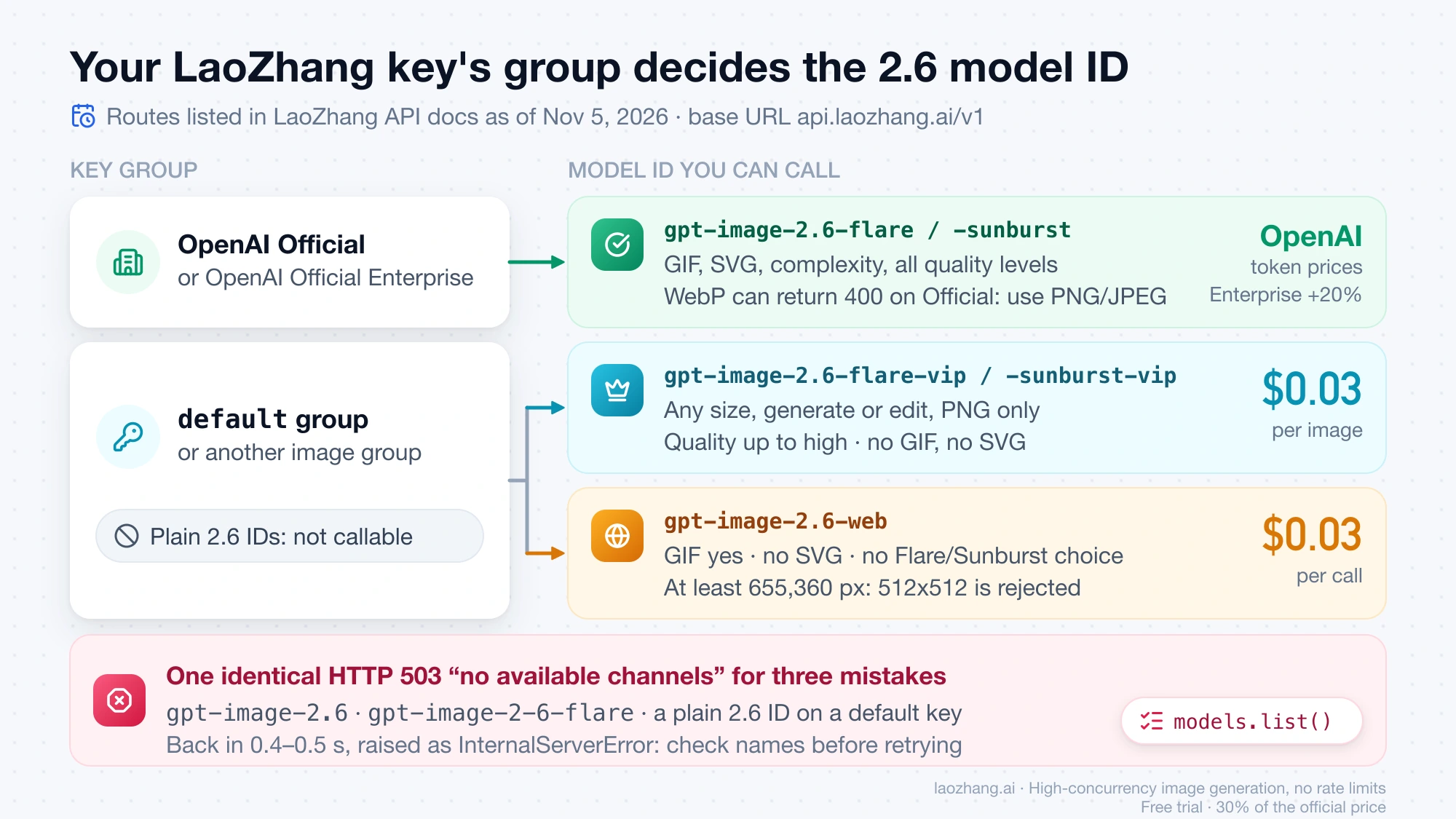
LaoZhang API exposes GPT Image 2.6 at an OpenAI-compatible base URL, https://api.laozhang.ai/v1, so the code above works after you change api_key and base_url. Which model ID your key can call depends on the group the key was created in. As of November 5, 2026, its GPT Image 2.6 announcement and GPT Image 2.5 and 2.6 guide list three routes:
Disclosure: laozhang.ai is our own service. Its prices are platform pricing, not an independent comparison.
| Model ID | Key group | Price | What it can't do |
|---|---|---|---|
gpt-image-2.6-flare, gpt-image-2.6-sunburst | OpenAI Official or OpenAI Official Enterprise, billing mode Usage first or Usage-based | OpenAI's token prices; Enterprise adds 20% | WebP output can return 400 in OpenAI Official (request PNG or JPEG, or use Enterprise); GIF, SVG, complexity and all quality levels work |
gpt-image-2.6-flare-vip, gpt-image-2.6-sunburst-vip | default or another image group | $0.03 per image, any size or quality, generate or edit | quality above high; GIF; SVG; formats other than PNG |
gpt-image-2.6-web | default or another image group | $0.03 per call | Choosing Flare or Sunburst; SVG; images under 655,360 pixels, so 512x512 is rejected (smallest square 816x816, 1024x1024 recommended for GIFs); native output above about 2K |
The client setup for any of the three:
import os
from openai import OpenAI

client = OpenAI(
    api_key=os.environ["LAOZHANG_API_KEY"],
    base_url="https://api.laozhang.ai/v1",
    timeout=300,  # Sunburst, edits and multi-frame GIFs can run past a minute
)
Calls made on November 5, 2026 with OpenAI Python SDK 2.24.0 and a default-group key give a sense of the VIP route. gpt-image-2.6-flare-vip at 1024×1024 and medium returned a PNG in 18.6 seconds. gpt-image-2.6-sunburst-vip at 1536×1024 and high took 49.3 seconds, and the Sunburst VIP edit from the Python section took 48.6 seconds. These are single runs, but they line up with the route's documented 25–55 seconds for a 1024 image on either model, so Flare's speed advantage from the table above doesn't carry over to the VIP IDs. On the same key, client.models.list() returned 203 IDs, including the two -vip IDs and gpt-image-2.6-web but not the plain 2.6 IDs. That list is the quickest way to see what a key can call.
Failed calls cost nothing on this gateway: according to LaoZhang's image billing and failures page, requests that fail upstream, fail parameter checks or are blocked by moderation aren't charged. That covers every 503 and 400 response in the error table below.
GPT Image 2.6 API errors: message, cause and fix
The first three rows apply wherever you call 2.6. The rest quote the response bodies LaoZhang API returned on November 5, 2026.
Disclosure: laozhang.ai is our own service. Its prices are platform pricing, not an independent comparison.
| Error or symptom | Cause | Fix |
|---|---|---|
TypeError: Images.generate() got an unexpected keyword argument 'complexity' (same for frame_count, svg) | openai Python SDK older than 3.46.0 | Upgrade, or pass the field in extra_body |
| Edit succeeds but looks like a 2.5 result | model left out of /v1/images/edits, so it ran on gpt-image-2.5-sunburst | Set model to a 2.6 ID on every edit |
No supported sheet fits | GIF frames don't fit on one sheet at that frame size | Use 512x512 with 4–9 frames, or cut frame_count |
HTTP 503 Current group default has no available channels for model gpt-image-2.6 under billing mode [pay-per-request] | The ID doesn't exist (gpt-image-2.6, or hyphens as in gpt-image-2-6-flare), or it exists but your key's group can't call it (gpt-image-2.6-sunburst on a default key). All three cases return the same text | Check the spelling, run client.models.list(), then switch to a -vip ID or create a key in the OpenAI Official group |
HTTP 400 gpt-image-2.6 -vip models support quality up to high; xhigh / max are not supported. | xhigh or max sent to a -vip ID | Use high, or the plain IDs on an OpenAI Official key |
HTTP 400 GIF and SVG output are not supported on this route; use gpt-image-2.6-flare / gpt-image-2.6-sunburst in the OpenAI Official group. | output_format gif or svg on a -vip ID | Plain IDs on an OpenAI Official key, or gpt-image-2.6-web for GIFs |
| HTTP 400 with a Chinese message meaning "request not accepted upstream, check the parameters and content and retry" | On -vip, it came once shortly after launch and a retry succeeded in 31.7 s. On gpt-image-2.6-web, it also covers parameter errors | Retry once; if it repeats, read param and code in the error body |
The 503 in the fourth row takes 0.4–0.5 seconds to come back, and the Python SDK raises it as InternalServerError. That makes it look like a server outage when it's really a model name or key problem, so check the model list before you add retries.
GPT Image 2.6 API: other questions
How do I get a transparent background from GPT Image 2.6?
Send background: "transparent" with output_format set to png or webp, as OpenAI's image generation guide describes for both Flare and Sunburst. JPEG can't carry transparency. If you get a gray-and-white checkerboard painted into the image instead of real transparency, the fixes are in GPT Image Transparent Background: Fix a Baked-In Checkerboard.
Does complexity change the price of a GPT Image 2.6 image?
No. OpenAI's guide says "adjusting complexity has no separate fee," and in the November 5, 2026 test the token count at a given quality stayed the same across complexity levels. Complexity changes how much the model plans before rendering. Higher settings can help with dense text and crowded layouts but can add latency and unwanted changes, which is why OpenAI suggests low for most edits.
Does GPT Image 2.6 accept the old response_format parameter?
No. OpenAI's API reference calls response_format a legacy parameter for retired image models that is unsupported for GPT Image models, which always return base64 in data[0].b64_json, so remove it from code carried over from DALL·E. The exception is LaoZhang API's -vip IDs, which can occasionally return an image URL instead of base64; passing response_format="b64_json" there keeps the output in b64_json.
Disclosure: laozhang.ai is our own service. Its prices are platform pricing, not an independent comparison.
Sources5
External pages this guide links to, in the order they appear. Last updated Nov 5, 2026.
Sources5
External pages this guide links to, in the order they appear. Last updated Nov 5, 2026.
- 1.GPT-Image-2.6 Flare model pagedevelopers.openai.com/api/docs/models/gpt-image-2.6-flare
- 2.GPT-Image-2.6 Sunburst model pagedevelopers.openai.com/api/docs/models/gpt-image-2.6-sunburst
- 3.Introducing Images 2.6 postopenai.com/index/introducing-images-2-6
- 4.image generation guidedevelopers.openai.com/api/docs/guides/image-generation
- 5.OpenAI's API pricing pagedevelopers.openai.com/api/docs/pricing