Gemma 4 Guide: Which Model to Use and Where to Run It
Gemma 4 is not one model. It is a four-model open family with a clear practical split: E2B and E4B for edge and on-device work, 26B A4B and 31B for workstation-class local inference. This guide helps you pick the right branch and the right place to run it.
On this page
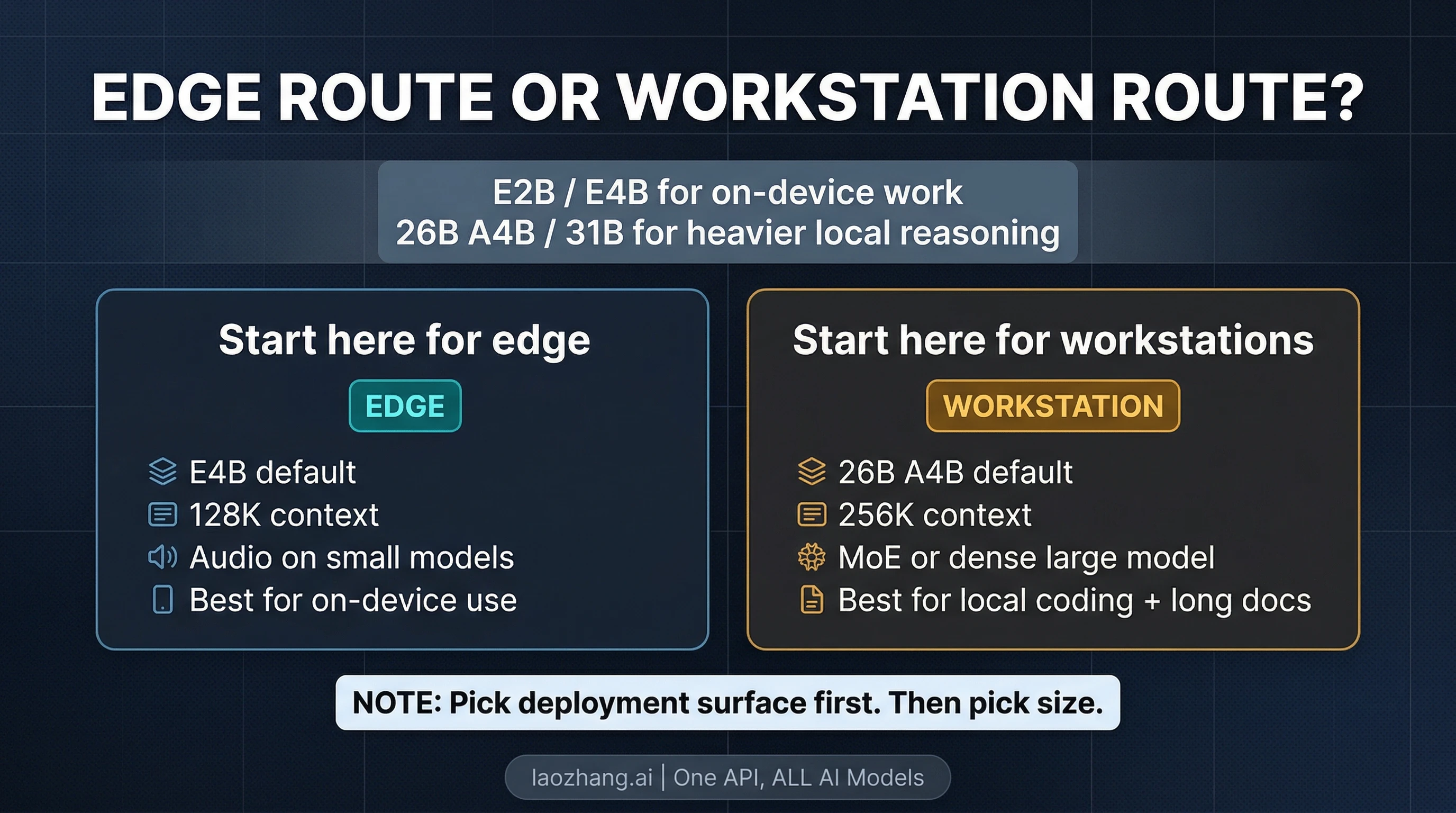
Gemma 4 is not one model. If you only remember one thing, remember this: E2B and E4B are the edge route, while 26B A4B and 31B are the workstation route. As of April 3, 2026, that split matters more than any single benchmark screenshot, because it decides whether you should start on a phone, a laptop, a workstation, or a hosted try-now surface.
That also makes Gemma 4 different from the usual new-model announcement. This is not just Google's next open release in the abstract. It is a four-model family under Apache 2.0, with a small-model branch built for efficient local and mobile use, and a larger-model branch built for longer context and heavier reasoning on developer hardware. If you read the launch pages alone, that can feel like a lot of product surface at once. The useful move is to simplify it into one first question: do you need an edge model, or a workstation model?
Verified against Google's Gemma release log, launch blog, Gemma 4 model card, Gemini Developer API pricing page, and Android Developers Blog on April 3, 2026.
Start Here: Which Gemma 4 branch should you pick?
| If your real goal is... | Start with... | Why | Main catch |
|---|---|---|---|
| An offline or low-latency model for edge, mobile, or small local devices | E4B | Best default edge pick: bigger than E2B, still built for efficient local use | Smaller context ceiling than the big models, and not the best choice for the heaviest workstation reasoning |
| The lightest Gemma 4 option that still keeps the new-family benefits | E2B | Best fit when RAM, battery, or latency is the real bottleneck | Lower ceiling than E4B for harder tasks |
| A strong workstation-class local model with better efficiency than a dense flagship | 26B A4B | MoE design activates only 3.8B parameters during inference, making it the practical default for many serious local setups | More complex model story than a simple dense flagship |
| The densest large Gemma 4 model for raw quality and a strong fine-tuning base | 31B | Best if you want the highest-capacity dense variant in the family | Heavier hardware footprint than 26B A4B |
| A hosted way to try the bigger models before committing to self-hosting | 26B A4B or 31B in AI Studio | Fastest official route to see what the big branch feels like | The current pricing page does not expose a normal paid Gemma 4 tier |
| On-device speech or audio understanding | E4B or E2B | Audio is native on the small-model branch | The larger models do not have the same audio support |
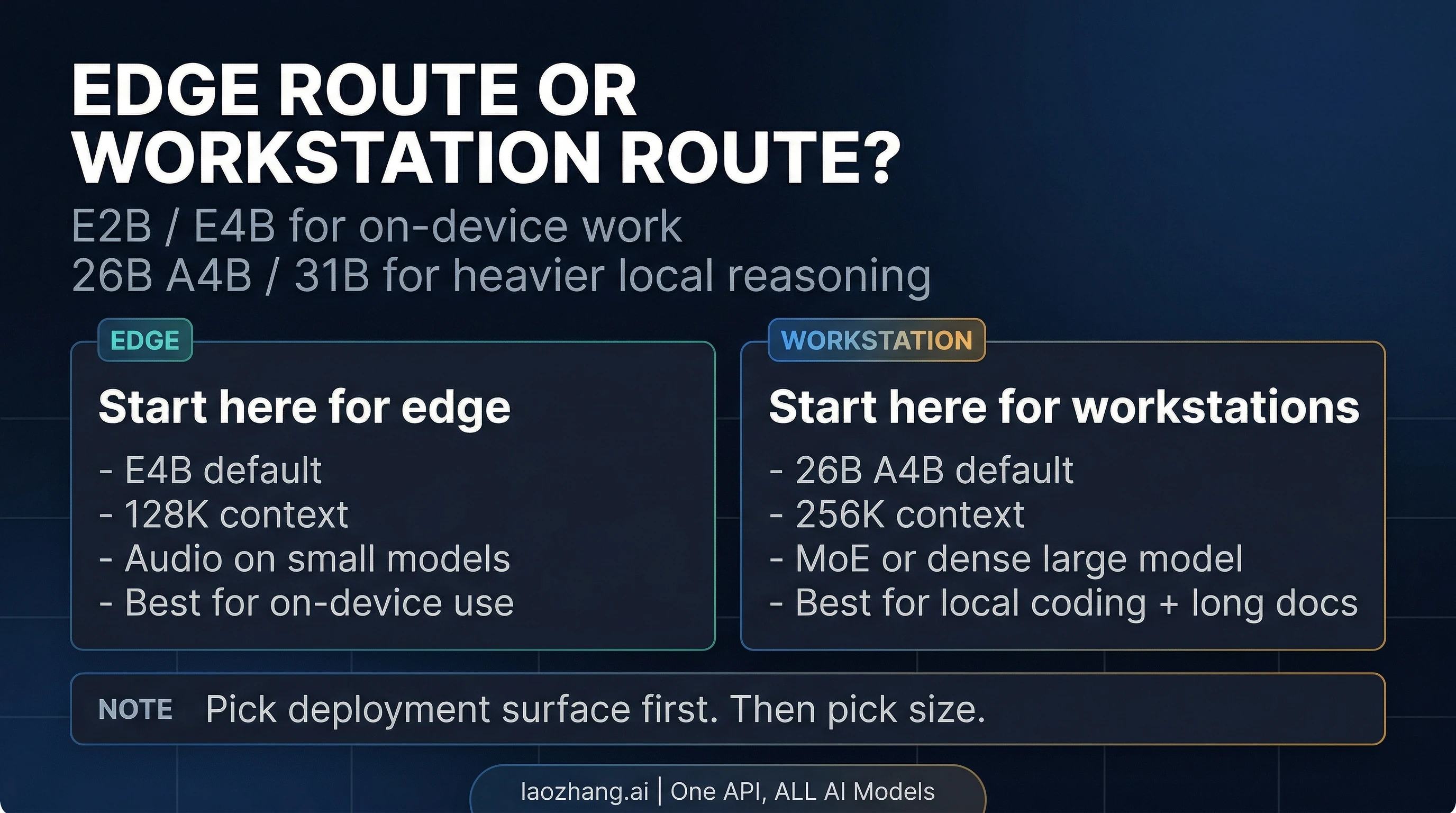
The cleanest default recommendation is simple. If you are starting on edge hardware, start with E4B. If you are starting on a workstation, start with 26B A4B. Those are the two most sensible entry points unless you already know you need the absolute smallest option or the full dense 31B route.
What Gemma 4 actually is
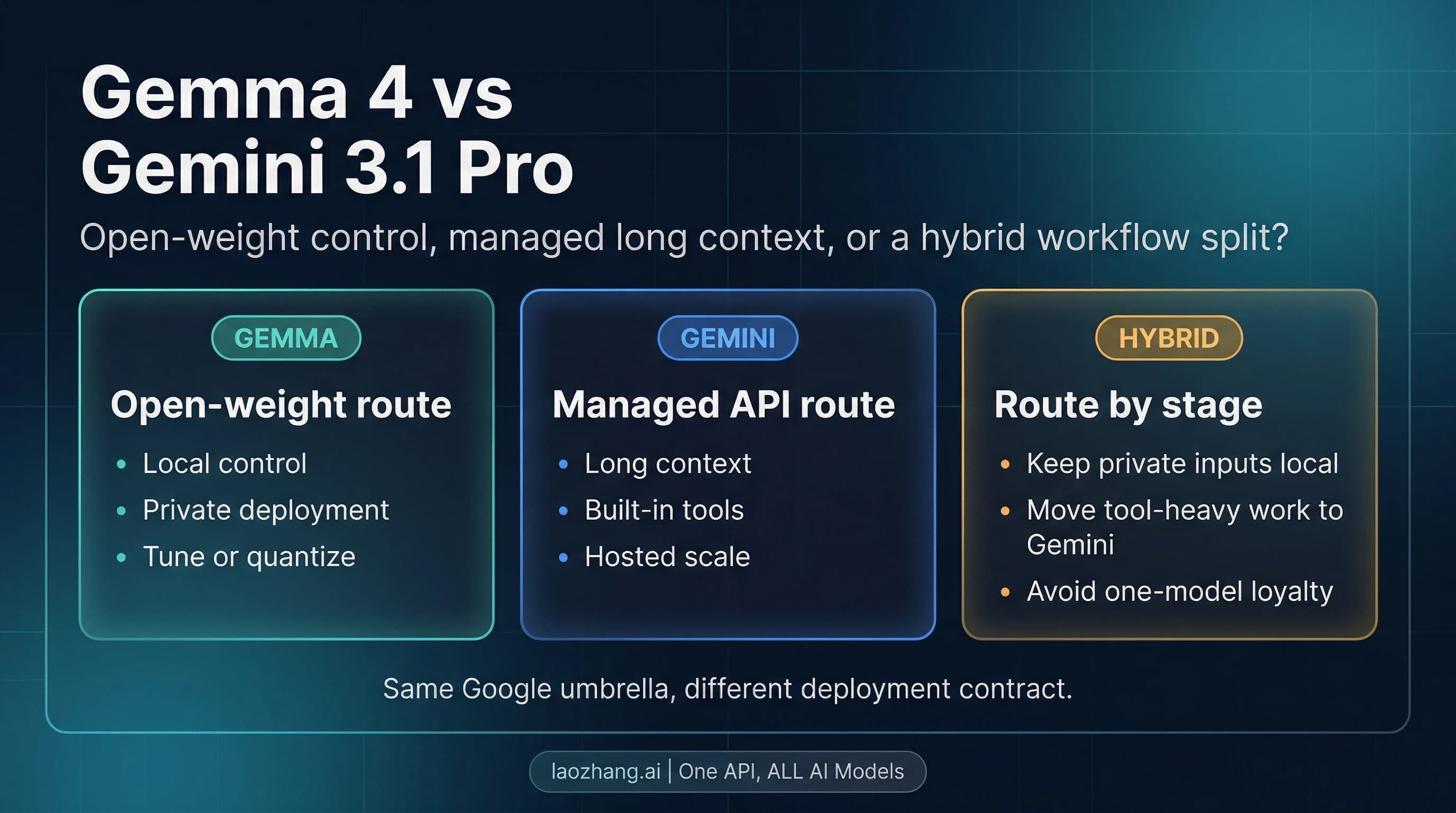
Gemma 4 is Google's newest open model family, recorded in the official Gemma release log on March 31, 2026 and announced publicly on April 2, 2026. Google positions it as the open-model counterpart to the research and infrastructure behind Gemini 3, but that does not mean Gemma 4 is just a cheaper Gemini nameplate. The real distinction is operational: Gemma is the open-weight family you can run, adapt, and deploy yourself, while Gemini is Google's managed model line.
That difference matters because it changes what kind of decision the reader is making. A managed Gemini choice is usually a pricing-and-API decision. A Gemma 4 choice is a deployment decision first. You are choosing whether to run a local edge model, a workstation-class model, or a hosted try-now surface that helps you evaluate the open model before deciding how to deploy it.
Google also made the product boundary clearer this time than many launch cycles do. The official model card describes Gemma 4 as a family of multimodal open models that handle text and image input, with audio native on the small models and text output across the line. That last point is worth saying directly because launch-week confusion is normal: Gemma 4 is not an image generator or a video generator. It is an open multimodal model family for text output, reasoning, coding, OCR-style understanding, and related workflows.
The real split: edge models vs workstation models
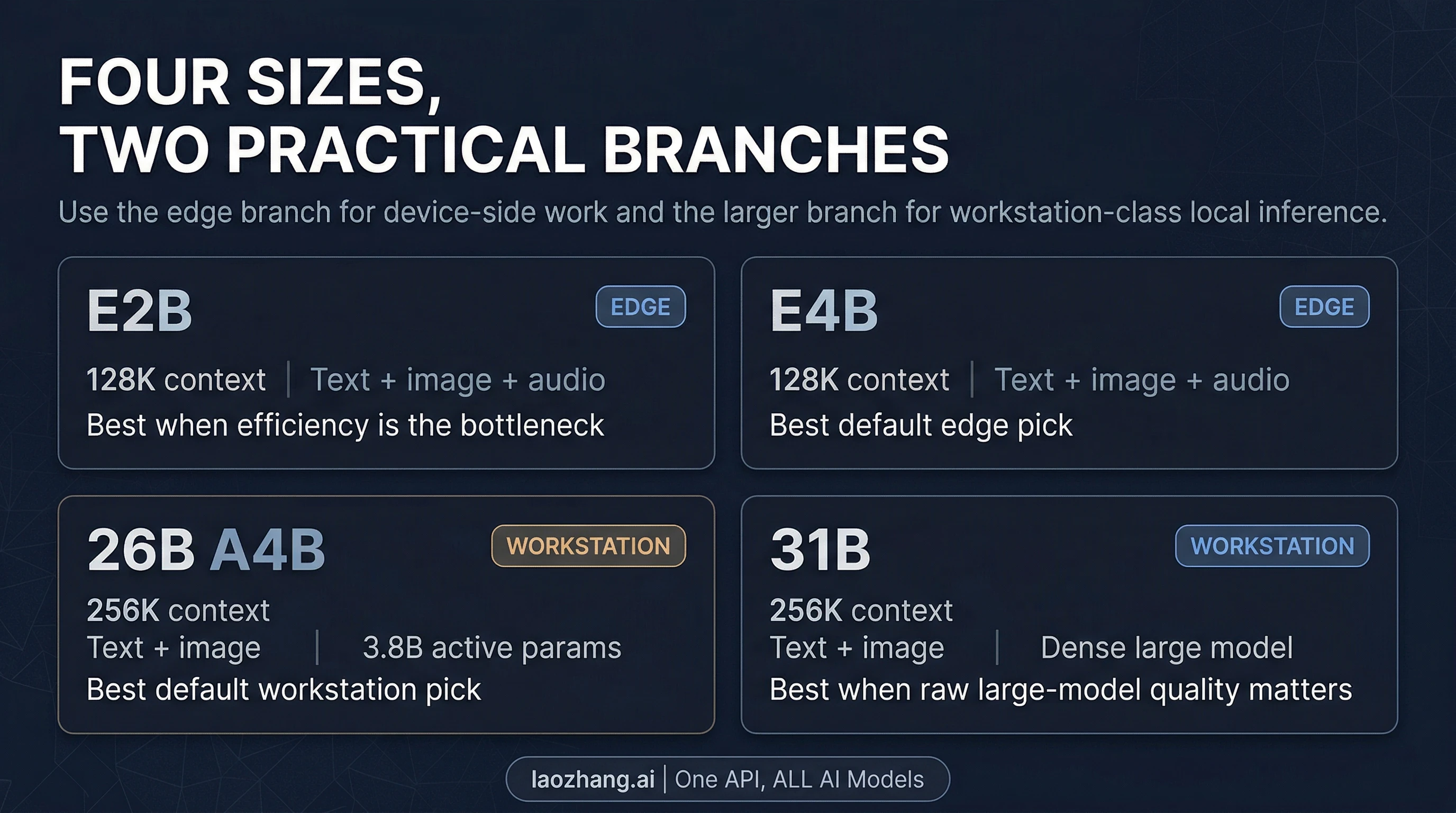
The most useful way to read the Gemma 4 family is not by asking which model is "best" in the abstract. It is by asking which deployment problem each branch is trying to solve.
The edge branch is E2B and E4B. In the official model card, both support 128K context, text and image input, and native audio input. Google's Android announcement also makes clear that this is the branch meant to feed the next generation of Gemini Nano behavior on devices. That means these models are not just "smaller." They are the part of the family designed to matter when latency, local execution, battery life, or constrained hardware matter more than raw capacity.
Within that edge branch, E4B is the better default for most serious work. It gives you more room than E2B while staying in the part of the family that Google is explicitly pushing toward on-device and edge workflows. E2B is the more specialized option: use it when efficiency is the first constraint and you are willing to trade ceiling for footprint.
The workstation branch is 26B A4B and 31B. Both move up to 256K context, which is a meaningful jump for long documents, larger code contexts, and heavier local reasoning flows. They also shift the family away from pure edge concerns and toward local developer hardware, workstations, and production-style self-hosting.
The interesting model here is 26B A4B. The model card describes it as a Mixture-of-Experts model with 25.2B total parameters but only 3.8B active parameters during inference. In practical terms, that makes it the most likely workstation default for many readers. It gives you the longer-context branch and stronger reasoning tier without forcing every user into the heaviest dense option. If you want the big-model Gemma 4 experience without defaulting to the maximum dense footprint, 26B A4B is the first serious place to start.
31B is the dense large model. It is the right choice when you care more about raw dense-model quality or you want the stronger dense base for experimentation and fine-tuning, and you are comfortable paying the hardware cost that comes with it. But the important part is that the article should not pretend 31B is the automatic answer just because it is the largest number in the family. For many local developers, 26B A4B is the more practical first stop.
What changed from Gemma 3
The upgrade from Gemma 3 matters, but not for the usual shallow reason of "the benchmark numbers went up." The deeper change is that Google pushed the family into a more usable shape.
First, the big branch now reaches 256K context, while the small branch holds 128K. That matters because it turns Gemma 4 into a stronger candidate for long-document and repository-scale local work than a generic small open model release would be. Second, the launch materials and model card both emphasize native system-role support and native function-calling posture, which is important for agentic and structured workflows. Third, the family is more deliberate about its split: edge models are not treated as tiny afterthoughts, and the workstation branch is not treated as a single monolith.
There are also concrete capability gains. In the official model card, the 31B Gemma 4 model posts much stronger reasoning numbers than Gemma 3 27B on several highlighted benchmarks, including big gains on AIME-style math and LiveCodeBench-style coding measures. That does not mean you should build the whole article around benchmark worship. It does mean the launch is not cosmetic. There is a real capability story underneath the new family design.
The other meaningful change is deployment posture. Google is clearly trying to make Gemma 4 feel like a family you can use from multiple angles: AI Studio for the bigger hosted try-now path, AI Edge and Android pathways for the smaller on-device path, and day-one support through runtimes like Hugging Face Transformers, Ollama, MLX, llama.cpp, and vLLM for self-hosted experimentation. That is a more useful story than "Gemma 4 is smarter." It is a story about where the family fits.
Where you can run Gemma 4 today
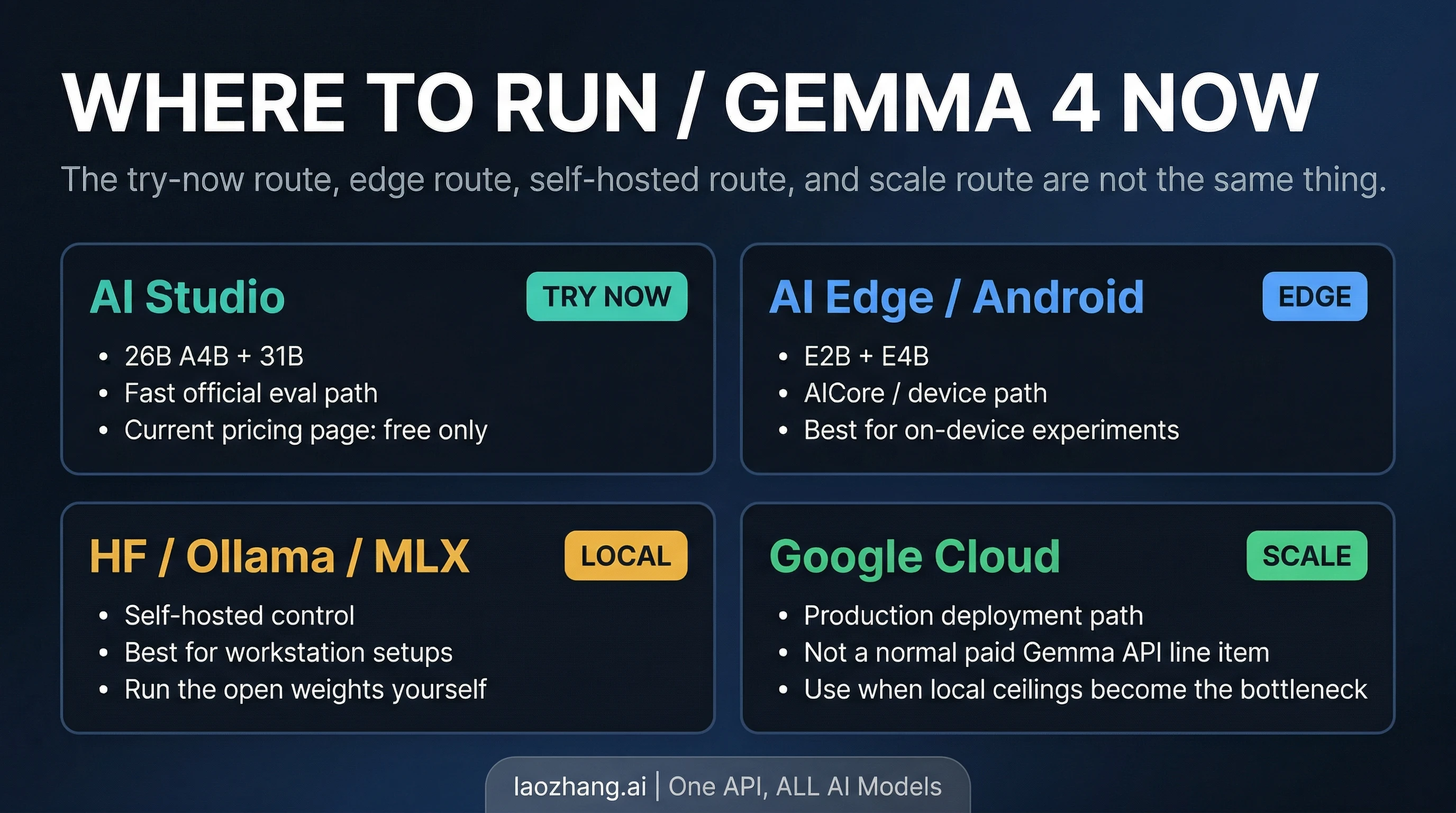
Where you should run Gemma 4 depends on which branch of the family you picked.
If you want the easiest official way to try the bigger models, Google's launch blog points you to AI Studio for 31B and 26B A4B. That is the fastest official route to evaluating the workstation branch without first building a local stack. One detail matters here, though: the current Gemini Developer API pricing page lists Gemma 4 as free of charge on the free tier and not available on the paid tier. That means the current hosted story is excellent for trying Gemma 4, but it should not be described as a standard paid Gemini API SKU in the same way readers may think about managed Gemini models.
If you care about the edge branch, the current official signals point in a different direction. Google's Android announcement ties Gemma 4 to the AICore Developer Preview and future Gemini Nano 4-enabled devices, and the launch materials point to AI Edge surfaces for E4B and E2B. That makes the small-model branch feel much more like a real edge path than a toy release.
If you want self-hosted local control, Google's launch materials also highlight the usual open-model ecosystem: Hugging Face, Kaggle, Ollama, Transformers, MLX, llama.cpp, vLLM, and other runtimes. That is the right path if your real goal is to run Gemma 4 on your own workstation, plug it into a local coding workflow, or fold it into a broader local stack. If that is your next step, our OpenClaw LLM setup guide is the more useful follow-on read than another generic launch recap.
And if you are already thinking about scaled production deployment, Google is pushing that story toward Google Cloud, not toward a simple pay-as-you-go Gemma 4 line item in the current Gemini pricing table. That is an important boundary. "You can run Gemma 4 in Google's ecosystem" is true. "Gemma 4 currently behaves like a normal paid hosted Gemini model" is not what the current pricing page shows.
Best picks by scenario
The easiest way to make Gemma 4 useful is to pick by bottleneck.
If you want a general edge default for local multimodal use, start with E4B. It is the part of the family that best balances the edge posture Google is clearly targeting with enough headroom to feel like a serious local model rather than a novelty.
If your real bottleneck is tight memory, battery, or latency, start with E2B. It is the efficiency-first option. That does not make it the family default, but it does make it the honest answer when footprint matters more than ceiling.
If you want a local coding or reasoning model on workstation-class hardware, start with 26B A4B. This is the most important practical recommendation in the whole article. The MoE design gives you a stronger path into the big branch without making the densest model the automatic first choice. For many developers who want a local open model for coding, reasoning, and longer context, 26B A4B is the smart first evaluation target.
If you care most about raw dense-model quality or fine-tuning headroom, move to 31B. The 31B dense model is the right answer when your hardware budget is stronger and you want the dense large-model route on purpose, not by default.
If you specifically need on-device audio understanding, stay on the E2B / E4B branch. The model card is clear that audio support is native on the small models, and that matters more than chasing the largest parameter count for the wrong job.
If you just want to see whether Gemma 4 is worth your time before building anything, start with AI Studio for the large branch or the Android / AI Edge preview path for the small branch. The wrong first move is to spend hours building a local deployment for a branch of the family you have not even chosen yet.
When Gemma 4 is the wrong answer
Gemma 4 is easy to oversell because it hits several attractive notes at once: open weights, Apache 2.0, long context, strong reasoning posture, and real edge ambition. That still does not make it the best route for every user.
If what you actually need is a fully packaged managed API contract with stable paid pricing, Gemma 4 is not currently as straightforward as the managed Gemini route. The current pricing page is useful precisely because it exposes that boundary. In that case, a managed Gemini path may be the more natural fit, and our Gemini API pricing guide is the better next read.
If what you need is the largest possible frontier closed-model reasoning stack with no self-hosting or open-weight deployment work, Gemma 4 may not be the answer you are really looking for. It is strong because it is open and deployable, not because it erases the distinction between open models and managed frontier systems.
If what you need is image or video generation, Gemma 4 is also the wrong family. The model card is explicit enough that this should not be left vague: Gemma 4 is a multimodal model family that takes text and visual input and generates text output. It is not Google's image-generation or video-generation product line.
The right mental model
The best way to think about Gemma 4 is not as one more launch-week brand name. It is a two-track open family.
The first track is the edge track: E2B and E4B, where local execution, multimodal edge use, and device-level practicality matter most. The second track is the workstation track: 26B A4B and 31B, where longer context and heavier local reasoning are the point. If you pick the right track first, the rest of the article becomes simple. If you skip that step, all four models blur together and Gemma 4 starts to look more confusing than it really is.
That is why the most useful quick answer is also the simplest one. Start with E4B if you want the serious edge route. Start with 26B A4B if you want the serious workstation route. Move smaller only when efficiency is the real bottleneck, and move denser only when you know you want the full 31B tradeoff.