Gemini 3.1 Pro API: Setup, Pricing, Limits, and Migration Guide (2026)
Gemini 3.1 Pro API is Google's paid preview model for long-context reasoning, multimodal input, and tool-heavy workflows. This guide explains the current model IDs, the fastest setup path, real pricing and rate-limit rules, and what changed after `gemini-3-pro-preview` shut down.
On this page
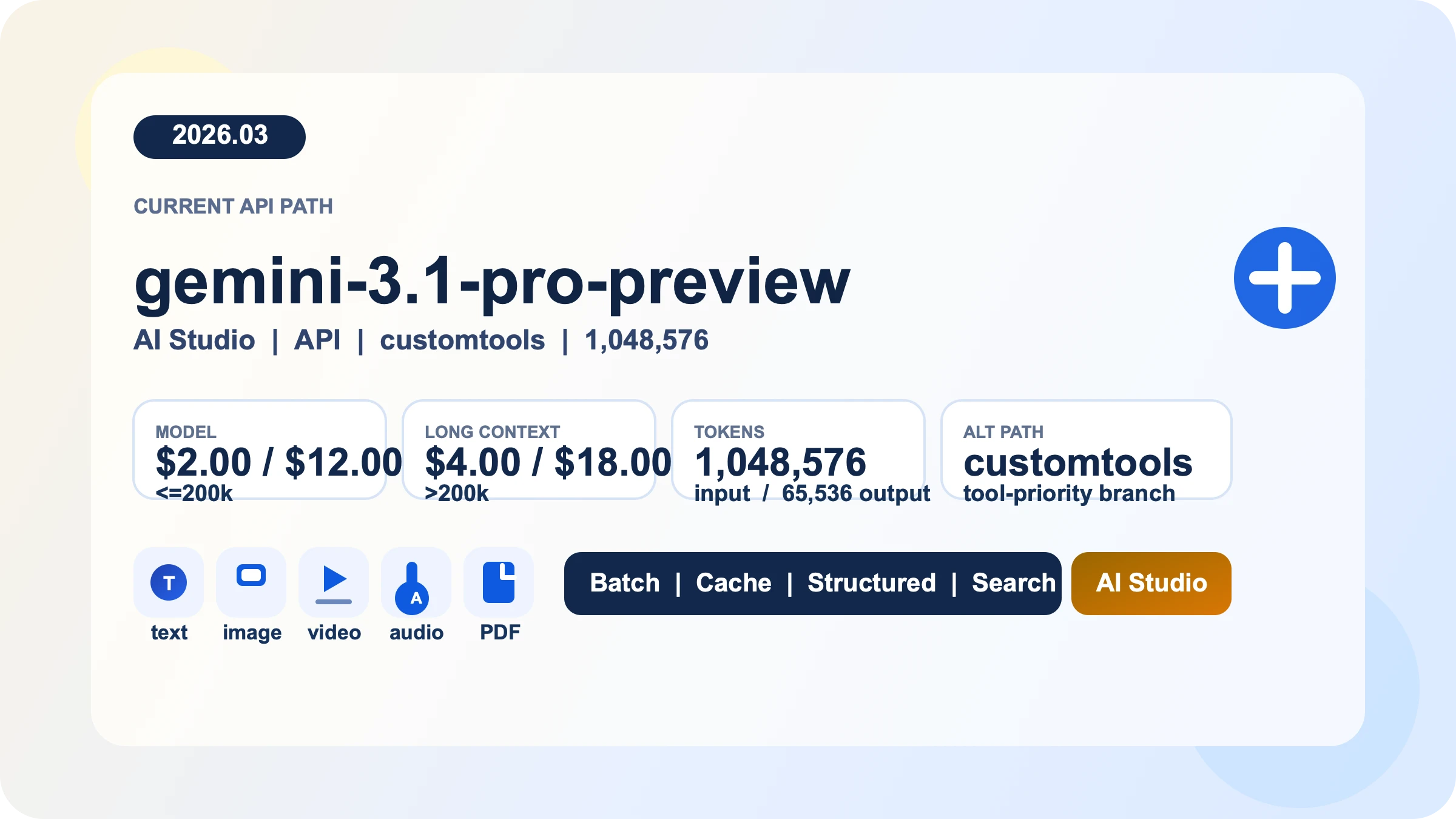
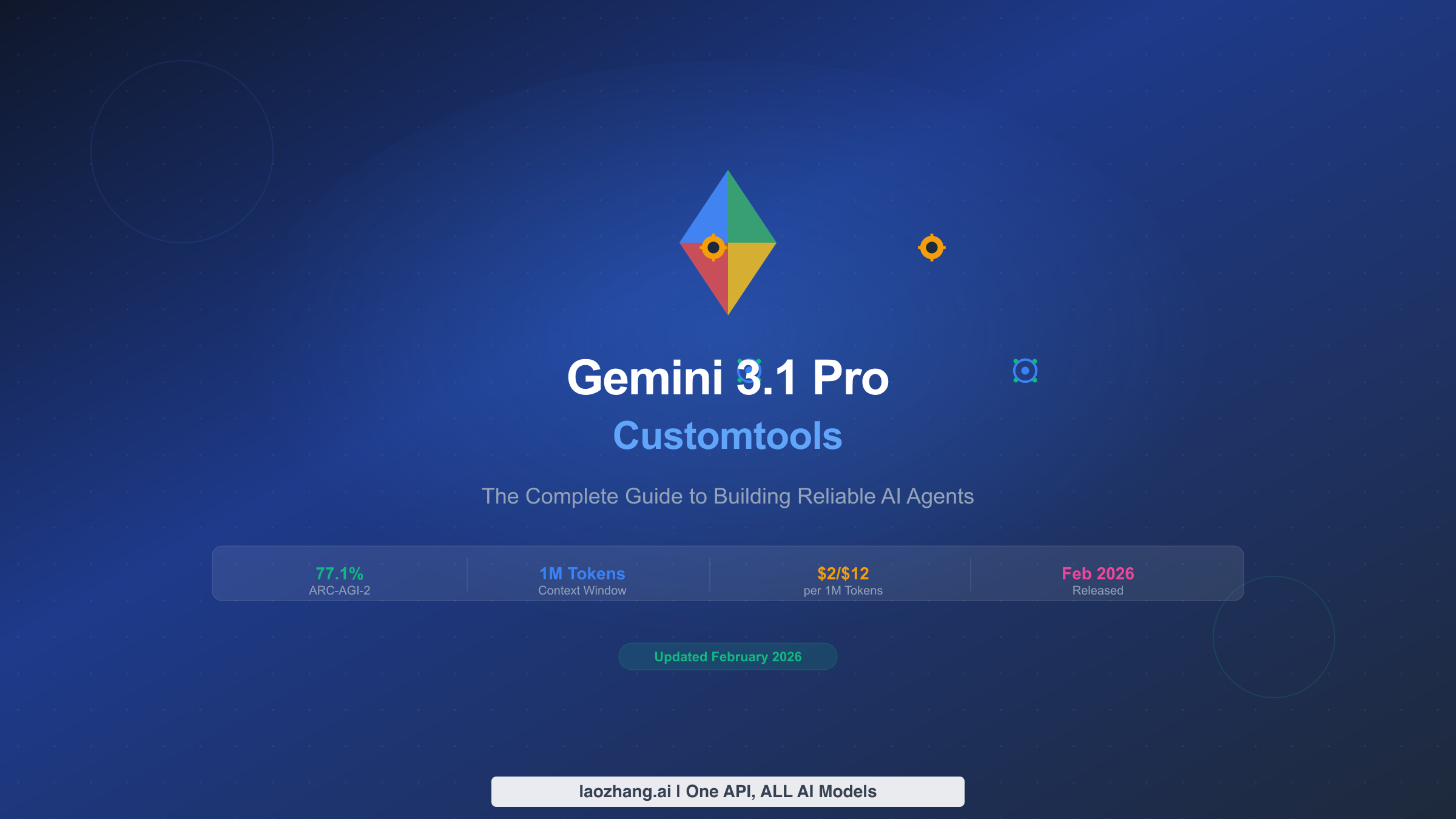
Gemini 3.1 Pro API is Google's paid preview path for long-context reasoning, multimodal input, and tool-heavy developer workflows. As of March 28, 2026, the standard rate is $2 input / $12 output per 1M tokens for prompts up to 200k tokens, then $4 / $18 above that threshold; Batch runs at half those prices. The current main model is gemini-3.1-pro-preview, the older gemini-3-pro-preview has already been shut down and now points to the new model, and the separate gemini-3.1-pro-preview-customtools endpoint exists for agents that mix bash with registered tools. If your goal is to get a first request working without walking into stale model IDs, copied quota tables, or avoidable cost surprises, that is where you should start.
Evidence note: this guide is based on Google's Gemini 3.1 Pro model page, pricing page, rate-limits page, API-key guide, OpenAI compatibility docs, Gemini 3 developer guide, and release notes, all rechecked on March 28, 2026.
TL;DR
- Use
gemini-3.1-pro-previewas the default Gemini 3.1 Pro API path. - Use
gemini-3.1-pro-preview-customtoolsonly when tool priority is part of the workload, not as a universal upgrade. - Programmatic Gemini 3.1 Pro access is paid-only. Google AI Studio is the fastest way to test prompts before you wire billing into an application.
- Pricing is $2.00 input / $12.00 output per 1M tokens up to 200k prompt size, then $4.00 / $18.00 above that threshold. Batch is half-price and caching is a real cost lever.
- Your real RPM, TPM, and RPD are not something a blog can truthfully hard-code anymore. Google's own docs now tell you to view active limits in AI Studio, and preview models are more restrictive.
- If you were using
gemini-3-pro-preview, treat this as a migration job, not a naming preference.
The fastest way to get a Gemini 3.1 Pro request working
Google still centers Gemini API key creation in Google AI Studio. The practical sequence is simple: open AI Studio, import or create the project you want to use, generate an API key there, then set GEMINI_API_KEY or GOOGLE_API_KEY locally. Google's API-key docs note that the official libraries will pick up either variable automatically, with GOOGLE_API_KEY taking precedence if both are set. If you are only evaluating prompt behavior, stop in AI Studio first. If you need programmatic Gemini 3.1 Pro access, connect billing before you expect those calls to work as a no-cost path.
For most teams, the cleanest default is the official GenAI SDK rather than an abstraction layer you have to debug later. The basic Python and JavaScript paths are short enough that there is little reason to hide them.
from google import genai
from google.genai import types

client = genai.Client()

response = client.models.generate_content(
    model="gemini-3.1-pro-preview",
    contents="Review this API design and list the main tradeoffs.",
    config=types.GenerateContentConfig(
        thinking_config=types.ThinkingConfig(thinking_level="medium")
    ),
)

print(response.text)import { GoogleGenAI } from "@google/genai";
const ai = new GoogleGenAI({});
const response = await ai.models.generateContent({
model: "gemini-3.1-pro-preview",
contents: "Review this API design and list the main tradeoffs.",
config: {
thinkingConfig: {
thinkingLevel: "medium",
},
},
});
console.log(response.text);curl "https://generativelanguage.googleapis.com/v1beta/models/gemini-3.1-pro-preview:generateContent" \
-H "x-goog-api-key: $GEMINI_API_KEY" \
-H "Content-Type: application/json" \
-X POST \
-d '{
"contents": [{
"parts": [{"text": "Review this API design and list the main tradeoffs."}]
}],
"generationConfig": {
"thinkingConfig": {
"thinkingLevel": "medium"
}
}
}'The important part is not just that the request runs, but that it runs with an explicit model and an explicit thinking setting. Gemini 3.1 Pro supports thinking, and Google's Gemini 3 guide documents high as the default dynamic level for this model family. If you leave reasoning behavior fully implicit, you are also leaving latency and output-token spend more implicit than most production teams are comfortable with.
Pick the right model ID before you optimize anything
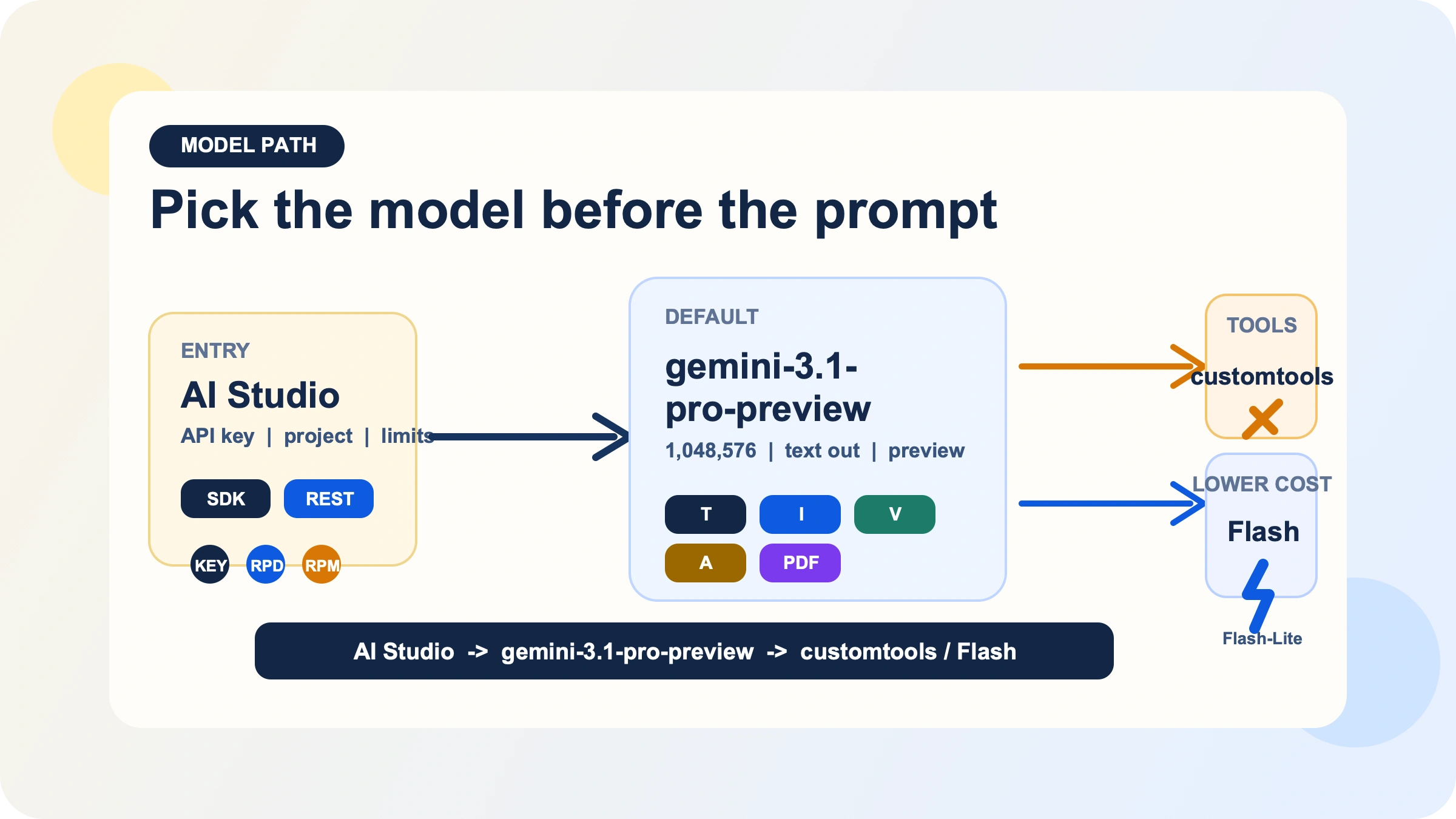
The first decision is not prompt engineering. It is model path selection.
The current default path is gemini-3.1-pro-preview. Google's model page describes it as a preview model built to improve the Gemini 3 Pro series with better thinking, improved token efficiency, and stronger software-engineering and agentic behavior. It accepts text, image, video, audio, and PDF inputs, produces text output, and supports a useful cluster of production features: Batch API, caching, code execution, function calling, search grounding, Maps grounding, structured outputs, and URL context. That makes it viable for document-heavy analysis, multimodal reasoning, and workflows where tool use or structured responses matter.
The same model page also makes the constraints clear. Gemini 3.1 Pro Preview does not support image generation, audio generation, or the Live API. If your real job is image output, voice-first real-time interaction, or the cheapest possible high-volume text pipeline, you are already on the wrong branch if you start here. In those cases, a Flash, Flash-Lite, image, or live model is usually the right starting point, and if you specifically need no-cost experimentation you should look at our Gemini API free-tier guide instead of forcing Pro into a role it does not fit.
The second branch is gemini-3.1-pro-preview-customtools. This is not a different flagship with different pricing or context length. It is a separate endpoint optimized for teams building agents that have both bash access and registered tools. Google's model page says it is better at prioritizing custom tools such as view_file or search_code, but also warns that quality may fluctuate in use cases that do not benefit from such tools. That is the key decision. If custom-tool priority is part of your reliability story, use it deliberately. If you mostly want plain reasoning, chat, or document analysis, stay on the standard endpoint. If you need a deeper decision framework, we already have a dedicated Gemini 3.1 Pro customtools guide.
There is also one migration fact you should treat as settled, not optional. Google's release notes say gemini-3-pro-preview was shut down on March 9, 2026 and now points to gemini-3.1-pro-preview. Even if aliasing still keeps some older calls alive, new code should move to the explicit current model string for clarity, auditability, and future maintenance.
Pricing and limits without the guesswork
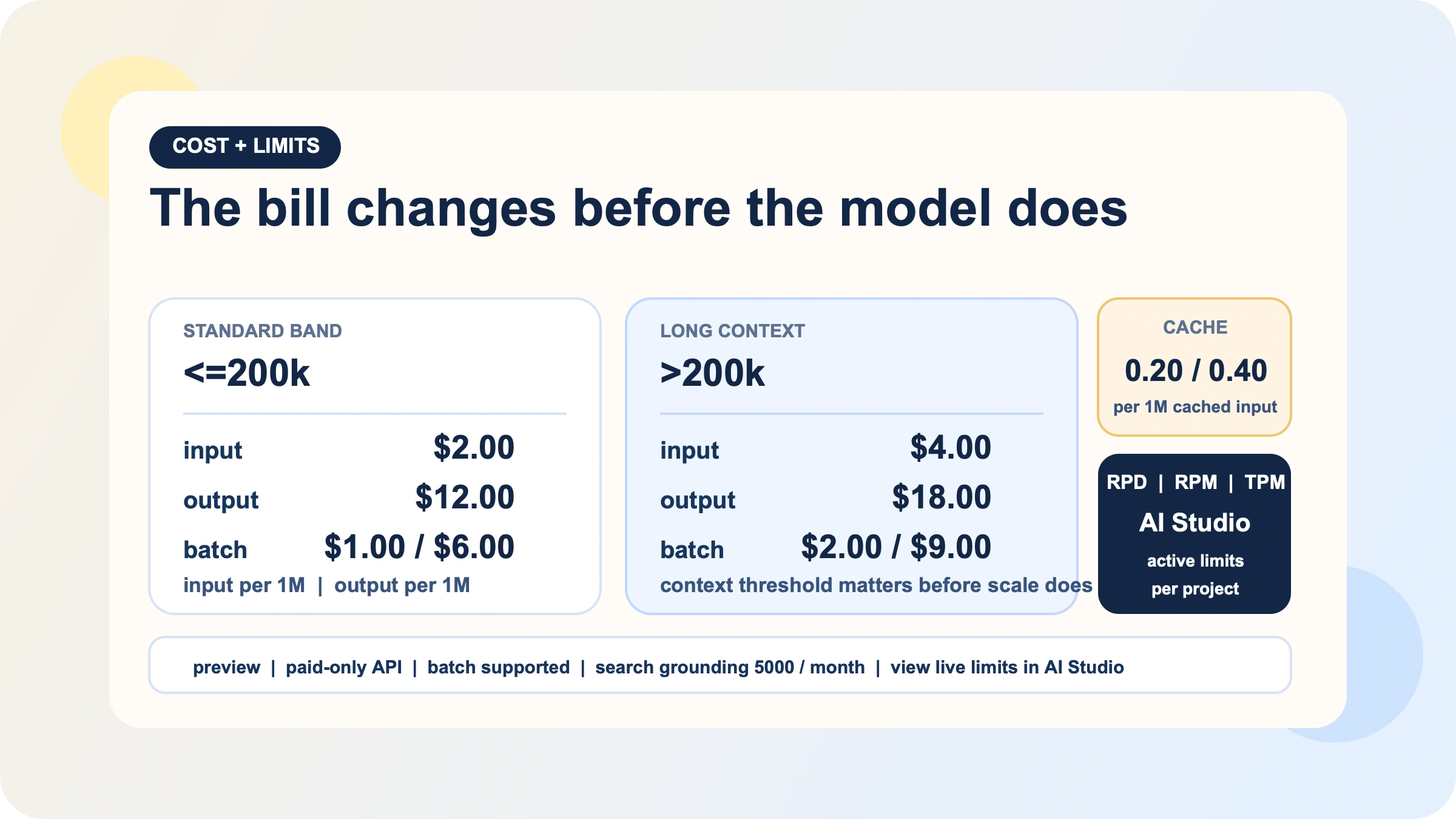
Gemini 3.1 Pro pricing is simple until your prompt size crosses the threshold that many quick guides ignore. On Google's current pricing page, standard pricing for prompts up to 200k tokens is:
| Band | Input | Output | Batch |
|---|---|---|---|
<=200k | $2.00 / 1M | $12.00 / 1M | $1.00 / $6.00 |
>200k | $4.00 / 1M | $18.00 / 1M | $2.00 / $9.00 |
That threshold matters because Gemini 3.1 Pro's appeal is its 1,048,576-token input window. Teams often focus on the headline context size and forget that extremely large prompts move them into a different price band. In practice, your first four cost levers are more important than most benchmark tables:
- Keep routine prompts below 200k when you can.
- Use Batch for async work instead of paying real-time rates for background jobs.
- Use context caching when you repeatedly send the same large instructions or reference material.
- Treat thinking level as a real cost lever, not a decorative option.
Google's pricing page puts real numbers on the two most commonly ignored line items: context caching and grounding. Caching is $0.20 / $0.40 per 1M tokens (<=200k / >200k) plus $4.50 per 1M tokens per hour of storage, so it only wins when you reuse large blocks. Search and Maps grounding share a 5,000-prompt monthly free pool (Batch uses a smaller allowance), then cost $14 per 1,000 queries; if your workload doesn't need fresh web facts, grounding becomes an avoidable multiplier.
Limits require a different mental model. Google's rate-limits page now explicitly says that actual API limits depend on your usage tier and account state and should be viewed in AI Studio. That means any blog, including this one, should stop pretending that a copied RPM table is the final truth for your project. What the docs do make clear is still useful:
- rate limiting is measured across RPM, TPM, and RPD
- quotas are applied per project, not per API key
- RPD resets at midnight Pacific
- preview models have more restrictive limits
- your current active limits live in AI Studio
The same page also explains the current tier path: Tier 1 begins when you set up and link an active billing account, Tier 2 requires paid usage plus time since the first successful payment, and Tier 3 requires materially higher spend and more history. If you are capacity planning seriously, use that page to understand the rules, then check AI Studio for the numbers that actually govern your project.
One practical late-March detail is easy to miss: Google's release notes say AI Studio added project-level spend caps on March 12, 2026. If you are turning on Gemini 3.1 Pro for a team and want a guardrail before the first expensive long-context job lands, that is worth configuring.
Thinking, long context, and the cost levers that actually matter
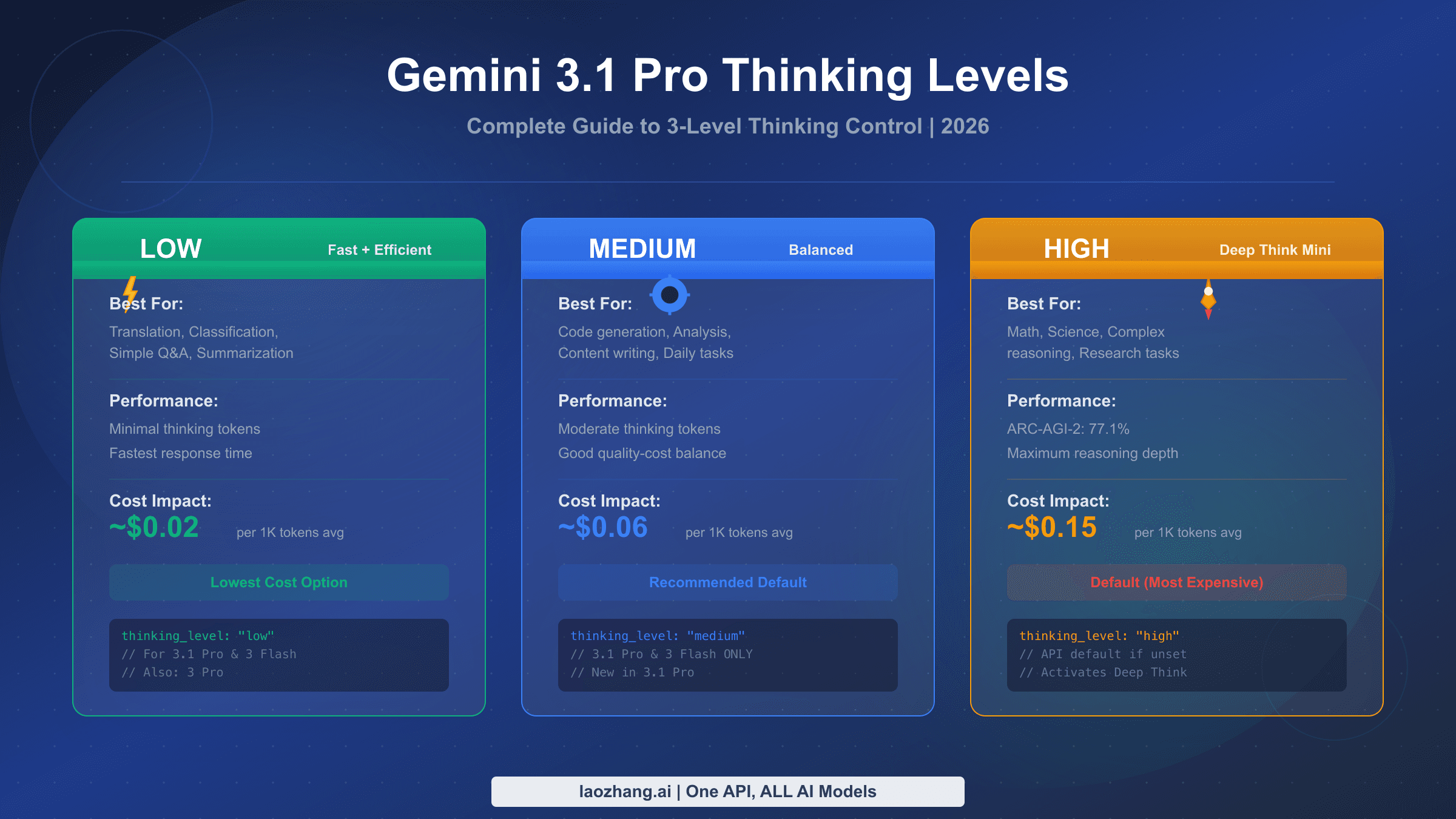
Gemini 3.1 Pro is not a model you should run on autopilot just because the API surface looks straightforward. Google's Gemini 3 guide documents three supported thinking levels for Gemini 3.1 Pro: low, medium, and high, with high as the default dynamic level. The same guide also states that you cannot combine thinking_level with the legacy thinking_budget in a single request; doing so returns a 400 error. That is not trivia. It means migrations from older Gemini flows should be explicit rather than half-converted.
My practical recommendation is to treat medium as the first serious default for daily work, then move down or up based on the task. That recommendation is an engineering inference from the docs rather than a quoted Google rule, but it follows from the way the pricing and thinking controls interact. If you are doing extraction, classification, short transformations, or other tasks where deep reasoning is not the bottleneck, low is often the safer first try. If you are using Gemini 3.1 Pro specifically for complex analysis, large-codebase review, or multi-step reasoning, then high may be justified, but you should choose it because the workload needs it rather than because the SDK left it implicit.
Long context needs the same discipline. The model's 1M-token window is real, and it is one of the strongest reasons to choose Gemini 3.1 Pro in the first place. But the economic question is not "can I fit this?" It is "how often do I need to pay the long-context rate, and which parts of this context should be cached or summarized first?" If you repeatedly send a giant static system prompt, a giant repeated document pack, or unchanged repo context, the naive path quickly becomes the expensive path.
If you want a deeper dive into how Google maps thinking controls and how to route them by workload, we already have a focused Gemini 3.1 Pro thinking-level guide. The key point for this parent guide is narrower: set reasoning intentionally, keep an eye on the 200k threshold, and do not let long context become a billing habit just because the model allows it.
Migrate cleanly if you used Gemini 3 Pro Preview or the OpenAI SDK
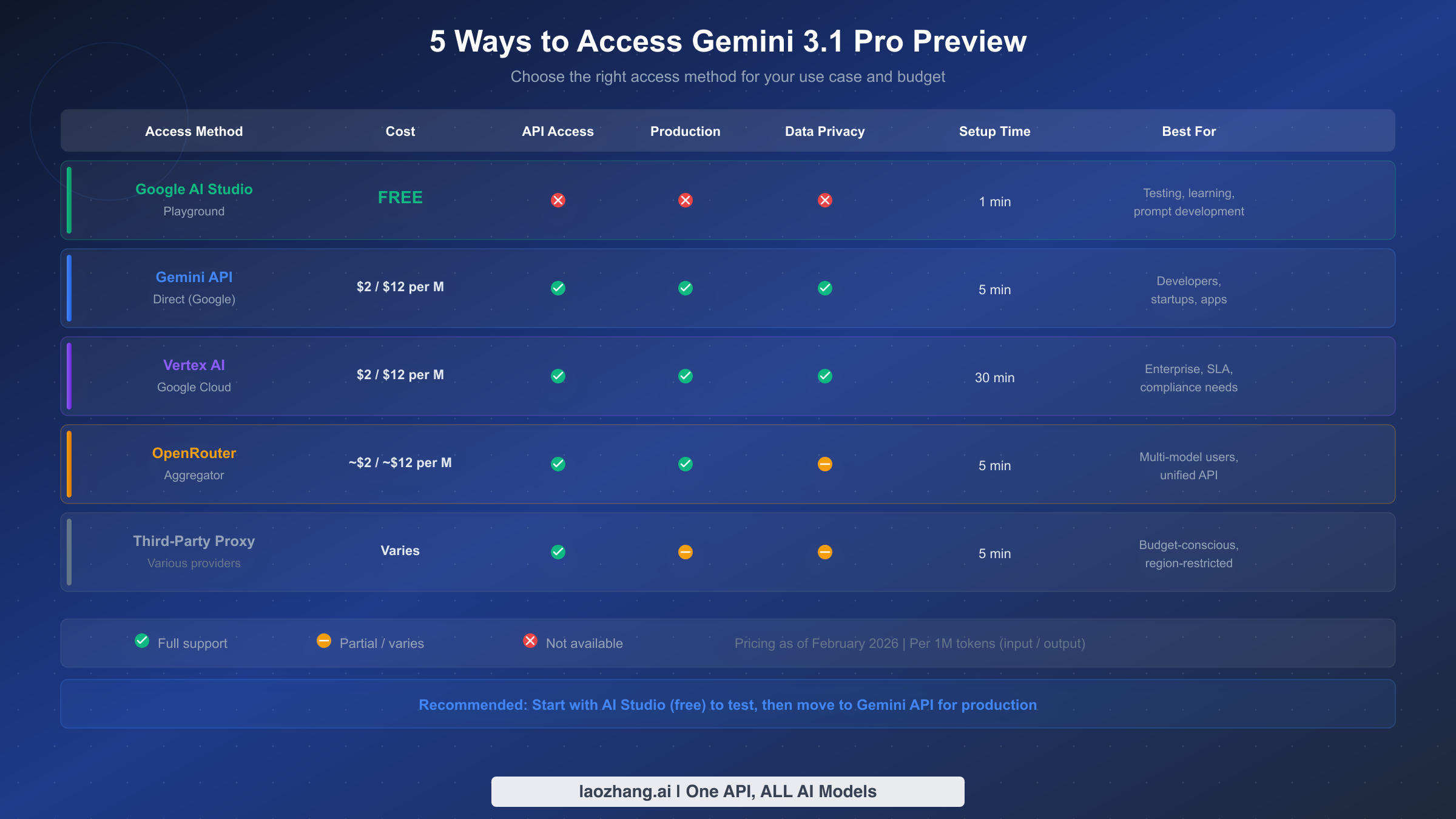
If you were using Gemini 3 Pro Preview, the migration headline is simple. Google's March 9, 2026 release notes say the model was shut down and gemini-3-pro-preview now points to gemini-3.1-pro-preview. The right operational move is to update the explicit model string in your code, review any assumptions around thinking behavior, and decide whether your workload should stay on the standard path or move to -customtools.
If you are already invested in the OpenAI SDK, Google's OpenAI compatibility layer is the cleanest bridge. Their docs say Gemini models are accessible with the OpenAI Python and JavaScript libraries by changing the key, the base URL, and the model name. That gives teams an easy migration path when they want to test Gemini inside an existing OpenAI-client stack before deciding whether to adopt the native GenAI SDK directly.
from openai import OpenAI

client = OpenAI(
    api_key="GEMINI_API_KEY",
    base_url="https://generativelanguage.googleapis.com/v1beta/openai/"
)

response = client.chat.completions.create(
    model="gemini-3.1-pro-preview",
    reasoning_effort="medium",
    messages=[
        {"role": "user", "content": "Summarize the migration risks in this API design."}
    ]
)

print(response.choices[0].message.content)
The compatibility docs are also useful because they map OpenAI's reasoning_effort values to Gemini reasoning controls: minimal and low map to Gemini low, medium maps to medium, and high maps to high. The important rule is the same as on the native side: do not try to set overlapping reasoning controls at once. If you are using reasoning_effort through the OpenAI-compatible route, do not also jam a separate Gemini thinking control into the same request unless the docs explicitly say that combination is supported for your exact path.
This is also the right point to audit anything that still depends on stale tutorials. Old code samples are more dangerous on model families that are still in preview because surface details move faster. The safest path is to standardize on the current model string, re-check your cost assumptions, and test a few representative prompts in AI Studio before you move a production route.
When Gemini 3.1 Pro is the right API and when it is not
Gemini 3.1 Pro is the right API when your workload genuinely benefits from three things at once: strong reasoning, long context, and a tool-aware multimodal surface. That combination is unusually good for large document review, codebase analysis, structured extraction from complex mixed inputs, and agent workflows where code execution, function calling, grounding, or URL context matter. It is also the right fit when your team is comfortable with a paid preview model and can tolerate the operational reality that preview models usually have stricter limits than cheap high-volume options.
Choose gemini-3.1-pro-preview-customtools when the workload is agentic in a very specific way: your agent has both bash access and registered tools, and the reliability problem is tool prioritization rather than raw model quality. Choose a cheaper Flash or Flash-Lite path when latency or budget sensitivity matters more than flagship reasoning. Choose another model family entirely when you need image output or live audio. And if your main requirement is "I want a free API to prototype with," this is not the right starting point. That is exactly the case where our Gemini API free-tier guide and Gemini API rate-limits guide are more useful first reads.
If you actively compare Gemini, OpenAI, and Claude behind one routing layer, a gateway like laozhang.ai can be useful because it reduces auth and billing fragmentation. The real test, though, is feature exposure rather than headline model availability. Verify that any gateway passes through the exact model variant and capabilities you need, especially if your workflow depends on preview-only behavior or the customtools path.
The practical conclusion is simple. Gemini 3.1 Pro API is worth using when you need its actual shape, not just its branding. If your real job is "fast, cheap, high-volume text," do not pay Pro pricing because a launch cycle made it sound like the default answer. If your real job is "one large multimodal context, structured output, grounded reasoning, and reliable multi-step execution," Gemini 3.1 Pro is a strong current path.
FAQ
Is Gemini 3.1 Pro API free?
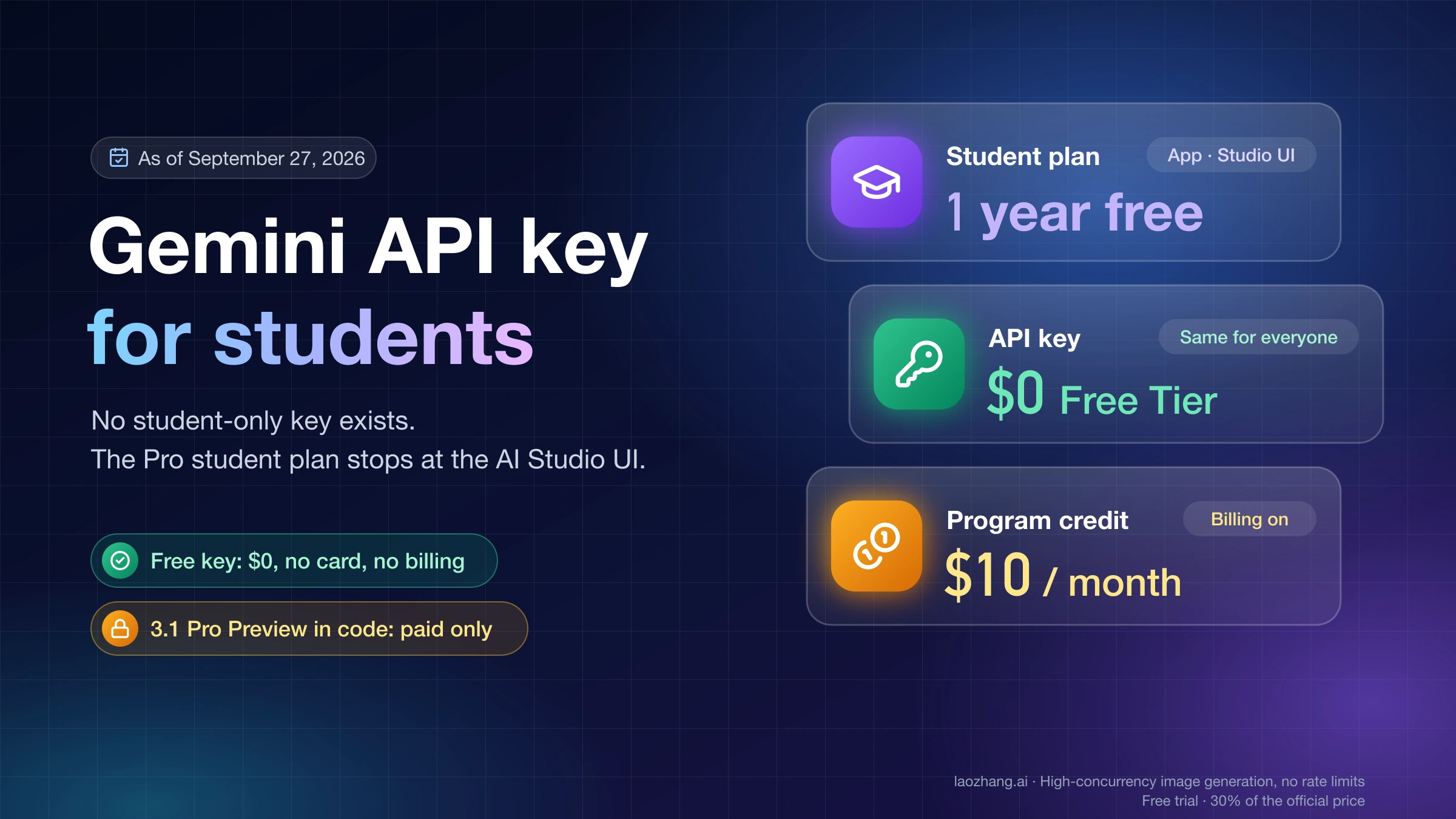
No. Google's current pricing page shows no free API tier for Gemini 3.1 Pro Preview. You can test it in AI Studio, but programmatic access is paid.
Does gemini-3-pro-preview still work?
It was shut down on March 9, 2026. Google's release notes say the old model now points to gemini-3.1-pro-preview, but new code should use the current model string explicitly.
Should I use gemini-3.1-pro-preview-customtools for every project?
No. Use it when custom-tool prioritization is the point. Google's model page warns that quality may fluctuate in workloads that do not benefit from such tools.
Where do I see my real RPM, TPM, and RPD?
In AI Studio. Google's rate-limits page now tells users to view active limits there because capacity varies by tier and account state.
Can I call Gemini 3.1 Pro through the OpenAI SDK?
Yes. Google's OpenAI compatibility docs show that you can do it by changing the API key, the base URL, and the model name.
Does Gemini 3.1 Pro support image generation or Live API?
No. The current model page lists image generation, audio generation, and Live API as unsupported for Gemini 3.1 Pro Preview.