Gemini 3.5 Flash Capabilities: API Verdict, Strengths, Limits, and When to Switch
Gemini 3.5 Flash is official as `gemini-3.5-flash`, strongest for agentic coding and long-horizon workflows, with clear limits around image, audio, Live API, and Computer Use.
On this page
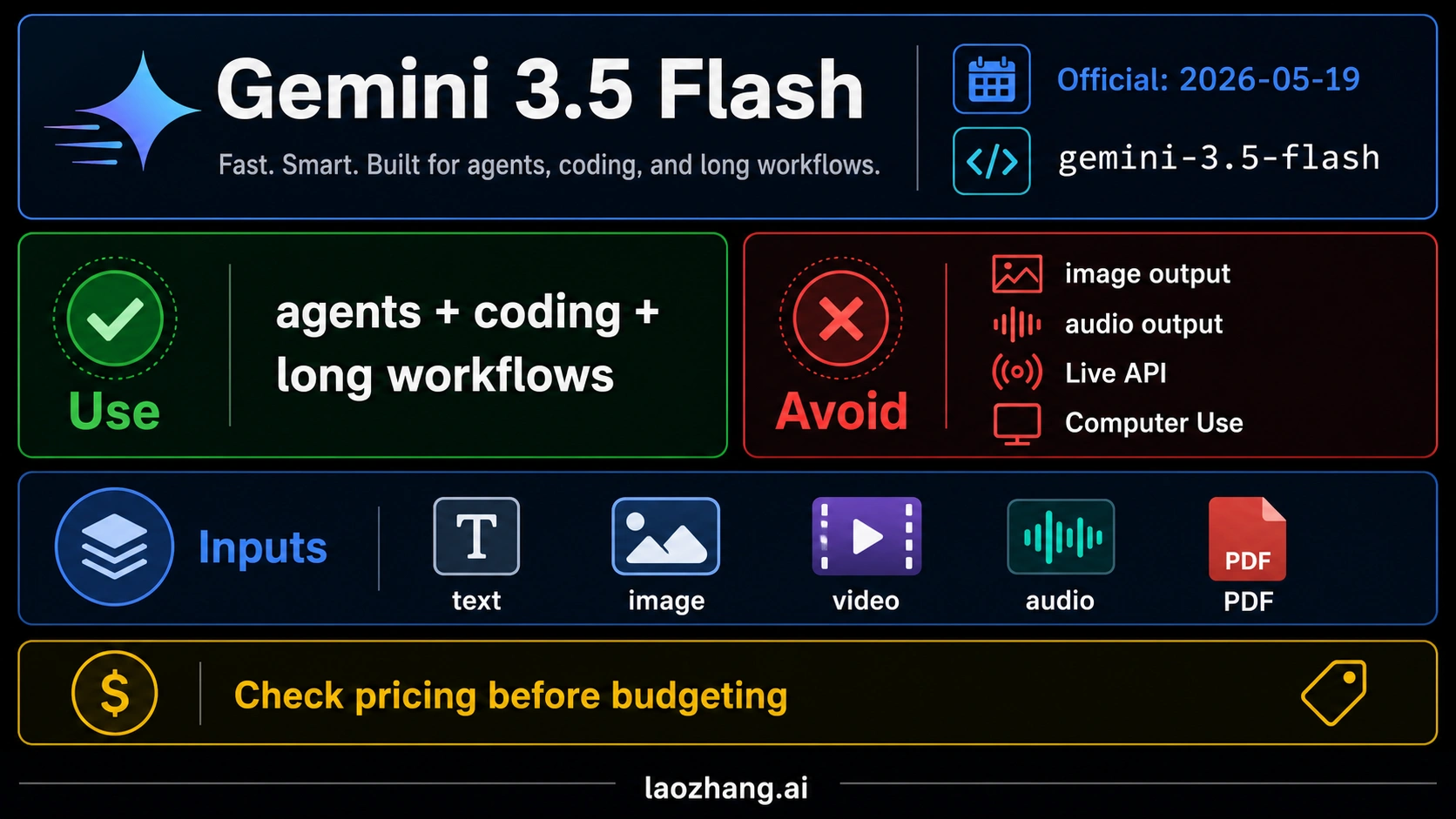
As of May 20, 2026 UTC, Gemini 3.5 Flash is official, GA/stable in the Gemini API, and callable as gemini-3.5-flash. The short verdict: test it first for agentic coding, long-horizon tool workflows, and multimodal input understanding.
Do not choose it when you need image generation, audio generation, the Live API, Computer Use, or the cheapest high-volume pipeline. Those are sibling-route decisions, not proof that 3.5 Flash is weak.
| Decision | Use Gemini 3.5 Flash when | Avoid or compare first when |
|---|---|---|
| Use it first | Agentic coding, tool-heavy workflows, long context, multimodal input, structured output, and fast iteration matter. | The job is mostly cheap extraction, bulk translation, live voice, image output, audio output, or browser/UI control. |
| Treat as official | You can call the Gemini API model ID gemini-3.5-flash and build against Google's listed model page. | Do not reuse old Gemini 3 Flash pricing, preview assumptions, or model strings without checking the live docs. |
| Run a migration test | You already use Gemini 3 Flash, Flash-Lite, Live, or Pro and want a stronger default for agents or coding. | Do not replace production defaults until the same prompts, tools, token budgets, and failure cases pass side by side. |
In the May 20, 2026 official-docs snapshot, Gemini 3.5 Flash lists text, image, video, audio, and PDF input with text output, a 1,048,576-token input window, and a 65,536-token output window. The same snapshot lists Standard pricing at $1.50 / 1M input tokens and $9.00 / 1M output tokens, so the right question is not "is it good?" but "does its agentic and long-context lift justify this route for my workload?"
Official status and model ID
Gemini 3.5 Flash is not a rumor label or a recycled Gemini 3 Flash nickname. Google's Gemini API model page lists it as a stable model with the API model ID gemini-3.5-flash, and the Gemini API changelog records the model on May 19, 2026. That makes the developer contract much clearer than the search wording that led many people to ask whether "Gemini 3.5 Flash" is real.
Use the product name Gemini 3.5 Flash when you explain the model to people. Use gemini-3.5-flash in code, config, routing rules, evaluations, and cost reports. Do not mix it with older identifiers such as gemini-3-flash-preview, and do not assume old Flash prices or preview behavior carry forward.
The model is currently positioned as a fast, capable Flash-family route rather than the cheapest route in the catalog. That distinction matters. Flash branding often makes developers expect low cost first, but this version is better read as a stronger agentic and long-context Flash route with a real price premium.
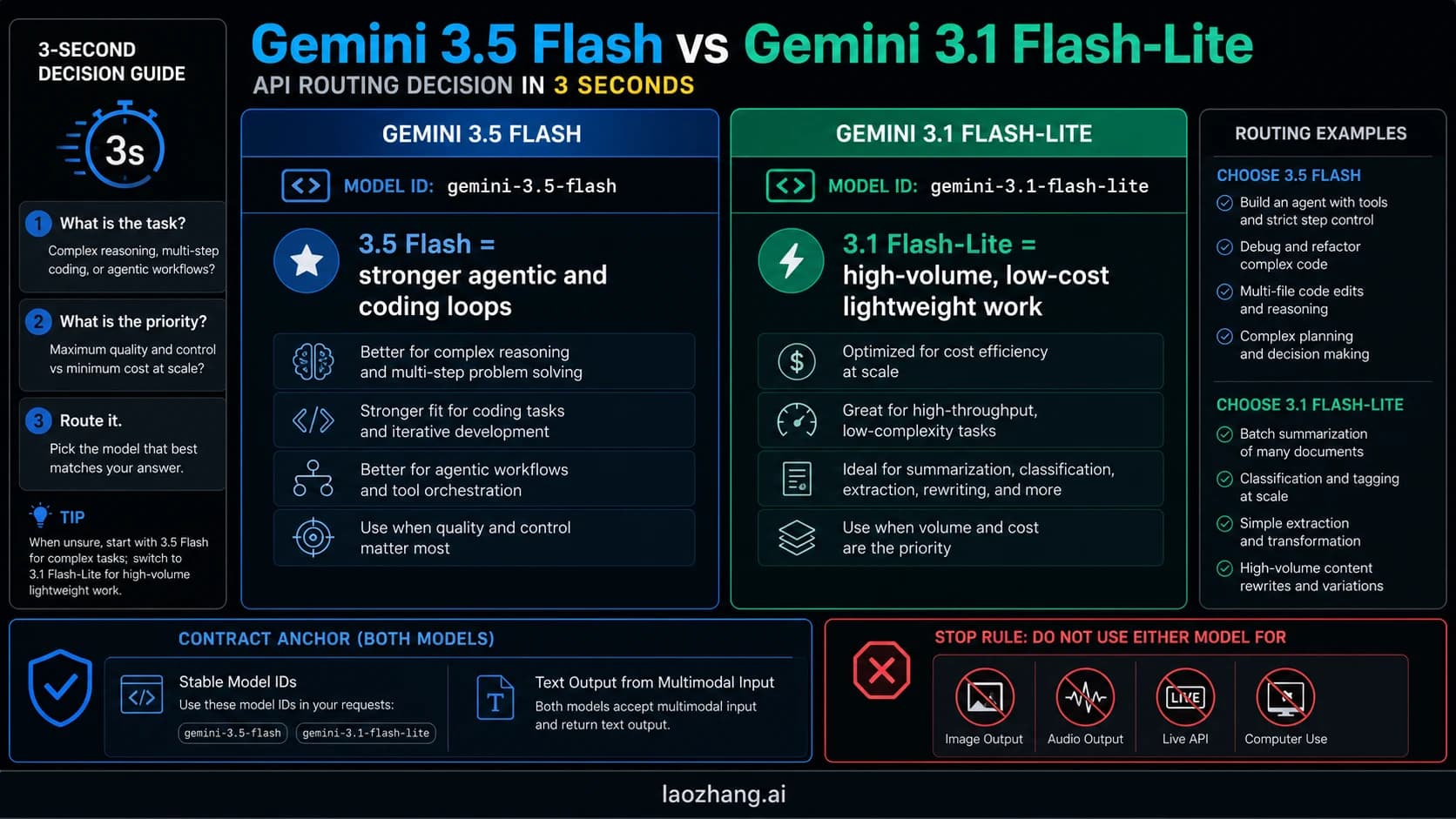
If you are trying to understand the older family split, start with the Gemini 3 Flash vs Flash Live vs Flash-Lite guide. The 3.5 Flash decision is narrower: whether it is good enough to test, what it can actually do, and when another Gemini route is safer.
Capability verdict: what it is good at
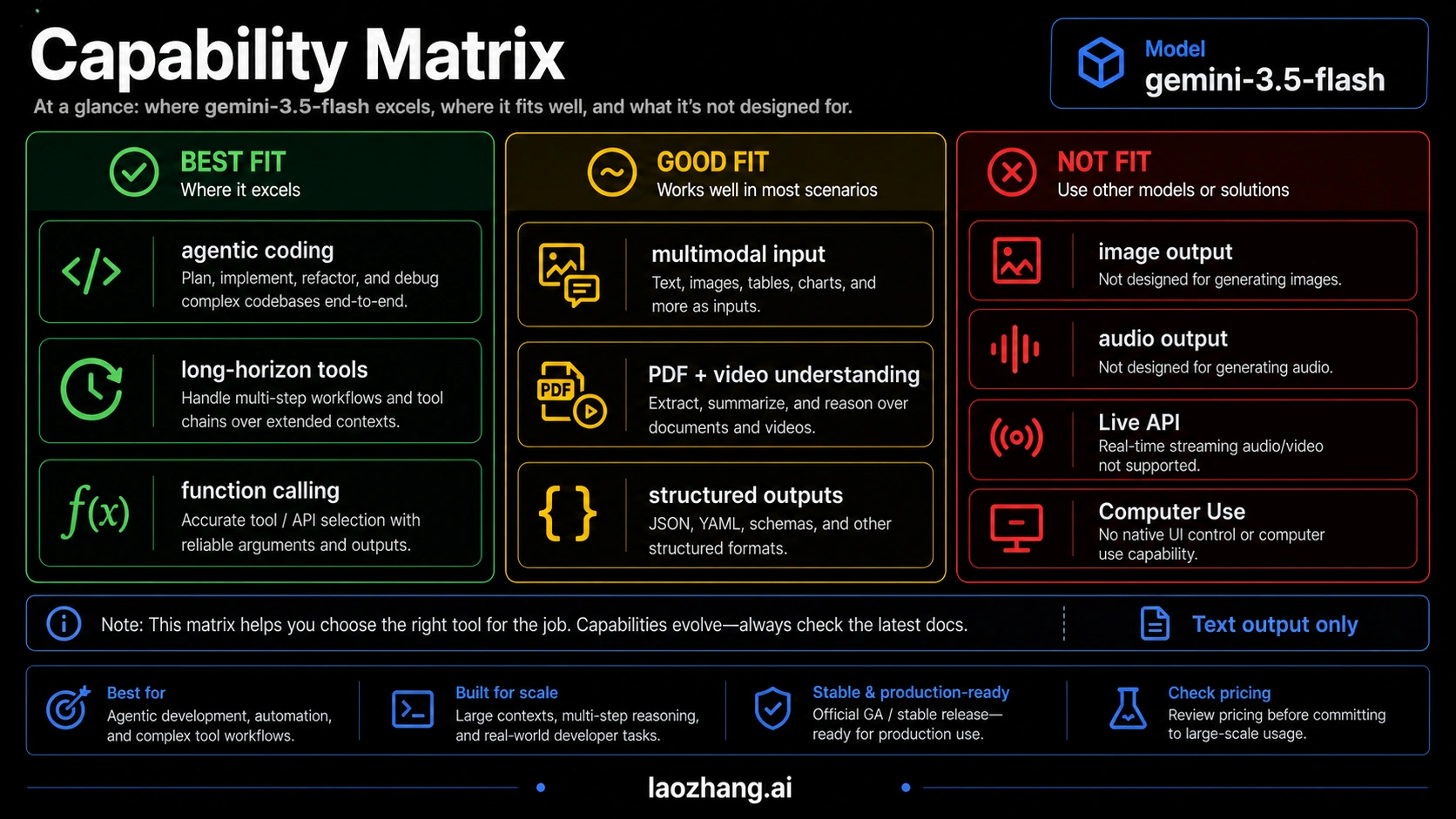
Gemini 3.5 Flash looks strongest when the task mixes reasoning, tool calls, long context, and multimodal input. That makes it a serious first test for coding agents, document-heavy assistants, search-grounded workflows, analysis pipelines, structured output tasks, and applications that need a model to keep state across a large prompt without jumping immediately to a Pro-priced route.
The official model page lists support for Batch API, caching, code execution, file search, function calling, Google Maps grounding, Google Search grounding, structured outputs, thinking, URL context, Flex inference, and Priority inference. In practical terms, that means the model can sit inside a modern backend rather than only answering plain chat prompts.
The input surface is also broad. Text, images, video, audio, and PDF inputs are supported, while output is text. That combination is useful for agents that read screenshots, parse PDFs, inspect media context, summarize calls, or reason over mixed evidence and then return structured text. It does not mean the model generates images or audio; those are separate output contracts.
Here is the decision shape:
| Workload | Gemini 3.5 Flash fit | Why |
|---|---|---|
| Coding agent or tool workflow | Strong first test | Function calling, code execution, long context, and structured outputs are all relevant. |
| Multimodal document assistant | Strong first test | The input surface includes PDFs, images, video, audio, and text. |
| Search-grounded answer system | Good fit | Search grounding and URL context are listed capabilities. |
| Batch evaluation or offline processing | Good fit, cost-check required | Batch/Flex pricing can reduce cost, but old Flash assumptions are unsafe. |
| Cheap extraction at high volume | Compare first | Flash-Lite or older low-cost routes may be better margin choices. |
The model should not be judged by a single "is it better?" answer. Its value depends on whether the extra capability surface reduces your tool failures, review burden, context trimming, or fallback calls enough to justify the price.
Limits that should stop a wrong integration
The fastest way to misuse Gemini 3.5 Flash is to treat it as a universal upgrade across every Gemini surface. It is not. Google's current model page does not list support for image generation, audio generation, the Live API, or Computer Use for this model. Those omissions are not small footnotes; they are route-breaking constraints.
If your product needs real-time voice interaction, use a Live API model instead of trying to force 3.5 Flash into a session contract it does not own. If your product needs image generation, use the image-generation route documented for Gemini or Imagen rather than expecting text-output Flash to draw. If your workflow needs UI or browser control through Computer Use, choose a model that explicitly supports that capability.
| Requirement | Use Gemini 3.5 Flash? | Safer route |
|---|---|---|
| Text answers from multimodal input | Yes | gemini-3.5-flash |
| Live speech agent | No | Live API branch |
| Image generation | No | Gemini image or Imagen route |
| Audio generation | No | Live/audio generation route |
| UI control or Computer Use | No | A Gemini route that lists Computer Use support |
| Cheapest high-volume extraction | Not by default | Compare Flash-Lite or other low-cost models |
This is also where Gemini 3.5 Flash capabilities should not become launch hype. A strong model can still be the wrong runtime. The correct production question is "which contract owns my output type and operating mode?"
Pricing snapshot and cost interpretation
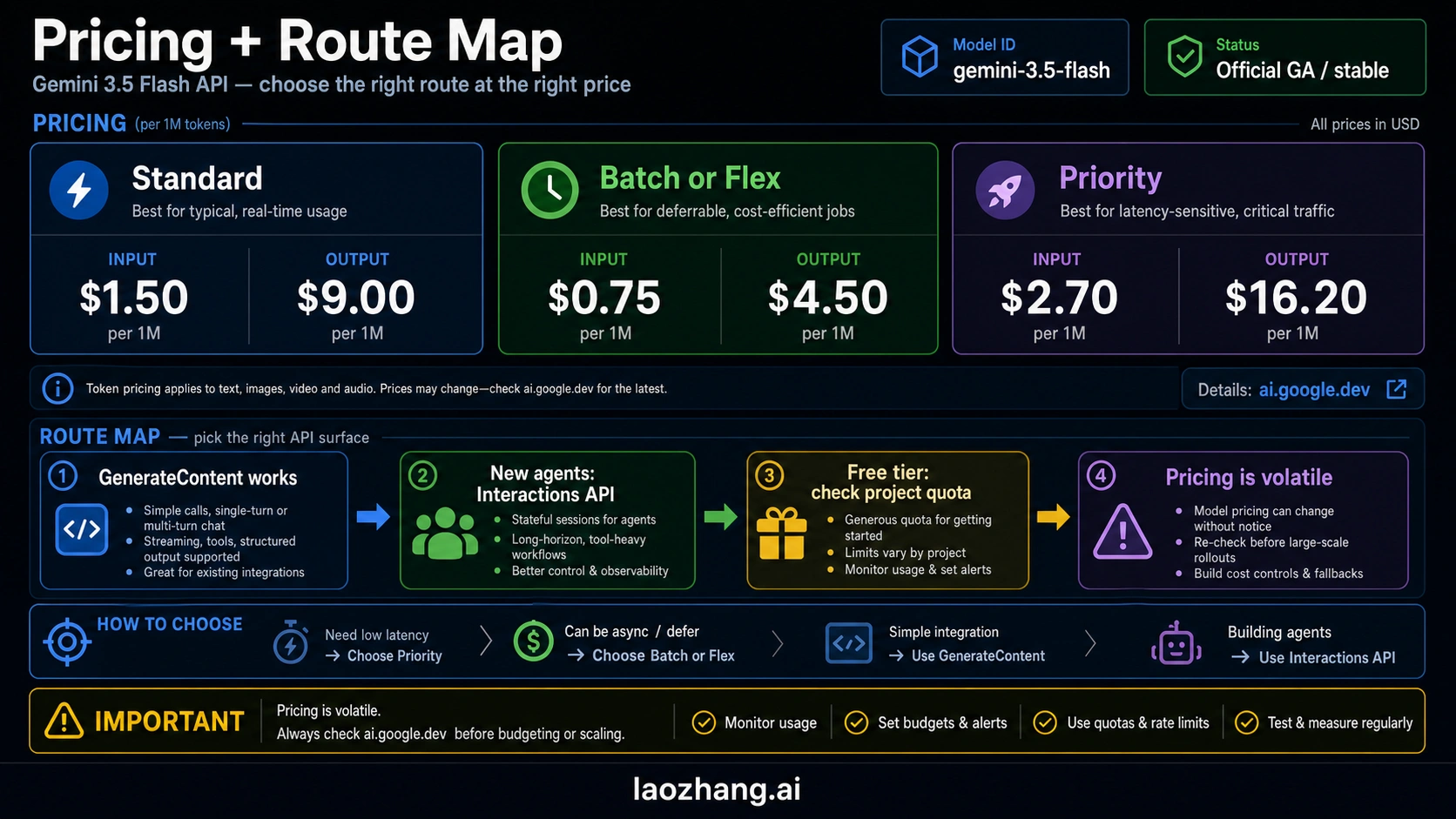
As of the May 20, 2026 official pricing snapshot, Google's Gemini API pricing page lists Gemini 3.5 Flash Standard pricing at $1.50 / 1M input tokens and $9.00 / 1M output tokens. Batch and Flex are listed at $0.75 / 1M input and $4.50 / 1M output. Priority is listed at $2.70 / 1M input and $16.20 / 1M output.
That price shape tells you how to evaluate it. Standard is the normal online path. Batch and Flex are the margin paths when latency or scheduling allows it. Priority is for work where lower queue risk is worth paying more. Do not copy the old Flash price line from an earlier article, and do not treat "Flash" as a promise of the lowest possible cost.
| Mode | Listed input price | Listed output price | Best use |
|---|---|---|---|
| Standard | $1.50 / 1M | $9.00 / 1M | Normal online calls and first evaluation. |
| Batch / Flex | $0.75 / 1M | $4.50 / 1M | Offline jobs, evaluations, and latency-tolerant pipelines. |
| Priority | $2.70 / 1M | $16.20 / 1M | High-priority traffic where queue behavior matters. |
For a small prototype, this may be fine. For a high-volume system, output tokens dominate the bill quickly. If the workload is short classification, extraction, moderation, or translation, compare against cheaper Gemini routes before changing defaults. If the workload is tool-heavy coding or document reasoning, compare total workflow cost, not only token price. A model that reduces retries, failed tool calls, or human review can be cheaper in the full system even when the token line is higher.
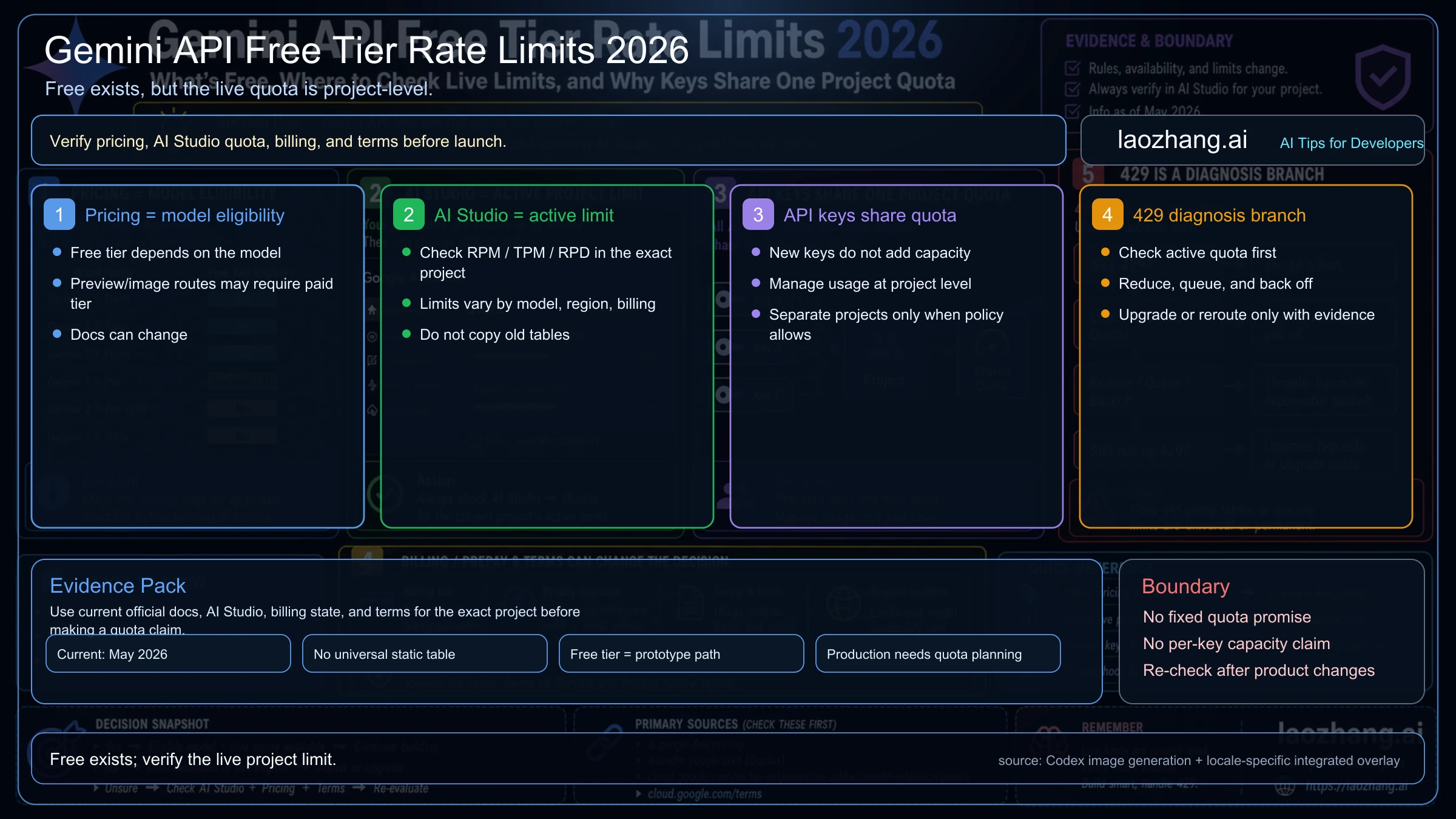
For free-tier and quota details, use the dedicated Gemini API free-tier guide. Free capacity, rate limits, and billing status should stay tied to the live model, route, project, region, and account state.
First API call and implementation route
The simplest first test is a normal Gemini API call with the exact model ID. Keep the model string in config, log it with every evaluation, and do not mix it with old Flash identifiers.
import { GoogleGenAI } from "@google/genai";

const ai = new GoogleGenAI({ apiKey: process.env.GEMINI_API_KEY });

const response = await ai.models.generateContent({
  model: "gemini-3.5-flash",
  contents: [
    {
      role: "user",
      parts: [
        {
          text:
            "Analyze this failing coding-agent trace. Return the likely owner, the first verification step, and a safe rollback plan.",
        },
      ],
    },
  ],
});

console.log(response.text);
For new agentic work, also review Google's current guidance around the Interactions API and tool-oriented patterns. The main implementation rule is to avoid hiding the route. Your code should know whether a request used the Developer API route, a Vertex AI route, a batch route, or a priority route. If route choice is part of your architecture, pair the implementation plan with the Gemini API vs Vertex AI API guide.
The first evaluation should not be a generic chat prompt. Use a task that exposes why you are considering 3.5 Flash in the first place: a coding trace, a long PDF pack, a tool-call chain, a multimodal support ticket, or a structured output workload with strict validation.
Migration smoke test before you switch defaults
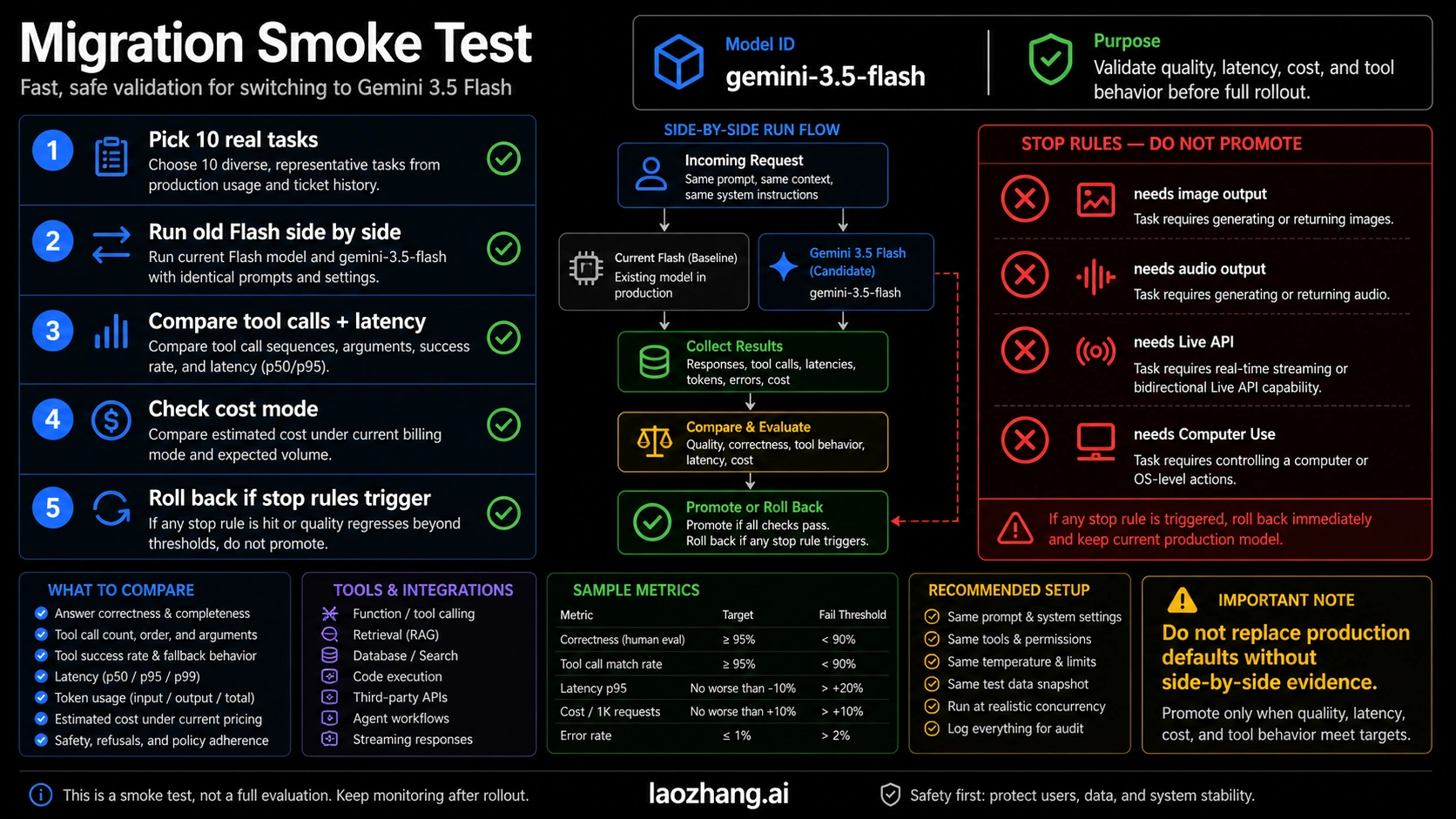
Do not replace an existing Gemini route because a launch post sounds strong. Run a side-by-side smoke test with the same prompts, same tools, same token budget, same retrieval pack, and same review criteria.
Use this sequence:
- Pick five real tasks where the current route either fails, gets expensive, or needs too much human repair.
- Run the current route and
gemini-3.5-flashon the exact same inputs. - Compare final answer quality, tool-call correctness, structured output validity, latency, token use, retry count, and review time.
- Check the cost under Standard, then recalculate for Batch or Flex if latency allows.
- Promote only the workload that improves under your threshold, and keep a rollback to the previous model string.
The best first candidates are coding-agent traces, long-context research packs, multimodal bug reports, document extraction with reasoning, and search-grounded synthesis. The weak candidates are tiny classification, bulk translation, audio-first sessions, image output, or anything that mostly needs the lowest token price.
If you already have a Flash-family stack, the move may look like this:
| Current route | Test 3.5 Flash when | Keep current route when |
|---|---|---|
| Gemini 3 Flash | You need better agentic coding, tool use, or long-context behavior. | The old route is already accurate and cheaper. |
| Flash-Lite | Quality or reasoning failures are costing more than the savings. | The job is bulk, simple, and margin-sensitive. |
| Flash Live | You are leaving voice and need text-output backend strength. | The product is still live speech. |
| Pro route | You want faster or cheaper iteration for non-premium tasks. | The job is correctness-critical and Pro is clearly earning its cost. |
The final decision should be workload-level, not brand-level. Let one class of tasks move first. Keep old routes for the jobs they still own.
FAQ
Is Gemini 3.5 Flash officially released?
Yes. Google's Gemini API docs list gemini-3.5-flash as a GA/stable model, and the Gemini API changelog records the model on May 19, 2026. Still recheck the official pages before making pricing or availability commitments because model contracts can change.
What is the API model ID?
Use gemini-3.5-flash. Keep that exact string in code and logs. Do not replace it with gemini-3-flash-preview, gemini-3.5-flash-preview, or an older Flash ID unless the docs for your route explicitly say so.
What is Gemini 3.5 Flash best for?
It is best to test first for agentic coding, long-horizon tool workflows, multimodal input understanding, structured outputs, search grounding, file-heavy workflows, and applications that benefit from a 1,048,576-token input window.
Is it good for image generation or audio generation?
No. The current model page lists text output, not image or audio output, and does not list image generation or audio generation support for Gemini 3.5 Flash. Use a route designed for those output types.
Does Gemini 3.5 Flash support the Live API or Computer Use?
Not in the current checked model page. If you need a real-time voice session, choose a Live API model. If you need UI/browser control, choose a model that explicitly lists Computer Use.
Is Gemini 3.5 Flash cheaper than Gemini 3 Flash?
Do not assume that. The checked Standard price for Gemini 3.5 Flash is $1.50 / 1M input and $9.00 / 1M output, which is not the old standard Flash pricing shape. Compare live official pricing for the exact route before budgeting.
Should I switch from Gemini 3 Flash to Gemini 3.5 Flash?
Switch only after a side-by-side test shows better results on your real workload. It is a strong first test for agents, coding, and long-context work, but not a universal replacement for cheaper or more specialized Gemini routes.
Recommendation
Use Gemini 3.5 Flash as a serious first test when your work is agentic, tool-heavy, long-context, or multimodal-input driven. Treat gemini-3.5-flash as the official developer contract, keep pricing date-bound, and verify unsupported outputs before you design the product around it.
Avoid it when the job belongs to another runtime: live voice, image output, audio output, Computer Use, or the cheapest high-volume pipeline. The model is good, but the route still has boundaries. Good production use means choosing it where those strengths matter enough to beat the alternatives.