Gemini 3.1 Pro Free for Students: Complete 2026 Guide to Google's Best AI Model

A
25 min readAI Student Tools

Google offers Gemini 3.1 Pro completely free to eligible college students for 12 months through the Google AI Pro student trial. This plan, normally priced at $28.99 per month, includes access to Google's most advanced reasoning model along with Deep Research, NotebookLM, Veo 3.1 video generation, and 2 TB of cloud storage. To qualify, you must be 18 or older and actively enrolled at an eligible US higher education institution.

Gemini 3.1 Pro Free for Students: Complete 2026 Guide to Google's Best AI Model

Google offers Gemini 3.1 Pro completely free to eligible college students for 12 months through the Google AI Pro student trial. This plan, normally valued at $28.99 per month ($347.88 per year as of February 2026, one.google.com), includes access to Google's most advanced reasoning model along with Deep Research, NotebookLM with 5X usage limits, Veo 3.1 Fast video generation, and 2 TB of cloud storage. To qualify, you must be 18 or older and actively enrolled at an eligible US higher education institution, and you can sign up by verifying your student status through SheerID at gemini.google/students.

TL;DR

  • Gemini 3.1 Pro is free for 12 months for eligible US college students through the Google AI Pro student trial, saving you $347.88 per year at the current $28.99/month pricing
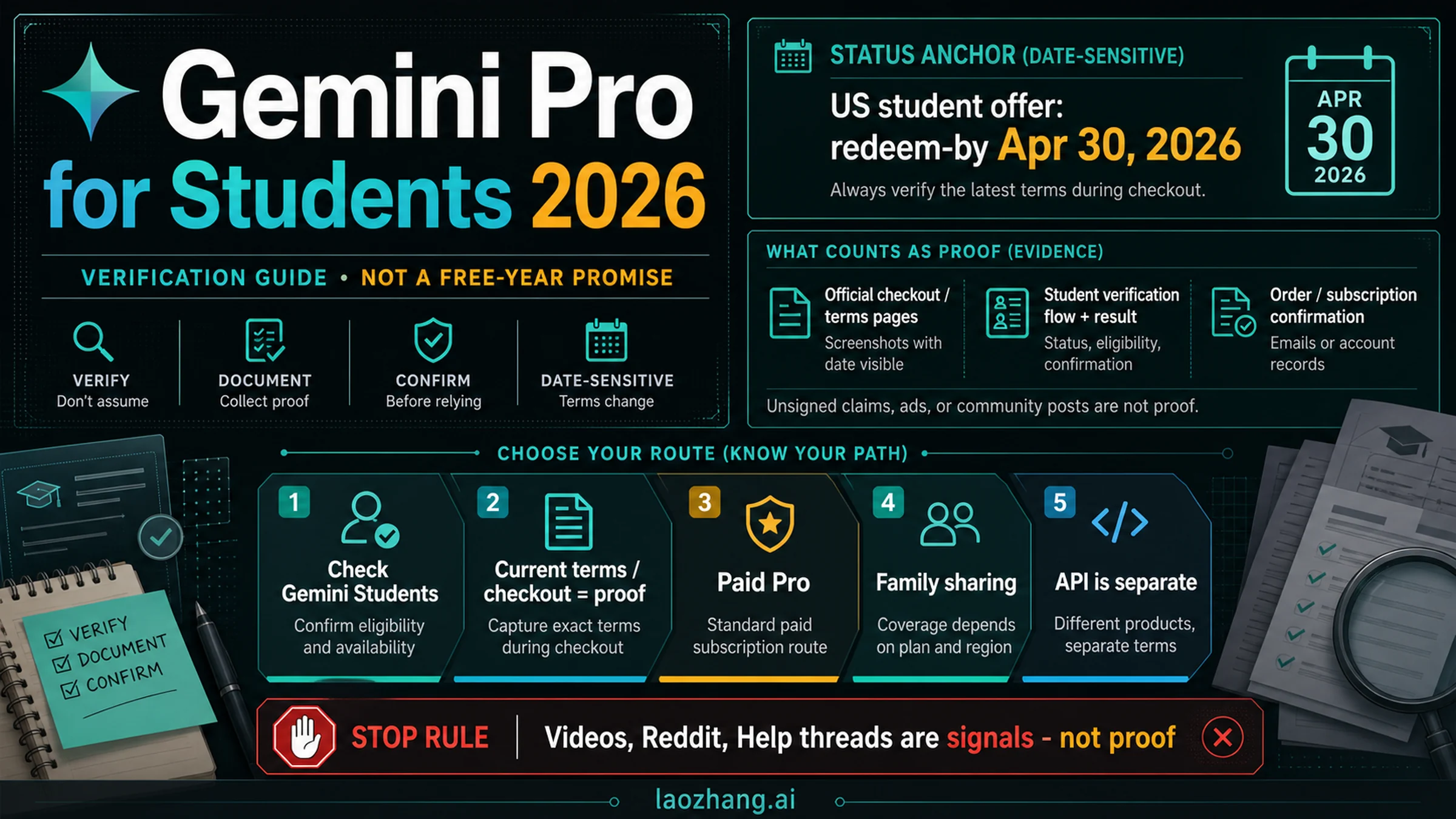
  • Sign up before April 30, 2026 at gemini.google/students and verify your student status through SheerID with a student ID or enrollment proof
  • What you get: Gemini 3.1 Pro (77.1% ARC-AGI-2 score, 1M token context), Deep Research, NotebookLM, Nano Banana Pro image generation, Veo 3.1 Fast video generation, 2 TB cloud storage, and Gemini in Gmail/Docs/Sheets
  • 3.1 Pro just launched on February 19, 2026 with major improvements: 65K token output, improved reasoning, and faster response times compared to 3 Pro
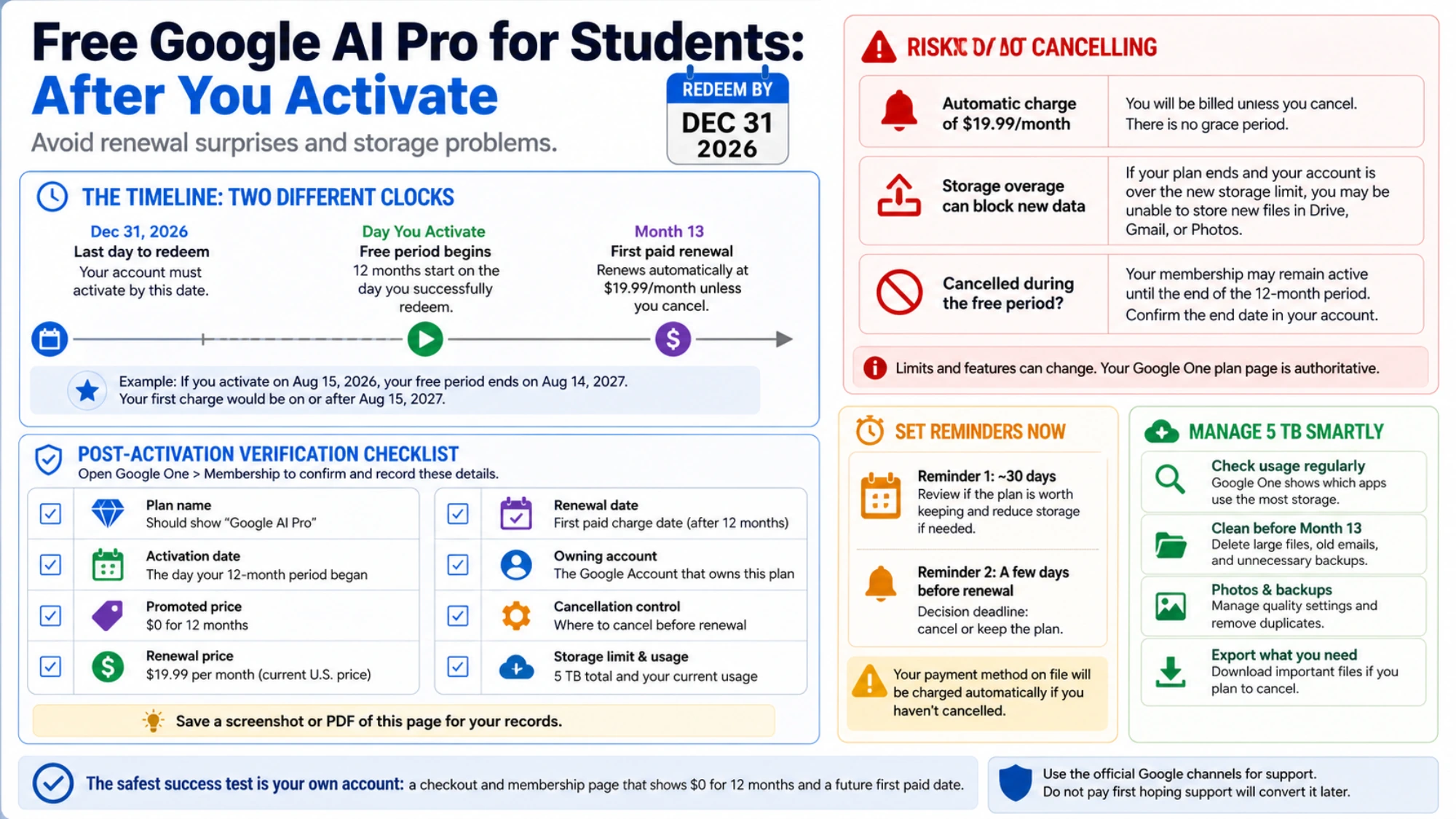
  • Payment method required but you will not be charged during the trial period. Set a calendar reminder to cancel before your 12 months end if you do not want to pay $28.99/month afterward
  • Not eligible? The free Gemini tier still gives you access to Gemini 3 Flash, and developers can use the Gemini API free tier for project work

What's New in Gemini 3.1 Pro (and Why Students Should Care)

Gemini 3.1 Pro launched on February 19, 2026, and represents a significant leap over the previous Gemini 3 Pro. If you have been using the free Gemini tier or an older version, the upgrade is substantial, and the student plan gives you access to these improvements at zero cost.

The most impressive advancement is in reasoning capability. Gemini 3.1 Pro scored 77.1% on the ARC-AGI-2 benchmark, which measures how well an AI model can solve novel problems it has never seen before. For students, this translates directly to better performance on complex academic tasks like analyzing research papers with multiple conflicting viewpoints, solving multi-step math problems that require creative approaches, and debugging code that involves understanding the interaction between several components. The previous Gemini 3 Pro already performed well on standard benchmarks, but the ARC-AGI-2 improvement means 3.1 Pro can handle the kind of ambiguous, real-world problems you actually encounter in coursework rather than just textbook examples.

The output token limit has increased to 65,000 tokens, which matters more than you might think for academic work. When you ask Gemini to write a detailed literature review, generate a comprehensive study guide, or produce a full project report, the previous output limits could cut responses short right when they were getting useful. With 65K output tokens, you can generate complete first drafts of 15-20 page papers, receive thorough code implementations with documentation, or get detailed explanations that don't abruptly stop mid-sentence. Combined with the 1 million token input context window, you can feed entire textbooks, course syllabi, or research paper collections into a single prompt and receive comprehensive analysis back. For a deeper look at the model's technical capabilities and API access, check out our comprehensive comparison of Gemini 3 models.

Response speed has also improved noticeably. Google has not published exact latency figures for the consumer version, but early reports from users and developers indicate that 3.1 Pro responds faster than 3 Pro while maintaining higher quality output. For students working under deadline pressure, whether it's debugging code at 2 AM before a morning submission or quickly summarizing a reading before a seminar, that speed improvement compounds into meaningful time savings across hundreds of interactions during a semester.

Beyond the core model improvements, the student plan provides access to the full suite of Google AI Pro capabilities that have been refined alongside the 3.1 Pro launch. Deep Research, which was already available in previous Pro versions, benefits from the improved reasoning engine and can now produce more thorough and accurate research reports. NotebookLM's audio overview feature generates higher quality synthetic discussions when powered by 3.1 Pro, and the Gemini integration in Google Workspace tools has been updated to leverage the new model's capabilities for drafting emails, summarizing documents, and creating spreadsheet formulas. The timing of the student offer coinciding with the 3.1 Pro launch means students are getting the most advanced version of every feature from day one.

Everything Included in the Free Student Plan

Student Plan vs Free Tier feature comparison showing upgrades in AI model, credits, storage, and Google Apps access

The student plan is not a stripped-down trial version. It is the full Google AI Pro subscription, the same plan that costs non-students $28.99 per month (verified February 2026 at one.google.com). Understanding exactly what you get helps you make the most of the twelve-month window. Here is a detailed breakdown of how the student plan compares to what you get without signing up.

The most significant upgrade is access to Gemini 3.1 Pro itself. The free Gemini tier limits you to Gemini 3 Flash, which is a capable but smaller model designed for speed rather than depth. Flash is fine for quick factual questions and simple tasks, but it cannot match Pro's performance on complex analysis, long-form generation, or nuanced reasoning. With the student plan, every conversation uses the full 3.1 Pro model with its 1 million token context window and 65K token output limit. If you have been using the free tier and found it occasionally giving shallow or incomplete answers, the Pro upgrade addresses that directly.

Your monthly usage allocation also changes dramatically. Free tier users get approximately 50 daily AI credits, which can run out quickly during exam prep or project sprints. The student plan provides 1,000 credits per month through the Google AI Pro allocation, giving you roughly twenty times the capacity for sustained academic work sessions. Deep Research mode, which orchestrates multi-step web searches and synthesizes findings into comprehensive reports, moves from very limited access on the free tier to higher allocation under the Pro plan, making it genuinely usable for term papers and literature reviews.

Beyond the core AI model, the student plan bundles several tools that would otherwise require separate subscriptions or paid tiers. NotebookLM, Google's AI-powered research assistant, comes with 5X the usage limits compared to the free version, letting you upload more sources and generate more audio overviews. Nano Banana Pro provides higher-quality AI image generation within Gemini. You can learn more about these limits in our Nano Banana Pro image generation limits guide. Veo 3.1 Fast enables AI video generation, a capability that has no free equivalent and would require an expensive standalone subscription from competitors. The plan also includes Gemini integration within Gmail, Google Docs, and Google Sheets, turning your everyday productivity tools into AI-assisted workspaces.

Cloud storage rounds out the package with a jump from the standard 15 GB to 2 TB. For students constantly juggling lecture recordings, project files, datasets, and scanned textbooks, that 133X storage increase eliminates the frustrating cycle of running out of space and deciding what to delete. The 2 TB applies across Google Drive, Gmail, and Google Photos, so it covers your entire Google ecosystem.

FeatureFree TierStudent Plan (Google AI Pro)
AI ModelGemini 3 FlashGemini 3.1 Pro
Context WindowStandard (Flash)1M tokens (Pro)
Monthly Credits~50/day1,000/month
Deep ResearchVery limitedHigher limits
Image GenerationBasicNano Banana Pro
Video GenerationVery limitedVeo 3.1 Fast
NotebookLMBasic access5X more overviews
Cloud Storage15 GB2 TB
Gemini in Google AppsNot includedGmail, Docs, Sheets
Price$0 forever$0 for 12 months

How to Claim Your Free Year (Step-by-Step)

Five-step signup process for Gemini 3.1 Pro student plan from eligibility check to activation

The entire signup process takes under five minutes if your student verification goes through instantly. Some students will need manual review, which can take up to 48 hours, but the actual steps you need to complete are straightforward. Before you start, make sure you have your school email address or student ID ready, and note that you will need a payment method even though you will not be charged during the trial.

Step 1: Visit the student offer page. Navigate to gemini.google/students and click the "Check your eligibility" button. You will need to be signed into the Google account you want associated with your Gemini Pro subscription. If you have a school Google Workspace account, you can use that, but a personal Gmail account works too. The important thing is that this will be the account where Gemini Pro is activated, so choose the one you use most frequently.

Step 2: Verify your student status through SheerID. Google uses SheerID, a third-party verification service used by hundreds of companies for student discounts, to confirm your enrollment. You will enter your school name from a dropdown list of eligible institutions, your name as it appears on school records, and your date of birth. SheerID will then attempt to verify your enrollment automatically by checking against institutional databases. If automatic verification succeeds, you will be approved within seconds. If your school does not participate in automatic verification, SheerID will ask you to upload a document proving enrollment, such as a student ID card, a class schedule for the current term, or a tuition receipt. Manual review typically completes within 24-48 hours, and you will receive an email when your status is confirmed.

Step 3: Add a payment method. After verification, Google requires you to add a credit card, debit card, or other accepted payment method. This is a standard practice for subscription trials and exists primarily for two reasons: it simplifies the transition if you decide to continue after the trial, and it helps prevent abuse by linking accounts to verified payment methods. The critical point here is that you will not be charged during the 12-month trial period. Your subscription confirmation will show a price of $0.00 for 12 months. After that period, the subscription renews at $28.99 per month unless you cancel beforehand.

Step 4: Complete the trial purchase flow. Review the subscription summary, which should clearly show the 12-month free trial, and confirm. You will receive a confirmation email from Google with the details of your subscription, including the exact date when your free period ends and the renewal price. Save this email or immediately set a calendar reminder 11 months out so you can decide before any charges occur whether to continue or cancel.

Step 5: Start using Gemini 3.1 Pro. Once confirmed, your upgrade is active immediately. Go to gemini.google.com and you should see Gemini 3.1 Pro available as your default model. The Gemini integration in Gmail, Docs, and Sheets may take a few minutes to propagate, but you can start using the core Gemini chat and Deep Research features right away. Try a complex prompt to confirm you have Pro access, such as asking for a detailed analysis of a topic, which will produce a noticeably longer and more thorough response than the free Flash model.

Best Ways to Use Gemini 3.1 Pro for Academics

The student plan's real value is not just having a better chatbot; it is how the specific features map to actual academic workflows. After testing the major capabilities, here are the most impactful use cases organized by the type of academic work you are doing.

Research and Literature Reviews with Deep Research. Deep Research mode is the single most valuable feature for academic work. Instead of manually searching databases, reading abstracts, and synthesizing findings, you can give Gemini a research question and it will autonomously search the web, read relevant sources, cross-reference findings, and produce a structured report with citations. For a term paper on climate policy effectiveness, for example, you could prompt Deep Research with your thesis question and receive a 3,000-word summary of current academic consensus, key debates, and gaps in the literature within minutes rather than hours. The output is not a finished paper, but it gives you a comprehensive starting point with sources you can verify and expand upon. The 1M token context window means you can also upload your own collection of PDF papers and ask Gemini to find connections, contradictions, or methodology patterns across them.

Exam Preparation with NotebookLM. NotebookLM transforms how you study by letting you upload lecture notes, textbook chapters, and past exams, then generating study materials from that specific content. The student plan's 5X higher limits mean you can create more audio overviews, which are podcast-style discussions of your uploaded materials that you can listen to while commuting or exercising. You can generate practice quiz questions based on your actual course content rather than generic study materials, and the AI can explain concepts using the specific terminology and frameworks your professor uses. Students preparing for cumulative finals report that this approach is particularly effective because it ensures your study materials align exactly with what was taught.

Code Debugging and Development for CS Students. Gemini 3.1 Pro's improved reasoning makes it substantially better at understanding codebases and identifying bugs than its predecessors. You can paste entire files or multiple related files into the 1M token context window and ask it to trace through execution paths, identify race conditions, or suggest architectural improvements. For students working on larger projects (capstone work, hackathon submissions, open source contributions), the ability to provide extensive context means Gemini understands your codebase rather than giving generic advice based on a single function. The Gemini 3.1 Pro API access guide covers how CS students can also access the model programmatically for building AI-powered applications as part of coursework.

Writing Improvement and Editing Workflows. Rather than using Gemini to write essays for you (which is both academically dishonest and increasingly detectable), the most effective academic writing workflow uses Gemini as an editing partner. Upload your draft and ask for specific feedback: clarity of argument structure, strength of evidence for each claim, consistency of academic tone, or adherence to a particular citation style. The 65K token output means Gemini can provide paragraph-by-paragraph commentary on long papers without truncation. You can also use it to understand complex source materials by uploading a dense academic paper and asking for a plain-language explanation of the methodology, results, and implications, then use that understanding to write your own analysis.

Presentation and Visual Content Creation. Veo 3.1 Fast and Nano Banana Pro open creative possibilities for course presentations and projects. You can generate illustrative images for slides, create short explanatory videos for group presentations, or produce visual aids for complex concepts. While these tools are not replacements for disciplined-specific visualization software, they dramatically reduce the time needed to create polished visual content for general coursework. A business student preparing a market analysis presentation, for instance, can generate professional-looking concept illustrations without needing design skills.

Gemini 3.1 Pro vs ChatGPT: Which Is Better for Students?

Gemini 3.1 Pro Student vs ChatGPT comparison across 10 features including price, context window, and study tools

Both Gemini 3.1 Pro and ChatGPT are strong options for students, but the competitive landscape has shifted significantly with Google's student offer. Here is an honest comparison based on what each platform actually provides as of February 2026.

The pricing difference is the most obvious advantage for Gemini. The student plan gives you full Google AI Pro access at zero cost for twelve months. ChatGPT's free tier provides access to GPT-4o with usage limits, and the $20/month Plus subscription adds higher limits, o3-mini access, and Deep Research. If you are a student watching your budget, the calculation is simple: Gemini gives you a $28.99/month value for free, while getting equivalent ChatGPT capabilities would cost you $240 per year. For students who need access to multiple AI models for different project requirements, platforms like laozhang.ai offer API access to both Gemini and GPT models through a single interface, which can be more cost-effective than maintaining separate subscriptions.

Context window size is where Gemini pulls decisively ahead. Gemini 3.1 Pro's 1 million token input window dwarfs ChatGPT's 128K token limit. In practical terms, this means you can upload an entire textbook, a semester's worth of lecture notes, or dozens of research papers into a single Gemini conversation and ask questions across the full collection. With ChatGPT, you would need to break that same material into smaller chunks across multiple conversations, losing the ability to make cross-document connections. For academic work that frequently involves synthesizing large volumes of information, this is not a minor advantage; it fundamentally changes what you can accomplish in a single interaction.

Both platforms now offer Deep Research capabilities, but the access tiers differ. Gemini's student plan includes Deep Research as part of the Pro package. ChatGPT offers Deep Research starting with the Plus plan at $20/month. The quality of research output is comparable, with each model producing structured reports with citations, but Gemini's integration with the broader Google ecosystem (searching Google Scholar, accessing Google Books, pulling from YouTube transcripts) gives it a slight edge for academic research specifically.

ChatGPT has notable strengths in certain areas. Its custom GPTs marketplace offers specialized tools built by other users, including discipline-specific assistants for fields like law, medicine, and engineering. Canvas, ChatGPT's document editing interface, provides a more polished collaborative writing experience than Gemini's current Google Docs integration. ChatGPT also has broader third-party plugin support and tends to update its model capabilities more frequently, though Gemini's 3.1 Pro release has narrowed this gap considerably.

Where Gemini's student plan creates the most separation is in the bundled ecosystem. ChatGPT does not include cloud storage, workspace integration, video generation, or a dedicated study tool like NotebookLM. Getting comparable capabilities to the full Gemini student package through OpenAI's ecosystem would require ChatGPT Plus ($20/month), a separate cloud storage subscription, and third-party tools for video generation and study aids. Google's bundled approach means one signup gives you everything.

FeatureGemini 3.1 Pro (Student)ChatGPT (Free / Plus)
Price for StudentsFREE 12 monthsFree (basic) / $20/mo (Plus)
Best AI ModelGemini 3.1 ProGPT-4o (free) / o3-mini (Plus)
Context Window1M tokens128K tokens
File Upload Capacity1,500 pagesLimited file support
Deep ResearchFull access (included)Plus only ($20/mo)
Video GenerationVeo 3.1 Fast includedSora requires Pro ($200/mo)
Study ToolsNotebookLM + Quiz GenCustom GPTs / Canvas
Cloud Storage2 TB includedNone included
Workspace IntegrationGmail, Docs, SheetsNo workspace integration

Troubleshooting: What to Do If Verification Fails

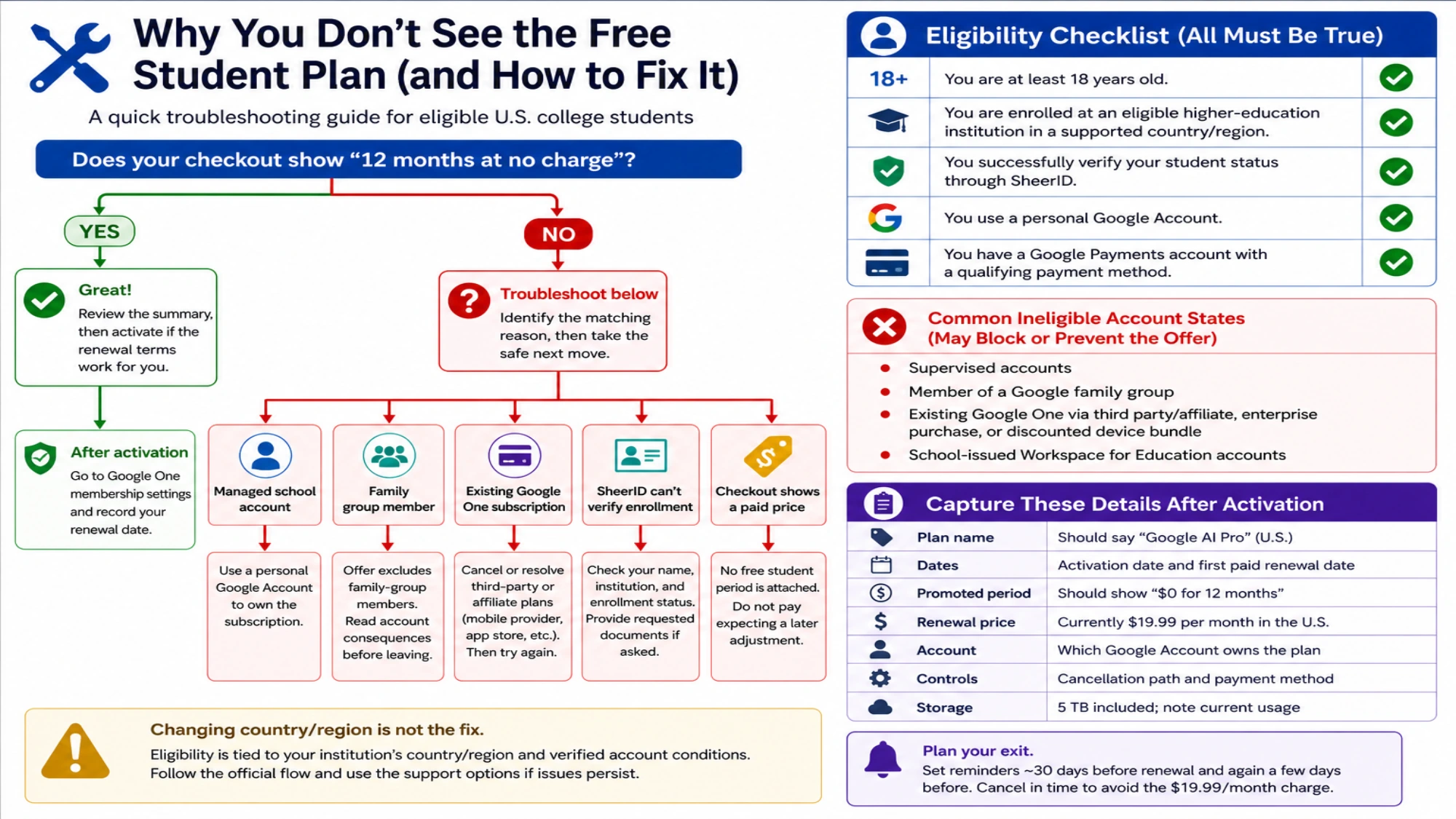
Student verification does not always work on the first attempt, and encountering issues does not mean you are ineligible. Here are the most common problems and how to resolve them based on the SheerID verification system that Google uses and reports from students who have gone through the process.

Your school is not in the SheerID dropdown list. SheerID maintains a database of eligible institutions, and not every accredited school appears immediately. If your school is missing, first check that you are searching by the full official name rather than a common abbreviation (for example, "Massachusetts Institute of Technology" rather than "MIT"). If it still does not appear, select the "I can't find my school" option, which triggers the manual verification path. You will need to upload documentation proving your enrollment, and SheerID's review team will manually confirm your eligibility. This process typically takes 24-48 hours. Community colleges, trade schools, and online-only institutions are eligible as long as they are accredited, so being unable to find your school in the dropdown does not mean you are disqualified.

SheerID cannot verify your enrollment automatically. Automatic verification fails when your school's enrollment database is not connected to SheerID's system, when your name does not match exactly across records, or when there is a lag in enrollment data at the start of a new semester. The solution is straightforward: upload a document that proves current enrollment. Accepted documents include your student ID with a visible expiration date, a class schedule for the current term, an enrollment verification letter from your registrar, or a tuition receipt from the current academic year. Make sure the document clearly shows your name, school name, and a date confirming it is current. Partially obscured or low-resolution uploads are the most common reason manual reviews get delayed.

You receive a "not eligible" response. This typically means one of three things: you are under 18 (the offer requires being 18 or older), you are not enrolled at an eligible US institution (international students at non-US schools do not qualify for this specific offer), or your enrollment status has not been updated in your school's system (common at the beginning of a semester before add/drop period closes). For the age and location requirements, there is no workaround for this particular offer, but see the alternatives section below. For enrollment timing issues, wait until your current-semester enrollment is fully processed by your registrar (usually two to three weeks after the semester starts) and try again.

Your payment method is declined. Google accepts major credit cards, debit cards, and in some regions, prepaid cards and PayPal. If your card is declined, try a different payment method. Some bank cards block subscription authorizations by default, and you may need to temporarily approve the transaction through your banking app. Virtual card numbers from privacy-focused services sometimes do not work with subscription trials. If you are using a student banking account with low limits, make sure the card allows recurring payment authorizations even though no charge will occur during the trial.

You already have a Google AI subscription. If you are currently paying for Google AI Plus ($10.98/month) or already claimed a different student offer, the system may prevent you from claiming the Pro student trial. In this case, you will need to cancel your existing subscription first, wait for it to expire at the end of your current billing cycle, and then attempt the student signup again. Google's support documentation at support.google.com confirms that the student trial is only available for new Pro subscribers. If you previously had a Pro trial that expired, you may not qualify for a second trial period, though Google has not explicitly confirmed this restriction for the student-specific offer. Contacting Google One support directly through the Google One app is the fastest way to resolve account-specific subscription conflicts.

What If You're Not Eligible? Best Alternatives

Not every student qualifies for the Google AI Pro student trial. International students, those under 18, and students at non-US institutions face legitimate access barriers. Here are the most practical alternatives that still give you meaningful AI capabilities without cost.

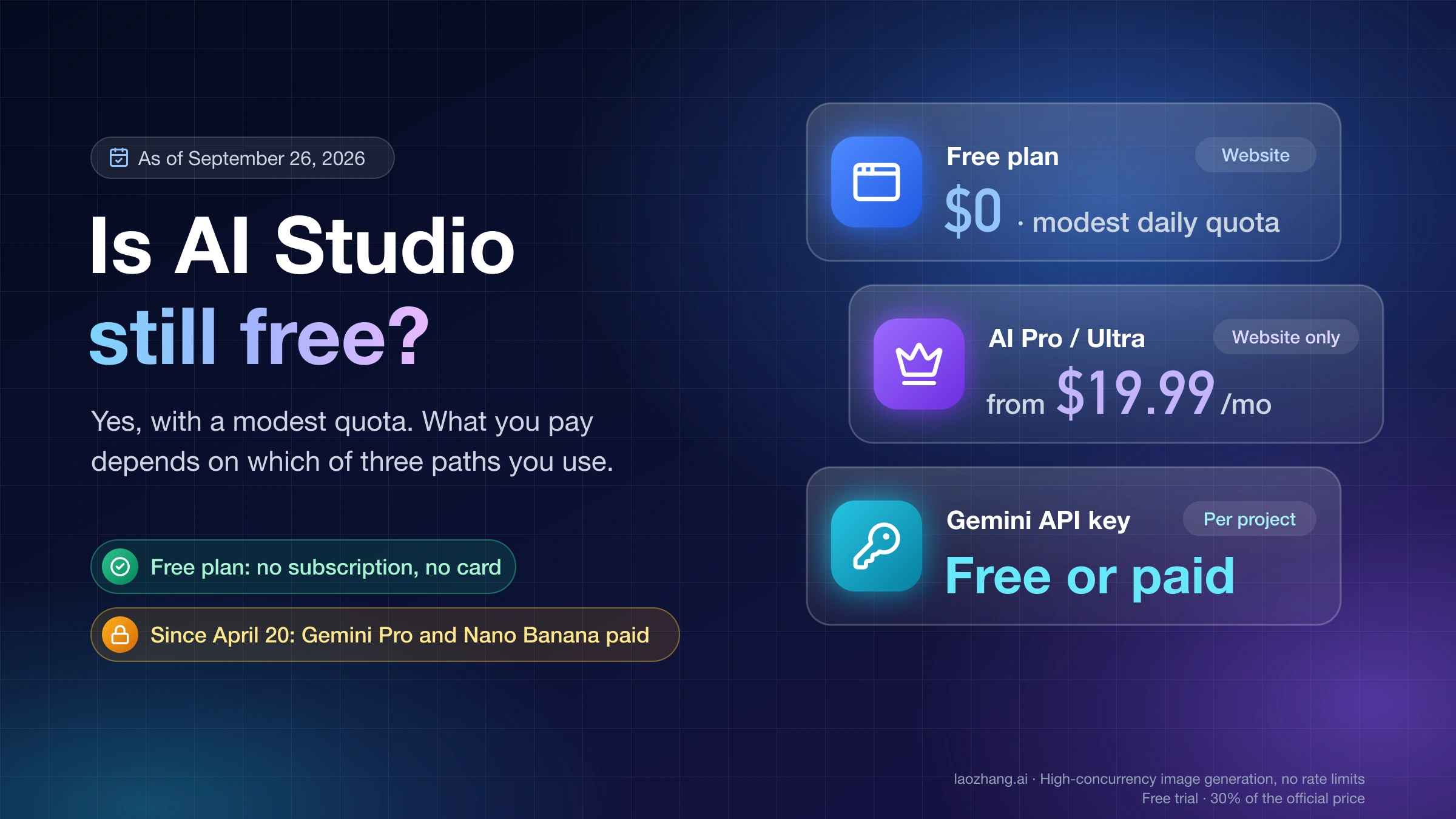
The free Gemini tier remains a solid option for everyday academic use. You get access to Gemini 3 Flash, which handles straightforward questions, writing assistance, and basic analysis well. The 50 daily credit allocation limits heavy research sessions but works fine for scattered use throughout the day. Deep Research and NotebookLM are available at reduced limits, and basic image generation works. The free tier is a permanent offering with no trial period, so you can use it indefinitely. The key limitation is model quality: Flash is noticeably less capable than Pro for complex reasoning tasks, long-form generation, and nuanced analysis.

For computer science students and developers who need AI model access for projects, the Gemini API offers a generous free tier separate from the consumer product. The Gemini API free tier limits and capabilities guide covers this in detail, but the highlights include free access to Gemini 3 Flash and Gemini 3 Flash Lite through the API, which is sufficient for building AI-powered applications, running experiments, and completing course projects. If you need access to multiple AI models (Gemini, GPT-4, Claude) for a comparative analysis project or want to experiment with different architectures, API aggregation platforms like laozhang.ai (documentation at docs.laozhang.ai) provide a single access point to multiple models at reduced cost, which is particularly budget-friendly for students building applications that need flexibility across providers.

ChatGPT's free tier offers GPT-4o access with usage limits and is available globally without student verification. The free ChatGPT is genuinely capable for many academic tasks, including writing feedback, explaining concepts, brainstorming, and basic research. The main limitations compared to the Gemini student plan are the smaller context window (128K vs 1M tokens), lack of integrated study tools like NotebookLM, and no cloud storage or workspace integration. However, ChatGPT's custom GPTs provide access to thousands of specialized assistants created by other users, including academic writing coaches, citation formatters, and subject-specific tutors. For students who need more than the free tier, ChatGPT Plus at $20/month adds higher usage limits and access to o3-mini for advanced reasoning.

GitHub Copilot deserves special mention for CS and engineering students. Through the GitHub Student Developer Pack, verified students get free access to Copilot, which integrates directly into VS Code and other editors to provide real-time code suggestions, completion, and documentation generation. This is a more targeted tool than general-purpose chatbots for day-to-day coding work, and it complements rather than replaces Gemini for academic purposes. You can use Gemini for big-picture architecture discussions and conceptual understanding while using Copilot for line-by-line coding assistance.

Claude by Anthropic and Microsoft Copilot round out the major free options. Claude's free tier provides strong reasoning capabilities that many users find comparable to GPT-4o for analytical and writing tasks, though with lower daily usage limits. Microsoft Copilot integrates with the Office suite (Word, Excel, PowerPoint) and has a free tier that includes GPT-4-level responses, making it particularly relevant for students who work primarily in the Microsoft ecosystem rather than Google Workspace.

If you are an international student at a US institution, you likely do qualify for the Google student offer as long as your school is in the SheerID database and you are 18 or older. The requirement is enrollment at an eligible US institution, not US citizenship or residency. This means exchange students, international degree-seeking students, and students on F-1 or J-1 visas should all be eligible. Contact your school's IT help desk to confirm whether your institution has been added to Google's eligible list, and if not, request that your school administration work with Google to enable access. Some students have reported that using their school email address rather than a personal Gmail during registration improves the chances of automatic verification succeeding.

Frequently Asked Questions

Is Gemini 3.1 Pro actually free for students, or is there a catch?

Yes, it is genuinely free for 12 months with no charges during the trial. The only "catch" is that you must add a payment method, and the subscription automatically renews at $28.99/month after the free year unless you cancel. Setting a reminder to evaluate whether you want to continue paying 11 months in is the only precaution needed. There are no hidden fees, no reduced features, and no ads added to the student version.

What happens to my files and data after the free year ends?

If you cancel after the trial, your Google account reverts to the free tier. Your files remain in Google Drive, but if you are over the 15 GB free storage limit, you will not be able to upload new files until you reduce storage usage or upgrade. You do not lose existing files; Google gives you a grace period to manage your storage. Your Gemini conversation history is retained, but you lose access to Pro-level features and revert to Gemini 3 Flash.

Can I use Gemini 3.1 Pro for group projects?

Yes, but the subscription is tied to a single Google account. Your group members will not get Pro access on their own accounts just because you share documents with them. However, you can use Gemini to generate content, analysis, or code that you then share with your group through standard Google Workspace collaboration. Each group member would need their own student plan signup for individual Pro access.

Does using Gemini for coursework count as academic dishonesty?

This depends entirely on your institution's academic integrity policy and your professor's specific guidelines. Most universities are developing AI use policies that distinguish between prohibited use (submitting AI-generated text as your own work) and permitted use (using AI as a research tool, editing assistant, or coding helper). Always check your course syllabus and institution's AI policy. When in doubt, disclose your AI usage and use Gemini as a tool that supports your own thinking rather than replaces it.

Is Gemini 3.1 Pro better than Claude or GPT-4 for academic work?

Each model has strengths. Gemini 3.1 Pro excels at handling very large documents (1M context), integrating with Google Workspace, and providing bundled tools (NotebookLM, Deep Research). Claude is often praised for nuanced writing and careful reasoning. GPT-4o offers broad capability and a large plugin ecosystem. For students, the deciding factor is usually price and integration: Gemini's free student plan with Google Workspace integration is hard to beat on pure value, even if individual model comparisons on specific tasks might favor different options.

Can graduate students get the free offer?

Yes, graduate students enrolled at eligible US institutions qualify. The SheerID verification checks for active enrollment in a higher education program, which includes undergraduate, graduate, and professional degree students. PhD candidates, MBA students, medical students, and law students all qualify as long as they meet the age and institution requirements.

Share:

Get Started with AI API

Access GPT-4o, Claude, Gemini and other leading AI models through laozhang.ai. Free credits on signup, no barriers to experience the latest AI capabilities.