Why Can't Gemini Generate Images of People? Policy, Age or Quota
Gemini creates and edits people images within consent, privacy and safety rules. A no-person image request helps separate a people refusal from an access or quota problem.
On this page
Gemini can generate and edit images of people. As of October 5, 2026, everyone using the Gemini app creates images with Nano Banana 2, and Google's own help page recommends it for seeing yourself with different hairstyles or in different scenes. What Gemini refuses is narrower: images that use a real person's likeness without their consent, sexual or violent content, content that puts children at risk, and images that impersonate a real person to deceive.
When a refusal has nothing to do with those rules, the cause is usually somewhere else. You may be signed out, under 18 and trying to edit, in an unsupported country or language, on a work or school account with its own rules, or out of image quota. Those causes stop images of anything, not just people. A quick test tells them apart: ask the same chat for an image with no person in it, such as a bowl of fruit on a table. If that fails too, the problem isn't about people.
Google doesn't publish a list of names Gemini won't draw, and it doesn't publish refusal statistics. Trying to get around a refusal is itself against Google's policy, so the useful moves are the legitimate ones below.
Which case are you in: refusal, access gate or image limit
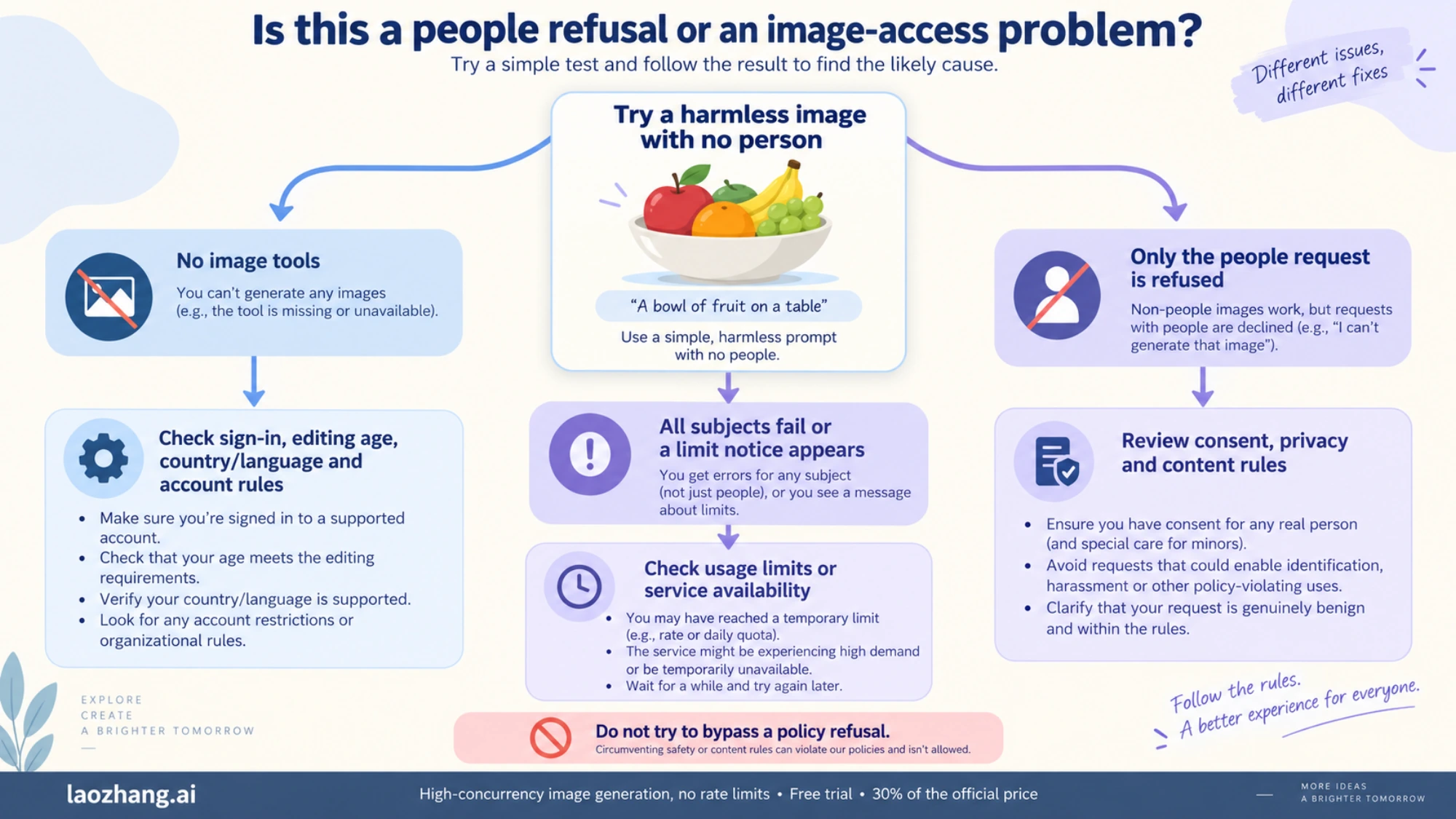
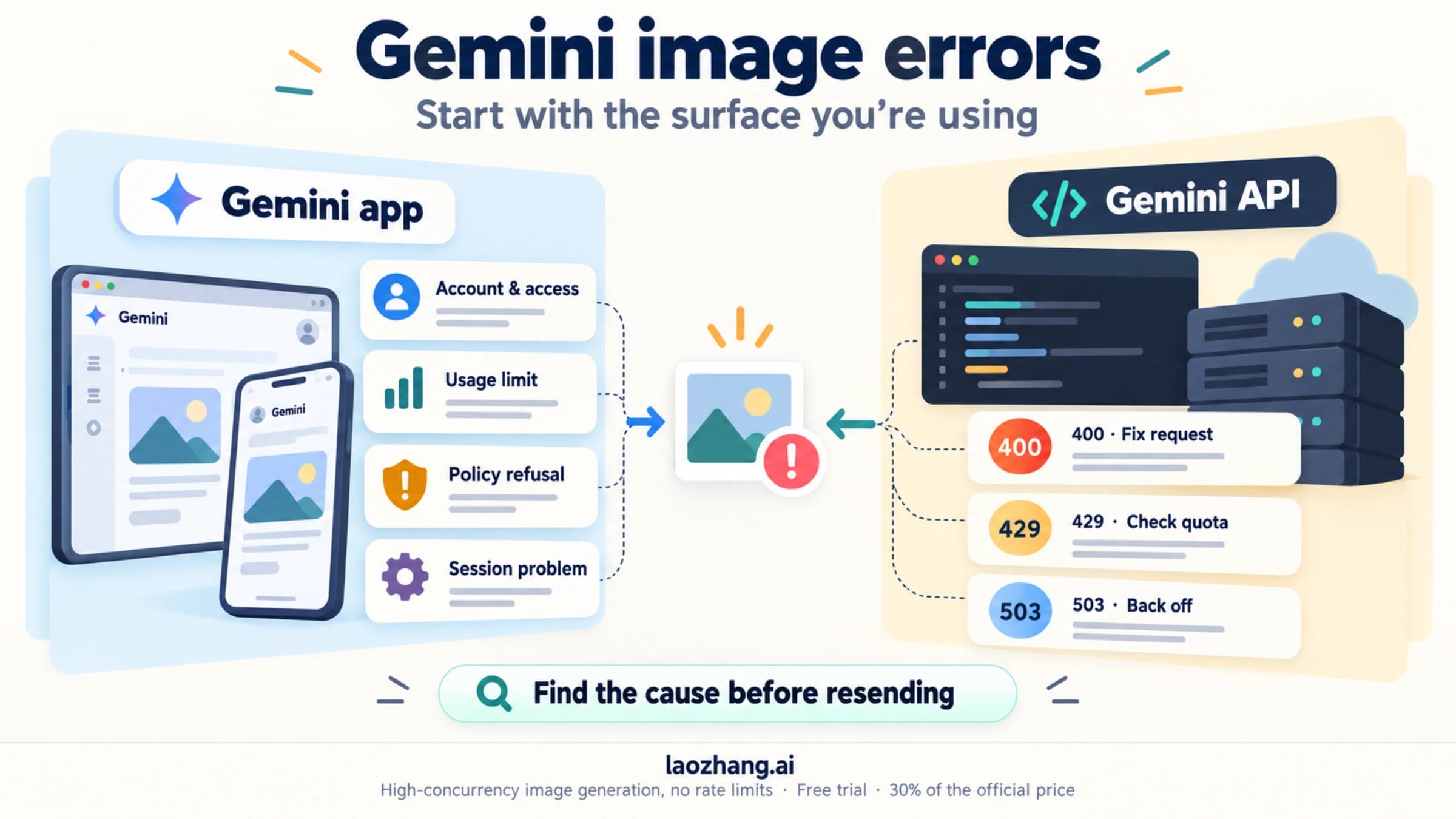
Match what you see with the closest row. The first three rows are policy refusals. The rest have nothing to do with the person in your request.
| What you see | Most likely cause | What to do next |
|---|---|---|
| A text reply refusing a named real person, or a photo of someone who isn't you | Privacy and likeness rules | Use your own photo or one you have permission to edit, or describe an invented person |
| A refusal when the request involves a child, nudity, sexual content, gore or violence | Child safety, sexual content or violence rules | Don't rephrase it to get it through; drop that part of the request |
| An image appears, then disappears or is replaced with a notice | Google's systems flagged a possible violation and removed it | Check the request against the rules below before trying again |
| No image tools at all, or editing is unavailable | Signed out, under 18 for editing, unsupported language or country, work or school account rules | Fix the access condition first; see the access section |
| Every image fails, including ones with no people, or Gemini says you've hit a limit | Usage limit or a service problem | Wait for the limit to refresh or try again later |
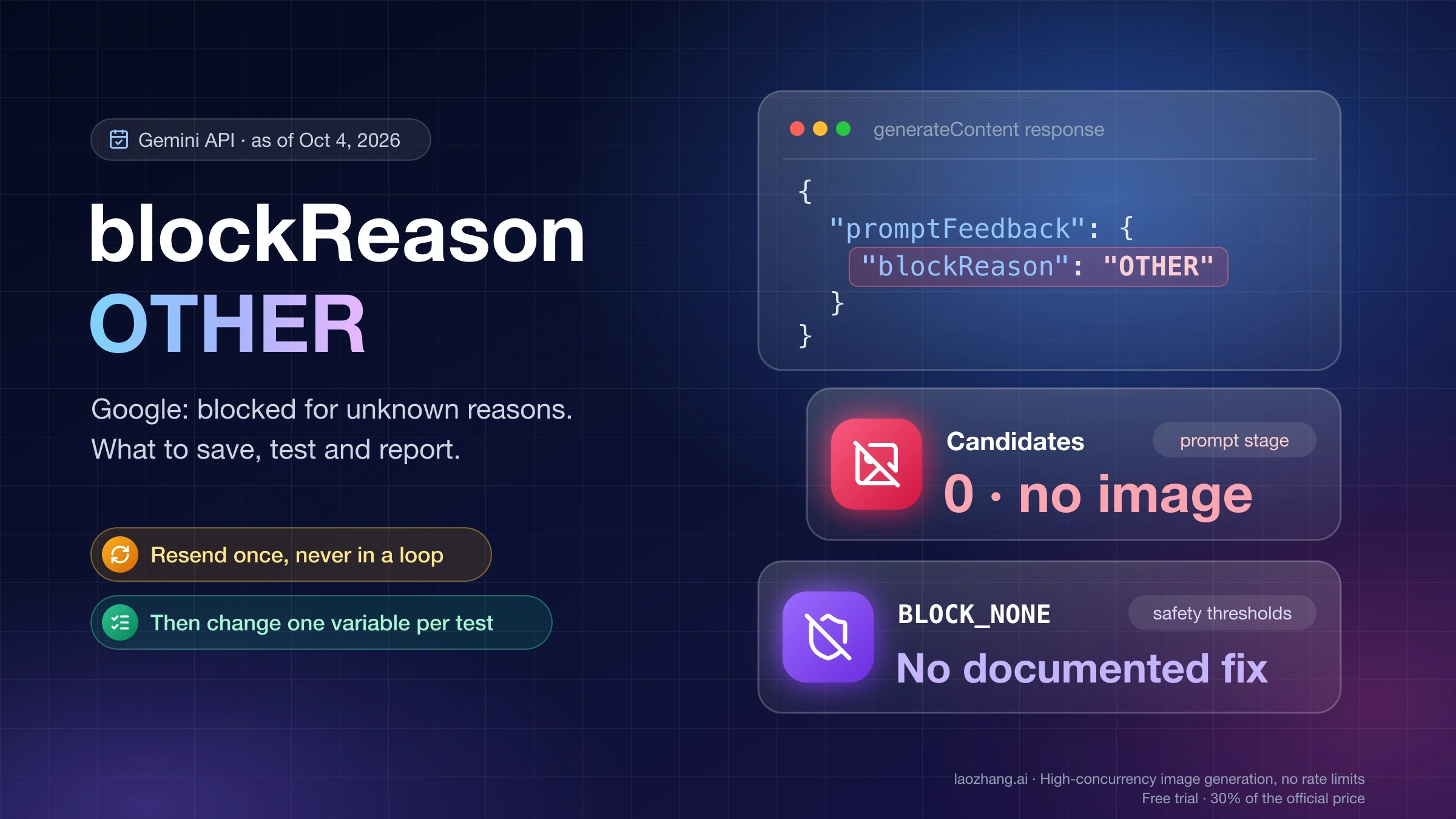
API response with IMAGE_SAFETY, IMAGE_PROHIBITED_CONTENT, IMAGE_OTHER or SPII | A block on the generated image or on personal information | Read the developer section; changing safety settings won't lift these |
A harmless request can also be refused by mistake. Developers have reported plainly safe prompts failing with IMAGE_OTHER in Google AI Studio (Google AI Developers Forum, March 14, 2026). If you are confident the request is within the rules, rewrite it so its harmless meaning is clear. Don't keep resubmitting near-copies of a request that touches the rules.
What Google's rules say about people in Gemini images
Google's current wording for the Gemini app is spread across three pages, and none of them is a simple list of banned subjects.
The Gemini Apps help page on images reminds you that you agreed to the Generative AI Prohibited Use Policy and adds: "Be sure not to violate others' copyright or privacy rights." It also says Gemini "may remove images for prompts when our systems detect a possible violation" of Google's terms, which explains images that show up and then vanish.
Google's enforcement page lists what its automated systems and human reviewers look for. Two items are directly about people: "using someone's image without their consent and non-consensual intimate imagery," and "attempts to circumvent safety protections (e.g. prompt injections)."
The Prohibited Use Policy itself forbids "impersonating an individual (living or dead) without explicit disclosure, in order to deceive," using "personal data or biometrics without legally-required consent," non-consensual intimate imagery, and "circumvention of abuse protections or safety filters."
The Gemini app policy guidelines cover child safety, dangerous activities, violence and gore, harmful factual inaccuracies, harassment and discrimination, and sexually explicit material. They also say "context matters," naming educational, documentary, artistic and scientific uses. Google admits Gemini "may sometimes produce content that violates our guidelines," which also means the same request can get different answers on different attempts.
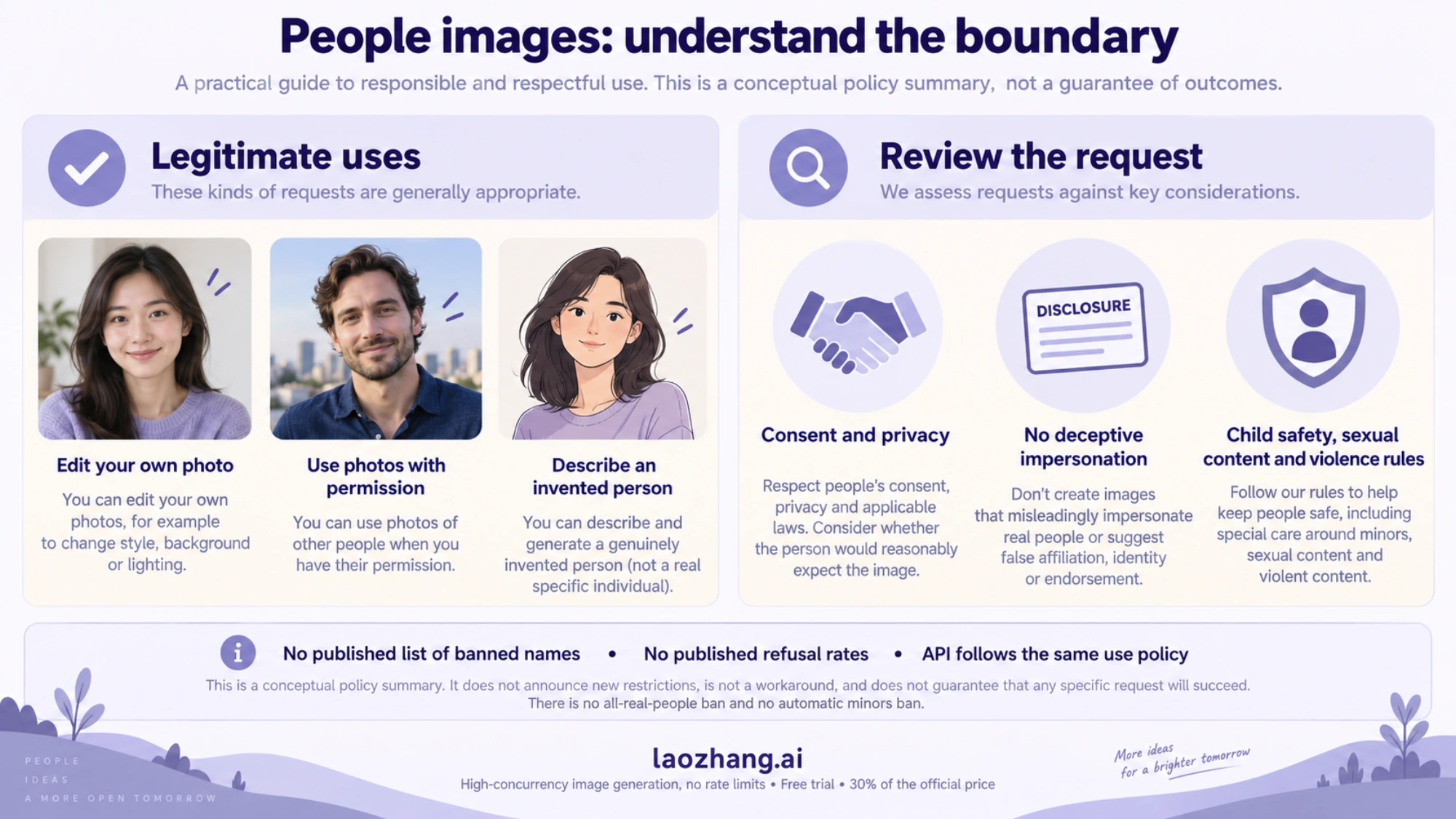
Current rules focus on consent, privacy, deceptive impersonation and content safety. They are not a new list of restriction categories announced with Nano Banana 2.
The last time Google published an explicit list for people images was August 28, 2024, when people generation returned to Gemini. Google said it didn't support "the generation of photorealistic, identifiable individuals, depictions of minors or excessively gory, violent or sexual scenes." That sentence is useful history. It isn't the full current policy, and Google's help pages today don't repeat it as a list.
Public figures fall in the same gap. Users widely report that Gemini refuses named celebrities and politicians, especially in realistic images, but no current Google page names public figures as a category. Treat a refusal of a named real person as expected behavior under the likeness and impersonation rules, not as a bug to work around.
Photos of yourself, friends and children in Gemini
Editing photos of yourself is a use Google promotes. The help page says Nano Banana 2 "is ideal to create personalized images such as when you want to view yourself with different hairstyles, picture yourself in different scenes or create memes." Gemini also has an avatar feature: you can record your face and voice once and use the avatar when you create images.
Photos of other people need their permission. The enforcement page names "using someone's image without their consent" as something Google's systems look for. Google's API guide puts it the same way for uploads: "Make sure you have the necessary rights to any images you upload." A friend who agreed to the edit is a different case from a stranger's photo found online. Gemini can't check consent, though, so a refusal on someone else's photo can happen even when you have permission.
Children are the strictest area. Users under 18 can't edit images in the Gemini app at all. Google's 2024 list excluded "depictions of minors," the app guidelines put child safety first, and Google's API documentation lists child safety among the protections that are always on. Current help pages don't say whether a parent can edit a photo of their own child, so expect refusals there and don't try to disguise the subject's age.
Every image Gemini creates carries an invisible SynthID watermark. The visible Gemini watermark is a setting (Settings > Media Watermark) that you can turn off in most countries; in India, South Korea and Vietnam the switch appears only with AI Ultra. That setting never removes SynthID. Anyone can upload an image to the Gemini app and ask whether Google AI made it, so an edited photo of a real person stays identifiable as AI-generated.
If your edit is about the setting rather than the face, such as a new backdrop for a portrait, the steps for changing a photo's background in Gemini apply, and the same consent rules hold.
Why Gemini made people images before and refuses now: 2024 to 2026
People images in Gemini have been switched off, brought back and moved to new models in under three years. That history explains most "it worked last month" complaints.
- February 23, 2024: Google paused image generation of people in Gemini, about three weeks after launch. In the post "Gemini image generation got it wrong. We'll do better.", Prabhakar Raghavan wrote that "some of the images generated are inaccurate or even offensive," including historical scenes.
- August 28, 2024: People generation returned with Imagen 3, first as early access for Gemini Advanced, Business and Enterprise users in English, with the rule list quoted above.
- August 2025: Nano Banana arrived and moved Gemini toward editing your own uploads, including photos of yourself.
- November 20, 2025: Nano Banana Pro launched.
- February 26, 2026: Google's Nano Banana 2 announcement said it "will replace Nano Banana Pro across the Fast, Thinking and Pro models" in the Gemini app. The post announced no new restriction categories.
Today Nano Banana 2 handles image generation for everyone, and Nano Banana 2 Lite handles it when the chat model is Flash-Lite. Nano Banana Pro is available only through "Redo with Pro" for Google AI Plus, Pro and Ultra subscribers. A different model can treat the same prompt differently, so a people image that worked on an older model may be refused now, or the reverse. Google doesn't publish refusal rates for any of these models.
Access gates that stop Gemini images before any rule applies
These conditions come from the Gemini Apps help page. They block images in general, so they're easy to mistake for a people rule.
- Sign-in: you must be signed in to create images.
- Age: on a personal account you must be 13 or older, or the applicable age in your country, to generate images. Editing images requires 18 or older, so an under-18 user who uploads a photo of themselves will be refused.
- Language and country: image features are limited to the languages and countries the Gemini app supports.
- Work or school accounts: these may have different terms and restrictions set by the organization.
Google's help pages don't describe different people rules for Android, iOS and the web. The same account conditions apply everywhere. If images work on gemini.google.com but not in the phone app, the cause is the app or the model route, not the content. The checklist for when Nano Banana Pro isn't working in the Gemini app walks through that.
When Gemini stops making any images: limits and outages
If Gemini can't create images of anything, a usage limit is the first suspect. The Gemini Apps limits page says limits are compute-based and refresh every 5 hours until you reach a weekly limit. Without a plan you get standard limits. Google AI Plus gives 2x, AI Pro 4x, and AI Ultra 5x or 20x AI Pro's limits. The images help page also mentions a daily Nano Banana 2 quota. Once you reach it, you can't use Redo with Pro either.
Google publishes no fixed number of images per day. How the free allowance is counted and what other free Google image tools exist are covered in Gemini's free image limit and Google's no-cost Nano Banana options.
Service problems look the same from the outside. Gemini Apps Community threads titled "Gemini are no longer able to create images" and "Gemini refusing to create or edit any kind of images" describe failures that hit every subject at once. If the no-people test fails and you haven't been using Gemini heavily, wait and try again later rather than rewriting the prompt.
How to ask Gemini for people images it can make
Most people images fall well inside the rules. These approaches work with them, not around them.
Describe an invented person. Give an age range, clothing, setting, lighting and style, and leave out names. For example: "A woman in her sixties repairing a bicycle in a sunlit garage, documentary photo style." The person has to be genuinely invented. Calling a real person "fictional," or describing a celebrity closely enough to be recognized, still uses their likeness. Google's policy treats that as impersonation or as an attempt to circumvent safety protections.
Edit your own photo. Upload it, say what should change and what should stay. Google's editing guide suggests a template for targeted changes:
Using the provided image, change only the [specific element] to [new element/description].
Keep everything else in the image exactly the same, preserving the original style, lighting, and composition.
Faces can drift after edits even though character consistency is a listed Nano Banana 2 feature. Check the result. If the person no longer looks like you, ask again with an instruction to keep the person exactly the same.
Use the avatar feature if you want yourself in several scenes. It's Google's own route for putting your face into generated images.
Make the harmless meaning clear. If a benign request was refused, look for words that could read as violent or sexual out of context and say what you actually mean. Google's guidelines say context matters for educational, documentary and artistic work, so stating the purpose plainly can help a legitimate request.
What doesn't belong on this list: splitting a refused request into pieces, swapping a real name for a description of the same person, or claiming consent you don't have. Those are the circumvention attempts Google's enforcement page says it looks for.
Notices, restrictions and appeals after policy violations
Google's enforcement page describes a process built around confirmed violations. When Google confirms one, you get a notice in the product, by email, or both. "Repeated violations" may lead to restrictions on your generative AI use or on your Google account. If you think a restriction is wrong, you can appeal through the link in the notice or email.
For the Gemini API and Google AI Studio, Google's usage policies describe a similar ladder. Google may contact you by email, apply temporary usage limits, suspend access, or, as a last resort, close access to the Gemini API and other Google services. Suspension and closure notices include an appeal link. Google keeps prompts and outputs for 55 days for abuse detection. That's a data retention period, not a probation window. The details are in Nano Banana Pro risk control.
Because the Prohibited Use Policy names "circumvention of abuse protections or safety filters" as a violation, repeated attempts to push a refused people request through are riskier than the refusal itself.
For developers: people images and block reasons in the Gemini API
The Gemini API follows the same Prohibited Use Policy as the app. Nothing in Google's API documentation describes a more permissive policy for people.
There is no person-generation switch for Gemini image models (gemini-3.1-flash-image, gemini-3-pro-image, gemini-3.1-flash-lite-image). The personGeneration parameter belonged to Imagen. Imagen 3 was shut down on the Gemini API on November 10, 2025, and the Imagen 4 models on August 17, 2026, with gemini-3.1-flash-image named as the replacement. Google's image guide also notes that Grounding with Google Search on gemini-3.1-flash-image "does not support using real-world images of people from web search at this time."
People-related blocks show up in the response rather than as an error message. Google's generateContent reference describes them as follows.
| Field and value | Google's description | What it usually means for a people request |
|---|---|---|
finishReason: IMAGE_SAFETY | Generated images contain safety violations | The output image was blocked |
finishReason: IMAGE_PROHIBITED_CONTENT | Generated images have other prohibited content | A policy block on the output |
finishReason: IMAGE_OTHER | Stopped because of another miscellaneous issue | Unexplained; false positives are reported here |
finishReason: SPII | Content may contain sensitive personally identifiable information | Personal information was detected in the generated content |
promptFeedback.blockReason: PROHIBITED_CONTENT | Prompt was blocked due to prohibited content | The request was refused before generation |
promptFeedback.blockReason: OTHER | Blocked for unknown reasons | Unexplained prompt-side block |
For current Gemini models, the adjustable safetySettings thresholds are Off by default, and protections against core harms such as child safety are always on. Since the adjustable filters are already off, setting BLOCK_NONE or OFF can't lift these outcomes; that follows from the documentation rather than from a stated rule. The safety filters guide covers what the settings can and can't change, and blockReason OTHER covers the unexplained case.
Developer reports show over-blocking happens. A Google AI Developers Forum thread from March 14, 2026, describes a plainly safe prompt returning IMAGE_OTHER. On December 29, 2025, Logan Kilpatrick of Google said in the same forum that "Other" errors are "not helpful the way it is setup" and that a refactor was planned. A Stack Overflow question from February 6, 2026, reports named public figures blocked with OTHER even with BLOCK_NONE. These are individual reports, not published rules or rates.
Google AI Studio requires users to be 18 or older, and the Gemini API is limited to Google's list of available regions, which doesn't include mainland China, Hong Kong or Russia.
FAQ
Can Gemini generate images of people at all?
Yes. Gemini creates and edits images of invented people, and of you from your own photos, with Nano Banana 2. It refuses identifiable real people used without consent, sexual or violent scenes, content that endangers children, and deceptive impersonation.
Why is Gemini no longer able to create images?
If no images work at all, including ones without people, the cause is usually a usage limit, a service problem, or an access condition such as being signed out or in an unsupported country. Gemini's limits refresh every 5 hours up to a weekly cap. Check whether you've hit them before changing your prompt.
Why won't Gemini generate a celebrity or politician?
Google's rules forbid using someone's image without their consent and impersonating a real person to deceive. Users widely report refusals for named public figures, though no current Google page lists them as a category. A paid plan doesn't change that, and rewording the request doesn't make it allowed.
Is Gemini not generating images of people only on Android or iOS?
Google documents no difference in people rules between Android, iOS and the web. If one device works and another doesn't, the cause is the app, the account or the model route, not the content.
Why did Gemini delete an image it just made?
Gemini can remove an image after creating it when Google's systems detect a possible violation of its terms, including the Prohibited Use Policy. Review the request against the privacy, child safety, sexual content and violence rules before trying again.
Does a Google AI plan unlock more people images?
A plan raises your usage limits and adds Redo with Pro, which uses Nano Banana Pro. Google's pages don't say that any plan changes the content rules, so a request refused on a free account will most likely be refused on a paid one too.
Sources10
External pages this guide links to, in the order they appear. Last updated Oct 5, 2026.
Sources10
External pages this guide links to, in the order they appear. Last updated Oct 5, 2026.
- 1.Gemini Apps help page on imagessupport.google.com/gemini/answer/14286560
- 2.enforcement pagesupport.google.com/gemini/answer/16625148
- 3.Prohibited Use Policypolicies.google.com/terms/generative-ai/use-policy
- 4.Gemini app policy guidelinesgemini.google/policy-guidelines
- 5."Gemini image generation got it wrong. We'll do better."blog.google/products-and-platforms/products/gemini/gemini-image-generation-issue
- 6.returned with Imagen 3blog.google/products-and-platforms/products/gemini/google-gemini-update-august-2024
- 7.Nano Banana 2 announcementblog.google/innovation-and-ai/technology/ai/nano-banana-2
- 8.Gemini Apps limits pagesupport.google.com/gemini/answer/16275805
- 9.generateContent referenceai.google.dev/api/generate-content
- 10.Google's list of available regionsai.google.dev/gemini-api/docs/available-regions