AI Model & API Guides · Page 6 of 20

Source-linked guidance for AI models, API integration, and developer workflows—turning fast-changing prices, quotas, capabilities, and limits into decisions you can verify.
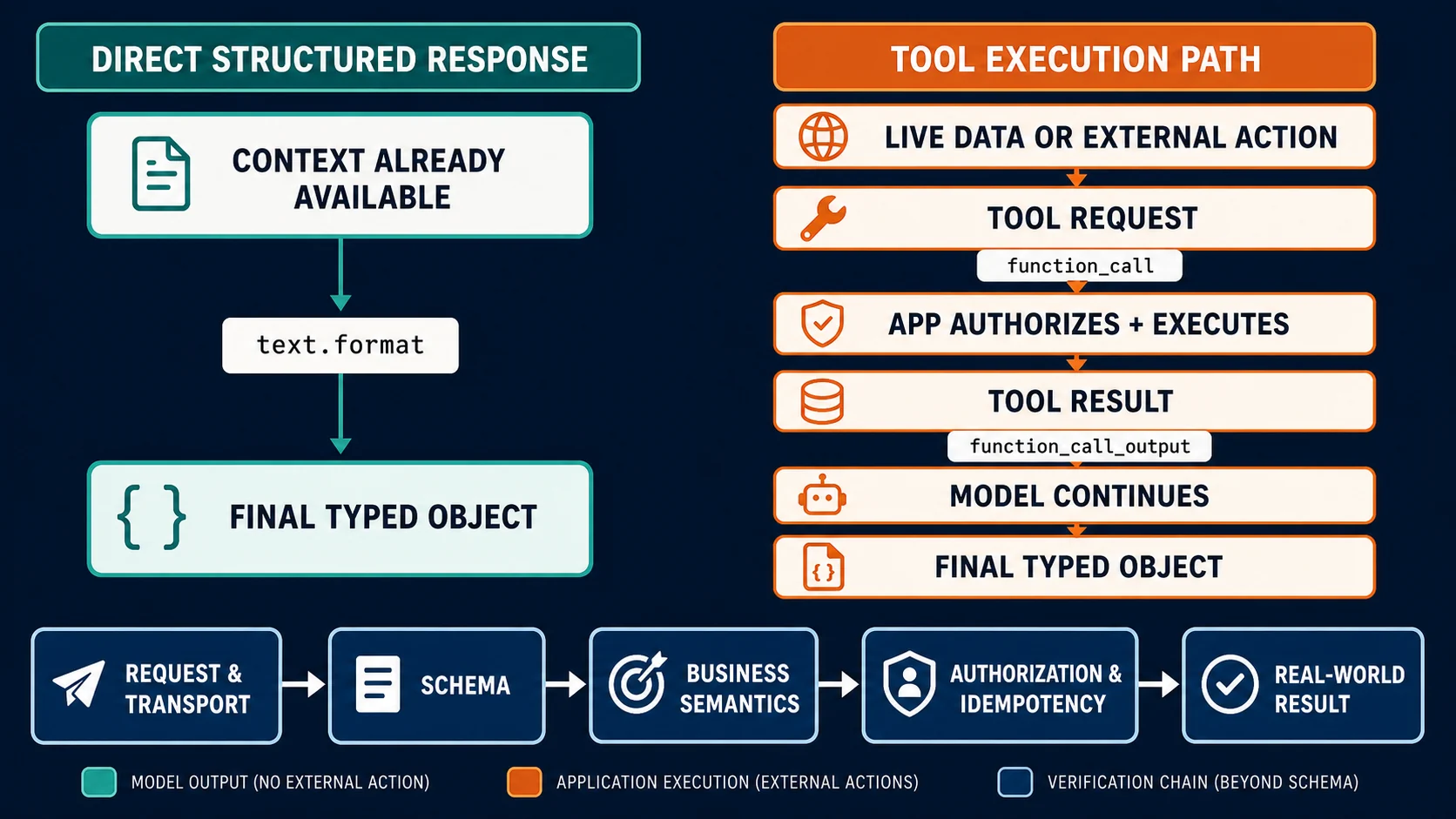
Decision map separating a typed final response from an application-executed function call and a hybrid flow
API Guides

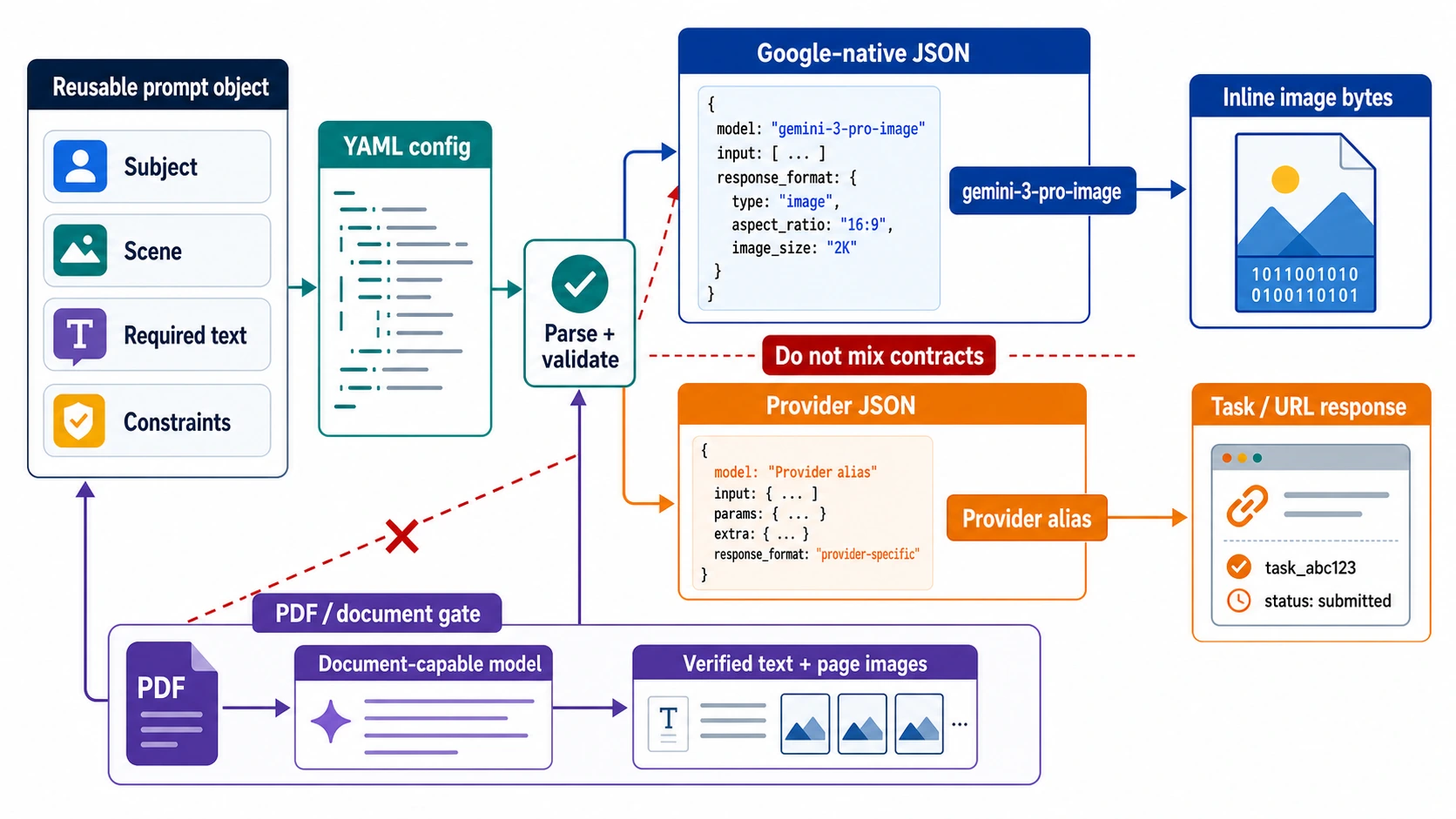
Structured Outputs vs Function Calling: Choose the Right OpenAI API Contract

If the model is returning the final object your UI or service consumes, use Structured Outputs through text.format. If it must ask your application to fetch or change something, use function calling. A strict schema controls shape; it does not execute code or prove the business result.

10 min
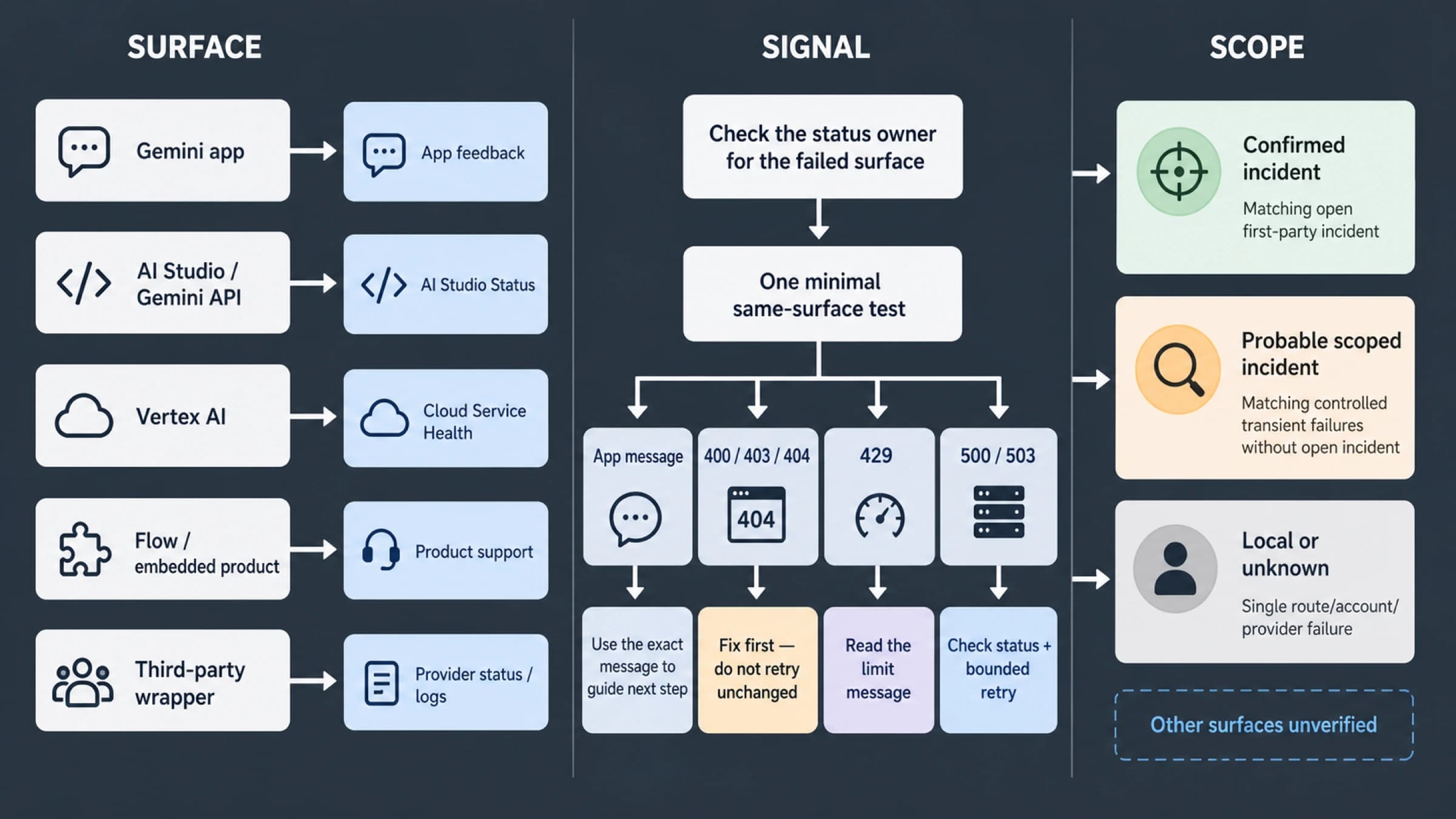
Surface, signal, and scope decision map for checking whether Nano Banana 2 is down
Troubleshooting

Is Nano Banana 2 Down? Check the Right Status Page First

A static page cannot prove that every Nano Banana 2 surface is up or down. Use the failing surface, its first-party status owner, and the exact error signal to classify the incident before retrying.

11 min
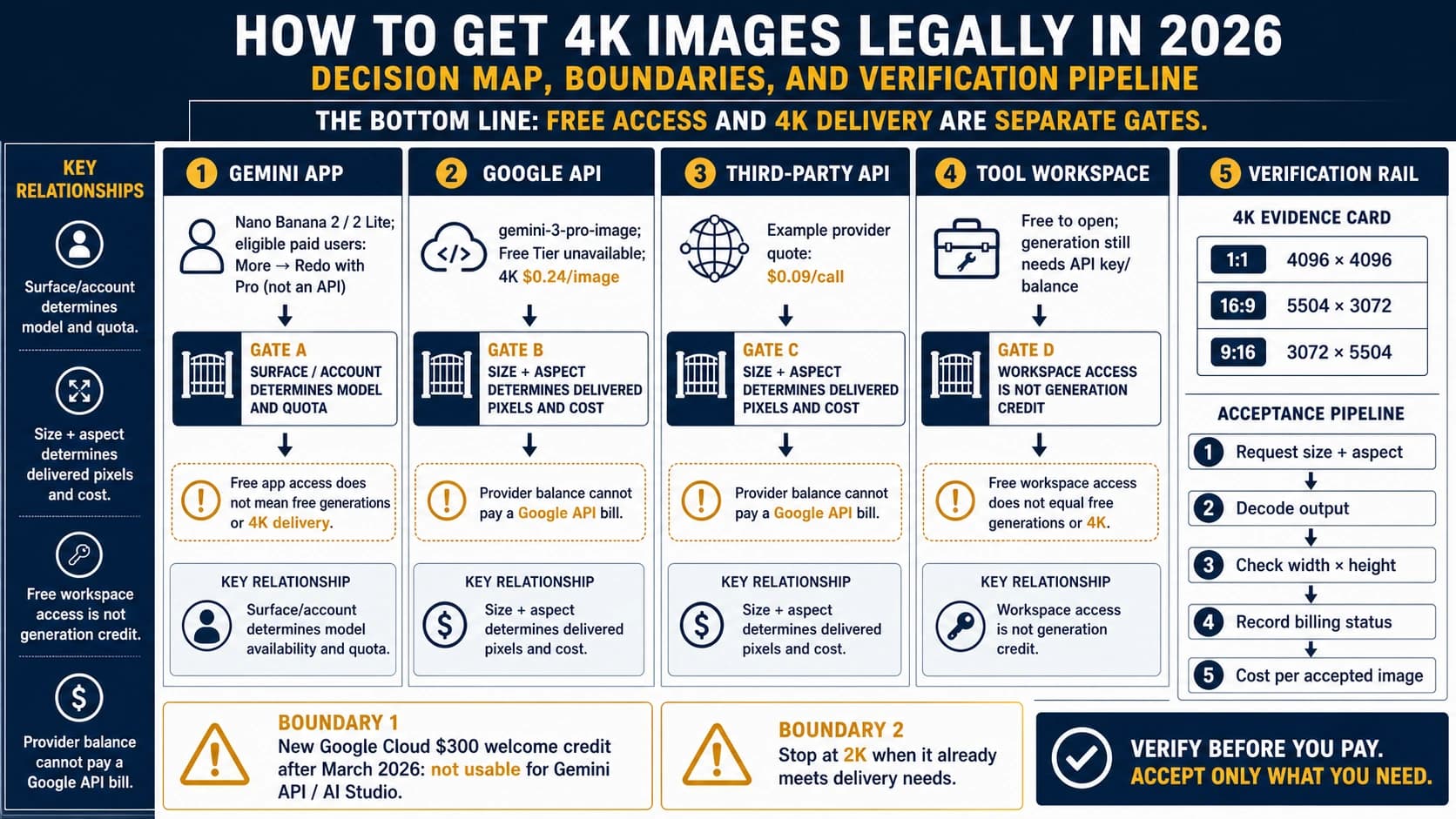
Decision map separating Gemini App access, the paid Nano Banana Pro API, provider credits, and 4K output verification
AI Image Generation

Nano Banana Pro 4K Generator: What Free Credits Actually Buy (2026)

Nano Banana Pro can generate up to 4K through the official Gemini API, but the Pro API has no free tier and new Google Cloud Welcome credit cannot pay for it. This guide separates four credit contracts and shows how to verify a billed 4K result.

11 min
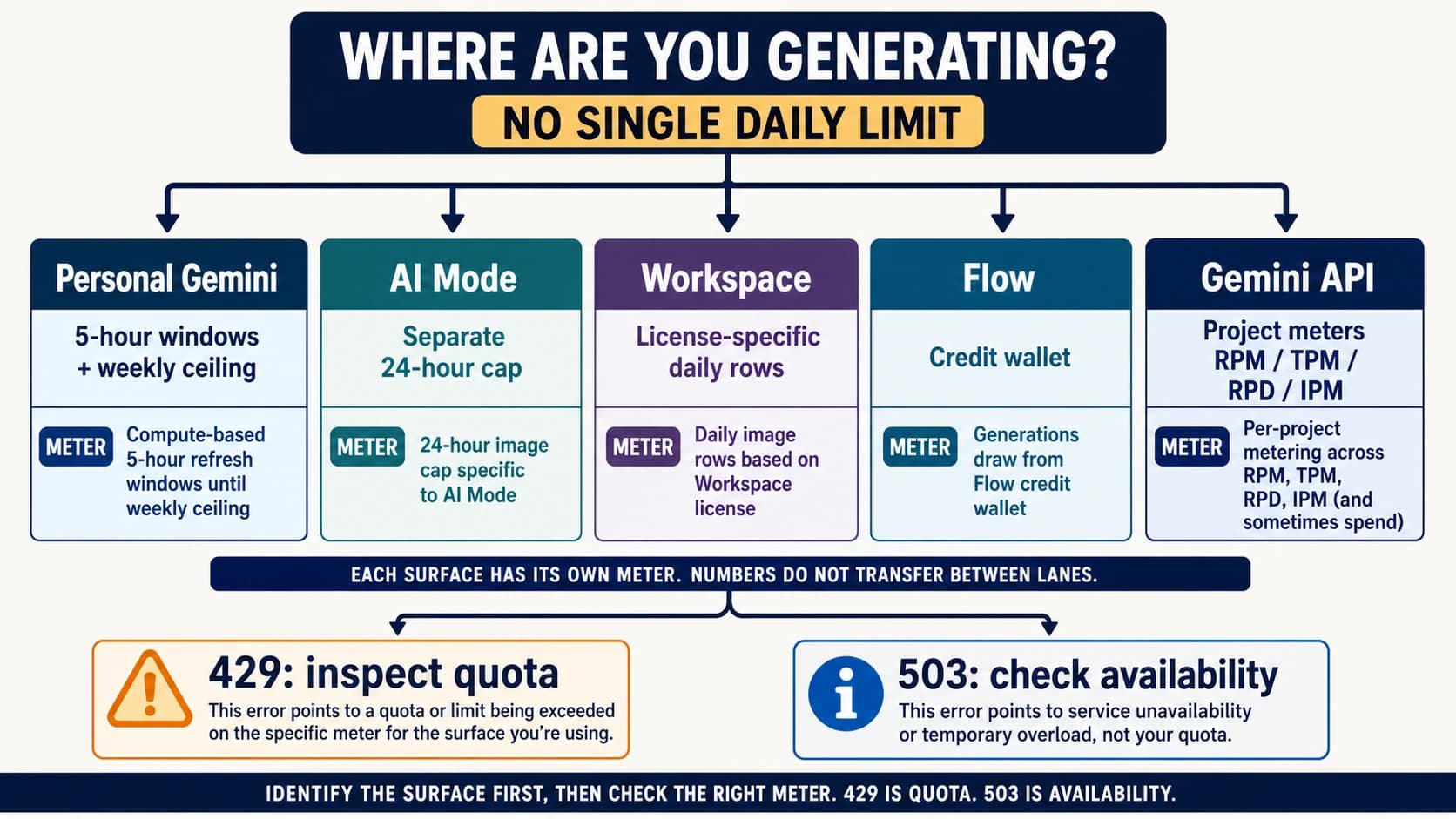
Decision map separating Nano Banana Pro limits in personal Gemini, AI Mode, Workspace, Flow and the Gemini API
AI Image Generation

Nano Banana Pro Limits in 2026: Gemini, AI Mode, Workspace, Flow and API Quotas

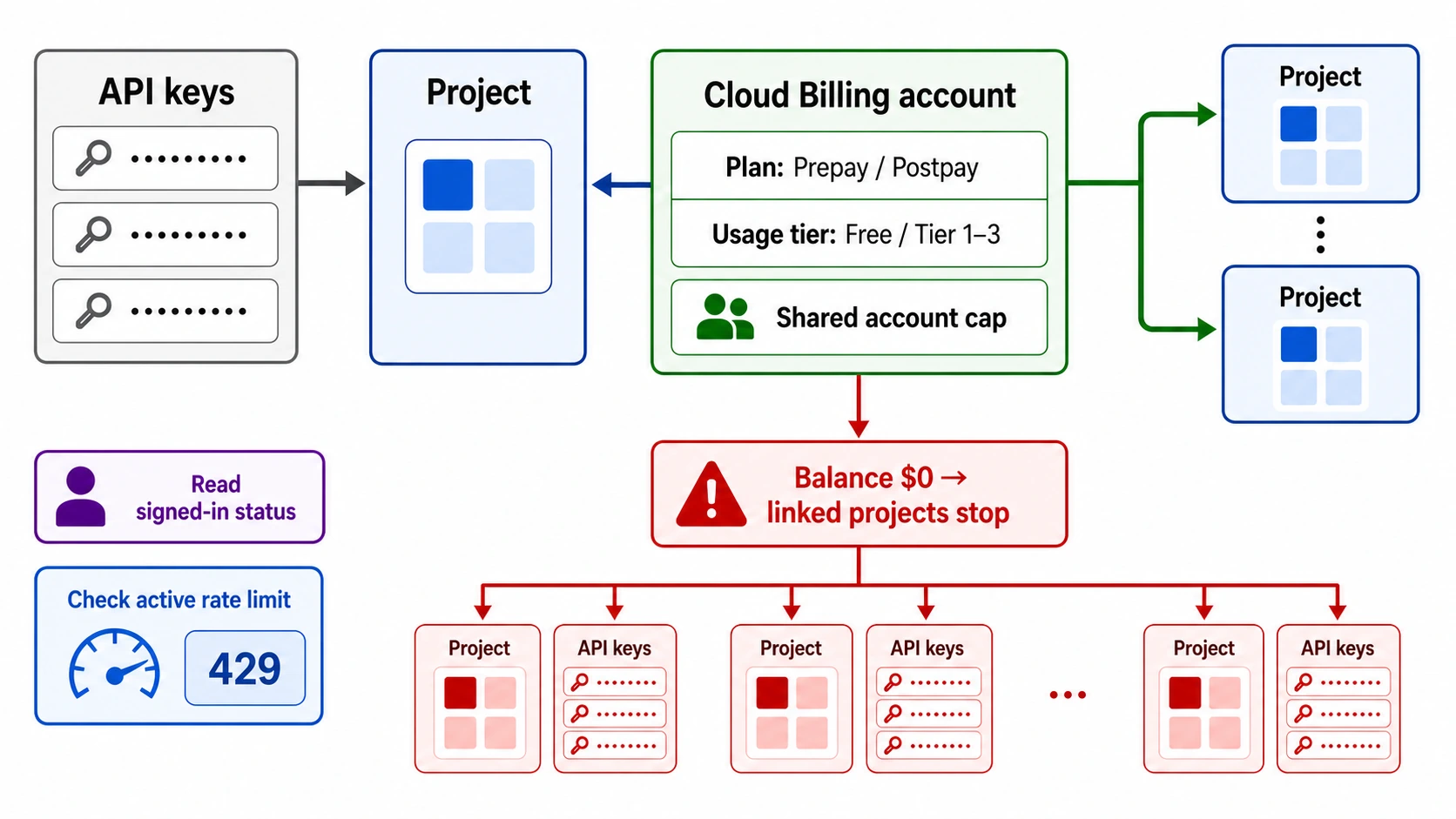
There is no single Nano Banana Pro limit per day. Personal Gemini uses five-hour compute windows plus a weekly ceiling, AI Mode uses a separate 24-hour image cap, Workspace uses edition-specific daily rows, Flow uses credits, and the Gemini API meters each project independently.

10 min
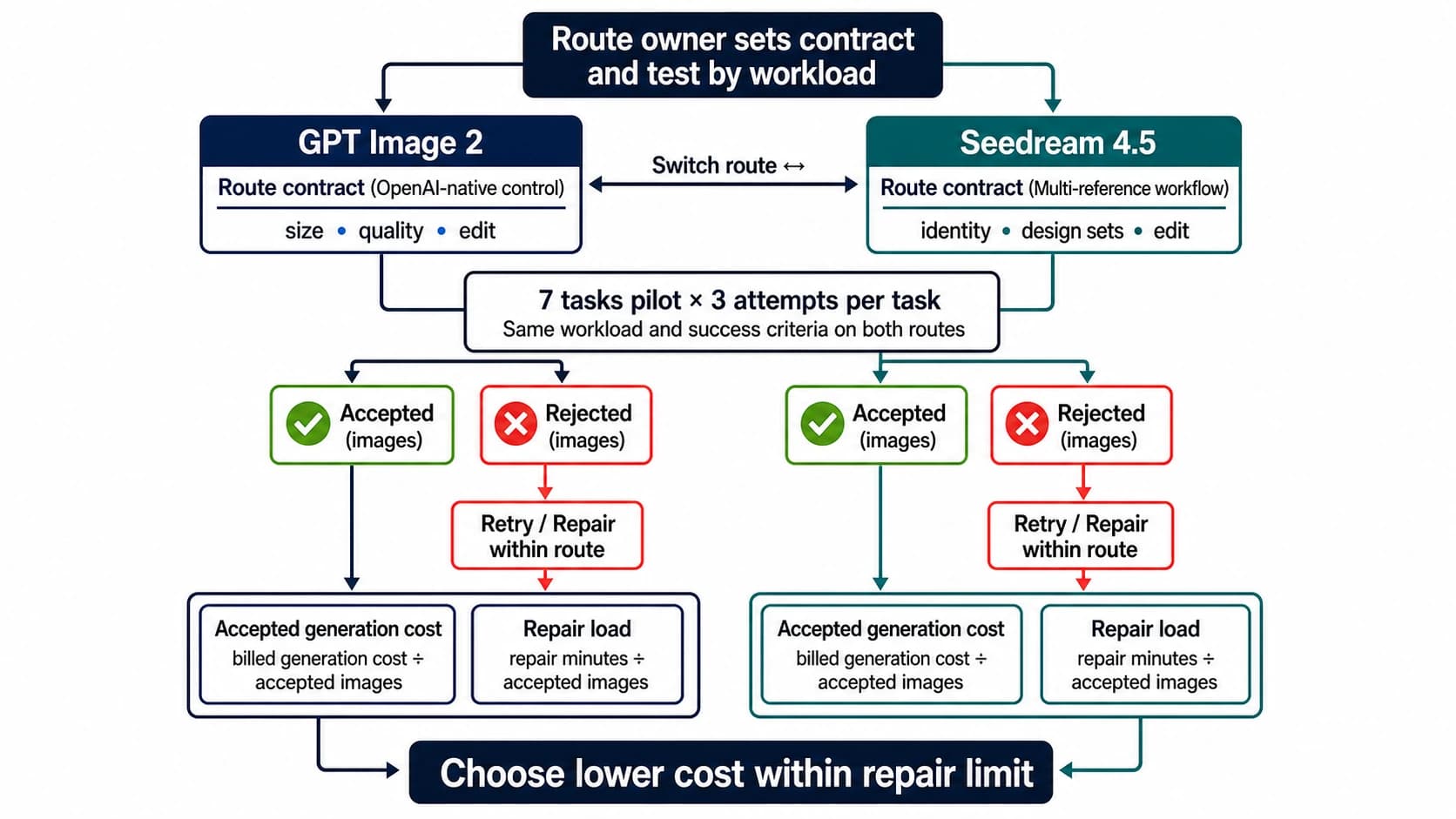
Decision board comparing GPT Image 2 and Seedream 4.5 by workflow, price contract, and accepted output
AI Image Generation

GPT Image 2 vs Seedream 4.5: Choose by Accepted Output

Start with GPT Image 2 for an OpenAI-native workflow, flexible size and quality controls, inpainting, and high-fidelity image inputs. Start with Seedream 4.5 for a flat per-output price and multi-image design workflows. Then decide with cost per accepted image—not one lucky sample.

9 min
Decision map comparing Nano Banana Pro and Seedream 4.5 by job risk and accepted-image cost
AI Image Generation

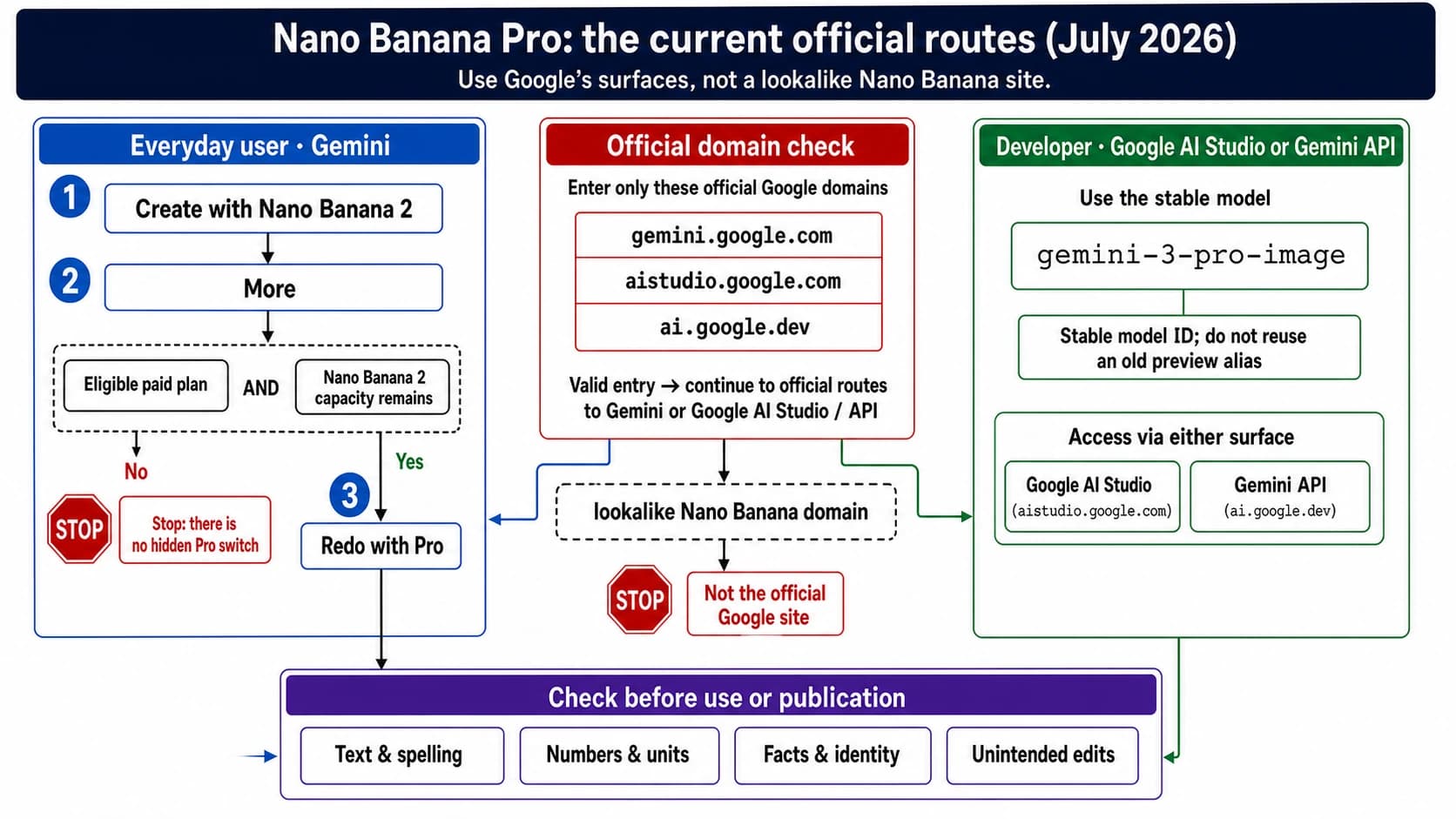
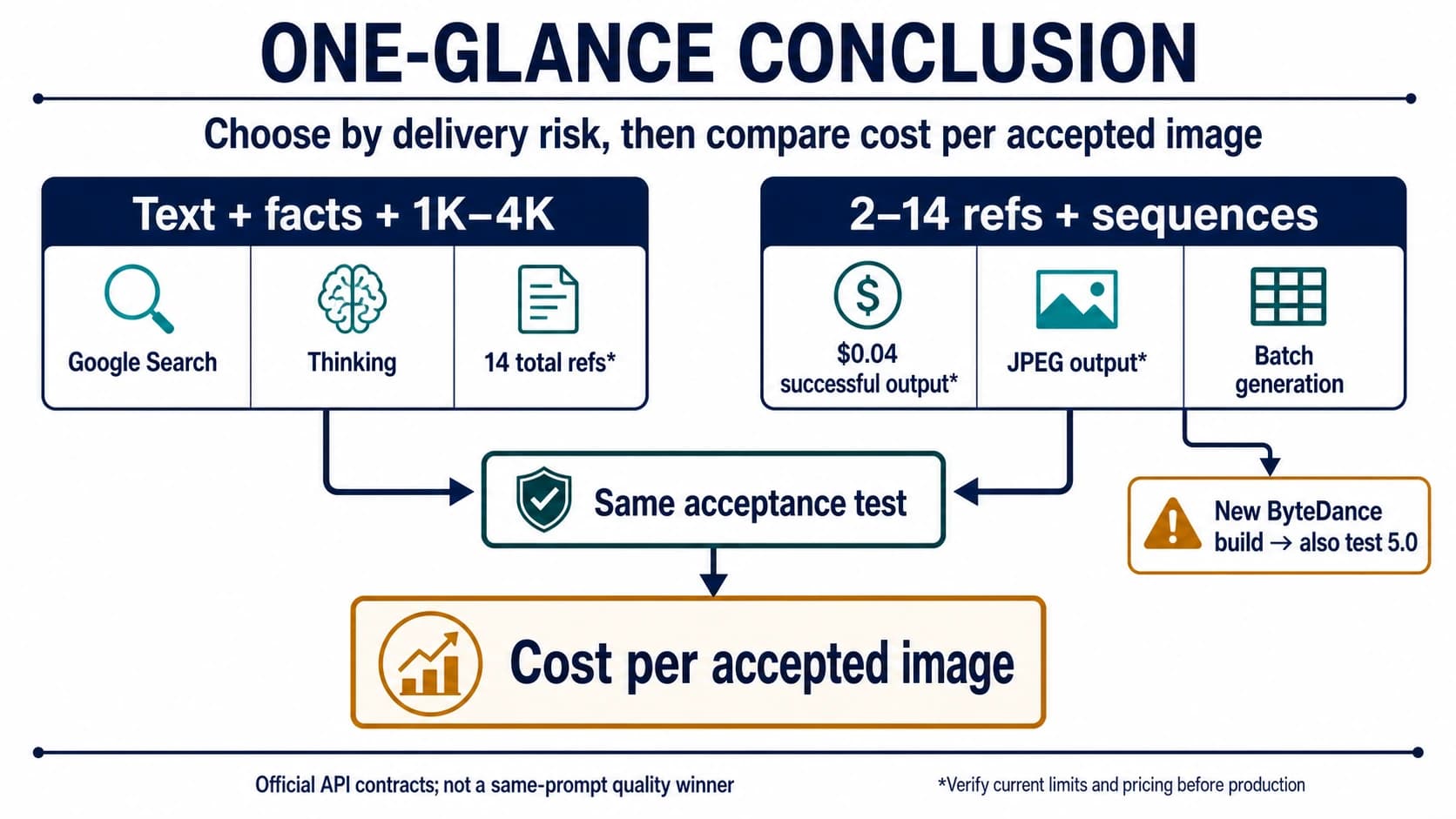
Nano Banana Pro vs Seedream 4.5: Cost per Accepted Image

Start with Nano Banana Pro for Google's stable route, Search grounding, complex instructions, and explicit 1K/2K/4K tiers. Start with Seedream 4.5 for lower-priced successful outputs, multi-reference editing, and sequential batches—then keep the route that passes your own acceptance test.

10 min
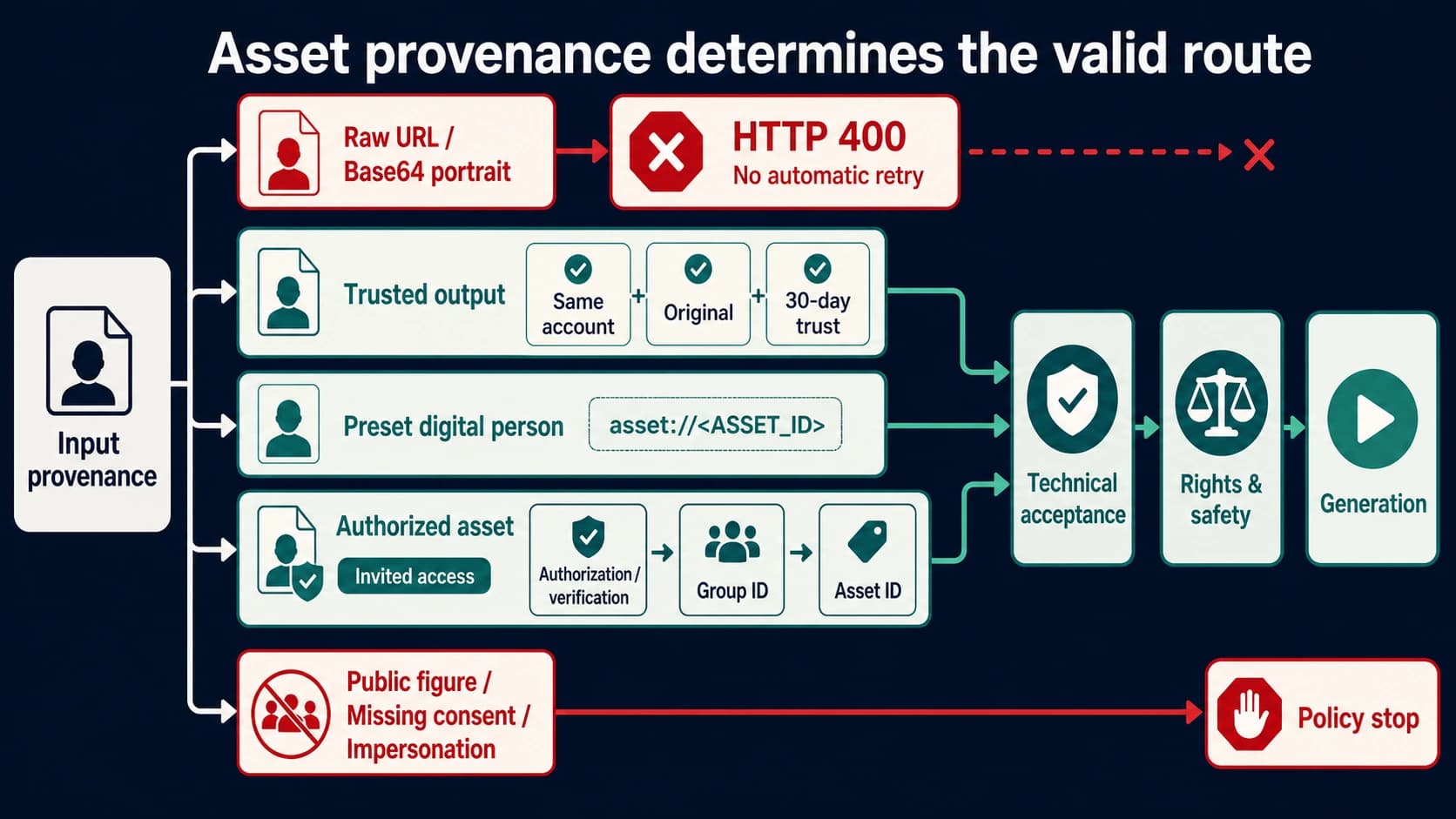
Four Seedance portrait input routes showing raw uploads blocked and trusted, preset, or authorized assets passing separate technical and policy checks
AI Video Generation

Seedance ‘Input Image May Contain a Real Person’: Legitimate Fixes

Seedance’s ‘input image may contain a real person’ response is an input-asset rejection, not a prompt error. Stop unchanged retries, identify the image’s provenance, and use only a documented trusted, preset, or authorized asset route.

10 min
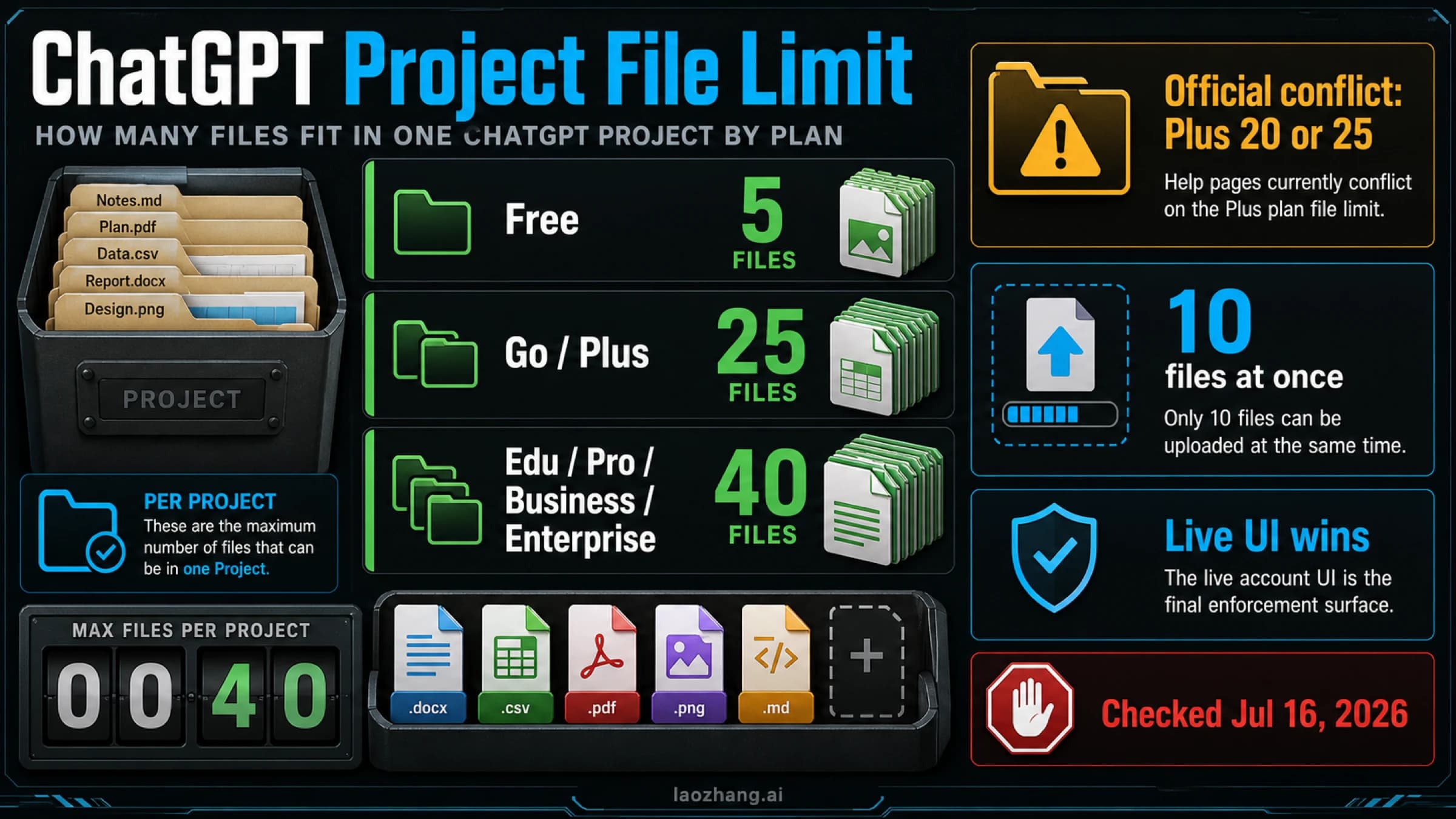
ChatGPT Project file limit cover showing Free 5, Go and Plus 25, higher plans 40, the official Plus 20/25 conflict, and 10 files at once
ChatGPT & OpenAI

ChatGPT Project File Limit: 5, 25, or 40 Files?

Free, Plus, Pro, and workspace plans do not share one Project cap; learn the current count, the official Plus conflict, and the action that changes the active counter.

12 min