Kimi K3.1 Pro vs GPT-6.1 Sol: Same $2/$10, 3× the Cost per Task
Both list at $2/$10 per million tokens, but Artificial Analysis puts K3.1 Pro at $2.11 per task against $0.72 for Sol at max. Pick by workload, not list price.
On this page
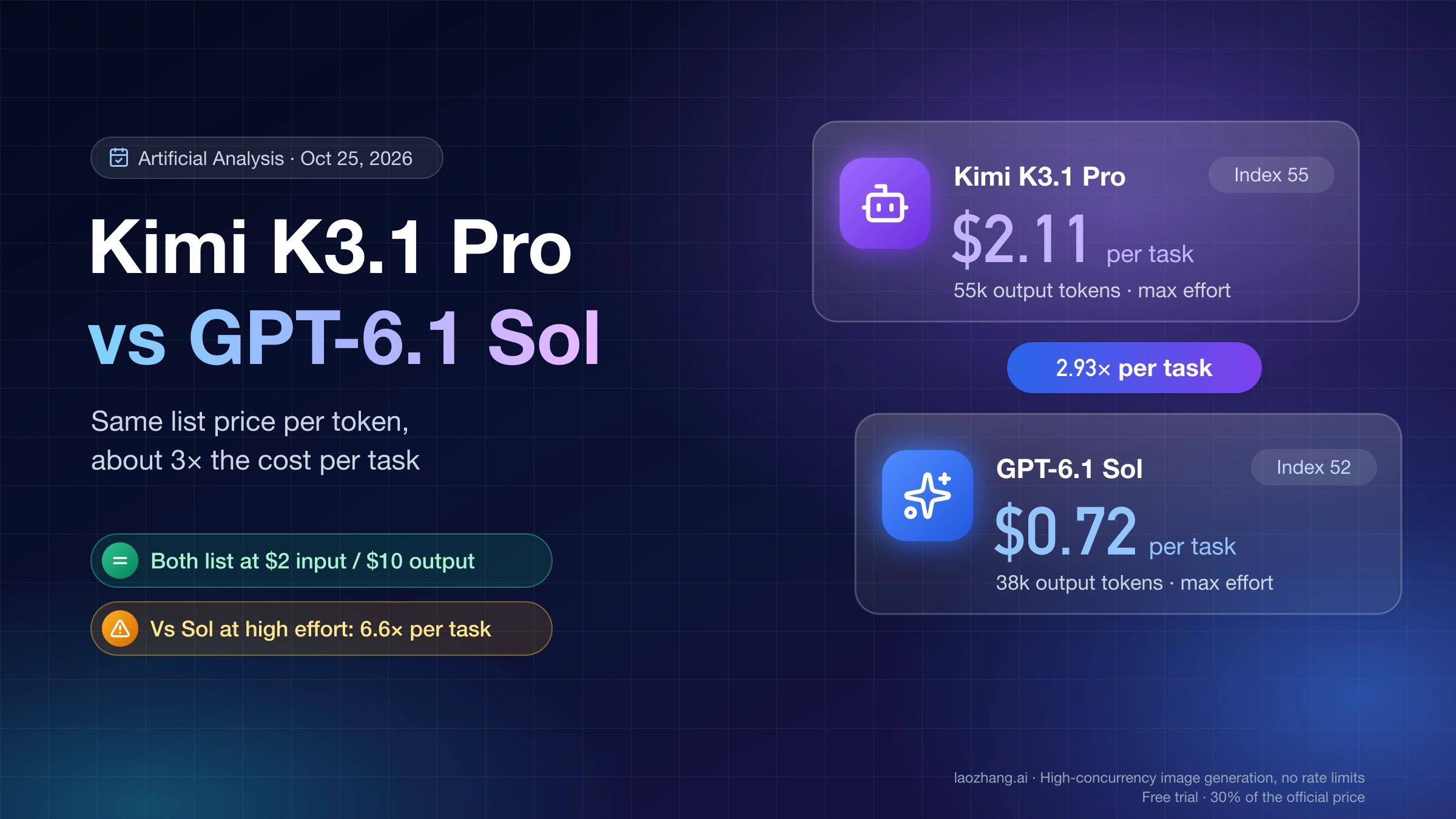
For most API and Codex workloads already running on gpt-6.1-sol, keep it as the default. Move a workload to kimi-k3.1-pro only if it is agentic, terminal-heavy work where a higher score is worth roughly three times the spend, or if its single prompts run past 272,000 input tokens. Both models list at $2 input and $10 output per million tokens, but as of October 25, 2026, Artificial Analysis's K3.1 Pro vs GPT-6.1 Sol comparison scores K3.1 Pro 55 at $2.11 per index task and GPT-6.1 Sol at max effort 52 at $0.72. That makes K3.1 Pro 2.93× as expensive per task, and 6.6× against Sol at high effort.
The price is equal per token, not per job. K3.1 Pro runs at max reasoning effort unless you lower it, and in that test it spent 55,000 output tokens per task against 38,000 for Sol at max and 13,000 at high. The bill flips the other way above 272,000 input tokens, where Sol reprices the whole request while K3.1 Pro keeps one rate up to 1,048,576 tokens. It also stays in Sol's favor for offline jobs, because Sol has a 50% Batch discount and K3.1 Pro has none.
Three hands-on checks back these numbers, all dated October 25, 2026: OpenRouter's public endpoint list for both models, a cost recomputation from the two official price lists, and LaoZhang's model catalog. No same-prompt test of the two models was run, so every quality, token and latency figure below is Artificial Analysis's, with its effort setting named.
Did Kimi K3.1 Pro really beat GPT-6.1 Sol? 55 vs 52, at max effort
Yes on Artificial Analysis's Intelligence Index, but only against Sol at its highest setting, and not on every test inside it. Posts saying K3.1 Pro "beat GPT-6 Sol" are quoting this 55 vs 52; the 52 belongs to GPT-6.1 Sol at max effort, not to the older GPT-6 Sol. K3.1 Pro leads on agentic work and coding, while Sol leads on knowledge reliability and physics reasoning. Artificial Analysis ranks K3.1 Pro fourth of 215 models and Sol at max 13th, as of October 25, 2026.
The index (version 4.3.2) averages ten evaluations. Artificial Analysis tested K3.1 Pro only at its default effort, which is max, so the comparison below sets it against Sol at max, the highest Sol score, and at high, the setting that gets most of Sol's score for less than half the max cost per task.
| Evaluation (what it measures) | K3.1 Pro (max) | Sol (max) | Sol (high) |
|---|---|---|---|
| GDPval-AA (agentic real-world work tasks, Elo) | 1846 | 1596 | 1512 |
| AA-Briefcase (agentic knowledge work, Elo) | 1678 | 1555 | 1465 |
| AutomationBench-AA (agentic SaaS workflows) | 73% | 65% | 64% |
| Terminal-Bench 4.0 (agentic coding and terminal use) | 67% | 56% | 52% |
| SciCode (coding) | 61% | 54% | 56% |
| AA-LCR (long-context reasoning) | 86% | 83% | 82% |
| Humanity's Last Exam (reasoning and knowledge) | 52% | 53% | 51% |
| GDP.pdf (professional document reasoning) | 31% | 31% | 32% |
| CritPt (physics reasoning) | 25% | 32% | 30% |
| AA-Omniscience (knowledge reliability, −100 to 100) | 30 | 42 | 41 |
The split tells you which workloads the lead applies to. K3.1 Pro wins all four agentic evaluations and is 11 points ahead on Terminal-Bench 4.0 against Sol at max, so for agents that edit code, run commands and work through multi-step tasks, the higher index reflects a real gap. Sol's 12-point lead on AA-Omniscience matters for a different job: that index rewards correct answers and penalizes confident wrong ones, so for factual answers without retrieval, Sol is the safer pick on that measure. Humanity's Last Exam and GDP.pdf are within a point either way.
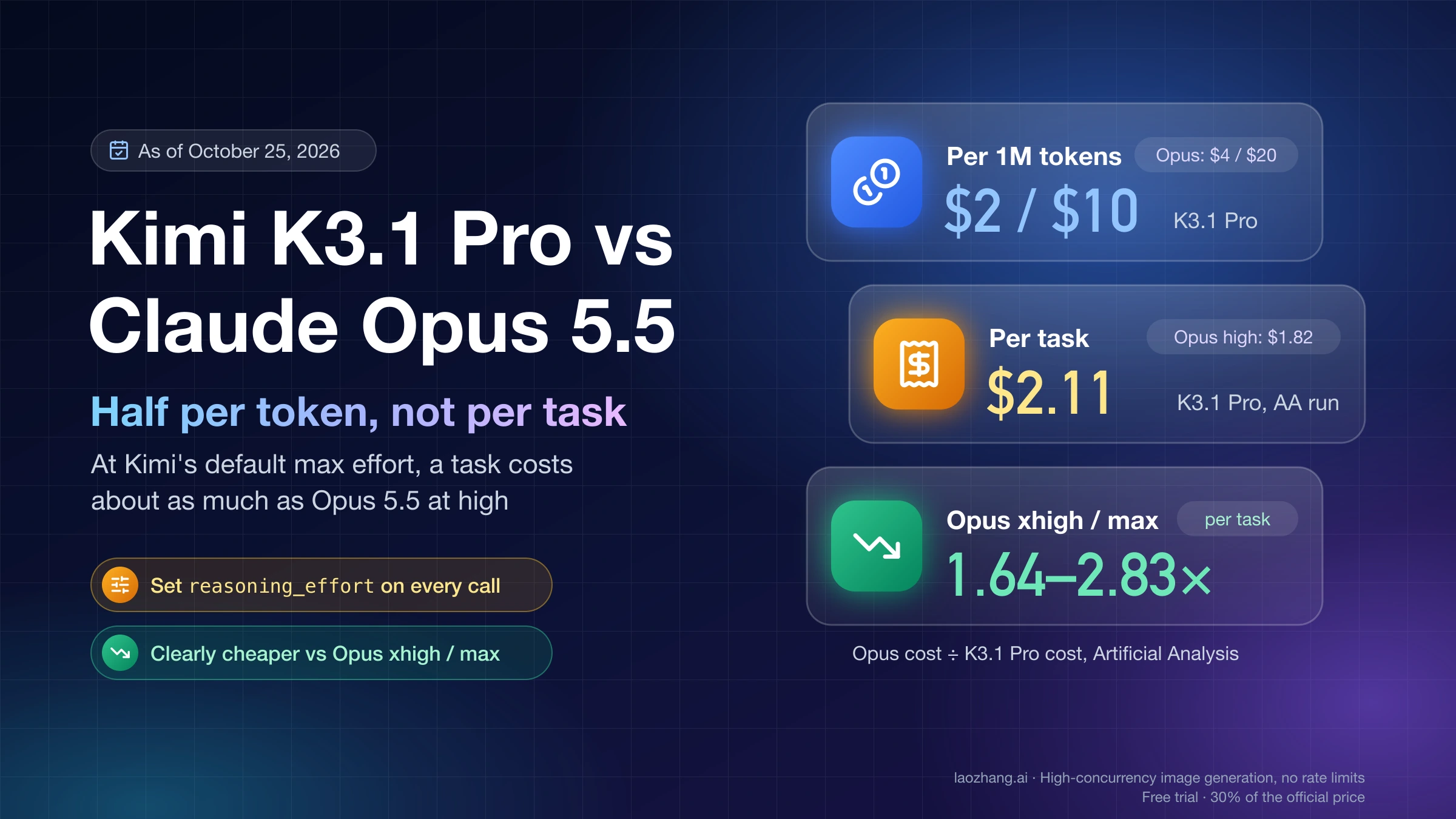
Kimi's own launch table compares K3.1 Pro with GPT-6 Astra and Claude Opus 5.5, not with GPT-6.1 Sol, and it runs on Kimi's harness. Its Terminal-Bench 4.0 figure of 65.7% for K3.1 Pro therefore can't be set beside Artificial Analysis's 56% for Sol. The Artificial Analysis comparison is the only one that ran both models the same way, and its numbers change when it re-runs a model. If you are weighing K3.1 Pro against Anthropic's flagship instead, Kimi K3.1 Pro vs Claude Opus 5.5: Half per Token, Not per Task runs the same per-task comparison against Opus 5.5.
Same $2/$10: K3.1 Pro costs 2.9× to 16× Sol per task
Cost per task is tokens times price, and K3.1 Pro spends more tokens at its default effort than Sol does at any of its five settings. No Sol setting reaches 55, so the useful question is whether the extra points are worth what they cost against the Sol effort level you run today. These are Artificial Analysis's figures at list prices, as of October 25, 2026, with output tokens including reasoning tokens.
| Configuration | Index | Cost per task | Output tokens per task | Time per task | K3.1 Pro cost ÷ this |
|---|---|---|---|---|---|
K3.1 Pro, max (its default) | 55 | $2.11 | 55k | 618 s | 1.0× |
Sol, low | 42 | $0.13 | 4k | 83 s | 16× |
Sol, medium (its default) | 48 | $0.21 | 8k | 168 s | 10× |
Sol, high | 50 | $0.32 | 13k | 257 s | 6.6× |
Sol, xhigh | 51 | $0.39 | 18k | 342 s | 5.4× |
Sol, max | 52 | $0.72 | 38k | 680 s | 2.9× |
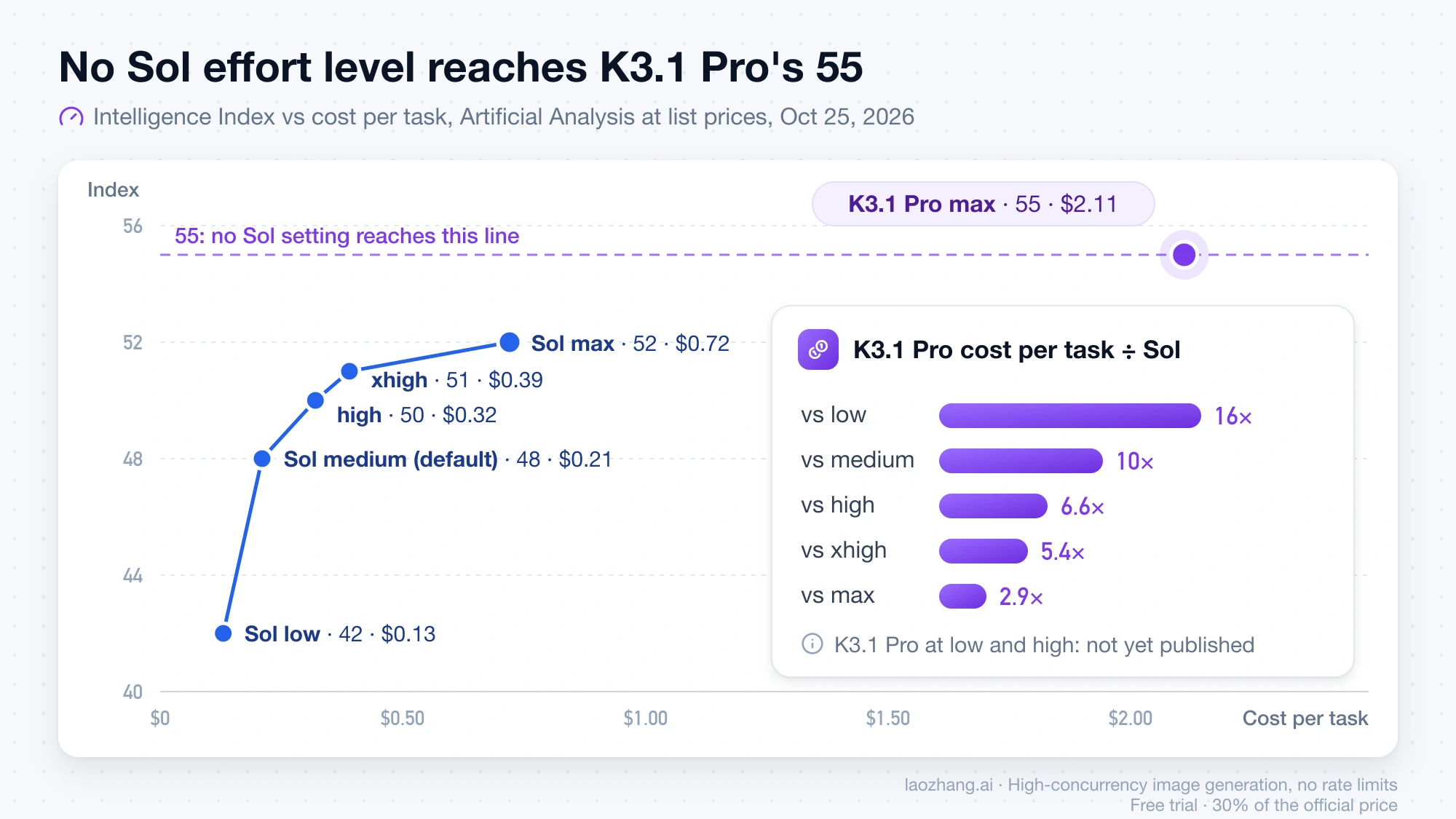
The per-token rates barely differ. Artificial Analysis's blended price, which weights cache hits, input and output 7:2:1, is $1.54 per million tokens for K3.1 Pro and $1.47 for Sol, because input and output rates are identical and the 7:2:1 blend differs only in the cache-hit rate ($0.20 against $0.10). Cache writes and Sol's long-prompt repricing differ as well, as the next section shows. The per-task gap comes almost entirely from volume: running the whole index took 148 million output tokens on K3.1 Pro and 67 million on Sol at max, which cost $3,117 and $1,082.
"Default against default" is not the same effort. K3.1 Pro defaults to max, while Sol defaults to medium, so if your Sol workload runs untouched, moving it to K3.1 Pro untouched buys 7 index points for about 10× the per-task cost. If you already run Sol at high, K3.1 Pro adds 5 points for 6.6×; raising Sol to max first adds 2 points for 2.25× ($0.72 against $0.32). If you already run Sol at max on hard tasks, K3.1 Pro is the only way above 52 on this index between the two models, at 2.9× the cost and slightly less time per task.
K3.1 Pro also accepts low and high, and Kimi's reasoning effort guide says lower effort trades reasoning depth for latency and token use. Artificial Analysis hasn't published K3.1 Pro at either setting, so its cost and score there are unknown; that is the first thing to measure on your own tasks. For how other flagships price per task against Sol, see Gemini 4 Argon vs Claude Opus 5.5 vs GPT-6.1 Sol: Cost and Access.
Where each model is cheaper: five workload bills, recomputed
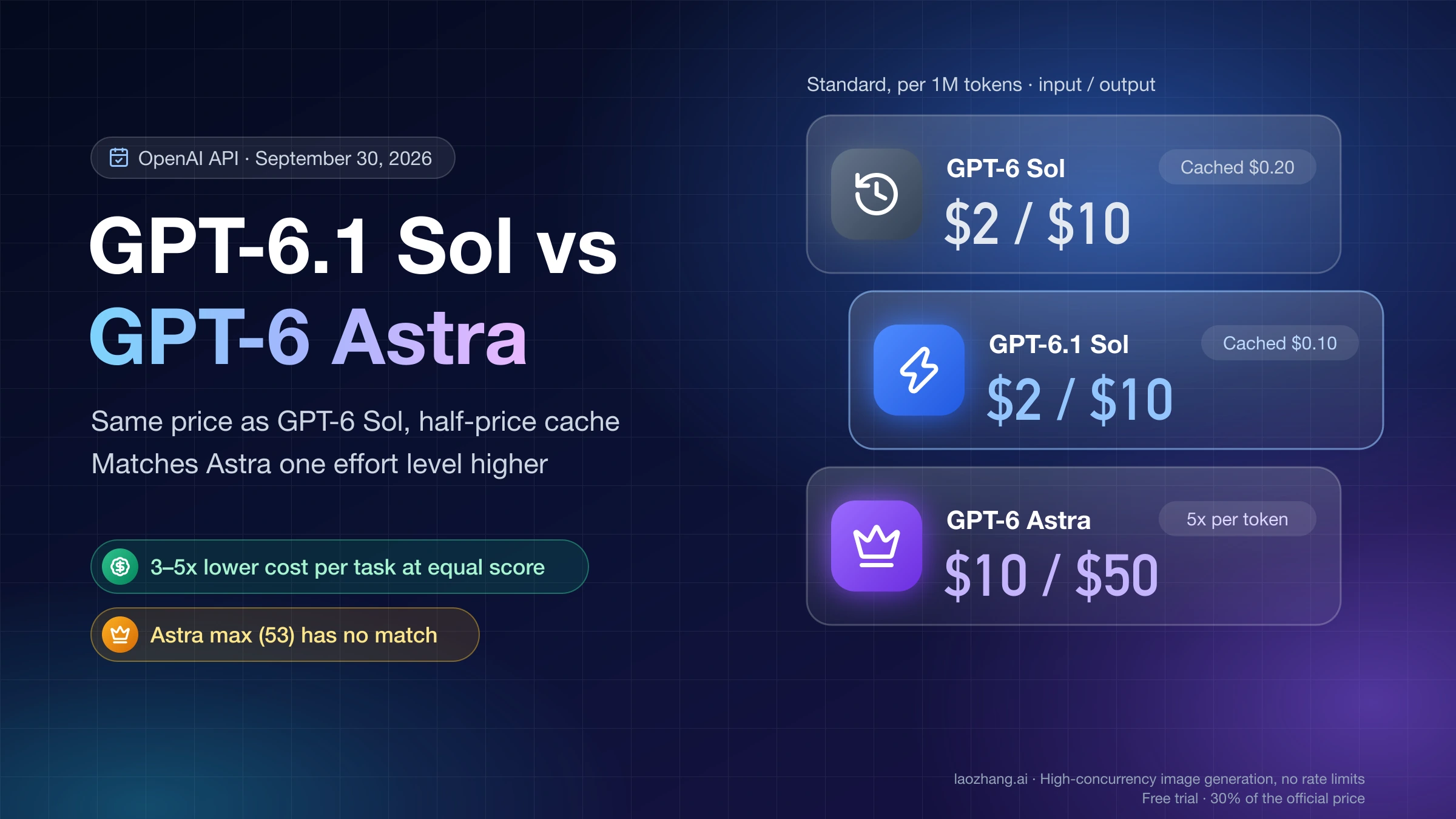
With identical token counts, the two price lists differ in only four places: cache hits, cache writes, prompts above 272,000 input tokens, and batch processing. A recomputation run on October 25, 2026 from Kimi's model pricing page and OpenAI's API pricing page shows Sol cheaper for cached agent loops and offline batch, K3.1 Pro about half the price for single prompts above 272K, and the two exactly equal for a plain uncached request.
| Case (same tokens on both) | K3.1 Pro | GPT-6.1 Sol | Cheaper |
|---|---|---|---|
| Uncached request: 20K input, 2K output | $0.060 | $0.060 | Tie |
| Cached agent turn: 10K fresh + 140K cache hit, 3K output | $0.078 | $0.064 | Sol, by 18% |
| First turn that writes a 140K prefix, plus 10K fresh and 3K output | $0.330 | $0.400 | K3.1 Pro, by 18% |
| Long prompt: 500K input, 5K output, no cache | $1.050 | $2.075 | K3.1 Pro, about half |
| Long cached prompt: 50K fresh + 450K cache hit, 5K output | $0.240 | $0.365 | K3.1 Pro, by 34% |
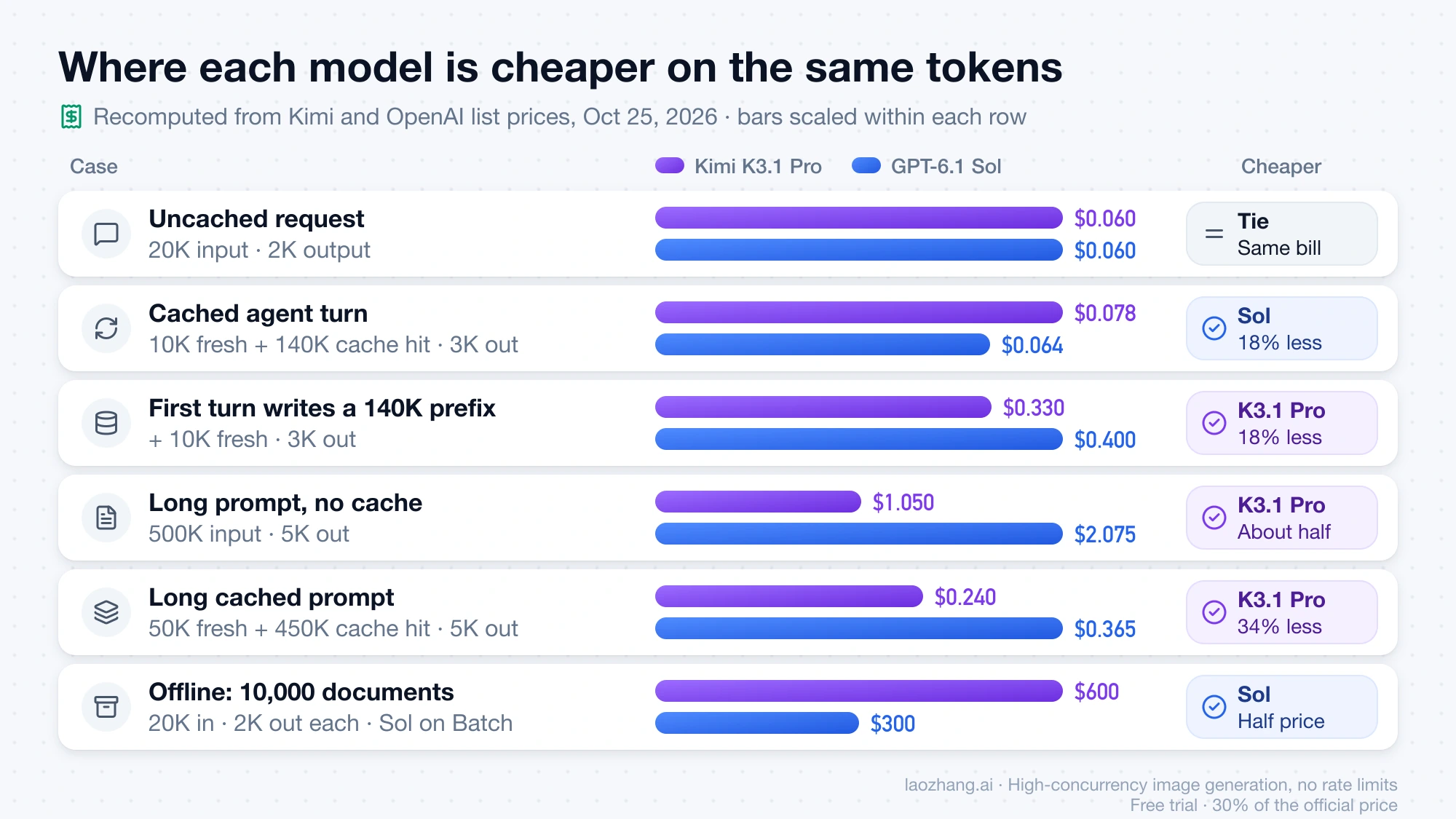
The inputs are per million tokens. K3.1 Pro charges $2 input, $0.20 per cache hit, $2 for a 5-minute cache write, $4 for a 1-hour write and $10 output, with no surcharge up to 1,048,576 tokens. Sol charges $2 input, $0.10 per cache hit, $2.50 for its default 30-minute write, $5 for a 12-hour write and $10 output, and above 272,000 input tokens the whole request moves to 2× input and cache rates and 1.5× output. The cached agent turn works out to 0.01 × $2 + 0.14 × $0.20 + 0.003 × $10 = $0.078 on K3.1 Pro and 0.01 × $2 + 0.14 × $0.10 + 0.003 × $10 = $0.064 on Sol. The long prompt is 0.5 × $2 + 0.005 × $10 = $1.05 on K3.1 Pro and 0.5 × $4 + 0.005 × $15 = $2.075 on Sol.
Same-token rows hide the bigger difference, which is how many tokens each model emits. Take a 50-turn agent session where turn 1 writes a 140K prefix and turns 2–50 each reuse it as a cache hit with 10K fresh input. At 3K output per turn on both, the session costs $4.15 on K3.1 Pro and $3.54 on Sol. If Sol's output shrinks in the ratio Artificial Analysis measured (38k against 55k at max, about 2,073 tokens per turn), Sol drops to $3.07; at the high-effort ratio (13k against 55k, about 709 tokens per turn), it drops to $2.39. That puts K3.1 Pro at 1.35× to 1.74× Sol for the same session, an illustration rather than a measurement of your workload.
That session assumes the cache stays warm, and the two caches expire on different clocks. According to Kimi's context caching guide, a cached prefix lives 5 minutes by default, each hit renews it for free, and the lifetime is locked at the first write. An agent that pauses longer than 5 minutes for human review pays the 140K write again ($0.28) unless you send prompt_cache_options: {"mode": "implicit", "ttl": "1h"}, which writes at $4 per million ($0.56 for 140K). Sol's default write already lasts 30 minutes, and the OpenAI prompt caching guide offers a 12-hour lifetime at 2.5× input.
Long prompts are where K3.1 Pro's flat rate pays off. In the 500K case above, K3.1 Pro would have to emit about 107,500 output tokens, against Sol's 5,000, before the two bills met. That is roughly twice its 55k average per Artificial Analysis task, so its heavier reasoning eats into the gap on input-heavy requests without usually closing it. Sol's full long-context rate table and the rest of its price tiers are in GPT-6.1 Sol: Pricing, Access, and What Breaks When You Switch.
Offline jobs go the other way. For 10,000 documents at 20K input and 2K output each, both models cost $600 at standard rates, and Sol costs $300 on Batch or Flex. Kimi's Batch API pricing page bills batch at 60% of the standard price but supports only kimi-k2.7-code and kimi-k2.6, and the K2 series closes to new users on October 31, 2026. K3.1 Pro has no batch option at all.
Speed and latency: K3.1 Pro streams first, Sol at high finishes first
K3.1 Pro starts streaming reasoning in about 3 seconds and generates faster than any Sol setting, but its first answer token arrives after about 30 seconds and an average index task takes over 10 minutes. Sol at medium answers in about 4 seconds, and Sol at max is the slowest to show anything at all. These are Artificial Analysis's measurements as of October 25, 2026.
| Configuration | First token | First answer token | Output speed |
|---|---|---|---|
K3.1 Pro, max | 2.97 s | 30.19 s | 73 tokens/s |
Sol, medium | 3.96 s | 3.96 s | 49 tokens/s |
Sol, high | 31.33 s | 31.33 s | 51 tokens/s |
Sol, max | 162.10 s | 162.10 s | 57 tokens/s |
K3.1 Pro streams its reasoning as a separate reasoning_content field, so an interface can show activity almost at once, while Sol's first visible token is also its first answer token. For a chat surface where a person waits for the reply, Sol at medium is the faster choice by a wide margin. For long agent runs, Sol at high finishes a task in well under half K3.1 Pro's time.
If you need K3.1 Pro to respond faster, lowering reasoning_effort is one lever and the Highspeed model is the other. kimi-k3.1-pro-highspeed is a separate model ID, not a setting, which Kimi says runs 2–3× faster at $4 input and $20 output per million tokens. Cache hits stay at $0.20, so for most workloads Highspeed roughly doubles the per-task bill.
What changes in your code if you move a workload to K3.1 Pro
The model ID is the smallest change. Reasoning effort values, the default effort, how you pass back assistant messages, which endpoint carries tools, fixed sampling parameters, cache controls and your rate-limit tier all differ, as of October 25, 2026, according to the Kimi K3.1 Pro quickstart and the GPT-6.1 Sol model page.
| What to check | Kimi K3.1 Pro | GPT-6.1 Sol |
|---|---|---|
| Model ID | kimi-k3.1-pro; Highspeed is a separate ID at double price | gpt-6.1-sol |
| Endpoints | https://api.moonshot.ai/v1 with Chat Completions and Responses, plus an Anthropic Messages-compatible endpoint | OpenAI Responses API; Chat Completions without tool calling |
| Reasoning effort | Top-level reasoning_effort: low, high, max; default max; thinking can't be turned off | reasoning.effort: low, medium (default), high, xhigh, max; none and minimal not supported |
| Multi-turn and tool calls | Send back the complete assistant message, including reasoning_content and tool_calls, not only content | Tool calling through the Responses API |
| Sampling parameters | temperature 1.0, top_p 0.95, n 1 and both penalties are fixed; omit them | An October 5, 2026 test through a gateway saw Chat Completions reject temperature: 0.2 ("Only the default (1) value is supported") |
| Context and output | 1,048,576-token context; max_completion_tokens defaults to 131,072 | 1,050,000-token context; 128,000 max output tokens |
| Prompt caching | Automatic; 5-minute write at 1× input, or 1 hour at 2× via prompt_cache_options | Prompts of 1,024 tokens or more; 30-minute write at 1.25× input, or 12 hours at 2.5× |
| Long prompts | One rate up to the full context | Above 272K input, the whole request at 2× input and cache, 1.5× output |
| Batch | Not available for K3.1 Pro | Batch and Flex at 50% off |
| Vision input | Base64 or ms://<file-id>; no public image URLs | Text and image input |
Moving the other way, Sol code that sends medium or xhigh uses values K3.1 Pro doesn't document, and code that keeps only content from each turn breaks Kimi's multi-turn rule. Kimi also marks its built-in web search as being updated and not recommended for production for now, so agents that relied on a provider-side search tool need their own.
Hosting redundancy is uneven for now. A read of OpenRouter's public endpoints API on October 25, 2026 found two K3.1 Pro endpoints, both run by Moonshot AI (standard at $2/$10 and Highspeed at $4/$20), with a maximum completion of 943,718 tokens. The same read found eight GPT-6.1 Sol endpoints: OpenAI's standard, Flex, Fast and Ultrafast tiers, three Azure endpoints and Amazon Bedrock in us-east-1, with Azure EU, Azure US and Bedrock priced at $2.20/$11 and a 128,000-token completion cap everywhere. If Moonshot's API has an outage, there is no second host for K3.1 Pro until more providers carry it.
Account size changes the answer for small teams. Kimi unlocks K3.1 Pro after a top-up of at least $1, but per the Kimi rate limits page, a $1 account sits in Tier0: one concurrent request, 3 requests per minute and 1.5 million tokens per day, about 27 tasks of Artificial Analysis's size counting output alone. A cumulative $10 reaches Tier1, with 15 concurrent requests, 100 per minute and no daily token cap; vouchers don't count toward that total. Sol isn't available on OpenAI's Free tier, and the first paid tier, Build, allows 5,000 requests and 1 million tokens per minute. Kimi's account FAQ names WeChat Pay and Alipay QR codes for individual top-ups, while its terms mention card payments, so check the top-up page before planning around a card.
How to point Codex at K3.1 Pro
Kimi publishes a Codex setup that talks to its native Responses API directly, so no proxy is needed: set KIMI_API_KEY in the environment Codex starts from, then add Kimi as a model provider in ~/.codex/config.toml. This is the configuration from Kimi's guide to using Kimi K3.1 Pro in Codex, reproduced as documented; it wasn't run against a Kimi key for this comparison.
model = "kimi-k3.1-pro"
model_provider = "kimi"
model_context_window = 1048576

[model_providers.kimi]
name = "Kimi"
base_url = "https://api.moonshot.ai/v1"
env_key = "KIMI_API_KEY"
wire_api = "responses"
Restart Codex after editing, because it reads the file only at startup. Codex Desktop may label the model "Custom", and the warning "Model metadata for kimi-k3.1-pro not found" is expected, since the model isn't in Codex's built-in catalog. Keys created on platform.kimi.ai work only with https://api.moonshot.ai/v1, and a 401 usually means the key and base URL don't match. A 429 means your tier's rate or concurrency limit, and at Tier0's single concurrent request an agent session will stall often, so top up to Tier1 before judging it.
Running K3.1 Pro in Codex bills your Kimi account per token, not your ChatGPT plan; Codex API Key vs Subscription: Which Costs Less, What You Lose covers what changes when you leave plan-included Sol usage for an API key. For other providers, auth errors and profiles, see Codex Custom Provider Setup: API Key, Base URL, and Auth.
How to test K3.1 Pro against Sol before switching
Run your own tasks at the effort levels you would actually use, and compare cost per accepted task rather than cost per token or index points. A trial of 20–50 tasks is enough to see whether K3.1 Pro's token use and pass rate land near Artificial Analysis's numbers for your work.
- Pick 20–50 real tasks from your logs that have a pass/fail check you trust: tests that must pass, a schema that must validate, or a reviewer's yes/no.
- Top up Kimi to a cumulative $10 so the trial runs at Tier1; at Tier0, 3 requests per minute and a 1.5 million daily token cap will cut a trial short.
- Run Sol at the effort you use in production and one level higher, and run K3.1 Pro at
maxand athigh, with the same prompts, tools and output limits. - Record usage for every request: fresh input, cache hits, cache writes, output tokens including reasoning, wall-clock time and the pass/fail result.
- Divide each configuration's total spend by its passed tasks, and compare that figure and the pass rate side by side.
- Switch only the task types where K3.1 Pro passes clearly more often at a cost you accept; routing those to K3.1 Pro and keeping the rest on Sol limits the premium to the tasks that earn it.
LaoZhang's API catalog lists gpt-6.1-sol, and on October 25, 2026 it added kimi-k3.1-pro and kimi-k3.1-pro-highspeed at Kimi's list prices ($2/$10 and $4/$20 per million tokens, cache reads $0.20, cache writes $2 for 5 minutes and $4 for 1 hour), called through Chat Completions, so one key can run both sides of this trial.
Kimi K3.1 Pro vs GPT-6.1 Sol: other questions
Is Kimi K3.1 Pro open source, and can I self-host it?
Not yet. As of October 25, 2026, the weights aren't public, and Artificial Analysis lists K3.1 Pro as proprietary with 2.8 trillion total and 104 billion active parameters. Kimi's K3.1 Pro quickstart says "The full model weights will be released by Nov 4." Until then, you reach it through Moonshot's own API, directly or through OpenRouter, whose two K3.1 Pro endpoints are both run by Moonshot AI; more hosts may appear after the release.
Is Kimi better than ChatGPT?
At the model level, K3.1 Pro outscores GPT-6.1 Sol on Artificial Analysis's index but trails it on knowledge reliability, as of October 25, 2026. The apps are a different comparison that no same-method test covers. API access is also separate from both apps: Kimi's pricing page says K3.1 Pro API use is pay-as-you-go with no subscription and is distinct from the Kimi membership, while GPT-6.1 Sol also runs in ChatGPT Work and Codex on Plus, Pro, Business, Enterprise and Edu plans.
Is there a cheaper Kimi option than K3.1 Pro?
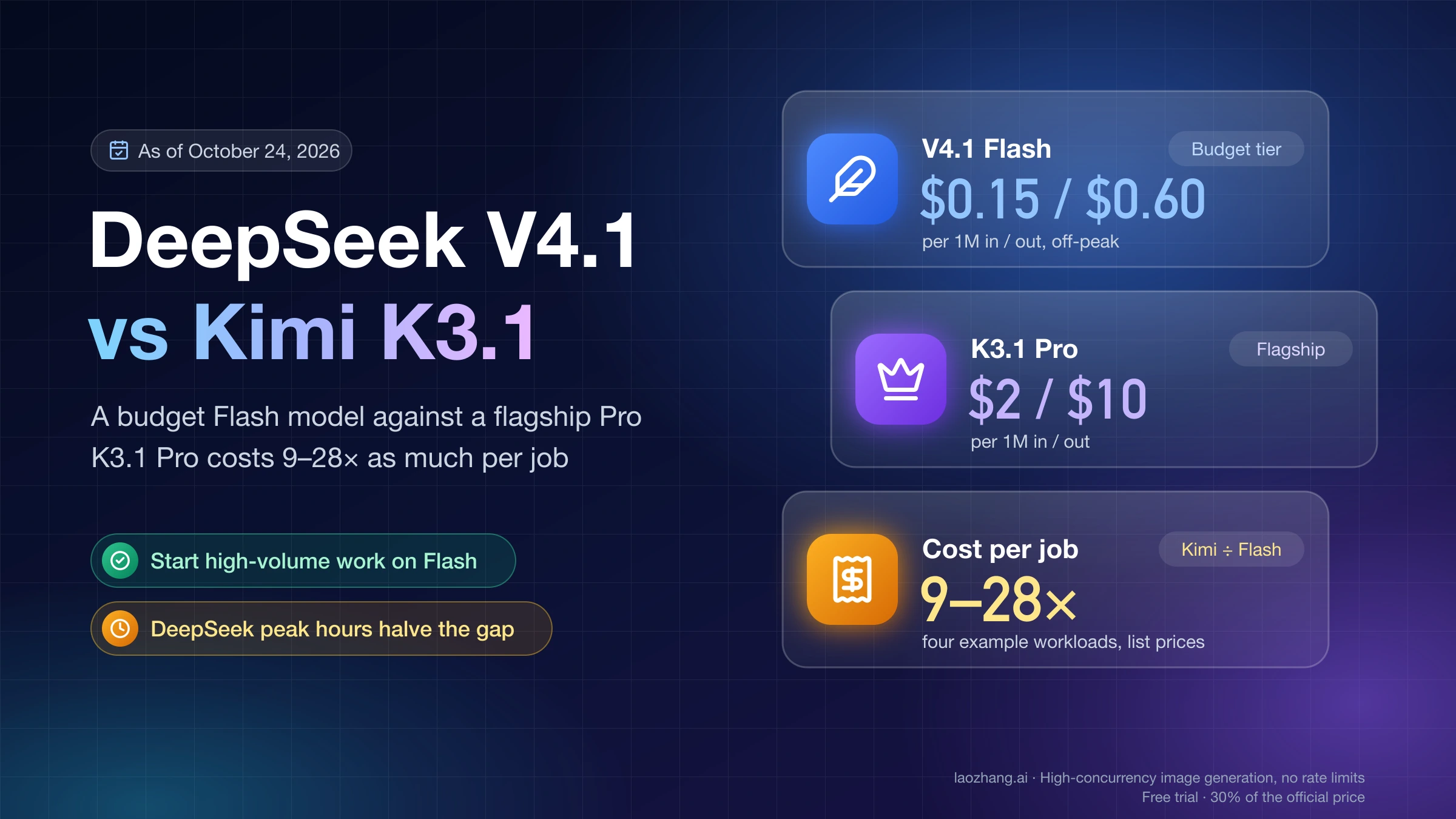
Not within Kimi's current K3 line: the older kimi-k3 lists at $3 input and $15 output per million tokens, above K3.1 Pro's $2 and $10, as of October 25, 2026. If K3.1 Pro's per-task cost is the problem, the cheaper tier is a different model family; DeepSeek V4.1 vs Kimi K3.1: Flash vs Pro and a 9–28× Cost Gap prices that option against K3.1 Pro.
Sources11
External pages this guide links to, in the order they appear. Last updated Oct 25, 2026.
Sources11
External pages this guide links to, in the order they appear. Last updated Oct 25, 2026.
- 1.Artificial Analysis's K3.1 Pro vs GPT-6.1 Sol comparisonartificialanalysis.ai/models/comparisons/kimi-k3-1-pro-vs-gpt-6-1-sol
- 2.reasoning effort guideplatform.kimi.ai/docs/guide/use-reasoning-effort
- 3.Kimi's model pricing pageplatform.kimi.ai/docs/pricing/chat
- 4.OpenAI's API pricing pagedevelopers.openai.com/api/docs/pricing
- 5.Kimi's context caching guideplatform.kimi.ai/docs/guide/context-caching
- 6.OpenAI prompt caching guidedevelopers.openai.com/api/docs/guides/prompt-caching
- 7.Batch API pricing pageplatform.kimi.ai/docs/pricing/batch
- 8.Kimi K3.1 Pro quickstartplatform.kimi.ai/docs/guide/kimi-k3-1-pro-quickstart
- 9.GPT-6.1 Sol model pagedevelopers.openai.com/api/docs/models/gpt-6.1-sol
- 10.Kimi rate limits pageplatform.kimi.ai/docs/pricing/limits
- 11.using Kimi K3.1 Pro in Codexplatform.kimi.ai/docs/guide/codex-kimi