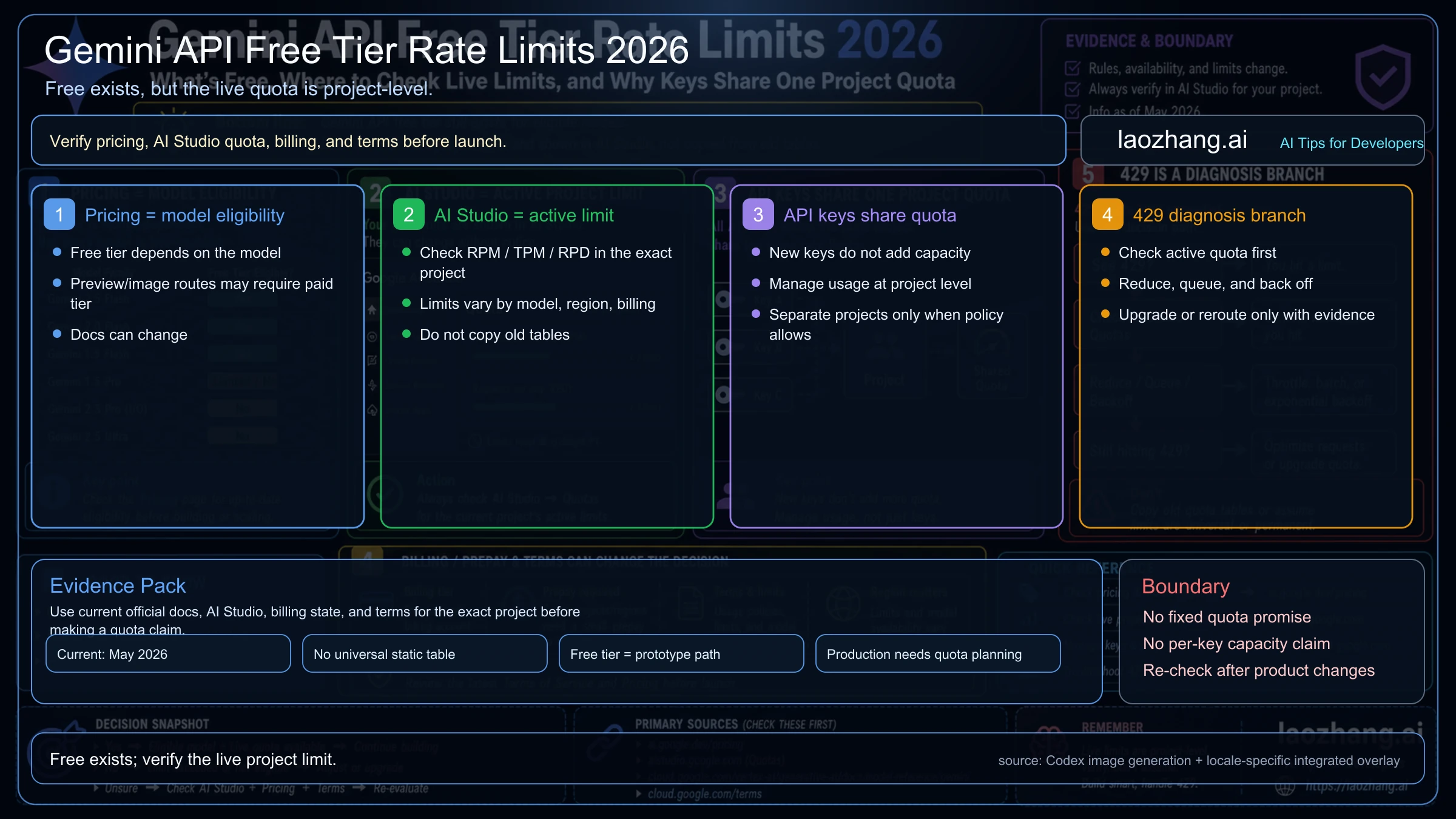
Gemini API still has free-tier access for eligible models in 2026, but the free-tier rate limit is not a fixed number you should copy from an old table, an AI snippet, or a forum thread. A free API key is only a credential attached to a Google Cloud project; it does not give each key a separate quota bucket or unlimited backend usage. Usable free capacity depends on the model, serving mode, project, region, usage tier, billing state, and the live limits AI Studio shows for that project. If you see "20 RPD" in a quota panel, error message, or recent discussion, treat it as a possible project snapshot, not as a universal Gemini API free-tier contract. Start with pricing to confirm whether the model is free-capable, open AI Studio to read the active project limit, then decide whether a 429 is owned by quota, billing, region, traffic shape, paid-only image output, or route choice.
Quick answer
| Question | Current answer on June 30, 2026 |
|---|---|
| Can I get a Gemini API key for free? | Yes. Google's API-key docs point key creation and management to Google AI Studio; new users can get a default project and API key after accepting the terms. The free key is a credential, not a separate quota bucket. |
| Can I use the Gemini API for free? | Yes, when the chosen model and serving mode are free-capable. Google's pricing page still describes a Free plan for developers and small projects, with limited access to certain models and free input/output tokens on eligible routes. |
| Is a free Gemini API key free forever? | Do not treat it as a forever entitlement. Key creation can be free, but model eligibility, project limits, unpaid-service terms, billing requirements, and regional rules can change. Re-check before launches. |
| Is the "20 RPD" free-tier limit real? | It can be real for a specific project or model state, but it is not a safe universal number to copy into code. Read AI Studio for the exact project, model, tier, and billing state. |
| Is there one public rate-limit number to use in code? | No. Google's rate-limit docs describe RPM, TPM, RPD, project-level quota, and reset rules, but exact active limits belong in AI Studio for the project and model you are using. |
| Does every API key get its own free quota? | No. Rate limits apply per project, not per API key. Multiple keys in the same project share the same bucket. |
| Which models can still start free? | Check the pricing page at publish time. It currently lists free input/output for routes such as gemini-3.5-flash, gemini-3.1-flash-lite, gemini-3-flash-preview, gemini-3.1-flash-live-preview, gemini-2.5-pro, gemini-2.5-flash, and gemini-2.5-flash-lite on their eligible serving modes. |
| Which routes should you not call "free"? | gemini-3.1-pro-preview, Nano Banana 2 image generation (gemini-3.1-flash-image), Nano Banana Pro image generation (gemini-3-pro-image), Imagen, Veo, and many batch/flex/image routes show "Not available" in the Free Tier column. |
| What should you do after a 429? | Check the active AI Studio quota for the exact project and model, then identify whether RPM, TPM, RPD, burst pressure, billing, model eligibility, or route choice is the owner. |
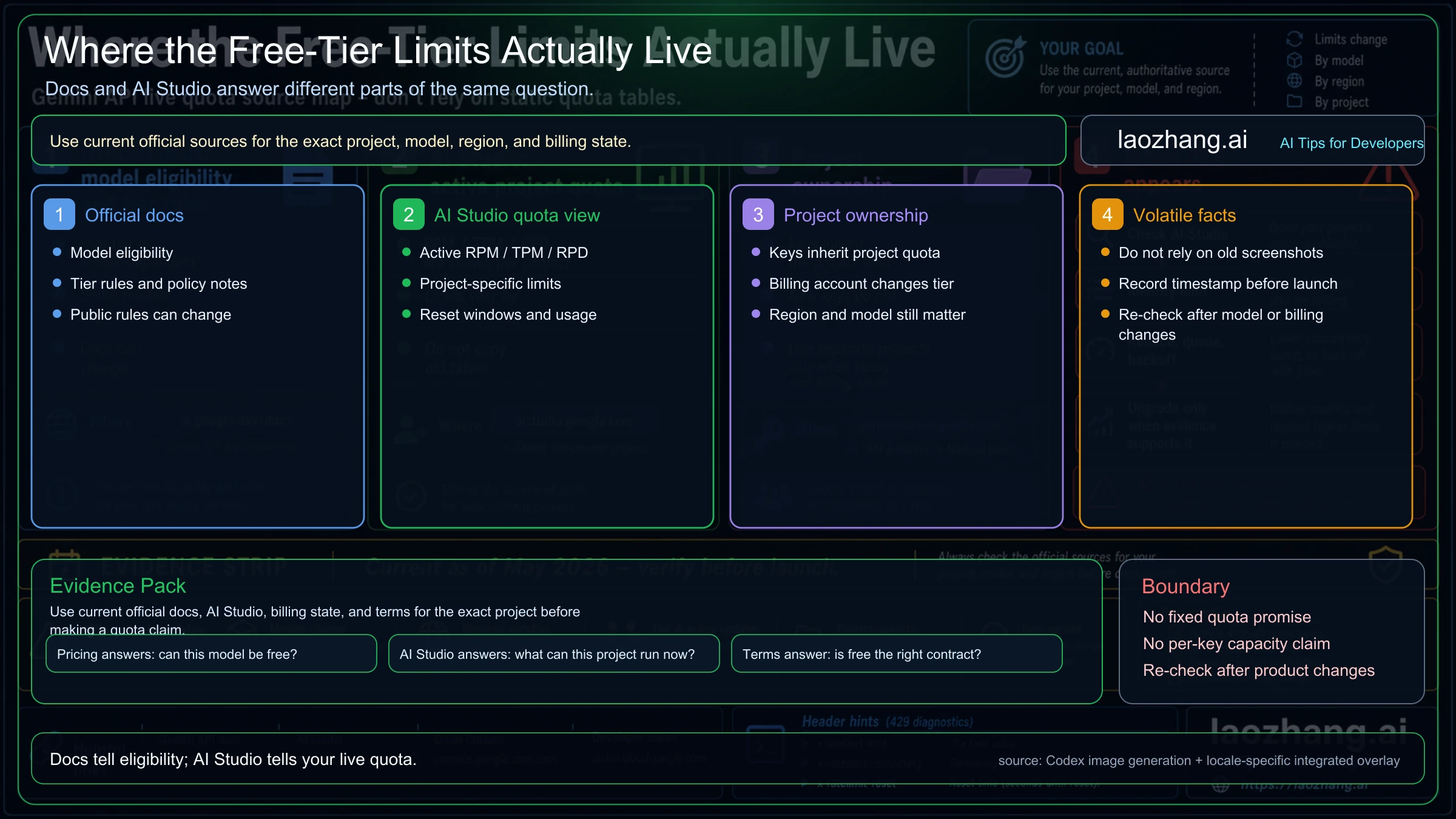
The real change is where the limit lives
Older Gemini free-tier posts often treated the answer as a static table: one model, one RPM number, one RPD number, copy it into a spreadsheet. The exact "20 RPD" query is a stronger version of that same mistake. It may reflect a real project snapshot or a real historical cut, but it still does not replace the current official quota workflow.
The Gemini API rate-limits documentation still gives the mechanics that matter. Rate limits are measured across dimensions such as requests per minute, input tokens per minute, and requests per day. Exceeding any one of those dimensions can trigger an error even when the other dimensions are still below their caps. The same page also says quotas are applied per project, not per API key, and that RPD resets at midnight Pacific time.
What the public page cannot safely be for every reader is your live quota table. The exact answer depends on the model, project, region, billing state, and Google's current serving policy. For implementation work, read the public docs as the rulebook and AI Studio as the dashboard that tells you what your current project can actually do.
That means the practical free-tier limit question has two separate answers:
- The free-tier eligibility answer lives on the Gemini pricing page.
- The live operational limit lives in the AI Studio rate-limit view for your selected project.
If those two answers disagree with an old blog table, the old table loses.
Which Gemini API models are free-capable now?
Model eligibility is the first filter. If the target model is not free-capable in API, there is no useful free-tier rate-limit math to do.
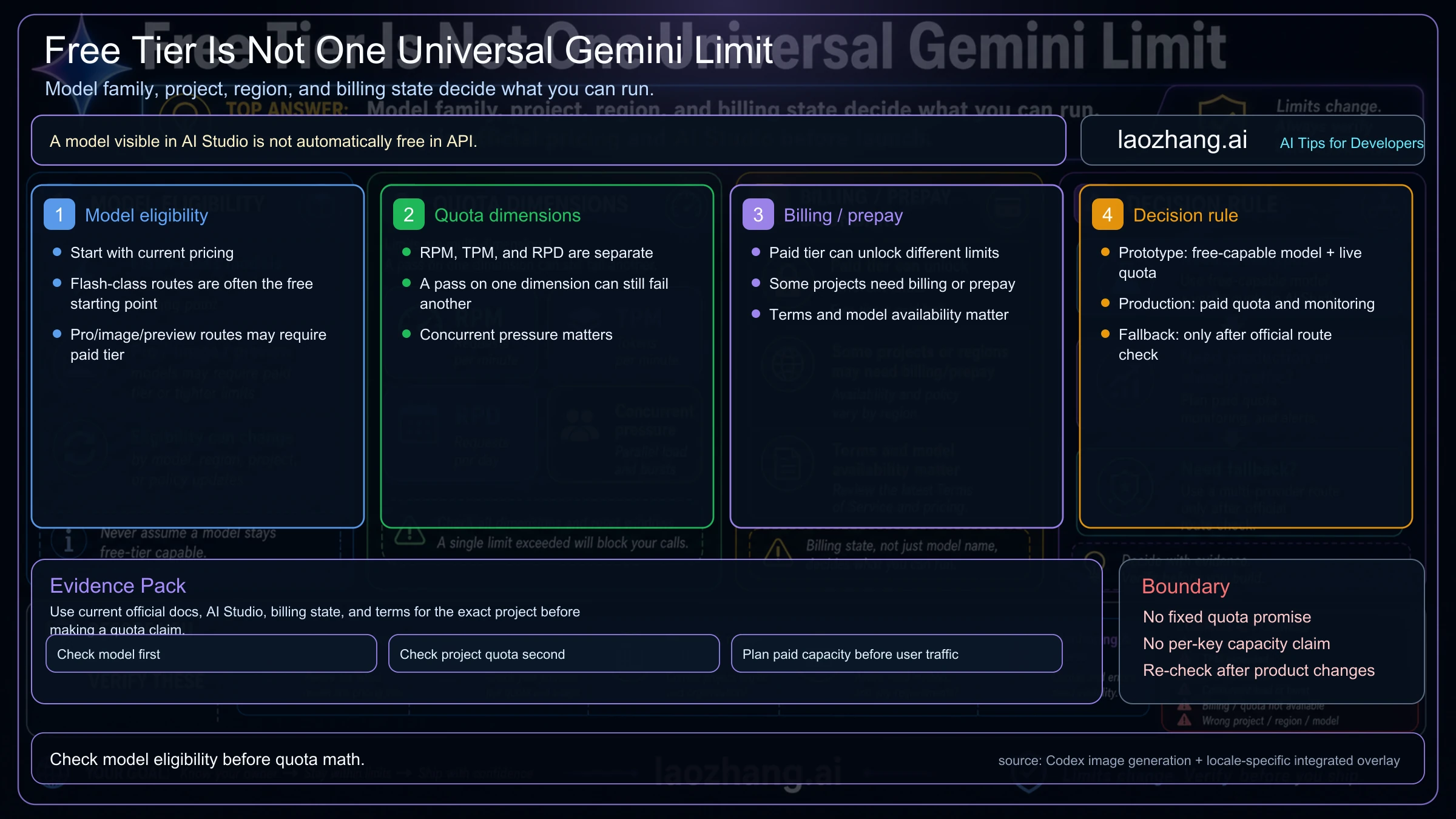
| Route | Free-tier status to verify | Practical reading |
|---|---|---|
gemini-3.5-flash | Pricing currently lists free input and output on eligible Standard and Priority sections, while some non-standard lanes still need separate checks. | Strong current free-capable starting point for general text and multimodal prototypes when your project quota is enough. |
gemini-3.1-flash-lite | Pricing currently lists free input and output across several eligible serving modes. | Best current 3.1 low-cost starting point for cost-sensitive text and multimodal prototypes. Limits are still project-specific. |
gemini-3.1-flash-live-preview | Pricing currently lists free input and output for the Live API route. | Relevant for real-time audio-style work, not the same contract as a normal text request path. |
gemini-3-flash-preview | Pricing currently lists free input/output on Standard and Priority; Batch and Flex show Not available in Free Tier. | Good free-capable 3-series route when you need stronger general capability than Lite, but serving mode matters. |
gemini-2.5-pro | Pricing currently lists free input/output on Standard and Priority; Batch and Flex show Not available in Free Tier. | Useful fallback when stronger reasoning matters and the current 3.1 Pro API route is paid-only. |
gemini-2.5-flash and gemini-2.5-flash-lite | Pricing currently lists free input/output on Standard and Priority; Batch and Flex show Not available in Free Tier. | Stable low-cost routes for prototypes and low-risk workloads, as long as your active project quota is enough. |
gemini-3.1-pro-preview | Pricing shows Free Tier as Not available. | You can evaluate it in AI Studio, but the API route is not a free-tier backend route. |
Nano Banana image routes: gemini-3.1-flash-image and gemini-3-pro-image | Pricing shows Free Tier as Not available for the current Nano Banana 2 and Nano Banana Pro image rows. | Treat current API image generation as paid territory. If you need lower image cost or higher-throughput gateway routing, compare provider routes after anchoring the official price. |
| Imagen and Veo | Pricing shows Free Tier as Not available for relevant image/video rows. | Treat these as paid media-generation routes unless the pricing page changes. |
This table is intentionally not a universal quota table. It is an eligibility map. A route can be free-capable and still have a project limit too low for your workload. A route can appear in AI Studio and still not be a free API route. A route can also be preview, which means the model and its limits can change faster than stable production infrastructure.
If the only question is whether gemini-3.1-pro-preview can be called from a backend for free, use the narrower Gemini 3.1 Pro free API boundary instead of treating every Gemini 3 route as one free-tier pool. If the real job is image generation, use the Nano Banana API pricing guide instead of trying to stretch the text-model free tier into a paid media workflow.
Why new API keys do not add quota
Google AI Studio can show many keys, and a Google Cloud project can hold more than one key. That does not mean every key brings its own free allowance.
The API key is an access credential. The quota bucket belongs to the project. If staging, internal demos, a cron job, and a developer laptop all use different keys inside the same project, they are still drawing from the same project-level rate limit. When a request returns 429, creating another key in that project usually hides the problem rather than fixing it.
Use separate projects only when the separation is real:
- different billing ownership,
- different environments with separately managed quota,
- a genuine security or permission boundary,
- a team structure that can monitor usage separately,
- and a policy/compliance reason for the split.
Do not split projects merely to bypass a free-tier cap. That is fragile operationally and risky contractually. If the workload needs more capacity, move the conversation to model choice, paid tier, batching, caching, request shaping, or an official quota increase.
How to check the live limit before you build around it
The safe workflow is short enough to run before every serious prototype:
- Open the pricing page and confirm the target model and serving mode still have a Free Tier entry.
- Open AI Studio with the exact project selected.
- Check the rate-limit view for that model and note RPM, TPM, RPD, and any model-specific dimensions such as image or token-per-day limits.
- Confirm the billing state for the project and billing account.
- Record the model, project, region, billing state, timestamp, and observed limit before a launch or load test.
- Re-check after changing model, project, region, billing account, serving mode, or traffic shape.
This step is easy to skip because developers often want the number first. It is also the step that prevents the most wasted work. If AI Studio shows that the target project has too little RPD for a demo day, the correct fix is probably queueing, paid tier, or a different model. If AI Studio shows that a model is not available on free tier, a retry library will not make it available.
What a 429 means on the Gemini API free tier
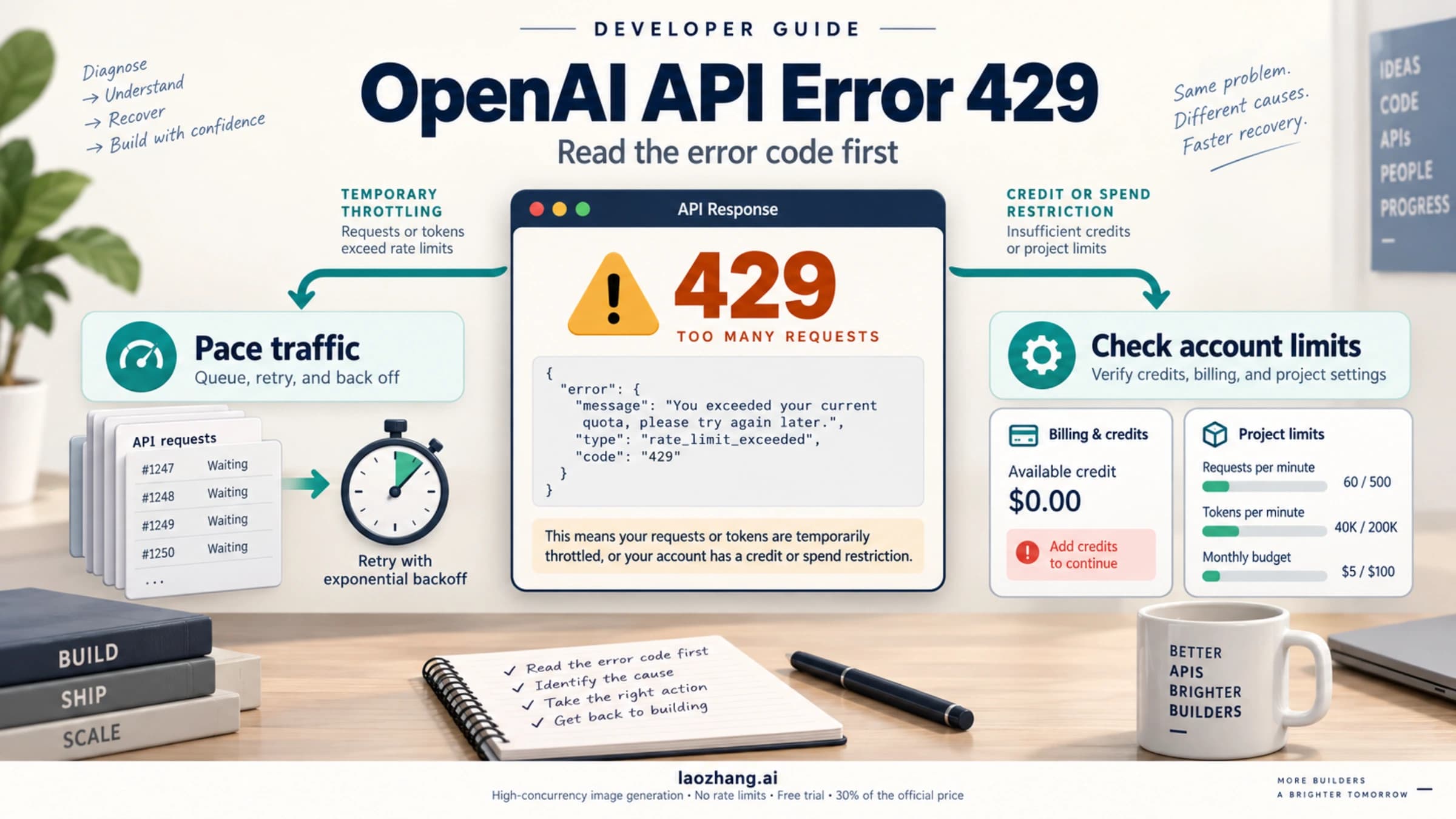
A 429 is a diagnosis branch. It is not proof that Google removed the free tier, and it is not automatically a billing problem.
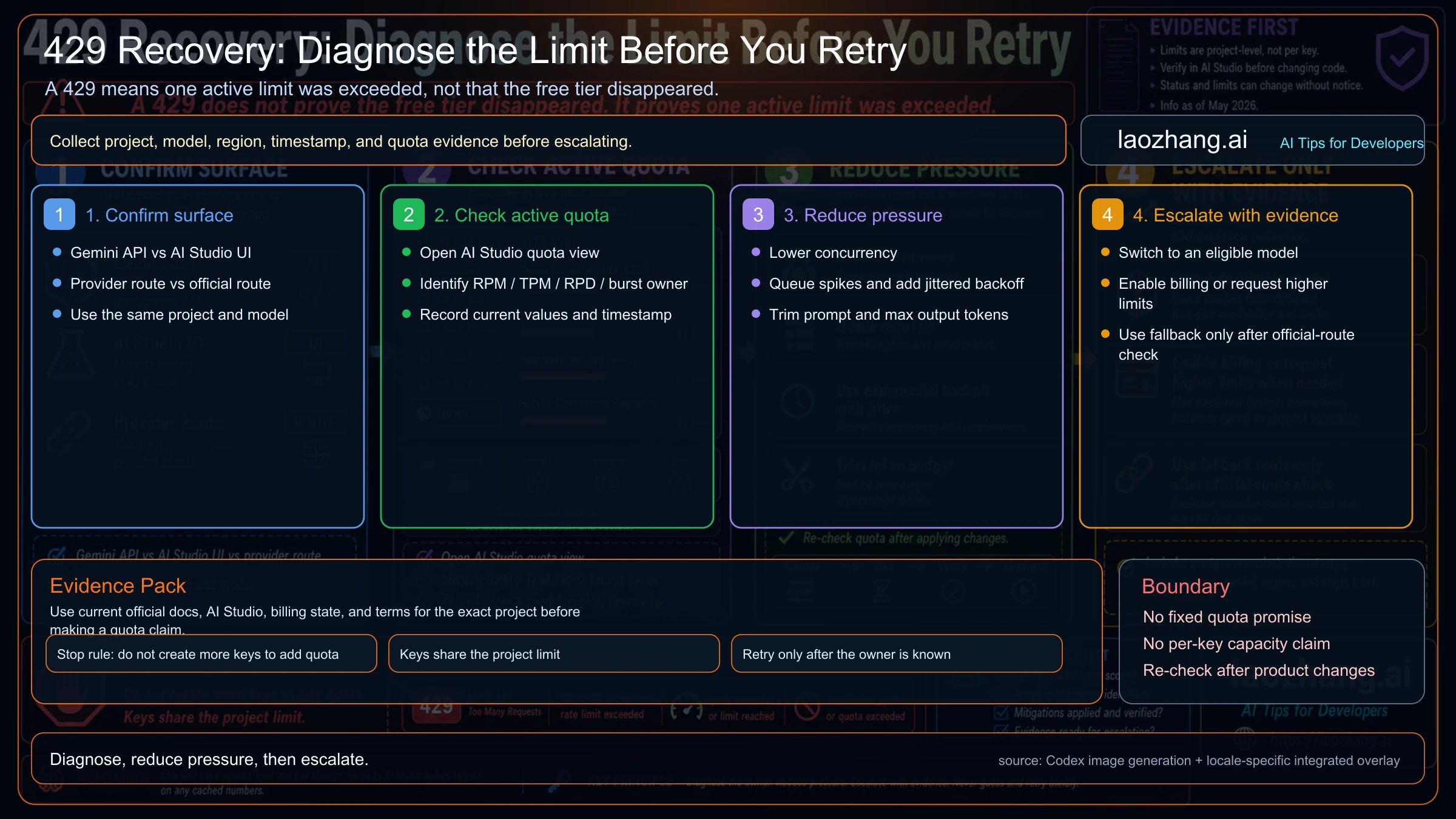
Work through the branch in order:
| Step | What to check | Why it matters |
|---|---|---|
| Confirm the surface | Official Gemini API, AI Studio UI, or a third-party provider route. | The error owner changes by surface. A provider 429 may not be Google's project quota. |
| Confirm the project and key | Same Google Cloud project, same key restrictions, same billing account. | A key from another project can make the observed limit look inconsistent. |
| Confirm the model and serving mode | Model ID, Standard/Batch/Flex/Priority path, preview status, and region. | Free-tier eligibility and limits are model- and mode-specific. |
| Read AI Studio quota | RPM, TPM, RPD, reset window, usage, and any extra dimensions. | The active quota tells you which owner fired. |
| Reduce pressure | Lower concurrency, queue bursts, cache repeated work, shorten prompts, cap max output, and use jittered backoff. | A real rate-limit fix usually changes traffic shape before it asks for more quota. |
| Escalate with evidence | Record project, model, timestamp, current limit, usage pattern, and mitigation tried. | Limit-increase requests and support conversations need facts, not guesses. |
The stop rule is simple: do not create more keys to add quota. If all keys are in one project, they share the same limit.
When the error is no longer specifically about free-tier eligibility, the broader Gemini API rate-limits guide and Gemini API error troubleshooting pages are better follow-ups.
When free tier is enough
Free tier is useful when the workload is closer to evaluation than infrastructure. Good fits include:
- prompt exploration,
- classroom or tutorial code,
- low-risk prototypes,
- internal demos,
- model comparison,
- small personal tools,
- short-lived proof-of-concept agents,
- and early cost/performance experiments.
Even then, use real traffic shaping. A prototype that queues bursts, caps output tokens, caches repeated work, and logs 429 owners is much easier to move to paid capacity later. A prototype that assumes "free means unlimited until launch week" creates the wrong architecture.
Free tier is not enough when the product needs predictable capacity, customer data handling, paid-only model access, production support expectations, or user-facing deployment in regions where Google's terms require paid services. The boundary can be legal as much as technical.
Google's Gemini API terms distinguish unpaid services from paid services. Unpaid usage can be used to improve Google's products, and human reviewers may process inputs and outputs. Paid Gemini API usage through an active billing account has a different data-use contract. The same terms also say API clients made available to users in the EEA, Switzerland, or the United Kingdom must use paid services.
Billing and prepay can be the hidden limiter
Paid tier is no longer just "attach a card and forget it." Google's billing documentation now separates Prepay and Postpay plans, with the new billing plan system taking effect on March 23, 2026.
The operational facts to check are:
- whether the project has a billing account attached,
- whether AI Studio asks you to set up billing or set up prepay,
- whether the billing account has available credits,
- whether the account is on Prepay or Postpay,
- whether auto-reload is configured,
- and whether your billing account tier qualifies for the capacity you expect.
Prepay matters because a depleted balance can stop Gemini API service across all projects linked to that billing account. If a production system depends on paid capacity, treat the prepay balance as uptime infrastructure: monitor it, alert before it reaches zero, and know who owns top-ups.
For the UI-level setup path from key creation through tier checks, use the Gemini API key and Tier 3 guide after the quota owner is clear.
Where a fallback provider fits
Official Google routes should be checked first. A fallback provider or multi-provider gateway is useful only after you know what the official route cannot satisfy: free-tier eligibility, capacity, region, model availability, billing setup, operational resilience, image pricing, or API compatibility.
For API teams that need one compatible gateway across providers, laozhang.ai can be evaluated as a route after the official Gemini API contract is understood. This is especially relevant when the free-tier question turns into a Banana image-generation question: Google's current Nano Banana 2 and Nano Banana Pro image API rows are paid, while laozhang.ai's public docs checked June 30, 2026 list Banana2 at $0.055/image and Nano Banana Pro at $0.09/image. That is roughly one-third of Google's official Standard 4K rows for those models, so the provider route is worth a practical test for price-sensitive or high-concurrency image workloads.
The safe CTA is concrete: create a laozhang.ai account, generate a small API key, run a 10-image Banana2 test and a 10-image Nano Banana Pro test, then compare cost, latency, concurrency behavior, retry logs, and usable-output rate against Google direct. If those numbers fit your workload, the provider route can become the cheaper production lane while Google direct remains the baseline for first-party verification.
That order matters:
- Confirm whether the official Gemini model is free-capable.
- Confirm the exact project quota in AI Studio.
- Shape traffic and reduce avoidable 429s.
- Decide whether paid tier, quota increase, Batch/Flex, or a provider fallback is the right next move.
- For paid image generation, compare Nano Banana 2, Nano Banana Pro, and laozhang.ai's Banana routes before committing high-volume traffic.
Launch checklist
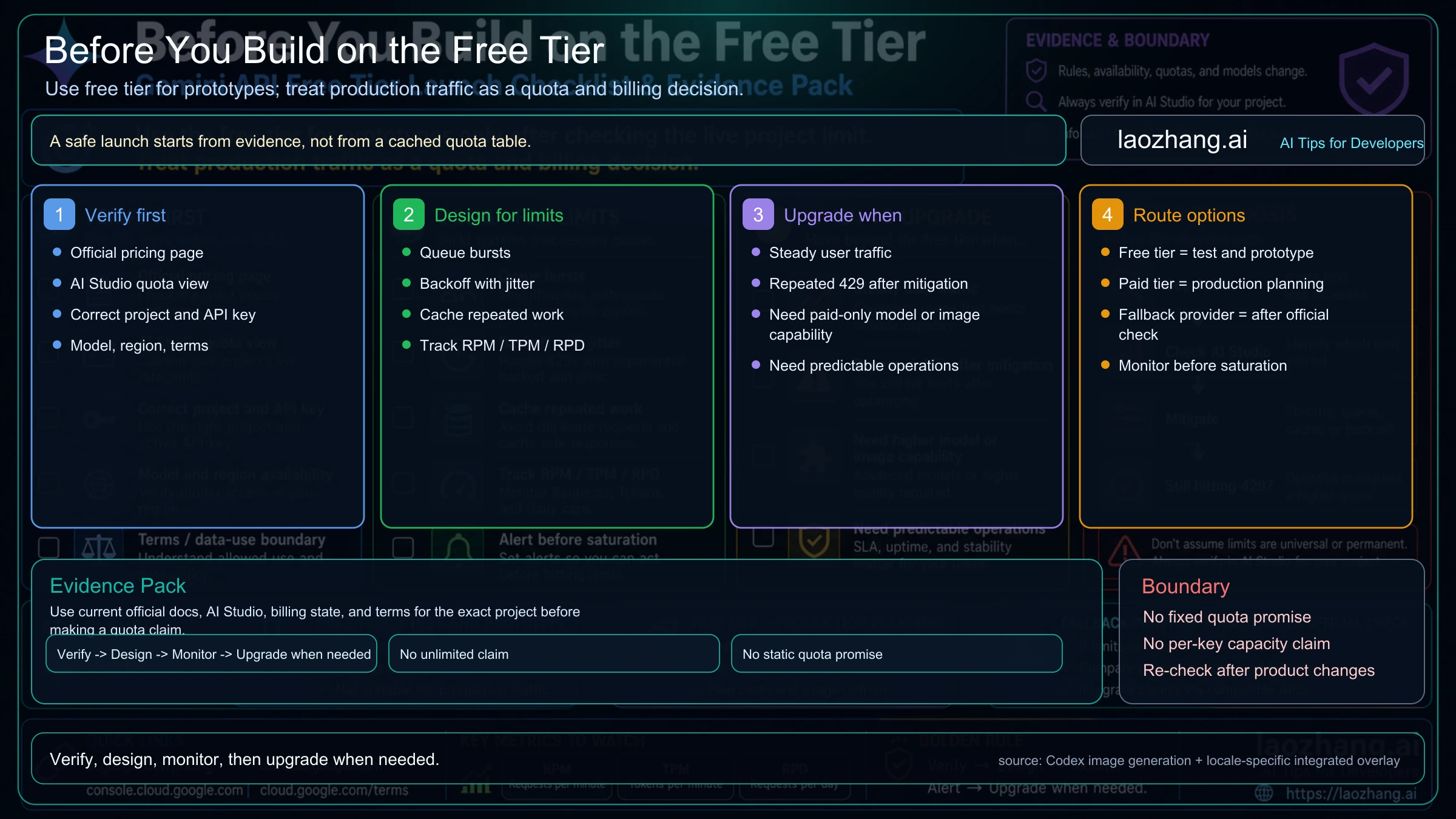
Before you depend on Gemini API free tier for anything shown to other users, run this checklist:
- Pricing page confirms the target model and serving mode are free-capable.
- AI Studio shows enough active quota for the exact project and model.
- The API key belongs to the intended project and is not being confused with another environment.
- The project billing state is known, including any prepay requirement or depleted balance.
- Request code has queueing, jittered backoff, token caps, and useful 429 logging.
- Usage dashboards can distinguish RPM, TPM, RPD, and billing failures.
- Data sent through unpaid quota is safe under unpaid-service terms.
- EEA, Switzerland, and UK user-facing access is routed through paid services where required.
- A paid-tier or fallback-route decision exists before user traffic depends on capacity.
FAQ
Can I get a Gemini API key for free?
Yes. Google AI Studio can create Gemini API keys, and Google's API-key docs describe managing keys and projects inside AI Studio. The key can be free to create; usable free capacity still depends on the project, model, and current limits.
Does each Gemini API key get its own free rate limit?
No. The Gemini API rate-limit docs say rate limits are applied per project, not per API key. More keys inside one project do not create more quota.
Where do I see my actual Gemini API free-tier rate limit?
Use AI Studio's rate-limit view for the exact project and model. Public docs explain the dimensions and rules; AI Studio shows the active project-specific limit.
Which Gemini models are free in the API right now?
The answer changes by model and serving mode. On June 30, 2026, Google's pricing page still lists free input/output for several eligible routes including Gemini 3.5 Flash, Gemini 3.1 Flash-Lite, Gemini 3.1 Flash Live Preview, Gemini 3 Flash Preview, Gemini 2.5 Pro, Gemini 2.5 Flash, and Gemini 2.5 Flash-Lite. Always re-check the pricing page before launch.
Is Gemini 3.1 Pro free through the API?
No. Google's pricing page lists gemini-3.1-pro-preview with Free Tier as Not available. AI Studio evaluation access should not be confused with free backend API access.
Does a 429 mean Google removed the free tier?
Usually no. A 429 means one active limit was exceeded. The owner could be RPM, TPM, RPD, burst pressure, model choice, project scope, billing, or a provider route. Check AI Studio and logs before changing architecture.
Can I use the free tier for production?
Use it for prototypes and low-risk evaluation. Move to paid tier when you need predictable capacity, paid-service data handling, paid-only models, user-facing deployment in regions where paid services are required, or operational ownership of quota and billing.
Bottom line
Gemini API free tier is still real, but it is not a universal static quota table and it is not multiplied by API keys. Treat the pricing page as the model-eligibility source, AI Studio as the live project-quota source, the billing page as the capacity and prepay source, and the terms as the data-use and regional-deployment boundary. If the workload is paid image generation, separate that branch early: Nano Banana 2, Nano Banana Pro, Google Batch/Flex, and laozhang.ai provider routing belong in the paid route decision, not in a free-key quota table.