GPT-6.1 Sol Slow in Codex or API? Causes and Tested Speed Fixes
GPT-6.1 Sol's launch-week overload is over; most of today's wait is thinking before the first word. Lower the effort first, then try Fast.
On this page
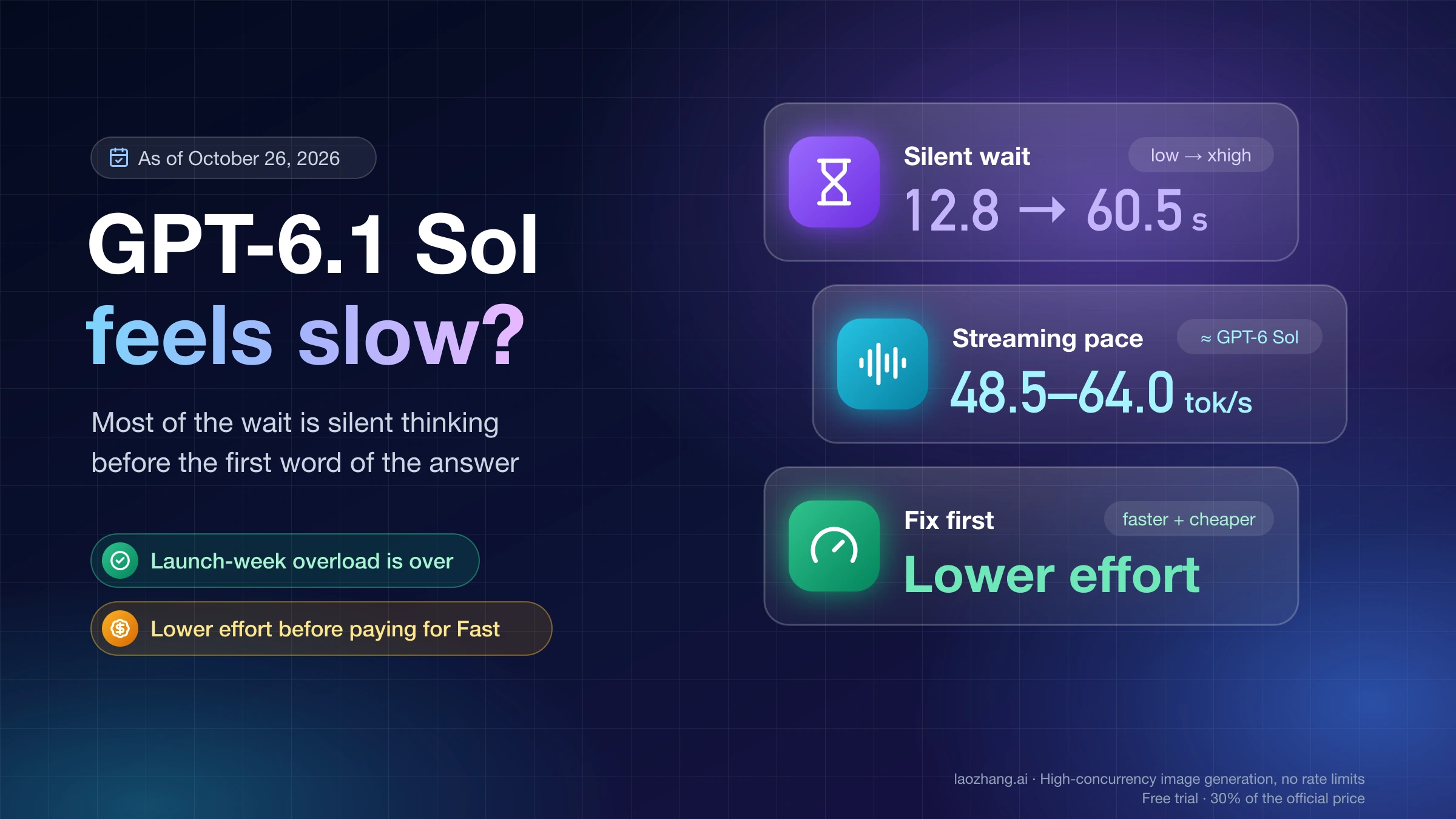
GPT-6.1 Sol feels slower than GPT-6 Sol mainly because it spends longer before it writes the first word of its answer, and that silent wait grows with reasoning effort. The overload that made every reply crawl from September 29 to October 1, 2026 is over, and on October 5 OpenAI raised the default speed for Codex and ChatGPT Work traffic that signs in with ChatGPT. If a task is still slow as of October 26, 2026, the usual cause is the effort setting, a short-lived "Selected model is at capacity" error, or a dated incident, not your machine. The one exception: if the Codex desktop app on Windows is slow with every model, the app route is the problem, which Codex App Slow on Windows? CLI vs Desktop Route Check covers.
Lower the effort before you pay for speed. In Codex, step down from Max or Extra High to High or Medium (in the CLI, model_reasoning_effort = "medium" in config.toml). In the API, send reasoning: {"effort": "medium"} to gpt-6.1-sol, or reasoning_effort in Chat Completions. If that's still too slow, turn on Fast with /fast in the Codex CLI, which spends included usage 2.5 times as fast, or send service_tier: "fast" in the API at twice the Standard token price.
Here is what was run on October 26, 2026, and what wasn't. One coding task went through the API 16 times on gpt-6.1-sol and gpt-6-sol at four effort levels, sent through the laozhang.ai gateway rather than OpenAI directly. Five Codex CLI runs completed on one ChatGPT-signed-in account, one run per setting. Fast was tried only in Codex, and neither API Fast nor Ultrafast is covered by these runs. The numbers below hold for that one task on that one day, and no setting here is guaranteed to fix yours.
Disclosure: laozhang.ai is our own service. Its prices are platform pricing, not an independent comparison.
Is GPT-6.1 Sol still slow after launch week? What changed by date
The worst of the slowness was the first two days after launch, and OpenAI says it has passed. GPT-6.1 Sol launched on September 29, 2026. On October 1, Tibo Sottiaux, who leads Codex at OpenAI, posted on X that ChatGPT and Codex were "under heavy load" and that more capacity was coming online. On October 2 he wrote that the model was "back to running at expected speeds after the massive load spike in the first two days." API users had their own window: the OpenAI status history page lists "Elevated latency for some API requests" on September 30 from 17:05 to 20:35 UTC.
The second change came on October 5, 2026 at 17:20 UTC, when he announced that the default speed of GPT-6 Astra and GPT-6.1 Sol had been "optimized to be ~50% faster" for subscription traffic in every product using Sign in with ChatGPT, including OpenCode, Pi, Amp and Devin, and replied that this meant "50 TPS instead of 30TPS." That change lives in posts on X, not in an OpenAI help page or the Codex changelog. It also doesn't touch API-key traffic, which includes Codex sessions authenticated with an API key.
An independent re-measurement backs up the subscription change. On October 6, the developer oubakiou re-ran the same game-coding task as on September 30 in Codex CLI 0.159.2 with a ChatGPT subscription and published the results on Zenn. The average of three runs fell at every effort: high from 19.7 to 7.4 minutes, max from 35.1 to 14.6, with output token counts almost unchanged. GPT-6.1 Sol still took 1.2–1.5 times as long as gpt-6-sol on that task, because it wrote 1.1–1.5 times as many tokens.
Since then, slow spells have matched dated incidents on the OpenAI status history page. "Degraded performance in Codex and Work mode: Dot turn failures, delayed responses…" ran on October 7 from 17:21 to 18:23 UTC. "Degraded performance in GPT-6.1 Sol Codex and Work mode" ran on October 13 from 08:10 to 16:36 UTC. Codex and ChatGPT Work saw elevated errors on October 14 from 07:05 to 09:53 UTC, and "Degraded performance in ChatGPT, Codex, and APIs" hit on October 21 from 02:26 to 03:28 UTC. If your slow session falls inside one of those windows, changing settings wouldn't have helped.
Match your GPT-6.1 Sol symptom to the cause
Where the time goes tells you the cause. Silence before the first message, then normal-speed text, points to reasoning or queueing. An error message points to capacity. Slowness limited to a few hours on one day points to an incident. Use the row that matches what you see, then change one thing and re-time the same task.
| What you see | Likely cause | First check |
|---|---|---|
| Every reply crawled between September 29 and October 2, 2026 | Launch-week overload | Nothing to fix now; re-time the same task today |
| Minutes of silence before the first message, then text arrives at normal speed; worse at High, Extra High or Max | Reasoning time, which grows with effort (queue time can look the same) | Drop one effort level and compare |
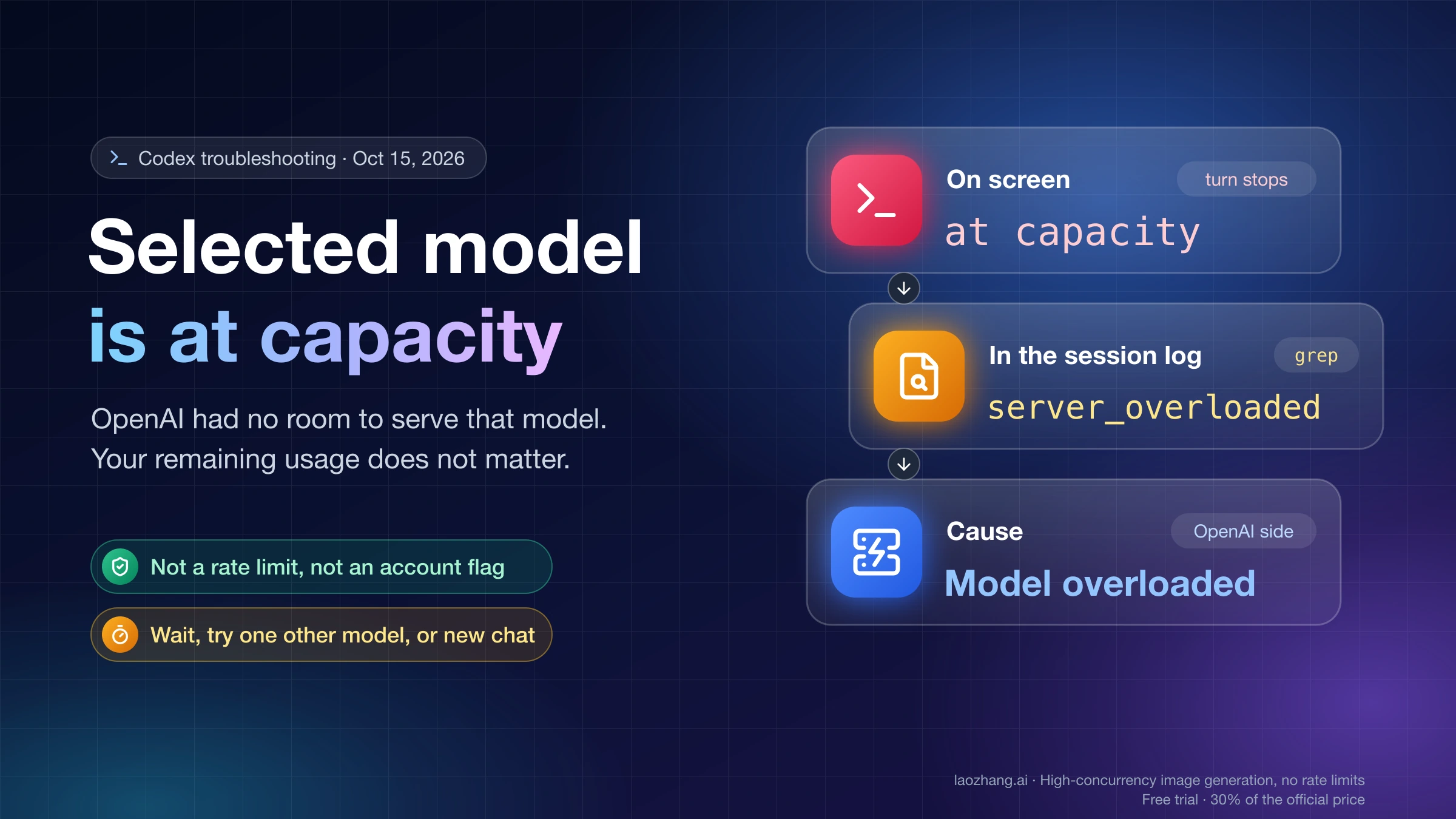
| "Selected model is at capacity. Please try a different model." | Temporary capacity on OpenAI's side, not your usage limit | Retry after a few minutes; see Codex "Selected Model Is at Capacity": Not Your Limit, What to Do |
| Slow or failing for a few hours on one day | A dated incident | Compare your time in UTC with the OpenAI status history |
| API run at Max with 200K+ input tokens takes 20–30 minutes; your poller gives up | Max effort plus long context | Lower effort; poll by status instead of a fixed deadline |
| API-key calls still slow after October 5 | The October 5 speed-up covers only Sign in with ChatGPT traffic | Effort first, then API Fast or Ultrafast |
| Codex desktop app on Windows is slow with every model | App overhead, not GPT-6.1 Sol | Compare the same task in the CLI |
The capacity error is common enough to plan around: during the October 26 Codex test, 2 of 6 gpt-6.1-sol attempts ended with it (07:08 UTC on Low after 27 seconds, 07:12 UTC on High after 36 seconds) and left the file unchanged. The Low retry about 2 minutes later and the High retry about 7 minutes later both completed.
How much slower than GPT-6 Sol? Wait times tested by effort
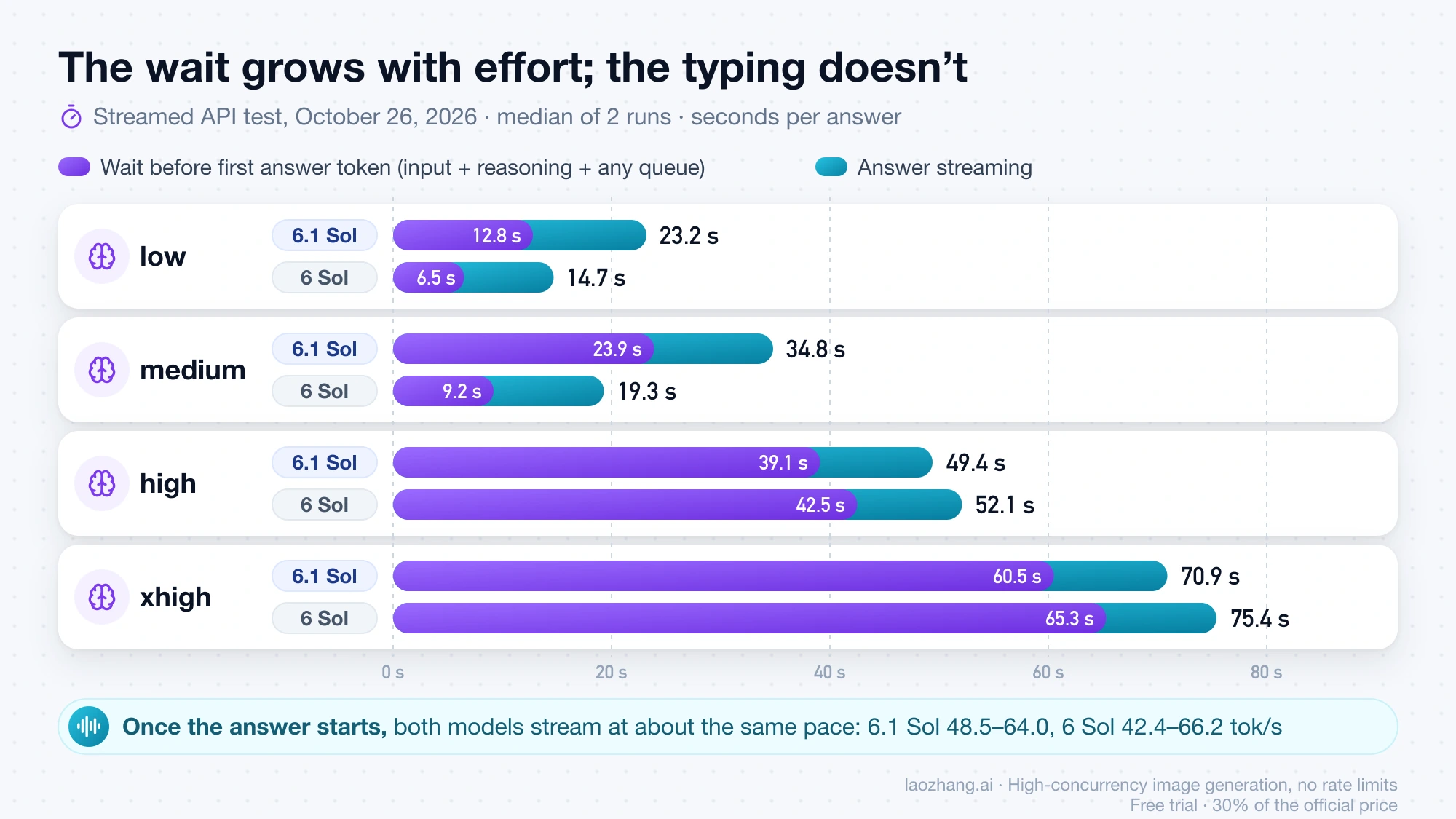
Through the API on October 26, 2026, GPT-6.1 Sol was slower than GPT-6 Sol only at low and medium effort, and the whole gap sat before the first answer token. At high and xhigh the medians were close, with 6.1 Sol slightly faster. The table below is from 2 streamed runs per cell through the laozhang.ai gateway's OpenAI-compatible Chat Completions endpoint, between 07:07 and 07:18 UTC. The task asked for an expression evaluator written without eval, and all 16 answers passed 25 of 25 hidden tests.
Disclosure: laozhang.ai is our own service. Its prices are platform pricing, not an independent comparison.
| Effort | 6.1 Sol total | 6 Sol total | 6.1 Sol first answer token | 6 Sol first answer token | 6.1 Sol reasoning tokens | 6 Sol reasoning tokens |
|---|---|---|---|---|---|---|
| low | 23.2 s | 14.7 s | 12.8 s | 6.5 s | 204 | 187 |
| medium | 34.8 s | 19.3 s | 23.9 s | 9.2 s | 590 | 317 |
| high | 49.4 s | 52.1 s | 39.1 s | 42.5 s | 1,289 | 1,522 |
| xhigh | 70.9 s | 75.4 s | 60.5 s | 65.3 s | 2,398 | 4,524 |
Medians of 2 runs. This route streams no reasoning text, so the time before the first answer token includes input processing, reasoning and any queue, and they can't be separated.
Once the answer started, both models streamed at about the same pace: 48.5–64.0 visible tokens per second for 6.1 Sol and 42.4–66.2 for 6 Sol. So on this route, the slowness readers describe was waiting, not slow typing. GPT-6 Sol was also less predictable. Its two high runs reached the first answer token after 12.9 and 72.0 seconds, and at xhigh it used almost twice the reasoning tokens of 6.1 Sol.
Codex CLI: one run per setting on a repair task
Codex adds tool calls and file edits on top of the model, so wall times run longer. These runs used codex-cli 0.164.0-alpha.11.1 (the build bundled with the ChatGPT macOS app), signed in with ChatGPT, on one task: fix a billing module to meet a 7-rule spec and add two missing functions, graded afterward by 36 hidden tests. All five completed runs passed 36 of 36.
| Model and setting | Wall time | First agent message |
|---|---|---|
| GPT-6.1 Sol, Low | 72.6 s | 11.8 s |
| GPT-6.1 Sol, Medium | 70.4 s | 16.6 s |
| GPT-6.1 Sol, High | 223.5 s | 159.2 s |
| GPT-6.1 Sol, High with Fast | 63.9 s | 11.7 s |
| GPT-6 Sol, High | 90.3 s | 12.1 s |
The slow High run was the retry at 07:19 UTC, about 7 minutes after the High capacity error, with the Fast and GPT-6 Sol runs in between. It sat silent for about two and a half minutes before its first message; the rest of the job took about a minute. The Fast run was the quickest of the five, but with one run per setting, that pair can't tell you whether Fast, the queue or chance made the difference. Treat it as one data point, not a speed multiplier.
Artificial Analysis on OpenAI's own API
Artificial Analysis measures OpenAI's API directly at the Standard tier, and its numbers show a larger gap than the relay test. As of October 26, 2026, its GPT-6.1 Sol model page and the per-effort pages list these figures:
| Effort | 6.1 Sol output speed | 6.1 Sol time to first answer token | 6.1 Sol Intelligence Index | GPT-6 Sol output speed | GPT-6 Sol time to first answer token | GPT-6 Sol Intelligence Index |
|---|---|---|---|---|---|---|
| Low | 50.8 tok/s | 2.64 s | 42 | 114.6 tok/s | 1.56 s | 34 |
| Medium | 53.5 tok/s | 4.20 s | 48 | — | — | — |
| High | 54.7 tok/s | 48.33 s | 50 | 112.1 tok/s | 13.66 s | 42 |
| Xhigh | 58.8 tok/s | 115.15 s | 51 | — | — | — |
| Max | 62.3 tok/s | 246.63 s | 52 | 112.5 tok/s | 108.21 s | 48 |
On that route 6.1 Sol generates at 0.44–0.55 times GPT-6 Sol's speed (50.8 ÷ 114.6 at Low, 62.3 ÷ 112.5 at Max). The relay test measured something narrower on a different route, only answer text after it began streaming, so the two don't contradict each other. They agree that at high effort and above, the wait before the answer is what you feel.
Is GPT-6.1 Sol really 4.6x slower than GPT-5.6 Sol?
A Reddit thread titled "GPT-6.1 Sol is 4.6x slower than GPT-5.6 Sol" circulated with a table comparing five models at xhigh. Its setup isn't documented outside Reddit, so treat the figure as one user's report. The published measurements put the gap at Max effort in the same direction. Artificial Analysis lists GPT-5.6 Sol (Max) at 81.7 tokens per second and 103.65 seconds to the first answer token, against 62.3 and 246.63 for 6.1 Sol, about 2.4 times the wait. In an OpenAI developer forum thread from October 14, one user's Max-effort background job with a roughly 229 KB prompt and web search took 1,846 seconds on 6.1 Sol versus 373 seconds on 5.6 Sol, about five times as long. 6.1 Sol wrote 62,708 output tokens there, 52,552 of them reasoning, against 31,426 for 5.6 Sol. That gap came from one long Max-effort job in which 6.1 Sol wrote more than twice as many reasoning tokens, so it isn't a typical ratio. At Medium, the relay test gap against GPT-6 Sol was under 2x.
Which GPT-6.1 Sol speed fix to pick, and what each costs
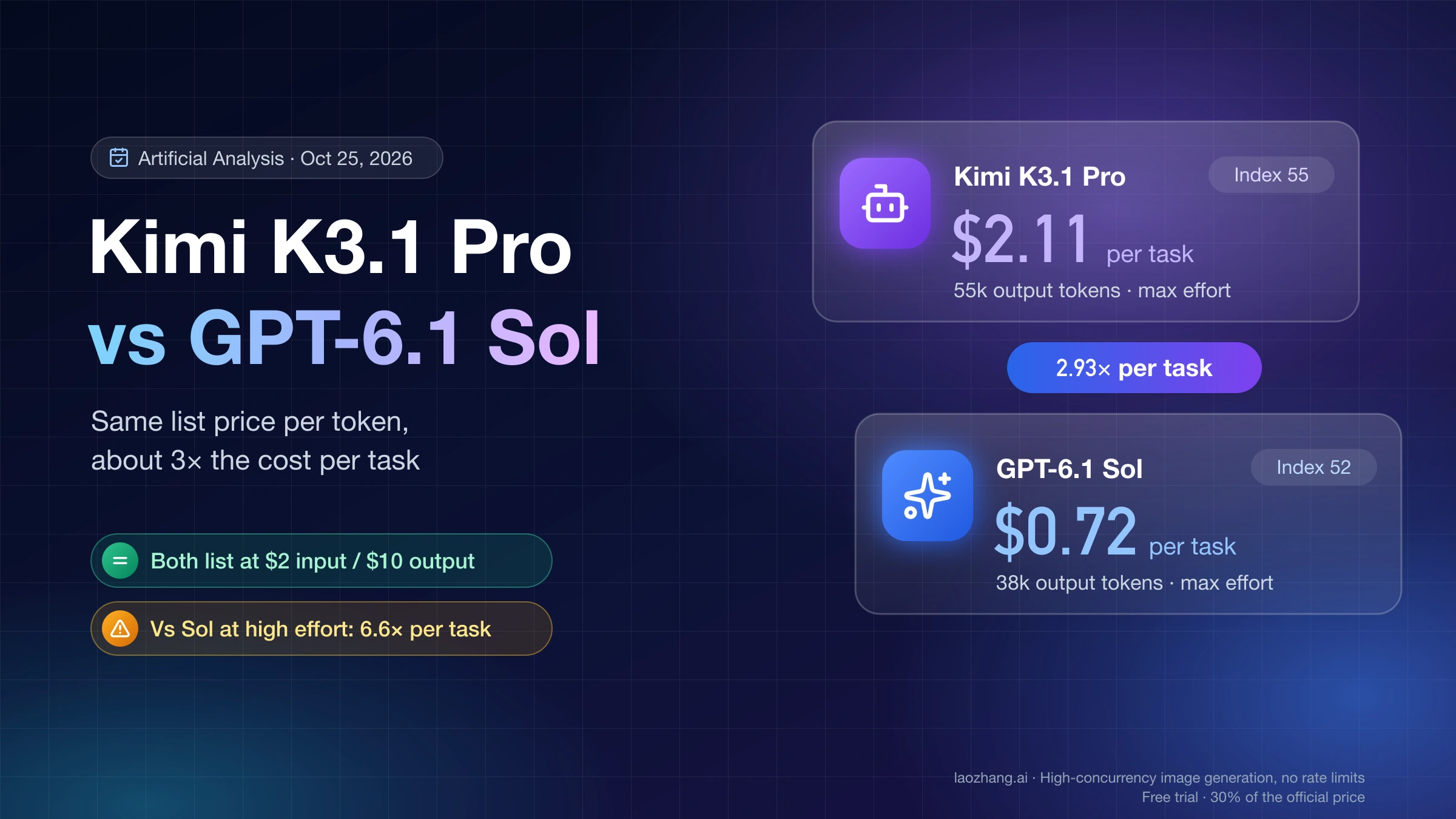
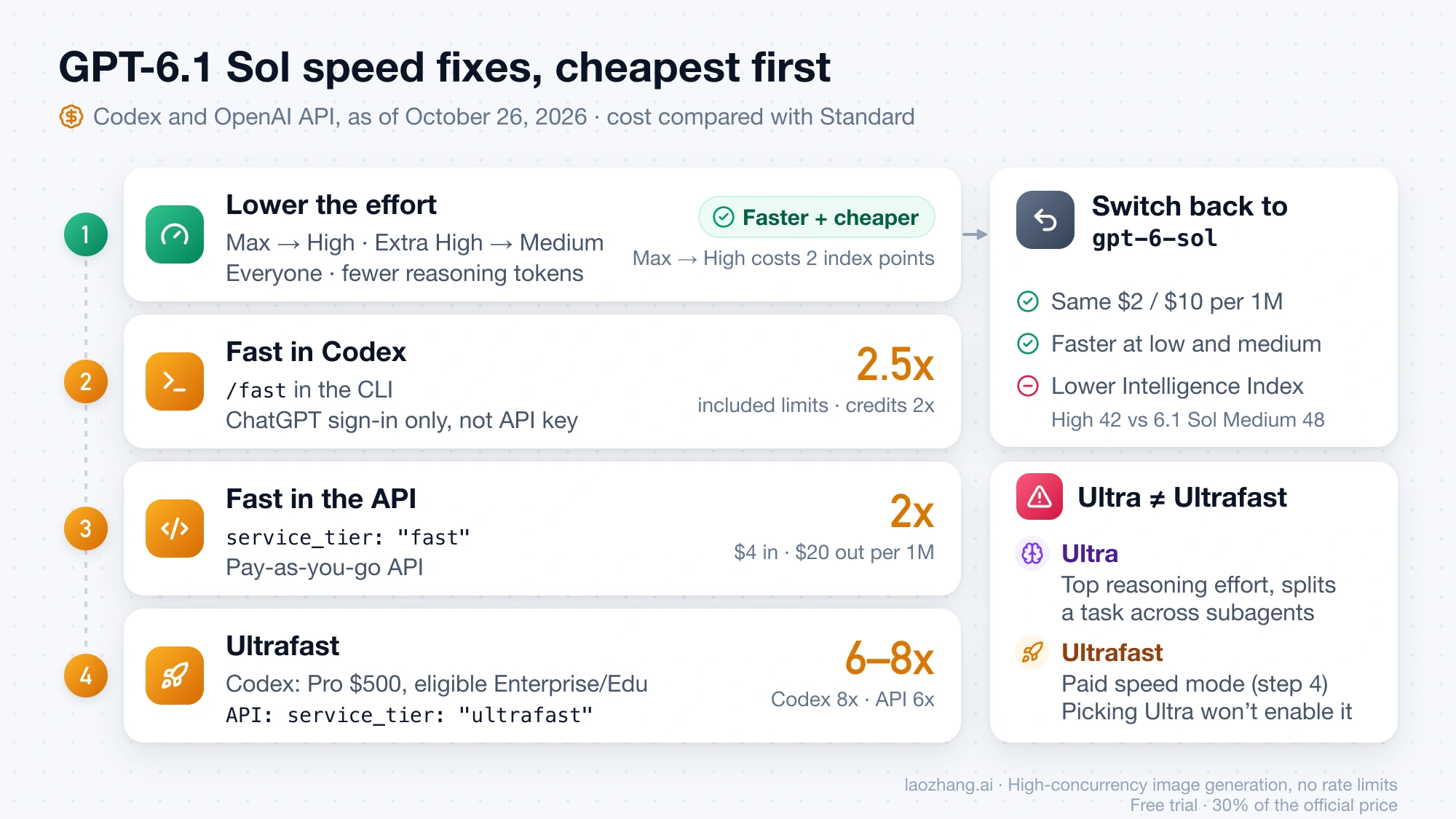
Lowering effort is the only change that makes GPT-6.1 Sol both faster and cheaper. Fast and Ultrafast buy speed with 2 to 8 times the usage or price, and switching back to GPT-6 Sol gives up quality. On Artificial Analysis, 6.1 Sol at Medium scores 48 on the Intelligence Index, the same as GPT-6 Sol at Max, while reaching its first answer token in 4.20 seconds instead of 108.21. Moving 6.1 Sol from Max to High cuts that wait from 246.63 to 48.33 seconds (−80%) for 2 index points. In the October 26 API test, xhigh to medium cut median total time from 70.9 to 34.8 seconds with every test still passing, and cost per answer fell from $0.031 to $0.012–0.014 at list price, because reasoning tokens bill as output. That task was easy enough for every effort to pass. OpenAI's own Codex model guide notes that efforts "don't map exactly between model generations" and suggests trying a familiar task at a lower setting.
| Change | Effect on the wait | Cost | Who can use it |
|---|---|---|---|
| Lower effort (Max → High, Extra High → Medium) | Largest cut on both the relay test and Artificial Analysis (figures above) | Cheaper, with fewer reasoning tokens; Max → High costs 2 index points | Everyone |
| Codex Fast | OpenAI publishes no figure for 6.1 Sol (1.5x is the figure for GPT-5.6); quickest of the five Codex runs | Included limits at 2.5x Standard; purchased credits at 2x | ChatGPT sign-in: desktop app, CLI, IDE extension |
API Fast (service_tier: "fast") | "Up to 2.5× faster" across models, no 6.1 Sol figure | 2x Standard: $4 input, $0.20 cached, $20 output per 1M tokens | API, pay-as-you-go |
| Codex Ultrafast | Up to 8x for GPT-6 Astra; no 6.1 Sol figure | Included limits at 8x; purchased credits at 6x | Pro $500 and eligible Enterprise and Edu plans only |
API Ultrafast (service_tier: "ultrafast") | OpenAI's fastest API tier; no 6.1 Sol figure | 6x Standard: $12 input, $0.60 cached, $60 output per 1M tokens | All API users |
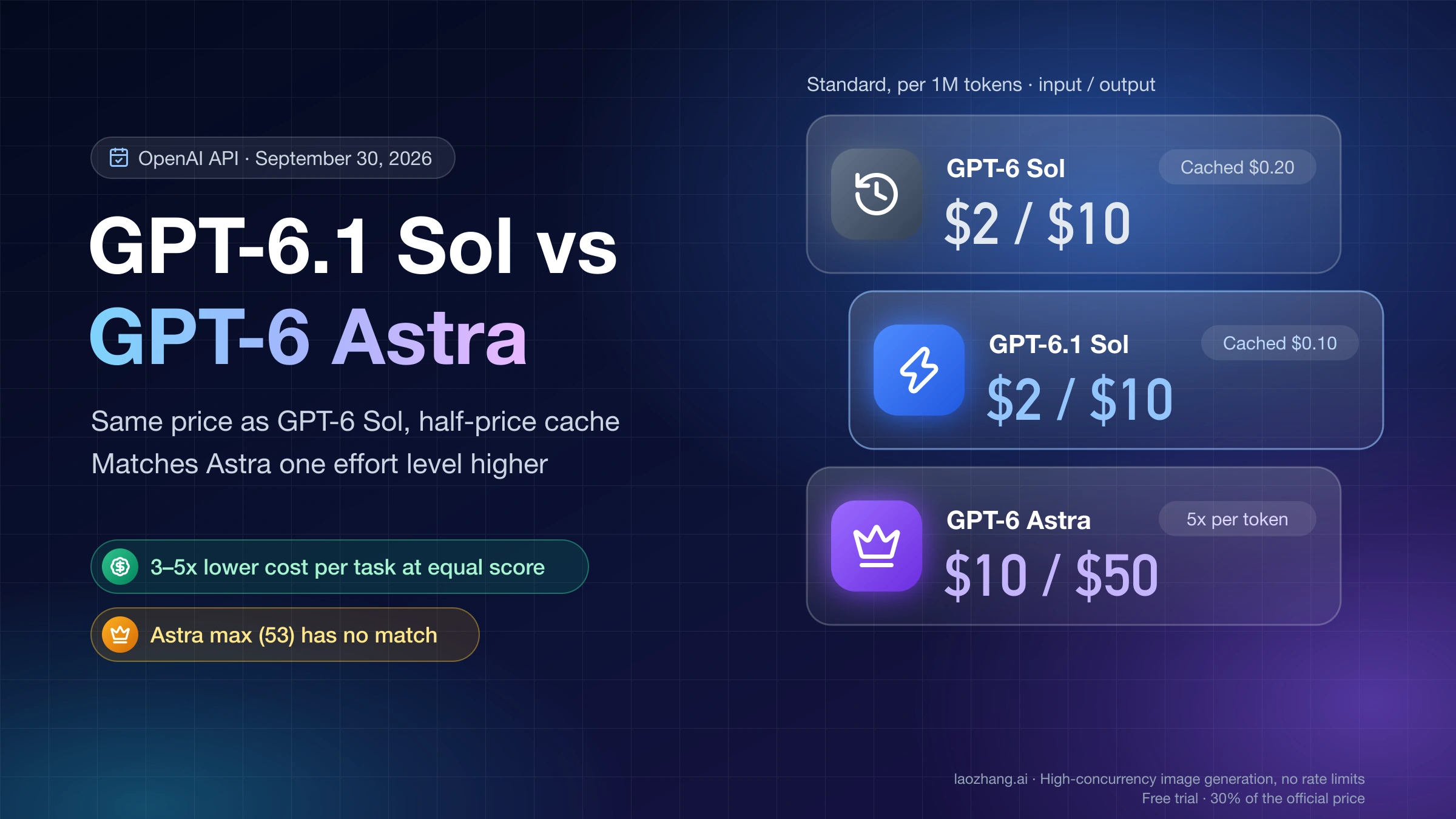
Switch to gpt-6-sol | Faster at low and medium in the relay test (14.7 vs 23.2 s; 19.3 vs 34.8 s); about twice the output speed on Artificial Analysis | Same $2 input and $10 output; lower index (High 42 vs 6.1 Sol Medium 48) | Everyone with access to both |
Codex multipliers come from OpenAI's Codex speed settings page; API prices are for prompts up to 272K input tokens, with the full table in GPT-6.1 Sol: Pricing, Access, and What Breaks When You Switch, as of October 26, 2026.
Keep Ultra and Ultrafast apart. Ultra is the top reasoning effort, which splits a task across subagents working in parallel. Ultrafast is a paid speed mode. Choosing Ultra doesn't switch on Ultrafast, and OpenAI's model guide says most tasks need neither Max nor Ultra. Because Fast and Ultrafast drain included usage faster, check where your limit stands in Codex Weekly Limit Reset: Find Your Time or Reset Now before leaving either on.
Going back to GPT-6 Sol makes sense if your tasks passed on it and you mostly run Low or Medium, where it reached the first answer in about half the time or less in the relay test. At High and above it was no faster there, and it scores lower at every effort Artificial Analysis lists. GPT-6 Astra isn't a speed fix either: Artificial Analysis lists Astra (Max) at 66.7 tokens per second and 278.25 seconds to the first answer token. For the full model choice, see GPT-6.1 Sol vs GPT-6 Astra vs GPT-6 Sol: When Astra Is Worth It.
Turn on Fast in Codex: /fast, config.toml and the desktop app
Fast in Codex works only when you're signed in with ChatGPT, in the desktop app, the CLI or the IDE extension. With an API key, Codex bills API token prices and the Fast multipliers above don't apply. Set your effort first and add Fast only if that's not enough.
- In a Codex CLI session, type
/fastto toggle Fast mode. Type/statuslineto show the current mode in the footer. - To make it the default, add the keys below to
~/.codex/config.toml. The same file sets the model and effort. - In the ChatGPT desktop app or ChatGPT Work, open Advanced in the model control to choose the model, the reasoning effort and the speed. Moving the slider toward Faster also picks lower-cost, quicker presets.
- Run the same task again and compare total time and time to the first message. If nothing changes, turn Fast off so it stops drawing extra usage.
model = "gpt-6.1-sol"
model_reasoning_effort = "medium"
service_tier = "fast"

[features]
fast_mode = true
In the CLI, /model lets you pick an effort for the session. Max and Ultra sit behind More reasoning… in that menu.
Make GPT-6.1 Sol API calls faster and stop timeouts
In the API, set the effort yourself, stream the answer, and give long jobs a timeout above their longest run. gpt-6.1-sol defaults to medium when you omit reasoning.effort, and OpenAI's reasoning guide says to use xhigh only "when your evals show a clear benefit that justifies the extra latency and cost." Streaming doesn't shorten the thinking, but the user sees the answer the moment it starts instead of after the last token. The same guide suggests asking the model for a short preamble before its deeper reasoning if time to first visible text matters.
from openai import OpenAI

client = OpenAI(timeout=1800)  # seconds; raise it for Max or long-context jobs

stream = client.responses.create(
    model="gpt-6.1-sol",
    reasoning={"effort": "medium"},  # try "low" before "high" or "xhigh"
    service_tier="fast",             # optional: 2x the Standard price
    input="Refactor this function to remove the global state: ...",
    stream=True,
)

for event in stream:
    if event.type == "response.output_text.delta":
        print(event.delta, end="", flush=True)
In Chat Completions, the same settings are reasoning_effort="medium" and service_tier="fast". Note that gpt-6.1-sol doesn't accept "none" as an effort, which gpt-6-sol did.
For background jobs, poll the response by status rather than against a fixed deadline. In the October 14 forum case, the local poller stopped at 1,800 seconds while the response completed at 1,846 seconds, so the result existed but the app never collected it.
If you pay for speed, check that you got it. The Fast mode guide says the response's service_tier field shows the tier actually used. Above 1M input tokens per minute, traffic that grows faster than 50% per 15 minutes can be downgraded to default and billed at Standard. service_tier: "priority" behaves the same as "fast". Ultrafast (service_tier: "ultrafast") is open to all API users with its own rate limits: 1M, 4M and 40M tokens per minute for GPT-6.1 Sol on the Build, Launch and Grow tiers. The Ultrafast mode guide "strongly recommend[s]" WebSockets for agents that make many tool calls, because per-request network overhead eats into the gain.
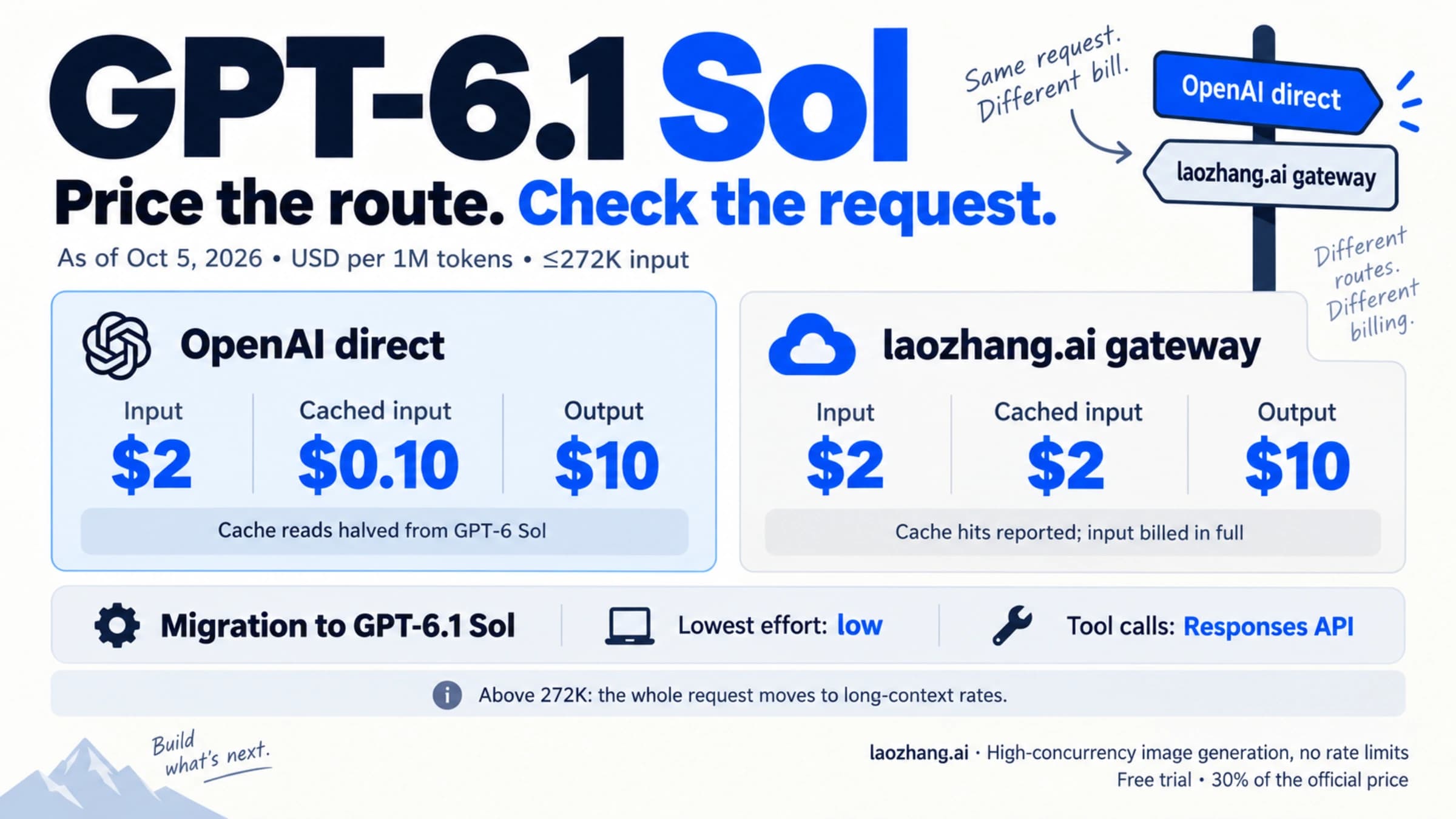
If you call gpt-6.1-sol through the laozhang.ai gateway, it lists the same $2 input and $10 output Standard rates per 1M tokens. The gateway doesn't return the service_tier field, so whether Fast takes effect through it is unverified.
Disclosure: laozhang.ai is our own service. Its prices are platform pricing, not an independent comparison.
GPT-6.1 Sol speed: other questions
Does Fast mode make GPT-6.1 Sol's answers worse? OpenAI's Codex speed settings page is headed "Increase speed without sacrificing intelligence" and prices Fast in usage, not quality. In the single Codex test on October 26, 2026, High with Fast passed all 36 hidden tests, the same as High without it.
Is GPT-6.1 Sol slow in regular ChatGPT chat? It isn't offered there. As of October 26, 2026, OpenAI's model guide lists GPT-6.1 Sol in ChatGPT Work and Codex (desktop app, CLI, IDE extension and Work on web and mobile) for Plus, Pro, Business, Enterprise and Edu, not in regular Chat. If it's missing from your picker, see GPT-6.1 Sol Not Showing in Codex or ChatGPT: 6 Causes and Checks.
How do I see how many tokens a slow Codex task used? In Codex, /status shows the current session's token counts and /usage shows your account's token activity; How to Check Codex Token Usage: /status, /usage, Context, and API Spend explains how to read them. In the October 26 runs, each completed task used 59K–103K input tokens, mostly cached, and 1.4K–2.9K output tokens.
Sources12
External pages this guide links to, in the order they appear. Last updated Oct 26, 2026.
Sources12
External pages this guide links to, in the order they appear. Last updated Oct 26, 2026.
- 1.posted on Xx.com/thsottiaux/status/2105464274747527543
- 2.wrotex.com/thsottiaux/status/2105843926221660585
- 3.OpenAI status history pagestatus.openai.com/history
- 4.announcedx.com/thsottiaux/status/2107158998495748264
- 5.repliedx.com/thsottiaux/status/2107159119107146237
- 6.results on Zennzenn.dev/oubakiou/articles/a39f4bde8c7e74
- 7.GPT-6.1 Sol model pageartificialanalysis.ai/models/gpt-6-1-sol
- 8.OpenAI developer forum threadcommunity.openai.com/t/1406429
- 9.Codex speed settings pagelearn.chatgpt.com/docs/agent-configuration/speed
- 10.reasoning guidedevelopers.openai.com/api/docs/guides/reasoning
- 11.Fast mode guidedevelopers.openai.com/api/docs/guides/fast-mode
- 12.Ultrafast mode guidedevelopers.openai.com/api/docs/guides/ultrafast-mode