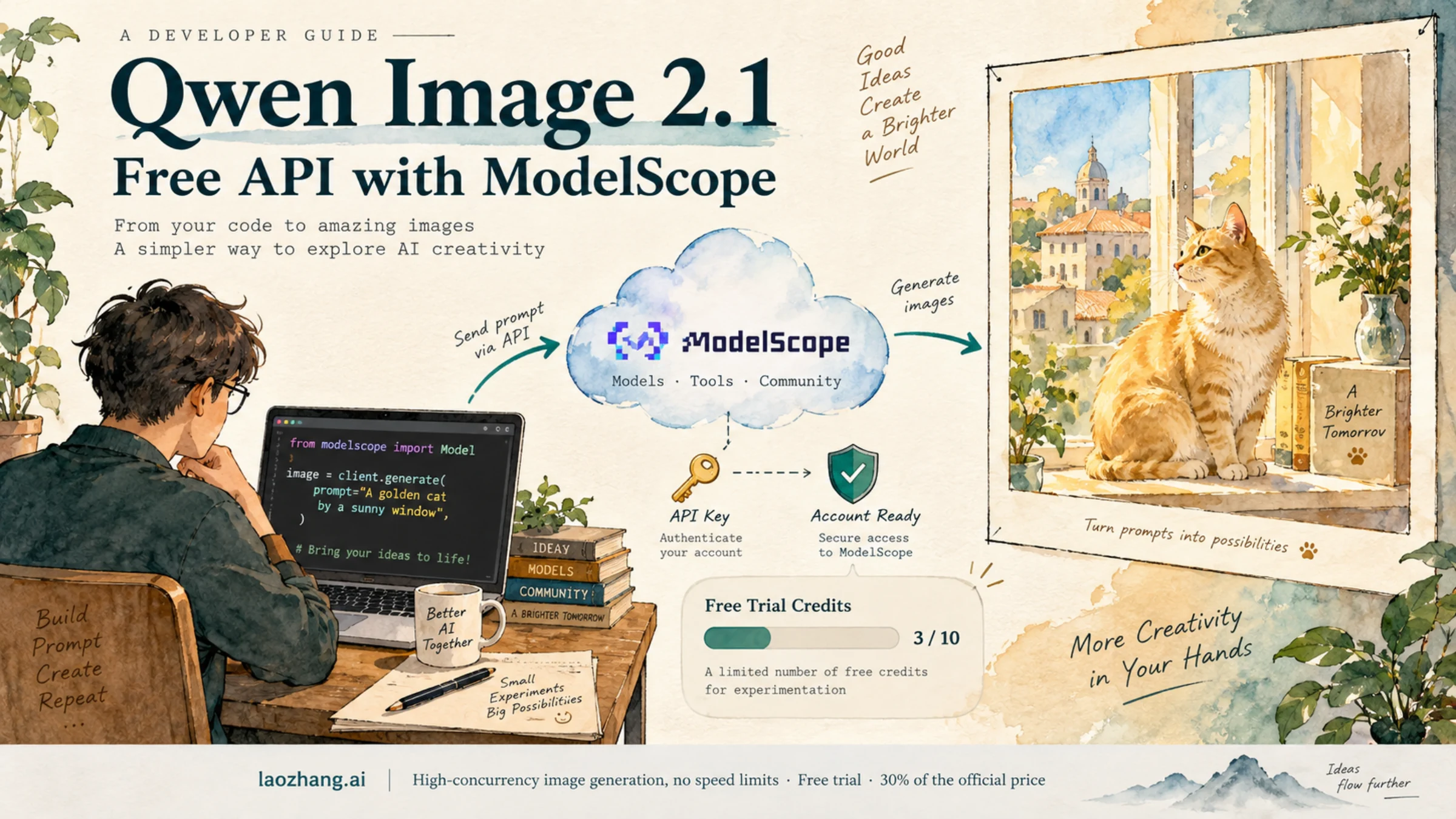
Yes—ModelScope currently lists a free API for Qwen/Qwen-Image-2.1. To use it, you need a ModelScope account linked to a real-name-verified Alibaba Cloud account, a ModelScope access token, and enough account credits, called magic particles. The service is intended for noncommercial experimentation; concurrency and availability are limited. These are the conditions shown in the exact model's API panel and ModelScope's API rules, checked on September 23, 2026.
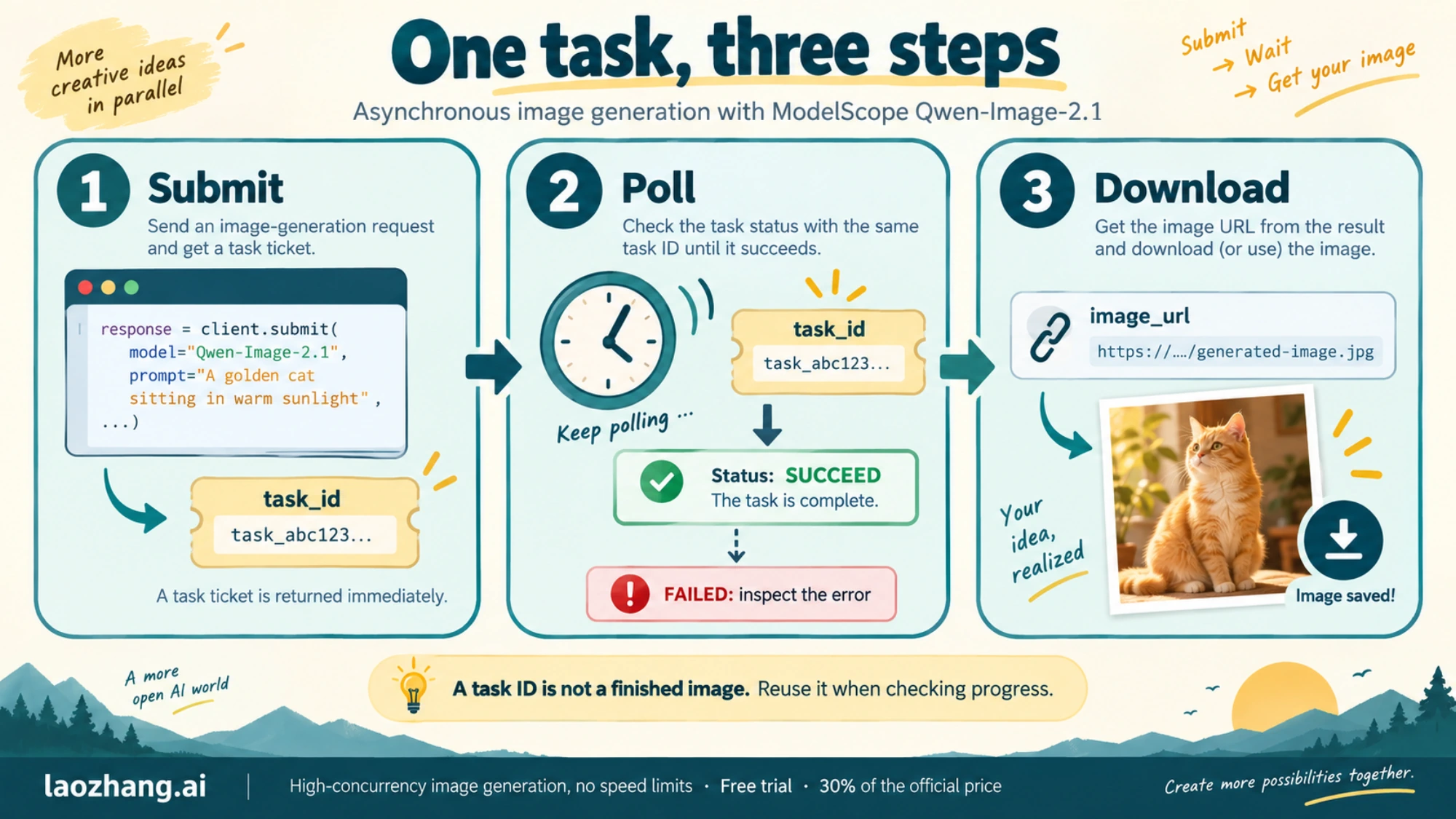
The shortest path is to create an image-generation task, poll its ID until it succeeds, and download the returned image URL. The Python example below follows that documented flow. We checked the public documentation and model panel; we did not submit a generation request or verify credits arriving in an account.
Get the right account and token first
Open the Qwen-Image-2.1 model page on ModelScope and look for API-Inference, with the community provider labeled 魔搭社区. Confirm that its example uses Qwen/Qwen-Image-2.1. A generic Qwen image tutorial may use a different model.
Before making a request:
- Register or sign in to ModelScope and complete your account information, including email verification.
- Link an Alibaba Cloud account that has completed real-name verification. ModelScope's API-Inference introduction makes this a prerequisite for access.
- Get a token from the ModelScope access-token page. This is a ModelScope token, so an Alibaba Cloud DashScope key is not interchangeable with it.
- Check your magic-particle balance and the model panel's estimated deduction before submitting a job.
The account requirements matter for international developers too. The documentation we checked does not provide a country-by-country eligibility table. If you cannot complete the account-linking or verification process, this route is not ready to use with your account; copying the code alone will not fix that.
Keep the token in an environment variable on your own machine or backend. Do not put it into browser JavaScript or commit it to a repository.
Generate and download an image with Python
ModelScope's image API is asynchronous. Its model-page example uses these requests:
| Stage | Request | What to read |
|---|---|---|
| Submit | POST /v1/images/generations with X-ModelScope-Async-Mode: true | task_id |
| Poll | GET /v1/tasks/{task_id} with X-ModelScope-Task-Type: image_generation | task_status |
| Download | Fetch a URL from output_images after SUCCEED | Image bytes |
A returned task ID means the job was accepted, not that the image is finished. SUCCEED is the completion status; FAILED is a reason to stop and inspect the task response.
Install the two dependencies:
bashpython -m pip install requests Pillow
Set your token in the same terminal session. On macOS or Linux:
bashexport MODELSCOPE_TOKEN='your-modelscope-access-token'
Save the following as generate_qwen_image.py, then run python generate_qwen_image.py. It adapts the official request fields with HTTP timeouts, a ten-minute polling window, and PNG saving. Those safeguards are additions to the documentation example; the ten-minute window is not a promised service completion time.
pythonimport os
import time
from io import BytesIO
from pathlib import Path

import requests
from PIL import Image

BASE_URL = "https://api-inference.modelscope.cn"
TOKEN = os.environ.get("MODELSCOPE_TOKEN")
if not TOKEN:
    raise SystemExit("Set MODELSCOPE_TOKEN before running this script.")

headers = {
    "Authorization": f"Bearer {TOKEN}",
    "Content-Type": "application/json",
}
response = requests.post(
    f"{BASE_URL}/v1/images/generations",
    headers={**headers, "X-ModelScope-Async-Mode": "true"},
    json={
        "model": "Qwen/Qwen-Image-2.1",
        "prompt": "A golden cat sitting beside a sunny window, watercolor",
    },
    timeout=60,
)
response.raise_for_status()
task_id = response.json()["task_id"]
print(f"Task created: {task_id}", flush=True)

deadline = time.monotonic() + 600
while time.monotonic() < deadline:
    response = requests.get(
        f"{BASE_URL}/v1/tasks/{task_id}",
        headers={**headers, "X-ModelScope-Task-Type": "image_generation"},
        timeout=60,
    )
    response.raise_for_status()
    task = response.json()
    status = task["task_status"]
    print(f"Status: {status}", flush=True)

    if status == "SUCCEED":
        urls = task.get("output_images", [])
        if not urls:
            raise RuntimeError(f"Task {task_id} succeeded without an image URL.")
        download = requests.get(urls[0], timeout=120)
        download.raise_for_status()
        output = Path("qwen-image-2-1.png")
        with Image.open(BytesIO(download.content)) as image:
            image.save(output, format="PNG")
        print(f"Saved: {output.resolve()}")
        break

    if status == "FAILED":
        raise RuntimeError(f"Task {task_id} failed: {task}")

    time.sleep(5)
else:
    raise TimeoutError(
        f"Stopped waiting for {task_id}. Check this task before submitting again."
    )
Success means both that the task reports SUCCEED and that qwen-image-2-1.png opens as an image. The script saves the first returned image and keeps PNG transparency if it is present in the downloaded file; it does not request a transparent background.
If polling stops because of a network error or the local deadline, save the printed task ID. You can query that same ID again with the documented GET request. Restarting the entire script creates another generation task, which is unnecessary if the first is still running.
How much free usage do you get?
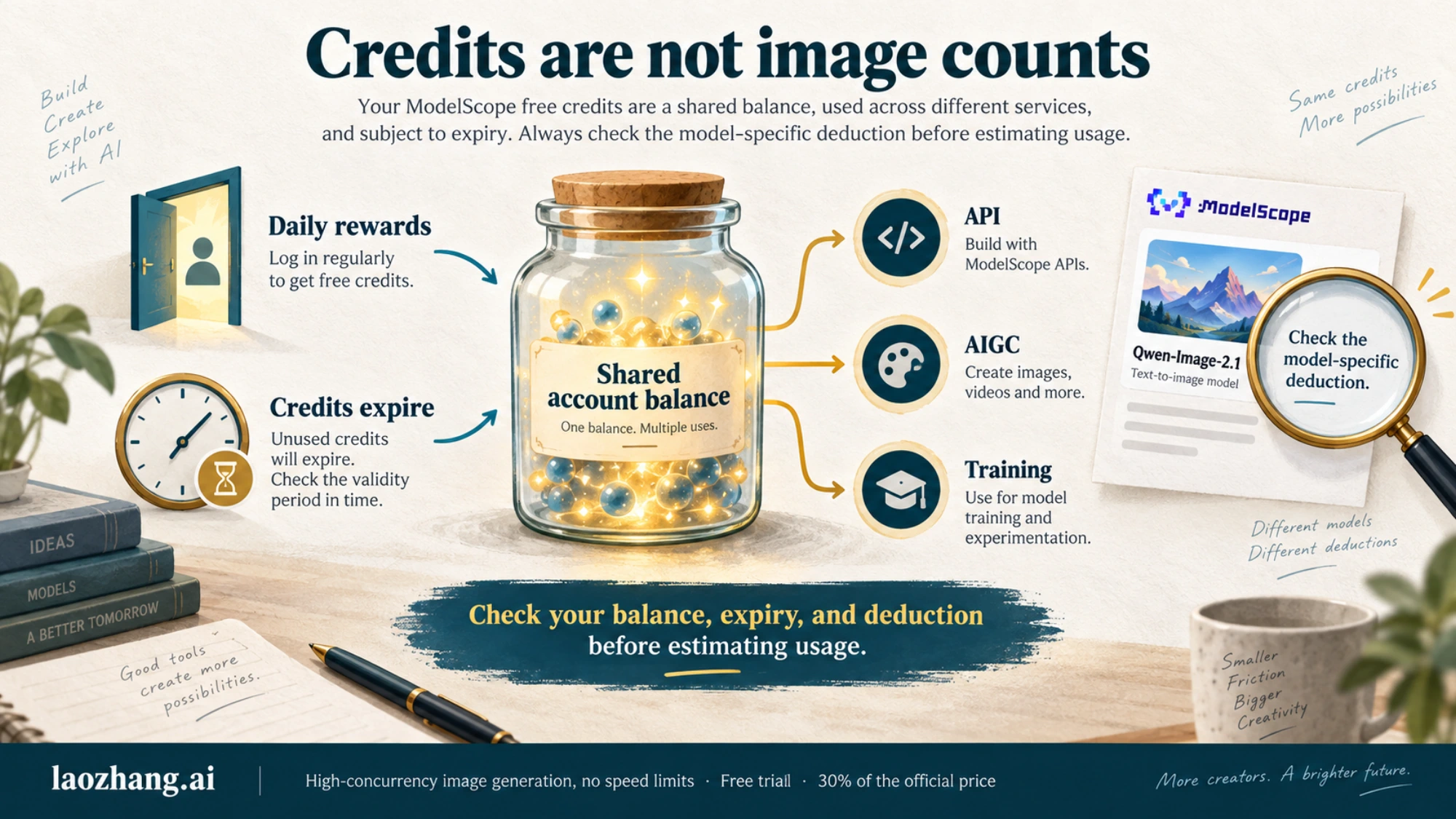
Check the particle balance, not a fixed daily image count. ModelScope's current API limits page describes deductions of 0.5, 1, or 2 particles per call across its model tiers, and directs users to the model panel for the estimated deduction. We could not see the exact Qwen-Image-2.1 deduction in the anonymous panel, so none of those tiers can responsibly be assigned to this model here.
Under the current magic-particle reward rules, daily login earns 200 short-term particles, with another 50 available through daily login after linking Alibaba Cloud. Each daily reward is available at most once per day, and the account-information requirements include a verified email. These are documented rewards, not a balance we confirmed in a signed-in account.
Three details affect how much you can actually generate:
- The balance is shared. AIGC inference, training, and API-Inference can draw on the same account resources.
- Credits expire. The documentation describes short-term particles as valid for 24 hours and long-term particles for 90 days, with the earliest-expiring balance spent first. Its daily-reward table also says “valid that day,” so check the expiry shown in your account record.
- Available credits do not guarantee immediate capacity. ModelScope dynamically adjusts concurrency and describes this as a free, noncommercial experience service without the guarantees needed for a production workload.
Adding the two daily rewards gives 250 particles under the stated conditions. It does not establish 250 images—or any other guaranteed Qwen-Image-2.1 image count. For a useful estimate, first check this exact model's displayed deduction and your remaining, unexpired balance.
If the first request does not work
Use the point of failure to decide what to check next. These are troubleshooting directions based on the documented account requirements and request flow, not error responses observed in a live generation test.
| What happened | Next check |
|---|---|
| The request is rejected before returning a task ID | Confirm the token is a ModelScope token, account linking and real-name verification are complete, and the request uses the exact model ID. Read the returned error details. |
| The response reports insufficient balance | Inspect the available particles, expiry, and model-specific deduction in your account. Other ModelScope usage may have consumed credits. |
| The response reports a rate or concurrency limit | Stop submitting new jobs, wait as directed by the service, and reduce concurrent requests. A credit balance does not remove capacity limits. |
| A task exists but has not succeeded | Poll the existing task with the image-generation task header. Do not create duplicate jobs just because the POST response lacked an image. |
The task reports FAILED | Inspect the task's error details before changing the request or submitting another job. |
| The task succeeds but saving fails | Check the image download response separately. The script deliberately does not send your ModelScope authorization header to the returned download URL. |
For the first request, keep the payload small: model and prompt. Add optional settings only after confirming their support in the current model panel. A parameter shown for an older Qwen model or another provider is not automatically valid here.
An official demo API is also available
If your immediate goal is to experiment with the model, the official Qwen Hugging Face Space exposes a Gradio client interface. Its Use via API page currently lists /generate_with_enhance.
For the public schema checked on September 23, 2026, the minimal Python client call is:
bashpython -m pip install gradio_client
pythonfrom gradio_client import Client

client = Client("Qwen/Qwen-Image-2.1")
result = client.predict(
    input_images=[],
    original_prompt="A golden cat sitting beside a sunny window, watercolor",
    api_name="/generate_with_enhance",
)
print(result)
This is a documentation-based demo example, not a tested generation result. Copy the current example from Use via API if the interface changes. Treat it as a shared public demo with queues and availability limits; no fixed free quota or service guarantee was established.
The Hugging Face model card also currently says the model is not deployed by an Inference Provider. That statement concerns Hugging Face's provider integration. It does not contradict the separate Space client interface or the ModelScope API.
Before using it in an app
For a personal evaluation script, the documented ModelScope route gives you a concrete starting point. For a customer-facing app, check commercial permission and service terms before building around free community capacity.
Qwen-Image-2.1's Qwen Research License limits use of the model Materials to research and evaluation under its noncommercial terms; commercial use of those Materials requires separate permission. That is distinct from whether a hosted provider offers free credits, and it should not be turned into a blanket claim about the ownership or permitted use of every generated output.
You may also encounter these alternatives:
| Route | What you should confirm |
|---|---|
| Alibaba Cloud Model Studio / DashScope | The exact supported model ID. The official Qwen image API table, updated September 22, did not list 2.1 when checked. Do not copy 2.0 or 3.0 pricing, trial allowances, or IDs and assume they apply. |
| A third-party Qwen-Image-2.1 API | Whether trial credits cover this exact model through the API, plus the provider's terms and commercial permissions. Kie's documentation supplies a 2.1 endpoint and its homepage advertises testing credits, but we did not confirm a specific free 2.1 API allowance. |
| Downloading the weights | Your compute requirements and license obligations. Available weights do not include free hosted GPU time. Our Qwen-Image-2.1 local setup guide covers that separate route. |
Start by checking whether your ModelScope account can meet the verification requirements and shows a usable balance. Then submit one small task, retain its ID, and confirm the downloaded image before adding the call to a larger workflow.