Kimi K3.1 Pro vs Claude Opus 5.5: Half per Token, Not per Task
K3.1 Pro's $2/$10 is half of Opus 5.5's $4/$20 per token, yet at Kimi's default max effort a task can cost as much as Opus. Set effort before you switch.
On this page
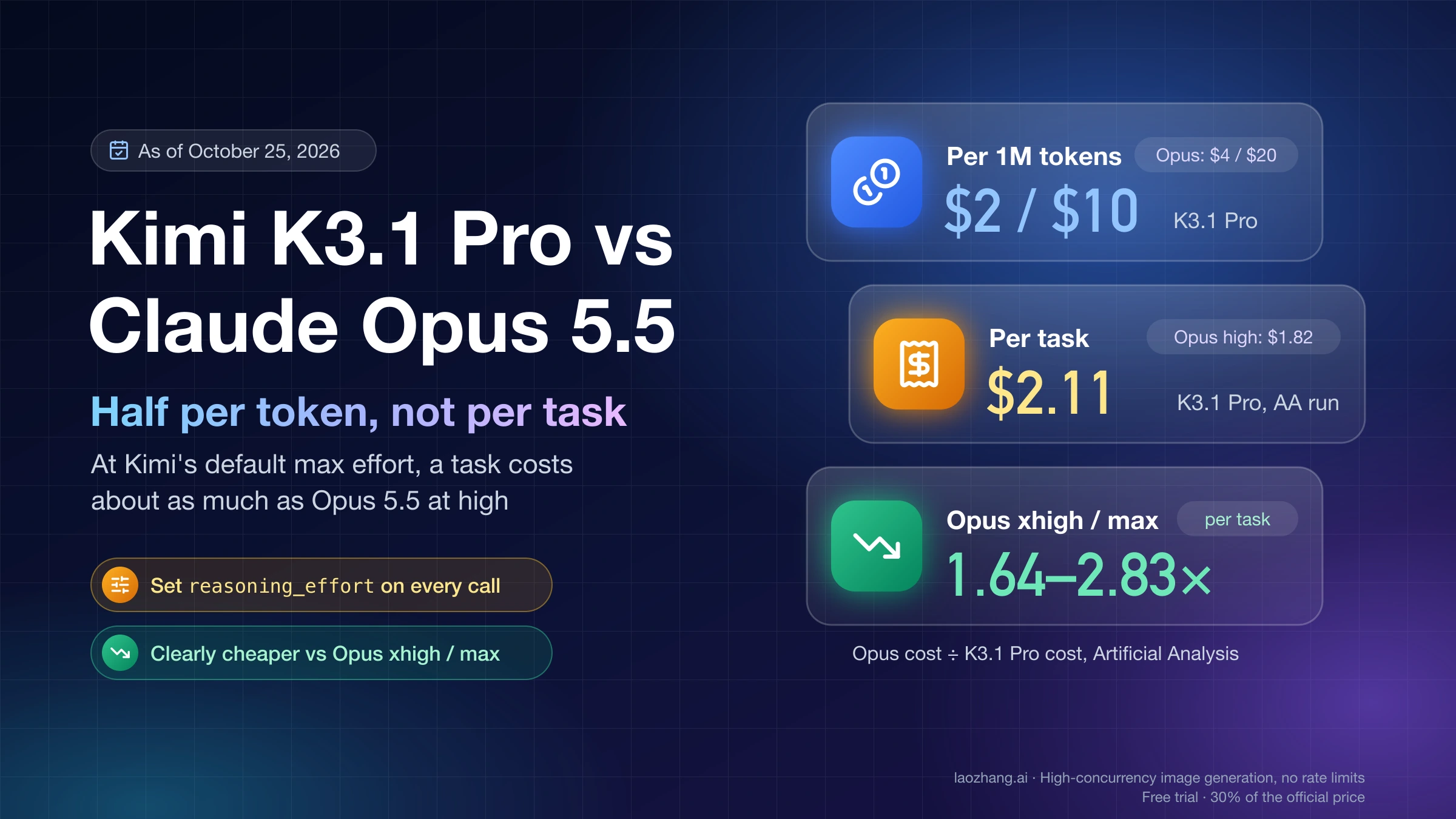
Kimi K3.1 Pro (kimi-k3.1-pro) costs exactly half of Claude Opus 5.5 (claude-opus-5-5) per input and output token: $2 and $10 per million against $4 and $20, as of October 25, 2026. Cache reads cost $0.20 per million on both, so the discount shrinks as your workload leans on cache. The bigger variable is how long each model thinks. Kimi's API runs K3.1 Pro at max reasoning effort unless you say otherwise, while Opus 5.5 defaults to medium, and in Artificial Analysis's measurements K3.1 Pro wrote more output per task than Opus at high.
That is why "half the price" rarely survives as half the bill. On Artificial Analysis's Intelligence Index, K3.1 Pro scored 55 at $2.11 per task, while Opus 5.5 at high scored 54 at $1.82 and finished in under half the time. In atomicagent's coding-agent test, K3.1 Pro at its default effort cost about the same per task as Opus, and only dropped to about half when the authors set reasoning_effort to low, at roughly twice Opus's run time.
So don't swap the model ID across the board. Set reasoning_effort explicitly on every K3.1 Pro request, trial it on well-specified jobs that your tests can check and that can wait, such as background bug fixes and batch refactors, and keep Opus 5.5 on interactive coding, science-heavy reasoning and anything that has to run on AWS, Google Cloud or Azure. The exception is a team running Opus at xhigh or max today: against those levels, K3.1 Pro is clearly cheaper per task in both Artificial Analysis's measurements and a list-price recompute.
Is Kimi K3.1 Pro really half the price of Opus 5.5? Per token, yes
Per token, the half-price claim is exact for input and output and wrong for cache reads. Both vendors bill a cache hit at $0.20 per million tokens, Opus charges 2.5 times as much for a 5-minute cache write, and the 1-hour write is twice as much. These are list prices in USD per million tokens from the Kimi API pricing page and Anthropic's Claude API pricing page, as of October 25, 2026:
| Per 1M tokens | Kimi K3.1 Pro | K3.1 Pro Highspeed | Claude Opus 5.5 | Opus ÷ K3.1 Pro |
|---|---|---|---|---|
| Input | $2.00 | $4.00 | $4.00 | 2.0× |
| Output (thinking included) | $10.00 | $20.00 | $20.00 | 2.0× |
| Cache hit | $0.20 | $0.20 | $0.20 | 1.0× |
| 5-minute cache write | $2.00 | $4.00 | $5.00 | 2.5× |
| 1-hour cache write | $4.00 | $8.00 | $8.00 | 2.0× |
Kimi doesn't say in its pricing docs whether reasoning tokens bill as output, but OpenRouter and Artificial Analysis both count them as output, and the recompute below does the same. Kimi has no long-context tier, and neither does Opus 5.5 across its 1M window. Two Opus options move the ratio: the Message Batches API halves Opus to $2/$10, the same as K3.1 Pro's standard rate, and the regional endpoints on Bedrock, Vertex and Azure listed on OpenRouter cost 1.1× ($4.40/$22). K3.1 Pro Highspeed, which Kimi says runs 2–3× faster, costs the same as Opus on input and output. For the rest of Opus's price list and its subscription limits, see Claude Opus 5.5 Pricing and Limit Reset: What Each One Changes.
To see what that means for a bill when both models use the same number of tokens, four workloads were recomputed at these list prices on October 25, 2026. The token counts are assumed illustrations, and each cost is tokens in millions times the rate, summed:
| Workload, identical tokens on both models | K3.1 Pro | Opus 5.5 | Opus ÷ K3.1 Pro |
|---|---|---|---|
| One cold request: 8K input + 2K output | $0.036 | $0.072 | 2.00× |
| Agent session: 60K prefix written once, read from cache on 39 more turns, 40 × (4K new input + 3K output) | $2.108 | $3.808 | 1.81× |
| 400K document, written to cache once, 10 questions inside 5 minutes | $1.676 | $3.032 | 1.81× |
| 1M cache-hit tokens + 1K output | $0.210 | $0.220 | 1.05× |
The agent session shows the arithmetic: on Kimi it is 0.06 × $2 for the cache write, 2.34 × $0.20 for cache reads, 0.16 × $2 for new input and 0.12 × $10 for output, or $2.108. On Opus the same counts give 0.06 × $5 + 2.34 × $0.20 + 0.16 × $4 + 0.12 × $20 = $3.808. Cache reads are the one line that doesn't change, which is why the saving falls from half to about 45% in agent loops and almost disappears when a long cached context dominates.
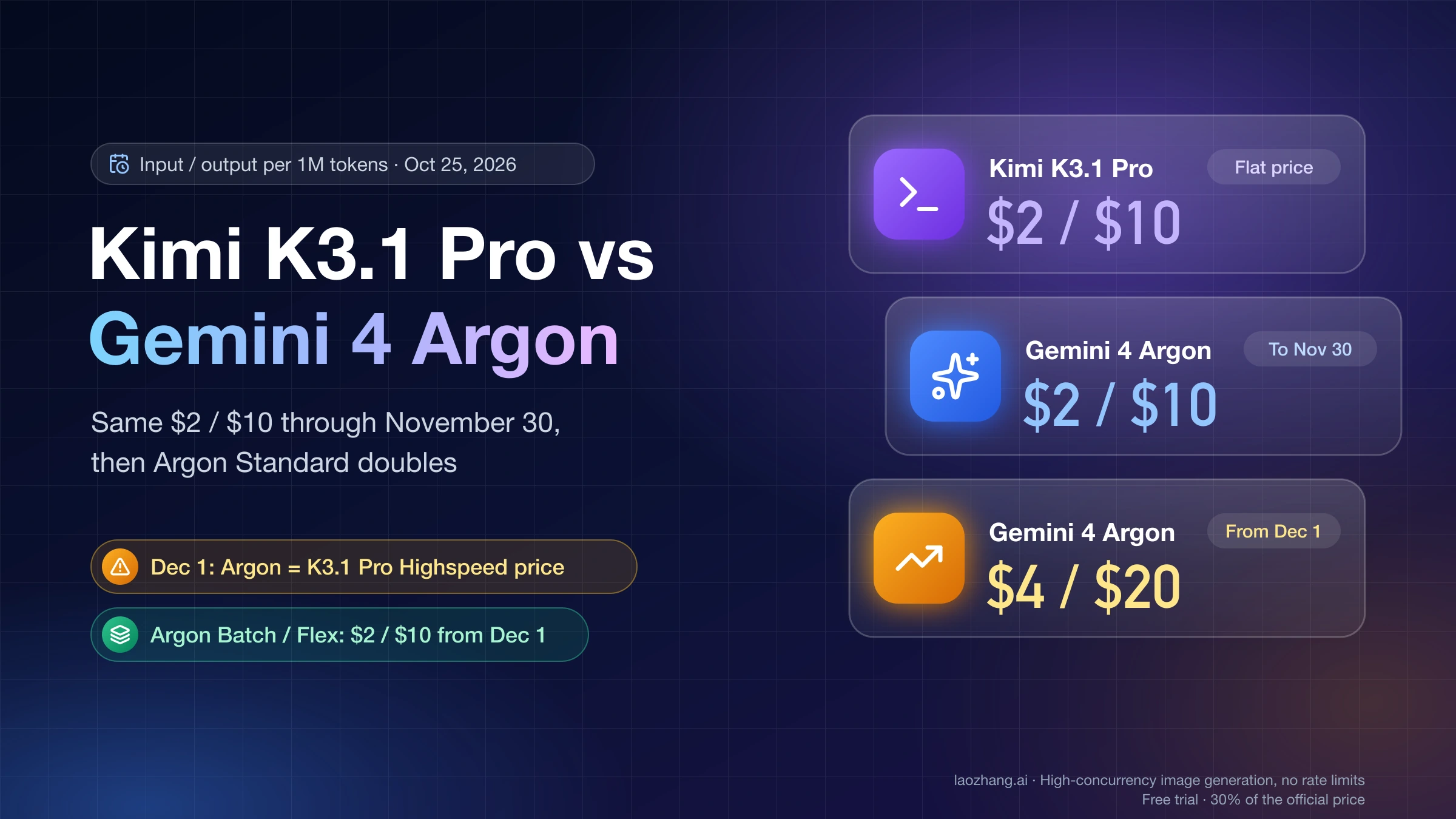
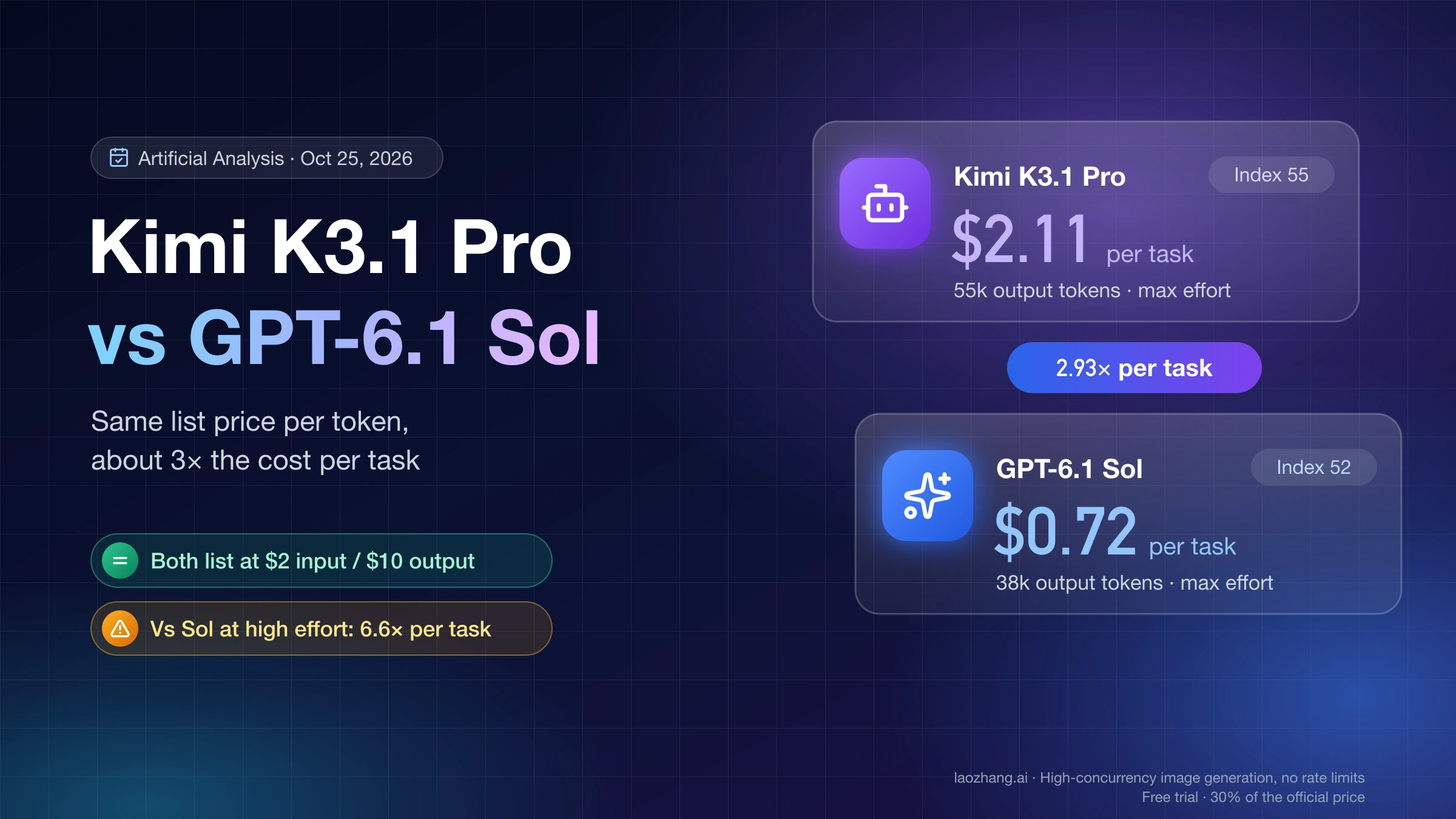
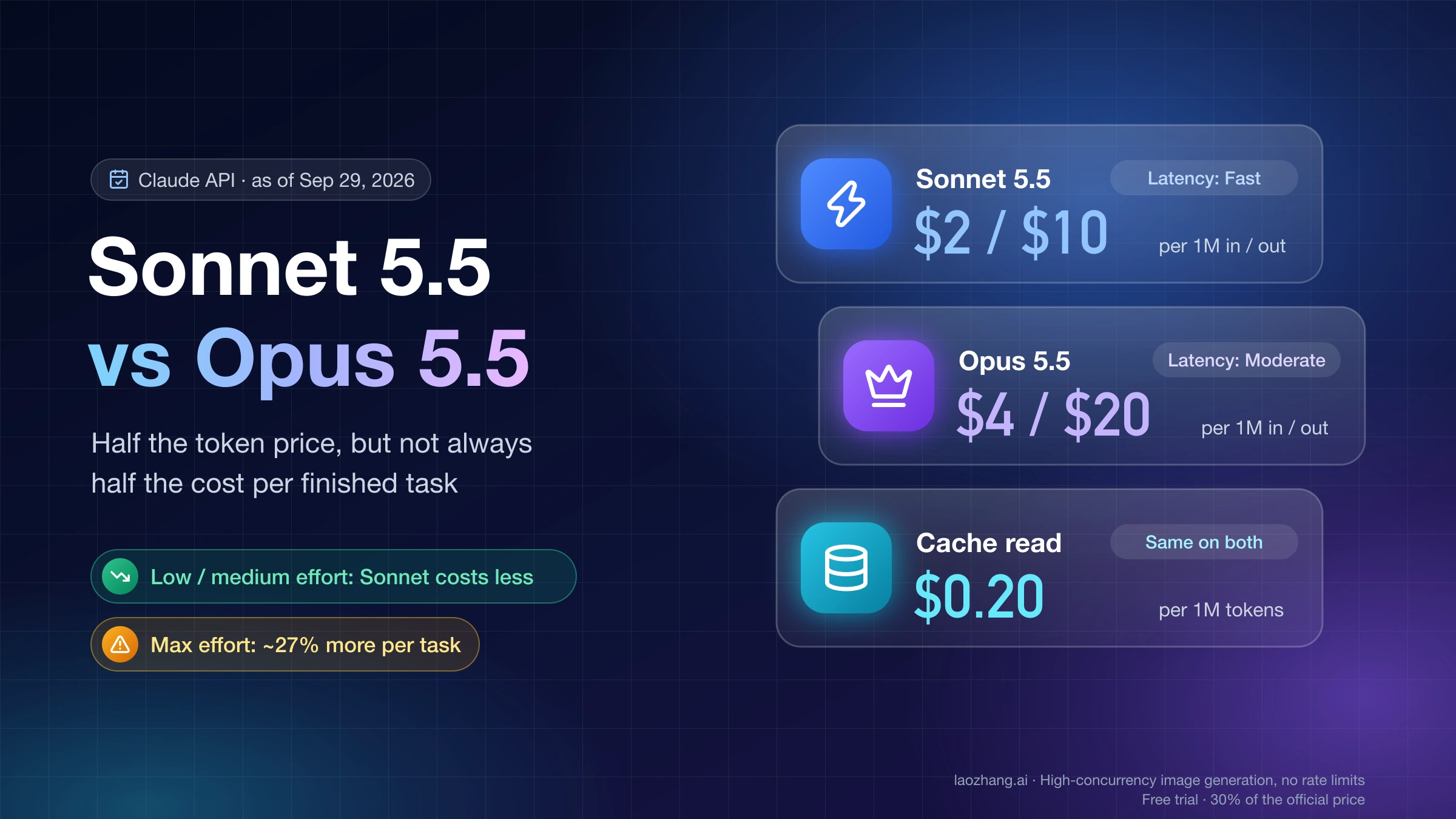
If you want half of Opus's token price without leaving Anthropic, Claude Sonnet 5.5 lists at the same $2/$10 as K3.1 Pro with cache hits at $0.10; whether that saves per task is covered in Claude Sonnet 5.5 vs Opus 5.5: When Half the Price Really Saves. Outside Anthropic, GPT-6.1 Sol also lists at $2/$10; Kimi K3.1 Pro vs GPT-6.1 Sol: Same $2/$10, 3× the Cost per Task shows why the same list price still splits per task.
Which effort levels line up: Kimi's default max sits between Opus high and xhigh
There is no official mapping between the two effort scales, so match them by what they produce. K3.1 Pro has three levels, low, high and max, set through reasoning_effort with max as the default, according to the Kimi K3.1 Pro quickstart. Opus 5.5 has five, low, medium, high, xhigh and max, and Anthropic's effort documentation notes that medium is its default, one level lower than on Opus 5. Thinking can't be turned off on either model, so effort is the main cost control on both.
On Artificial Analysis's run, K3.1 Pro used about 55,000 output tokens per index task. That sits between Opus 5.5 at high (36,000) and at xhigh (66,000), and K3.1 Pro's index score of 55 sits between the same two levels (54 and 56). A fair comparison of K3.1 Pro at Kimi's default is therefore against Opus at high or xhigh, not against Opus's default medium and not against Opus max. Kimi's cost chart, the likely source of the "a third of the cost" claim, takes its Opus figure from tbench.ai, where Opus is listed at max. Artificial Analysis doesn't label an effort level for its K3.1 Pro run, so treat it as the listed run rather than a confirmed max result.
Which level to try first depends on the job. For well-specified tasks with tests, start K3.1 Pro at low: that is the only setting where atomicagent measured a clear per-task saving. For hard terminal or long-horizon work, test max, because that is where Kimi's benchmark numbers come from. high is not an obvious middle ground: on Kimi's own Terminal-Bench 4.0 chart it saved about a fifth of the cost per task and lost about 13 points. On the Opus side, compare against the level you actually run in production, plus one level up, since Opus lets you change effort mid-conversation without losing the prompt cache (a beta feature).
What each model costs per task at each Opus 5.5 effort level
Per task, K3.1 Pro at Kimi's default costs about the same as Opus 5.5 at high, more than Opus at medium and low, and far less than Opus at xhigh or max. The table pairs Artificial Analysis's measured cost and time per Intelligence Index v4.3.2 task with a recompute done on October 25, 2026: one request with 20K fresh input plus the output length Artificial Analysis measured for each setting, priced at list rates.
| Setting | Index score | Measured cost per task | Time per task | Output tokens per task | Recomputed request cost | Opus ÷ K3.1 Pro, measured cost |
|---|---|---|---|---|---|---|
| K3.1 Pro, listed run | 55 | $2.11 | 618 s | 55k | $0.59 | — |
Opus 5.5 low | 42 | $0.55 | 80 s | 10k | $0.28 | 0.26× |
Opus 5.5 medium (API default) | 51 | $1.34 | 195 s | 26k | $0.60 | 0.64× |
Opus 5.5 high | 54 | $1.82 | 272 s | 36k | $0.80 | 0.86× |
Opus 5.5 xhigh | 56 | $3.46 | 493 s | 66k | $1.40 | 1.64× |
Opus 5.5 max | 58 | $5.98 | 796 s | 119k | $2.46 | 2.83× |
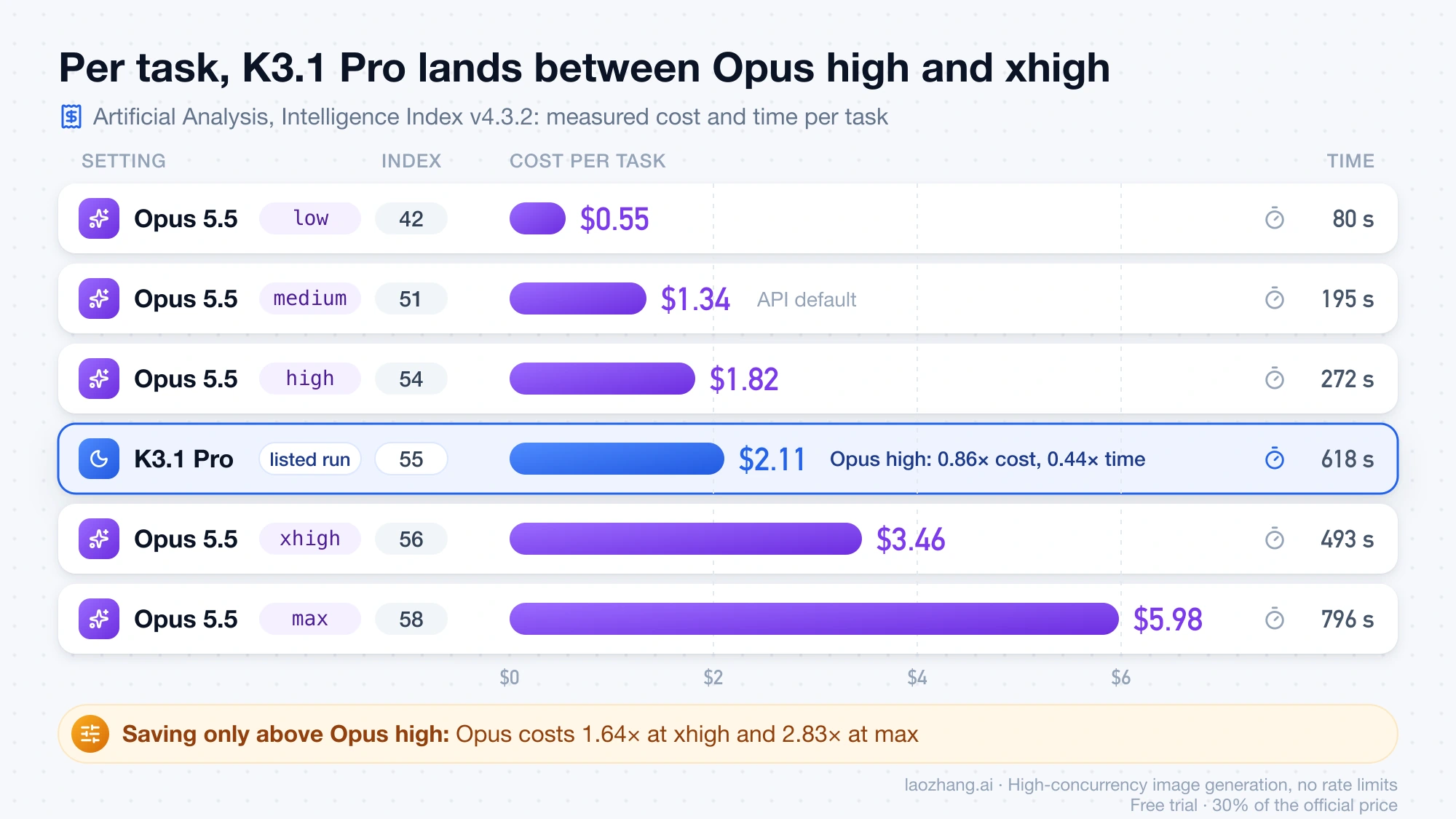
The recompute isolates the effect of output length. K3.1 Pro's request is 0.02 × $2 + 0.055 × $10 = $0.59, and Opus at medium is 0.02 × $4 + 0.026 × $20 = $0.60, so the two are level (1.02×) even though Kimi's token price is half. Opus costs 1.36× at high and 4.17× at max on the same basis. Artificial Analysis's measured costs include each eval's full input and come out higher across the board, but they point the same way: at one index point apart, Opus high costs 0.86× as much as K3.1 Pro per task and takes 0.44× the time. Running the whole index cost $3,117 for K3.1 Pro against $8,708 for Opus max, which is where the "a third of the cost" headline holds. Index points are not pass rates, and an index task is not your production request.
The only hands-on task numbers here come from atomicagent's K3.1 Pro test, run on October 23, 2026: one small Python package with five planted bugs and two missing features, hidden tests, three runs per setup in the same agent, Opus 5.5 through OpenRouter pinned to Anthropic. Every setup passed every hidden test. K3.1 Pro at its default max cost $0.35–0.46 per task and took 4.9 minutes; Opus cost $0.37 and took 69 seconds; K3.1 Pro at low cost $0.16–0.21 and took about 2.2 minutes. At max, K3.1 Pro averaged 28 model calls per run against 7 for Opus, and about 12,000 reasoning tokens against roughly 700, with about 96% of its input served from cache. The authors give Kimi's cost as a range because their balance dropped $2.02 across six runs while the token math came to $1.52. Their conclusion: "The cheaper token price only turns into a cheaper task if you turn the reasoning down." It is one task on launch day, and Opus's effort level isn't stated.
No same-prompt test of K3.1 Pro against Opus 5.5 was run for this comparison, so every task-level result on this page is atomicagent's. The recomputed costs above are list-price arithmetic as of October 25, 2026, not measured traffic.
Which benchmark numbers to believe: 65.7 vs 66.4, 67 vs 60, or 64.8
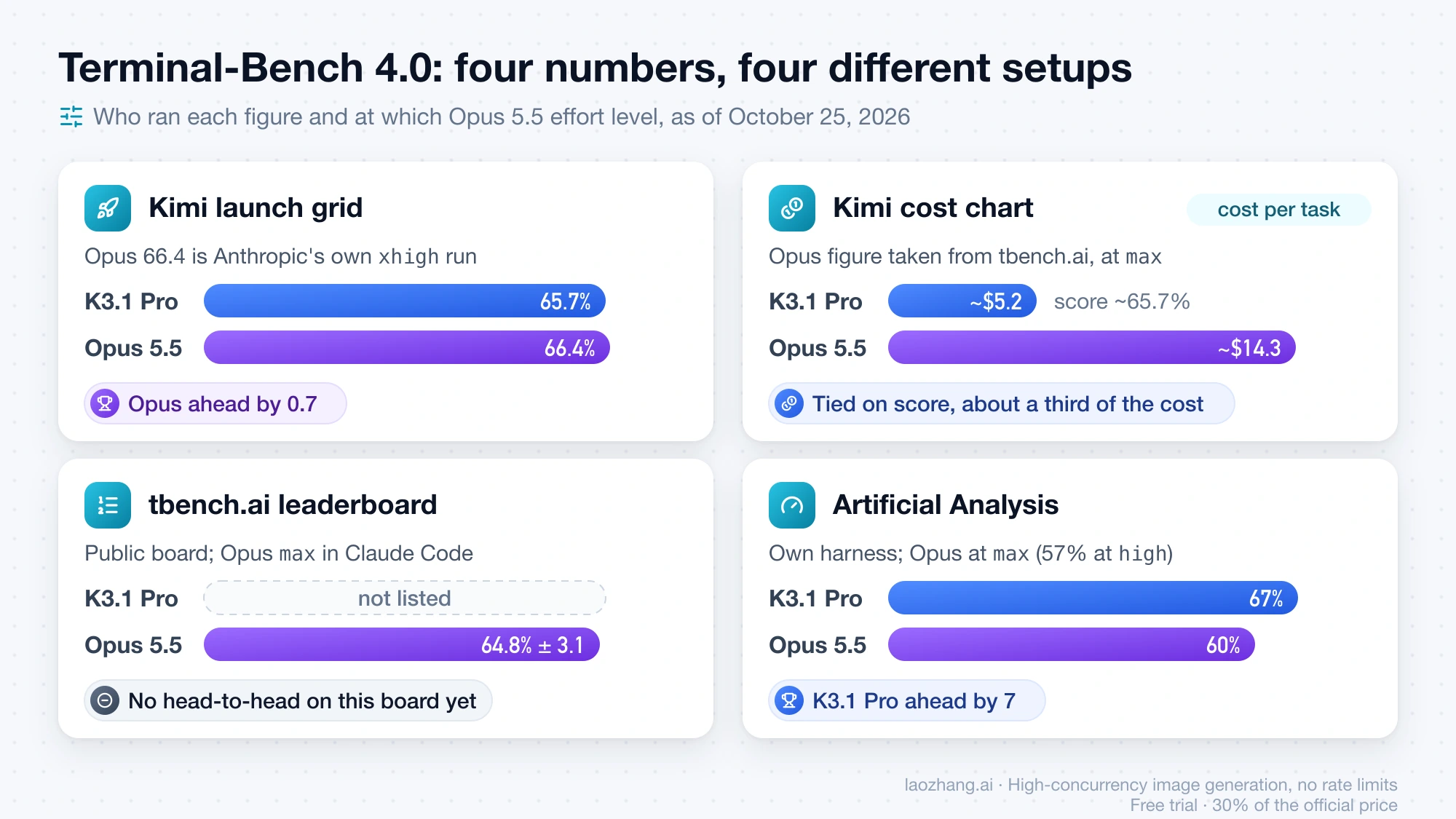
The three Terminal-Bench 4.0 numbers people quote don't conflict so much as measure different things. Kimi's 65.7% for K3.1 Pro against 66.4% for Opus 5.5 compares Kimi's run with Anthropic's own Opus result at xhigh. Artificial Analysis's 67% against 60% comes from its own harness with Opus at max. And tbench.ai's public board, which Kimi's cost chart cites, has no K3.1 Pro entry yet. As of October 25, 2026:
| Source | Setup | K3.1 Pro | Opus 5.5 | Leader |
|---|---|---|---|---|
| Kimi launch grid | "All models were maxed out"; Opus 66.4 is Anthropic's xhigh run | 65.7% | 66.4% | Opus, by 0.7 |
| Kimi cost chart | Score vs cost per task, read from the chart; data credited to tbench.ai | about 65.7% at about $5.2 (high: about 53% at $4.2) | about 65% at about $14.3 | Tie on score; K3.1 Pro about a third of the cost |
| tbench.ai Terminal-Bench 4.0 leaderboard | Opus max in Claude Code | not listed | 64.8% ± 3.1 | — |
| Artificial Analysis comparison | AA harness | 67% | 60% at max, 57% at high | K3.1 Pro, by 7 |
Away from Terminal-Bench, the picture splits by kind of work. Kimi's 14-benchmark launch grid has K3.1 Pro ahead on 9, including SWE Marathon (51.7 vs 46.3), Agents' Last Exam and OfficeQA Pro, and Opus ahead on 5: Terminal-Bench 4.0, Terminal-Bench Science (63.3 vs 38.1), GDPval-AA, BenchCAD and OSWorld. Those are vendor numbers, and the Opus column mixes effort levels. On Artificial Analysis's independent evals, Opus max leads on HLE (61% vs 52%), SciCode (67% vs 61%), CritPt, AA-Omniscience (46 vs 30) and AA-Briefcase, while K3.1 Pro leads on Terminal-Bench 4.0, AutomationBench and GDP.pdf. Artificial Analysis also calls K3.1 Pro "slower than average and very verbose": it used 150M tokens to run the index, against a median of 87M.
Launch-week reports from users point both ways and were visible only as search snippets. A Reddit post in r/ClaudeCode said K3.1 Pro at high topped the poster's own benchmark, 87.9 against 86.7 for Opus 5.5. A post in r/ClaudeAI reported Kimi finishing a task in 13 minutes of wall-clock time against 29 for Opus at 3.5× lower cost. A top comment in r/ClaudeCode questioned whether launch-day praise was coordinated. Single samples like these are reasons to run your own trial, not results. If Opus quality on your work seems to have shifted recently, rule out the effort default first; Is Opus 5.5 Nerfed? No Confirmed Drop Yet; Check Effort First walks through that.
What breaks when you swap claude-opus-5-5 for kimi-k3.1-pro
Changing the model string is not enough, because the two APIs disagree on effort names, output limits, caching controls and where you can run the model. As of October 25, 2026, from the Kimi K3.1 Pro quickstart, Anthropic's models overview and OpenRouter's public model catalog:
| What changes | Kimi K3.1 Pro | Claude Opus 5.5 |
|---|---|---|
| Model IDs | kimi-k3.1-pro, kimi-k3.1-pro-highspeed | claude-opus-5-5; anthropic.claude-opus-5-5 on Bedrock |
| Endpoints | OpenAI-style https://api.moonshot.ai/v1; Anthropic-compatible https://api.moonshot.ai/anthropic | Claude API, Bedrock, Google Cloud, Microsoft Foundry, Claude Platform on AWS |
| Thinking | Always on | Adaptive, always on; thinking: {"type": "disabled"} returns a 400 |
| Effort | reasoning_effort: low, high, max; default max | effort: low to max, five levels; default medium; changeable per message, cache kept |
| Max output | max_completion_tokens default 131,072, up to 1,048,576 | 128K; 300K on Message Batches with a beta header |
| Cache | Automatic, 5-minute default, 1 hour via prompt_cache_options.ttl | 5-minute and 1-hour writes, priced separately |
| Endpoints on OpenRouter | 2, both Moonshot AI | 11, from Anthropic, Bedrock, Vertex, Azure and Claude Platform on AWS |
| Weights | Promised "by Nov 4" | Not released |
Kimi adds rules of its own. Temperature 1.0, top_p 0.95, n 1 and both penalties are fixed, so remove them from requests; atomicagent found 1 is the only temperature value K3.1 Pro accepts, and OpenRouter doesn't list temperature or top_p among its supported parameters. In multi-turn and tool-calling loops you must return the full assistant message unchanged, images can't be passed by public URL (use base64 or an ms:// file ID), and Kimi advises against relying on its built-in web search tool in production. Output limits deserve a deliberate setting too: K3.1 Pro accepts up to 1,048,576 output tokens per request, so a max run with a raised ceiling can bill far more output than Opus can produce in one synchronous call.
Supply is the switching cost that's easy to miss. In a read of OpenRouter's public API on October 25, 2026, K3.1 Pro had 2 endpoints, both served by Moonshot AI, while Opus 5.5 had 11 across Anthropic, Amazon Bedrock, Google Vertex, Azure and Claude Platform on AWS, so if your Opus traffic runs through Bedrock or Vertex there is no matching K3.1 Pro listing, and an outage at Moonshot leaves no second host on OpenRouter. The same day, LaoZhang's /v1/models list included claude-opus-5-5, and LaoZhang added kimi-k3.1-pro and kimi-k3.1-pro-highspeed that afternoon at Kimi's list prices ($2/$10 and $4/$20 per million tokens, cache reads $0.20); its Claude route caps one response at 32,768 output tokens, which matters if you run Opus at xhigh or max. Kimi says the K3.1 Pro weights will ship by November 4, 2026; until then the weights can't be downloaded, and Artificial Analysis lists it as "Open Source (Weights): No". More hosts are likely after that date, but none can be counted on today.
Which work to move to Kimi K3.1 Pro and which to keep on Opus 5.5
Move background work where a test or a check tells you whether the job passed and nobody is waiting on the result. Bug fixes against a test suite, batch refactors and migrations with a CI gate fit that description: atomicagent's test is that kind of task, K3.1 Pro at low passed it at about half Opus's cost, and the slower run time didn't matter. Long-horizon agentic coding is the other candidate, since Kimi's grid shows its biggest lead on SWE Marathon, but that is a vendor number, so it belongs in the trial set rather than in production on day one.
Keep interactive coding on Opus 5.5. K3.1 Pro took 2.2 to 4.9 minutes where Opus took 69 seconds on atomicagent's task, and Artificial Analysis measured 618 seconds against 272 for Opus high; a developer watching a terminal pays for that in time, not tokens. Also keep science and knowledge-heavy reasoning on Opus, where it leads on HLE, SciCode, CritPt, AA-Omniscience and Terminal-Bench Science, plus anything that must run inside AWS, Google Cloud or Azure, and any pipeline that depends on setting temperature.
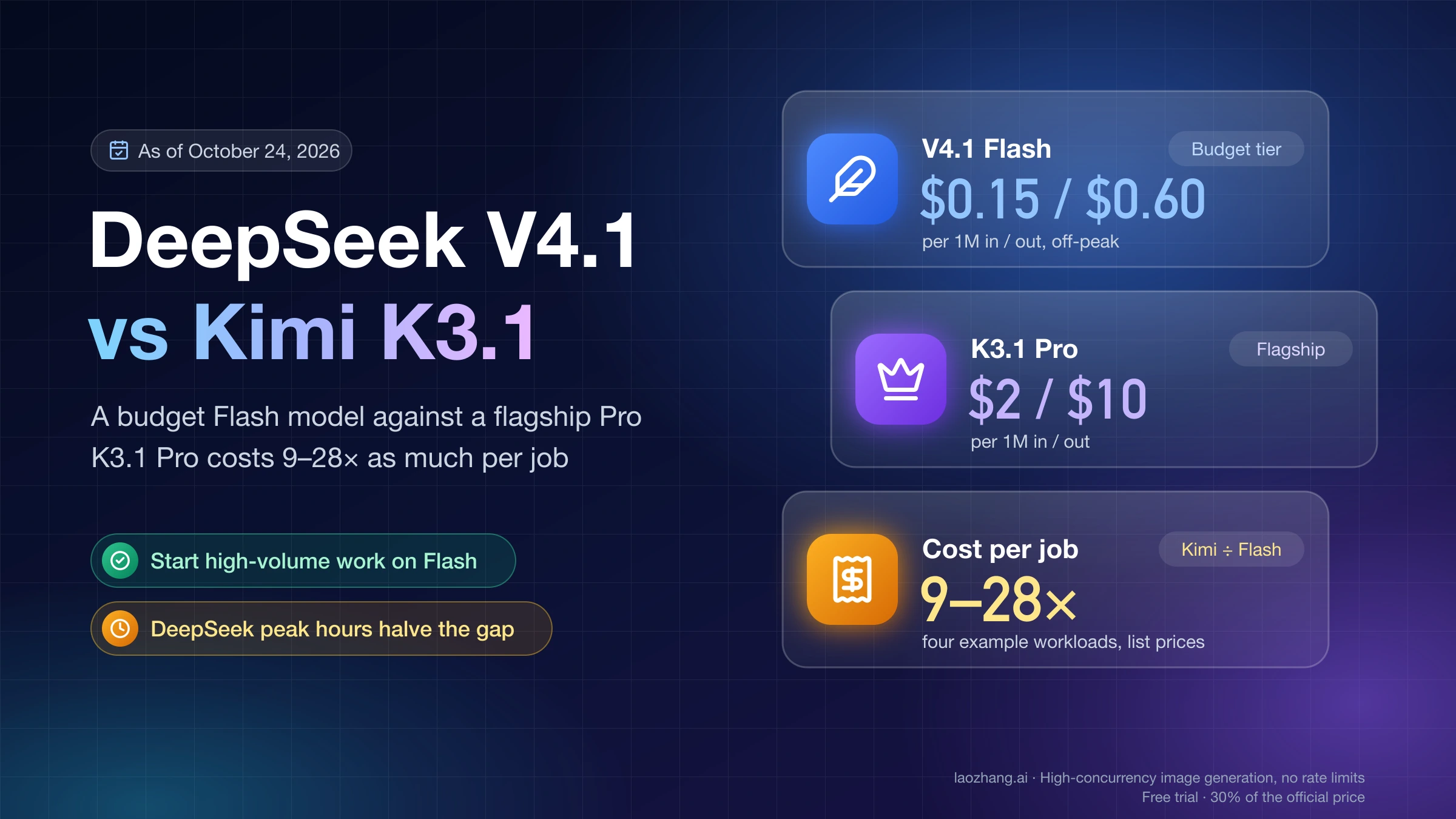
If you already run Opus at xhigh or max for long autonomous jobs, K3.1 Pro at its default is the cheaper candidate on every number above: 1.64× to 2.83× on Artificial Analysis's measured cost, 2.37× to 4.17× on the recompute. If you run Opus at medium, the honest expectation is no saving unless K3.1 Pro passes your tasks at low. For a comparison against the cheapest DeepSeek tier instead, see DeepSeek V4.1 vs Kimi K3.1: Flash vs Pro and a 9–28× Cost Gap; against OpenAI's Sol, see Claude Opus 5.5 vs GPT-6.1 Sol and GPT-6 Sol: When Opus Pays Off.
How to run a fair Kimi K3.1 Pro vs Opus 5.5 trial on your own tasks
A trial only tells you something if both models face the same tasks at stated effort levels and you count billed cost per passed task. The order matters, because an unset effort silently compares Kimi max with Opus medium.
- Pick tasks from your real backlog that already have a pass rule: tests that must pass, a review checklist, or fields checked against source records. Include a few long or multi-step jobs, not just quick fixes.
- Open a Kimi API account and top up at least $1, which is what unlocks K3.1 Pro; cumulative top-ups set your rate limits. Keep trial traffic ordinary, because Kimi says risk-control limits "cannot be lifted" once triggered.
- Set effort explicitly on every request: K3.1 Pro at
lowand atmax, Opus at your production level and one level higher. Give both an output ceiling large enough that the higher levels don't hit it:max_completion_tokenson Kimi,max_tokenson Opus. - Remove temperature, top_p and penalty parameters from Kimi requests, and pass each full assistant message back unchanged in tool loops.
- Run every task at least three times per setup in the same harness, with the same tools and prompt.
- Record pass or fail, wall-clock time, model calls, output and reasoning tokens, and the cost your balance or invoice actually shows. Token math can undercount: atomicagent's Kimi balance fell about a third more than its token arithmetic.
- Compare cost per passed task and time per passed task, then split the work by task type rather than by overall average.
Can you use Kimi K3.1 Pro inside Claude Code?
Yes, according to Kimi's guide to using Kimi in Claude Code, which points Claude Code at Kimi's Anthropic-compatible endpoint. The setup below was not run for this comparison, so check each step against that guide and your Claude Code version.
- Create an API key on the Kimi platform.
- In the
envblock of~/.claude/settings.json, setANTHROPIC_BASE_URLtohttps://api.moonshot.ai/anthropicandANTHROPIC_AUTH_TOKENto your Kimi key, and remove anyANTHROPIC_API_KEY. Values in this file override variables exported in your shell. - Set
ANTHROPIC_MODELand every tier variable:ANTHROPIC_DEFAULT_OPUS_MODEL,_SONNET_MODEL,_HAIKU_MODEL,_FABLE_MODELandCLAUDE_CODE_SUBAGENT_MODEL. Kimi warns that a tier left unset "fails silently". Its example maps the main, Opus, Sonnet, Fable and subagent tiers tokimi-k3[1m], which is Kimi K3, and the Haiku tier tokimi-k2.7-code; K3.1 Pro doesn't appear in it, although the guide's own test request useskimi-k3.1-pro, the ID for K3.1 Pro. - Verify the key and endpoint before starting Claude Code, then restart it and run
/status, which should show the Kimi base URL.
curl https://api.moonshot.ai/anthropic/v1/messages \
  --header "Authorization: Bearer YOUR_MOONSHOT_API_KEY" \
  --header "Content-Type: application/json" \
  --data '{"model": "kimi-k3.1-pro", "max_tokens": 1, "messages": [{"role": "user", "content": "hi"}]}'
Kimi's guide recommends CLAUDE_CODE_EFFORT_LEVEL=max. That is the setting under which K3.1 Pro costs about as much per task as Opus, so if cost is the reason you're switching, measure a lower level too. Kimi documents Codex and OpenCode setups as well.
Kimi K3.1 Pro vs Opus 5.5: other questions
Does a Claude Max subscription vs a Kimi plan change the math?
Not in a way you can compute from public prices. One X user who ran the same 3D-scene task on both reported that it used 62% of a five-hour session on the $100 Claude plan and 0.53% of a session on a Kimi Vivace plan, but that is a single report, and plan allowances are not API prices. The Kimi API is pay-as-you-go and billed separately from Kimi memberships and Kimi Code subscriptions, as of October 25, 2026.
Is there a Kimi K3.1 without "Pro"?
No. As of October 25, 2026, Kimi's K3.1 series consists of K3.1 Pro and its Highspeed variant (kimi-k3.1-pro-highspeed), so "Kimi K3.1" on its own means K3.1 Pro. Kimi describes K3.1 Pro as a post-trained version of Kimi K3 with a 1M-token context; Artificial Analysis and atomicagent list it at K3's scale of 2.8T total and 104B active parameters.
Does K3.1 Pro Highspeed fix the speed gap?
Kimi says Highspeed runs 2–3× faster than K3.1 Pro, but none of the third-party results above cover it as of October 25, 2026, and atomicagent left it out of its test. Because its input and output prices equal Opus's, Highspeed is only cheaper per task when it uses fewer tokens than Opus at the level you compare. If it thinks as long as K3.1 Pro did on Artificial Analysis's run, that holds against Opus xhigh and max but not against high or medium.
When should you re-check this comparison?
Three things are due to change. The weights are due by November 4, 2026, which should bring more hosts; tbench.ai may add a K3.1 Pro row that settles the Terminal-Bench dispute; and Artificial Analysis can revise launch-week numbers. If you're also weighing Google's model, Gemini 4 Argon vs Claude Opus 5.5 vs GPT-6.1 Sol: Cost and Access covers that three-way choice.
Sources9
External pages this guide links to, in the order they appear. Last updated Oct 25, 2026.
Sources9
External pages this guide links to, in the order they appear. Last updated Oct 25, 2026.
- 1.Kimi API pricing pageplatform.kimi.ai/docs/pricing/chat
- 2.Anthropic's Claude API pricing pageplatform.claude.com/docs/en/about-claude/pricing
- 3.Kimi K3.1 Pro quickstartplatform.kimi.ai/docs/guide/kimi-k3-1-pro-quickstart
- 4.effort documentationplatform.claude.com/docs/en/build-with-claude/effort
- 5.atomicagent's K3.1 Pro testatomicagent.io/blog/kimi-k3-1-pro
- 6.tbench.ai Terminal-Bench 4.0 leaderboardtbench.ai/leaderboard/terminal-bench/4.0
- 7.Artificial Analysis comparisonartificialanalysis.ai/models/comparisons/kimi-k3-1-pro-vs-claude-opus-5-5
- 8.Anthropic's models overviewplatform.claude.com/docs/en/models/overview
- 9.using Kimi in Claude Codeplatform.kimi.ai/docs/guide/claude-code-kimi