ChatGPT Pro Unlimited Usage Limits: Chat Is, GPT-6 Pro Isn't
ChatGPT Pro's everyday chat, uploads and images are unlimited only under abuse guardrails. GPT-6 Pro, Work and Codex, and upload rates stay capped on all tiers.
On this page
ChatGPT Pro is not unlimited in the literal sense, on any of its three tiers. As of October 8, 2026, OpenAI's Pro marketing pages promise unlimited messages, uploads and image creation "subject to abuse guardrails," while its help pages state that GPT-6 Pro has usage limits, that Work and Codex run on an included allowance, and that uploads are capped at 80 files every 3 hours.
The practical reading: everyday text chat really is open-ended, but it already is on Plus and even Free. What Pro adds is access to Pro models, higher thinking levels and more Work and Codex capacity, and each of those has its own meter.
Updated October 8, 2026. Since the May 30 version, OpenAI has moved to three monthly Pro plans ($100, $200 and $500), removed the "5x" and "20x" wording from its Pro help page, published that GPT-6 Pro has its own weekly limits, and stated that Pro has no five-hour window in Work and Codex but still has an included allowance.
Is ChatGPT Pro actually unlimited? What each OpenAI claim covers
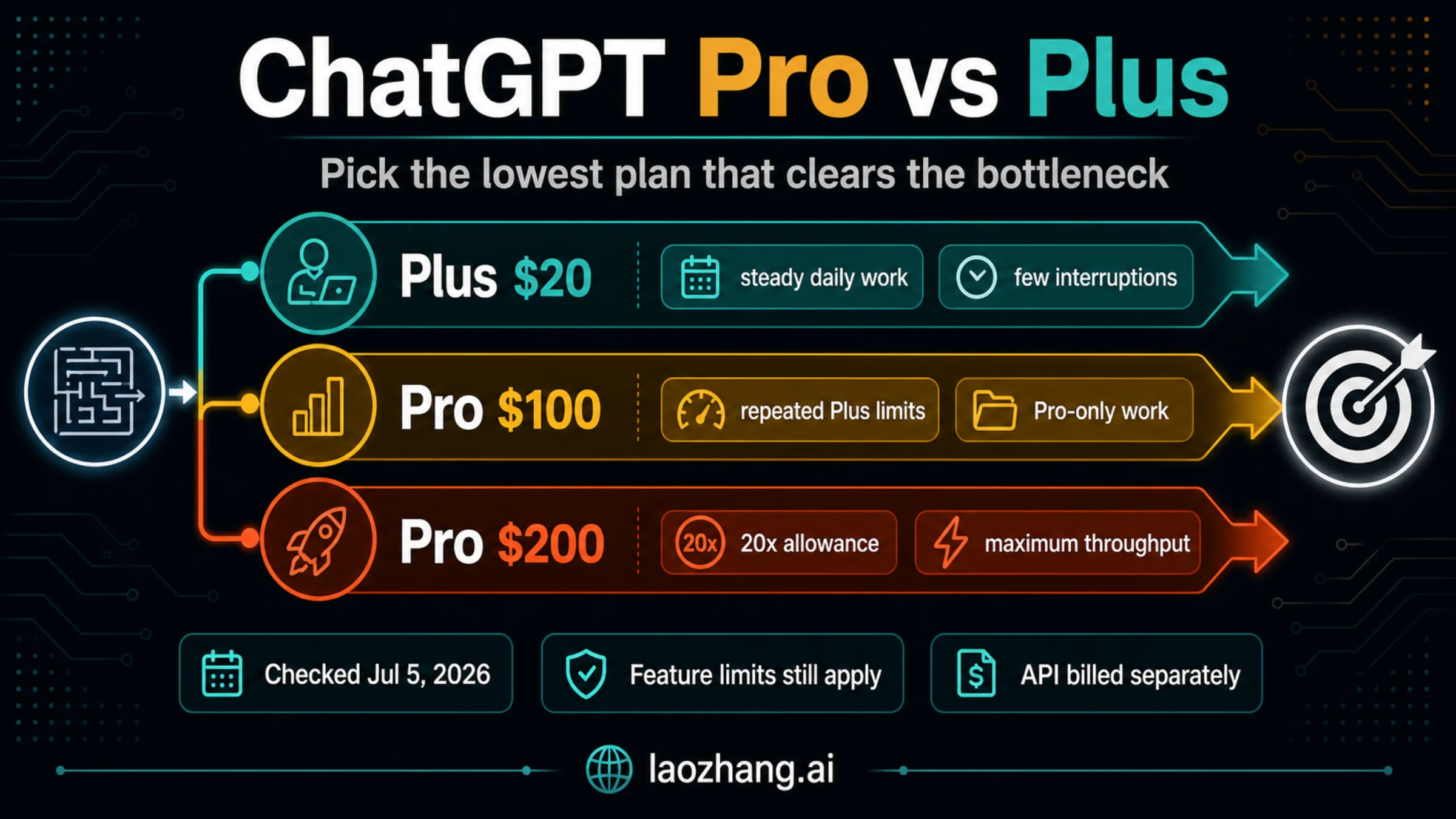
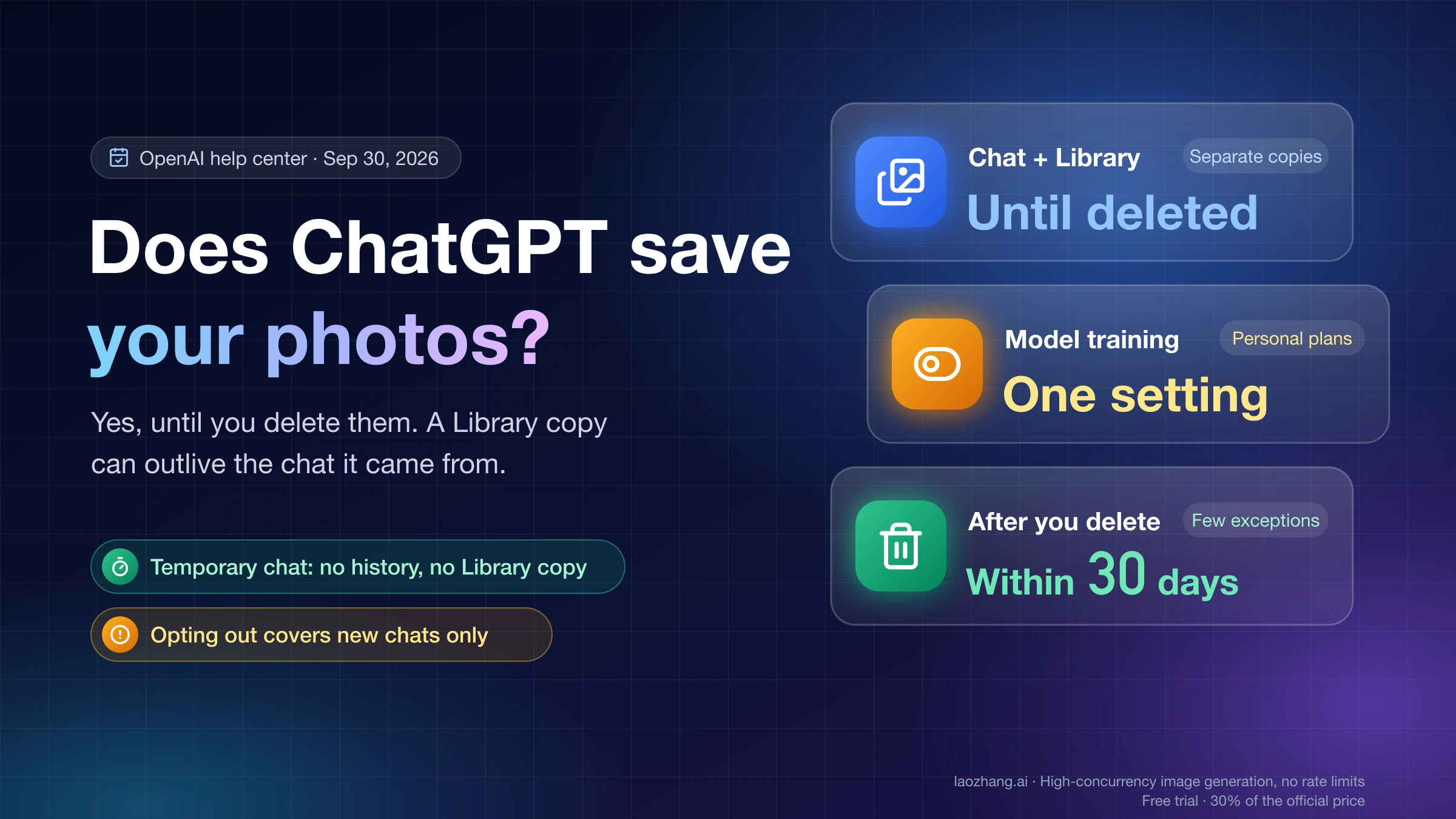
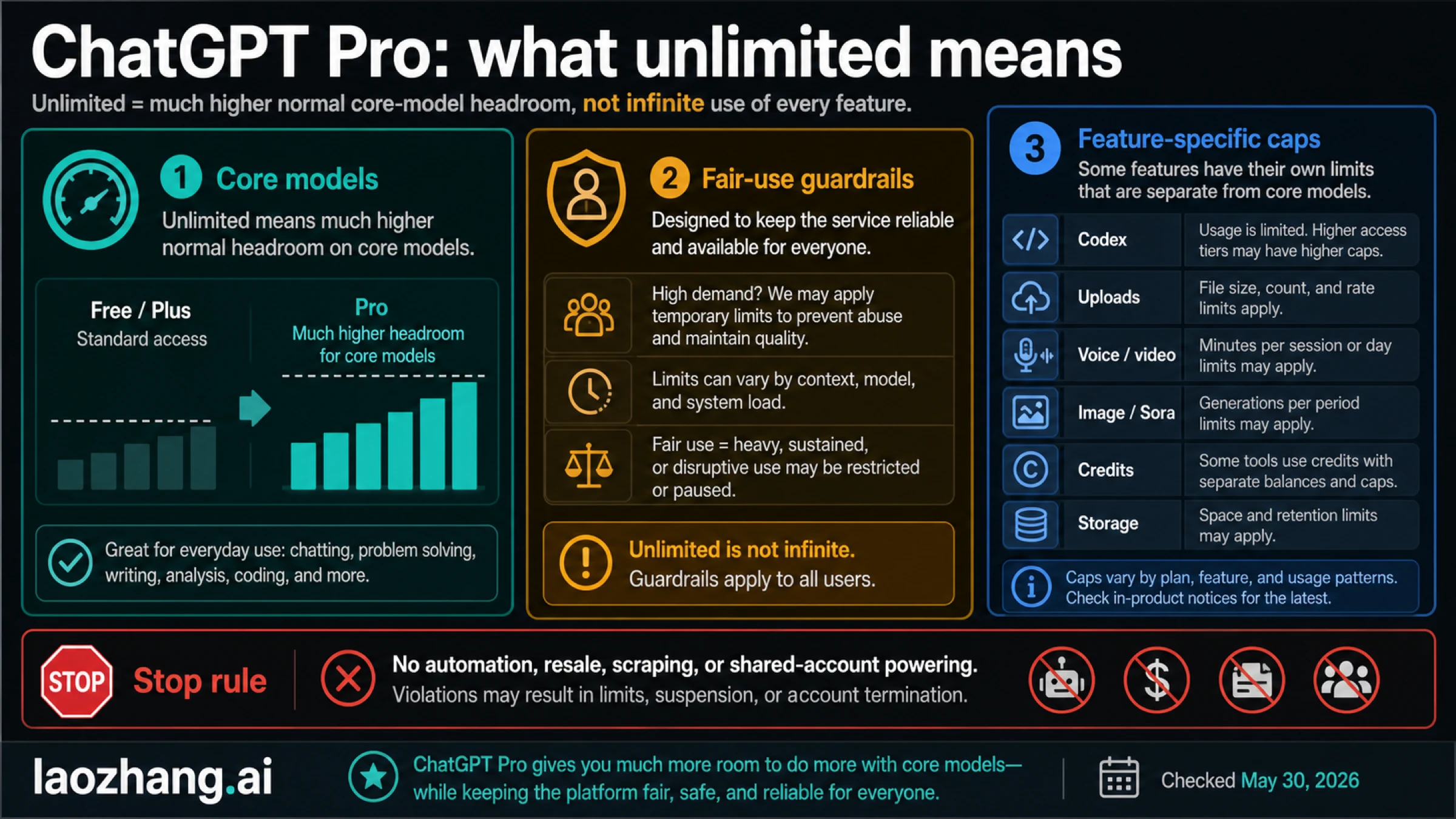
The cover graphic comes from the May 30, 2026 version. It predates the three Pro tiers and the published GPT-6 Pro limits; the tables below reflect OpenAI's pages as of October 8, 2026.
Only some surfaces are open-ended. OpenAI never says which surfaces its "unlimited" wording covers, so the useful move is to put each marketing line next to the help-page rule for the same surface.
| OpenAI's "unlimited" wording | Where it appears | What OpenAI's help pages add | Practical reading |
|---|---|---|---|
| "Unlimited text chats subject to abuse guardrails" | ChatGPT pricing page, on every plan | Free and Go users also have unlimited everyday text chats; uploads, images, voice, data analysis and other tools have separate limits | Pro does not buy more ordinary chat than Plus |
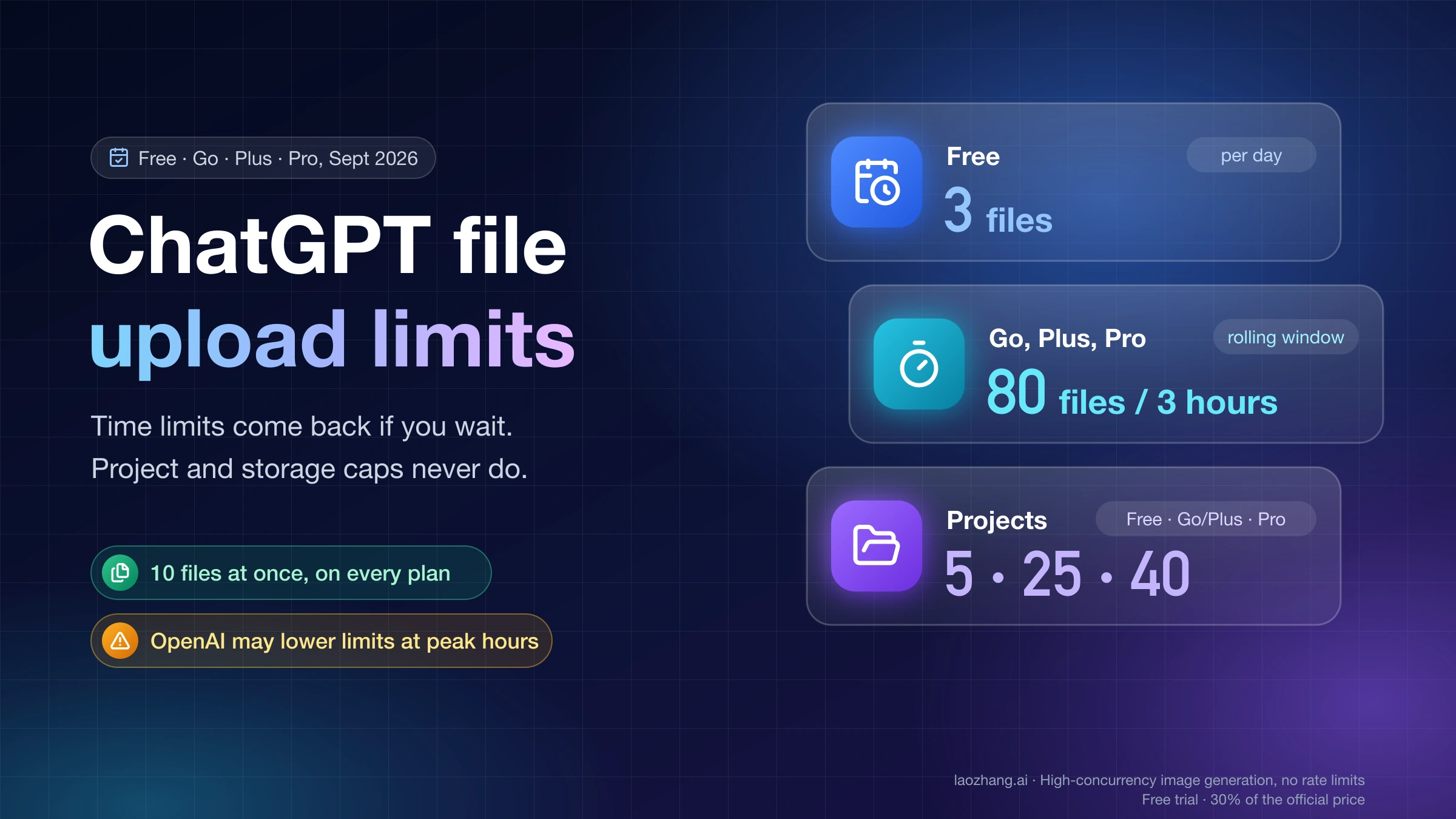
| Unlimited messages and uploads | ChatGPT Pro plan page | Up to 80 files every 3 hours, which OpenAI may lower at peak hours; 512 MB per document, 20 MB per image; 40 files per project on Pro | You can keep attaching files over time, but a rolling upload rate still applies |
| "Unlimited and faster image creation" | Pricing page, Pro card | No image count is published for any plan; image banners are separate from Codex limits | There is no number to plan around, and guardrail banners can still appear |
| "Unlimited GPT-5.6 and file uploads" | Codex pricing page, Pro card | GPT-5.6 Sol Pro has a daily allowance on Pro $200 and shares a weekly allowance on Pro $100; in Work and Codex every model draws from one shared allowance | Best read as ordinary GPT-5.6 chat, not the Pro option or Codex runs |
| "Unlimited access to our best models"; Pro removes usage limits | chatgpt.com/explore/pro; Pro plan page FAQ | "A Pro subscription does not include unlimited use of the GPT-6 Pro model." | The flagship Pro model has a weekly limit on every Pro tier that offers it |
| Codex with unlimited usage | Pro plan page | "Pro 100, Pro 200 and Pro 500 currently have no five-hour usage limit in Work and Codex. Your plan still has an included usage allowance." | No five-hour window, but the allowance can still run out |
The help sources behind the third column are OpenAI's GPT-6 and other models in ChatGPT article, the uploading files and audio to ChatGPT FAQ, and managing usage with GPT-6 Astra in Work and Codex. The Pro plan card itself ends with a line saying unlimited use is subject to abuse guardrails, and the About ChatGPT Pro tiers page adds: "You cannot bypass a limit or increase it through a setting."
So the plain answer to "Is ChatGPT Pro unlimited?" is yes for everyday text chat, uploads over time and image creation within guardrails, and no for GPT-6 Pro, GPT-5.6 Sol Pro, Work and Codex, deep research and the upload rate. Pro buys higher ceilings on the second group, not their removal.
GPT-6 Pro limits on Pro $100, $200 and $500
GPT-6 Pro has a weekly limit, and OpenAI publishes no number for any tier. The GPT-6 models help page says only that "Pro plans with higher usage allowances include higher limits for Pro models." What happens at the limit depends on the tier:
| Plan | GPT-6 Pro in Chat | What happens at the limit |
|---|---|---|
| Pro $100 | Included | GPT-6 Pro and GPT-5.6 Sol Pro draw from one weekly allowance. Switching between them gives no extra messages once it is used up. |
| Pro $200 | Included | At the GPT-6 Pro weekly limit, ChatGPT switches to GPT-5.6 Thinking at Medium. You can still pick GPT-5.6 Sol, then Pro, while its daily allowance and combined daily allowance last. |
| Pro $500 | Not named on the GPT-6 Pro availability line, which lists Pro $100, Pro $200, Business and Enterprise | OpenAI's help page does not say either way; check the model menu on your account |
| Plus | Not included in Chat | Plus gets GPT-6 Astra only in ChatGPT Work and Codex, and its Thinking slider stops at High |
ChatGPT shows the reset time "when that information is available." Reaching a Pro-model limit does not change your subscription, and the same page says it does not by itself mean your account was restricted.
There is no first-party weekly count. Engadget, reporting OpenAI's September 29 announcement, wrote that the GPT-6 Pro cap on Pro $200 was going from 200 to 100 per week; OpenAI's help pages have not confirmed that figure. Forum figures such as "50 per week" name no model or tier, so they are no basis for planning either.
Codex and ChatGPT Work on Pro: no five-hour limit, still an allowance
Pro removes the five-hour window in Work and Codex but keeps an included allowance. OpenAI's Work and Codex help page puts it in two sentences: all three Pro plans "currently have no five-hour usage limit," and "your plan still has an included usage allowance." The Codex pricing documentation adds that weekly limits may also apply, and that the allowance "does not correspond to a fixed number of messages or tasks."
Four rules decide how fast that allowance drains:
- Work and Codex share one pool. ChatGPT Work and Codex use the same allowance, which is separate from Chat's GPT-6 Pro limits. "Switching models does not restore allowance in a shared usage pool."
- The task shape matters. Usage depends on the model, context size, reasoning level, tool use, retrieval, caching and speed mode. Cloud tasks can use more than local messages.
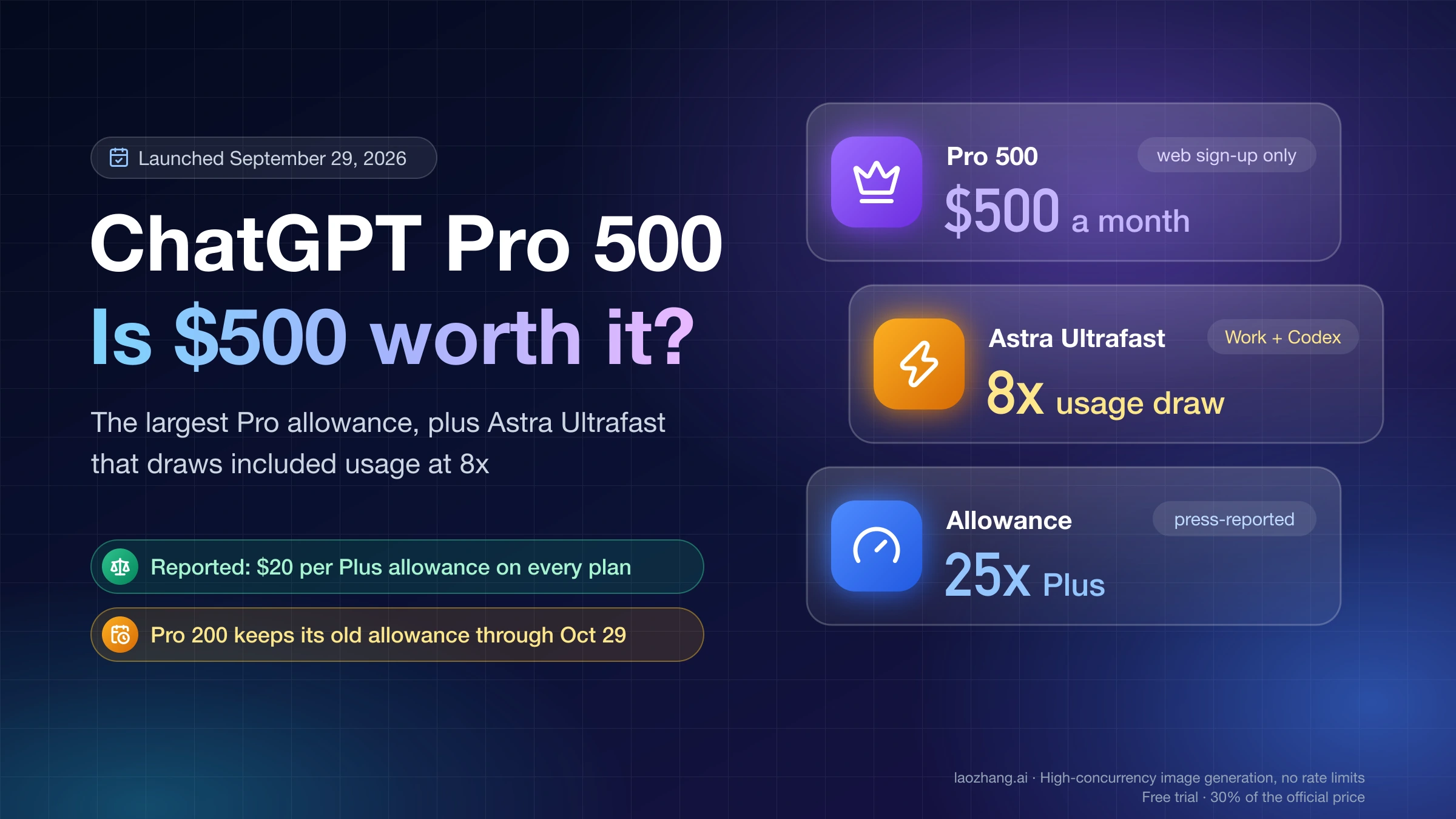
- Speed modes multiply cost. Fast mode uses the included allowance at 2.5 times the Standard rate. GPT-6 Astra Ultrafast uses it at 8 times the rate, and among Pro plans only Pro $500 includes Ultrafast; buying credits on Pro $100 or Pro $200 does not unlock it.
- Tiers are ranked but not quantified. "Pro 200 includes more usage than Pro 100. Pro 500 offers the highest included usage of the three plans." For Plus, OpenAI publishes rough five-hour estimates (for example 5–45 local GPT-6 Astra messages); for Pro it publishes none.
Two dated changes affect Codex users this month. GPT-5.5 retires from ChatGPT, ChatGPT Work and Codex on all plans on October 14, 2026 (the API is not affected). Pro $200 subscribers who held the plan at any point from September 22 through 10 a.m. Pacific Time on September 29, 2026, keep the previous allowance through October 29, 2026, then move to the lower one at the same $200 price.
For the step-by-step checks on a Pro account (the Usage page, /status in the CLI, credits and resets), use the guide to checking Codex usage on ChatGPT Pro. Weekly reset timing has its own page, Codex weekly limit reset, and if you are weighing API billing instead of a subscription, see Codex API key vs subscription. Pro $500 and its 8x Ultrafast cost are covered in ChatGPT Pro 500: $500 plan limits.
Uploads, images, voice and deep research keep their own limits on Pro
These features have separate meters, reset periods and banners, and none of them consume Codex usage. OpenAI's Codex plan help page says so directly: file uploads, image generation and voice in ChatGPT "have separate usage limits, reset periods, and banners," and those limits "do not apply to Codex."
| Feature | What OpenAI states for Pro | What it means at a banner |
|---|---|---|
| File uploads | 80 files every 3 hours, possibly lower at peak; 512 MB per document or audio file, 20 MB per image; 40 files per project; shared upload storage capped at 25 GB per user | ChatGPT does not show how much of the rolling upload quota is left, so waiting is the only fix for the rate limit. Storage use is in Settings > Storage. |
| Image creation | Marketed as unlimited and faster; no count published for any plan; images with thinking on Plus, Pro and Business (images in ChatGPT) | An image banner is a guardrail or rate notice for images only. Credits do not apply to Chat image generation. |
| Voice | Regular Chat Voice has separate limits and does not consume Codex usage | A voice cap leaves text chat and Codex untouched |
| Deep research | Marketed as the highest level; "usage varies by plan" with an in-product counter of remaining tasks (deep research in ChatGPT) | Plans with a fixed monthly allowance reset every 30 days from first use |
OpenAI's Library help page lists separate Library storage of 100 GB for Pro (as of September 30, 2026), which is a different cap from the 25 GB shared upload storage in the uploads FAQ. If a storage warning appears, the Settings > Storage figure is the one that counts for your account.
For the per-plan upload and image numbers side by side, see how many files you can upload to ChatGPT and ChatGPT Plus and Go image generation limits.
What happened to ChatGPT Pro 5x and 20x after September 29
OpenAI's help pages no longer give any multiple. Until the September change, the Pro help page said "Pro $100 unlocks 5x higher usage than Plus, while Pro $200 unlocks 20x usage than Plus" (June 24, 2026 archived copy of OpenAI's Pro help page). The current About ChatGPT Pro tiers page only ranks the tiers and points to the pricing page.
| Label | Where it comes from now | Status as of October 8, 2026 |
|---|---|---|
| Pro $100 = 5x Plus | OpenAI's Codex pricing card for the from-$100 plan still says 5x Plus usage | Not in the help pages; matches press reports of the September change |
| Pro $200 = 20x Plus | OpenAI's Pro help page before September 29 | Historical. New Pro $200 subscriptions get "a lower usage allowance than previously offered"; press reports described the new level as 10x Plus |
| Pro $500 = 25x Plus | Press reports of the Work and Codex allowance | Not stated by OpenAI's help pages |
At the time, an OpenAI Codex team member wrote on X that the "20X" label applied in Codex specifically to weekly usage limits. That explains why the old multiples never meant "20 times more of everything": they described the Work and Codex allowance, not uploads, images or GPT-6 Pro.
If you are a Pro $200 subscriber and hard limits seem to have appeared without warning, check whether you fall inside the grandfathering window above. OpenAI says only affected users receive an email, and that canceling and resubscribing on the same account keeps the previous allowance only if you were active inside that window. Keeping the old allowance does not add Pro $500 features or Ultrafast.
For the full plan-by-plan picture, including Plus and Go, see ChatGPT usage limits by plan. Old Plus message caps from the ChatGPT Plus message limit guide describe Plus only and should not be reused as a Pro answer.
Which ChatGPT Pro limit did you hit? Read the banner first
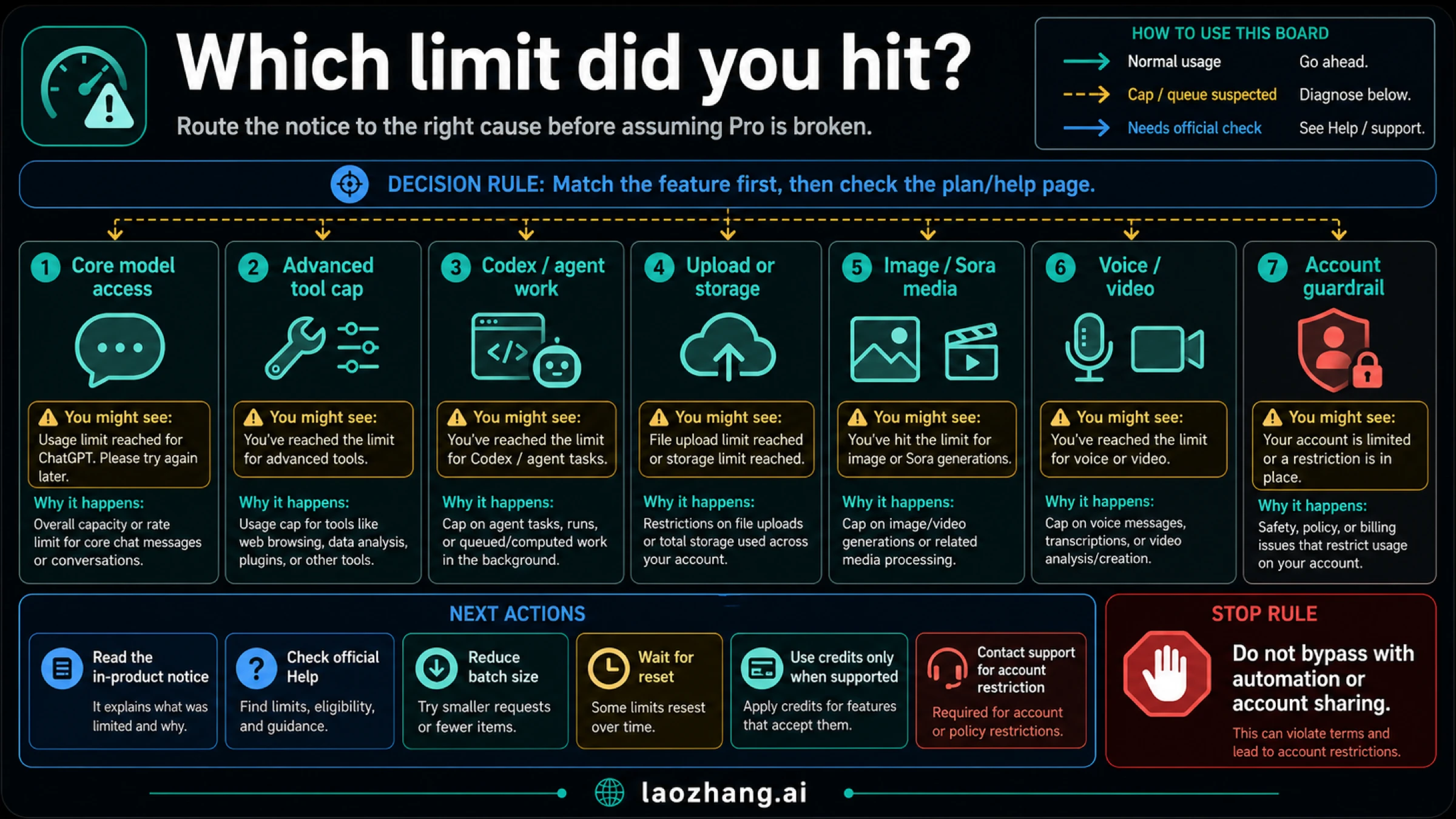
The router graphic dates from May 2026. Its "Image / Sora" lane predates this update, and Sora is a separate product not covered here; the table below adds the GPT-6 Pro and Work or Codex banners.
The banner names the surface, and the surface decides whether the tier matters and what helps.
| Banner or notice | Surface | Does a higher Pro tier change it? | First move |
|---|---|---|---|
| GPT-6 Pro limit, or ChatGPT switched you to GPT-5.6 Thinking | Chat, Pro models | Yes. Higher tiers have higher Pro-model limits. | Note the reset time; on Pro $200, try GPT-5.6 Sol at the Pro level while its daily allowance lasts |
| Thinking limit at Medium, High or Extra High | Chat | Limits depend on the plan; no count is published | Continue with the model ChatGPT offers or wait for the displayed reset |
| Work or Codex usage limit | Shared Work and Codex allowance | Yes. Pro $500 has the most included usage. | Open Settings → Usage, or /status in an active Codex CLI session |
| Upload limit | File uploads | No. The 80-files-per-3-hours rate is stated for uploads generally. | Wait; split large batches across sessions |
| An image banner such as "50 images in the last day" | Chat image generation | No published count to compare | Wait for the reset in the banner. That example comes from OpenAI's help page; it is not a documented Pro limit. |
| Voice cap | Chat Voice | Separate limits | Switch to text; Codex is unaffected |
| Deep research counter at zero | Deep research | Usage varies by plan | Check the counter's reset date |
| Temporary usage restriction | Abuse safeguards | No | Stop bulk or automated activity and wait; contact Support if it persists |
| Access restricted for misuse | Account | No | Contact Support with the exact notice; do not retry from other accounts |
Two notices are often confused. A usage limit "does not end your subscription or mean your account is restricted," according to the Pro tiers page. A temporary usage restriction is different: OpenAI's safeguards against misuse can trigger one, and ChatGPT tells you when that happens.
What to do after a ChatGPT Pro limit: wait, switch, credits or Support
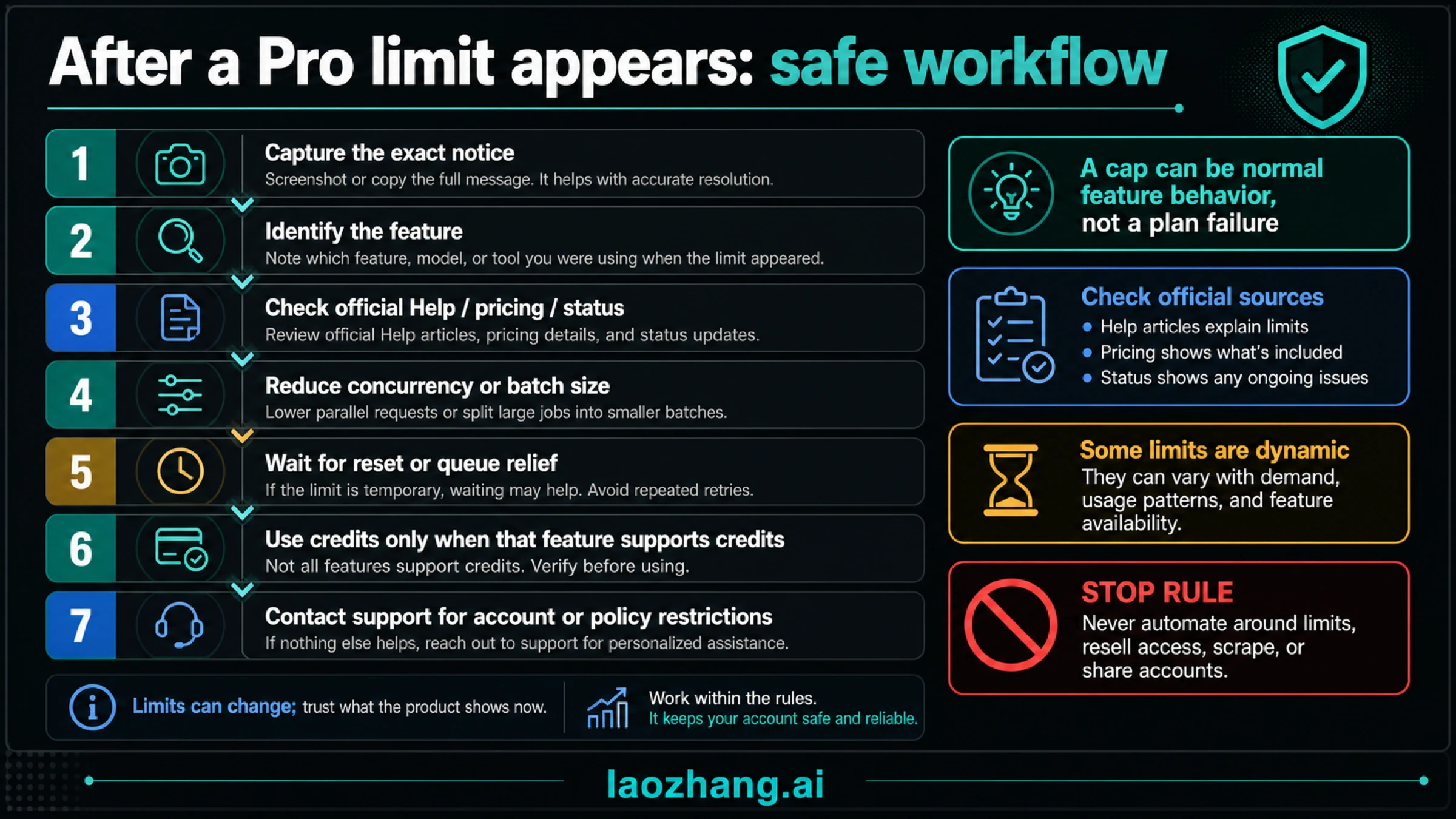
Most Pro limits end on their own at the shown reset, and the only paid way past one is credits for eligible features. Work through these steps in order:
| Step | What to do | Why |
|---|---|---|
| 1. Save the notice | Copy the banner text and reset time, and note the model, client, time and time zone | Support asks for exactly these details |
| 2. Name the surface | Chat model, Work or Codex, uploads, images, voice, deep research, or account | Each has its own meter and reset |
| 3. Open the meter that owns it | Settings → Usage for Work, Codex and credits; /status in Codex CLI; the deep research counter; Settings > Storage for files | The account page shows which allowance is exhausted and when it returns |
| 4. Change the workload shape | In Codex, use Standard instead of Fast, avoid Ultrafast on Pro $500 unless you need it, trim context, prefer local over cloud tasks; for uploads, send fewer, smaller files | Fast costs 2.5x and Ultrafast 8x the Standard rate |
| 5. Switch model only where it helps | In Chat, a fallback model keeps you working; in Work and Codex, switching models does not restore a shared pool | The shared allowance is one balance |
| 6. Wait or use a reset | Wait for the displayed reset, apply a saved (banked) reset, or buy an instant reset where your account and billing country offer it | A reset restores the allowance; it does not raise the plan's limit |
| 7. Use credits only for eligible features | Credits cover Codex, ChatGPT Work, and ChatGPT for Word, Excel and PowerPoint after included usage | They are valid 12 months, are not API credits, and add no model access |
| 8. Contact Support for counting errors | Write in if usage looks counted wrong or access did not return after the stated reset | "Support cannot reset ChatGPT or Codex limits." |
Credits are explained in OpenAI's credits for ChatGPT personal plans article. Their price per credit is not published on these help pages, and the balance can dip below zero when a running task finishes after it hits zero.
Do not try to route around a limit. OpenAI's Pro tiers page states: "Sharing account credentials, reselling access and automatically extracting data are prohibited. We may restrict access for misuse." Those patterns turn a normal usage limit into an account problem that waiting will not fix.
ChatGPT Pro unlimited FAQ
Is ChatGPT Pro worth it at $100?
Only if you need what Plus lacks: GPT-6 Pro in Chat, the Extra High thinking level, or more Work and Codex capacity. Everyday text chat is already unlimited on Plus, so Pro adds nothing there. Pro is billed monthly with no annual option, and you can change tiers in Settings → My Plan. For the tier-by-tier decision, see ChatGPT Pro vs Plus: is Pro $100, $200 or $500 worth it.
Does the $100 ChatGPT Pro plan have a hidden cap?
It has a documented cap with no published number. On Pro $100, GPT-6 Pro and GPT-5.6 Sol Pro share one weekly allowance, and Work and Codex have their own included allowance. The size of either is not public.
Is GPT-5.6 unlimited on ChatGPT Pro?
OpenAI's Codex pricing card says "Unlimited GPT-5.6," but its help pages give GPT-5.6 Sol Pro a daily allowance on Pro $200 and a shared weekly one on Pro $100. In Work and Codex, every model, GPT-5.6 included, draws from the shared allowance.
Can OpenAI Support reset a ChatGPT Pro usage limit?
No. Support investigates only when usage seems counted incorrectly or access did not return after the stated reset. Include the limit or credit balance, reset time, a screenshot, client, model, time and time zone.
Do credits make ChatGPT Pro unlimited?
No. Credits extend Codex, ChatGPT Work, and ChatGPT for Word, Excel and PowerPoint after included usage runs out. They do not add GPT-6 Pro messages, image generation in Chat, or Ultrafast on Pro $100 and Pro $200.
Does hitting a Pro limit mean my account is restricted?
No. OpenAI says a usage limit does not end your subscription or mean your account is restricted. A restriction comes with its own notice about misuse safeguards or account access.
Does Pro $500 include GPT-6 Pro in Chat?
OpenAI's GPT-6 availability line names Pro $100, Pro $200, Business and Enterprise, and does not mention Pro $500. Pro $500's documented extras are the highest included usage and Ultrafast in Work and Codex, so check the model menu on your own account.
What is the safest first move after a Pro limit banner?
Copy the banner and its reset time, identify the surface, and check that surface's meter. Then wait, switch to an offered model in Chat, use credits for an eligible Codex or Work task, or contact Support with those details.
Sources13
External pages this guide links to, in the order they appear. Last updated Oct 8, 2026.
Sources13
External pages this guide links to, in the order they appear. Last updated Oct 8, 2026.
- 1.ChatGPT pricing pagechatgpt.com/pricing
- 2.ChatGPT Pro plan pagechatgpt.com/plans/pro
- 3.Codex pricing pagechatgpt.com/codex/pricing
- 4.GPT-6 and other models in ChatGPThelp.openai.com/en/articles/20001354-gpt-6-and-other-models-in-chatgpt
- 5.uploading files and audio to ChatGPThelp.openai.com/en/articles/8555545
- 6.managing usage with GPT-6 Astra in Work and Codexhelp.openai.com/en/articles/20001516-managing-usage-with-gpt-6-astra-in-work-and-codex
- 7.About ChatGPT Pro tiershelp.openai.com/en/articles/9793128-about-chatgpt-pro-tiers
- 8.Codex pricing documentationlearn.chatgpt.com/docs/pricing
- 9.Codex plan help pagehelp.openai.com/en/articles/11369540-using-codex-with-your-chatgpt-plan
- 10.images in ChatGPThelp.openai.com/en/articles/11084440-images-in-chatgpt
- 11.deep research in ChatGPThelp.openai.com/en/articles/10500283-deep-research-in-chatgpt
- 12.June 24, 2026 archived copy of OpenAI's Pro help pageweb.archive.org/web/20260624140548/https://help.openai.com/en/articles/9793128-about-chatgpt-pro-plans
- 13.credits for ChatGPT personal planshelp.openai.com/en/articles/12642688-using-credits-for-flexible-usage-in-chatgpt-personal-plans