ChatGPT Pro vs Plus: Which Plan Is Worth It in 2026?
Plus is enough for most steady work; Pro $100 is a test lane for repeated bottlenecks, and Pro $200 only makes sense when maximum allowance changes output volume.
On this page
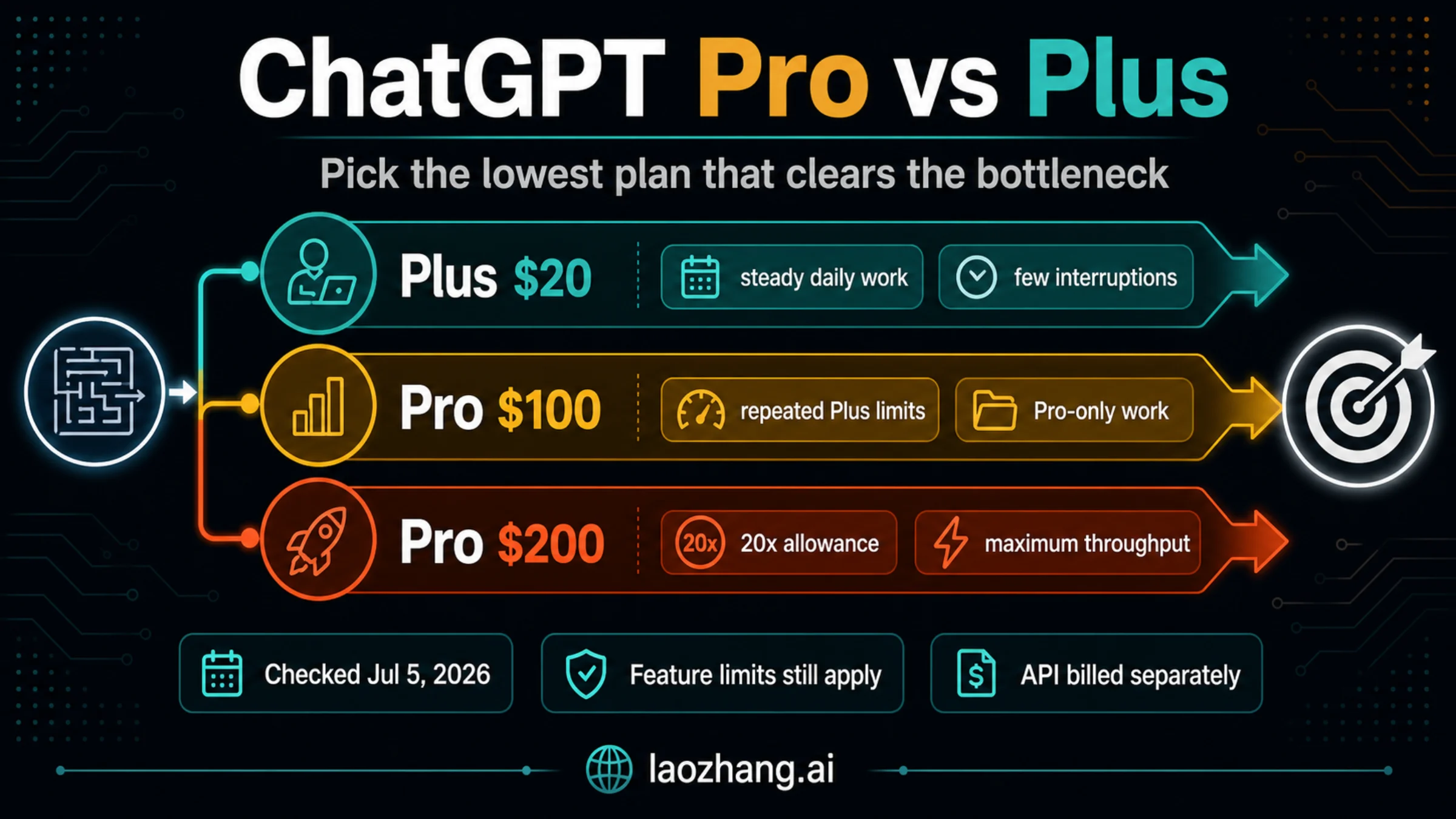
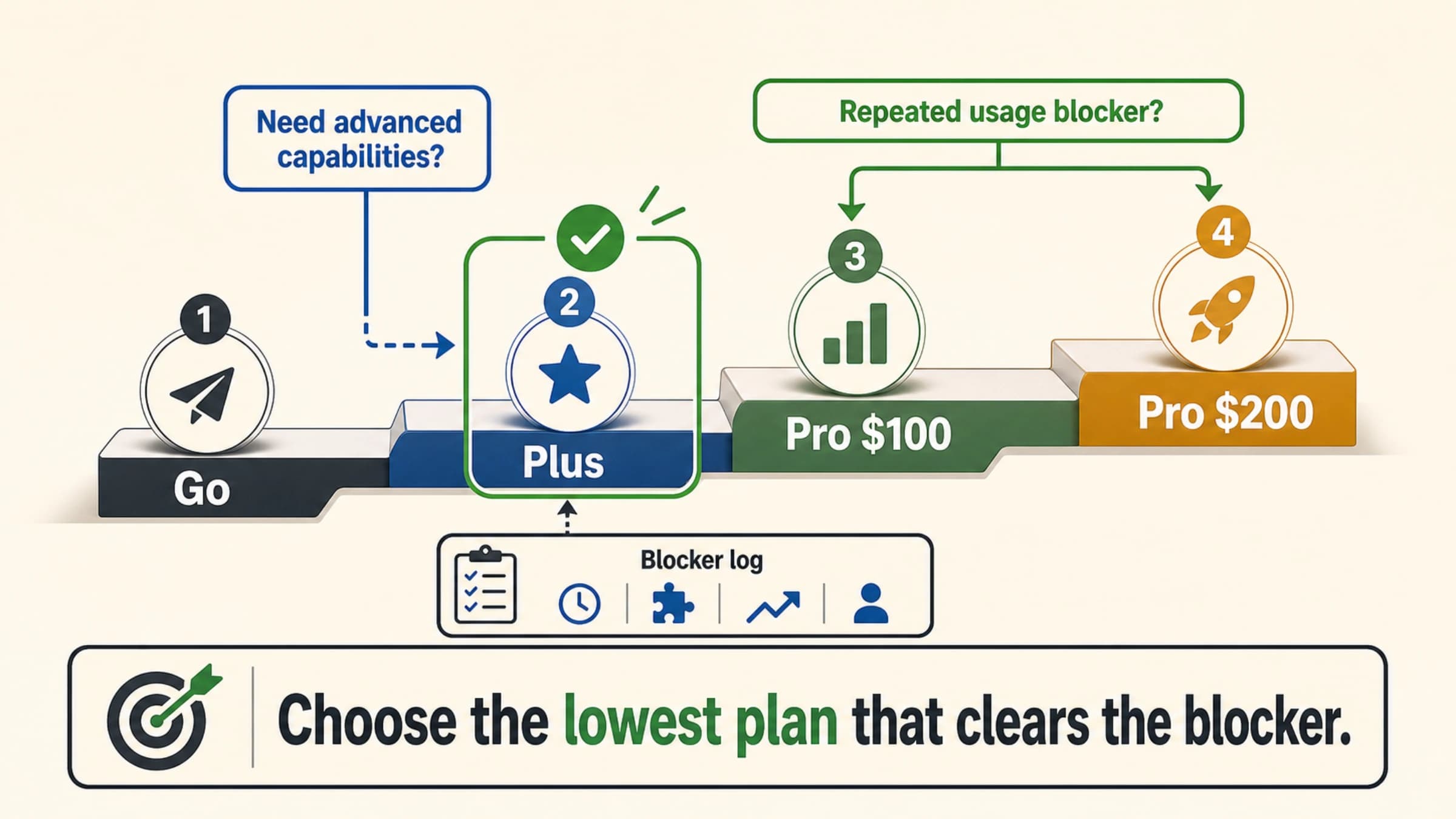
ChatGPT Plus is the default paid plan for most individual work; ChatGPT Pro is worth upgrading to only when a repeated workload bottleneck costs more than the higher monthly bill. Use Plus if limits rarely interrupt you, test Pro $100 when Plus caps or Pro-only features repeatedly block paid work, and keep Pro $200 only when the highest allowance changes how much useful output you can finish.
| Plan lane | Choose it when | Stop rule |
|---|---|---|
| ChatGPT Plus | Everyday writing, analysis, study, coding help, and image work are steady enough that limits rarely stop the job | Do not upgrade because of vague "power user" pressure |
| ChatGPT Pro $100 | Plus limits, Pro-only model access, Deep Research, Codex, files, context, images, or agent mode repeatedly interrupt valuable work | Keep it only if a one-week log shows the bottleneck was real |
| ChatGPT Pro $200 | The 20x allowance or maximum advanced surfaces materially increase finished work volume | Downgrade if the extra headroom sits unused after the test week |
These facts were checked against official OpenAI and ChatGPT pages on 2026-07-05. Prices, plan names, message allowances, model access, context, image generation, files, connectors, and agent features can change by account, region, feature, guardrail, and system conditions, so recheck your logged-in plan page before changing a paid subscription.
Fast Answer
Stay on ChatGPT Plus when your work is frequent but not blocked. Plus is the $20/month individual paid lane in OpenAI's current documentation, and it is enough when your real needs are steady access, better limits than Free or Go, expanded tools, and a predictable personal account.
Try ChatGPT Pro $100 when you can name the interruption. The best reasons are concrete: you run out of useful GPT-5.5 Thinking headroom, Deep Research quota, Codex tasks, file-heavy analysis, image generation, memory/context, or agent mode often enough that lost time is worth more than the extra subscription cost.
Use ChatGPT Pro $200 only when the maximum allowance changes output volume. The higher Pro lane is not a personality badge. It is a capacity decision. If the extra 20x headroom does not let you finish more client work, research passes, coding sessions, or operations work, it is usually overbuying.
| If your main question is... | Short answer | Better next move |
|---|---|---|
| "Is Pro better than Plus?" | Yes, but only when the extra allowance or Pro-only surfaces remove a repeated bottleneck. | Run the seven-day test below before keeping Pro. |
| "Is the $100 Pro tier enough?" | Often, yes, when you need a real upgrade but not maximum volume. | Start with Pro $100 if your bottleneck is recurring but not all-day throughput. |
| "Is Pro $200 worth it?" | Only when the 20x allowance or maximum advanced surfaces produce enough extra finished work. | Downgrade if the added headroom sits unused. |
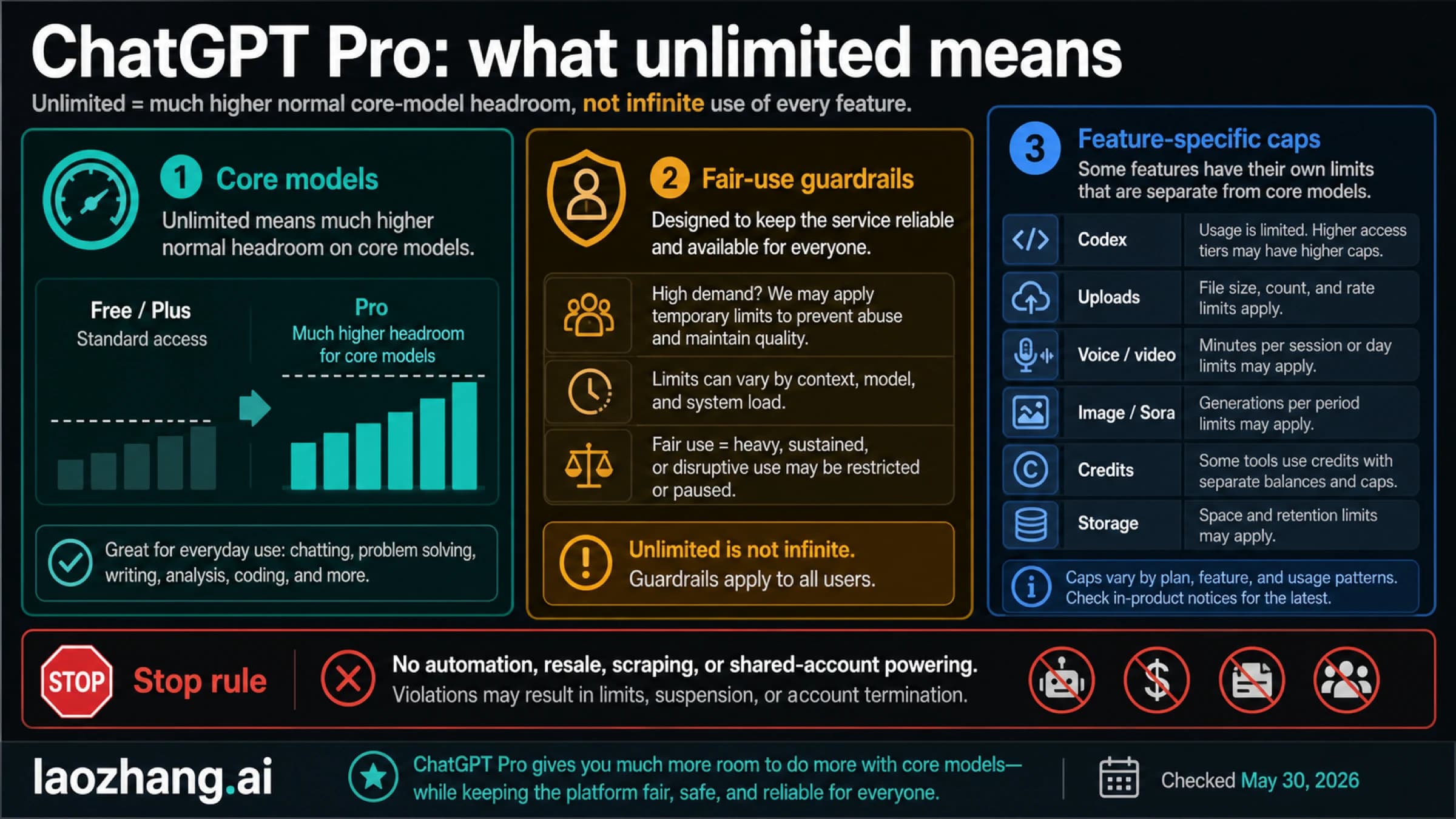
| "Does Pro mean unlimited everything?" | No. Feature-specific limits, guardrails, and account rules still apply. | Use the Pro unlimited limits guide for that boundary. |
| "Does Pro include API usage?" | No. ChatGPT subscription usage and Platform API billing are separate. | Use Codex API key vs subscription when billing route matters. |
Official Plan Facts Checked on 2026-07-05
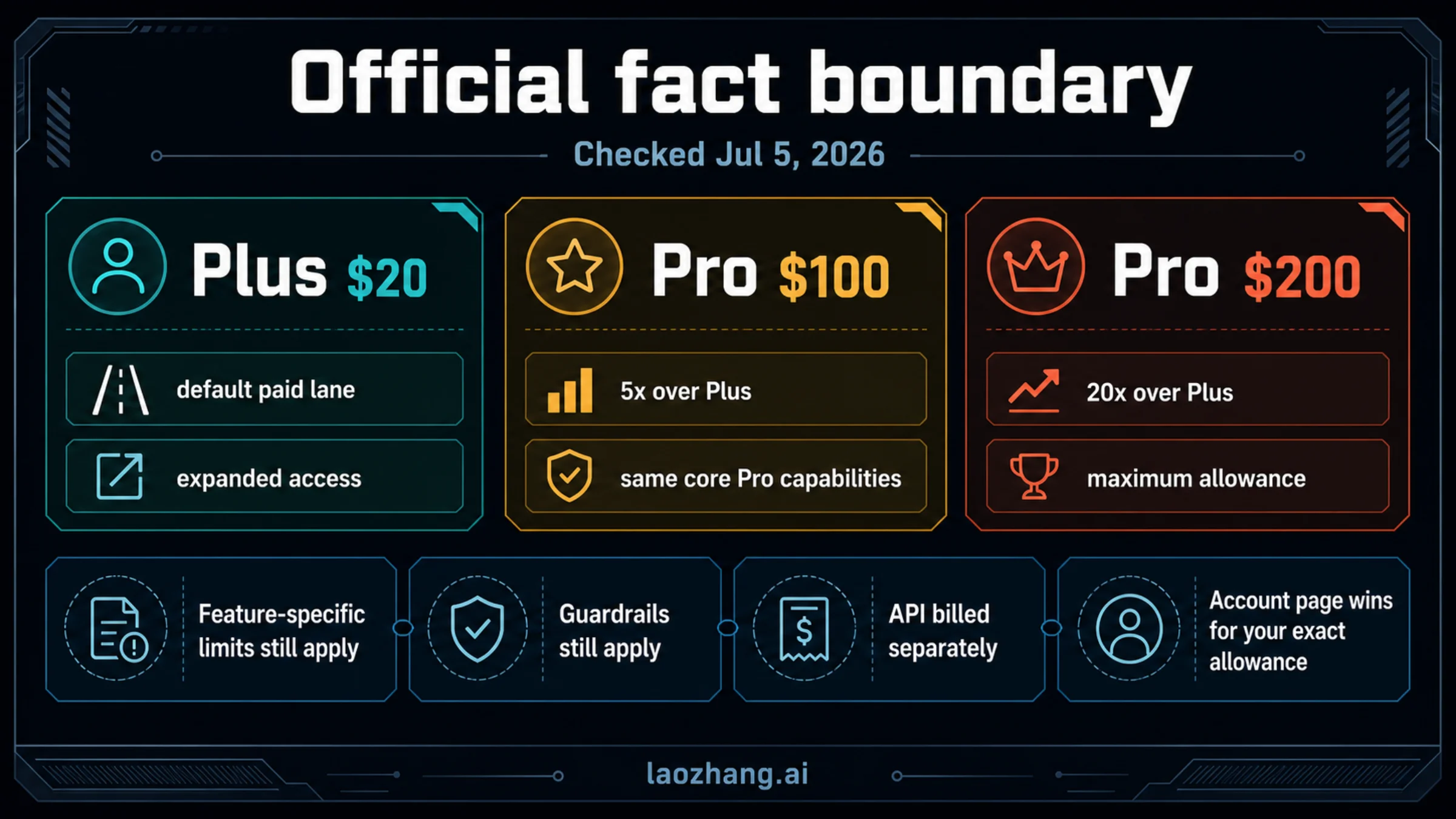
OpenAI's current Pro Help page describes ChatGPT Pro as a higher-allowance subscription with two paid Pro lanes: Pro $100 with 5x higher usage than Plus, and Pro $200 with 20x higher usage than Plus. OpenAI's Codex pricing documentation also lists Plus at $20/month and Pro starting at $100/month, while the ChatGPT pricing page describes the feature surfaces each plan can expand.
| Decision axis | ChatGPT Plus | ChatGPT Pro $100 | ChatGPT Pro $200 | What not to overread |
|---|---|---|---|---|
| Price lane | $20/month in current OpenAI documentation | $100/month Pro lane | $200/month Pro lane | Regional billing, taxes, app-store handling, and account offers can differ. |
| Allowance shape | Paid-plan access with expanded limits over lower tiers | 5x higher usage than Plus in current Pro framing | 20x higher usage than Plus in current Pro framing | 5x and 20x are allowance comparisons, not a promise that every feature has one universal counter. |
| Model access | Expanded access to current ChatGPT models and thinking surfaces | Adds Pro-level model access and higher headroom | Adds the highest Pro headroom and maximum access surfaces | Model availability can change by rollout, account, demand, and safety guardrails. |
| Deep Research and agent mode | Expanded access | Higher or maximum access depending on the feature surface | Maximum-style access where offered | Research and agent tasks can still have feature-specific caps. |
| Codex | Expanded Codex access for subscription use | More Codex usage and Pro-level task headroom | Maximum Codex-style task headroom | Codex API-key billing and ChatGPT subscription usage are separate routes. |
| Files, context, memory, images | Expanded paid-plan capabilities | Higher or maximum advanced surfaces | Highest advanced surfaces where the plan applies | File size, storage, image queues, policy checks, and tool-specific limits still matter. |
| Plan changes | Paid subscription managed in your ChatGPT account | Pro downgrades can take effect at the next renewal depending on the official account flow | Same plan-change boundary | Do not buy before you know when renewal and downgrade take effect. |
The useful reading is not "Pro has no limits." It is "Pro buys a larger allowance envelope and access to higher-end surfaces." That distinction matters because the first can make you ignore warnings, while the second helps you decide whether a specific bottleneck justifies the price.
For dated plan facts, check OpenAI's About ChatGPT Pro plans, the ChatGPT pricing page, OpenAI Developers' Codex pricing page, the Help article on GPT-5.5 in ChatGPT, and the ChatGPT Plus FAQ.
What Changes When You Upgrade From Plus to Pro
The upgrade changes headroom, not your need for judgment. A Pro plan can make high-end work smoother, but it should map to a job you can name.
For model-heavy work, Pro can reduce the friction of hitting Plus limits during long reasoning sessions, research chains, or repeated advanced-model use. That matters if you already know the sessions that fail: a daily analysis block, a long planning pass, a technical review, or an academic/research workflow that regularly runs out of useful allowance.
For Deep Research, agent mode, file-heavy analysis, memory/context, and image generation, the question is whether the stronger surface lets you finish a real deliverable. A single impressive demo is not enough. The upgrade is easier to justify when the paid lane turns repeated waiting, splitting, or abandoning into completed reports, audits, briefs, notebooks, designs, or client work.
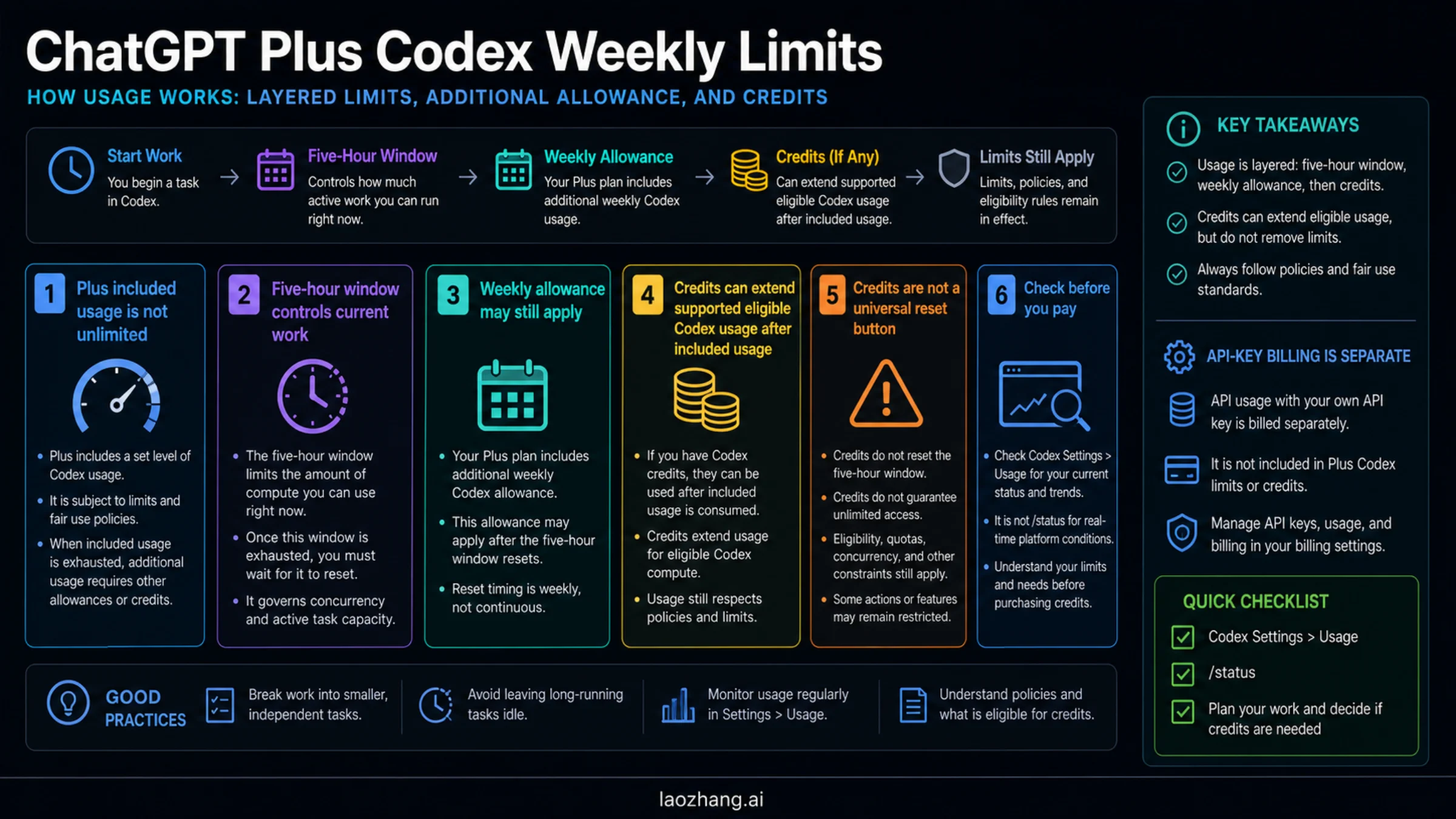
For Codex, keep the scope narrow. OpenAI's Codex pricing page gives Codex-specific subscription ranges and notes that usage can vary by model, task, surface, and additional weekly limits. If your Pro decision is mostly about coding-agent usage, treat Codex as its own meter and keep OpenAI Codex usage limits open. If you are deciding whether to run work through ChatGPT subscription, credits, or an API key, use Codex API key vs subscription before spending.
Workload Threshold Matrix
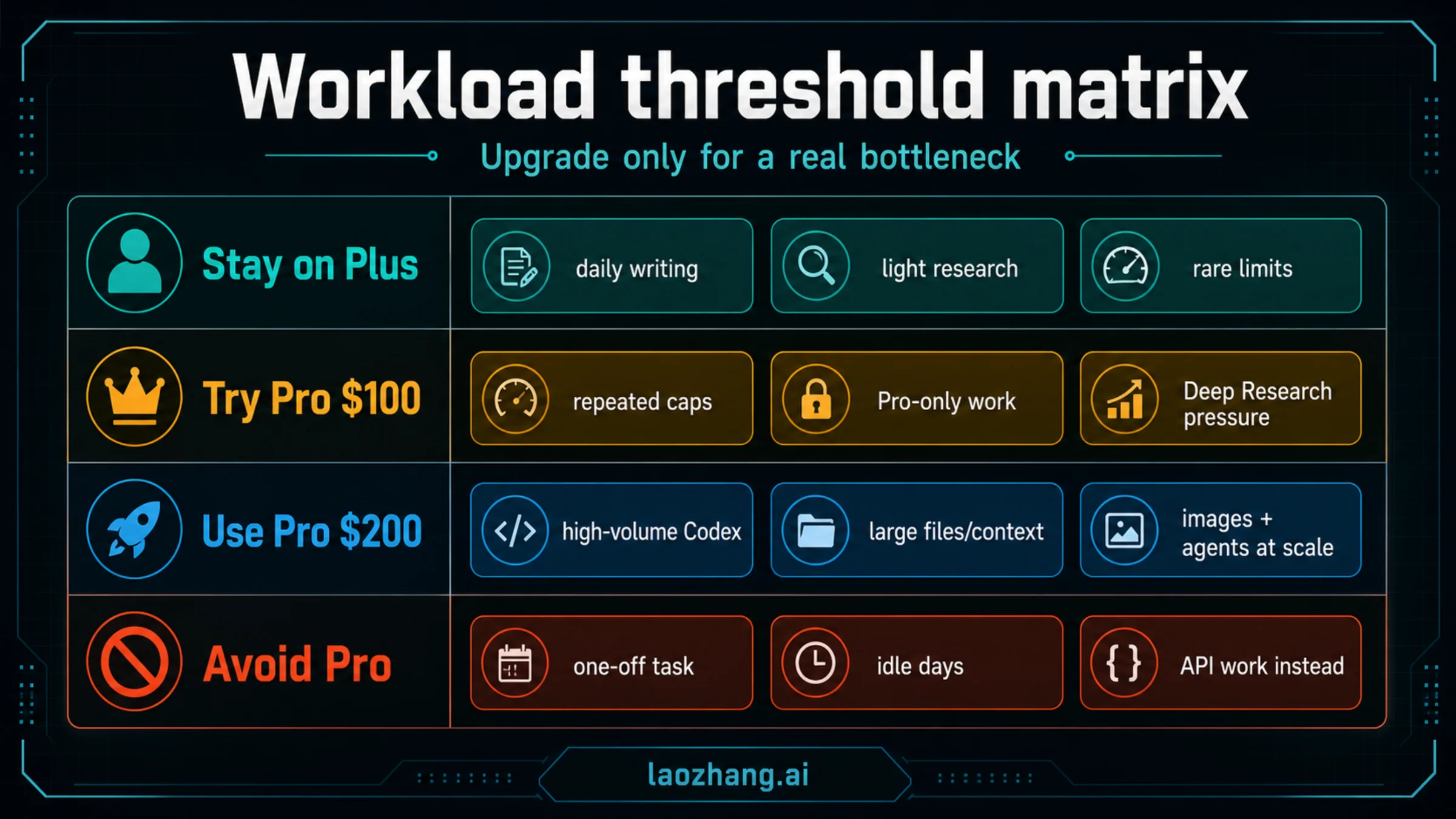
Use this matrix before upgrading. It keeps the decision tied to a workload instead of a plan label.
| Workload | Stay on Plus | Try Pro $100 | Use Pro $200 | Avoid Pro for this job |
|---|---|---|---|---|
| Everyday writing, study, brainstorming, and search | Limits are rare, and output quality is already good enough. | You repeatedly stop mid-session because the model or tool you need is unavailable. | Rarely justified unless the work is high-volume and time-sensitive. | You only want a nicer status label or occasional convenience. |
| Research synthesis and long reasoning | You can finish with normal paid-plan access and patience. | Deep Research, thinking, context, or memory headroom regularly blocks a valuable report. | Multiple long research jobs per day depend on maximum allowance. | You cannot name what a larger allowance would complete. |
| Coding and Codex | You use Codex occasionally or can wait for reset cues. | Codex limits interrupt real coding sessions, reviews, or agent tasks. | Maximum Codex-style headroom changes daily development throughput. | You actually need Platform API billing, not subscription usage. |
| Files, data, and document analysis | File work is occasional and manageable. | File or context limits repeatedly force manual splitting. | High-volume file analysis is part of your paid work. | The bottleneck is a bad file format, not the plan. |
| Image generation and creative iteration | You create images occasionally. | Faster or higher-volume image work saves measurable production time. | Large-volume image iteration is the job itself. | You need an image API route or production pipeline instead of ChatGPT. |
| Agent mode, tasks, and automation-like work | You use agents lightly and can supervise each run. | Higher agent access clears repeated workflow interruptions. | Maximum access drives many supervised operational runs. | You want unsupervised scraping, resale, account sharing, or bypass behavior. |
| Team, admin, or compliance needs | Personal account is fine. | Pro can help one individual, not a whole team's admin problem. | Still may be the wrong route for team controls. | Use Business, Enterprise, or Edu when workspace governance is the real need. |
The strongest Pro case has three parts: the interruption repeats, the work has value, and the upgraded plan directly removes the block. If one part is missing, Plus is usually the cleaner default.
What Pro Still Does Not Change
Pro does not merge ChatGPT subscription usage with OpenAI Platform API billing. If your application, automation, backend, or CLI uses an API key, that usage follows Platform billing and rate-limit rules. A ChatGPT Pro subscription can be valuable for interactive work, but it is not a prepaid API budget.
Pro also does not remove safety and account rules. OpenAI's plan language still sits under Terms of Use, abuse guardrails, feature availability, and system conditions. Patterns such as account sharing, resale, automated extraction, or attempts to bypass limits can create restrictions that a higher subscription tier does not solve.
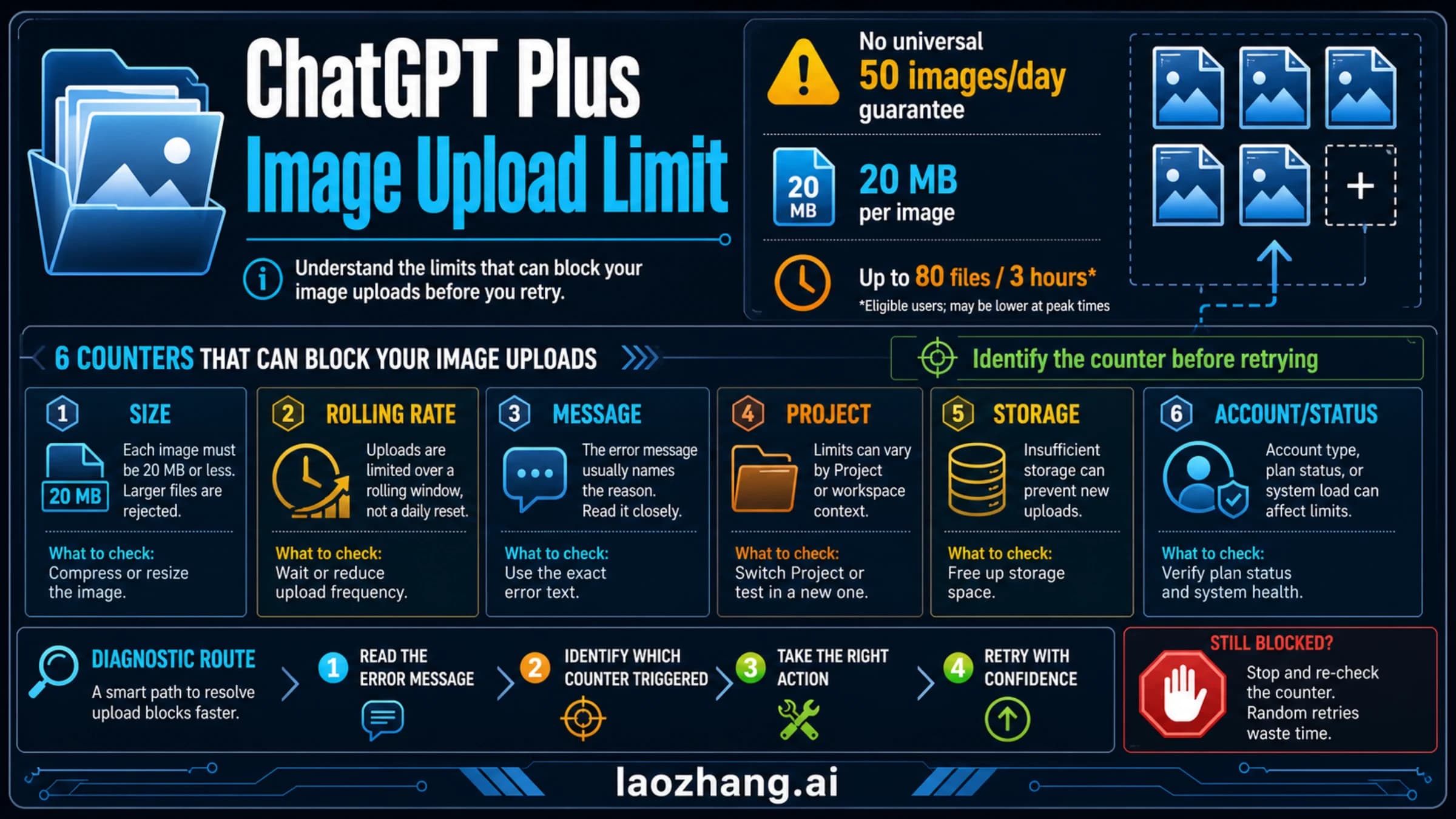
Separate tools can still have separate limits. File uploads can involve file size, token, storage, and organization boundaries. Image generation can involve queues, moderation, and generation-specific constraints. Deep Research and agent mode can have their own availability and task rules. Codex can have local, cloud, credit, and API-route distinctions.
The practical stop rule is simple: if the exact warning names a feature, diagnose that feature first. Do not assume every banner is a hidden ChatGPT Pro message cap.
The Seven-Day Upgrade Test
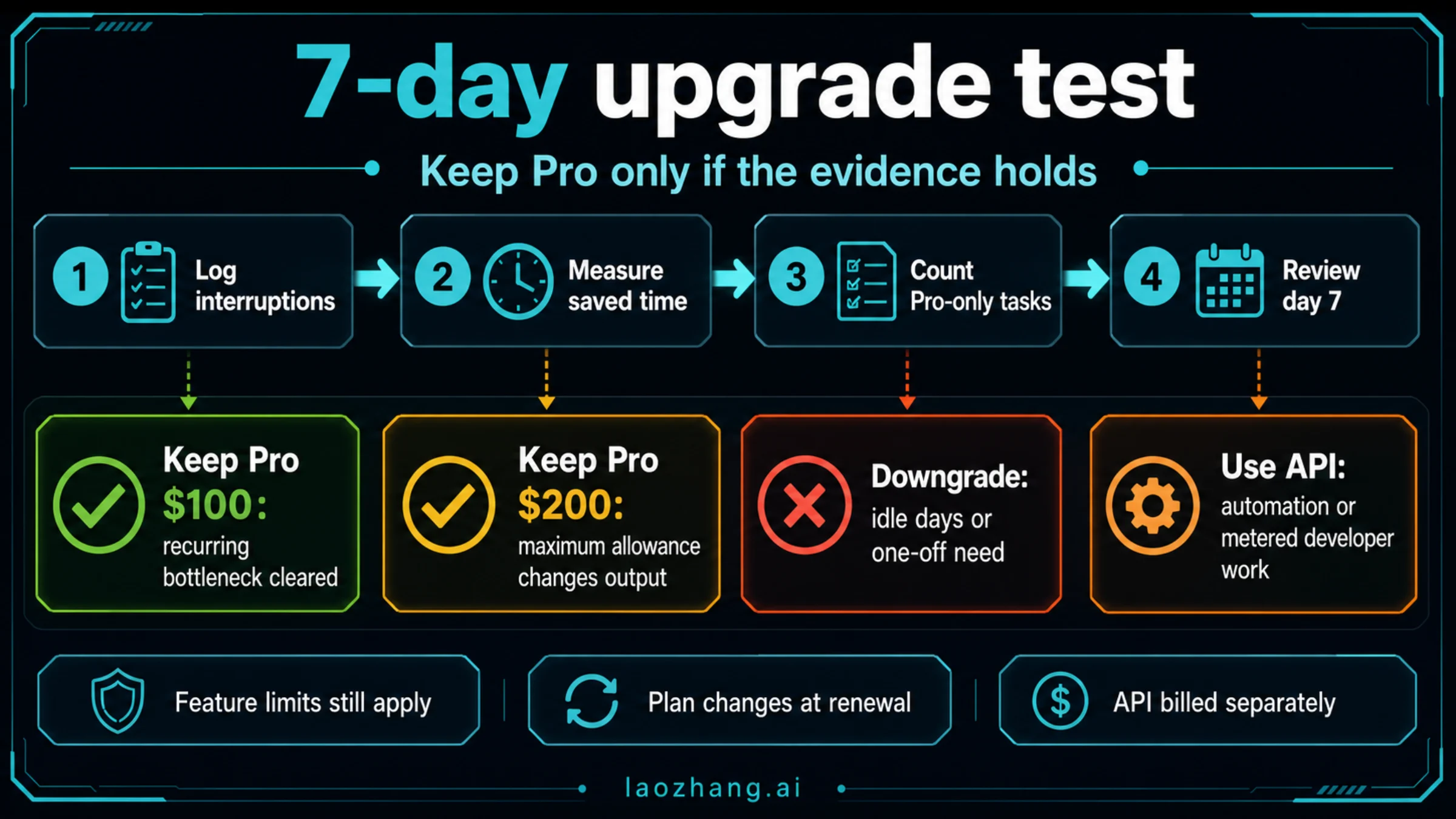
Do not decide from one heavy session. Use one billing-safe week to test whether Pro clears a real bottleneck.
| Day | What to log | Keep Pro only if... |
|---|---|---|
| 1 | The exact Plus interruptions you expected to solve | You can name a recurring limit, feature, or model-access block. |
| 2 | Pro-only or Pro-improved tasks you actually used | The upgraded surface changed output, not just comfort. |
| 3 | Time saved from fewer waits, retries, splits, or abandoned sessions | Saved time has dollar, client, study, or production value. |
| 4 | Work that still hit feature-specific limits | The remaining limits are acceptable or solvable without risky behavior. |
| 5 | Codex, Deep Research, file, image, and agent usage by task | One or more advanced surfaces becomes part of your normal workflow. |
| 6 | Whether Pro $100 felt constrained | Only consider Pro $200 if the ceiling, not habit, is now the problem. |
| 7 | Renewal date, downgrade path, and next-month expected workload | The same workload is likely to repeat next month. |
At the end of the week, choose one of four routes:
| Result | Decision |
|---|---|
| Few interruptions and little Pro-only usage | Downgrade to Plus before renewal. |
| Repeated useful Pro usage, but no maximum-pressure pattern | Keep Pro $100. |
| Maximum allowance directly increases paid or high-value output | Keep or test Pro $200 with the same log discipline. |
| API, team, or production workflow is the real need | Do not solve it with Pro alone; choose the correct API or workspace route. |
This test protects you from two common mistakes: upgrading after one frustrating Plus session, and keeping Pro because it feels premium even when the extra allowance is idle.
Pro $100 vs Pro $200
Start with Pro $100 unless you already know why 20x allowance matters. It is the more rational test lane because it forces a clean question: does moving beyond Plus remove the bottleneck enough to justify the jump?
Move to Pro $200 only when Pro $100 becomes the new ceiling for a valuable workload. Examples include multiple daily Deep Research passes, sustained Codex-heavy development, high-volume file analysis, frequent advanced image iteration, or operational agent work where the maximum surface changes how much you can finish.
Do not choose Pro $200 because every article, video, or forum thread says Pro is "the serious plan." The serious move is matching the subscription to the work. If the extra headroom does not change finished output, the higher tier is waste.
When Plus Is Still the Right Plan
Plus is the right plan when your work is broad, steady, and not repeatedly blocked. It is especially sensible for individual users who need better-than-free access to current ChatGPT models, writing help, analysis, file use, image creation, projects, tasks, memory/context, and custom GPTs without needing maximum allowance.
Plus is also the cleaner choice when you cannot name the bottleneck. "I use ChatGPT a lot" is not enough by itself. "Every afternoon I lose a research pass to Deep Research limits" or "Codex stops a paid coding session three times a week" is a plan reason.
If your real question is where Plus sits among Free, Go, Plus, Pro, and API routes, use the broader ChatGPT plan comparison. Keep the immediate decision narrower: Plus versus Pro as an upgrade choice.
FAQ
Is ChatGPT Pro worth it over Plus?
ChatGPT Pro is worth it over Plus when a repeated, valuable workload bottleneck disappears with Pro allowance or Pro-only access. If Plus rarely interrupts your work, stay on Plus.
Should I choose Pro $100 or Pro $200?
Choose Pro $100 first when you need more than Plus but do not yet have a maximum-volume workload. Choose Pro $200 only when the 20x allowance or maximum advanced surfaces directly increase completed work.
Is ChatGPT Pro $200 worth it?
It is worth it only for high-throughput users whose finished output changes because of the extra headroom. If the extra allowance is idle after a week, downgrade.
Why is ChatGPT Pro more expensive than Plus?
Pro is priced around larger usage allowance and higher-end advanced surfaces: Pro models, higher or maximum access to tools such as Deep Research, Codex, image creation, files, context/memory, and agent mode. The exact value depends on whether those surfaces clear your bottleneck.
Does ChatGPT Pro have unlimited usage?
Do not read Pro as unlimited everything. Official wording gives stronger allowance and access, but feature-specific limits, guardrails, account rules, model availability, queues, and system conditions can still apply. For the boundary, read ChatGPT Pro unlimited usage limits explained.
Does Plus still have GPT-5.5 limits?
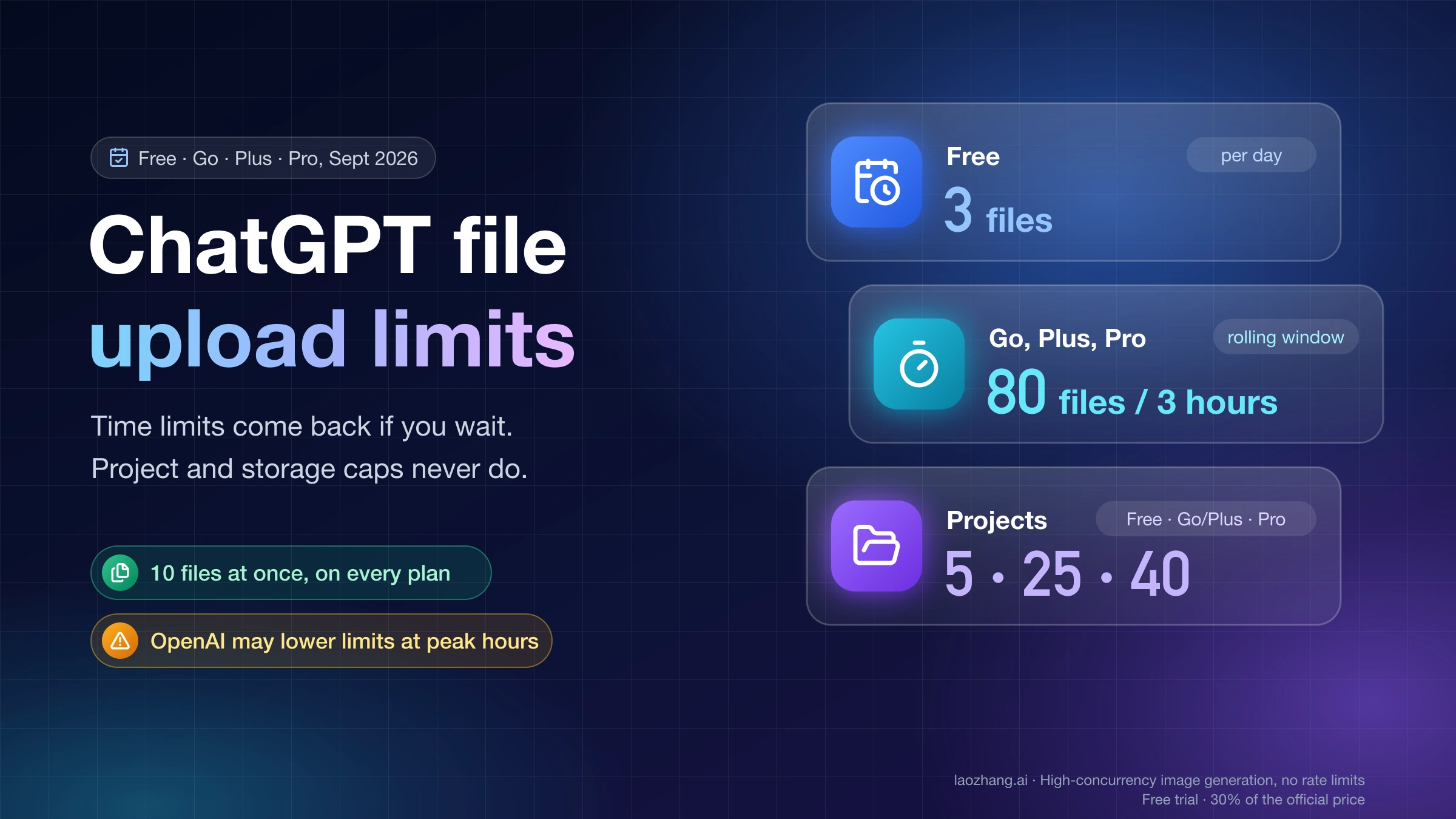
Yes. OpenAI's GPT-5.5 Help article says Plus and Go users can send up to 160 GPT-5.5 messages every 3 hours before fallback behavior, with separate behavior for Thinking. Treat that as a current official Plus-side anchor checked on 2026-07-05, not as a universal rule for every model or feature.
Is Codex better on Pro than Plus?
Pro gives more Codex headroom than Plus in OpenAI's current Codex pricing documentation, including 5x or 20x relative Pro usage lanes. Still, Codex has its own usage, credit, local/cloud, and API-billing boundaries. Use OpenAI Codex usage limits for the full Codex-specific decision.
Does ChatGPT Pro include OpenAI API usage?
No. ChatGPT subscriptions and OpenAI Platform API billing are separate. If your work is an app, backend, CLI, or automation using an API key, compare API billing separately instead of assuming Pro covers it.
Should a team buy Pro for everyone?
Not automatically. Pro is an individual subscription lane. If the real need is shared workspace controls, admin, compliance, connectors, data governance, or procurement, evaluate Business, Enterprise, or Edu rather than solving a team problem with individual Pro accounts.
Can I downgrade from Pro to Plus?
OpenAI's Pro Help page describes plan changes and downgrades through the account flow, with downgrade effects tied to renewal timing. Check your logged-in subscription page before buying, then set a reminder before renewal if you are only testing Pro.