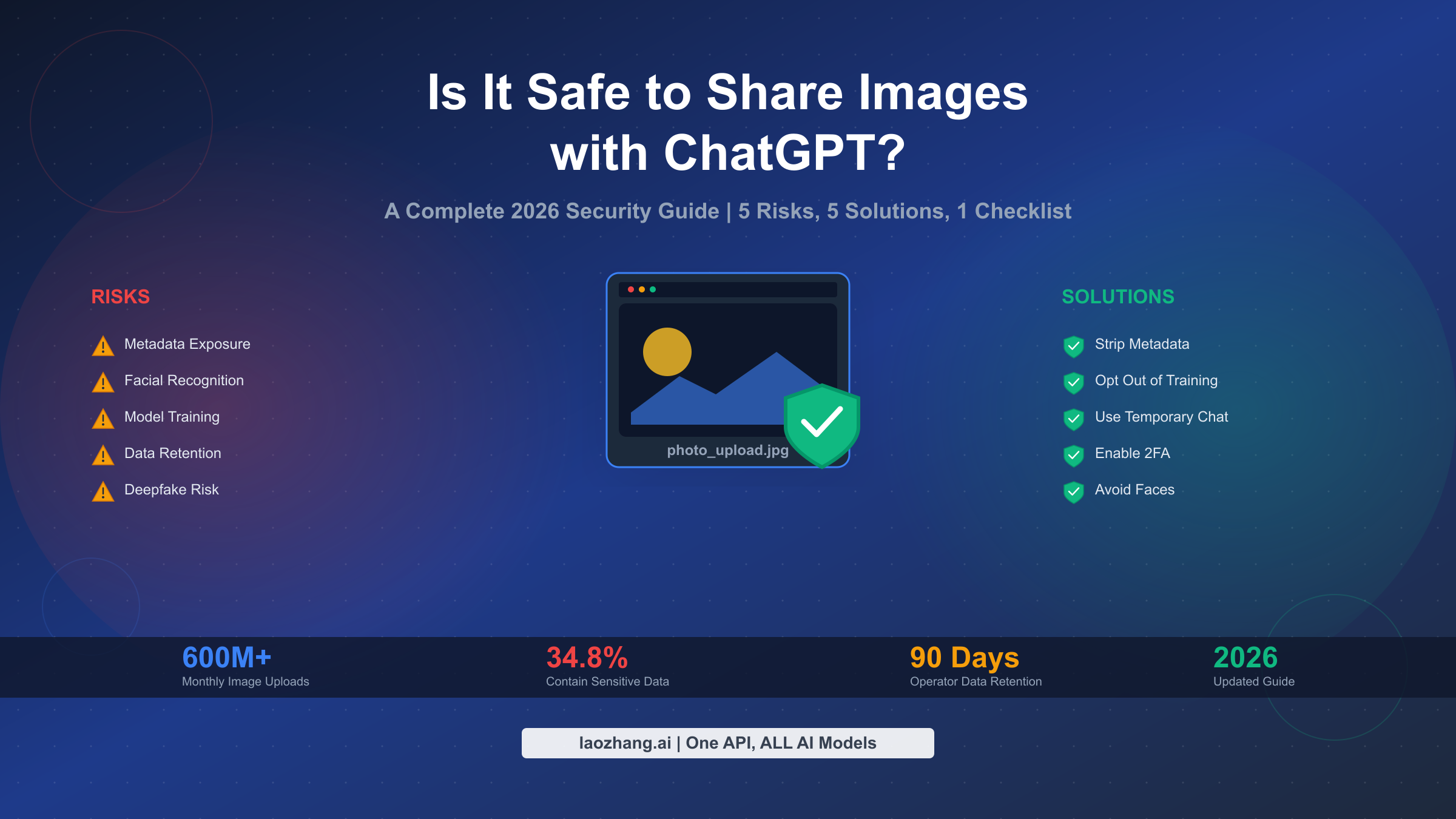
Sharing images with ChatGPT in 2026 involves real privacy trade-offs that most users don't fully understand. While OpenAI processes 600+ million monthly image uploads with enterprise-grade encryption, your photos may be retained for model training unless you explicitly opt out. According to Q4 2025 research from CyberHaven, 34.8% of employee ChatGPT inputs contain sensitive data—a dramatic 3x increase from 2023. This comprehensive guide explains the 5 key risks, shows you exactly how to protect your photos, and provides a practical safety checklist you can use before every upload.
TL;DR
Here's what you need to know about sharing images with ChatGPT:
- Your images are processed on OpenAI's servers and may be used for model training unless you disable this setting
- Facial photos carry the highest risk due to biometric data collection and deepfake potential
- Metadata in your photos can expose your location, device, and timestamps without you realizing it
- Data is retained for 30-90 days even after you delete conversations
- You can significantly reduce risks by stripping metadata, using temporary chat mode, and following our 5-point checklist
The bottom line: ChatGPT image sharing is not inherently dangerous, but it requires informed decisions. Read on to understand exactly what happens to your photos and how to protect yourself.
The 5 Real Risks of Sharing Images with ChatGPT

Before uploading any image to ChatGPT, you should understand these five key risks ranked by severity. Unlike vague warnings about "AI privacy," these are concrete issues with specific implications for your data.
Risk 1: Facial Recognition and Biometric Data Collection (CRITICAL)
When you upload photos containing faces to ChatGPT, you're essentially providing biometric data to OpenAI's systems. This creates several concerning scenarios that go beyond simple privacy invasion. Your facial features may become part of permanent training datasets, enabling cross-platform identification that you can't control or revoke. The deepfake vulnerability is particularly concerning: high-quality facial photos provide perfect source material for creating synthetic media. According to research from ESET, adding image capabilities to large language models expands attack surfaces in ways that are still being discovered. OpenAI has implemented refusals and blocks where possible, but these systems remain imperfect and continue evolving.
The implications extend beyond immediate privacy concerns. Once your face is part of a model, it stays there indefinitely. Even if you request data deletion, the patterns learned from your images may persist in model weights. This isn't a theoretical risk—it's an architectural reality of how modern AI systems work.
Risk 2: Model Training Without Explicit Consent (CRITICAL)
By default, OpenAI uses your uploaded images to improve their AI models. This means your personal photos could influence future versions of ChatGPT and DALL-E, potentially teaching the system to recognize patterns from your images. The Q4 2025 research revealing that 34.8% of ChatGPT inputs contain sensitive data becomes especially alarming when you consider that many users don't realize their training opt-out settings exist. According to a 2024 EU audit, only 22% of ChatGPT users were aware of opt-out settings, meaning the vast majority are unknowingly contributing their data to model training.
The training process itself creates permanent records. Even if you later opt out, images you've already uploaded may have been processed. OpenAI's infrastructure doesn't distinguish between "training data" and "already-learned patterns," making true deletion impossible in many cases. This is why prevention is far more effective than remediation.
Risk 3: Metadata Exposure (HIGH)
Every photo you take contains hidden metadata that can reveal far more than the image itself shows. EXIF data typically includes GPS coordinates where the photo was taken, the exact timestamp, your device model and settings, and sometimes even your name if your device is configured that way. When you upload images to ChatGPT, this metadata is processed along with the visual content. According to privacy researchers at Protectstar, users in April 2025 discovered internal server paths in AI-generated images' metadata, demonstrating how deeply this data can be embedded in systems.
The location exposure alone is enough to cause serious harm. If someone can determine where you live, work, or regularly visit based on photo metadata patterns, they have information that enables stalking, burglary timing, or targeted social engineering. Device fingerprinting adds another layer—your specific phone model and camera settings create a unique signature that can link photos across platforms even without other identifying information.
Risk 4: Indefinite Data Retention (HIGH)
OpenAI's data retention policies have evolved significantly, and the current state may surprise you. Standard ChatGPT conversations are retained for at least 30 days after deletion, with some categories kept indefinitely for safety monitoring and compliance purposes. The introduction of ChatGPT's Operator agent in 2025 introduced even longer retention periods—90 days for screenshots and browsing histories, three times longer than standard interactions.
This retention creates cumulative risk. Even if any single uploaded image seems harmless, the aggregation of your uploads over time builds a detailed profile. Combined with the 34.8% sensitive data statistic, this means the average active user has likely shared significant personal information that remains on OpenAI's servers regardless of their deletion attempts. The February 2025 compliance analysis found ChatGPT remains non-compliant with GDPR's storage limitation principles, raising questions about data protection for EU users.
Risk 5: Third-Party Access and Sharing (MEDIUM)
While OpenAI maintains that user data is private, their infrastructure involves multiple access points. Azure cloud services host the processing, meaning Microsoft has technical access to the underlying systems. OpenAI staff may review conversation snippets for safety and policy enforcement, and third-party service providers handle various infrastructure components. The Stanford study from October 2025 confirmed that six leading AI companies feed user inputs back into their models, often with documentation that makes understanding your actual data rights difficult.
The practical impact is that your "private" conversations pass through multiple organizational boundaries. While none of these parties are actively browsing your images, the technical access exists, and security breaches at any link in this chain could expose your data. The reality that Bank of America and Google have both experienced breaches, as one Quora user noted, should remind us that no system is impenetrable.
Understanding ChatGPT's Data Policies (2026)
OpenAI's data handling policies form the foundation of your privacy when using ChatGPT. Understanding these policies helps you make informed decisions about what to upload and how to configure your account. As of February 2026, here's what you need to know about how your image data is collected, processed, and stored.
When you upload an image to ChatGPT, it's processed on OpenAI's servers using what they describe as enterprise-grade encryption. The image is analyzed, relevant features are extracted, and the results inform ChatGPT's response. OpenAI collects several categories of data: the image itself, any metadata embedded in the file, your prompt text, and usage patterns that help them understand how their services are used. This data collection happens automatically unless you've taken specific steps to limit it.
The critical distinction lies between ChatGPT's different service tiers. For free and ChatGPT Plus users, the default setting allows your inputs (including images) to be used for model improvement. Enterprise and Team plans offer stronger data protection with explicit guarantees against training use. If you're concerned about ChatGPT Plus image upload limits, you should also consider that higher usage tiers often come with better privacy controls.
Data retention follows a complex schedule. Active conversations remain fully accessible until you delete them. Once deleted, content enters a 30-day retention period for standard chats, during which it's accessible for safety reviews but not general use. The Operator agent's 90-day retention reflects the heightened scrutiny applied to its more powerful capabilities. After these periods, data is supposed to be purged, though the model training caveat means learned patterns may persist indefinitely.
Regarding who can access your data: OpenAI's privacy documentation states that staff don't browse individual conversations routinely. However, engineers and safety systems may see snippets when enforcing policies, investigating abuses, or improving systems. This means your expectation of privacy is conditional—mostly private, except when OpenAI determines review is necessary. Third-party infrastructure providers like Microsoft have technical access through the Azure hosting relationship, though contractual provisions limit their use of that access.
To disable training on your data, navigate to Settings, then Data Controls, and toggle off "Improve the model for everyone." This prevents future uploads from being used in training, though it doesn't affect what's already been processed. You should also enable Temporary Chat mode for sensitive sessions—this creates conversations that aren't saved to your history at all.
How to Remove Metadata Before Uploading

Removing metadata from your photos before uploading to ChatGPT is one of the most effective privacy protection steps you can take. Metadata removal eliminates hidden information that could reveal your location, device, and habits. Here are three methods, ranging from simple to advanced, so you can choose based on your needs and technical comfort level.
Method 1: The Screenshot Approach (Recommended for Most Users)
The simplest and most reliable method is taking a screenshot of your photo instead of uploading the original file. This process automatically strips all EXIF metadata because screenshots are new images created by your device's screen capture function rather than copies of the original file. The tradeoff is a potential reduction in image quality and a change in resolution, but for most ChatGPT use cases, this is perfectly acceptable.
To take a screenshot on iOS, press the Power button and Volume Up simultaneously. On Android, press Power and Volume Down together. Mac users can press Command + Shift + 4 and select the image area, while Windows users press Windows + Shift + S for the Snip & Sketch tool. After taking the screenshot, you upload this new image file instead of your original photo. The screenshot contains no location data, no device fingerprint, and no timestamp from the original capture—just the visual content you intended to share.
Method 2: ExifTool for Power Users
ExifTool is a free, open-source command-line application that provides complete control over metadata removal while preserving full image quality. This is the preferred method for photographers, developers, and anyone processing multiple images who needs to maintain original resolution. The learning curve is steeper, but the capability is unmatched.
After installing ExifTool from exiftool.org, the core command for removing all metadata is straightforward: exiftool -all= photo.jpg. This strips every piece of metadata from the file while keeping the image data intact. You can also use ExifTool to selectively remove specific fields, preserve copyright information while removing location data, or batch process entire folders of images. For users who regularly upload images and care about quality, learning this tool is a worthwhile investment.
Method 3: Online Metadata Removal Tools
Web-based tools like verexif.com and exifremove.com offer no-installation metadata removal through simple drag-and-drop interfaces. These tools are convenient and work in any browser, making them accessible to users who can't or don't want to install software. The image quality is preserved better than the screenshot method, and the process is faster than learning command-line tools.
However, there's an inherent irony in using online tools for privacy-focused tasks: you're uploading your image to a third-party server to remove metadata before uploading it to another third-party server. For truly sensitive images, this approach is counterproductive. Use online tools only for images where the metadata is more sensitive than the image content itself—product photos, stock images, or other non-personal content where location and device data are the primary concerns.
The decision framework is straightforward: for personal photos with faces or sensitive content, use the screenshot method or ExifTool (if you need quality preservation). For batch processing of non-sensitive images, ExifTool offers the best efficiency. For occasional, non-sensitive uploads where convenience matters most, online tools are acceptable. Never use online tools for images containing faces, personal documents, or information you wouldn't want that third-party service to have.
The 5-Point Safety Checklist Before You Upload

Before uploading any image to ChatGPT, run through this five-point checklist. These checks take only seconds but can prevent significant privacy problems. Think of it as a security ritual that becomes automatic with practice.
Check 1: Is the Metadata Stripped?
Before clicking upload, confirm that you've removed the hidden data in your photo. Location coordinates, timestamps, and device information can reveal patterns about your life that you never intended to share. The fastest approach is to screenshot your photo first—this automatically creates a clean file without any original metadata. If you need higher quality, use ExifTool or take the extra step of checking your file's properties before uploading.
Check 2: Are There Identifiable Faces?
Facial photos carry the highest risk category in our analysis. If your image contains recognizable faces—yours, family members, colleagues, or anyone who hasn't consented—pause and reconsider. Ask yourself if the task truly requires a face photo, or if you could accomplish the same goal with a different image. If you must include faces, consider blurring or cropping them before upload. ChatGPT can often understand what you're asking without needing to "see" every detail.
Check 3: Does It Contain Sensitive Information?
Scan the image for any sensitive content: IDs, documents, medical information, financial data, private messages visible on screens, or anything that could enable identity theft or fraud. These categories should never be uploaded to ChatGPT regardless of your other privacy settings. If you're analyzing a document, consider describing its relevant portions in text rather than uploading an image. Remember that 34.8% of ChatGPT inputs contain sensitive data—don't add to that statistic.
Check 4: Are Privacy Settings Configured?
Your account settings significantly impact what happens to uploaded images. Before your first upload (and periodically thereafter), verify that you've disabled model training in Settings > Data Controls. Consider whether this conversation should use Temporary Chat mode to prevent it from being saved. Confirm that two-factor authentication is enabled on your account, reducing the risk that a compromised account could expose your upload history.
Check 5: Is There a Safer Alternative?
Sometimes the best protection is avoiding the upload entirely. Can you describe what you need analyzed instead of showing it? Can you use a similar image that doesn't contain personal information? Can you accomplish your goal using text-only interaction? ChatGPT's language understanding is sophisticated enough that many image-based tasks can be reframed as text descriptions. The image you don't upload is the one that definitely won't be used for training.
After completing the checklist, apply this decision rule: if all five points are satisfied, you can proceed with reasonable confidence. If one or two points are unchecked, proceed with caution and consider alternatives. If three or more points are unchecked, do not upload the image—the cumulative risk is too high.
What to Do If You've Already Shared Images
If you've uploaded photos to ChatGPT before learning about these risks, don't panic. While complete data removal is complicated, several steps can minimize your exposure and prevent future issues. Think of this as damage control rather than complete remediation—honest expectations will serve you better than false assurances.
Step 1: Delete Existing Conversations
Start by removing the conversations containing your image uploads. Navigate to your chat history, find conversations with image attachments, and delete them individually. You can also bulk delete conversations through Settings > General > Clear Chat History, though this removes all your conversations rather than just the problematic ones. Remember that deletion starts a 30-day retention countdown—the data isn't gone immediately.
Step 2: Submit a Formal Data Deletion Request
For more thorough removal, contact OpenAI through their Privacy Portal to request data deletion. This formal process can address data that remains after conversation deletion, though it may take up to 30 days to process. Include specific details about what you want deleted, approximately when you uploaded it, and any account identifiers that help them locate your data. OpenAI is generally responsive to these requests, though the scope of deletion has technical limitations.
Step 3: Verify Your Settings Are Correct
While addressing past uploads, ensure future ones are protected. Confirm that model training is disabled, enable two-factor authentication if you haven't already, and consider whether you should use temporary chat mode more frequently. These settings changes don't retroactively protect past data, but they prevent the problem from growing.
Step 4: Monitor for Misuse
If you uploaded particularly sensitive images—face photos, documents with personal information, or anything that could enable identity theft—consider setting up monitoring for your personal information. Services like HaveIBeenPwned can alert you to data breaches involving your email, and identity monitoring services can flag suspicious activity. This isn't paranoia; it's appropriate vigilance given the reality that data breaches happen regularly.
Step 5: Adjust Future Behavior
The most effective step is changing your approach going forward. Implement the 5-point checklist for all future uploads. Consider whether you truly need to share images with ChatGPT, or whether text descriptions could serve your needs. Build a habit of metadata removal so it becomes automatic rather than something you need to remember.
It's important to be honest about limitations. Once your images have been processed, learned patterns may persist in model weights even after the original data is deleted. OpenAI doesn't currently offer a way to surgically remove specific learned information. This is why prevention matters more than cure—the checklist approach prevents problems that remediation can't fully solve.
Special Considerations for Parents
Children's photos require extra caution when it comes to AI systems. Beyond the general privacy risks that apply to all users, children face unique vulnerabilities that parents and guardians should understand. The decisions you make about their images today could affect their privacy for years or decades to come.
Children Face Amplified Risks
The core risks of facial recognition and biometric data collection are more serious for children for several reasons. First, children can't consent to how their images are used—that responsibility falls entirely on adults. Second, children's faces change dramatically as they grow, meaning photos uploaded today could enable recognition throughout their lives as the biometric data remains viable. Third, children are particularly vulnerable to the harms that could result from deepfakes or identity theft, given their limited ability to respond to these threats themselves.
COPPA (the Children's Online Privacy Protection Act in the US) establishes specific protections for children's data, but enforcement is complicated when parents voluntarily upload their children's photos to AI services. The regulatory framework wasn't designed for scenarios where parents themselves might inadvertently compromise their children's privacy.
Guidance for Parents
Before uploading any image containing children to ChatGPT, ask yourself whether the upload is truly necessary. In most cases, there are alternatives that don't involve sharing children's faces with AI systems. If you're trying to analyze a family photo for a specific purpose, consider cropping children out or describing what you need verbally.
If other children are in the image—friends, classmates, or other people's kids—you face an additional ethical obligation. Those parents didn't consent to having their children's faces uploaded to AI training systems. Even if you're comfortable with the risks for your own family, you shouldn't make that decision for others.
Having the Conversation
For families with older children who might use ChatGPT themselves, this is an opportunity for an important conversation about digital privacy. Discuss what happens to images when they're uploaded online. Explain that "delete" doesn't always mean truly gone. Talk about how biometric data differs from other personal information because you can't change your face like you can change a password.
Frame it not as fear-mongering but as informed decision-making. AI tools offer genuine value, and complete avoidance isn't realistic or necessarily desirable. The goal is helping children (and yourself) make thoughtful choices about what to share, with whom, and under what conditions.
Technical Measures for Families
Consider setting up family accounts with stricter privacy settings by default. Enable content and privacy restrictions on children's devices that require approval before images can be shared with AI services. Review activity periodically to understand how AI tools are actually being used. These technical guardrails supplement but don't replace ongoing conversation about digital privacy practices.
Safer Alternatives and Best Practices
While ChatGPT's image capabilities offer genuine utility, understanding your alternatives helps you make the right choice for each situation. Sometimes another tool or approach serves your needs with better privacy characteristics. Here's a framework for making those decisions.
When Text Descriptions Are Sufficient
Many image-based tasks can be accomplished through careful verbal description. Rather than uploading a photo of a document to ask about its contents, describe the relevant sections in text. Instead of sharing an image of an error message, type out what the screen says. ChatGPT's language understanding is sophisticated enough that well-structured descriptions often produce results comparable to image analysis.
This approach eliminates upload risk entirely. No metadata to strip, no faces to blur, no data retention to worry about. When you can describe what you need, describing is almost always the safer choice.
Comparing Privacy Across Platforms
If you must use AI image analysis, understanding how different platforms compare helps you choose wisely. Claude (Anthropic) offers a different privacy posture with more conservative data retention policies. Gemini (Google) integrates with the broader Google ecosystem, which has implications for data aggregation but also offers familiar privacy controls. Local AI models like those running through Ollama process images entirely on your device with no cloud upload at all.
Each platform has tradeoffs. ChatGPT offers the most capable image analysis but the most aggressive data utilization defaults. Claude provides middle ground. Local models offer maximum privacy but require technical setup and offer less capable analysis. Your choice depends on your specific needs and threat model.
For Developers: API Considerations
If you're building applications that process images through OpenAI's API, you have additional options and responsibilities. API usage has different data retention characteristics than consumer ChatGPT—review the current API data usage policy, which typically offers stronger privacy protections. Implement client-side metadata stripping before API calls. Use appropriate access controls and audit logging to track what images flow through your systems.
Third-party API providers like laozhang.ai offer transparent data policies with explicit no-training commitments. For applications where you need to provide privacy guarantees to your users, understanding these differences matters. Check laozhang.ai documentation for current policies and implementation guidance.
Building Sustainable Habits
Long-term privacy protection comes from habits, not one-time actions. Make metadata stripping automatic by always screenshotting before uploading. Configure ChatGPT's privacy settings once and verify them periodically. Apply the 5-point checklist until it becomes reflexive. These practices compound over time, reducing your cumulative exposure across hundreds or thousands of interactions.
The goal isn't perfect privacy—that's unachievable for anyone actively using modern AI tools. The goal is informed, intentional decisions that match your risk tolerance and protect the information you care about most.
FAQ
Does ChatGPT store my uploaded images?
Yes, ChatGPT stores uploaded images on OpenAI's servers. Images are retained for at least 30 days after you delete conversations, and may be used for model training unless you've disabled that setting. For Operator agent interactions, retention extends to 90 days.
Can I completely delete my image data from OpenAI?
You can delete conversations and submit formal data deletion requests through OpenAI's Privacy Portal. However, if your images were processed for model training before you opted out, patterns learned from that data may persist in model weights. True complete deletion isn't technically possible for already-processed training data.
Is it safe to upload face photos to ChatGPT?
Face photos carry the highest risk due to biometric data collection, deepfake vulnerability, and cross-platform identification potential. If possible, avoid uploading face photos or blur/crop faces before uploading. If you must share face photos, use temporary chat mode and ensure model training is disabled.
How do I opt out of ChatGPT using my data for training?
Go to Settings > Data Controls and toggle off "Improve the model for everyone." This prevents future uploads from being used in training but doesn't affect data already processed. You can also use Temporary Chat mode for individual sensitive sessions.
What metadata can ChatGPT see in my photos?
Photos may contain EXIF metadata including GPS coordinates, timestamps, device model, camera settings, and sometimes user names. ChatGPT processes this information along with the visual content. Remove metadata using the screenshot method or ExifTool before uploading sensitive images.
Should I use ChatGPT's image features at all?
This depends on your risk tolerance and needs. ChatGPT's image analysis offers genuine utility for many tasks. The key is making informed decisions: use the 5-point checklist, configure privacy settings appropriately, and choose alternatives when they serve your needs without the privacy tradeoffs.