Nano Banana API Cost: Lite, Nano Banana 2, Pro, Free Reality, and Which Route To Use
The current official Nano Banana image API has no free image-output tier for Lite, Nano Banana 2, or Pro. Lite is the lowest official 1K lane, while laozhang.ai's $0.025 Gemini Flash / Nano Banana route is a separate provider contract, not a Google price row.
On this page
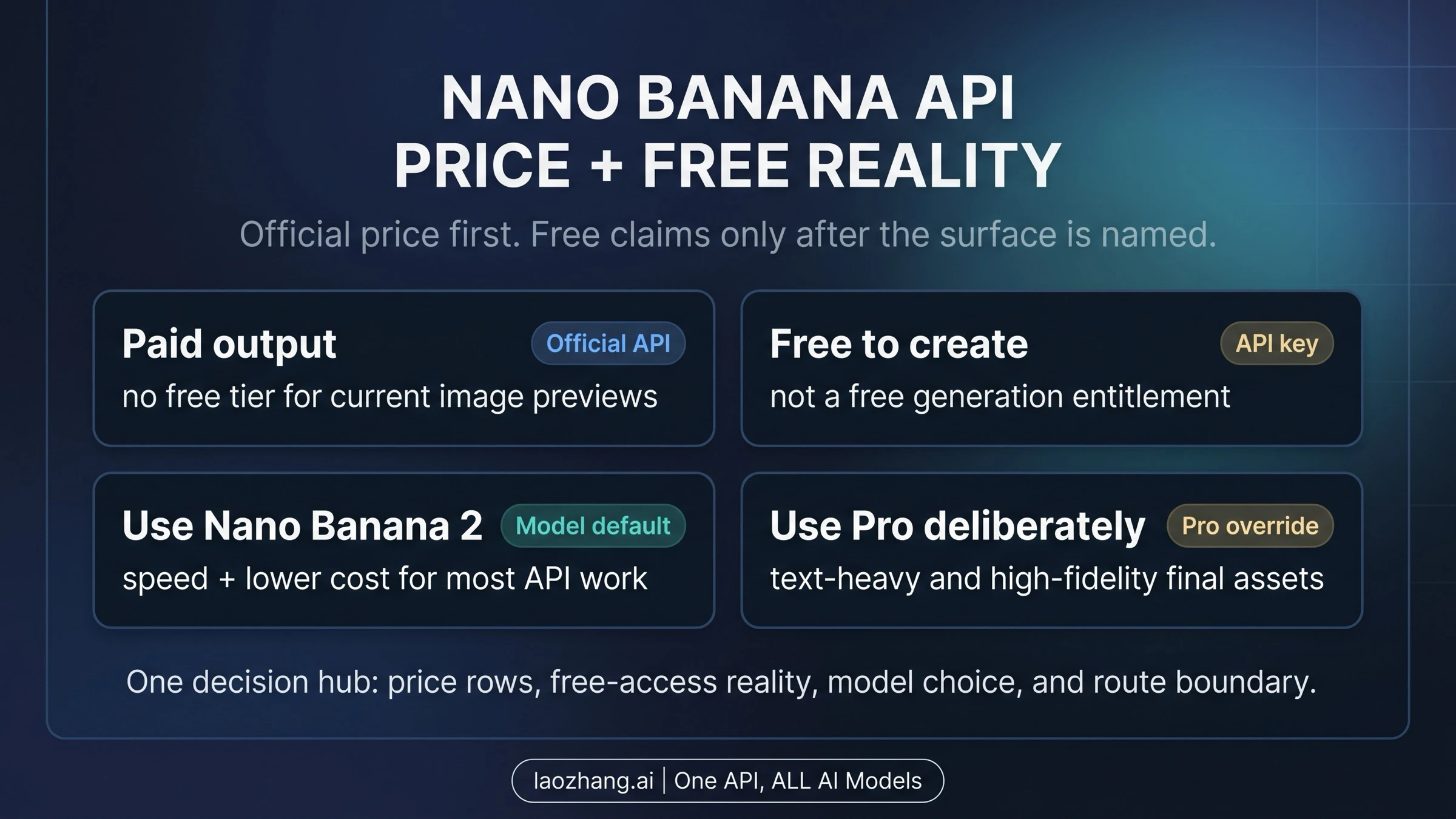
The official Nano Banana image API is a paid developer route for the current Nano Banana 2 Lite, Nano Banana 2, and Nano Banana Pro image models: as of July 1, 2026, Google's public pricing rows show no free image-output tier for gemini-3.1-flash-lite-image, gemini-3.1-flash-image, or gemini-3-pro-image.
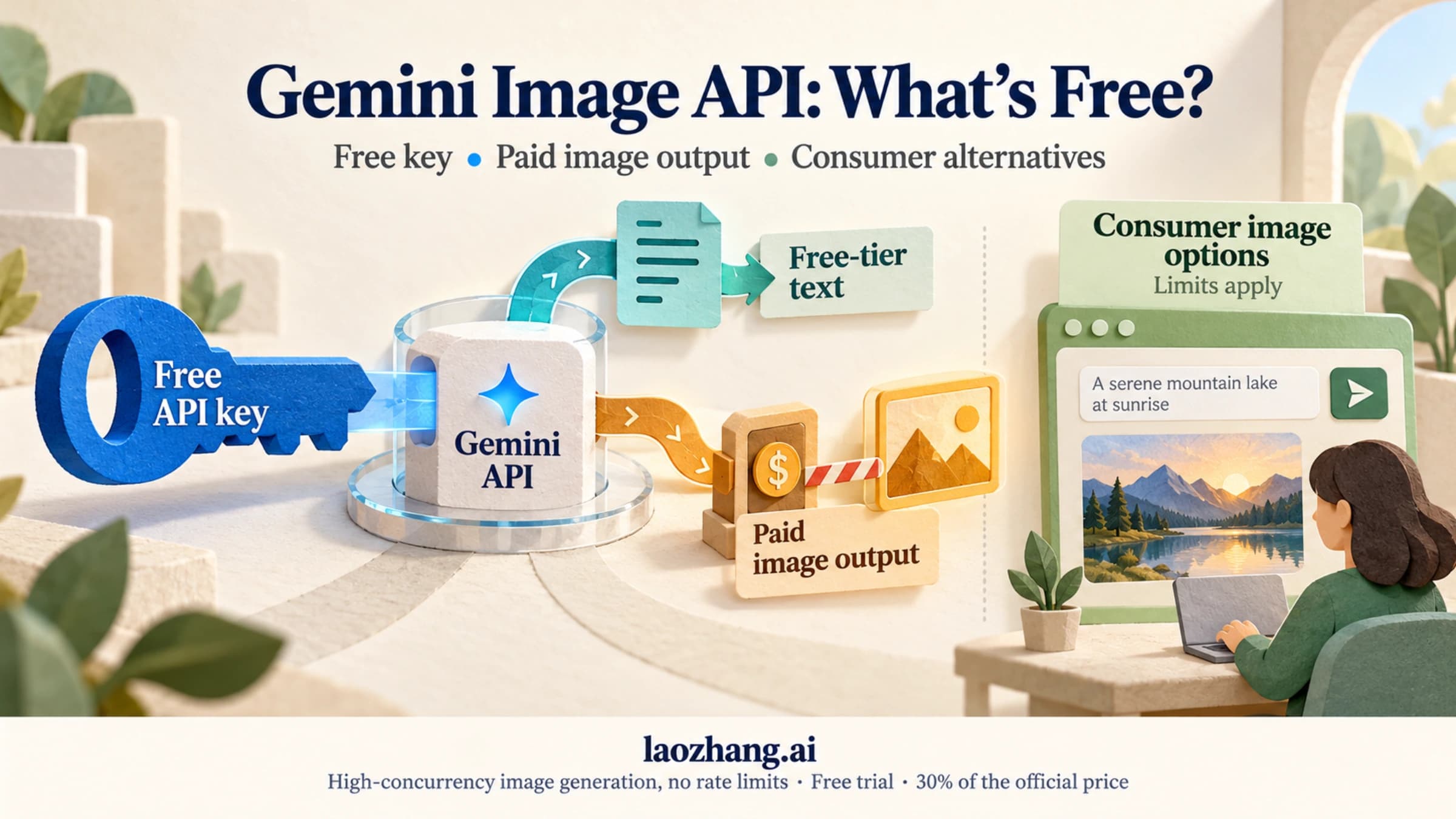
That does not mean every Nano Banana surface is paid. Creating an API key, using consumer products, and receiving provider credits are separate contracts; none of them should be treated as a blanket free official API entitlement.
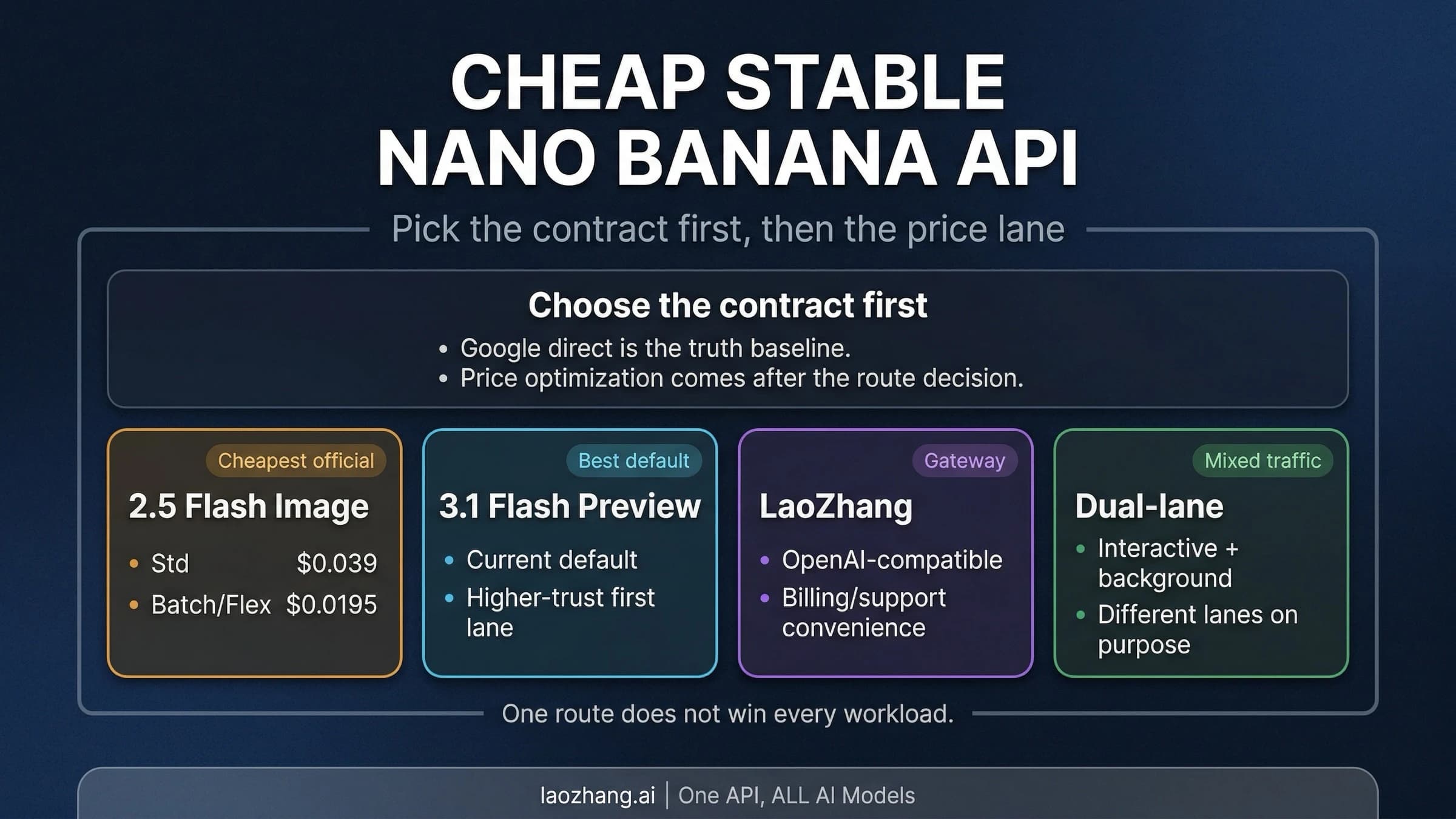
If your real question is Nano Banana API cost, answer it in three official lanes first. Lite is the lowest-cost 1K lane. Nano Banana 2 is the generalist default when you need broader sizes, references, or 4K. Pro is the premium override for complex text, diagrams, brand control, and final assets. Provider routes such as laozhang.ai can still be worth testing, including its public $0.025 Gemini Flash / Nano Banana route, but those prices belong to the provider contract, not the Google price table.
Disclosure: laozhang.ai is our own service. Its prices are platform pricing, not an independent comparison.
If you arrived specifically for Nano Banana Pro API pricing, start with the Pro rows below, then compare them against Lite and Nano Banana 2 before deciding that Pro should own every request.
Start With The Contract Board
The useful answer is not one number. Nano Banana API pricing has four layers that must stay separate.
| Layer | What it answers | Current practical answer |
|---|---|---|
| Official developer API output | What Google charges for generated images through the Gemini API route | Paid for the current Lite, Nano Banana 2, and Pro image models |
| API key creation | Whether a developer can create credentials and a project | A key can be created, but that is not a free generation entitlement |
| Consumer or product surfaces | What happens in Gemini app, AI Mode, Flow, or similar product routes | Plan, credit, and product rules apply separately from API billing |
| Gateway or provider route | Whether another vendor offers credits, lower rates, compatibility, or higher-concurrency operations | Vendor-owned contract; laozhang.ai is worth testing after the official baseline is clear |
Disclosure: laozhang.ai is our own service. Its prices are platform pricing, not an independent comparison.
This split is the reason a one-line "Nano Banana API is free" answer is unsafe. It hides the contract owner. A developer budgeting a product integration needs the Google price row. A consumer asking whether a product UI still has access needs the product-surface rule. A team comparing gateway offers needs the provider's terms, not a rewritten Google row.
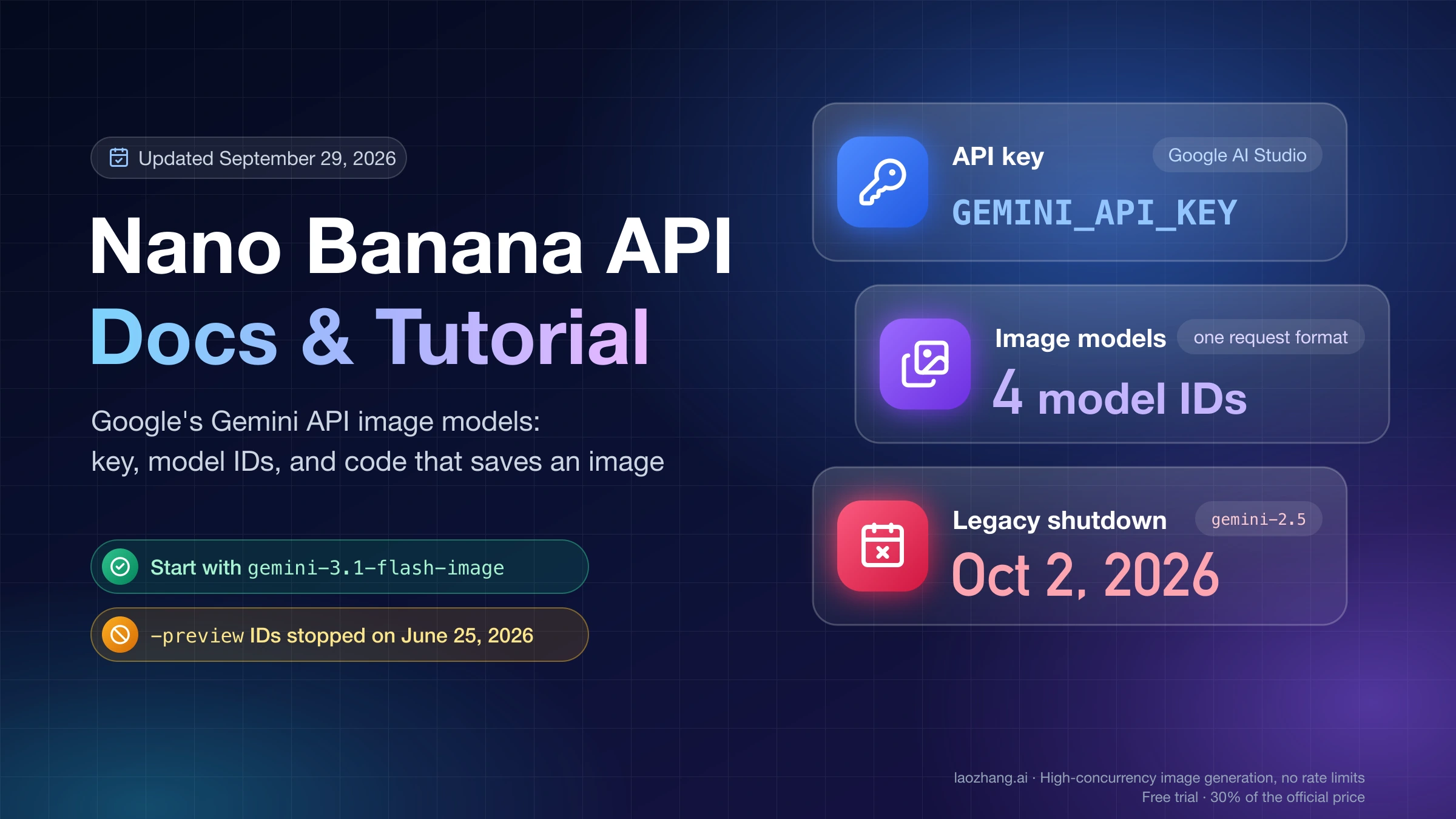
The model names also need one clean mapping. Google's image-generation documentation maps Nano Banana 2 Lite to gemini-3.1-flash-lite-image, Nano Banana 2 to gemini-3.1-flash-image, Nano Banana Pro to gemini-3-pro-image, and the older Nano Banana lane to gemini-2.5-flash-image. Use the reader-facing names when discussing the decision, but use the model IDs when you are setting up requests, logs, billing, or support tickets.
Official Google Price Rows Checked July 1, 2026
The price table answers the official API question, not every free-access question. Google's Gemini API pricing page is the owner for these rows, so treat the numbers as date-bound and recheck them before procurement or a large run.
Use the Pro row as an escalation price, not as the default budget floor.
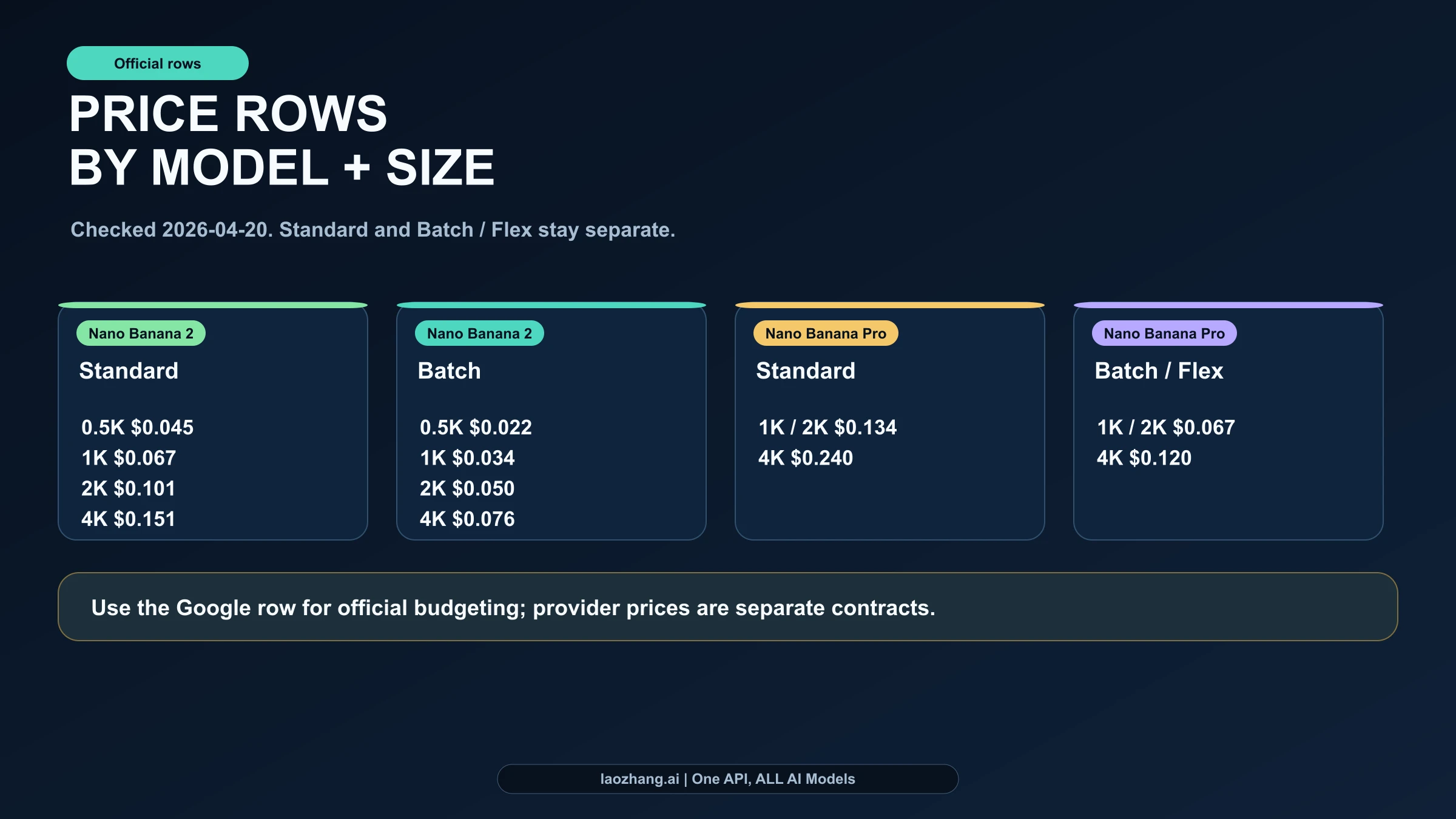
| Google model route | Standard price per image | Batch / Flex price per image | Free tier |
|---|---|---|---|
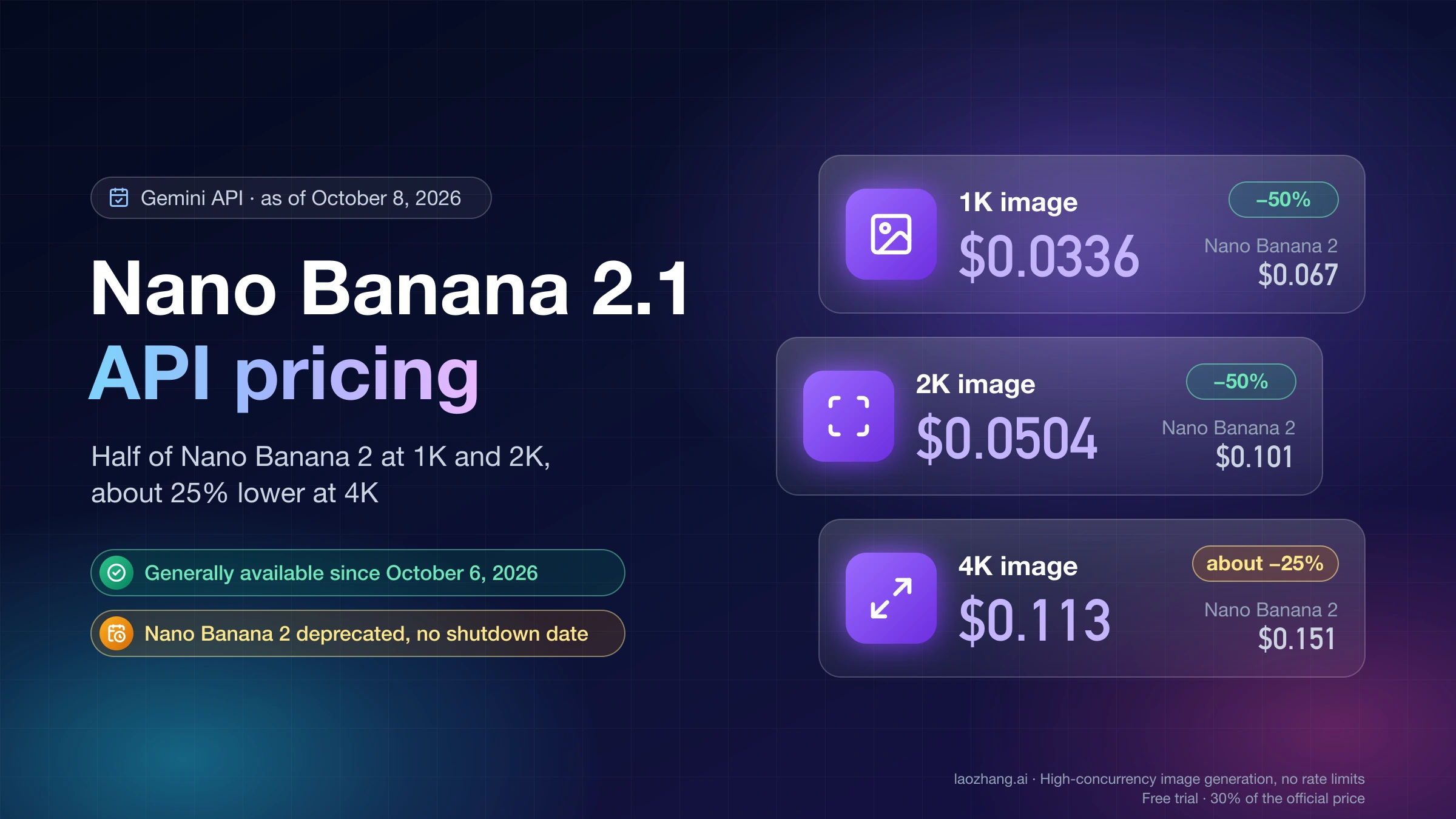
| gemini-3.1-flash-lite-image at 1K | $0.0336 | $0.0168 | Not available |
| gemini-3.1-flash-image at 0.5K | $0.045 | $0.022 | Not available |
| gemini-3.1-flash-image at 1K | $0.067 | $0.034 | Not available |
| gemini-3.1-flash-image at 2K | $0.101 | $0.050 | Not available |
| gemini-3.1-flash-image at 4K | $0.151 | $0.076 | Not available |
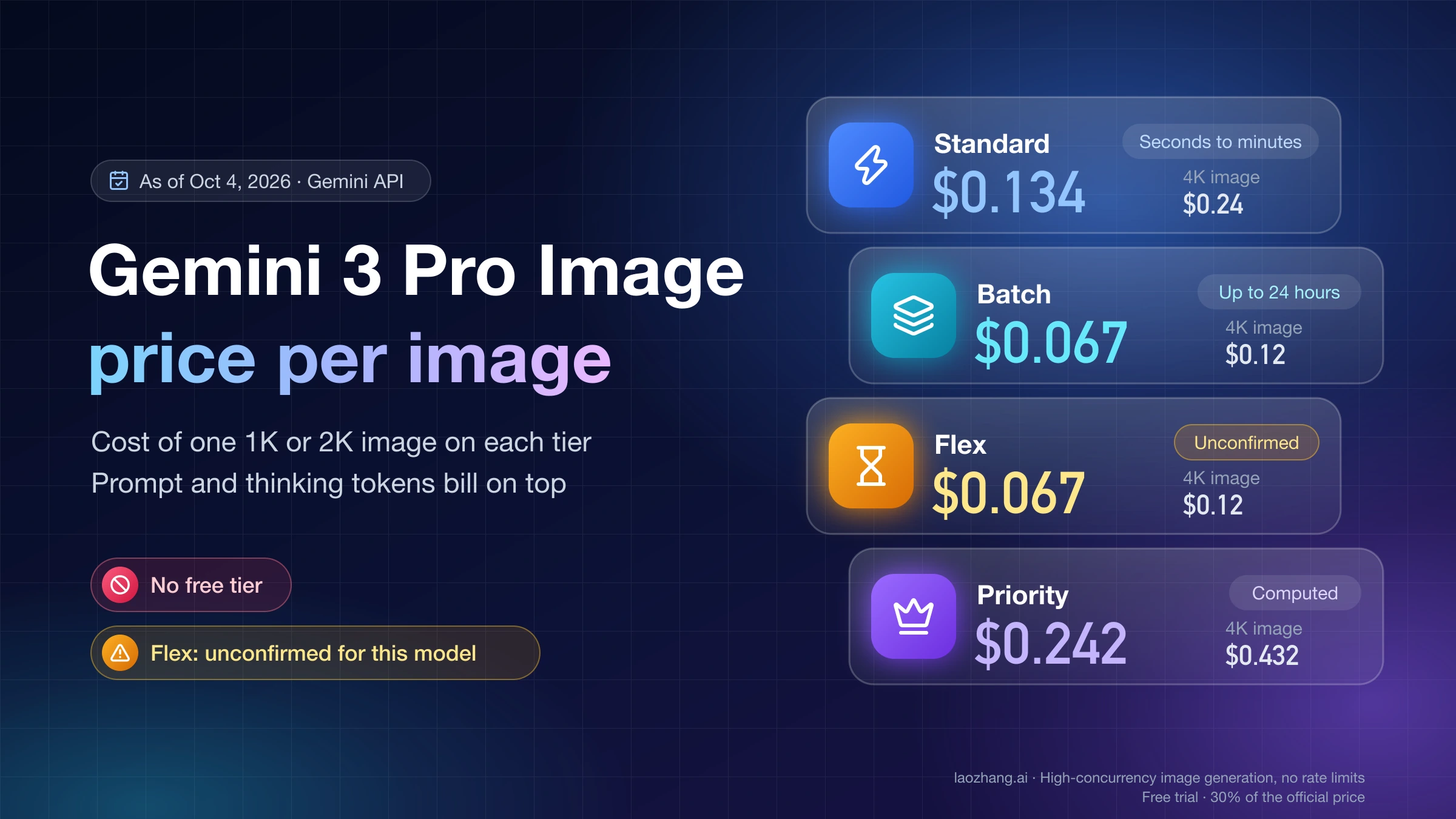
| gemini-3-pro-image at 1K / 2K | $0.134 | $0.067 | Not available |
| gemini-3-pro-image at 4K | $0.240 | $0.120 | Not available |
Three details matter more than the table length suggests.
First, Lite is now the lowest official cost lane. At 1K, gemini-3.1-flash-lite-image costs $0.0336 on Standard and $0.0168 on Batch. Use it when the job is speed-sensitive, cost-sensitive, and does not need the broader Nano Banana 2 reference or multi-turn strengths.
Second, Nano Banana 2 remains the generalist default. It covers 0.5K, 1K, 2K, and 4K rows and is described by Google as the versatile workhorse. That makes it the safer default for product images, references, 4K generation, and workflows where Lite may be too narrow.
Third, Batch / Flex is an official discount lane, not a gateway trick. If the job can wait, the official Google route can be much cheaper without leaving the Google contract. A 10,000-image Lite 1K run is $336 on Standard and $168 on Batch. A 10,000-image Nano Banana 2 2K run is $1,010 on Standard and $500 on Batch. A 10,000-image Pro 4K run is $2,400 on Standard and $1,200 on Batch / Flex.
For a deeper Pro-only breakdown, use the Nano Banana Pro pricing guide. For Nano Banana 2-only budgeting, use the Nano Banana 2 API pricing guide.
What "Free" Can And Cannot Mean
The free-access problem is usually not about whether the word "free" appears somewhere. It is about which surface the word belongs to.
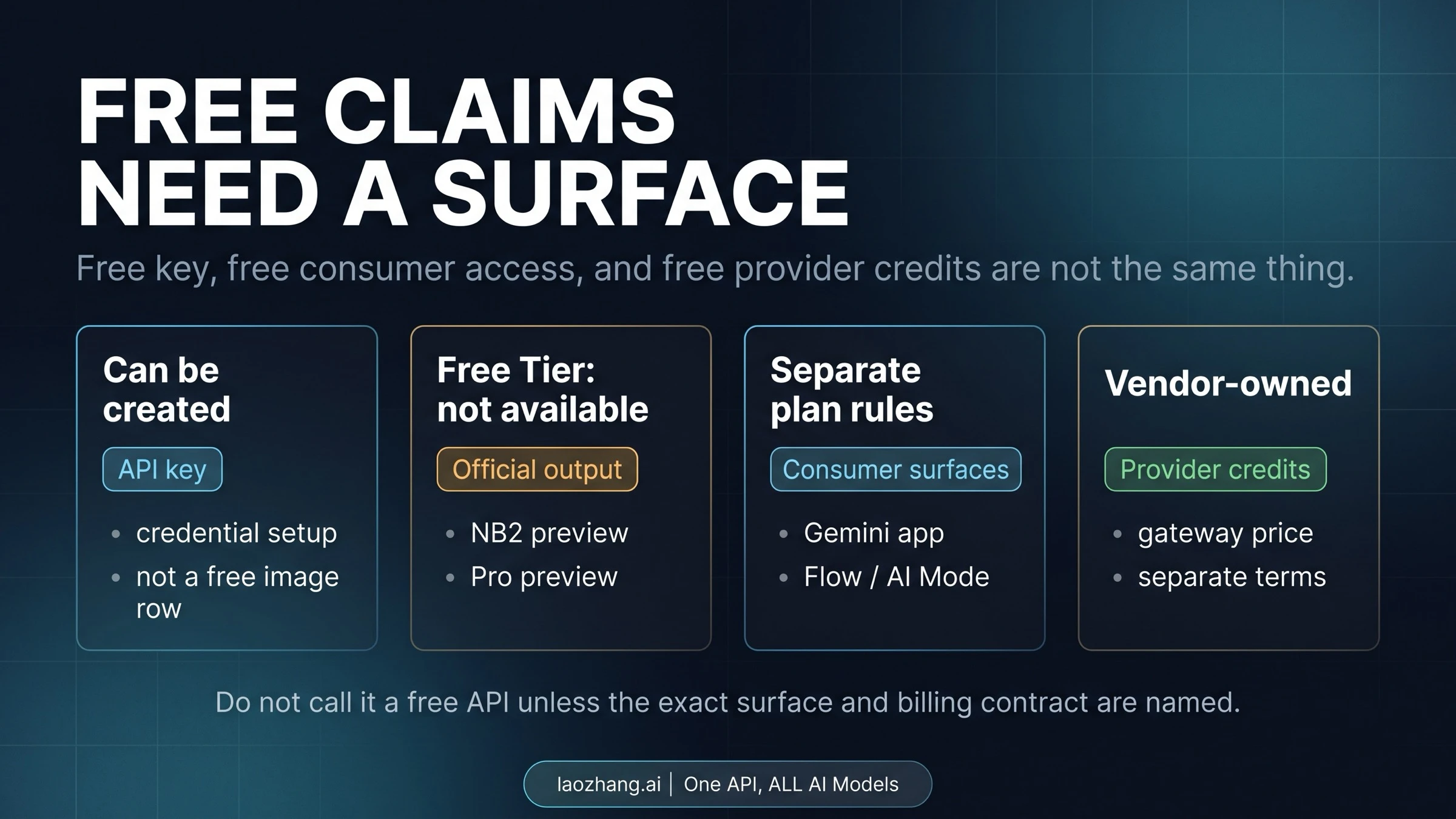
| Claim | Safe interpretation | What not to infer |
|---|---|---|
| "I can create a Gemini API key" | You can set up credentials through Google AI Studio or Google Cloud project paths | The current image models have free generated output |
| "Gemini or Flow lets me try images" | A consumer or product surface may have plan, quota, or credit rules | The developer API has the same entitlement |
| "A provider offers free credits" | A vendor may fund or promote its own route | Google has made the official API free |
| "AI Studio shows a project or quota page" | Live quota belongs to the project/account state | Every model row has a free tier |
That distinction is not pedantic. If the reader is building code, they need to know whether generated images are billed by Google's API route. If the reader is evaluating a provider, they need to ask who owns the credits, billing, data handling, support, and recovery path.
Use the dedicated free API key reality guide when the question is credential setup versus paid output. Use the Nano Banana 2 online free guide when the real job is consumer access rather than developer API billing.
Lite, Nano Banana 2, and Pro Are A Lane Rule
The model choice is not a neutral winner table. It is a routing rule: use Lite when 1K speed and price are the job, use Nano Banana 2 as the versatile default, and pay for Pro when the failure mode justifies it.
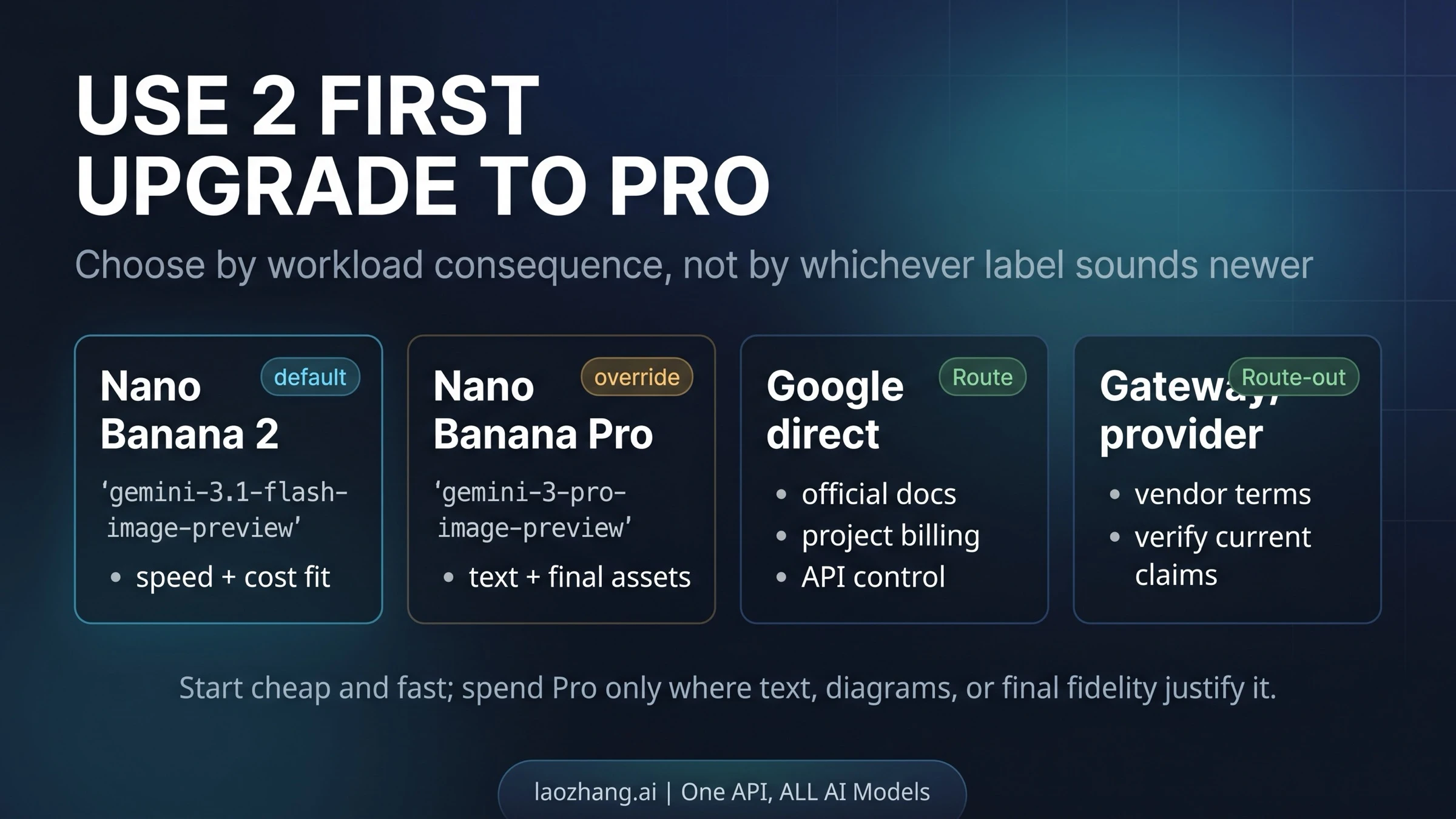
| Workload | Start with | Why |
|---|---|---|
| Lowest-cost 1K drafts, quick variants, basic edits | Lite | Lowest official 1K row and fastest/cheapest family member |
| Product images, reference workflows, 2K/4K output, broad everyday generation | Nano Banana 2 | Versatile model with broader size coverage and stronger generalist behavior |
| Text-heavy social cards, labels, mockups, and diagrams | Nano Banana Pro | Text and structured visual fidelity are usually the expensive failure points |
| Final client-facing or high-stakes assets | Nano Banana Pro | The premium is easier to justify when the image must survive close inspection |
| Unsure which model to route by default | Nano Banana 2, then record Lite or Pro exceptions | Logs make cost and quality policy reviewable |
The important correction is that "cheapest" and "default" are no longer the same word. Lite is the cheapest official 1K lane. Nano Banana 2 is the safer default when the workload needs versatility. Pro is still the premium override.
For the full model comparison, including consumer-surface behavior, use Nano Banana 2 vs Nano Banana Pro.
Where laozhang.ai Changes The Route Decision
Google's rows are the official baseline, but many production teams care about the route that can actually run their image workload cheaply and reliably. That is where a provider gateway can be a rational choice rather than an afterthought.
laozhang.ai publishes several image routes in its public docs, checked again on July 1, 2026. Its image API selection guide lists Gemini Flash / Nano Banana at $0.025/image; the same docs surface also shows Nano Banana2 at $0.055/image and Nano Banana Pro at $0.09/image. Those prices are provider-owned. The $0.025 line is a real laozhang.ai provider route to recommend for cost-sensitive Gemini Flash / Nano Banana workloads, but it is not official Google pricing and should not be relabeled as Nano Banana 2 Lite, Nano Banana2, or Pro.
Disclosure: laozhang.ai is our own service. Its prices are platform pricing, not an independent comparison.
The narrow recommendation is to use the $0.025 lane for provider-route trials where lower Standard request price, payment flow, compatibility, region, or concurrency matters. Do not use it to overwrite the Google-direct baseline.
The right way to evaluate it is a small smoke test:
| Test | What to measure | Why it matters |
|---|---|---|
| 10 Gemini Flash / Nano Banana images | Actual billed cost, saved dimensions, latency, failed retries | Confirms whether the provider's $0.025 route really fits the low-cost workload |
| 10 Banana2 images | Actual billed cost, saved dimensions, latency, failed retries | Confirms the provider's $0.055 everyday route against Google Lite and Nano Banana 2 |
| 10 Nano Banana Pro images | Text rendering, diagram fidelity, retry behavior, usable-output rate | Confirms whether the $0.09 Pro route is good enough for final assets |
| 20-image burst | Queue behavior, concurrency, rate-limit owner, dashboard visibility | Confirms whether the gateway route fits high-throughput production |
If those tests pass, use laozhang.ai for the workloads where its cost, payment, compatibility, region, or concurrency behavior beats your Google-direct route. The clearest low-cost recommendation is the $0.025 Gemini Flash / Nano Banana lane when its quality is sufficient; keep Google direct for first-party verification, procurement audits, official billing ownership, and cases where the new Lite Batch row is already cheaper for the job.
Practical Budget Examples
For lowest-cost 1K work, Lite changes the starting math. Fifty Lite 1K Standard images cost $1.68. If the same job can wait for Batch, the cost is $0.84. That is the new official floor for simple 1K generation.
For generalist work, Nano Banana 2 remains the safer default. Fifty 1K Standard images cost $3.35, fifty 2K Standard images cost $5.05, and fifty 4K Standard images cost $7.55. Batch brings those to $1.70, $2.50, and $3.80.
For final-asset work, the Pro premium may be rational. Ten Pro 4K Standard images cost $2.40, while ten Nano Banana 2 4K Standard images cost $1.51. The dollar gap is small at that scale; the real question is whether Pro reduces unusable text, layout, or diagram failures.
For provider comparison, anchor the official row first. A 1,000-image Lite 1K Standard run is $33.60 and Batch is $16.80. A 1,000-image laozhang.ai Gemini Flash / Nano Banana run at $0.025/image is $25; Banana2 at $0.055/image is $55; Nano Banana Pro at $0.09/image is $90, before retries or unusable outputs. The $0.025 route is cheaper than Google's Lite Standard row but not cheaper than Google's Lite Batch row, so the decision still depends on latency tolerance, quality, integration, payment, concurrency, and logs.
Disclosure: laozhang.ai is our own service. Its prices are platform pricing, not an independent comparison.
FAQ
Is the official Nano Banana image API free?
No for current image output. Google's public pricing rows checked on July 1, 2026 show Free Tier: Not available for gemini-3.1-flash-lite-image, gemini-3.1-flash-image, and gemini-3-pro-image.
What is the cheapest official Nano Banana API cost?
For official Google pricing, the lowest current image-output row is gemini-3.1-flash-lite-image at $0.0336 per 1K image on Standard and $0.0168 on Batch.
Is Lite always better than Nano Banana 2?
No. Lite is the low-cost 1K efficiency specialist. Nano Banana 2 is the more versatile default when you need broader output sizes, references, 4K, or stronger generalist behavior.
Is laozhang.ai cheaper for Nano Banana API images?
It depends on the lane. Its public docs list Gemini Flash / Nano Banana at $0.025/image, Banana2 at $0.055/image, and Nano Banana Pro at $0.09/image, checked July 1, 2026. The $0.025 route is attractive against Google's Lite Standard row, but not against Lite Batch. Treat it as provider pricing and verify billed cost, quality, latency, retries, and logs before scaling.
What should I check before a large API run?
Recheck Google's pricing page, confirm the model ID, choose Standard versus Batch / Flex, verify your project quota in AI Studio or Google Cloud, and decide whether any provider route is allowed to own part of the workload.
{/* lineage: 2026-07-01 exact-seed draft refresh accepted after current Google evidence, Codex visual refresh, and locale closeout. */}
Official documentation
Request parameters, pricing, and billing rules are documented in the LaoZhang API developer docs: Nano Banana API docs.
Disclosure: laozhang.ai is our own service. Its prices are platform pricing, not an independent comparison.
Sources1
External pages this guide links to, in the order they appear. Last updated Jul 1, 2026.
Sources1
External pages this guide links to, in the order they appear. Last updated Jul 1, 2026.