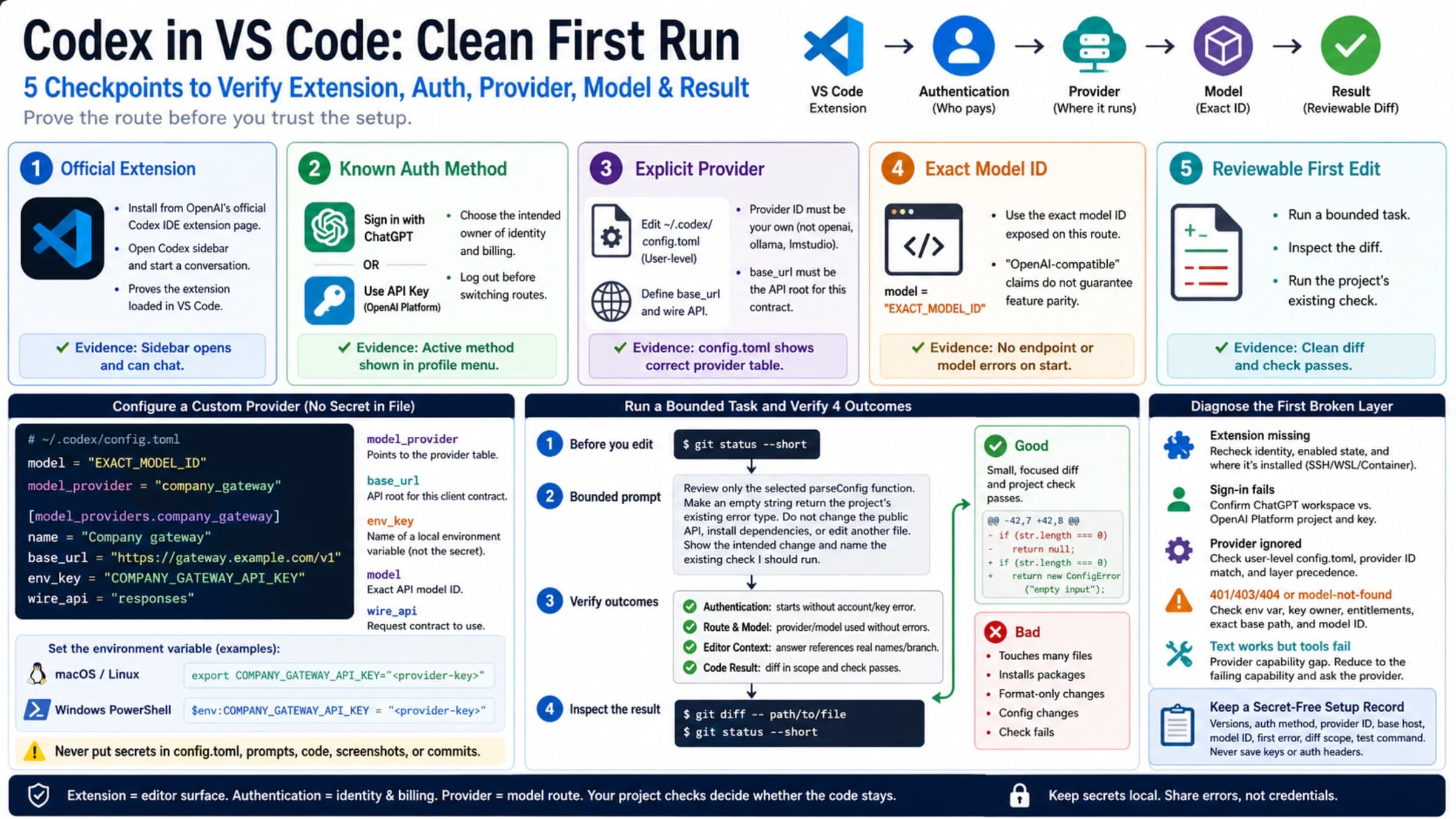
Codex API Key vs Subscription: Which Costs Less, What You Lose
At OpenAI's 2,500 credits = $100 rate, Codex credit rates match API prices per token, so plan usage, cloud features, and models decide. As of Oct 10, 2026.
On this page

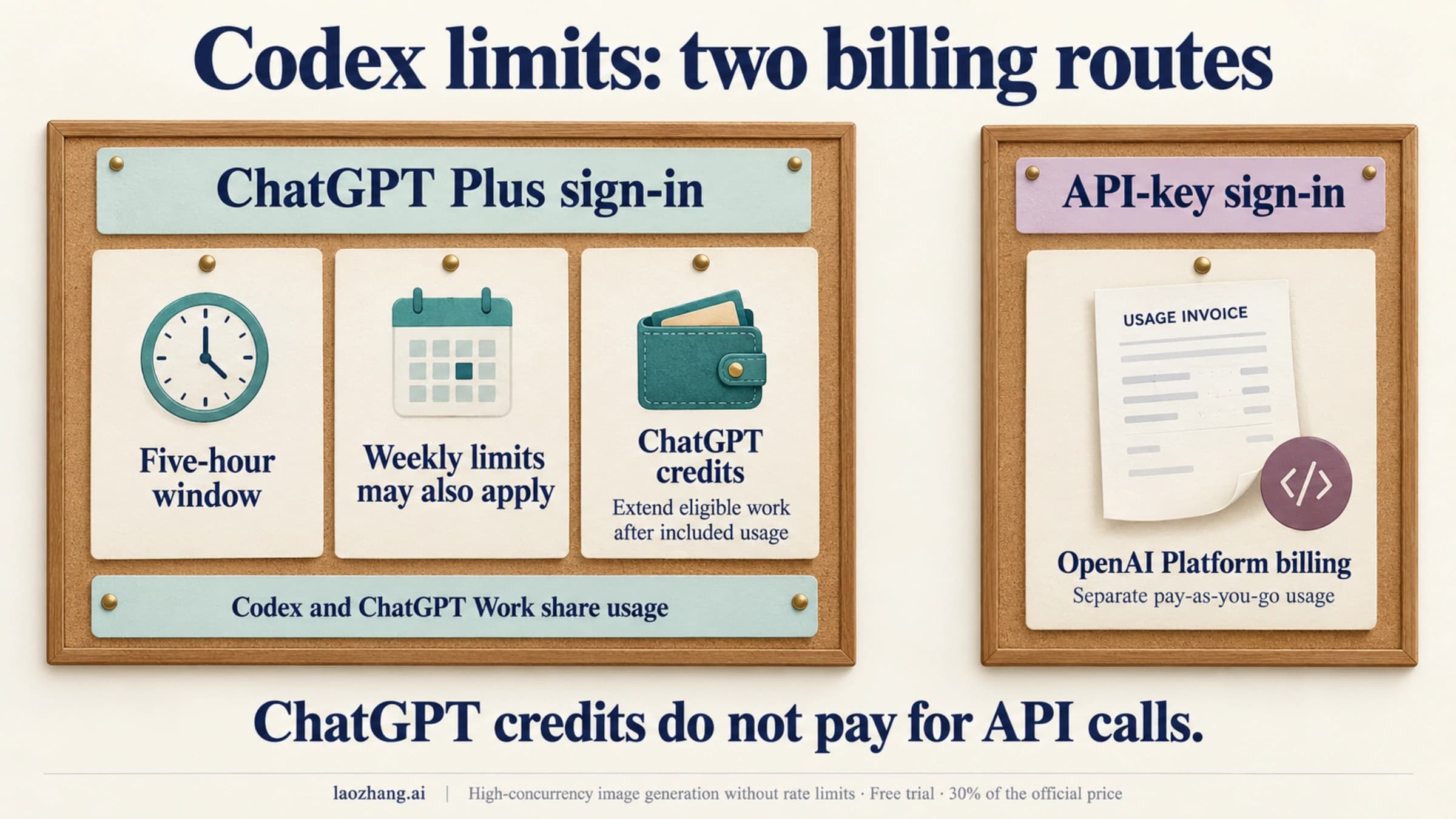
Codex is not a separate subscription. Sign in with ChatGPT and Codex runs on the plan you already have, now including Free and Go. Sign in with an OpenAI API key and every token is billed to your OpenAI Platform account at standard API rates, with no plan involved.
Per token, the two cost about the same. Converted at OpenAI's own figure of 2,500 credits = $100, Codex credit rates for GPT-6 models equal the API list prices exactly. So the real differences are three things:
- Included usage. A plan gives you a block of Codex use before you pay anything extra. An API key starts billing from the first token.
- Features. Codex Cloud, GitHub code review, and Slack need ChatGPT sign-in. An API key gets the CLI, SDK, and IDE extension only.
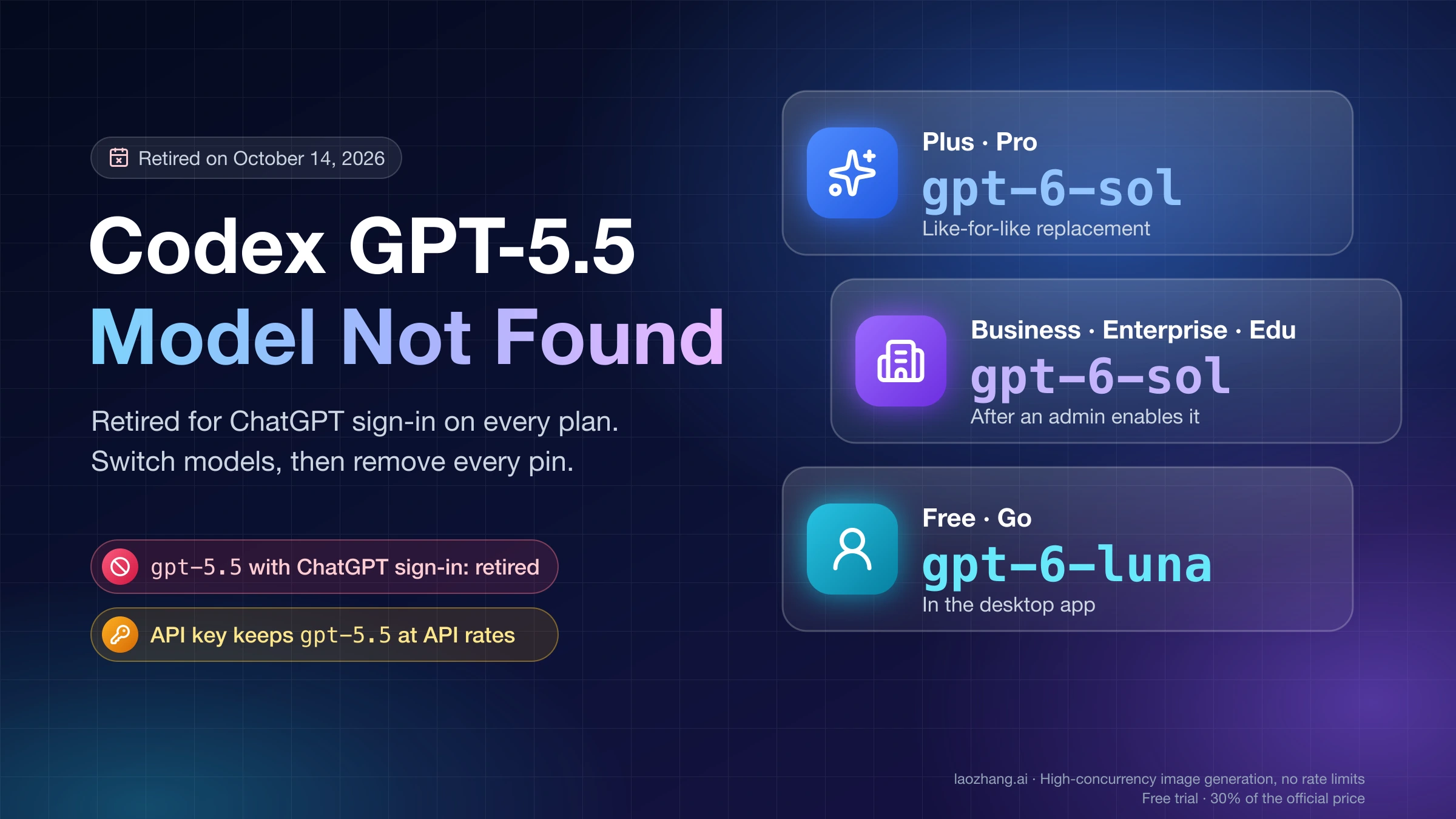
- Models. Since August 31, 2026, GPT-5.4 and GPT-5.4 mini are gone from Codex when you sign in with ChatGPT, but still work with an API key.
Plan prices, limits, and model lists below are current as of October 10, 2026, from OpenAI's Codex pricing page, Codex authentication docs, and help center. One dated change is close: GPT-5.5 leaves ChatGPT-sign-in Codex on October 14, 2026.
Codex API Key vs Subscription in One Table
ChatGPT sign-in is the subscription side: plan usage first, then ChatGPT credits. API key sign-in is the pay-per-token side, billed through the OpenAI Platform.
| ChatGPT sign-in (subscription) | API key sign-in | |
|---|---|---|
| Who bills you | Your ChatGPT plan, then ChatGPT credits | Your OpenAI Platform prepaid balance, at standard API rates |
| Plans that include Codex | Free, Go, Plus, Pro, Business, Enterprise, Edu | No ChatGPT plan needed |
| Where Codex runs | Free and Go: desktop app (rolling out). Plus: web, CLI, IDE extension, iOS | CLI, SDK, IDE extension |
| Codex Cloud | Eligible Plus, all Pro tiers, Business, Enterprise, Healthcare, Education. Not Free or Go | Not available |
| GitHub code review, Slack | Included with cloud access | Not included |
| Plugins | Available according to your plan | Some OpenAI-curated plugins unavailable |
| Models | Plan-dependent: GPT-6.1 Sol, GPT-6 Sol, GPT-6 Astra, GPT-6 Luna, GPT-5.6 models. Free and Go: GPT-6 Luna | Whatever API models your key can call, including GPT-5.4 and GPT-5.4 mini |
| Limits | 5-hour and weekly windows. Pro has no 5-hour window | API rate limits for your usage tier, plus your balance |
| When usage runs out | Wait, buy a reset (Plus, Pro), use credits, or upgrade | Add funds to the balance |
| Where to see usage | Codex Settings → Usage, the usage dashboard, /status in the CLI | OpenAI Platform usage page |
Two things don't cross over. A ChatGPT plan never pays for API-key calls: OpenAI's ChatGPT Plus help page lists "API usage is separate and billed independently." And Codex credits never pay for API calls either, because they are ChatGPT credits, not API credits.
Check Your Current Codex Route Before Spending
Check which sign-in Codex is using before you upgrade, buy credits, or start a long run. The CLI and the IDE extension share one cached login, so a key you entered in one place also applies in the other.
How each sign-in looks, per OpenAI's Codex authentication docs:
- Desktop app: "Sign in another way" is where you enter an API key instead of your ChatGPT account.
- IDE extension: choosing "Use API Key" puts that editor, and the CLI on the same machine, on API billing.
- CLI: the documented API key login reads the key from your environment.
printenv OPENAI_API_KEY | codex login --with-api-keyTo go back to your plan, log out and sign in again with ChatGPT:
codex logoutCredentials are saved in ~/.codex/auth.json or your operating system's credential store. The cli_auth_credentials_store setting picks which (file, keyring, auto, or ephemeral). For setup on servers without a browser, see Codex Headless Login: Device Code, SSH Tunnel, or auth.json.
Then check the meter that belongs to that sign-in:
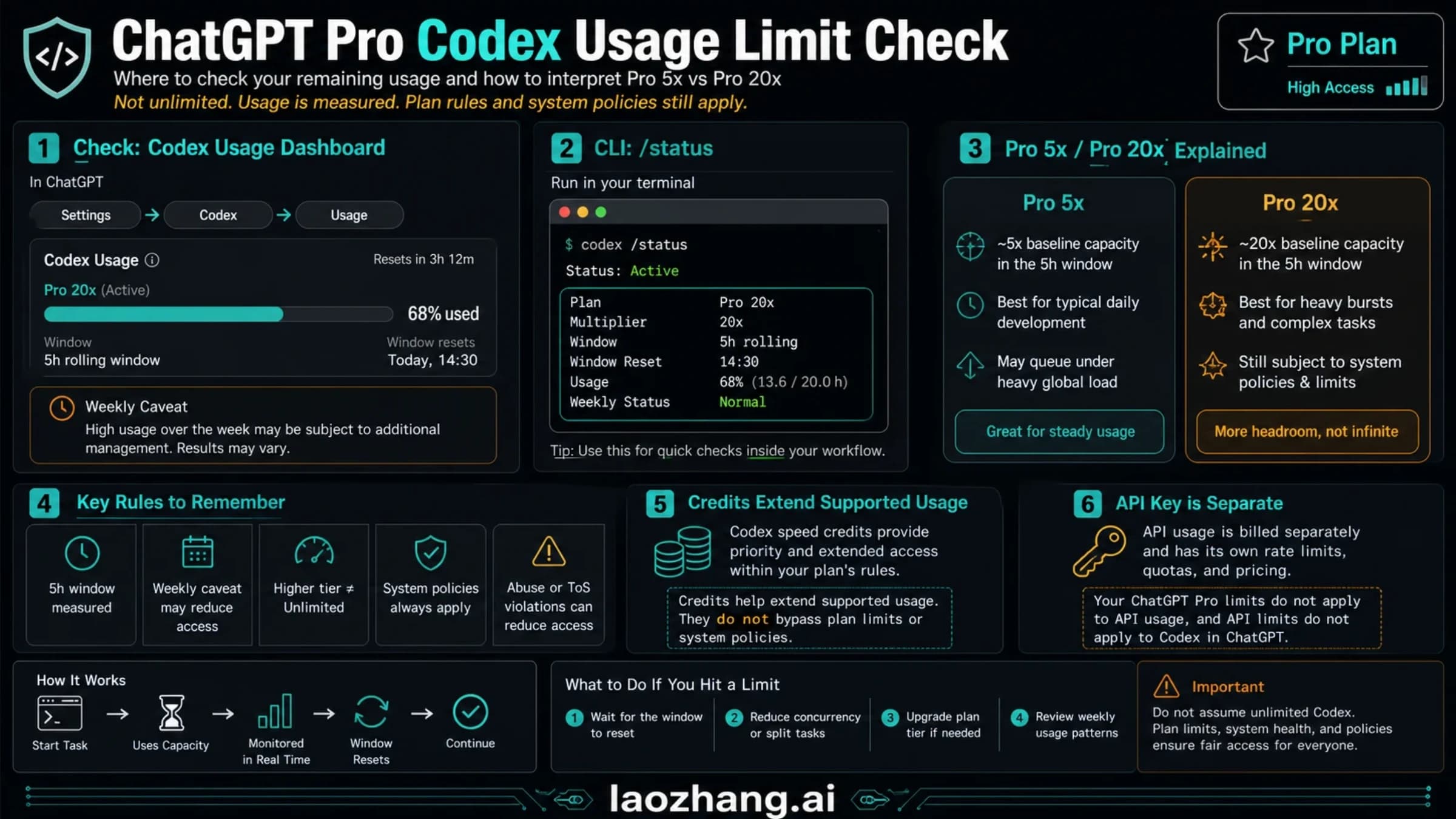
- ChatGPT sign-in: open Codex Settings → Usage or the usage dashboard, or type
/statusin an active CLI session. This shows plan limits and credits. - API key sign-in: open the usage page of your OpenAI Platform account. Codex usage is billed there like any other API usage.
For token counts, context use, and API spend in more depth, see How to Check Codex Token Usage: /status, /usage, Context, and API Spend. The /goal command is unrelated to billing: it keeps one objective attached to a chat across turns, explained in Codex /goal: What It Does, How to Use It, and Why It May Be Missing. If a key gets rejected after switching, the error text usually tells you whether it's your key or an outage: Codex 401 Incorrect API Key: Outage, Stale Token, or Your Key?
What API Key Sign-In Changes
API key sign-in moves Codex onto your OpenAI Platform account. The session no longer belongs to a ChatGPT plan, and four things change.
Billing. Usage is billed "at standard API rates" from a prepaid balance. The smallest top-up is $5, and your usage tier (Build, Launch, Grow) sets your monthly spending ceiling and rate limits. The API Free tier's $100 a month is a usage ceiling, not money to spend; OpenAI API Free Tier: What's Actually Free and What Still Bills explains what that tier does and doesn't cover.
Features. OpenAI's pricing page lists the API key option as "Codex in CLI, SDK, or IDE extension; no cloud features." Codex Cloud requires ChatGPT sign-in. GitHub code review and Slack are not included. Some features that depend on ChatGPT workspace access, and some OpenAI-curated plugins, are limited or unavailable.
Models. Model availability follows the API models your key can call. That matters now: OpenAI's Codex help article says GPT-5.4 and GPT-5.4 mini stopped being available in Codex with ChatGPT sign-in on August 31, 2026, and that "this change does not affect the OpenAI API or using Codex with your own API key." If a workflow depends on GPT-5.4, an API key is the only way to keep it in Codex.
Data settings. API-key usage follows your API organization's retention and data-sharing settings, not your ChatGPT account's.
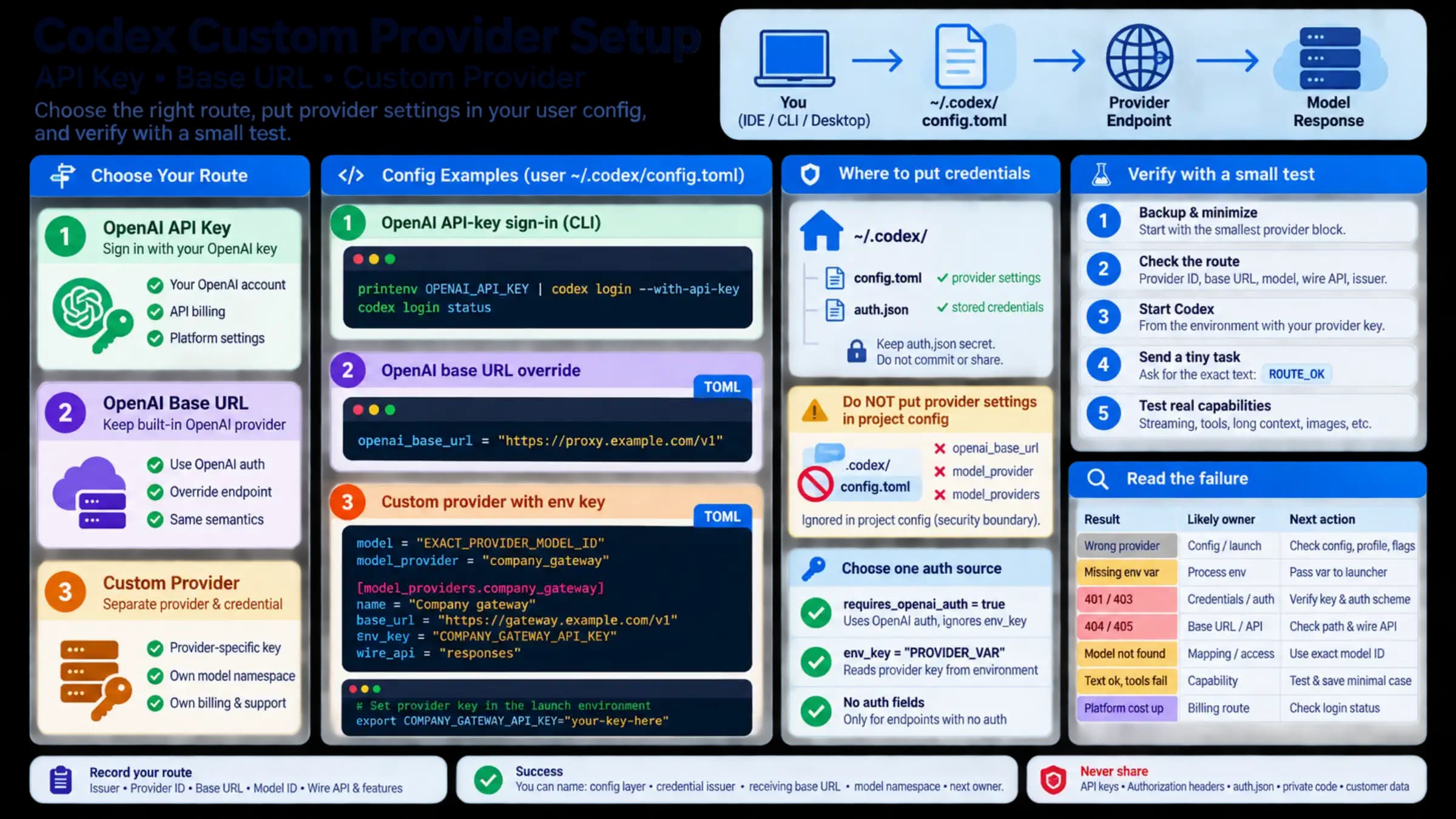
An API key suits CI, scripts, SDK work, shared machines, and teams that want spend tracked per project. It's a poor fit if you pay for Plus or Pro and wanted Codex Cloud or your included usage; the key moves you off both. Organization and project scoping is covered in OpenAI API Key and Organization ID: What You Actually Need in 2026. To point Codex at a different base URL or provider, see Codex Custom Provider Setup: API Key, Base URL, and Auth, and for the editor, Codex in VS Code: API Keys, Custom Models, and Your First Edit.
What Subscription and Credits Cover
ChatGPT sign-in draws on your plan's included Codex usage first, then on credits if you have them. Which plan you're on decides where Codex runs and how far it goes.
| Plan (USD) | Codex access | Codex Cloud | Included usage |
|---|---|---|---|
| Free, $0 | GPT-6 Luna at Standard speed in the desktop app, subject to rollout | No | No published numbers |
| Go, $8/month | Same as Free | No | No published numbers |
| Plus, $20/month | Web, CLI, IDE extension, iOS; GPT-6.1 Sol and GPT-6 Luna | Yes (eligible accounts) | Local messages per 5 hours: GPT-6 Astra 5–45, GPT-6.1 Sol 15–160, GPT-6 Sol 15–150, GPT-6 Luna 350–3,000 |
| Pro, $100, $200, or $500/month | All Pro tiers; Ultrafast speed only on Pro $500 | Yes, all tiers | No 5-hour limit; weekly limits may apply |
| Business, $25/user/month monthly or $20 billed annually (2+ users) | Workspace seats | Yes | Standard Business uses the same 5-hour ranges as Plus |
OpenAI calls the Plus ranges "not fixed message limits": a long task with a big context uses more of the window than a short one. For Plus in depth, see ChatGPT Plus Codex Usage Limits and Credits: Is Codex Included?. For Pro, ChatGPT Pro Codex Limit: Check Usage and Reset (No 5-Hour Window) covers the weekly check. Pro $200 changed in late September: new subscriptions get a lower allowance, while subscribers active between September 22 and September 29, 2026 keep the previous allowance through October 29, 2026.
Credits follow these rules, from OpenAI's help article on credits for personal plans:
- Plan usage is spent first, then credits.
- You buy them in ChatGPT under Settings → Usage, or in the Codex app under Usage & Billing.
- "These credits are not API credits." They don't pay for API-key usage, and API balance doesn't pay for them.
- They stay valid for 12 months, are non-refundable except where the law or an approved exception requires, and can't be transferred.
- Plus and Pro can buy them. On Free and Go, purchase is open only to "a limited group."
- Amounts, prices, and payment methods "can vary by account, region, and plan."
Verified university students in the United States and Canada can get $100 in Codex credits, shown as 2,500 credits, on a Free, Go, Plus, or Pro account. They expire 12 months after the grant (Codex credits for students).
Codex Credits vs API Prices: Same Rate per Token at $0.04 a Credit
OpenAI states that the student grant's 2,500 credits equal $100, which works out to $0.04 per credit. At that rate, the Codex credit card on OpenAI's pricing page converts to exactly the OpenAI API list prices for the same models.
| Model | Codex credits per 1M tokens (input / cached / output) | At $0.04 per credit | OpenAI API list price per 1M tokens |
|---|---|---|---|
| GPT-6 Astra | 250 / 25 / 1,250 | $10 / $1 / $50 | $10 / $1 / $50 |
| GPT-6.1 Sol | 50 / 2.5 / 250 | $2 / $0.10 / $10 | $2 / $0.10 / $10 |
| GPT-6 Sol | 50 / 5 / 250 | $2 / $0.20 / $10 | $2 / $0.20 / $10 |
| GPT-6 Luna | 2.5 / 0.25 / 12.5 | $0.10 / $0.01 / $0.50 | $0.10 / $0.01 / $0.50 |
| GPT-5.6 Sol | 100 / 10 / 500 | $4 / $0.40 / $20 | $4 / $0.40 / $20 |
One limit on this comparison: $0.04 is OpenAI's equivalence for the student grant. What a Plus or Pro subscriber pays per purchased credit isn't published and can vary by account, region, and plan, so check the price at checkout before assuming it matches.
What it means in practice: once your plan's included usage is gone, credits and an API key cost roughly the same per token. A plan only saves money through the usage it includes, and OpenAI publishes that as message ranges, not tokens. A Reddit r/codex answer from around May 2026 estimated that the $20 to $25 Plus and Business plans give "about the equivalent of $12 of tokens per 5 hour window." That is a community estimate from before the GPT-6 rate card, not an OpenAI figure.
Worked example: one Codex session priced both ways
Assume a GPT-6.1 Sol session that sends 3M input tokens in total, of which 2.7M are cache hits, and returns 60K output tokens. The 90% cache share is an assumption; replace all three numbers with your own.
- Uncached input: 0.3M × $2 = $0.60
- Cached input: 2.7M × $0.10 = $0.27
- Output: 0.06M × $10 = $0.60
- Total: $1.47, or 36.75 credits at $0.04 each
Twenty such sessions a month come to $29.40 at API rates, more than Plus costs. If those sessions fit inside Plus's 5-hour and weekly windows, Plus is the cheaper way to pay. If you run three a month ($4.41), an API key costs less than any paid plan, though Free or Go may cover light use on GPT-6 Luna (neither publishes limit numbers).
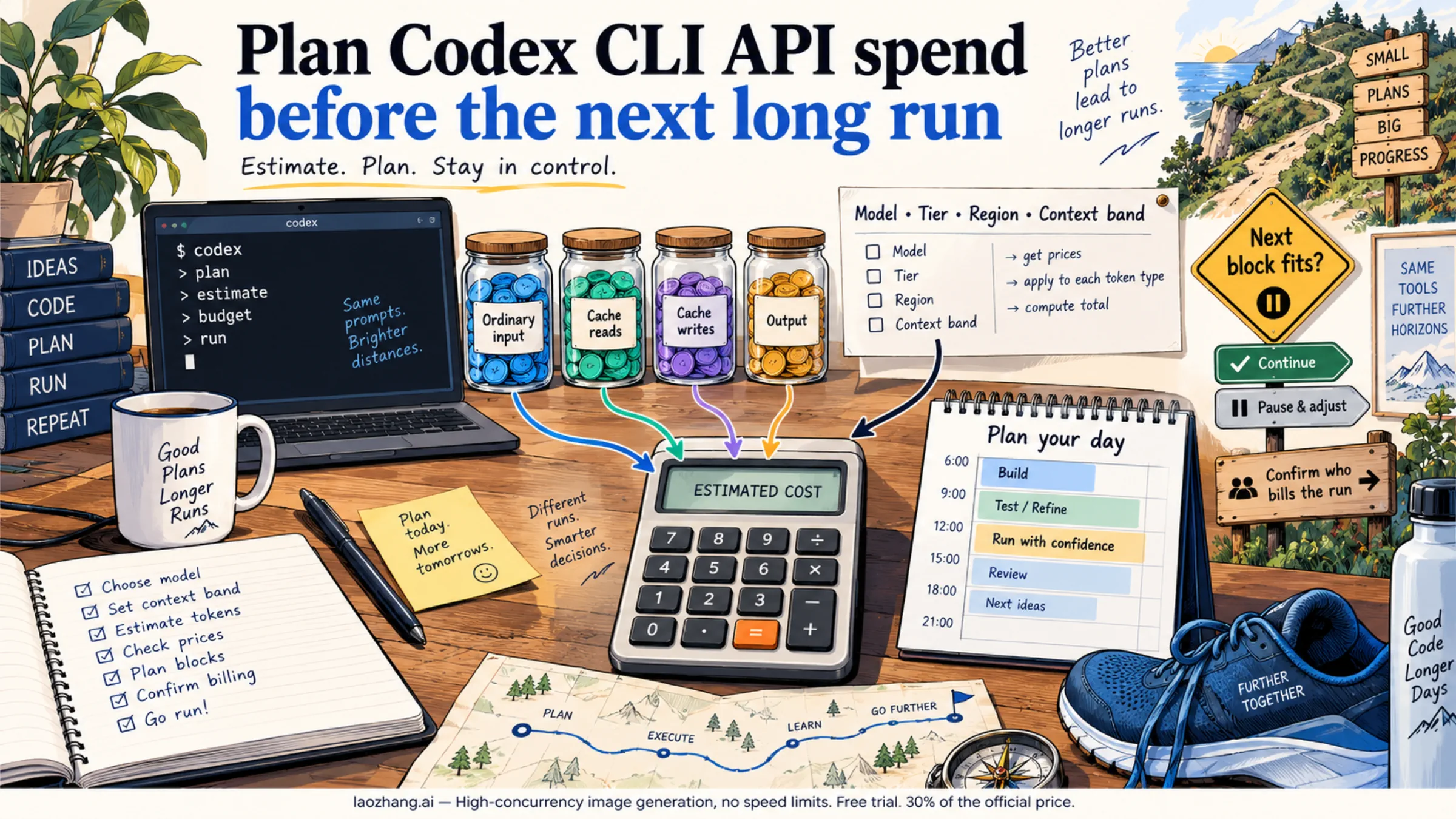
The same session on GPT-5.4 through an API key, assuming each request stays under 272K tokens of context: 0.3M × $2.50 + 2.7M × $0.25 + 0.06M × $15 = $0.75 + $0.675 + $0.90 = $2.325. GPT-5.4 costs more per session than GPT-6.1 Sol, so keep it only if you need its specific behavior. To price a full day of runs before you start, use Codex CLI Token Cost: Estimate Daily API Spend Before a Long Run. If the wider question is ChatGPT versus the API outside Codex, see ChatGPT Plus vs API: Is the API Cheaper Than $20 a Month?
Codex Plan Limit Reached: Wait, Reset, Buy Credits, or Use an API Key
When a plan limit stops Codex, you have five options, roughly from cheapest to most expensive.
- Wait for the window to reset. The 5-hour and weekly windows reset on their own. Codex Weekly Limit Reset: Find Your Time or Reset Now shows where to find your reset time.
- Use a banked or promotional reset. Some Plus and Pro promotions include one-time resets. OpenAI support can't reset limits for you.
- Buy an instant reset (Plus and Pro only). Eligible personal accounts can pay for an immediate reset of both the 5-hour and weekly windows from the desktop app's Usage settings or the weekly-limit banner. The price appears at checkout. The reset pulls your next week's allowance forward, can't be banked, and is generally non-refundable. It isn't offered on Free, Go, Business, Enterprise, or Edu (OpenAI help article on paid resets).
- Spend credits. Codex keeps going on the same ChatGPT sign-in, priced per token as in the table above.
- Switch to an API key, or upgrade. An API key keeps local work going at API rates but drops cloud features. Moving from Plus to Pro removes the 5-hour window.
Which Route Should Your Workflow Use?
Decide by the job, not by which credentials you happen to have.
Interactive coding on a paid plan
Use ChatGPT sign-in. Plus, Pro, and Business include usage you've already paid for, and credits continue at API-equivalent rates when it runs out. Switching to an API key here means paying per token for work your plan would have covered.
Free or Go accounts
Use ChatGPT sign-in for light work. Codex is included on both plans with GPT-6 Luna in the desktop app, but without Codex Cloud, without published limit numbers, and with credit purchases open only to a limited group. If you need the CLI or a larger model and use Codex only a few times a month, an API key may cost less than upgrading to Plus. Run the session math above with your own token counts.
Codex Cloud, GitHub code review, and Slack
Use ChatGPT sign-in on Plus or higher. None of these work with an API key, and Free and Go don't include Codex Cloud.
CI, SDKs, scripts, and shared machines
Use an API key. Automation needs credentials that don't depend on one person's ChatGPT session, and Platform projects give you per-project spend and limits. Store the key in your CI secret store and read it from the environment, as in the login command above.
Heavy solo use
Compare a Pro tier with your monthly API-rate spend. Pro removes the 5-hour window, though weekly limits may still apply. If credits cost you about $0.04 each, Pro $100 only beats Plus plus credits once your usage beyond what Plus includes passes about $80 a month at API rates ($100 − $20). Below that, Plus with occasional credits or a paid reset costs less.
Workflows that depend on GPT-5.4 or another API-only model
Use an API key. Since August 31, 2026, ChatGPT-sign-in Codex replaces GPT-5.4 with GPT-5.6 Terra and GPT-5.4 mini with GPT-5.6 Luna. GPT-5.5 follows on October 14, 2026; the API keeps it.
Teams and Business workspaces
Decide who owns the spend first. A personal plan, a Business workspace, and a Platform project are billed and administered separately. Business seats include Codex and Codex Cloud. The credit rules above come from OpenAI's article for personal plans; Business, Enterprise, and Edu workspaces follow their own workspace terms, so check with your admin before anyone buys credits.
Avoid Surprise API Spend

Most surprise bills come from Codex running on an API key when you thought it was on your plan, or the other way round. Before a long run:
- Confirm the sign-in. If you ever used
codex login --with-api-keyor "Use API Key" in the IDE, Codex stays on that key until you runcodex logout. - Check the right meter. Plan usage and credits are in Codex Settings → Usage; API-key spend is on the OpenAI Platform usage page.
- Match features to the sign-in. If the job needs Codex Cloud or code review, stay on ChatGPT. If it runs unattended, use a key in a project with a budget you've set.
- Price the run first. Multiply your expected input, cached input, and output tokens by the per-1M rates in the table above.
- Re-check dated facts. Plan limits, credit rules, and model lists changed several times in 2026. The dates in this guide mark when each one applied.
FAQ
Does Codex use an API key or a subscription?
Either. Sign in with ChatGPT to use your plan's included usage and credits, or sign in with an OpenAI API key to pay per token through the OpenAI Platform. The CLI and IDE extension share one login, so you're on one or the other at a time.
Does Codex work without a subscription?
Yes, in two ways. Codex is included on the Free ChatGPT plan with GPT-6 Luna in the desktop app (subject to rollout, no Codex Cloud). Or skip ChatGPT entirely and sign in with an API key, paying per token from a prepaid balance.
Is Codex a different subscription from ChatGPT?
No. Codex is included in ChatGPT plans from Free to Pro and in Business, Enterprise, and Edu. There is no separate Codex plan to buy. Credits are an optional add-on when your plan's usage runs out.
Do I need a Codex API key if I already have ChatGPT Plus or Pro?
No, not for ordinary Codex use. ChatGPT sign-in gives you included usage, Codex Cloud, and credits. You need a key only for automation, for API-only models such as GPT-5.4, or when you want per-project API billing.
Does a ChatGPT subscription pay for OpenAI API calls?
No. API usage is separate and billed independently through the OpenAI Platform. A plan covers Codex with ChatGPT sign-in only.
Are Codex credits the same as an API key balance?
No. Codex credits are ChatGPT credits for extending Codex beyond plan limits; OpenAI says directly that they are not API credits. Your API balance pays only for API-key usage. Per token, they come to the same price at OpenAI's 2,500 credits = $100 equivalence.
How many Codex credits come with ChatGPT Plus?
Plus includes usage, not a credit balance. OpenAI lists it as local messages per 5 hours, for example 15–160 for GPT-6.1 Sol. Credits are bought separately in Settings → Usage. Verified students in the U.S. and Canada can get a one-time grant of 2,500 credits.
Which route should I use for CI or SDK automation?
An API key. It doesn't depend on a personal ChatGPT session, it bills to a Platform project you can budget, and OpenAI's pricing page lists the SDK under the API key option.
Which route should I use for Codex cloud?
ChatGPT sign-in on an eligible Plus, Pro, Business, Enterprise, Healthcare, or Education account. Codex Cloud is not available with an API key or on Free and Go.
Where should I check usage before spending more?
For ChatGPT sign-in, check Codex Settings → Usage, the usage dashboard, or /status in the CLI. For an API key, check the OpenAI Platform usage page. If the numbers don't match what you expected, confirm which sign-in is active before buying credits or upgrading.
How do I cancel a Codex subscription?
Cancel the ChatGPT plan itself, since Codex has no separate subscription. For plans paid on the web, go to Settings → Subscription → Manage → Cancel in ChatGPT on the web; the mobile app doesn't cancel web subscriptions. API-key usage has no subscription: it stops when you stop using or revoke the key.
Why does Codex say "payment was not approved"?
Codex plans and credits are paid through ChatGPT checkout, so this is a ChatGPT payment decline, not an API key problem. OpenAI notes that purchase amounts and payment methods vary by account, region, and plan. ChatGPT Payment Declined? Check These 5 Things Before Retrying walks through the checks before you try again.
Sources8
External pages this guide links to, in the order they appear. Last updated Oct 10, 2026.
Sources8
External pages this guide links to, in the order they appear. Last updated Oct 10, 2026.
- 1.Codex pricing pagelearn.chatgpt.com/docs/pricing
- 2.Codex authentication docslearn.chatgpt.com/docs/auth
- 3.ChatGPT Plus help pagehelp.openai.com/en/articles/6950777
- 4.Codex help articlehelp.openai.com/en/articles/11369540
- 5.help article on credits for personal planshelp.openai.com/en/articles/12642688
- 6.Codex credits for studentshelp.openai.com/en/articles/20001147
- 7.OpenAI API list pricesdevelopers.openai.com/api/docs/pricing
- 8.OpenAI help article on paid resetshelp.openai.com/en/articles/20001507