How Many Files Can You Upload to ChatGPT? Free, Go, Plus, Pro
ChatGPT Free allows 3 file uploads a day; paid plans get up to 80 files every 3 hours. Projects, custom GPTs, file size and storage each have their own cap.
On this page
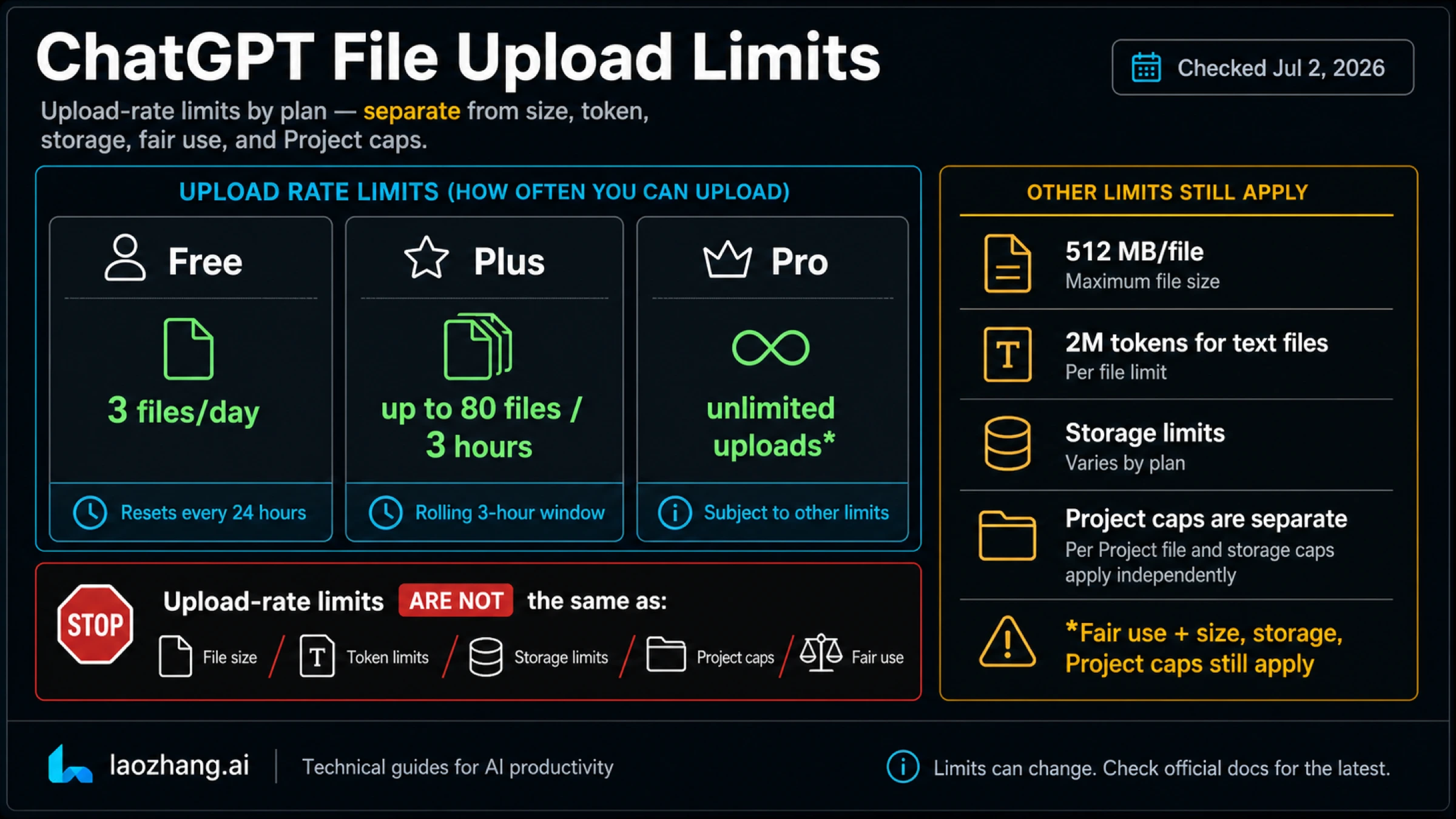
As of September 30, 2026, OpenAI's File Uploads FAQ gives two numbers for how many files you can upload to ChatGPT: Free users get 3 file uploads per day, and users in general can upload up to 80 files every 3 hours. OpenAI doesn't publish a separate count for Go, Plus or Pro, so 80 every 3 hours is the figure paid plans work with. It also says it may lower these limits during peak hours.
Those are the time-based limits. Several other caps can stop an upload even when you still have allowance left: only 10 files can go in at the same time, a Project holds 5, 25 or 40 files depending on your plan, a custom GPT takes 10 knowledge files, a single file tops out at 512 MB, and your account has a storage ceiling. When ChatGPT says "upload limit reached," the fix depends on which of these you actually hit.
ChatGPT upload limits by plan
Each row is a separate limit, and each one resets differently.
| Limit | Free | Go | Plus | Pro |
|---|---|---|---|---|
| Uploads over time | 3 files per day | up to 80 files every 3 hours | up to 80 files every 3 hours | up to 80 files every 3 hours |
| Files at the same time | 10 (daily cap still applies) | 10 | 10 | 10 |
| Files per Project | 5 | 25 | 25 | 40 |
| Knowledge files per custom GPT | 10 | 10 | 10 | 10 |
| Largest single file | 512 MB | 512 MB | 512 MB | 512 MB |
| Library storage (Library help page) | 500 MB | 4 GB | 20 GB | 100 GB |
| Per-user file cap (File Uploads FAQ) | 25 GB | 25 GB | 25 GB | 25 GB |
Where each number comes from: the upload rates, the custom GPT cap, the file size and the 25 GB per-user cap are in the File Uploads FAQ. The per-Project counts and the 10-at-once rule are on the Projects in ChatGPT page, which also says you can create an unlimited number of Projects. The Library figures come from OpenAI's Library help page.
Edu, Business and Enterprise Projects also hold 40 files. Organizations have a 100 GB cap in the File Uploads FAQ, and the Library page notes that workspace storage can differ from individual plans.
The two storage rows don't agree for every plan. The File Uploads FAQ caps each end user at 25 GB, while the Library page lists 100 GB for Pro. Neither page explains the difference. Settings > Storage in ChatGPT shows your own usage, remaining space and the limit that applies to your account, so check there instead of relying on either figure.
Go is the least specific row. OpenAI's ChatGPT Go page says Go has higher file-upload limits than Free and "extended access to file uploads," but gives no number. The pricing page describes Plus as having a higher upload quota than Go, again without numbers. If you need an exact per-plan difference, OpenAI hasn't published one.
Which limit stopped you, and when it comes back
The error text alone rarely tells you which counter you hit, but the pattern around it usually does. Match your situation to a row before you wait, delete files or upgrade.
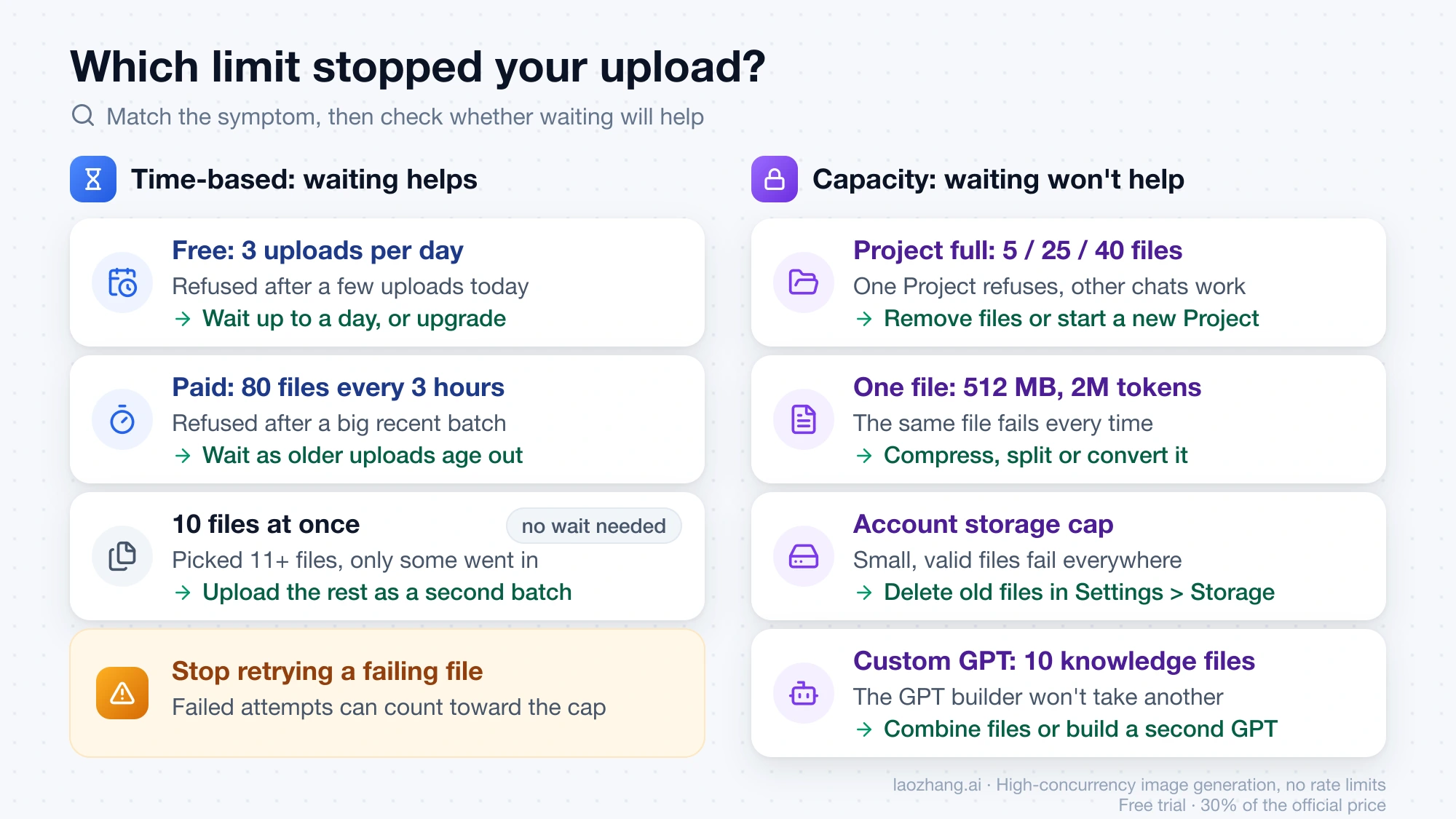
| What you see | Limit you hit | Does waiting fix it? | Smallest fix |
|---|---|---|---|
| Free account, refused after a few uploads today | Free daily cap of 3 | Yes, up to a day later | Wait, or upgrade to Plus, Pro or Business, which resets the Free limit |
| Paid account, refused after a big batch in the last few hours | Rolling 80 files per 3 hours | Yes, as older uploads age out of the 3-hour window | Wait; don't keep retrying the same files |
| You selected 11 or more files and only some went in | 10 files at the same time | Not needed | Upload the rest as a second batch |
| One Project refuses new files, other chats upload fine | Project capacity (5, 25 or 40) | No | Remove files, move work to a new Project, or upgrade |
| One specific file fails every time, others work | Per-file size, token or type limit | No | Compress, split or convert that file |
| Small, valid files fail everywhere and an error mentions a cap | Storage cap | No | Delete old files in Settings > Storage |
| The GPT builder won't take another knowledge file | 10 files per custom GPT | No | Combine files or start a second GPT |
| "Upload limit reached" with few or no recent uploads | Wrong account, failed attempts, peak-hour limits or an incident | Sometimes | Work through the checks below |
Two rows need more explanation.
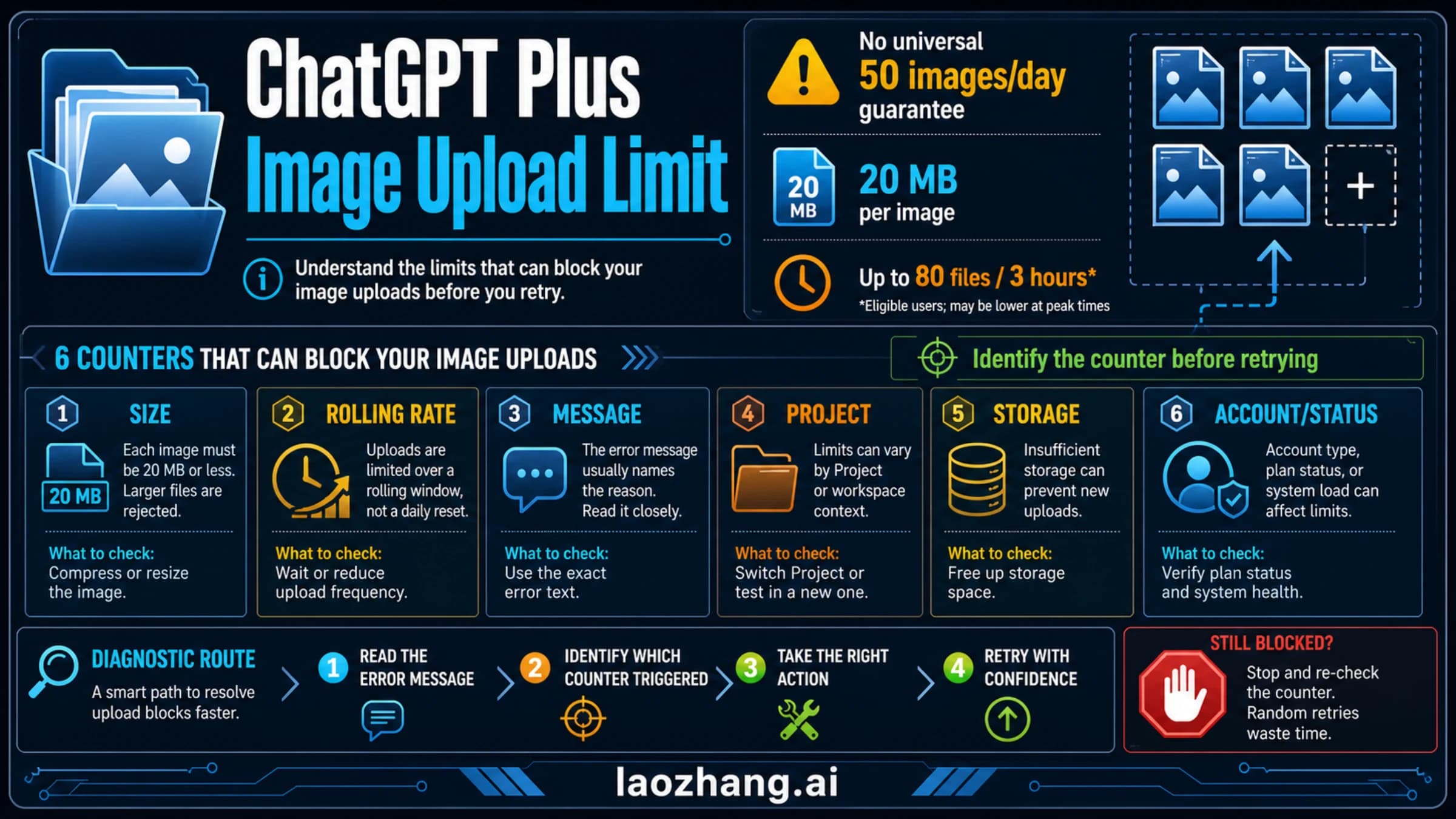
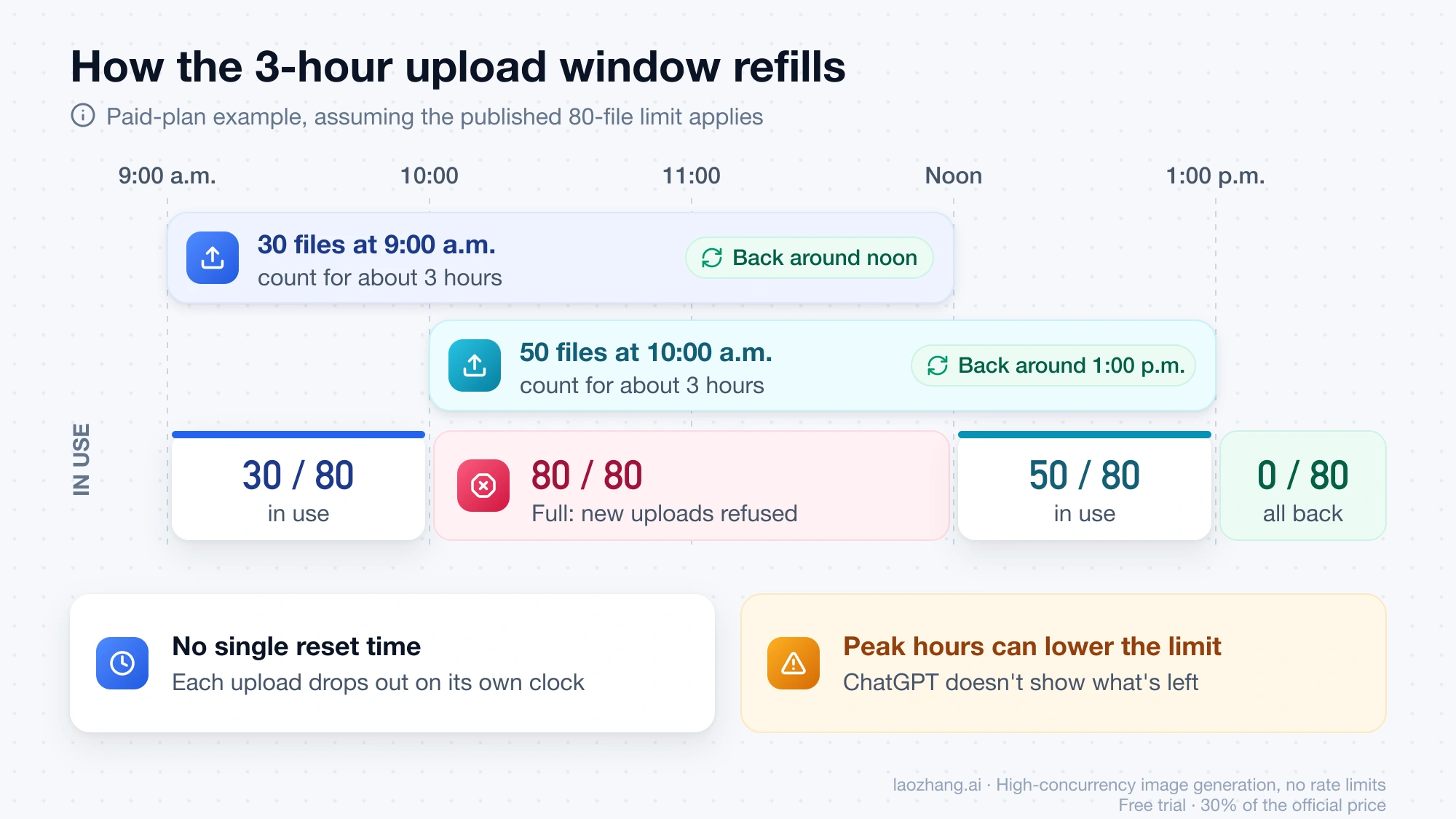
The rolling window. OpenAI describes the paid limit as "a rolling upload rate," which means there is no single reset time. Uploads count against you for about three hours after you make them, then drop out. For example, if you upload 30 files at 9:00 a.m. and 50 more at 10:00 a.m., you've used all 80. Space for the first 30 should return around noon and the other 50 around 1:00 p.m. That timing assumes the published limit is what's being applied. OpenAI can lower the limit at peak hours, and ChatGPT doesn't show how much of your upload quota you've used or how much remains.
"Upload limit reached" when you've barely uploaded anything. OpenAI's troubleshooting steps start with the basics. Make sure you're signed in to the account and plan you think you're on, for example, a second account that's still on Free gets Free limits. Failed upload attempts can sometimes count toward the rate cap, so retrying a broken file five times can use up allowance you didn't know you were spending. Storage caps apply across chats, Projects and custom GPT knowledge, so a full account can block uploads anywhere. After that, check status.openai.com for an incident. If the problem persists, OpenAI support asks for your account email, a screenshot, the timestamp and time zone, the app or browser you used, and the request ID if one is shown.
Free plan: 3 files a day
On Free, the daily cap is usually the first limit you hit. The Free tier FAQ says file uploads have their own usage limit, separate from everyday text chat, which OpenAI describes as unlimited. When you run out, ChatGPT tells you and you "need to wait for a later time."
OpenAI doesn't say whether "per day" means a calendar day or 24 hours from your first upload. Plan on waiting up to a full day rather than expecting the cap to lift at midnight.
The Free tier FAQ adds one faster route: if you hit a rate limit on Free, your usage resets when you upgrade to Plus, Pro or Business. Go isn't named in that sentence. Go does have higher upload limits than Free, but the page doesn't say whether switching to Go clears a limit you've already hit.
Free's other caps are tighter too. A Free Project holds 5 files, and Library storage is 500 MB. If you share images rather than documents, the ChatGPT Plus image upload limit guide covers image uploads specifically.
Go, Plus and Pro: 80 files every 3 hours
On paid plans, the time-based limit is rarely what stops a single person. Eighty files every three hours is a lot of documents for one conversation. What usually changes between paid plans is capacity:
- Go and Plus Projects hold 25 files. Pro Projects hold 40.
- Library storage is 4 GB on Go, 20 GB on Plus and 100 GB on Pro, per the Library page.
- Upload rate has the same published figure on all three, 80 files every 3 hours. The pricing page calls Plus's upload quota higher than Go's, but OpenAI doesn't say by how much.
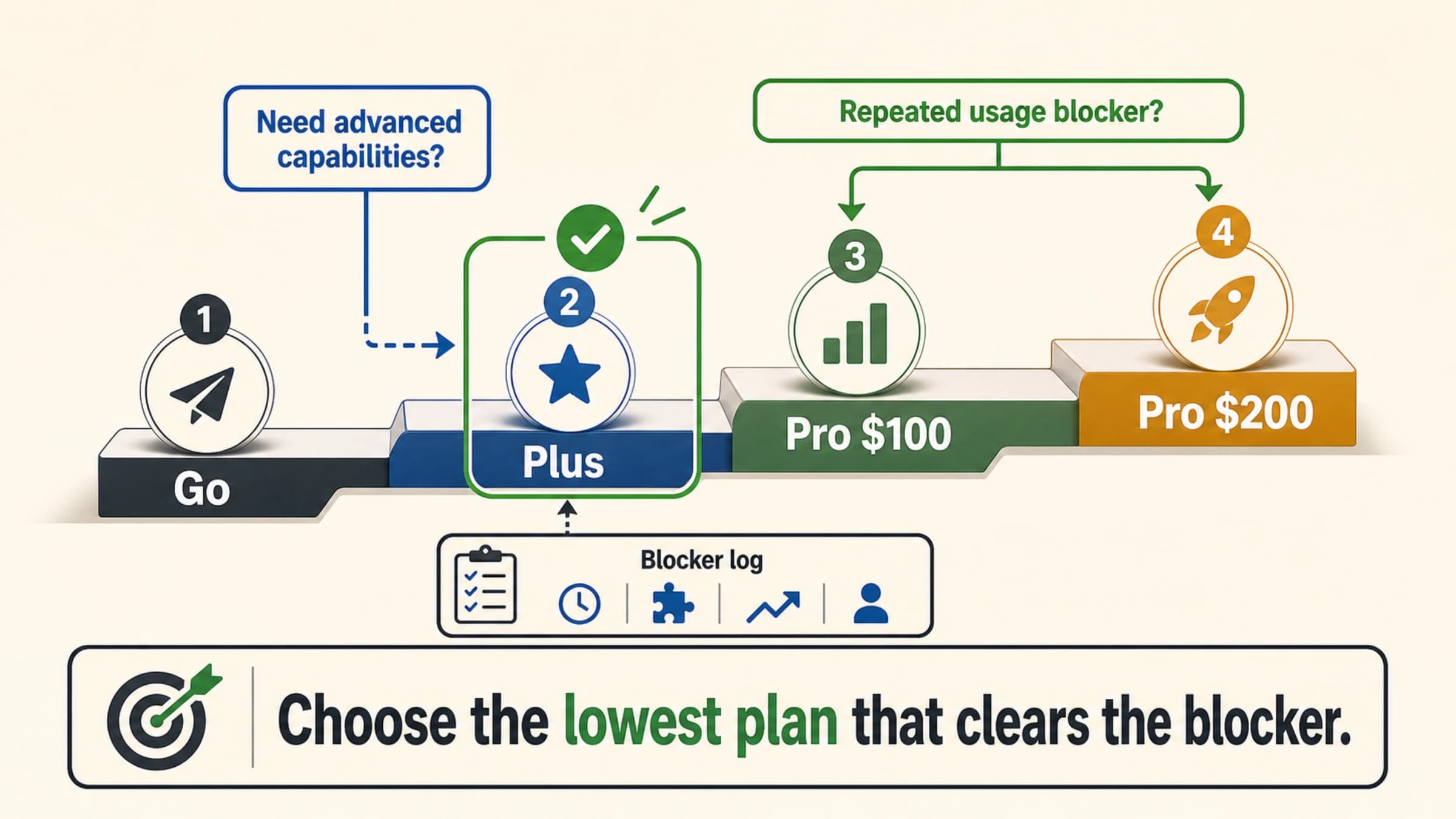
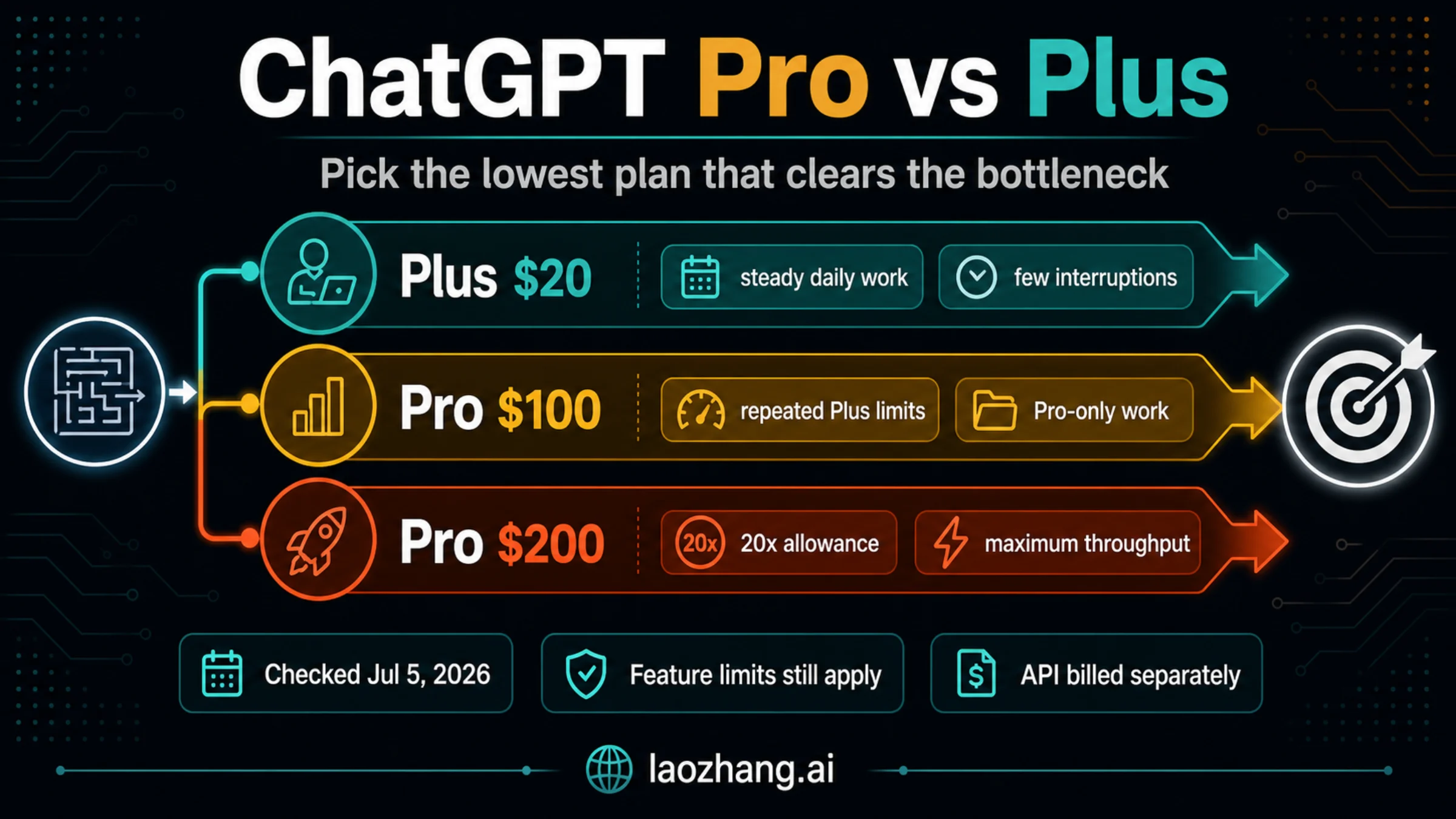
So moving from Plus to Pro helps if you need 40-file Projects or more storage. It doesn't help with a file over 512 MB, a document over 2 million tokens, or the 10-files-at-once rule. Those stay the same on every plan. If you're choosing a plan for reasons beyond uploads, see which ChatGPT plan is worth it.
Message caps are a different limit. Running out of messages on a model has nothing to do with your upload count. The ChatGPT Plus message limit guide covers that reset.
Projects: how many files each one holds
A Project's file count is a capacity limit, not a rate. Free Projects hold 5 files, Go and Plus hold 25, and Edu, Pro, Business and Enterprise hold 40. That's also the answer if you want to know how many sources you can add to a Project. Waiting never opens a slot. Only removing a file, starting a new Project or upgrading does.
Two details matter when you fill a Project:
- Upload in batches of 10. Filling a 25-file Plus Project takes at least three rounds, for example 10, 10 and 5. Check the file list after each batch so you don't mistake a failed upload for a stored one.
- Split instead of cramming. You can create unlimited Projects, so separate workstreams (research, drafts, a client's material) can each get their own Project. That's usually clearer than merging unrelated files to save slots.
The number 20 is not a current ChatGPT limit in either sense. Plus Projects hold 25 files, and the at-once limit is 10. To get more than 20 files into ChatGPT, use a Plus or Go Project for up to 25, a Pro or workspace Project for up to 40, or spread the files across several Projects. On a paid plan, uploading them in batches of 10 keeps you well under 80 files every 3 hours.
A custom GPT is separate from both. It takes up to 10 knowledge files "for the lifetime of that GPT." Given that wording, don't count on deleting a knowledge file to free a slot. Combining related material into fewer files, or building a second GPT, are the reliable options.
File size, PDFs and storage
A file can be under every count limit and still be refused because of its own size. These limits are the same on every plan:
| File type | Limit |
|---|---|
| Any file | 512 MB per file |
| Text and document files, including PDFs | 2 million tokens per file |
| CSV files and spreadsheets | about 50 MB, depending on row size |
| Images | 20 MB per image |
There's no separate PDF quota. A PDF counts as one file toward your daily or 3-hour limit and takes one Project slot, whatever its page count. What limits a long PDF is the 2 million token cap. One more PDF detail changes what ChatGPT can read. Only ChatGPT Enterprise supports visual retrieval for PDFs. On every other plan, ChatGPT extracts the text and discards images embedded in the document. A scanned PDF or one built mostly from charts can lose most of its content.
If a PDF fails with an unclear message, the ChatGPT PDF upload unknown error guide walks through the checks. For a file ChatGPT rejects by format, see the fix for OpenAI "File Type Not Supported".
Storage behaves differently from the upload rate. Deleting files frees storage, but it doesn't give back uploads you've already made in the current 3-hour window or day. Also check where the file is kept. Deleting a chat removes its attached files within 30 days, but a file you saved to Library stays until you delete it from Library.
Getting past the limit without wasting uploads
"Bypassing" the limit really means spending your uploads better. What works depends on which limit you're under:
- Stop retrying a failing file. Failed attempts can count toward the rate cap. Fix the file first, then upload it once.
- Combine related documents. Five short reports on the same topic can become one PDF, which counts as one upload and takes one Project slot, as long as it stays under 512 MB and 2 million tokens. Keep titles and page breaks so ChatGPT can still tell the sources apart.
- Paste short excerpts as text. OpenAI treats file uploads and everyday text chat as separate limits, so a pasted paragraph doesn't use your upload count.
- Keep reusable files in a Project. Files added to a Project stay available to its chats, so you don't have to upload the same reference in every new conversation.
- Upgrade only for the limit that keeps blocking you. Moving from Free to a paid plan changes 3 uploads a day to 80 every 3 hours. Moving from Plus to Pro changes Project capacity from 25 to 40 and Library storage from 20 GB to 100 GB. Neither lifts the per-file size limits.
If you need to process hundreds of files on a schedule, ChatGPT is a poor fit. OpenAI's API accepts file uploads under its own requirements and limits, which are separate from ChatGPT plan limits.
FAQ
How many files can I upload to ChatGPT for free per day?
Three. OpenAI's File Uploads FAQ says Free users are limited to 3 file uploads per day, and each file must also stay under the per-file limits (512 MB, 2 million tokens for documents, 20 MB for images).
How many files can I upload to ChatGPT Plus?
Up to 80 files every 3 hours, the general rate in OpenAI's FAQ, with no more than 10 at the same time. A Plus Project holds up to 25 files. OpenAI may lower the rate during peak hours.
When does the ChatGPT file upload limit reset?
On paid plans the limit is rolling, so each upload stops counting about three hours after you made it. There's no single reset time. On Free, the 3-file allowance comes back up to a day later (OpenAI doesn't publish an exact time), and upgrading to Plus, Pro or Business resets it right away. Project capacity and storage never reset on their own. You have to remove files.
Is there a monthly file upload limit on ChatGPT?
OpenAI doesn't publish a monthly count. The published limits are per 3 hours, per day on Free, per Project, per custom GPT, per file and for total storage.
How many PDFs can I upload to ChatGPT?
PDFs count like any other file: 3 a day on Free, up to 80 every 3 hours on paid plans, 10 at once, and 5, 25 or 40 per Project. Each PDF can be up to 512 MB and 2 million tokens. Outside ChatGPT Enterprise, images inside the PDF are discarded.
Does deleting files reset the upload limit?
No. Deleting files frees storage and Project slots, but uploads you've already made still count toward the current 3-hour window or the Free daily cap.