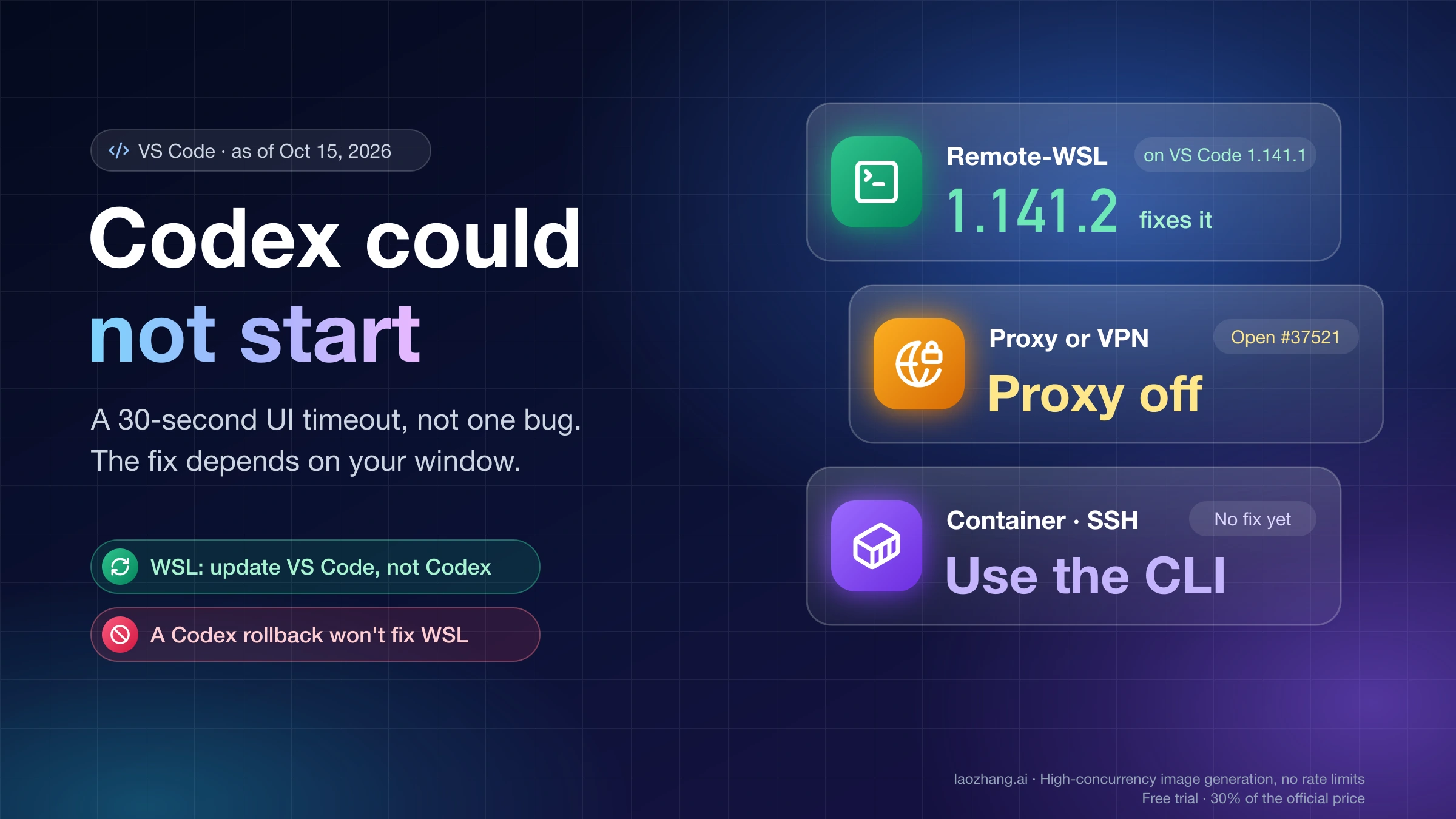
Codex “Error Submitting Message”: Fix It by the Second Line
“Error submitting message”, once “Error creating task”, is a Codex client banner: line 2 names the cause. On a new chat, Timeout often means a stuck MCP server.
On this page
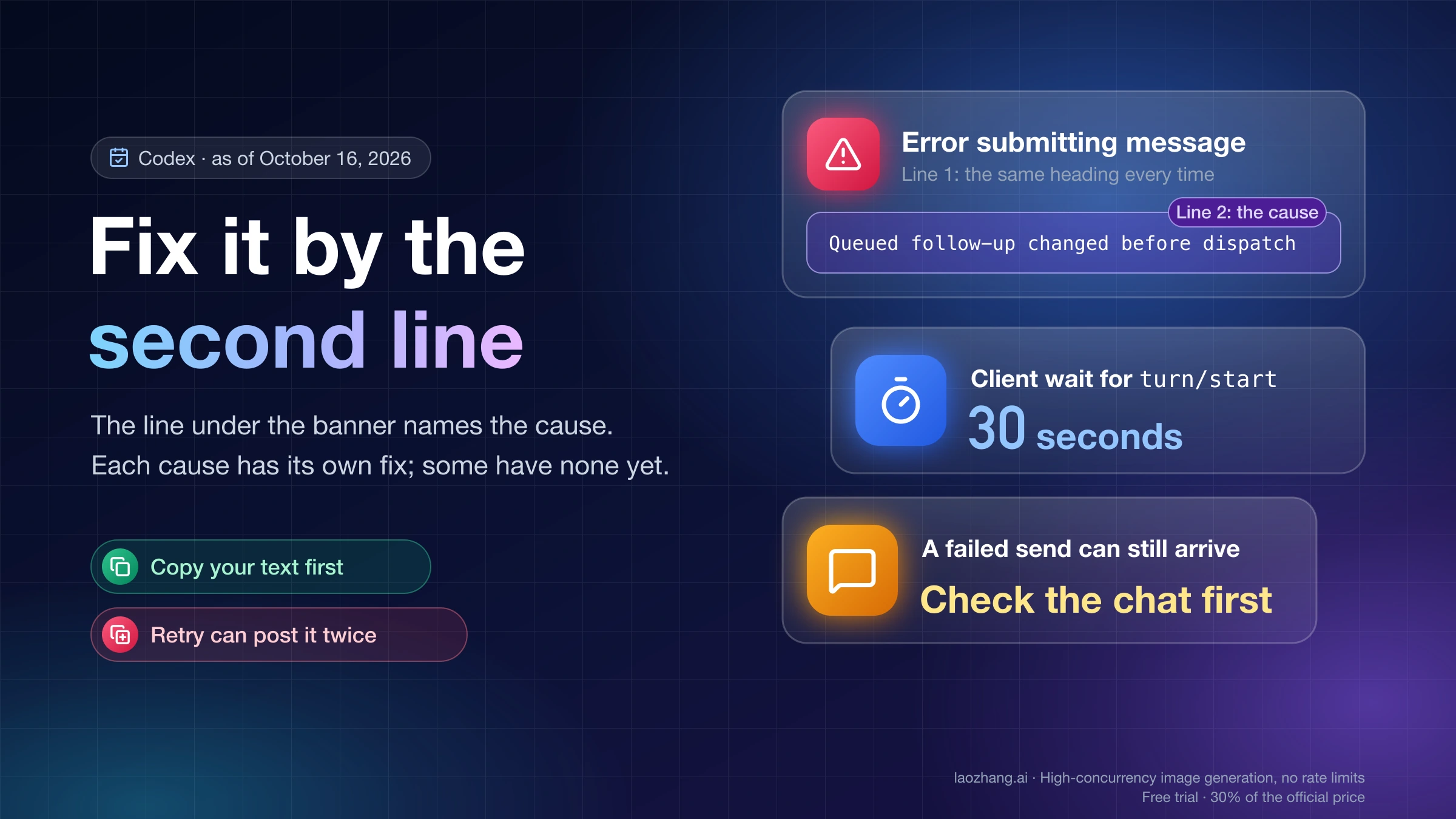
"Error submitting message" is the Codex client telling you that a send failed. It is not an error code from OpenAI's servers. Older builds showed the same banner as "Error creating task". The real cause is the text printed on the line under it, such as Timeout, Queued follow-up changed before dispatch or invalid turn/start params: AbsolutePathBuf deserialized without a base path. Each of those has a different fix, and some have none yet.
When the banner appears on the first message of a new chat or task and the second line says Timeout, the chat was never created. Codex on your computer needed more than 30 seconds to set it up, and the most reported reason is a slow or stuck MCP server. That case has its own section below, followed by a test of the MCP settings that cause it.
If the second line reads Can't find variable: DisposableStack (Safari's wording) or DisposableStack is not defined, the browser is the problem, not your account, usage limits or network. Codex Web in Safari 27 on the Mac and in Safari on the iPad was fixed on October 23, 2026, so reload the Codex page first, then update Safari or iPadOS if the error stays. On a Mac you can also open Codex in Chrome or Firefox, but on an iPad every browser runs on Safari's engine, so the fallback there is a Mac or PC. In VS Code running inside a Safari tab, the same error was still unfixed on November 1, 2026, and an iPad user hit it in GitHub Codespaces on October 31, so open that environment in desktop VS Code, or in Chrome or Firefox, on a Mac or PC.
What this guide is based on: the client code inside the ChatGPT desktop app 26.1013 (the app that now hosts Codex, formerly the Codex app) and two Codex IDE extension builds from March and May 2026, the open-source Codex app-server on GitHub, about three weeks of desktop logs from the Mac this guide was written on, more than 50 issue threads in the openai/codex GitHub repository (December 2025 to October 16, 2026), and threads on the OpenAI Developer Community forum. One thing was tested on purpose: on October 21, 2026, the Codex CLI bundled with that desktop app was started against a deliberately stuck MCP server under different settings. That test reproduced the CLI's startup failure, not the desktop banner, and its section lists what it did not cover. None of the other errors below were triggered on purpose to test the fixes. A "fix" here means affected users reported it worked for them. It is not an OpenAI fix unless the text says so. Facts are as of October 16, 2026, as of October 21, 2026 for the new-chat sections, and as of November 1, 2026 for the Safari DisposableStack section. Codex builds change weekly.
Do this first, in order:
- Copy the text you were trying to send.
- Look in the chat for your message and any new activity after it. If it is there, do not press Retry.
- Read the second line under the banner and find it in the table below.
- If there is no second line, or it just says
Timeout, wait one to five minutes and send once more. - If it was the first message of a new chat and every new chat fails the same way, go straight to the "Error creating task: Timeout" section.
What "Error submitting message" means in Codex
In the ChatGPT desktop app the banner is a two-line toast. The first line is the fixed heading "Error submitting message". The second line is the error text the client received when the send failed. The app shows the same heading for the first message of a new chat, for a follow-up in a local Codex chat and for a cloud task.
The heading used to be different. In Codex IDE extension builds from March and May 2026, the same banner read "Error creating task", for a new task and a follow-up alike. The March build (26.304) showed that heading alone, with no error text, and the May build (26.513) added the error text as a second line. The ChatGPT desktop app 26.1013.40934 uses the same message with the new wording, and the old phrase no longer appears in its code. GitHub reports quoting "Error creating task" run until late July 2026, so an older extension or desktop build can still show it. Related headings from the same period:
- "Error starting conversation" appeared in the same reports with the same
Timeoutline. - "Error creating chat" was reported on Windows 11 in August 2026, when old chats opened but new ones failed. Which build used that wording is unknown.
- "Error starting chat" is a separate heading in current desktop builds. It appears when a chat in a new worktree fails to start.
Whatever the heading, the second line means the same thing.
Inside the chat, the failed turn shows that second-line text again as an error item. When the failure came with no text at all, the item falls back to the bare words "Error submitting message". So a banner with nothing under it means the client got no explanation. In the reports, that usually goes with a timeout or a dropped connection to the local app-server.
The Codex IDE extension for VS Code and Cursor works the same way. It sends your message to the Codex app-server running on your machine as a turn/start request. In an older extension build the client waits 30,000 ms (30 seconds) for an answer. Desktop logs posted in GitHub issues show the same 30-second wait (mcp_request_timeout method=turn/start … timeoutMs=30000). A new chat adds one step before that. The app first asks the app-server to create the chat with a thread/start request, and in the desktop app 26.1013.40934 that request has a 30,000 ms limit too. Any failure in either step, a timeout or a rejection from the app-server, ends in this banner.
If your app is set to another language, the heading is translated but the second line usually stays in English. In Chinese, for example, the heading reads 提交消息时出错.
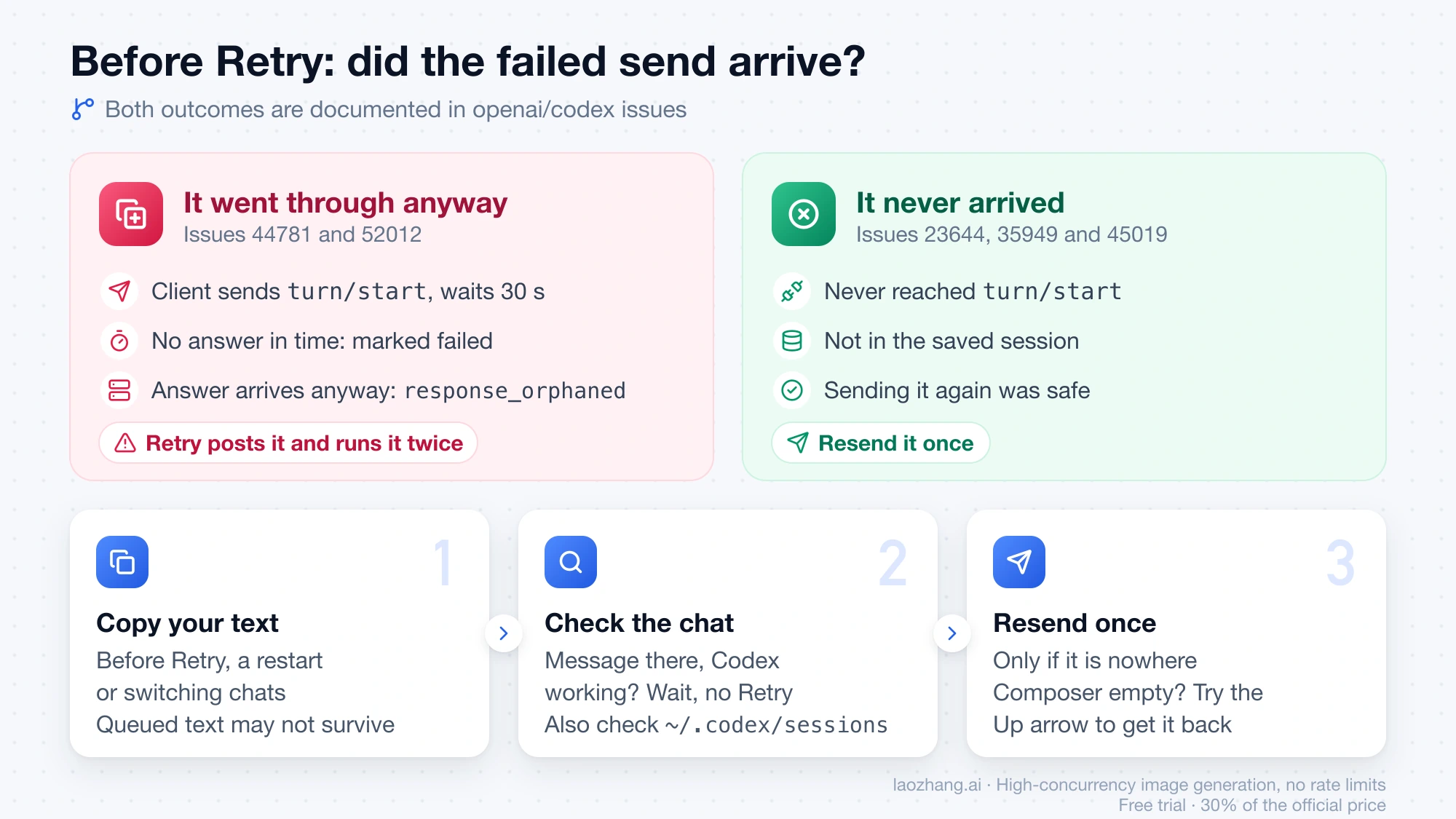
Did my message go through? Check before you press Retry
Sometimes it did. A "failed" send can still reach Codex, so Retry can post the message twice and start the same work twice.
Both outcomes are documented:
- It went through anyway. In GitHub issue 44781 one user found that the message had already been saved and its turn had started when the error appeared. In issue 52012 (Windows), messages reached the agent while the app marked them failed, and Retry duplicated both the messages and the responses.
- It never arrived. In issues 23644, 35949 and 45019 the failed message never reached
turn/startor the saved session, so sending it again was safe.
The desktop logs from the Mac this guide was written on show how the first case happens. From October 2 to 16, 2026, the app logged 156 answered turn/start requests. Half came back within 63 ms, 95% within about 1.2 seconds, and the slowest took 9 seconds. Two more requests timed out. One of them, at 18:54 UTC on October 3, came from a scheduled automation. The app marked the run as failed, and moments later the app-server's answer arrived anyway, logged as response_orphaned because the client had stopped waiting. That is one machine and a small sample, not a general rate.
The first message of a brand-new chat is the exception. When creating the chat times out, the app gives up before it sends your prompt as a turn, so nothing ran and resending cannot run it twice. The app-server may still finish creating the chat later. In issue 31762 it answered after about 40 seconds, ten seconds after the app had stopped waiting.
How to check:
- Scroll to the bottom of the chat. If your message appears and Codex is working on it, wait.
- In a local chat, you can also open the newest file in
~/.codex/sessionsand search for a phrase from your message. - If the message is nowhere, send it once. If the composer is empty, press the Up arrow in the composer. OpenAI documents this for getting back a prompt after a canceled run; it may not bring back every failed send.
Second line under the banner: what it means and what to try
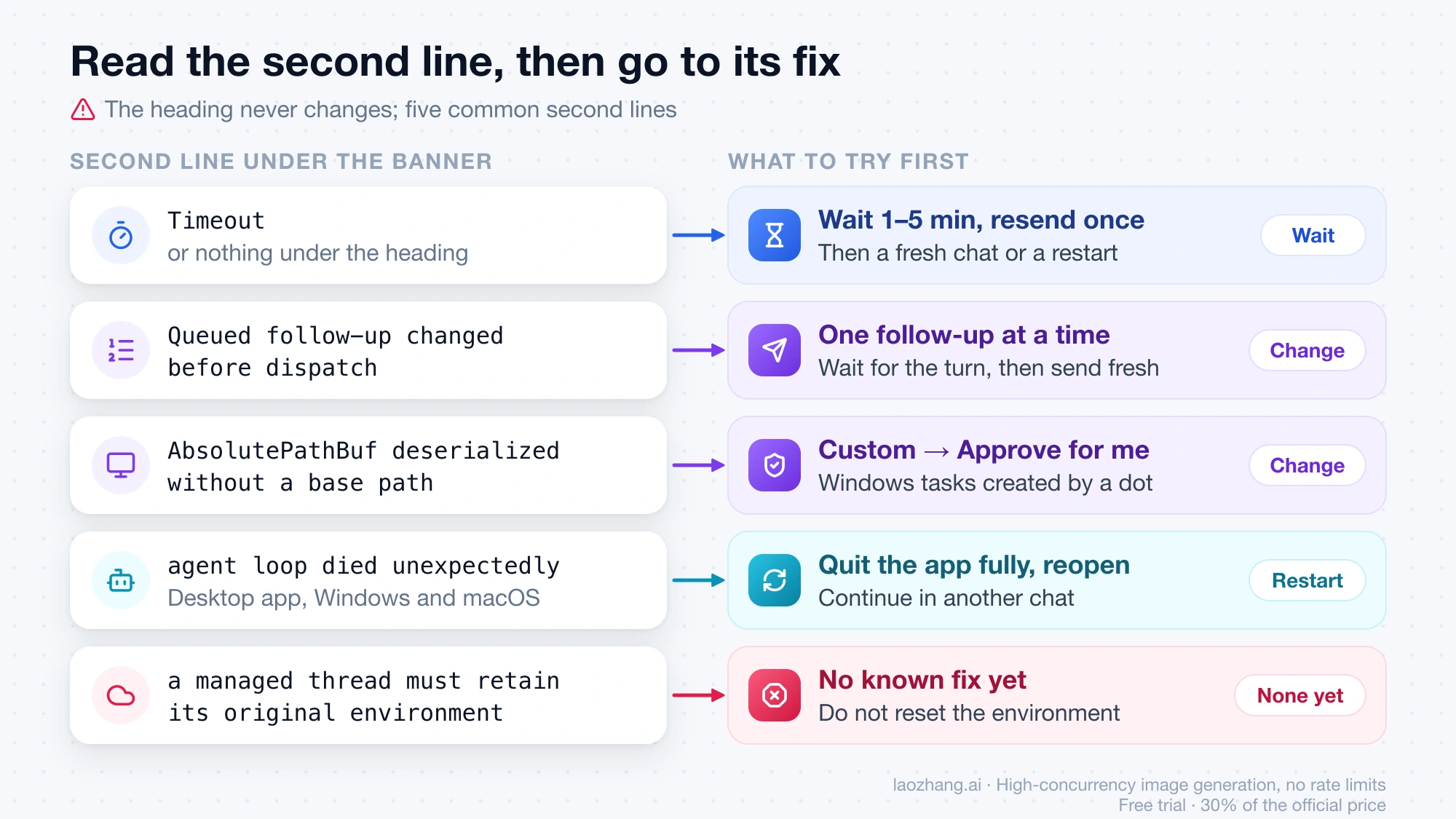
Find the text under the banner in the left column. Wording can vary slightly between builds, and older builds put "Error creating task" above the same lines.
| Second line (or part of it) | Where it shows up | What to try first |
|---|---|---|
(nothing), Timeout, App server request expired while queued | Desktop app, VS Code | Check the chat, wait 1–5 minutes, resend once; then a fresh chat or a full restart |
Timeout on the first message of every new chat | Desktop app, VS Code, Cursor, Windsurf | Restart once; if new chats still fail, turn off MCP servers one at a time |
invalid configuration: …, or an invalid YAML or TOML error | Any local Codex surface | Fix the named line in config.toml, the skill or the agent file |
Queued follow-up changed before dispatch | Current desktop builds, VS Code | Send follow-ups one at a time; wait for the turn, then send fresh |
App-server queued follow-up no longer exists | Desktop and VS Code builds from September 2026 | Switch to another chat and back, or stop the turn and send fresh |
AbsolutePathBuf deserialized without a base path | Windows, tasks created by a dot | Change the permission control from Custom to Approve for me |
Invalid request: AbsolutePathBuf … on a new task | Windows desktop app in WSL agent mode | Check the CODEX_CLI_PATH environment variable |
agent loop died unexpectedly | Desktop app, Windows and macOS | Quit the app fully and reopen it; continue in another chat |
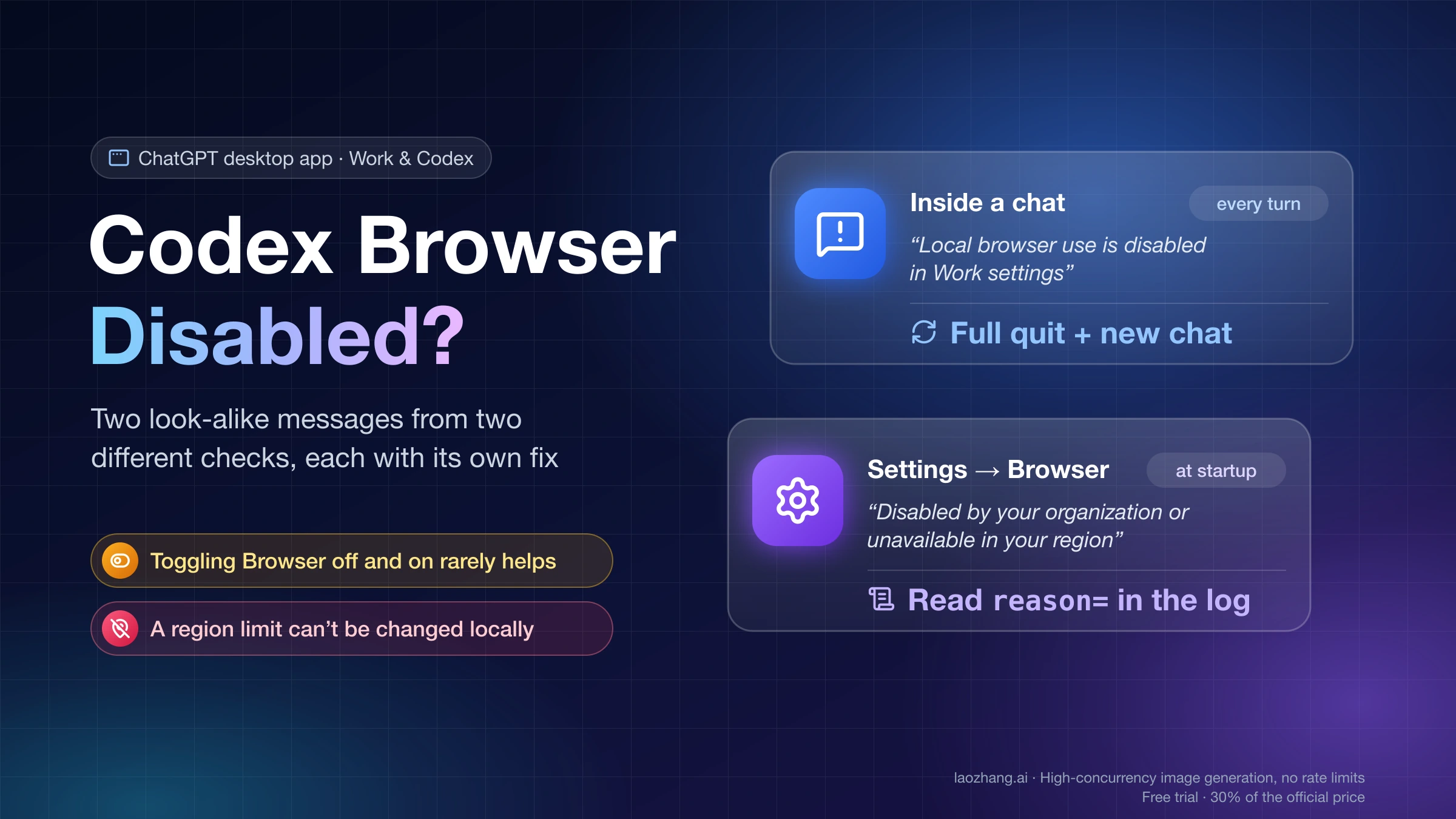
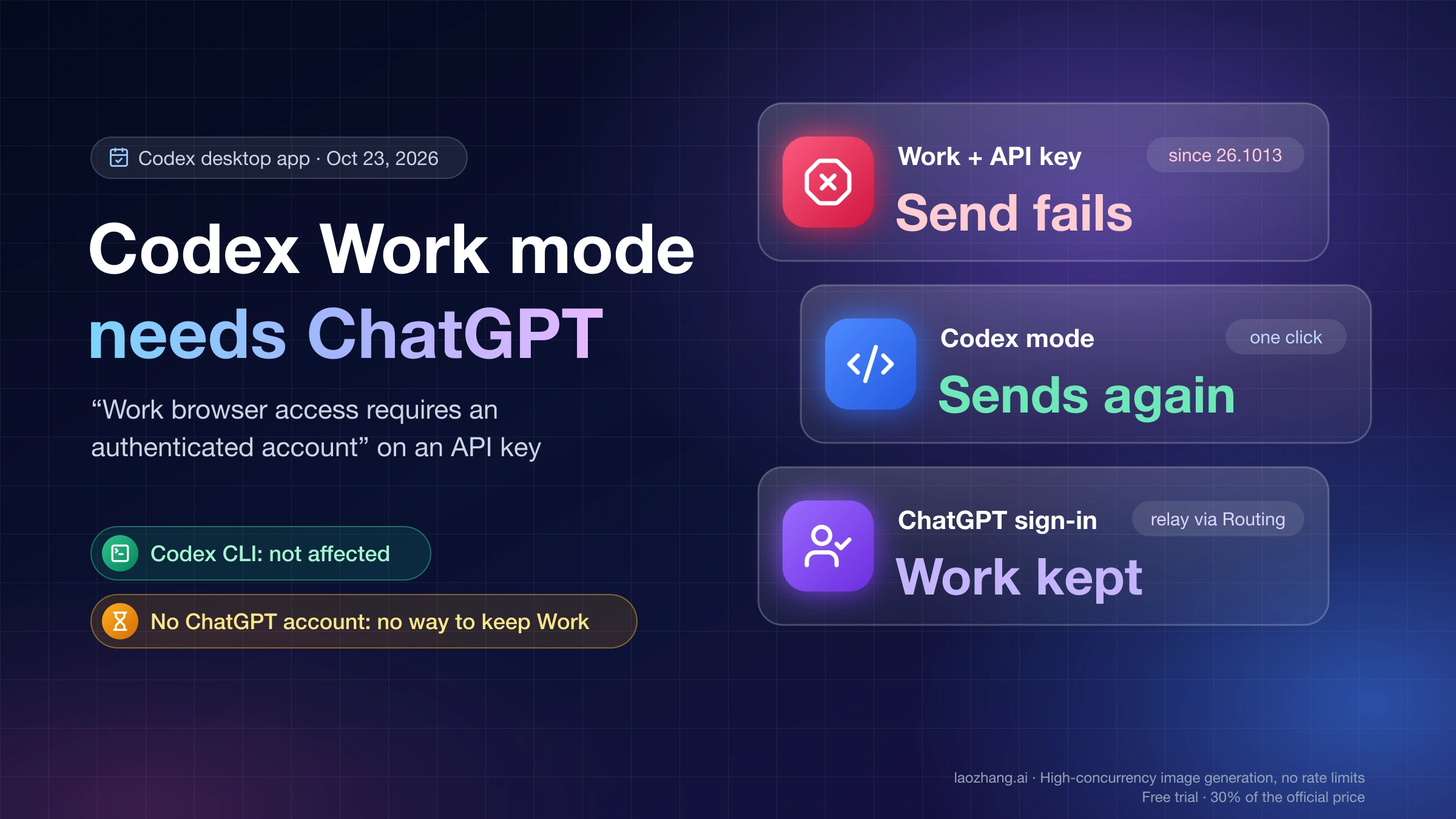
Work browser access requires an authenticated account | Desktop app 26.1013 and later, Work mode, signed in with an API key or a relay | Switch the mode menu back to Codex; see Codex “Work browser access requires an authenticated account” Fix |
Cannot steer conversation … without an active turn id | VS Code extension | Run Developer: Restart Extension Host |
thread not found | Desktop app | Restart the app or open the chat in a new window |
no rollout found for thread id | Desktop app and VS Code, new tasks and side chats | Update the app; do not delete local Codex data |
failed to resolve rollout path … file does not exist | Windows desktop app | Restore the missing session file; never hand-delete sessions |
Can't find variable: DisposableStack, DisposableStack is not defined | Codex Web in Safari on Mac and iPad; the Codex extension in browser-hosted VS Code opened in Safari | Reload Codex Web; update Safari or iPadOS; on a Mac, use Chrome, Firefox or desktop VS Code; on an iPad, move to a Mac or PC |
Unable to determine project root for task, a managed thread must retain its original environment | Codex Web and cloud tasks | No known fix; do not reset the environment |
EPERM: operation not permitted, rename | Windows desktop app | No known fix; check the chat before every resend |
ENOENT: no such file or directory, mkdir | Windows, chats outside a project | Point projectlessWorkspaceRoot at a folder that exists |
no client found | Remote SSH, several windows | Close the extra window (unconfirmed) |
decoded message length too large | Desktop app with browser annotations | Send fewer annotations at a time (unconfirmed) |
Input exceeds the maximum length of 1048576 characters. | Any surface | Split the text into smaller messages |
The sections below explain each row, with the conditions that change the fix.
"Timeout" or no second line: the app-server did not answer in time
This is a stall in the Codex app-server on your machine, not a problem with your message. The client waited about 30 seconds for the app-server to accept the turn and gave up.
This section covers a send in a chat that already exists, including an old chat you just reopened. If the timeout hit the first message of a new chat, the app was waiting for the chat to be created, and the next section covers that case.
The reported causes are local:
- The app had been running for days (about 3.5 days in one report).
- The chat was huge. One rollout file, the saved history of a chat, was 154 MB.
~/.codex/logs_2.sqlitehad grown to 1.4–2.2 GB, with several Codex processes using it at once.- A
codex_chronicleprocess left over from an earlier launch was still running. - Other programs were keeping the CPU busy.
- One old chat was slow while a fresh chat in the same project answered quickly.
The stall often affects more than message sending. In the logs from the Mac this guide was written on, timeouts came in clusters across several app-server requests at once: starting chats, listing chats, resuming chats, loading the model list and reading the config. If the sidebar or the model picker also hangs, the app-server is the bottleneck.
What users reported worked, from least to most disruptive:
- Wait and resend. Sending again after one to five minutes worked for two reporters in issue 27395. Check the chat first, because a late answer may already be on its way.
- Start a fresh chat. If one long chat keeps timing out while a new one works, continue in the new chat with a short summary of where you were. Running context compaction on the old chat did not help the reporter who measured this.
- End a stale
codex_chronicleprocess (macOS). List it withps -axo pid,lstart,etime,command | grep codex_chronicle. If its start time is from before your current app launch, end it withkilland its PID. One reporter's submit failures went from four to zero after doing this. - Free up the CPU. Ending unrelated processes that were using a lot of CPU helped one reporter.
- Quit the app fully and reopen it. This helped several reporters, but only for a while.
Two things nobody in these reports advised: deleting logs_2.sqlite, and deleting files from ~/.codex/sessions. On Windows, see which Codex background processes are safe to end on Windows before ending anything. If the whole desktop app is slow there, the Codex app slow on Windows CLI vs desktop check helps you tell whether the app or the machine is the cause.
Restarting did not lose chats in these reports. One reporter wrote that "this was not data loss". That is a report, not a guarantee, so copy unsent text before you quit.
"Error creating task: Timeout": a new chat took over 30 seconds
Timeout on the first message of a new chat or task means the Codex app-server on your computer did not finish creating that chat within 30 seconds. It shows up as "Error creating task" with Timeout under it, "Error creating task: Timeout" or "Error starting conversation: Timeout" in older builds, and as "Error submitting message" with Timeout in current ones. It hits the first prompt in a new chat, a new project or a side chat. Your prompt never ran, so there is nothing to check before you resend.
This is a different stall from the follow-up timeout above. Creating a chat is the step where Codex reads config.toml, loads skills and agent files, and connects to every MCP server you have configured. Traces posted in GitHub issues show the time going into session_init.auth_mcp (sign-in checks for remote MCP servers) and session_init.mcp_manager_init (starting the servers) inside thread/start. A problem in any of those can block every new chat while existing chats keep working.
Start with a restart. When a VS Code user reported "Error creating task" in January 2026, OpenAI's etraut-openai first asked whether they had restarted the Codex IDE extension, because "that instance of the extension is in a bad state". In the desktop app, quit fully and reopen it. If new chats still fail after a clean restart, the cause is in your setup. Use what you see to pick the next step:
| What you see | Most likely cause | First step |
|---|---|---|
| Every new chat times out in every project; existing chats still answer | A slow, unreachable or stuck MCP server | Turn MCP servers off one at a time |
Every new chat fails with invalid configuration, invalid YAML or TOML, or the heading alone | A broken config.toml, skill or agent file | Run Codex CLI in a terminal to see the full error |
| It fails only in the IDE extension and leaves no local logs | The panel is set to a cloud environment | Switch the lower-left menu to Local Workspace |
Invalid request: AbsolutePathBuf … in WSL agent mode | CODEX_CLI_PATH points at the wrong Codex binary | Check the variable before anything else |
| Only the first task of a newly added project fails (Windows) | Unknown | Report it; no fix has been posted |
no rollout found for thread id | A missing local session file | Update the app |
| The sidebar, model list and other chats hang too | A general app-server stall | Follow the timeout section above |
A slow MCP server: find it and turn it off
MCP servers start with every new chat, whether you added them in Settings, with codex mcp add, or had an agent write them into config.toml for you. One that is unreachable, slow to answer, or stuck in a sign-in check can hold chat creation past the 30-second limit. This was the most reported cause between June and September 2026:
- A remote MCP server (issue 29376, macOS and Windows desktop). An enabled server at
https://stitch.googleapis.com/mcpmade chat creation take about 40 seconds (thread_start_create_thread duration_ms=40155). Commenting it out in~/.codex/config.tomland restarting fixed new chats at once, and two more users confirmed it. In a September 17 report, the cause was the user's own Java MCP server, fixed by updating that server's SDK. - A local MCP server an agent had added (issue 31762, macOS). Codex had saved a local HTTP endpoint as a permanent global entry in
config.tomlafter the user asked it to use that endpoint once. When the endpoint became unhealthy, every new chat timed out, whatever the model. Ending the server process restored chat creation immediately, and the user then removed the entry. The Windows user who opened that issue fixed it by disabling the problematic server.
To find the server that blocks your new chats:
-
List what is configured. Run
codex mcp listin a terminal, type/mcpin the composer, or open Settings → MCP servers in the desktop app (the gear menu → MCP servers in the IDE extension). The desktop app, the CLI and the IDE extension share the same MCP configuration. A trusted project can add more servers in its own.codex/config.toml. -
Back up the config file. On macOS and Linux, run
cp ~/.codex/config.toml ~/.codex/config.toml.bak. On Windows the file is%USERPROFILE%\.codex\config.toml. -
Turn off a suspect without deleting it. Add
enabled = falseto its entry. Start with remote URLs, then local servers you no longer use, then anything an agent added for you.[mcp_servers.my-server] url = "https://example.com/mcp" enabled = false -
Restart Codex. Quit and reopen the desktop app, or use Restart in Settings → MCP servers. In the IDE extension, use Restart extension.
-
Open a new chat. If it now starts, turn the servers back on one at a time, restarting each time. The one that brings the timeout back is the cause. With many servers, switch off half at a time to find it faster.
To confirm it from the logs instead, look in the desktop logs (on macOS, ~/Library/Logs/com.openai.codex/ by date) for mcp_request_timeout with the method thread/start. In issue 31762 that line appeared after exactly 30 seconds.
If the blocking server runs on your own computer, fix or end that process. If it is a remote server that needs sign-in, the server list shows it, and you can sign in with Authenticate in Settings or with codex mcp login <server-name>. Two variants need care:
- OpenAI's own documentation MCP server. One user on Codex CLI 0.144.5 traced about 12 seconds of sign-in discovery against this server, which needs no sign-in. Adding
http_headers = { Authorization = "Bearer anonymous" }to itsopenaiDeveloperDocsentry cut starting a new chat from about 15 seconds to 2.96. The same user warned that this works only for that public endpoint and is not a fix for servers that do need sign-in. They also found thatstartup_timeout_secdoes not shorten this wait, because the sign-in check runs before the servers start. - The MCP sign-in lock (issue 32799, Windows). With 36 MCP entries, 13 of them remote, six MCP clients each "timed out after 60s waiting for MCP OAuth encrypted secrets aggregate-store lock". The app showed "Error creating task: Timeout" or "Error starting conversation: Timeout", and sometimes "agent loop died unexpectedly". The reporter never found what held the lock, and after a reboot and an update it had not come back. Do not delete the
mcp-oauth-locksfolder,auth.jsonor other stored credentials to get past it.
If you are cutting down your servers anyway, which Codex plugins to install first compares skills, MCP servers and plugins by workflow.
"invalid configuration" or a parse error: a broken config, skill or agent file
When Codex cannot read one of its own files, every new chat fails. Newer builds print the parse error as the second line. Older extension builds showed "Error creating task" with no detail at all.
Three reported examples:
- A custom Codex pet (issue 32685, Windows desktop 26.707). Installing a custom pet wrote
selected-avatar-id = "custom:teddy"into the[tui.model_availability_nux]section ofconfig.toml. From then on every task failed withinvalid configuration: invalid type: string "custom:teddy", expected u32 in tui.model_availability_nux. Closing Codex and deleting that line, or the whole section, from%USERPROFILE%\.codex\config.tomlrestored task creation immediately, and the pet itself survived. - A skill file with invalid YAML (issue 9001, VS Code). The extension showed only "Error creating task". Running Codex CLI 0.80 in a terminal printed the real cause:
…/.codex/skills/implement-rate-limiting/SKILL.md: invalid YAML: mapping values are not allowed in this context at line 2 column 53. OpenAI's etraut-openai replied that "Codex should be more resilient here — or at least provide a better error message". - Agent files with invalid TOML (issue 9001, Windsurf). A multiline string in
~/.codex/agents/*.tomlthat Codex could not parse broke chat creation in the Windsurf extension.
So when the banner gives no reason, open a terminal and run codex. The CLI reads the same files in ~/.codex and may print the parse error that the app or the extension hides. That is a reporter's method, not an official step, and the CLI on your PATH can be a different version from the one inside the app. Back up the file, fix or remove the line the error names, and restart.
Cloud or Local Workspace in the IDE extension
The Codex IDE extension can start a task locally or in a cloud environment, chosen in the menu at the lower left of the Codex panel. When a user reported "Error creating task" with no local logs, OpenAI's etraut-openai asked whether they were starting a cloud task, because a cloud task leaves no local logs. Unless you mean to run in the cloud, set that menu to "Local Workspace". In older builds a failed cloud task had its own heading, "Error creating cloud task". For a local failure that persists, staff asked for a /feedback report with the thread ID posted on the GitHub issue.
Windows and WSL: AbsolutePathBuf and new projects
In WSL agent mode on the Windows desktop app, a new task can fail with "Error creating task" and Invalid request: AbsolutePathBuf deserialized without a base path (issues 16815 and 29454). This is not the dot-task error covered further down. One user traced it to the CODEX_CLI_PATH user environment variable, which still pointed at the Windows codex.exe while the app was set to WSL. Their workaround, posted on June 21, 2026, is advanced and changes a global setting:
- Check the variable in PowerShell with
[Environment]::GetEnvironmentVariable("CODEX_CLI_PATH", "User"). If it is empty, this is not your cause. - For WSL mode, set it to the Linux binary that Codex caches under
C:\Users\<user>\.codex\bin\wsl\<hash>\codex, then fully close and reopen Codex. - Before you switch back to native Windows mode, clear it with
[Environment]::SetEnvironmentVariable("CODEX_CLI_PATH", $null, "User"). Otherwise Codex fails to start with "Failed to spawn Codex CLI".
Issue 16815 was closed on August 3, 2026. If the extension never loads in WSL at all, see Codex Could Not Start in VS Code instead.
One Windows case has no fix. In issue 33288 (desktop 26.707.72221), the first task of a newly added local project always failed with "Error creating task: Timeout" on every model, while chats in existing projects kept working. The issue was closed on August 5, 2026 without a comment.
"no rollout found for thread id" when starting a task
Error creating task: no rollout found for thread id … was reported for side chats, new conversations in VS Code and new tasks in the Windows desktop app (issues 33046, 11997, 25310 and 31004). Codex CLI kept working with the same account, and reinstalling did not help. One reporter fixed it by updating the desktop app to 26.623.141536.
A later analysis in issue 33046 found that one case came from a sidebar entry whose local session file was gone. "Restarting or repeatedly clicking Resume cannot reconstruct a file that is not present," the analysis said, and it warned never to delete the whole local database or cache to fix it. That is the same lesson as the rollout-path error further down: update first, and do not hand-delete anything in ~/.codex.
Stuck MCP server test: which settings make a new chat wait 30 seconds
What was run: on October 21, 2026, Codex CLI 0.163.0-alpha.10.2, the copy bundled with the ChatGPT desktop app 26.1013.40934, was started on macOS with codex exec and a one-line prompt, once per setting. Each run used a fresh, empty Codex home folder and a local stand-in for the model API. The stuck server was a command that starts and never answers (sleep 300). The timer measured how long the session took to send its first request to the model, which is the point where a chat is ready.
What was not run: the desktop app itself, so the test never showed the "Error submitting message" banner. It also did not cover remote servers that answer slowly or run a sign-in discovery chain, the sign-in lock from issue 32799, or Windows.
| Setting | Time until the session was ready | Result |
|---|---|---|
| No MCP server | 0.1 s | Normal |
| One stuck server, default settings | 1.1 s | Codex waited about 1 second, then went on without that server |
The same server with enabled = false | 0.1 s | Same as no server |
The same server with required = true | Never; gave up after 31.7 s | required MCP servers failed to initialize: stuck: timed out handshaking with MCP server after 29.99…s, then thread/start failed: error creating thread … (code -32603) |
Top-level mcp_optional_startup_grace_ms = 0 | 30.7 s | Waited for the stuck server's full timeout, then started |
Grace 0 plus startup_timeout_sec = 5 on that server | 5.1 s | The per-server timeout cut the wait |
| A remote URL that accepts the connection and never answers | 1.1 s | Did not block |
What it shows, for this one build:
- With default settings, one stuck server cost about a second. That matches the documented default of 1,000 ms for
mcp_optional_startup_grace_ms, the shared wait for optional servers. This build did not reproduce a 30-second block from a server that simply never answers. The blocks reported in GitHub issues came from June and July builds, from sign-in discovery or from the sign-in lock. - Two settings turn a stuck server into a blocker.
required = truemakes startup fail when that server cannot start, which is how OpenAI's configuration reference describes it.mcp_optional_startup_grace_ms = 0makes Codex wait for each server's own timeout. If either is in yourconfig.toml, a single bad server can hold every new chat. - The timeout did not match the documentation. The configuration reference lists 10 seconds as the default
startup_timeout_sec, but the handshake in this build gave up after 30 seconds. The test does not show which one is right. 30 seconds is also the desktop app's limit for creating a chat, so a server that uses its full wait collides with that limit. Settingstartup_timeout_secon the server explicitly kept the wait at 5.1 seconds here.
For scale, the desktop app on the Mac this guide was written on has five MCP servers configured, two remote and three local. From October 7 to 21, 2026, it created 54 new chats: half within 251 ms, 95% within 2.9 seconds, the slowest in 8.5 seconds, and none timed out. Stalls there in the first days of October also hit chat creation, but in this window every timeout hit a different request, most often loading a saved chat. That is one machine and a small sample.
"AbsolutePathBuf deserialized without a base path" on Windows dot tasks
This error hits tasks that a dot created on a connected Windows computer, the ones marked "Cloud / Runs on your computer when available". When you reply to such a task from the desktop composer, the app rejects it with invalid turn/start params: AbsolutePathBuf deserialized without a base path. It has been the busiest cluster since late September. Issue 50428 alone collected about 30 comments from October 2 to 15, on Windows desktop builds from 26.909 to 26.1007 and from ChatGPT on the web on Windows.
The task history stays readable, and the dot's own messages to the task still go through. Only your direct replies fail.
What reporters confirmed, per task:
- Change the permission control below the composer from Custom to Approve for me, then send. Four to five reporters confirmed it. Approve for me hands approval requests to automatic review, so the task runs with different approval behavior than Custom. One reporter saw later sends to the same task fail again because the setting reverted.
- Full Access also worked for two reporters. Reporters stressed that it widens what Codex can do on your computer, so treat it as a last resort.
- Continue in a fresh local task, or in Codex CLI inside WSL, by handing the work over. One reporter checked every file in the worktree before moving on.
Restarting, rebooting, updating, reinstalling, archiving the task, pressing Retry and creating a fresh task with an explicit Windows folder all failed. As of October 16, 2026, no OpenAI staff member has replied on the three GitHub issues or to the posts about it on X.
If the same path error appears as Invalid request: AbsolutePathBuf … when you start a new task in WSL agent mode, it is the CODEX_CLI_PATH case in the WSL subsection above.
"Agent loop died unexpectedly": restart the app and use another chat
The full text is failed to start turn: internal error; agent loop died unexpectedly, or failed to submit turn input: … with the same ending. The agent process behind that one chat has stopped, so every send to it fails.
It was reported after:
- Leaving an interactive prompt unanswered and coming back later.
- Hitting a usage limit while approving an action. One Plus user hit the 5-hour limit, and the chat stayed dead after the limit reset. When you are near a limit, find when your Codex weekly limit resets.
- Asking subagents to close.
- Working in very long-lived chats with many compactions.
Fully quitting and reopening the app brought the chat back for about six reporters, but only for a while. One reporter said an app update fixed it without losing the chat. Other chats kept working, so the quickest way to keep going is a new chat with a summary. In one report the failed messages were never saved to the session, so resending them did not create duplicates. Check the chat anyway before you resend.
"Cannot steer conversation … without an active turn id" in VS Code
This is a VS Code extension state mix-up. The turn has already finished on the backend, but the extension still shows it as running. Your follow-up then goes in as a steer message for a turn that no longer exists. After that, further sends time out.
In a detailed October 12 report on the OpenAI forum (extension 26.1007.21434 on Ubuntu), the turn was recorded as complete at 08:18:03. The follow-up was rejected 33 seconds later, and three more attempts over the next five minutes timed out. The only thing that restored the chat was running Developer: Restart Extension Host from the VS Code Command Palette. It restarts every extension, not just Codex, and it interrupts running Codex sessions.
A less disruptive idea, still untested: open a new Codex agent panel and reopen the conversation from its history. Try that first if you have long jobs running in other chats. The desktop app has a similar message, ending in "because its active turn already ended".
"Thread not found" and "failed to resolve rollout path"
Both mean the app cannot find the chat it is trying to continue.
Thread not found
thread not found followed by an ID appears when you send right after opening an older chat that the app has not loaded yet. It also appears when the window still holds an out-of-date view of the chat. Restarting the desktop app, or opening the chat in a new window, fixed it in the reports. Forking the chat did not. The latest report is from October 15, 2026, on Windows.
Failed to resolve rollout path
failed to resolve rollout path … file does not exist, often together with "Codex app-server is not available", appeared on Windows after session files had been deleted by hand. Every new chat then failed while the CLI kept working.
One reporter fixed it by recreating the missing session file (a copy of a new chat's file with the ID swapped). They then archived and deleted the chat inside the app. Reinstalling and starting with a fresh .codex folder did not help.
The lesson is to remove chats only with Archive and Delete in the app, and never by deleting files in ~/.codex/sessions. Back up the .codex folder before any clean-profile test.
"DisposableStack is not defined" or "Can't find variable" in Safari
If the banner says "Error submitting message" with Can't find variable: DisposableStack under it the moment you press Send, the browser is missing a JavaScript feature that the Codex page uses. DisposableStack is part of JavaScript's explicit resource management, the feature behind the using declarations added in TypeScript 5.2. Safari reports the missing object as Can't find variable, and other browser engines report the same gap as DisposableStack is not defined. Your account, plan, usage limits and network are not the cause, and the reports say the prompt was not submitted, so there is nothing to check in the chat before you send it again.
Users on GitHub reported it in several setups. Issue 55361, filed October 19, 2026, covers Codex Web at chatgpt.com in Safari 27.0 on macOS Tahoe 26.7. The error appeared in normal and Private Browsing windows while regular ChatGPT chats in the same Safari worked, and typing typeof DisposableStack in Safari's Web Inspector console returned "undefined". Issue 55271, filed the same day, reports it from Safari on an iPad running iPadOS 26.7.1 in a Codex Cloud task, and comments there added Safari 26.5 on macOS Tahoe 26.5.1 and Google Chrome for iPad, both on October 20. Issue 57370, filed October 27, is a different surface: the Codex extension inside VS Code running in a browser tab (browser-hosted VS Code, backed by a remote Linux environment) opened in Safari 27.0.1 on macOS, not the Codex page at chatgpt.com.
OpenAI closed issues 55361 and 55271 as completed on October 23, 2026, without a comment describing the fix, so Codex Web in Safari should send again after a reload. Issue 57370 was still open on November 1, 2026, with no reply from OpenAI. Another user confirmed the same error there on October 28, and a third wrote on October 30 that updating the browser resolved it. The web fix did not cover every iPad case either: on October 31, a user in issue 55271 reported that the Codex extension 26.1021.22027 in GitHub Codespaces, opened in Safari on an iPad, sent the first message and failed on the second with a ReferenceError.
What to try, least disruptive first:
- Reload the Codex page. Copy your prompt, then reload the tab or close and reopen it so Safari loads the current Codex Web build.
- Update Safari. On a Mac, Safari updates through System Settings → General → Software Update. On an iPad, Safari updates with iPadOS, so install the latest iPadOS update.
- Use another browser on a Mac. Open chatgpt.com/codex in Chrome or Firefox until Safari is updated. This does not help on an iPad, where every browser runs on Safari's engine and Google Chrome for iPad showed the same error. If a reload and the latest iPadOS do not clear it on an iPad, continue on a Mac or PC.
- In browser-hosted VS Code, leave Safari for now. On a Mac or PC, open the same environment in the desktop VS Code app, or the web IDE in Chrome or Firefox, while issue 57370 is open. Updating Safari is worth a try first, since that is what fixed it for the October 30 reporter. On an iPad, including GitHub Codespaces, no other browser avoids the error, so update iPadOS and move to a Mac or PC if sends still fail.
Issue 55271 also describes Codex server returned an error in the ChatGPT app on the same iPad. The reporter called it a separate problem, and the steps above do not cover it.
Codex Web: "Unable to determine project root" and managed environments
These two second lines come from cloud tasks, and as of October 16, 2026 neither has a working workaround.
Unable to determine project root for task(reported September 30 to October 4, Plus users in the browser). Hard refresh, republishing the environment and recreating it did not help. A fresh environment suggested by OpenAI Support hung for 24 minutes for one user.a managed thread must retain its original environment(October 12 to 16, on desktop, the web and Android). Nothing has worked for reporters so far.
Do not reset or delete the environment to get past these errors before your work is saved somewhere else. Reporters asked others not to for exactly that reason. In one project-root report, the dot could still pass messages into the session. Add your case to the GitHub issues with the steps in the last section.
Windows file errors: EPERM and the projectless folder
EPERM on .codex-global-state.json
The full text looks like EPERM: operation not permitted, rename '…\.codex-global-state.json.tmp-…' -> '…\.codex-global-state.json'. The log adds "Failed to persist queued submission outcome". Windows refused to let the app replace its state file, and the log line suggests the app then could not record whether your message went out.
That is why this error is the riskiest for duplicates. In issue 52012, messages reached the agent while the app showed them as failed, and Retry duplicated both messages and responses. Recreating the state files, a full restart and stopping Windows Search did not help. Until there is a fix, check the chat before every resend.
ENOENT and "Unable to resolve projectless chat folder"
ENOENT: no such file or directory, mkdir '\\?' in a chat outside a project means the [desktop] projectlessWorkspaceRoot setting in ~/.codex/config.toml points to a folder that no longer exists. The reporter fixed it by pointing the setting at an existing folder and restarting the app.
"Unable to resolve projectless chat folder" over Windows Remote Control is a different bug. Creating the chat on the host computer itself, or from a phone, worked for reporters.
Rare second lines: no client found, size limits, image URLs
no client found: seen with Remote SSH and several windows, when another window took over the chat. Reopening the chat did not help. Closing the secondary window was suggested but not confirmed.decoded message length too large: found 8255971 bytes, the limit is: 4194304 bytes: one user sent many browser annotations at once and went past a 4 MiB message limit. Sending them in smaller batches was suggested but not confirmed.Input exceeds the maximum length of 1048576 characters.: the app-server accepts at most 1,048,576 characters of text in one message. Split the paste into several messages.remote image URLs are not supported; use an inline data URL instead: attach the image itself instead of a link to it.Server is draining; retry after reconnecting: the app-server was shutting down. The message itself says to reconnect and retry; restarting the app reconnects it.
The last three come from the open-source app-server code. They have not shown up in the user reports, and the desktop app may bundle an older app-server.
Is there a problem with Codex right now, or just this chat?
Most of the errors above stay inside one chat, one task type or one computer. Other chats in the same app kept working in the agent-loop and timeout reports, and the Windows dot-task error hits only replies to those tasks. So test locally before assuming an outage:
- A new chat with a short prompt works: the old chat is stuck. Use the section that matches its second line, or carry on in the new chat.
- New chats fail too, in the same app: the app-server on your machine is stuck. Quit the app fully and reopen it. If new chats still fail after that, check your MCP servers and config files as described in the "Error creating task: Timeout" section.
- Codex fails only in Safari or in an iPad browser, while regular ChatGPT chats work: the browser lacks a feature Codex needs. Follow the DisposableStack section above.
- Codex fails in the desktop app, the IDE extension and the web: check OpenAI's status page, then wait.
OpenAI's own troubleshooting page for the ChatGPT desktop app gives similar checks for a stuck chat: see whether Codex is waiting for an approval, run a basic terminal command such as git status, and start a new chat with a smaller prompt.
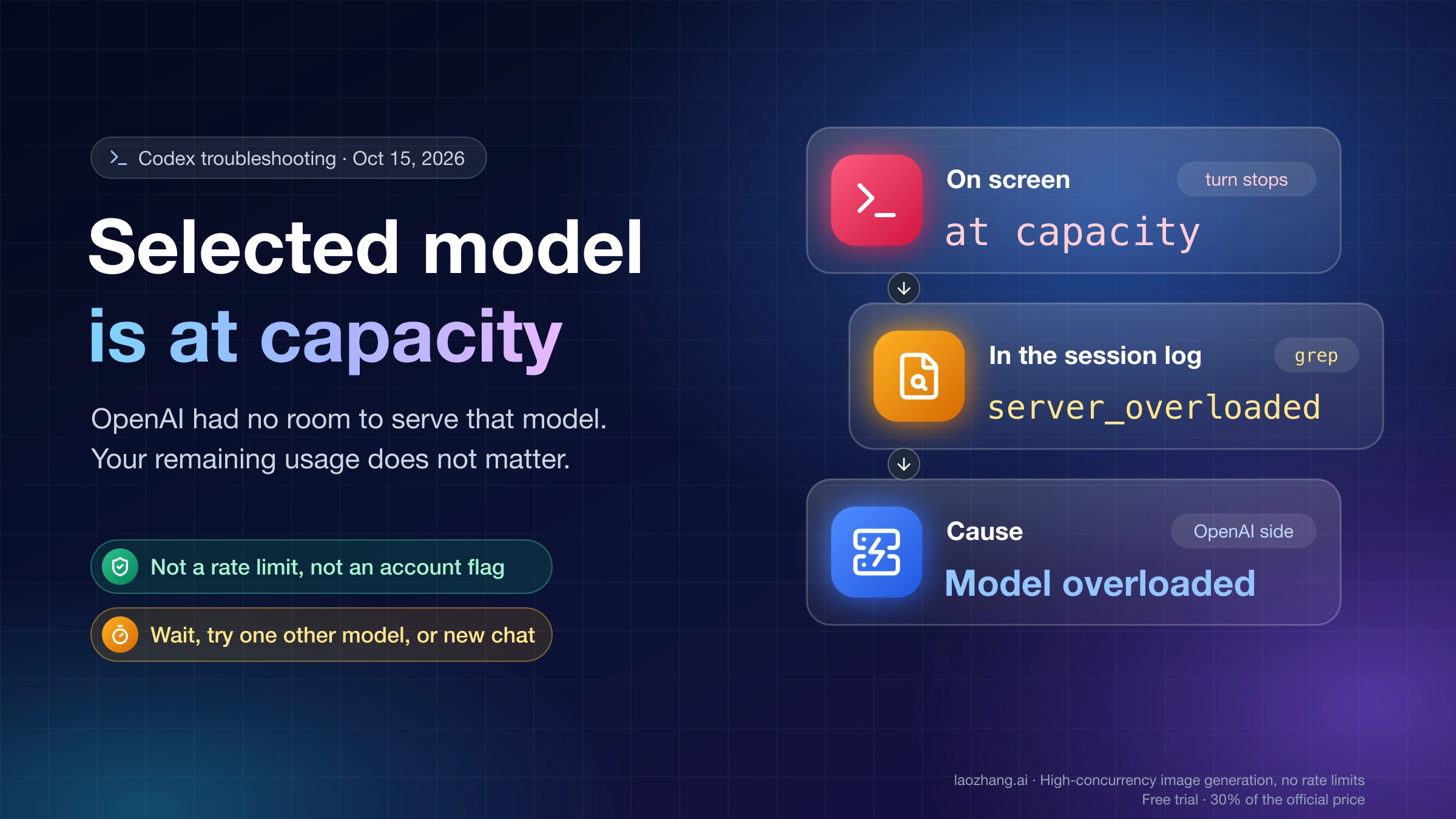
Some lookalike errors are different problems with their own fixes. If the line says the selected model is at capacity, read Codex "Selected Model Is at Capacity". Retry-limit, 429, 401 and stream disconnects are in Fix Codex Exceeded Retry Limit 429, 401, and Stream Disconnected. If the extension never starts, see Codex Could Not Start in VS Code. If Codex fails while loading your account, before any chat opens, see Codex account/read failed during TUI bootstrap. For a model-not-found error on GPT-5.5, see ChatGPT & Codex GPT-5.5 Model Not Found.
What OpenAI has said, and what to send in a report
As of October 16, 2026, the only OpenAI staff comment on these errors is the September 13 note on issue 44781 about queued follow-ups. OpenAI's troubleshooting page for the ChatGPT desktop app does not mention "Error submitting message". No changelog or help article names a cause or a fixed build, and the Codex team's accounts on X have not posted about it. That covers OpenAI's public channels. Silence there does not mean OpenAI is unaware of the bugs. The Safari DisposableStack case is the one fix since then: OpenAI closed issues 55361 and 55271 as completed, again without a comment naming the change, while issue 57370 for browser-hosted VS Code stayed open. The DisposableStack section has the dates.
For "Error creating task", the record as of October 21, 2026 looks similar. On issue 9001 in January 2026, OpenAI's etraut-openai offered troubleshooting steps (restart the extension, check Local Workspace, send /feedback with the thread ID) and agreed that Codex should give a better error message. Issues 31762 and 33288 were closed on August 5, 2026 without a comment or a named fix, and issue 29376, about MCP servers blocking new chats, is still open. No changelog, help page or staff post on X names this error or a build that fixes it. In August 2026, an OpenAI Support reply on the community forum said the Windows "Error creating chat: The system cannot find the file specified (os error 2)" "generally points to a missing local file or resource", and that case closed without a fix.
If your case has no fix above, a useful report includes:
- The exact second line, copied as text or in a screenshot.
- Versions. Note the desktop app or extension version. On a Mac,
codex --versiongives the CLI version, and/Applications/Codex.app/Contents/Resources/codex --versiongives the Codex version bundled with the ChatGPT desktop app. The two can differ. - A feedback ID. Type
/in the composer and choose feedback. You can include the current session, and you get a session ID to share with OpenAI. - Logs. On macOS they are in
~/Library/Logs/com.openai.codex/by date, and sessions are in~/.codex/sessions. Read them before sharing, because they can contain code, paths and secrets. - For a new chat that times out, the output of
codex mcp list, and whether any server is set torequired = true. Remove private URLs or tokens before you post it. - The matching GitHub issue. Add your details to the issue for your second line on the openai/codex GitHub issue tracker: 44781 (queued follow-up), 50428 (AbsolutePathBuf), 27395 (timeouts), 29376 (MCP server blocks new chats), 32799 (MCP sign-in lock), 33288 (first task in a new project), 16815 (AbsolutePathBuf in WSL mode), 33046 (no rollout found), 35949 (agent loop died), 50914 (queued follow-up changed), 52012 (EPERM), 54395 (managed environment), 57370 (DisposableStack in browser-hosted VS Code on Safari).
FAQ
Will restarting the Codex app lose my chat?
Not in the reports collected here. Users who fully quit and reopened the app after timeouts or a dead agent loop got their chats back, and one said an app update did not lose the "dead" session. Copy any unsent or queued text before you quit, since queued items are not guaranteed to survive.
Why does Codex say "Error creating task" or "Error creating chat" instead?
Because the build is older. "Error creating task" is the earlier wording of the same banner: Codex IDE extension builds from March and May 2026 used it for any failed send, and GitHub reports with it run until late July 2026. The ChatGPT desktop app 26.1013 shows "Error submitting message" in the same place, for first messages and follow-ups. "Error creating chat" was reported on Windows 11 in August 2026, when new chats failed with "The system cannot find the file specified (os error 2)", and which build used it is unknown. Under any of these headings, the second line means the same thing, so use the same table.
Why does Codex CLI work when the app shows "Error creating task"?
The CLI and the app read the same config.toml and MCP servers, but they can run different Codex versions, and the app can hide an error the CLI prints. In issue 9001, the CLI named a broken skill file that the VS Code extension never mentioned. In the "no rollout found" reports, the CLI kept working with the same account while new tasks in the app failed. Running codex in a terminal is a quick way to see which of those you have.
Is it safe to delete Codex files to fix "Error submitting message"?
No. Deleting session files by hand caused the rollout-path error on Windows, and nobody in these reports recommended deleting ~/.codex/logs_2.sqlite, even at 2 GB. The same goes for the mcp-oauth-locks folder, auth.json and Codex's local databases when a new chat will not start. Remove chats with Archive and Delete in the app, back up config.toml before editing it, and back up .codex before any clean-profile test.
Is "DisposableStack is not defined" caused by my account or limits?
No. DisposableStack is not defined, or Can't find variable: DisposableStack in Safari, means the browser does not provide a JavaScript feature the Codex page uses, so changing plans, signing out or waiting for a usage reset will not clear it. GitHub users reported it in Codex Web on Safari 27 for macOS and on Safari for iPadOS 26.7.1, and OpenAI closed those reports as fixed on October 23, 2026, so a reload or a Safari or iPadOS update should clear it there. The same error in the Codex extension inside browser-hosted VS Code opened in Safari was still unfixed as of November 1, 2026, and an iPad user reported it in GitHub Codespaces on October 31. On a Mac or PC, use desktop VS Code or Chrome or Firefox for that setup; on an iPad, where every browser uses Safari's engine, update iPadOS or move to a Mac or PC.
Why is Codex not sending messages on my Mac?
On macOS the reports mostly point to app-server timeouts: days of uptime, a very large chat, a huge logs_2.sqlite or a leftover codex_chronicle process. Start with the timeout section above. If only new chats fail, look at your MCP servers first. If the second line says something else, that line decides the fix.
Sources2
External pages this guide links to, in the order they appear. Last updated Nov 1, 2026.
Sources2
External pages this guide links to, in the order they appear. Last updated Nov 1, 2026.