Codex account/read failed during TUI bootstrap: Fix by the Tail
Read the tail after “account/read failed:”. In most reports timed out or failed clears with a background-server restart; 401 needs a new sign-in on that host.
On this page
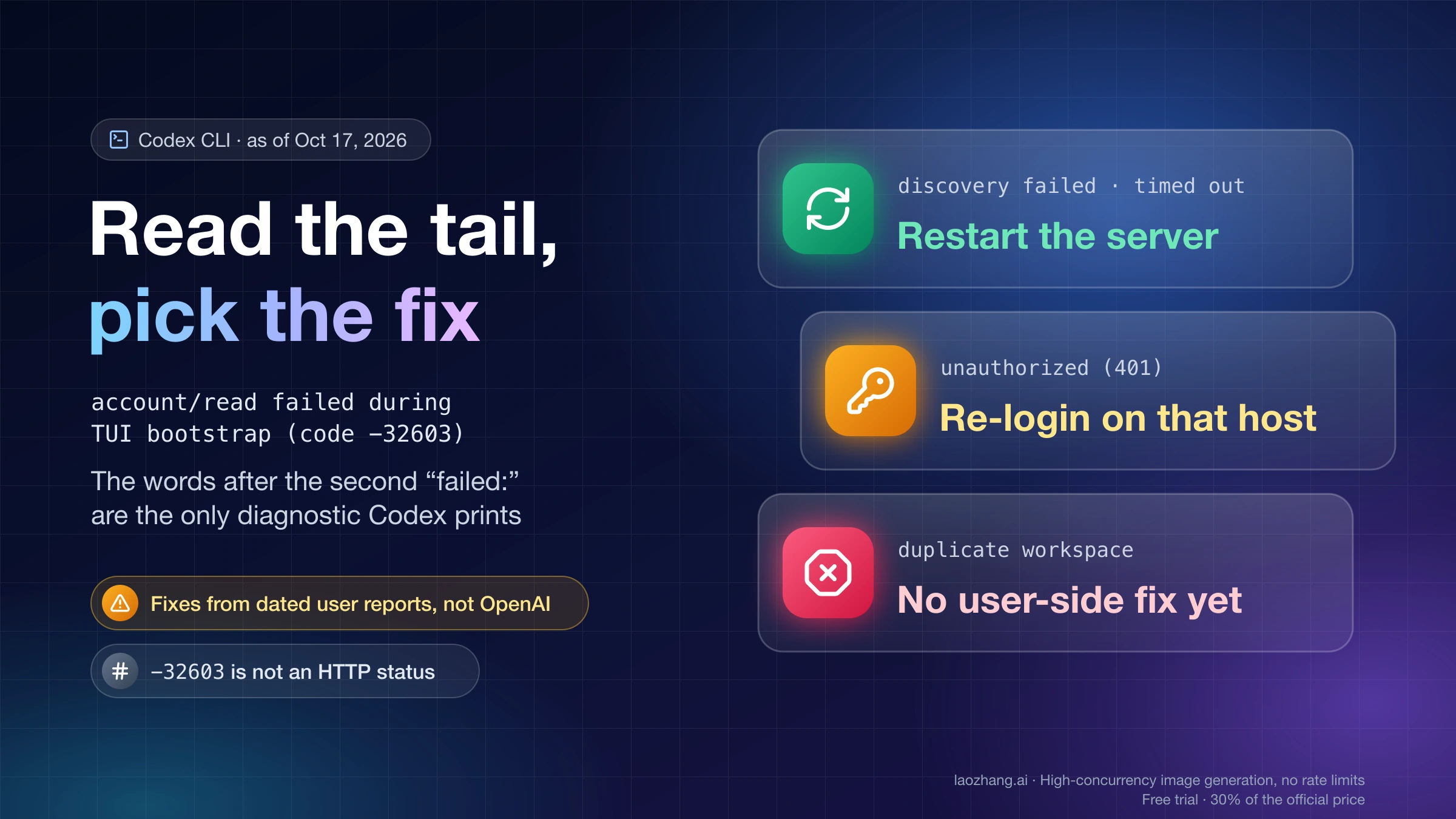
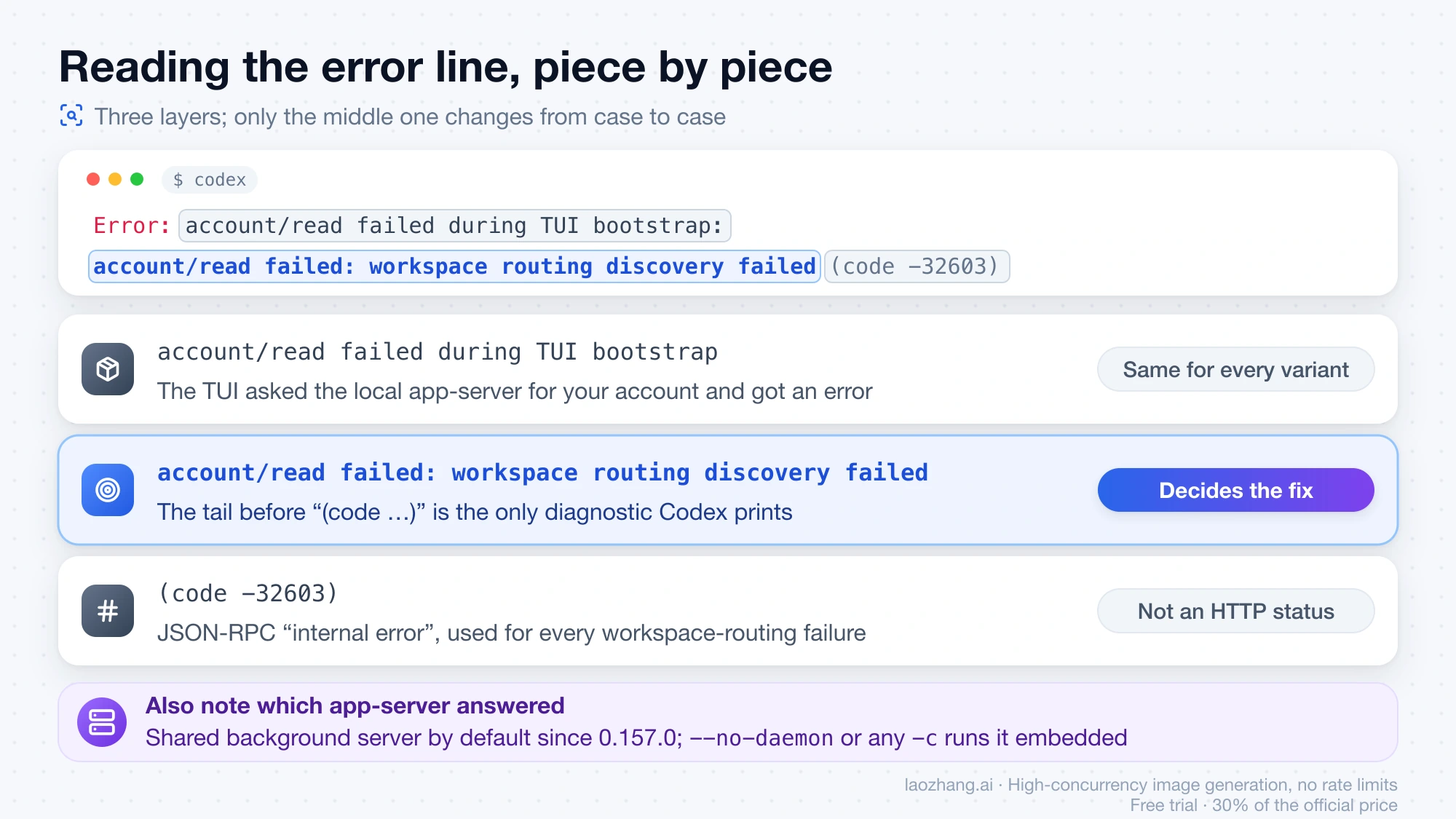
Error: account/read failed during TUI bootstrap: account/read failed: workspace routing discovery failed (code -32603) is one line, but only one part of it tells you what to do: the words between the second account/read failed: and (code …). That tail is the only diagnostic Codex prints. The prefix is identical for every variant and means just that the interactive interface asked Codex's local app-server for your account and got an error back. -32603 is the JSON-RPC "internal error" code, not an HTTP status, and adds nothing. Since the shared background server became the default in Codex CLI 0.157.0 (September 25, 2026), the two most-reported tails, workspace routing discovery failed and workspace routing discovery timed out, have cleared in most dated reports with a restart of that server; unauthorized (401) needs a fresh sign-in on the machine that holds the token; duplicate workspace in routing discovery has no user-side fix as of October 17, 2026.
None of the fixes below was reproduced or tested; each is a user report, cited with its date and GitHub issue or forum thread, and OpenAI has not published a cause or a fix for any of the tails as of October 17, 2026. The only first-hand output is from three read-only commands run on codex-cli 0.163.0-alpha.10.2 (the copy bundled in the ChatGPT desktop app on macOS) with no background server running and no error present; it is quoted in the checks section so you can compare it with yours.
What account/read failed during TUI bootstrap means, piece by piece
The line has three layers, and every fix below depends on reading them in order:
account/read failed during TUI bootstrapis the TUI's wrapper. Codex's interactive interface talks to an app-server over JSON-RPC, and on startup it sends a handful of requests:account/read,model/list,configRequirements/read,thread/start. Each has the same kind of wrapper, sothread/start failed during TUI bootstraporthread goal/set failedare different startup steps with their own threads, not variants of this error.account/read failed: …is the JSON-RPC error from the server, with the tail as its message.(code -32603)is JSON-RPC's generic "internal error". Workspace-routing failures are all returned under it. The one exception is(code -32600), "invalid request", which is whatplan type is required for chatgpt authenticationcomes back as.
For a ChatGPT sign-in, account/read is not a local lookup. The app-server performs workspace routing discovery: it asks the ChatGPT backend which workspace your token belongs to (the workspace here is the account space you pick at sign-in, "Personal" or an organization, not a project folder or a VS Code workspace) and then fetches that workspace's requirements bundle. In the current source the whole read runs under a 15-second limit; when the limit expires you get workspace routing discovery timed out. The routing code can emit a fixed list of tails, and these are the ones that show up in reports: workspace routing discovery failed, workspace routing discovery timed out, workspace routing discovery unauthorized (401), failed to load workspace requirements, duplicate workspace in routing discovery, selected workspace missing from routing discovery. One detail matters for the requirements tail: shipped 0.162.1 and 0.163.0 print it without a reason, while the source on main as of October 17, 2026 appends one such as cloud config: authentication failed (HTTP 401) or cloud config: request timed out. If your build shows the bare tail, the HTTP status that caused it is hidden from you.
The last layer is which app-server answered. Since 0.157.0 (September 25, 2026) an interactive codex starts, or attaches to, a persistent process called the shared background server (codex app-server --managed-daemon; the CLI help calls it the "app-server daemon", issue threads say "managed daemon"). It outlives your terminal windows, keeps the environment variables of whichever session started it, and runs from a copy under ~/.codex/packages/app-server-daemon/releases/, which a separate updater can leave on a different version than the CLI you type. Passing --no-daemon, or any -c override, makes the CLI run an embedded server inside its own process instead. Roughly half of the reported fixes come down to this distinction.
Why codex login status says logged in while the TUI exits
codex login status reads the stored credential (auth.json under ~/.codex, or the OS keyring) and reports which method is active; the official authentication page describes it that way and nothing more. It does not check with the backend whether the token is still accepted, which is exactly the improvement one reporter asked OpenAI for (#47456). Workspace routing discovery does make that check. So a token that was revoked on the account side, a network that lets you through to the sign-in domain but not to chatgpt.com, or a background server that is holding stale state can all coexist with a cheerful Logged in using ChatGPT. A GitHub report from September 23, 2026 (#47456) and another from October 15, 2026 (#54184) both describe exactly this pair: status says logged in, every backend call behind the scenes returns 401 token_revoked.
codex exec working while codex fails is consistent for the same reason. The account/read wrapper belongs to the TUI's startup code; codex exec does not go through it, and in the reports it keeps answering prompts while the interactive command dies: on WSL2 with 0.160.0 (#51052, October 5, 2026) and on macOS with 0.163.0 (OpenAI developer forum, October 17, 2026, where codex exec "Reply only with READY" returned READY). The exception is duplicate workspace in routing discovery, where codex exec fails too, with Reconnecting… 2/5 lines (#47034, September 23, 2026); there the problem sits on the account side rather than in the TUI path.
Three read-only checks before you change anything
codex login status
codex app-server daemon version
codex doctor --summary --no-color
None of these writes anything or interrupts other Codex windows. On codex-cli 0.163.0-alpha.10.2 with no background server running, they returned:
$ codex login status
Logged in using ChatGPT

$ codex app-server daemon version
Error: failed to connect to ~/.codex/app-server-control/app-server-control.sock
Caused by:
    No such file or directory (os error 2)

$ codex doctor --summary --no-color
…
Connectivity
  ✓ network      network-related environment looks readable
  ✓ websocket    connected (HTTP 101 Switching Protocols) · 15s timeout
  ⚠ reachability desktop update and runtime CDN is unreachable

Background Server
  ○ app-server   not running (ephemeral mode)
…
20 ok · 1 idle · 5 notes · 3 warn · 0 fail degraded
What to look for:
codex app-server daemon version: when a server is running it prints JSON withcliVersionandappServerVersionside by side. A Linux user on 0.162.1 posted{"status":"running","backend":"pid","managedCodexVersion":"0.162.1","cliVersion":"0.162.1","appServerVersion":"0.162.1"}(#52928, October 15, 2026). Two different numbers there is the version-skew case below. The socket error shown above means no server is running at that moment; plaincodexwill start one, so if the error still appears afterwards, compare againstcodex --no-daemonrather than restarting something that was not there.codex doctor --summary --no-color: theBackground Serverrow tells you whether a server is running; the detailed report (without--summary) and the--jsonreport include the server version. In the forum thread that first documented the restart fix (October 9, 2026),doctorshowed healthy databases and a successful WebSocket handshake while the detailed report revealed CLI 0.162.0 next to app-server 0.161.0.codex login status: if it saysLogged in using ChatGPT, discovery will run; if it says an API key is in use, discovery is skipped (see the FAQ), and this error points at a custom-provider setting instead.
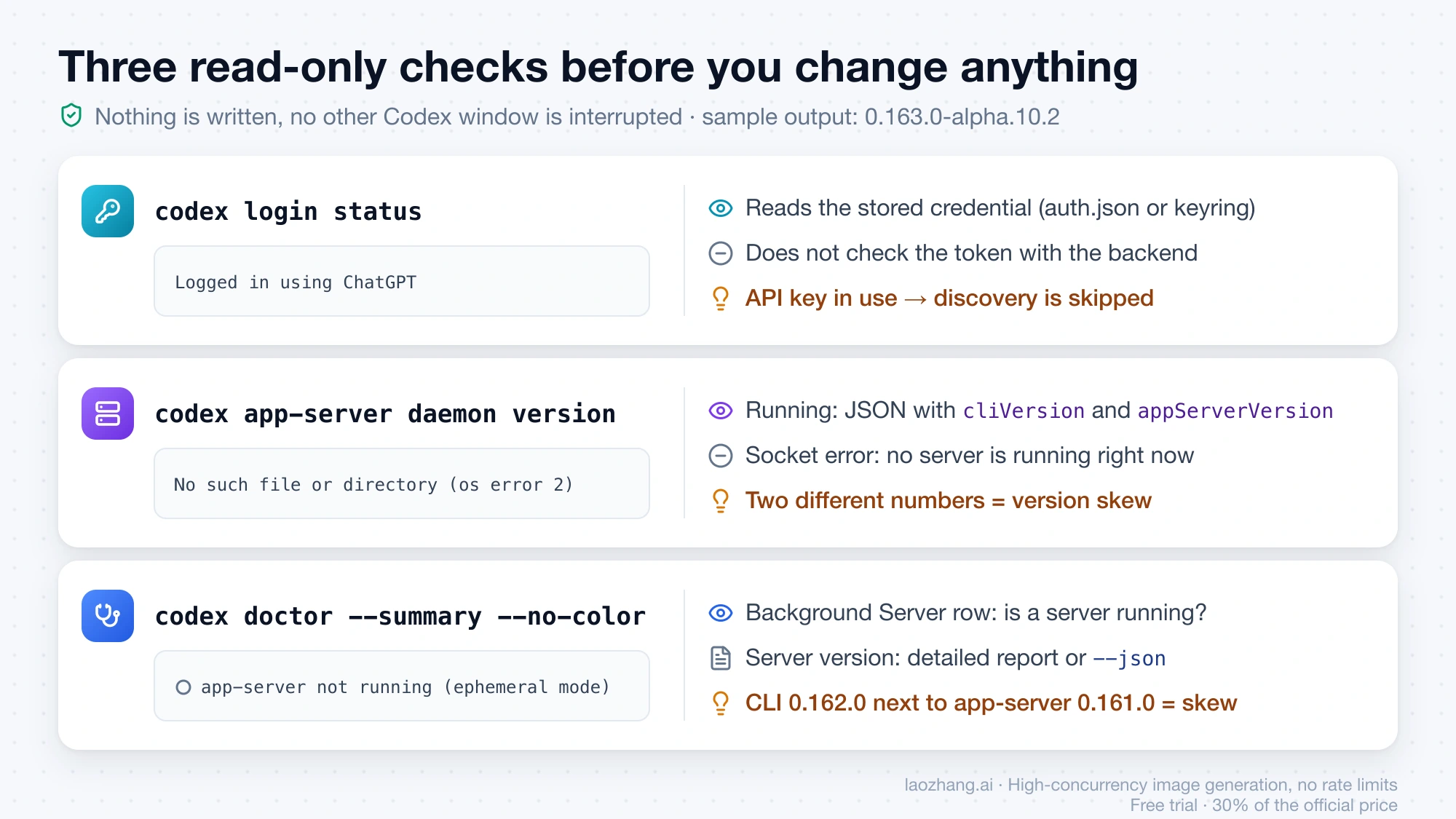
One caveat on provenance: the official developer-commands page documents codex doctor, codex login status, codex logout, --no-daemon and the /daemon slash command, but not the codex app-server daemon … subcommands. The subcommand names used below (version, restart, update --from-cli --yes, stop) come from codex app-server daemon --help on 0.163.0-alpha.10.2.
Tail by tail: what reports point to and the first move
Tail after the second account/read failed: | Code | What the reports point to | First move | Dated reports |
|---|---|---|---|---|
workspace routing discovery failed | -32603 | Background server stuck, outdated, or started with other proxy variables; chatgpt.com blocked while sign-in works | codex app-server daemon restart, then codex | Forum Oct 9; #52928 Oct 10–15; #17800 Oct 11, 15; #50211 Oct 16 |
workspace routing discovery timed out | -32603 | Same server state; proxy not carrying the discovery request; WSL2 | Restart the server; check proxy variables; codex --no-daemon to confirm | #48894 Sep 29; #49921 Oct 1; #51052 Oct 5; #52928 Oct 15 |
failed to load workspace requirements | -32603 | A hidden 401 token_revoked in one report; still failing on 0.163.0 in another | Sign in again, then stop the server and any open TUIs; --no-daemon as a workaround | #54184 Oct 15; #52775 Oct 10–15; forum Oct 17 |
workspace routing discovery unauthorized (401) | -32603 | Credential revoked after an account change; on SSH setups the stale token is on the remote host | codex login (or --device-auth) on the host that runs Codex, then restart the server | #47456 Sep 23 and Oct 1 |
duplicate workspace in routing discovery | -32603 | The ChatGPT account itself lists two identical "Personal" workspaces | No user-side fix; support ticket; the VS Code extension still works | #47034 Sep 21–Oct 4 |
selected workspace missing from routing discovery | -32603 | Saved workspace choice no longer in the account's list (reading of the source, no thread yet) | Sign in again and pick the workspace; check forced_chatgpt_workspace_id | Source only |
plan type is required for chatgpt authentication | -32600 | ChatGPT-mode token without a plan type: relay- or mirror-issued, hand-edited, or mixed credentials | codex logout, then an official ChatGPT login or codex login --with-api-key | Source; Chinese forum thread Oct 3 |
| No tail at all (April 2026, 0.120) | — | Stale ChatGPT auth cache plus requires_openai_auth = true on a custom provider | rm ~/.codex/auth.json and sign in again, or drop requires_openai_auth | #17800 Apr 27–May 14 |
Dates are 2026. "Forum" is the OpenAI developer community; numbers are openai/codex GitHub issues.
workspace routing discovery failed or timed out: restart the server
A restart of the background server is the fix with the most independent confirmations, and it deletes nothing:
codex app-server daemon restart
codex
The forum thread from October 9, 2026 (Linux Mint, 0.162.0, ChatGPT login, a local proxy) is the clearest write-up. After a network interruption and a reboot, every start ended in workspace routing discovery failed. The author found through codex doctor that the CLI was 0.162.0 while the running server was still 0.161.0, also found that the local proxy had its SOCKS port configured as the HTTP port (which produced 407 Proxy Authentication Required), fixed the port, and still failed until codex app-server daemon restart. The thread's accepted answer says the restart worked "without deleting configuration, credentials, or conversation history" and could not say whether the old server version or stale proxy settings inside the server was the actual cause. It also warns that a restart may interrupt active Codex sessions.
Version skew shows up on its own in #52928: an Arch Linux user on October 15, 2026 saw CLI 0.162.1 next to "appServerVersion":"0.160.0", ran codex app-server daemon update --from-cli --yes, and codex started. The same day another user in that thread had matching 0.162.1 on both sides, the timed out tail, a working proxy (an unauthenticated request to https://chatgpt.com/backend-api/wham/accounts/check returned 401 in 0.46 seconds, which is the expected answer without a token), and a plain codex app-server daemon restart fixed it; the reporter suspects "stale daemon state, inherited proxy environment variables, or connection state". In #17800, removing auth.json and signing in again was not enough on October 11, 2026, and the restart was; a second user confirmed on October 15.
An earlier form of the same fix is pkill -f codex, then codex login status, then codex (#48894, September 29, 2026, two confirmations on October 5 and 6). Be aware that pkill -f codex kills every process with "codex" in its command line, including other Codex windows and agents.
Two things the reports make clear about these two tails. First, failed is not a slow timed out: one Docker user timed the default failure at 1.63 seconds (#52928, October 10, 2026), so if your line says failed, the server gave up long before the 15-second limit, which points away from a slow network and toward state or a blocked request. Second, the reasons the reporters give for why a restart helps are theirs, not OpenAI's: the server pins the environment of the session that started it (#48195, September 25, 2026), it can run an older release than the CLI, and long-running servers have hit resource exhaustion before (#37971 documents a server with 1,022 of 1,024 file descriptors in use after eight days, mislabeling an unrelated bootstrap error; 0.162.0 raised the limit to 4,096).
Since 0.163.0 (October 15, 2026) the /daemon slash command offers a confirmed restart from inside the TUI. It only helps once the TUI opens, so for this error the shell command above is the one to use.
failed to load workspace requirements: the tail with the weakest answer
This tail means the second half of discovery, fetching the workspace's requirements bundle, failed, and on shipped builds it tells you nothing about why. Two things are known from reports as of October 17, 2026:
- The reason can be an authentication failure that the TUI swallows. A macOS user on 0.162.1 (#54184, October 15, 2026) saw this exact tail while every backend call in the logs returned
401 token_revoked("Encountered invalidated oauth token for user"). Signing in again was not enough on its own: running TUIs and the background server "kept using the revoked token after a freshcodex loginuntil I killed them". The sequence that follows from that report iscodex logout,codex login,codex app-server daemon stop(orrestart), thencodex. - It is still being reported on the latest stable release. The forum thread from October 17, 2026 (codex-cli 0.163.0, macOS, Node 22 via NVM, ChatGPT Plus) has the same tail from every directory,
codex login statusstillLogged in using ChatGPT, logging out and back in did not help, upgrading from 0.162.1 to 0.163.0 did not help, andcodex execworks. As of October 17, 2026 it had no replies.
The workarounds that have been reported for this tail are the embedded-mode ones explained in the -c log_dir section: codex -c log_dir="$HOME/.codex/log" on macOS (#52775, October 10 and 14, 2026), and, in a single unexplained report from October 15, 2026, touch ~/.codex/log/codex-tui.log by itself. If re-login plus a server stop and codex --no-daemon all leave the tail in place, there is no further documented step; run with --no-daemon and add your details to #52775 or the forum thread.
workspace routing discovery unauthorized (401): re-login on that host
The 401 tail is the one case where a fresh login is the documented fix, with a twist about where. In #47456 (September 23, 2026) a headless Linux host behind an SSH remote kept reporting Logged in using ChatGPT after the account gained new entitlements, while its app-server returned workspace routing discovery unauthorized (401); codex login --device-auth on the remote host fixed it immediately. The reporter calls the entitlement change a likely trigger rather than a confirmed cause. The Codex desktop app, connected over SSH, showed an unrelated local-authentication message, so if your setup has two machines, the credential to refresh is the one on the host that actually runs the app-server.
A comment on the same issue from October 1, 2026 adds the second half: device auth completed, the 401 stayed, and the cause was a long-running codex app-server process still holding the old token; pkill -f 'codex app-server' and then codex started normally. So on either machine the order is: sign in again, then stop or restart the background server.
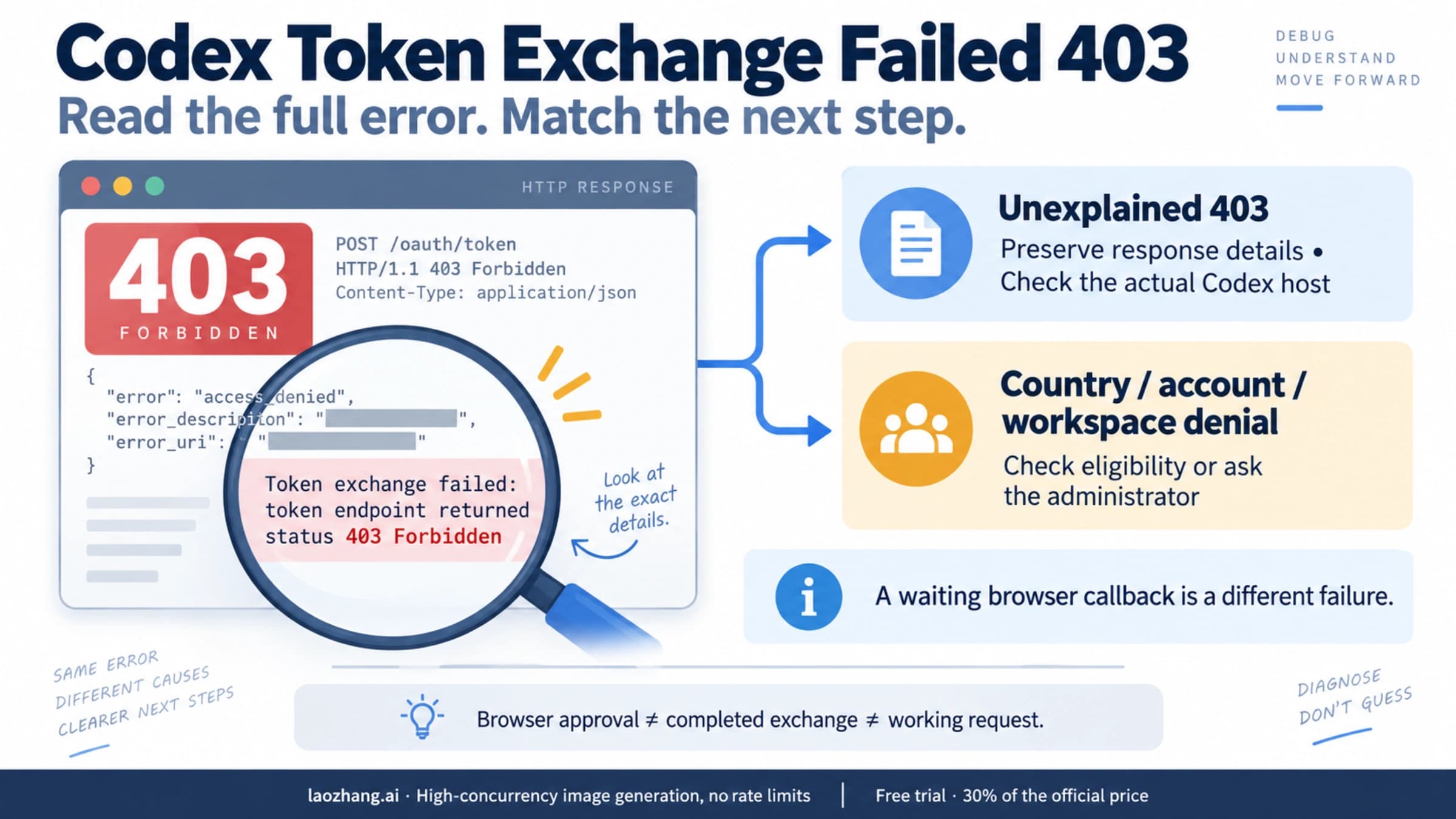
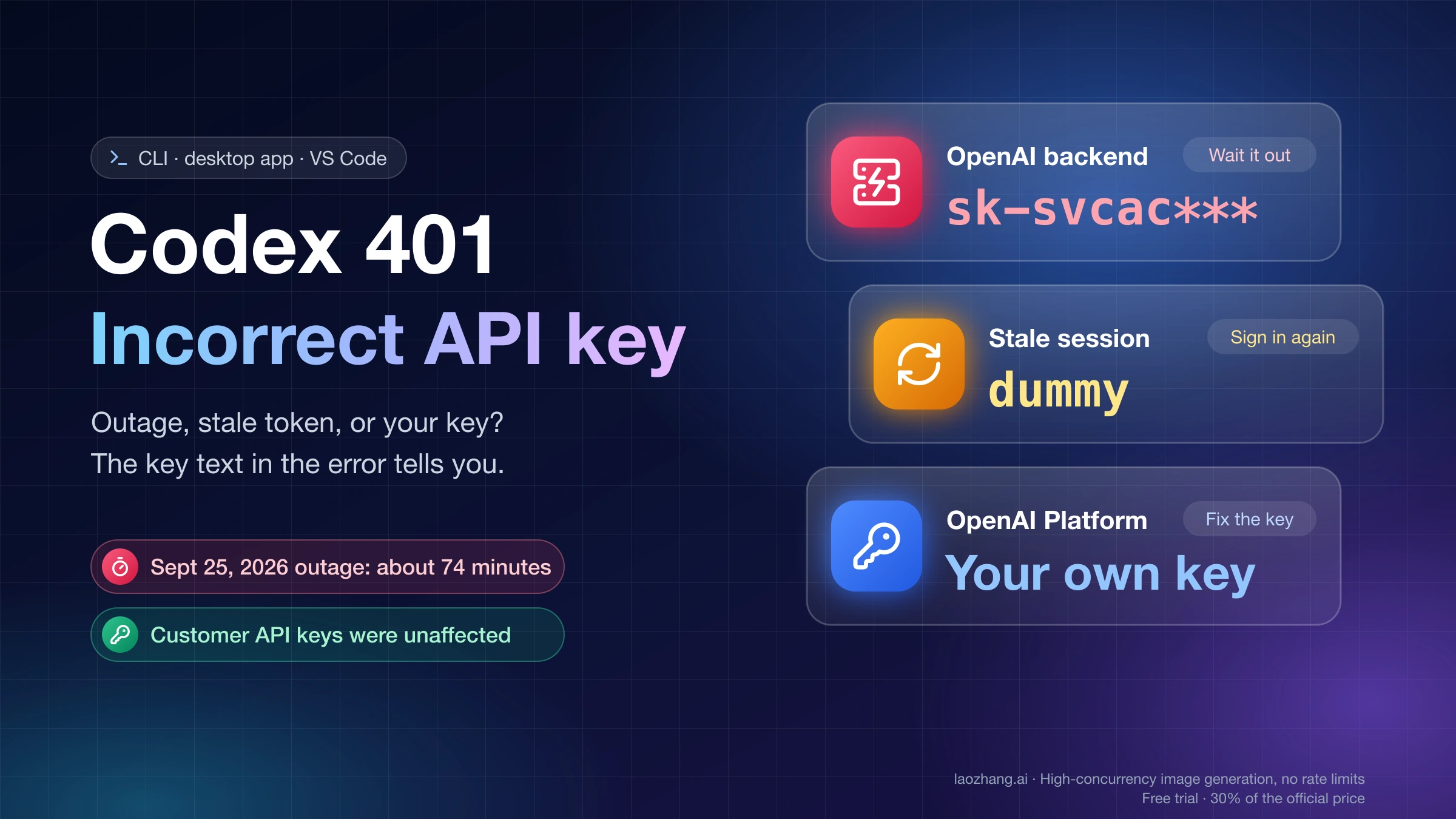
Device-code login on servers is covered in Codex Headless Login: Device Code, SSH Tunnel, or auth.json. If the login itself fails with a 403 before you ever reach this line, that is Codex Token Exchange Failed 403: Diagnose and Recover Sign-In; a 401 that appears on model requests after the TUI has opened is Codex 401 Incorrect API Key: Outage, Stale Token, or Your Key?.
duplicate workspace in routing discovery: no user-side fix yet
This tail is account-side, and as of October 17, 2026 nothing you can do locally has worked in the thread that tracks it (#47034, open since September 21, 2026, Windows and macOS, CLI 0.155 through 0.160). The affected accounts show two identical "Personal" workspaces in ChatGPT itself: one user posted the ChatGPT mobile app listing "Personal account / Personal" twice (October 3, 2026), another sees two "Personal account" entries in the web sign-in picker and writes "I did not create a second workspace" (October 4, 2026). Everything that works for other tails has been tried there without effect: codex logout and codex login, --device-auth, a fresh CODEX_HOME, forced_chatgpt_workspace_id, reinstalling, --no-daemon. codex exec fails as well. Downgrading to 0.154.0 helped one user on September 23 and did nothing for another on October 4.
What does work, per the October 4 report, is the Codex VS Code extension, which keeps running on the same account. Users have opened support cases; the one who reported the support exchange says OpenAI asked for codex login status, codex doctor, codex-login.log, a debug TUI log and the workspace IDs. If your tail is this one, skip the restart and proxy steps, gather those files, and use the extension in the meantime.
Two rarer tails: selected workspace missing and plan type is required
selected workspace missing from routing discovery
There is no fix report for this tail; what follows is a reading of the source, which raises it when the workspace saved with your login is not in the list that discovery returns for the account. The matching action is to sign in again (codex logout, codex login) and pick the workspace in the browser step. If your config sets forced_chatgpt_workspace_id, which the configuration reference describes as "Limit ChatGPT logins to a specific workspace identifier", make sure that ID is a workspace the account still belongs to; the authentication page says that when the active credentials do not match the configured restrictions, Codex logs the user out and exits.
plan type is required for chatgpt authentication (code -32600)
This is the one tail with -32600, and it is raised before discovery even starts: Codex has a ChatGPT-mode credential whose token carries no plan type (the account's email is optional in that check, plan_type is not). Tokens from third-party relays or mirror sites, a hand-edited auth.json, or a ChatGPT credential left behind while you meant to use an API key all fit that description; a Chinese-language forum thread from October 3, 2026 carries this exact tail in its title, and an April 7, 2026 thread describes the tail-less April line after switching from a relay back to the official account. The route out is codex logout, then one of two official logins: codex login with the ChatGPT account, or printenv OPENAI_API_KEY | codex login --with-api-key. If you use a custom provider block, note that requires_openai_auth = true makes Codex ignore env_key and go through its own OpenAI authentication, per the authentication page; Codex Custom Provider Setup: API Key, Base URL, and Auth covers that block.
The April line with no tail: stale auth cache plus requires_openai_auth
The oldest thread (#17800, opened April 14, 2026 on 0.120.0 by an API-key user on Linux) predates the background server, and its fix is not today's default. Back then the line ended at TUI bootstrap, with no tail, and a logout and login cleared it. A comment from April 27 worked out the mechanism: a custom provider configured with env_key and requires_openai_auth = true makes the TUI call account/read, which reads Codex's stored ChatGPT auth state rather than the provider key; a stale cache fails bootstrap. Removing requires_openai_auth (or setting it to false) fixed it. Deleting ~/.codex also worked, and a May 9 reply points out the cost: all session logs go with it. The May 14 refinement is the one to keep: rm ~/.codex/auth.json, then sign in again, loses only the login.
On current builds that same thread turned into a daemon thread: the "me too" from October 10, 2026 was answered by the codex app-server daemon restart reports of October 11 and 15. So reach for auth.json only when your line has no tail or you have a custom provider with requires_openai_auth; otherwise start with the server.
Why -c log_dir=… and --no-daemon start when plain codex does not
Three reports (#48600, September 27, 2026, Windows and WSL on 0.157.1; #52775, October 10, 2026, macOS on 0.162.1; #52928, October 10, 2026, Docker on 0.156.1 and 0.162.1) found that codex -c log_dir="$HOME/.codex/log" opens the TUI while plain codex dies with timed out or failed. The log_dir value is a red herring. Passing -c, --enable, --disable or --search forces the CLI into embedded mode, and it says so:
Running without the shared background server: command-line configuration overrides (-c, --enable, --disable, or --search) requires embedded mode.The #52928 reporter showed the consequence on October 10: codex -c 'model_reasoning_effort="medium"' works just as well, and putting log_dir at the top level of config.toml does nothing, because a file setting does not change the mode. codex --no-daemon does the same thing explicitly; the docs describe it as "Run the interactive CLI without the shared background server" and note it cannot be combined with --remote or codex agents. In embedded mode you lose the shared-server features (the codex agents command center and remote control), which is why this is a diagnostic and a stopgap rather than a fix.
Use it as a test. If codex --no-daemon opens, the failure is in the shared-server path and the restart or update above is the right next step. If --no-daemon fails with the same tail, the server is not your problem: look at the credential, the account, or the network (the duplicate workspace tail, for instance, fails identically with --no-daemon, #47034, September 23, 2026).
If you want the old single-process behavior back permanently, codex features disable daemon_auto_start (from codex features --help) or daemon_auto_start = false under [features] in config.toml turns off auto-start; a Windows 10 user reported the config setting resolving a startup block on September 25, 2026 (#48195). The flag is absent from the official configuration reference as of October 17, 2026, so treat it as observed rather than documented. Windows-mounted WSL homes have skipped auto-start since 0.162.0 and run embedded with a warning.
Proxy, blocked chatgpt.com, WSL2: discovery cannot reach the backend
The discovery request goes to chatgpt.com, and it goes from whichever process performs the read, with that process's environment. Several reports trace timed out or failed to exactly that:
- Proxy variables not reaching the server. On macOS, launching the Codex desktop app from Finder failed every time with
workspace routing discovery timed outandaccount/readtaking 15,002 ms in the logs; Electron's--proxy-server=…flag did not help, while launching the same app withHTTP_PROXY,HTTPS_PROXYandNO_PROXYset in the environment did (#49921, October 1, 2026). A CLI user fixed the same thing with a.envfile in~/.codexcontaininghttp_proxyandhttps_proxy(#52928, October 12, 2026); that file is not documented. For the CLI, the shell equivalent is to export the variables and then restart the background server, since it keeps the environment of the session that started it:
export HTTPS_PROXY="$PROXY_URL"
export HTTP_PROXY="$PROXY_URL"
codex app-server daemon restart
codex- Wrong proxy port. The October 9 forum author had the SOCKS port configured as the HTTP port and got
407 Proxy Authentication Requiredfrom the proxy. Correcting the port removed the 407 but the server still had to be restarted. chatgpt.comblocked,openai.comopen. On a company VPN that blockschatgpt.combut not*.openai.com, sign-in succeeds and everything after it fails withworkspace routing discovery failed(#50211, October 16, 2026). A quick test used in several threads: requesthttps://chatgpt.com/backend-api/wham/accounts/checkthrough the same proxy from the same shell. An HTTP 401 in well under a second means the endpoint is reachable (401 is the expected answer without a token); a hang or a proxy error means discovery cannot get through either.- Corporate TLS interception. The authentication page documents
CODEX_CA_CERTIFICATEfor a PEM bundle, falling back toSSL_CERT_FILE.HTTP_PROXYandHTTPS_PROXYthemselves are not on the environment-variables page as of October 17, 2026, which is why so much of this is in issue comments. - WSL2. Same 0.160.0 build, same account:
account/readtook 0.422 seconds on Windows and 15.016 seconds on WSL2 before returning-32603 workspace routing discovery timed out;codex execsucceeded on both (#51052, October 5, 2026). The reporter notes the timeout does not say which stage stalled, and no cause has been identified in the thread.
0.163.0 (October 15, 2026) added one relevant change: bootstrap requests to accounts/check and the config bundle now retry through the system proxy when the request fails before response headers arrive, provided the system-proxy fallback feature is enabled. Responses with 401, 403, 407, 429 or 503 do not trigger that retry, so a misconfigured proxy or a revoked token behaves the same as before.
An order that keeps your session history
No step below deletes session history; the one command that does, removing ~/.codex wholesale, is the thing not to do. The order goes from least to most disruptive:
- Run the three checks and note
cliVersionversusappServerVersion. Deletes nothing. - If a server is running:
codex app-server daemon restart. If the versions differ:codex app-server daemon update --from-cli --yes(the help text forupdatesays it "may interrupt running work"). Deletes no session or credential; may interrupt other Codex windows or agents attached to the server. codex --no-daemon. If it opens, the problem is the shared server and step 2 (or disabling auto-start) is your fix; if it fails identically, continue.codex logout, thencodex login(orcodex login --device-authon a remote host), then stop or restart the background server so it picks up the new token. Loses only the login.- Check the proxy environment and that
chatgpt.comis reachable from the shell that starts the server; export the variables and restart the server. - If you have a
[model_providers.…]block, checkrequires_openai_authandenv_key. - Only for the tail-less line or a custom-provider cache problem:
rm ~/.codex/auth.json, then sign in again. Do not delete~/.codex; that removes every session log (#17800, May 9, 2026).
If the tail is duplicate workspace, none of this applies; go to the support route in that section.
Is account/read failed fixed in Codex 0.163.0? No release note says so
As of October 17, 2026 no Codex release note claims to fix workspace routing discovery failed or timed out, and the newest report of the requirements tail is on 0.163.0 itself (forum, October 17). What the releases did change:
- 0.157.0 (September 25): background server on by default (#47179), plus "explicit recovery for incompatible background servers" (#47318).
- 0.162.0 (October 8): Windows-mounted WSL homes skip auto-start (#50555); the managed server's file-descriptor limit rises to 4,096 (#51470); the daemon's release identity is tracked separately from its executable (#50559).
- 0.162.1 (October 9): "Fixed startup failures caused by differences between a running background server's feature settings and CLI defaults" (#52648). That is a different startup failure, about feature flags, not routing, and 0.162.1 is the version in several of the reports above.
- 0.163.0 (October 15):
/daemoncan restart a managed server from inside the TUI (#53173); bootstrap requests retry through the system proxy on request errors (#52702); background routing reads are skipped when you are signed out or on an API key (#52635). The last one means API-key users no longer trigger background routing reads at startup; it changes nothing for ChatGPT sign-ins. - 0.164.0: alpha builds only (October 16–17), with empty notes.
If you upgrade, remember that the running background server does not necessarily upgrade with the CLI; tui.show_server_version_notice (default on) is what prints the version-difference notice once the TUI opens, and codex app-server daemon update --from-cli --yes is how users brought the server up to the CLI's version. Reinstall and downgrade paths are in Install and Configure Codex CLI on Windows, macOS, or Linux.
Sign-in failed: workspace routing discovery timed out (desktop, VS Code)
The desktop app and the VS Code extension run the same discovery through their bundled runtime, so the same tails appear in their logs with a different first line: Sign-in failed: workspace routing discovery timed out, or Login failed: …, and account/read failed: workspace routing discovery failed (error code -32603) in the desktop log files, sometimes next to HTTP 432 Workspace routing is unavailable on /wham/usage or /settings/user. Reports run from the VS Code extension on Ubuntu (#48894, September 28, 2026) to the macOS desktop app asking for a sign-in "nearly every day" (#49443, September 30) and Windows builds doing the same (#53236, October 12; #53520, October 13).
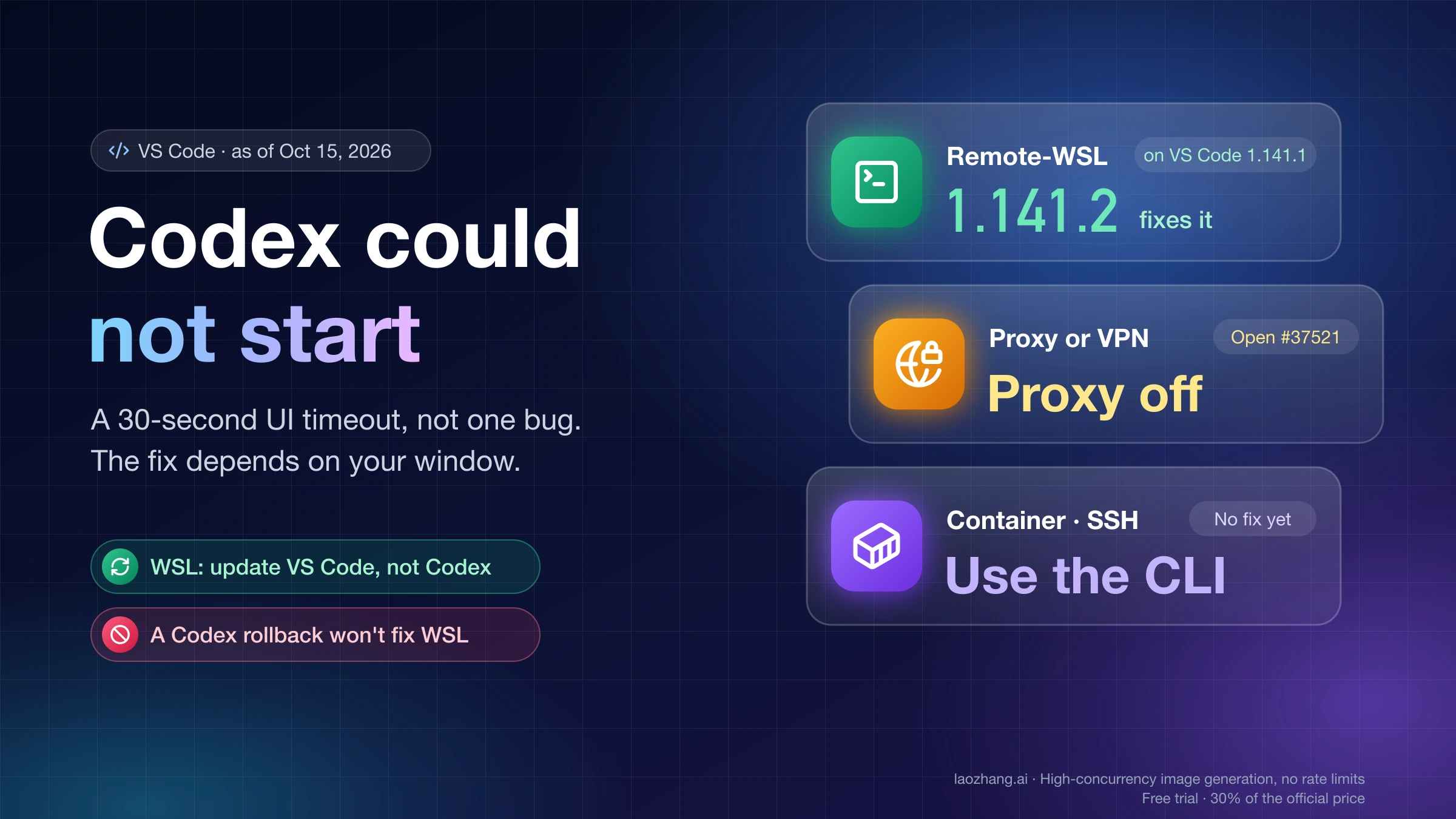
The fixes reported there are the desktop equivalents of the ones above: kill leftover processes (one macOS user found a stray Dock Extra (ChatGPT.app) process and sign-in worked after ending it, #49921, October 15, 2026), set the proxy variables in the app's environment rather than in Electron flags (#49921, October 1), and on Windows point the app at an external CLI with CODEX_CLI_PATH, which fixed login persistence for one user at the cost of ChatGPT Memory becoming unavailable (#47145, September 22, 2026). Which Windows processes are safe to end is in Codex Windows Background Processes: What to End and What to Leave Running. A VS Code panel that shows "Codex could not start" after 30 seconds is a different failure, covered in Codex Could Not Start in VS Code: WSL, SSH, and Container Fixes.
Questions that come up alongside this error
Will codex app-server daemon restart kill my other Codex windows?
It can. The forum author who documented the fix notes that a restart "may interrupt active Codex sessions", and the 0.163.0 /daemon restart dialog warns about work in other chats that could be interrupted. Conversation history on disk is not affected; the thread's accepted answer specifically reports configuration, credentials and history intact. If other windows are mid-task, let them finish first.
Does codex logout sign the background server out too?
Not reliably, going by two reports: after a fresh codex login, a running server and open TUIs kept using the revoked token until they were killed (#54184, October 15, 2026), and a long-running codex app-server process held an old credential until pkill -f 'codex app-server' (#47456, October 1, 2026). After any re-login, stop or restart the background server before starting codex.
Is (code -32603) an HTTP status?
No. It is JSON-RPC's "internal error" code, which the app-server uses for every workspace-routing failure, so it carries no information about the cause. -32600 is "invalid request" and appears with plan type is required for chatgpt authentication. The HTTP status that may sit underneath (401, 407, 432) is only visible in logs or, on the main source, in the appended reason of the requirements tail.
Should I switch to API-key sign-in to avoid workspace routing?
API-key sign-in does not run ChatGPT workspace discovery (the app-server test suite expects zero accounts/check calls for an API-only login), and 0.163.0 skips the background routing reads entirely without ChatGPT auth. It also changes how you pay: the authentication page states that with an API key Codex uses standard API pricing instead of included ChatGPT plan credits. The trade-off is laid out in Codex API Key vs Subscription: Which Costs Less, What You Lose.
Is thread/start failed during TUI bootstrap the same error?
No. thread/start failed during TUI bootstrap and thread goal/set failed are later steps in the same startup sequence, wrapped the same way but with their own causes and their own GitHub threads. The tail-reading approach applies; the specific fixes above do not necessarily transfer. Failures that appear after the TUI opens and you send a message are covered in Codex “Error Submitting Message”: Fix It by the Second Line.