Codex “Work browser access requires an authenticated account” Fix
Codex desktop blocks every message in Work mode when it has no ChatGPT sign-in. Switch the mode menu back to Codex, or sign in with ChatGPT to keep Work.
On this page
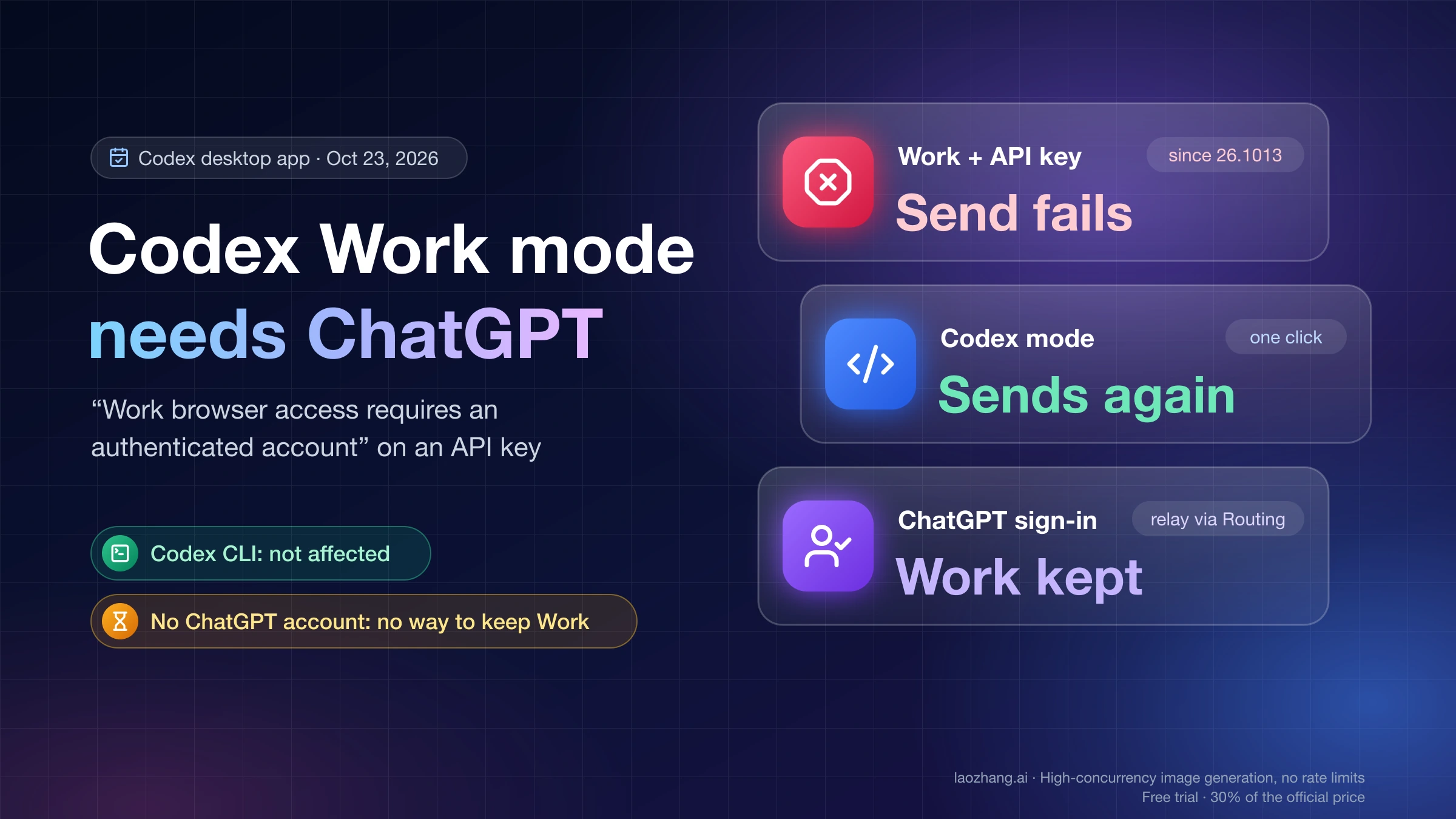
"Work browser access requires an authenticated account" is not about a website login, and your relay is not failing. The line comes from the ChatGPT desktop app, where Codex runs (on Windows the Store package is OpenAI.Codex). Since version 26.1013, a chat in Work mode that has the local browser and computer-use tools attached needs the app to be signed in with a ChatGPT account. If you signed in with an API key, or a relay manager such as CC Switch, magpie or Codex++ points Codex at another provider, the app has no ChatGPT identity, so it stops before the chat starts. That is why every message fails with "Error submitting message", older chats fail with "Failed to resume chat", and the Codex CLI with the same config keeps working.
To send again without a ChatGPT account, open the mode menu at the top left, which shows "ChatGPT Work", choose Codex, and start a new chat. If the error comes back or no chat will open, quit the app completely and set conversationDetailMode = "STEPS_COMMANDS" under [desktop] in ~/.codex/config.toml. Both give up Work mode. The only way to keep Work is to sign the app in with a ChatGPT account and send model calls to your relay behind that sign-in, for example with CC Switch in Routing mode. If you have no ChatGPT account and need Work, there is no local fix as of October 23, 2026, because the bug report openai/codex#54841 is still open.
What was run directly is limited. On October 23, 2026, the code of ChatGPT desktop app 26.1016.62342 on a Mac with macOS 26.1 was searched for the check that throws this line, and that Mac's config file and logs were inspected. That Mac is signed in with ChatGPT and set to Codex mode, none of its October Codex logs contain the error, and the error was not reproduced with an API key, which would have meant signing that account out. The three fixes were not run there; each one comes from that code plus the user reports linked in its section.
What “Work browser access requires an authenticated account” means
In ChatGPT desktop app 26.1016.62342 for macOS, as of October 23, 2026, the line is thrown while the app sets up the tools for a chat. That setup runs when you start a chat, send the first message into a new one, or reopen an older one. It throws only when four things are true at once: the chat runs on your own computer, the app is asking for a Work identity, a node_repl tool server (the runtime behind the local browser and computer use) is attached to the chat, and the app holds no cached ChatGPT account and user ID. Because it fails during setup, the whole send or resume fails, not just a browser task. The same check is in 26.1013.40934, the build named in openai/codex#54841.
The "asking for a Work identity" part is a single setting. The app turns the requirement on only when conversationDetailMode is "STEPS_PROSE". That setting has three values, STEPS_PROSE, STEPS_COMMANDS and STEPS_EXECUTION, the default is STEPS_COMMANDS, and it is stored under [desktop] in ~/.codex/config.toml. The mode menu writes it: choosing ChatGPT Work saves STEPS_PROSE, and choosing Codex saves STEPS_COMMANDS. So Work mode and STEPS_PROSE are the same thing, while STEPS_EXECUTION behaves like Codex mode with more detail shown.
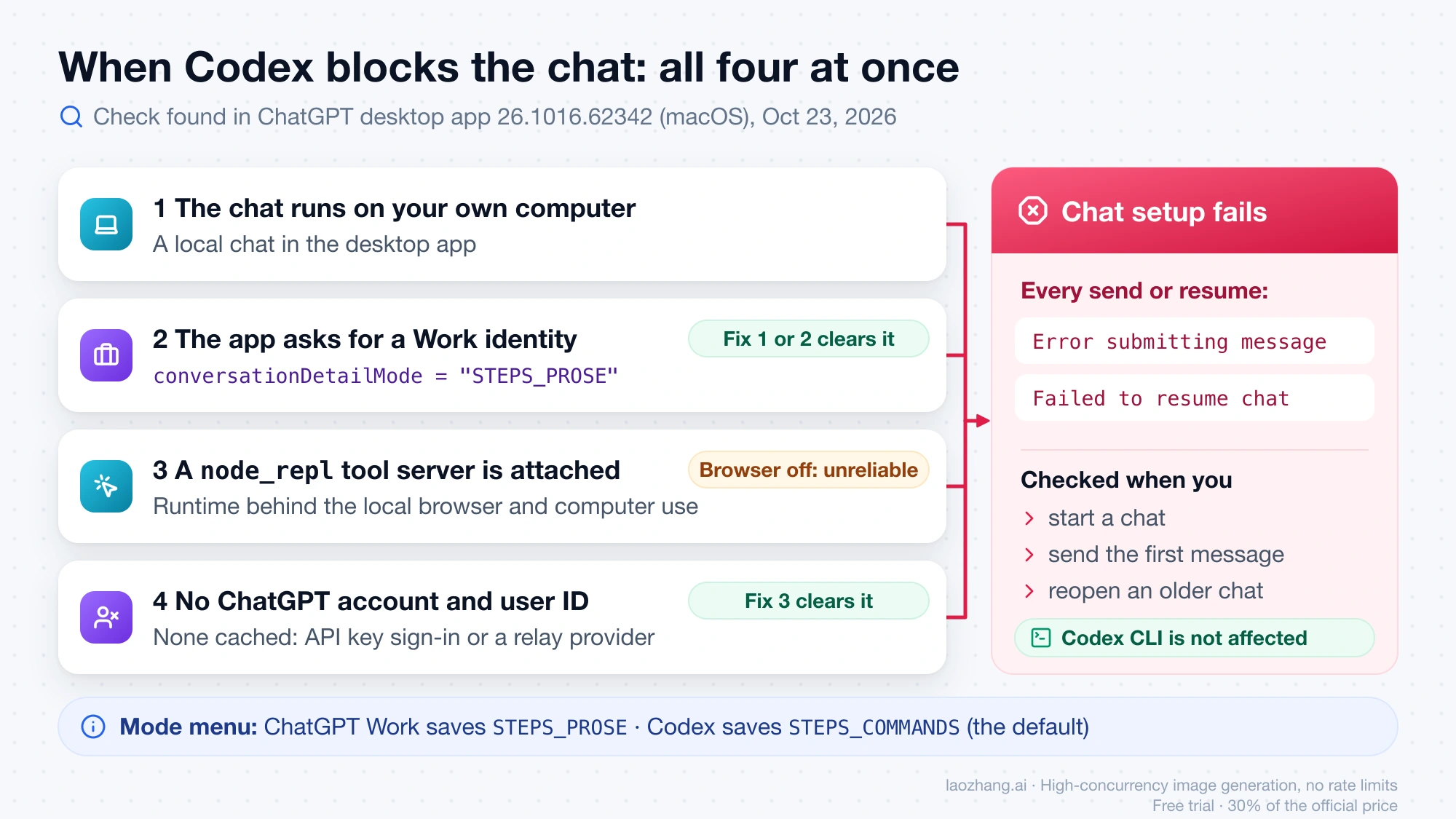
An API key does not stop you from picking Work. Reading the app code, a sign-in that is not ChatGPT counts as allowed for local Work with no account ID, only Work Cloud is refused, and the app simply follows the mode you saved. That is the trap: Work is selectable, and once selected it asks for an identity an API key cannot supply. OpenAI's Codex authentication docs say the desktop app supports API key sign-in for local work and that "some features that rely on ChatGPT workspace access or cloud services are limited or unavailable". As of October 23, 2026, OpenAI hasn't documented this error or the rule that Work's local browser needs a ChatGPT sign-in.
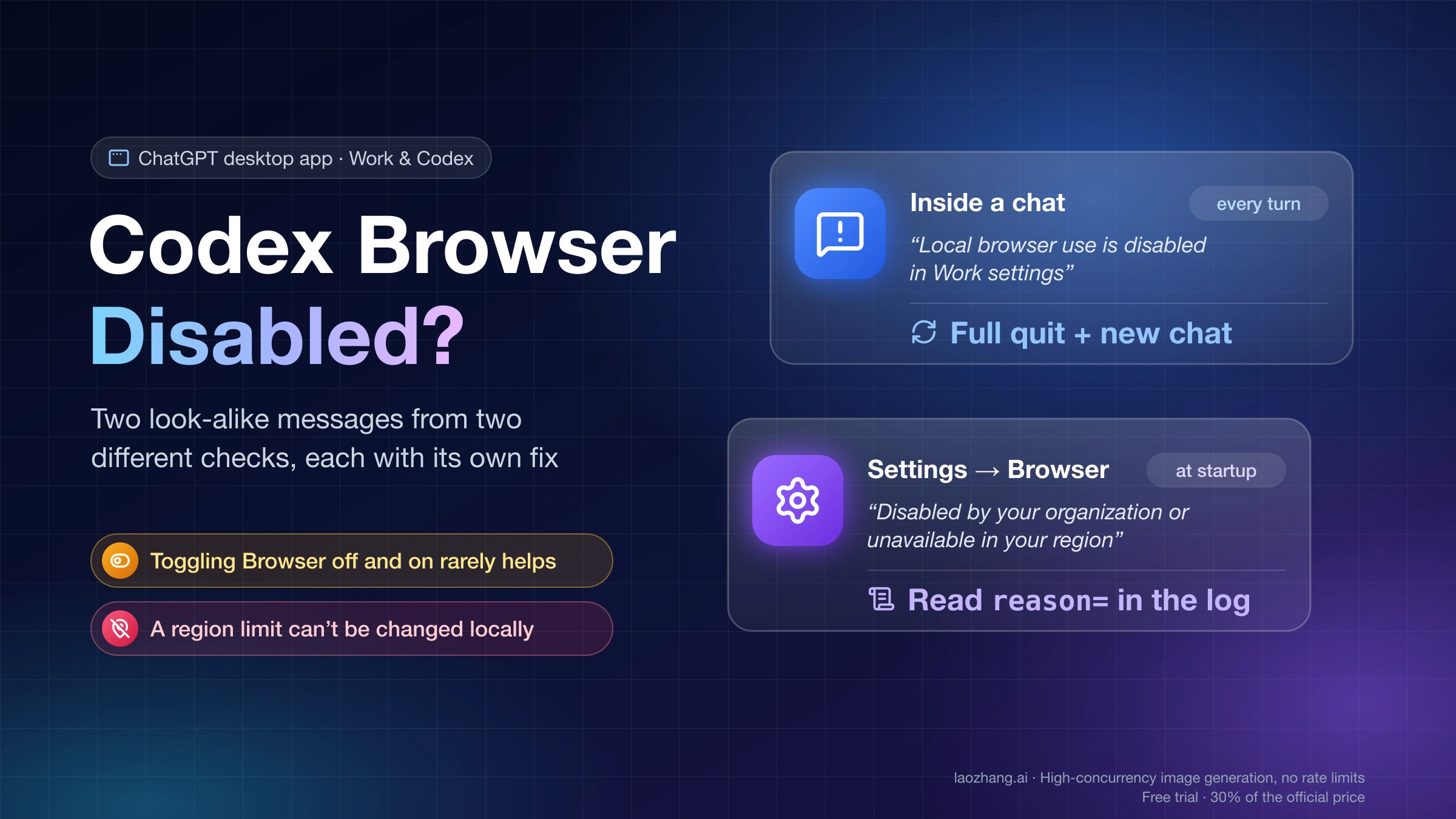
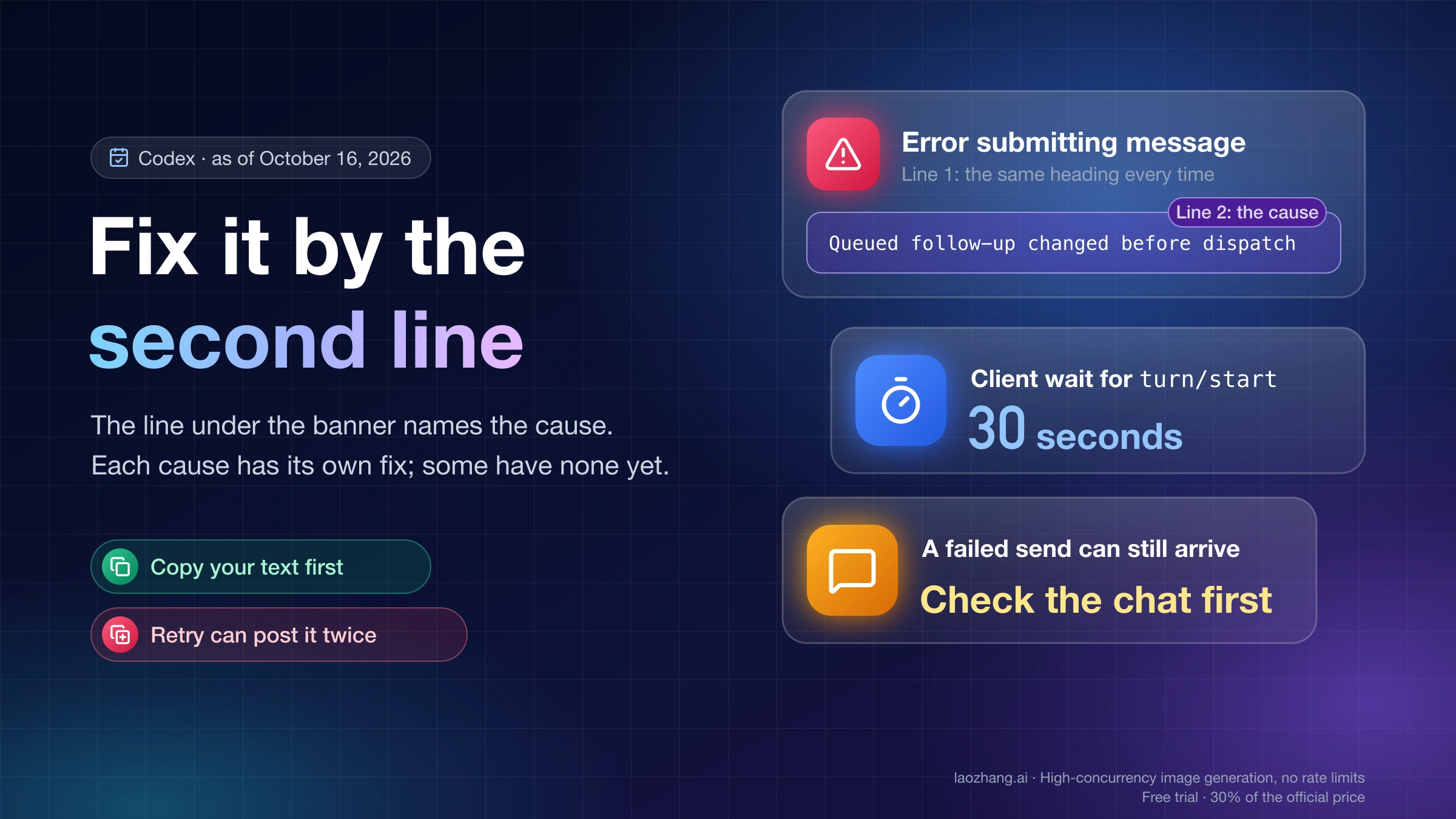
In other UI languages the first line is translated but the second line stays in English, and a new chat may also show "Could not start this chat". If the second line under the banner is something else, Codex “Error Submitting Message”: Fix It by the Second Line lists the other causes. "Work browser access is unavailable" is a different failure: the app could not fetch your account's Work settings, which Codex Browser Disabled Even When Enabled: 2 Messages, 2 Fixes covers.
Which fix to use: Codex mode, a config edit, or ChatGPT sign-in
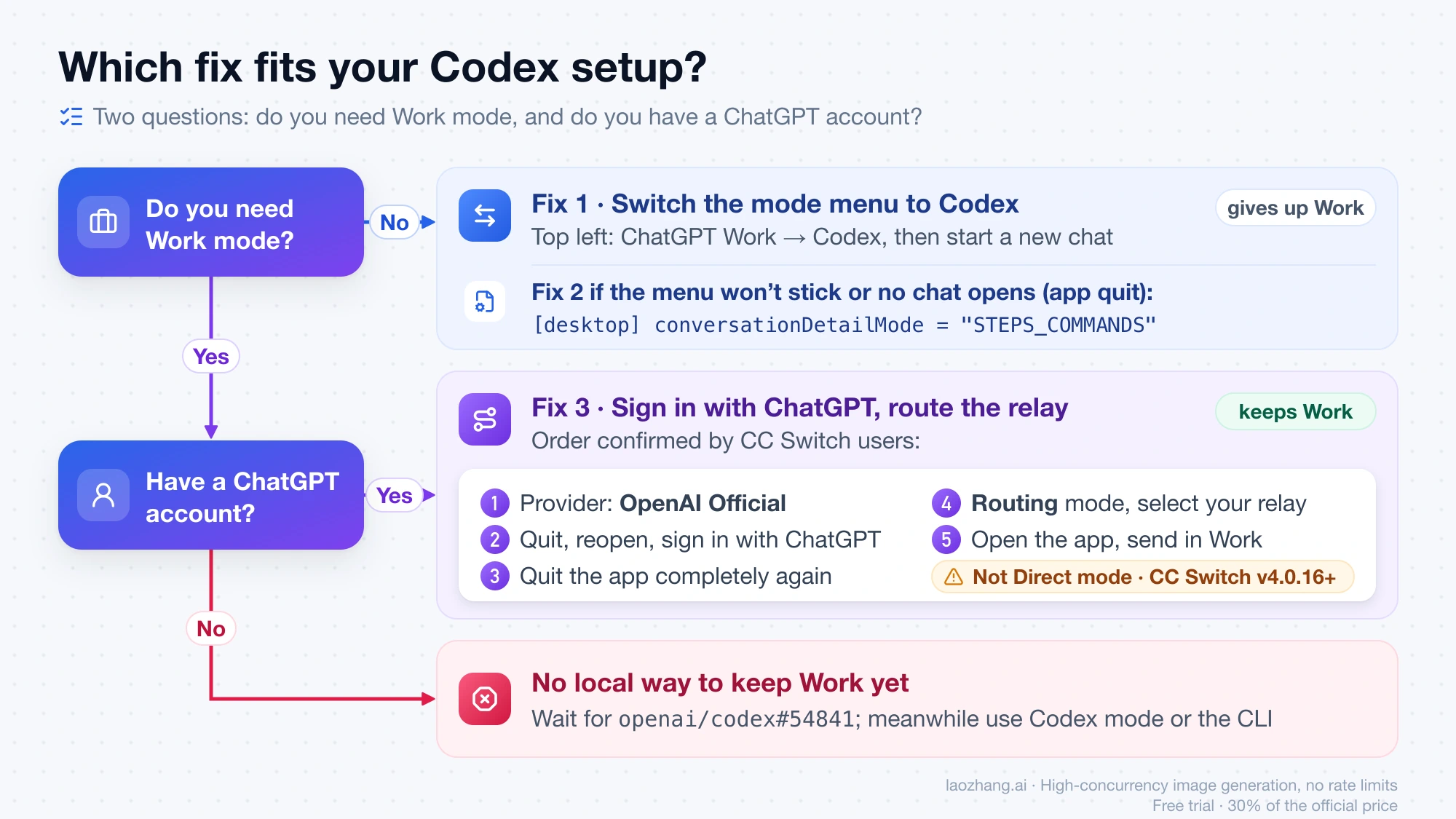
Two questions decide it: do you need Work mode, and do you have a ChatGPT account the app can sign in to? If you don't need Work, switch the mode menu to Codex, since it takes one click and no file edit. Edit config.toml instead when the menu is out of reach, for example when every older chat fails to resume or no chat will start, or when Work keeps coming back. If you need Work and have a ChatGPT account, sign in and send model calls to your relay through a relay manager. If you need Work and have no ChatGPT account, none of these keeps Work today.
| Fix | Keeps Work mode | Needs a ChatGPT account | Needs a file edit | After you pick Work again |
|---|---|---|---|---|
| Switch the mode menu to Codex | No | No | No | The error returns |
Set conversationDetailMode to "STEPS_COMMANDS" | No | No | Yes, with the app quit | The menu writes STEPS_PROSE back and the error returns |
| Sign in with ChatGPT, send model calls to the relay | Yes | Yes | Relay manager settings only | Work keeps sending |
Fix 1: switch the mode menu from ChatGPT Work to Codex
This is the fix to try first because it changes the same setting as the file edit, through the app. It matches the app code, where choosing Codex saves STEPS_COMMANDS, and relay vendors give the same advice to their users, for example in the xingmang AI manager write-up on this error.
- Click the mode menu at the top left of the app. In Work it reads ChatGPT Work (screen readers announce "Switch mode, current mode: ChatGPT Work").
- Choose Codex.
- Start a new chat and send a short message.
If the message sends, you are done. The chat now runs in Codex mode, which shows commands and steps instead of Work's prose view and does not use Work's browser identity. The error comes back as soon as you choose ChatGPT Work again on an API key.
Fix 2: set conversationDetailMode to “STEPS_COMMANDS” in config.toml
Use the file edit when switching in the menu doesn't stick or you can't get to a chat at all. Users in openai/codex#54841 and magpie issue #2539 report that messages send again after this change and a full restart. Edit the file only while the app is closed, because a relay vendor's analysis of Windows build 26.1013.4894 says the running app may write its in-memory value back when it exits.
- Quit the ChatGPT or Codex desktop app completely, not just its window. On a Mac use Command-Q.
- Open the config file:
~/.codex/config.tomlon macOS,%USERPROFILE%\.codex\config.tomlon Windows, orconfig.tomlinside the folder set inCODEX_HOMEif you use that variable. - Find the
[desktop]section and theconversationDetailModeline. It can be far down the file: on a Mac with app 26.1016.62342, as of October 23, 2026, it sat at line 563. - Change it to the line below, or comment the old line out so the default applies, and save.
- Reopen the app, start a new chat and send a message.
[desktop]
conversationDetailMode = "STEPS_COMMANDS"
Change only that key and leave the rest of the file as it is. If [desktop] has no conversationDetailMode line, the app is already on the default, Codex mode, so check the mode menu in the app before anything else. Picking ChatGPT Work in the app later writes STEPS_PROSE back, which several users in magpie #2539 ran into. To confirm the error on Windows, one commenter in openai/codex#54841 found the full text in the app's own log folder (LocalCache\Local\Codex\Logs in the app's package folder), not in ~/.codex/logs_2.sqlite; on macOS the app logs to ~/Library/Logs/com.openai.codex/.
Fix 3: keep Work with a ChatGPT sign-in and CC Switch Routing mode
Work mode needs the app itself to hold a ChatGPT sign-in, so keeping Work means signing in with a ChatGPT account and letting a relay manager send only the model requests to your provider. In ~/.codex/auth.json that sign-in looks like "auth_mode": "chatgpt" with tokens; a file that holds only OPENAI_API_KEY produces the same error, according to the CC Switch maintainer in cc-switch issue #8747. For CC Switch, the sequence users confirmed in cc-switch issue #8431 is:
- In CC Switch, set the Codex provider to OpenAI Official.
- Quit the Codex desktop app completely, reopen it and sign in with your ChatGPT account.
- Quit the app completely again.
- In CC Switch, set Codex to Routing mode and select your relay on the routing page.
- Open the app and send a message in Work.
Routing is the mode that works because CC Switch leaves auth.json alone there. In Direct mode, switching to a third-party provider stashes and removes the ChatGPT login unless Keep official login for direct switches is turned on, and it is off by default. One user in openai/codex#54841 reports that Direct and aggregate modes still fail while Routing works, and another got Work sending on Windows 26.1016.8622.0 with NewAPI after moving from Direct to Routing, without signing in again. Update CC Switch to v4.0.16 or later (released October 19, 2026): it no longer removes the ChatGPT login when CC Switch exits, and it puts back a login it stashed earlier when Routing reconnects, which is the likely reason Routing alone can be enough if you were ever signed in. Not every report is clean: one user said requests went to the official account instead of the relay after the switch, which is unresolved, and another needed a VPN to reach DeepSeek afterwards.
Without CC Switch the idea is the same. A Codex++ user in CodexPlusPlus issue #2632 kept the custom provider but set requires_openai_auth = false with the relay key in an env_key variable, signed Codex in with ChatGPT, and Work sent messages again after a full restart. The provider fields themselves are explained in Codex Custom Provider Setup: API Key, Base URL, and Auth.
No ChatGPT account but you need Work: wait for openai/codex#54841
There is no local way to keep Work mode on an API key alone. As of October 23, 2026, openai/codex#54841, filed on October 17, is still open with about 30 "+1" replies and no answer from OpenAI in the thread; one user saw the error persist after an app update on October 21, and another hit it on Windows 26.1016.8622.0 on October 23. Until it changes, use Codex mode in the desktop app or the Codex CLI, which this check does not touch. If the gap matters for your budget, Codex API Key vs Subscription: Which Costs Less, What You Lose compares what each sign-in gets you.
Staying on, or going back to, desktop version 26.1007 avoids the check, as the CC Switch maintainer noted, but treat it as a last resort: you give up every later fix, and the app can update itself again.
Codex Work browser access error: other questions
Why does Codex send sometimes and then fail, or fail only in new chats?
In ChatGPT desktop app 26.1016.62342, the app only reports Work mode for the identity check after it has loaded your account's feature assignments and Work policy; until then the check is skipped. So the same setup can send right after launch and fail later, and because the check runs when a chat starts, a chat that is already open may keep working while new ones fail. A relay vendor's analysis of Windows 26.1013.4894 reached the same conclusion. It does not point to a network problem, and switching to Codex mode removes the check entirely.
Will turning off the browser toggle stop the Work browser access error?
Not reliably. The error needs a node_repl tool server attached to the chat, but one user in CodexPlusPlus issue #2632 turned the browser switch off on October 20, 2026 and still could not send. A relay vendor's write-up adds that other plugins, such as Chrome and computer use, may attach the same runtime, which has not been confirmed. Turning the browser plugin off also takes the browser away, so switching to Codex mode is the cleaner fix.
I'm signed in with ChatGPT and still see this error. What now?
That case is rare and unresolved. A ChatGPT Plus user on macOS 26.1013.31256 reported it in openai/codex#54143 together with the regular Chat mode missing and a Log out button that did nothing, and reinstalling or clearing ~/.codex/cache did not help. It fits the app having no cached identity even though it looks signed in. Switching to Codex mode would also bypass the check, though nobody in that thread reported trying it.
Sources8
External pages this guide links to, in the order they appear. Last updated Oct 23, 2026.
Sources8
External pages this guide links to, in the order they appear. Last updated Oct 23, 2026.
- 1.Codex authentication docslearn.chatgpt.com/docs/auth
- 2.the xingmang AI manager write-up on this errorgithub.com/xufei5620/xingmang-ai-manager/issues/1353
- 3.openai/codex#54841github.com/openai/codex/issues/54841
- 4.magpie issue #2539github.com/yetone/magpie/issues/2539
- 5.cc-switch issue #8747github.com/farion1231/cc-switch/issues/8747
- 6.cc-switch issue #8431github.com/farion1231/cc-switch/issues/8431
- 7.CodexPlusPlus issue #2632github.com/BigPizzaV3/CodexPlusPlus/issues/2632
- 8.openai/codex#54143github.com/openai/codex/issues/54143