Codex Local/Cloud Execution Selector Missing After Nov 21 Update
A regression in ChatGPT desktop 26.1117.41037 hides the This computer picker in new Work chats. To run on your PC now, use Codex → This computer.
On this page
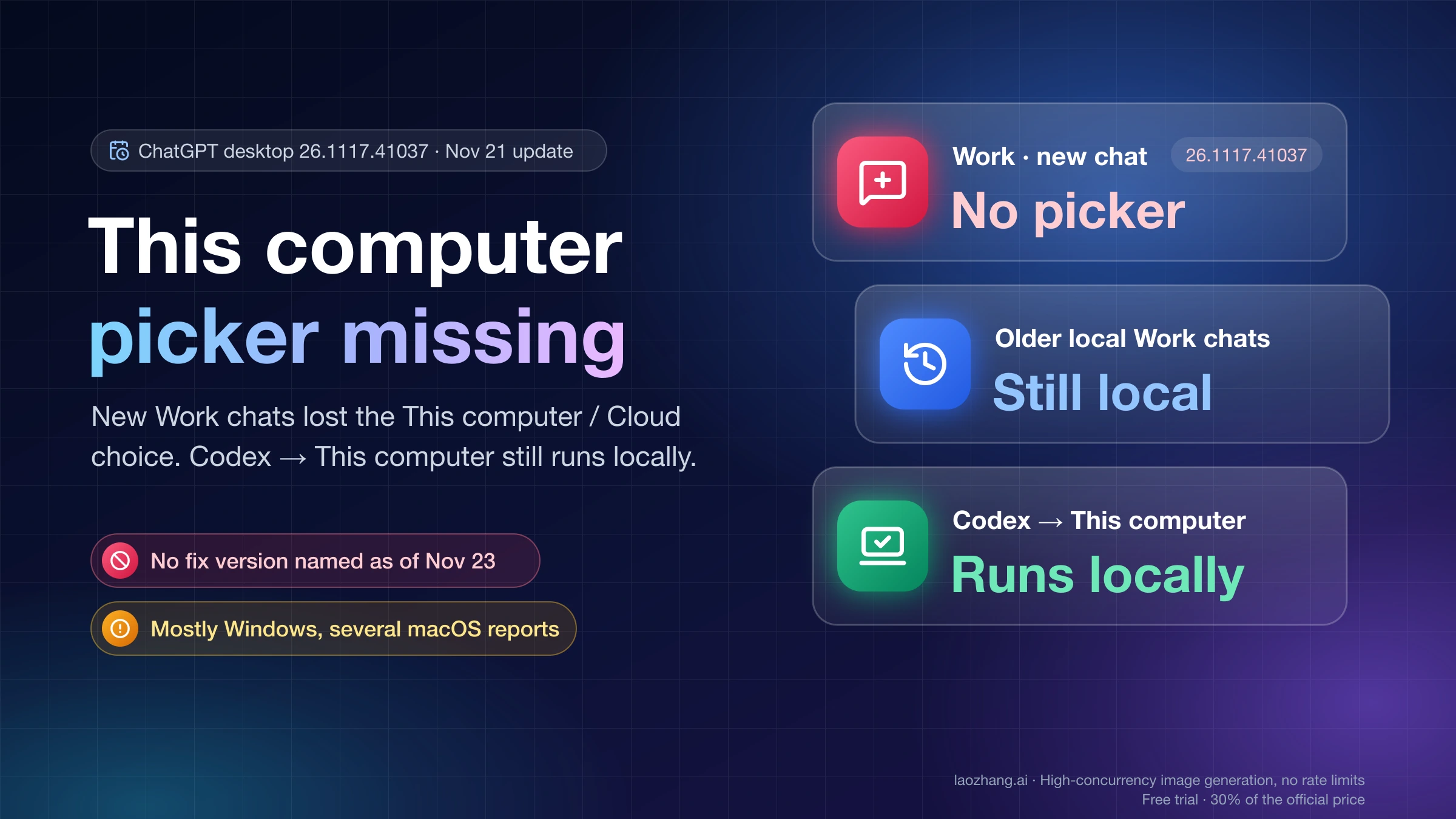
Since the ChatGPT desktop app, which now hosts Codex, updated to version 26.1117.41037 around November 20–21, 2026 (on Windows, Microsoft Store package 26.1117.4957.0), a new Work chat no longer shows the execution location selector: the This computer / Cloud picker under the composer is gone. It is not a setting you changed. As of November 23, 2026, nine open issues in the openai/codex GitHub issue tracker report this and related symptoms from the same update, mostly on Windows with several macOS reports, and no maintainer has named a version that fixes it. Work chats you started on this computer before the update keep running locally.
To run something on your own PC today, open the menu at the top left that switches between ChatGPT and Codex, choose Codex, pick This computer as the location, and start a new chat there. Several reporters confirm that route still runs commands locally, and it also opens SSH projects that Work now blocks with "This project does not support cloud work". It does not bring the picker back to Work, so if you need Work itself, continue in an existing local Work chat, and check where a new picker-less Work chat actually runs before you trust it with local files.
Restarting the app, signing out and back in, rebooting Windows, and repairing or reinstalling the app have not helped anyone who reported trying them, so you can skip those.
Why the This computer picker vanished in 26.1117.41037
The picker hasn't been deleted from the app; judging from its code, the Work new-chat page simply stops giving it anything to show. On November 23, 2026, the app bundle of ChatGPT desktop 26.1117.41037 (build 29803, the same version Windows reporters cite) was inspected on a Mac. Its app.asar, dated November 21, still contains the new-task location picker with the labels "Location", "This computer", "Cloud", "Default environment" and "Search locations". It also holds the line "Environment: This computer", which the code assigns to Work threads already attached to a computer; we found that string in the code only and have not seen it on screen. In that code the picker renders only when the page passes it a list of computers and cloud environments, and the likeliest explanation is that the Work new-chat page in this build no longer passes those options. That reading comes from the code alone; OpenAI hasn't stated a cause. The Mac app's screen was not opened and nothing was reproduced on Windows, so every workaround below comes from people posting in the issues.
Two reports point the same way. One Windows 11 user rolled back to 26.1111.21308 and the picker was visible and working; upgrading back to 26.1117.41037 removed it again (issue #63042). In the same thread, launching the app while offline shows the picker, and reconnecting makes it disappear, on Windows and on one Mac. The reporter suspects a server-side feature flag or a regression in how the app initializes once it is online, which is still a guess.
Which workaround fits: Work chat, Codex run, SSH project or approvals
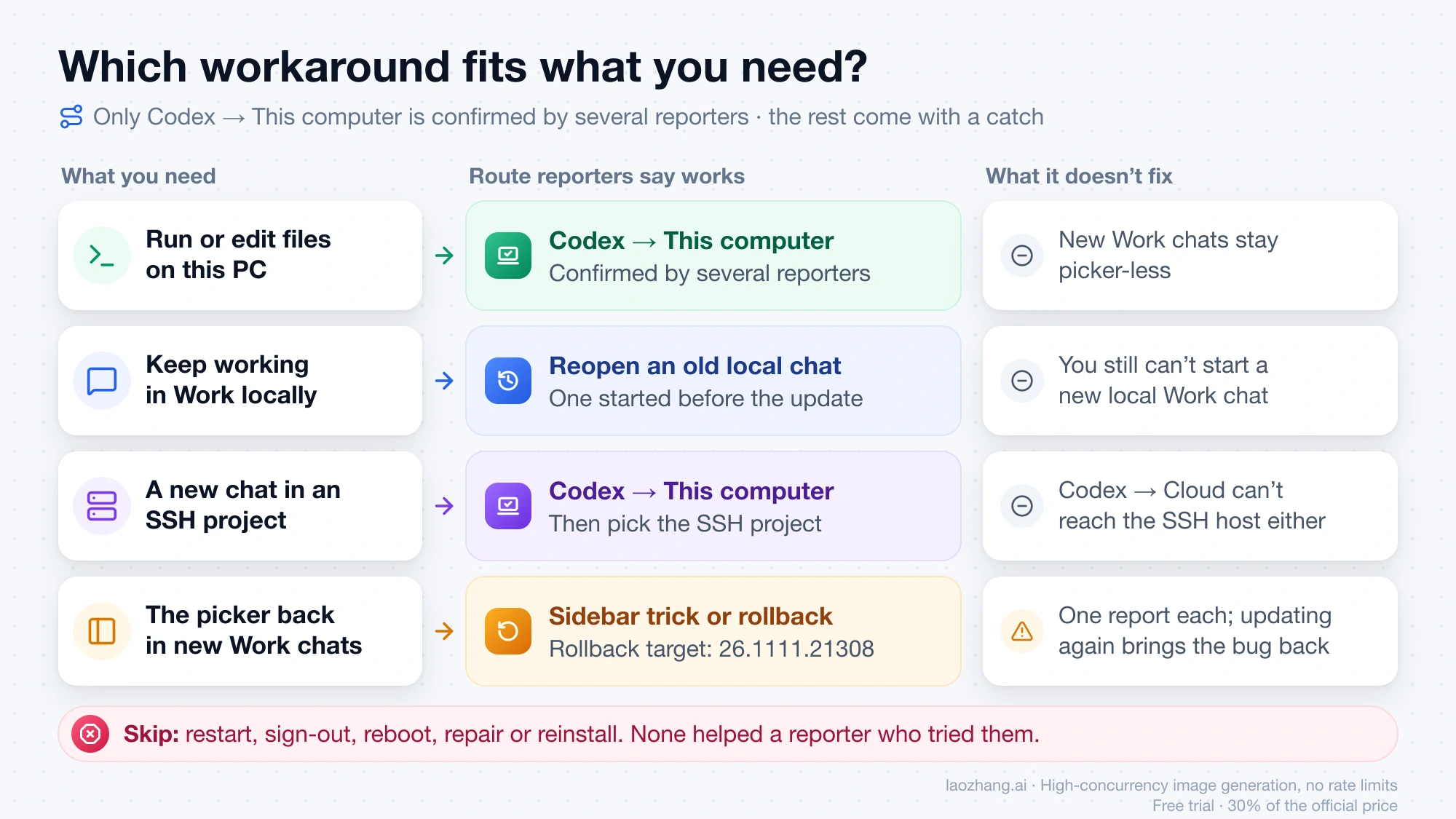
Choose by what you actually need. Codex → This computer is the only route that several reporters confirmed independently, but it gives you a Codex chat, not a Work chat; every other option is a single report or comes with a catch.
| What you need | Route reporters say works | What it doesn't fix |
|---|---|---|
| Run commands or edit files on this PC in a new chat | Top-left menu → Codex → This computer → new chat (#62925, #62943, #62907) | New Work chats stay picker-less; on approvals, one reporter's local Codex chat handled them normally (#62925) and another got no usable approval control (#62943) |
| Keep working in Work on this PC | Reopen a Work chat you created locally before the update; it still runs locally (#63042, #62907) | You still can't start a new local Work chat |
| A new chat in an SSH project | Codex → This computer, then pick the SSH project (#62907, #62885) | Codex → Cloud can't reach the SSH host either |
| The picker back on Work's new-chat page | Organize sidebar → group by remote host → New chat under Cloud, switch it to This computer before sending → switch back to By project → start a new chat from your project (#62912) | One report so far; another user who tried a sidebar route landed in a Codex chat, and new Work chats still failed (#62918) |
| A Work chat that starts locally | Start in Codex → This computer, send one message, then switch the top-left menu back to ChatGPT (#62943) | One user's projects lost their grouping after the switch, with chats intact but regrouped by hand (#63042); another user's network checks failed in one of two tries (#62943) |
| Send stays disabled in a new Work chat | Codex → This computer, where reporters can still open local projects and send (#62918) | New Work chats still can't send; follow #62918 for a fix |
| The pre-update behavior back | Roll back to 26.1111.21308, as one Windows user did (#63042) | Single report, and updating to 26.1117.41037 brings the bug back |
Launching the app offline is a way to confirm you have this bug, not a way to work: the picker appears, but it disappears as soon as you reconnect, and choosing This computer while offline doesn't carry over (#63042). One more single report says that starting the app directly from C:\Program Files\WindowsApps\OpenAI.Codex_26.1117.4957.0_x64__2p2nqsd0c76g0\app\ChatGPT.exe restored local Work (#62918). None of the threads link an official download of 26.1111.21308, so roll back only if you can get that build through an official channel; otherwise waiting for the next update is the safer choice.
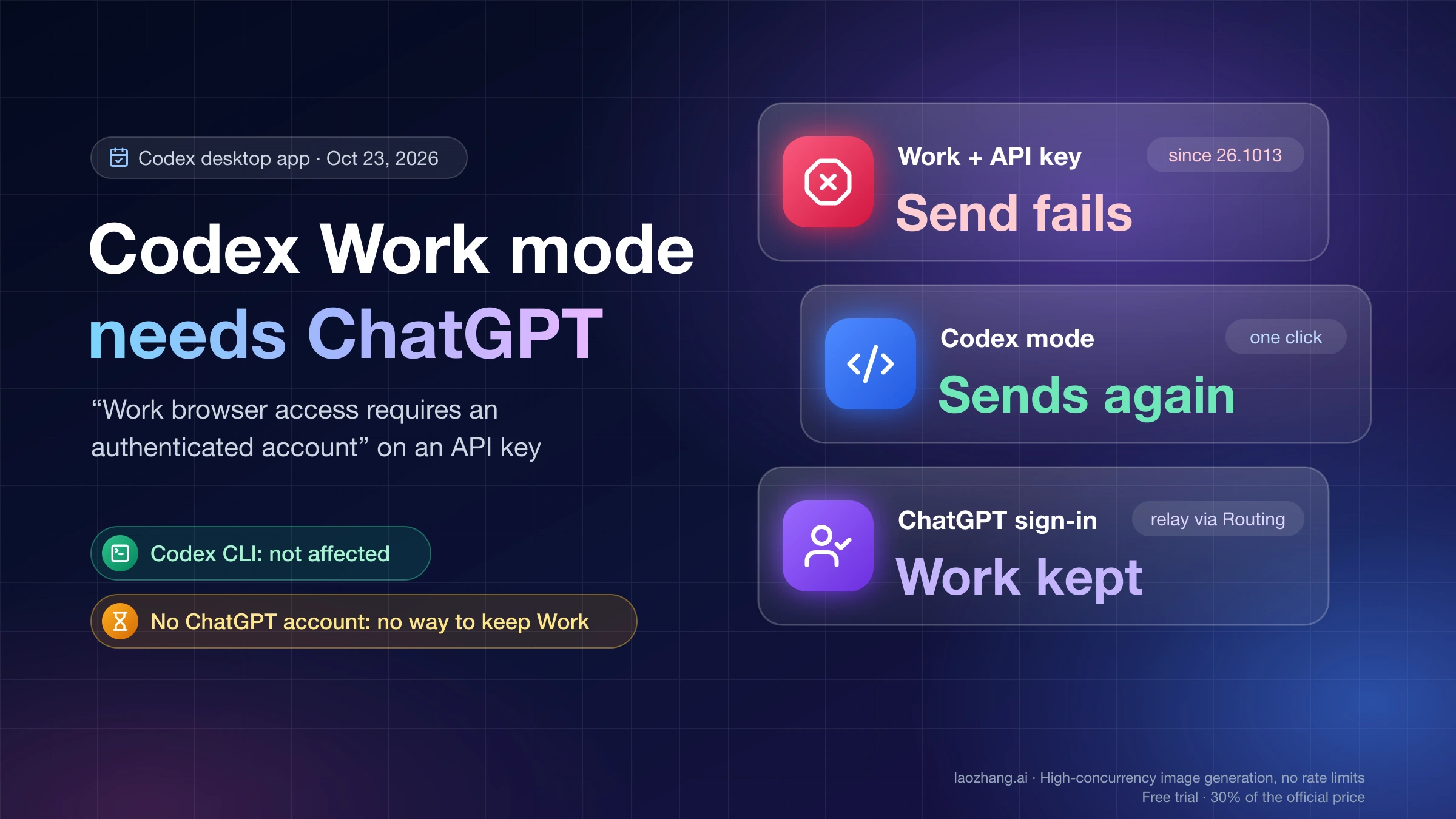
If your projects themselves are missing from the sidebar after an update, that is a different bug, covered in Codex Local Projects Disappeared After Update: Don't Re-Add Yet. If every Work message fails with "Work browser access requires an authenticated account", the app is missing a ChatGPT sign-in; see Codex “Work browser access requires an authenticated account” Fix.
Is a new Work chat without the picker running locally or in the cloud?
It can be either, so check before you rely on it. One Windows reporter's picker-less Work chat read a file outside its project, ran PowerShell and connected to a TCP listener on 127.0.0.1 on the same PC (#62912). Another found their new Work chat bound to a ChatGPT cloud environment running Linux, unable to touch the C: drive (#62925), and a third got Wsl/E_ACCESSDENIED when the new chat tried to use WSL (#62912).
-
Before giving it real work, ask the new Work chat to run these lines in its own session and report the output:
[System.Runtime.InteropServices.RuntimeInformation]::OSDescription (Get-Location).Path -
Windows plus your project folder means it is running on your PC. Linux, an unfamiliar path, or no PowerShell at all means a cloud environment, where your local files and the MCP servers configured on your PC aren't available; one reporter's new Work chat answered
unknown MCP server '<server-name>' for the selected environmentfor a server that works in their local chats (#62925). -
Look at the sidebar. For one reporter, older local Work chats show a computer icon next to the title and the new chat had none (#62912); treat it as a hint, not proof.
-
If the task needs your LAN, SSH or a local port, test one connection first. Several reporters' new Work chats ran with network access disabled (
CODEX_SANDBOX_NETWORK_DISABLED=1) even with Full access selected (#62907, #62943, #62975).
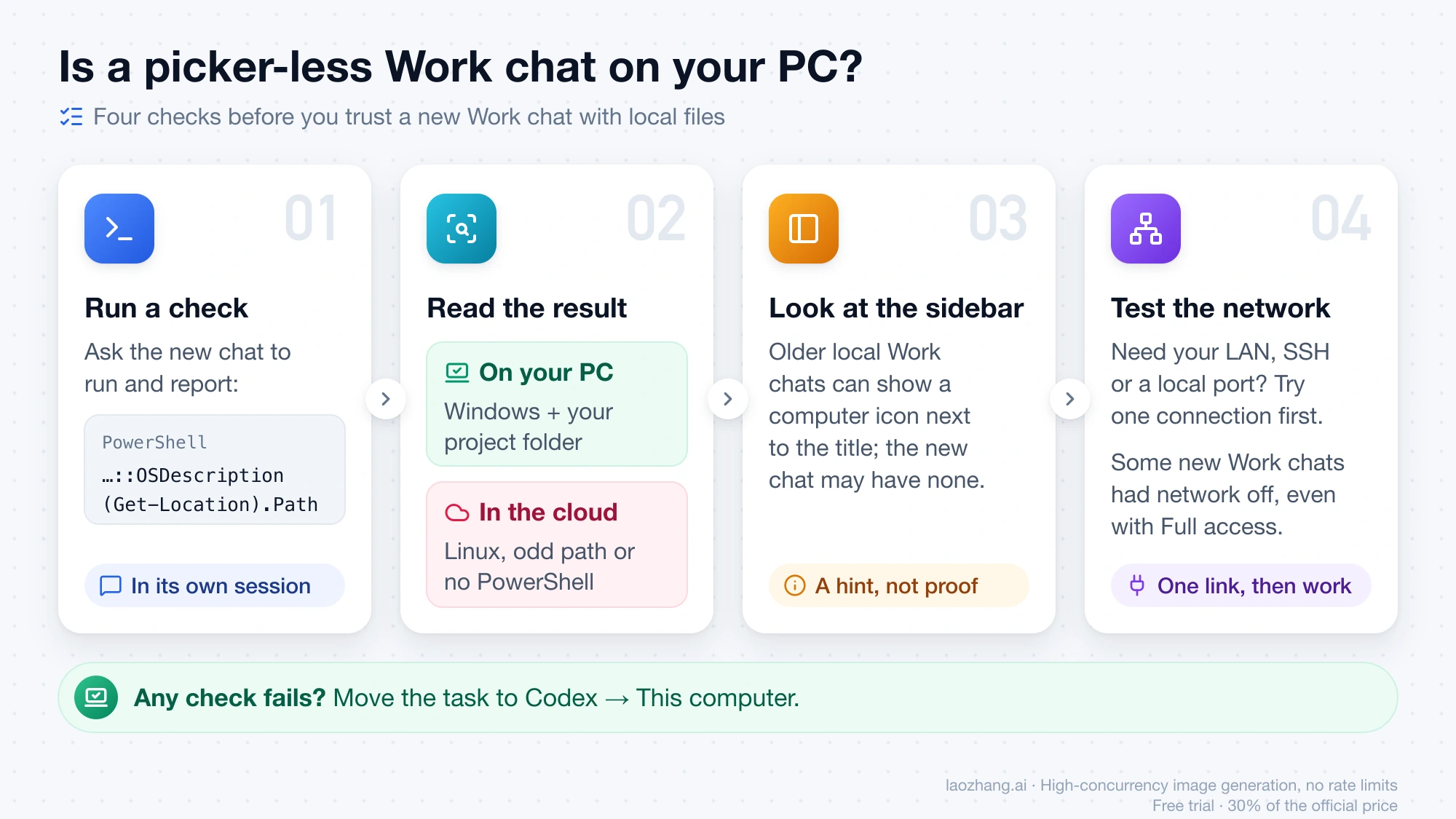
If any check fails, move the task to Codex → This computer. For what each surface can reach on your disk in general, see ChatGPT Agent Local Files: Work, Codex, and Claude Code Access.
"This project does not support cloud work" on SSH projects
Since the update, a new Work chat in an SSH-backed project is blocked with "This project does not support cloud work" and won't send; issue #62885, dated November 21, 2026, tracks it. Mac users report the same warning on ordinary local projects (#62885, #63042), and a Mac user controlling a second Mac through Remote Control gets the related line "Work in the cloud isn't available for this project".
The route that works is Codex → This computer with the SSH project selected. One reporter compared all three surfaces: Codex → This computer reached the SSH host, Codex → Cloud did not, and Work did not (#62907). In the same issue, existing Work chats that already had SSH access still connect to the host, and a user who switched to Codex mode in #62885 needed no changes on the remote server.
Is the Nov 21 regression fixed yet?
Not as of November 23, 2026. All nine issues, each dated November 21 (UTC), are still open and labeled windows-os, with 90 comments and 56 reactions between them, and no maintainer has posted a fix version; those counts will keep growing. When the desktop app updates again, check that the version in its About dialog is newer than 26.1117.41037, then open a new Work chat: if This computer / Cloud is back under the composer, the regression is fixed for you, and existing local Work chats need nothing.
What to add to the openai/codex issue
Add to the issue that matches what you see rather than opening a new one. A reaction already shows you're affected, so a comment helps only when it carries details the thread doesn't have yet.
| What you see in a new Work chat | Issue to follow |
|---|---|
| No This computer / Cloud picker | openai/codex issue #62925, also #62907 and #62912 |
| Picker shows when launched offline, disappears online | openai/codex issue #63042 |
| Send stays disabled, or "Connection for host ID local not found" on first launch | openai/codex issue #62918 |
| Permission selector or Full access gone after the first message | openai/codex issue #62975 and #62943 |
| Approving an action ends with "That approval request is no longer active." | openai/codex issue #63025 |
| "This project does not support cloud work" | openai/codex issue #62885 |
The details that move these threads forward are the ones maintainers can't guess. Give the desktop version from the About dialog and, on Windows, the Microsoft Store package version, plus your OS version and whether the same thing happens with no project selected. Say whether launching offline shows the picker, paste the output of the location check above, and note whether your older local Work chats still run on your PC. One reporter also suggests sending a report through Help → Send feedback in the app. Leave out account details, private paths and screenshots with business data, as most reporters in these threads did.
Codex Work selector regression: other questions
Does the Local/Cloud selector also disappear on Mac?
Yes, for some users. The nine issues are labeled windows-os, but several macOS users report the same missing picker with 26.1117.41037 as of November 23, 2026. In issue #63042, one user on an Apple Silicon Mac reports the Local / On your computer option completely missing from new Work chats, and another on the same build saw the This computer / Cloud selector while offline and lost it once reconnected. A third Mac user, on build 29803, reports the Full access control disappearing after the first message in issue #62975.
Did OpenAI remove Work Local on purpose?
As of November 23, 2026, no maintainer has answered that in any of the nine issues, though many reporters asked. The picker's labels are still in the 26.1117.41037 app, and one user got it back by rolling back to 26.1111.21308, which looks more like a regression than a removal, but OpenAI has not confirmed either.
Can I use ChatGPT Work on the web or the phone instead?
To start the chat, yes. Reporters say new Work chats start normally in the web and mobile apps while the Windows desktop app fails (#62912, #62918), and Work chats created on the web can be continued in the desktop app (#62918, #63042). Work chats sync between devices: one Windows reporter opens the same Work conversation on the PC and on their phone, and the turns sent from the desktop app ran PowerShell and read files on the PC, with the results visible on the phone (#62925). Another reporter's chat had its earlier desktop turn run on the local Windows executor and then showed up, history included, in a second ChatGPT app on the same PC (#62912). None of the threads say whether a web-started chat picks up your PC once you continue it on the desktop, so run the location check above in that chat before giving it local work, and fall back to Codex → This computer if it fails.
Sources10
External pages this guide links to, in the order they appear. Last updated Nov 23, 2026.
Sources10
External pages this guide links to, in the order they appear. Last updated Nov 23, 2026.
- 1.openai/codex GitHub issue trackergithub.com/openai/codex/issues
- 2.openai/codex issue #62925github.com/openai/codex/issues/62925
- 3.#62907github.com/openai/codex/issues/62907
- 4.#62912github.com/openai/codex/issues/62912
- 5.openai/codex issue #63042github.com/openai/codex/issues/63042
- 6.openai/codex issue #62918github.com/openai/codex/issues/62918
- 7.openai/codex issue #62975github.com/openai/codex/issues/62975
- 8.#62943github.com/openai/codex/issues/62943
- 9.openai/codex issue #63025github.com/openai/codex/issues/63025
- 10.openai/codex issue #62885github.com/openai/codex/issues/62885