"ChatGPT Hit a Snag" in the Codex App: Fix It by the Line Below
It's the Codex desktop app's recovery page, not an outage. The line under the title says what failed: your account, config.toml, the Codex process or the UI.
On this page
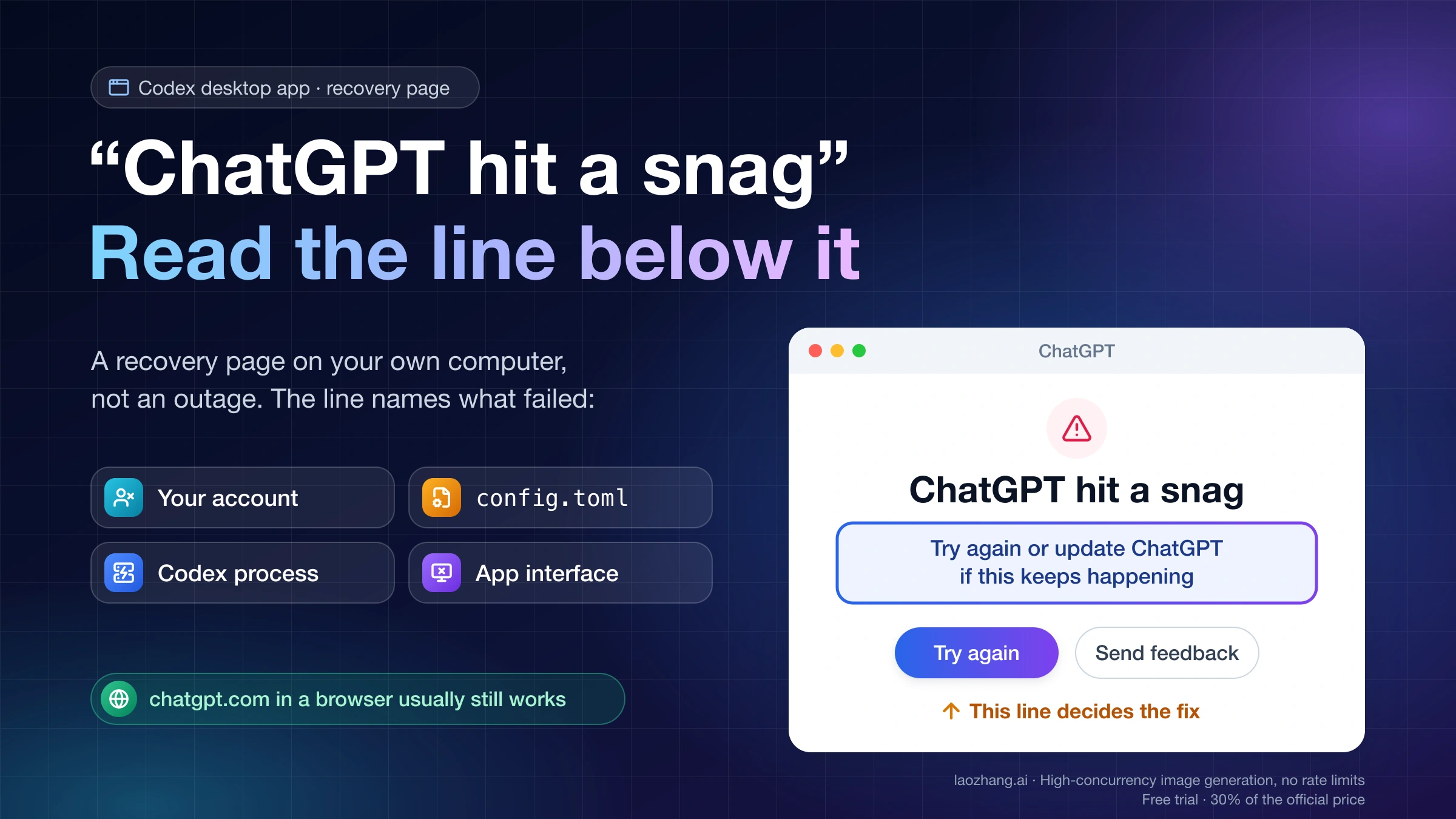
"ChatGPT hit a snag" is the full-window recovery page of the ChatGPT desktop app, the app that used to be the Codex desktop app (on a Mac its bundle ID is still com.openai.codex). The app shows it when something on your own computer fails: the background Codex process that runs your tasks stops, the app's own interface crashes, your config.toml can't be loaded, or the app can't verify your account. It is not a message from OpenAI's servers and it has nothing to do with how long your conversation is, so starting a new chat or removing files from the context won't change it.
The line under the title tells you which failure you have. If it reads "We couldn't load your account. Check your connection and try again." and Retry keeps failing, sign in again with the Codex CLI bundled inside the app, which on Windows is codex.exe under %LOCALAPPDATA%\OpenAI\Codex\bin; users in GitHub issues #60311 and #61084 report that reinstalling did nothing and this fixed it. If it says your configuration couldn't be loaded, click Review configuration and fix the line config.toml points to. If it reads "Try again or update ChatGPT if this keeps happening", the local Codex process stopped, so press Try again, which restarts it, and update the app if the page returns. If it reads "Something went wrong. Try again to continue", the interface itself crashed: restart and update the app, and tuck away your pet if one is enabled.
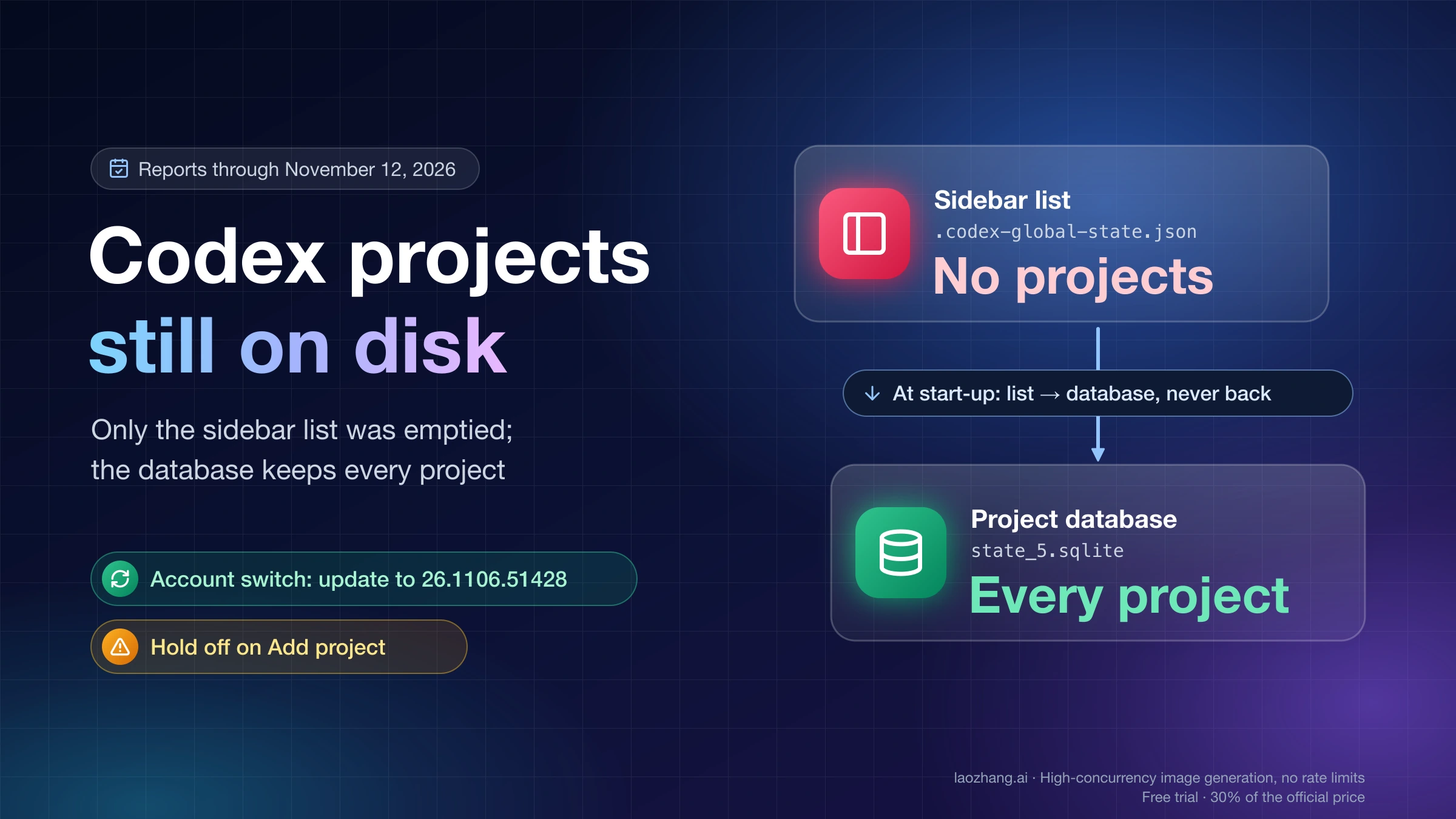
Stop relaunching over and over if the page appears on every start after an update and Try again does nothing. One user reported that the crashed state overwrote ~/.codex/.codex-global-state.json, the file that holds your project list, so back it up first and collect the log lines described below before you report. Builds from late summer 2026 show an older line, "Something went wrong. Restart ChatGPT to try again.", with a Restart ChatGPT button; treat it like the "Try again or update" line. The page text and the conditions behind each line below come from ChatGPT desktop 26.1111.21308 on macOS, as of November 16, 2026.
What "ChatGPT hit a snag" is, and why ChatGPT isn't down
The title is a fixed string built into the desktop app. In ChatGPT desktop 26.1111.21308, its developer note reads "Title on the full-screen app recovery page after an unexpected error", and the page covers the whole window with no back button or sidebar until you press one of its buttons. On Windows the same app appears as ChatGPT in the Start menu while its package is still named OpenAI.Codex, which is why people search for it as "Codex app" or "Codex Desktop".
Most variants of the page involve the app-server. When the desktop app starts, it launches a local copy of Codex in the background and talks to it through a direct pipe; your tasks and chats run through that process. On a Mac it lives inside the app at /Applications/ChatGPT.app/Contents/Resources/codex-cli/, and on Windows it is a codex.exe under %LOCALAPPDATA%\OpenAI\Codex\bin. If that process fails to start, fails its startup handshake, exits, or stops accepting messages, the app sends a fatal error to every window and shows this page.
That is why the same account usually still works at chatgpt.com in a browser. Reporters in #60311, #45597 and #46462 all noted that the website worked on the same computer while the app showed this page. The in-chat banner that appears when one message fails to send is a different, smaller error; it is covered in Codex “Error Submitting Message”: Fix It by the Second Line.
Which "ChatGPT hit a snag" do you have? Read the line under the title
ChatGPT desktop 26.1111.21308 has four possible lines under the title, and each one is wired to a different failure in the app's code. A fifth, older line appears in reports from August 31 to September 18, 2026, on versions 26.825 to 26.915; that sentence no longer exists in 26.1111.21308.
| Line under the title | What failed | Buttons | First thing to do |
|---|---|---|---|
Something went wrong. Try again to continue | The app's own interface hit an error | Try again; Update ChatGPT in user screenshots | Restart and update the app; tuck away the pet |
Try again or update ChatGPT if this keeps happening | The local app-server failed to start, failed its handshake, exited or stopped taking messages | Try again, Send feedback | Press Try again once; update if it returns |
ChatGPT couldn't load your configuration. Review it, then restart to try again. | The app-server reported that it could not load config.toml | Try again, Review configuration, Send feedback | Fix the line the error names, then restart |
We couldn't load your account. Check your connection and try again. | The app could not verify your main account | Retry only | Sign in again with the bundled Codex CLI |
Something went wrong. Restart ChatGPT to try again. (older builds) | In the #41988 logs, the app-server had exited | Restart ChatGPT, Send feedback | Update the app; then treat it like the second row |
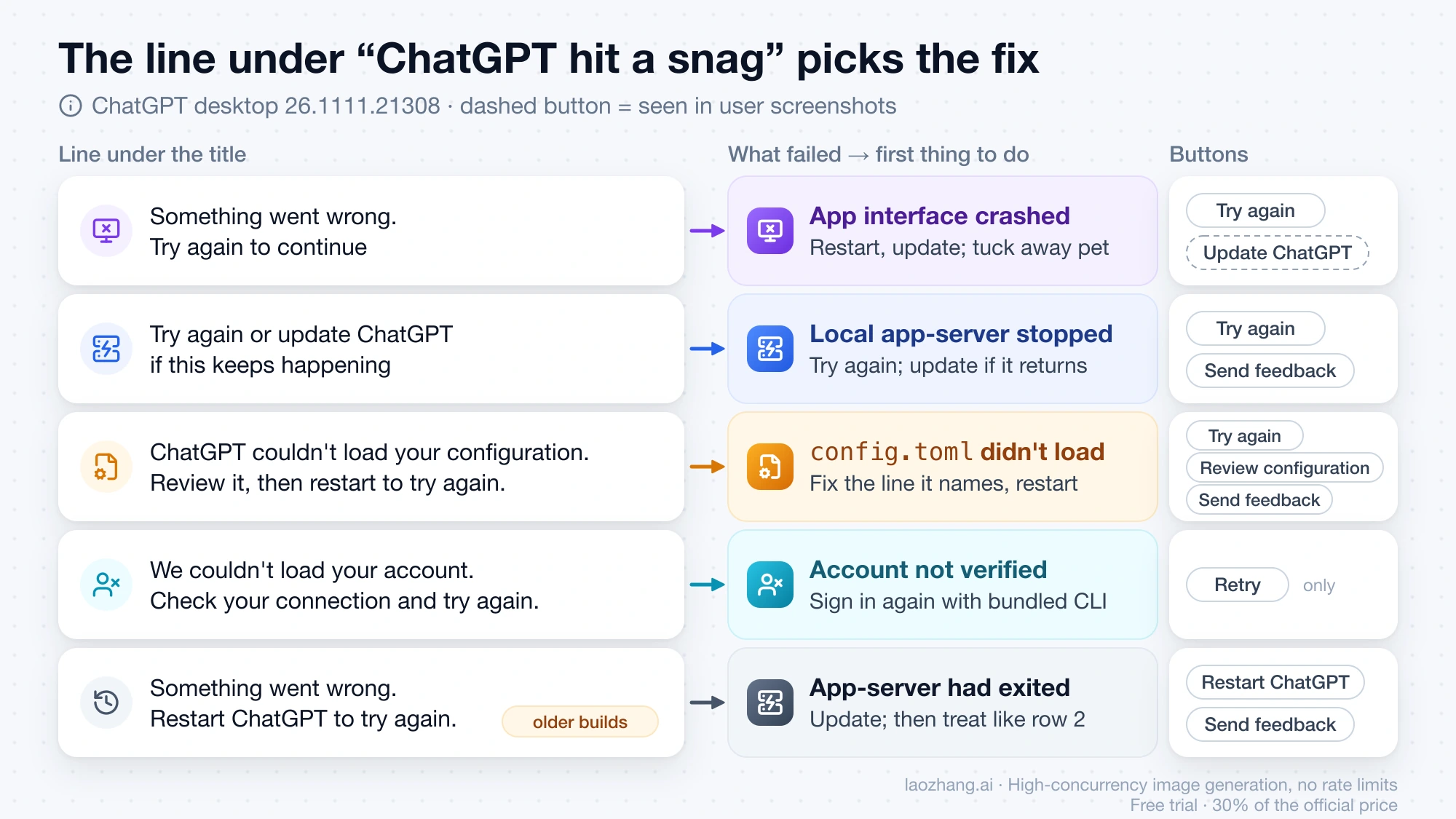
The buttons do less than their names suggest. Try again, on the app-server and configuration pages, clears the error and restarts the app-server; its developer note reads "Button that restarts the app-server after an error". It doesn't reinstall anything or sign you out. Review configuration appears only when the error was recognized as a configuration error on your own computer, and it opens your local config.toml. Retry on the account page only tries to verify the same account again, which is why it loops when the saved login itself is bad. Update ChatGPT shows up in user screenshots from #44720 and an OpenAI Developer Community thread; in the code it is an update control that appears to show only when an update is available, and in September 2026 one Windows user found it had nothing newer to install.
The mapping between lines and causes comes from the developer notes and code branches inside the app, not from OpenAI documentation. If your app runs in another language, the same page is translated, for example "ChatGPT で問題が発生しました" in Japanese, with the buttons in the same places.
"We couldn't load your account": sign in again with the bundled Codex CLI
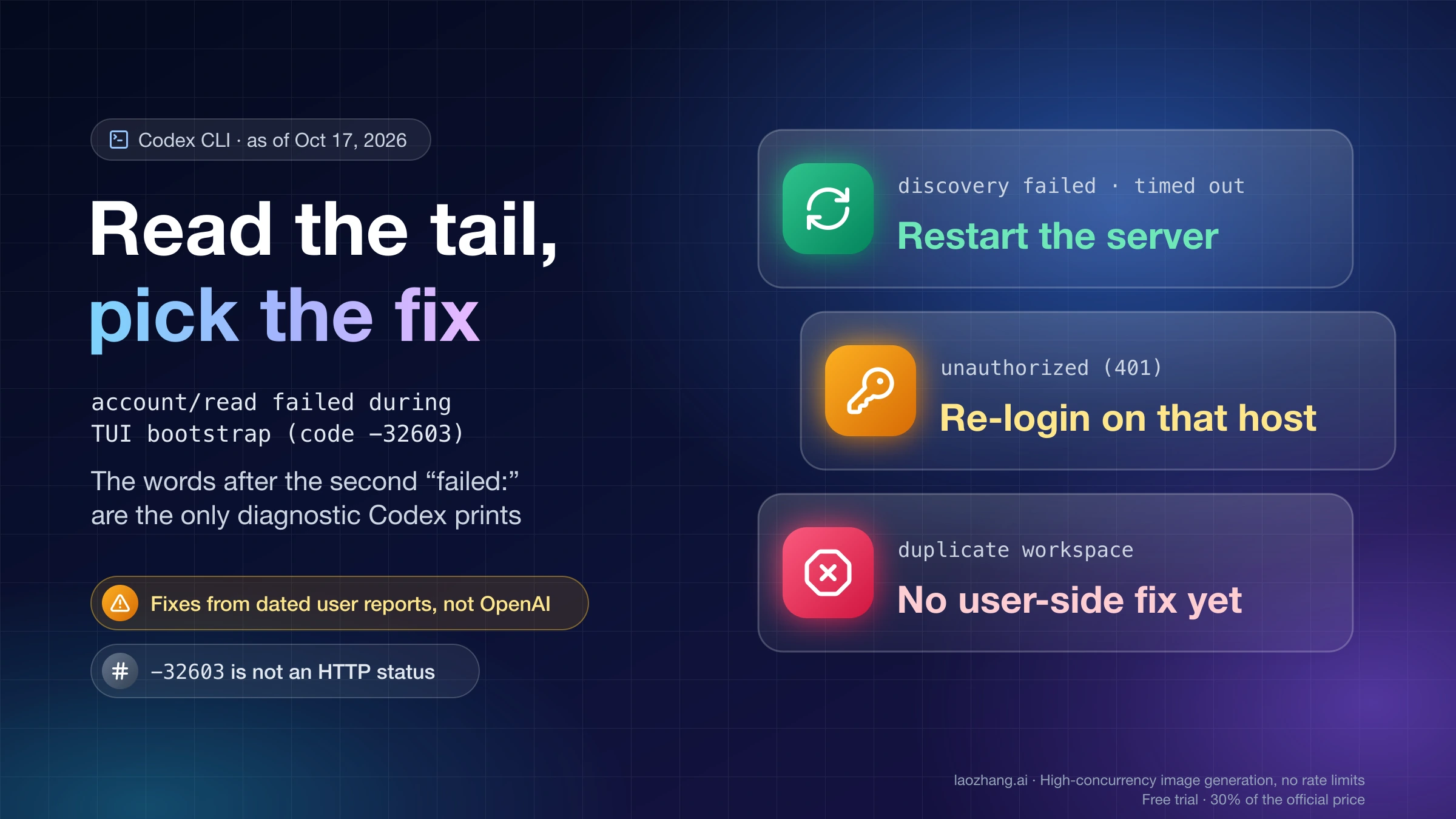
This page usually means the app has a saved login that the server no longer accepts. Logs posted in #60311 show desktop_fetch_auth_401 hadToken=true and method=account/read errorCode=-32603, and one commenter's logs also contained token_expired. All reports so far are from Windows 11, on OpenAI.Codex 26.1103.3517.0, 26.1103.4239.0, 26.1103.7773.0 and 26.1106.6628.0. The reporters' explanation, which they mark as unconfirmed, is that the stale login survives a reinstall, and that matches what they saw: reinstalling, Windows app Repair, switching VPN or network, restarting the app and pointing CODEX_CLI_PATH at a separately installed CLI all failed.
What worked for both reporters, from #61084 (November 12, 2026):
-
Quit ChatGPT completely, so Task Manager shows no
ChatGPT.exe. -
Open PowerShell and find the bundled CLI:
$cli = Get-ChildItem "$env:LOCALAPPDATA\OpenAI\Codex\bin" -Recurse -Filter codex.exe -File -ErrorAction SilentlyContinue |
    Sort-Object LastWriteTime -Descending |
    Select-Object -First 1 -ExpandProperty FullName
$cli
Make sure
$cliprints a path before you continue. -
Sign out and back in with it. The #60311 reporter and one commenter ran
loginalone, which also worked.& $cli logout & $cli login -
Finish the sign-in in the browser with your usual ChatGPT account. The CLI prints
Successfully logged in. -
Open ChatGPT again from the Start menu.
Besides the two reporters, three commenters confirmed this on their own machines between November 9 and November 16, 2026. Both issues were still open on November 16, 2026, with no reply from OpenAI staff, so treat it as a user fix rather than an official one. If the login step itself fails with a token or network error, Codex Token Exchange Failed 403 and Error Sending Request Fixes covers that step. If it refuses with Error loading configuration, fix config.toml first, as the next section explains.
There is also a route without a terminal, reported once by a commenter on #60311 on November 11, 2026. Quit the app fully, open %USERPROFILE%\.codex, rename auth.json to auth.json.bak without deleting the .codex folder, and reopen ChatGPT. The account page is replaced by the sign-in screen, where you choose Sign in with ChatGPT; delete the backup once you are signed in. The CLI and the desktop app share that folder, so this signs the CLI out too. Codex Headless Login: Device Code, SSH Tunnel, or auth.json explains what auth.json holds.
On a Mac the bundled CLI is at /Applications/ChatGPT.app/Contents/Resources/codex-cli/bin/codex. On November 16, 2026, with desktop 26.1111.21308, its --version printed codex-cli 0.169.0-alpha.11.1 and login status printed Logged in using ChatGPT. Running its login is the macOS equivalent of the steps above, but there is no success report for it on macOS yet. Also, a commenter in #60311 saw login status report a valid login before the fix, so that output doesn't prove the desktop app's login works. If a terminal session shows account/read failing instead of this page, see Codex workspace routing discovery failed or timed out: account/read failed during TUI bootstrap.
"ChatGPT couldn't load your configuration": fix config.toml first
This line appears when the app-server's error message starts with failed to load configuration or contains error loading config, error loading default config or error loading config.toml. The app then pulls the location out of the message in the form config.toml:line:column: reason. Review configuration opens the file, which is ~/.codex/config.toml on macOS and Linux and %USERPROFILE%\.codex\config.toml on Windows. Copy the file somewhere safe, fix or remove the named line, and press Try again.
A typo in config.toml doesn't always produce this page. On November 16, 2026, four broken files were fed to the app-server bundled with desktop 26.1111.21308 (Codex CLI 0.169.0-alpha.11.1): an unclosed table header, a number where text was expected, the same mistake inside an [mcp_servers] entry, and an invalid option value. None of them stopped the app-server. For the unclosed table it printed this and kept running, and Codex CLI 0.166.0, tried with that first file only, behaved the same way:
ERROR codex_app_server: Invalid configuration; using defaults. <path>/config.toml:2:10: unclosed table, expected `]`With the same broken file, the CLI's codex login status refused to run:
Error loading configuration: <path>/config.toml:2:10: unclosed table, expected `]`Two things follow. A broken setting can silently fall back to defaults instead of showing this page, and the configuration page appears only for errors that make the app-server fail outright; which file contents do that was not found in this test. And when you suspect config.toml, running login status with the bundled CLI is a quick way to get the exact line and column, and the same error is why the account fix above would fail until the file is repaired.
"Try again or update ChatGPT": the local Codex process stopped
This line means the app-server is gone. In 26.1111.21308 the app shows it when the process can't be started, fails before it is ready, fails or exits during the startup handshake (Codex app-server process closed unexpectedly), exits later, or can no longer be sent messages. The desktop log records two lines when this happens: Codex CLI process exited with an exit code and signal, and fatal_error_broadcasted, whose message ends with Most recent error: and the last line the process wrote. That last line is just the newest output, not necessarily the cause.
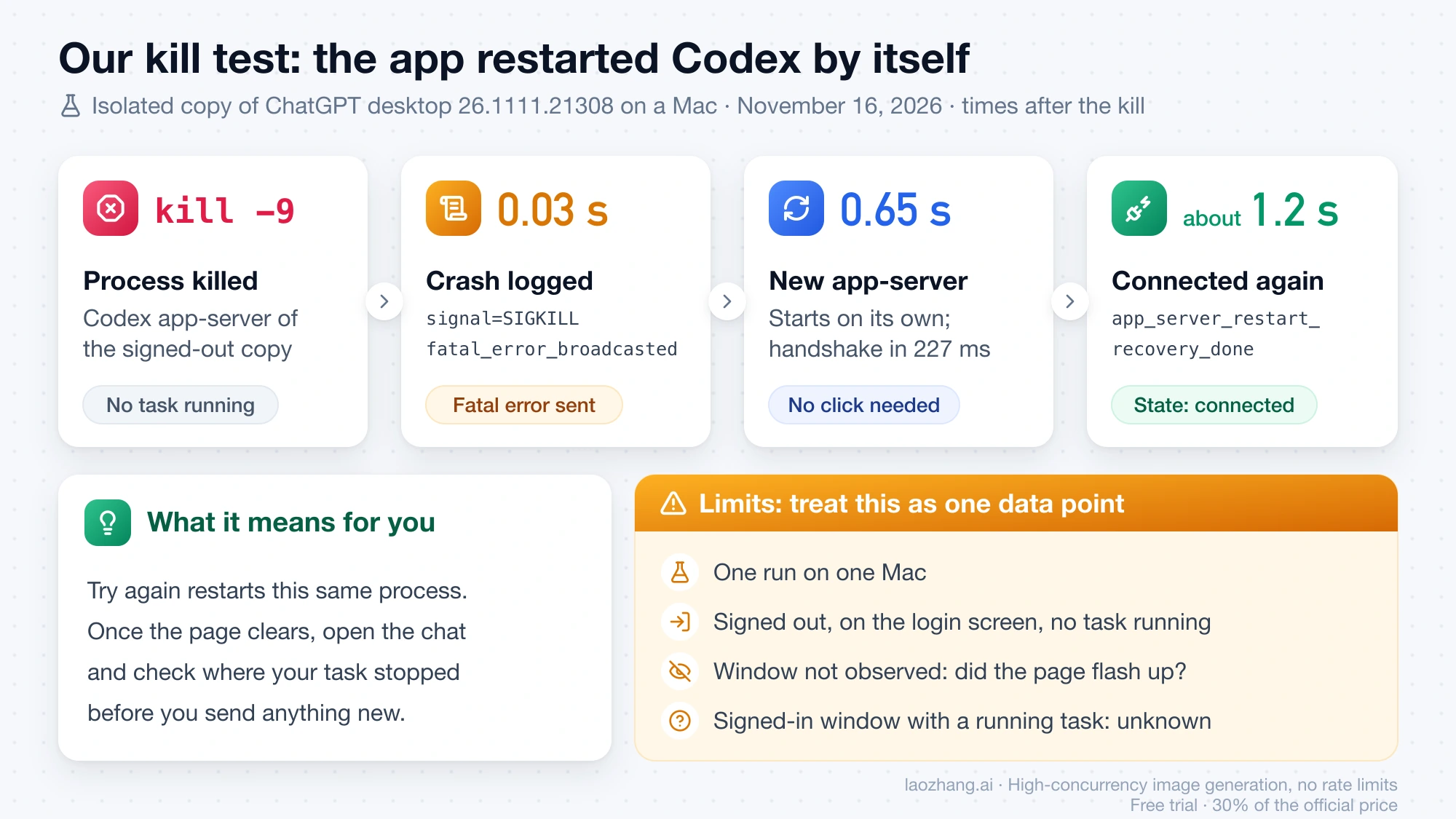
On November 16, 2026, the app-server of a separate, isolated copy of ChatGPT desktop 26.1111.21308 on a Mac was killed with kill -9 to see what Try again would face. The app restarted the process on its own, without any click:
| Time after the kill | What the log shows |
|---|---|
| 0.03 s | Codex CLI process exited classifiedAsExpected=false code=null … signal=SIGKILL, then fatal_error_broadcasted |
| 0.65 s | A new app-server process starts; its handshake succeeds in 227 ms |
| About 1.2 s | app_server_restart_recovery_done, connection state back to connected |
The limits matter. It was one run on one Mac, in a copy that was signed out and sitting on the login screen with no task running, and the window itself wasn't observed, so whether the recovery page flashed up, and whether a signed-in window with a running task recovers the same way, is unknown.
Whether your task survives depends on what killed the process. In #41988 on Windows, the app recovered on its own and picked the conversation back up (the log shows resumedCurrentConversation=true), but in #43852 a long-running terminal command lost its output and exit status. A macOS user in the community thread "App Error UI Trap / Soft-lock when accessing Settings during an active task" found that Try again reset the view without showing whether the background task was still running. After the page clears, open the chat and check where the task actually stopped before you send anything new.
"ChatGPT hit a snag" in the middle of a task on Windows
Three Windows patterns have been reported, all still open with no reply from OpenAI staff, and none has a confirmed fix. Whether they still occur on current versions is unknown.
In #41988 (desktop 26.825.51511, package 26.825.6671.0), the app-server exited with code=3221225786, which is 0xC000013A, a few minutes into a task; the desktop app survived, recovered and continued the conversation, then crashed again later in the same task. In #43852 (26.901.51231), the page appeared about 10–15 seconds after a long-running terminal command started, and the command's result was lost; the reporter's workaround is to run long commands in a separate PowerShell or Windows Terminal window instead of through Codex. In #41844, the page appeared right after a command was stopped at a sandbox or permission boundary ("Stopped command" twice), and it came back after restarting, updating and starting a fresh thread.
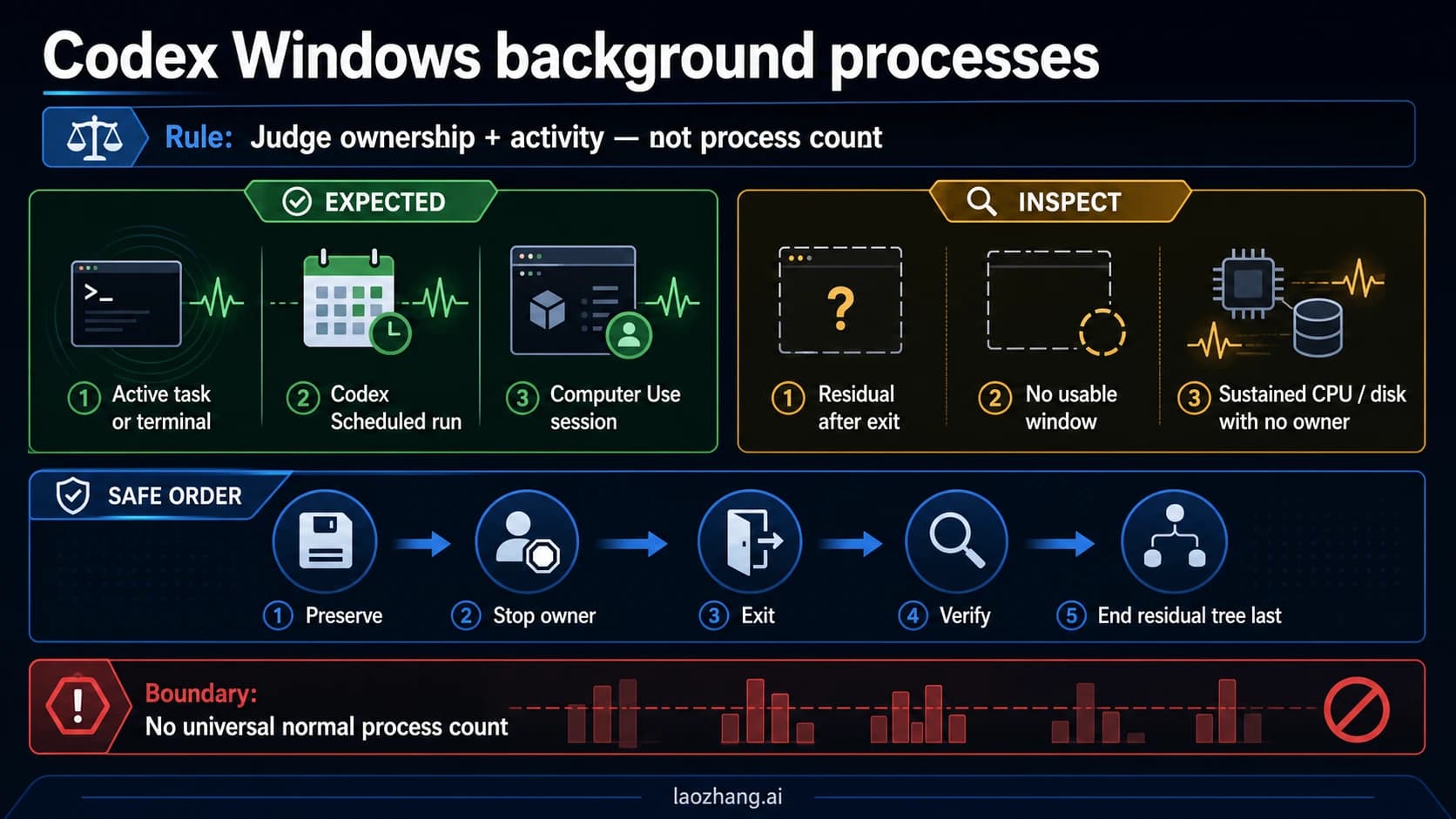
A fourth report, #51160 (package 26.930.4958.0, with projects in WSL), is a loop: the app-server kept exiting with codes 4294967295, 1073807364 and 1, and quitting and reopening the app didn't help. Only a full computer restart restored it, until the next time. Before you end Codex processes by hand in any of these cases, check Codex Windows Background Processes: What to End and What to Leave Running.
"ChatGPT hit a snag" at startup after an update
The largest wave was a startup bug in desktop 26.908.x in September 2026, and an OpenAI contributor said it was fixed, so updating is the first step if the page appears on every launch. On Windows the page read "Something went wrong. Try again to continue", and the logs on every system showed TypeError: r is not a function (n on Linux) in AppRoutes, which users traced to a circular import in the app's front end. The versions reported in #44720 and #44738:
- 26.908.31457, 26.908.31748 and 26.908.40401 on macOS and Linux, and Windows packages 26.908.3777.0 and 26.908.4561.0, were affected.
- 26.901.51231, 26.903.71938 and Windows Store package 26.903.9818.0 were not affected, according to users.
On September 11, 2026, OpenAI contributor yuzhu-oai replied "Fixed. Please update to the latest version.", and on September 14 "Please update to the latest version. It has been fixed. Thanks!" Neither reply named the version with the fix, and Windows and Linux users kept reporting failures from September 11 to 14. One user said the pet problem was gone for them on 26.908.40834, which is a user report, not an official fix version. Before the fix, single users reported two workarounds: in Windows Settings > Apps > Installed apps > ChatGPT, choose Repair and then Reset; or roll back to 26.903.71938. Reinstalling the same version, clearing caches, moving config.toml aside and pressing Try again did not help.
Later startup cases each come from one reporter. On macOS 26.1002.52244 (#51727), the app reached the page about 30 seconds after launch every time, with fs/readFile requires an environmentId in the log; signing out and back in, plus a few restarts, brought it back. On Windows 11 with Astrill VPN installed but not running (#45597, 26.908.9136.0), the sign-in screen flickered between the login options and this page, and temporarily uninstalling Astrill fixed it. On macOS, a user who opened Settings during a long task got the "Try again to continue" line, and restarting the app stopped it from coming back.
If the app keeps crashing at launch, back up your state file before more relaunches. In #44720, one macOS user reported that in the 26.908.x crashed state the app wrote a default state back to disk at startup, shrinking ~/.codex/.codex-global-state.json from 1.18 MB with 47 keys to 1.9 KB with 15, and overwriting the .bak copy as well. The project list was gone, while the chat threads survived. The backup command that user suggests:
cp ~/.codex/.codex-global-state.json ~/codex-state-backup.jsonIf your projects have already disappeared from the sidebar, read Codex Local Projects Disappeared After Update: Don't Re-Add Yet before you add them again.
Does hiding the pet fix "ChatGPT hit a snag"?
Only for the September 2026 bug. On 26.908.x, the pet window could show this page on its own while the main window kept working, and tucking the pet away (Settings → Pets → Tuck Away Pet) made it disappear; two users in the OpenAI Developer Community thread "ChatGPT macOS composer failure, 'ChatGPT hit a snag,' and duplicated Codex processes" said hiding the pet fixed it on September 11, 2026. On November 5, 2026, OpenAI Support replied in the same thread that if you have a pet enabled, you should try hiding it, and also suggested restarting the app, signing out and back in, and trying the same chat in a browser.
A newer bug works the other way. Issue #59051, open since November 3, 2026, reports that on 26.1027.61615 and 26.1106.51428 the pet's startup code can throw while the local app-server is reconnecting, and that error takes over the whole window. Two commenters found that hiding the pet does not prevent it, because the code still runs when the pet is hidden. So hiding the pet is worth one try; if the full window still turns into this page, the cause lies elsewhere.
Find "fatal_error_broadcasted" in the ChatGPT desktop logs
The logs tell you which part of the app failed and when. OpenAI's ChatGPT desktop app troubleshooting page gives the macOS location; the Windows and Linux ones come from user reports. As of November 16, 2026, that page does not mention "hit a snag".
-
Open the log folder for your system:
- macOS:
~/Library/Logs/com.openai.codex/YYYY/MM/DD, one file per launch named likecodex-desktop-<id>-<pid>-t0-i1-<time>-0.log. - Windows:
%LOCALAPPDATA%\Packages\OpenAI.Codex_2p2nqsd0c76g0\LocalCache\Local\Codex\Logs\. - Linux: start the app with
chatgpt --enable-logging=stderr --v=1and read the terminal output.
- macOS:
-
On macOS, list the files that recorded the page:
grep -rl "fatal_error_broadcasted" ~/Library/Logs/com.openai.codex/On the other systems, search the files for the same word.
-
In each match, read the
Codex CLI process exited … code=… signal=…line just before it.signal=SIGKILLmeans something killed the process; a long Windows code such as3221225786points to the Windows patterns above. -
If there is no match, the page came from the interface or the account check rather than the app-server. Search for
error boundaryoraccount/readinstead.
For scale, every desktop log on one Mac from November 2 to November 16, 2026 contained no fatal_error_broadcasted and no Codex CLI process exited before the kill test above. That is one machine, not a measure of how often the page appears.
When to stop retrying "ChatGPT hit a snag" and report it
Stop retrying once a fix for your line has failed, or if your case matches one that has no fix yet. These reports have no known fix:
- On Windows 10 version 19045.7725 with package 26.915.3509.0 (#46462), the page appears at first launch, before sign-in. Restart, Repair and Reset, reinstalling from the Store and winget, renaming
.codex, DISM and sfc all failed. - On Windows 11 with an Intel Core Ultra 5 226V, the app-server exits with
3221225501 (0xC000001D), an illegal-instruction error, the desktop app and the VS Code extension both fail, and sign-in showsSign-in failed: Codex app-server process is not available. - The Windows mid-task patterns (#41988, #43852, #41844) and the pet bug on 26.1027 and later (#59051) are still open.
A useful report has the exact line under the title (a screenshot is enough), your app version from the About dialog (on Windows, Get-AppxPackage OpenAI.Codex also works when the app won't open), your OS version, whether a pet is enabled, and whether you edited config.toml recently. Add the Codex CLI process exited and fatal_error_broadcasted lines, but read them first, because logs can contain paths and code. Send it with Send feedback on the page, add it to the matching issue on the openai/codex GitHub issue tracker, or contact OpenAI Support, which on November 5, 2026 asked for app and OS versions, steps to reproduce and a screen recording.
Errors that look like "ChatGPT hit a snag" but aren't
A different window at launch, saying the app "cannot access its local database" with Retry, Back Up and Rebuild, and Quit, is a separate native dialog for a local database that won't open, found in the code of ChatGPT desktop 26.1111.21308 on November 16, 2026. Back Up and Rebuild moves the old database into a db-backups folder next to it and creates a new one. The dialog was not triggered, so the exact app name it shows is unconfirmed. A failed send inside a chat is the "Error submitting message" banner, a terminal Codex session that can't read your account is the account/read error, and a failure during codex login is the token exchange error; each is linked in the sections above.
Sources3
External pages this guide links to, in the order they appear. Last updated Nov 16, 2026.
Sources3
External pages this guide links to, in the order they appear. Last updated Nov 16, 2026.