Claude Code Projects Beta: Access, First Setup, and Usage Limits
Claude Code Projects runs parallel cloud threads for Pro and Max in claude.ai/code, desktop and mobile, not the CLI. Repos need the Claude GitHub App.
On this page
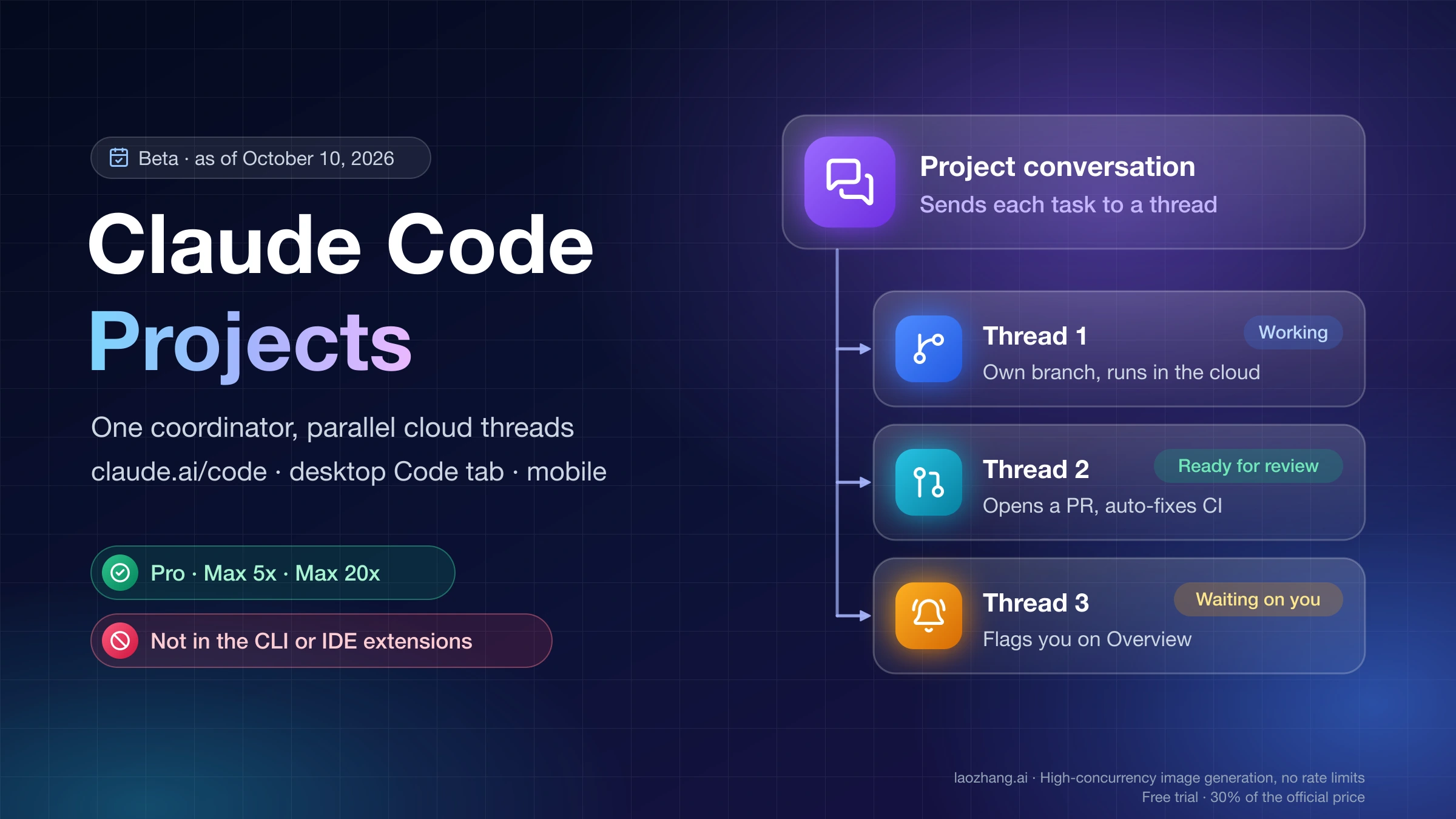
Claude Code Projects is the redesigned Projects feature inside Claude Code. A project is one ongoing conversation in which Claude acts as a coordinator: you send it tasks, and it starts a thread for each one, usually a cloud session working on its own branch. Threads run in parallel, open pull requests, and keep going after you close your laptop. Anthropic launched it in beta on September 17, 2026. On October 9, 2026, the ClaudeDevs account announced on X that it had let in "every Pro and Max user from the Claude Code Projects waitlist."
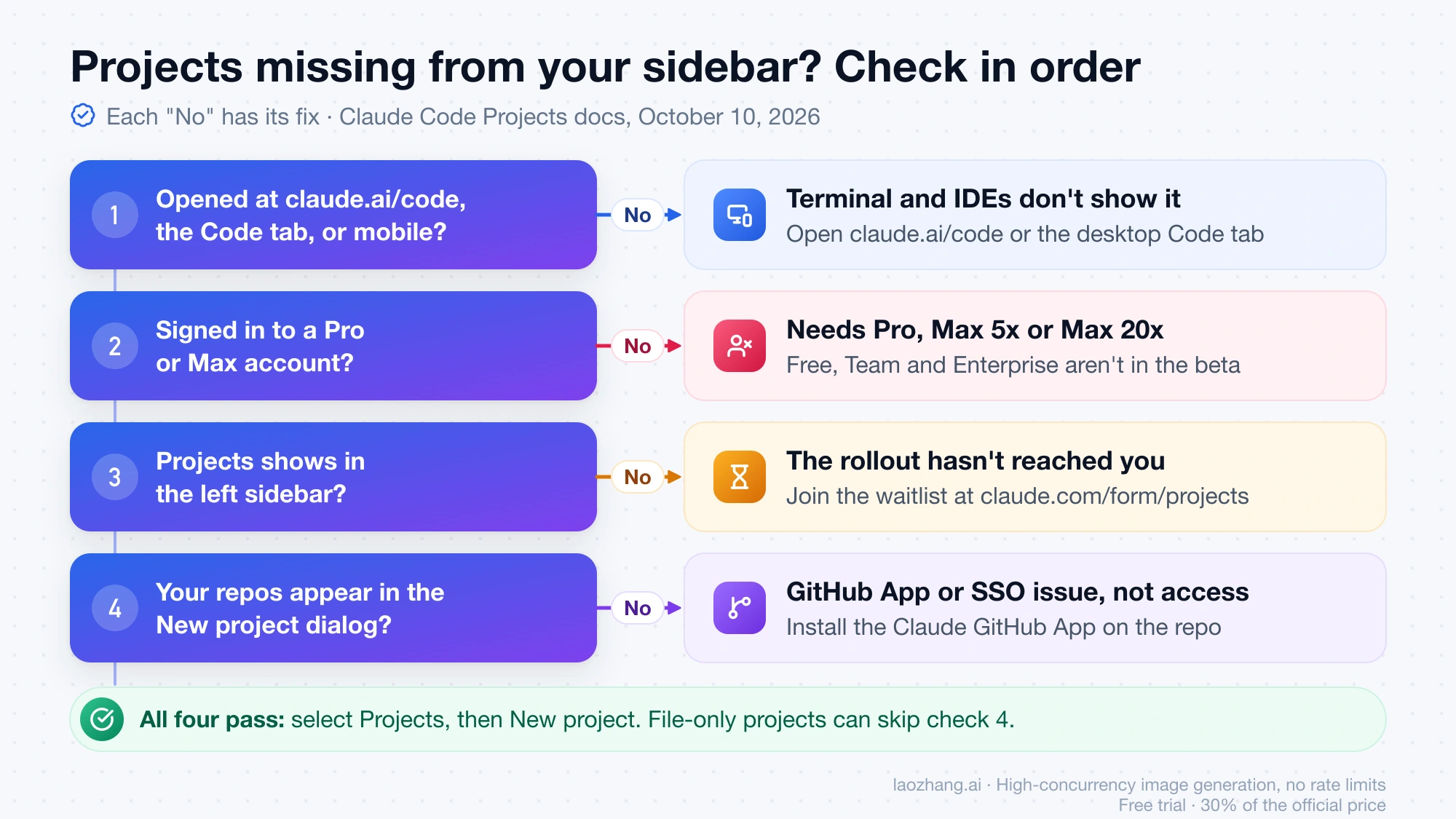
As of October 10, 2026, here is who can use it. You need a Pro or Max plan, and you open it at claude.ai/code, in the Code tab of the Claude desktop app, or in the Claude mobile app. It isn't in the terminal CLI, the VS Code extension, or the JetBrains plugin, and it isn't on Free, Team, or Enterprise. Anthropic's documentation still describes a gradual rollout, so the quickest test is whether Projects appears in your sidebar. If it doesn't, the Claude Code Projects waitlist form is still the official next step. For coding work, the repository must be on github.com with the Claude GitHub App installed.
It is also not the Projects you may already use in Claude chat or Cowork. Those knowledge-base workspaces keep working as before. And if you were looking for ideas on what to build with Claude Code, that's a different topic: Claude Code Projects is a product feature, not a list of things to build.
Can you use Claude Code Projects? Four checks: plan, app, rollout, GitHub
Projects works only when these line up, and the GitHub check applies only to code work. The rules below come from the Claude Code Projects documentation as of October 10, 2026.
| Check | Works | Doesn't work | What to do if it fails |
|---|---|---|---|
| Plan | Pro, Max 5x, Max 20x | Free, Team, Enterprise | Free: Projects needs Pro or Max. Team and Enterprise: Anthropic says they come later, with no date |
| Where you open it | claude.ai/code, the desktop app's Code tab, the Claude app for iOS and Android | Terminal CLI, VS Code extension, JetBrains plugin; Claude Code through Amazon Bedrock, Google Cloud's Agent Platform, or Microsoft Foundry | Open claude.ai/code in a browser while signed in to your Pro or Max account |
| Rollout | Projects shows in the left sidebar | No Projects entry | Join the waitlist at claude.com/form/projects |
| GitHub (code projects only) | Repository on github.com, push access from your connected account, Claude GitHub App installed | GitHub Enterprise Server, GitLab, Bitbucket; a /web-setup token on its own | Install the Claude GitHub App on the repository; in an organization, ask an owner to approve it |
A project doesn't need a repository at all. If your work is contracts, support-ticket exports, or research notes, the GitHub row doesn't apply. You upload files instead, and threads deliver their write-ups to the project's Library tab.
Projects is missing from your sidebar: likely causes in order
- You're on the wrong surface. The terminal and IDE extensions don't show Projects at all. Check claude.ai/code or the desktop app's Code tab instead.
- The account isn't on Pro or Max. A Team or Enterprise seat doesn't get the feature during the beta. Check which account you're signed in to.
- The rollout hasn't reached you. The docs say the rollout started with accounts that had used cloud sessions and had no existing projects in Claude chat or Cowork. If you have old chat projects, or have never run a cloud session, you may be further back in the queue. The October 9 release covered people who were already on the waitlist. Anthropic hasn't said anything official about accounts that never joined it, and its Help Center article on projects still says "select Pro and Max subscribers." Join the waitlist and check the sidebar again later.
- Projects is there, but your repositories aren't. That's a GitHub App or SSO problem, not an access problem. The setup steps below cover it.
Claude Code Projects vs Projects in Claude chat and Cowork
Both features share the name "Projects," but they work very differently. Anthropic's docs describe the earlier experience as one that "groups conversations and reference files without threads or a coordinator."
| Projects in Claude chat and Cowork | Claude Code Projects (beta) | |
|---|---|---|
| What it is | A workspace with its own chat history and knowledge base | One coordinating conversation plus parallel threads that do the work |
| Who gets it | All users. Free accounts can create up to five projects | Pro and Max only, rolling out |
| Where | Claude chat and Cowork | claude.ai/code, the desktop Code tab, mobile |
| What does the work | You chat with Claude, one conversation at a time | Threads, each a full Claude Code session that can branch, test, and open pull requests |
| Standing context | Uploaded knowledge (RAG on paid plans) and project instructions | Project memory, instructions up to 16,000 characters, repositories, files, and a cloud environment |
| Sharing | Team and Enterprise can share projects | Single user only. No sharing, and no organization controls in the beta |
Your existing projects aren't going away. The Projects redesigned announcement says existing projects on Pro and Max "keep working as they do today" and will be upgraded "as the rollout expands to chat and Cowork." No date has been given for that step.
How a Claude Code project runs: one coordinator, many threads
Every project has three parts.
- The project conversation. This is where you paste bug reports, stack traces, or task lists as they come up. Claude answers quick questions in place. New work goes to a new thread, or to the thread already working in that area, and Claude tells you which. The coordinator sees what threads report back, not every step they take.
- Threads. Each thread is a separate session with its own context window. A cloud thread starts a new branch from the repository's default branch and opens a pull request when the work calls for one. Once a pull request is open, the thread watches it with auto-fix on. It pushes fixes when CI fails and responds to review comments.
- The Overview pane. Its Threads tab sorts threads into Ready for review, Waiting on you, Working, Landing, Idle, and Resolved. Threads are resolved automatically after a week with no activity. The other tabs are Library (files you added and files threads produced), Pull requests, and Routines. The desktop app sends notifications when a thread needs you. In a browser, look for the dot on the Overview button.
Cloud threads don't load anything from the Claude Code setup on your own machine. Your local skills, MCP servers, and plugins aren't there unless you bring them in through the repository, the project settings, or your claude.ai connectors (see the setup section).
When one task needs something only your computer has, such as a local database, a device emulator, or an API behind your VPN, you can ask Claude to run that one thread on your machine. Choose Work locally from the + menu, then approve the "Allow Claude to work in a folder on your device" card. This works through Remote Control and needs Claude Code v2.1.280 or later on that computer. You enable it either in the desktop app, by turning on Use this computer from your phone and claude.ai under Settings > Claude Code and adding the folder, or by running claude remote-control in the folder (add --spawn worktree inside a git repository). A local thread uses your machine's files, tools, and settings. It starts with the project instructions but not the memory files, and it only runs while the computer is awake. It's also blocked while Require trusted devices is turned on. The September 17 announcement called local threads "coming very soon," and the current docs now describe them.
When a cloud session, agent view, a routine, or agent teams fits better
Plenty of Claude Code features run work in parallel. The Register counted five of them when Projects launched. What sets a project apart is that Claude starts and tracks the sessions for you, and every session starts from the same instructions. That's worth having only if the work keeps producing tasks.
| Your work looks like | Better choice | Why |
|---|---|---|
| One task that fits in a session ("fix the flaky login test") | A single cloud session in the Claude Code web interface | No coordinator tokens, no setup |
| Every task needs your machine: local database, emulator, VPN-only API | Local sessions, tracked side by side in Claude Code agent view | Cloud threads can't reach it, and local threads only run while the computer is awake |
| One job on a schedule with no conversation around it ("post a dependency report every Monday") | A standalone Claude Code routine | Routines can also live inside a project, on its Routines tab |
| One large task split among helpers that ends when the task ends | Claude Code agent teams | A team is one session spawning teammates, not a standing workspace |
| Several people steering Claude together in Slack | Claude Tag (Team and Enterprise) | A project belongs to one user and can't be shared |
| A goal that outlasts one session: a migration, one lint rule across many repos, a bug stream for one service, recurring document analysis | A Claude Code project | Shared instructions and memory, parallel threads, one place to see what needs you |
Inside a project, each thread can still split its own piece of work with subagents, loops, and workflows. The Claude Code dynamic workflows guide covers that layer.
Set up your first Claude Code project in five steps
1. Connect GitHub and install the Claude GitHub App
You do this once, not for every project. Connect your GitHub account at claude.ai/code. Then install the Claude GitHub App and grant it the repositories the project will use. Some things to know:
- If you connected GitHub only through
/web-setupin the terminal, your other cloud sessions can reach the repository, but project threads can't. They need the GitHub App. - On a repository owned by an organization, only an organization owner can finish the install. GitHub sends the owner a request, and the project can't use the repository until they approve it.
- If the organization enforces SAML SSO, reconnect GitHub and authorize the Claude app for that organization. Otherwise its private repositories won't appear in the New project dialog.
2. Create the project from the sidebar or from a cloud session
Select Projects in the sidebar, then New project (in a browser, claude.ai/code/projects/browse goes straight there). Only Name is required. Goal is one line such as "Hold p95 API latency under 200 ms." Context takes GitHub repositories plus files, folders, or Google Drive folders. Add the one or two repositories nearly every task touches, and name the rest in the instructions. Every repository you add gets cloned into every cloud thread, along with its CLAUDE.md and skills, even when the task doesn't touch it.
If a cloud session is already doing the work, open its menu and choose Continue as project to turn it into a new project, or Move to project to hand it to an existing one. Sessions you started locally in the terminal or IDE don't have either option.
Watch for one thing on your first project. As soon as it's created, Claude takes a turn of its own unless you send a message first, and that turn counts against your plan. It may start a read-only thread that explores the repository. It may also post Setup recommendations with repositories and routines that are all switched on by default. Switch off what you don't want before you click Update setup.
3. Write project instructions before the first batch
Open the gear icon, then Memory > Project instructions (up to 16,000 characters). Every new thread and the coordinator receive this text. A useful set of instructions says what the project is for, where the work happens, how a thread checks its own work, what to do when something is missing, and what needs your approval. A sample for a small web app:
This project fixes and ships the checkout bugs reported for the storefront repository.

- Branch from main. One draft pull request per thread, titled "checkout: short summary of the fix".
- Before calling work done, run `npm test` and `npm run lint` and paste the summary lines.
- If a secret, API, repository, or connector you need is missing, say exactly what is missing in your first message and stop. Don't mock or guess.
- Commit and push work in progress on long tasks.
- Don't merge, force-push, or touch CI configuration without asking me in the thread.
- Run at most two threads at a time and propose new threads before starting them.
The line about pushing work in progress matters. A cloud thread's sandbox pauses between turns. If it can't be resumed, the thread starts again from a fresh clone and uncommitted changes can be lost. The thread limit belongs in the instructions too. If you only say it in conversation, Claude saves it to project memory as a preference, and the docs are explicit that a limit set that way "isn't a hard cap."
4. Check the thread model and effort
A new project runs Opus everywhere: high effort for threads, low effort for the coordinator. That's the setting that uses up your plan fastest. In Project settings > General, decide whether Thread model and Thread effort really need to stay at the top for this kind of work. You can also ask for a smaller model per task ("Do this task with a smaller model").
5. Send one small, real task first
Send a single piece of real work, let it finish, and open the thread. Check its branch, its report, and what it assumed. If it guessed or stalled, fix the gap in the instructions or the environment before sending the rest. When several threads come back wrong for the same reason, the cause is usually one missing setting, not the individual tasks.
What cloud threads load from your repositories
| From each repository | One-repository project | Several repositories |
|---|---|---|
CLAUDE.md | Loaded when the thread starts | Loaded from every repository |
Skills, agents, and commands under .claude/ | Loaded | Loaded from every repository |
Plugins enabled in .claude/settings.json | Not loaded. Add them in Project settings > Plugins | Not loaded. Add them in Project settings > Plugins |
Permission rules, hooks, and env in .claude/settings.json | Applied | Not applied in the Anthropic-hosted environment |
MCP tools in cloud threads come from the connectors on your claude.ai account. The project conversation itself has no connectors, so send connector work as a task. Project memory is separate from both your repository's CLAUDE.md and the local auto memory Claude Code keeps on your machine, even though both use a MEMORY.md index. The Claude Code memory guide covers the local side. Changes to instructions, repositories, plugins, or the environment reach new threads only, not ones already running.
Limits for document projects without a repository
Files added from the Library tab can be up to 100 files and 2 GB per upload, with a single file up to 480 MB. The New project dialog skips files over 30 MB, so add large files after creating the project. A folder brings in a copy of its first 100 files, up to 200 MB, leaving out files over 30 MB, hidden files, and node_modules. A project holds at most 10 folders and Google Drive folders combined. Uploads are copies, so after you edit a file locally you need to upload it again and choose Replace.
How fast Claude Code Projects uses your Pro or Max limits
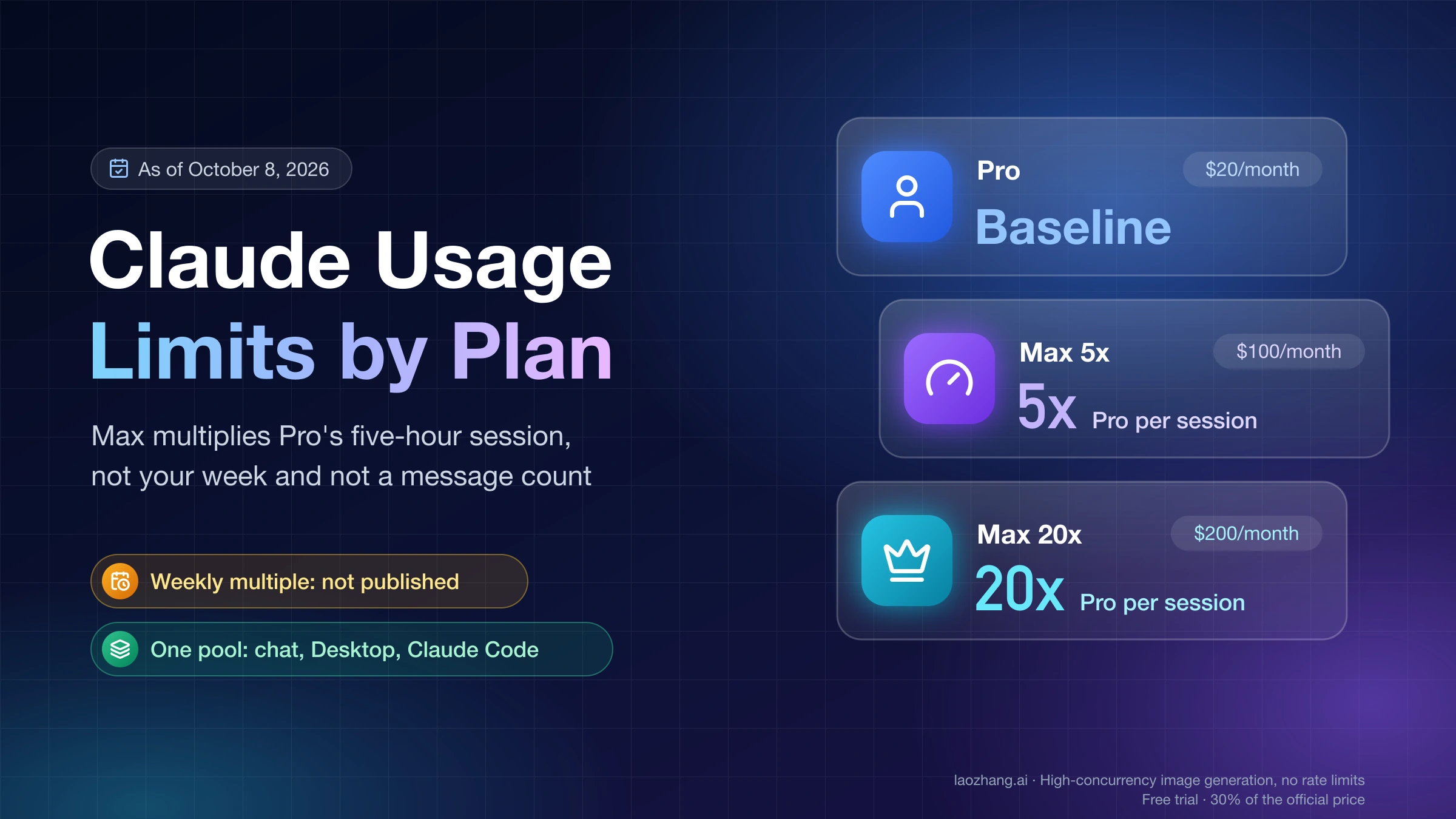
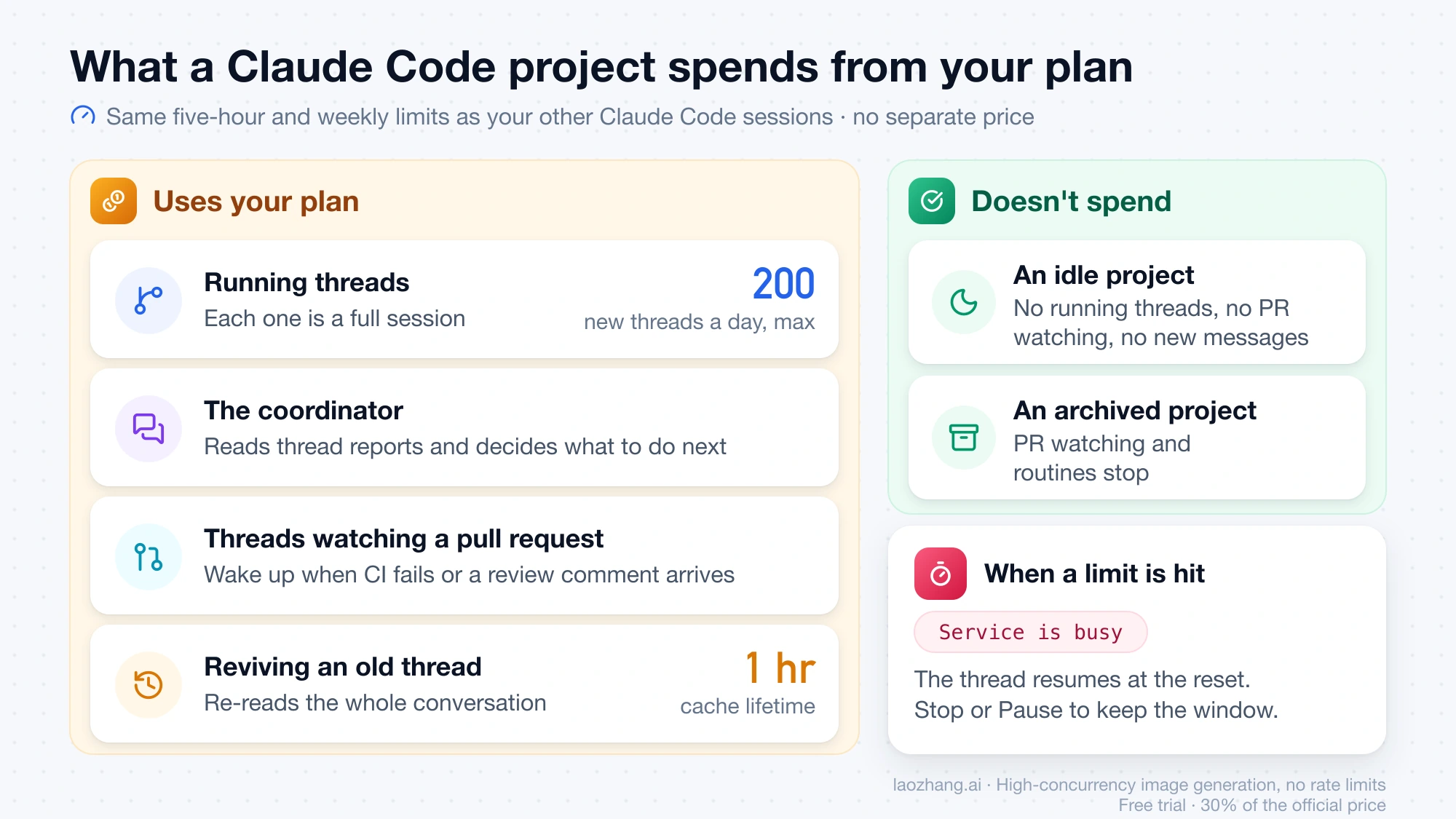
Projects has no separate price. Everything a project does counts against the same five-hour and weekly limits as your other Claude Code sessions. Those limits are shared with claude.ai and the desktop app, and Anthropic publishes no token or message counts for them. The docs put it plainly: "on a Pro plan in particular you should expect to reach your limit sooner on days you run one."
| Plan | Price (US list, web) | Usage relative to Pro | Fable models |
|---|---|---|---|
| Pro | $20/month, or $200/year ($17/month equivalent) | Baseline | Not in plan limits; usage credits from the first request |
| Max 5x | $100/month | 5x Pro per session | Up to 50% of the weekly limit |
| Max 20x | $200/month | 20x Pro per session | Up to 50% of the weekly limit |
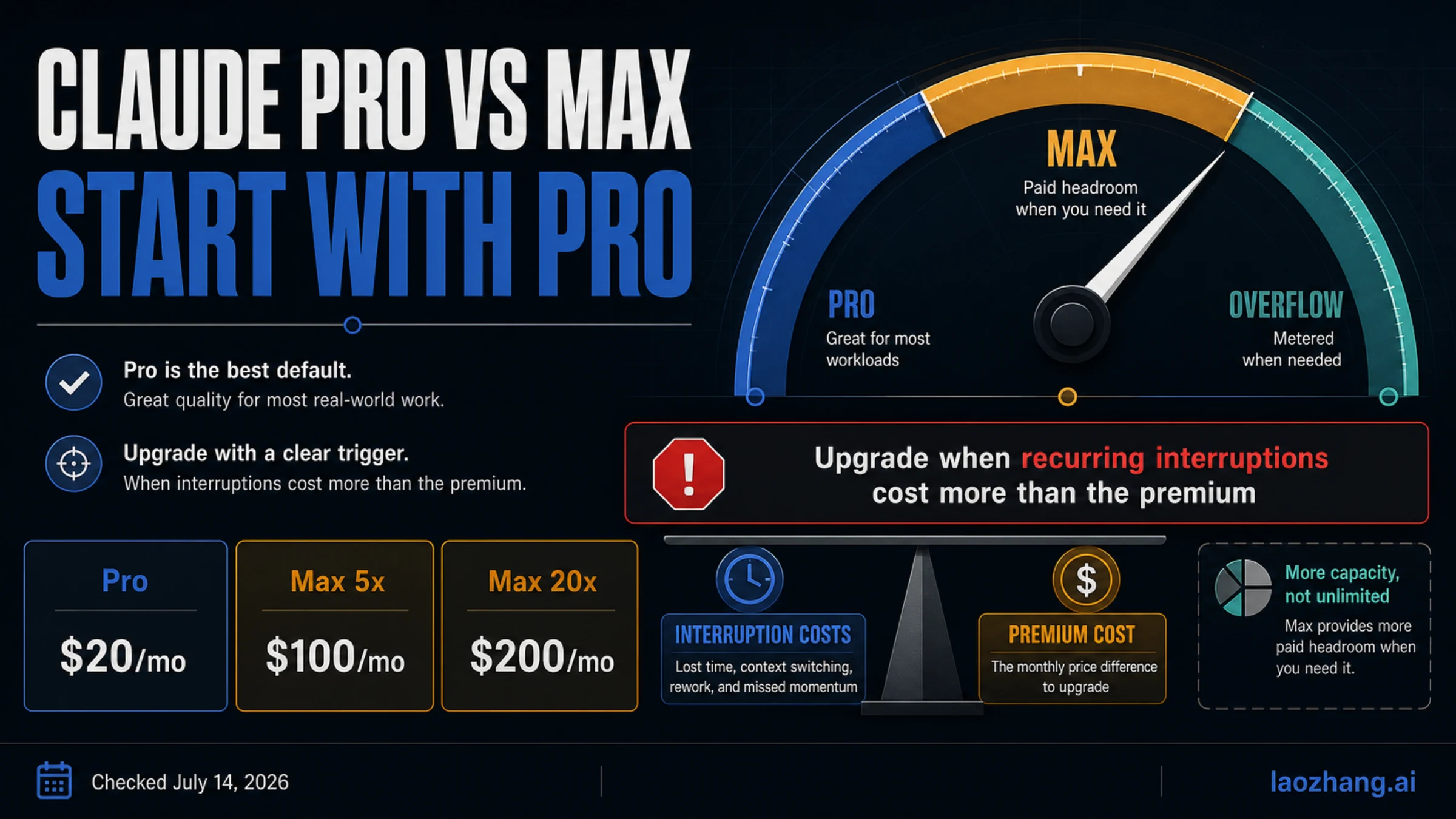
For what each tier actually multiplies, see Claude usage limits by plan and Claude Pro vs Max.
What uses your plan in a project, and what doesn't
- Running threads. Each is a full session, and Claude starts as many as the work calls for. The only enforced limit is 200 new threads per day across all your projects.
- The coordinator. It spends tokens reading thread reports and deciding what to do next.
- Threads watching a pull request. An idle thread wakes up and spends again when CI fails or a review comment arrives. Tell the thread to stop watching if you don't want that.
- Reviving old threads. A follow-up to a thread that's been idle longer than the cache lifetime (an hour on Pro and Max) re-reads that thread's whole conversation first. For new work, a fresh thread can cost less than reviving a big old one.
- Not spending: an idle project with no running threads, no watched pull requests, and no new messages, and any archived project.
What happens when a thread hits the five-hour or weekly limit
The thread doesn't fail. It shows Service is busy with "Claude is still retrying and will continue automatically," and then resumes when the limit resets. That means work you left running will start using your next usage window without asking you. Click Stop in the thread, or pause the whole project, if you want to keep that window. Threads started by a routine are the exception: they stop with a limit error, and you have to message them after the reset.
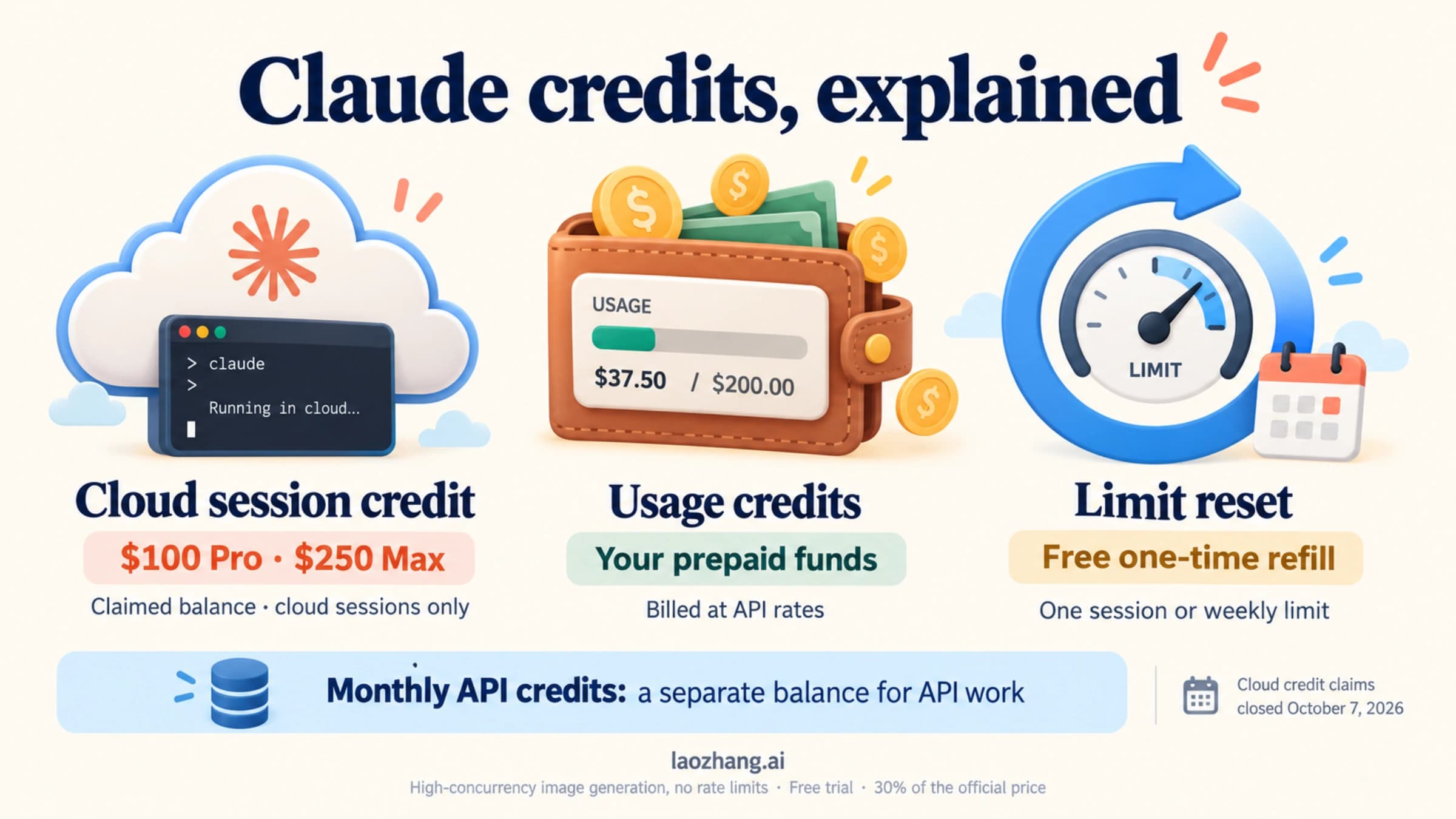
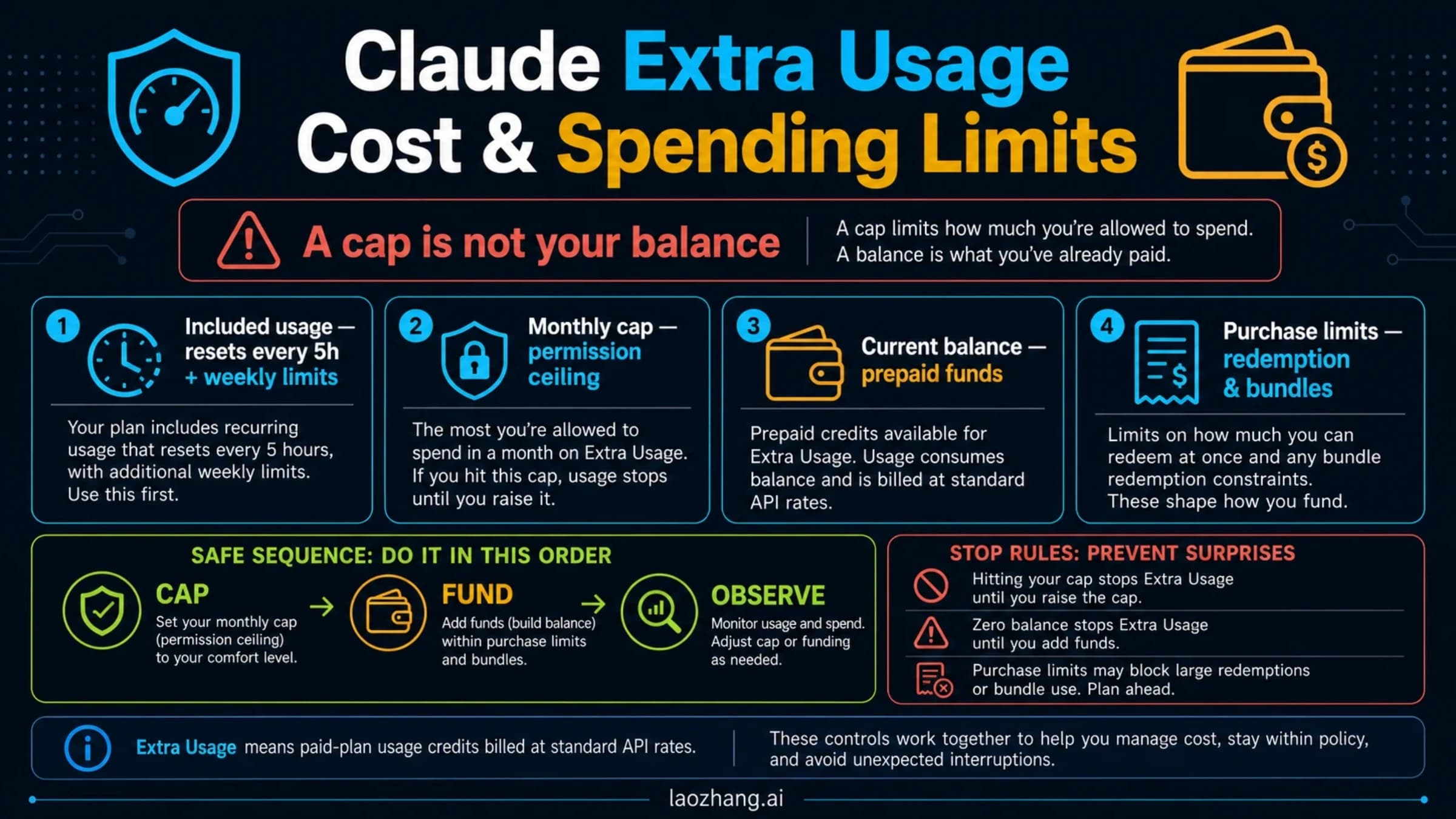
A project only goes past your plan limits if you've turned on usage credits yourself. A thread can't turn them on for you. If a thread asks for something your plan only covers with credits, such as Fable on Pro, and credits are off, it stops with "Additional usage credits are required."
Levers that keep a project inside your plan
- Lower Thread model or Thread effort for routine work. Keep the top setting for threads that need it.
- Put "run at most two threads at a time" and "answer small questions here instead of starting a thread" in the instructions.
- Start fresh threads for new work instead of reviving ones that have been idle for hours.
- Stop pull request watching on threads whose pull requests you'll handle yourself.
- Check Project settings > Usage, which breaks down tokens by thread, by model, and for the coordinator.
- Before you step away for a few days, Pause or Archive projects you don't need running.
Pause, archive, or delete: what each one stops
- Pause interrupts every running thread and the conversation, stops new threads and routines, and blocks messages until you click Resume.
- Archive hides the project, archives its threads, and stops pull request watching and routines. Unarchive brings the project back, but threads stay archived until you unarchive them one by one.
- Delete permanently removes threads, memory, and files, and turns off the project's routines. Branches and pull requests already on GitHub stay.
Claude Code Projects error messages and fixes
These are the English UI strings from Anthropic's troubleshooting section.
| Message | What it means | Fix |
|---|---|---|
| "Couldn't start the session — Claude doesn't have GitHub access to this project's repository" | Claude GitHub App not installed on that repository, suspended, or not linked to the GitHub account you connected | Click Install GitHub App, then Check again |
| "Unable to access your repository" | The clone failed: GitHub rejected it, the repository wasn't found under the name the project has, or the starting branch doesn't exist | Check the repository name and branch, then send another message |
| "Claude can't access" a repository | Shown when saving repositories | Use the install link if the app isn't on the repository, or the reconnect link if it is |
| "Service is busy" | Five-hour or weekly limit reached; the thread is waiting | Do nothing, or click Stop / pause the project |
| "Additional usage credits are required" | The request needs credits your account hasn't enabled | Turn on usage credits, or switch to a model your plan covers |
| "Claude hasn't responded" | The coordinator's replies aren't reaching the project | Click Restart Claude |
| "Setup script failed" | The cloud environment's setup script broke | Click Edit setup script, fix it, send another message |
| "Claude ran out of context on this turn" | One thread filled its context window | Ask the coordinator for a new thread for the remaining work |
| "Claude is out of date on your device" | Local thread on Claude Code older than v2.1.280 | Update Claude Code or the desktop app, then ask again |
| "Lost contact with your folder" | The computer running a local thread slept or Remote Control quit | Wake it and restart the desktop app or claude remote-control |
Claude Code Projects FAQ
Is Claude Code Projects free?
No. It needs Pro ($20/month) or Max, and it draws on that plan's usage. Free accounts still get the older Projects in Claude chat, limited to five projects.
Can I use Claude Code Projects from the terminal or VS Code?
Not directly. You create and manage projects at claude.ai/code, in the desktop app's Code tab, or on mobile. Your terminal only takes part when a project runs a thread on your computer through claude remote-control.
Does Claude Code Projects work with GitLab or Bitbucket?
No. Code projects need repositories on github.com with the Claude GitHub App installed, and GitHub Enterprise Server isn't supported either. You can still upload files instead of linking a repository. Feature requests for local-first projects without GitHub have been filed on the Claude Code issue tracker.
Can I share a Claude Code project with my team?
No. A project belongs to one user. Threads can't be shared, and there are no organization-level controls during the beta. For several people steering Claude together in Slack, the feature built for that is Claude Tag, on Team and Enterprise plans.
Do project threads use my CLAUDE.md and skills?
They use the CLAUDE.md and the .claude/ skills, agents, and commands committed to the project's repositories. They don't use anything installed only on your machine. Plugins go in Project settings > Plugins, and MCP servers come from your claude.ai connectors.
Is the Claude Code Projects waitlist still open?
As of October 10, 2026, the docs still link the waitlist form for anyone on Pro or Max who doesn't see Projects in the sidebar. On October 9, Anthropic said it had let in every Pro and Max user who was on the waitlist.
Sources7
External pages this guide links to, in the order they appear. Last updated Oct 10, 2026.
Sources7
External pages this guide links to, in the order they appear. Last updated Oct 10, 2026.
- 1.announced on Xx.com/ClaudeDevs/status/2108621476538781878
- 2.Claude Code Projects waitlist formclaude.com/form/projects
- 3.Claude Code Projects documentationcode.claude.com/docs/en/claude-projects
- 4.Help Center article on projectssupport.claude.com/en/articles/9517075-what-are-projects
- 5.Projects redesigned announcementclaude.com/resources/articles/projects-redesigned
- 6.counted five of themtheregister.com/ai-and-ml/2026/09/18/claude-code-revamps-projects-so-you-can-work-and-pay-in-parallel/5297532
- 7.Claude GitHub Appgithub.com/apps/claude