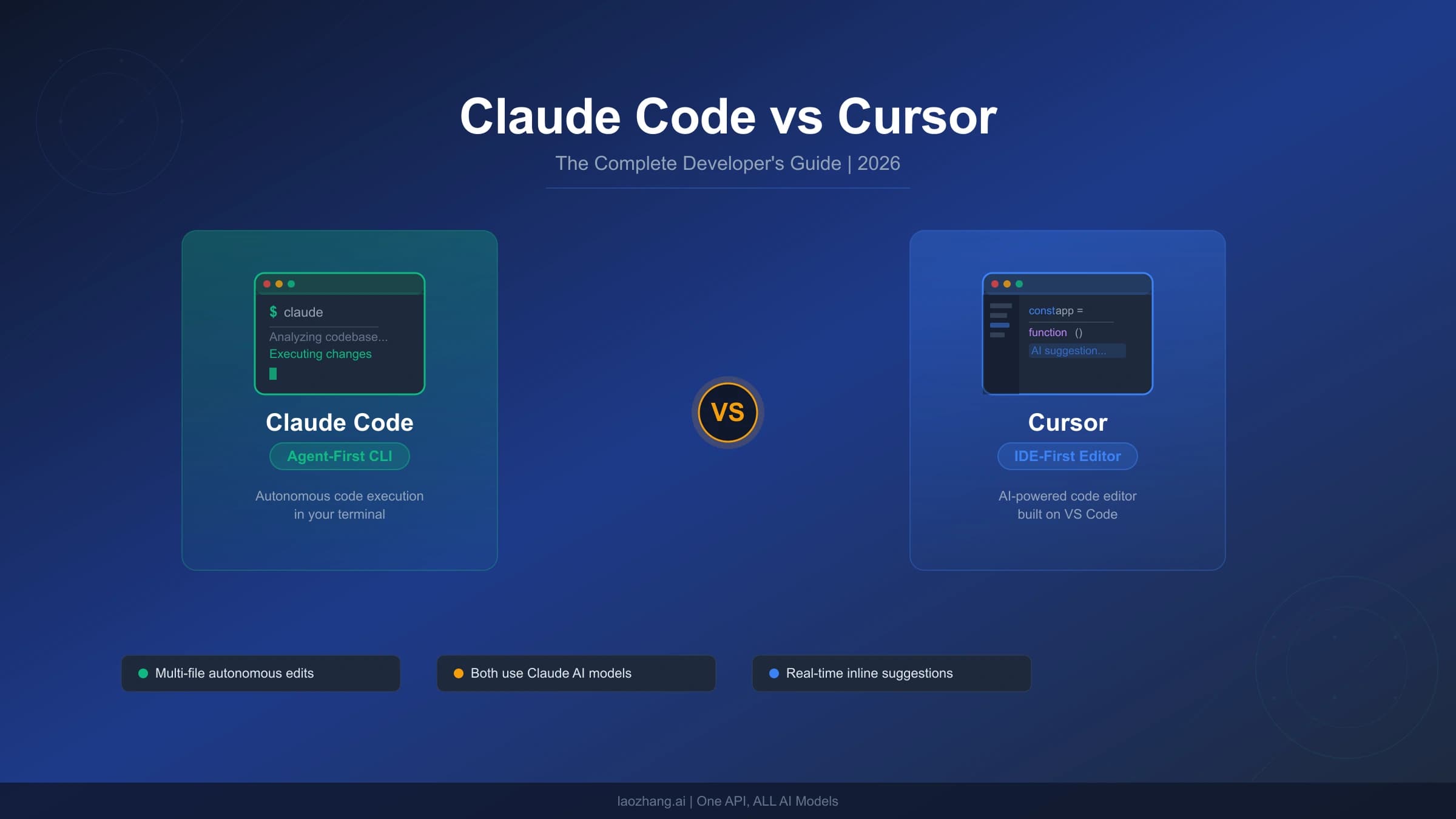
Claude Code Agent Teams: The Practical Guide to Multi-Agent Development (2026)
Agent Teams in Claude Code let you orchestrate multiple AI sessions that communicate, share tasks, and self-coordinate. This practical guide covers setup, real dollar-cost calculations for 3 scenarios, 4 proven prompt templates, a decision framework for when to use teams vs subagents, and advanced patterns including delegate mode, hooks, and CLAUDE.md optimization.
On this page
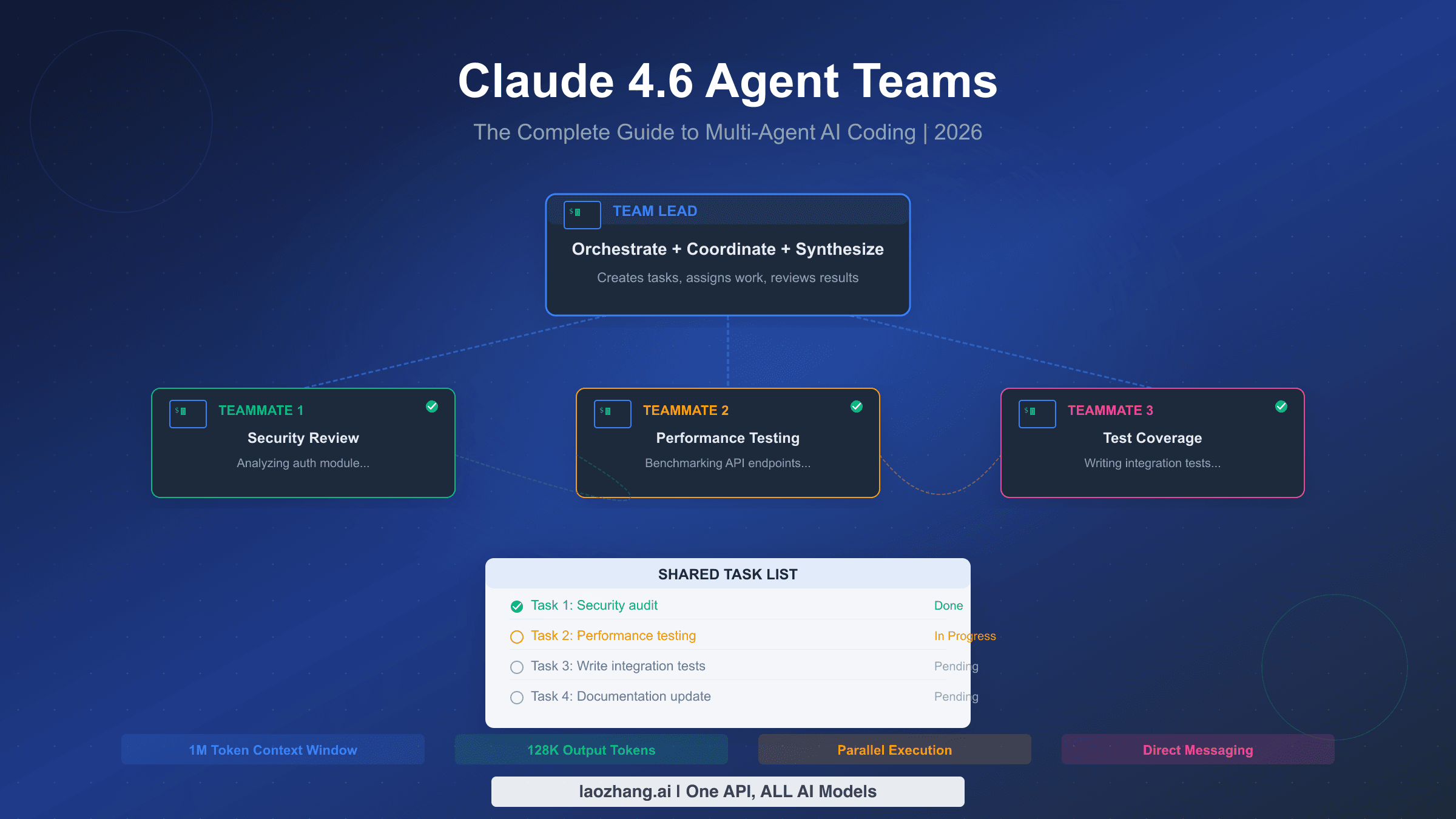
Agent Teams in Claude Code let you orchestrate multiple AI coding sessions that communicate directly, share tasks, and self-coordinate — transforming hours of sequential work into minutes of parallel execution. Released with Claude Opus 4.6 on February 5, 2026, this experimental feature requires a single environment variable to enable and supports teams of 2-16 agents working on shared codebases. Agent teams use approximately 7x the tokens of a single session in plan mode (code.claude.com/docs/en/costs, February 2026), but for the right tasks — parallel code reviews, multi-module features, and complex debugging — the productivity gains far outweigh the cost.
TL;DR
Claude Code Agent Teams enable one session to act as a team lead that spawns independent teammates, each with its own context window and tool access. Teammates communicate directly through a mailbox system and coordinate through a shared task list — unlike subagents, which only report back to their parent. You enable agent teams by setting CLAUDE_CODE_EXPERIMENTAL_AGENT_TEAMS=1 in your settings.json or shell environment. The sweet spot for agent teams is complex, multi-file work where teammates genuinely need to communicate: full-stack features spanning frontend, backend, and tests; parallel code reviews where reviewers compare findings; and debugging scenarios where multiple investigators test competing hypotheses. Agent teams cost roughly 3-7x more tokens than a single session depending on configuration, so avoid them for simple, sequential tasks where a single session or lightweight subagent handles the job at a fraction of the cost.
What Agent Teams Are and Why They Exist
Claude Code has evolved through three distinct paradigms for handling complex tasks. The original single-session model processes everything sequentially — one context window, one task at a time. Subagents, introduced alongside the Task tool, added a hub-and-spoke pattern where a parent session can spawn lightweight workers that execute a focused task, report results, and terminate. Agent Teams, released with Opus 4.6 in February 2026, take the next step by enabling full peer-to-peer communication between persistent, independent Claude instances. For a broader introduction to the feature and its release context, see our complete guide to Claude 4.6 Agent Teams.
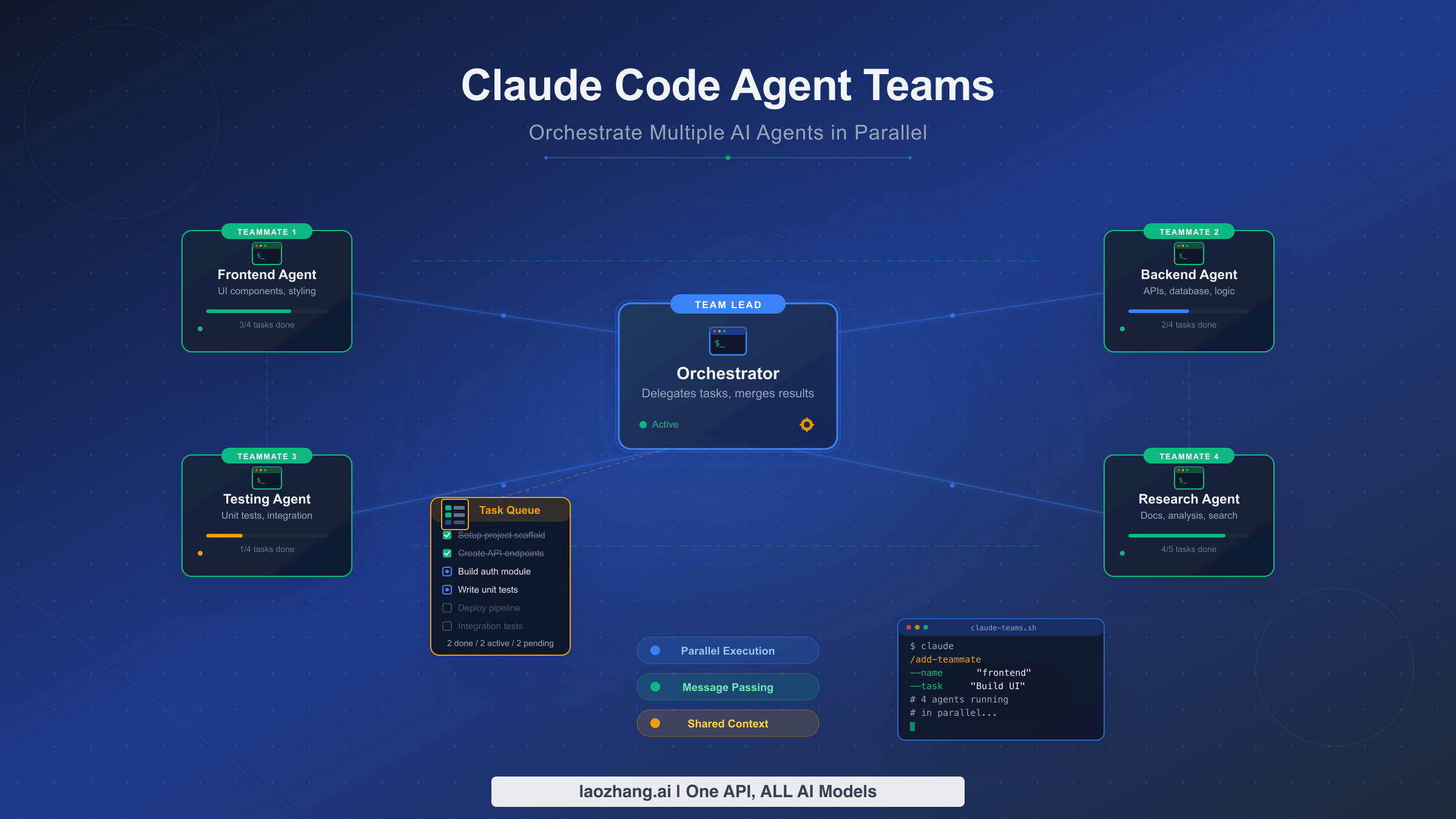
The core problem agent teams solve is inter-agent communication. With subagents, if worker A discovers something that worker B needs to know, it cannot tell B directly — it must report back to the parent, which then relays the information by spawning another subagent or updating its own context. This bottleneck becomes a serious limitation when tasks are interdependent. A frontend developer writing UI components needs to know what API endpoints the backend developer is creating, and the tester writing integration tests needs to know what both are building. Agent teams eliminate this bottleneck by letting all agents communicate directly through a shared mailbox.
The architecture consists of four interconnected components. The Team Lead is your main Claude Code session — it analyzes tasks, creates teams using the TeamCreate tool, spawns teammates, and orchestrates the overall workflow. Teammates are independent Claude Code processes, each with their own context window and full tool access, spawned via the Task tool with a team_name parameter. The Shared Task List at ~/.claude/tasks/{team-name}/ serves as the coordination backbone, with tasks that have statuses, ownership, and dependency relationships. Finally, the Mailbox System enables direct peer-to-peer messaging through the SendMessage tool — any teammate can message any other teammate or broadcast to the entire team.
Anthropic's engineering team validated this architecture by building an entire C compiler using 16 agent teams (anthropic.com/engineering, February 2026). The project consumed approximately 2,000 sessions, 2 billion input tokens and 140 million output tokens, produced 100,000 lines of Rust code that successfully compiled the Linux 6.9 kernel, and cost roughly $20,000 in API usage. This proof-of-concept demonstrated that multi-agent coordination works at scale for real software engineering — not just toy examples.
How to Set Up Agent Teams (Complete Configuration Guide)
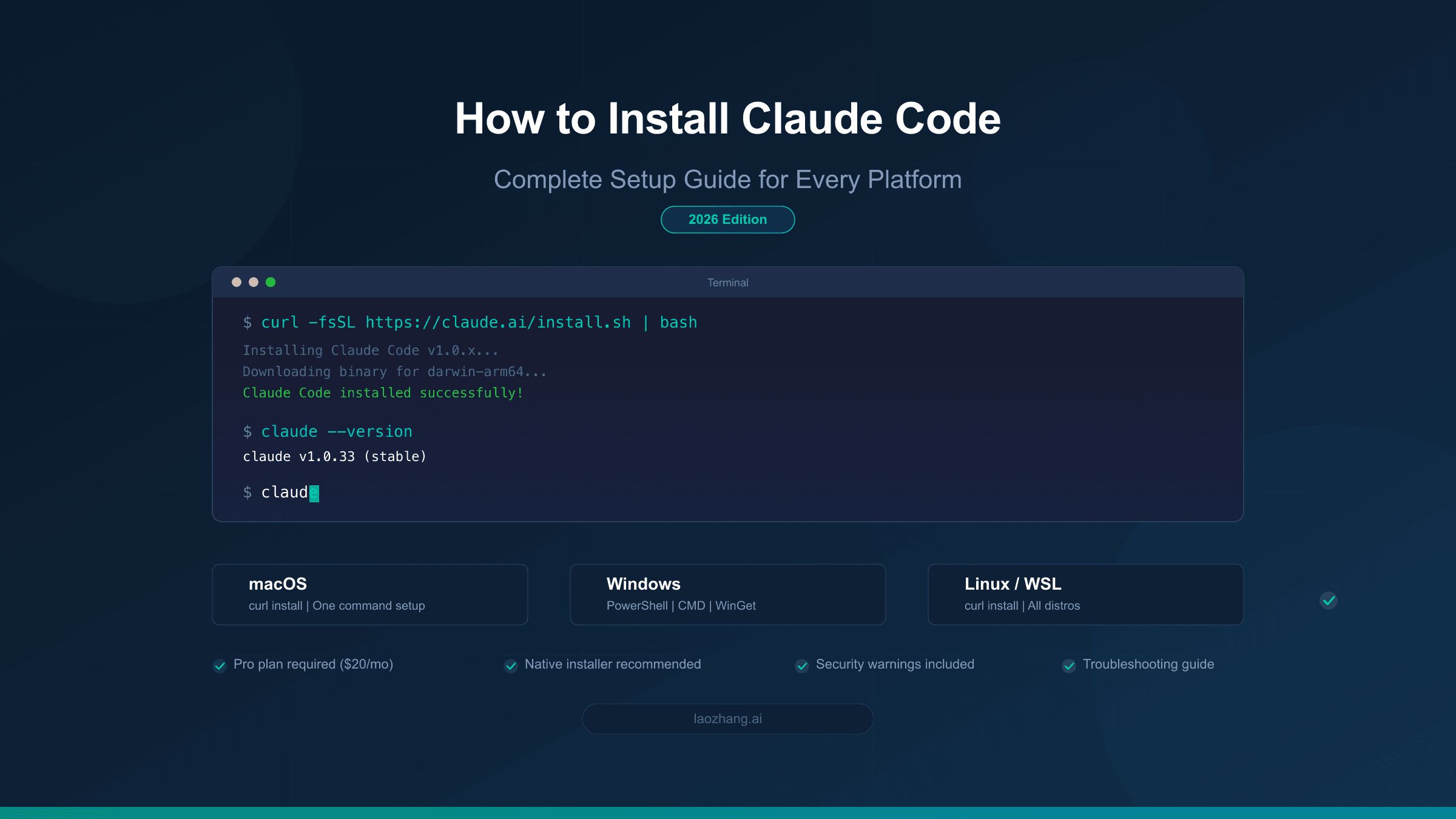
Agent teams are currently an experimental feature, which means you need to explicitly enable them through one of three methods. The most persistent approach is adding the flag to your settings.json file, which applies across all sessions on your machine. Open your Claude Code settings by running claude config or editing ~/.claude/settings.json directly, and add the experimental feature flag to the environment section. This ensures agent teams are always available without needing to remember environment variables each time you start a session.
{
  "env": {
    "CLAUDE_CODE_EXPERIMENTAL_AGENT_TEAMS": "1"
  }
}
The second method is setting a shell environment variable before launching Claude Code. This approach is useful if you want agent teams available only in certain terminal sessions or if you prefer not to modify global configuration files. Simply export the variable in your shell profile or set it inline when starting Claude Code.
export CLAUDE_CODE_EXPERIMENTAL_AGENT_TEAMS=1
claude
The third method is enabling agent teams on a per-session basis by passing the flag as a launch argument, which is ideal for experimenting without committing to a permanent configuration change. Once enabled by any method, agent teams become available immediately — Claude Code will use team-related tools (TeamCreate, TaskCreate, SendMessage) whenever it determines a task benefits from multi-agent coordination.
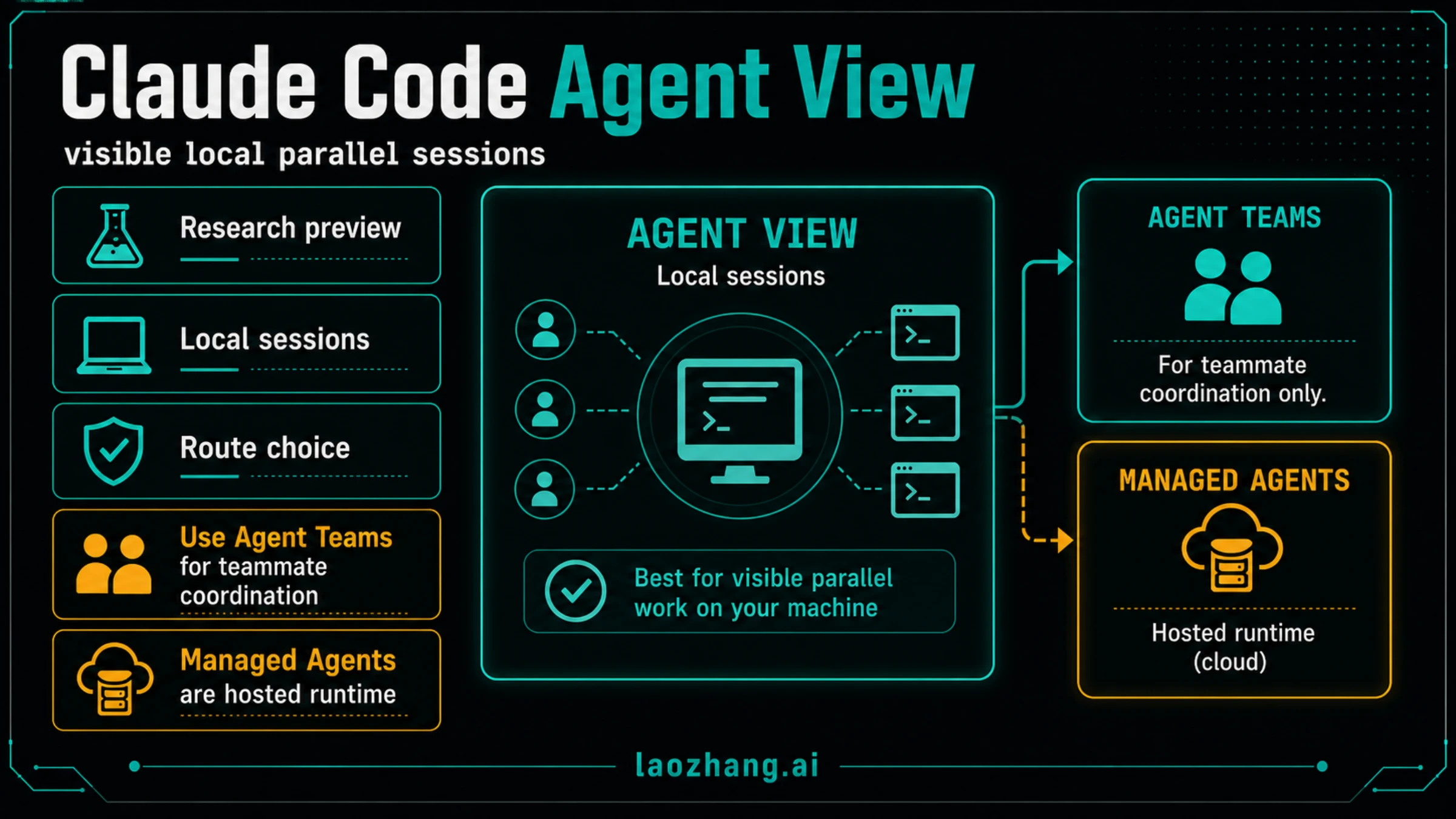
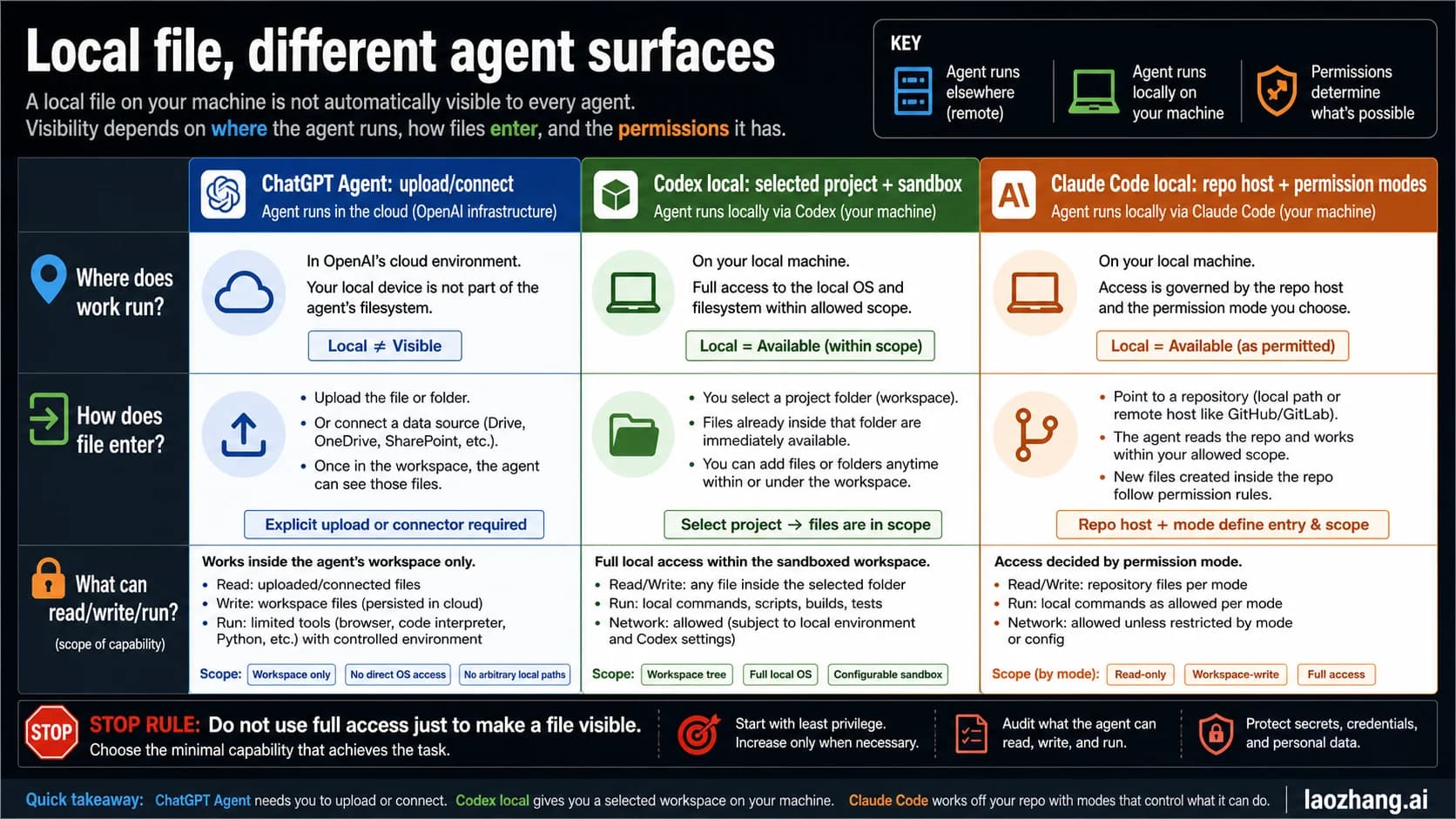
Agent teams support two display modes that control how teammate sessions appear. The default in-process mode runs all teammates within a single terminal window, showing status updates and idle notifications inline. This works in any terminal but can become noisy with 3 or more agents. The split-pane mode spawns each teammate in a separate terminal pane using tmux or iTerm2, giving each agent its own visible workspace. Split-pane mode is strongly recommended for teams of 3 or more because it lets you visually monitor what each agent is doing in real time.
To use split panes with tmux, ensure tmux is installed and start your Claude Code session inside a tmux session. Claude Code will automatically detect tmux and create new panes for each teammate. For iTerm2 on macOS, the native split-pane support is detected automatically — no additional configuration is needed. If you are using a terminal that supports neither tmux nor iTerm2 split panes, agent teams still work perfectly in in-process mode, but the visual feedback is limited to status messages in the main session.
Permission configuration matters significantly for agent teams. By default, teammates inherit the same permission model as the team lead, which means they may prompt for confirmations during execution. For efficient team operation, consider using --dangerously-skip-permissions during controlled development sessions, or configure an allowlist of permitted tools in your settings. You can also leverage the mode parameter when spawning teammates to set them to "bypassPermissions" or "plan" mode. Plan mode is particularly useful — it forces teammates to propose their changes before implementing them, adding a quality gate that prevents costly mistakes in shared codebases.
Optimizing your project's CLAUDE.md file for agent team workflows is a crucial but often overlooked step. When a teammate is spawned, it reads the project's CLAUDE.md to understand coding conventions, architecture, and constraints. A well-structured CLAUDE.md should include clear descriptions of the project's module boundaries (so teammates know which files belong to which domain), coding style guidelines (so changes from different agents are consistent), and any files or directories that should not be modified (to prevent merge conflicts between concurrent agents). Adding a section specifically for agent team coordination — such as "When working as a teammate, always check TaskList before starting new work" — can significantly improve team behavior.
Agent Teams vs Subagents: A Practical Decision Framework
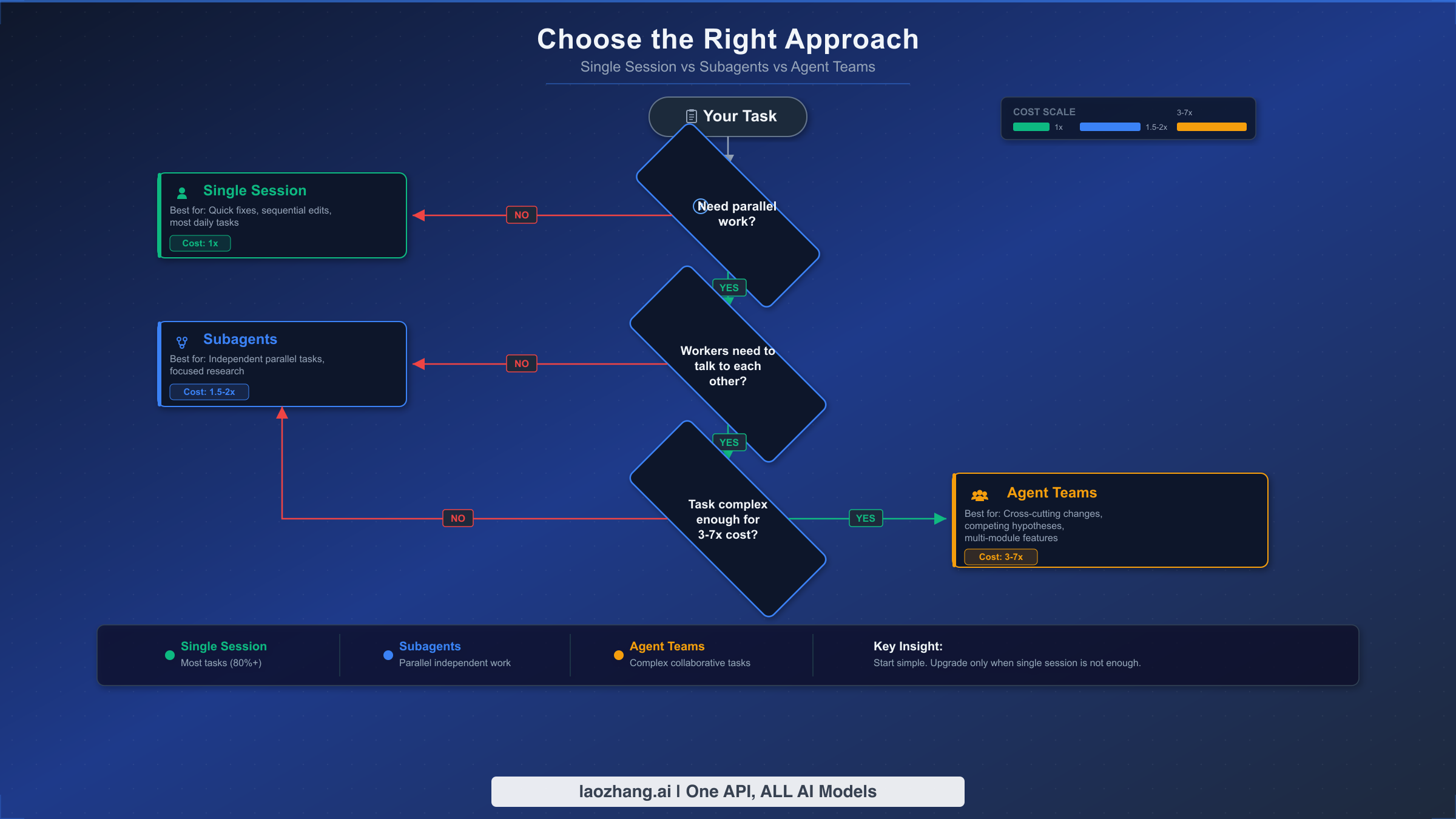
Choosing between single sessions, subagents, and agent teams is the most consequential decision you make before starting a task, because it directly determines both cost and effectiveness. The wrong choice either wastes tokens on unnecessary coordination overhead or leaves productivity on the table by forcing sequential work that could run in parallel. This decision framework distills the choice into three questions that progressively narrow your options, and understanding it prevents the most common and expensive mistake new users make: using agent teams for everything.
The first dimension to evaluate is whether your task genuinely benefits from parallel execution. If you are fixing a bug in a single file, updating documentation, or making changes that naturally flow in sequence, a single session is the optimal choice every time. Single sessions have the lowest token cost at 1x baseline, zero coordination overhead, and handle the vast majority of daily coding tasks perfectly. The instinct to reach for agent teams because they sound powerful is understandable, but parallelism only adds value when there is actually work that can run concurrently without stepping on itself.
The second question is the critical fork between subagents and agent teams: do the parallel workers need to communicate with each other? Subagents operate in a hub-and-spoke pattern where each worker reports results back to the parent and then terminates, but sibling subagents cannot talk to each other directly. This makes subagents ideal for embarrassingly parallel tasks — running tests across five different modules, searching for a pattern in multiple directories, or generating documentation for independent components. Subagents cost approximately 1.5-2x a single session, making them significantly cheaper than full agent teams.
Agent teams justify their 3-7x token cost only when teammates genuinely need peer-to-peer communication. The canonical example is building a full-stack feature: the frontend developer needs to know what API endpoints the backend developer is creating, and the test writer needs to know the contracts from both sides. Without direct communication, the parent session becomes a costly bottleneck relaying information between workers — and that relay process itself consumes tokens and introduces delays. Similarly, code review benefits from agent teams when you want reviewers to build on each other's findings: one reviewer spots a performance issue, communicates it, and another reviewer verifies that the proposed fix does not introduce a security vulnerability.
The following comparison captures the key dimensions across all three approaches:
| Dimension | Single Session | Subagents | Agent Teams |
|---|---|---|---|
| Token cost multiplier | 1x | 1.5-2x | 3-7x |
| Agent communication | N/A | Hub-and-spoke only | Full peer-to-peer |
| Context persistence | Continuous | Terminates after task | Persistent across turns |
| Task coordination | Sequential | Parent-managed | Self-coordinating via task list |
| Best for | Single-file changes, sequential work | Independent parallel tasks | Interdependent parallel work |
| Setup complexity | None | Minimal | Environment flag + display mode |
| Optimal team size | 1 | 2-5 workers | 2-7 teammates |
A practical heuristic: if you can describe each parallel worker's task completely without referencing what other workers are doing, use subagents. If workers need to ask each other questions, share intermediate results, or coordinate their changes to avoid conflicts, use agent teams.
What Agent Teams Really Cost (With Dollar Calculations)
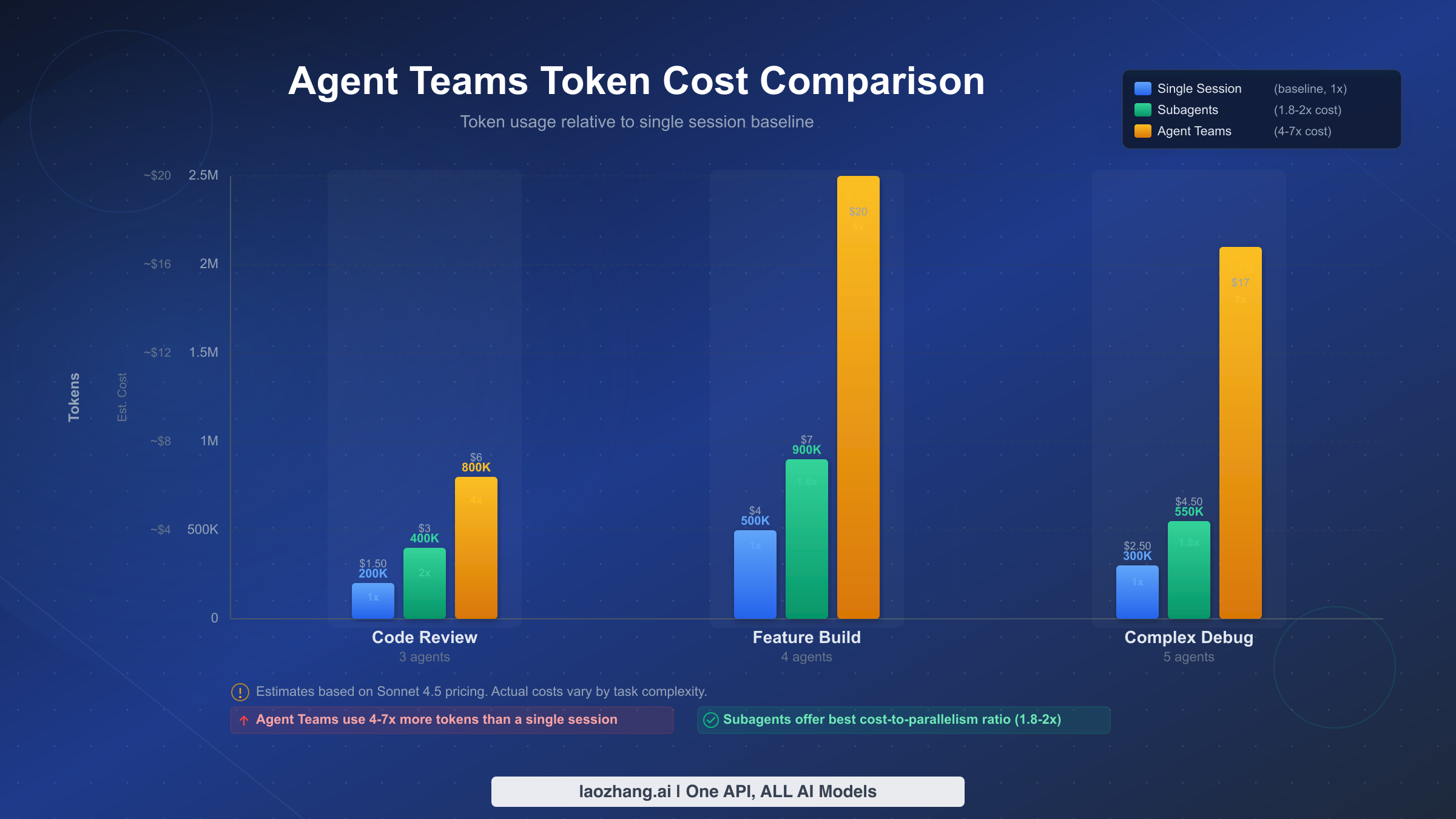
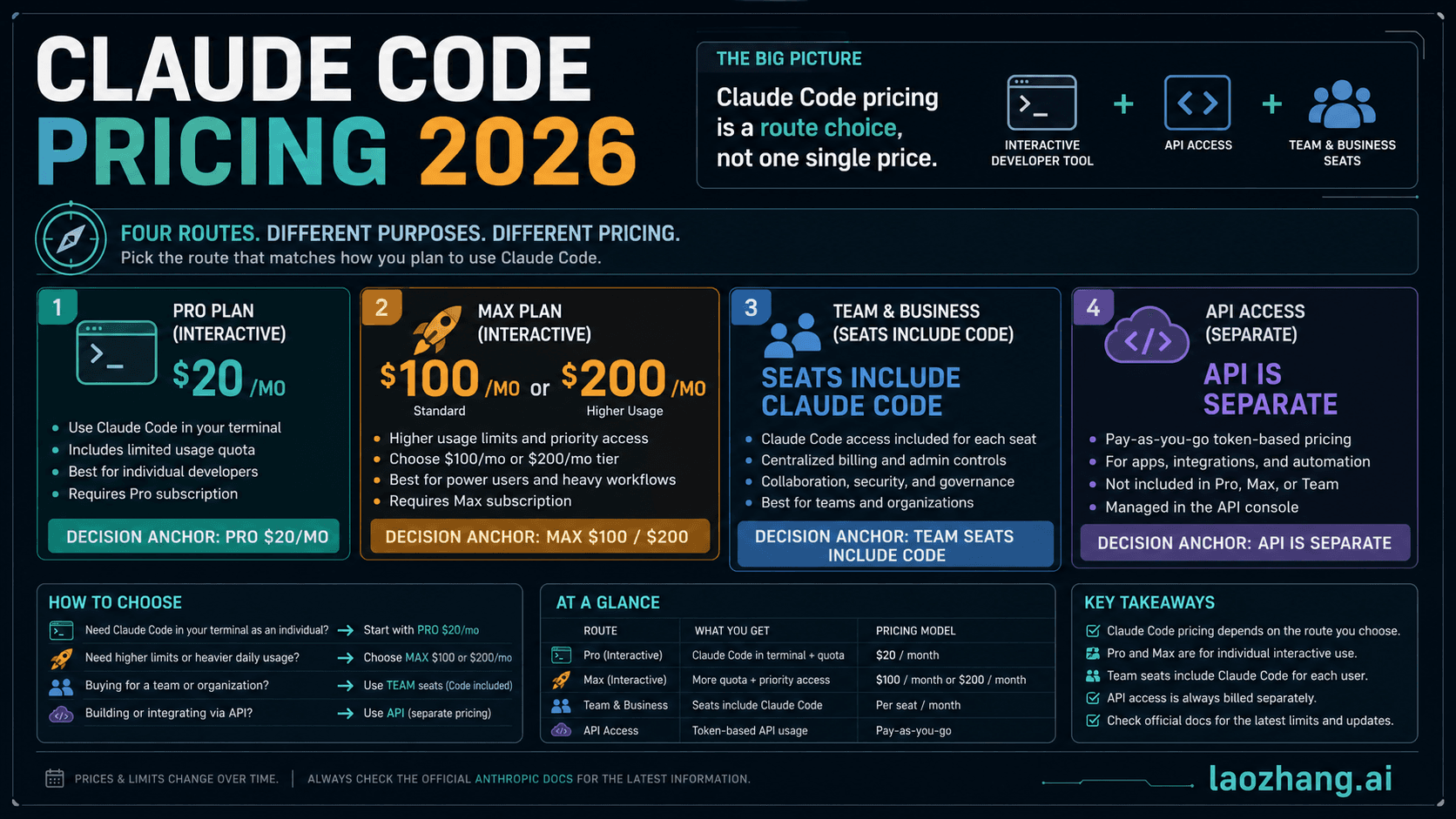
Cost is the single biggest barrier to adopting agent teams, and the headline number — approximately 7x tokens in plan mode (code.claude.com/docs/en/costs, February 2026) — sounds alarming without context. That multiplier represents the upper bound for plan-mode usage with multiple teammates, but actual costs vary dramatically depending on team size, model selection, and task complexity. Anthropic reports that the average Claude Code user spends approximately $6 per developer per day, with the 90th percentile at $12 per day (code.claude.com/docs/en/costs, February 2026). For a comprehensive breakdown of how Claude pricing works across subscription tiers and API access, see the Claude Opus 4.6 pricing and subscription breakdown.
To make the cost tangible, here are calculations for three common scenarios based on verified API pricing (claude.com/pricing, February 2026). These assume Opus 4.6 for the team lead and Sonnet 4.5 for teammates, which is the recommended cost-performance configuration.
Scenario 1: Parallel Code Review (3 reviewers, ~30 minutes). A single-session code review for a moderately-sized PR typically consumes around 200K tokens (150K input, 50K output), costing approximately $2.00 with Opus 4.6. Using 3 agent team reviewers — one for security, one for performance, one for code quality — the team lead consumes ~100K tokens for coordination while each Sonnet 4.5 reviewer consumes ~180K tokens. Total: approximately 640K tokens at a blended cost of ~$4.50. The 2.25x multiplier buys you three specialized perspectives that a single reviewer would miss, and the reviewers can flag findings to each other in real-time. For most teams, the extra $2.50 is trivially cheap compared to the cost of shipping a security vulnerability.
Scenario 2: Full-Stack Feature Build (frontend + backend + tests, ~2 hours). A single-session feature implementation typically consumes 400-600K tokens depending on complexity, costing $8-15 with Opus 4.6. An agent team with 3 specialists — frontend, backend API, and integration tests — consumes roughly 300K tokens for the Opus lead and 350K each for the Sonnet teammates, totaling approximately 1.35M tokens at a blended cost of ~$20. The 2.5-3x cost multiplier compresses what would be 4-6 hours of sequential work into roughly 90 minutes of parallel execution. For a developer billing at $100/hour, the $12 in extra API costs saves $300-500 in time.
Scenario 3: Complex Debugging with Competing Hypotheses (3-5 investigators, ~1 hour). Complex bugs often require testing multiple theories simultaneously. A single session methodically testing 3 hypotheses consumes ~500K tokens over 1-2 hours, costing approximately $10. An agent team with 3 investigators each pursuing one hypothesis consumes ~200K tokens for the lead plus 250K each for the investigators, totaling approximately 950K tokens at ~$13. The modest 1.3x cost multiplier is deceptive — the real savings is wall-clock time. Three parallel investigators find the root cause in 20 minutes instead of 90, and they can share findings in real-time to eliminate dead ends faster.
The single most impactful cost optimization is strategic model selection. The team lead should run on Opus 4.6 because it needs the strongest reasoning for task decomposition, coordination, and decision-making. Teammates should default to Sonnet 4.5, which provides excellent coding capability at 60% lower input cost ($3 vs $5/MTok) and 40% lower output cost ($15 vs $25/MTok). For simple, well-defined subtasks within a team — like running linters, formatting code, or searching for patterns — teammates can spawn their own Haiku 4.5 subagents at $1/$5 per MTok, creating a three-tier cost hierarchy. For a deeper comparison of when to use Opus versus Sonnet, see our Opus vs Sonnet model comparison.
Beyond model selection, four additional cost optimization tactics significantly reduce agent team expenses. First, set explicit scope boundaries in your spawn prompts — a teammate told to "review the auth module for security issues" consumes far fewer tokens than one told to "review the codebase." Second, use the max_turns parameter when spawning teammates to cap the number of API round-trips, preventing runaway agents from consuming unbounded tokens. Third, keep teams small: 2-3 focused teammates consistently outperform 5+ agents with overlapping responsibilities. Fourth, use plan mode for complex implementations — the lead reviews proposed changes before teammates execute them, preventing expensive rework cycles.
Prompt Templates for Effective Agent Teams
The difference between a productive agent team session and a token-wasting one is almost entirely in how you describe the task to Claude Code. A vague instruction like "refactor the user module" produces a team that fumbles through unclear responsibilities and duplicated work. An effective spawn prompt specifies the goal, assigns clear roles, defines scope boundaries, and sets quality criteria. The following templates are designed to be copied and adapted for your specific projects.
Template 1: Parallel Code Review (3 Specialized Reviewers)
Review pull request #47 using a team of 3 specialized reviewers.
Create a team called "pr-47-review".

Reviewer 1 (Security): Review all changes in src/auth/ and src/api/
for authentication bypasses, injection vulnerabilities, and unsafe
data handling. Use Sonnet model.

Reviewer 2 (Performance): Review all changes for N+1 queries,
unnecessary re-renders, missing indexes, and memory leaks. Focus on
files touching database queries and React components. Use Sonnet model.

Reviewer 3 (Code Quality): Review for consistent error handling,
proper TypeScript types, test coverage gaps, and adherence to our
coding standards in CLAUDE.md. Use Sonnet model.

After all reviewers complete, synthesize findings into a single
prioritized report. Flag any conflicts between reviewers'
recommendations.
This template works because it gives each reviewer a non-overlapping domain, specifies the model to control costs, and includes a synthesis step at the end. The team lead coordinates while three Sonnet teammates do the detailed review work, keeping costs at roughly $4-5 total.
Template 2: Full-Stack Feature Implementation
Implement the user notification preferences feature from issue #234.
Create a team called "notification-prefs".

Teammate 1 (Backend): Create the API endpoints in src/api/notifications/
- GET /api/notifications/preferences (read current prefs)
- PUT /api/notifications/preferences (update prefs)
- Add database migration for notification_preferences table
- Write unit tests for the new endpoints
Use Sonnet model.

Teammate 2 (Frontend): Build the settings UI in src/components/settings/
- Create NotificationPreferences component
- Connect to the API endpoints (coordinate with Backend teammate
  for exact request/response shapes)
- Add form validation and loading states
- Write component tests
Use Sonnet model.

Teammate 3 (Integration): After Backend and Frontend complete:
- Write end-to-end tests covering the full flow
- Verify the database migration runs cleanly
- Test error scenarios (network failures, invalid data)
Use Sonnet model. This task is blocked by Teammates 1 and 2.

Use delegate mode. I want to review the overall plan before
implementation begins.
This template explicitly sets task dependencies (Teammate 3 is blocked by 1 and 2), requests delegate mode so the lead coordinates rather than implements, and tells teammates to coordinate on API contracts. The frontend teammate knows to ask the backend teammate about request and response shapes rather than guessing.
Template 3: Competing Hypothesis Debugging
The checkout flow is failing intermittently with a 500 error in
production. Error logs show "connection refused" but only for ~10%
of requests. Create a team called "checkout-debug" with 3 investigators.

Investigator 1: Hypothesis — Database connection pool exhaustion.
Check src/db/pool.ts configuration, look for connection leaks in
the checkout transaction code, analyze connection pool sizing vs
concurrent request volume.

Investigator 2: Hypothesis — Redis session store timeout.
Check src/cache/redis.ts for timeout configuration, look for
blocking operations in the session middleware, verify Redis health
check implementation.

Investigator 3: Hypothesis — Downstream payment API flakiness.
Check src/services/payment.ts for retry logic, look at error
handling for the payment provider webhook, check if circuit breaker
is configured correctly.

Each investigator: Share findings via messages as you go. If you
find strong evidence for your hypothesis, broadcast to the team
immediately. If you can rule out your hypothesis, say so and help
another investigator.
The key innovation in this template is the explicit instruction for investigators to share findings and help each other. This turns the team into a genuine collaborative investigation rather than three isolated workers. One investigator ruling out their hypothesis can immediately help narrow the search.
Template 4: Research and Exploration
I need to understand how our authentication system works before
refactoring it. Create a research team called "auth-research".

Researcher 1: Map the authentication flow from login to session
creation. Document every file involved, every middleware touched,
and every database query executed. Output a flow diagram in markdown.

Researcher 2: Identify all places in the codebase that check
authentication or authorization. List every guard, middleware,
decorator, and manual check. Flag any inconsistencies in how
auth is verified.

Researcher 3: Analyze the test coverage for authentication.
Which flows are well-tested? Which have no tests? What edge
cases are missing?

All researchers: Use read-only operations only. Do not modify
any files. Share interesting findings with each other as you discover them.
This template uses agent teams for exploration rather than implementation, with the critical constraint of read-only operations. Research teams are one of the safest ways to start using agent teams because there is zero risk of file conflicts or unintended changes.
Five elements make a spawn prompt effective: a clear team name for tracking, specific role assignments with non-overlapping scopes, explicit model selection for cost control, defined communication expectations (when to share findings, how to coordinate), and quality criteria or constraints (read-only, plan mode, blocked-by dependencies). When you include all five, agent teams consistently produce focused, cost-efficient results.
Advanced Patterns and Best Practices
Once you are comfortable with basic agent team workflows, several advanced patterns unlock significantly more sophisticated coordination. These patterns address the most common failure modes reported by experienced users and represent hard-won lessons from real-world usage.
Delegate mode is activated by pressing Shift+Tab in the team lead session, and it fundamentally changes how the lead operates. In delegate mode, the team lead restricts itself to coordination-only tools — it cannot edit files, run commands, or directly implement anything. This forces the lead to break tasks into clear, well-defined work items and assign them to teammates rather than impatiently grabbing work itself. The "lead implementing instead of delegating" problem is one of the most common agent team anti-patterns: without delegate mode, a capable Opus lead will often start implementing the first task itself while its teammates sit idle, defeating the entire purpose of the team. Delegate mode makes this impossible, and the result is consistently better task decomposition and utilization.
Plan approval adds a critical quality gate for high-stakes work. When teammates are spawned with mode: "plan", they operate in read-only plan mode — they can explore the codebase, analyze requirements, and design an implementation approach, but they cannot make any changes until the team lead explicitly approves their plan. The teammate calls ExitPlanMode when their plan is ready, which sends a plan approval request to the lead. The lead reviews the proposed approach and either approves it (the teammate exits plan mode and begins implementation) or rejects it with feedback (the teammate revises the plan). This pattern is invaluable for codebases where incorrect changes are expensive to fix — database migrations, public API changes, and security-sensitive code all benefit from a review step before implementation.
Hooks for quality gates let you automate team-level quality enforcement through shell commands that execute in response to agent events. Two hook events are particularly useful for agent teams. The TeammateIdle hook fires whenever a teammate finishes a turn and goes idle, which is the perfect trigger for running linters, type checkers, or test suites on the teammate's recent changes. If the hook detects failures, the feedback goes directly back to the teammate so it can fix the issue before the lead considers the task complete. The TaskCompleted hook fires when a task is marked as completed, enabling you to run integration tests or deploy previews automatically when milestones are reached. Hooks transform agent teams from a "trust and hope" workflow into a "trust and verify" workflow.
Task dependency design determines how effectively teammates self-coordinate. When creating tasks, use the addBlockedBy and addBlocks parameters to express ordering constraints. A well-designed dependency graph ensures that foundational work (database migrations, shared types, API contracts) completes before dependent work (UI components, integration tests) begins. Teammates automatically respect these dependencies — they will not claim a blocked task until all blockers are resolved. The mistake to avoid is creating a flat, unstructured task list where every task has no dependencies. Without explicit ordering, teammates race to claim tasks and frequently build on unstable foundations, leading to rework and wasted tokens.
Common mistakes that waste tokens deserve explicit mention because they are remarkably easy to make. Using agent teams for sequential tasks is the most expensive mistake — there is no parallelism benefit if each step depends on the previous one, and the coordination overhead adds 3-7x cost for zero speed improvement. Spawning too many teammates is the second most common issue: more than 4-5 active agents frequently step on each other's work, generate redundant context, and spend tokens on inter-agent messages that outweigh the benefit of parallelism. Starting with overly broad scopes means teammates spend their first 10-20 turns exploring the codebase rather than executing, and those exploration tokens add up fast across 5 agents. The fix is giving each teammate a focused, well-bounded task with clear file or module scope.
Troubleshooting Agent Teams
Agent teams introduce coordination complexity that single sessions and subagents avoid, so understanding common failure modes and their fixes helps you recover quickly when things go wrong instead of wasting tokens on confused agents.
Teammates not appearing is usually caused by the feature flag not being set in the correct scope. If you set CLAUDE_CODE_EXPERIMENTAL_AGENT_TEAMS=1 as a shell variable, it applies only to that terminal session — other terminals or new sessions will not have it. The most reliable fix is adding the flag to ~/.claude/settings.json so it persists globally. Also verify that your Claude Code version is current by running claude --version, since agent teams require a version released after February 5, 2026. If you are using split-pane mode, ensure tmux is actually running by checking tmux ls — agent teams silently fall back to in-process mode if tmux is not detected.
File conflicts between teammates happen when two agents try to modify the same file simultaneously. The symptom is usually one teammate's changes getting overwritten by another's write operation, or merge conflicts appearing in git status. The prevention strategy is assigning clear file or directory ownership in your spawn prompt — "Teammate 1 owns src/api/, Teammate 2 owns src/components/" — so they never touch the same files. If a conflict does occur, the team lead should pause both teammates, resolve the conflict manually or by instructing one teammate to re-read the file and reconcile, and then resume work with stricter boundaries. Setting up a pre-commit hook that fails on conflicting changes can catch this early.
The team lead implementing instead of delegating is a behavioral issue where the Opus lead starts writing code itself rather than assigning work to teammates. This defeats the purpose of the team and often results in idle teammates consuming tokens while doing nothing useful. The fix is activating delegate mode with Shift+Tab, which restricts the lead to coordination-only tools. If you notice this pattern mid-session, you can also explicitly instruct the lead: "Do not implement anything yourself. Break this into tasks and assign them to teammates."
Orphaned tmux sessions accumulate when agent team sessions end abnormally — network disconnection, terminal crash, or force-quitting the lead. These orphaned processes continue running in the background, consuming system resources but no longer connected to any coordination infrastructure. Run tmux ls to list all sessions and tmux kill-session -t {name} to clean up sessions that are no longer needed. A useful practice is including the date or task name in your team names so you can easily identify which sessions are stale.
Task status lag occurs when a teammate completes work but the task list does not reflect the update immediately. This can cause the lead to think a task is still in progress or another teammate to avoid claiming follow-up work. The root cause is usually a teammate that finished its implementation but failed to call TaskUpdate to mark the task as completed. The fix is explicit instructions in your spawn prompt: "After completing your task, always call TaskUpdate to mark it as completed, then call TaskList to check for the next available task." Building this into your standard prompt template prevents the issue from recurring.
Start Building with Agent Teams Today
Getting started with agent teams does not require understanding every advanced pattern — you can be productive with a minimal setup and learn the nuances as you encounter specific needs. The following checklist takes you from zero to your first productive agent team session in under 5 minutes.
Start with this quick setup: add "CLAUDE_CODE_EXPERIMENTAL_AGENT_TEAMS": "1" to the env section of your ~/.claude/settings.json. Install tmux if you want split-pane display (recommended for 3+ agents but not required). Then open Claude Code and describe a parallelizable task — start with something low-risk like a code review or codebase exploration rather than a critical feature implementation. Watch how the team lead decomposes the task, spawns teammates, and coordinates their work.
The recommended learning progression builds confidence systematically. First, try a 2-agent research team that explores your codebase in read-only mode — this introduces team dynamics with zero risk. Next, try a 3-agent code review team where each reviewer focuses on a different quality dimension (security, performance, maintainability). Then attempt a small feature implementation with 2-3 teammates working on separate modules. Finally, experiment with advanced patterns like delegate mode, plan approval, and hooks when you are comfortable with the coordination mechanics.
For teams running high-volume agent workloads through the API, cost management becomes a practical concern. The model-mixing strategy described earlier (Opus lead + Sonnet teammates + Haiku subagents) is the most impactful optimization. Focus your experimentation budget on understanding which tasks genuinely benefit from agent teams versus which are better served by single sessions or subagents — this understanding pays dividends far beyond the initial learning cost.
Frequently Asked Questions
Can agent teams work on the same file simultaneously? They can, but they should not. Two agents writing to the same file creates race conditions where one agent's changes overwrite the other's. Assign clear file or directory ownership to each teammate in your spawn prompt to prevent this.
What happens if the team lead crashes mid-session? Teammates continue running independently but lose their coordination hub. They will complete their current task but cannot receive new assignments. You can restart Claude Code and pick up orphaned teammates through the task list, or clean up tmux sessions and start fresh.
How many teammates should I use? Two to three focused teammates consistently outperform larger teams. Beyond 4-5 active agents, coordination overhead and the risk of file conflicts grow faster than productivity gains. The C compiler project used 16 agents, but across approximately 2,000 sessions — not 16 agents simultaneously (anthropic.com/engineering, February 2026).
Do agent teams work with MCP servers? Yes. Teammates inherit MCP server configuration from the project's settings, so any MCP tools available to the team lead are also available to teammates. This means agents can use custom tools, database connections, and external service integrations during team sessions.
Is there a way to resume an interrupted agent team session? Currently, agent teams do not support native session resumption. If a session is interrupted, the task list at ~/.claude/tasks/{team-name}/ persists and shows which tasks were completed, in progress, or pending. You can start a new session, reference the existing task list, and resume work from the last completed checkpoint.